

Description
.png)
B2B Furniture Wholesale Management
This module provides a complete solution for managing B2B furniture wholesale agreements in Odoo. It allows businesses to define long-term agreements with customers, manage flexible order quantities, and process deliveries in multiple stages based on customer requirements.It helps you track remaining quantity, delivered quantity, and invoiced quantity at the agreement level, so you can easily monitor progress and prevent delivery or billing mistakes.The module enables advance payment management at the agreement level, allowing businesses to secure customer commitments and maintain better financial control. It also provides the capability to define agreement-level discounts.The module includes a Sales Manager Approval Workflow, where agreements must be reviewed and approved before confirmation.
We specialize in delivering advanced Odoo solutions across multiple domains. Our expertise includes:

EDI & SWIFT/ACH Payment Integrations
End-to-end EDI automation, including X12, EDIFACT, XML standards, & financial integrations such as SWIFT, ACH, & Fedwire.


eCommerce Integrations
Seamless integration with leading eCommerce platforms to sync products, orders, inventory, and customer data in real time.

Shipping Integrations
Robust shipping connectors for global couriers, offering automated label generation, tracking, and rate computation.

Most Useful Apps for your ERP
A wide range of highly-rated Odoo modules designed to enhance automation, improve productivity, & simplify business operations.
 Features
 Process
 FAQs
FAQs
 Sales Agreements with Flexible Quantity Management:
Create sales agreements with total required quantities and execute them in multiple releases based on customer demand, ensuring flexibility and better planning.
Real-time Quantity Tracking:
Track remaining, delivered, and invoiced quantities directly at the agreement level for complete visibility.
Advance Payment Support:
Supports advance payment creation directly from the agreement level to simplify payment processing.
Agreement-level Discount:
Configure discounts at the agreement level and automatically apply them to all related sales orders for consistent pricing.
Approval Workflow Control:
Agreements go through a sales manager approval process before confirmation to verify pricing, quantities, and agreement conditions.
Partial Order Management:
Fulfill and invoice orders in stages instead of all at once, helping businesses manage bulk quantities efficiently while aligning deliveries and billing with customer needs.
Agreement-wise Reporting:
Generate detailed agreement reports with customer, product, pricing, and quantity tracking including original, ordered, delivered, and invoiced quantities.
Restrict Non-Agreement Products in Sales Orders:
Ensure only agreement-approved products can be added to sales orders, preventing unauthorized or incorrect items from being used.
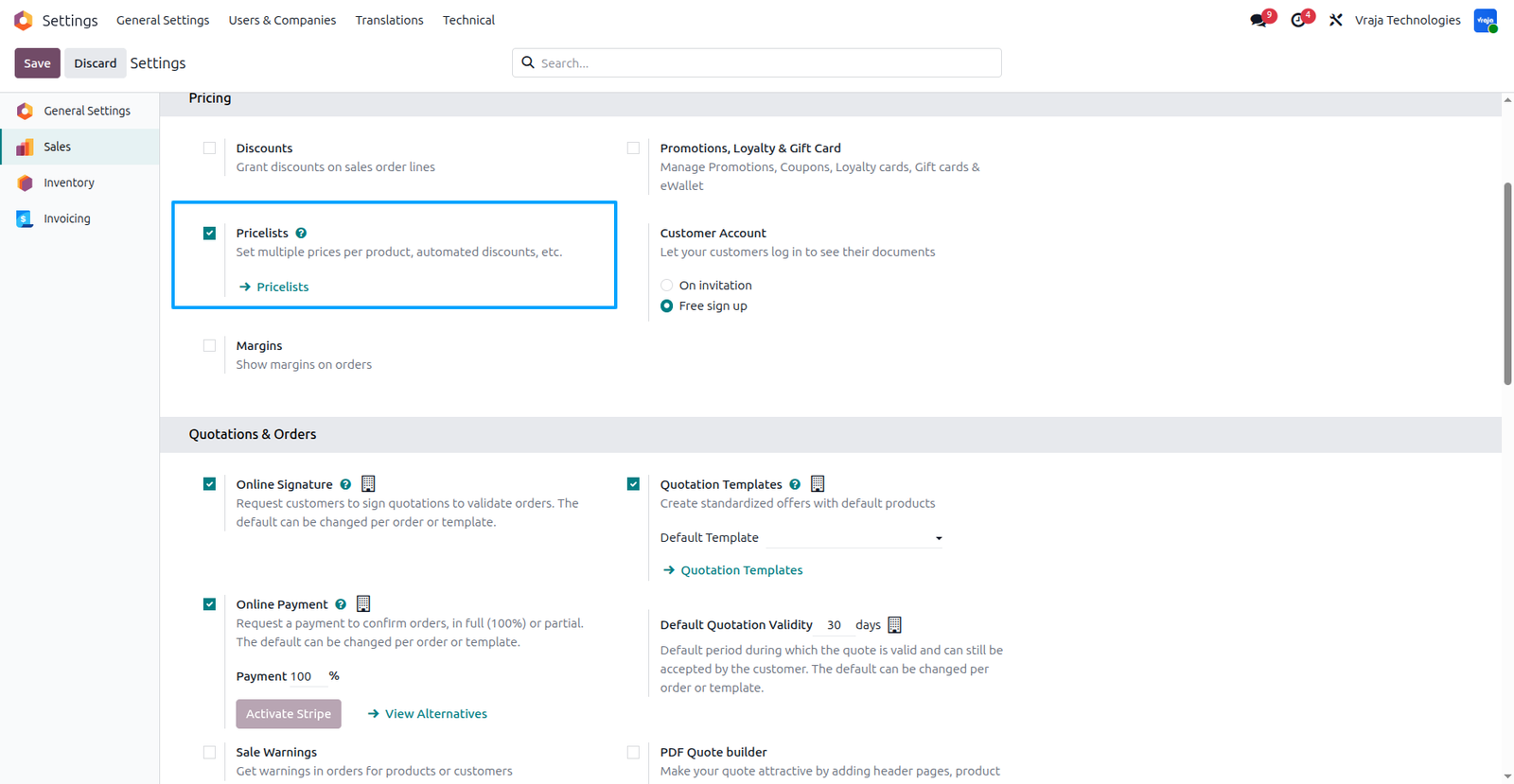
Go to Settings → Sales → Pricing → Enable “Pricelist”, then you can set a default pricelist in the agreement.
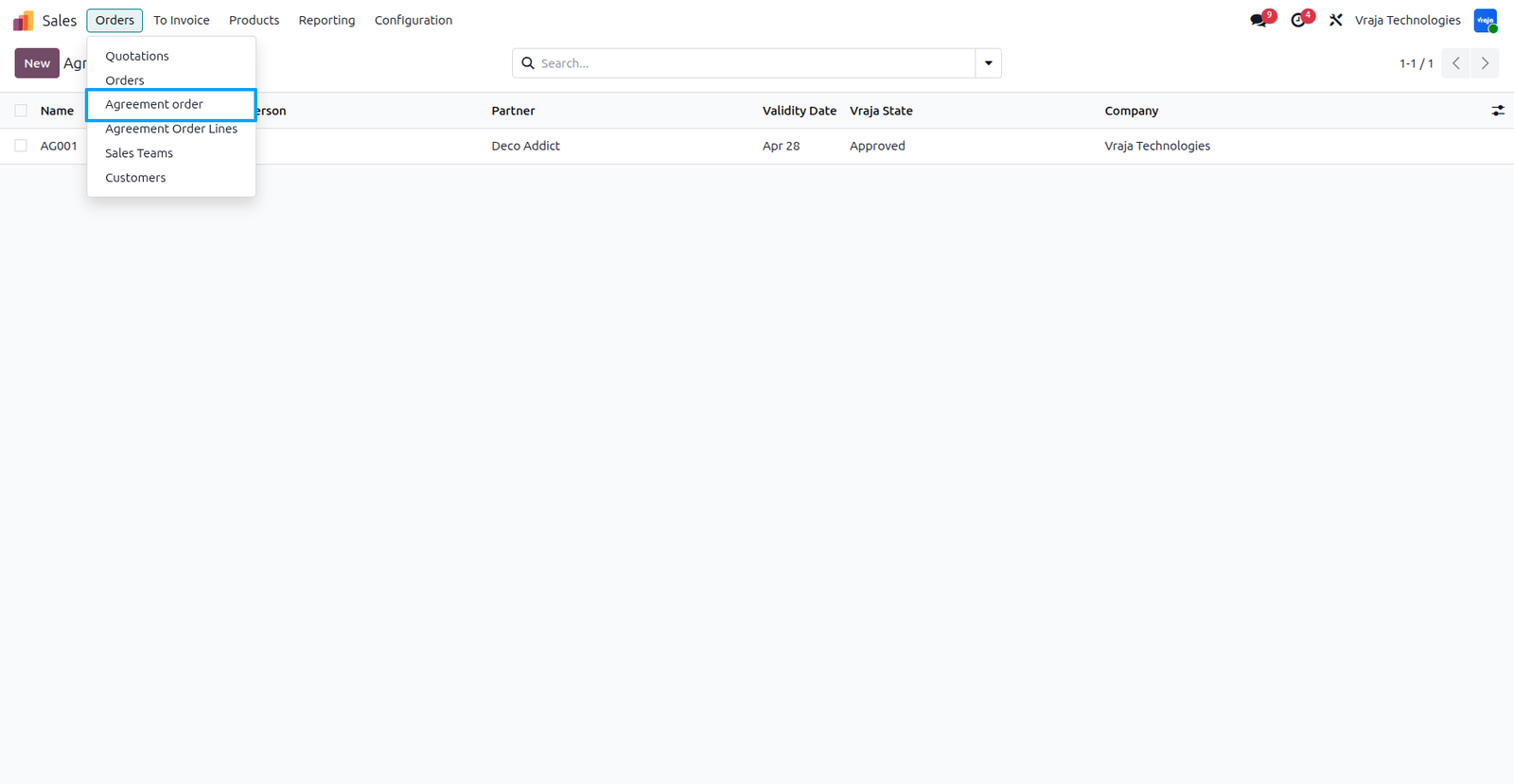
From the Sales module, click on “Agreement Order” menu under the Orders section. This will open a list view of all created agreements, where you can view and manage existing agreement records.
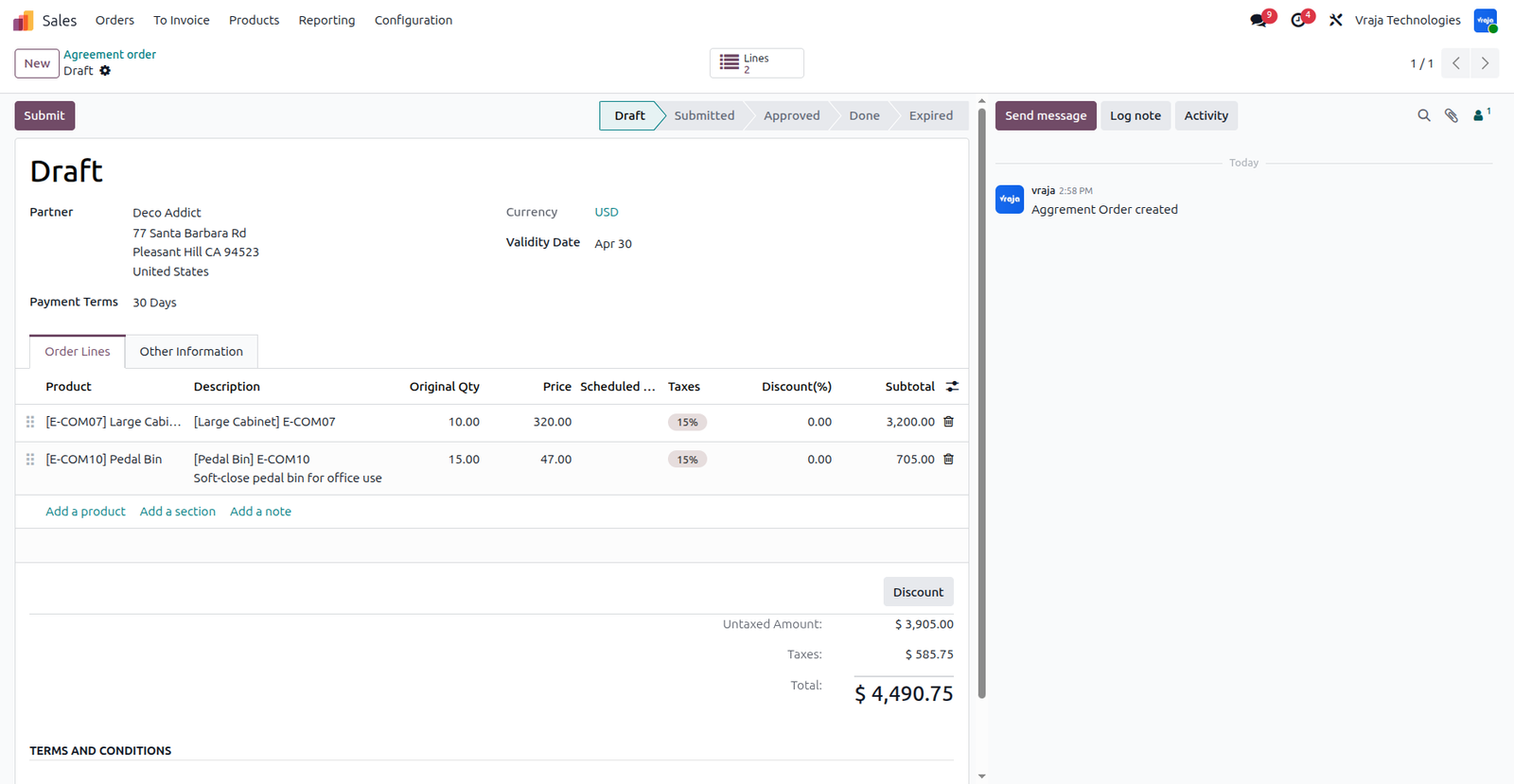
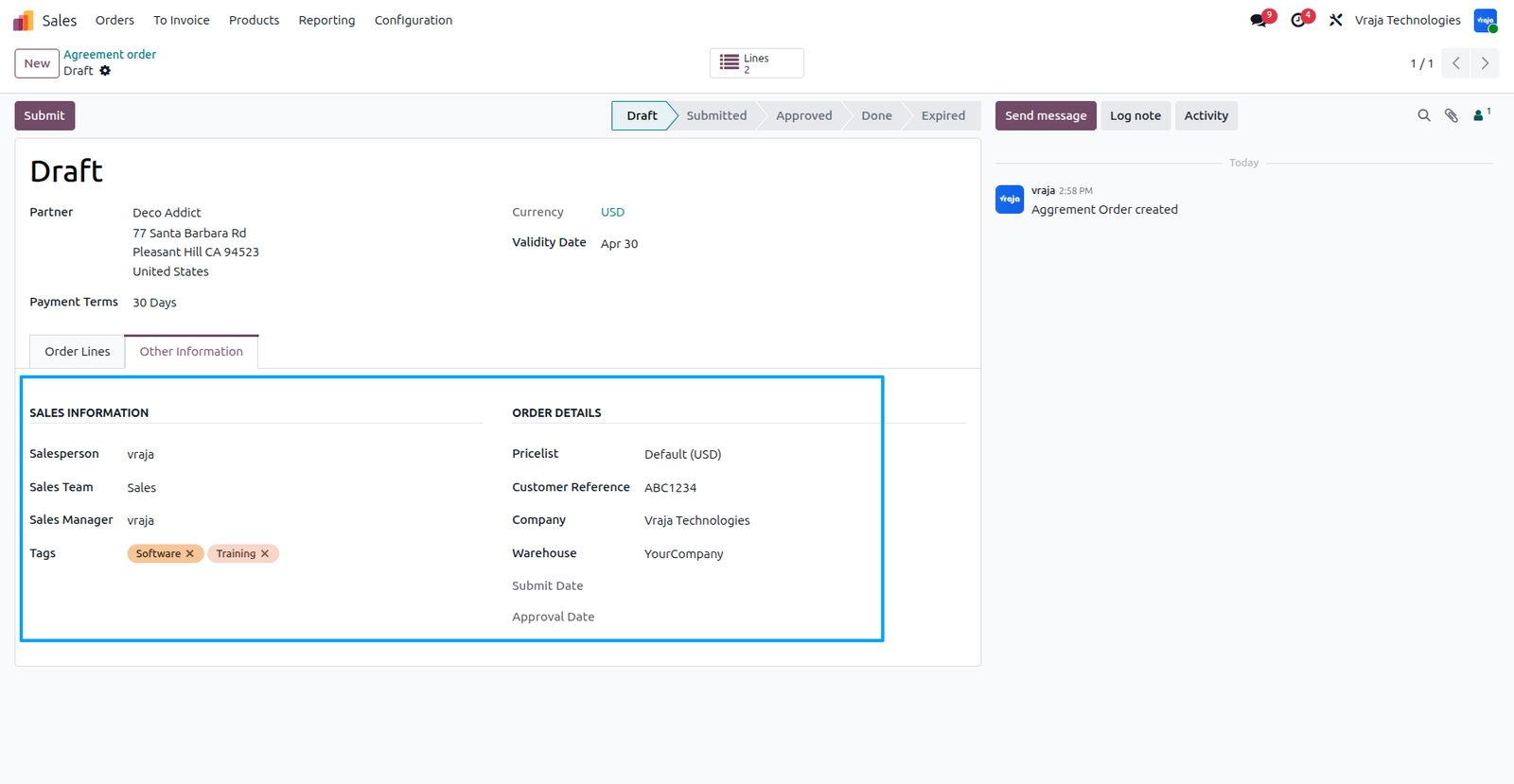
Select the required customer, payment terms,validity date, salesperson, pricelist, company, and warehouse, then add products with their quantities and pricing in the order lines to define the agreement structure.
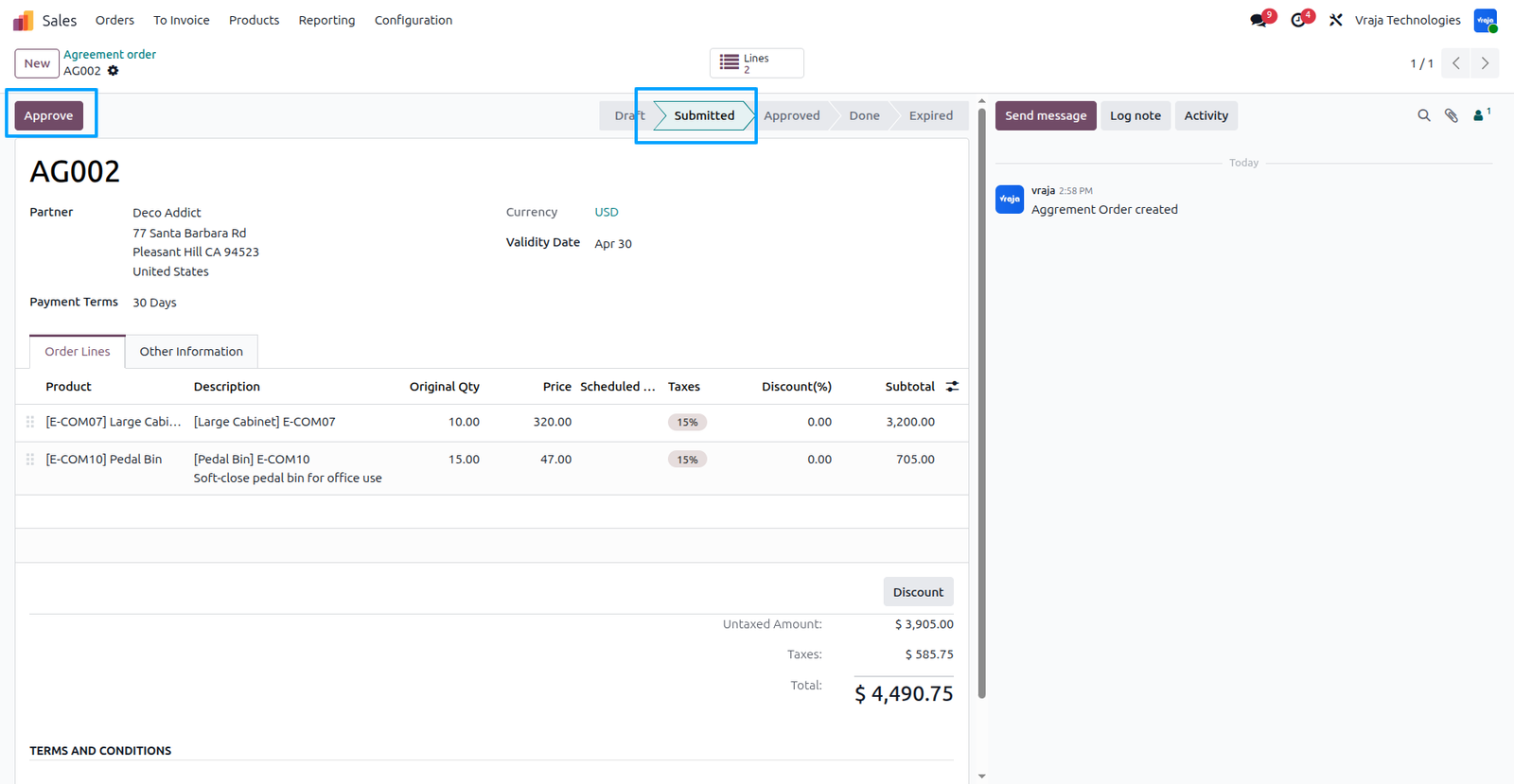
After On clicking the Submit button, the agreement is sent for approval to the Sales Manager who is set on the agreement.The assigned Sales Manager reviews the details and approves the agreement accordingly.After submission, the Approval button becomes visible. By clicking the Approval button, the Sales Manager approves the agreement, and the record is moved to the Approved state.
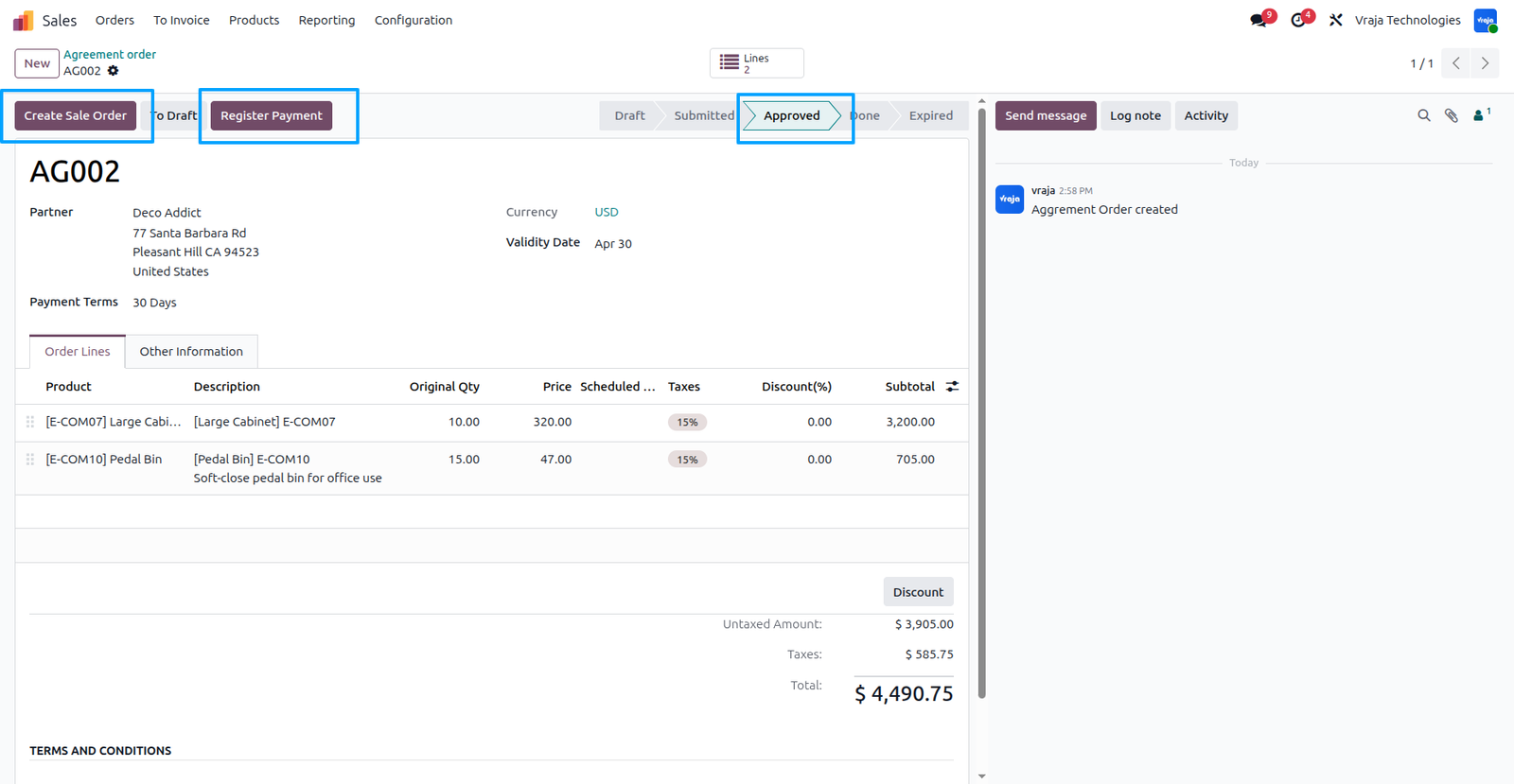
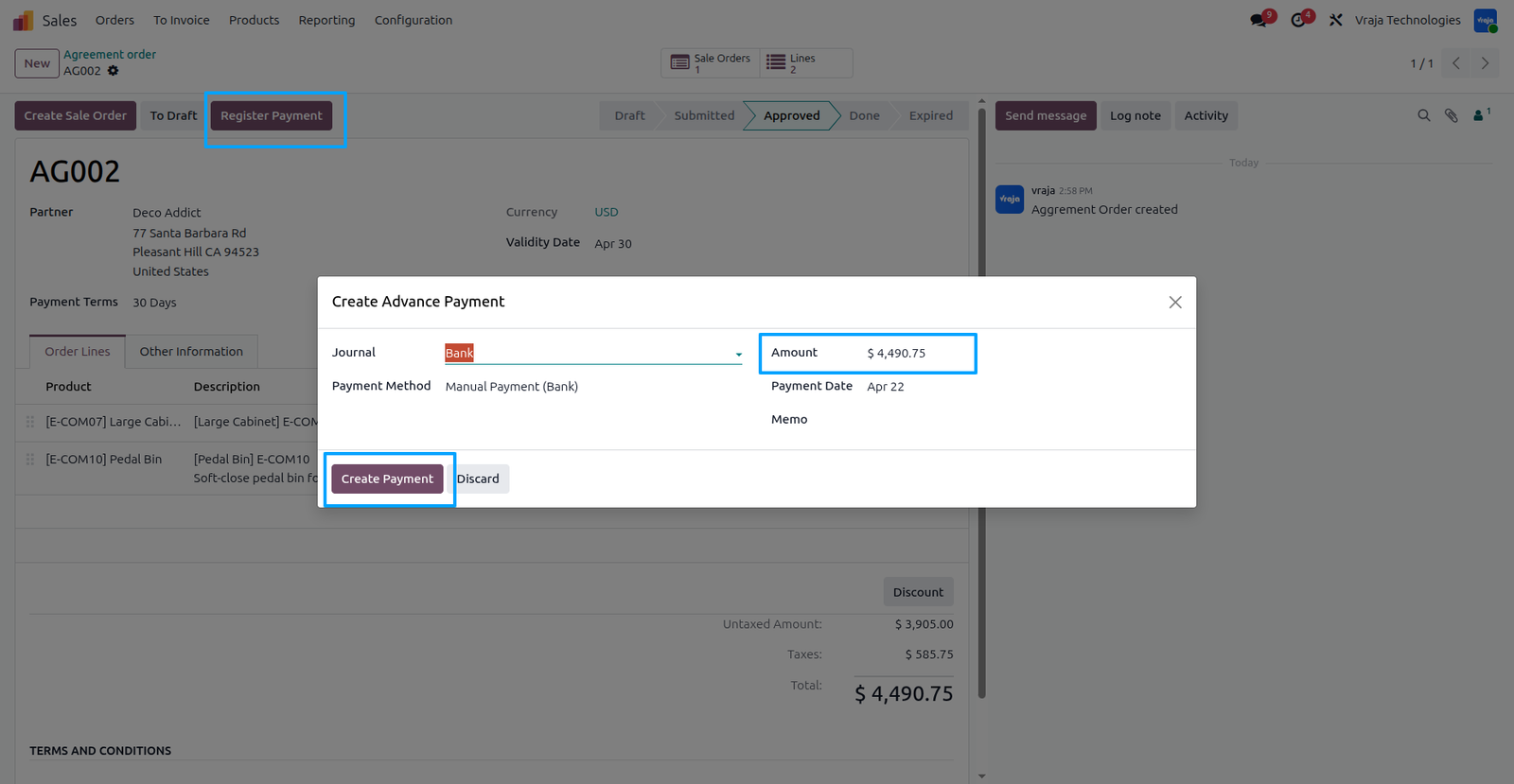
After the agreement is moved to the Approved state, buttons such as “Create Sale Order” and “Register Payment” become visible. From here, you can proceed by clicking Create Sale Order to generate a sales order based on the approved agreement details or generate advance payment for this customer.
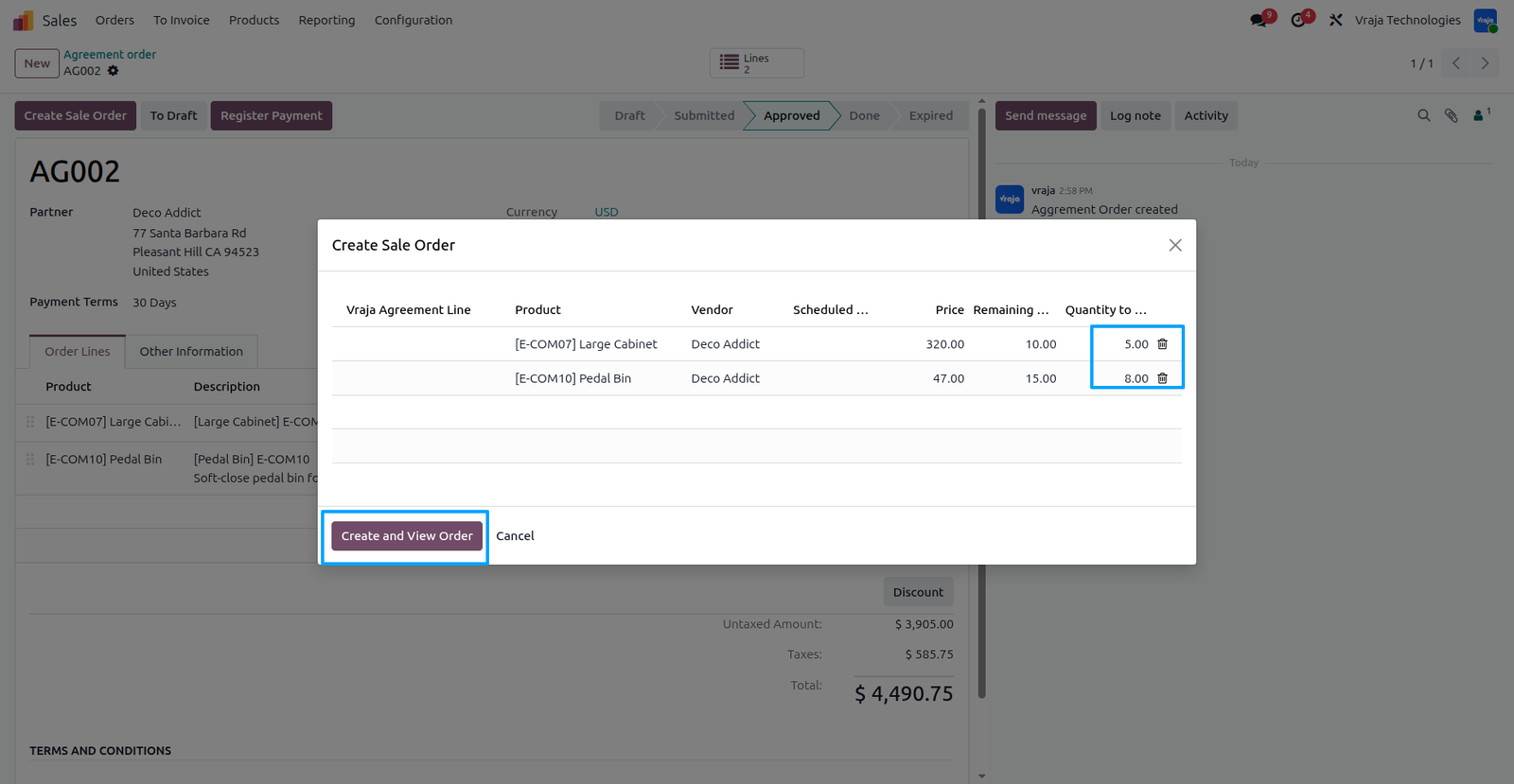
Now, you can create a Sale Order based on the required demand quantity. By clicking Create & View Order, a Sale Order is generated with all the previously defined agreement details automatically applied.
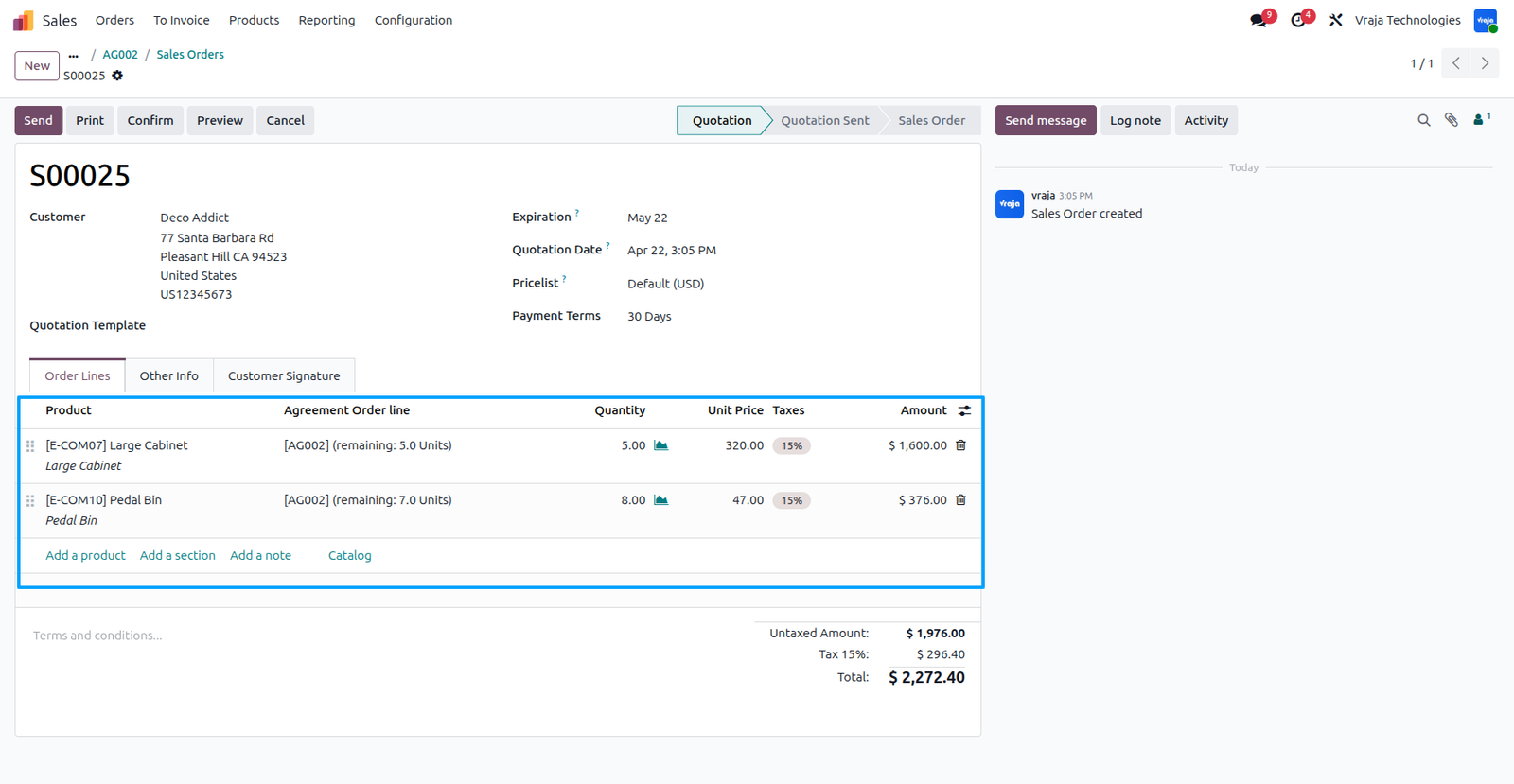
Sale order is created from the agreement with all configured products, quantities, prices, and related details automatically applied.
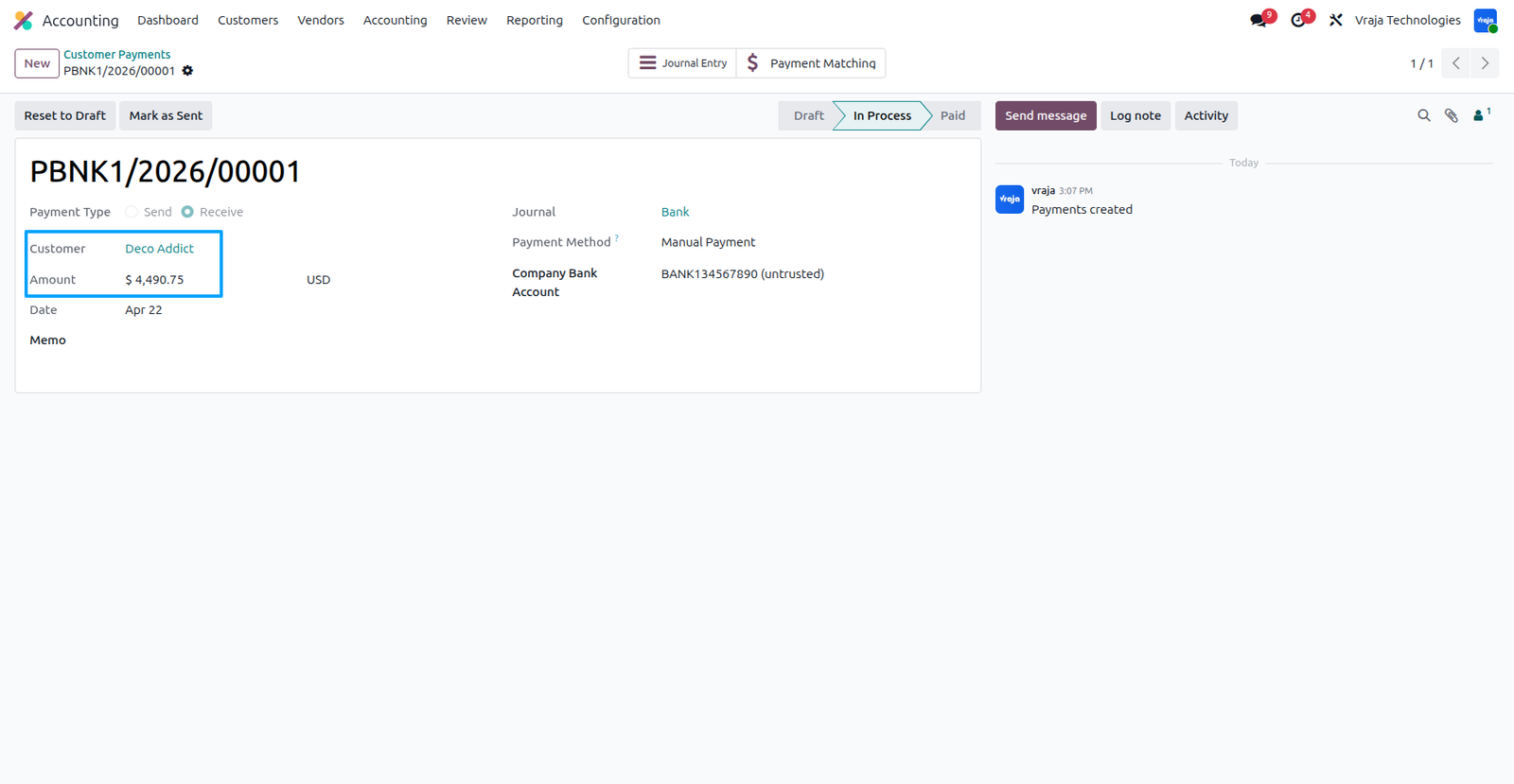
Using the Register Payment button, you can create an advance payment, and an advance payment is created for the customer against the agreement.
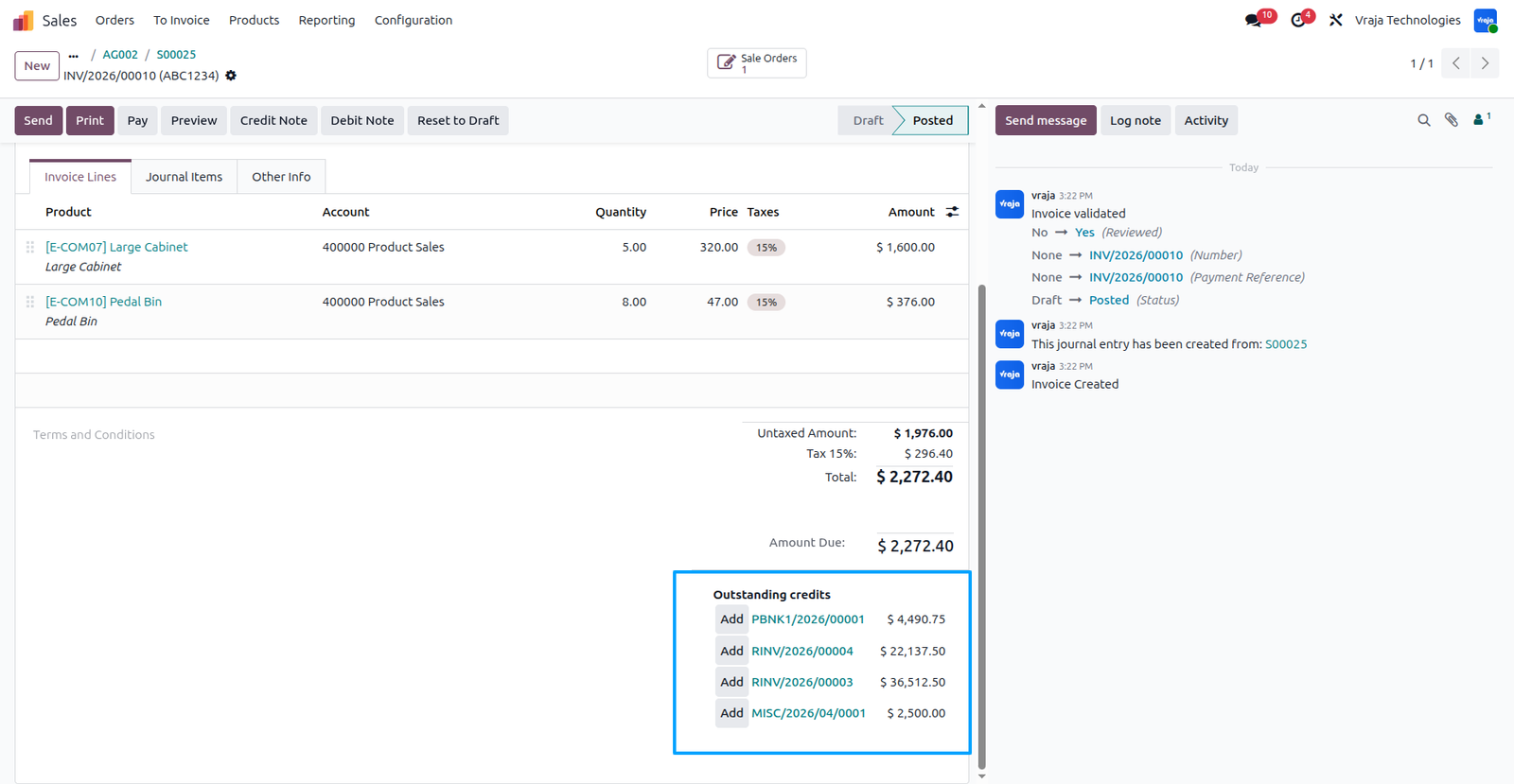
You can see payment is created for that customer. Now you can see the posted invoice with outstanding credits, and you can use the available payments shown to directly settle the invoice by clicking on Add.
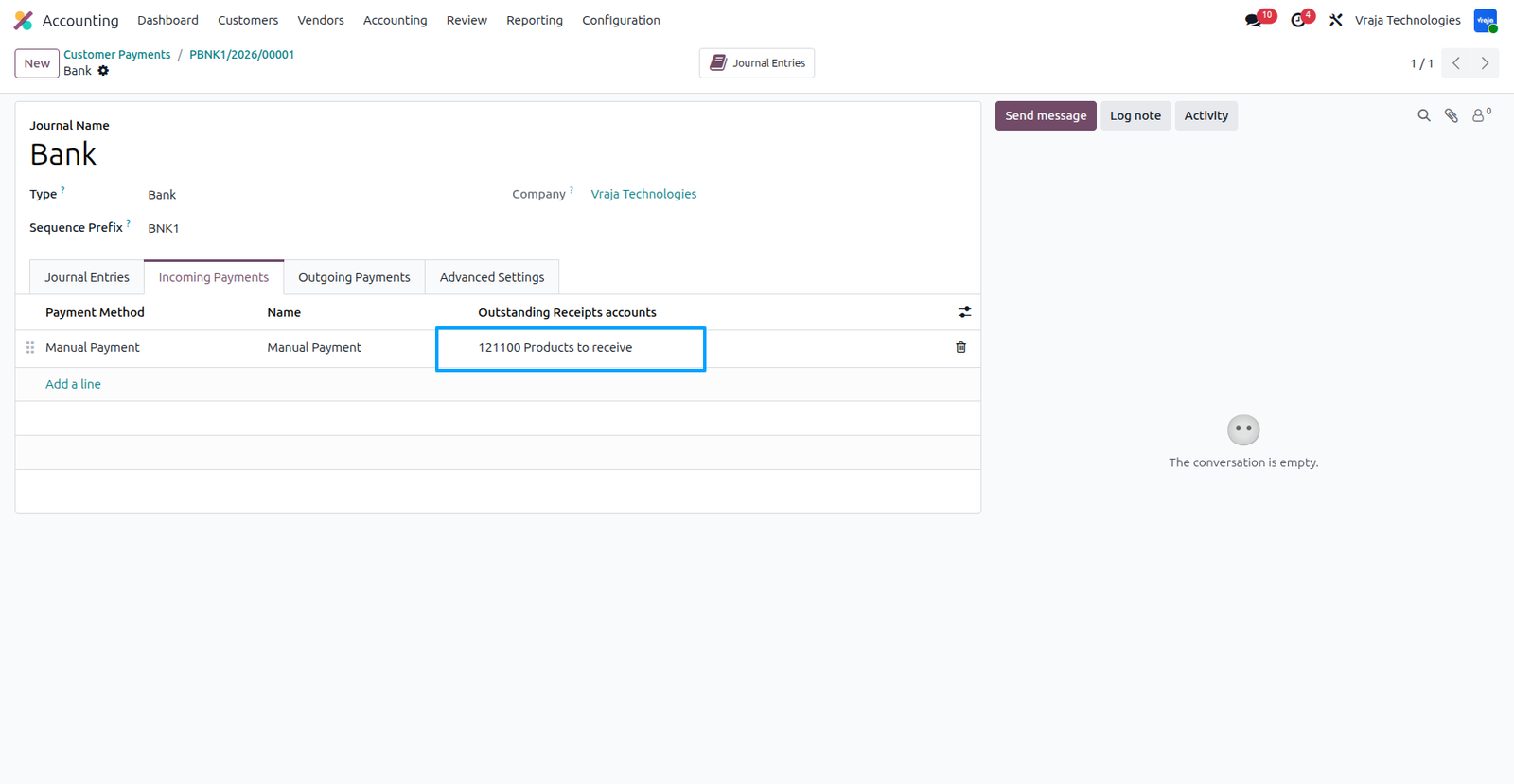
Note: If the Accounting module is installed, while creating a payment you must select the correct incoming payment account (e.g., 121100 Products to Receive). Similarly, for outgoing payments, select the proper account (e.g., 101403 Outstanding Receipts). This ensures that payments are correctly reflected and properly matched with the invoice.
Now you can view delivered quantity, invoiced quantity, and remaining quantity, which are automatically updated based on the order progress.
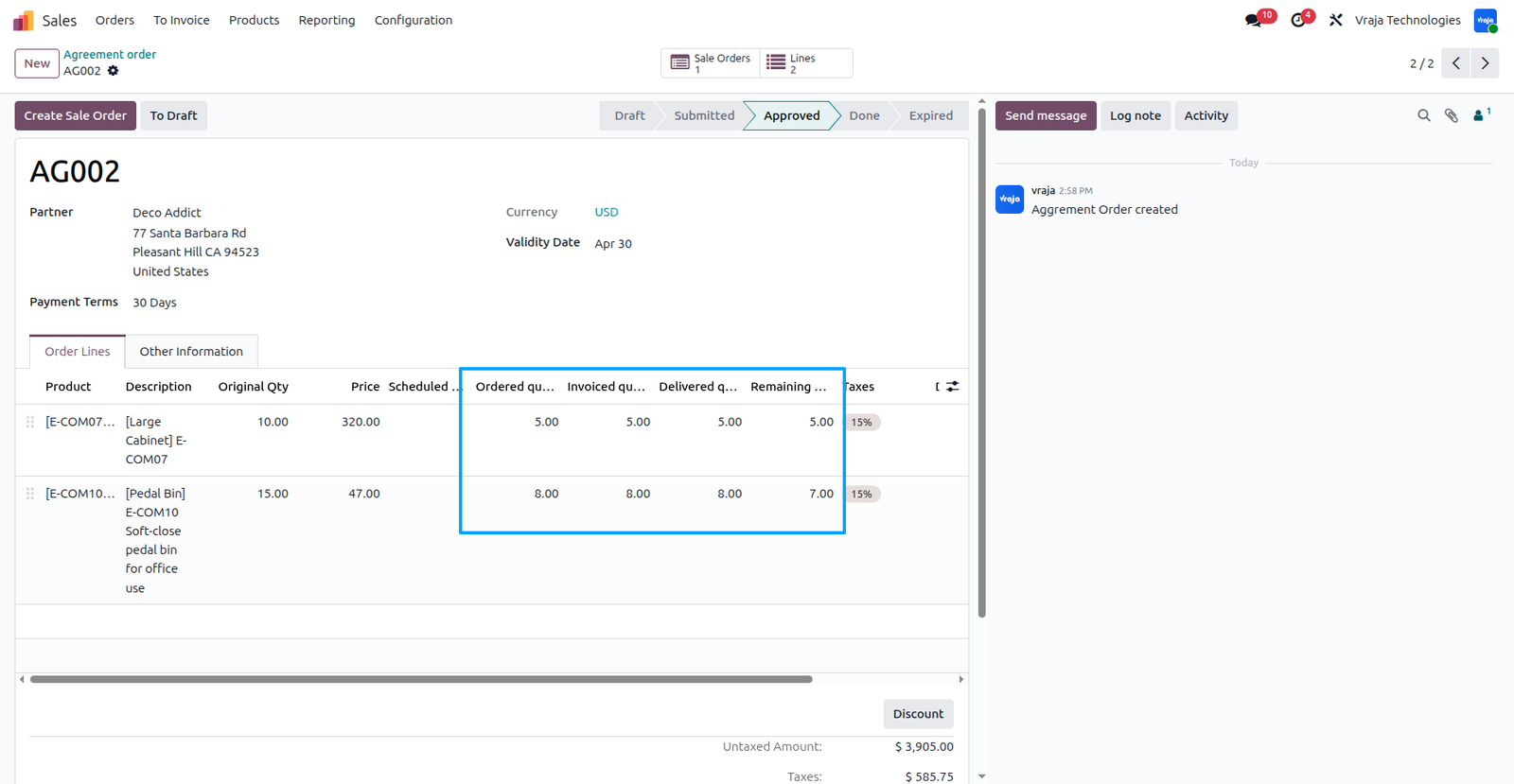
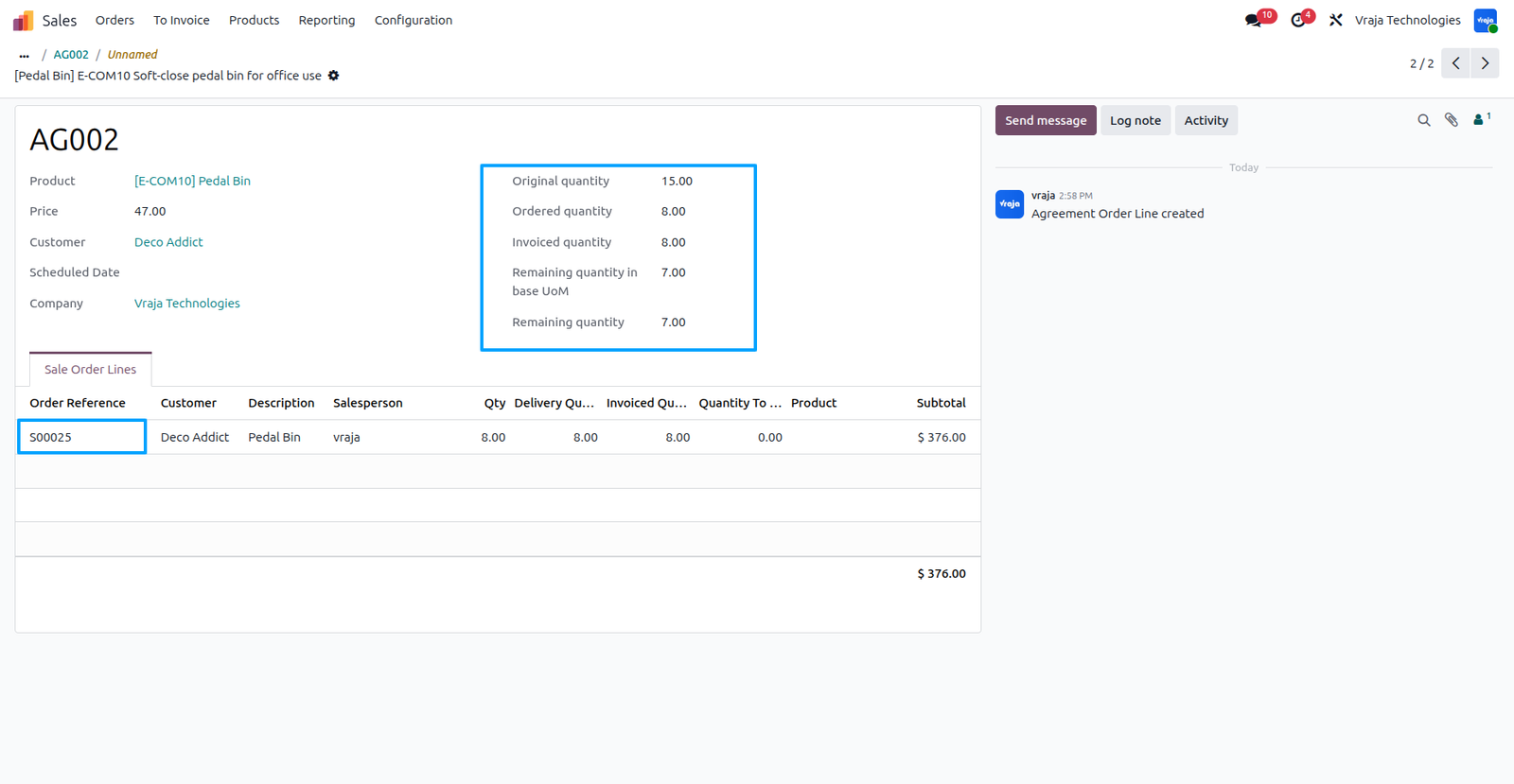
You can see that agreement line wise sale order is attached with original quantity, ordered quantity, invoiced quantity, delivered quantity, and other related details.
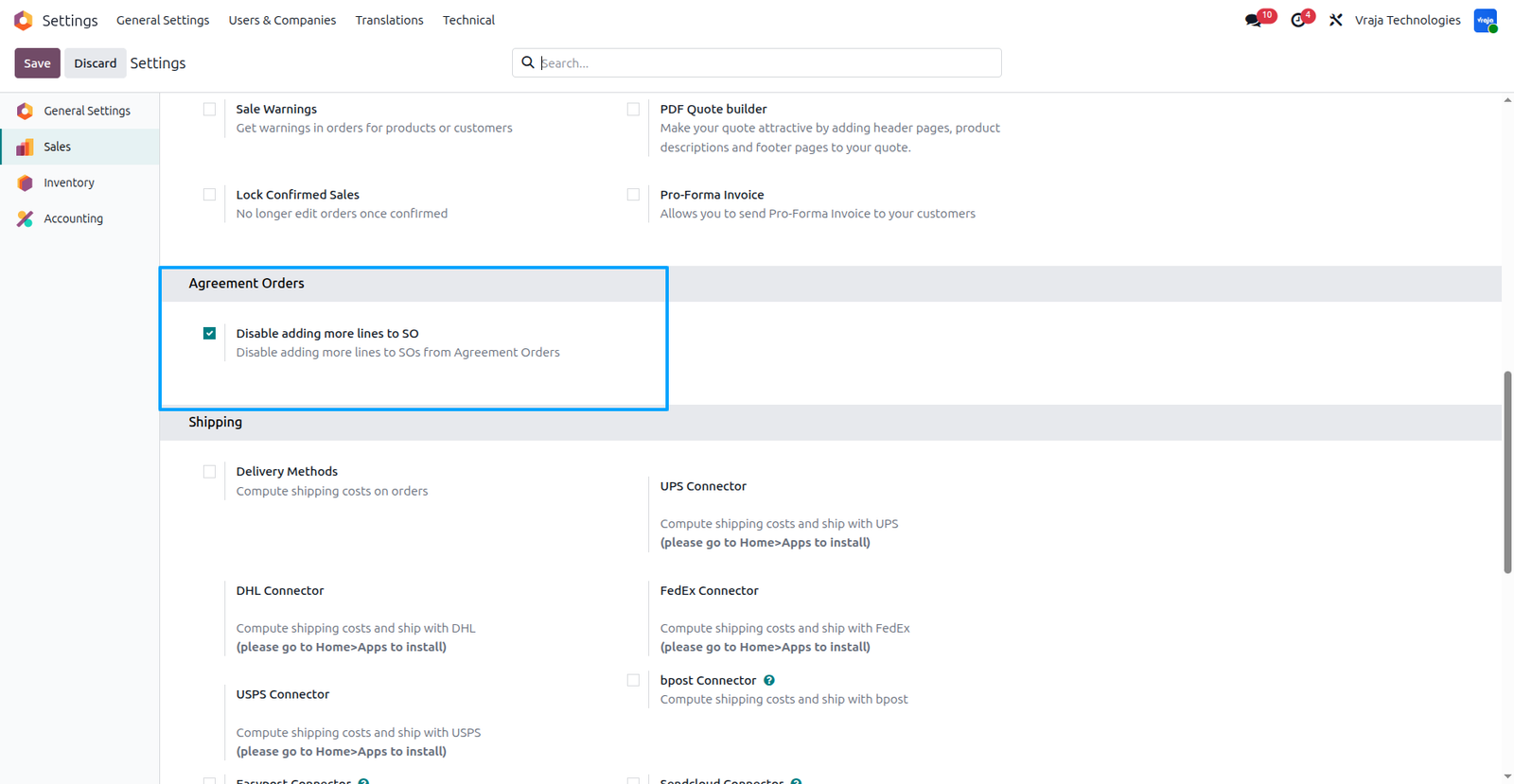
You can restrict changes in the sale order created from the agreement by enabling “Disable adding more lines to SO”, which prevents users from modifying the order, including changes in quantity and unit price.
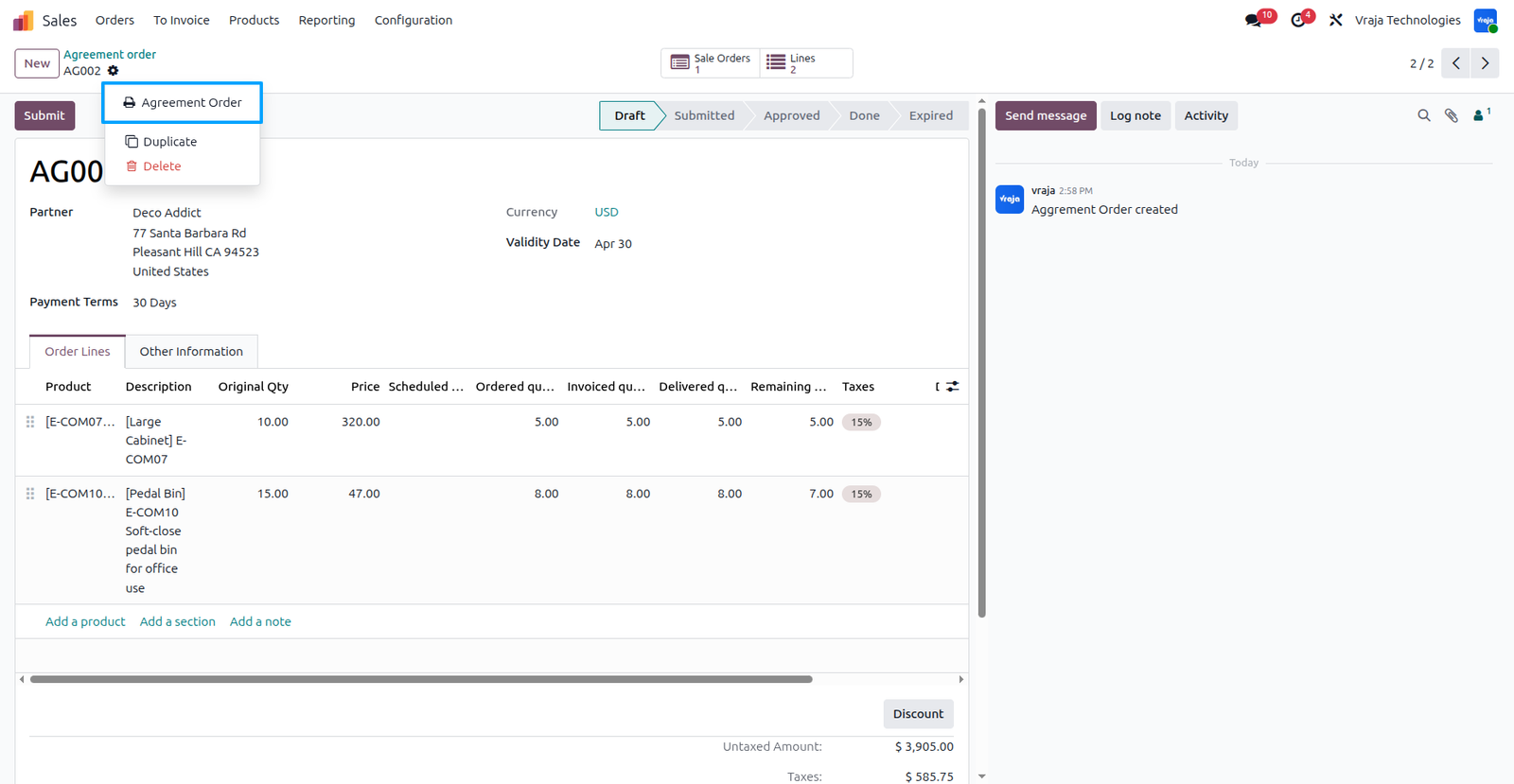
You can generate a detailed agreement report with a single click, which includes order quantity, delivered quantity, invoiced quantity, and product information for better tracking and analysis.
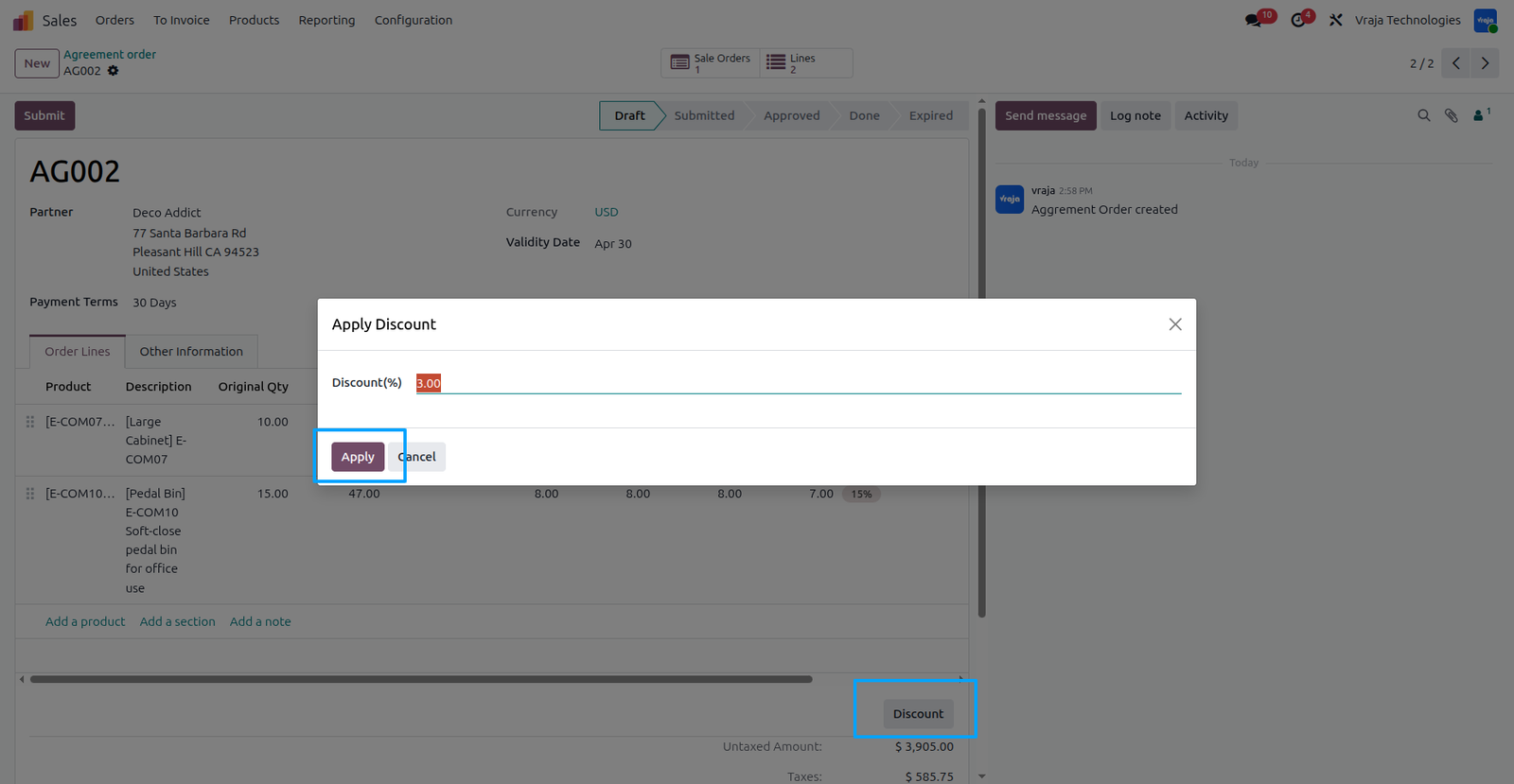
By clicking on the Discount button, you can apply a discount across all products in the agreement lines. This ensures a consistent discount is applied to the entire agreement efficiently.
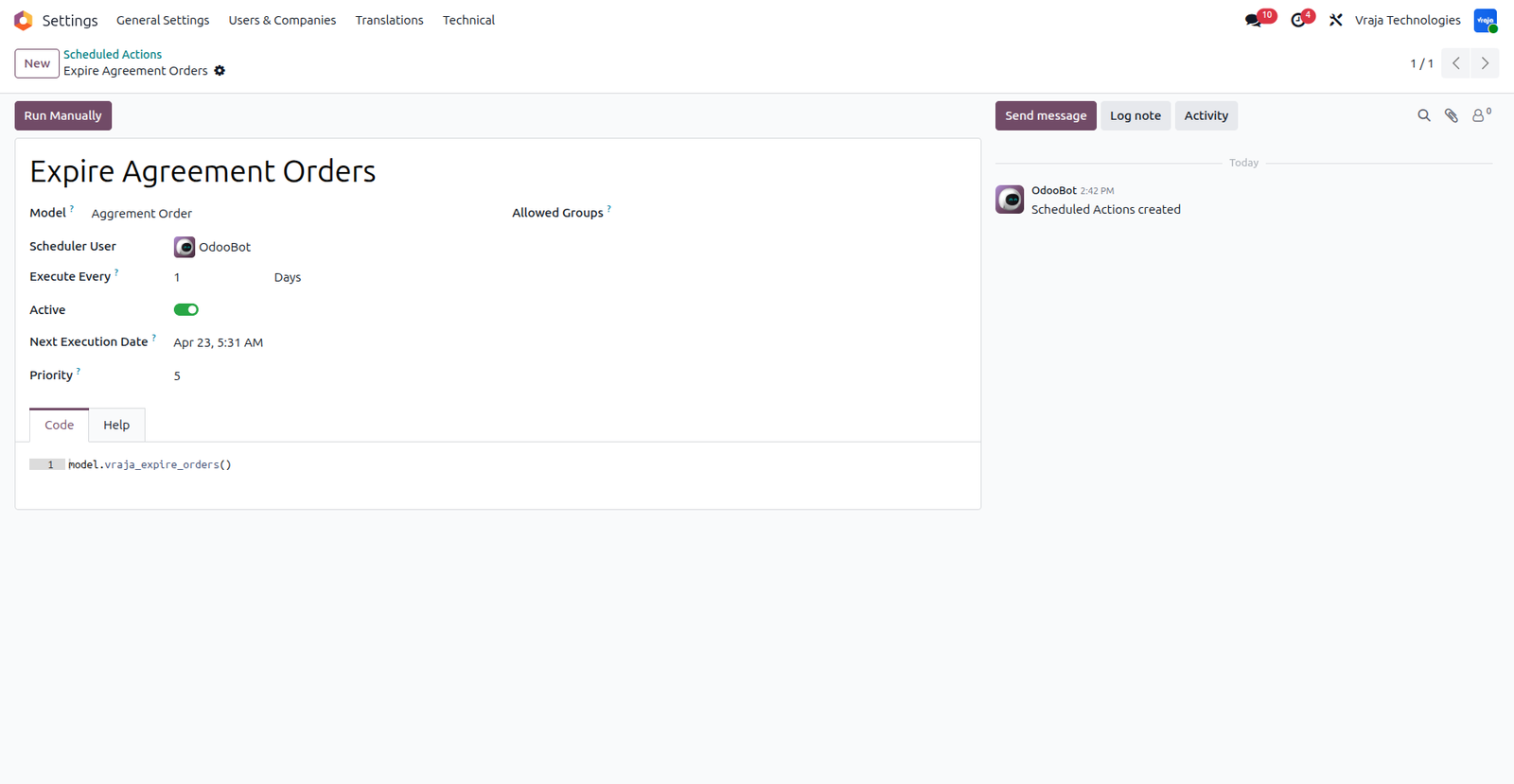
Expire Agreement Orders automatically sets agreements to expired when the validation date reaches today, helping you track and manage expired records.
 Does the system support real-time inventory tracking?
- Yes, it provides real-time quantity tracking to ensure accurate stock availability and agreement fulfillment.
Can advance payments be handled in this module?
- Yes, the module supports advance payment processing for wholesale orders and agreements.
Is discount management available at agreement level?
- Yes, you can apply and manage discounts directly at the agreement level for all related agreement lines.
Does it support partial advance payment in this module?
- Yes, partial advance payments are supported along with full advance payment options.
Can I manage partial orders in this module?
- Yes, partial order and partial delivery management are supported based on stock availability.
Can I restrict changes in quantity and price after sales order creation?
- Yes, the system can restrict or control changes in quantity and price after sales order creation to ensure agreement compliance and prevent unauthorized modifications.
I would like to request a custom feature for this application. What’s the process to get it implemented?
- We’re happy to help tailor the application to meet your business needs! You can reach us via sales@vrajatechnologies.com
Who is the point of contact for technical support, configuration support or bug-related queries?
- You can reach us via support@vrajatechnologies.com
Submit a Support Ticket
If you encounter any issues while using our app that are caused by the app itself, we offer complimentary support for 60 days from the date of purchase.
To create a support ticket, please register via the Vraja Technologies Support Email and provide the necessary details so we can assist you in resolving the issue.

Email Us
support@vrajatechnologies.com

 1.png)
Contact Us
vrajatechnologies.com/contactus

Support
vrajatechnologies.com/support-policy
Vraja Technologies Services

Odoo Implementation

Odoo App Integration Services

Odoo Customization

Odoo Consultation

Odoo Support & Maintenance

Odoo Developer Outsourcing
Suggested Application















Reviews
There are no reviews yet.