
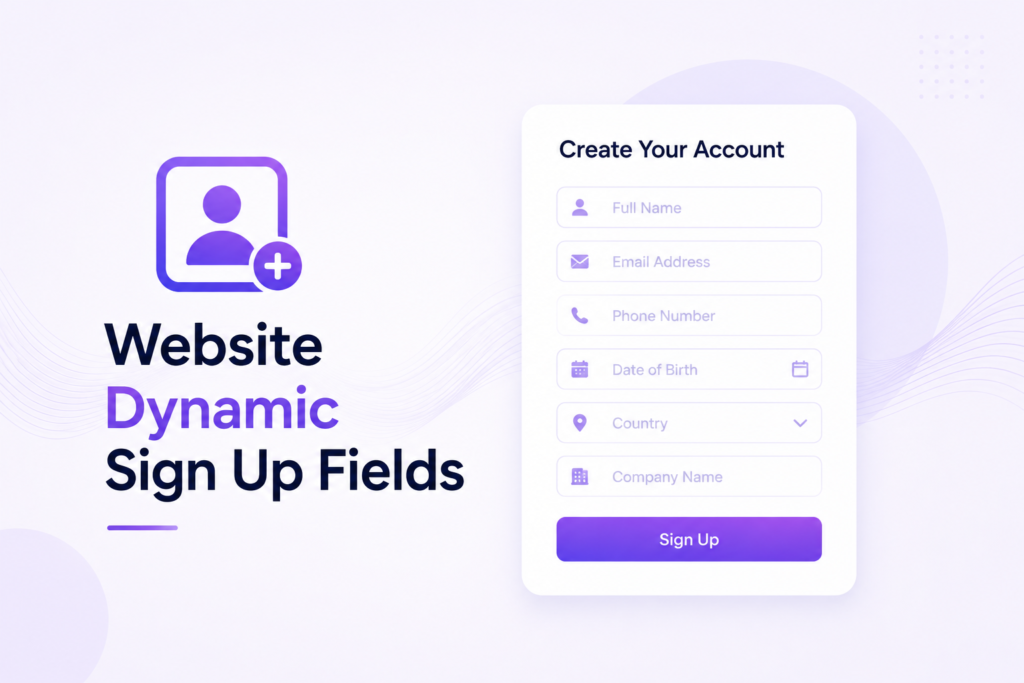
Description
.png)
Website Signup Custom Fields & User Approval | Dynamic Signup Fields | User Approval System
The Dynamic Signup Fields module improves the user registration process by allowing additional fields to be added based on business needs. It helps collect important customer information during signup. Added fields also appear on the account edit information, where users can update fields that are allowed for editing. The module also includes a signup approval feature, allowing new registrations to be reviewed and approved before login access is granted.
We specialize in delivering advanced Odoo solutions across multiple domains. Our expertise includes:

EDI & SWIFT/ACH Payment Integrations
End-to-end EDI automation, including X12, EDIFACT, XML standards, & financial integrations such as SWIFT, ACH, & Fedwire.


eCommerce Integrations
Seamless integration with leading eCommerce platforms to sync products, orders, inventory, and customer data in real time.

Shipping Integrations
Robust shipping connectors for global couriers, offering automated label generation, tracking, and rate computation.

Most Useful Apps for your ERP
A wide range of highly-rated Odoo modules designed to enhance automation, improve productivity, & simplify business operations.
 Features
 Process
 FAQs
FAQs
 Dynamic Signup Field Configuration:
Create and manage additional signup fields dynamically to collect extra customer information during registration.
Supports Multiple Field Types:
Configure fields as Text, Textarea, Dropdown, Multiselect, Checkbox, Radio Button, Date, or File Upload based on your business requirements.
Required Field Control:
Mark fields as mandatory to ensure users provide important information during the signup process.
Editable Fields in My Account:
Choose whether customers can edit specific fields later from their portal account page.
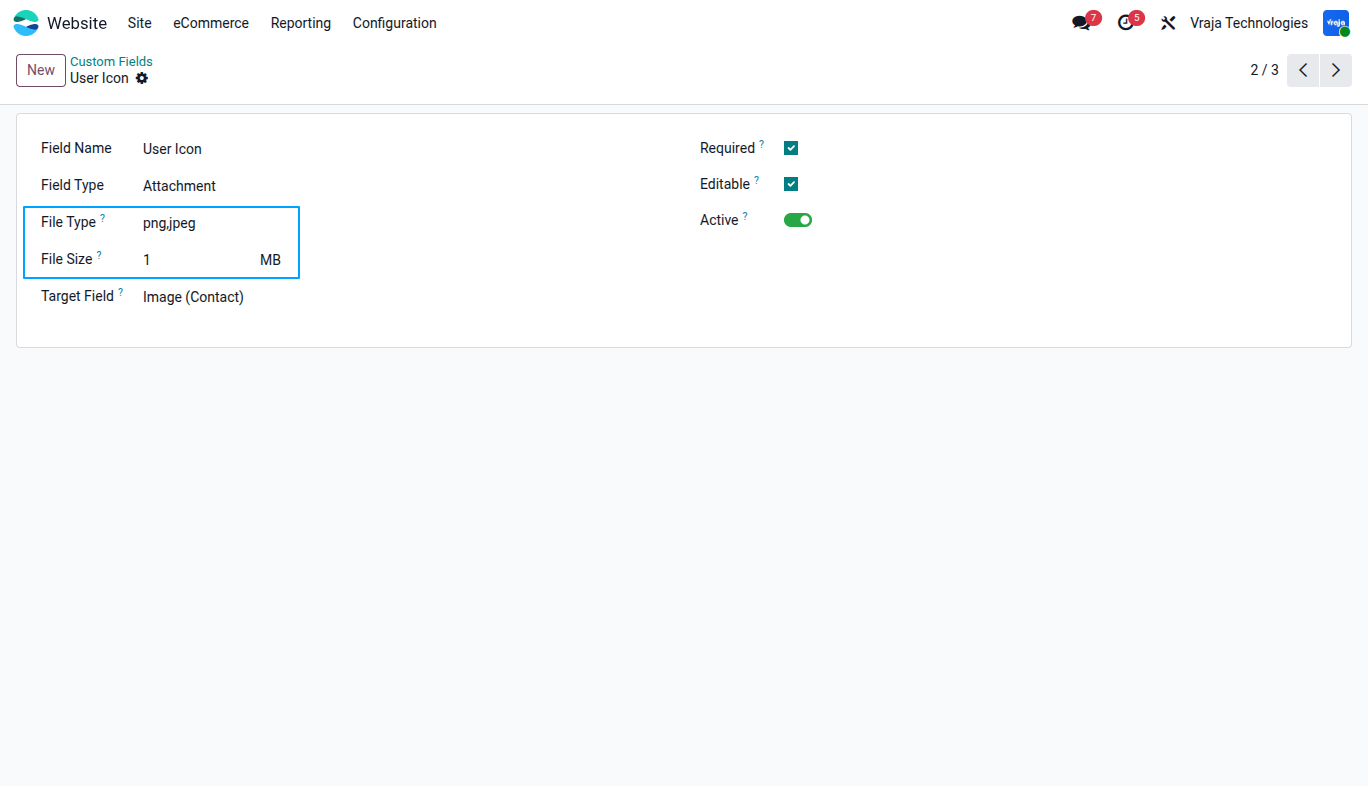
File Upload Validation:
Restrict uploads using configurable file size limits (KB or MB) and allowed file formats defined in the field configuration.
Configurable Signup Approval:
Enable or disable user approval from settings. New users can require admin approval or receive instant login access automatically.
Active / Inactive Custom Fields:
Easily activate or deactivate custom signup fields without removing their configuration.
Dynamic Field Sequence:
Set the display order of dynamic fields in signup and account information pages for a better user experience.
A Custom Fields menu is available under Website Configuration, allowing administrators to manage all dynamic signup fields from one place.
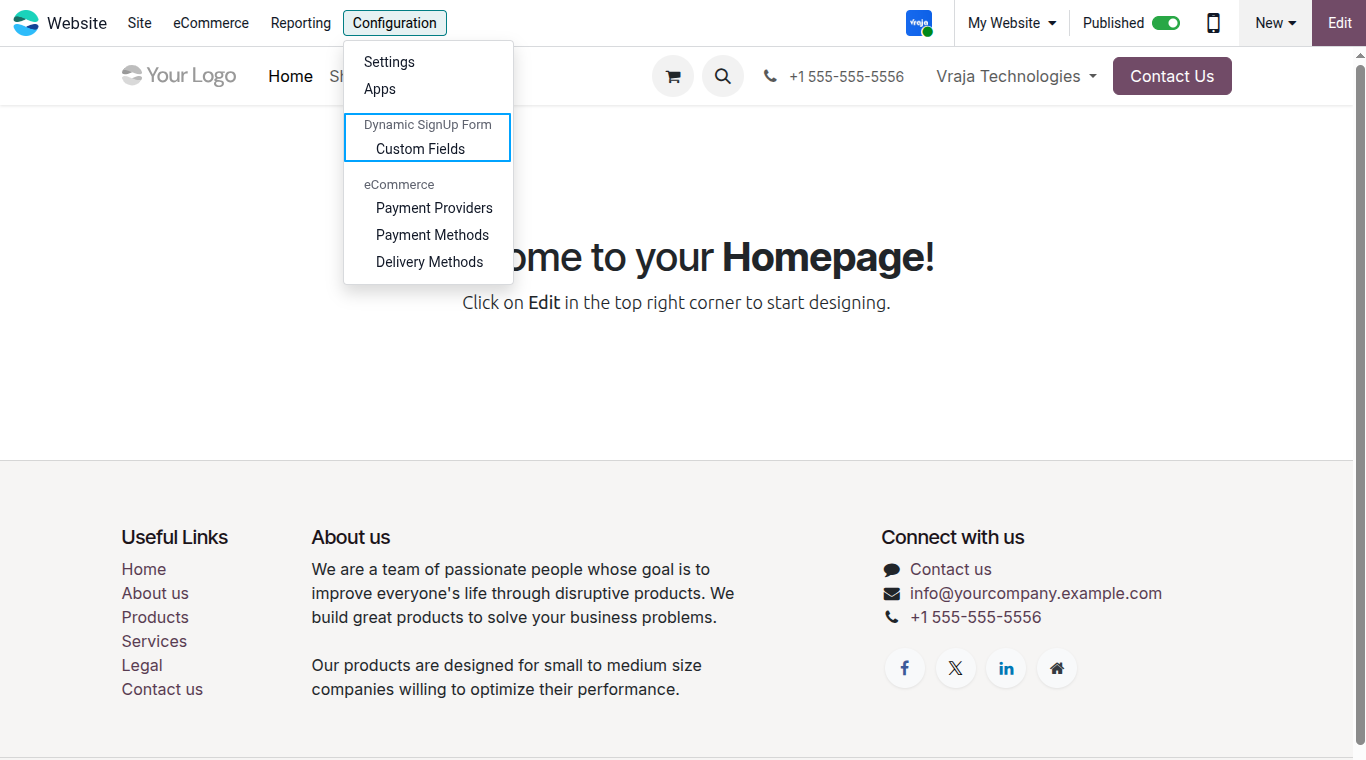
The Custom Fields form allows creation of dynamic signup and portal fields with flexible configuration options, including:
Field Name: Label of the field.
Field Type: Select input types such as Text, Textarea, Dropdown, Multiselect, Checkbox, Radio, Date, or Attachment.
Target Field: Map the custom field to the customer record field where data will be stored.
Required: Make the field mandatory during signup or profile update.
Editable: Allow or restrict users from editing the field later in My Account.
Active: Enable or disable the field display without deleting configuration.
Configure selectable options for fields such as Checkbox, Radio Button, Dropdown, and Multi Select to display predefined choices during user registration.
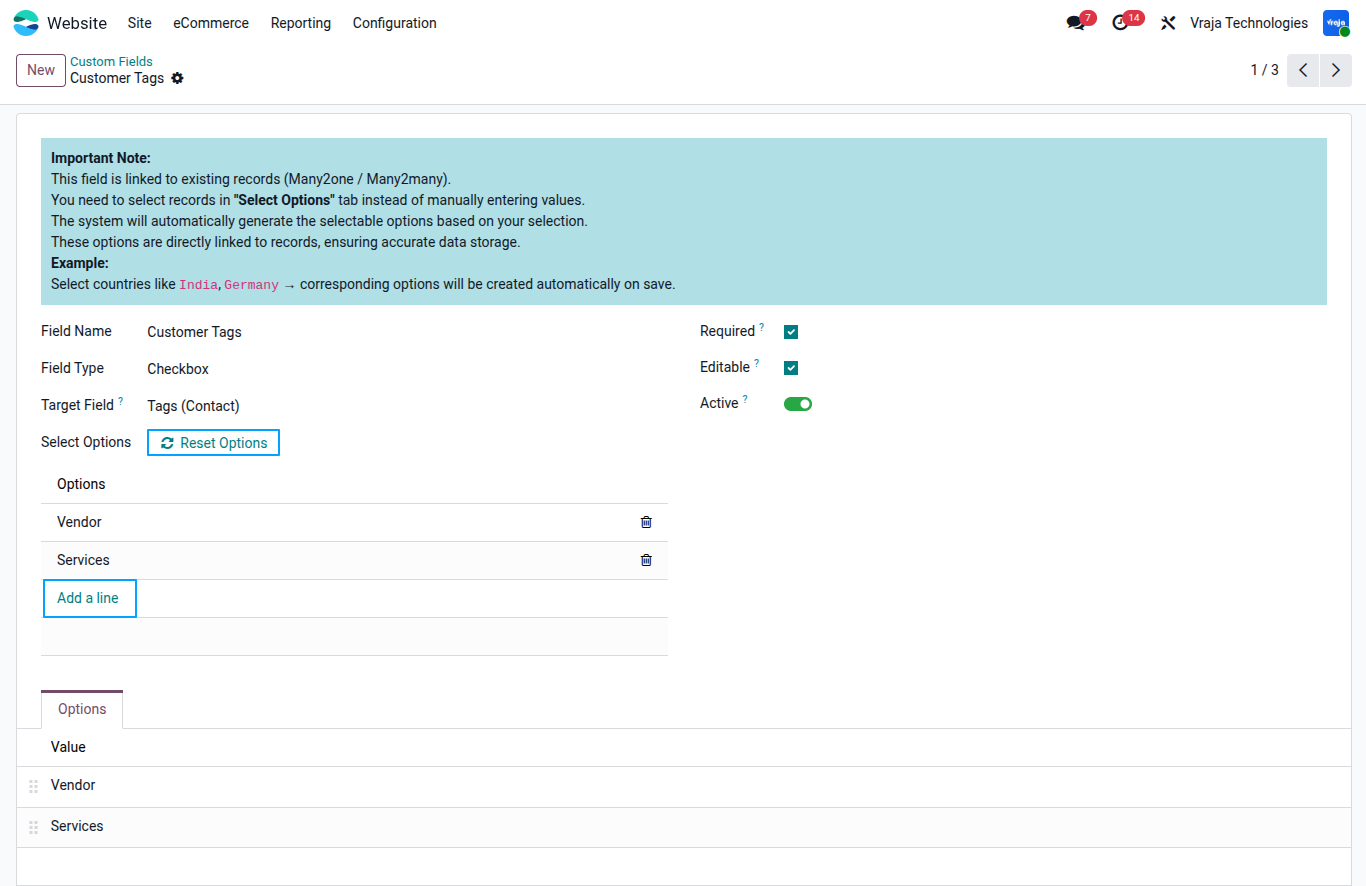
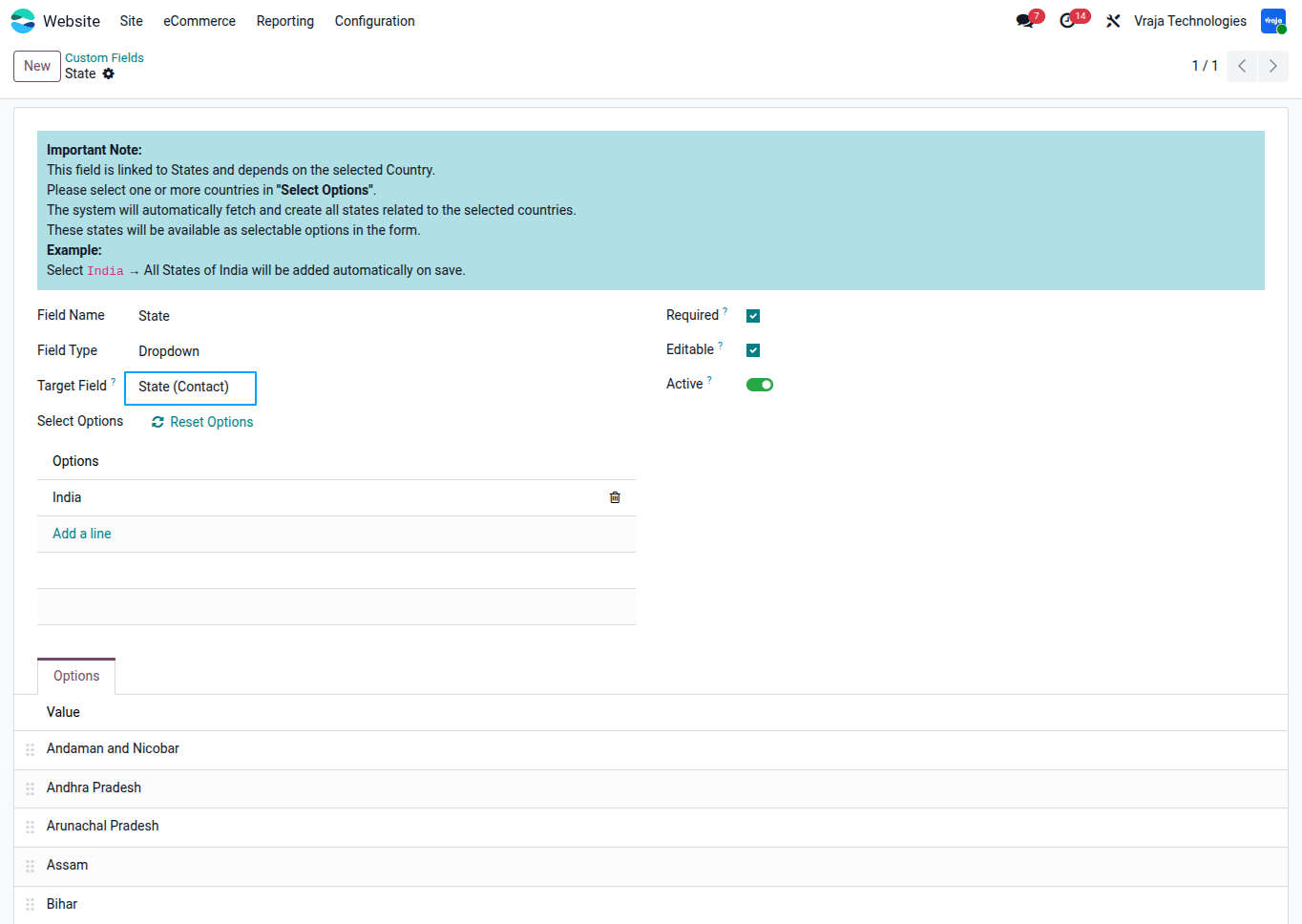
If the selected target field is of type Many2one or Many2many, users must select existing records from the Select Options section instead of manually entering option values.
Use the Reset Options button to remove all previously selected records and generated options.
After resetting, at least one record must be added again; otherwise, no selectable options will be available in the form.
Create attachment fields for the signup form with file validation, allowing users to upload only supported file types within the defined maximum file size.
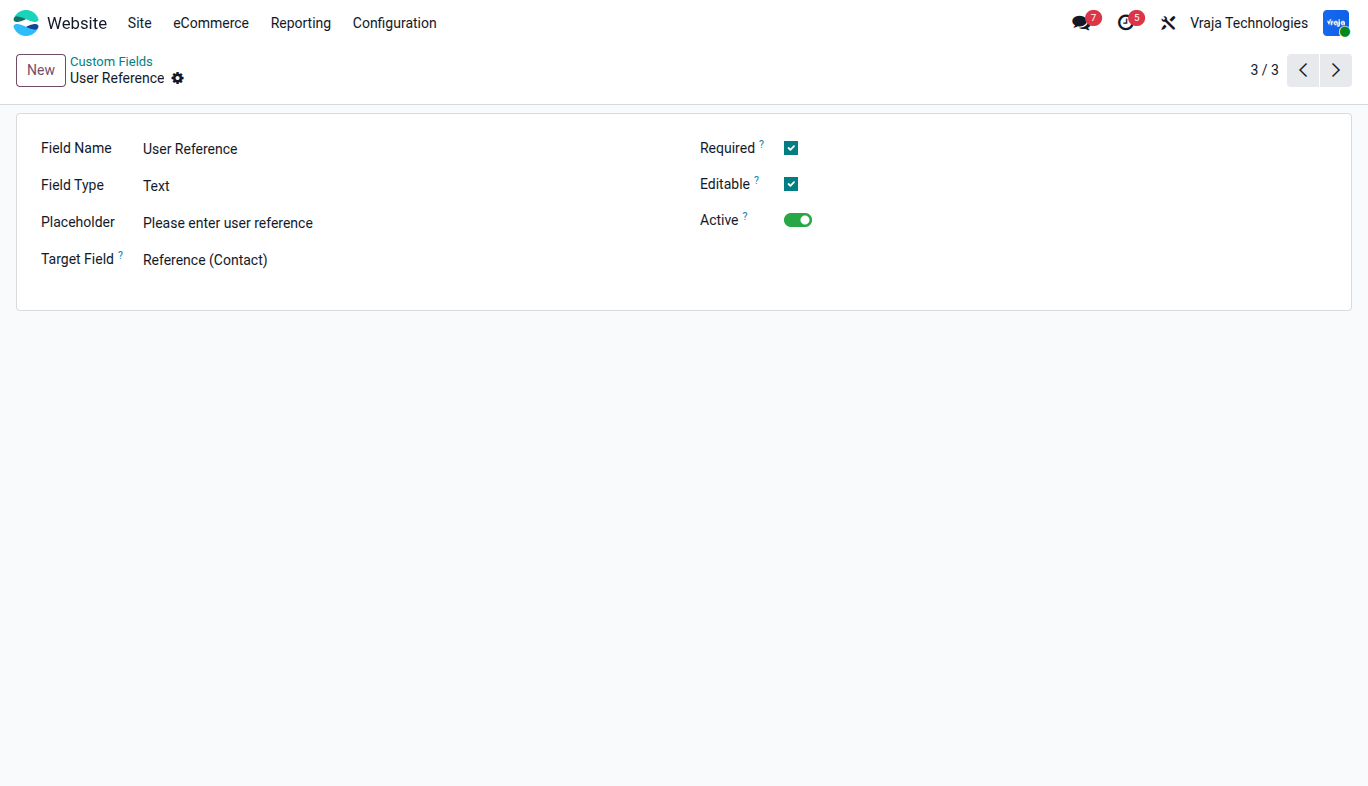
Create text fields for the signup form with custom placeholders.
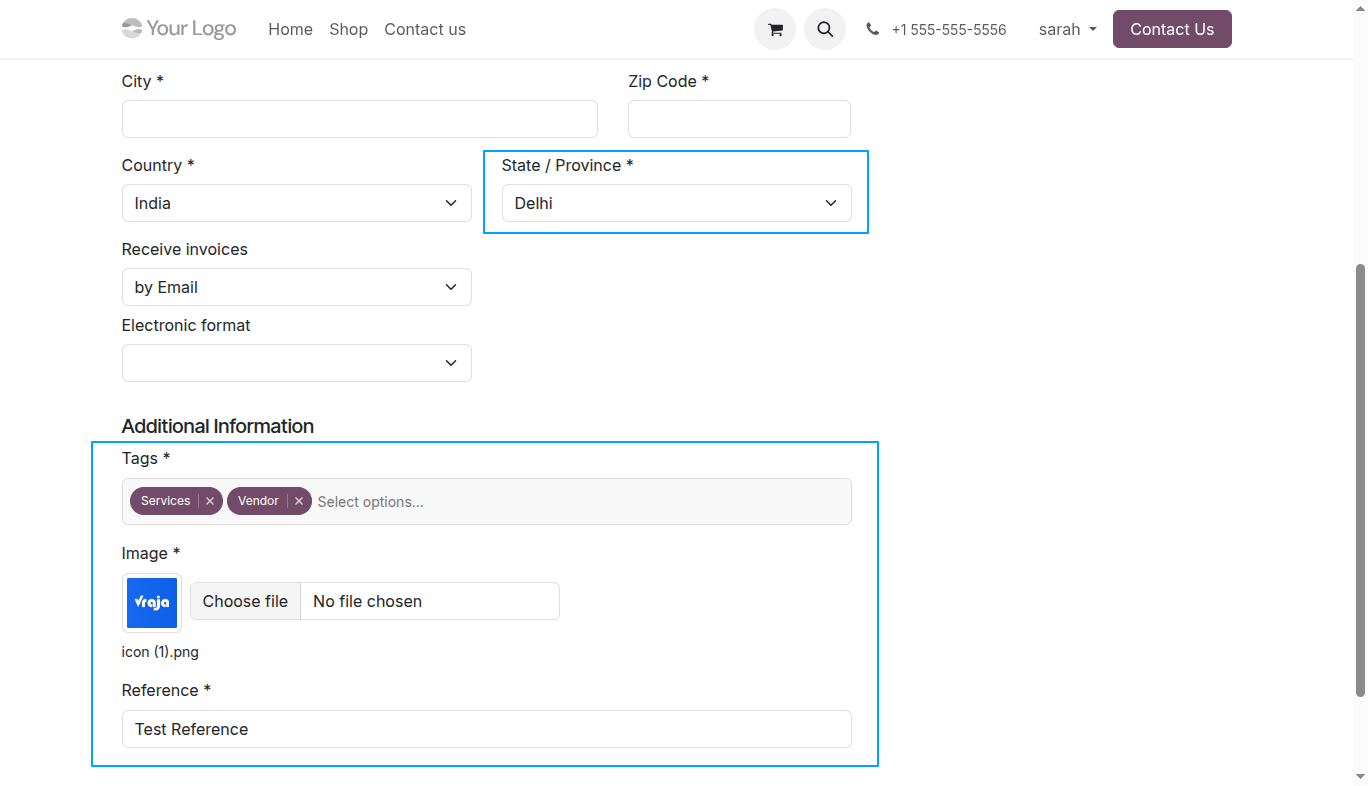
When the selected target field is State, users must first select one or more countries from the Select Options section. The system automatically fetches all states related to the selected countries and makes them available as selectable options in the form.
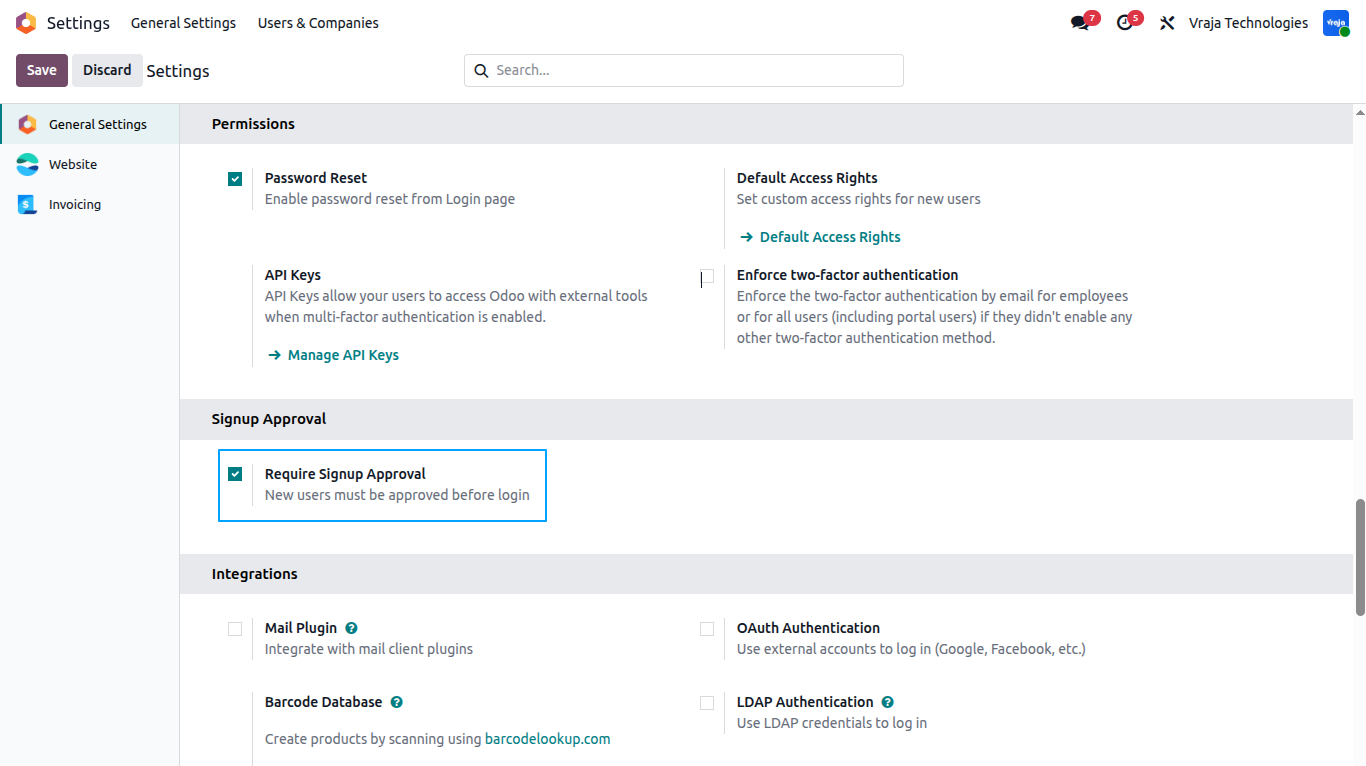
In Settings, the Require Signup Approval option is available. You can enable or disable it. When enabled, new users must be approved before they can log in.
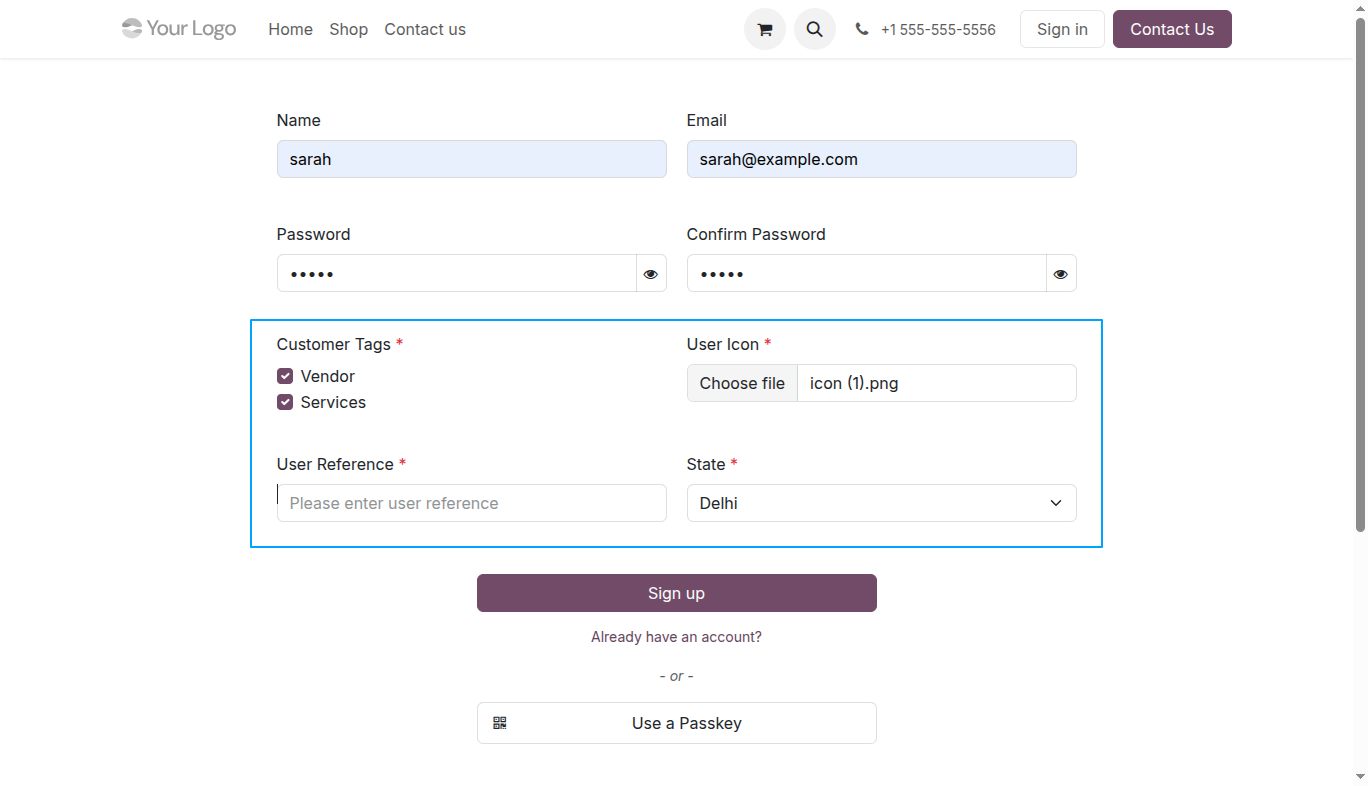
All active custom fields are automatically displayed on the signup page, allowing users to enter additional information during registration.
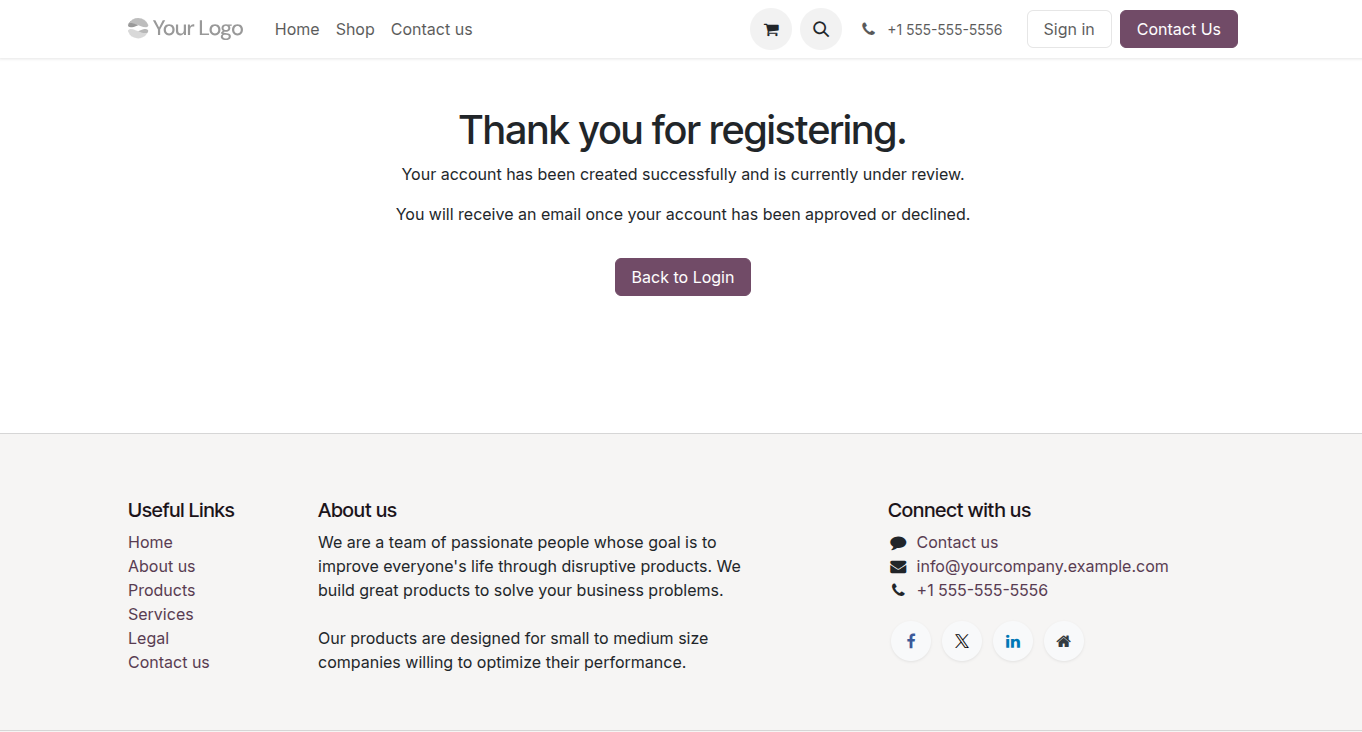
When signup approval is enabled, users are redirected to a confirmation page after registration, informing them that their request has been submitted and they will receive an email once approved or rejected.
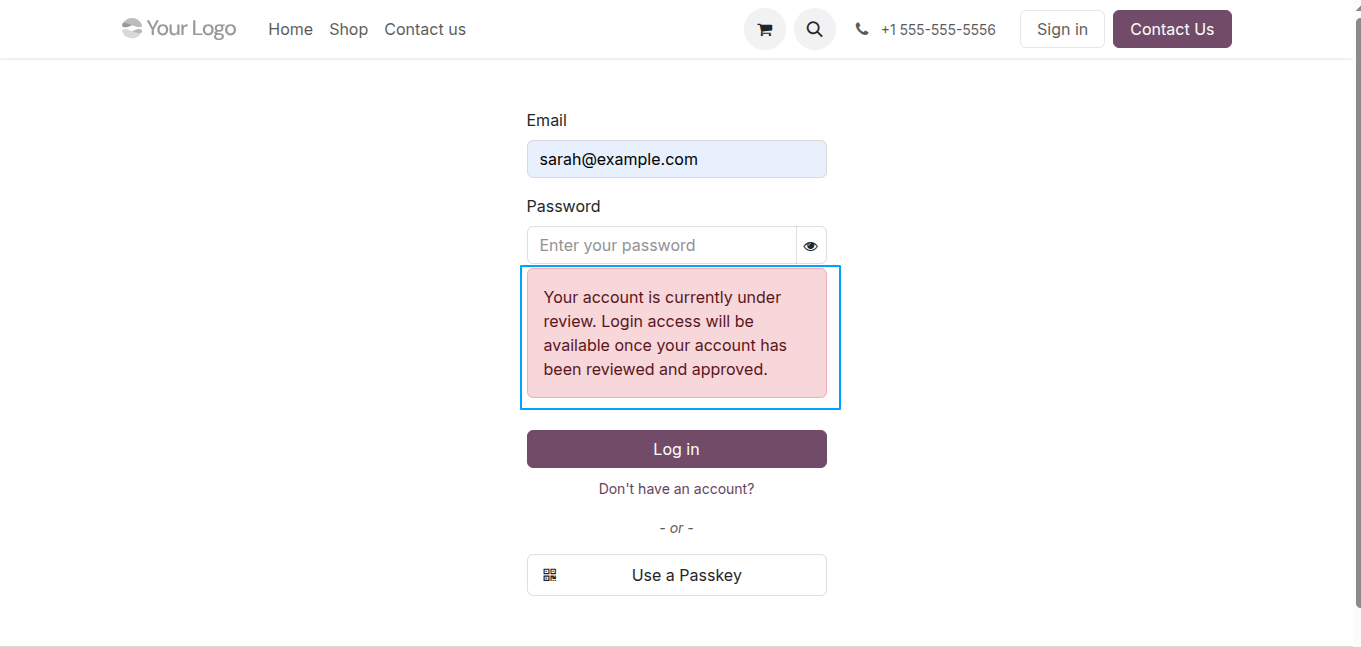
When signup approval is enabled, this message appears if a user tries to log in before their account has been approved.
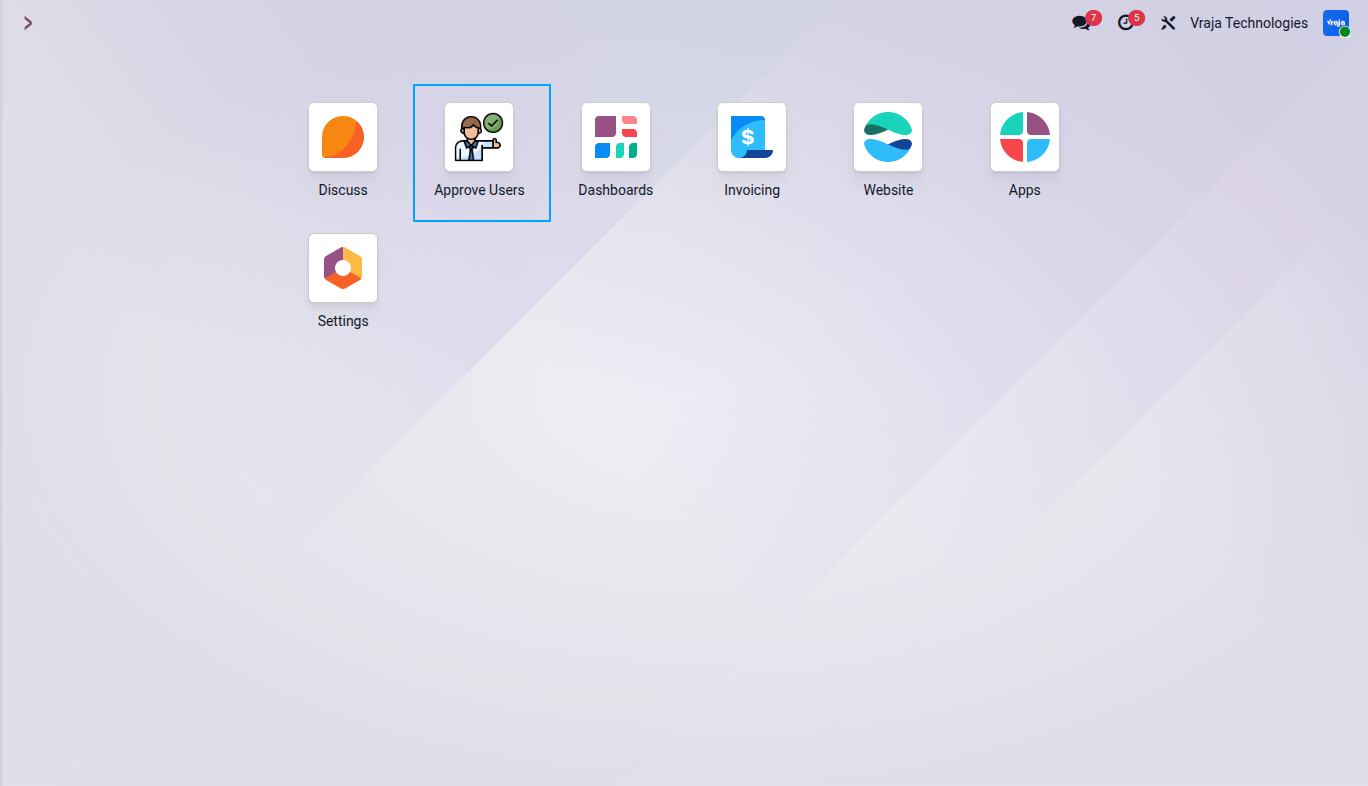
A dedicated Approve Users menu is available for administrators to review and manage pending signup requests.
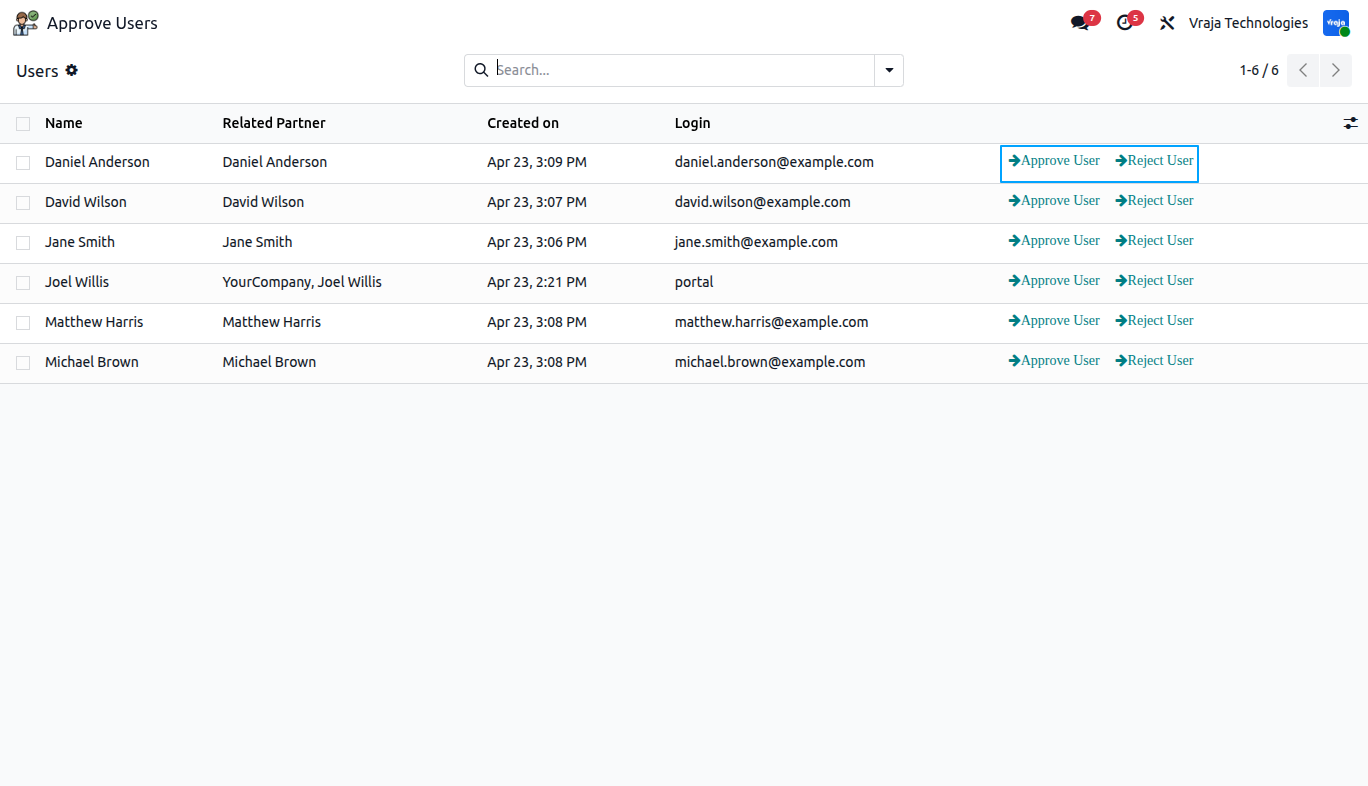
New user registrations appear in the approval list. Administrators can approve or reject each request, and an email notification is sent to the user for both actions.
Custom fields are displayed in the account edit information page. Editable fields can be updated by users, while non-editable fields remain read-only. If a selected target field already exists in the account information form, the system uses the existing field instead of creating a duplicate field under Additional Information.
 Can user account approval be bypassed?
- Yes, by disabling the Require Signup Approval option in Settings.
Can a custom field be deactivated?
- Yes, by turning off the Active option in the custom field configuration.
Can a custom field be made required?
- Yes, the Required option is available to make the custom field mandatory.
Can a custom field be made read-only in My Account?
- Yes, the Editable option controls this behavior. If disabled, the field remains visible but cannot be edited in the account edit information page.
What validations are supported for Attachment type fields?
- Attachment fields support both file type and file size validation.
Are One2many target fields supported?
- No, One2many target fields are currently not supported.
I would like to request a custom feature for this application. What’s the process to get it implemented?
- We’re happy to help tailor the application to meet your business needs! You can reach us via sales@vrajatechnologies.com
Who is the point of contact for technical support, configuration support or bug-related queries?
- You can reach us via support@vrajatechnologies.com
Submit a Support Ticket
If you encounter any issues while using our app that are caused by the app itself, we offer complimentary support for 60 days from the date of purchase.
To create a support ticket, please register via the Vraja Technologies Support Email and provide the necessary details so we can assist you in resolving the issue.

Email Us
support@vrajatechnologies.com

 1.png)
Contact Us
vrajatechnologies.com/contactus

Support
vrajatechnologies.com/support-policy
Vraja Technologies Services

Odoo Implementation

Odoo App Integration Services

Odoo Customization

Odoo Consultation

Odoo Support & Maintenance

Odoo Developer Outsourcing
Suggested Application
















Reviews
There are no reviews yet.