
Description
.png)
ActiveCampaign Odoo Integration
Enhance your marketing automation by connecting Odoo with ActiveCampaign in just one click. Seamlessly sync contacts, mailing lists, deals, and campaigns with bi-directional updates, ensuring your CRM and marketing data stay consistent at all times. Track email engagement like opens and clicks directly within Odoo, and leverage powerful automation features such as segmentation, lead scoring, and personalized campaigns to target the right audience effectively. This ActiveCampaign Odoo Connector simplifies your workflow and helps you scale your marketing and sales efforts efficiently.
 Watch on YouTube
We specialize in delivering advanced Odoo solutions across multiple domains. Our expertise includes:
EDI & SWIFT/ACH Payment Integrations
End-to-end EDI automation, including X12, EDIFACT, XML standards, & financial integrations such as SWIFT, ACH, & Fedwire.

eCommerce Integrations
Seamless integration with leading eCommerce platforms to sync products, orders, inventory, and customer data in real time.

Shipping Integrations
Robust shipping connectors for global couriers, offering automated label generation, tracking, and rate computation.

Most Useful Apps for your ERP
A wide range of highly-rated Odoo modules designed to enhance automation, improve productivity, & simplify business operations.
 Features
 Configuration
 Import
 Export
 FAQs
FAQs
Features
Import Opeations (ActiveCampaign → Odoo)
- Import Lists/Audience from ActiveCampaign
- Import Member/Contacts from ActiveCampaign
- Import Tags from ActiveCampaign
- Import Deals from ActiveCampaign
- Import Templates with body from ActiveCampaign
- Import Campaigns with statistics from ActiveCampaign
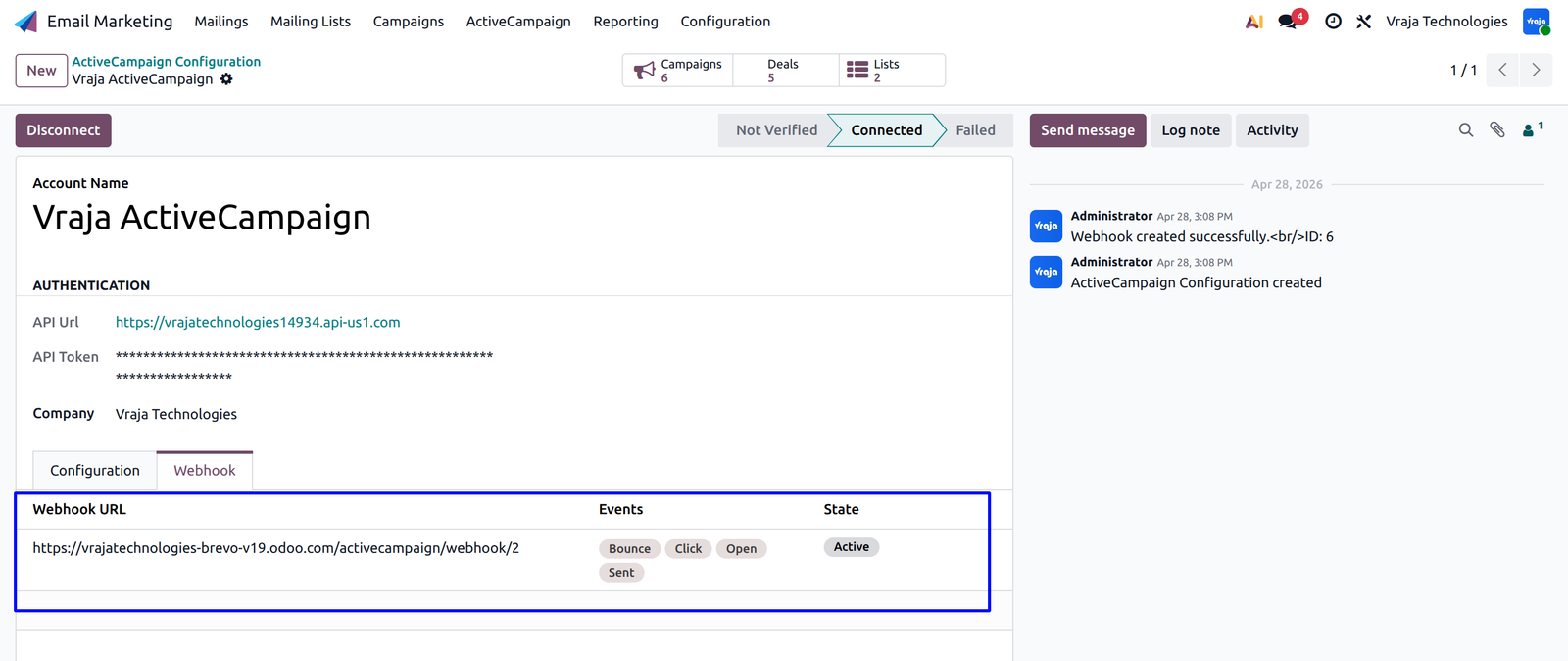
- Update Campaign Statistics on the fly by setting up Webhook
Export Oprations (Odoo → ActiveCampaign)
- Export Lists from Odoo
- Export Contacts and Mailing Contacts from Odoo
- Export Tags from Odoo
- Export Deals from Odoo
- Export Campaigns from Odoo
(Odoo → ActiveCampaign) Synchronization
Lists
Import
Member/Contacts
Bi-Directional
Email Campaigns
Import
Email Templates
Import
Auto Clean ActiveCampaign Logs
–
Lists
Bi-directional
Contacts
Bi-directional
Templates
Import
Campaigns
Bi-directional
Deals(leads)
directional
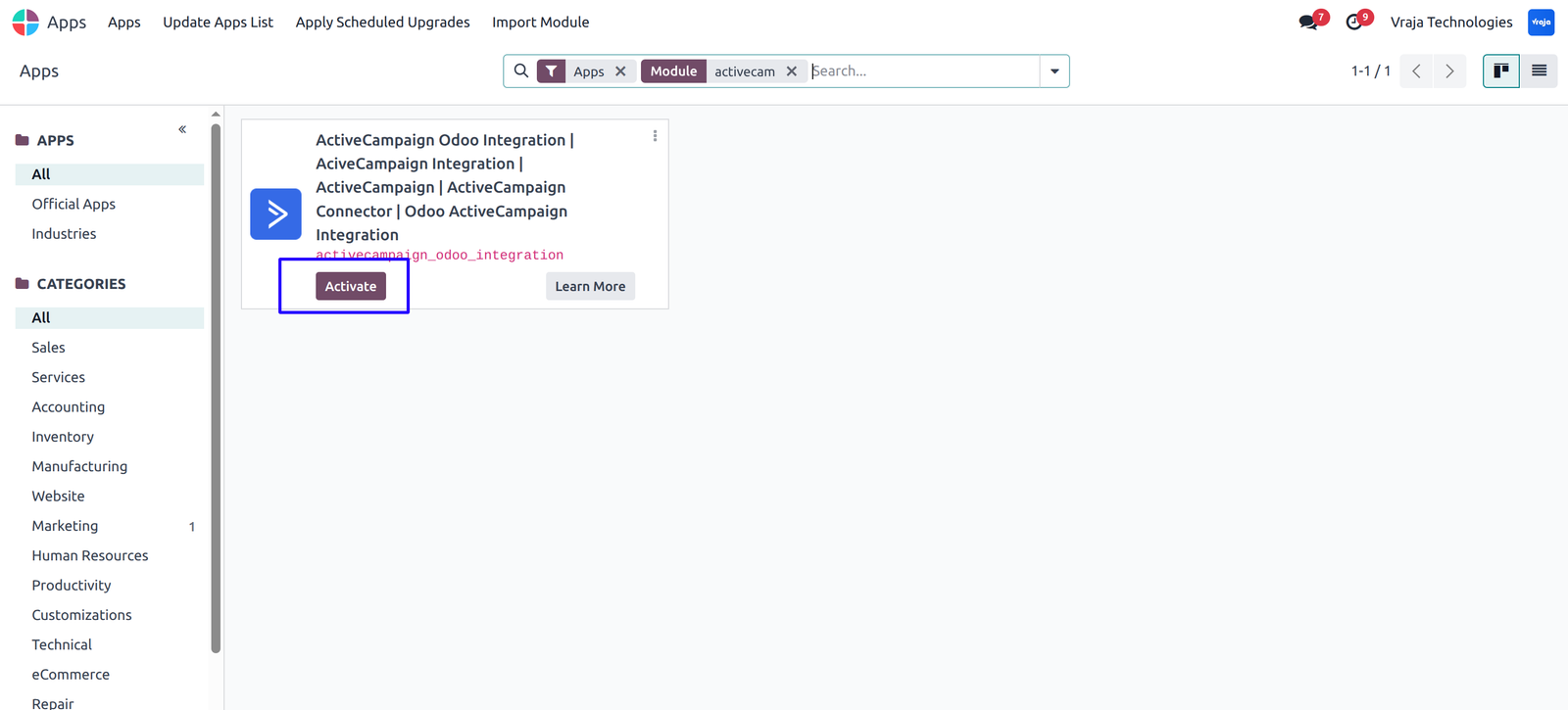
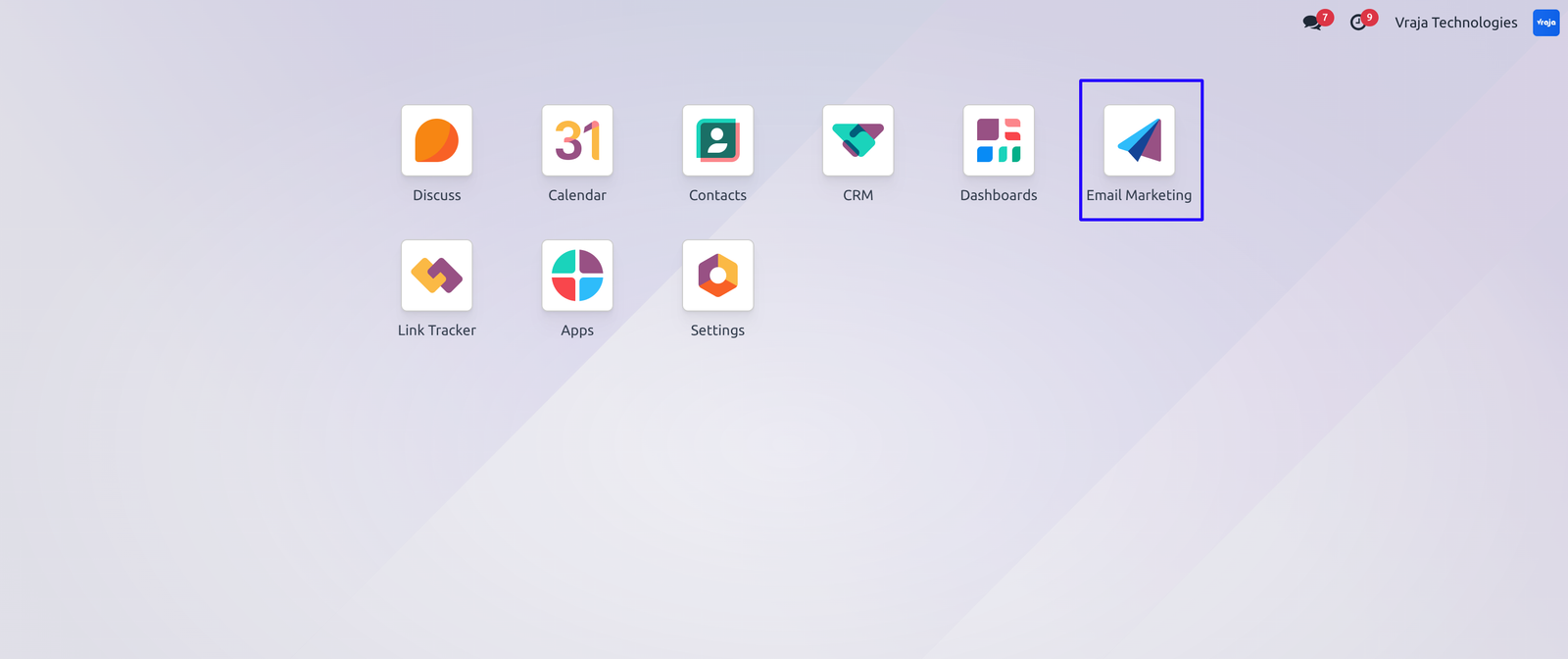
 Install ActiveCampaign Odoo Integration module and Navigate to Email Marketing module on the ActiveCampaign Menu.
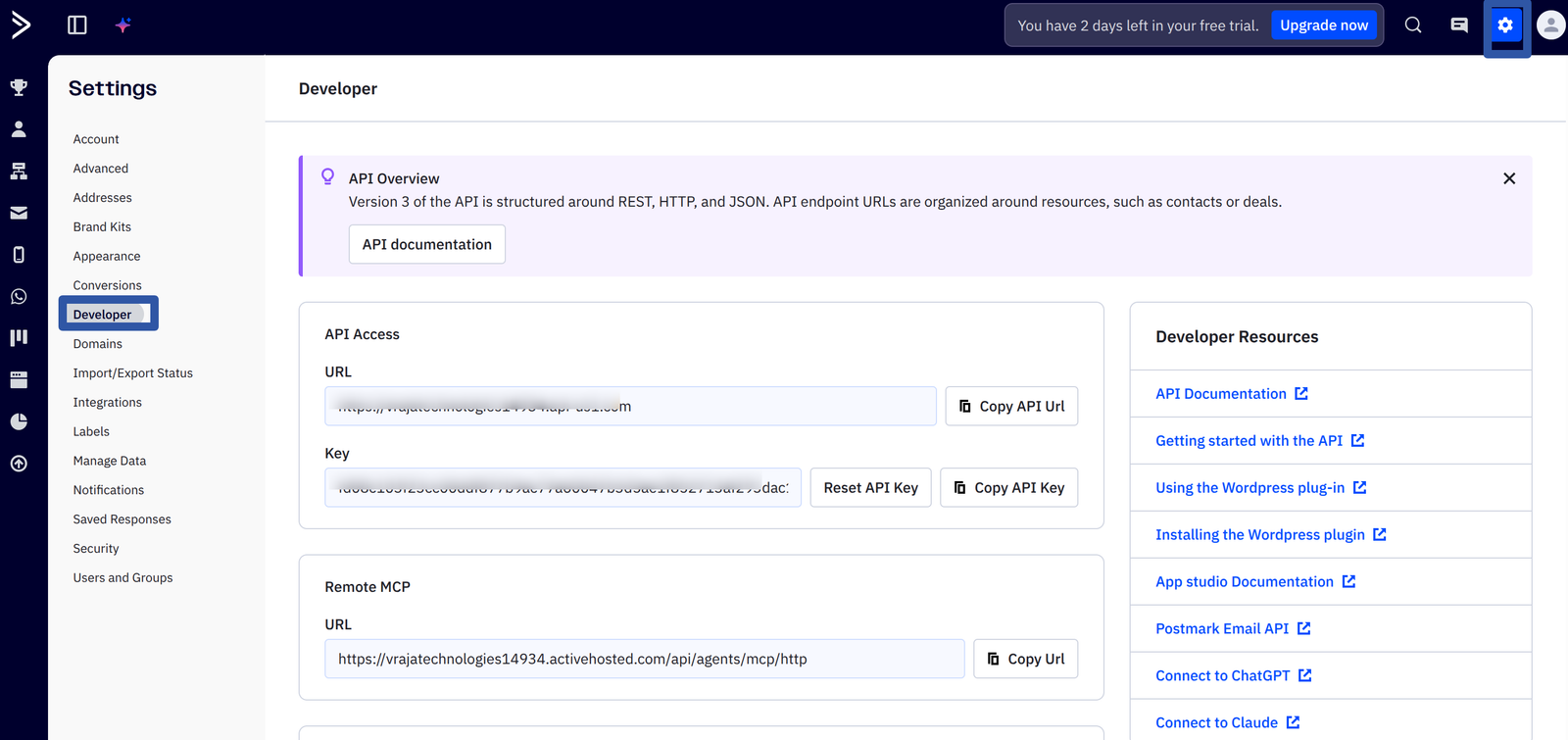
Generate and get the API key from ActiveCampaign.
Settings > Developer > API Access > URL & Key
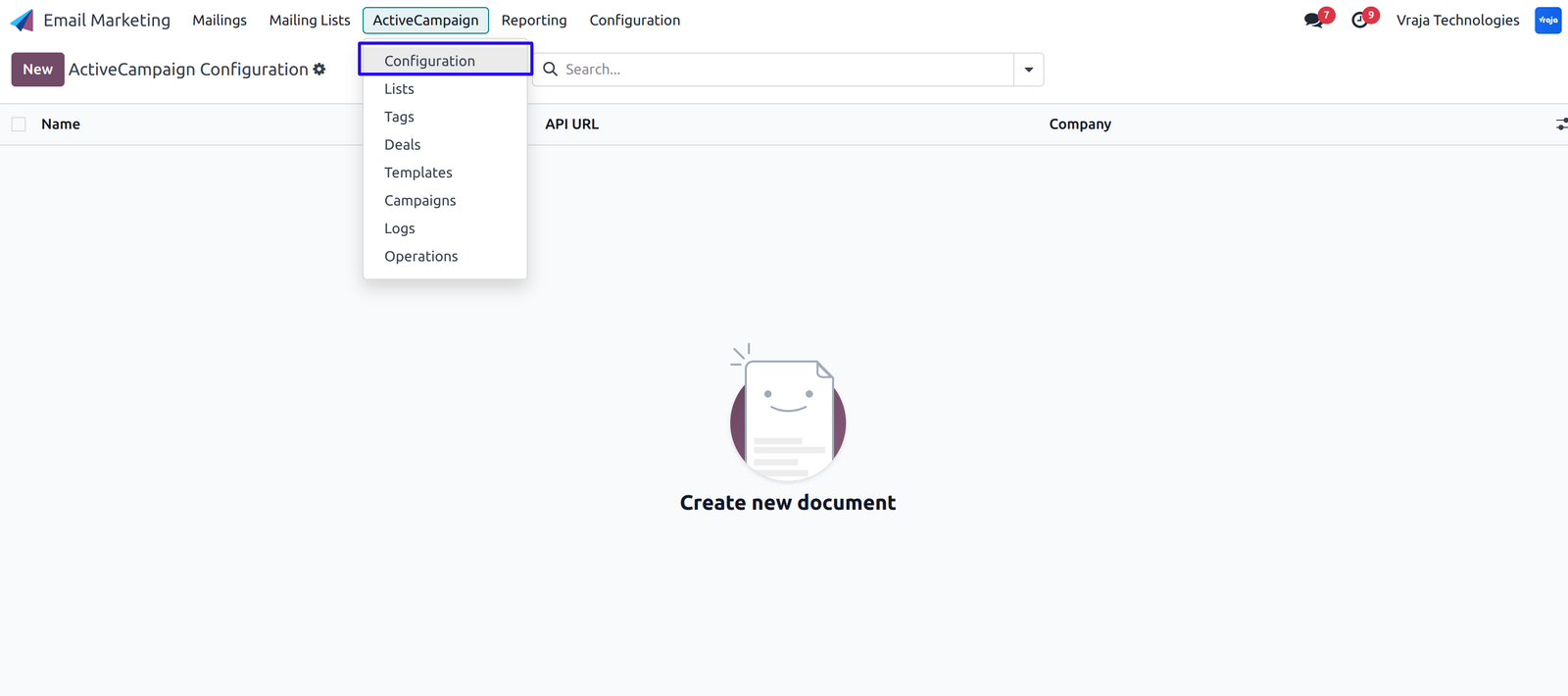
Open ActiveCampaign Configuration.
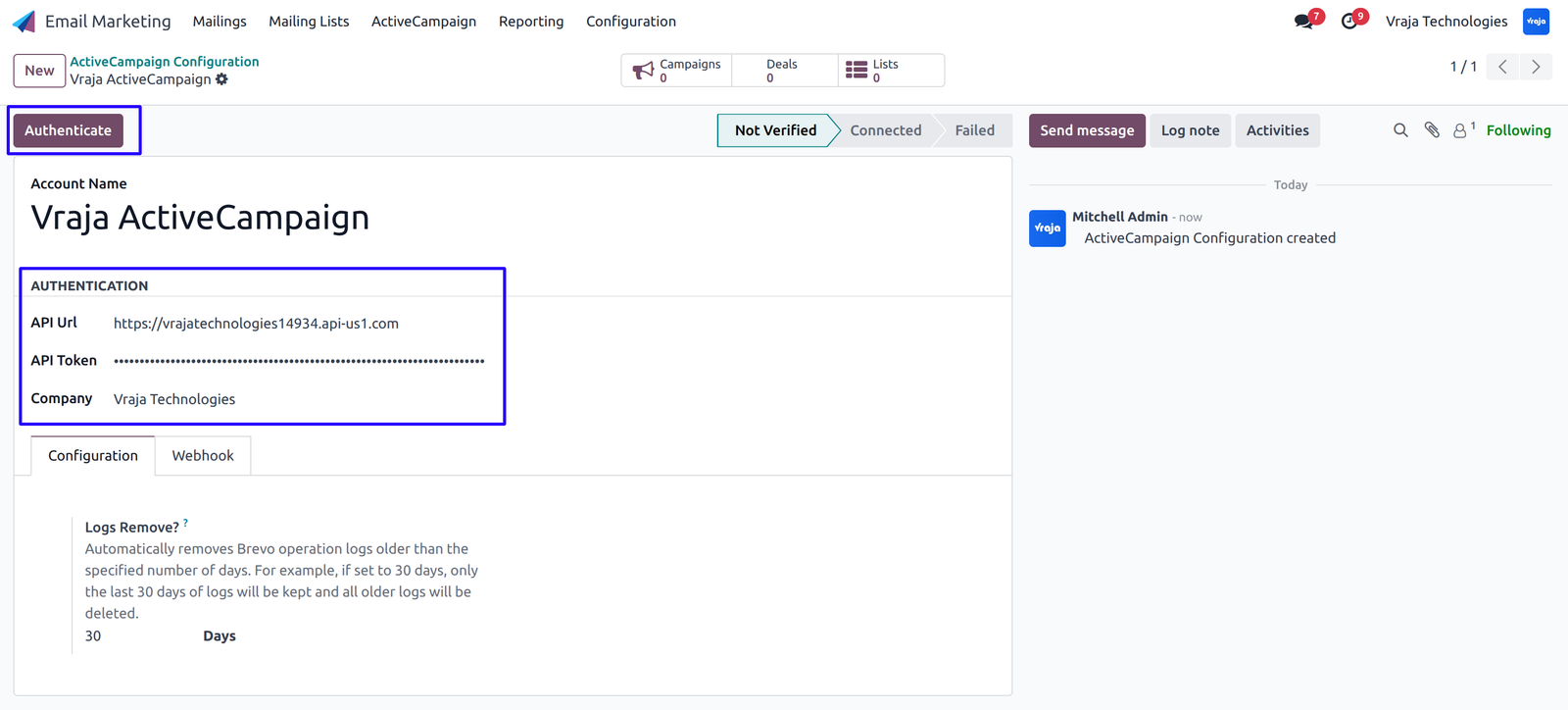
Configure your ActiveCampaign credentials and verify the configuration by clicking on the ‘Authenticate’ button. A successful notification will be shown here.
(Note: When configuring Instance Users Sync and Campaign Statistics, the webhook is automatically generated.)
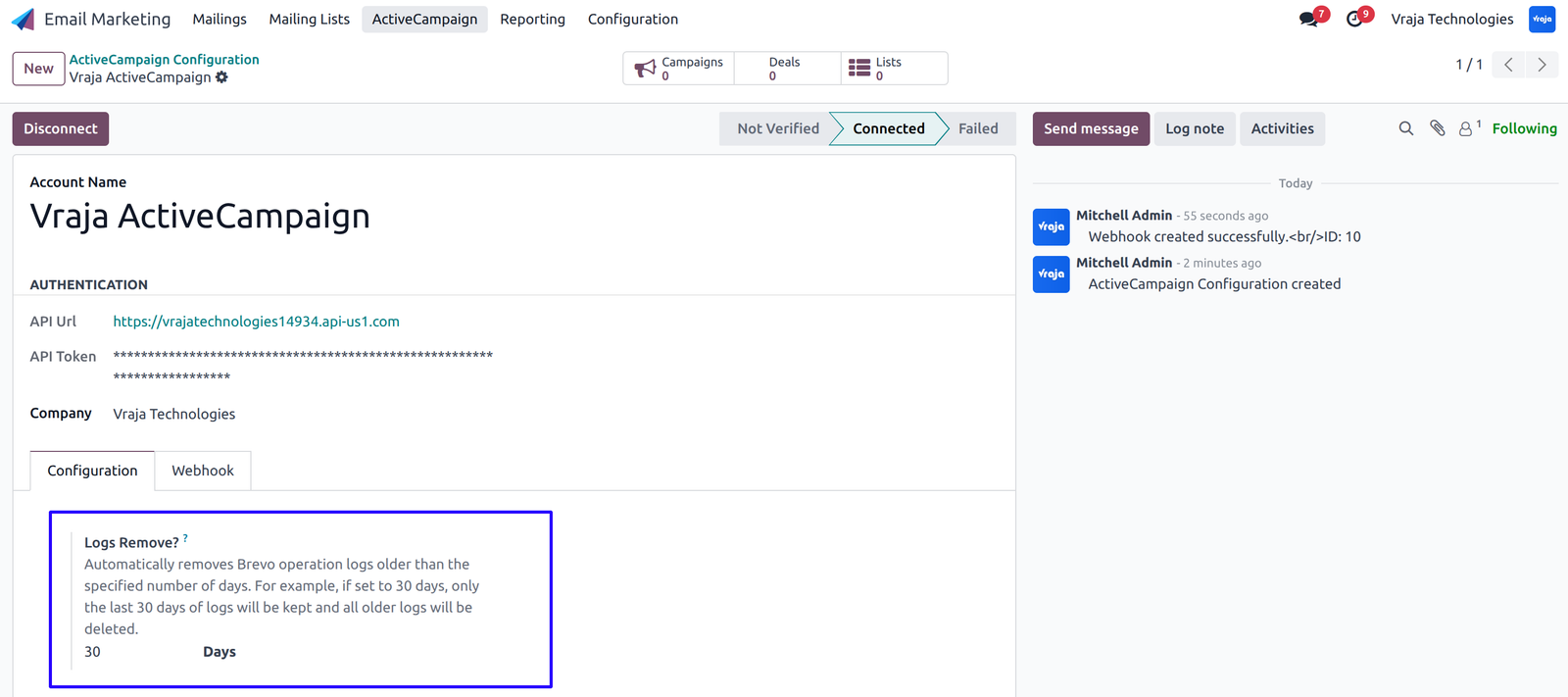
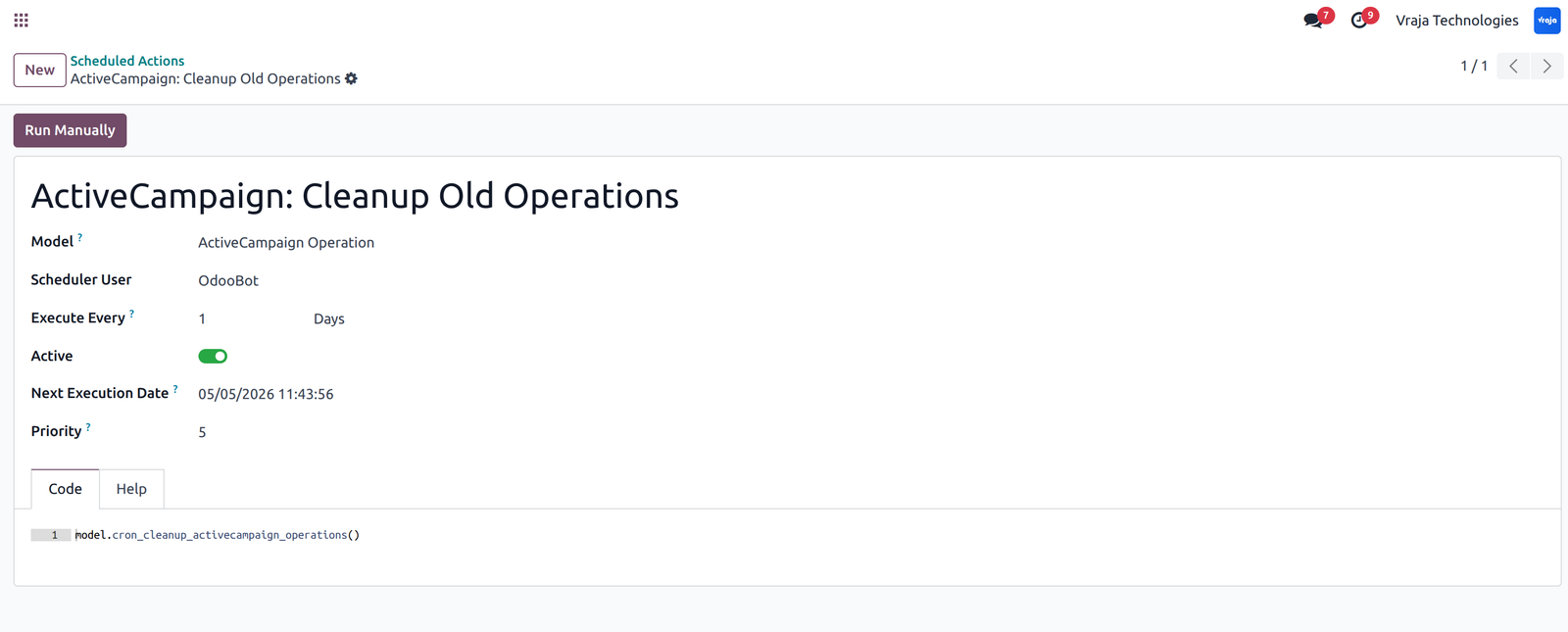
Configure days to auto clean ActiveCampaign operation logs.
(Cron is available to clean up old logs before the configured days.)
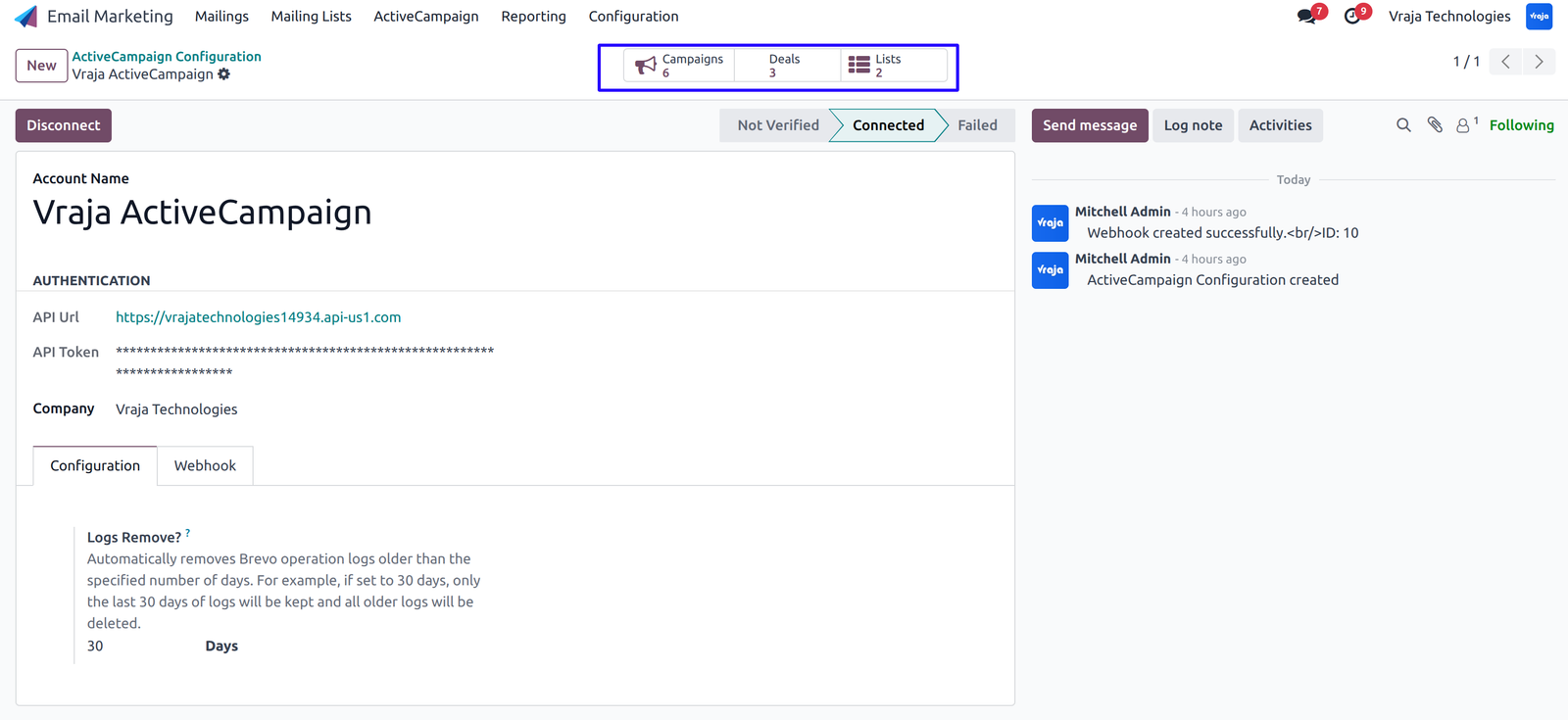
View available Lists, Campaigns, and Deals.
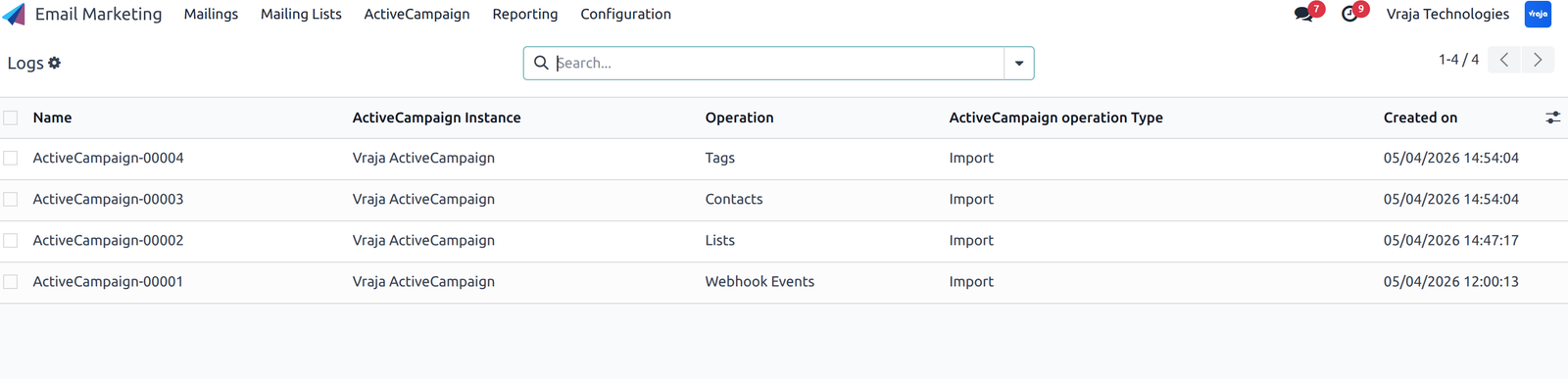
Manage logs for success or failure to track activity for all processes.
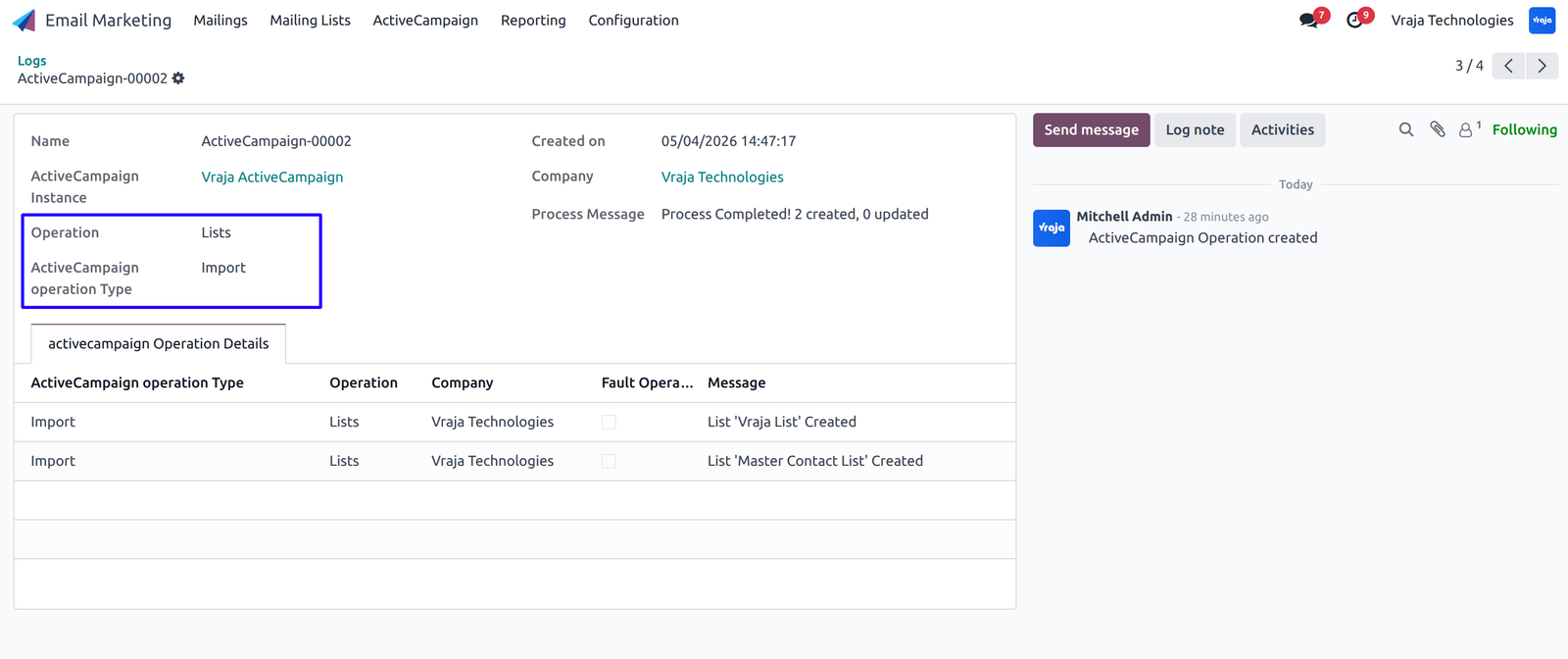
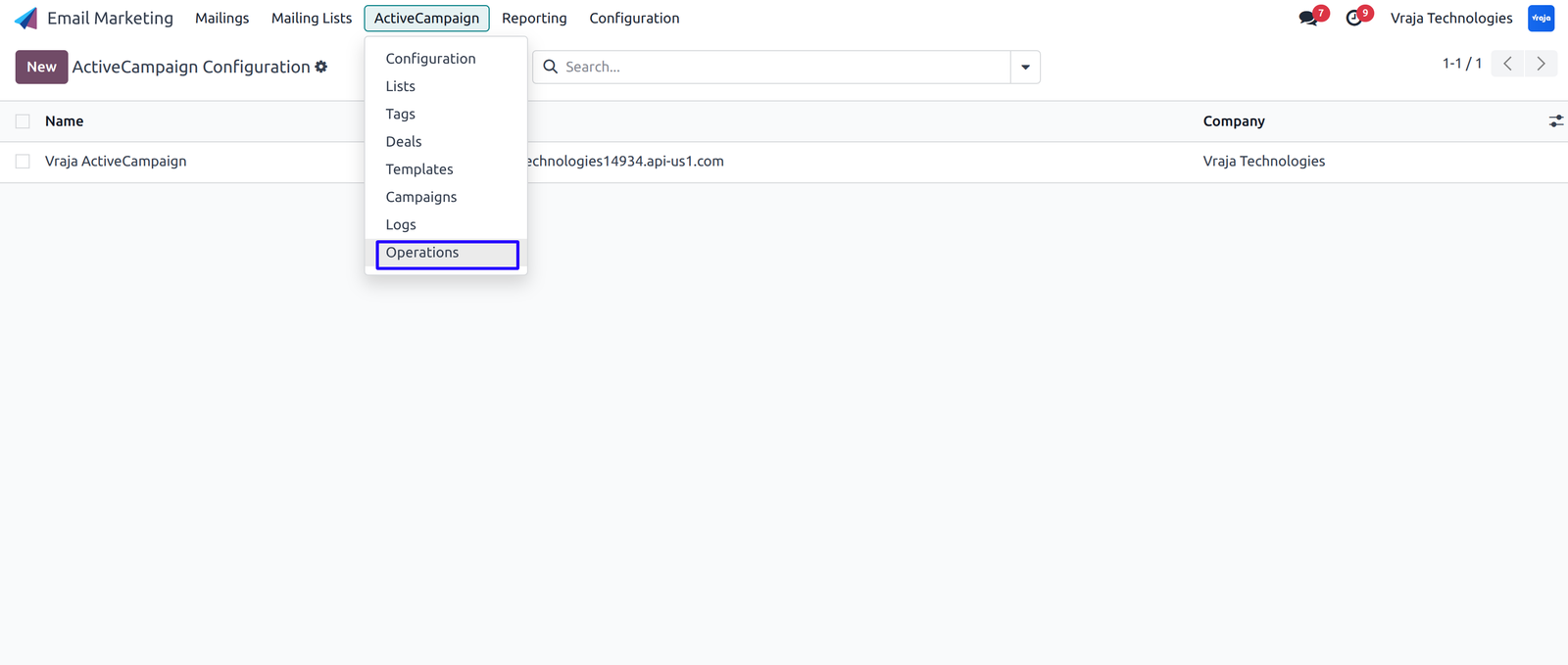
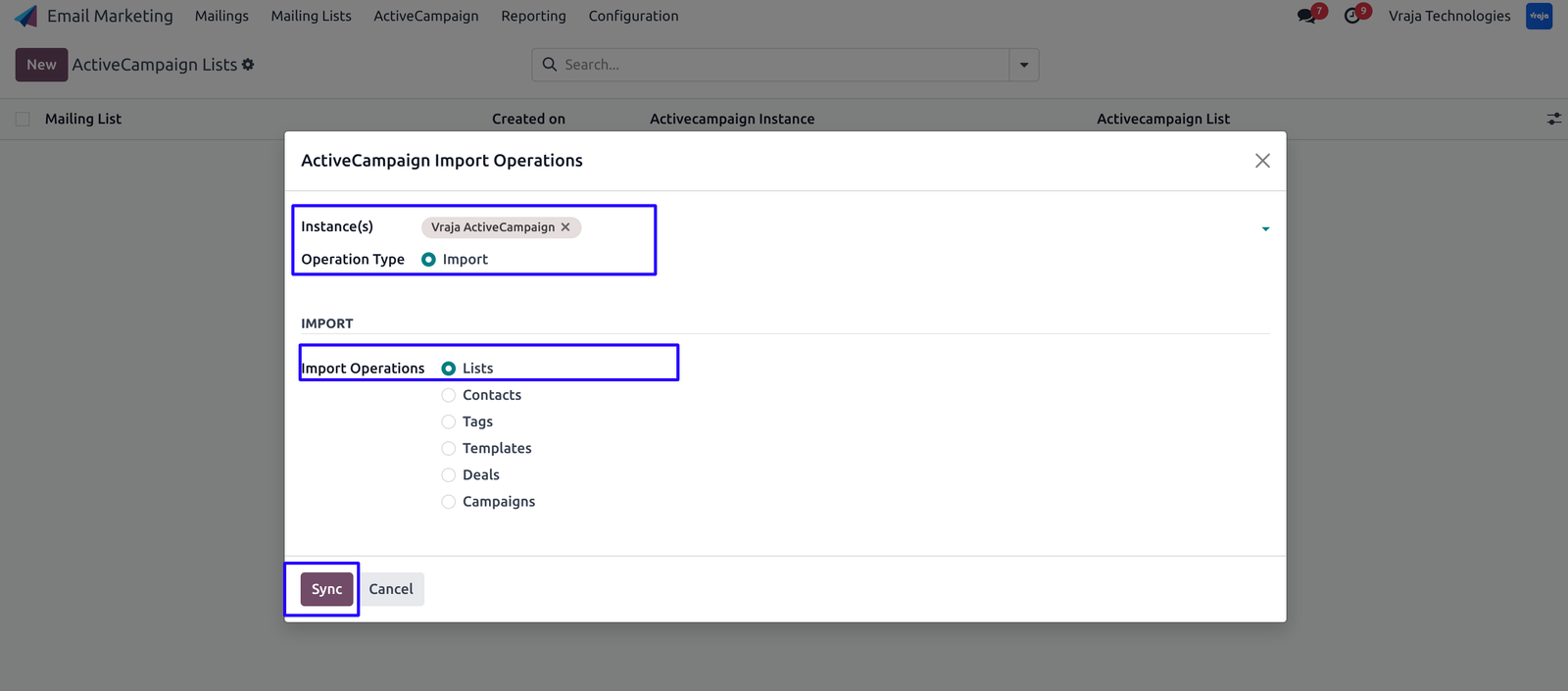
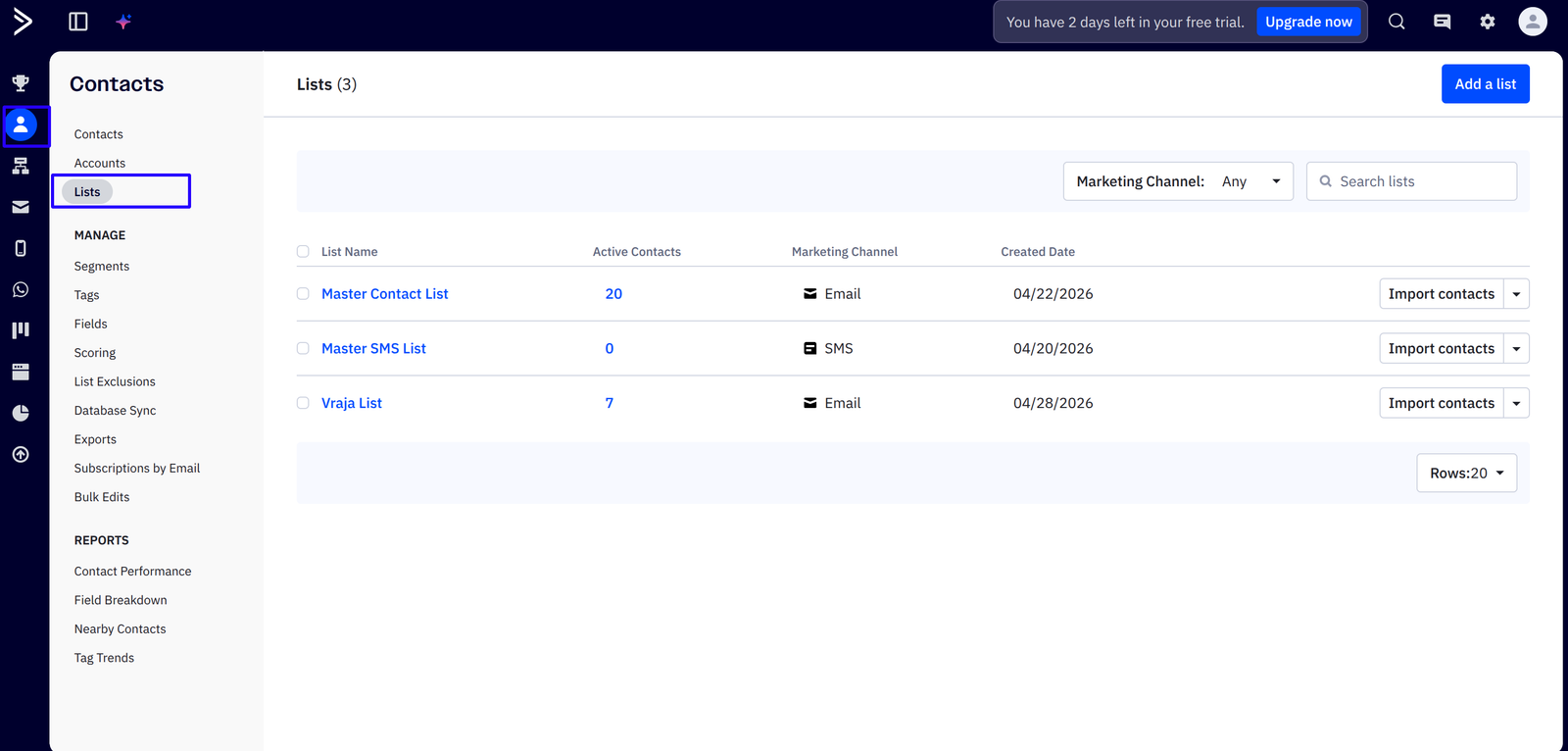
Import Lists from ActiveCampaign to Odoo.
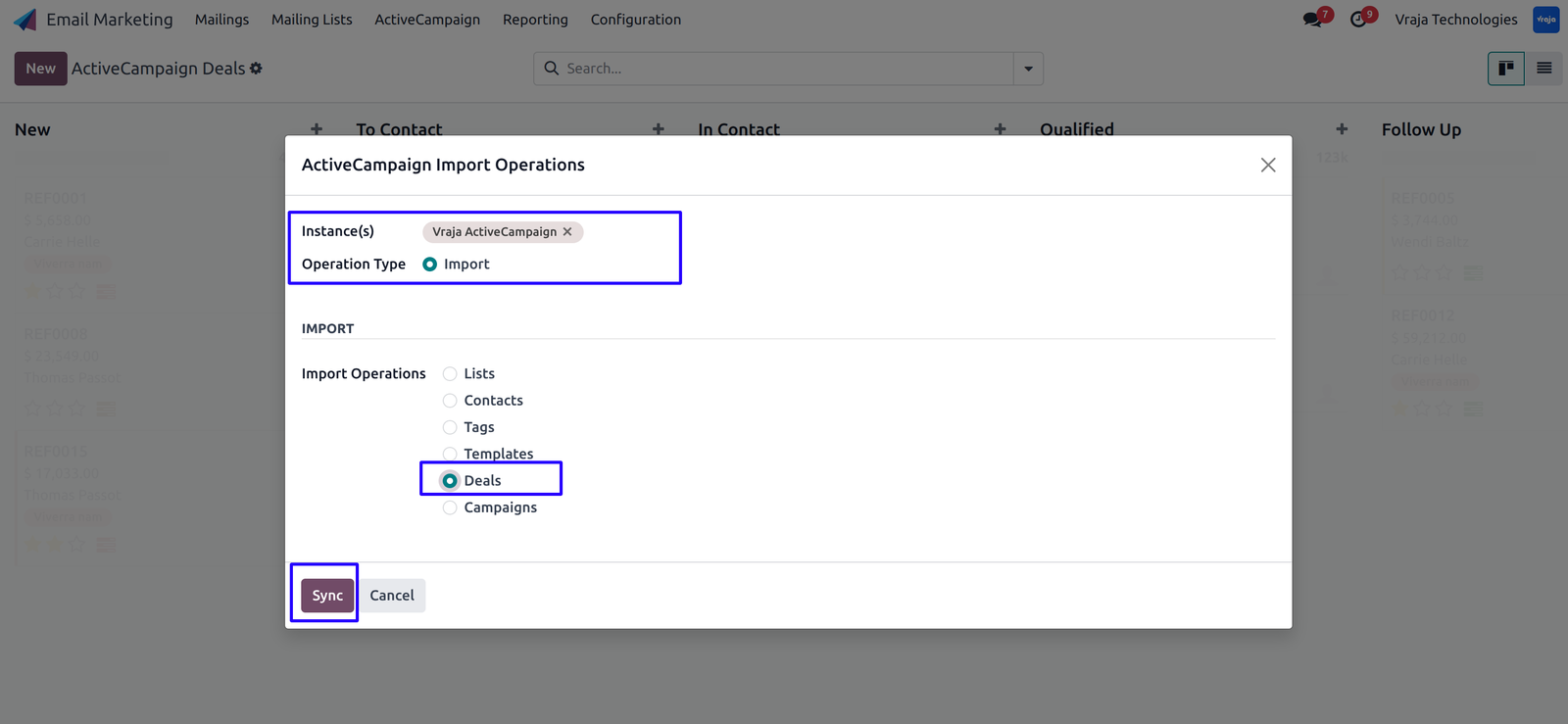
Navigate to ActiveCampaign -> Operations -> Select Instance, Operation, and Operation Type.
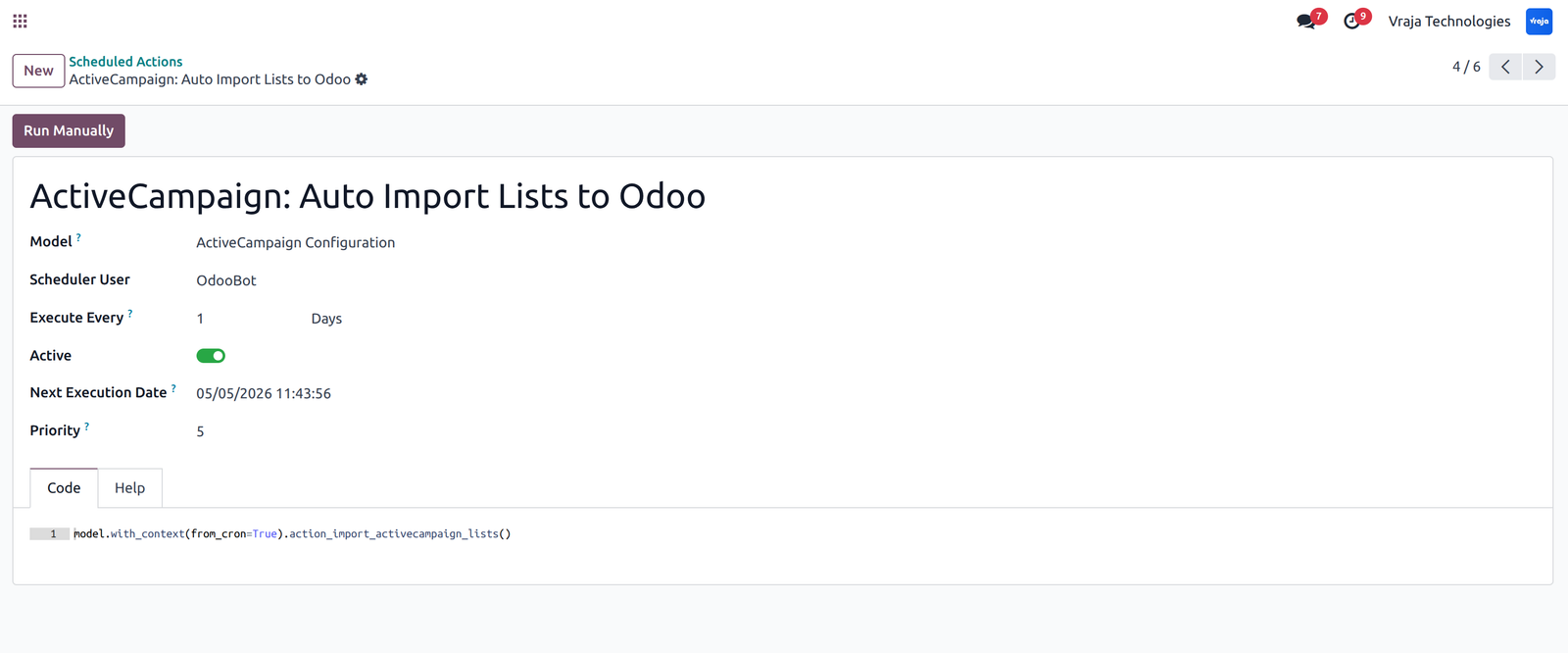
Cron (Scheduled Action) is available for Auto Synchronize Lists/Audiences from ActiveCampaign to Odoo.
Access imported Lists.
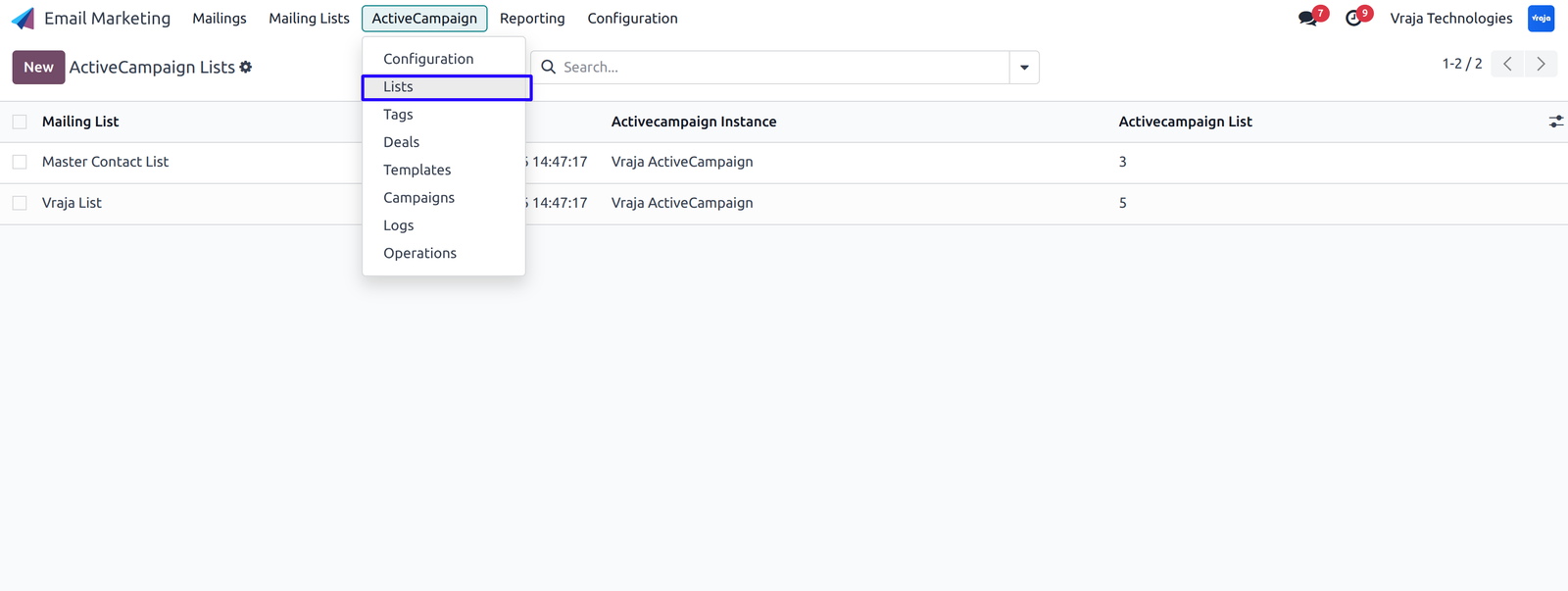
Import Members/Contacts for all lists from ActiveCampaign to Odoo.
(Note: When importing contacts, the system will automatically create Odoo contacts and link them with mailing contacts.)
Navigate to ActiveCampaign -> Operations -> Select Instance, Operation, and Operation Type.
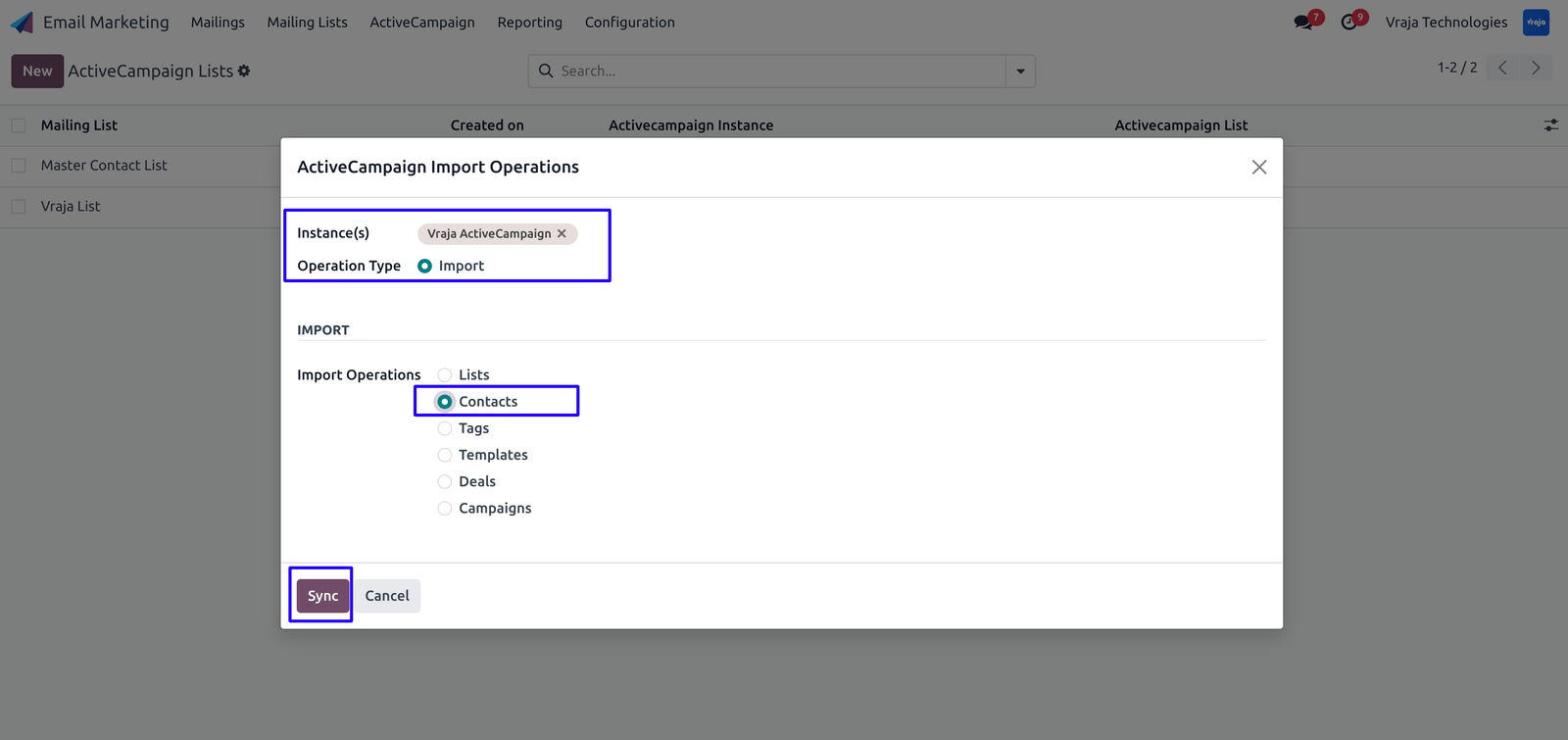
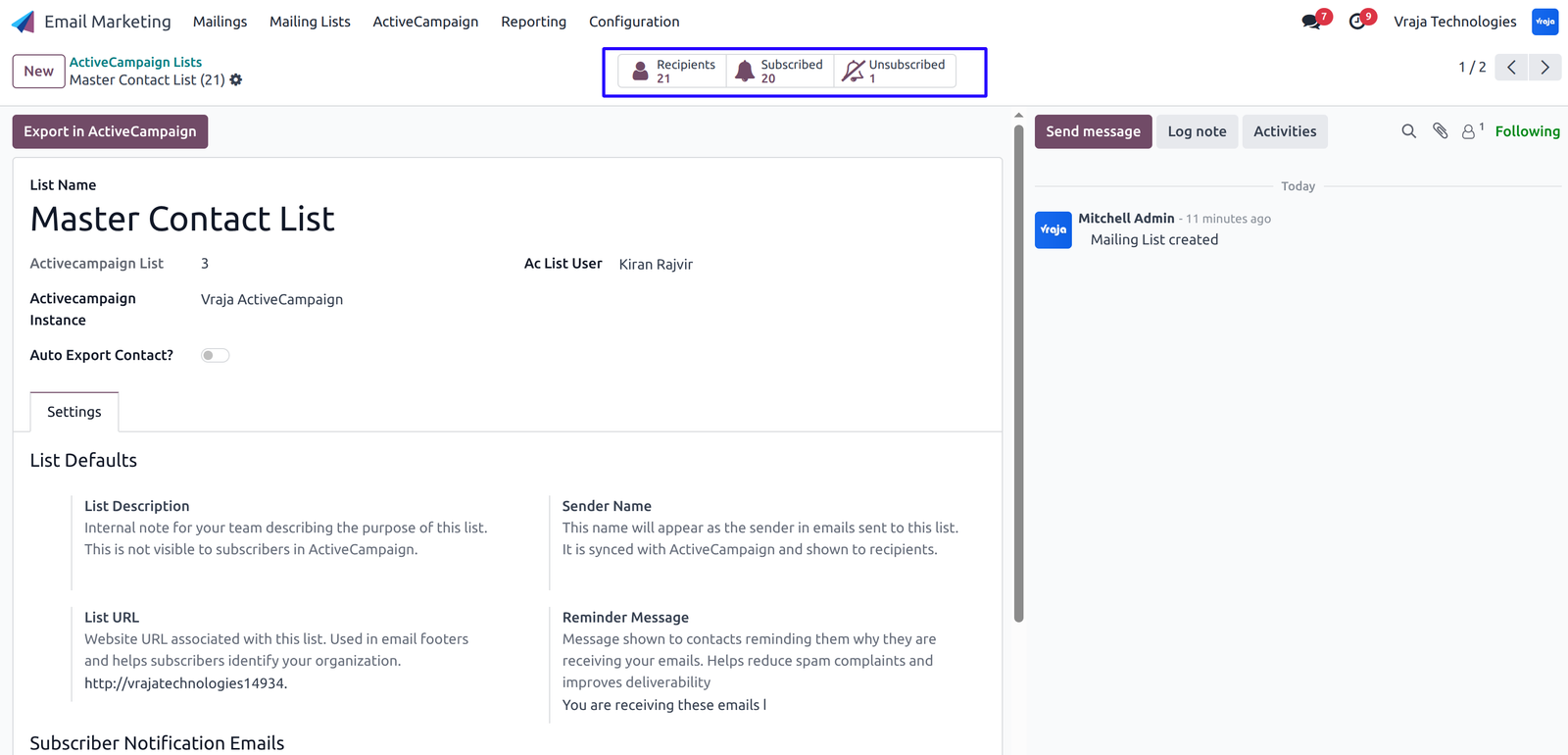
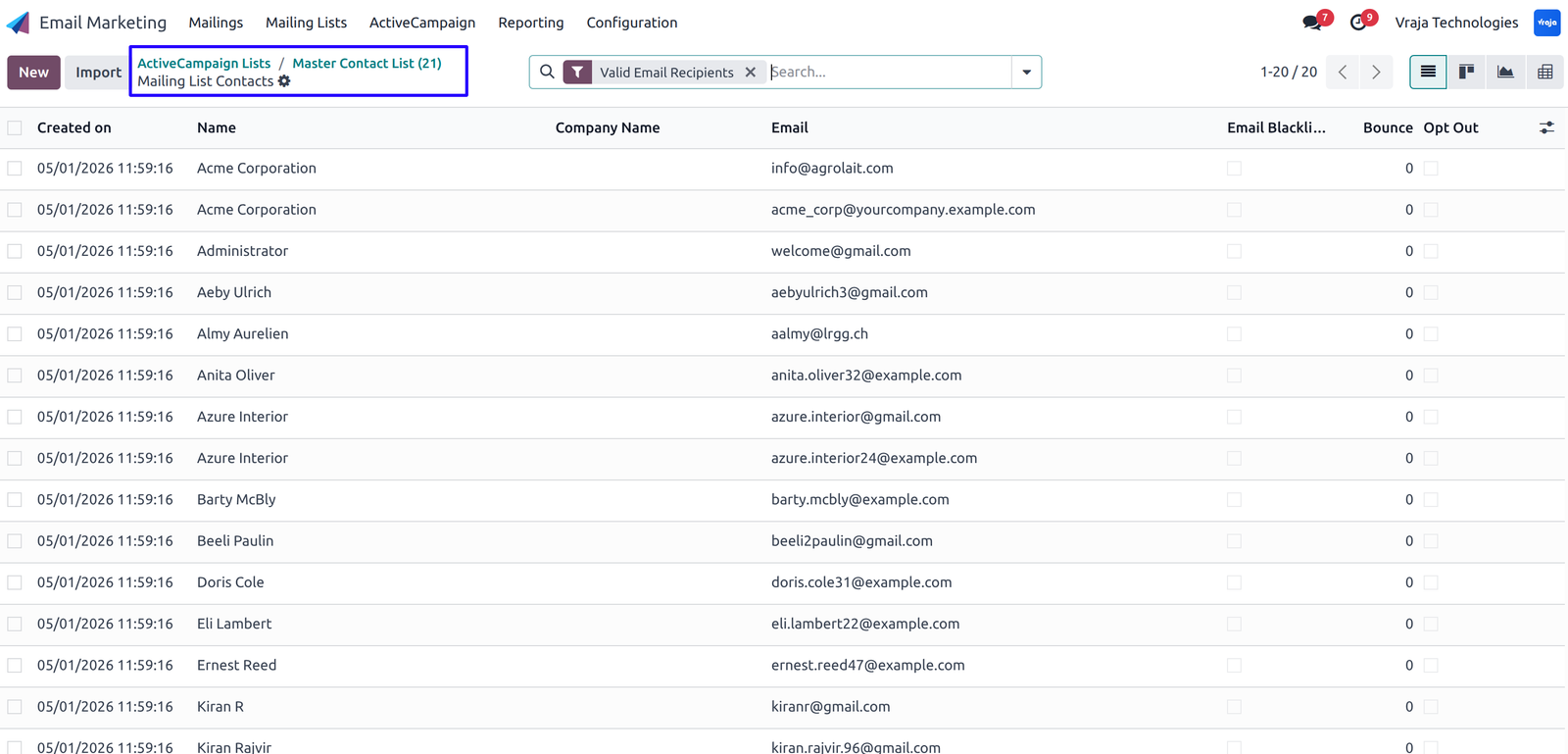
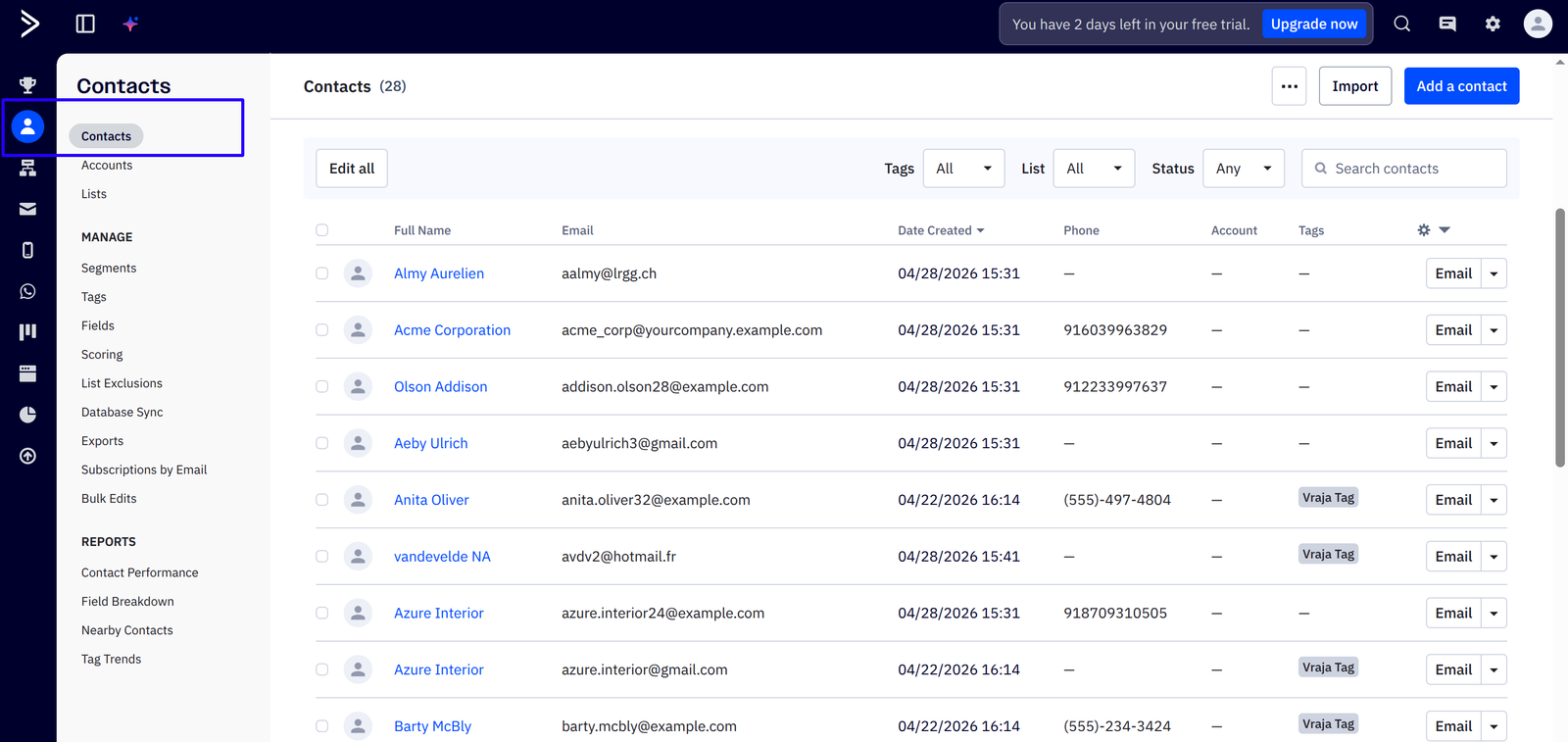
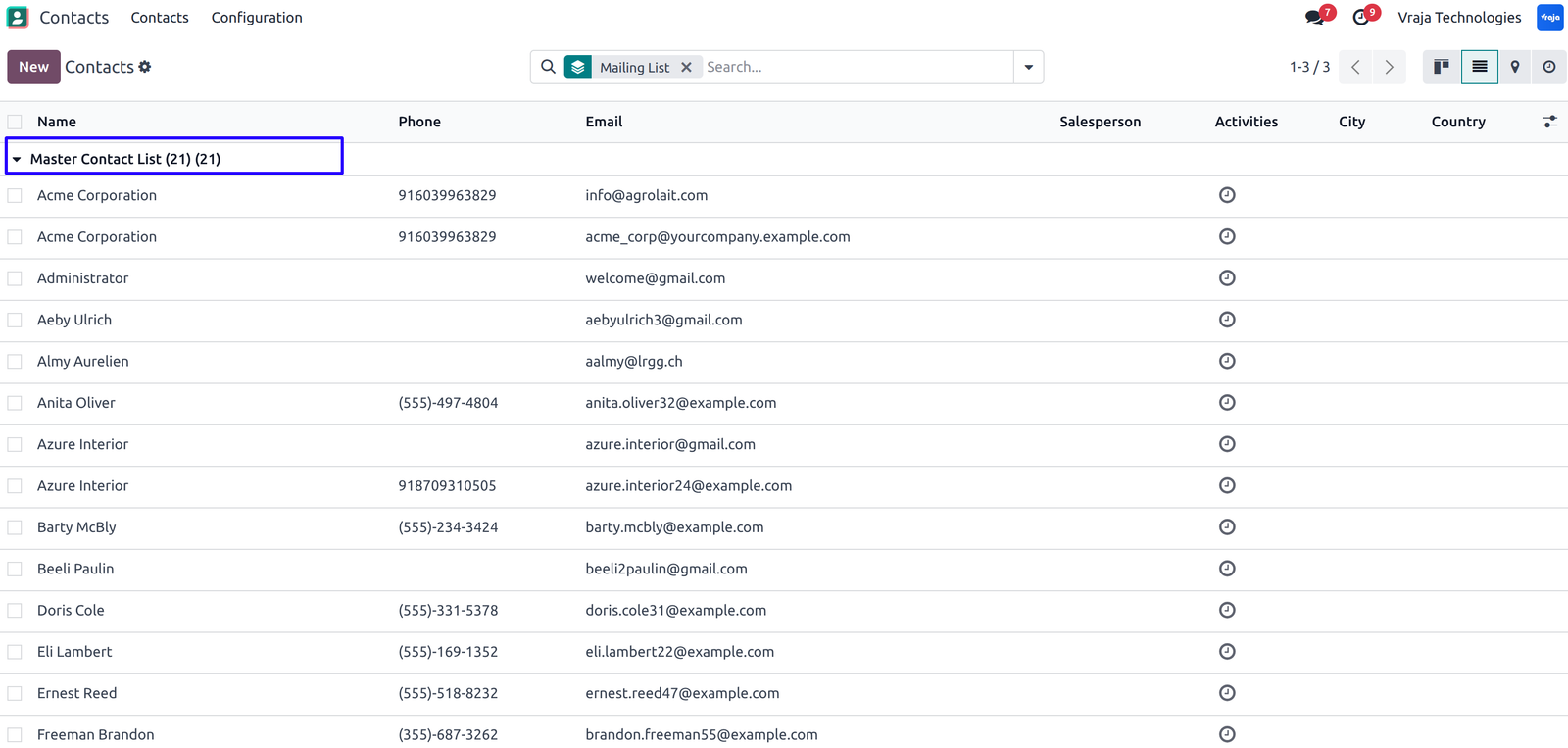
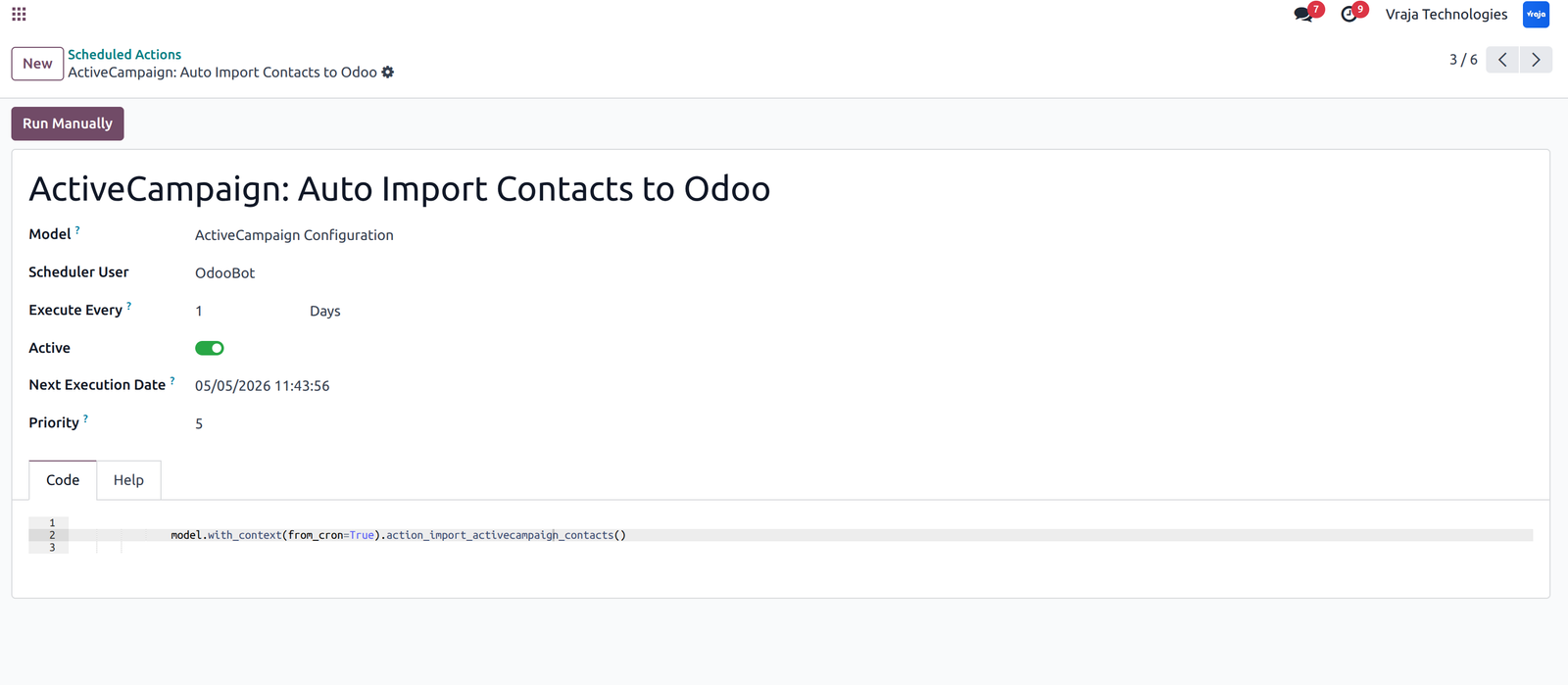
Cron (Scheduled Action) is available for Auto Synchronize Members/Contacts from ActiveCampaign to Odoo.
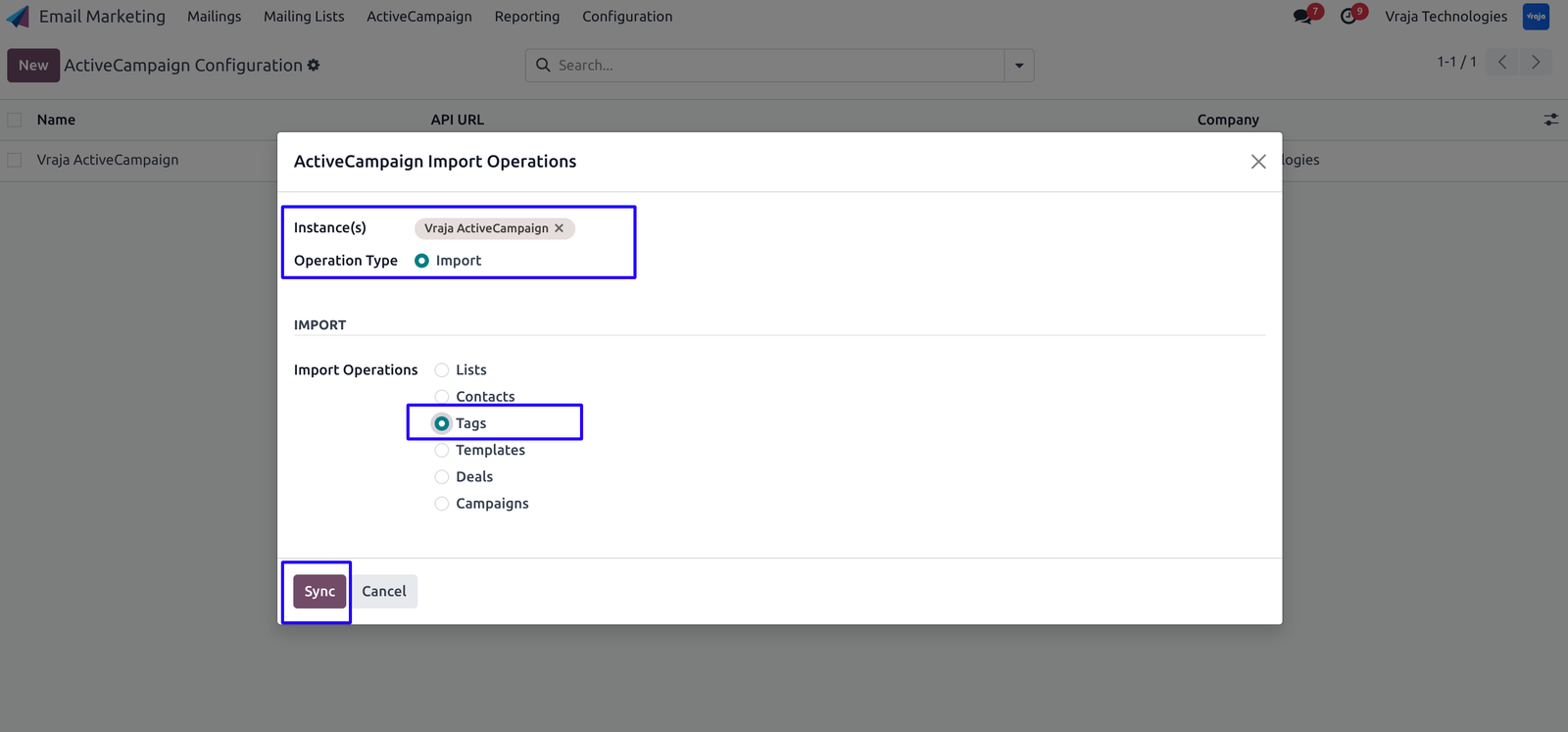
Import Tags from ActiveCampaign to Odoo.
(Tags are used inside ActiveCampaign Contacts and Campaigns.)
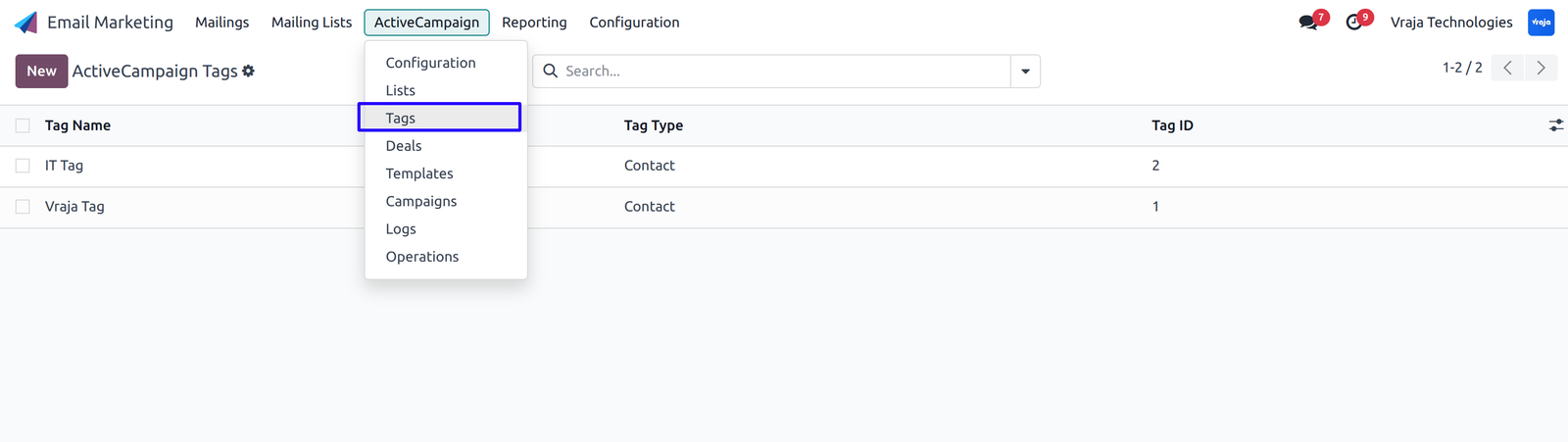
Import Templates with body content from ActiveCampaign to Odoo.
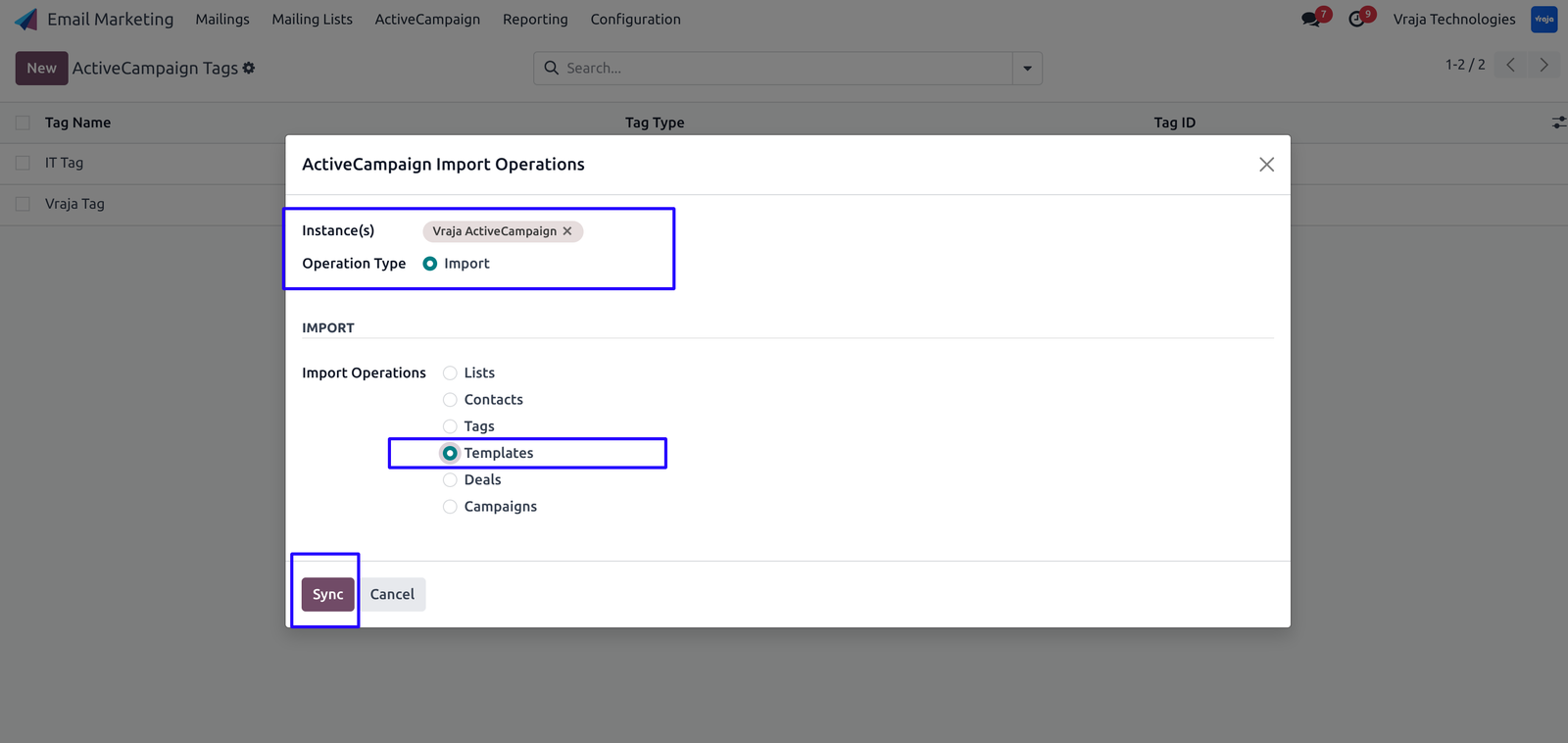
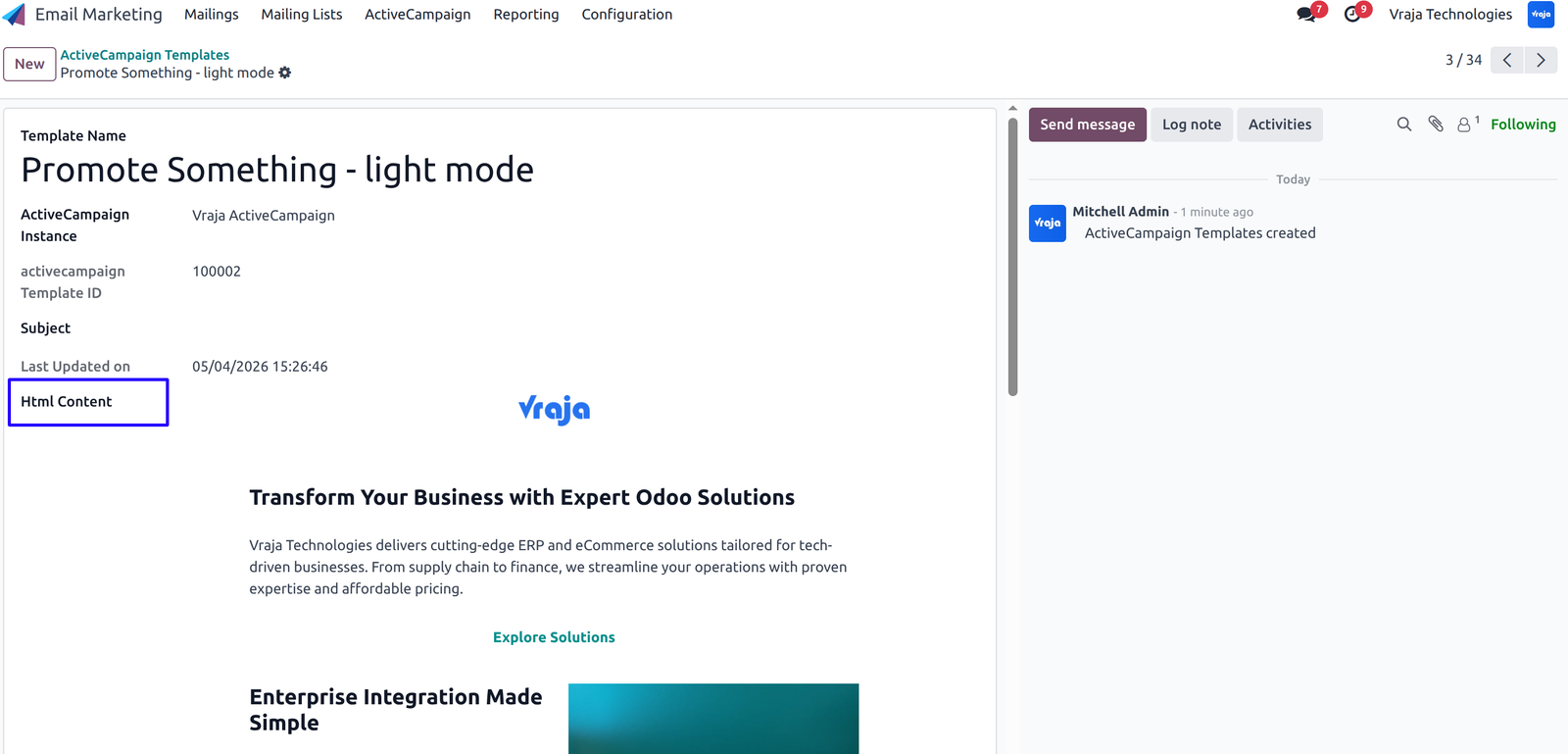
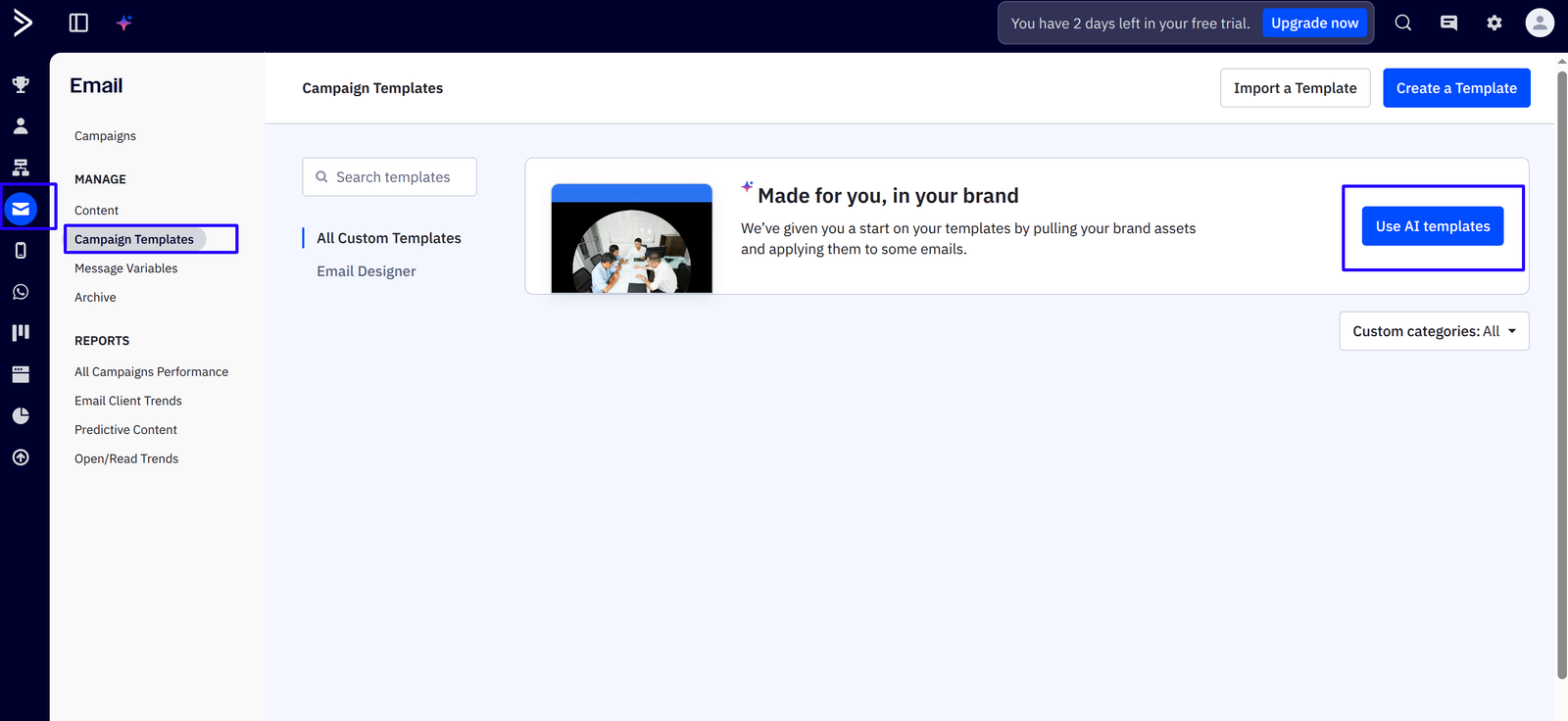
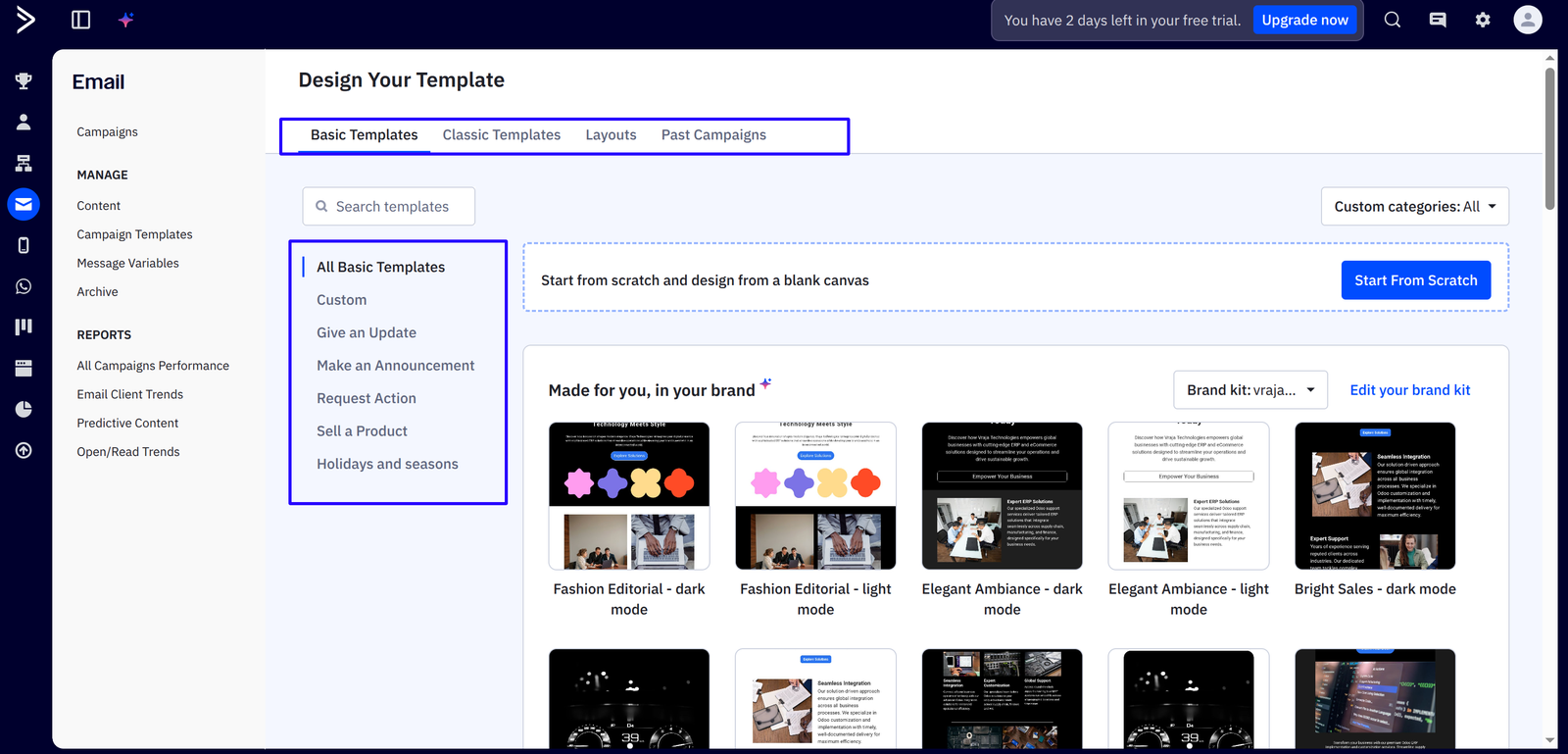
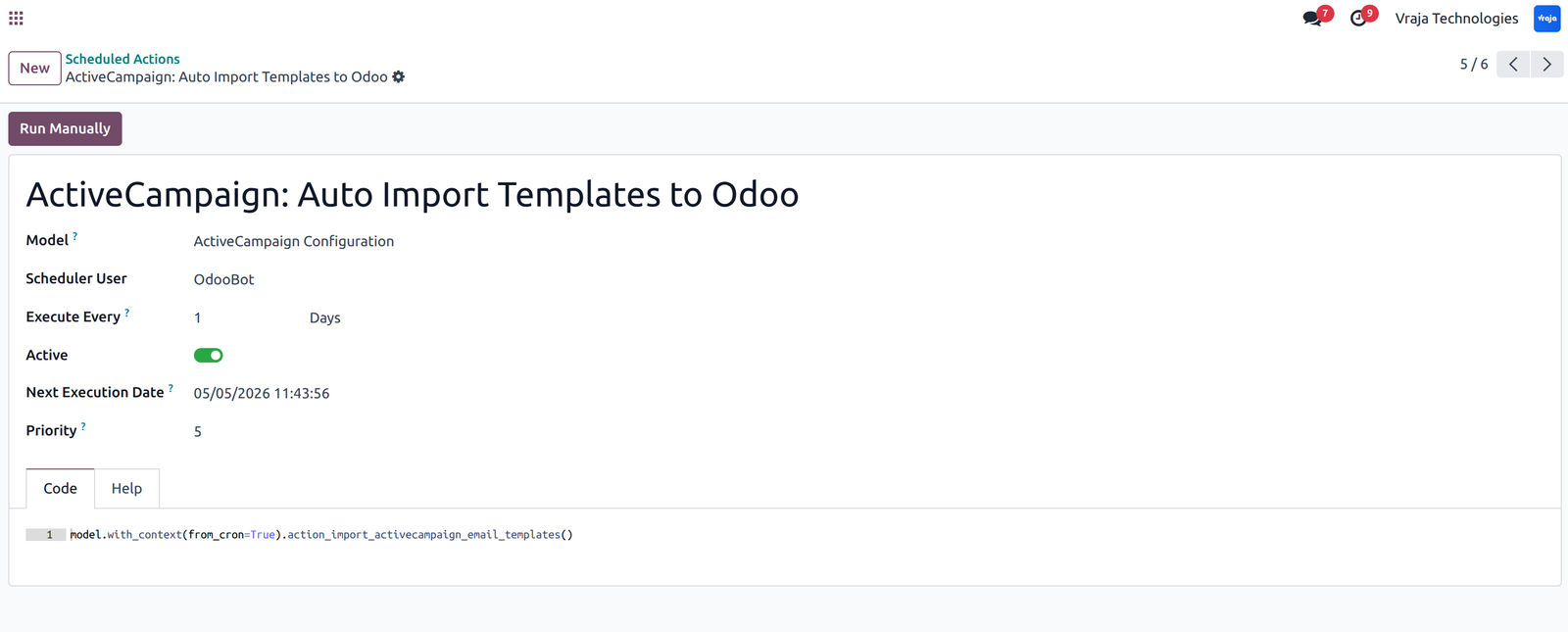
Cron (Scheduled Action) is available for Auto Synchronize Templates from ActiveCampaign to Odoo.
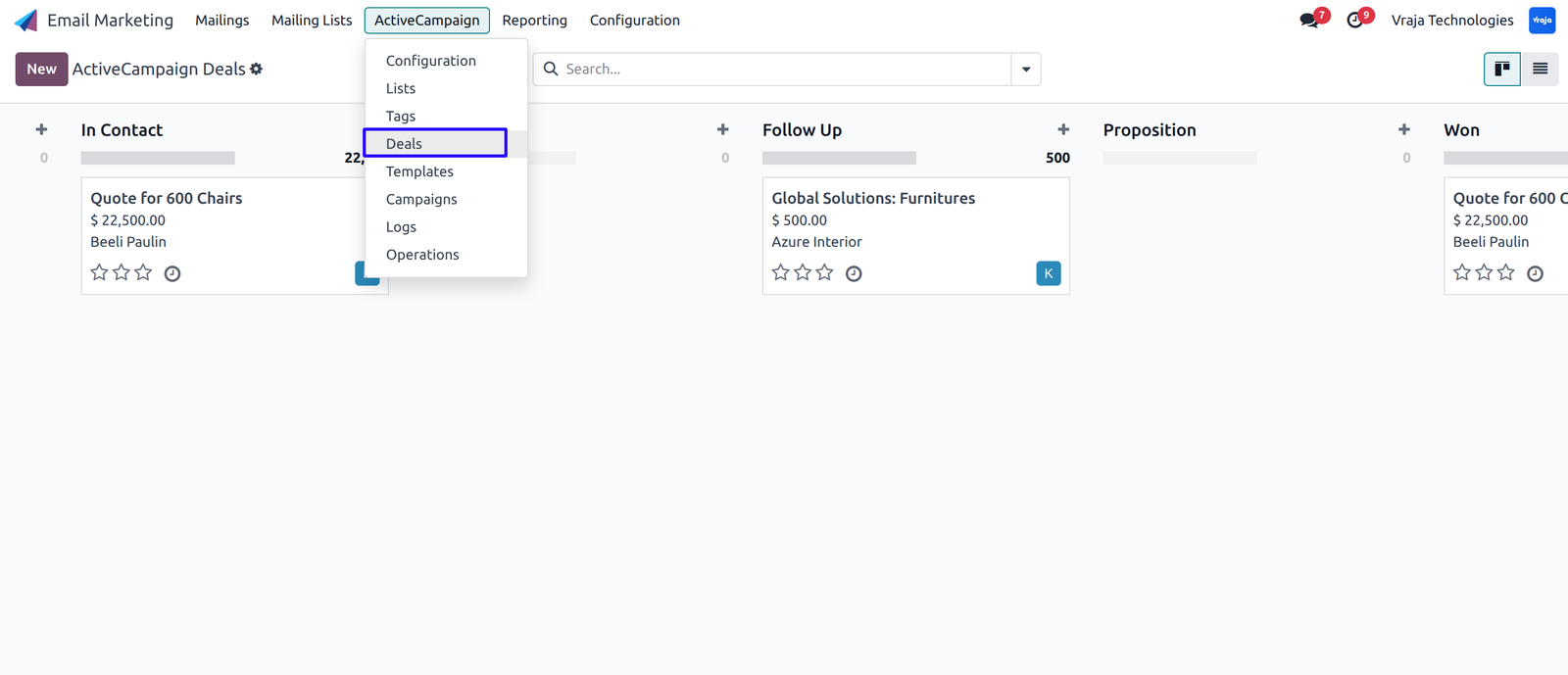
Import Deals with stages from ActiveCampaign to Odoo.
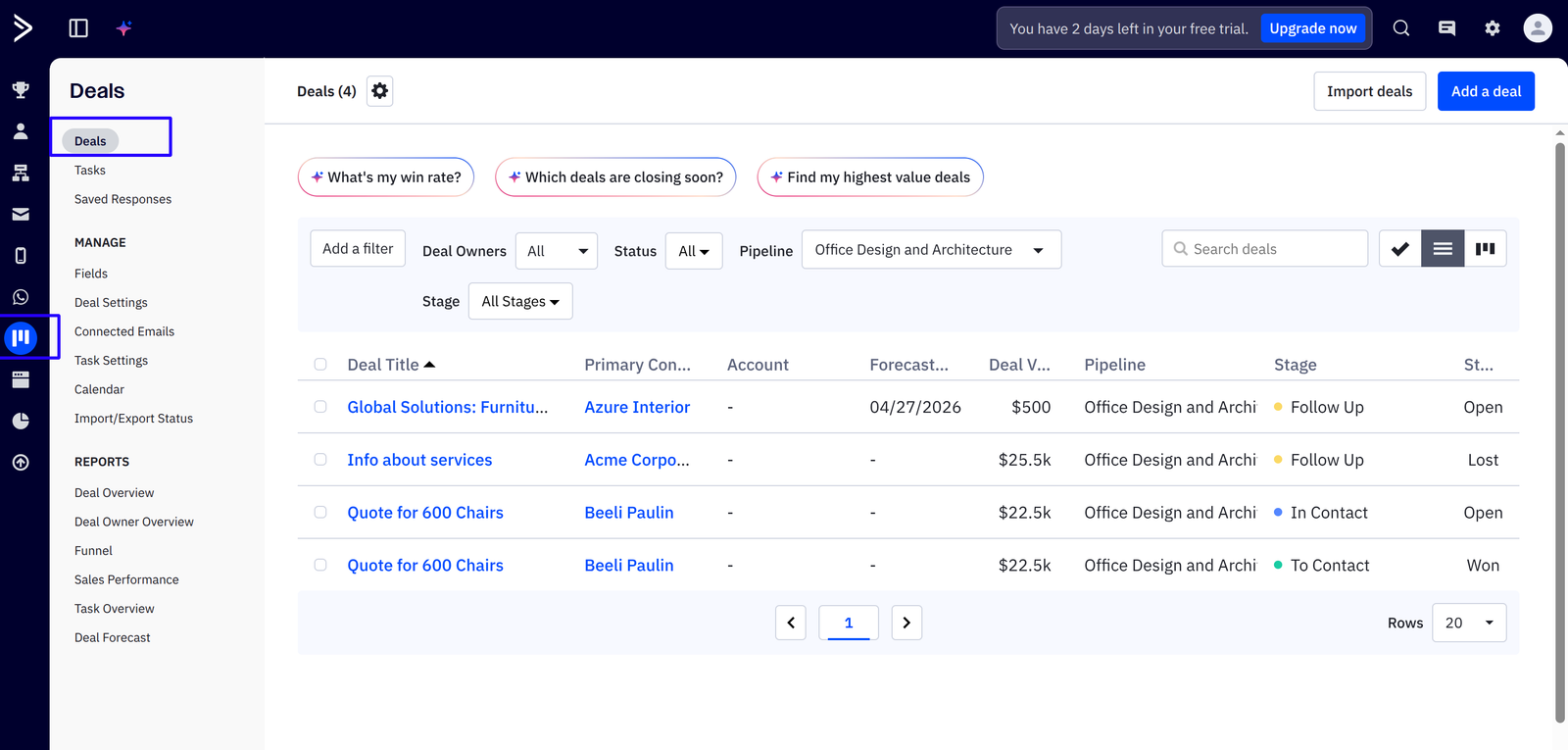
Import Campaigns with statistics from ActiveCampaign to Odoo.
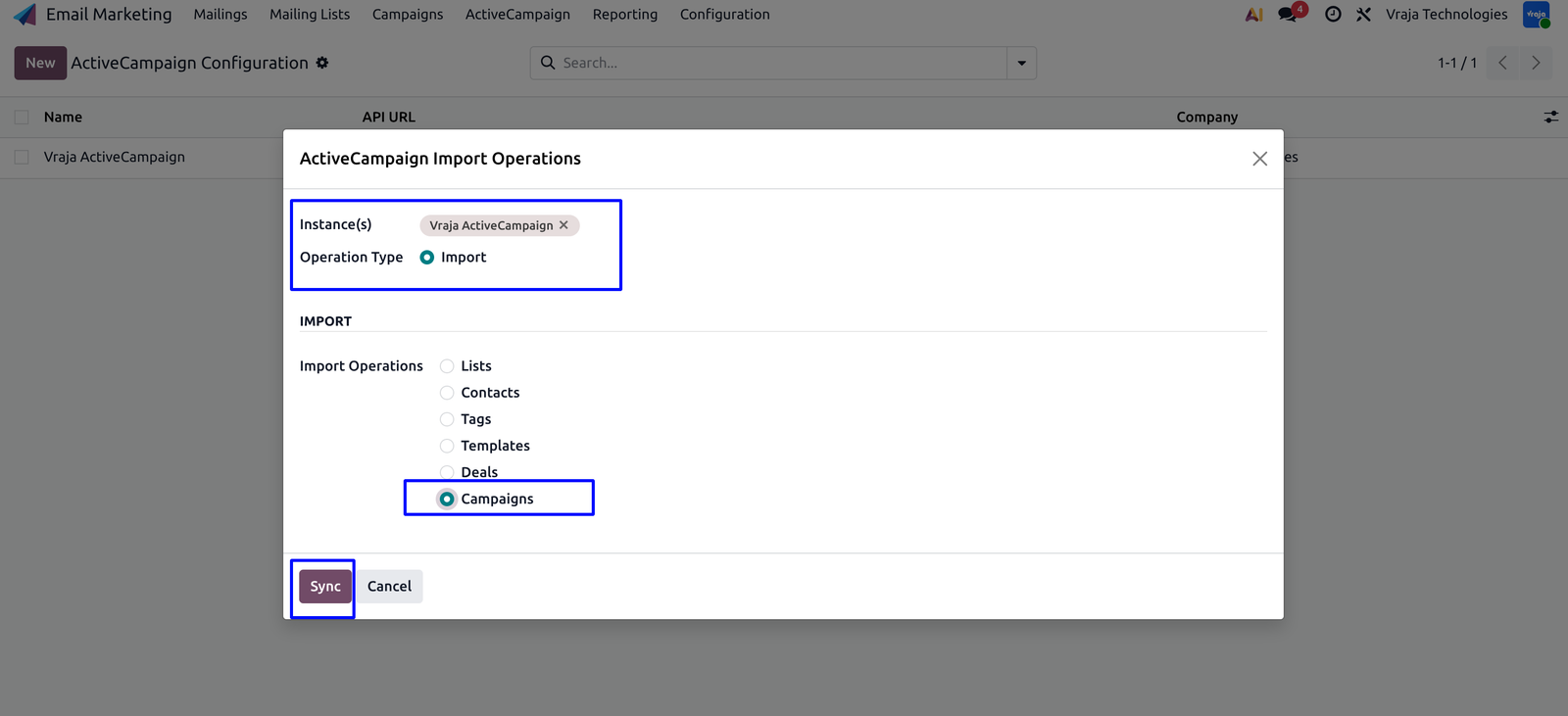
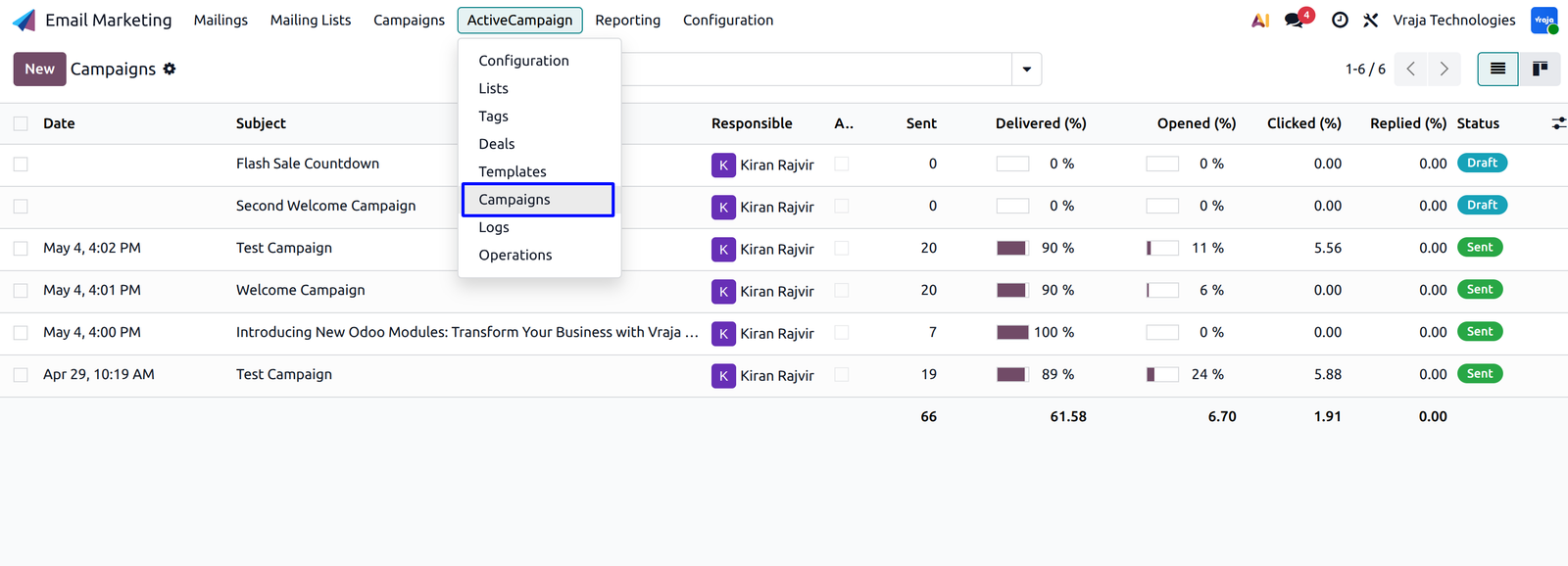
Update Campaign statistics details in real-time using webhook.
(Webhook is automatically created while configuring the instance and updates ActiveCampaign details in Campaigns.)
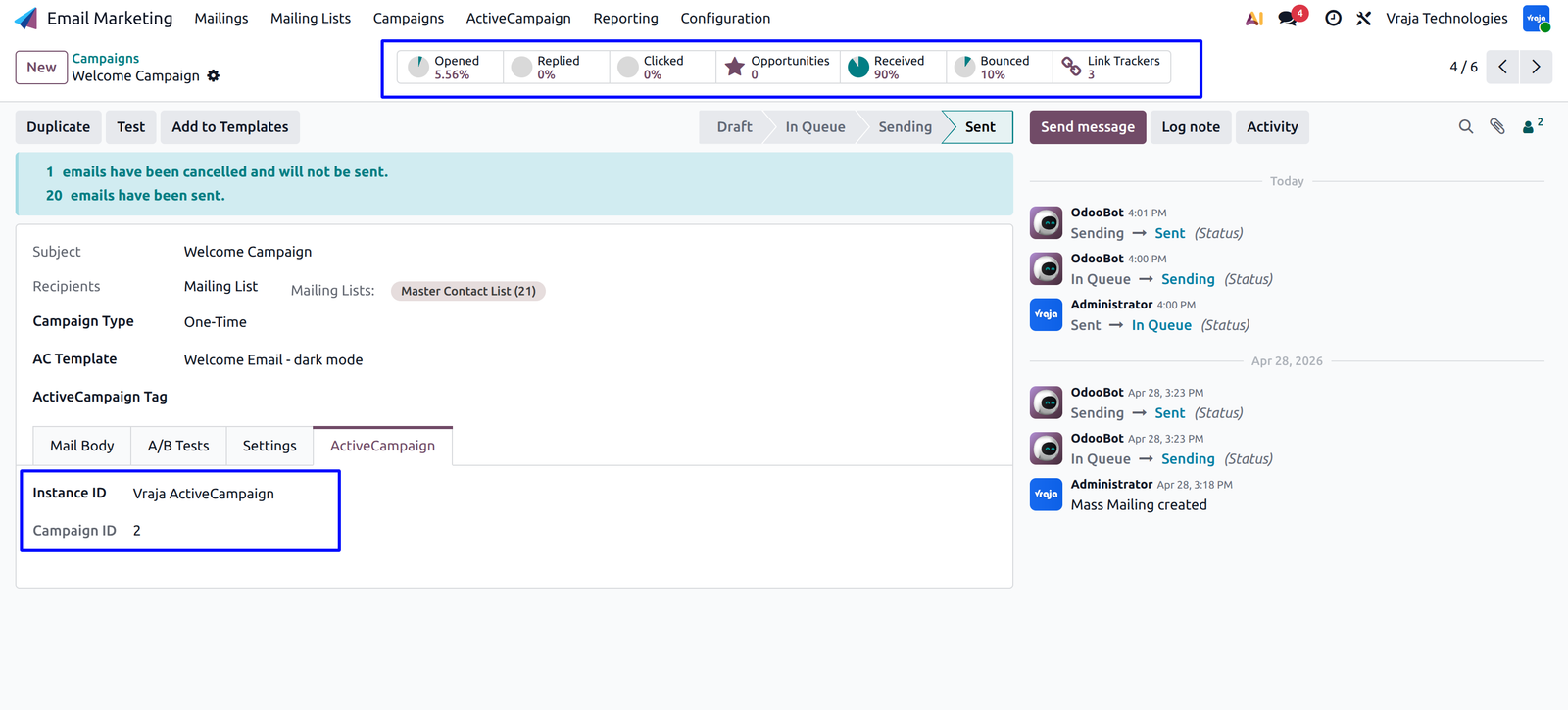
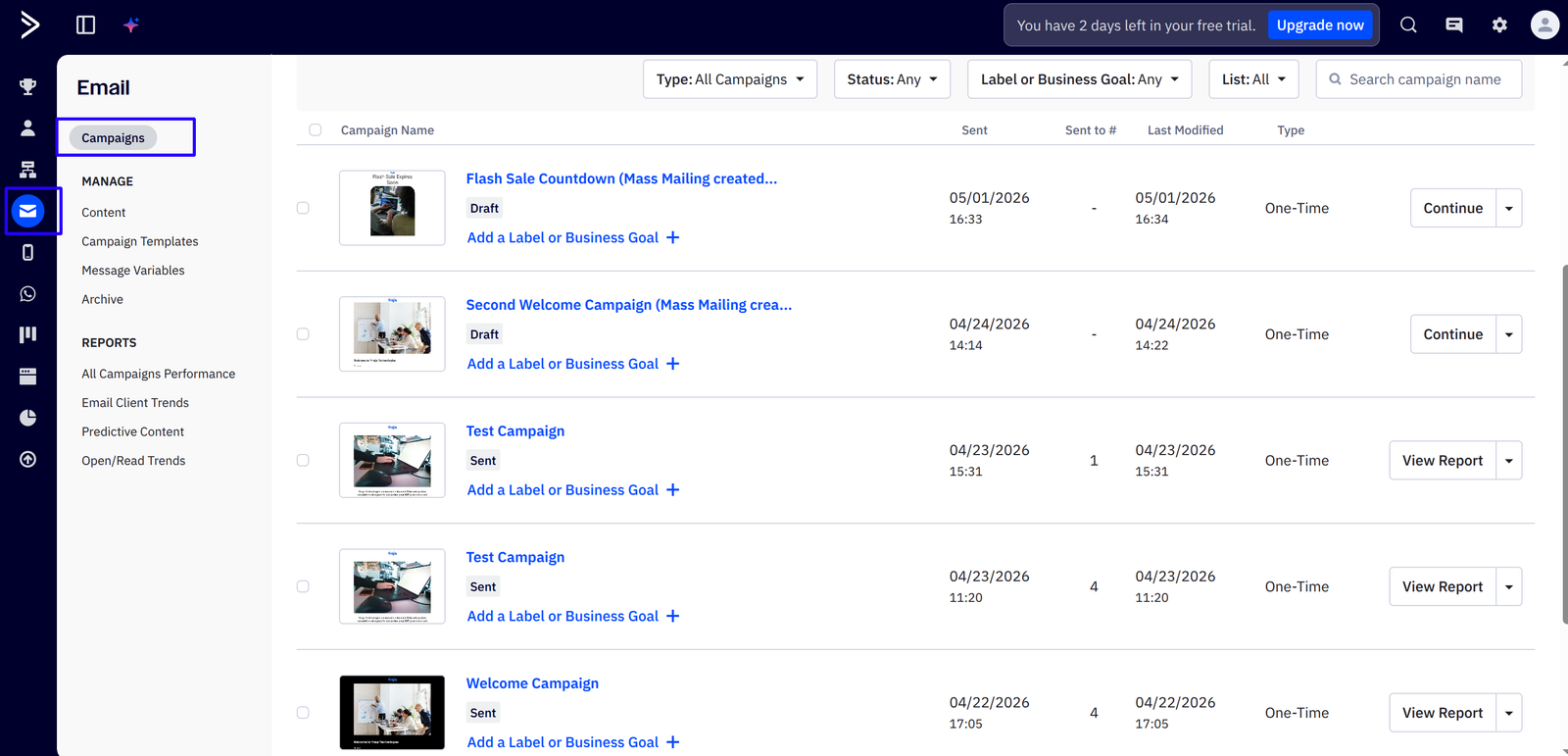
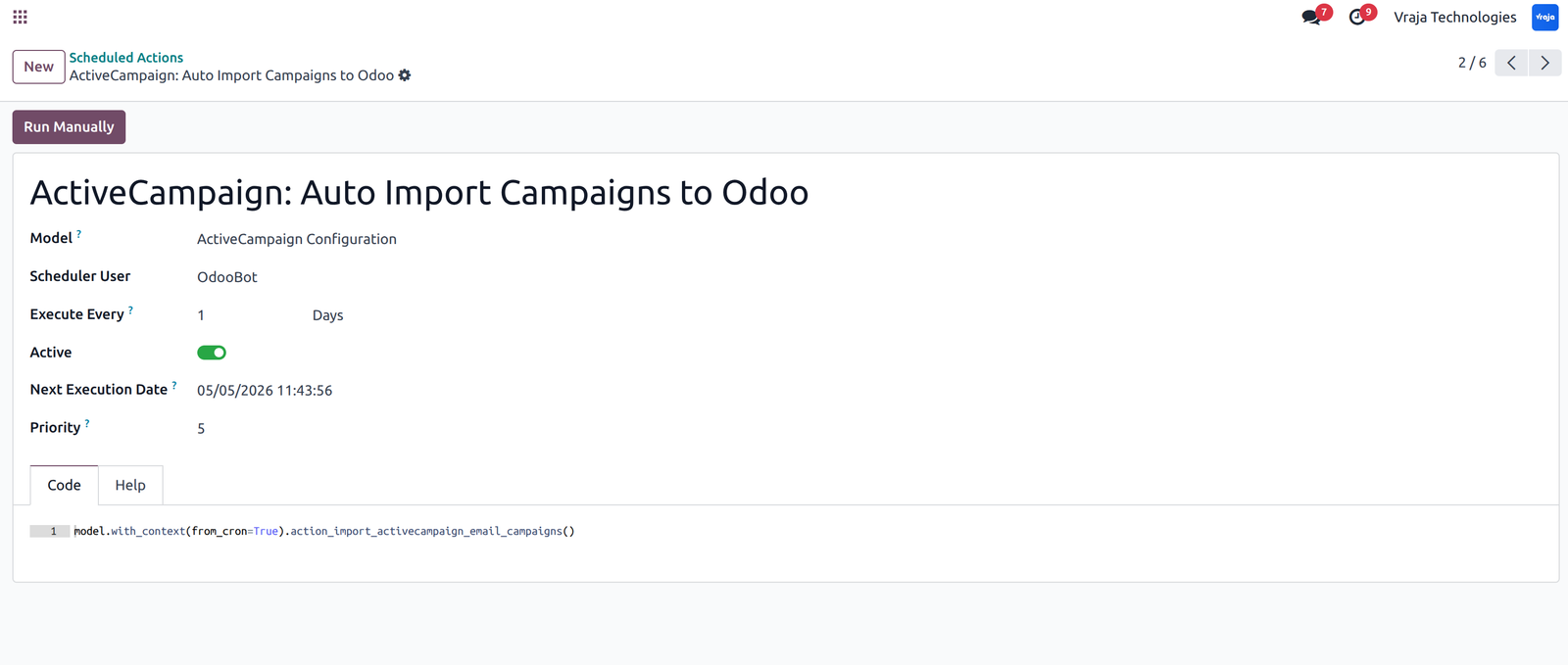
Cron (Scheduled Action) is available for Auto Synchronize Campaigns with statistics from ActiveCampaign to Odoo.
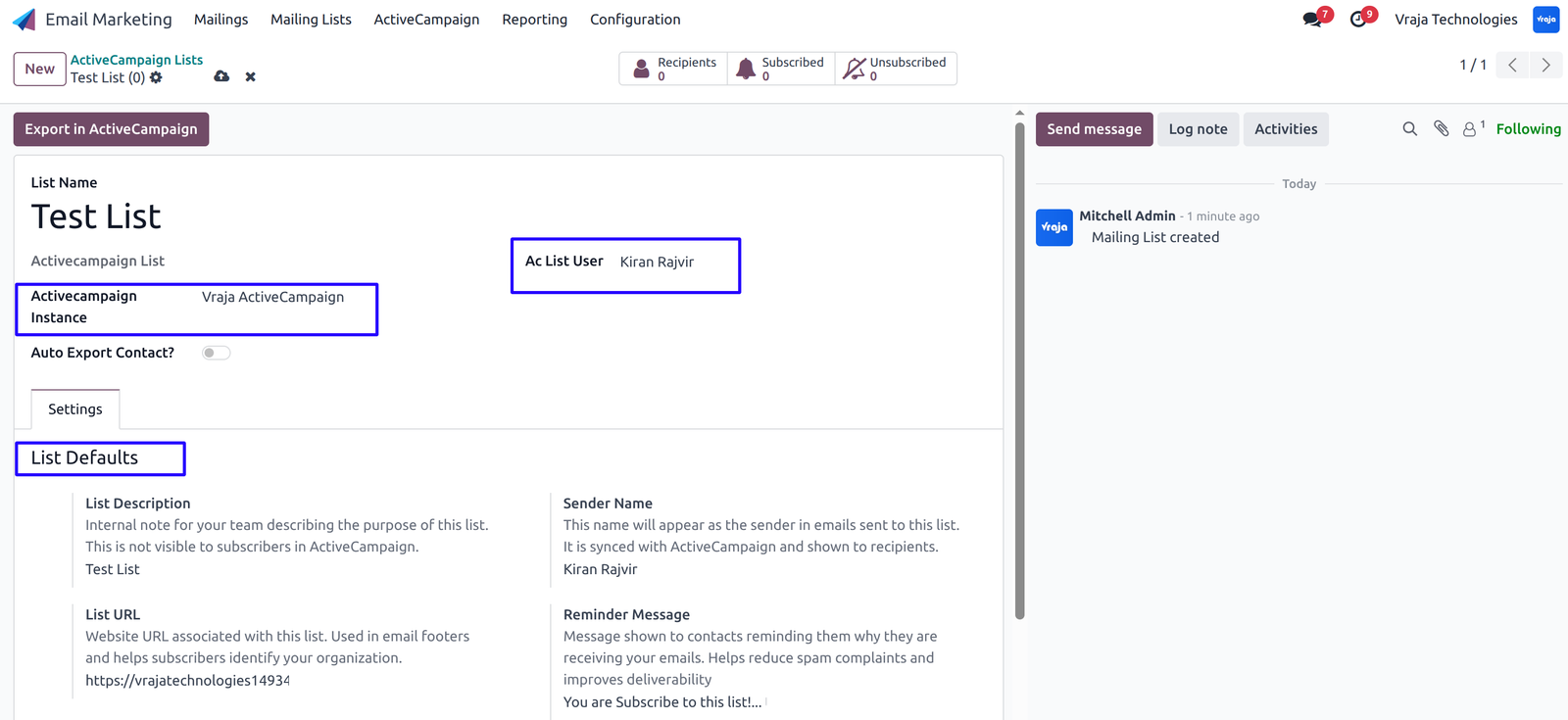
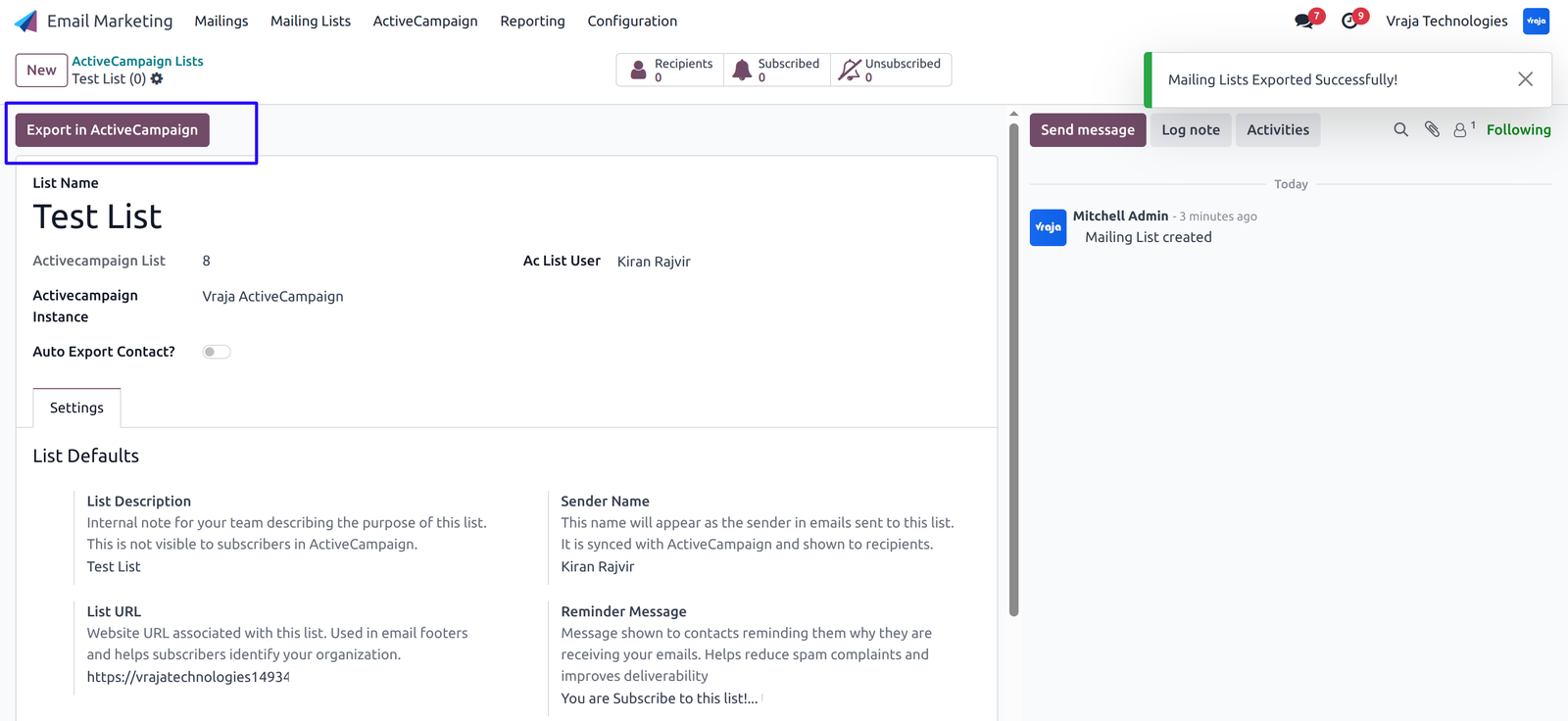
Export ActiveCampaign Lists from Odoo to ActiveCampaign by configuring the necessary details and clicking on ‘Export in ActiveCampaign’.
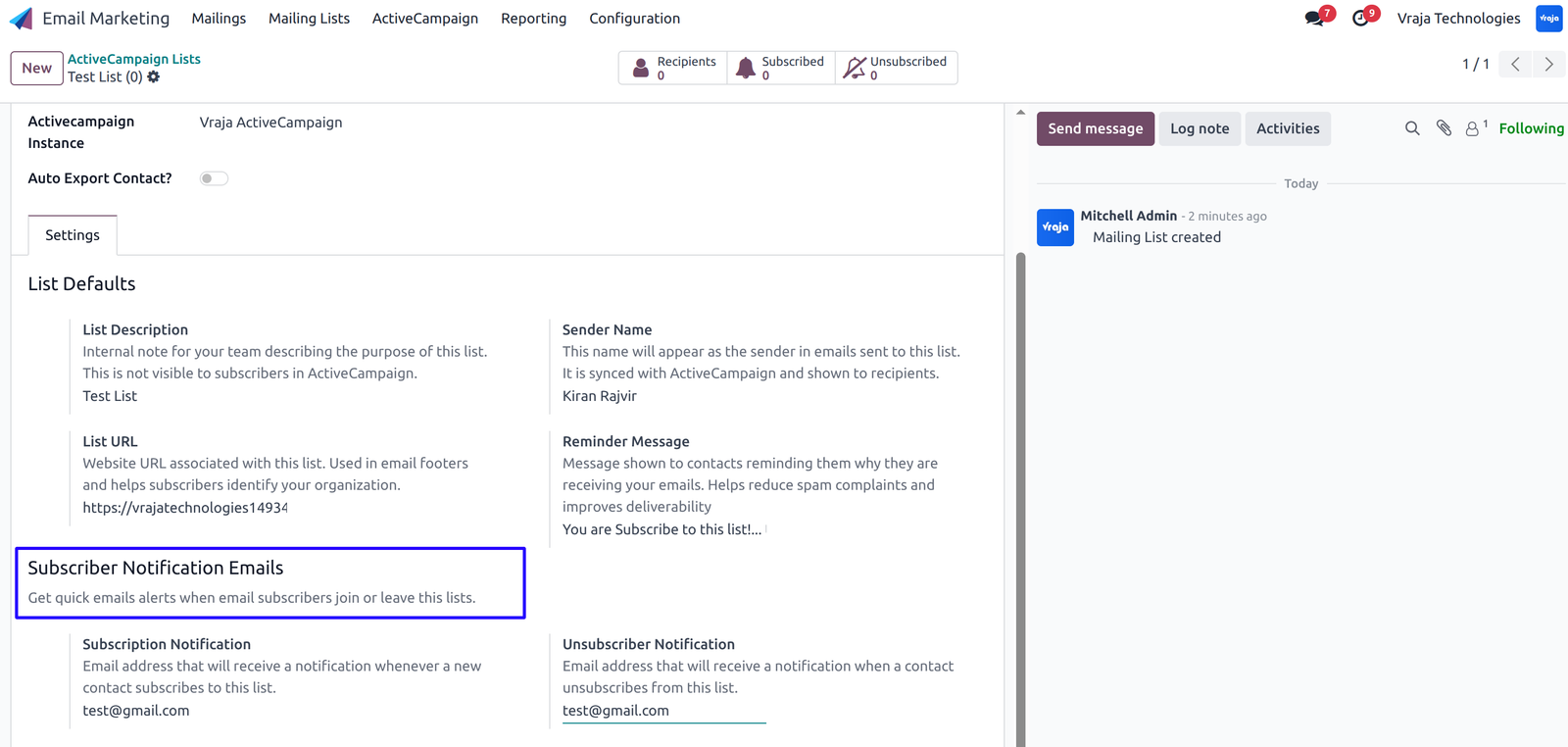
Export/Update Contacts from Odoo to ActiveCampaign by configuring the necessary details.
You can also export multiple contacts from the list view.
Navigate to Action -> Export/Update to ActiveCampaign.
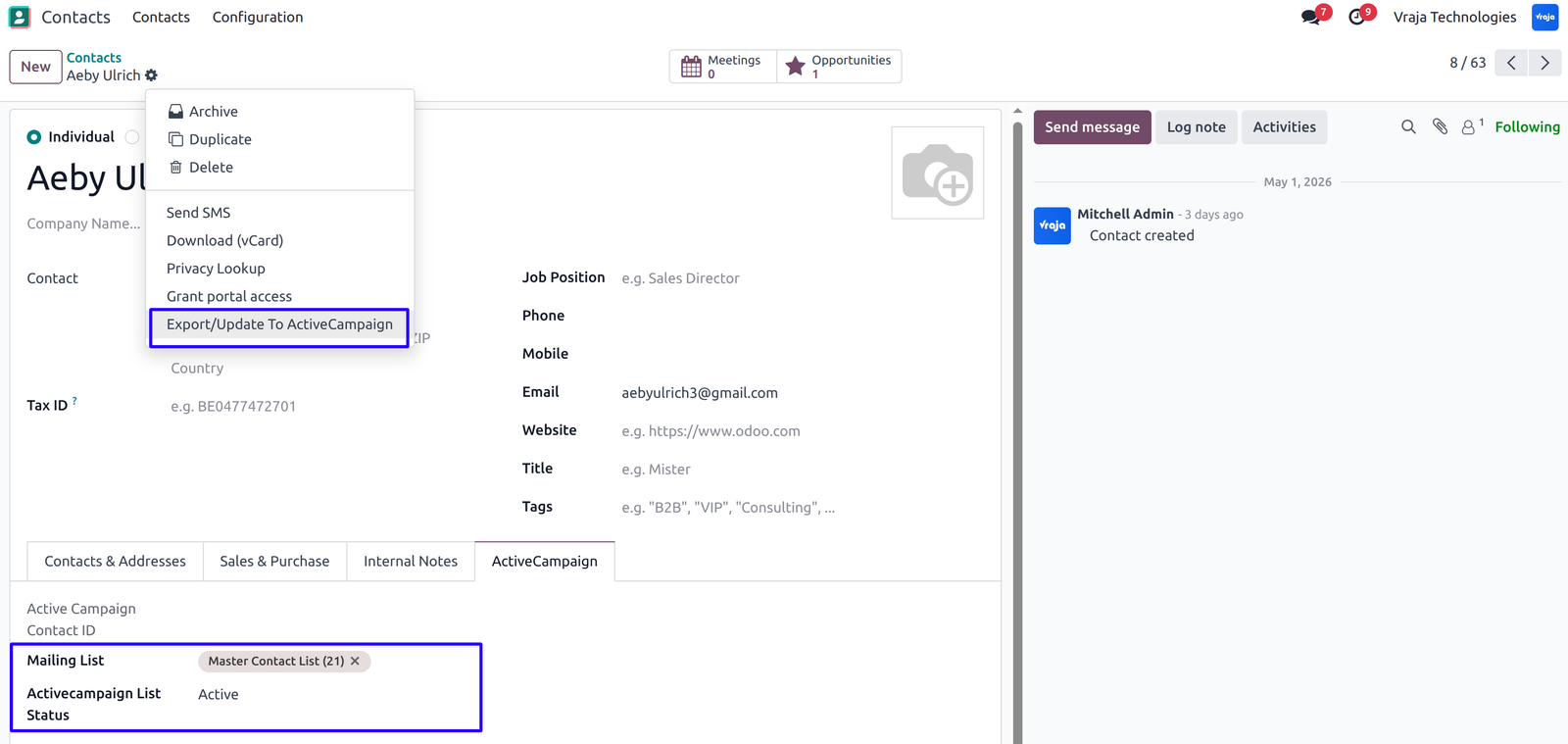
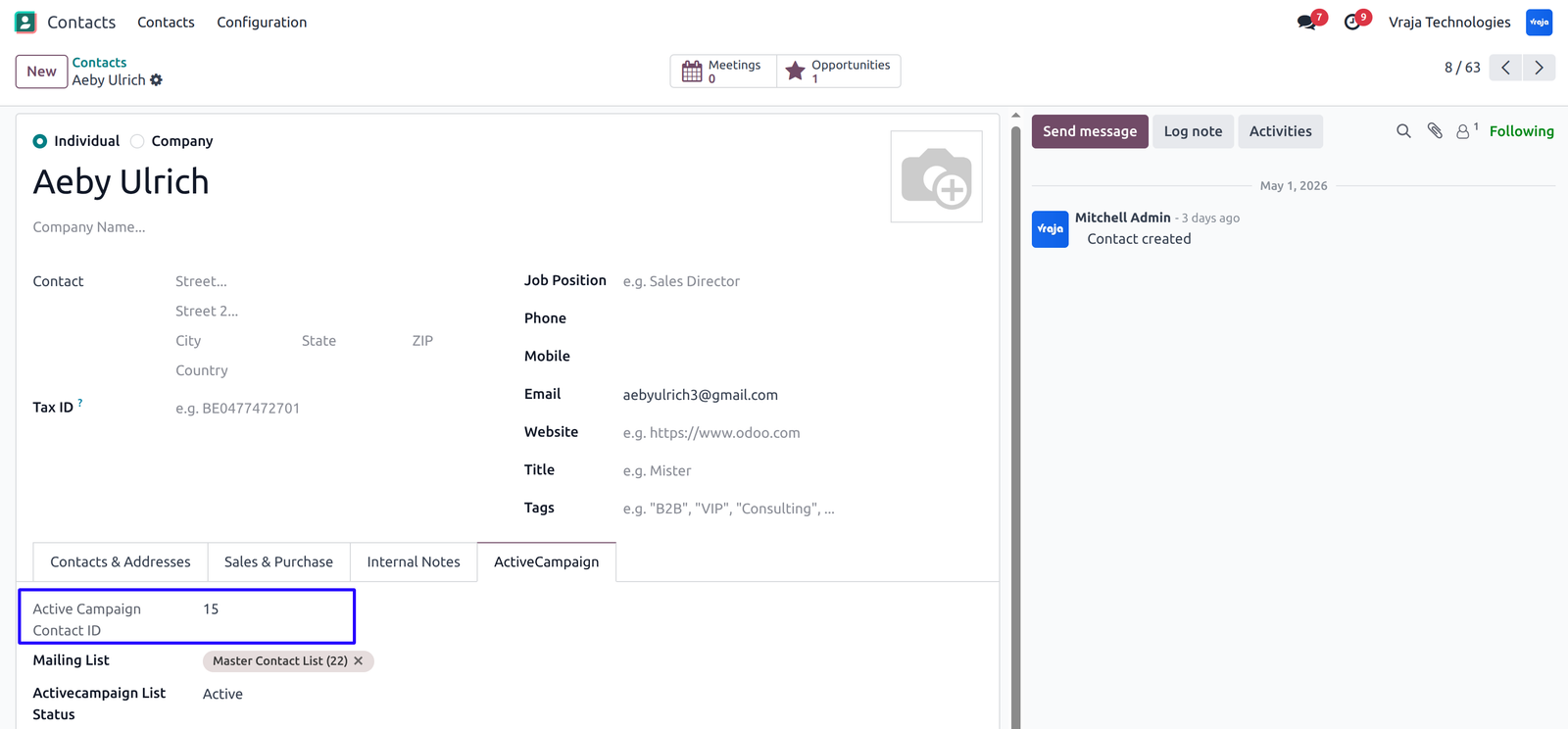
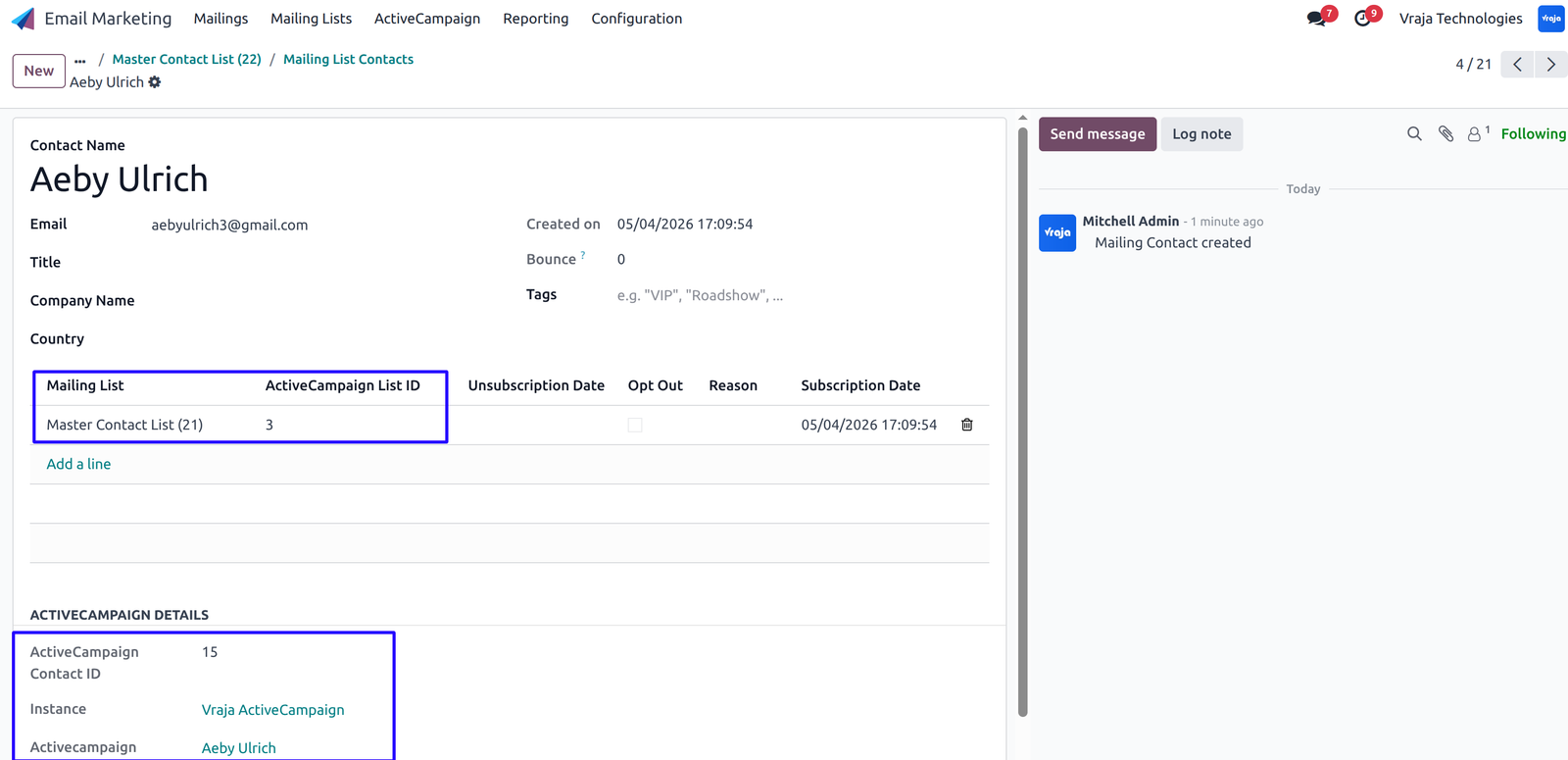
Automatically Export Contacts from Odoo to ActiveCampaign using Cron (Scheduled Action).
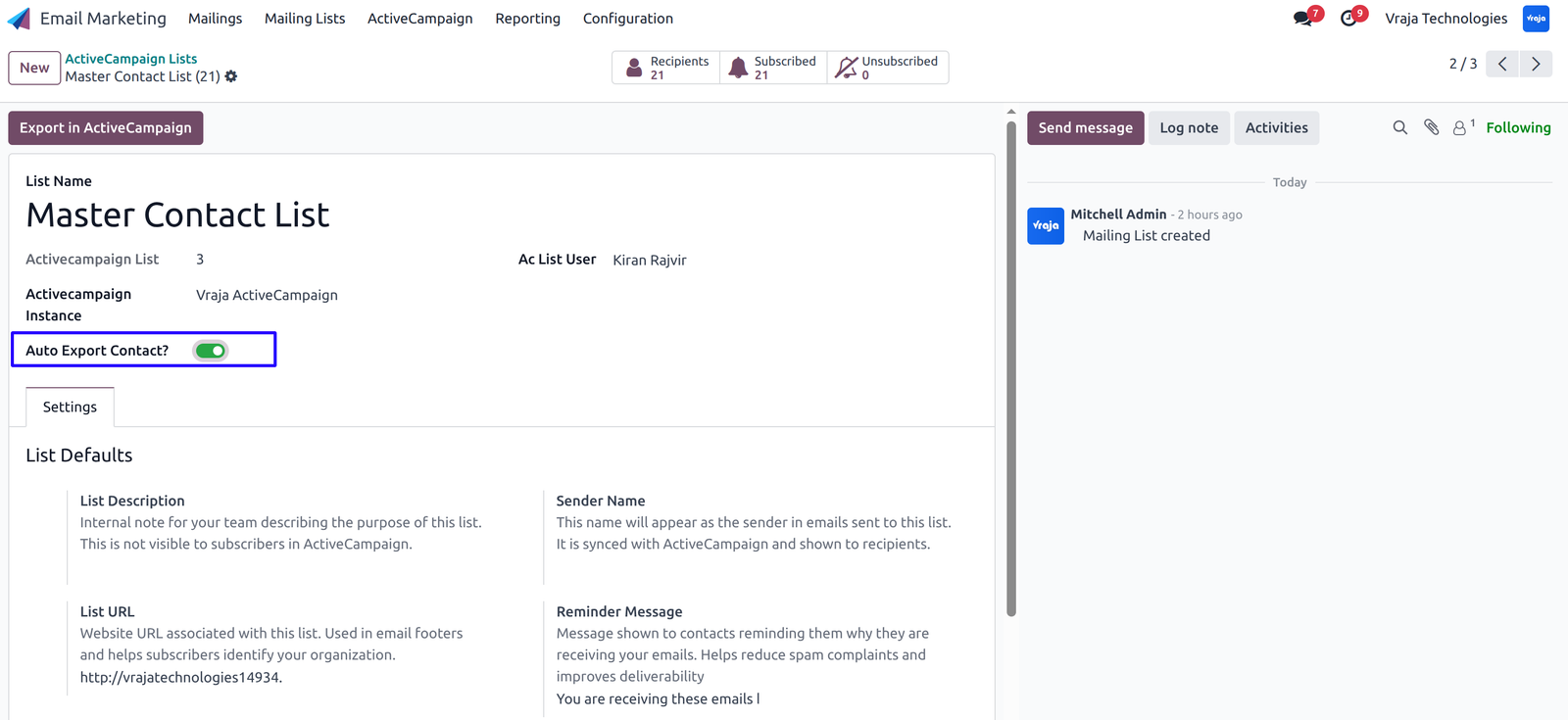
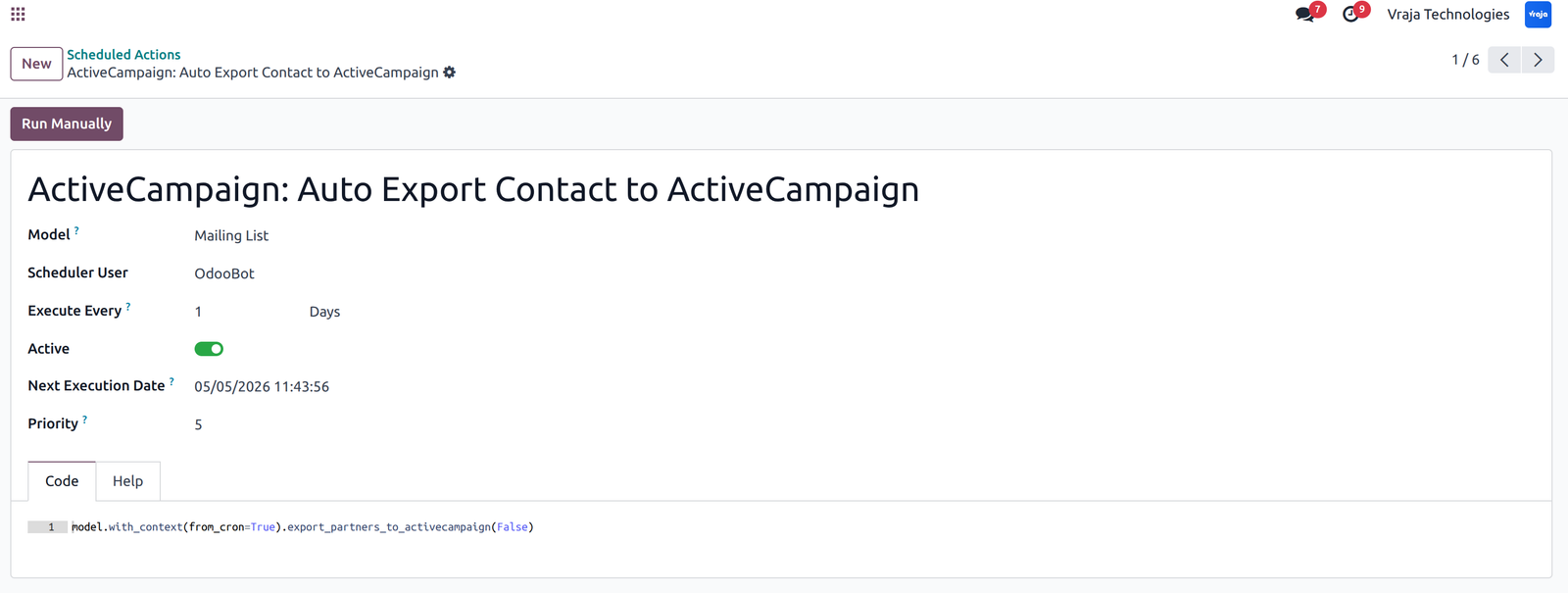
Export Tags from Odoo to ActiveCampaign.
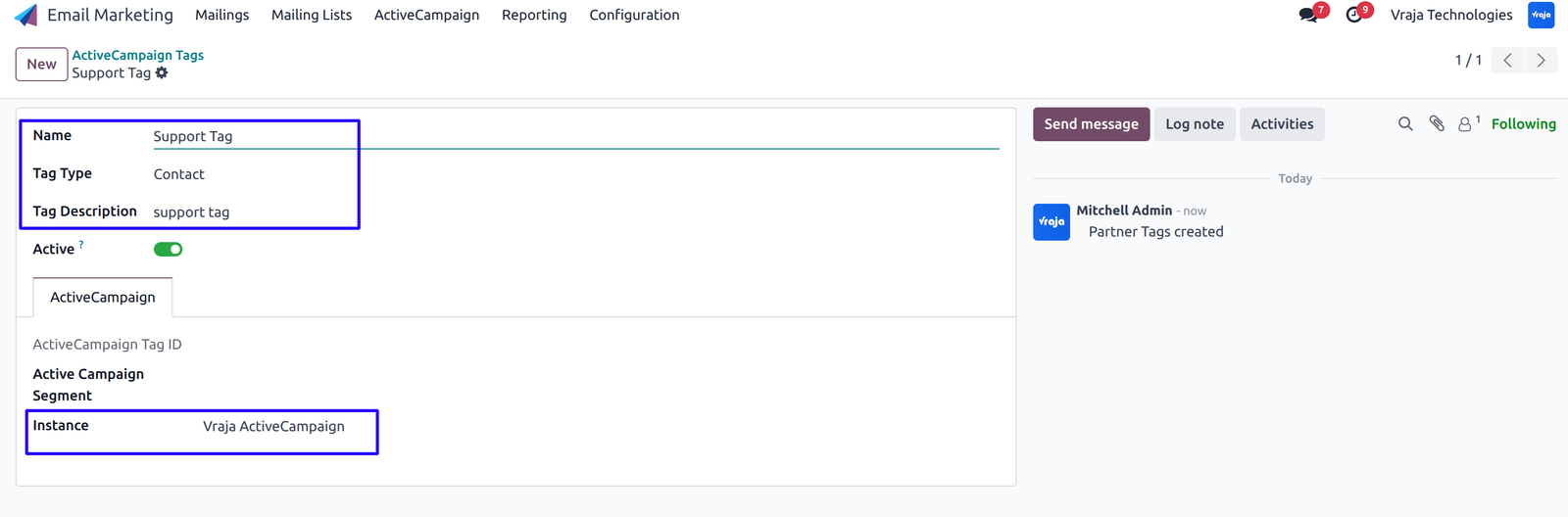
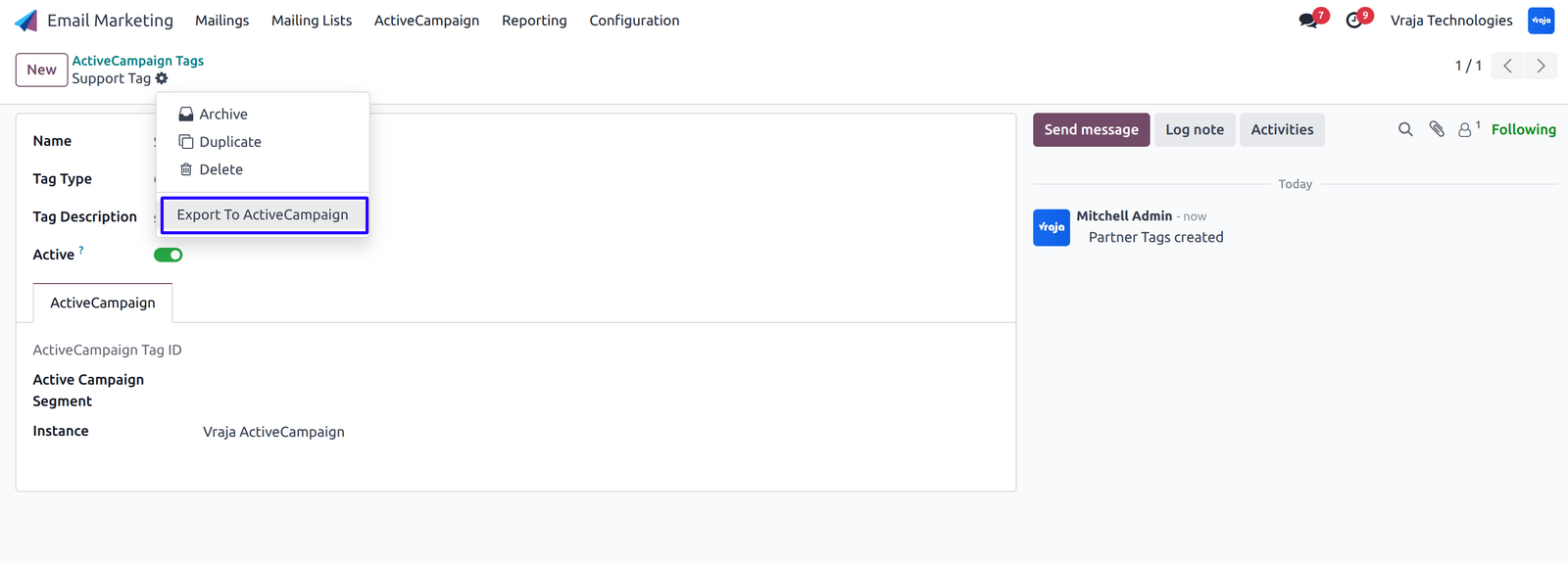
Export Deals from Odoo to ActiveCampaign by configuring the necessary details and clicking on ‘Export/Update in ActiveCampaign’.
You can also export multiple deals from the list view.
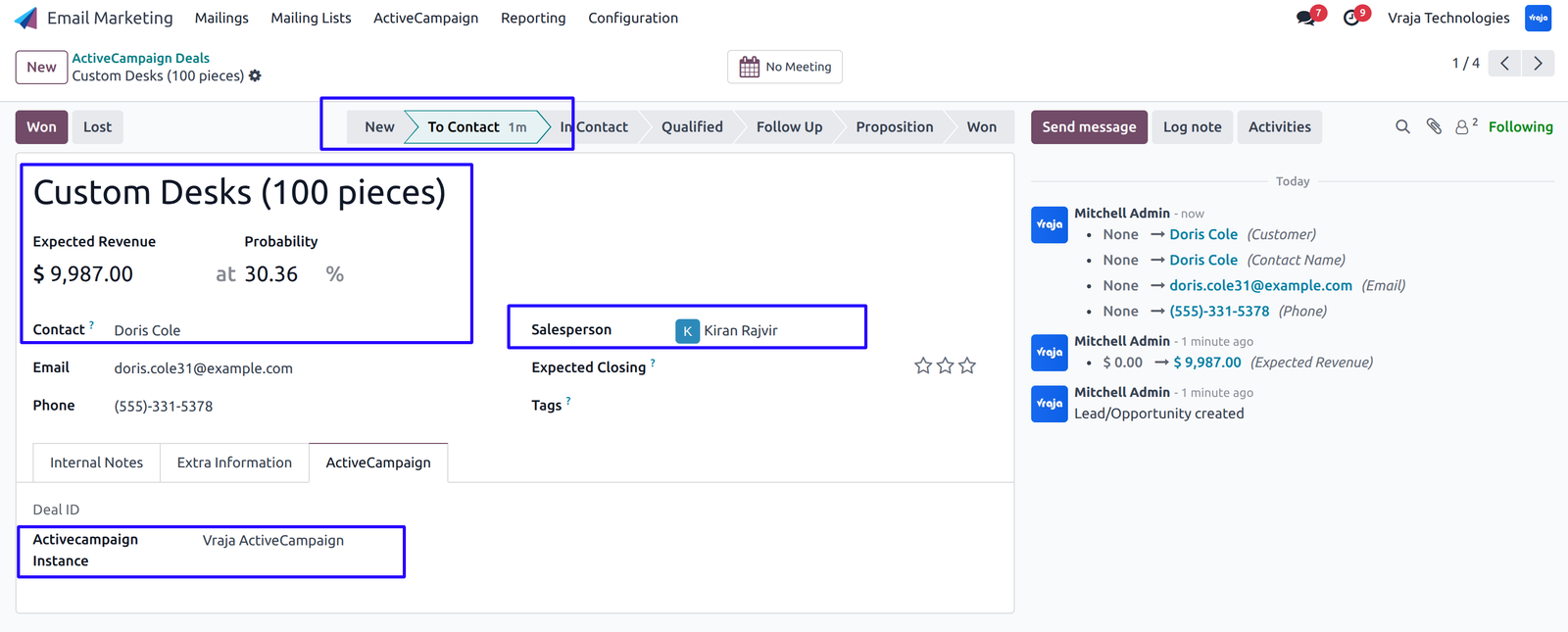
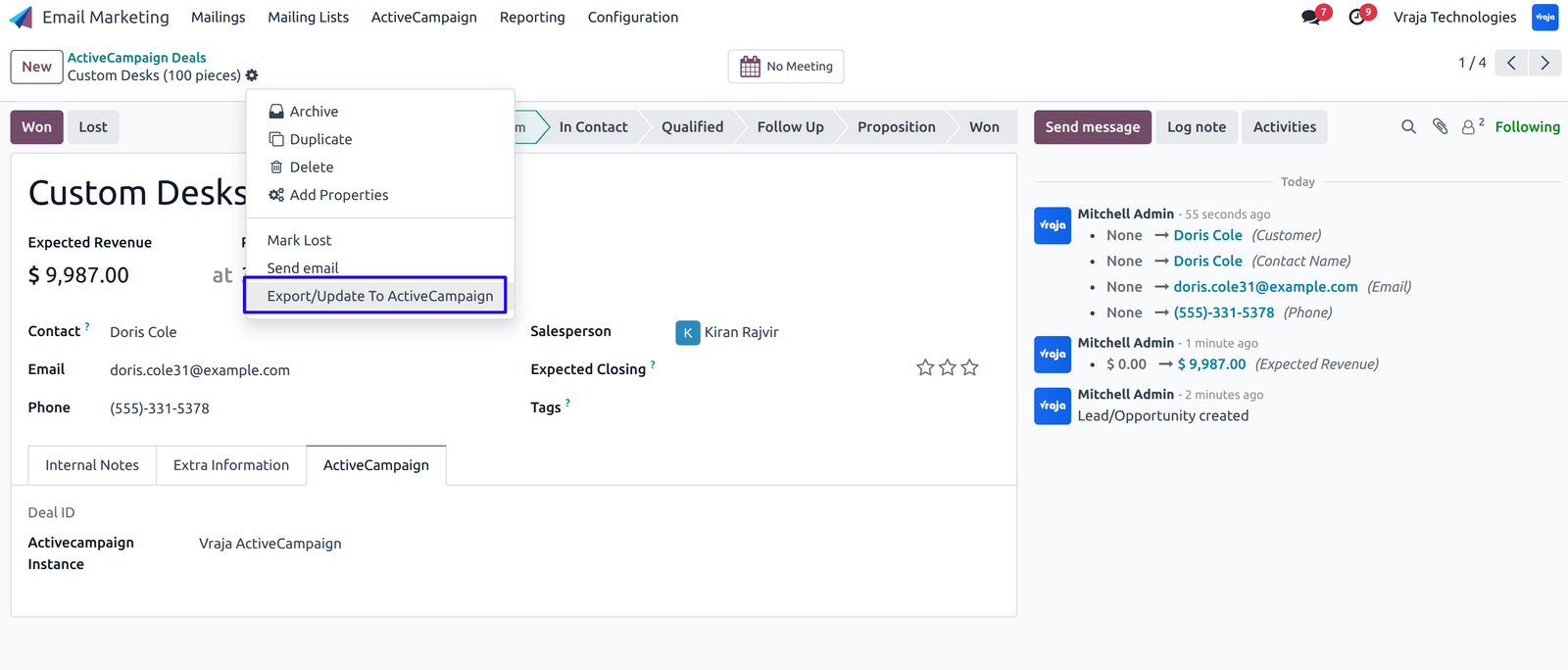
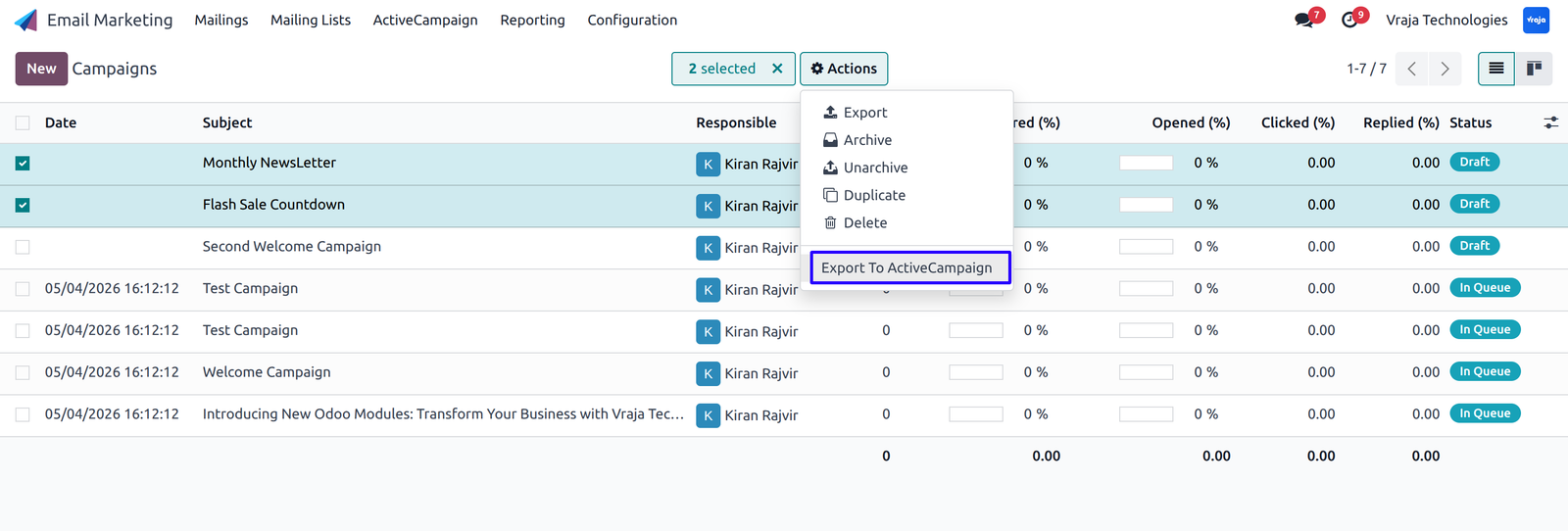
Export Campaigns from Odoo to ActiveCampaign by configuring the necessary details.
Go to Action and select ‘Export/Update to ActiveCampaign’.
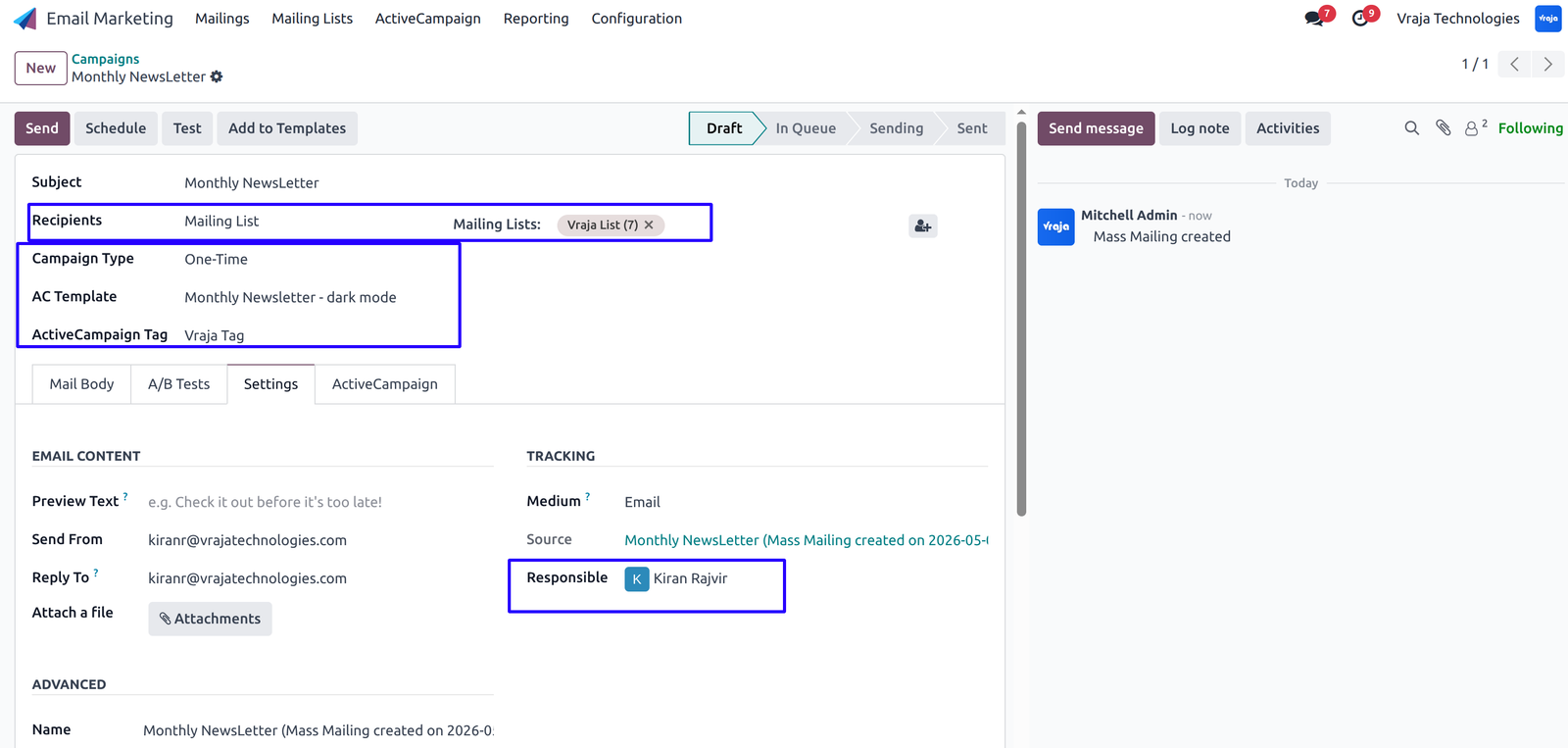
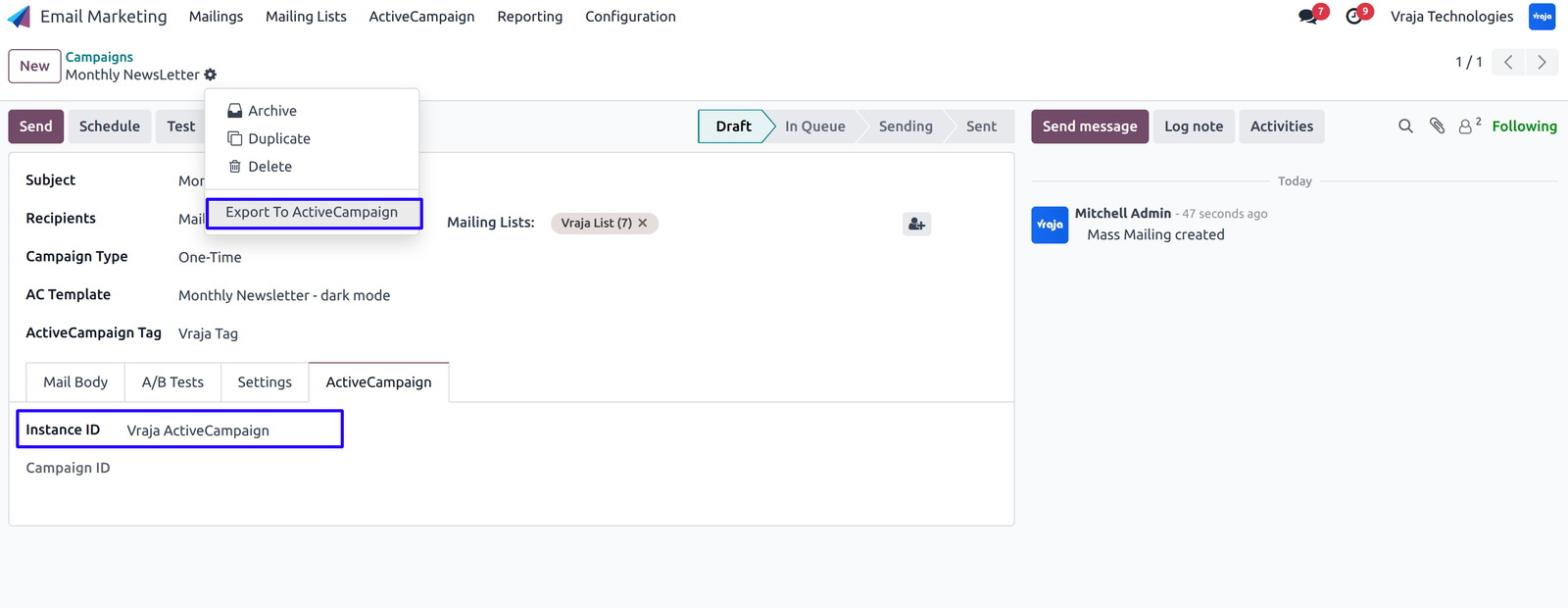
Export Multiple Campaigns by selecting multiple campaigns in list view and clicking Action -> Export/Update to ActiveCampaign.
Automatically fetch Campaign Statistics details using webhook (real-time synchronization) when emails are opened, clicked, bounced, etc.
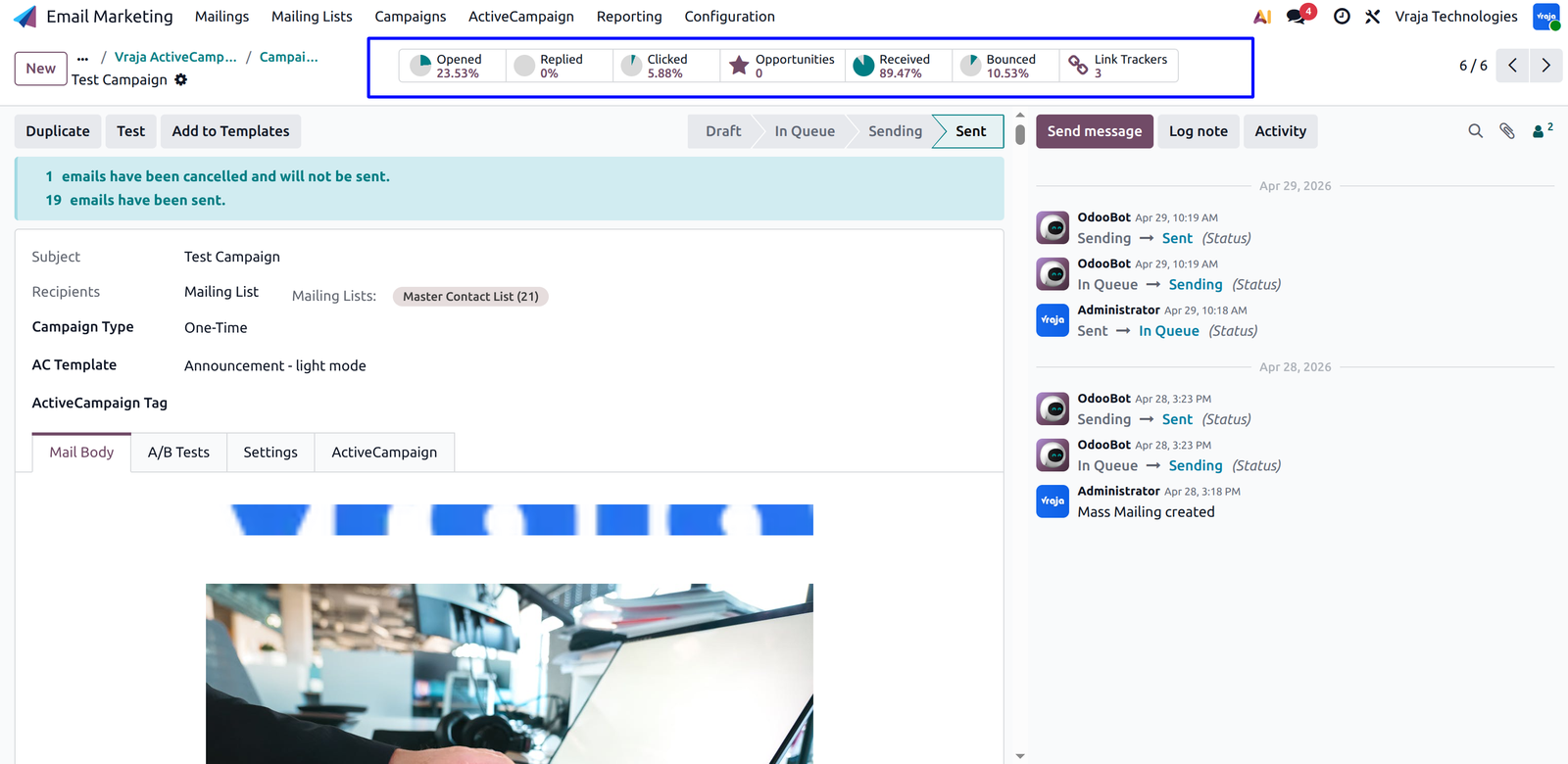
 Can I track email performance in Odoo?
- Yes, you can monitor real-time metrics like opens, clicks, and bounce directly within Odoo.
How does this module help improve conversions?
- By automating workflows, syncing accurate data, and providing real-time insights, it helps you target the right audience and optimize campaigns.
Are integration updates covered when the API provider updates their API?
- Yes, minor updates or fixes that fall under routine maintenance may be included at no additional cost.
I would like to request a custom feature for this application. What’s the process to get it implemented?
- We’re happy to help tailor the application to meet your business needs! You can reach us via sales@vrajatechnologies.com
Who is the point of contact for technical support, configuration support or bug-related queries?
- You can reach us via support@vrajatechnologies.com
Submit a Support Ticket
If you encounter any issues while using our app that are caused by the app itself, we offer complimentary support for 60 days from the date of purchase.
To create a support ticket, please register via the Vraja Technologies Support Email and provide the necessary details so we can assist you in resolving the issue.

Email Us
support@vrajatechnologies.com

 1.png)
Contact Us
vrajatechnologies.com/contactus

Support
vrajatechnologies.com/support-policy
Vraja Technologies Services

Odoo Implementation

Odoo App Integration Services

Odoo Customization

Odoo Consultation

Odoo Support & Maintenance

Odoo Developer Outsourcing
Suggested Application














Reviews
There are no reviews yet.