
Description
.png)
Channable Odoo Integration
This module delivers a comprehensive solution for multichannel e-commerce management, seamlessly automating the synchronization of orders, customers, and fulfillment data between Channable and Odoo. During the automated order import process, the module intelligently checks your database, automatically creating new customer profiles and products on the fly if they do not already exist. To optimize your operational workflow, it introduces flexible automation rules that allow you to automatically confirm sale orders, validate deliveries, and generate invoices instantly upon import. Beyond order creation, the integration provides complete lifecycle management by automatically pushing shipment tracking details back to Channable upon delivery validation, and syncing order cancellations directly from Odoo. Complete with an advanced process logging system that tracks the success and failure of every operation with detailed messages, this module provides full traceability and centralized control over your marketplace operations within a single, unified Odoo interface.
We specialize in delivering advanced Odoo solutions across multiple domains. Our expertise includes:

EDI & SWIFT/ACH Payment Integrations
End-to-end EDI automation, including X12, EDIFACT, XML standards, & financial integrations such as SWIFT, ACH, & Fedwire.

eCommerce Integrations
Seamless integration with leading eCommerce platforms to sync products, orders, inventory, and customer data in real time.

Shipping Integrations
Robust shipping connectors for global couriers, offering automated label generation, tracking, and rate computation.

Most Useful Apps for your ERP
A wide range of highly-rated Odoo modules designed to enhance automation, improve productivity, & simplify business operations.
 Features
 Configuration
.png) Process
Process
 FAQs
FAQs
 Sync Marketplace Orders From Channable Directly Into Odoo Sale Orders.
Seamlessly fetch and import incoming marketplace orders into your Odoo ecosystem in real time to kickstart your fulfillment process.
Create Customers And Products On The Fly During Order Import.
Intelligently scan your database during the import process and automatically create new customer profiles or product records if they do not already exist.
Flexible Order Automation Rules To Streamline Your Workflow.
Configure custom triggers to automatically confirm sale orders, validate warehouse deliveries, and generate invoices instantly upon import.
Send Real-Time Shipment Tracking Details From Odoo To Channable.
Automatically push carrier tracking numbers and shipment details back to Channable the exact moment your delivery order is validated in Odoo.
Maintain Consistent Order States By Syncing Cancellations From Odoo To Channable.
Seamlessly cancel orders within Odoo and let the module instantly synchronize and update the cancellation status directly on the Channable platform.
Detailed Process Log Tracking With Explicit Success And Failure Messages.
Monitor the exact health of your data pipeline with a dedicated logging history that details operations and outlines specific messages for effortless troubleshooting.
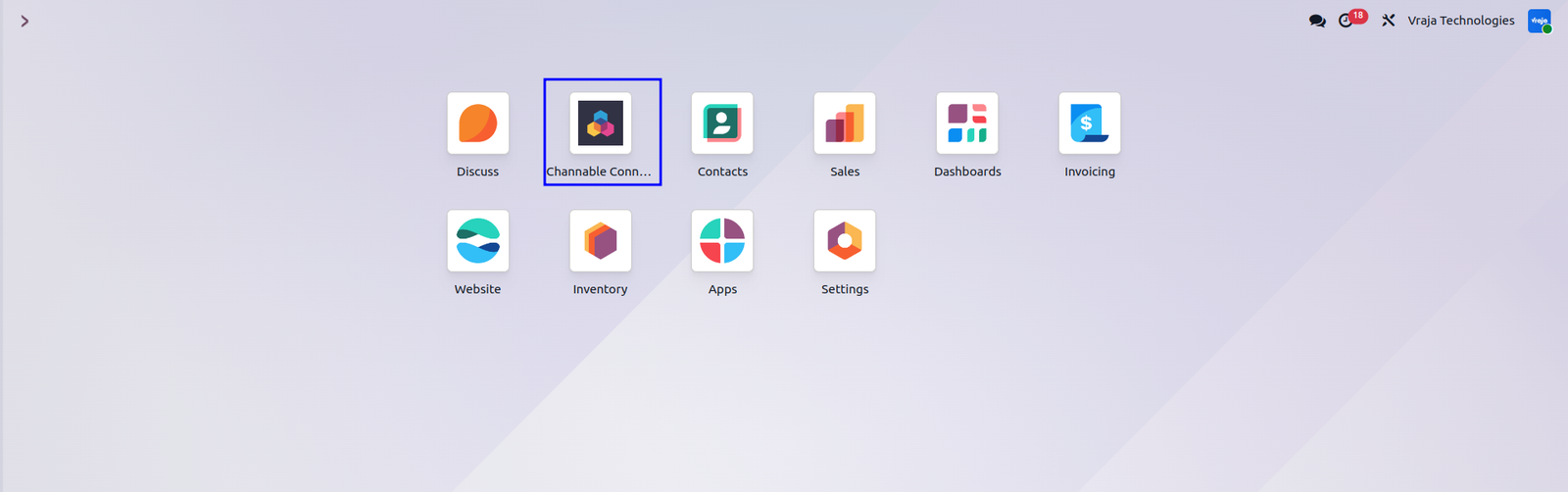
Accessing the Channable Connector
Upon installation, the Channable Connector becomes immediately accessible from the Odoo home screen. The module appears as a dedicated application icon alongside other installed apps such as Discuss, Contacts, Sales, Invoicing, Inventory, Website, Apps, and Settings. Simply click on the Channable Connector icon to access the module and start configuring your marketplace integration.
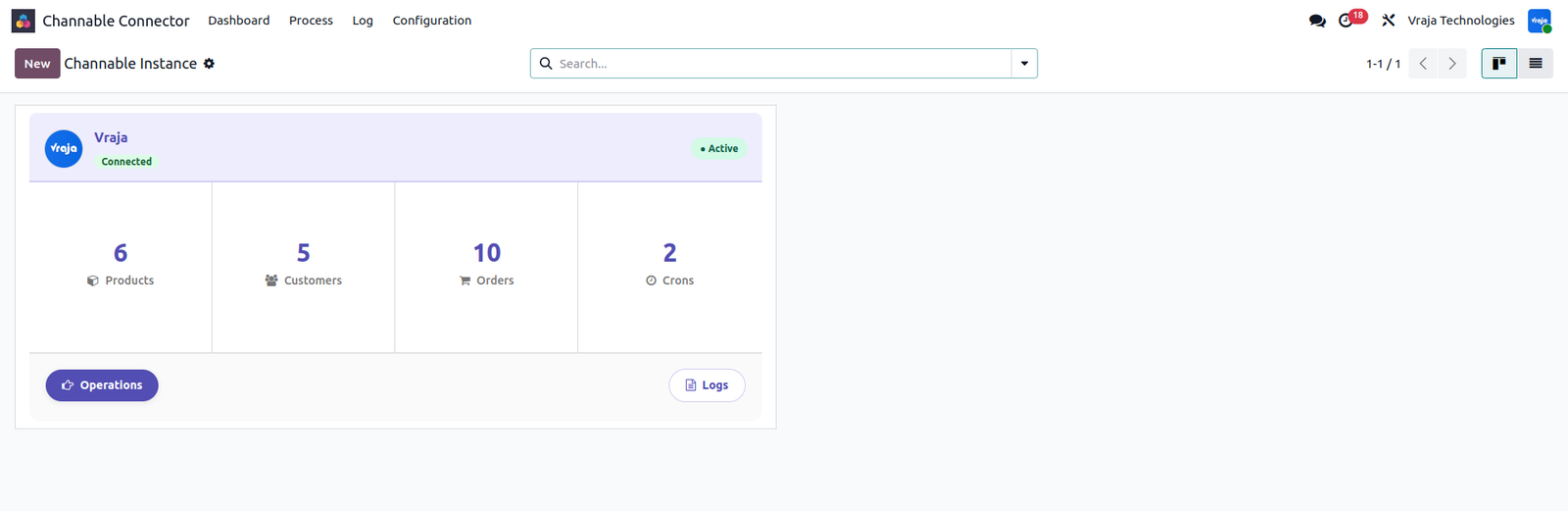
Channable Connector Dashboard
The Dashboard is the first screen displayed after opening the Channable Connector. It provides a quick overview of all configured Channable instances through summary cards. Each card displays important synchronization information including Products, Customers, Orders, and Crons. A green Active badge confirms the instance is connected and working properly. You can manually trigger operations from the Operations button or review synchronization history through the Logs option.
Channable Instance & Credential Configuration
Opening a Channable instance gives access to the complete configuration form. The main setup includes Company, Warehouse, Automation Workflow, Responsible User, and the option to automatically update shipment status when validating delivery orders. Under the Credential tab, you must configure the Channable URL/Host, Project ID, Company ID, and Authorization Token received from your Channable account. The integration follows a workflow process of Draft → Ready → Done.
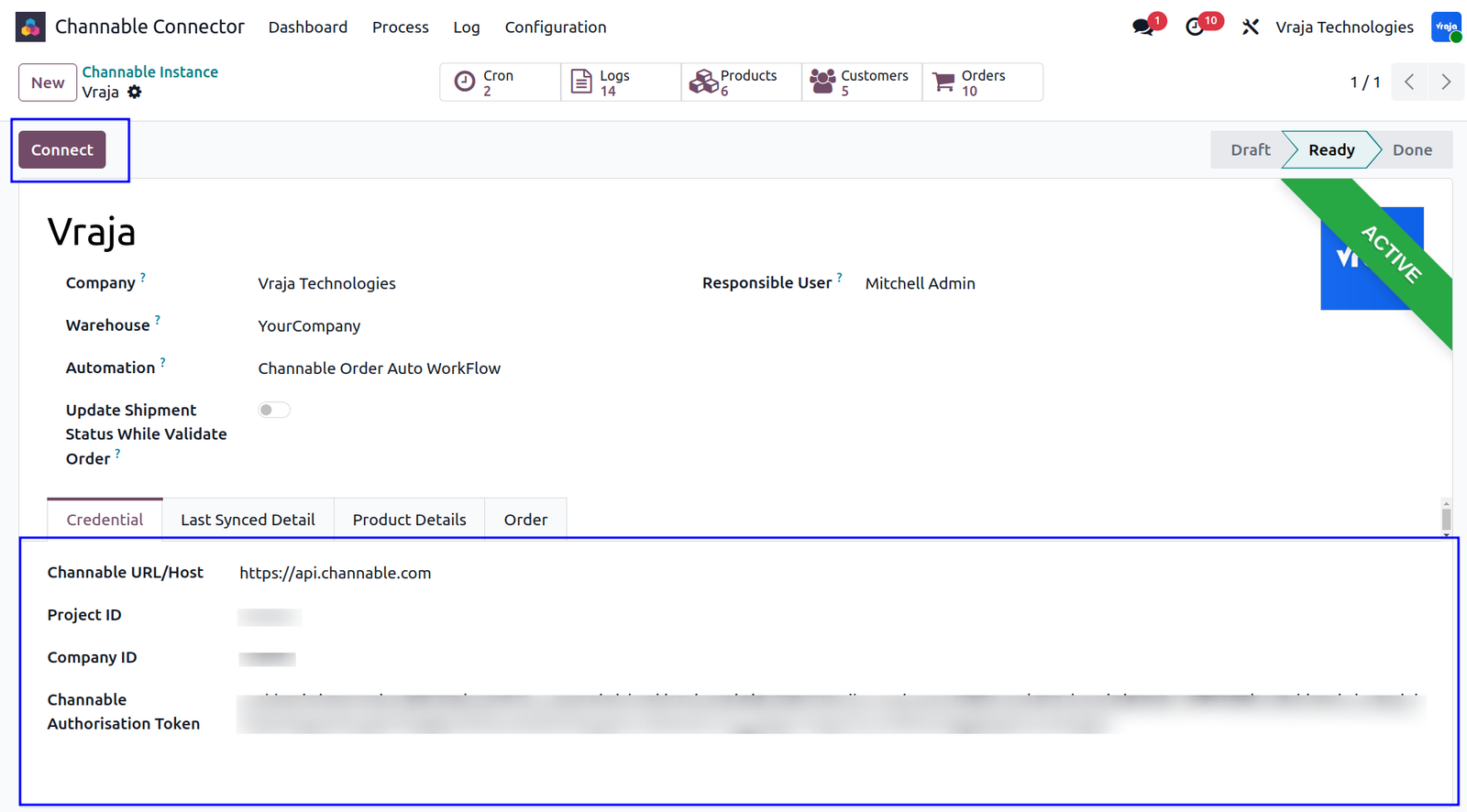
Testing the Connection
Once all credentials are entered and the instance is moved to the Ready stage, click the Connect button to perform a live API connection test. If the credentials are valid, the system displays a success message confirming that the connection has been established successfully. The instance automatically moves to the Done state, and a green ACTIVE ribbon confirms that synchronization between Odoo and Channable is fully operational.
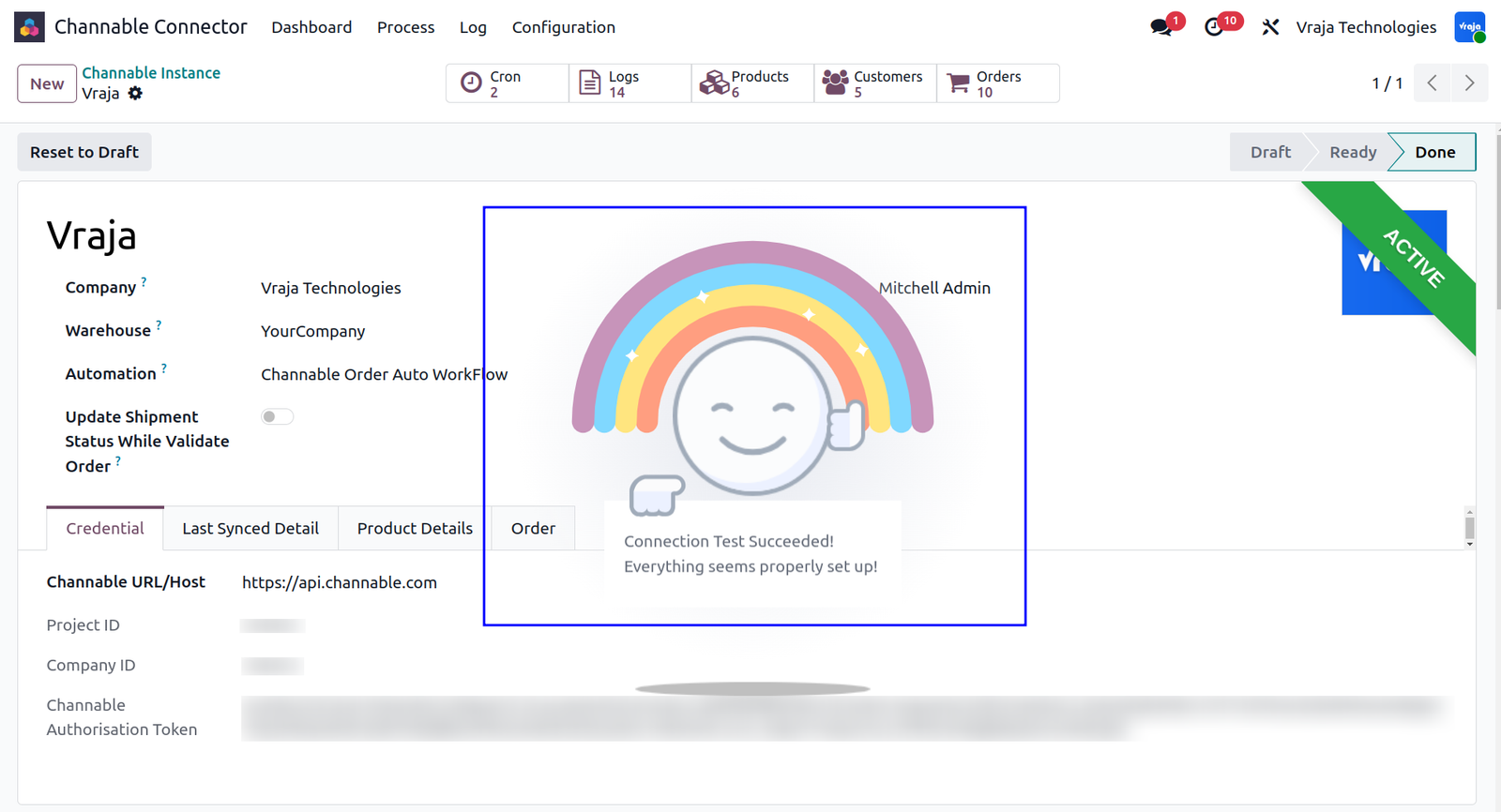
Last Synced Detail Tab
The Last Synced Detail tab provides visibility into the latest synchronization activity between Channable and Odoo. The Last Order Sync Date field displays the exact date and time of the most recent successful order synchronization. This field updates automatically after each successful cron execution or manual synchronization process.
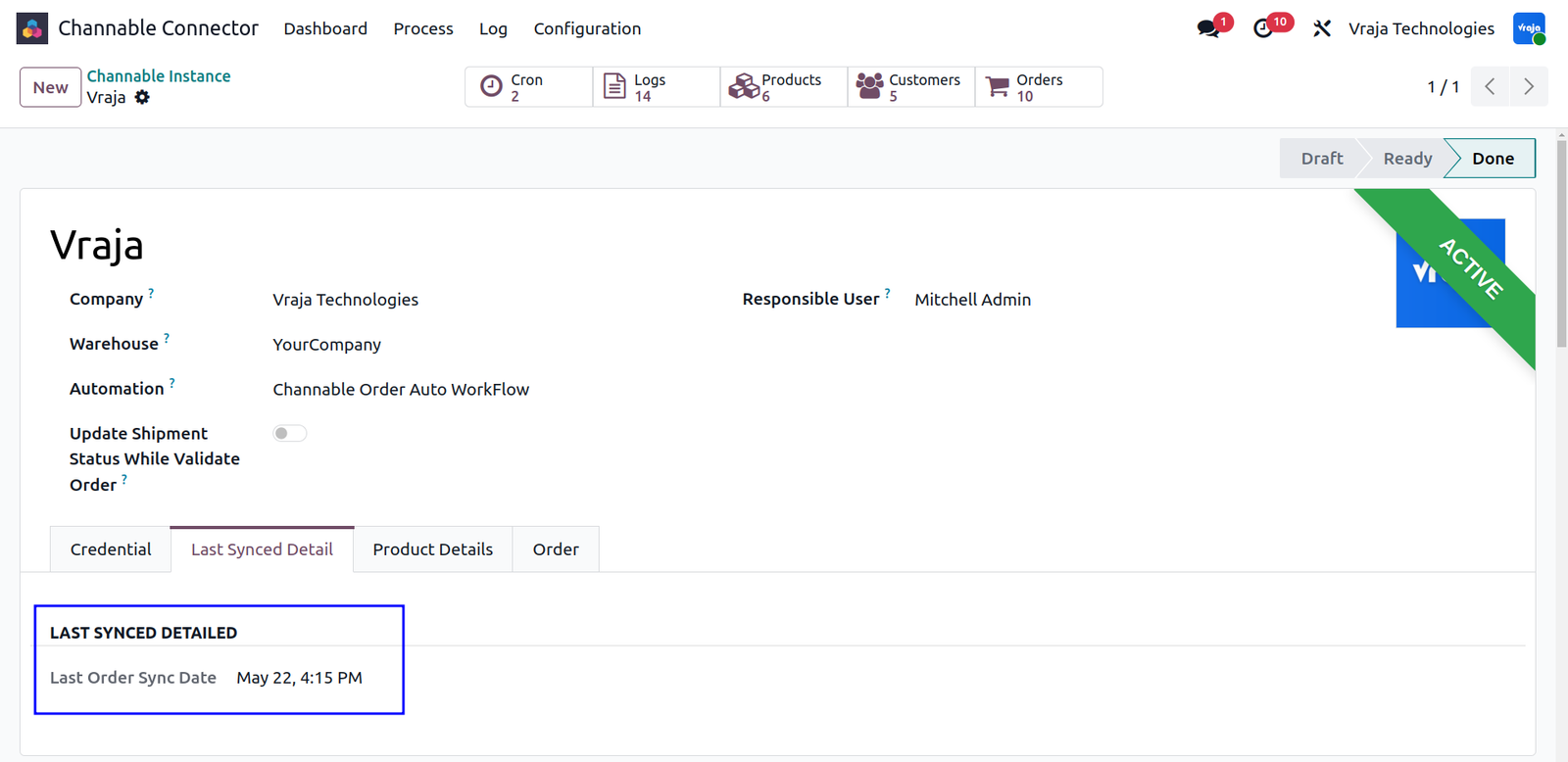
Default Product Details
The Product Details section defines how shipping charges from marketplace orders are handled in Odoo. The Shipping Product field specifies which Odoo product should be used when imported orders contain shipping fees. This selected product is automatically added as a separate line item within the generated sale order. It is recommended to use a service-type product for shipping charges.
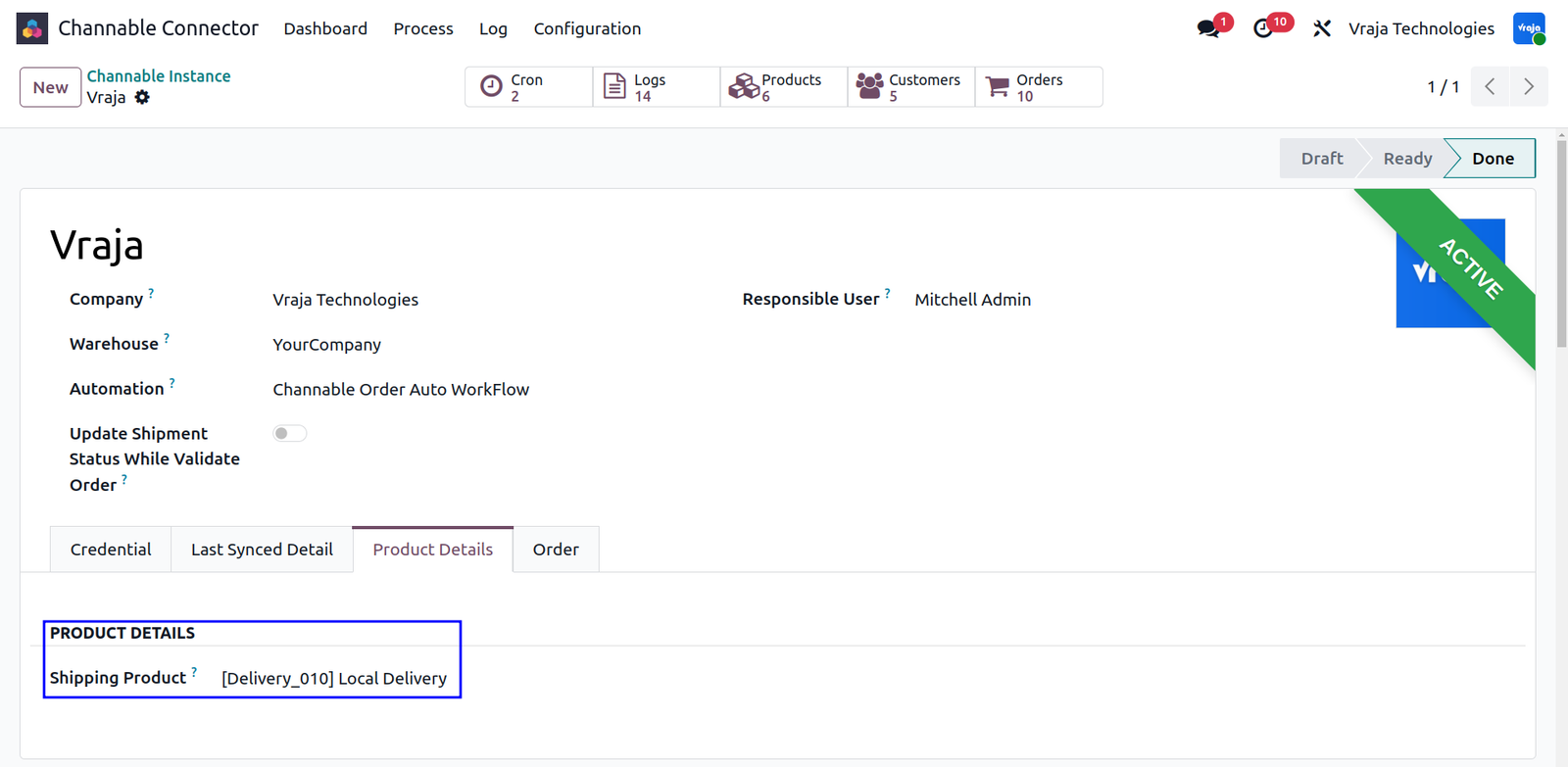
Order Tab
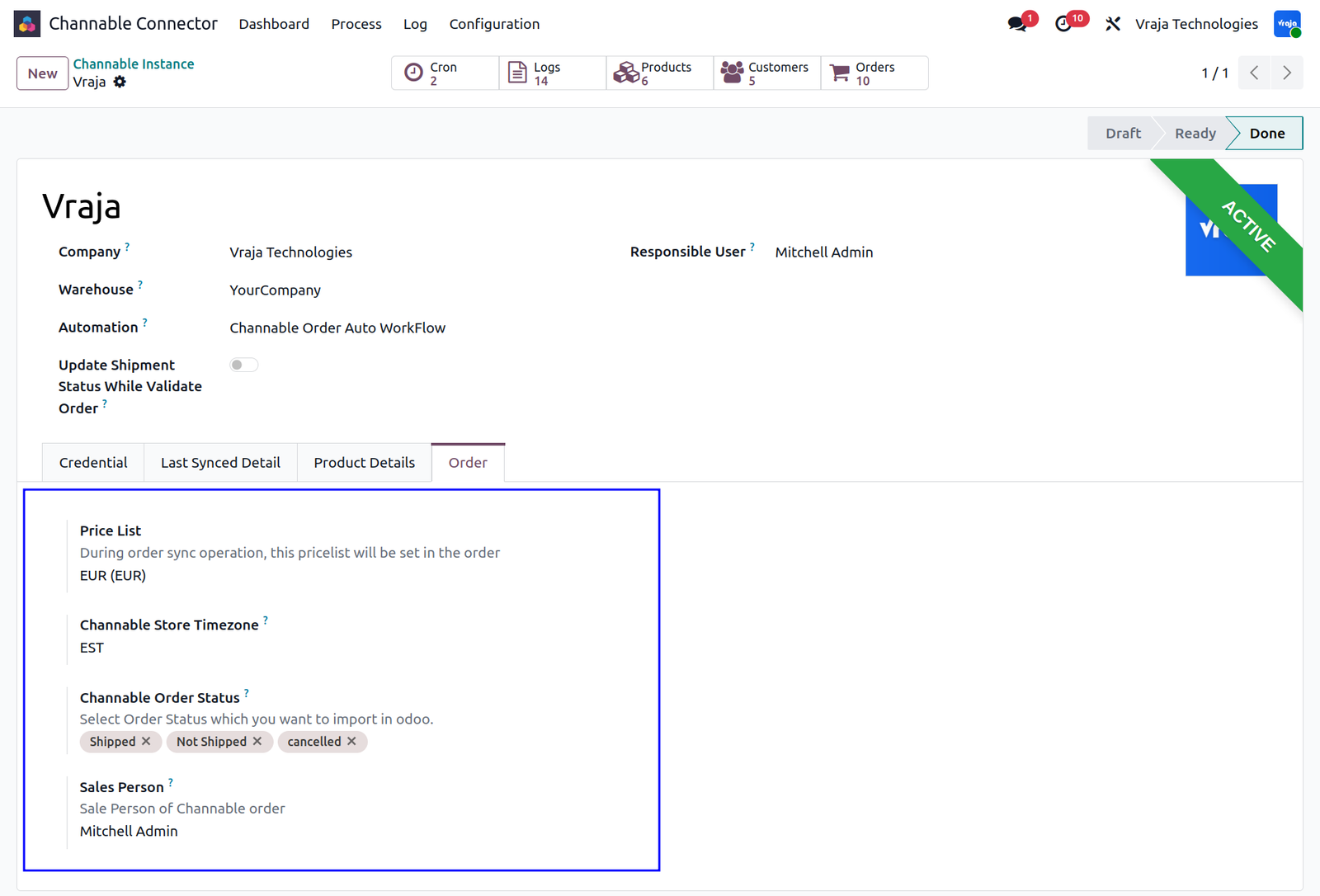
The Order tab allows you to configure essential synchronization settings for marketplace orders. You can define the default pricelist and timezone to ensure correct pricing and accurate timestamps across platforms. Additionally, specific Channable order statuses such as shipped, unshipped, or cancelled can be selected for import, and a default salesperson can be assigned to manage all incoming marketplace orders.
Configuration Menu
The Configuration menu in the top navigation bar provides access to key setup sections related to automation and order processing. From here, administrators can manage Sale Auto Workflow settings that determine how imported orders are processed automatically after synchronization.

Auto Workflow Detail Configuration
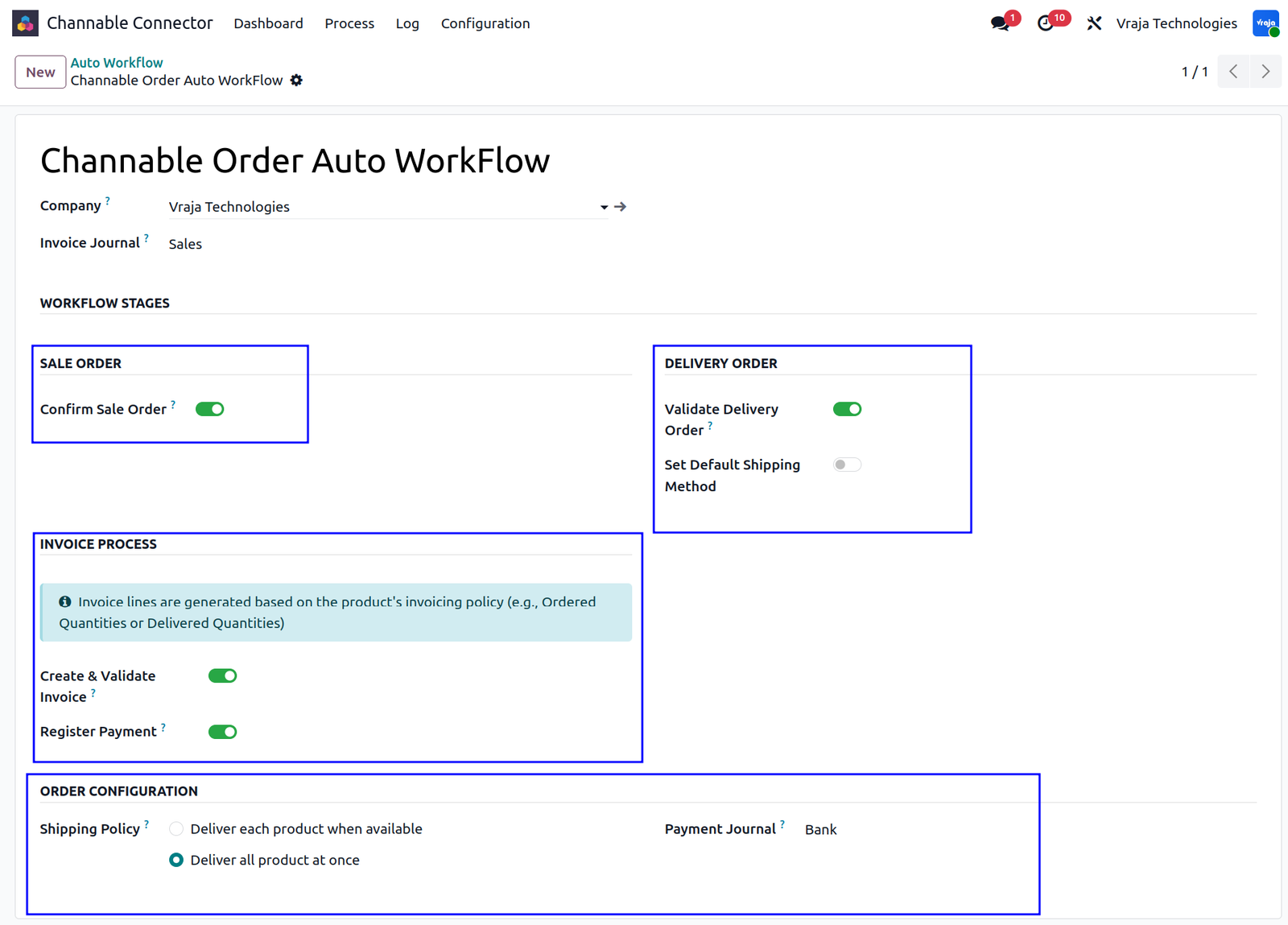
The Auto Workflow configuration controls the complete automation lifecycle for imported Channable orders. Administrators can automatically confirm sale orders, validate delivery orders, apply default shipping methods, generate and validate invoices, and register customer payments using predefined journals. Shipping policies can also be configured to either deliver products as they become available or wait until all items are ready. With automation enabled, the complete order lifecycle can run without requiring manual intervention.
Import Transporter
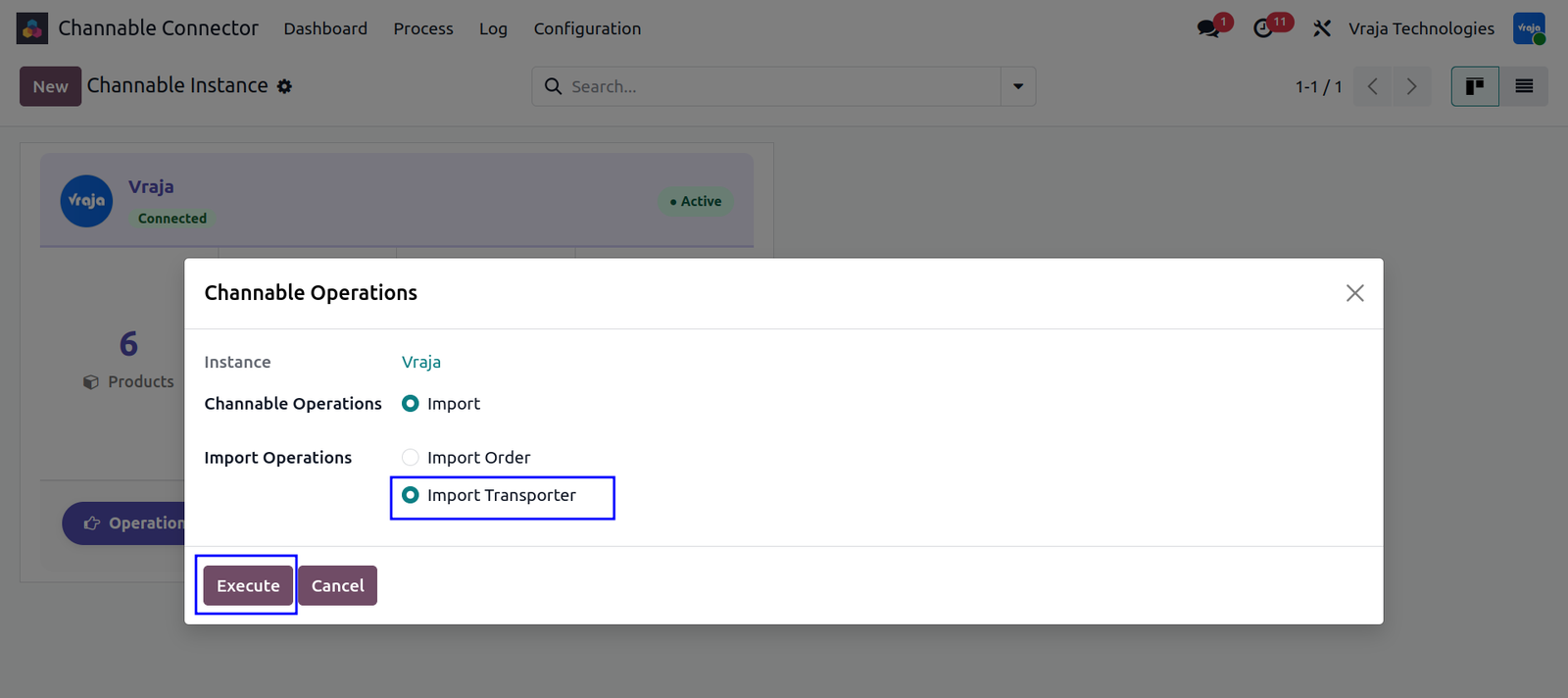
Transporters can be imported from Channable into Odoo through the Operations panel. From the Dashboard, click the Operations button to open the Channable Operations popup. Select Import under Channable Operations and then choose Import Transporter from the Import Operations section. Click Execute to begin the import process. Once completed successfully, imported transporters become available under the Transporter menu inside the Configuration section.

Import Order with Specific Order IDs
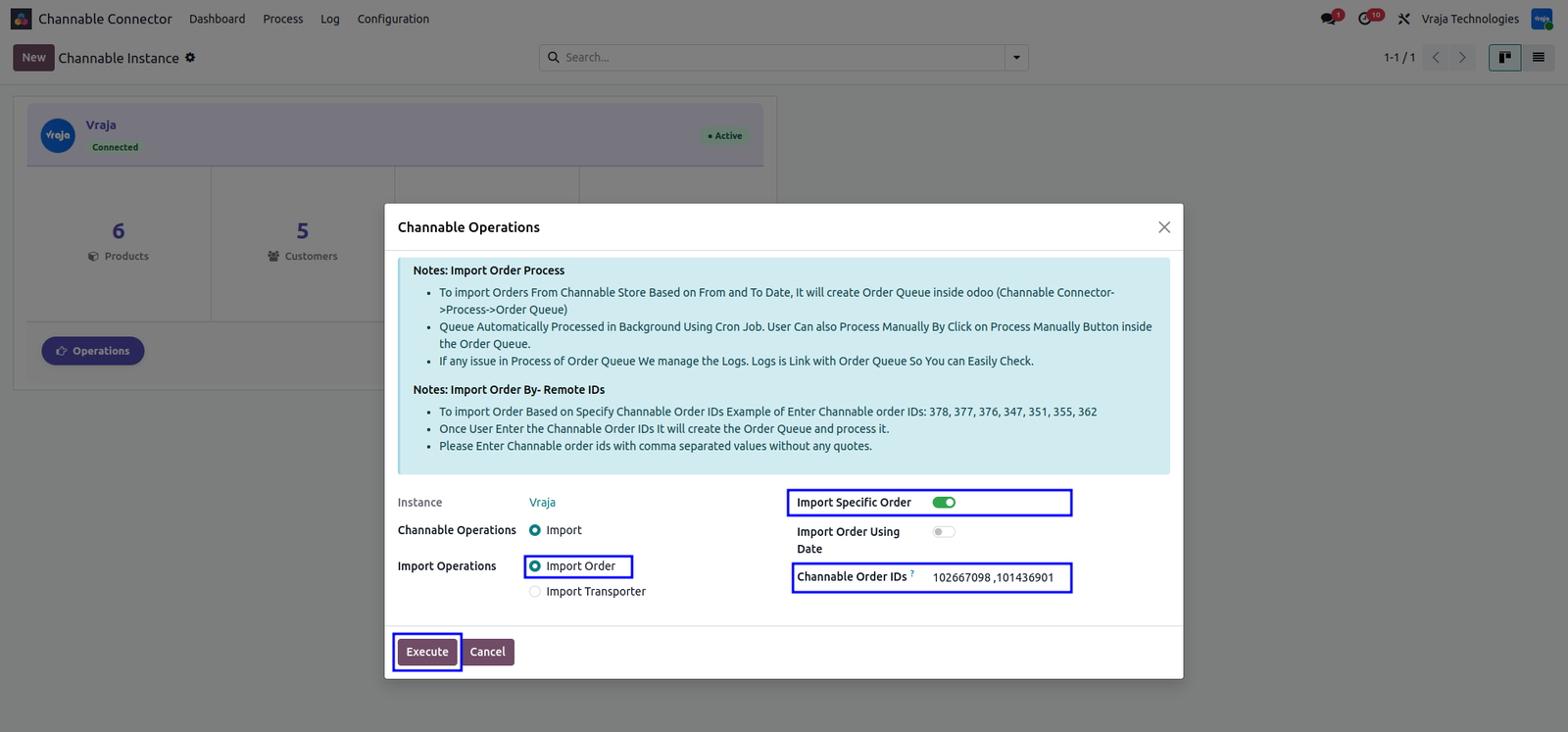
When Import Order is selected under Import Operations, additional configuration options become available. By enabling the Import Specific Order option, you can fetch one or more orders by entering exact Channable Order IDs into the Channable Order IDs field. This method bypasses date-based synchronization and imports only the specified orders, making it useful for reprocessing failed orders or importing specific orders on demand.
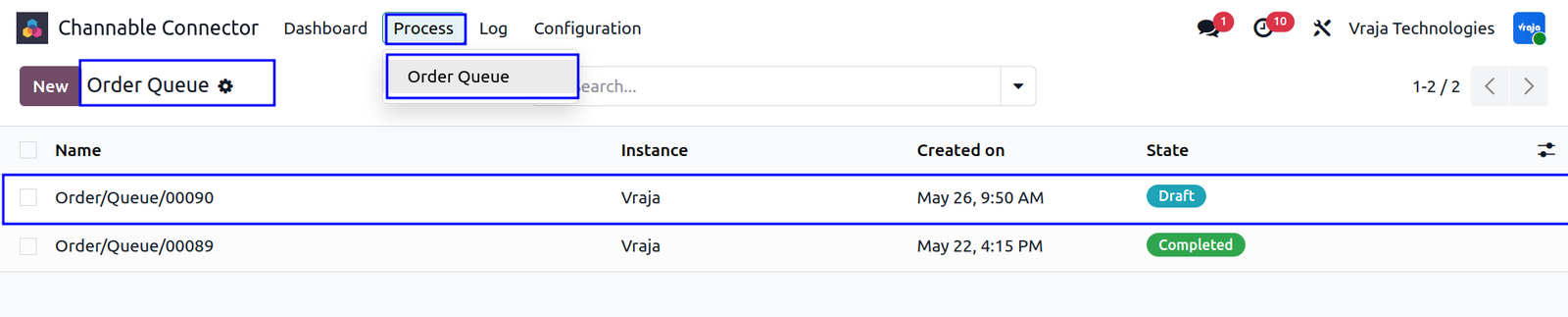
Order Queue List
The Process menu contains the Order Queue section, where all imported order queue records are listed. Orders can be processed in two ways. First, you can manually process a specific queue by opening the record and clicking Process Queue Manually. Second, the connector automatically installs a Scheduled Action called Channable: Process Order Queue that processes all pending queues automatically at configured intervals.


Process Order Queue
After processing, the Order Queue record updates automatically to reflect the outcome of each order line. Successfully processed orders display linked Sale Orders and a Completed status, while failed orders show a Failed state for troubleshooting. Queue records may also display a Partially Completed status if some orders succeed while others fail. Linked logs can be accessed directly to review detailed process history and retry failed operations after resolving issues.
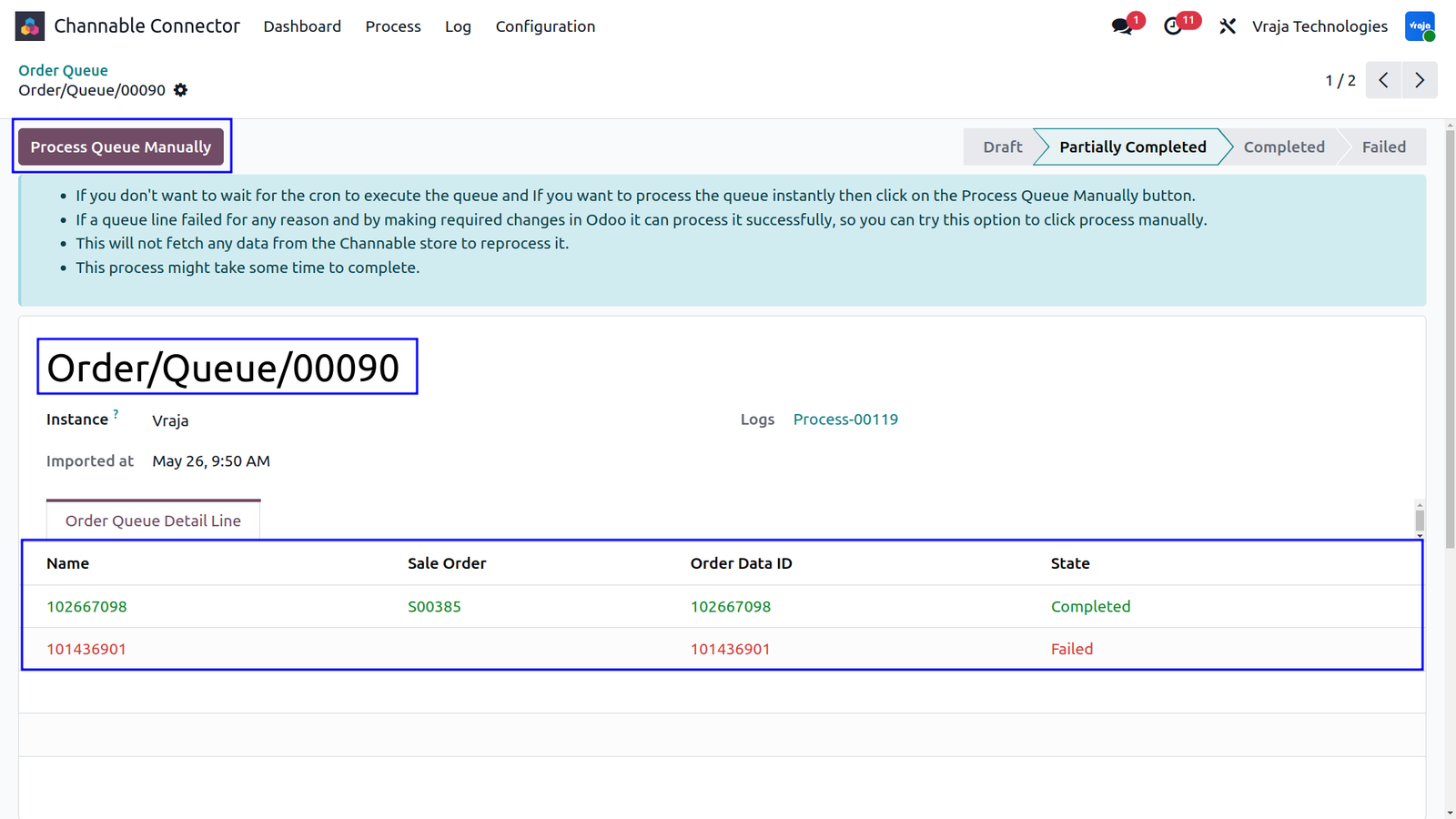

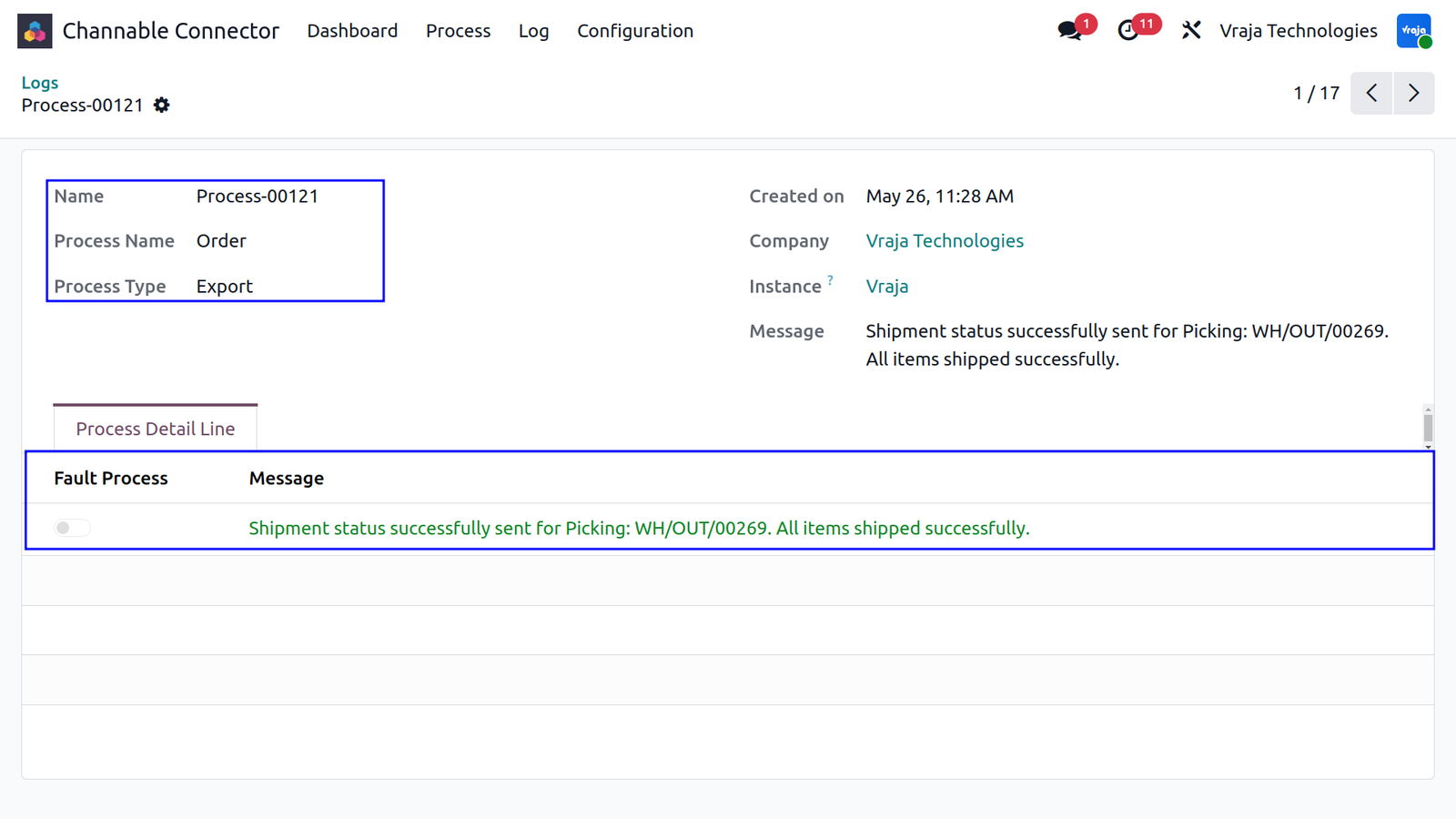
Clicking the Logs link on an Order Queue record opens the detailed process history, allowing administrators to review every step performed during queue execution.
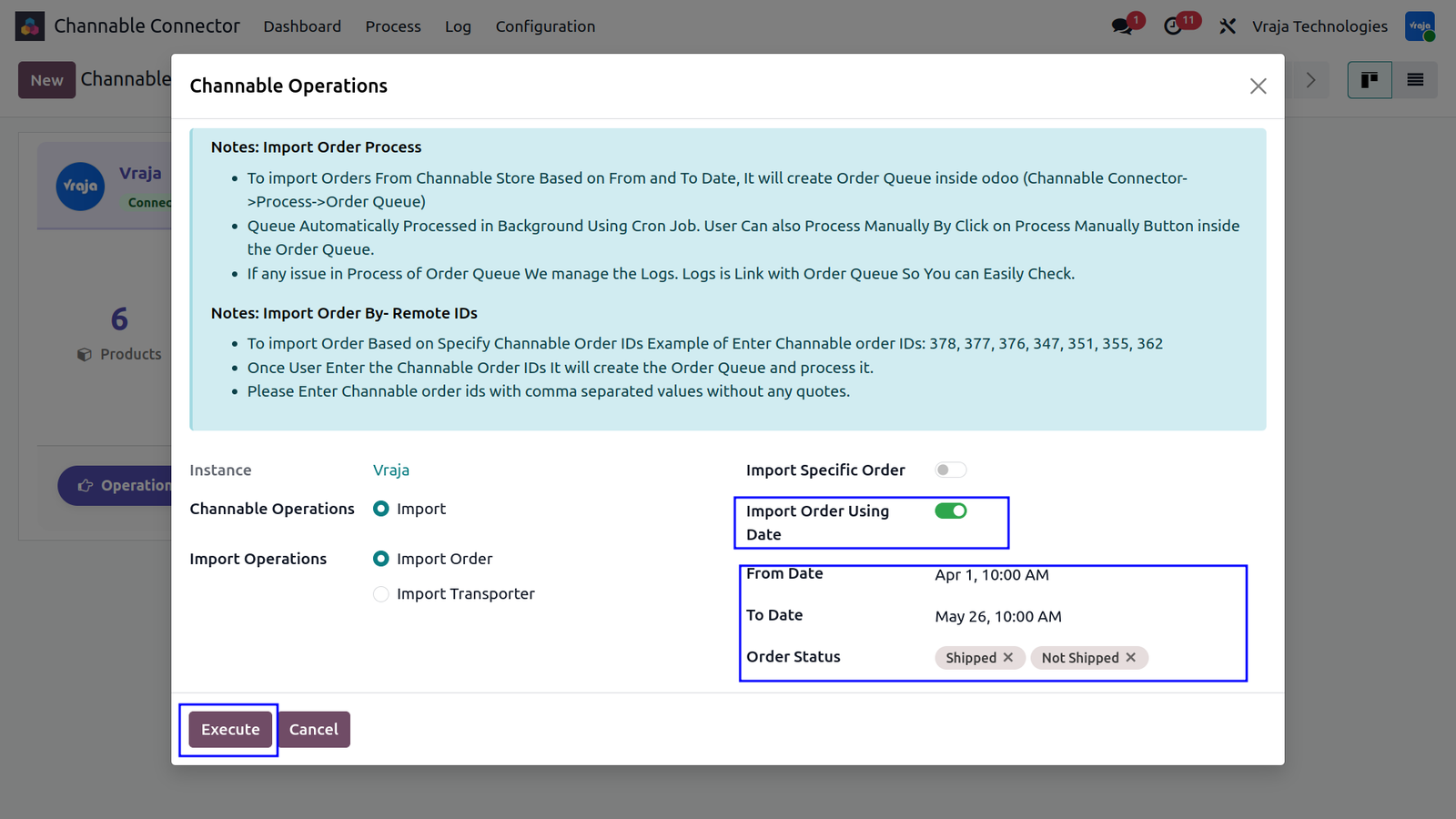
Import Order Using Date
When Import Specific Order is disabled, the Import Order Using Date option can be enabled instead. This expands the operations panel to display From Date and To Date fields, allowing orders to be imported based on a selected time range. You can further refine imports by applying an Order Status filter to fetch only relevant marketplace orders.

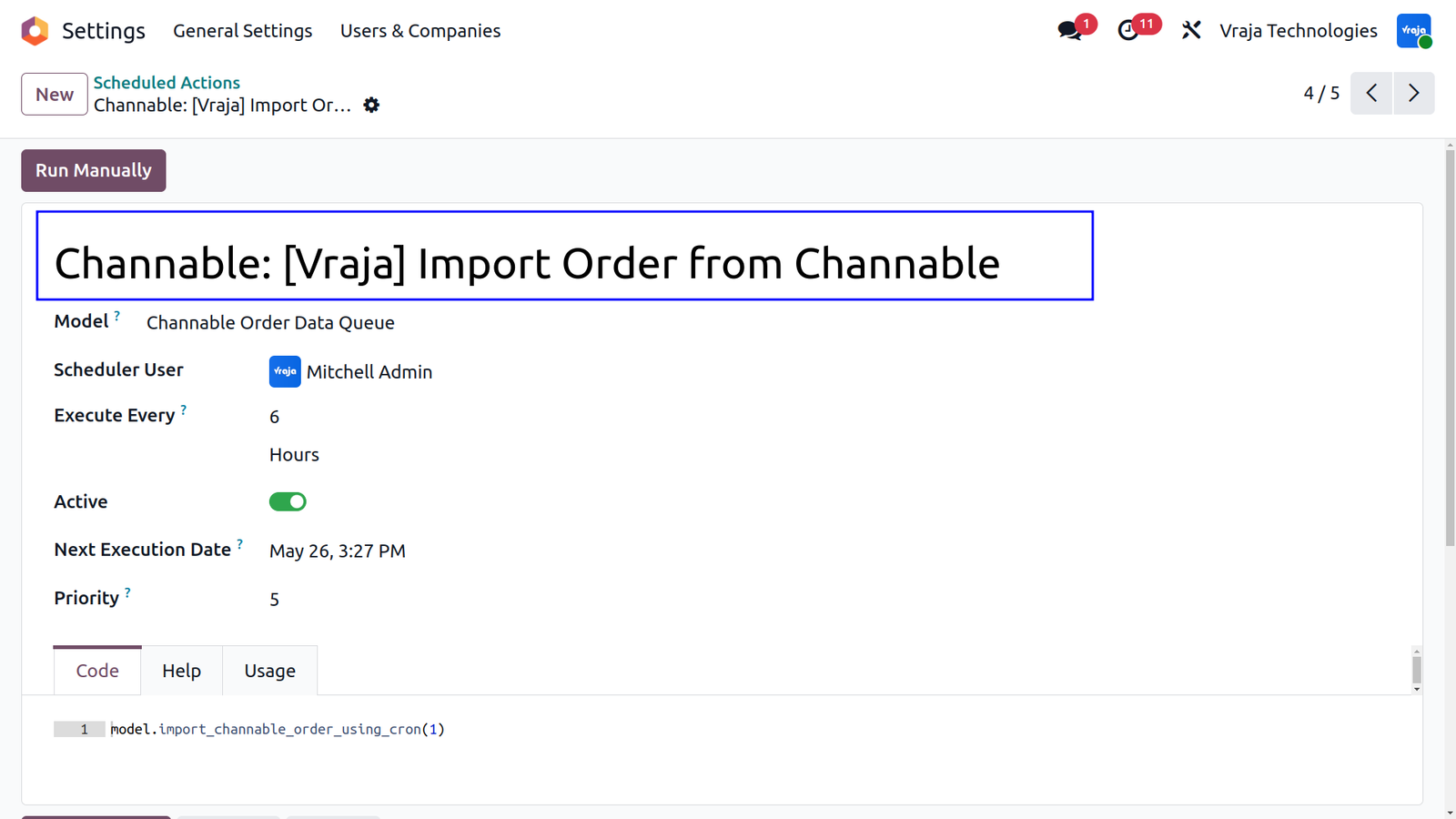
Scheduled Action: Import Order from Channable
The connector automatically creates a dedicated Scheduled Action for periodically importing marketplace orders. Navigate to Settings → Scheduled Actions and open Channable: Import Order from Channable. Each configured Channable instance receives its own dedicated cron job to ensure orders are synchronized automatically at regular intervals.
Import Channable Product
During order processing, if a product from Channable does not already exist in Odoo, the connector automatically creates the product record instantly using the available marketplace product information. This prevents order synchronization failures and ensures uninterrupted processing.
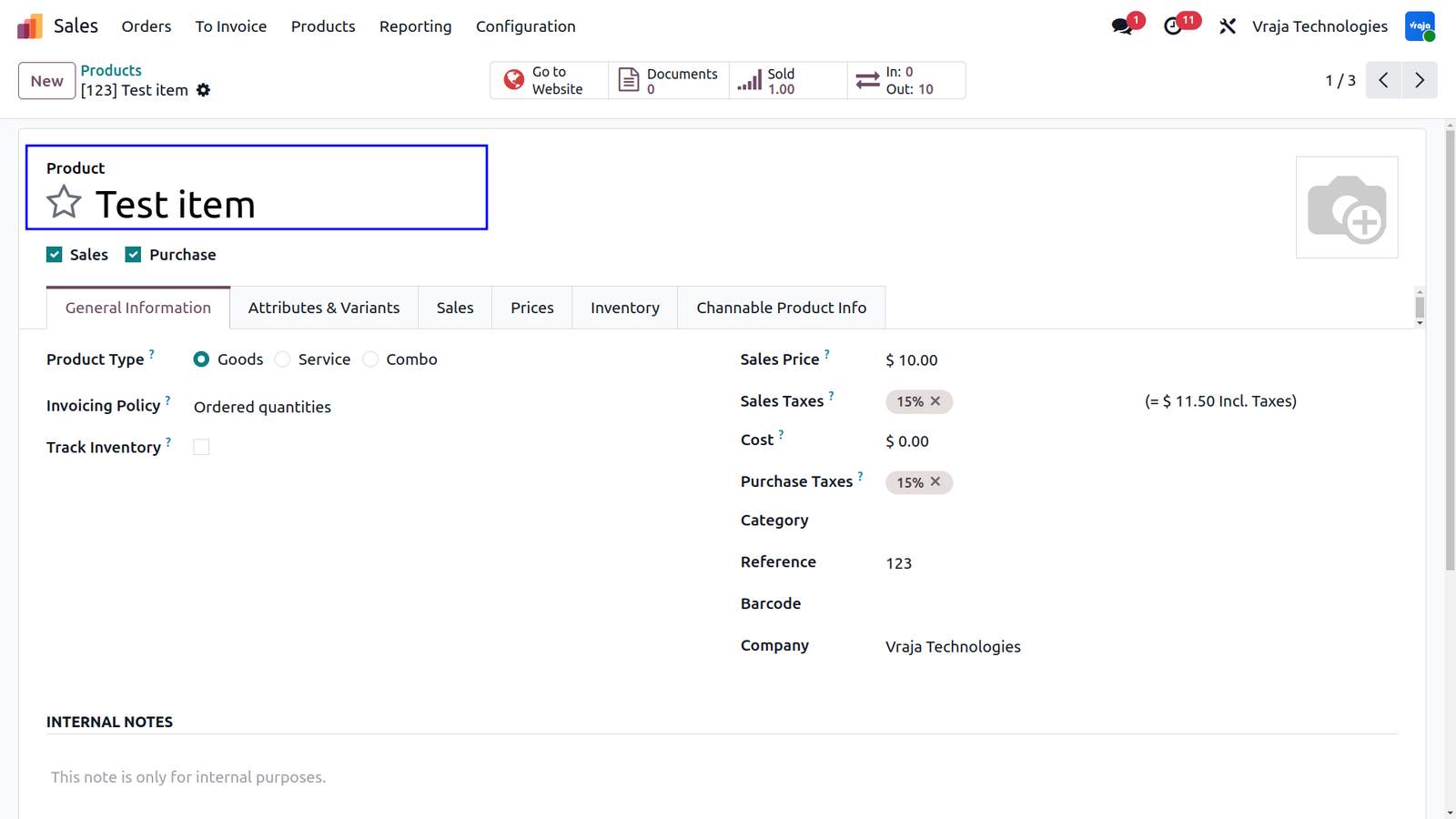
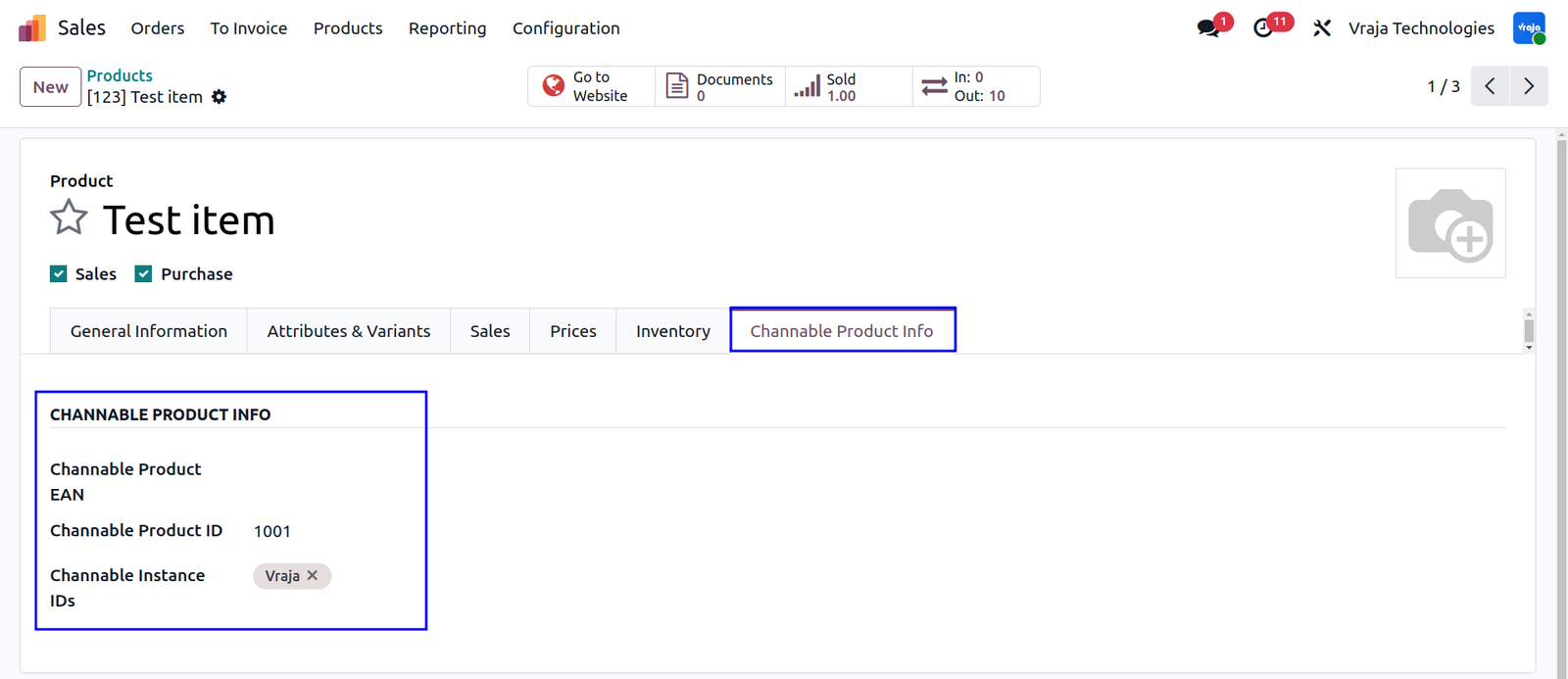
Channable Product Info
The Channable Product Info tab displays Channable-specific product information inside Odoo. This includes the connected Channable Instance, Channable Product ID, and Product EAN, helping administrators track marketplace-linked products easily.
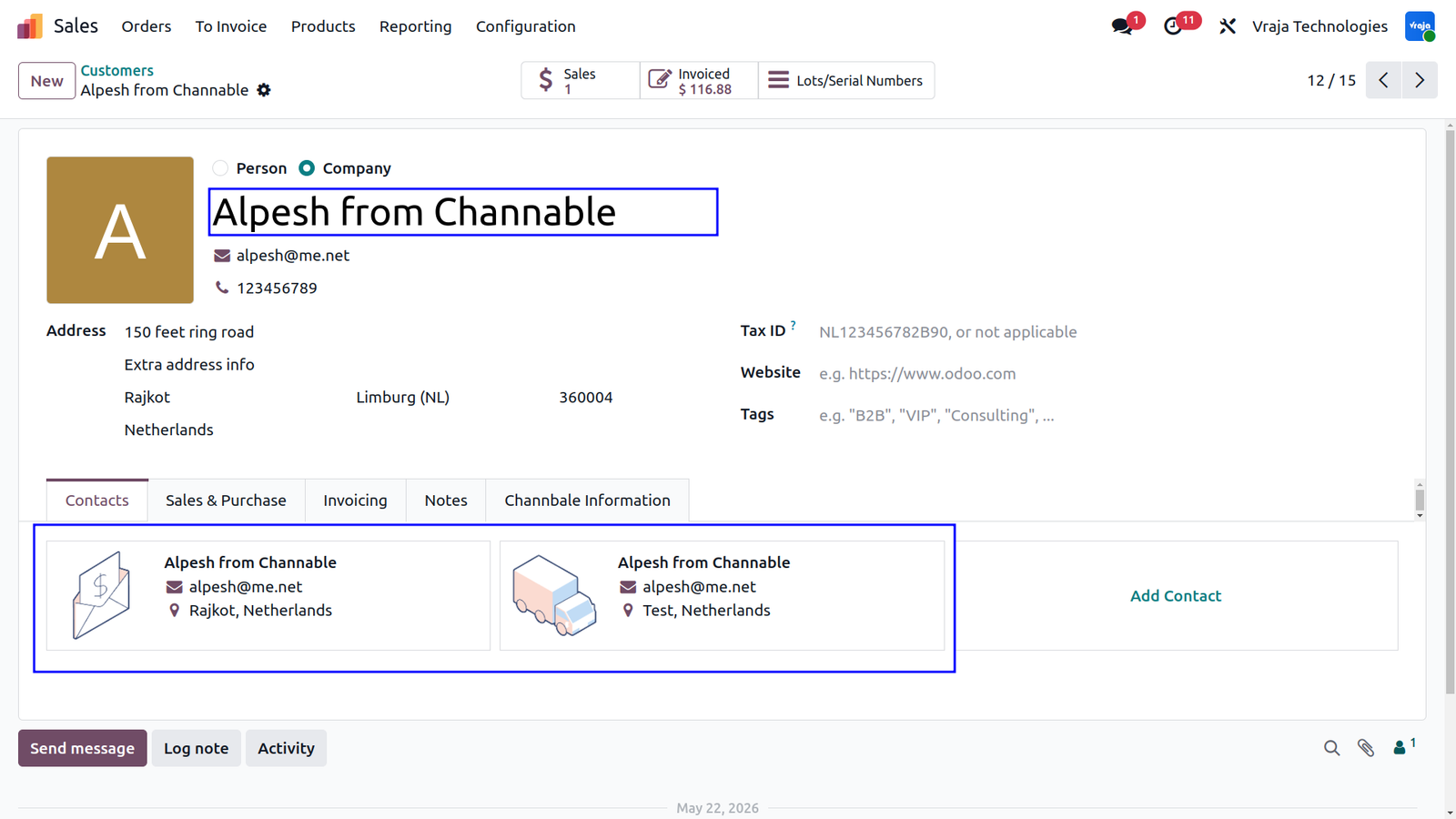
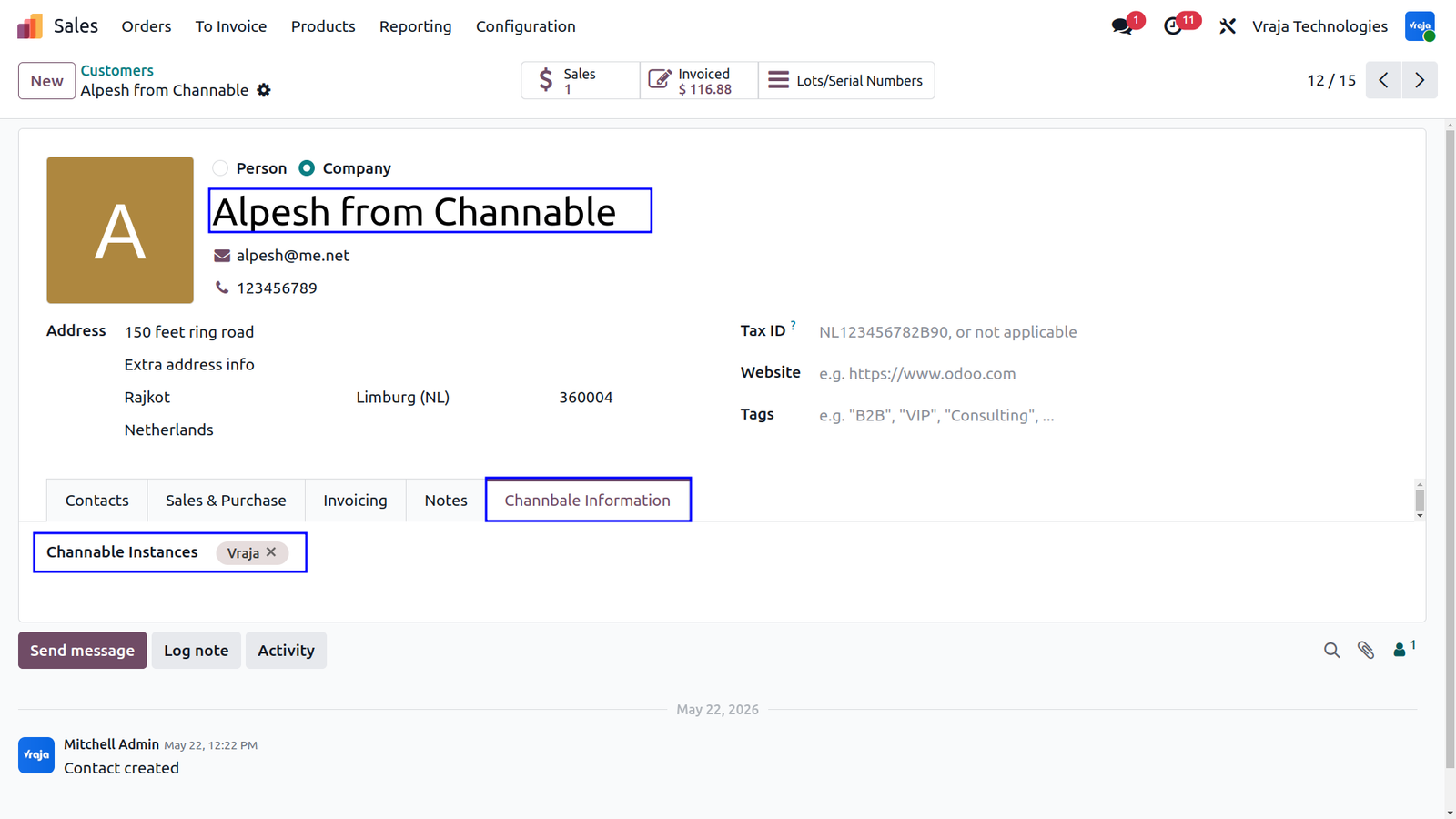
Import Channable Customer
When orders are imported from Channable, customer records are automatically created or updated in Odoo using marketplace customer information. The Channable Information tab on the customer form stores marketplace-related details, including associated Channable instances.
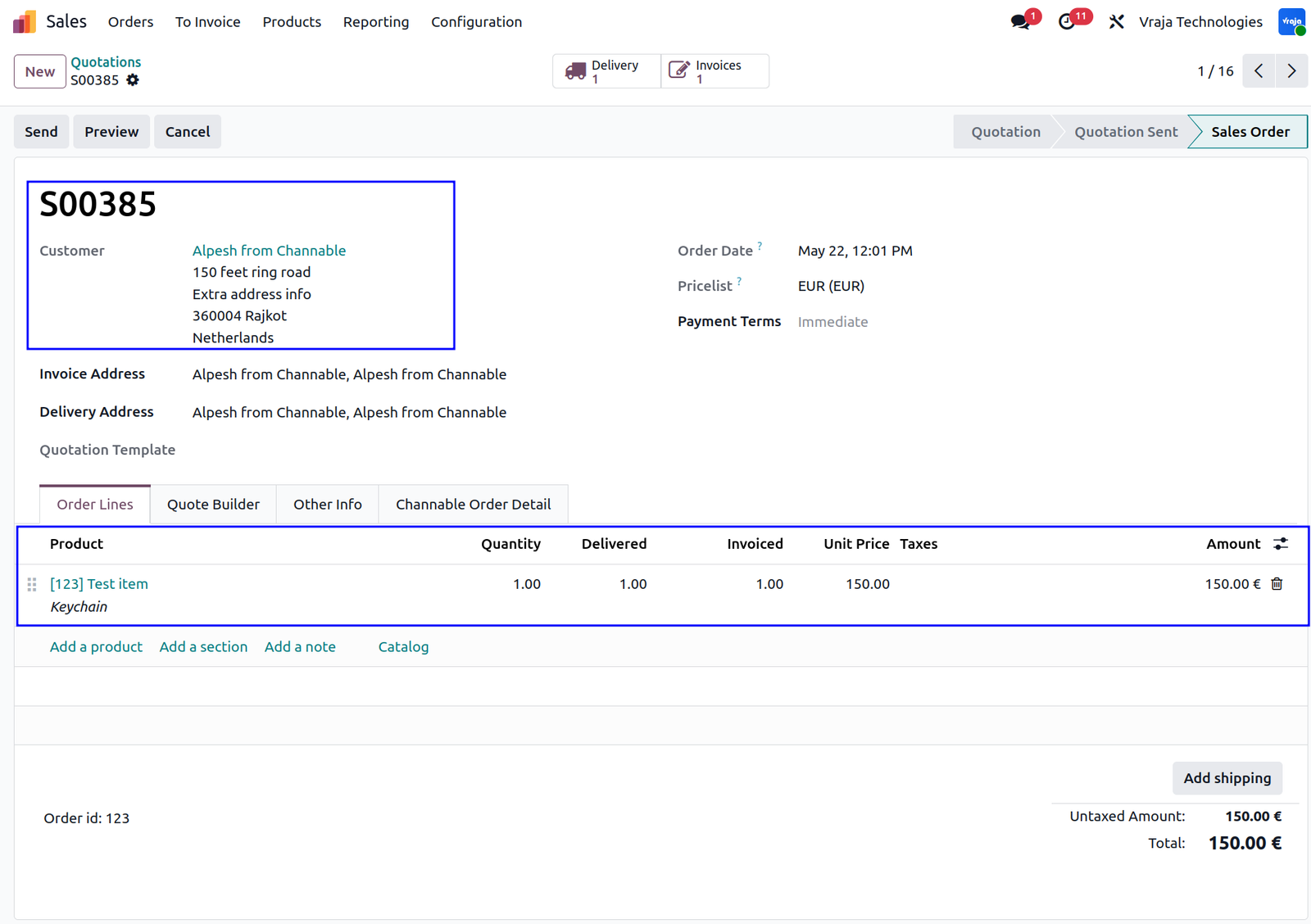
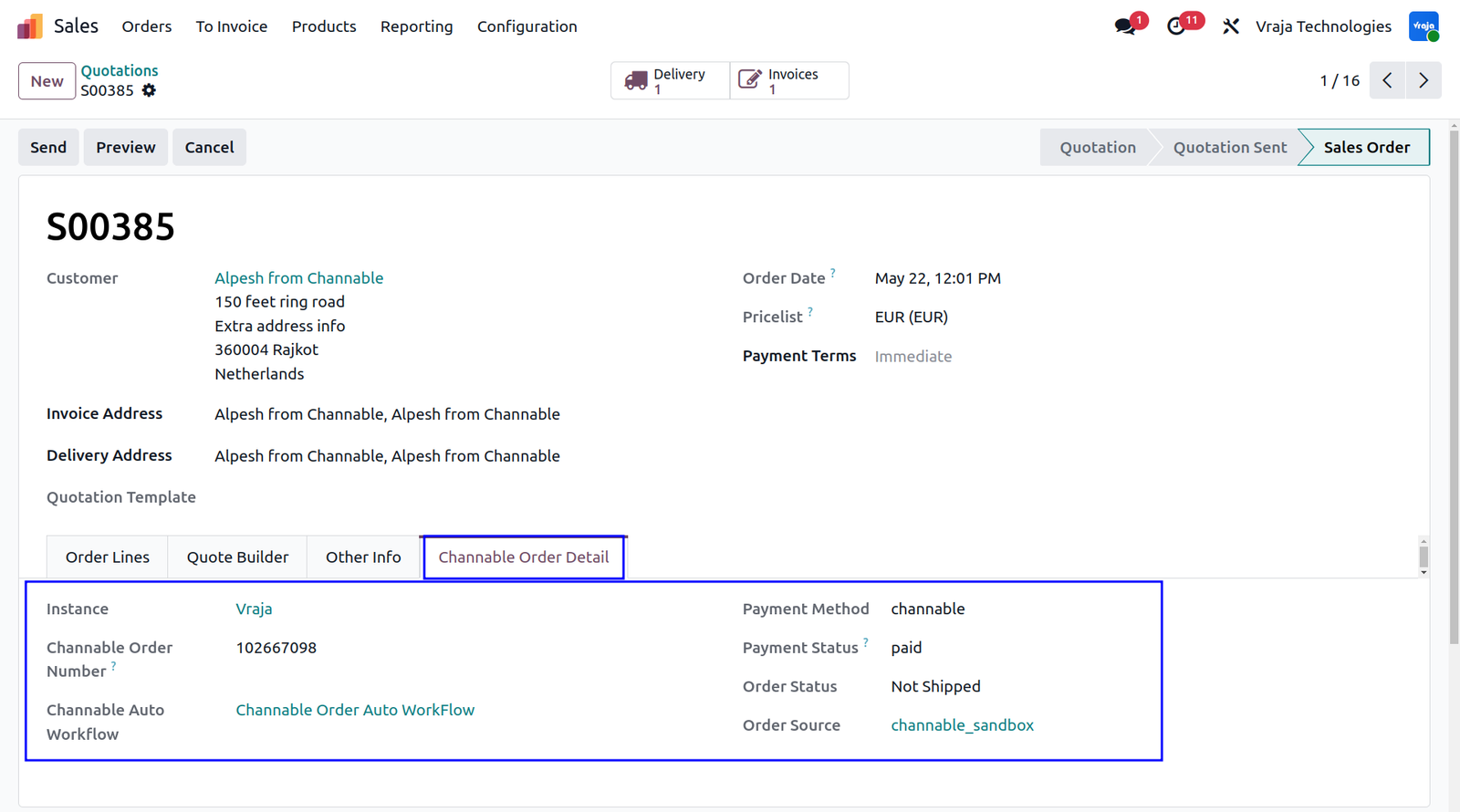
Auto-Created Sale Order
Once an Order Queue line is successfully processed, Odoo automatically creates the corresponding Sales Order. Depending on the configured automation workflow, the order may also be confirmed instantly. The Sales Order contains marketplace-specific information such as Channable Instance ID, Channable Order Number, Payment Status, and Shipment Status.
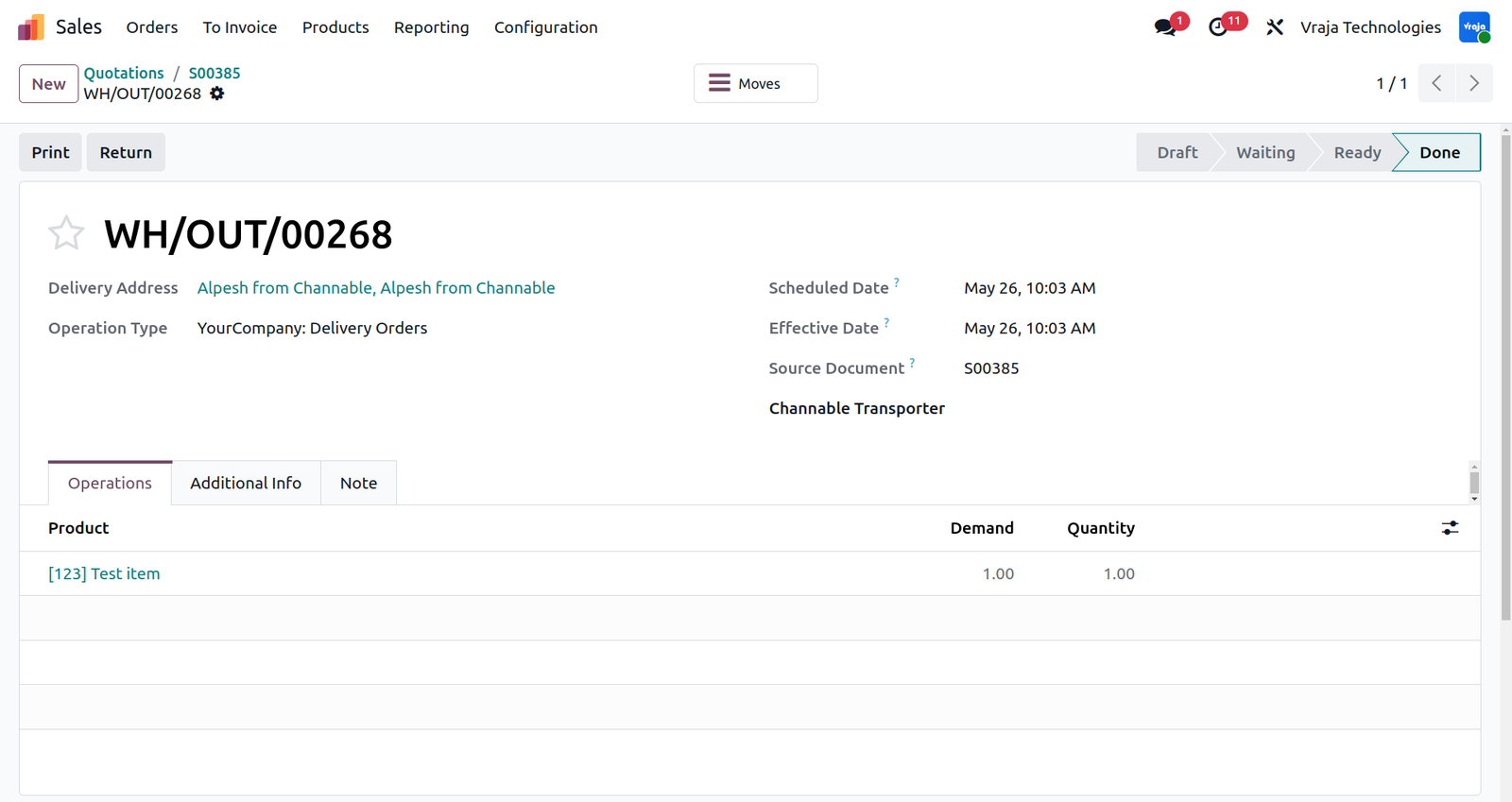
Auto-Validated Delivery Order
Once a Sales Order is automatically confirmed, Odoo immediately generates the corresponding Delivery Order. If delivery validation is enabled in the automation workflow, the shipment is automatically validated without requiring manual intervention.
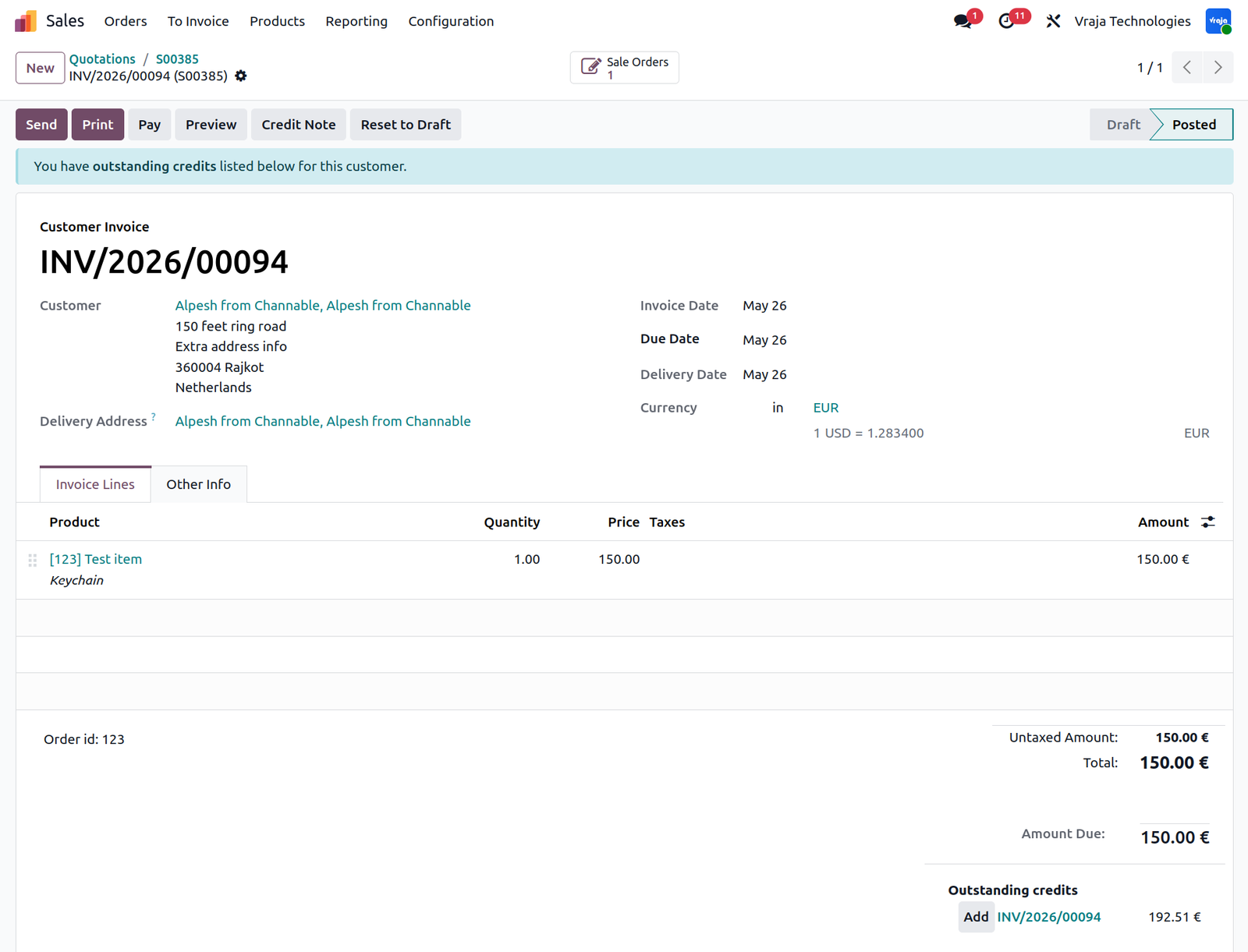
Auto-Created and Posted Invoice
Following delivery validation, Odoo can automatically generate and post customer invoices based on configured workflow permissions. This creates a fully automated order-to-invoice pipeline, eliminating manual accounting tasks after order import.
Fetch Payment Status Automatically
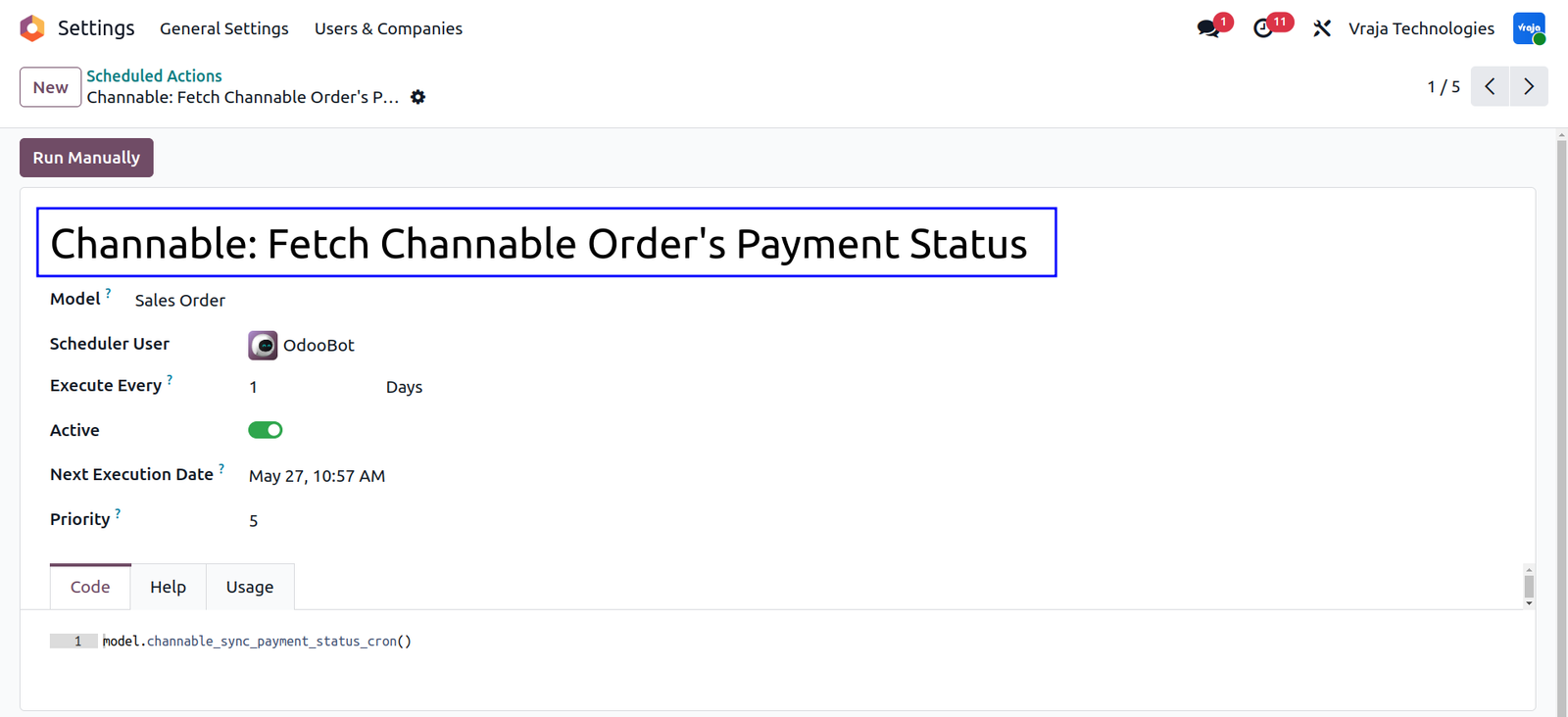
The connector installs a Scheduled Action called Channable: Fetch Channable Order’s Payment Status that periodically updates payment statuses from Channable into Odoo. Only orders that are not marked as Paid are checked and updated automatically.
Fetch Shipment Status Automatically
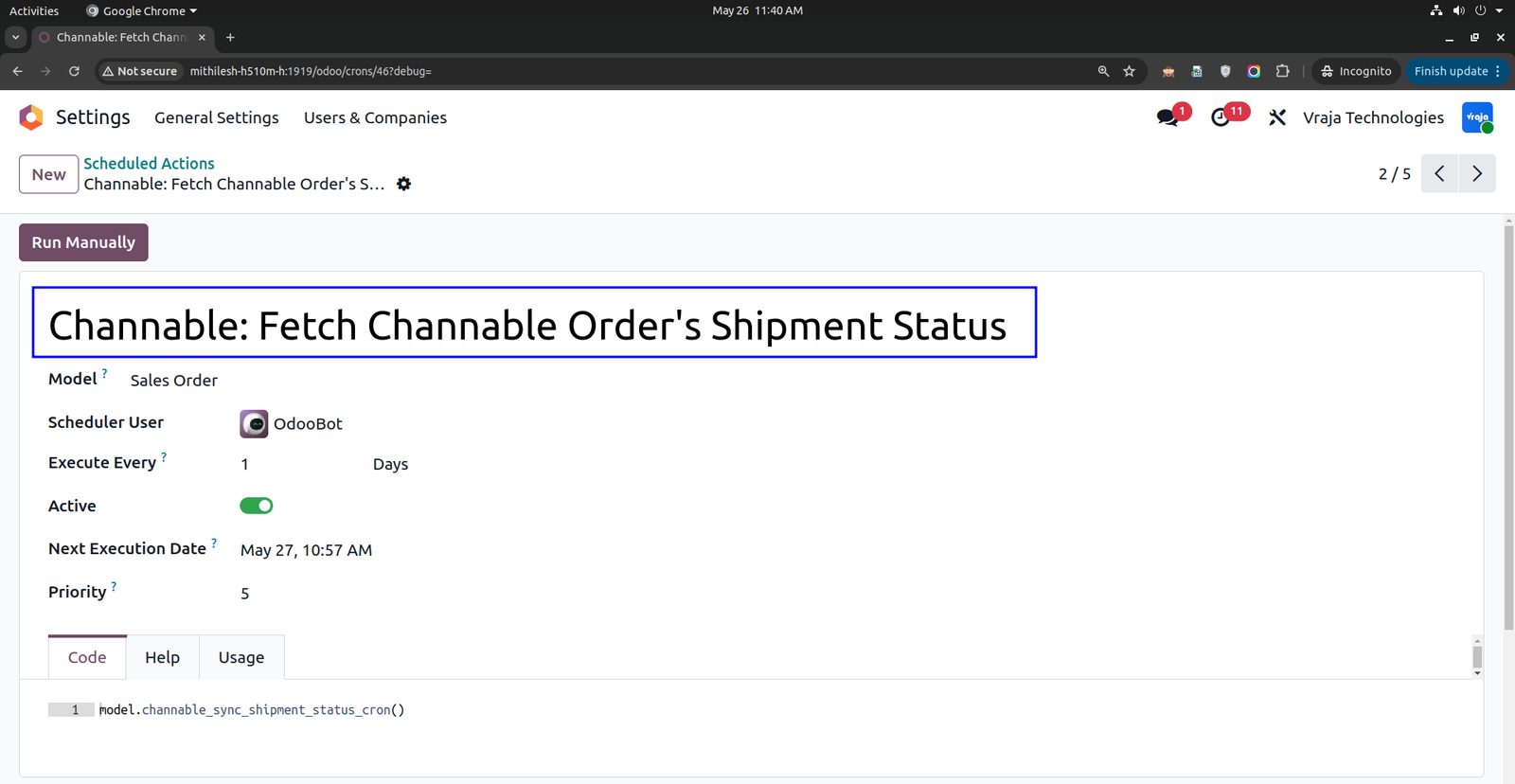
The connector also includes a Scheduled Action called Channable: Fetch Channable Order’s Shipment Status which periodically updates shipment information from Channable into Odoo. Orders not yet marked as Shipped or Cancelled are automatically checked and synchronized.
Export Shipment Tracking Details
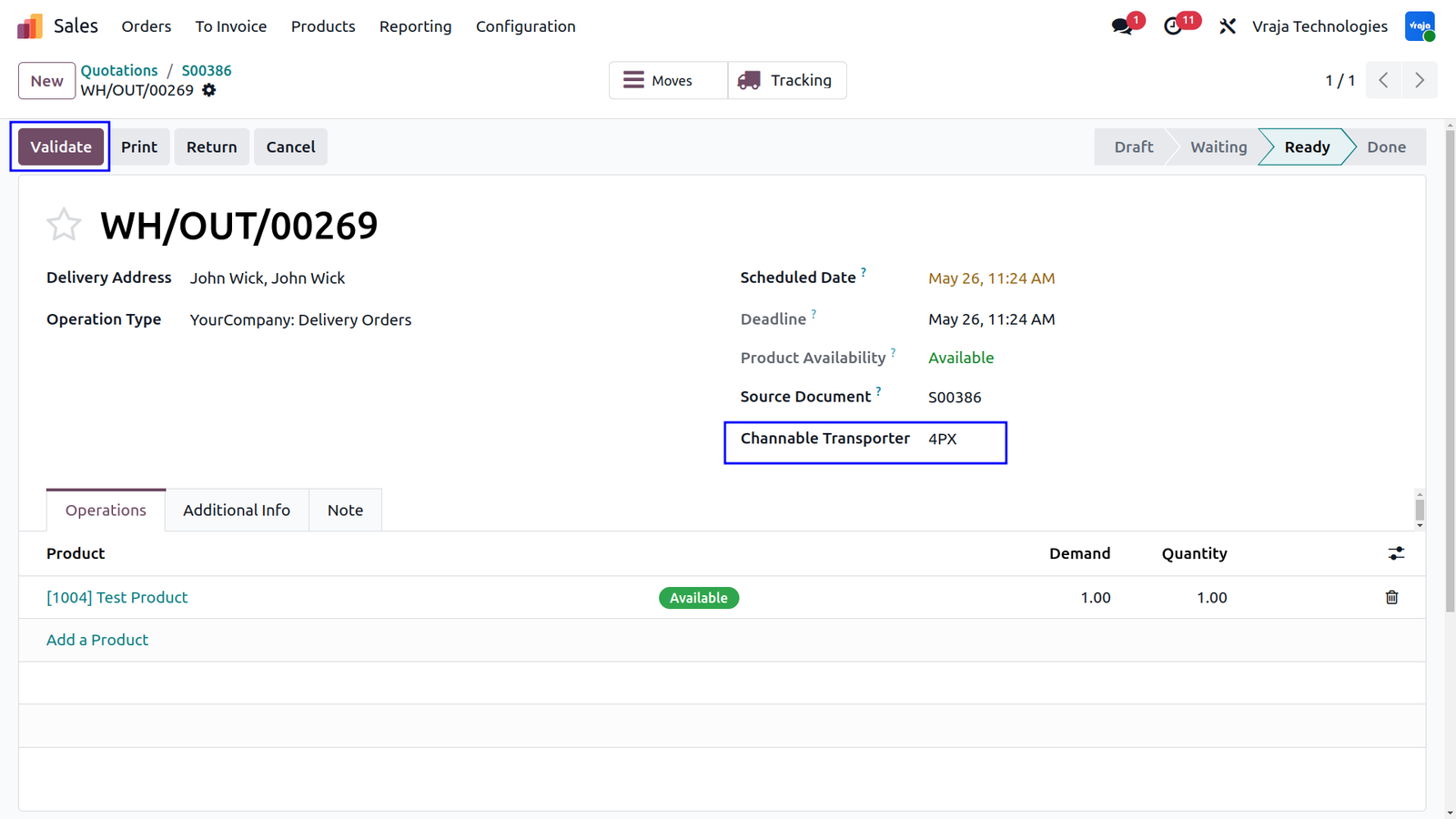
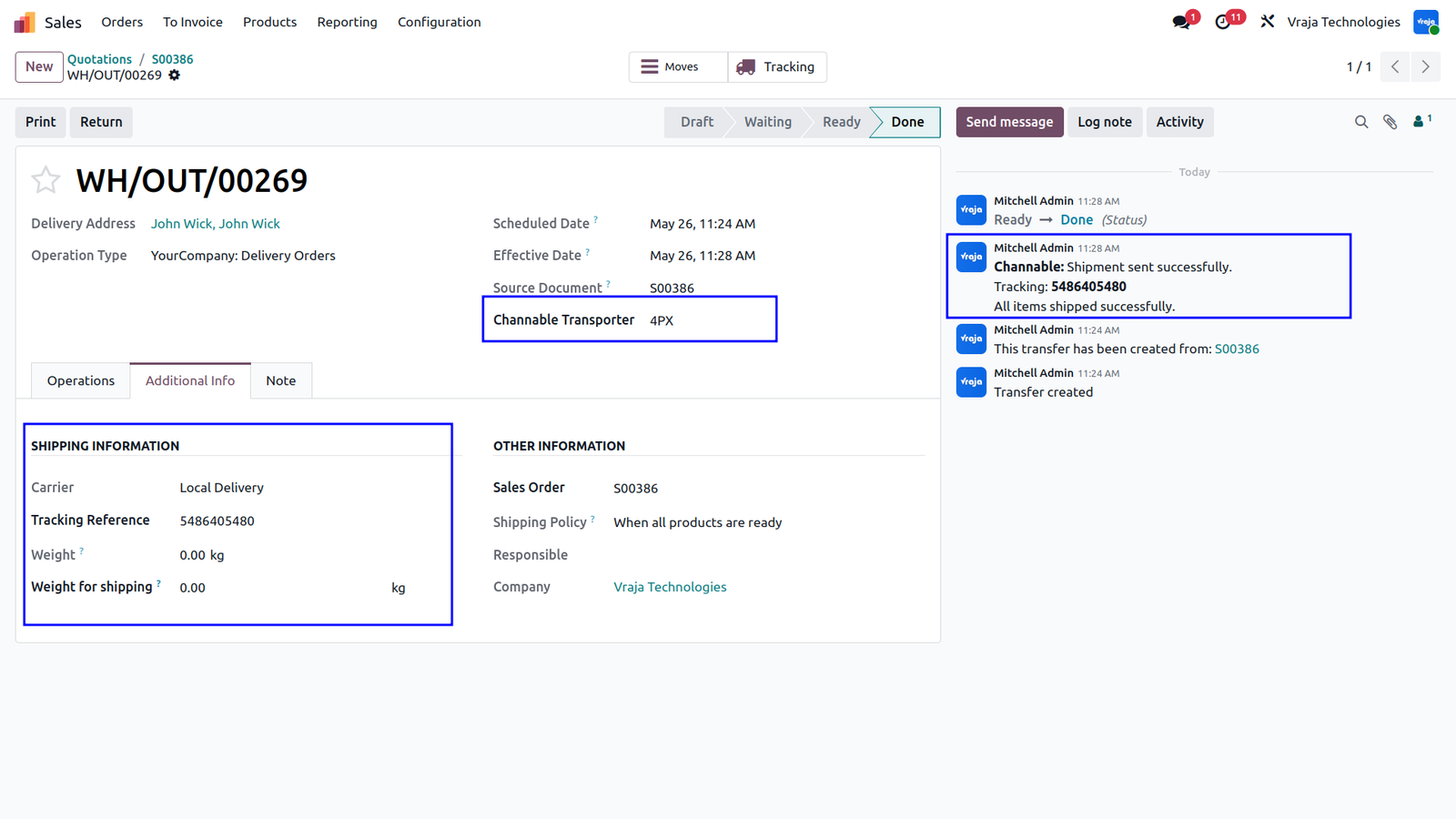
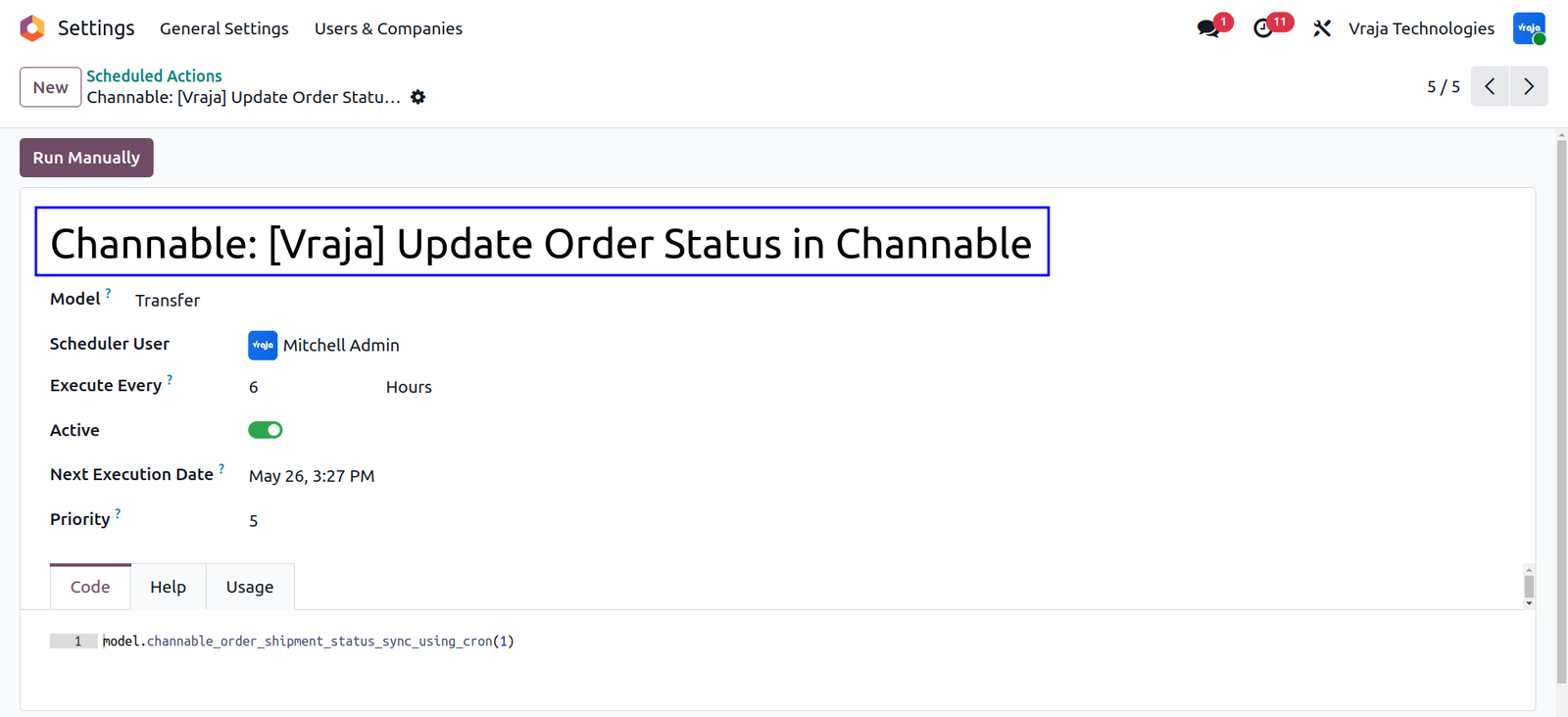
The integration provides two methods for synchronizing shipment tracking details from Odoo to Channable. If the connector is configured to send shipment information immediately upon delivery validation, tracking details are pushed to Channable in real time as soon as the Delivery Order is validated in Odoo. This ensures customers and marketplaces receive shipment updates instantly.
Alternatively, if instant synchronization is not enabled, the connector uses a Scheduled Action (cron job) to periodically fetch all pending delivery orders and export shipment tracking details to Channable in bulk. This automated process ensures no shipment updates are missed and keeps marketplace order statuses synchronized without manual intervention.
Cancel Order from Odoo to Channable
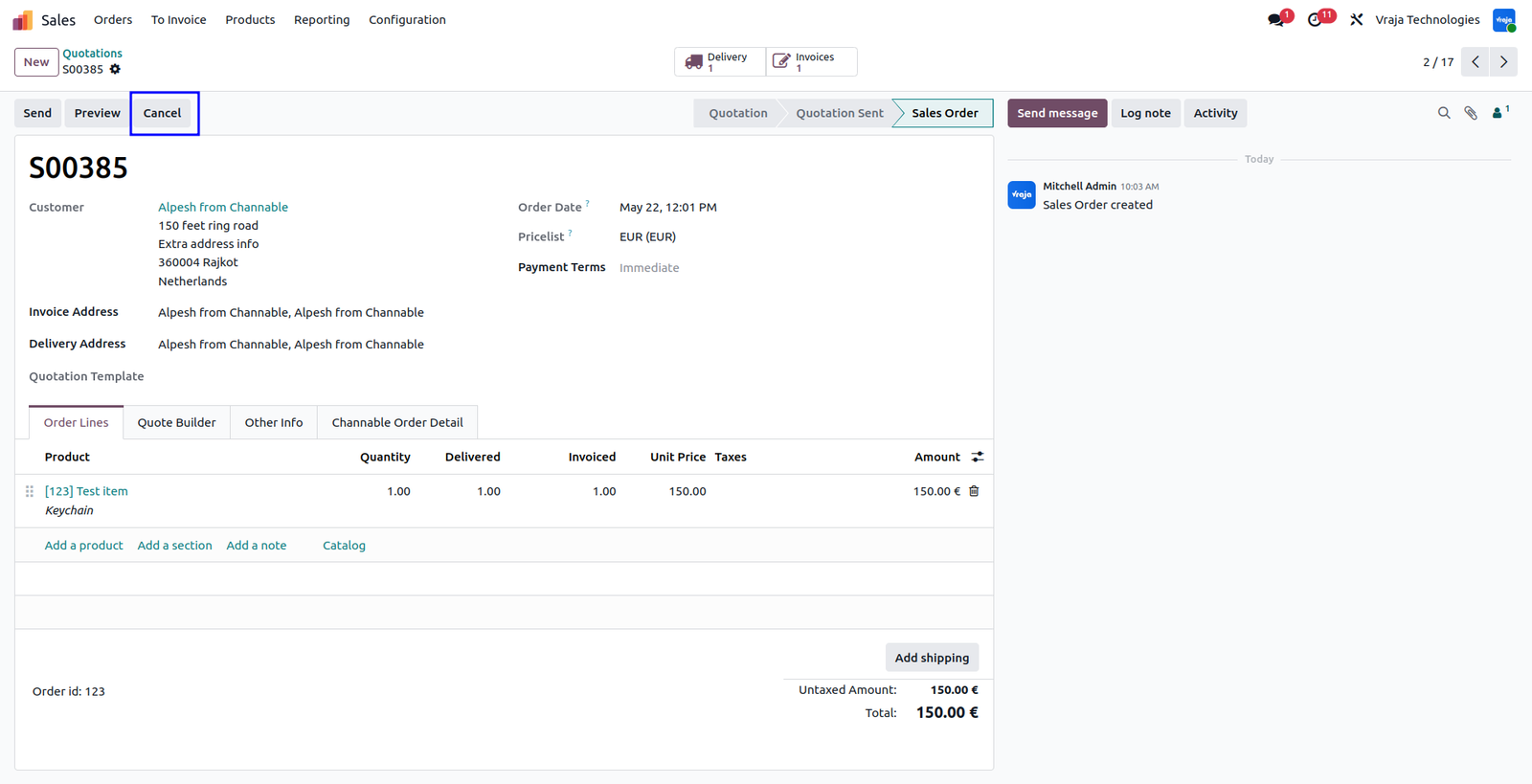
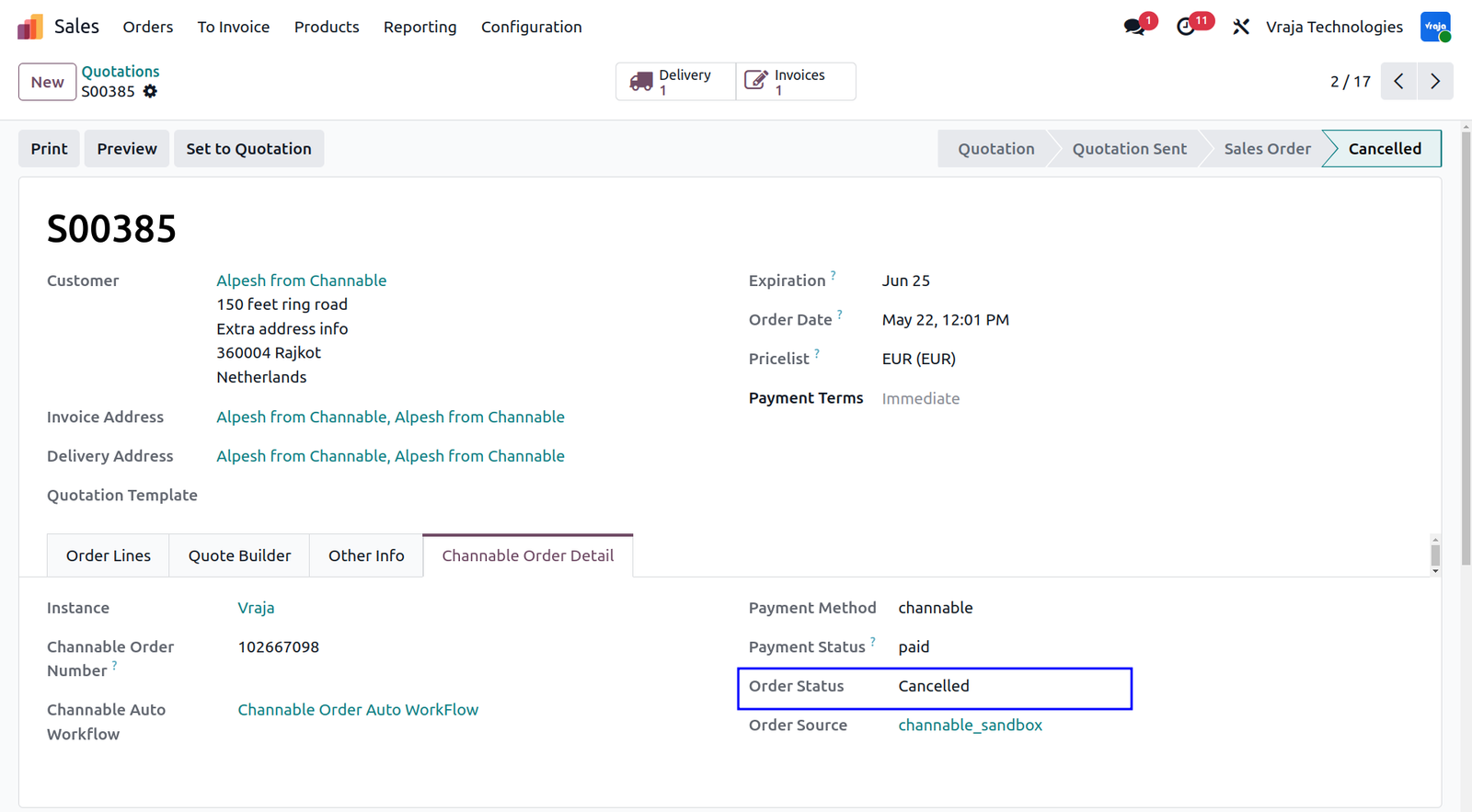
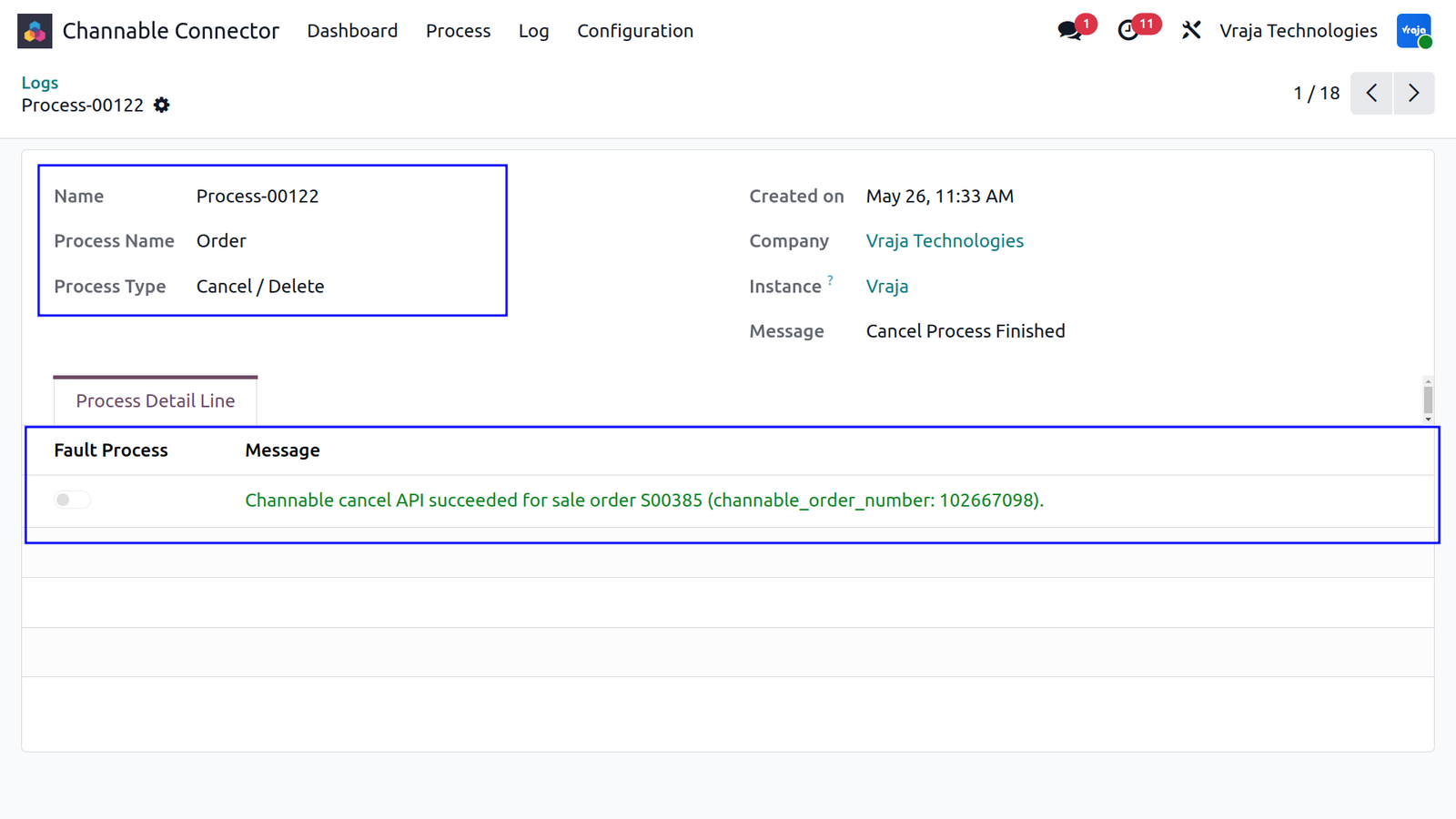
When a Sales Order is cancelled in Odoo, the connector automatically sends a cancellation request to Channable to synchronize the order status on the marketplace. This ensures both platforms remain aligned and prevents fulfillment inconsistencies.
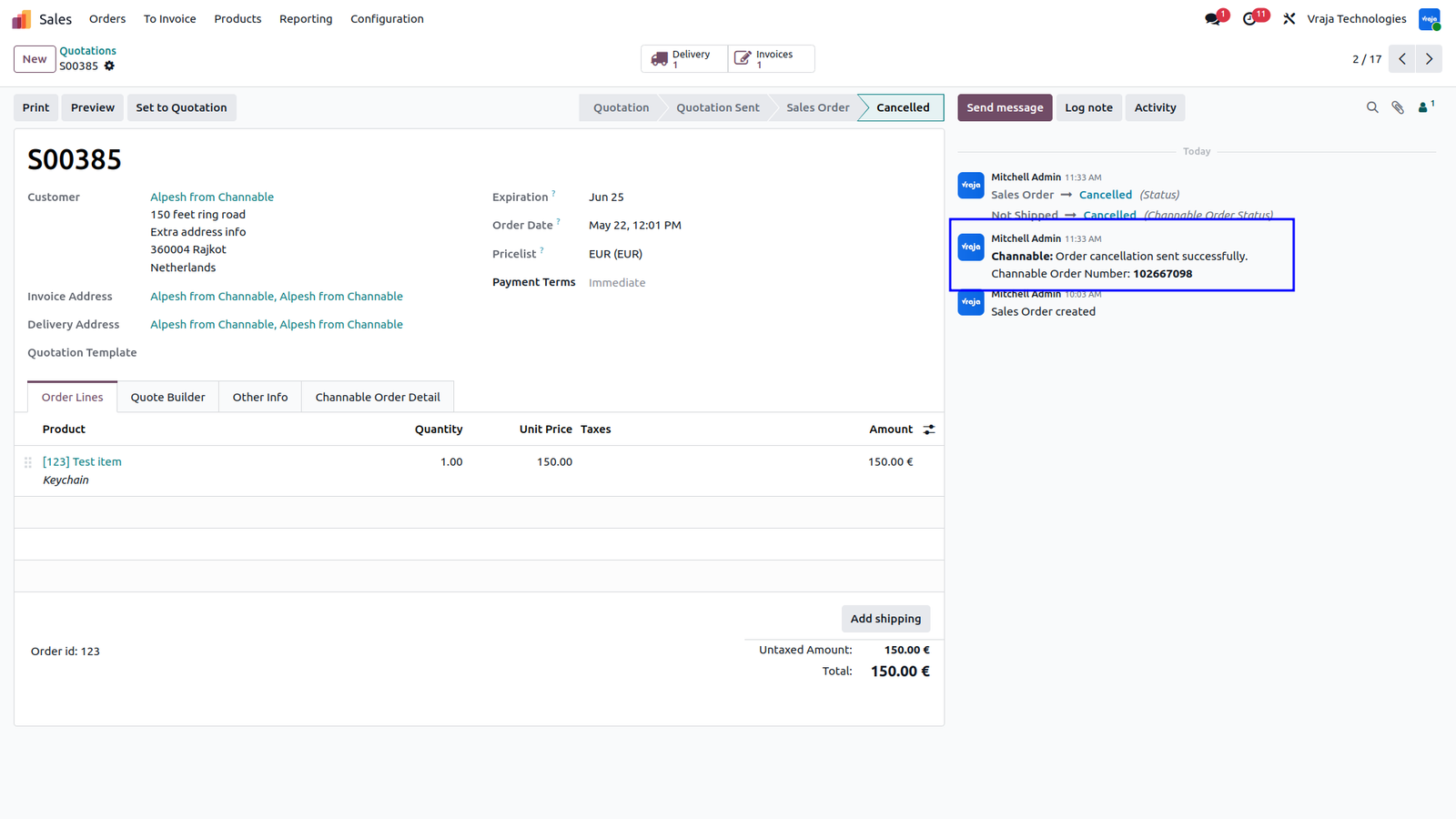
After the synchronization attempt, the system automatically posts a notification in the Sales Order chatter to inform users whether the cancellation was successfully updated in Channable. Additionally, a detailed process log and log line are generated to record the synchronization result, including success confirmations or detailed failure reasons for troubleshooting and audit purposes.
 What happens if a marketplace order contains a customer or product that doesn’t exist in Odoo?
- The module handles this automatically. During the order import process, the system checks your database and instantly creates new Customer Profiles or Product records on the fly so your order synchronization is never interrupted.
Can I automate the entire order fulfillment workflow upon import?
- Yes. The module offers flexible automation rules that you can configure to fit your operational needs. You can automatically confirm sale orders, validate warehouse deliveries, and generate customer invoices instantly upon import.
How do my customers get their tracking details on the marketplace?
- The synchronization happens in real time. The moment a delivery order is validated in Odoo, the module automatically pushes tracking numbers and carrier details back to Channable so customers stay updated automatically.
If an order is cancelled in Odoo, will it update on Channable?
- Absolutely. When a marketplace order is cancelled in Odoo, the module instantly synchronizes and updates the cancellation status on Channable.
How can I check if all my orders are syncing successfully?
- The module includes an advanced process logging dashboard that tracks every sync operation with success and error logs for easy monitoring and troubleshooting.
Does this module support both Odoo Enterprise and Community editions?
- Yes. This module is fully compatible with both Odoo Enterprise and Odoo Community editions.
Do I get free support when I purchase this app?
- Yes. We provide 60 days of free support from the date of purchase to help you with setup and smooth usage of the module.
I would like to request a custom feature for this application. What’s the process to get it implemented?
- We’re happy to help tailor the application to meet your business needs! You can reach us via sales@vrajatechnologies.com
Who is the point of contact for technical support, configuration support or bug-related queries?
- You can reach us via support@vrajatechnologies.com
Submit a Support Ticket
If you encounter any issues while using our app that are caused by the app itself, we offer complimentary support for 90 days from the date of purchase.
To create a support ticket, please register via the Vraja Technologies Support Email and provide the necessary details so we can assist you in resolving the issue.

Email Us
support@vrajatechnologies.com

 1.png)
Contact Us
vrajatechnologies.com/contactus

Support
vrajatechnologies.com/support-policy
Vraja Technologies Services

Odoo Implementation

Odoo App Integration Services

Odoo Customization

Odoo Consultation

Odoo Support & Maintenance

Odoo Developer Outsourcing
Suggested Application














Reviews
There are no reviews yet.