
Description

AI Inventory Replenishment Agent
Inventory AI Agent helps inventory and purchase teams find products that need replenishment before they become stockout issues. The module prepares stock, sales, and purchase history in a structured workbook, runs AI analysis through the configured Vraja AI/OpenAI setup, and returns clear RFQ recommendations inside Odoo.
Users can review recommended products, quantities, vendors, forecast signals, and create draft RFQs without leaving the dashboard.
End-to-end Odoo solutions for growing companies.
Explore the key features, workflow, and value of this Odoo module.
AI Low Stock DashboardConfigure replenishment settings, generate data, run AI analysis, and review results from one dashboard. |
Stock Workbook ExportExports product stock, available quantity, incoming quantity, outgoing quantity, sales history, and purchase history. |
Forecast ConfigurationSet minimum stock thresholds and choose all-time or preferred-period sales and purchase data. |
Vendor RecommendationUses purchase history signals such as lead time, delays, reliability, and price to recommend vendors. |
RFQ AutomationCreate draft RFQs from approved AI recommendation rows, grouped by vendor. |
Analysis LogsTrack successful and failed runs with recommended products, order quantities, RFQ count, and error details. |
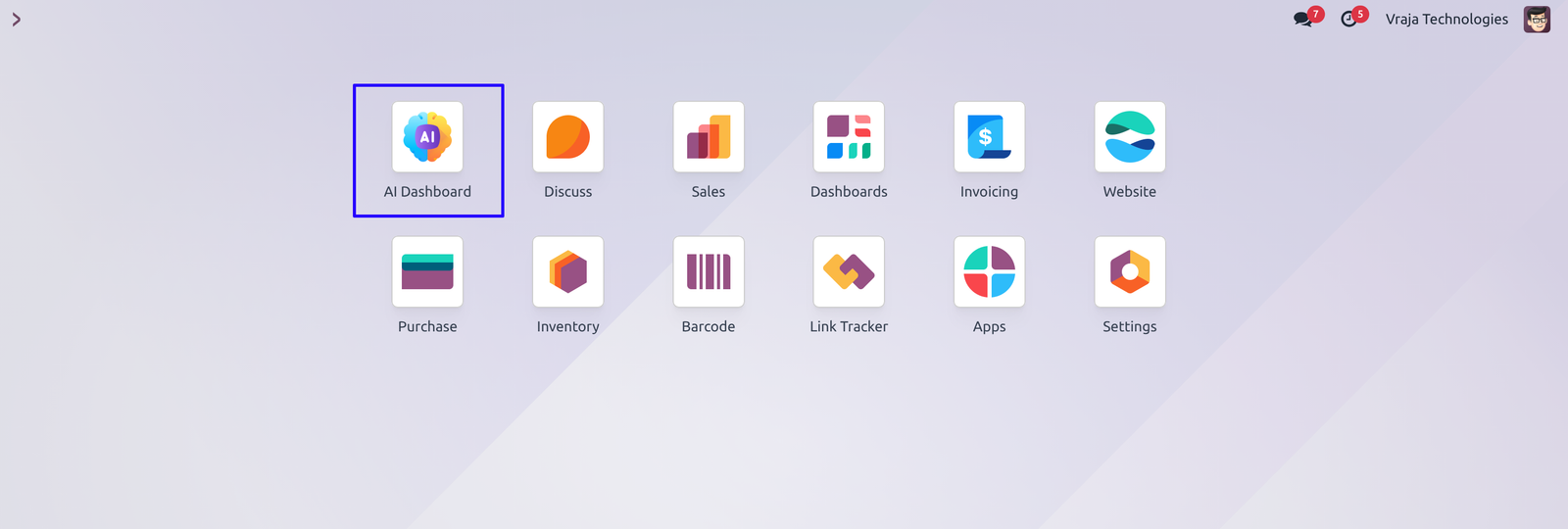
01 Install Inventory AI Agent app and Navigate to AI Agent Menu in Odoo
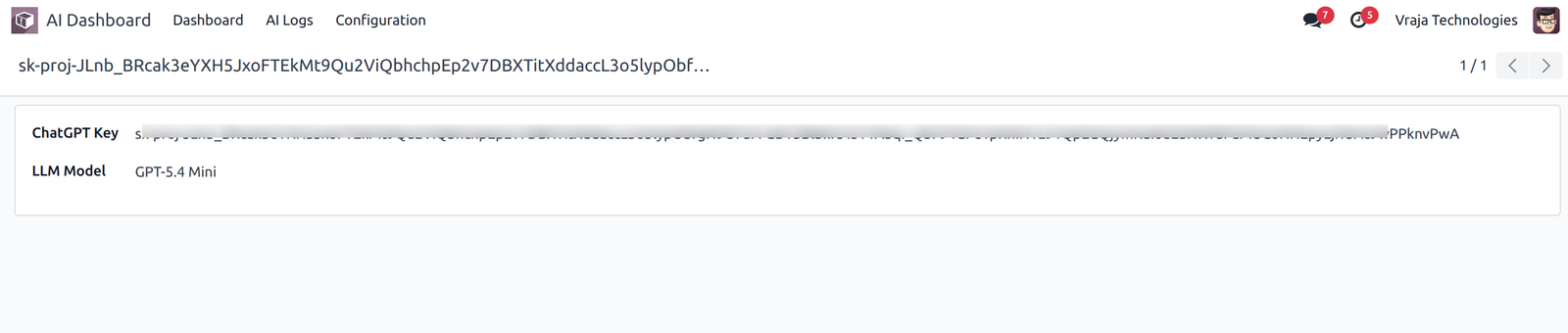
02 Configure the your API-key and GPT-Model what you want to use from the ‘Configuration’ Menu.
03 After Installing successfully, Inventory ‘Low Stock Alert’ Card generated Automatically.
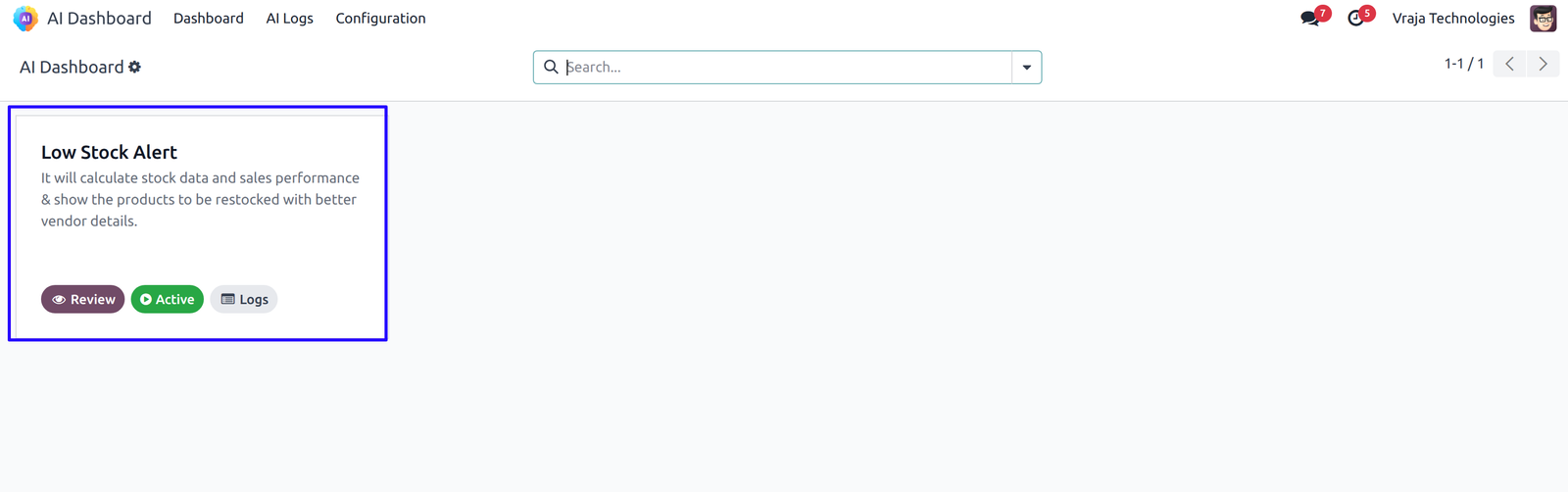
04 In this card click on ‘Review’ Button, Dashboard will be appear like this.
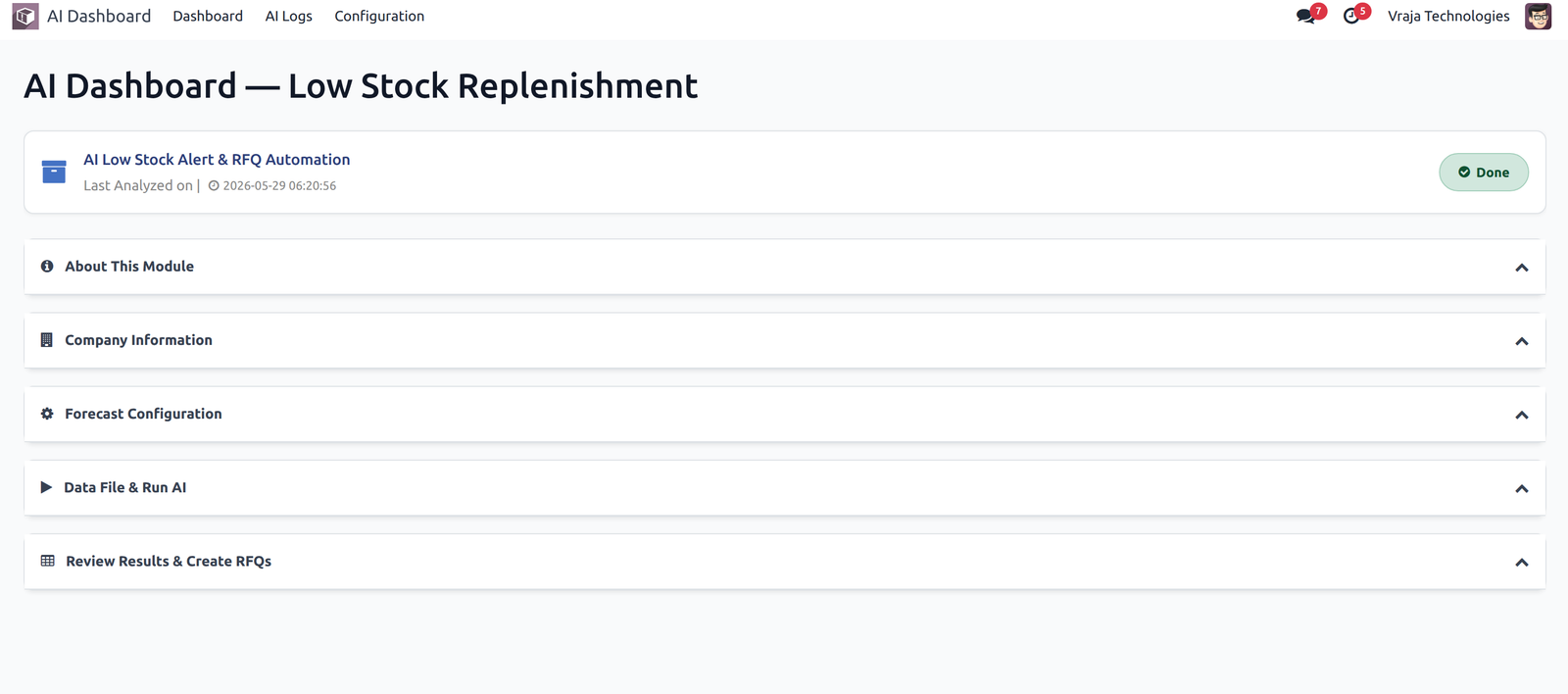
05 After that click on collapse to open step details and click on’Next’ button to view another step by step, second step open and current step close.
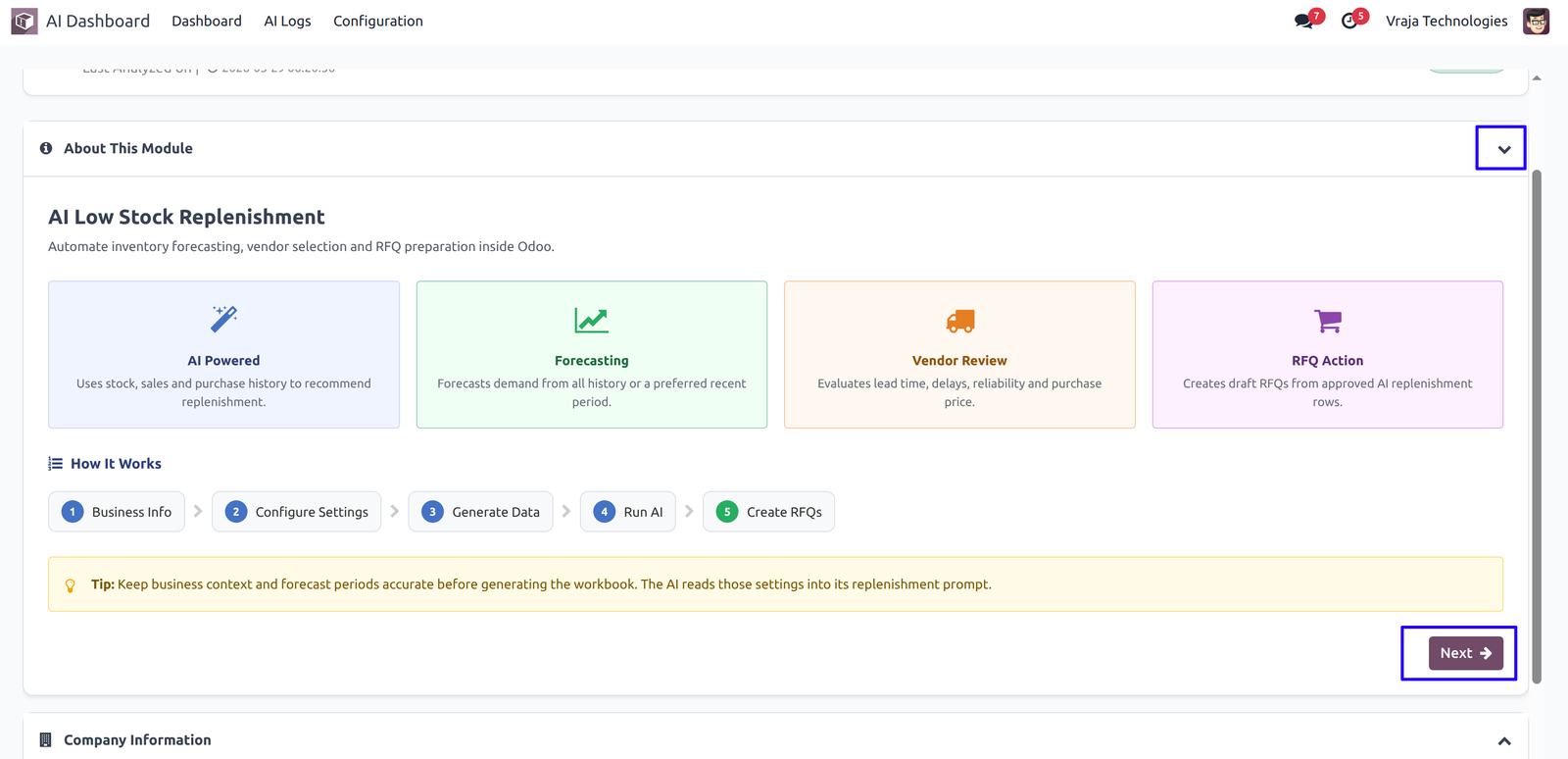
06 Also from the ‘Previous’ Button you can view previous step.
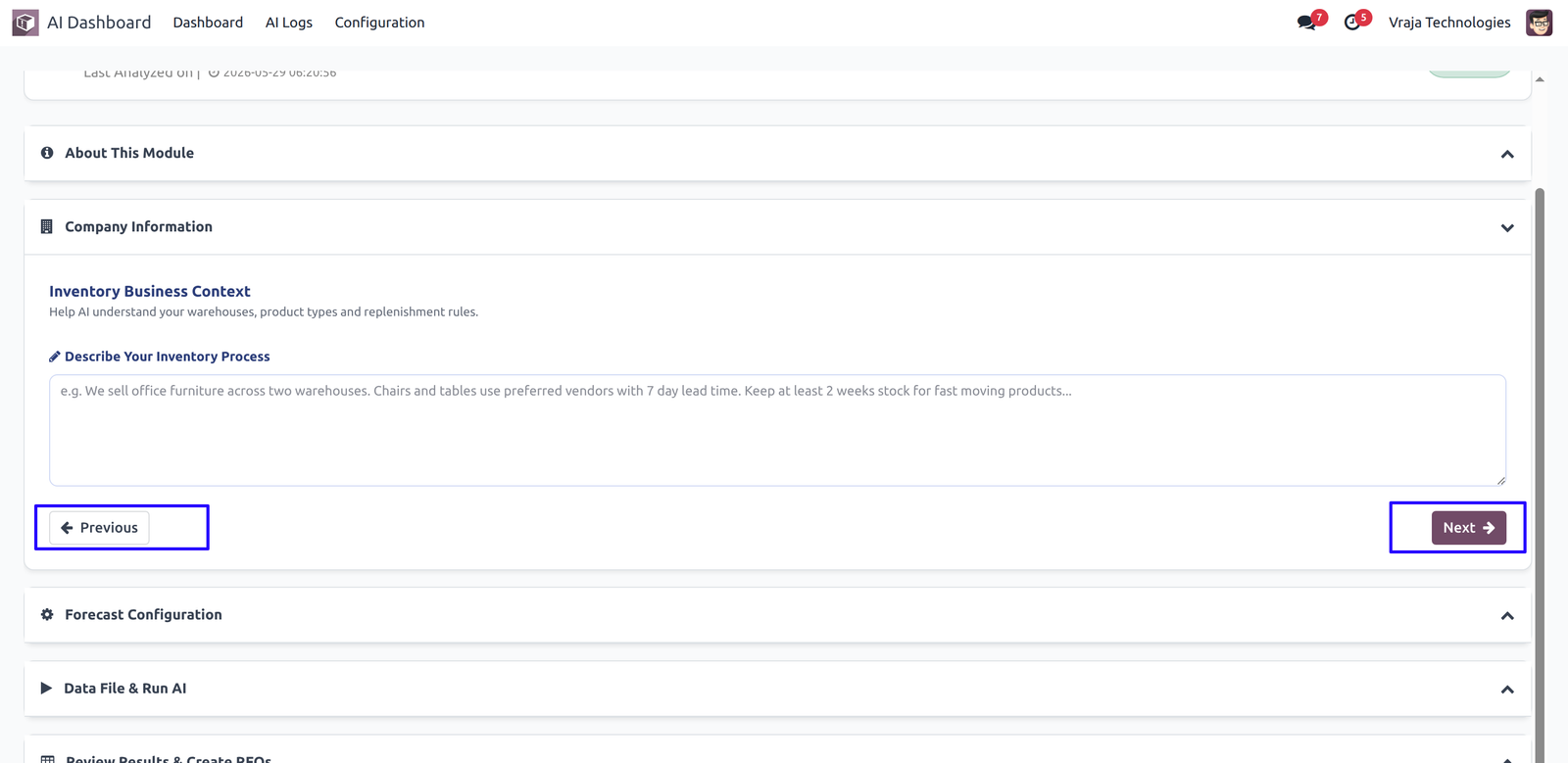
07
Add Business Context
Describe warehouses, product categories, replenishment rules, and operational context for the AI assistant
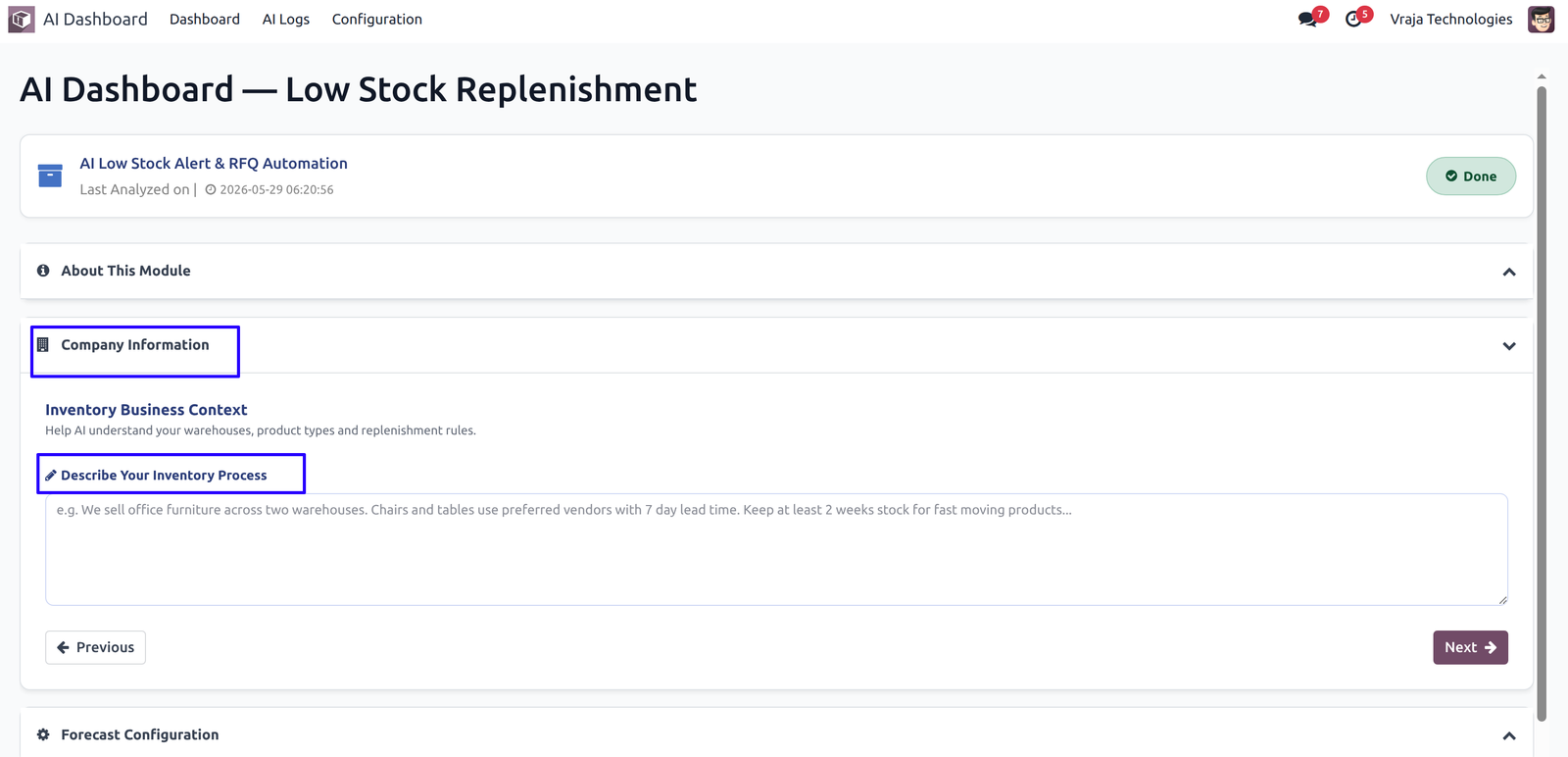
08
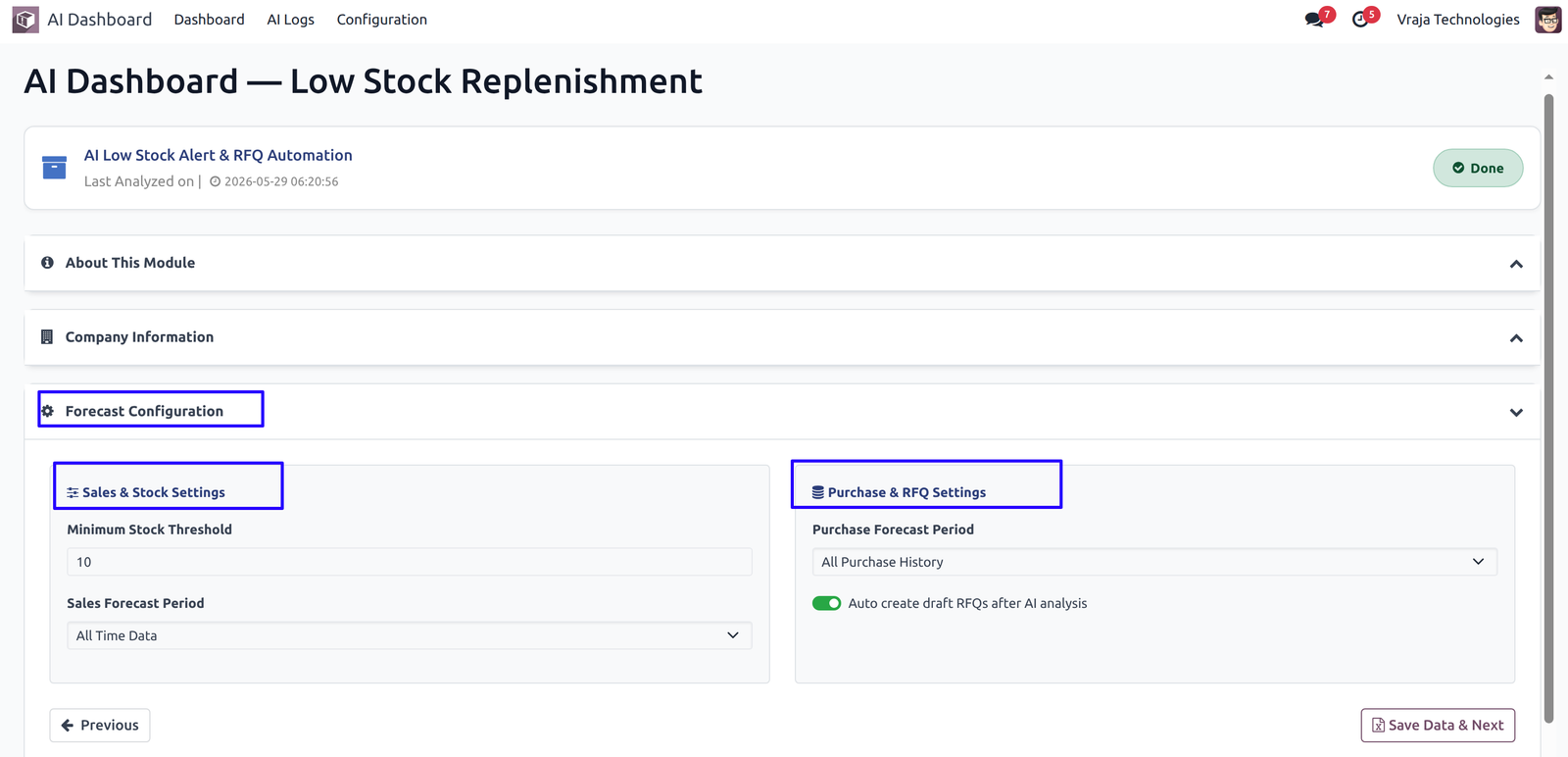
Configure Forecast Settings
Set the minimum stock threshold and select the sales and purchase history period for analysis.
09
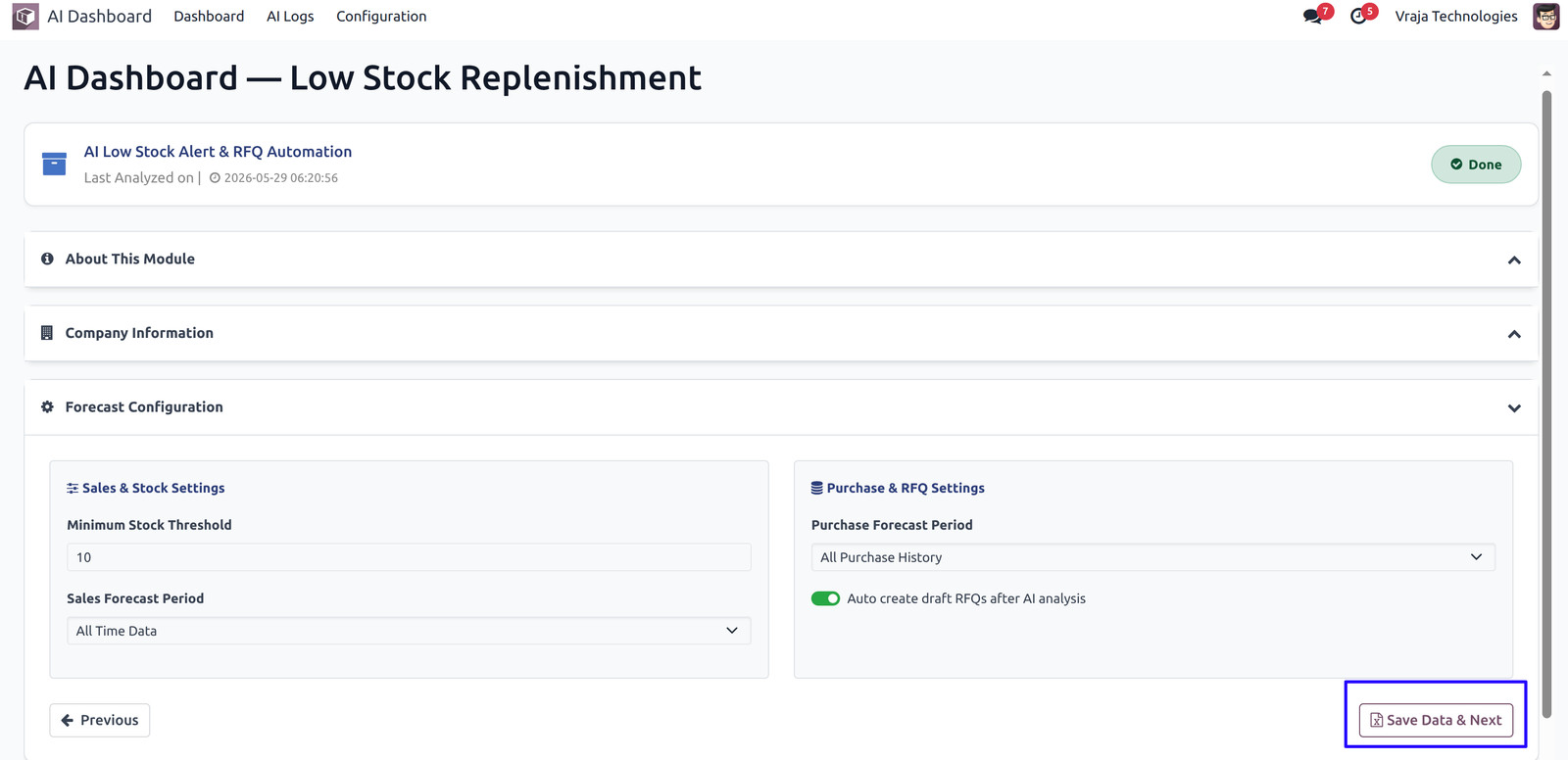
Generate Inventory Data
Create an Excel workbook with stock, sales, and purchase information from Odoo.
10
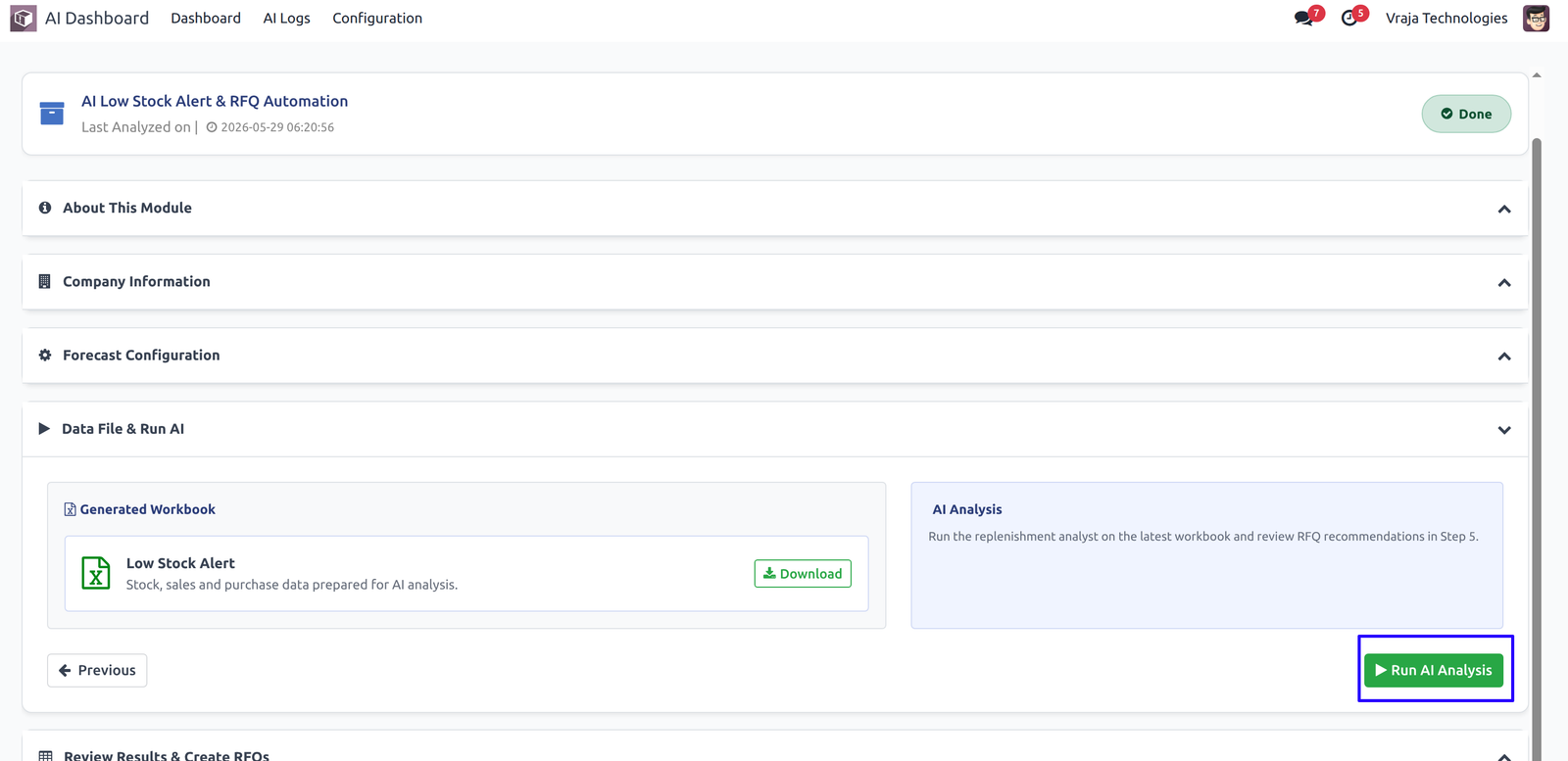
Run AI Analysis
The AI reviews the workbook and returns products that should be replenished with recommended vendors and quantities.
11
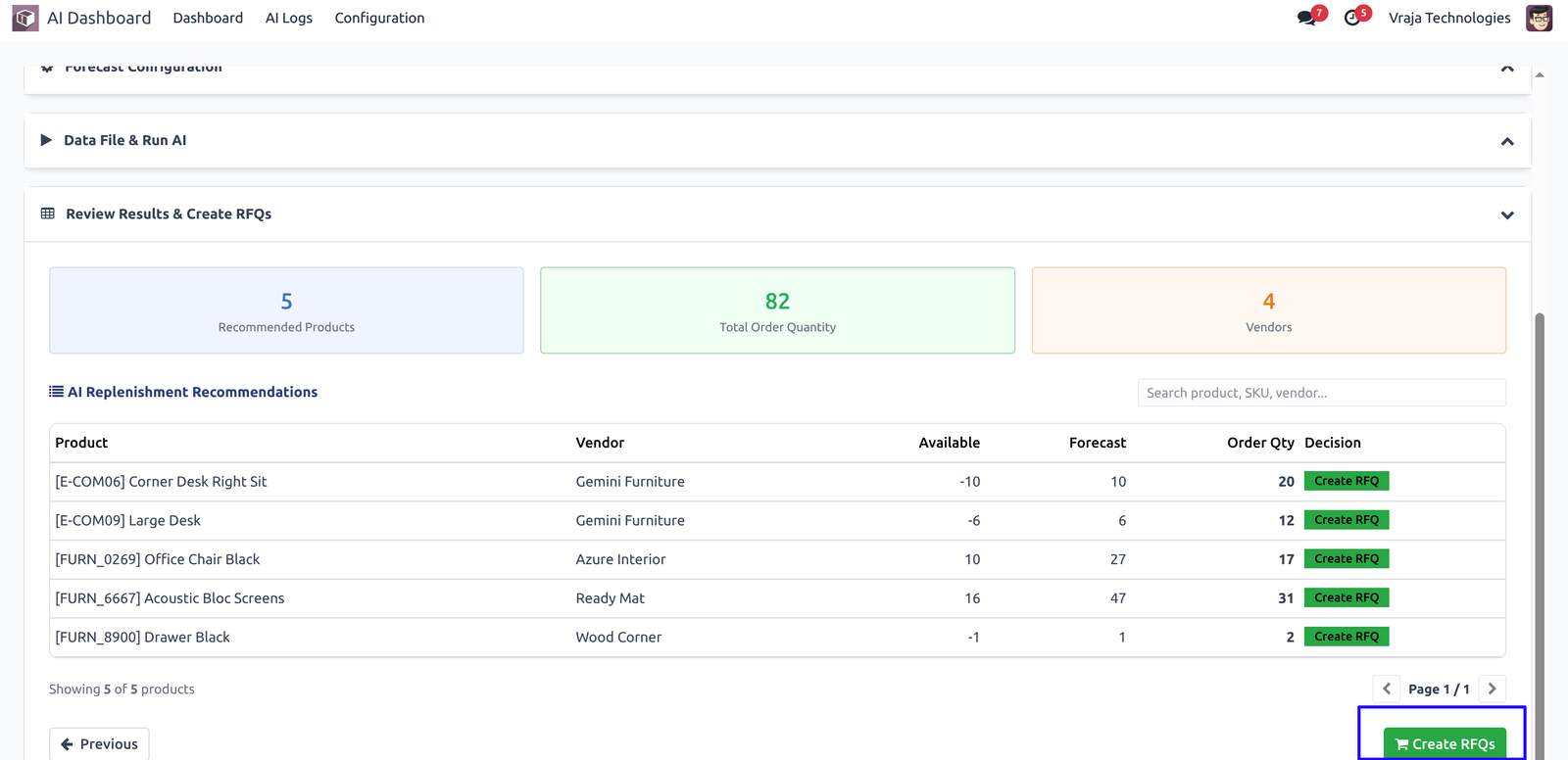
Create RFQs
Convert recommendation rows into draft purchase RFQs directly from the dashboard.
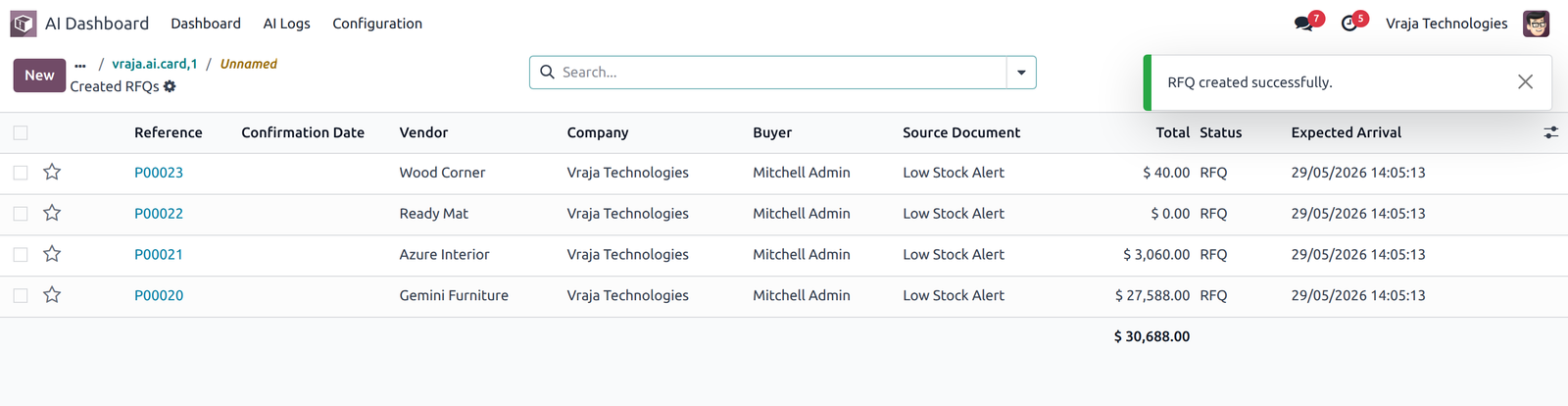
12 Manage logs for sucess or failure to track activity for AI request and Response
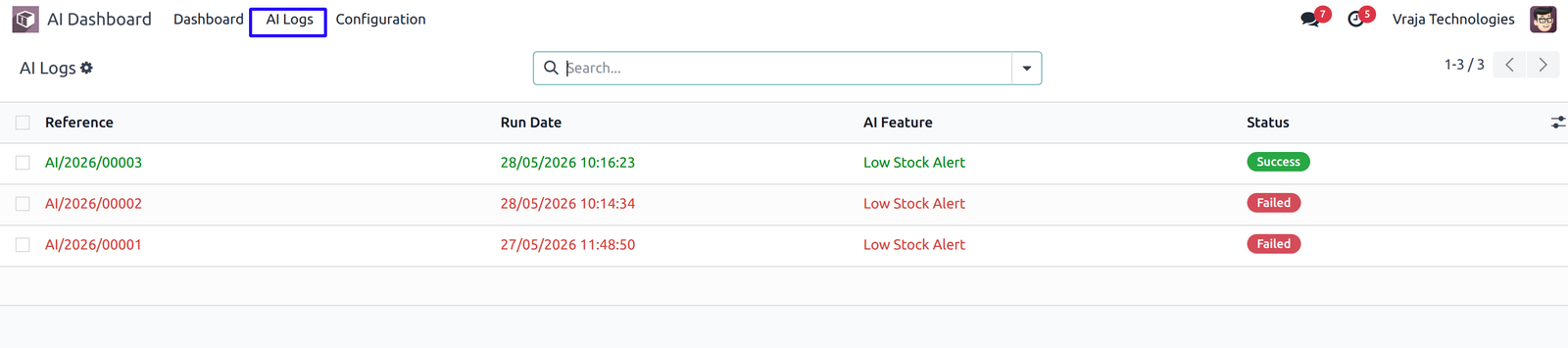
13 Also you can view the logs for related card from the card view.
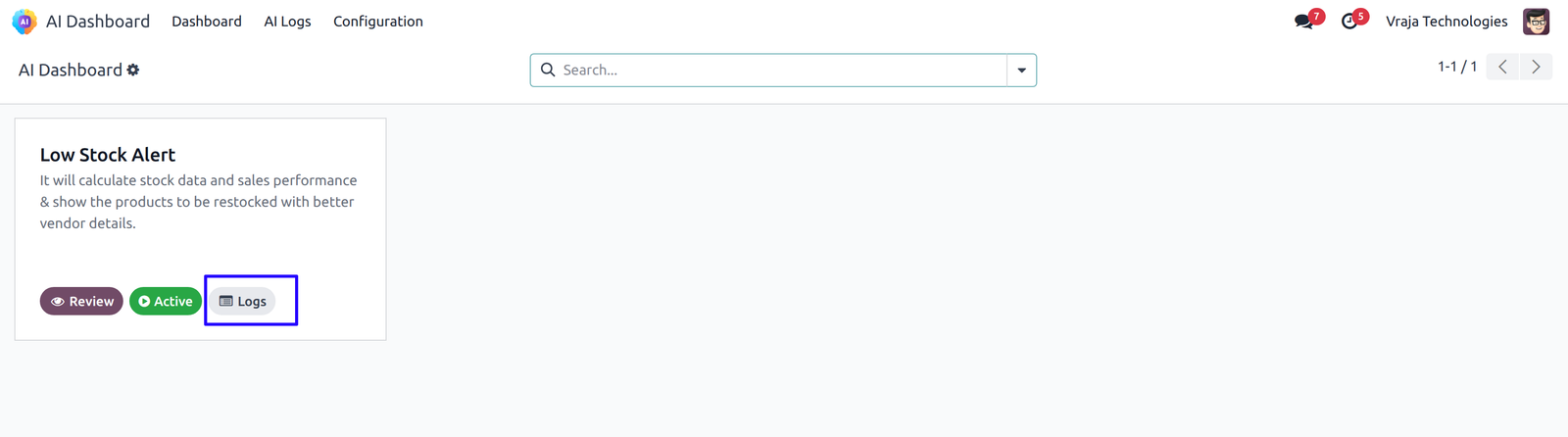
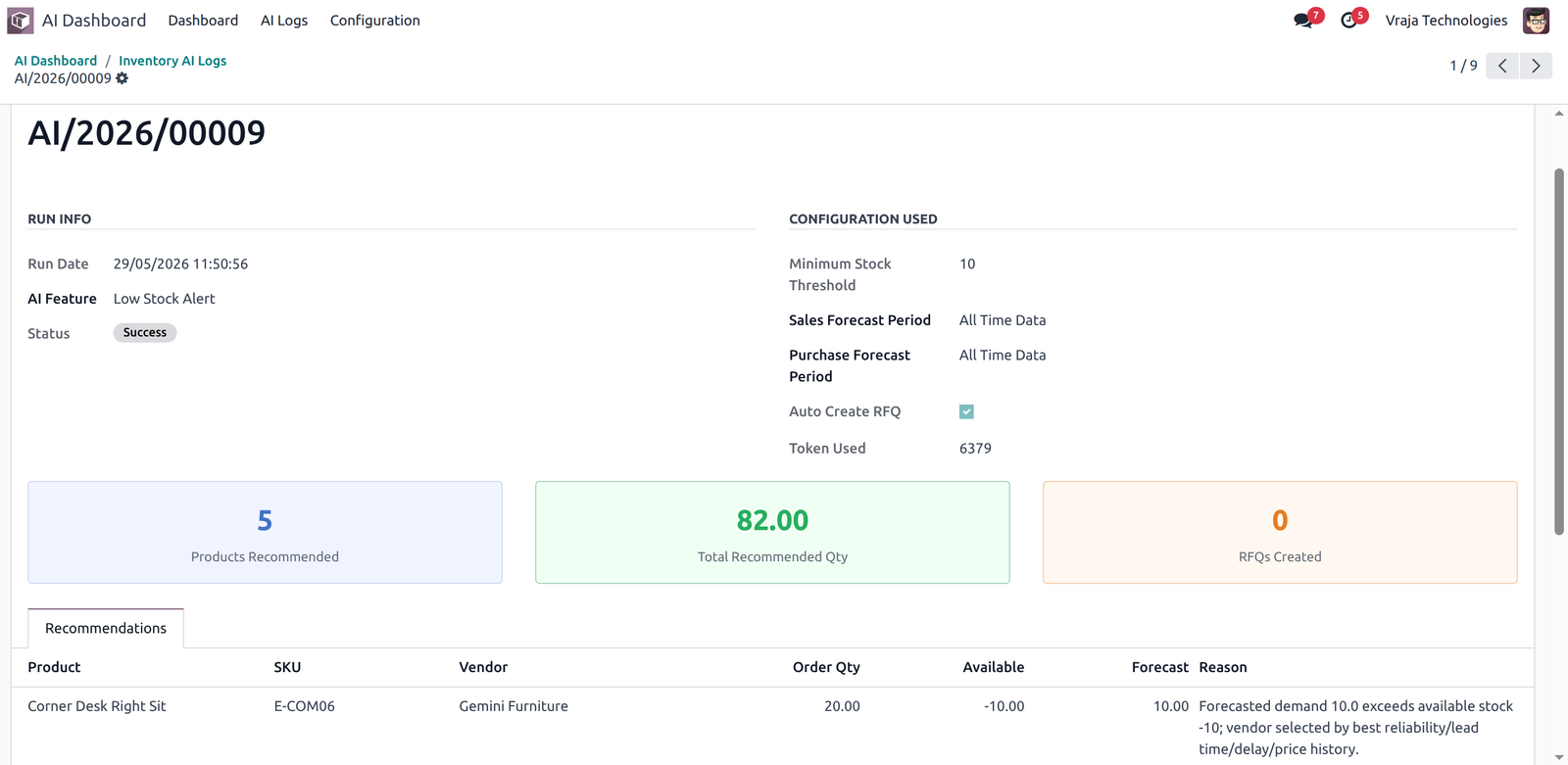
14 Automated (cron) action for generate Workbook file and run AI analysis.
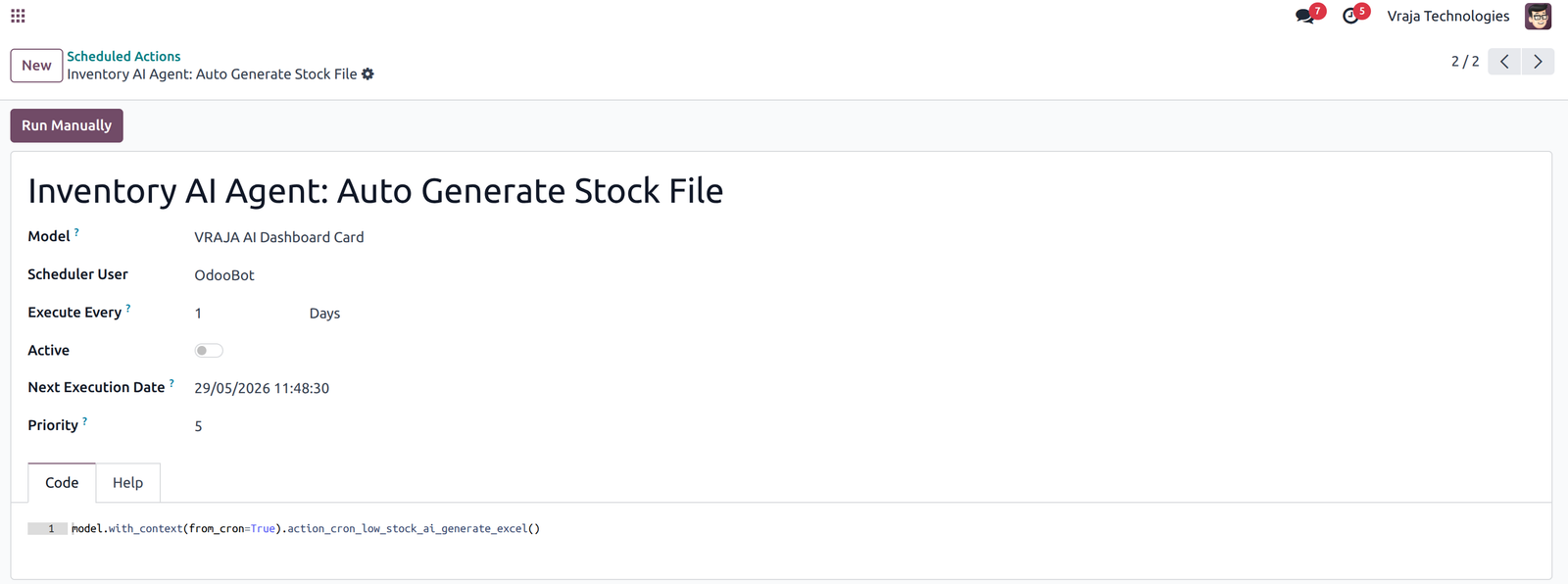
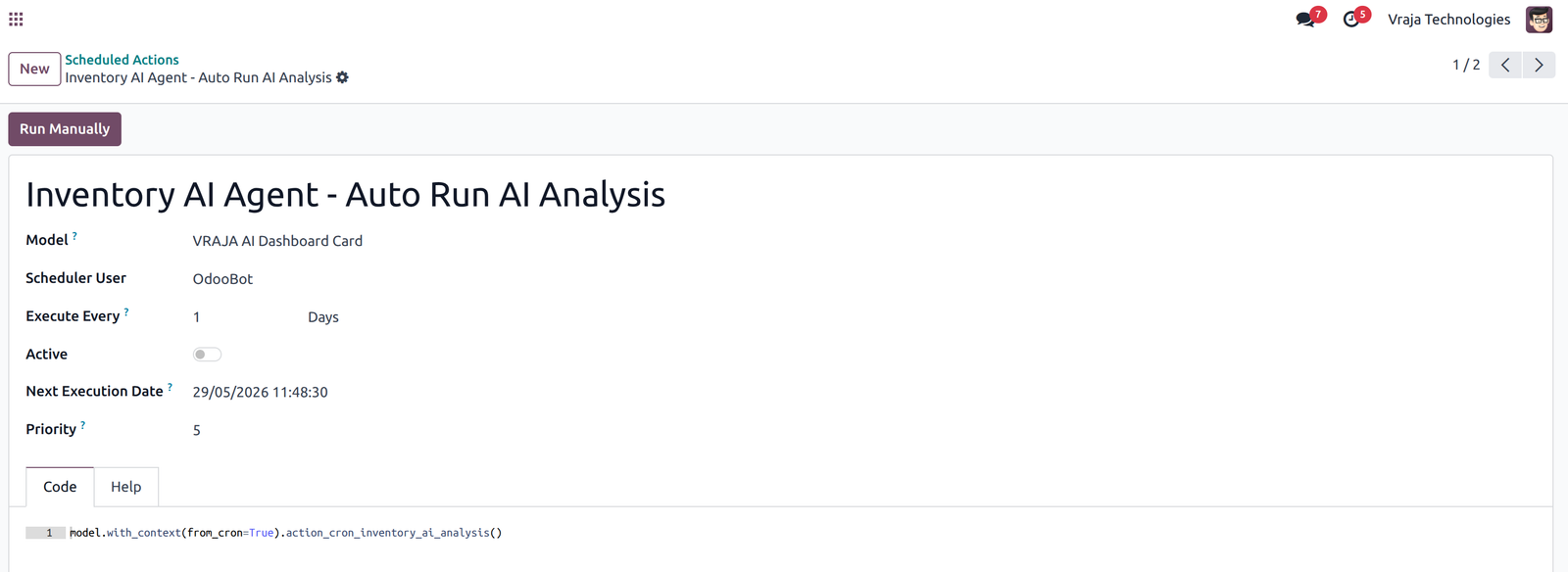
|
|
How does AI identify low stock products?AI compares available stock, incoming quantities, reserved stock, historical sales movement, and forecast demand to determine whether replenishment is required. |
|
|
Which AI models are supported in this module?The module supports multiple OpenAI models including GPT-4.1, GPT-4.1 Mini, GPT-5, GPT-5 Mini, GPT-5.4, and GPT-5.4 Mini. You can select the model that best fits your business needs from the Configuration page. |
|
|
Can the module create RFQs automatically?Yes. When the Auto Create RFQ option is enabled, AI can automatically prepare vendor-wise RFQ recommendations based on inventory analysis. |
|
|
Does this module support forecast-based analysis?Yes. You can configure sales forecast days and purchase forecast days to allow AI to analyze only selected periods or complete historical data. |
|
|
How does vendor recommendation work?AI compares vendor delivery performance, lead times, purchase reliability, historical delays, and pricing information to recommend the most suitable vendor. |
|
|
How do I track how many API tokens are being used?Every AI log record shows the Total Tokens Used for that particular run. You can refer to this figure to monitor your API consumption and plan your OpenAI usage accordingly. |
|
|
Who is the point of contact for technical support or bug-related queries?You can reach us via support@vrajatechnologies.com |
|
|
Can I get a demo of the module before making a purchase?Yes, to test this module please contact us at sales@vrajatechnologies.com |
|
|
Included App SupportNo Time-Limit Support for Supported Versions |
If you encounter any issues while using our app that are caused by the app itself, we offer complimentary support for 90 days from the date of purchase.
Klaviyo Odoo Integration
Connect Odoo with Klaviyo to sync customers, products, orders, and marketing data smoothly. Automate email and SMS marketing campaigns using real-time Odoo eCommerce and sales information. Improve customer engagement, abandoned cart recovery, and repeat sales with powerful Klaviyo automation.
Multi Company Microsoft Outlook
Manage Microsoft Outlook email configuration for multiple companies directly inside Odoo. This app helps each company use its own Outlook email account for sending and receiving emails. It is useful for businesses operating with multi-company setups and separate communication channels.
Dynamic Export Records
Export any Odoo model records dynamically without custom development or manual technical work. Users can configure export fields, filters, and formats based on business requirements. This app saves time and helps businesses generate flexible reports from Odoo data easily.
PrintNode Odoo Connector
It helps automate labels, reports, and attachment printing without manual downloads, making printer management and printing workflows faster and easier.
Stripe Terminal Odoo Integration
This module enables Stripe Terminal payments directly from the Odoo backend for Customer Invoices and Sale Quotations. It supports real-time physical card payments using devices such as WisePOS E and Stripe S700 Reader. With one-click installation, automated Odoo Accounting synchronization.
Disable Shipping Method
Control and restrict shipping methods on the Odoo website based on business rules and conditions. You can hide specific carriers depending on products, customers, order amount, location, or other criteria. This app improves checkout accuracy and helps businesses show only valid delivery options to customers.
BigCommerce Odoo Integration
Connect BigCommerce with Odoo to manage products, customers, orders, and inventory in one system. The integration helps automate order import, stock updates, and product synchronization between both platforms. It is ideal for eCommerce businesses looking to centralize BigCommerce operations inside Odoo.
Shopify Odoo Integration
Sync Shopify store data with Odoo including products, customers, orders, inventory, and fulfillment details. This app reduces manual data entry and keeps Shopify and Odoo records updated automatically. It helps online retailers manage eCommerce, warehouse, accounting, and order processing from Odoo.
EDIFACT Odoo Integration
Integrate EDIFACT EDI messages with Odoo to automate document exchange with trading partners. Support common EDIFACT flows such as ORDERS, INVOIC, DESADV, PRICAT, INVRPT, and acknowledgements. This solution helps businesses reduce manual work and manage supplier or customer EDI communication efficiently.
ANSI X12 EDI Odoo Integration
Connect Odoo with ANSI X12 EDI standards for automated B2B document exchange. Support key EDI transactions such as 850 purchase orders, 855 acknowledgements, 856 ASN, 810 invoices, and 997 acknowledgements. This app helps retailers, suppliers, distributors, and logistics businesses streamline EDI operations inside Odoo.
Explore Before Purchase |
Start with a free trial
Test the connector with your real workflows using our 15-day free trial. If you need help, our product experts will guide you throughout the trial.
|
|
Test the connector with your real workflows.Our product experts will guide you during the trial to help you evaluate, configure, and use the connector with confidence.
15-Day
Trial
Expert
Guidance
Real
Workflow Testing
|


Reviews
There are no reviews yet.