
Description
.png)
 Enterprise Community Odoo.sh
Klaviyo Odoo Integration
Most ecommerce marketing software forces you to choose between being as effective as possible or moving fast. Klaviyo is different. Designed for growth-minded ecommerce merchants, Klaviyo gives you powerful functionality without sacrificing the time it takes for your marketing to make an impact on your bottom line.
 Watch on YouTube
We specialize in delivering advanced Odoo solutions across multiple domains. Our expertise includes:

EDI & SWIFT/ACH Payment Integrations
End-to-end EDI automation, including X12, EDIFACT, XML standards, & financial integrations such as SWIFT, ACH, & Fedwire.


eCommerce Integrations
Seamless integration with leading eCommerce platforms to sync products, orders, inventory, and customer data in real time.

Shipping Integrations
Robust shipping connectors for global couriers, offering automated label generation, tracking, and rate computation.

Most Useful Apps for your ERP
A wide range of highly-rated Odoo modules designed to enhance automation, improve productivity, & simplify business operations.
 Features
.png) Klaviyo Process
Klaviyo Process
.png) klaviyo metrics
klaviyo metrics
 FAQs
FAQs
- Most effective ecommerce marketing integration.
- Export lists from odoo to klaviyo.
- Import lists from klaviyo to odoo.
- Export Customers from odoo to klaviyo.
- Export order data.
- Export Metrics from odoo to klaviyo.
- Import Metrics from klaviyo to odoo.
- Import Campaigns from klaviyo to odoo.
- Import Campaigns Report Data from klaviyo to odoo.
- Import Metrics Events from klaviyo to odoo.
Navigate to the Email Marketing module and click on the Klaviyo action menu.
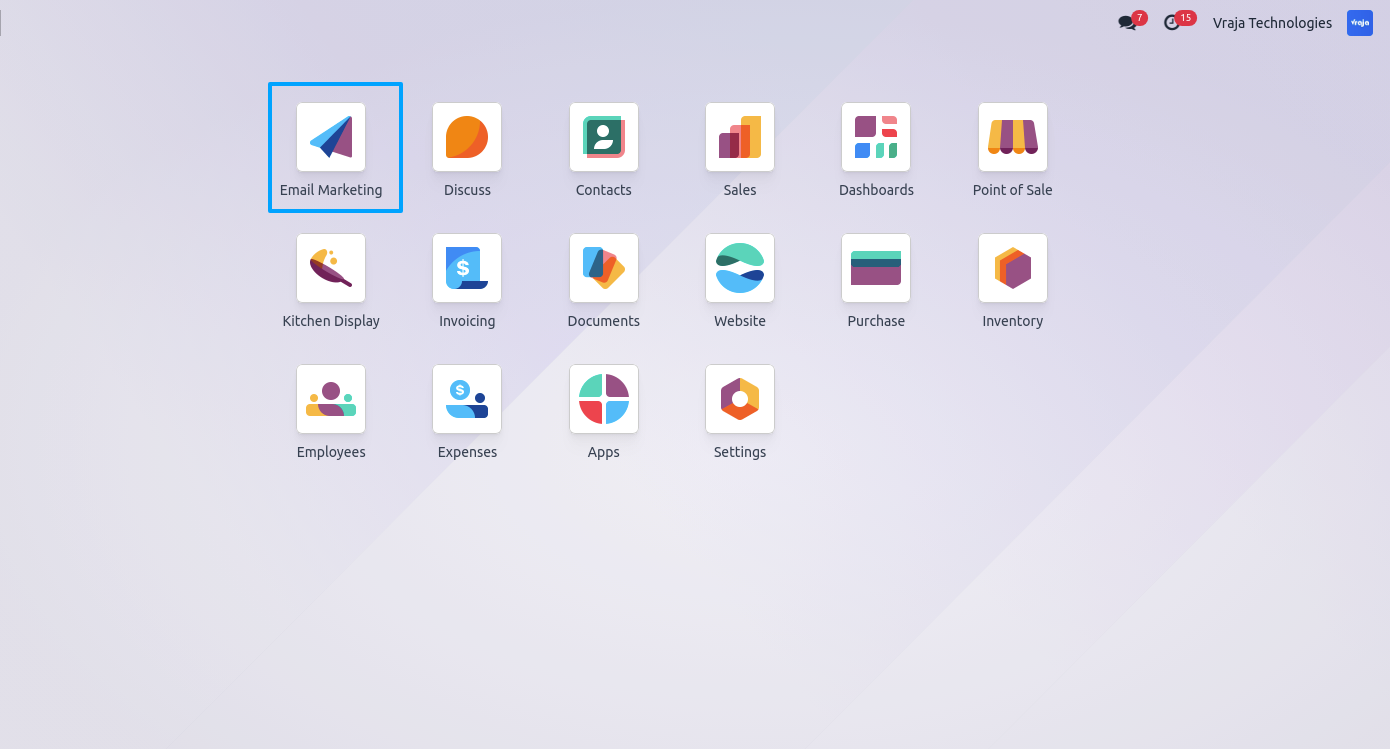
Open the Klaviyo Credentials configuration.
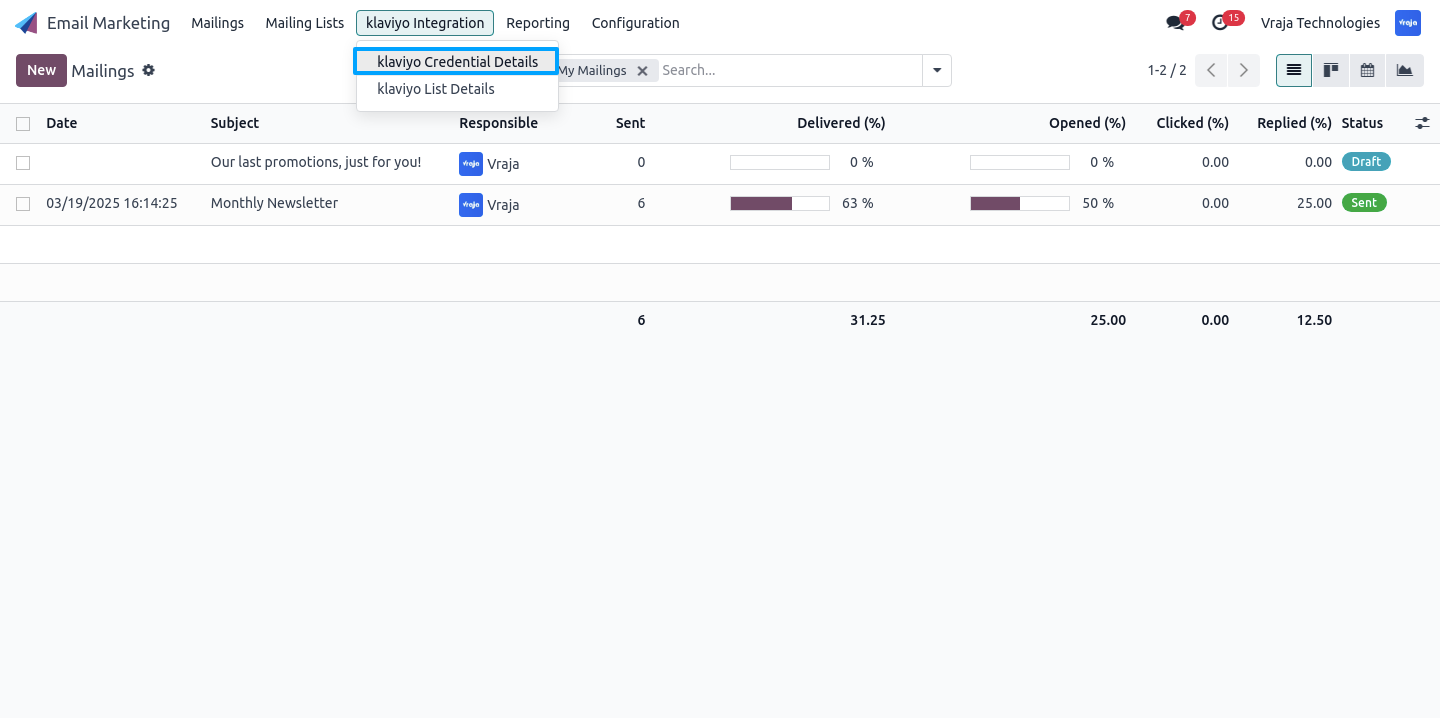
Configure your Klaviyo credentials and import lists from Klaviyo into Odoo.
Access the interface to import or export Klaviyo lists.
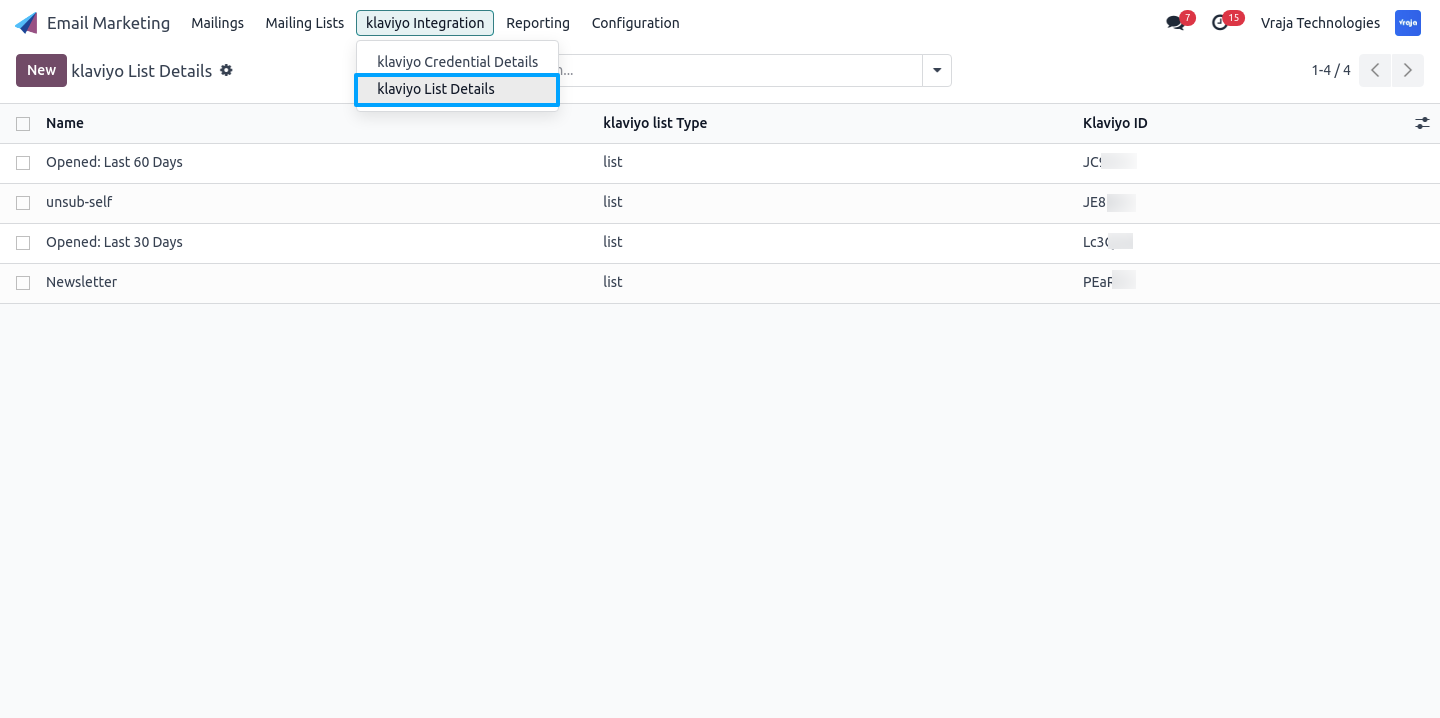
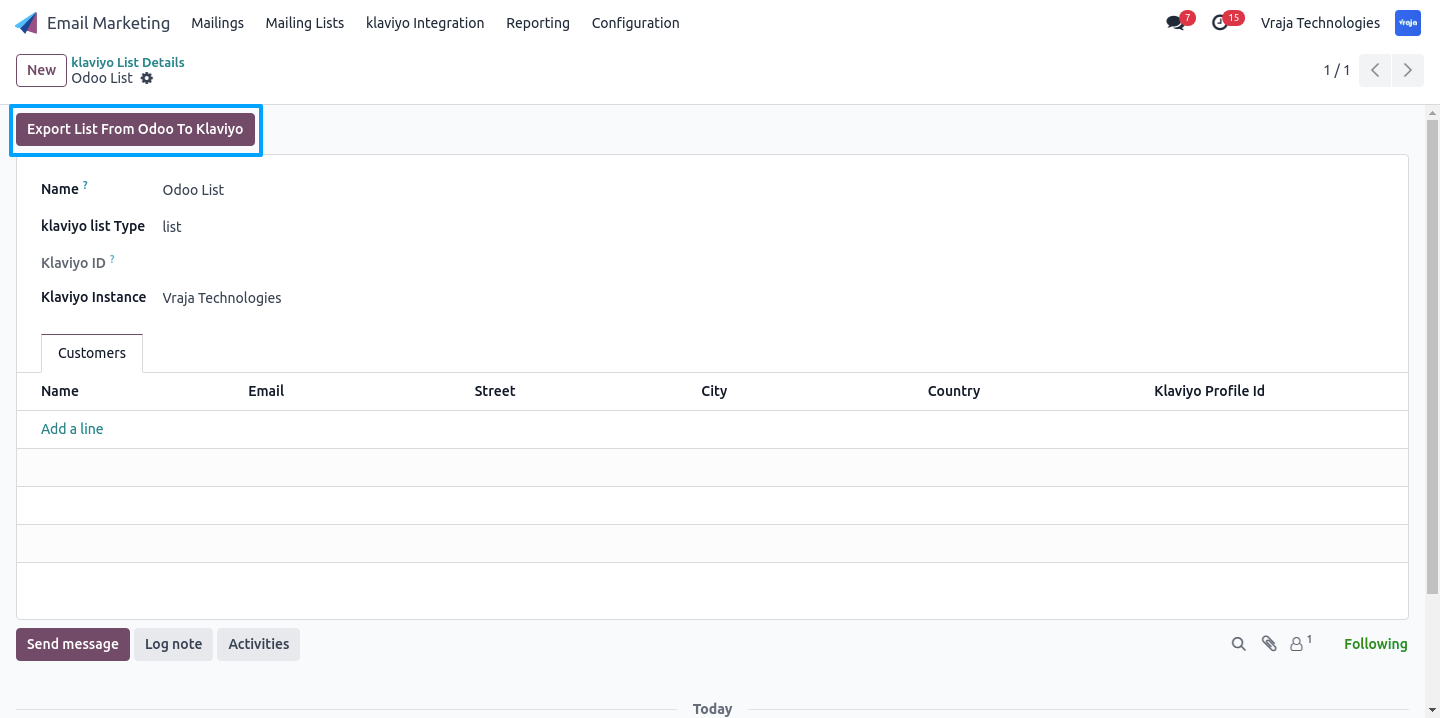
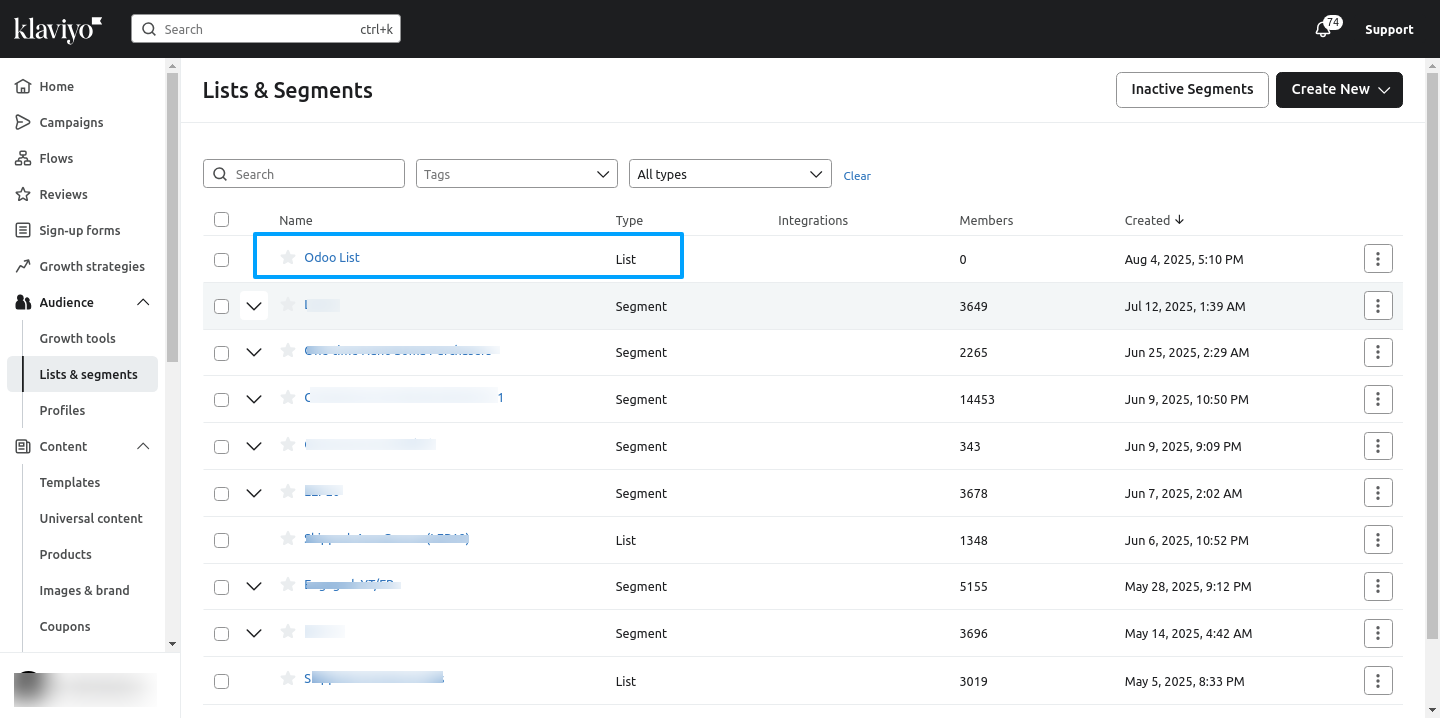
Export Klaviyo lists from Odoo to your Klaviyo account.
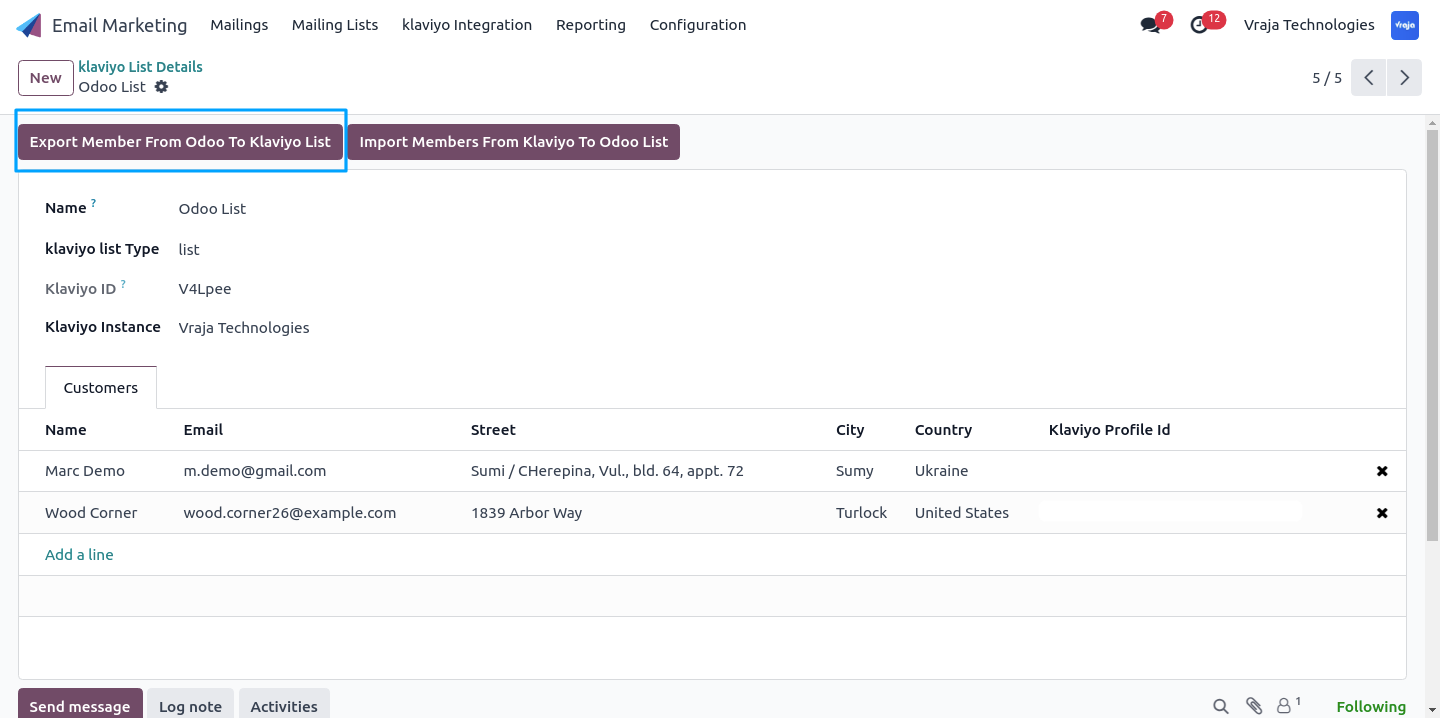
Export members from Odoo to a selected Klaviyo list.
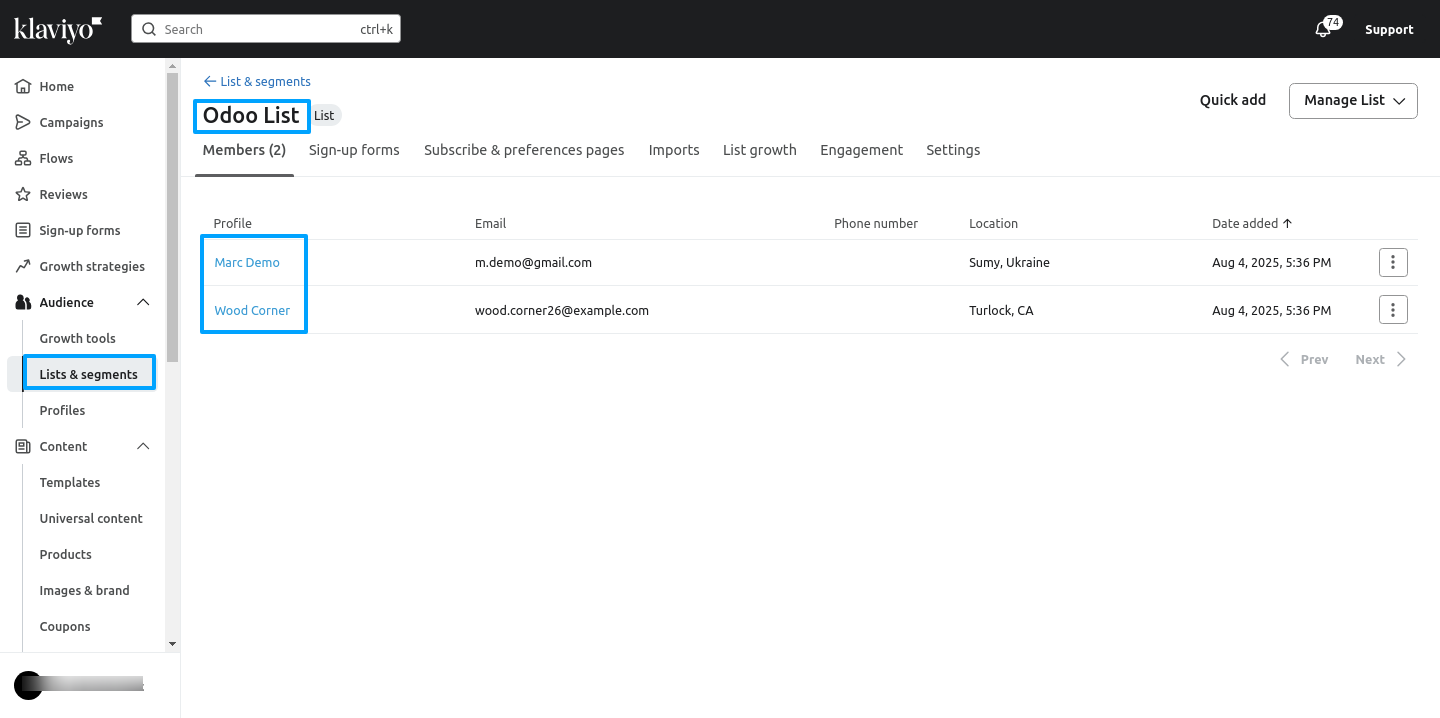
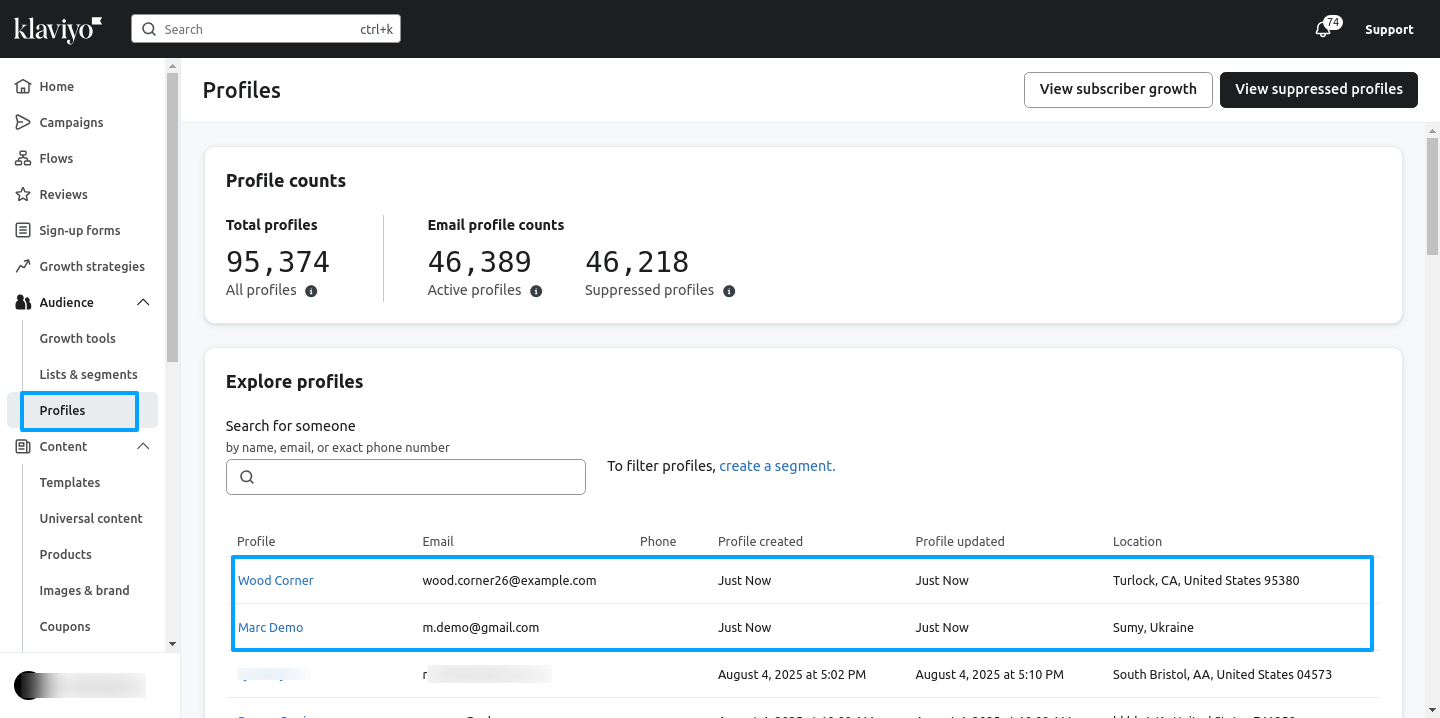
Import members from a Klaviyo list into Odoo.
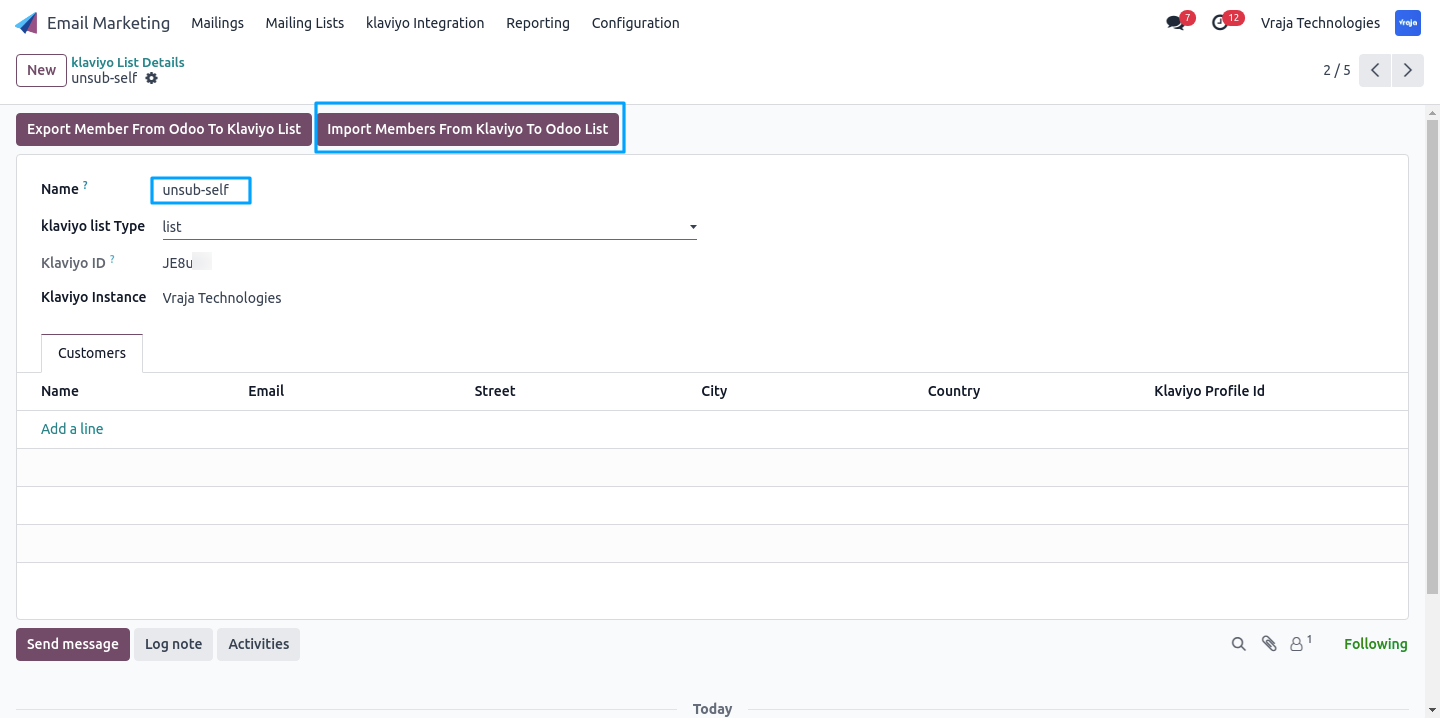
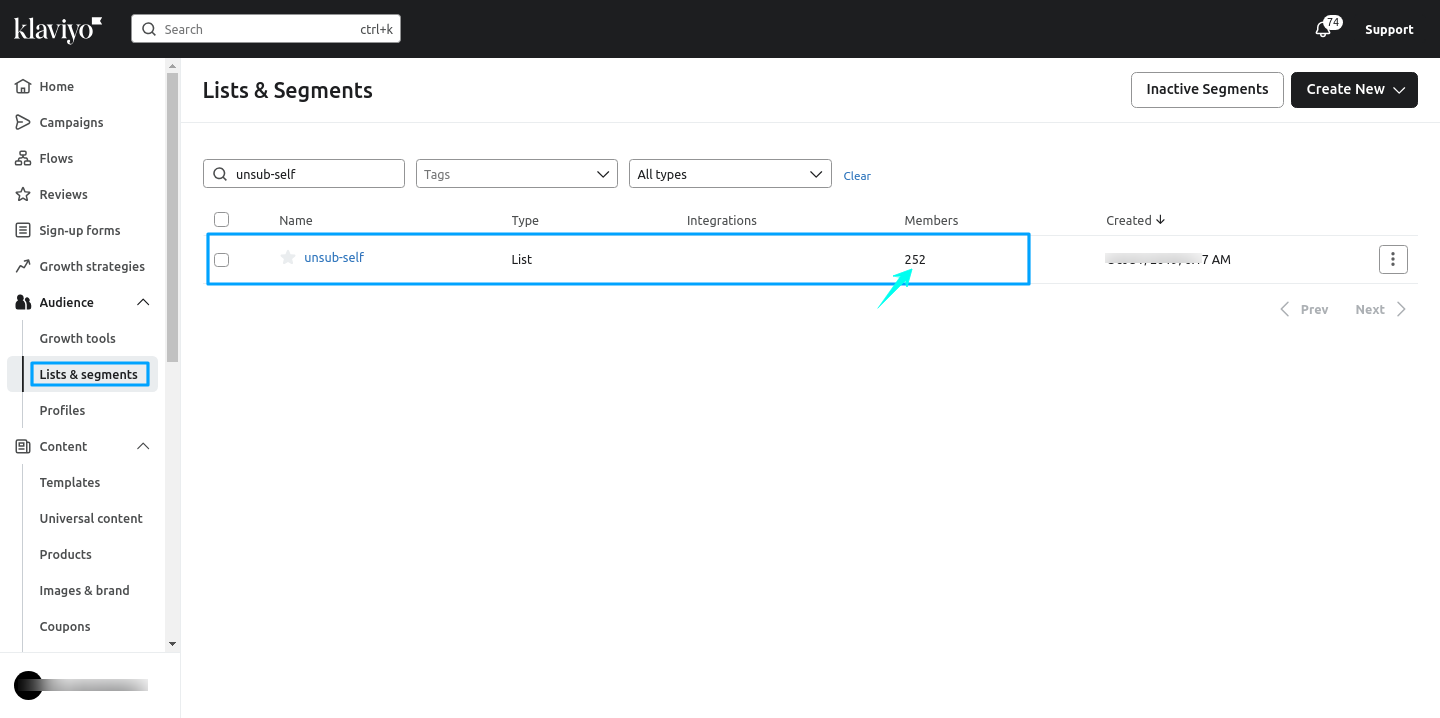
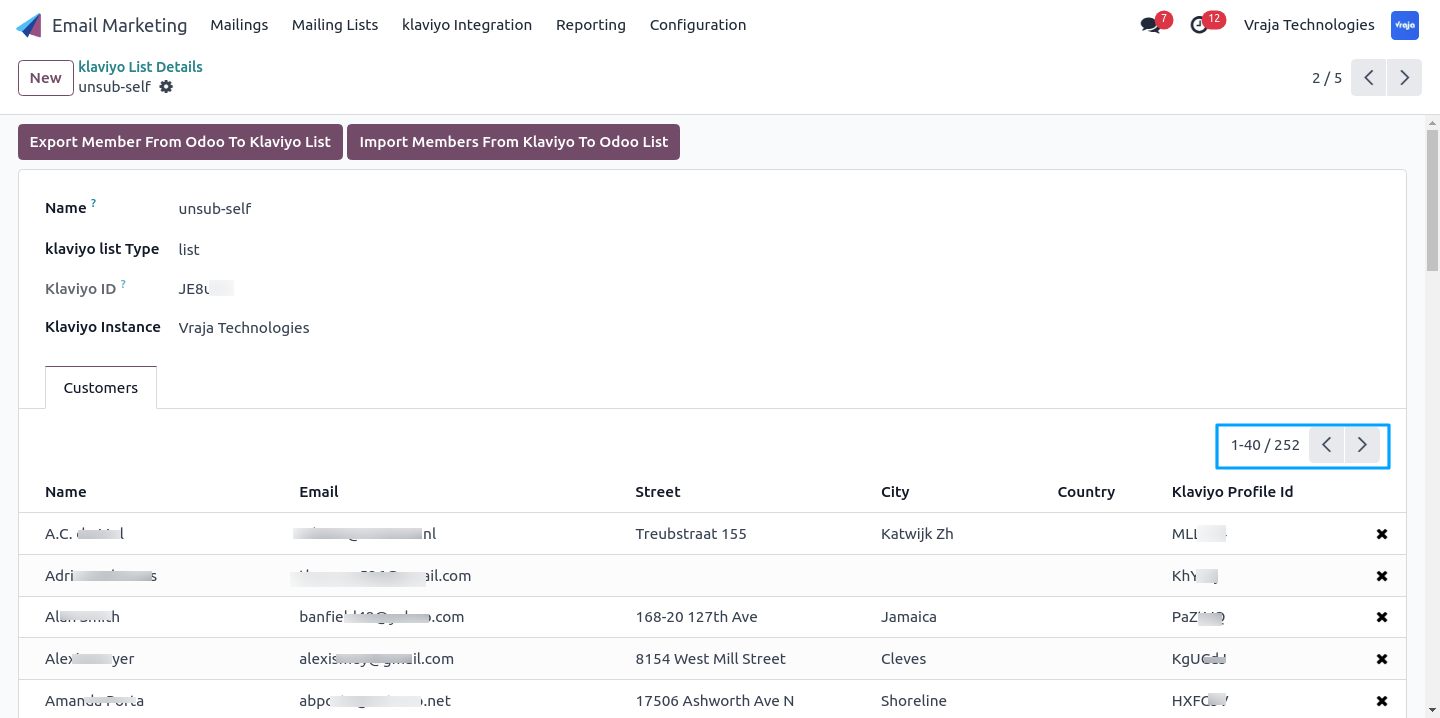
Import Campaign and Metrics from a Klaviyo to Odoo.
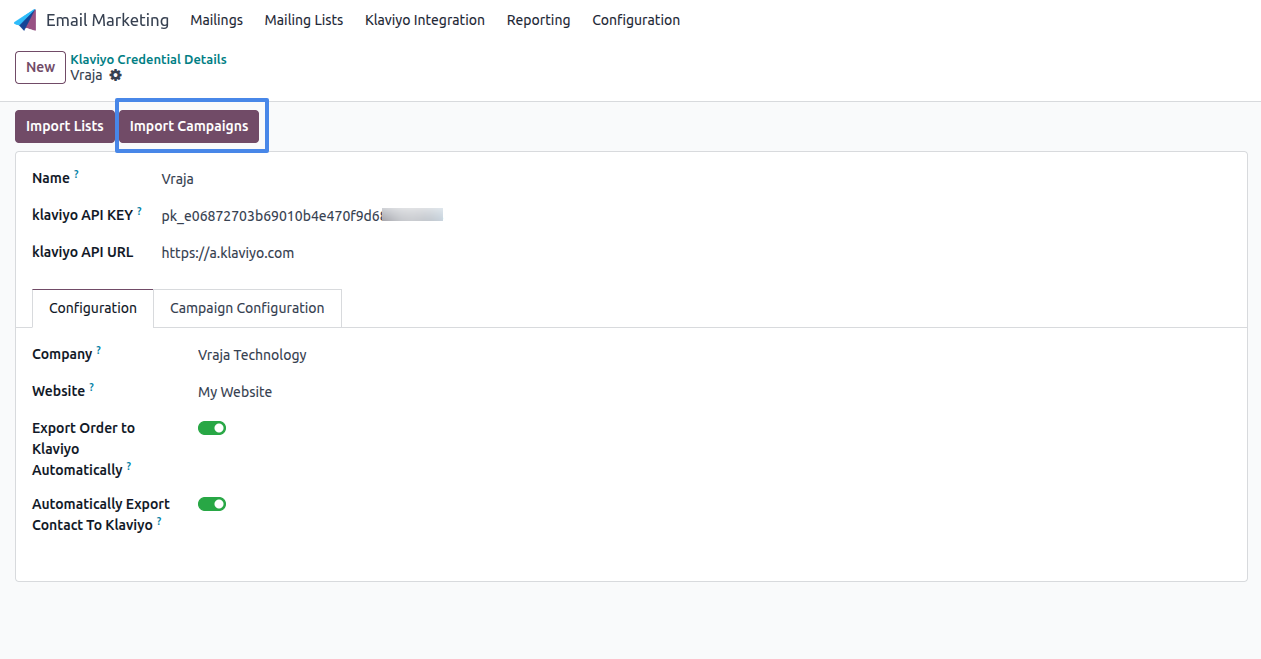
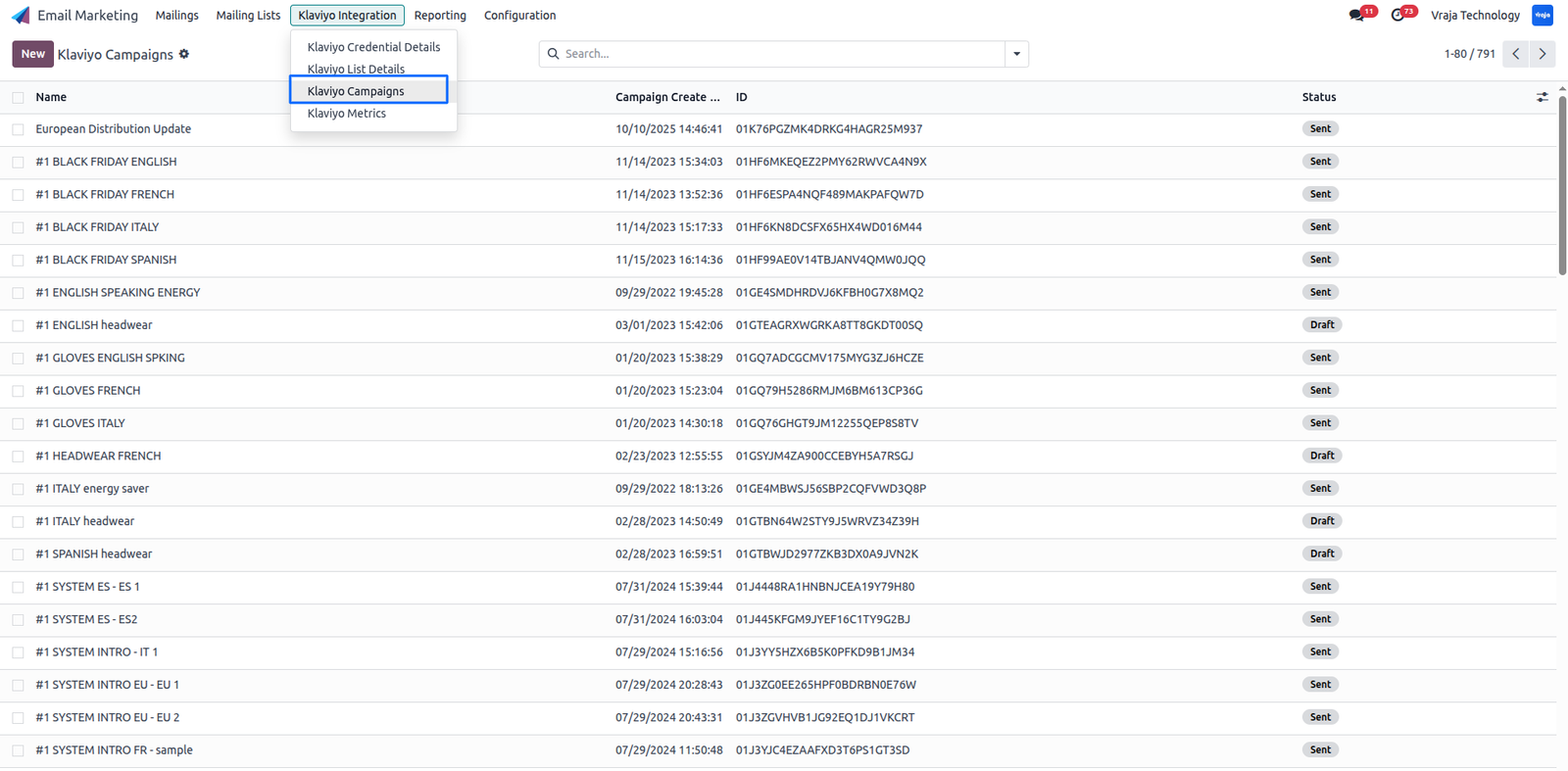
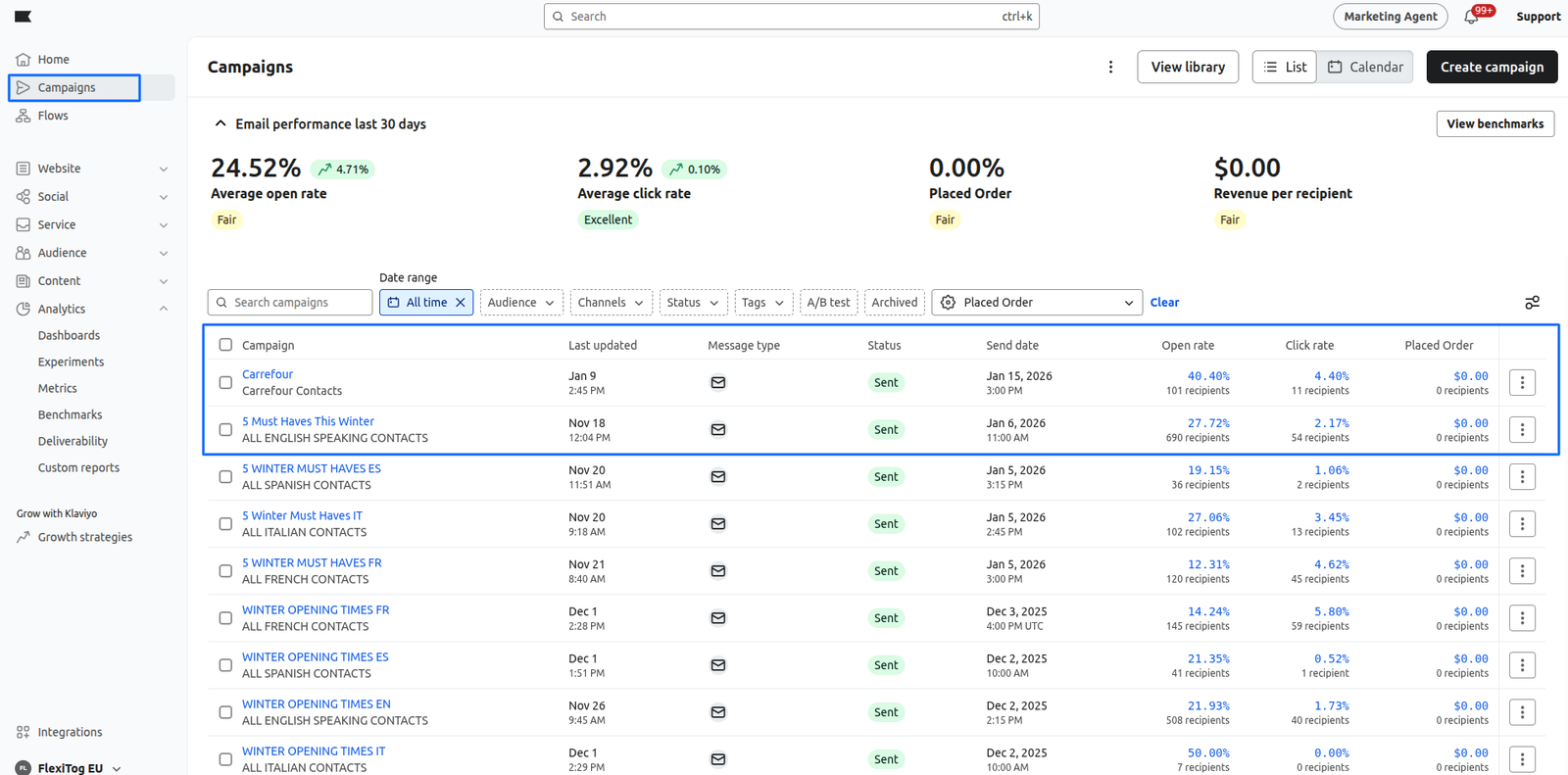
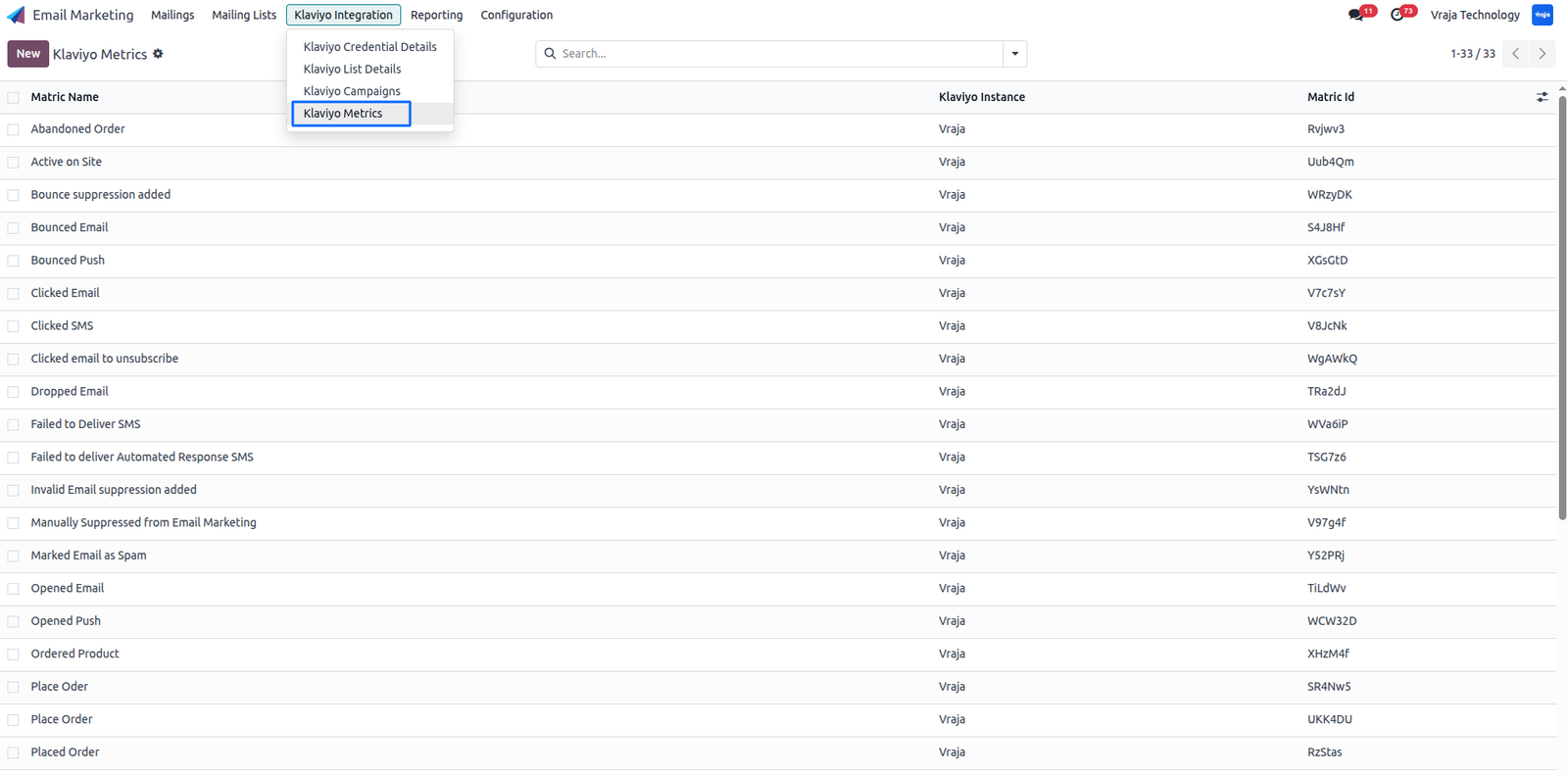
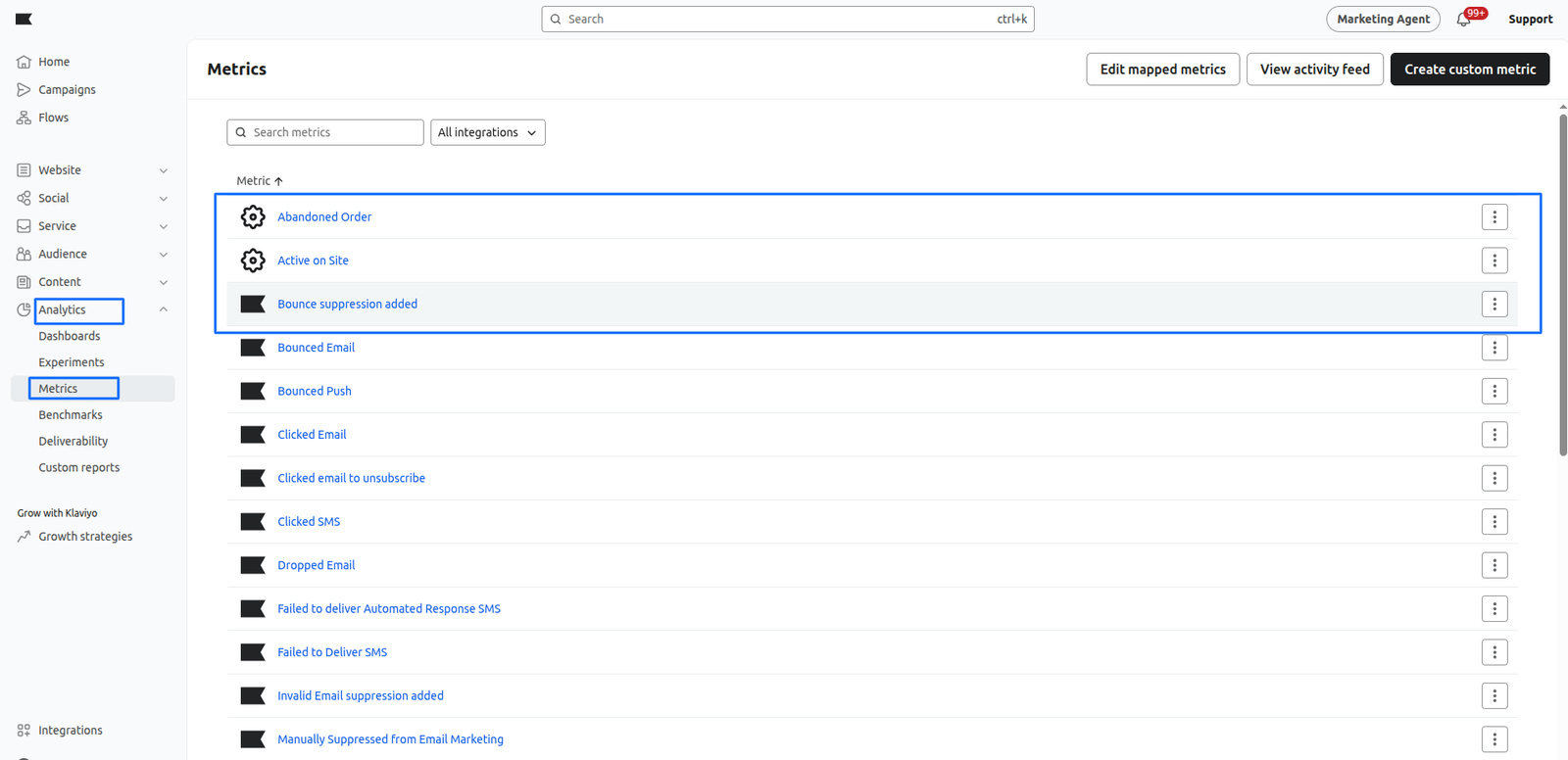
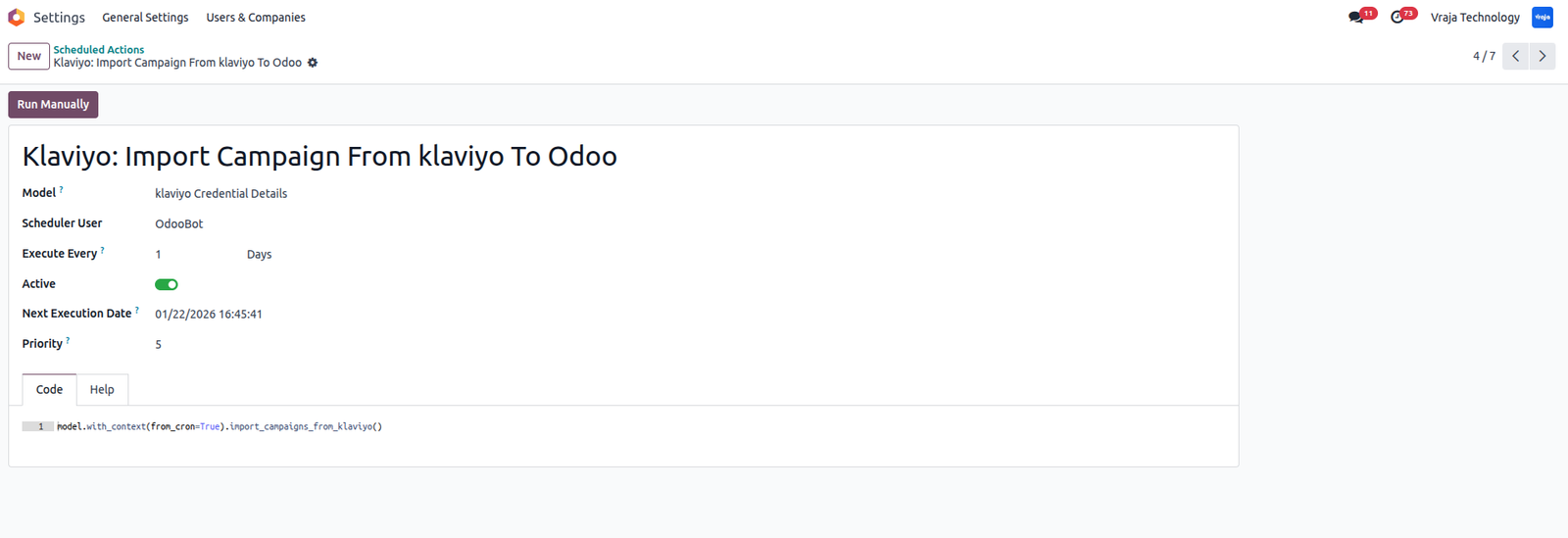
Cron (Schedule Action) for Auto import Campaign
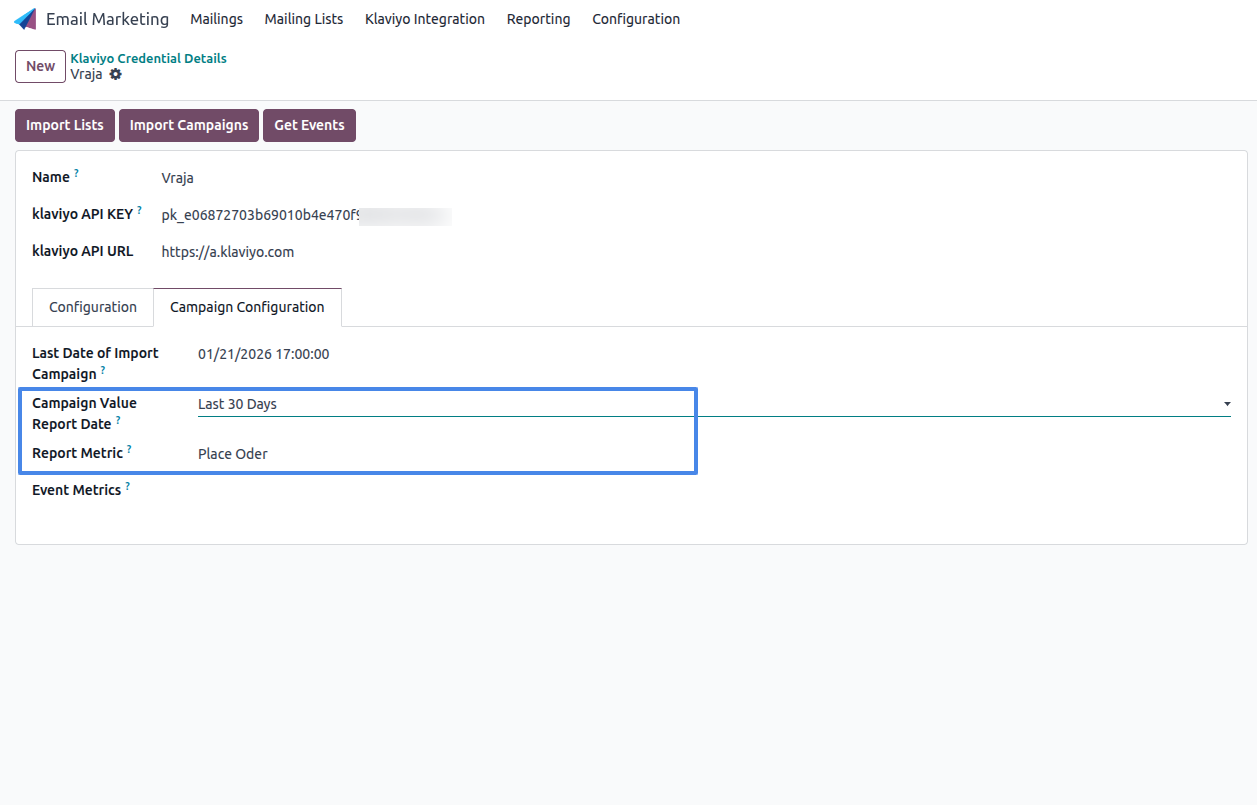
Configure Campaign Report Date Range and Metric to generate Campaign Report for single or multiple Campaign.
Generate Campaign Report based on selected metric and date range using click on ‘Generate Campaign Report’ button.
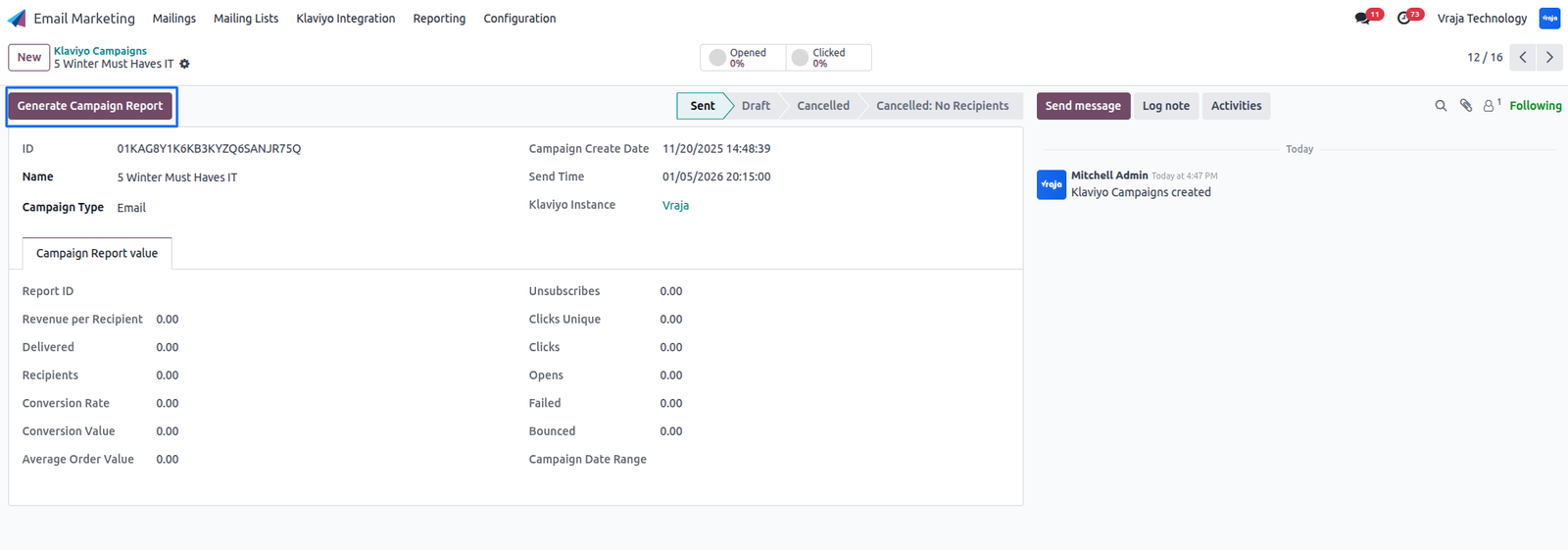
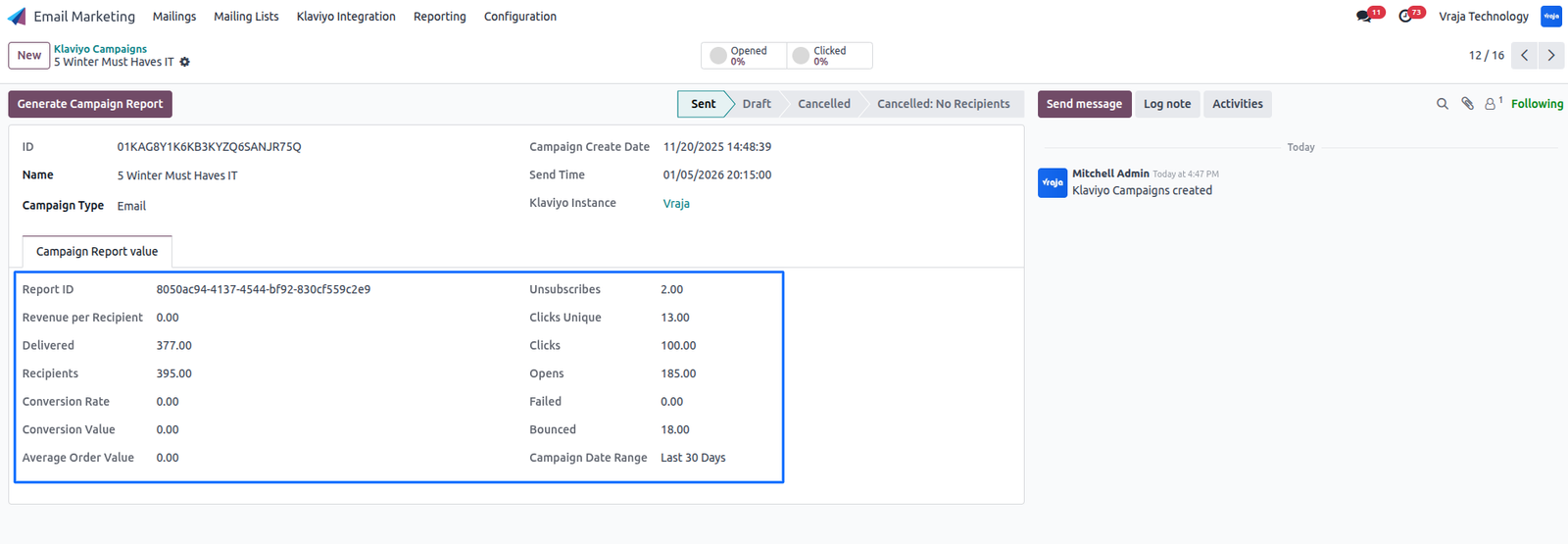
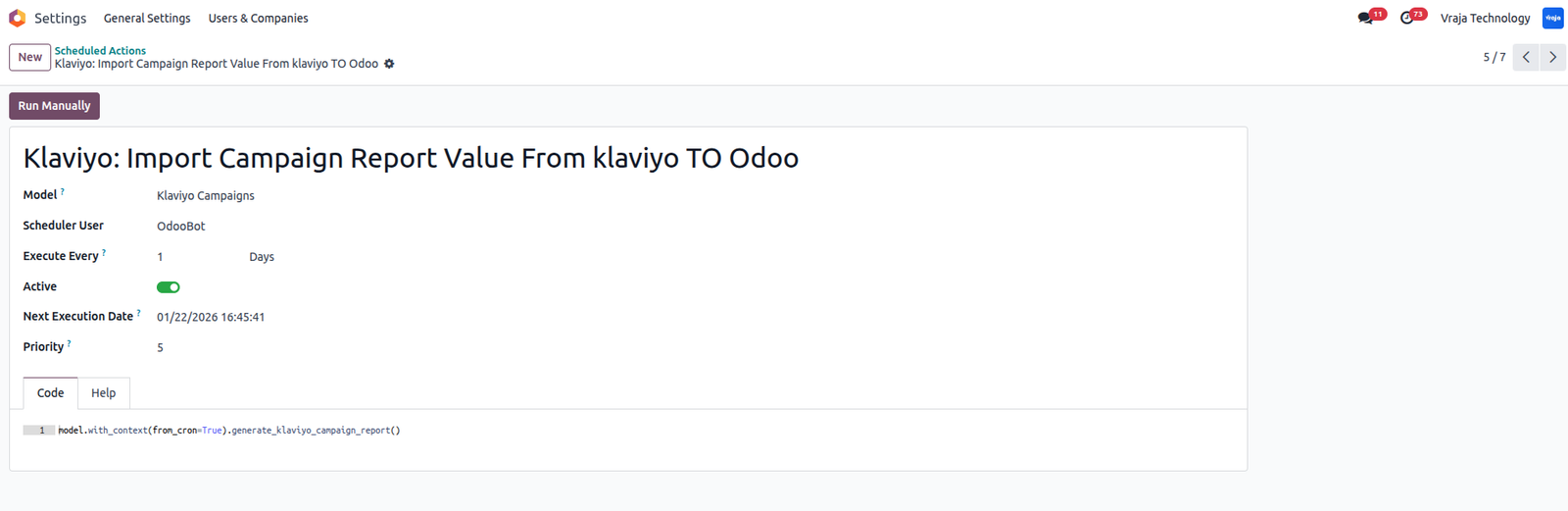
Cron (Scheduled Action) to automatically generate campaign reports for all campaigns created within the last one month from the current date.
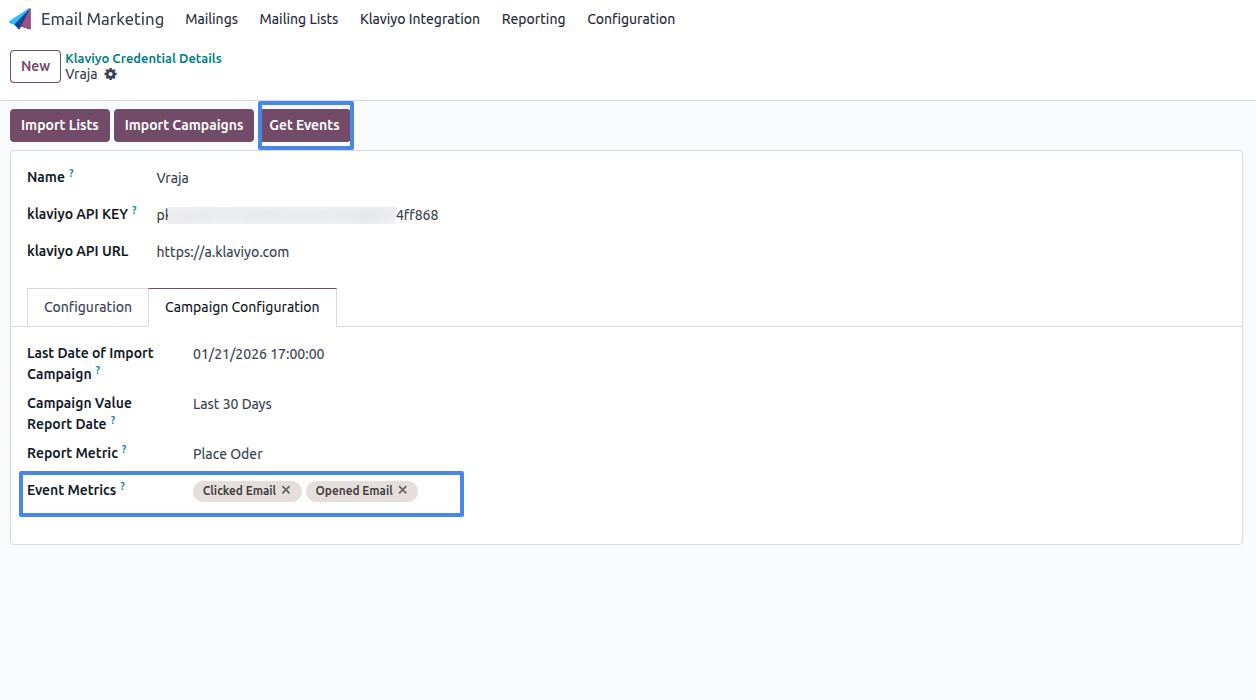
Get events from Klaviyo by configuring the metrics for which you want to retrieve event data.
When clicking the “Get Events” button, the system fetches event data for the selected metrics configured in the instance. It identifies the related campaign from the metric event data, creates the corresponding campaign event records, and stores the associated profile information within the campaign.
From the campaign form view, users can use the smart buttons to see how many profiles have interacted with the campaign.
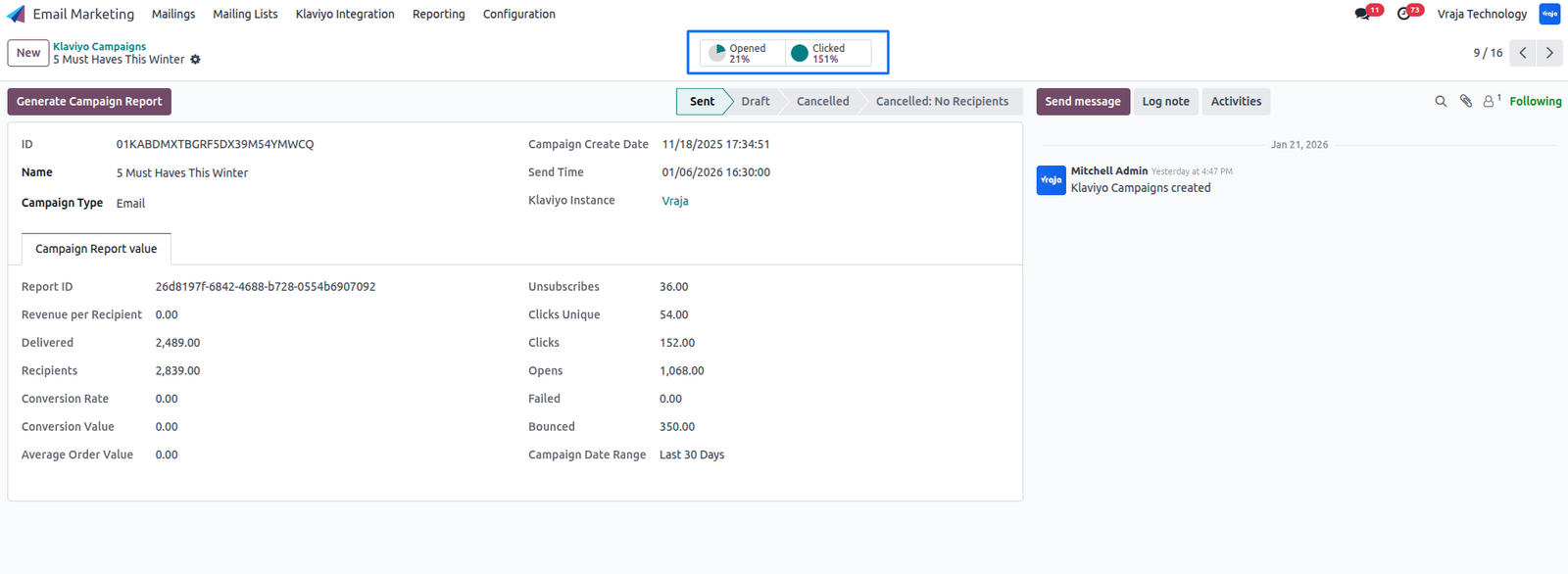
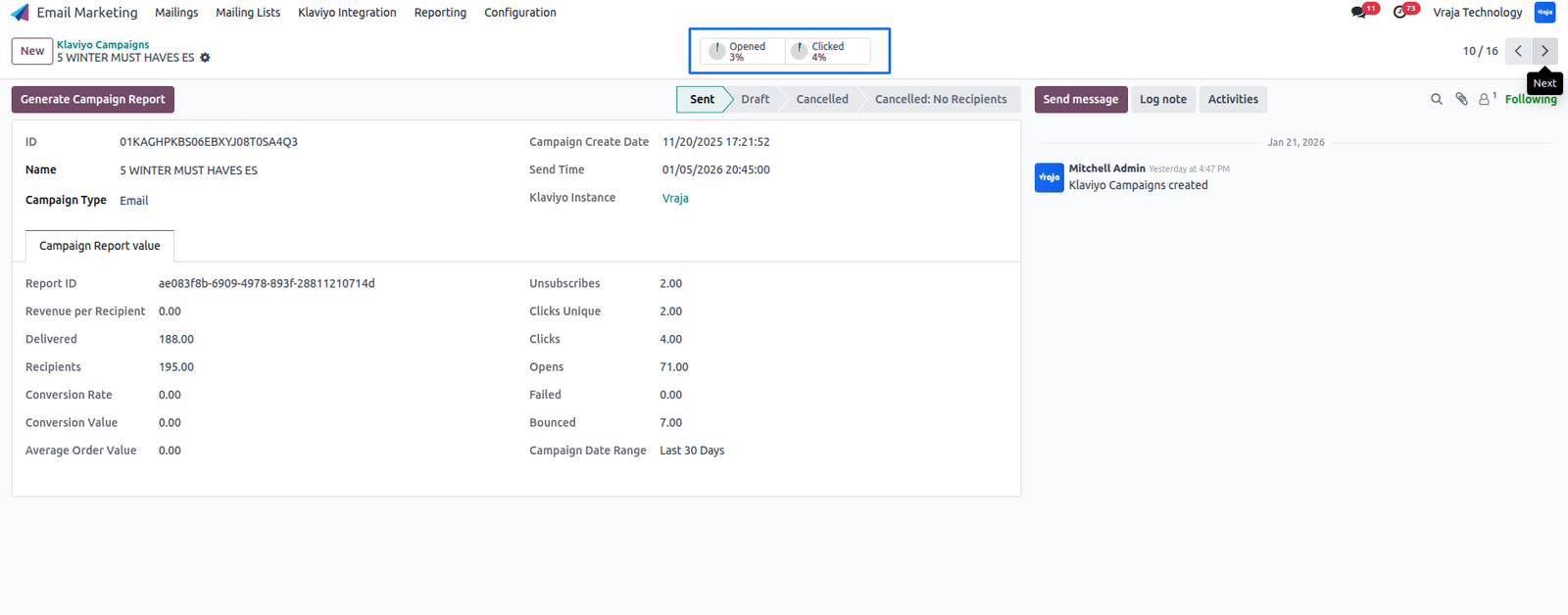
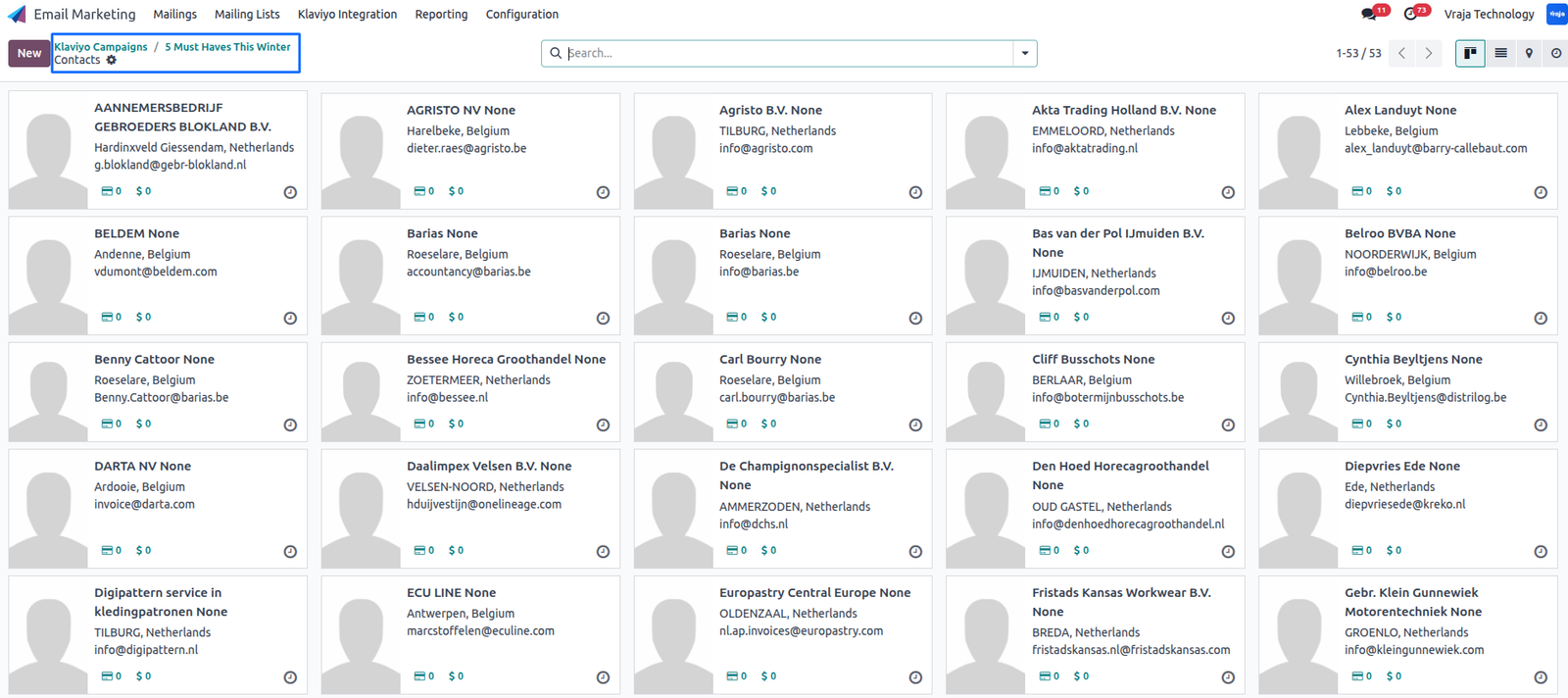
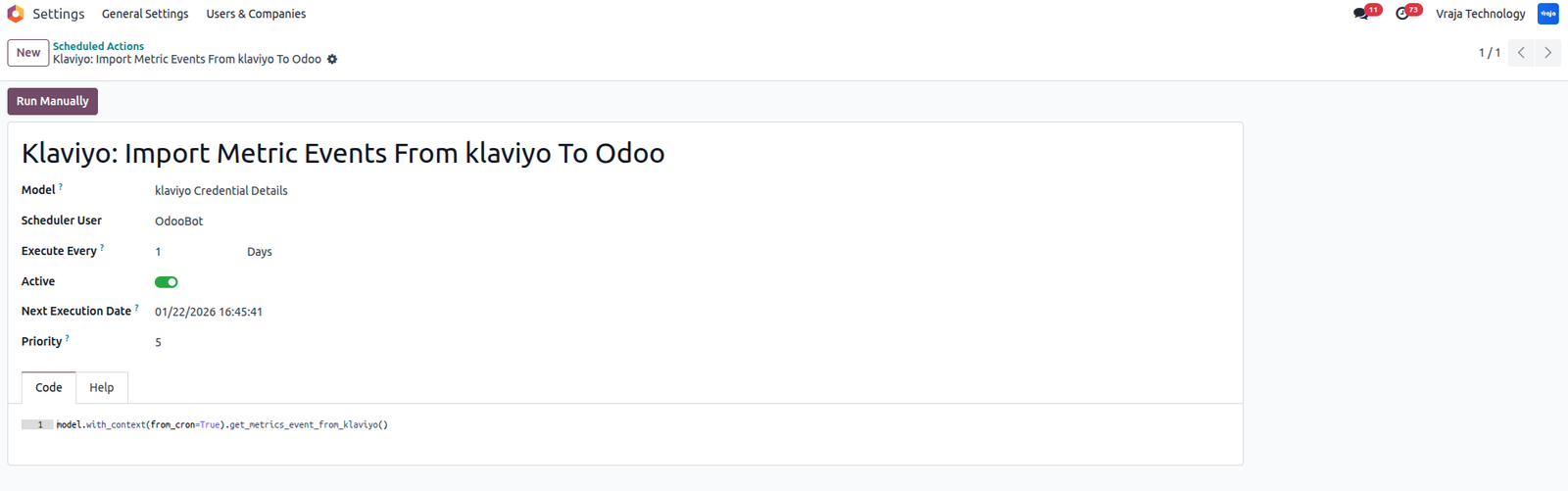
A scheduled action (cron) is also available to automatically fetch events from Klaviyo for the selected metrics.
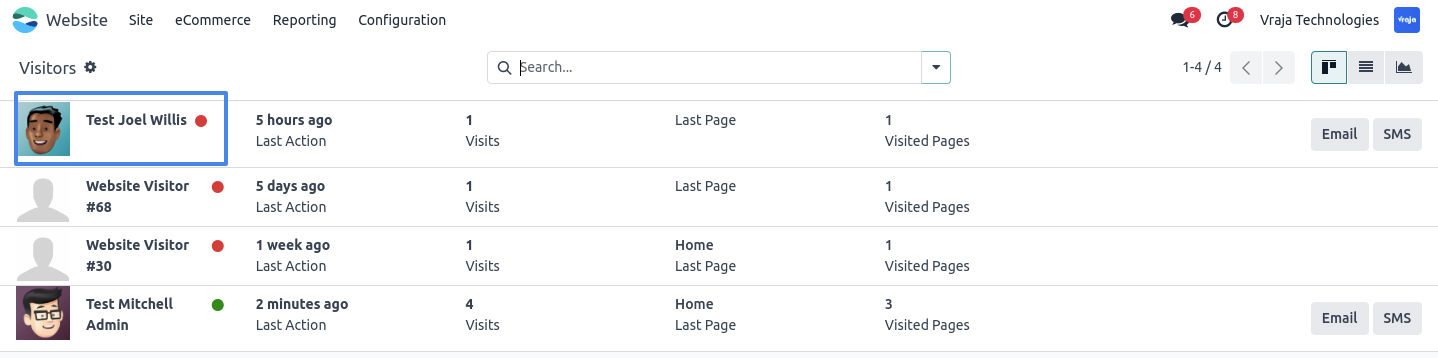
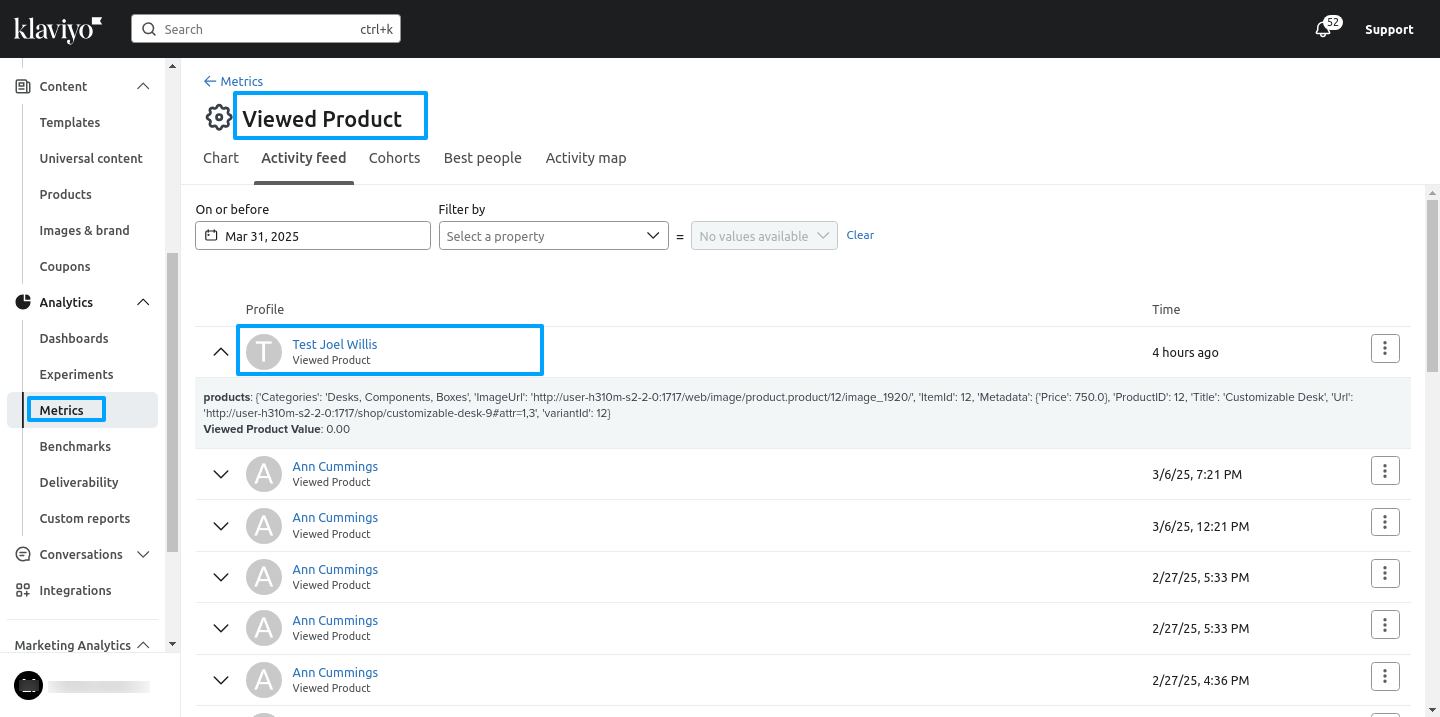
1) Viewed Product
During runtime, when a visitor views a product, their name and product data are exported.
In Klaviyo metrics, a “Viewed Product” metric is created, tracking when a visitor views a product.
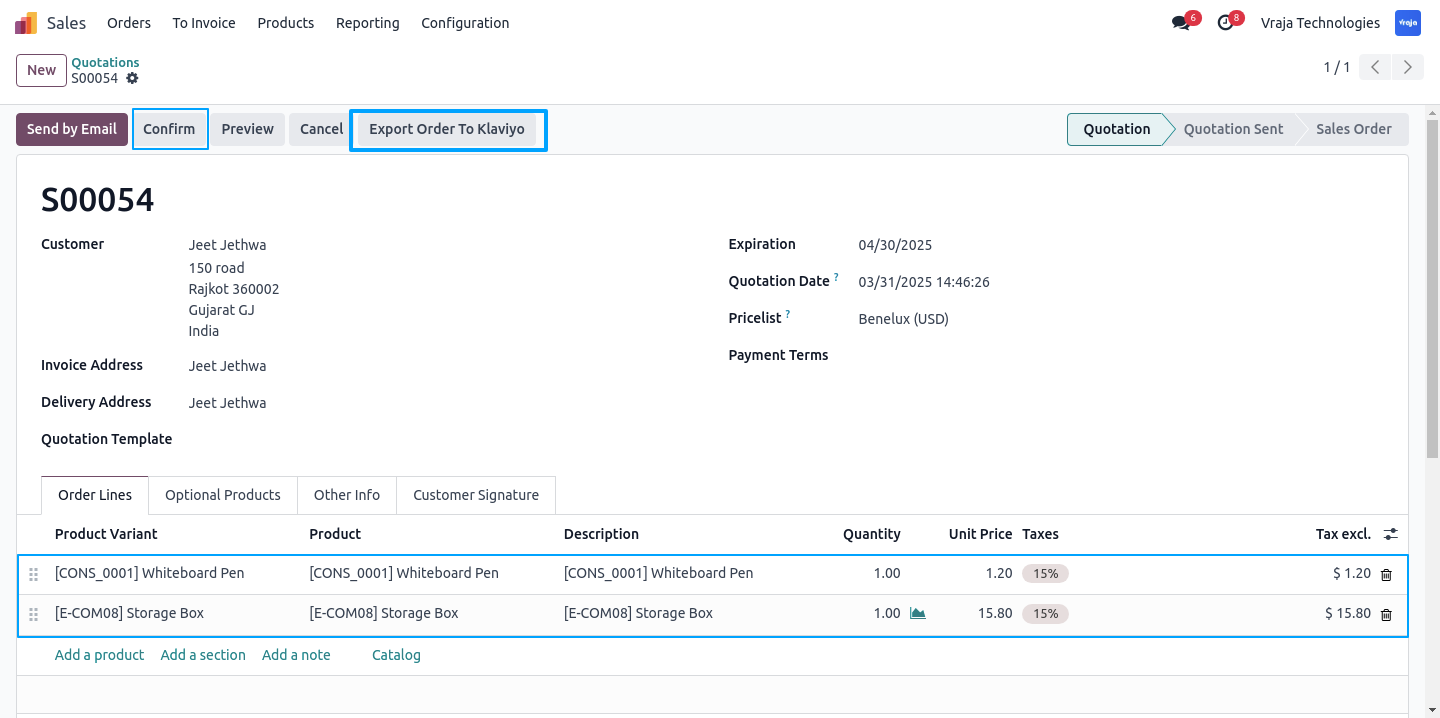
2) Place Order & Ordered Product
When clicking the “Export Order to Klaviyo” button in the sale order, the order is created in the “Place Order” metric in Klaviyo.
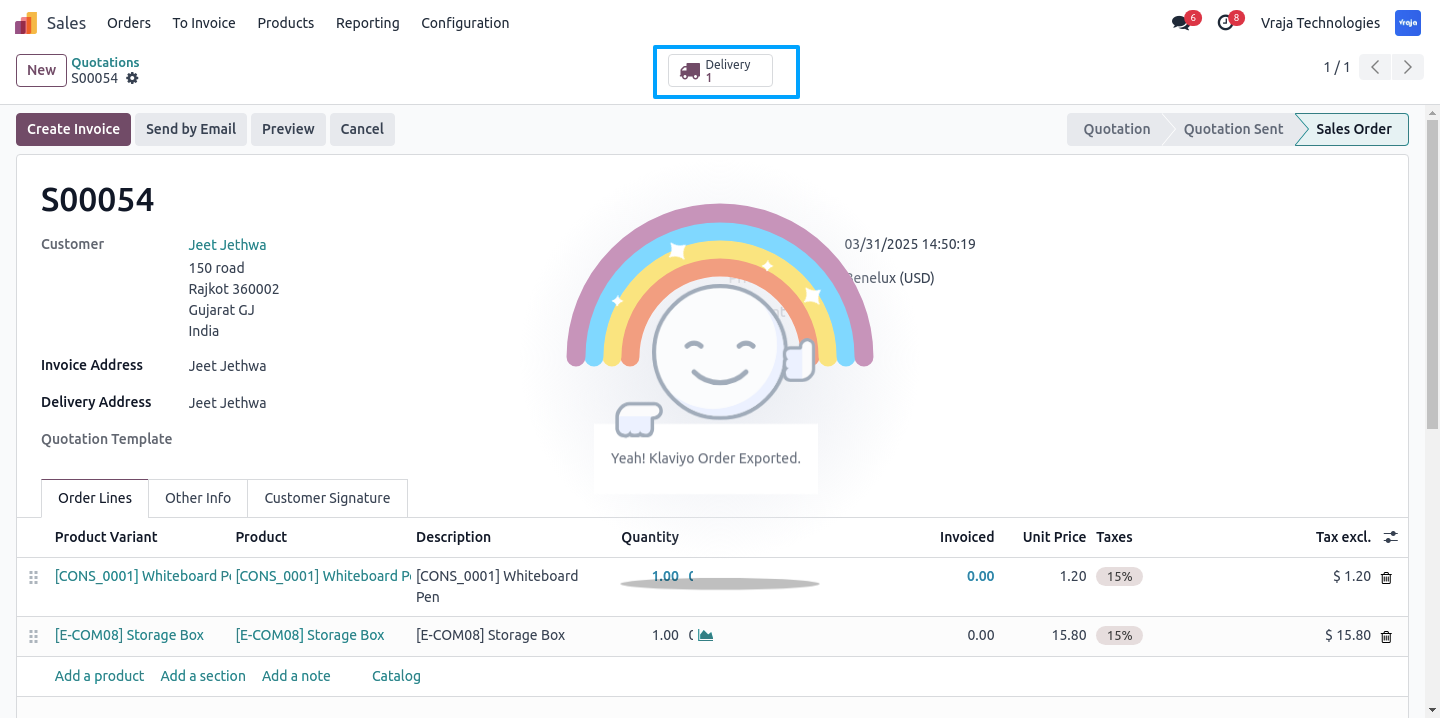
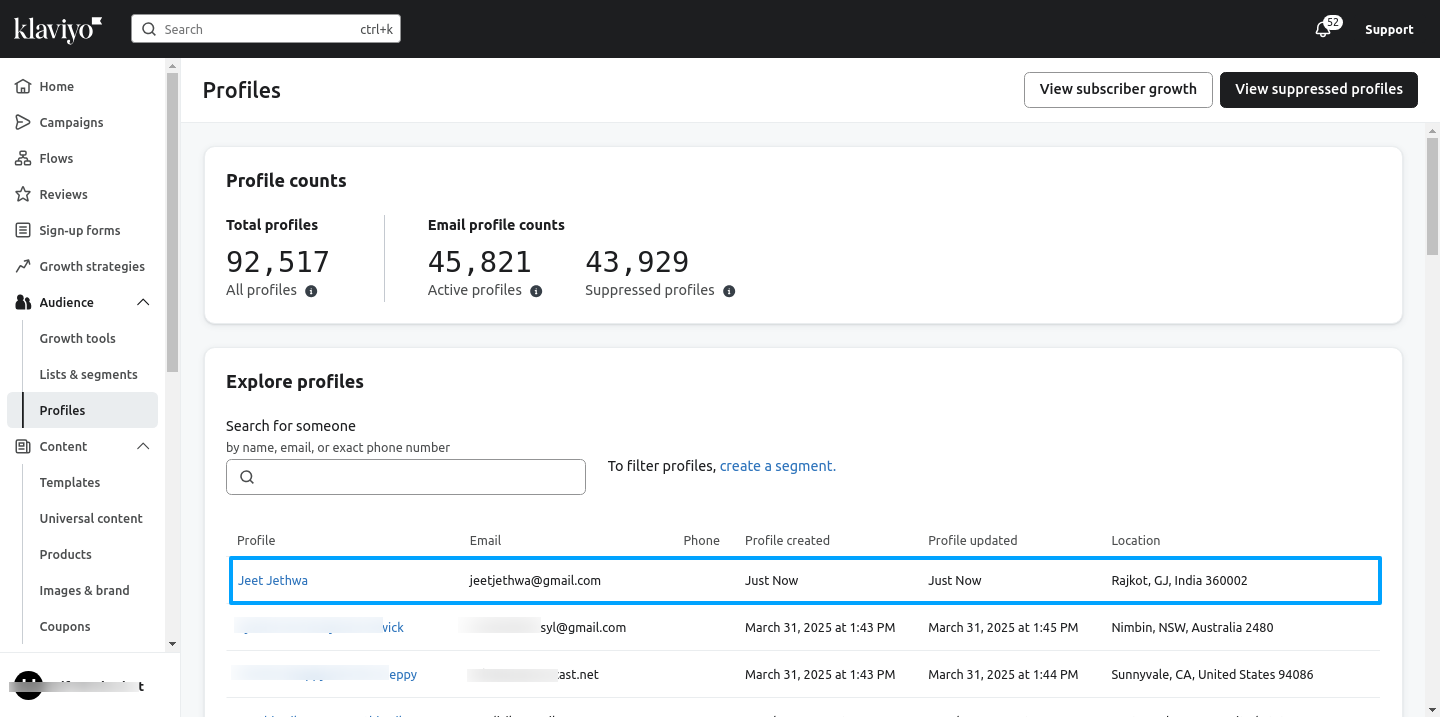
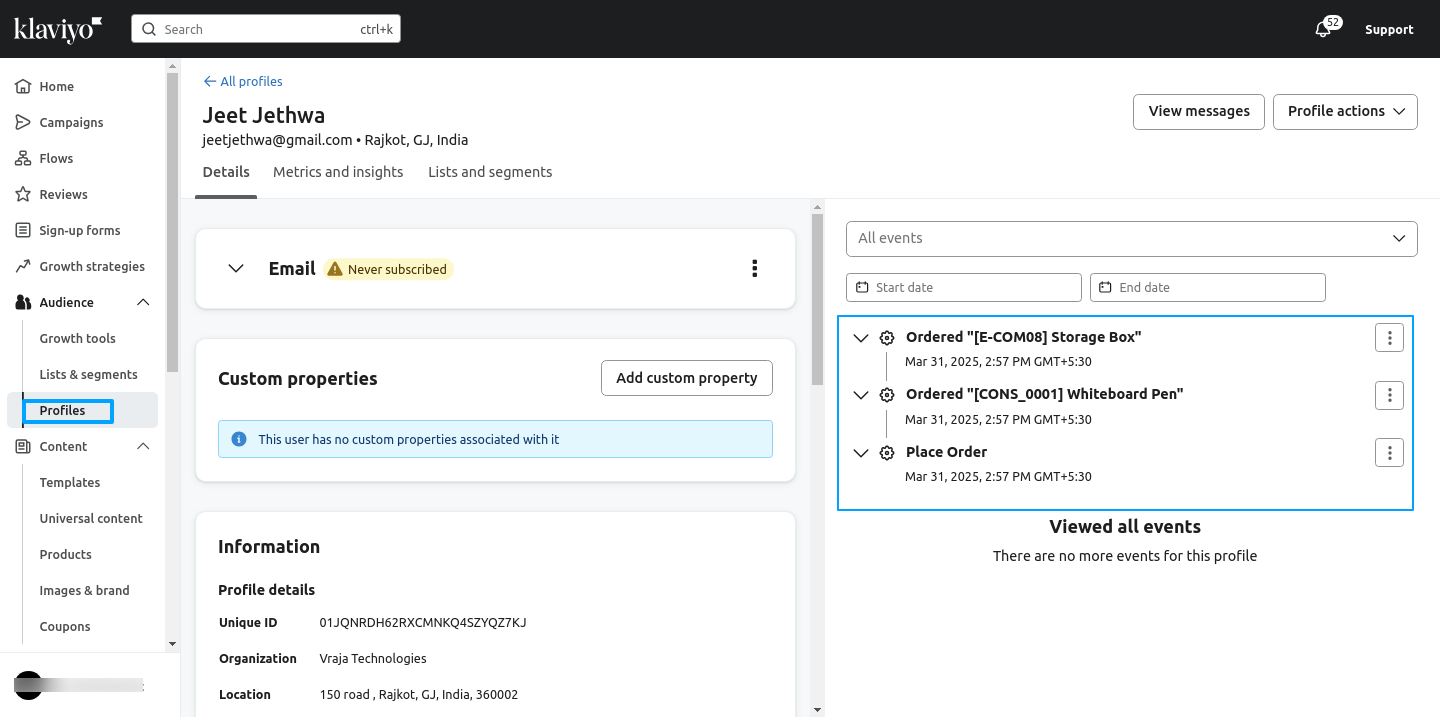

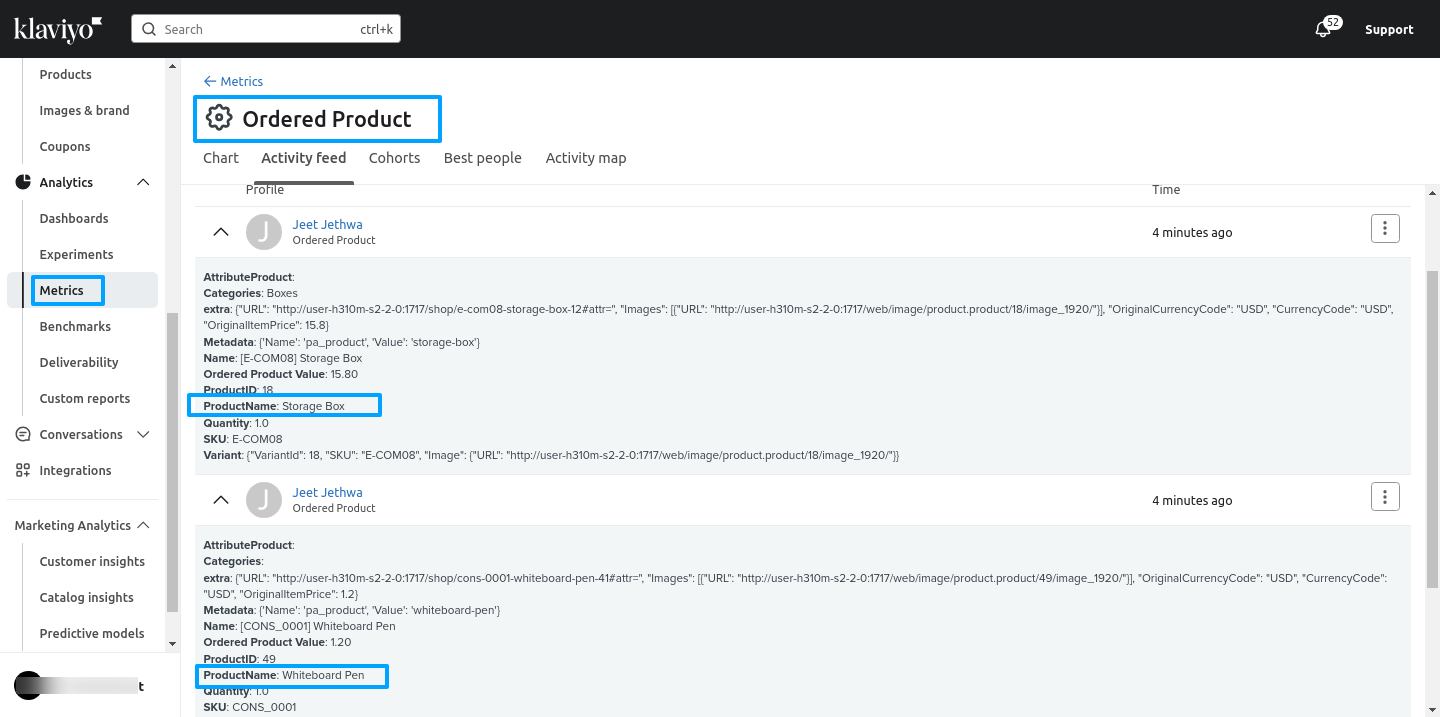
The product data from the order is recorded in the “Ordered Product” metric in Klaviyo.
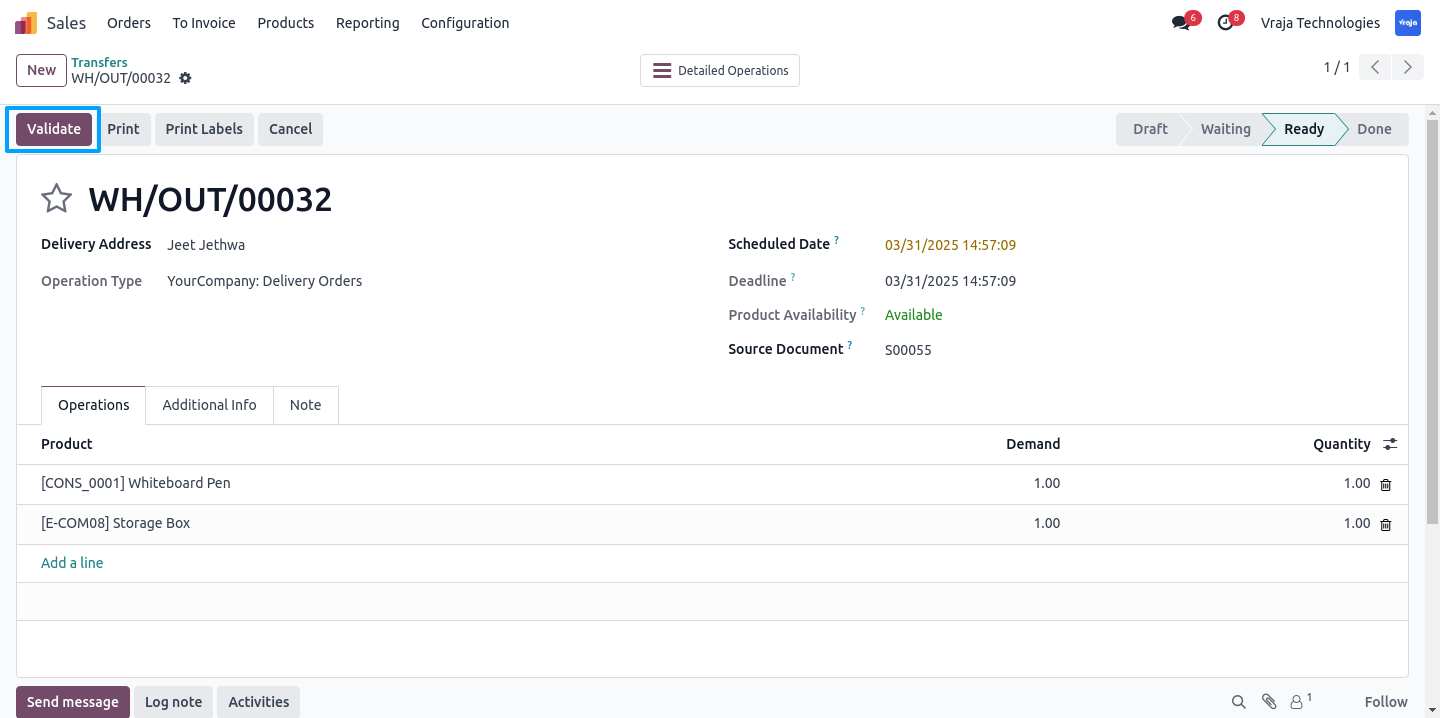
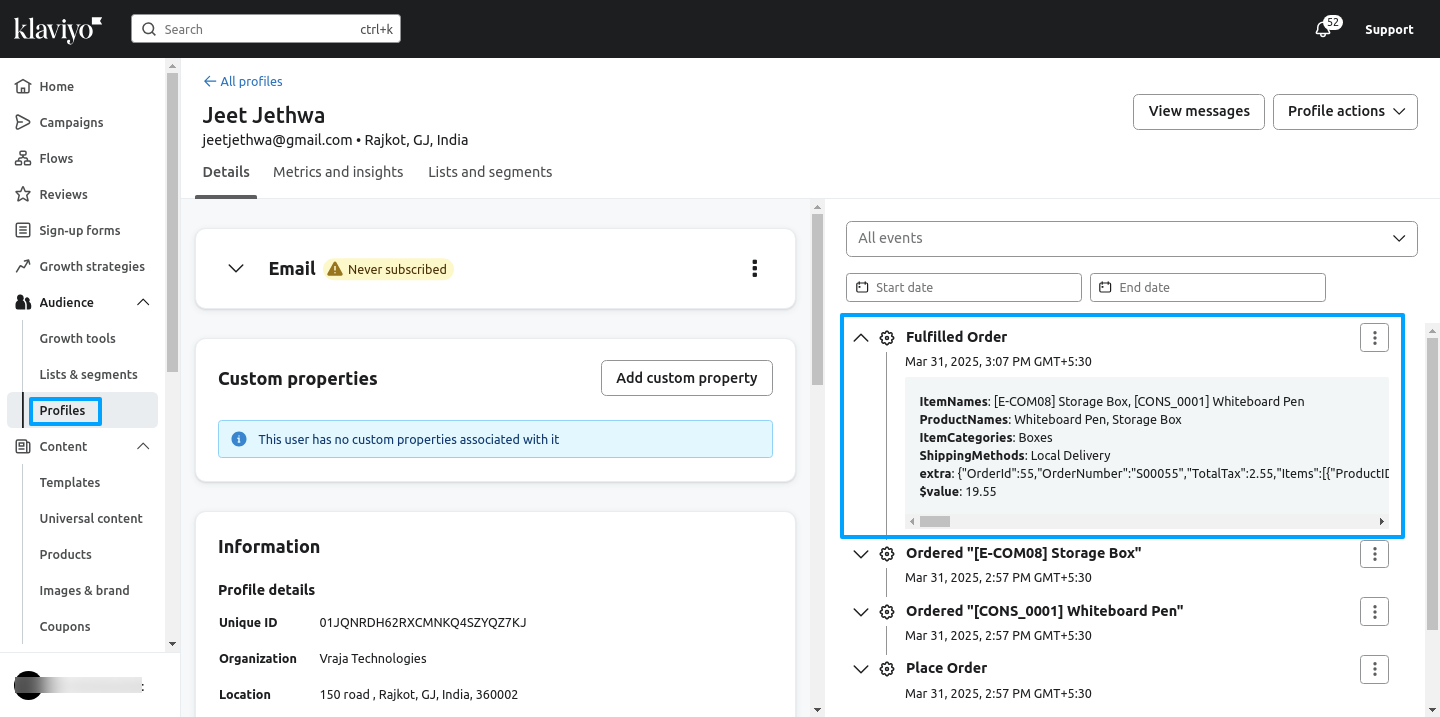
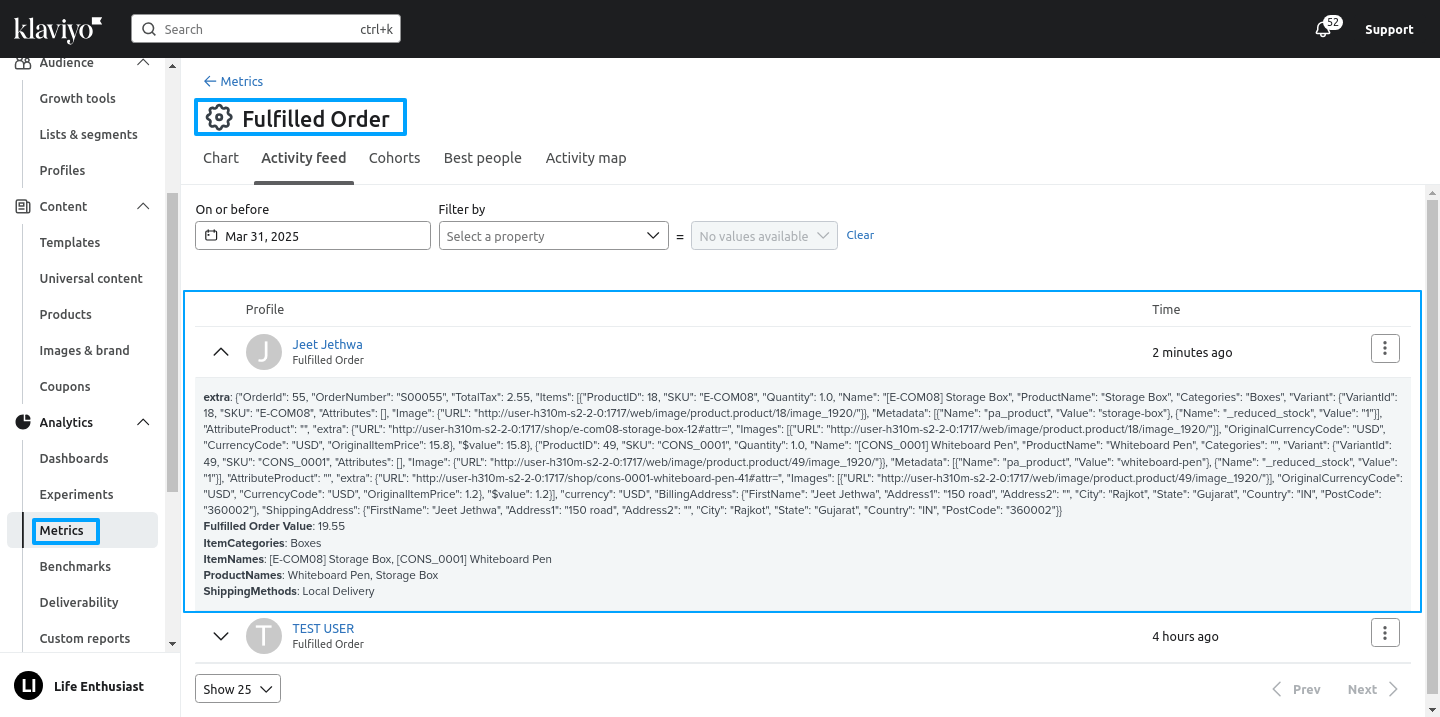
3) Fulfilled order
When clicking the “Validate” button in the delivery order, the delivery data is recorded in the “Fulfilled Order” metric in Klaviyo.

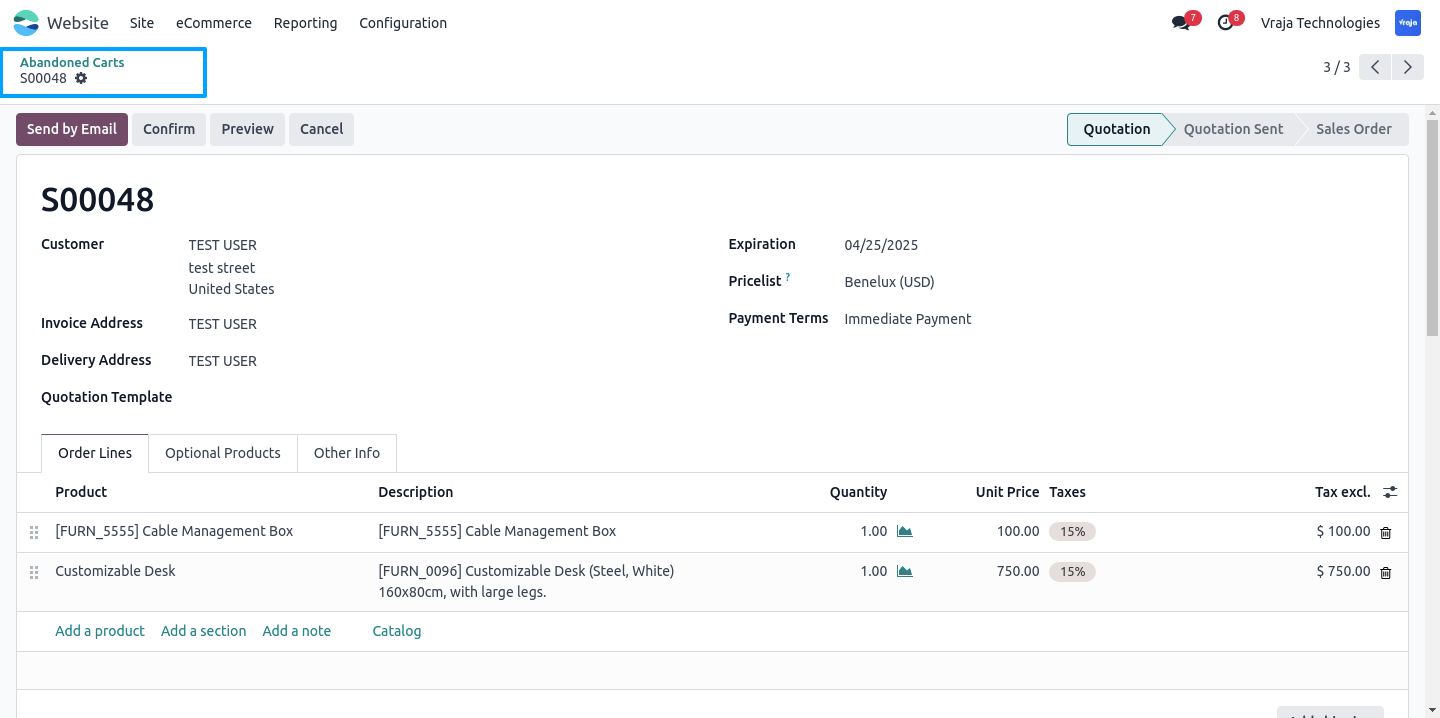
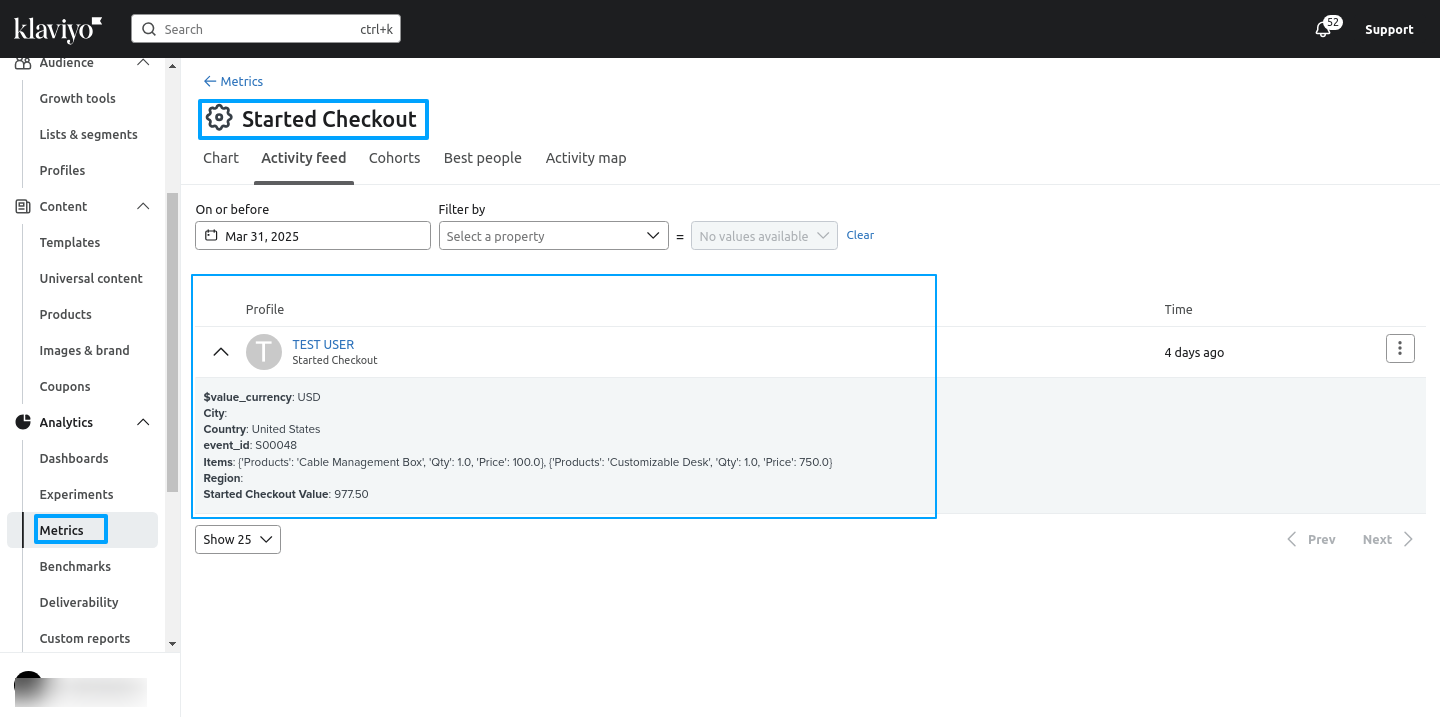
4) Started Checkout : Abondend Cart
Using a scheduled action (cron), all abandoned orders are recorded in the “Started Checkout” metric in Klaviyo.
 Need some customization in this app, whom to contact?
- Please drop email at support@vrajatechnologies.com or raise a ticket through Odoo store itself.
Submit a Support Ticket
If you encounter any issues while using our app that are caused by the app itself, we offer complimentary support for 90 days from the date of purchase.
To create a support ticket, please register via the Vraja Technologies Support Email and provide the necessary details so we can assist you in resolving the issue.

Email Us
support@vrajatechnologies.com

 1.png)
Contact Us
vrajatechnologies.com/contactus

Support
vrajatechnologies.com/support-policy
Vraja Technologies Services

Odoo Implementation

Odoo App Integration Services

Odoo Customization

Odoo Consultation

Odoo Support & Maintenance

Odoo Developer Outsourcing
Suggested Application












Reviews
There are no reviews yet.