
Description
.png)
 Enterprise Community Odoo.sh
Late Payment Fee Management
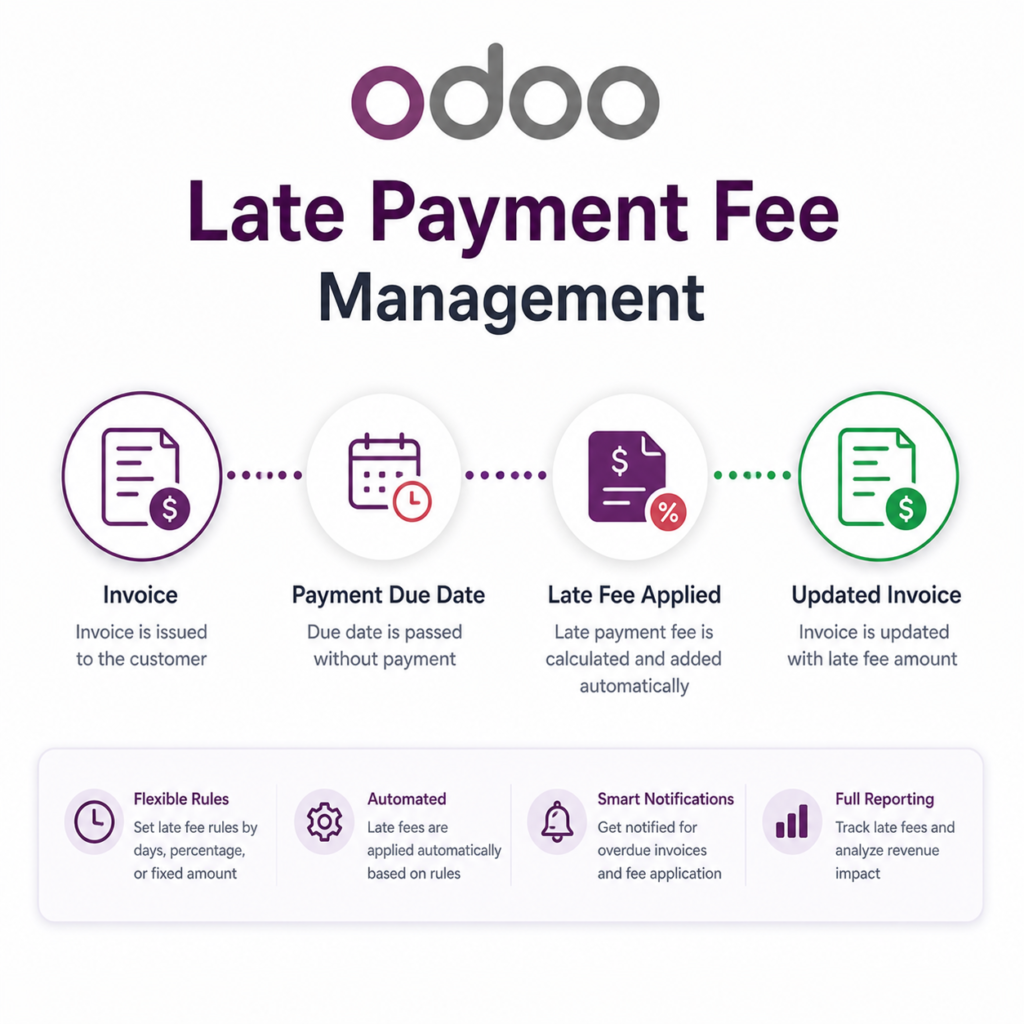
This module automates the calculation and application of late payment fees on overdue customer invoices in Odoo. It allows flexible configuration of fee rules using percentage, daily percentage, or fixed amounts, with options for one-time or recurring charges. Late fees are applied after a defined grace period and can be generated automatically as separate invoices. This helps businesses improve cash flow, enforce payment discipline, and maintain accurate accounting records.
We specialize in delivering advanced Odoo solutions across multiple domains. Our expertise includes:

EDI & SWIFT/ACH Payment Integrations
End-to-end EDI automation, including X12, EDIFACT, XML standards, & financial integrations such as SWIFT, ACH, & Fedwire.


eCommerce Integrations
Seamless integration with leading eCommerce platforms to sync products, orders, inventory, and customer data in real time.

Shipping Integrations
Robust shipping connectors for global couriers, offering automated label generation, tracking, and rate computation.

Most Useful Apps for your ERP
A wide range of highly-rated Odoo modules designed to enhance automation, improve productivity, & simplify business operations.
 Features
 Process
 FAQs
FAQs
 Support for multiple fee types: Fixed, Percentage, and Daily Percentage
Option to apply fees once or on a recurring basis
Configurable grace period before applying late fees
Flexible recurring cycle days
Maximum cap limit to prevent overcharging
Automatic apply late fees to invoices
Manual button to apply late fees from invoice manually
Support for multiple fee types: Fixed, Percentage, and Daily Percentage
Option to apply fees once or on a recurring basis
Configurable grace period before applying late fees
Flexible recurring cycle days
Maximum cap limit to prevent overcharging
Automatic apply late fees to invoices
Manual button to apply late fees from invoice manually
From the Accounting → Configuration menu, navigate to Late Fee Rules to configure and manage rules for calculating and applying late payment fees
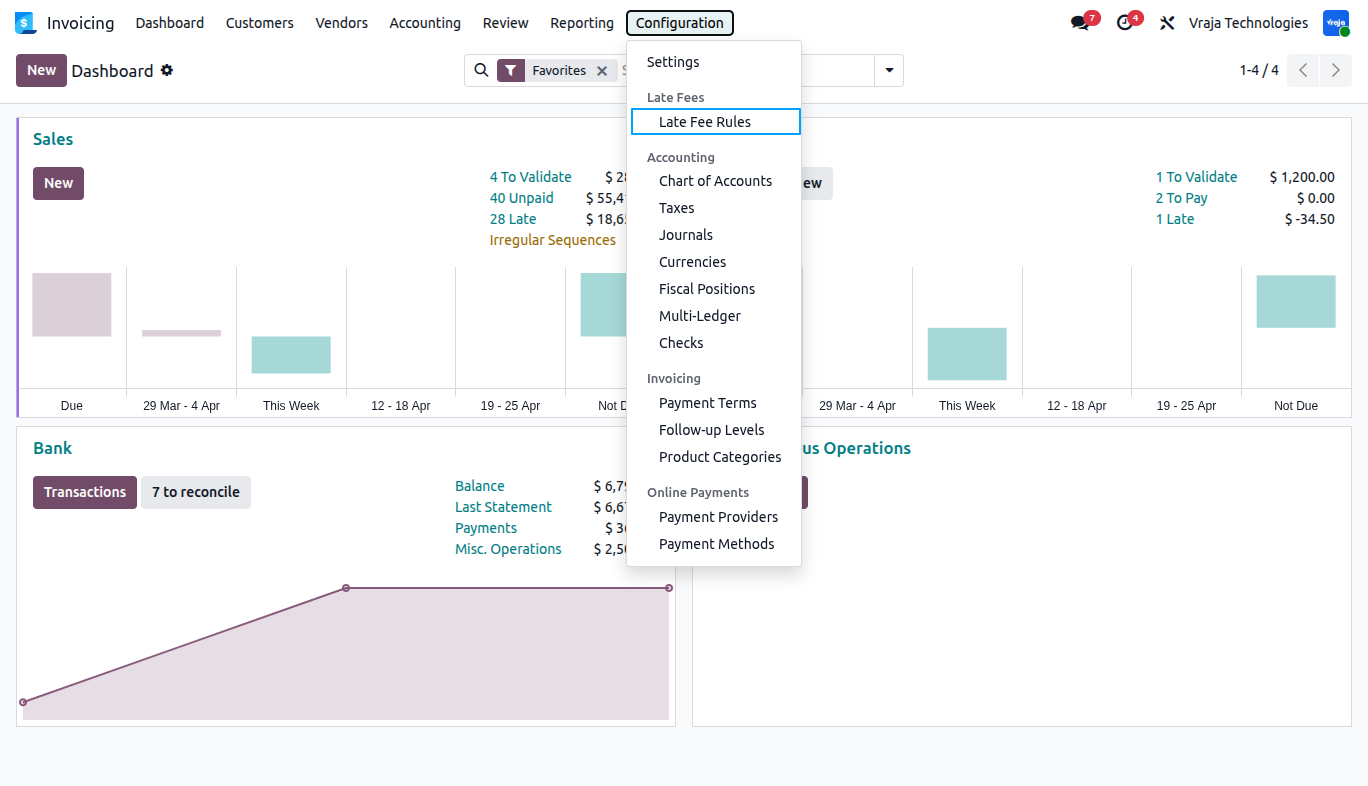
Here in Late Fee Rule, multiple rules can be configured to control how late payment charges are applied on overdue invoices
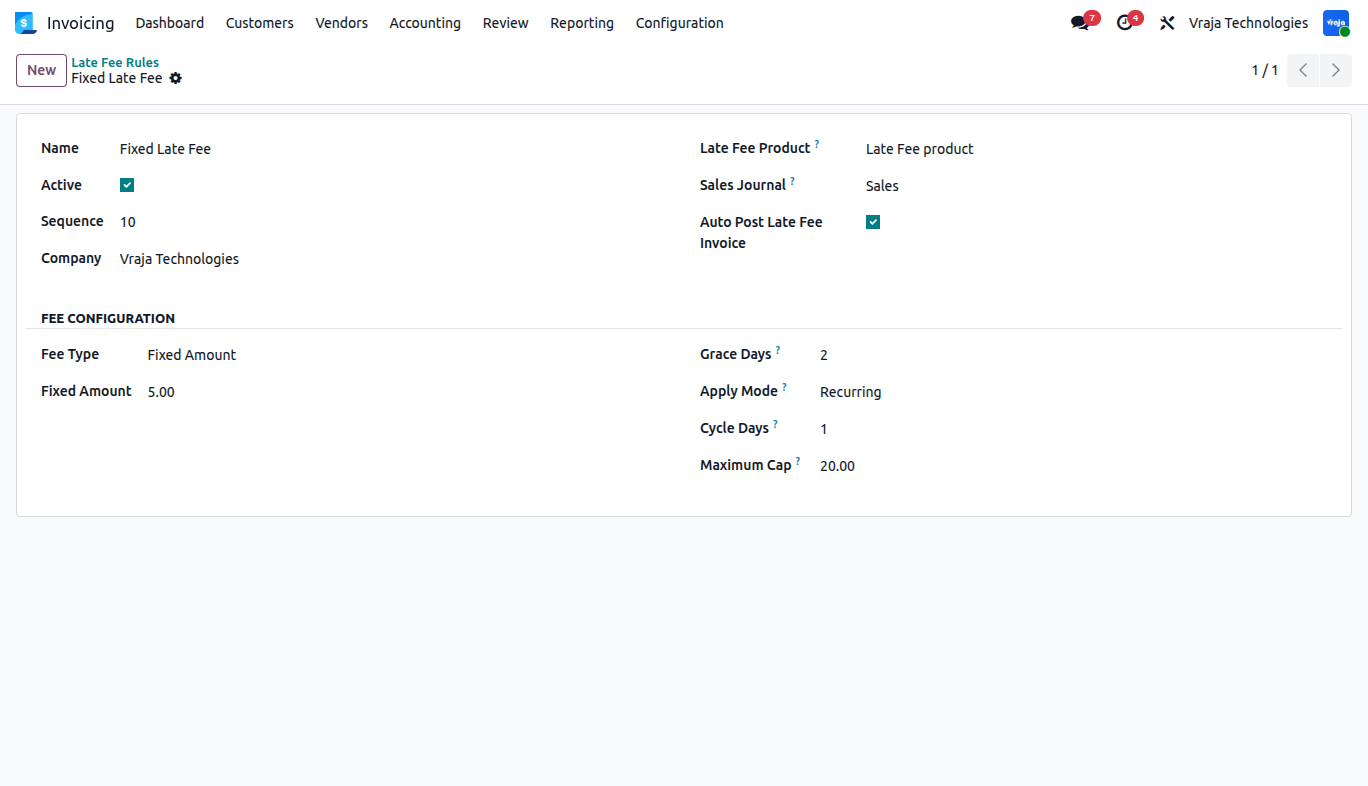
Sequence:
- Determines the priority of the rule. Lower sequence value means higher priority when multiple rules exist.
Late Fee Product:
- Product used to create the late fee invoice.
Auto Post Late Fee Invoice:
- Automatically posts the generated late fee invoice without manual confirmation.
Fee Type:
- Defines how the late fee is calculated. Options include fixed amount, percentage, or daily percentage.
Grace Days:
- Number of days after the invoice due date during which no late fee is applied.
Apply Mode:
- Determines how the fee is applied — either once or repeatedly (recurring) until payment.
Cycle Days:
- Defines the interval (in days) at which recurring late fees are applied.
Maximum Cap:
- Sets the maximum total late fee amount that can be charged for an invoice to avoid overcharging.
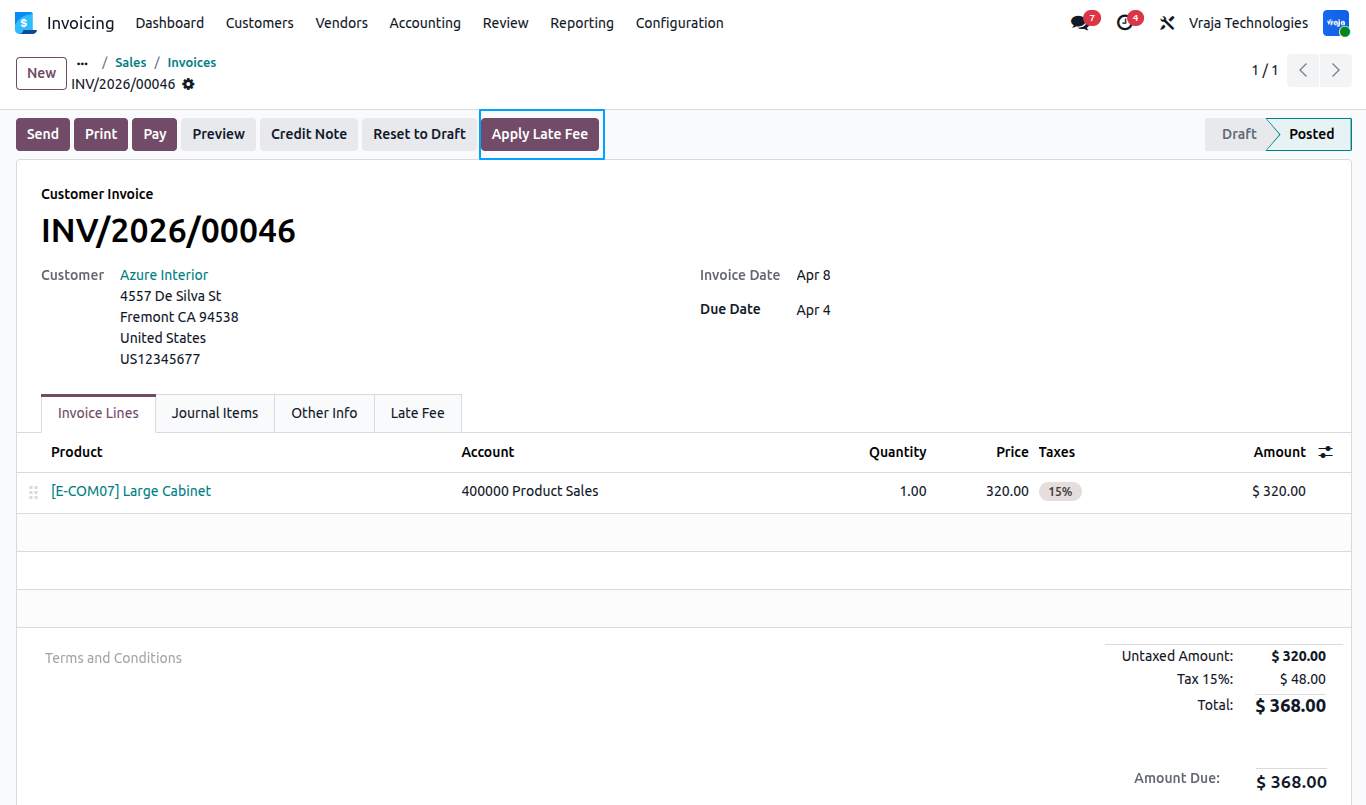
In the Customer Invoice, the Apply Late Fee button allows applying late charges manually based on the configured late fee rule
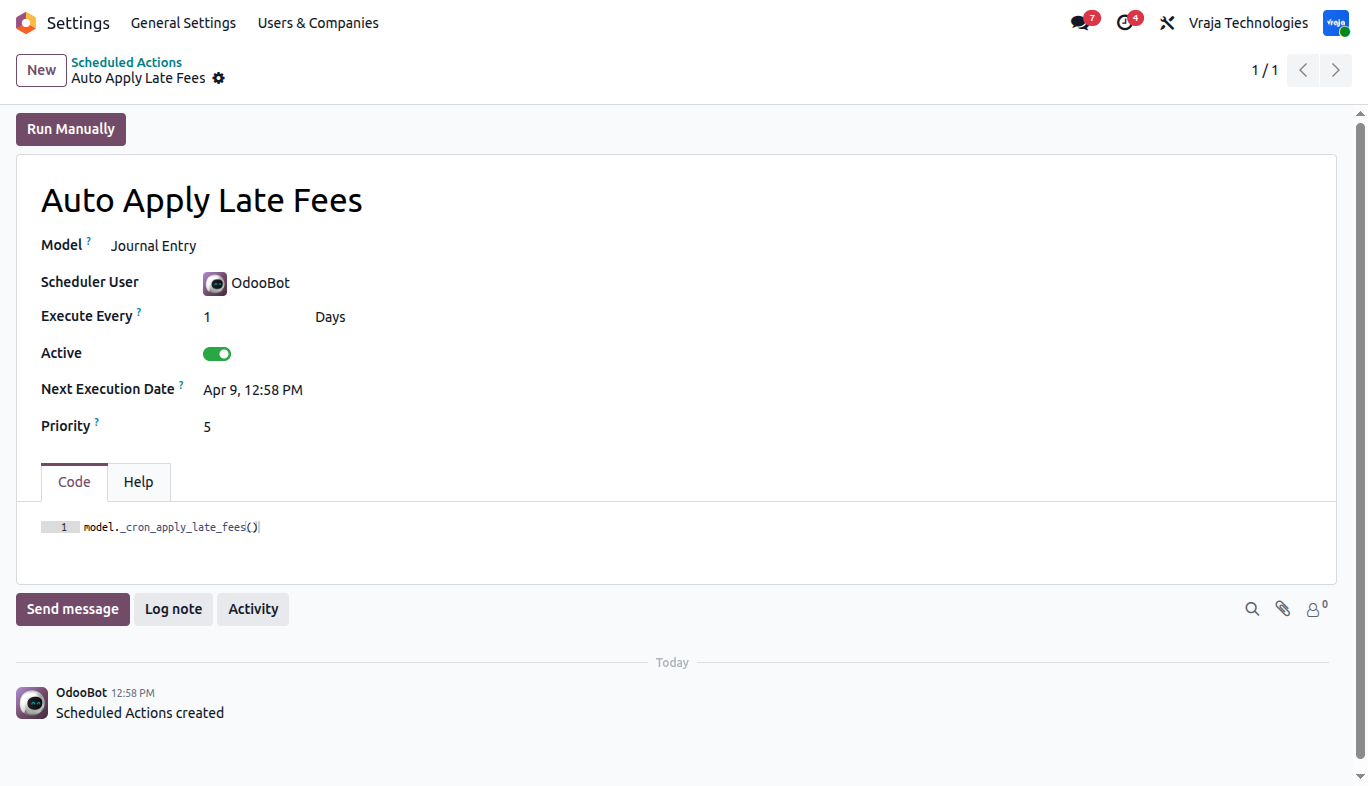
The Auto Apply Late Fees scheduled action automatically applies late fees to overdue invoices on a daily basis, ensuring timely and consistent late fee calculation without manual intervention.
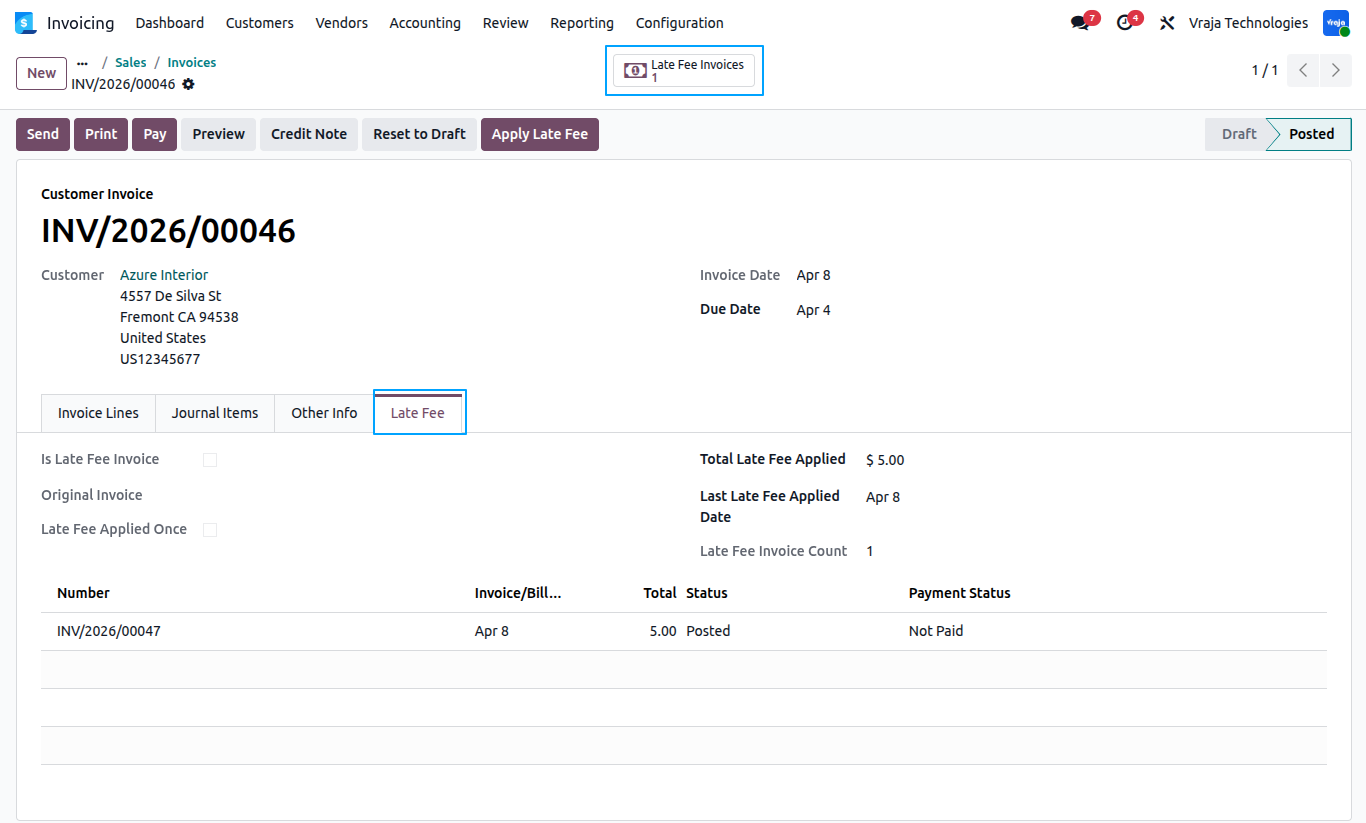
Click on late fee invoices to view automatically created late fee invoices and Late Fee tab displays all applied late fee details, including total fees charged, last applied date, and linked late fee invoices, providing a clear tracking of overdue charges.
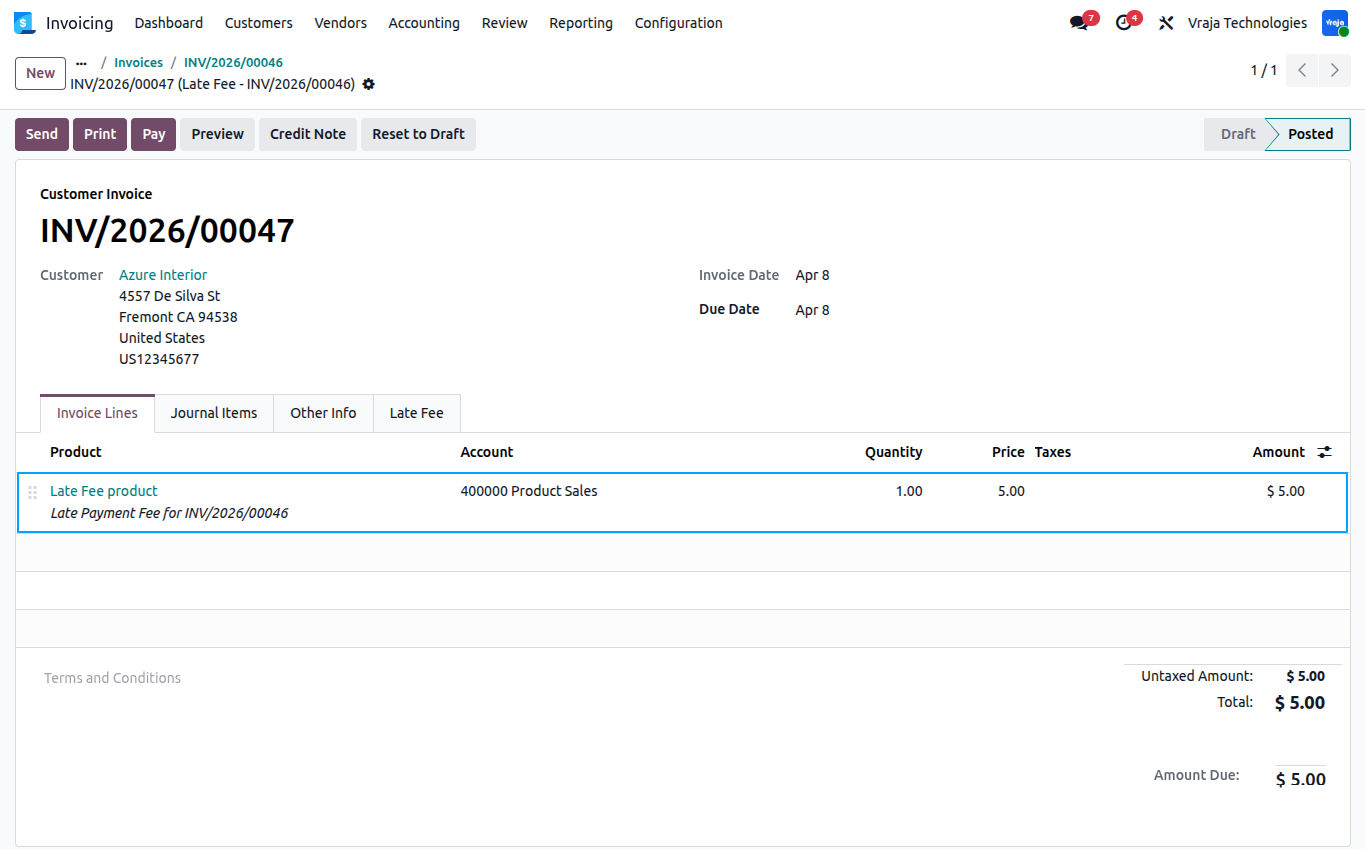
This is an automatically generated Late Fee Invoice, where the invoice line is created using the same product defined in the Late Fee Rule, ensuring a consistent and accurate late fee amount.
 When is a late fee applied?
- A late fee is applied when an invoice remains unpaid after the due date plus the defined grace days.
What is the difference between Apply Once and Recurring?
- Apply Once charges the fee only one time, while Recurring applies the fee repeatedly based on cycle days.
Can late fees be applied manually or automatically?
- Yes, late fees can be applied manually using the Apply Late Fee button on the invoice or automatically through a scheduled action that runs daily.
Can multiple late fee rules be created?
- Yes, multiple rules can be created, and the system applies the rule based on sequence priority.
I would like to request a custom feature for this application. What’s the process to get it implemented?
- We’re happy to help tailor the application to meet your business needs! You can reach us via sales@vrajatechnologies.com
Who is the point of contact for technical support, configuraion support or bug-related queries?
- You can reach us via support@vrajatechnologies.com
Submit a Support Ticket
If you encounter any issues while using our app that are caused by the app itself, we offer complimentary support for 90 days from the date of purchase.
To create a support ticket, please register via the Vraja Technologies Support Email and provide the necessary details so we can assist you in resolving the issue.

Email Us
support@vrajatechnologies.com

 1.png)
Contact Us
vrajatechnologies.com/contactus

Support
vrajatechnologies.com/support-policy
Vraja Technologies Services

Odoo Implementation

Odoo App Integration Services

Odoo Customization

Odoo Consultation

Odoo Support & Maintenance

Odoo Developer Outsourcing
Suggested Application
















Reviews
There are no reviews yet.