
Description
.png)
 Enterprise Community Odoo.sh
WhatsApp Notification | WhatsApp Alerts | WhatsApp Marketing
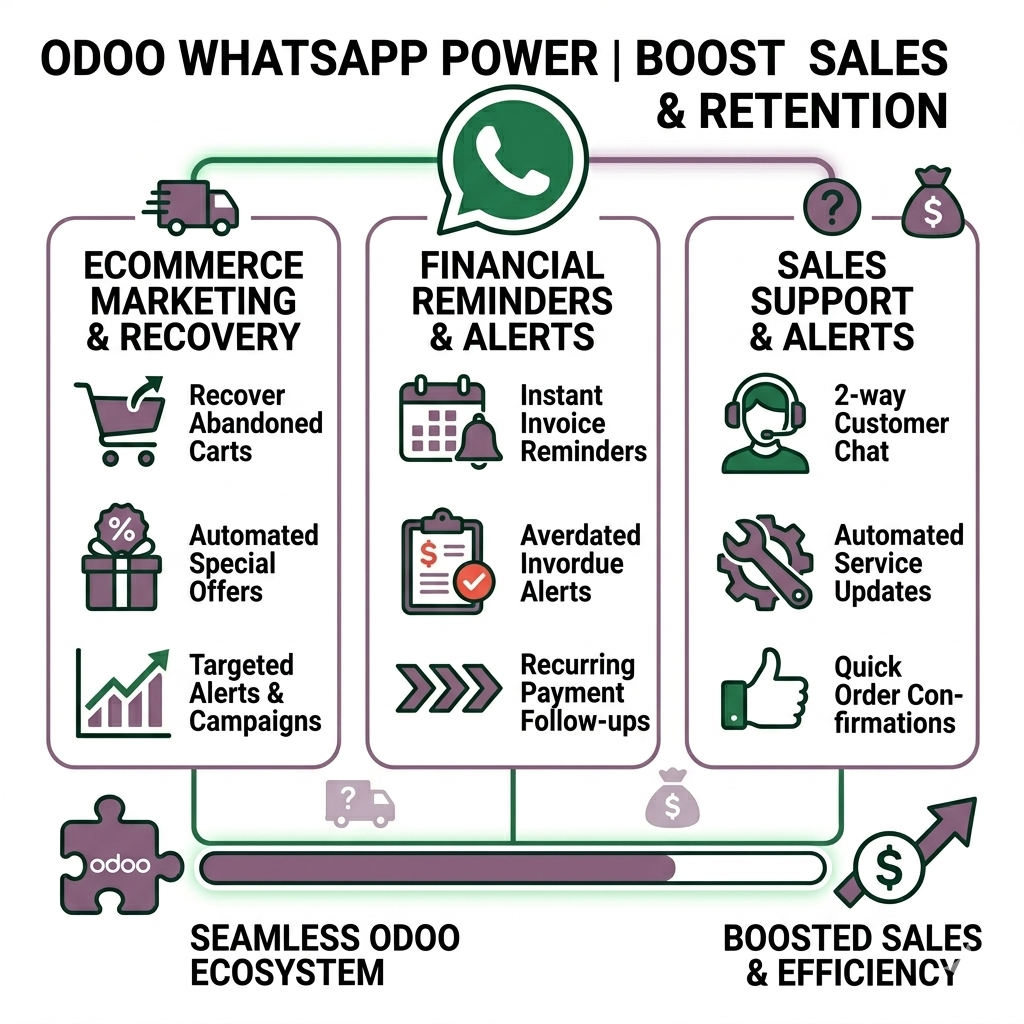
WhatsApp Notification Management allows businesses to automatically send important updates and reminders to customers through WhatsApp, helping maintain consistent and effective communication. With this feature, businesses can notify customers about abandoned carts, encouraging them to complete their purchase if they leave items in their cart without checking out. It also enables sending offer notifications to promote special deals and seasonal discounts to selected customers.
In addition, businesses can announce new product launches to keep customers informed about newly available products. The system also supports discount coupon alerts, allowing companies to notify customers about available offers and promotional codes. For selected customers, businesses can send personalized pricing updates for specific products, providing tailored offers. Furthermore, the feature helps manage payments by sending overdue invoice reminders, requesting customers to clear pending invoices. Overall, this automated notification system improves customer engagement, promotes offers effectively, and ensures timely follow-ups with customers.
 Watch on YouTube
We specialize in delivering advanced Odoo solutions across multiple domains. Our expertise includes:

EDI & SWIFT/ACH Payment Integrations
End-to-end EDI automation, including X12, EDIFACT, XML standards, & financial integrations such as SWIFT, ACH, & Fedwire.


eCommerce Integrations
Seamless integration with leading eCommerce platforms to sync products, orders, inventory, and customer data in real time.

Shipping Integrations
Robust shipping connectors for global couriers, offering automated label generation, tracking, and rate computation.

Most Useful Apps for your ERP
A wide range of highly-rated Odoo modules designed to enhance automation, improve productivity, & simplify business operations.
 Features
 Configuration
 Process
 FAQs
FAQs
 Automated WhatsApp Notifications:
Seamlessly send automated WhatsApp notifications to customers for abandoned carts, offers discounts, new product launches, discount coupons, personalized pricing updates, and overdue invoice reminders to keep customers informed and engaged.
Smart Abandoned Cart Reminders:
Automatically send timely WhatsApp reminders after a specified number of hours to customers who added products to their cart but did not complete the purchase, helping recover potential sales.
Festival Offer Campaigns:
Effectively notify selected customers about exclusive festival offers and seasonal discounts on configured dates to increase engagement and drive sales.
New Product Launch Announcements:
Instantly inform customers about newly launched products through WhatsApp notifications, ensuring they stay updated with the latest offerings.
Discount Coupon Alerts:
Proactively notify customers about available coupons and promotional discounts via WhatsApp, encouraging them to take advantage of ongoing offers.
Personalized Pricing Notifications:
Deliver customized pricing updates to special customers for products, enabling a more personalized and targeted sales approach.
Overdue Invoice Reminders:
Automatically send WhatsApp notifications to customers about overdue invoices, enabling timely payment reminders and helping businesses improve payment collection efficiency.
Whatsapp Notification Management Configuration Process
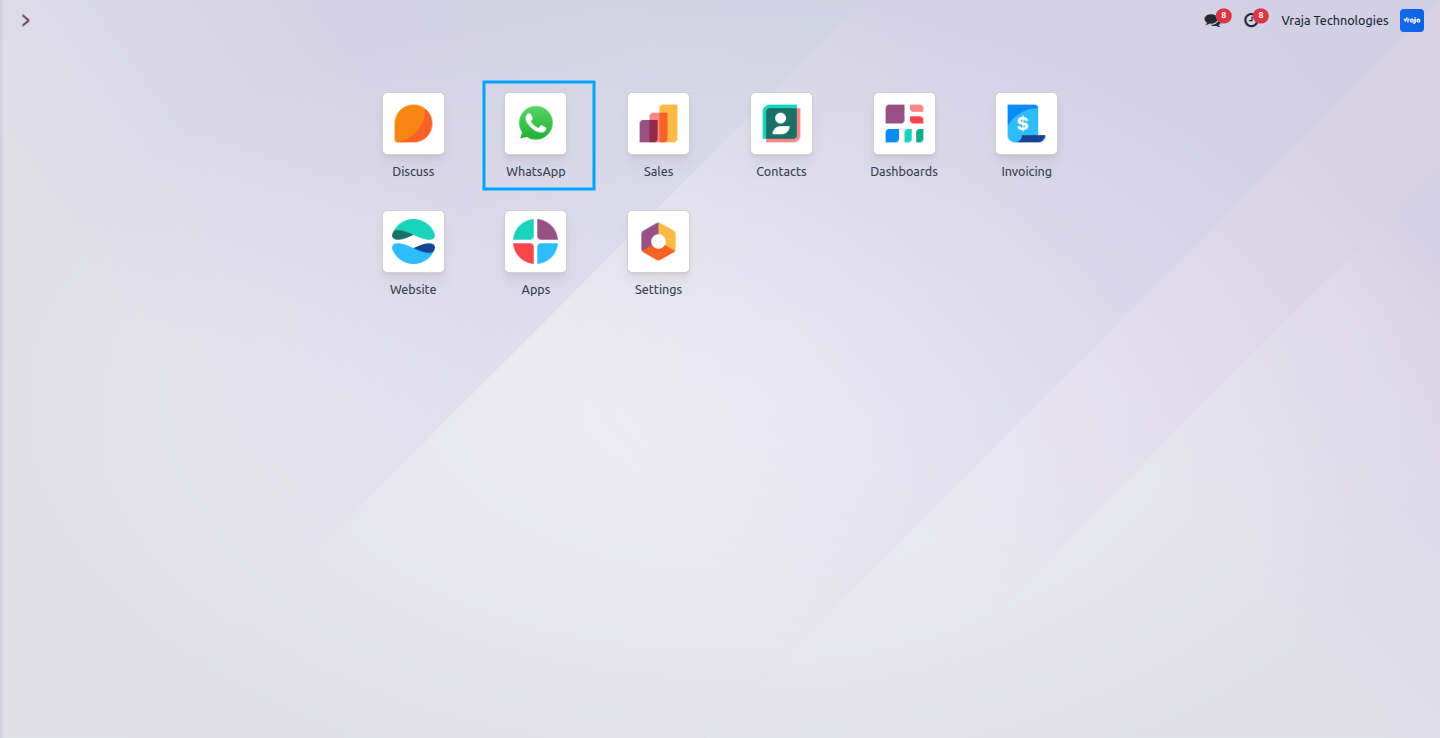
Configure and connect your WhatsApp Business Account in Odoo to enable seamless sending of automated WhatsApp notifications to customers from Configuration > WhatsApp Business Accounts.
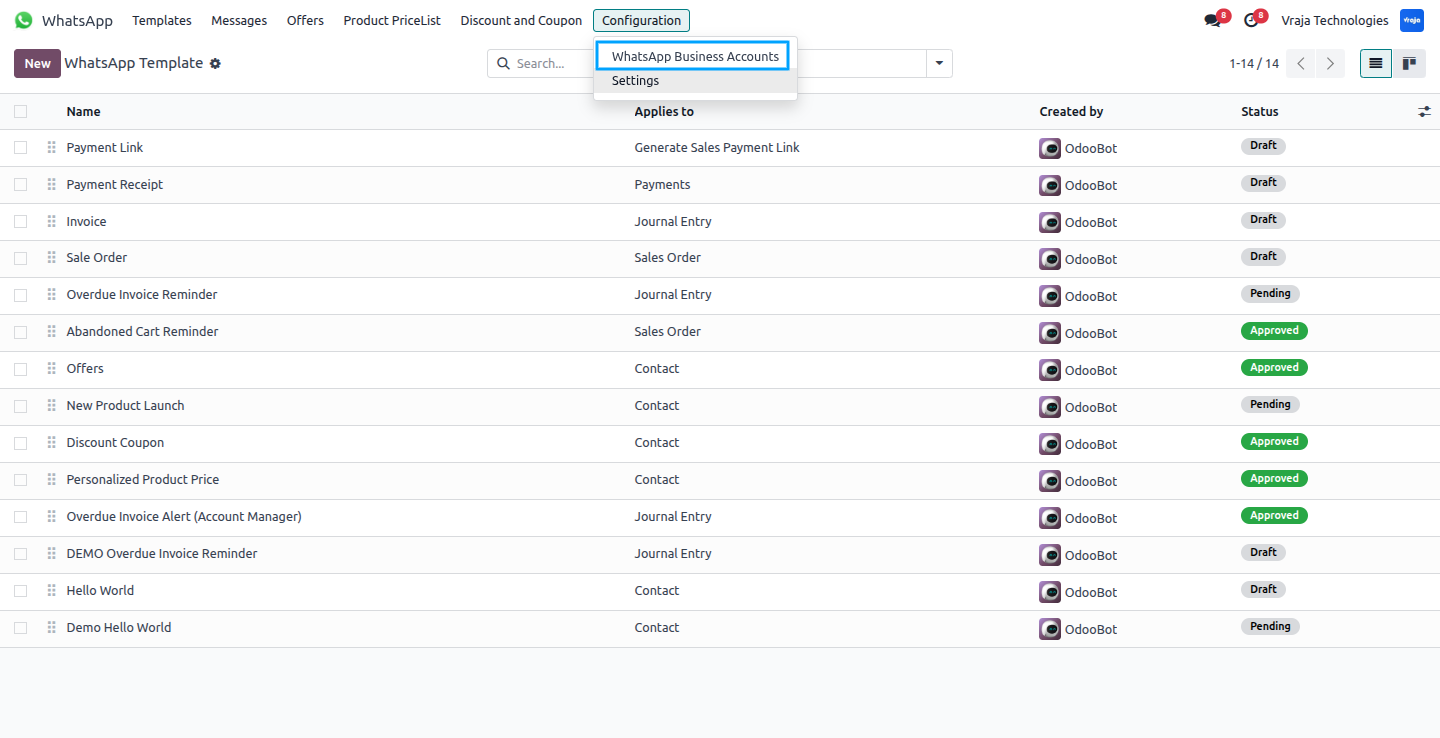
Enter the required WhatsApp API credentials (App ID, App Secret, Phone Number ID, WhatsApp Business Account ID, Access Token) to securely connect Odoo with your WhatsApp Business account and enable automated messaging. After entering the details, simply click Test Credentials to verify the connection.
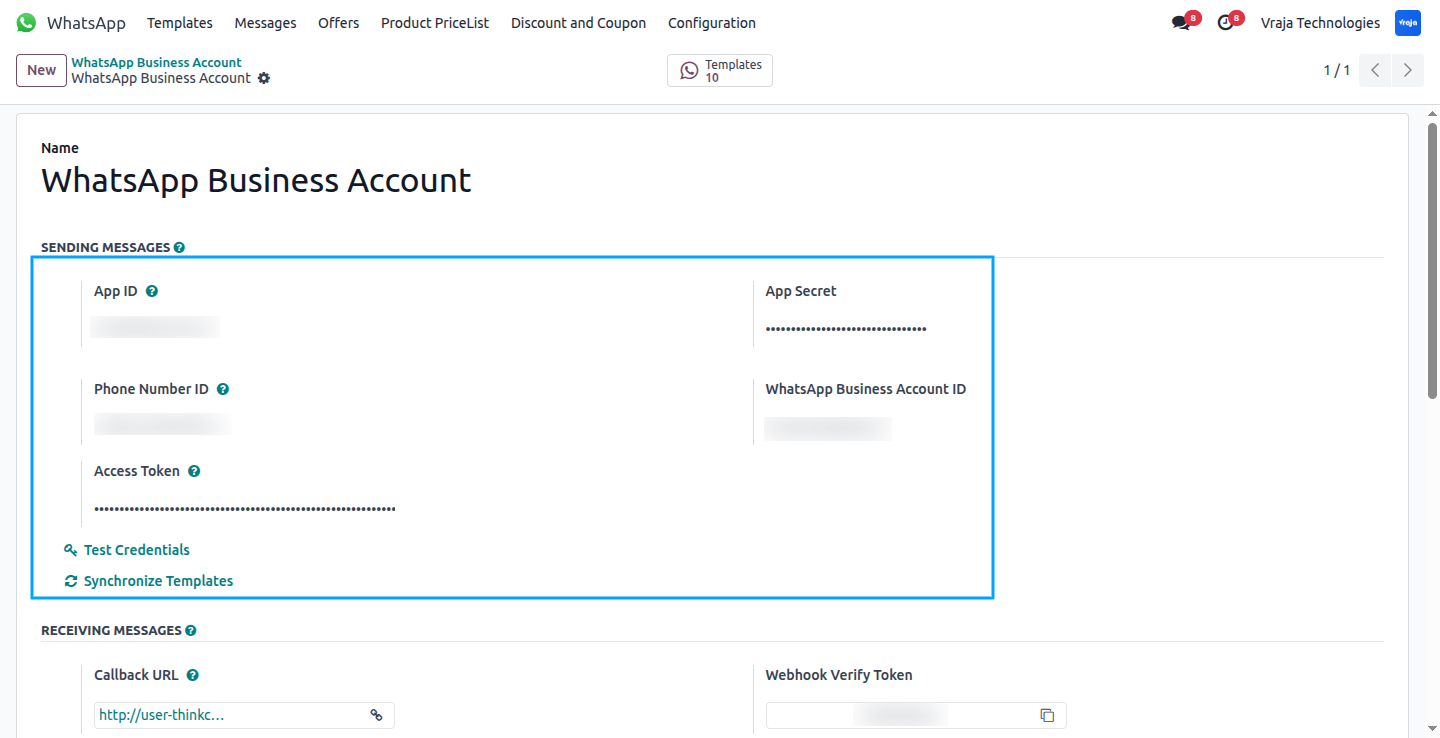
The module comes preloaded with all default WhatsApp notification templates, so once installed, users can immediately use them without creating templates manually.
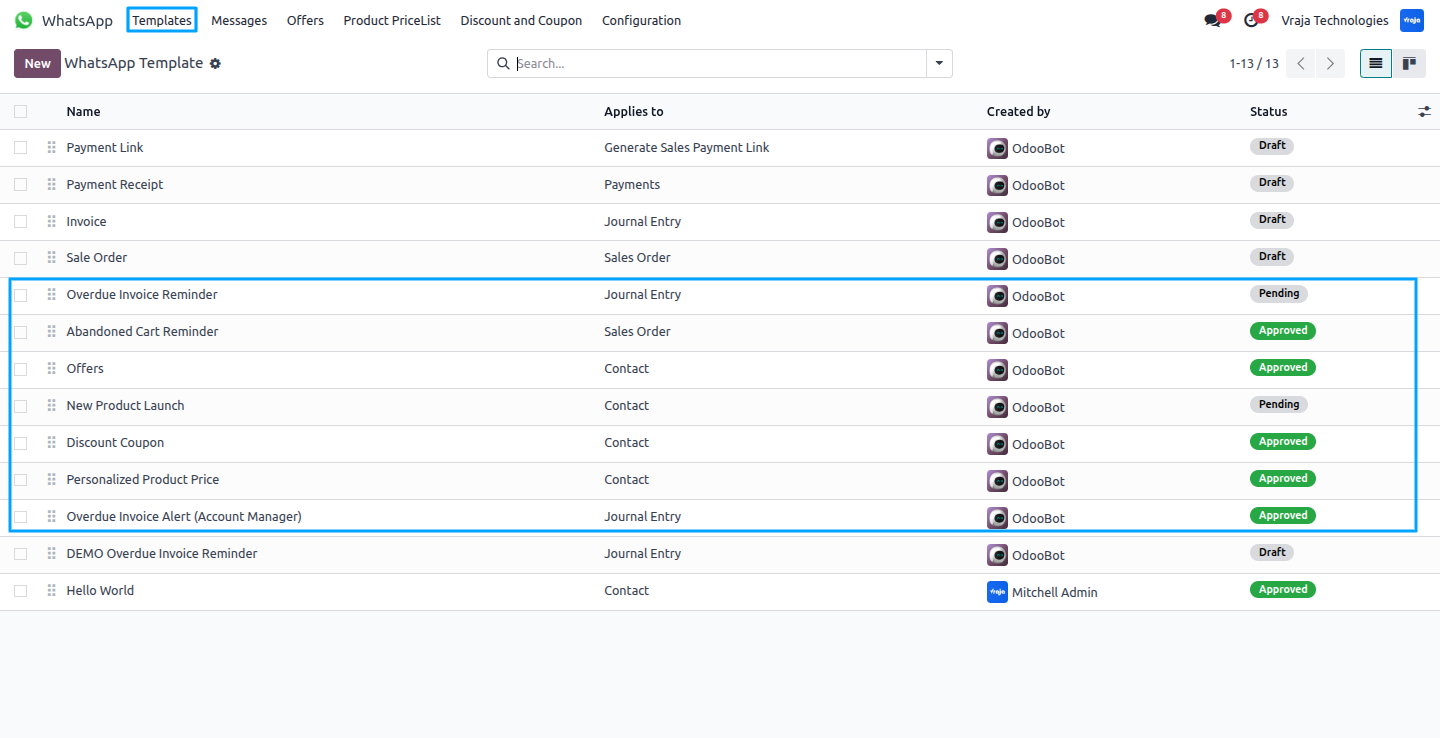
Select the configured WhatsApp Business account and submit the template for approval directly from Odoo to ensure it’s ready for sending notifications to customers.
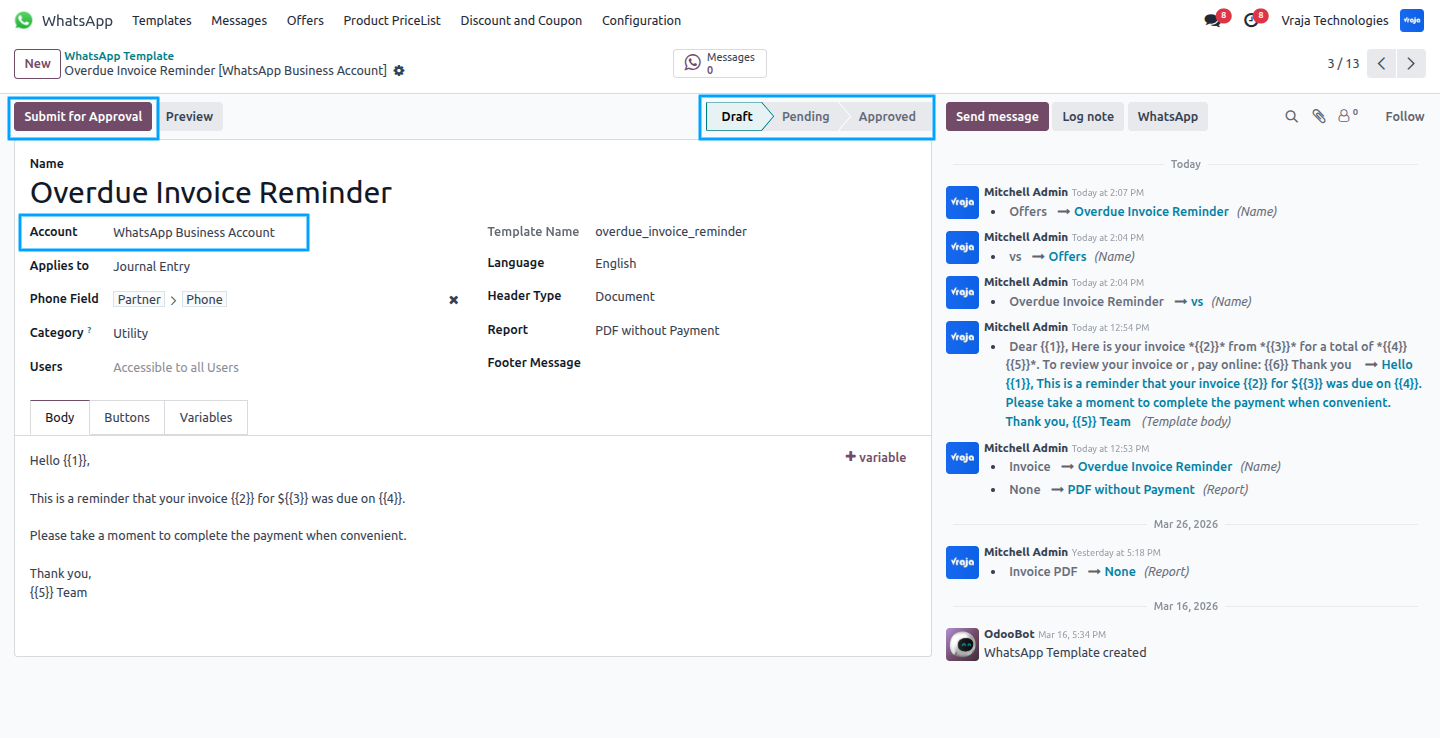
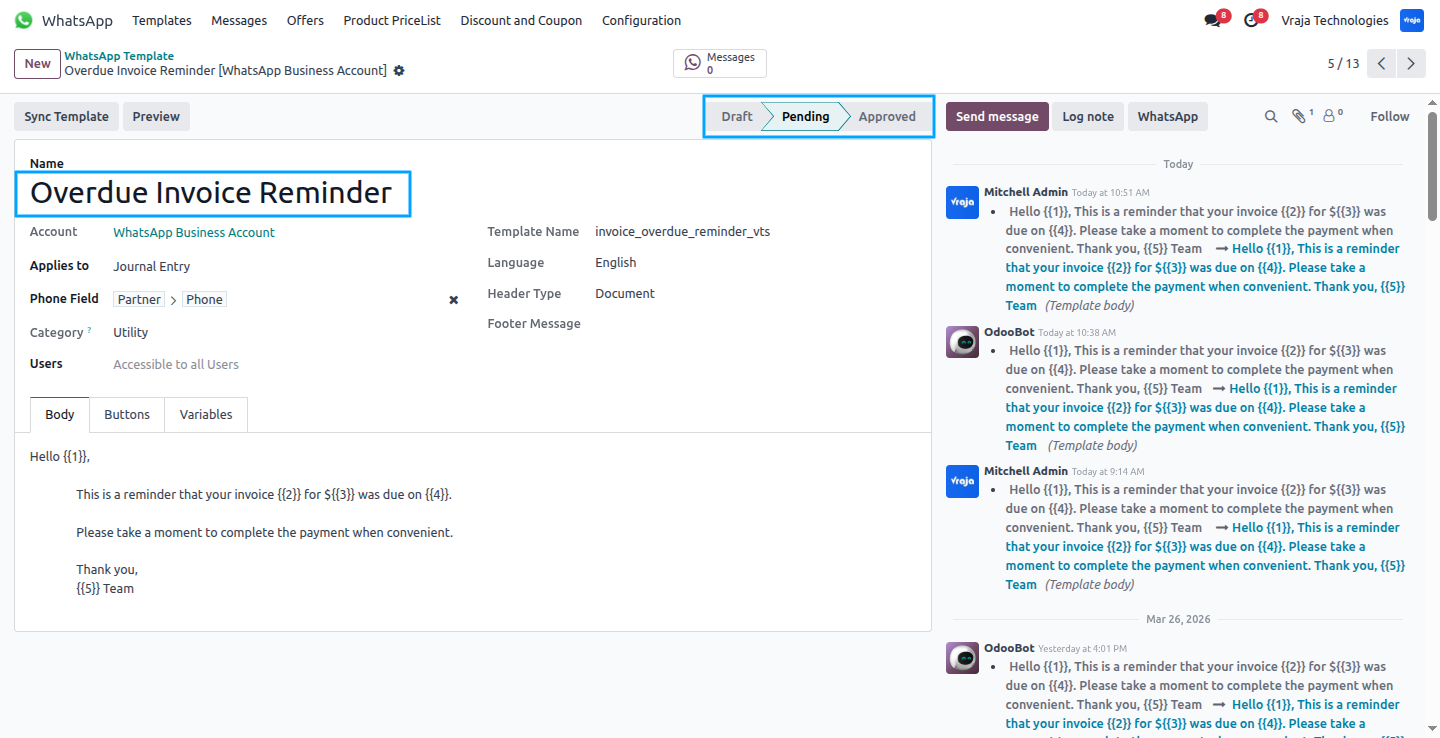
Once a template is submitted for approval, it enters a pending state. Meta verifies and approves the template, after which it moves to the approved state. Once approved, you can send WhatsApp notifications to customers using the template and track its usage directly in Odoo.
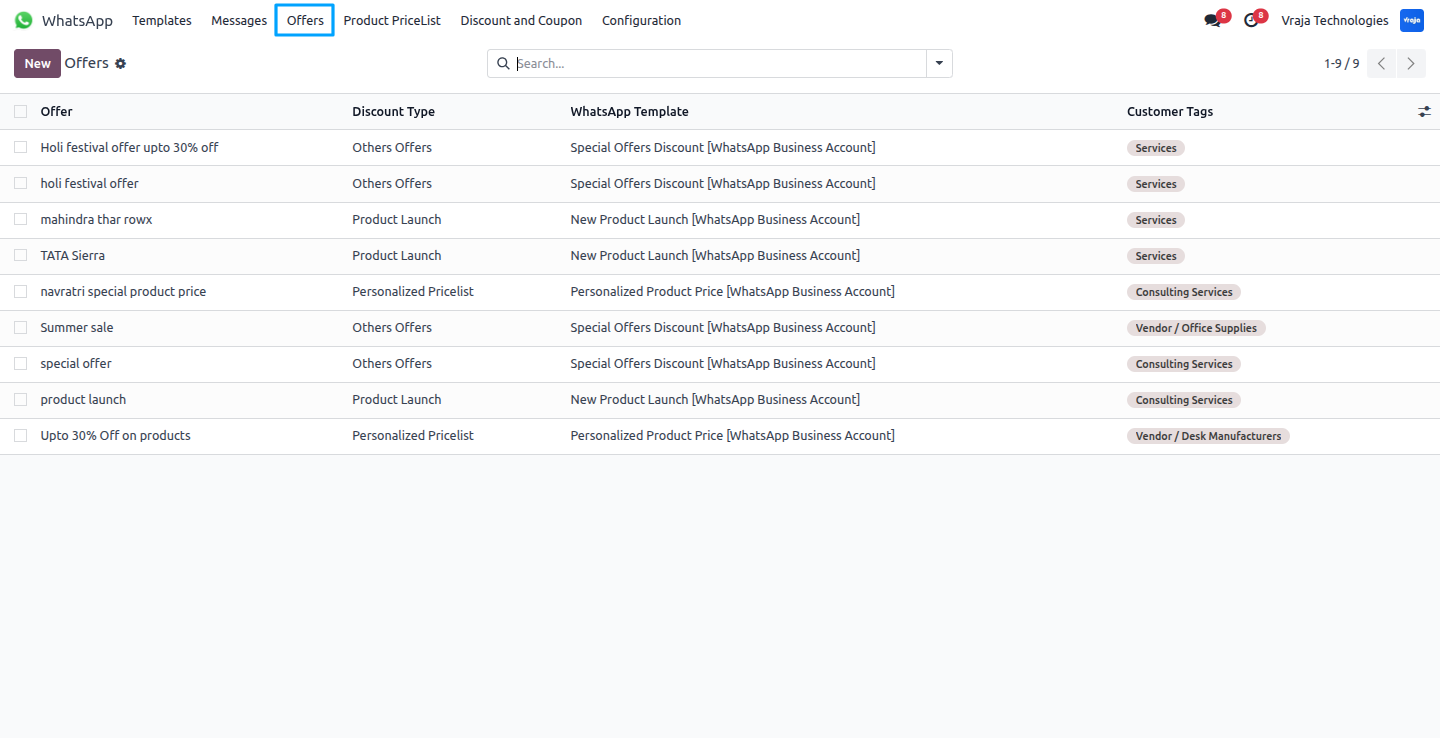
Use the Offers menu to create records for special offers, product launches, and personalized product pricing. Customers automatically receive WhatsApp notifications based on the type of offer configured in these records.
Other Offers
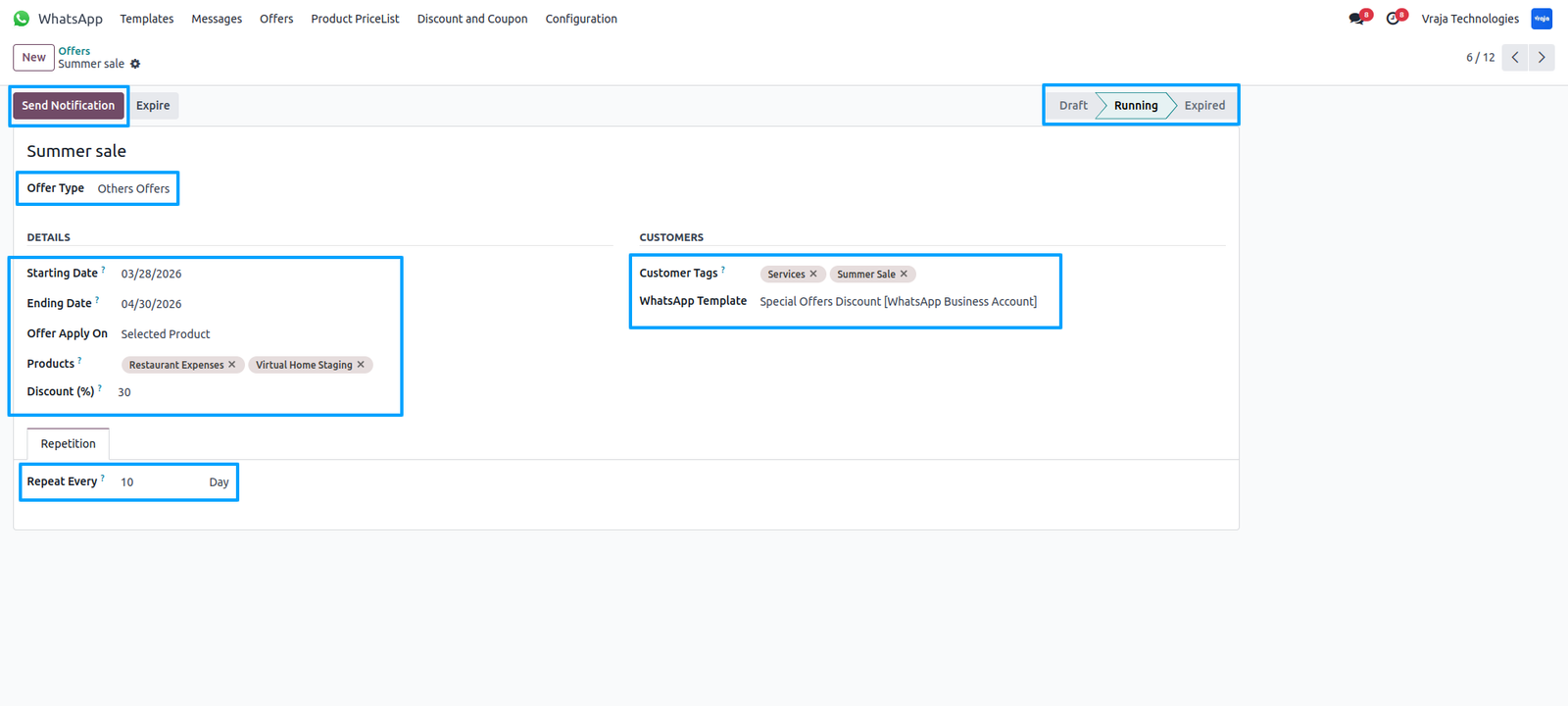
Create an offer, such as a Summer Sale, and select the offer type (e.g., Other Offers, Product Launch, or Personalized Pricing). Set the start and end dates, and the system automatically manages the offer’s state—Running when the start date begins and Expired once the end date passes, Set a discount based on a percentage that can apply to a specific product or all products, giving flexibility in how offers are promoted to customers.
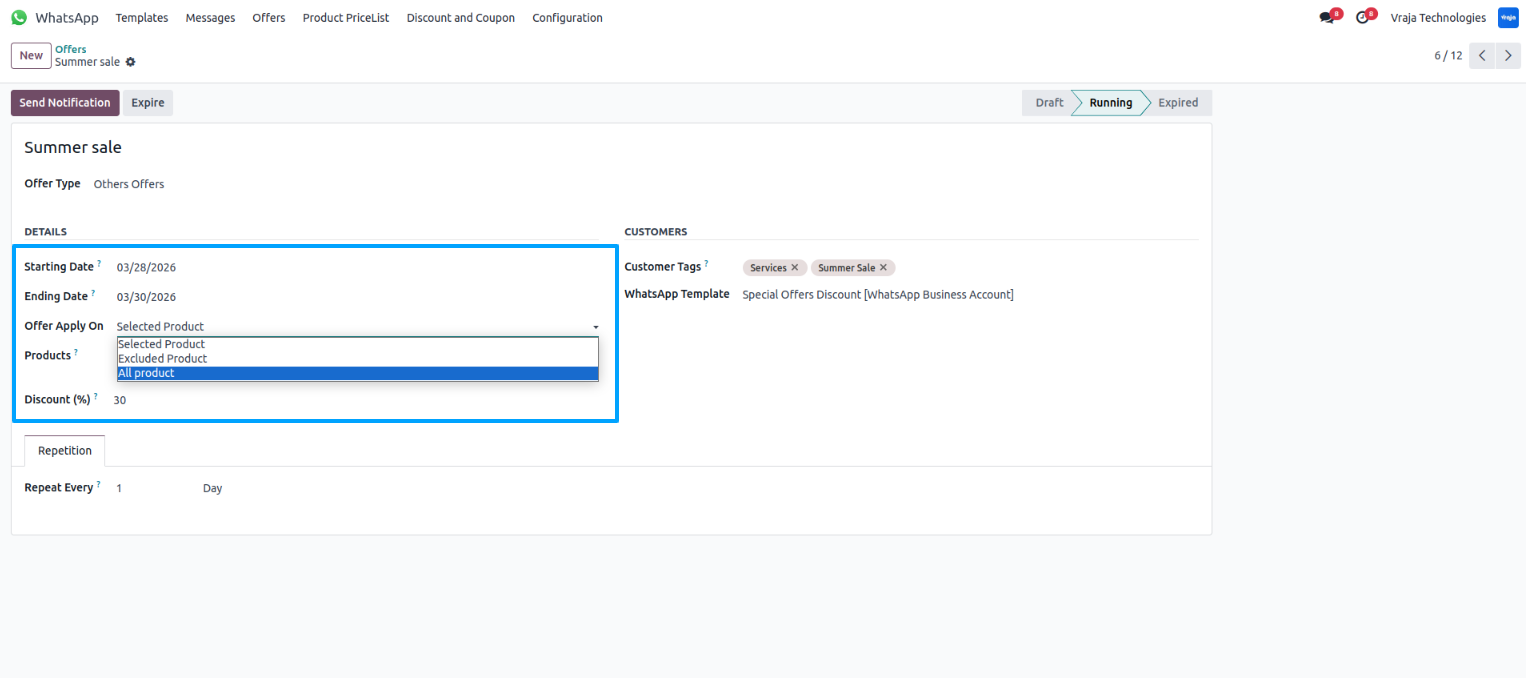
Choose how the offer applies to products All Products, Included Products, or Excluded Products, so you can control which items the promotion affects based on your requirements.
Select specific customer tags to ensure that only customers with the chosen tags receive the WhatsApp notifications, while others do not.
Configure when notifications should be sent to customers, such as every 10 days or on a specific custom date. The system automatically sends WhatsApp notifications about the offer, like the Summer Sale, based on the configured schedule.
You can also send WhatsApp notifications manually by clicking Send Notification, instantly delivering the message to the selected customers.
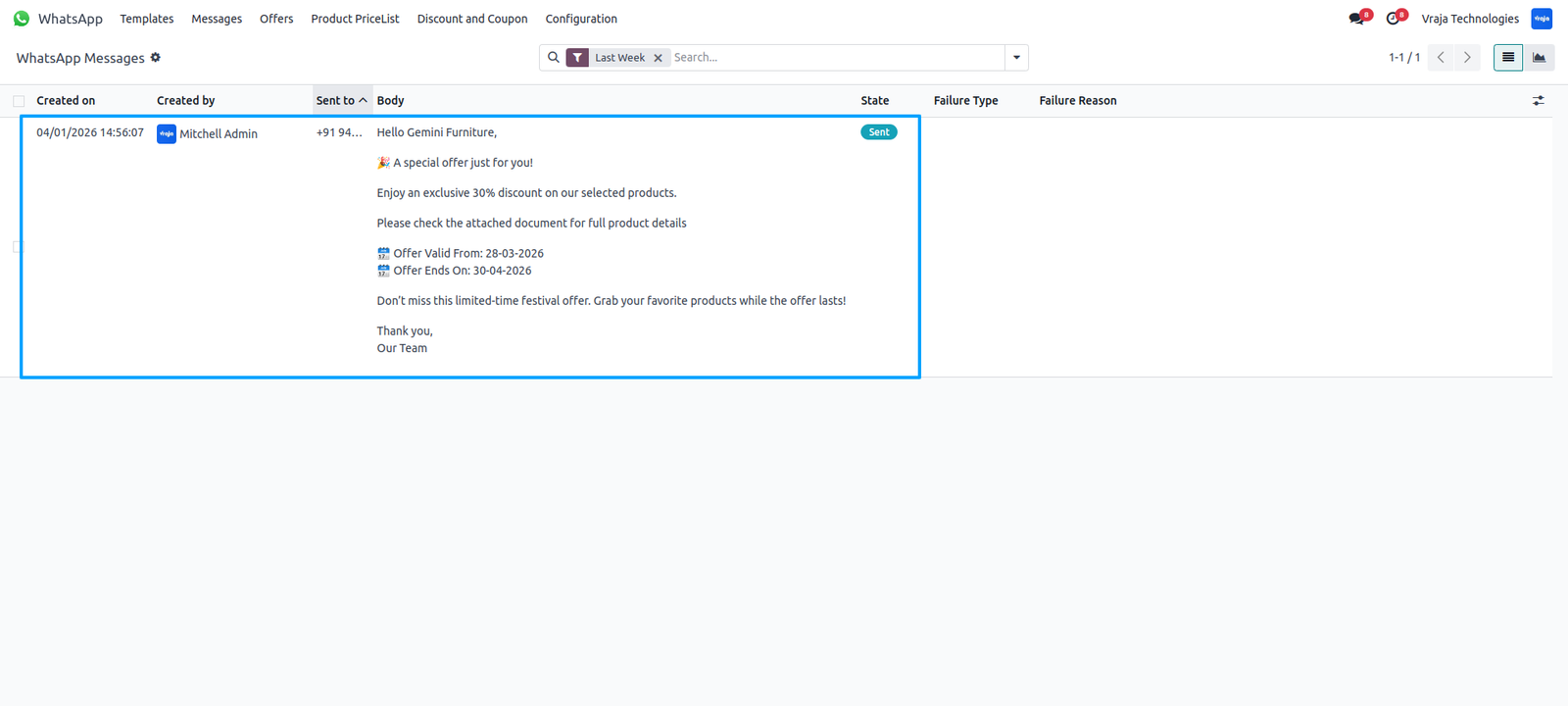
Here you can see that the WhatsApp notification for the new offer has been successfully sent to the customer, along with a PDF containing the offer product details..
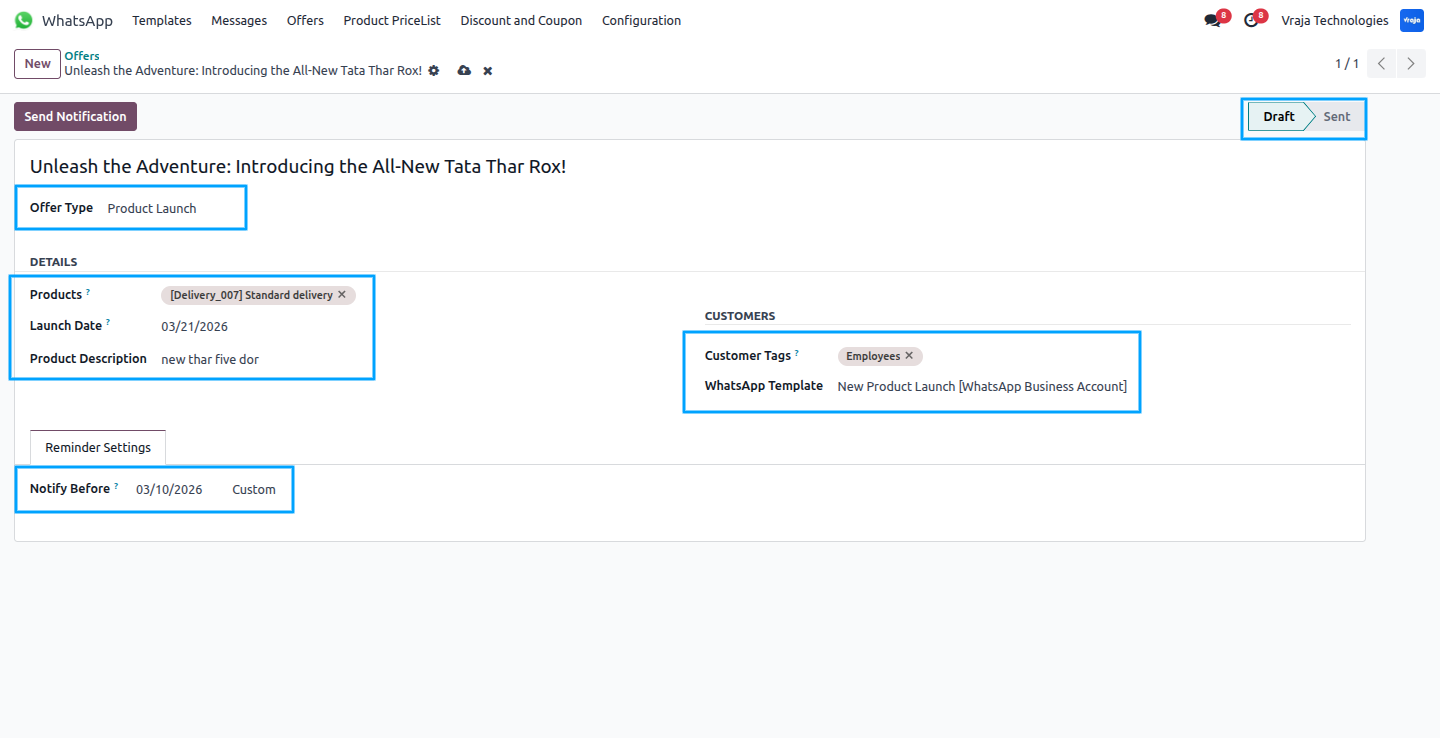
Product Launch
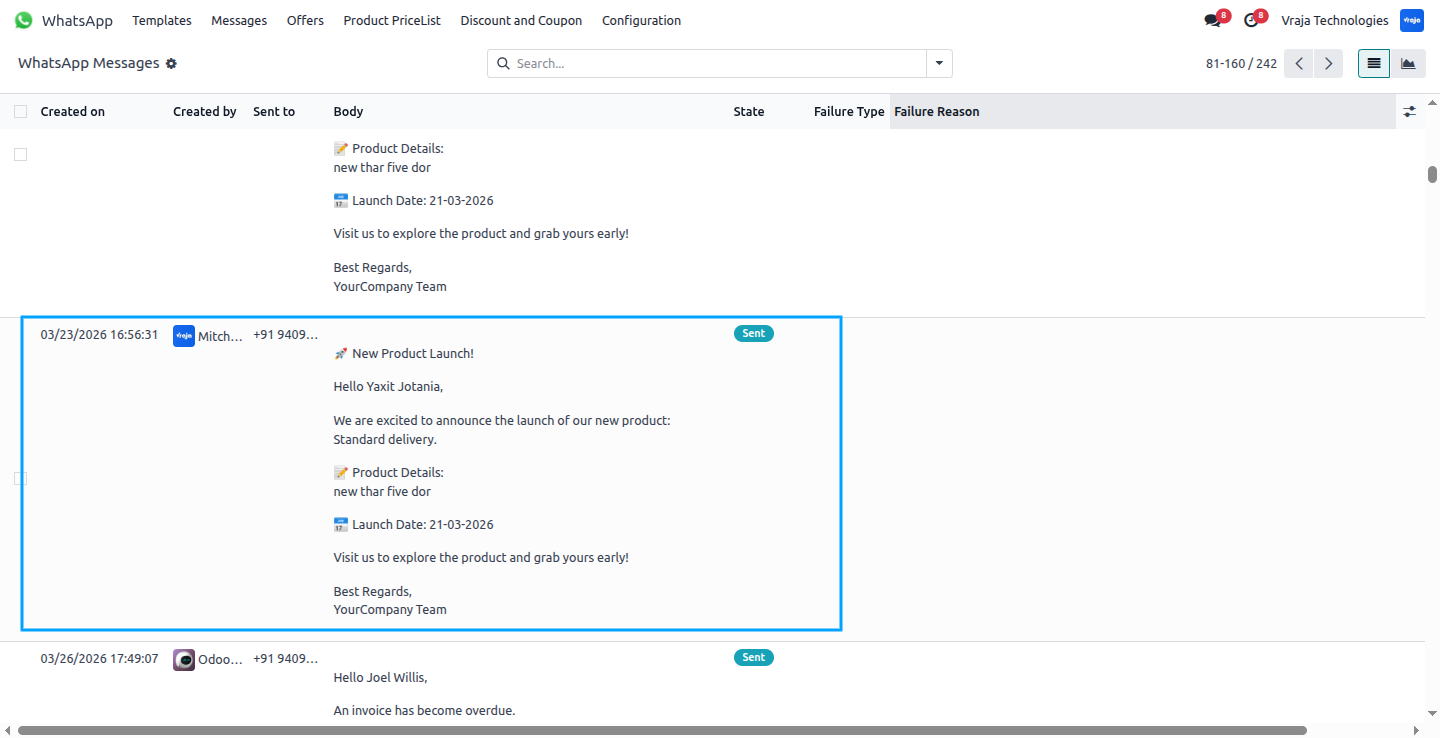
Create a product launch by entering the title, selecting the offer type as Product Launch, setting the launch date, and adding a description. Add customer tags to target who will receive the notification, and optionally set a custom notification date to automatically send WhatsApp messages to all tagged customers.
Here you can see that the WhatsApp notification about the new product launch has been successfully sent to the customer.
Personalized Pricelist
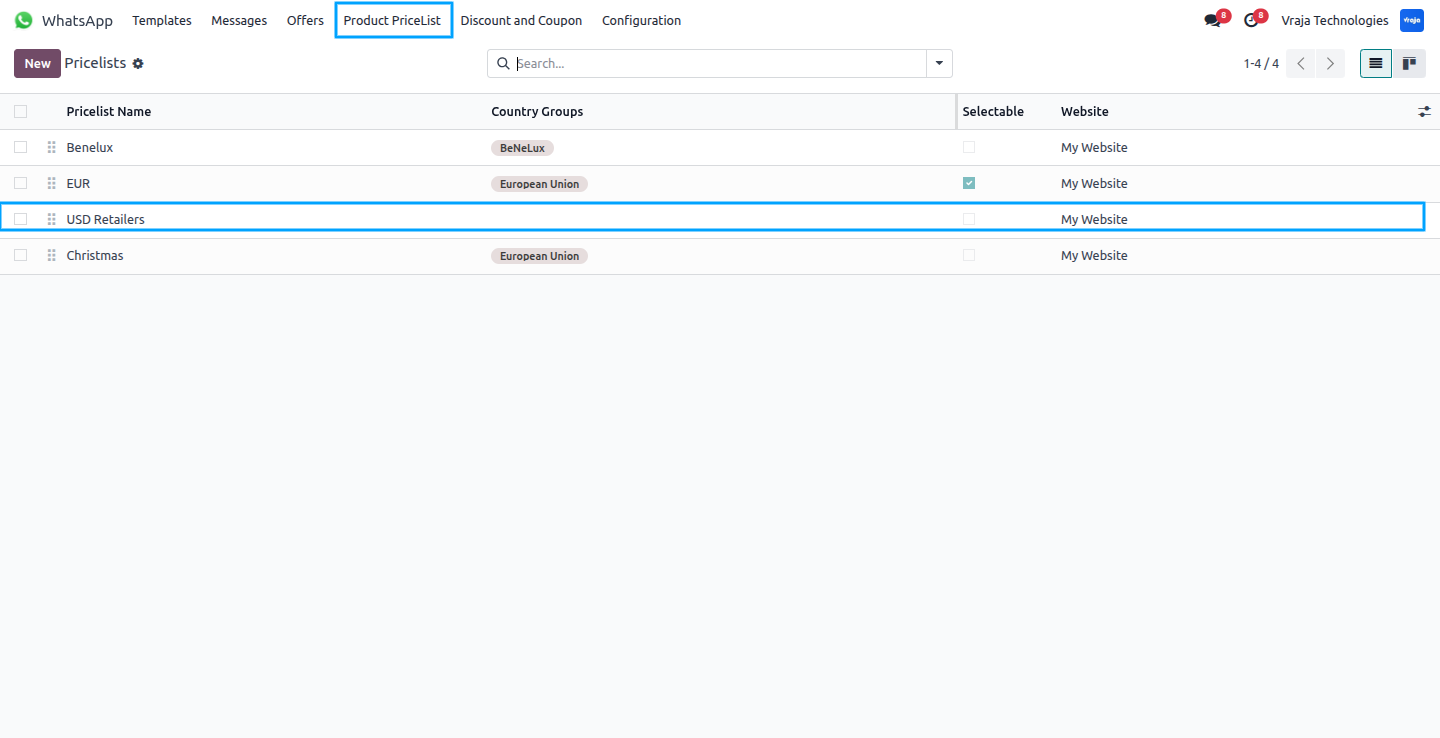
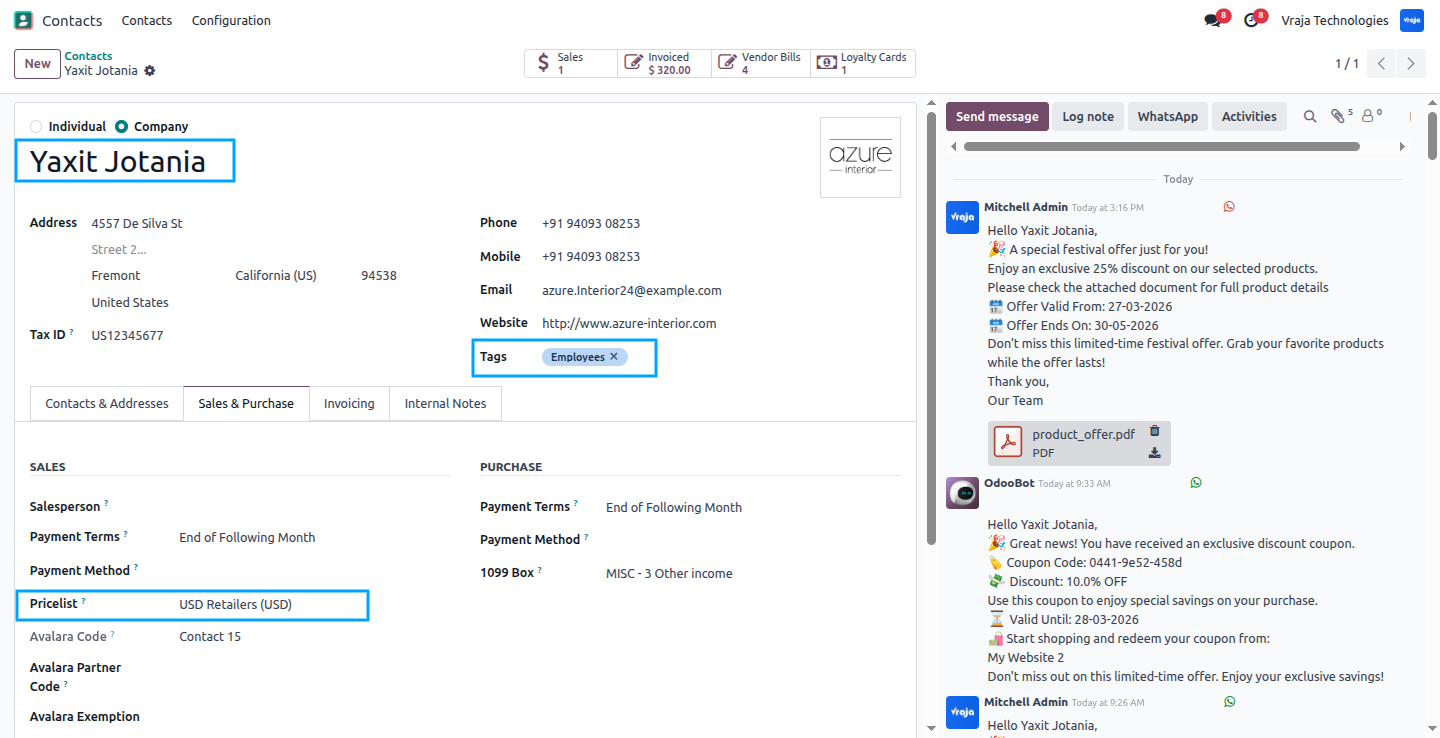
Create a Personalized Product Pricing record for special customers by selecting the offer type as Personalized Pricing. Customers who have the selected tags and an assigned pricelist will receive a WhatsApp notification about their personalized pricing.
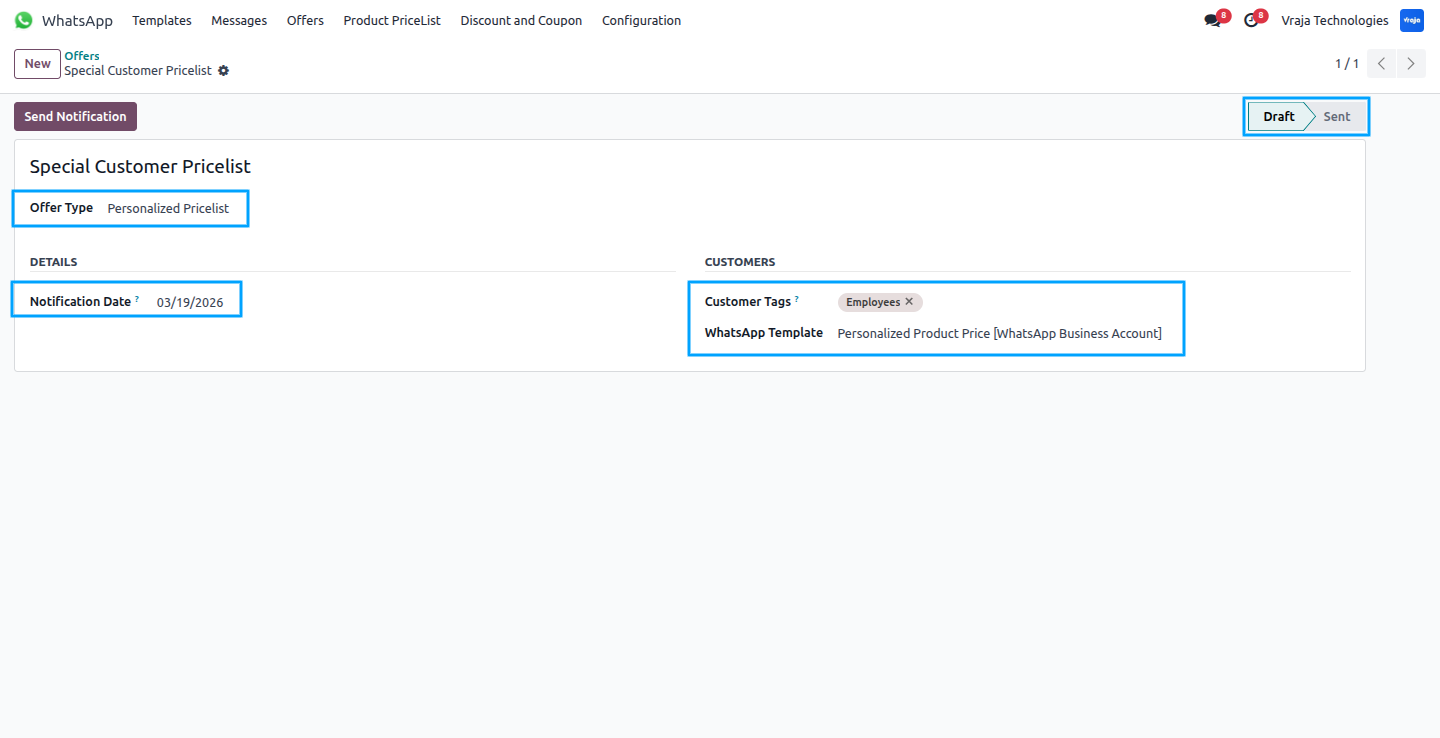
From here, you can create a Personalized Product Pricing record to notify selected customers about their specific pricelist. (This is Odoo’s base feature.)
Here you can see a customer with the selected customer tag and an assigned pricelist, so this customer receives the WhatsApp notification about their personalized pricing.
Here you can see that the WhatsApp notification about the Personalized Product Pricing has been successfully sent to the customer.
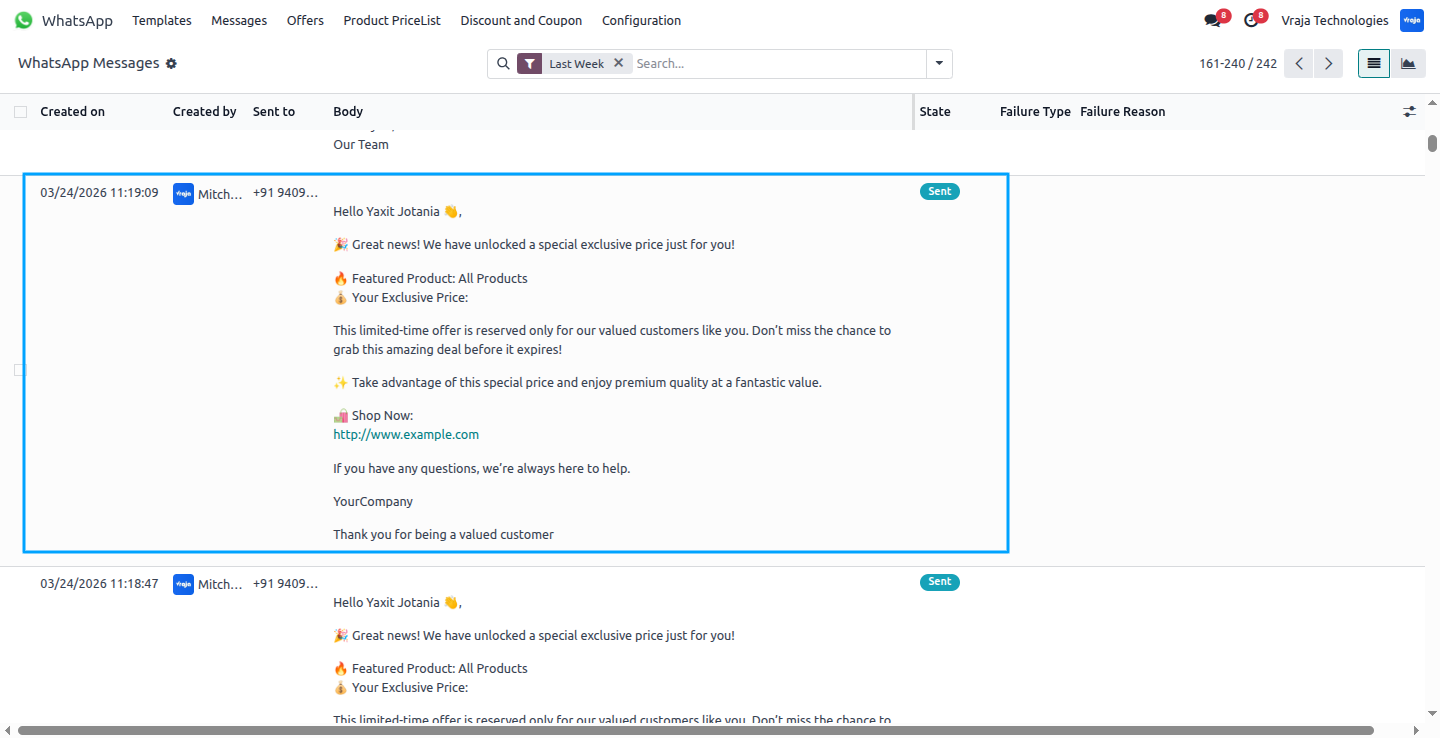
Discount and Coupon
You can generate and manage coupons directly from the Discount Coupons menu, which can be shared with customers through WhatsApp notifications with all the details of the coupons. (This is Odoo’s base feature.)
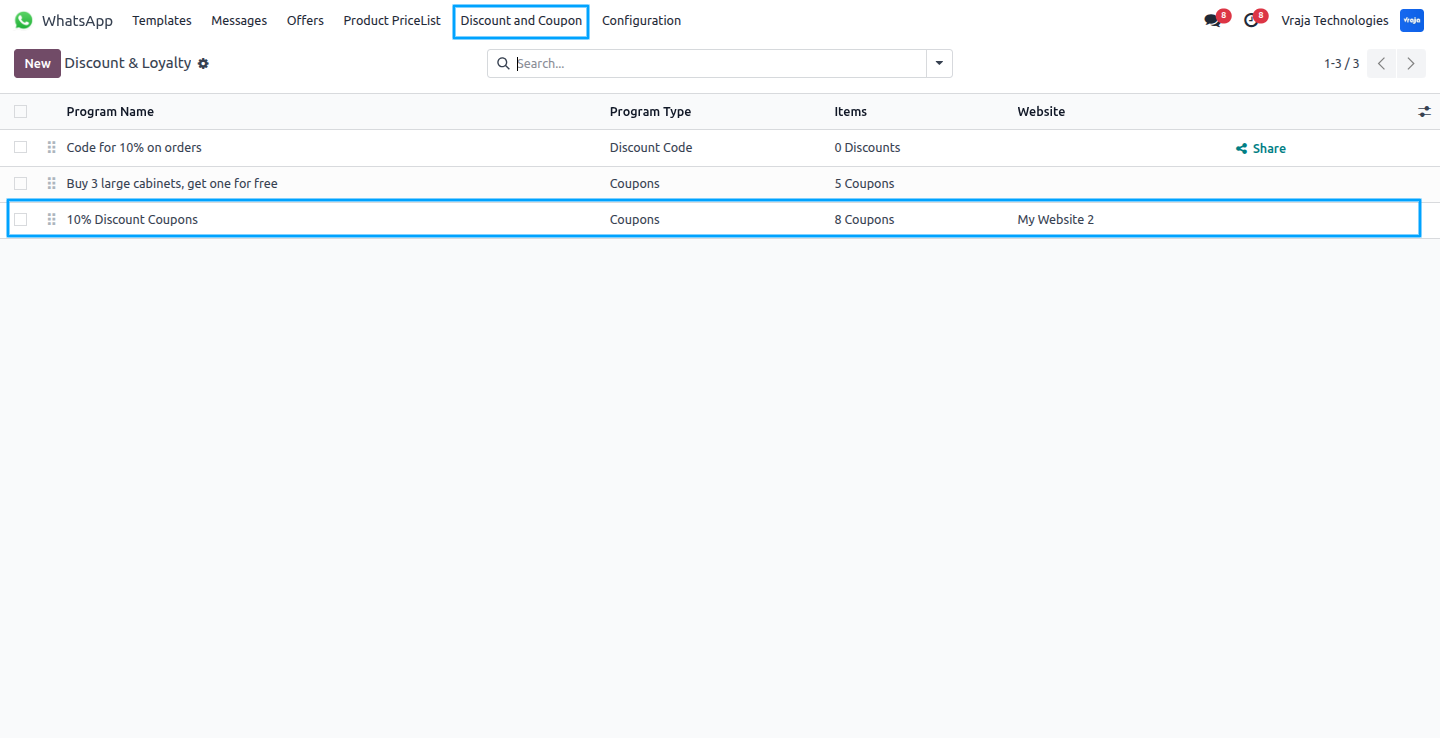
Here you can see that coupons are assigned to the customer, so the customer receives a WhatsApp notification with all the coupon details including expiration date and other discount details. (Notification Reminder feature we added.)
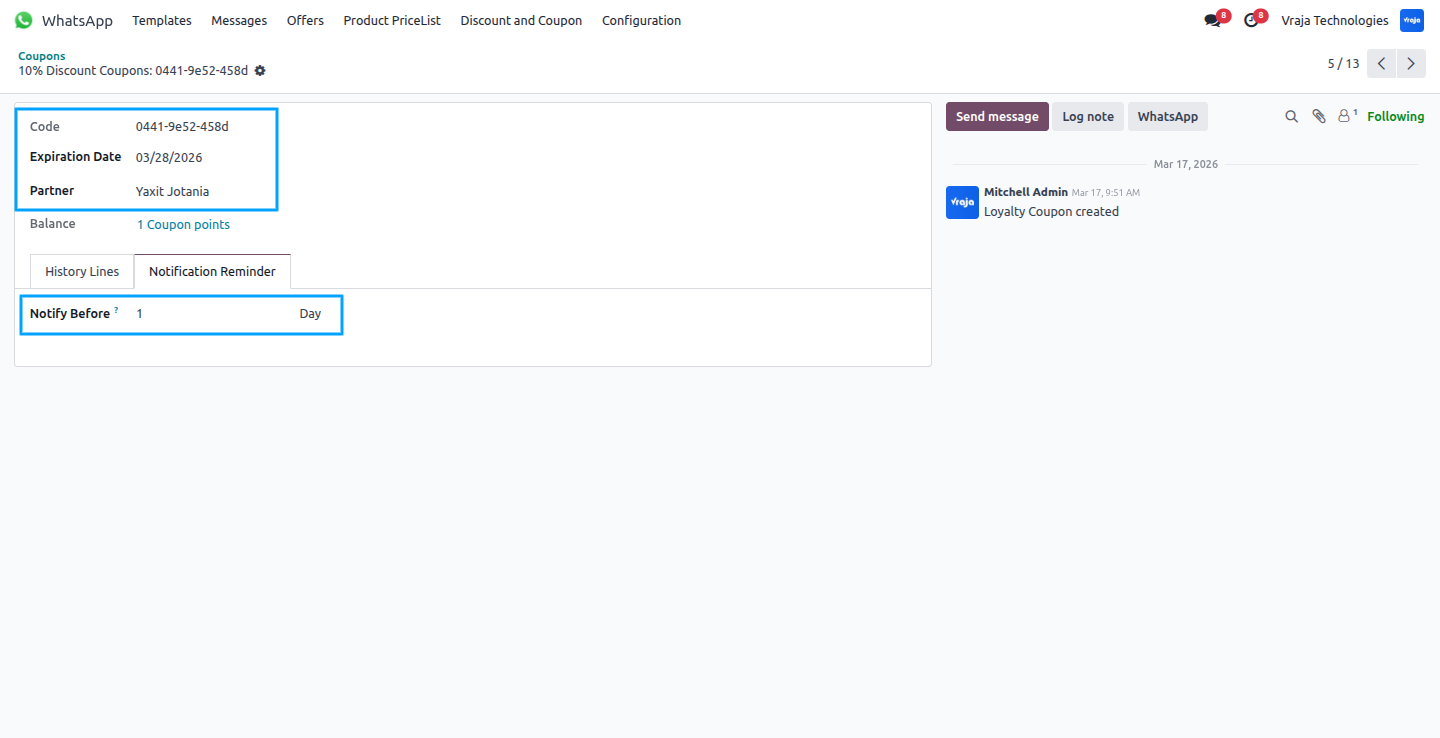
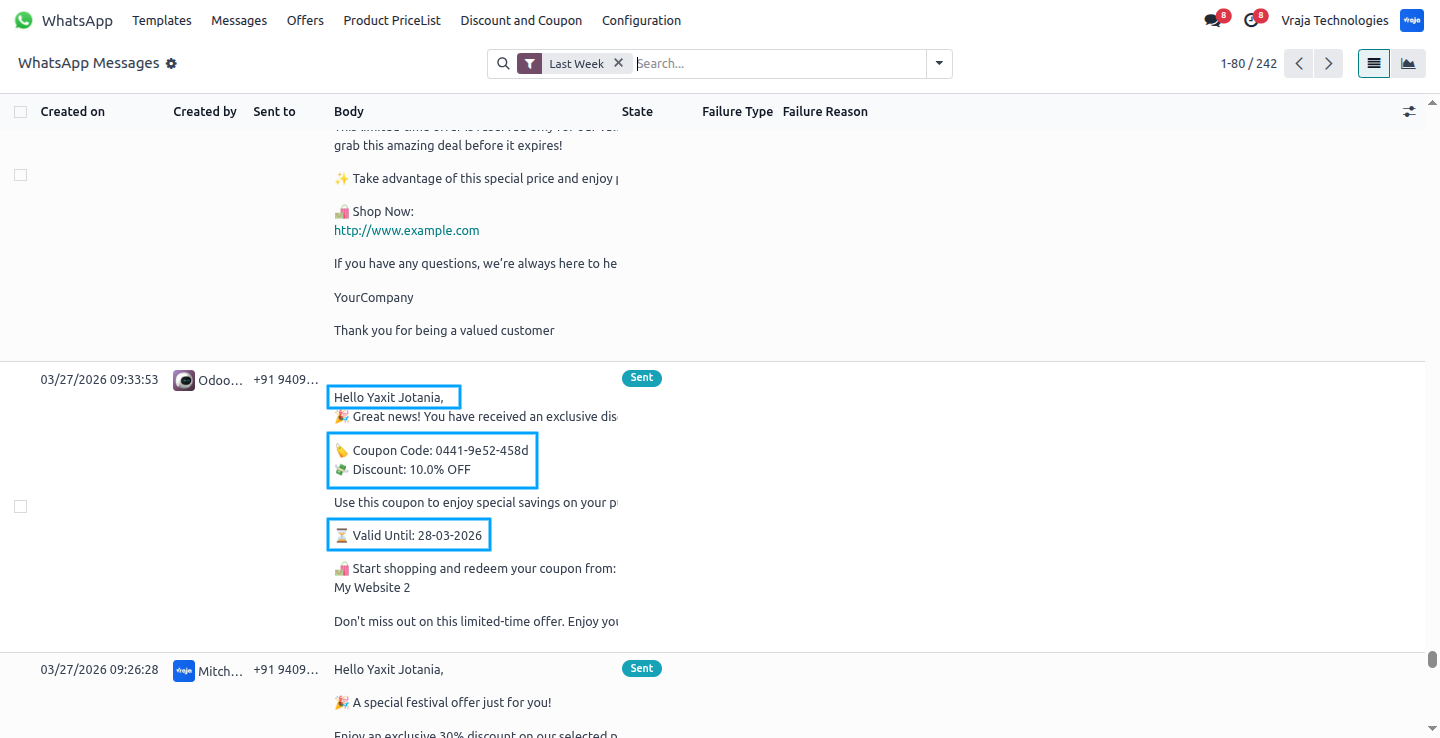
Here you can see that the WhatsApp notification about the discounts and coupons has been successfully sent to the customer.
Overdue Invoice
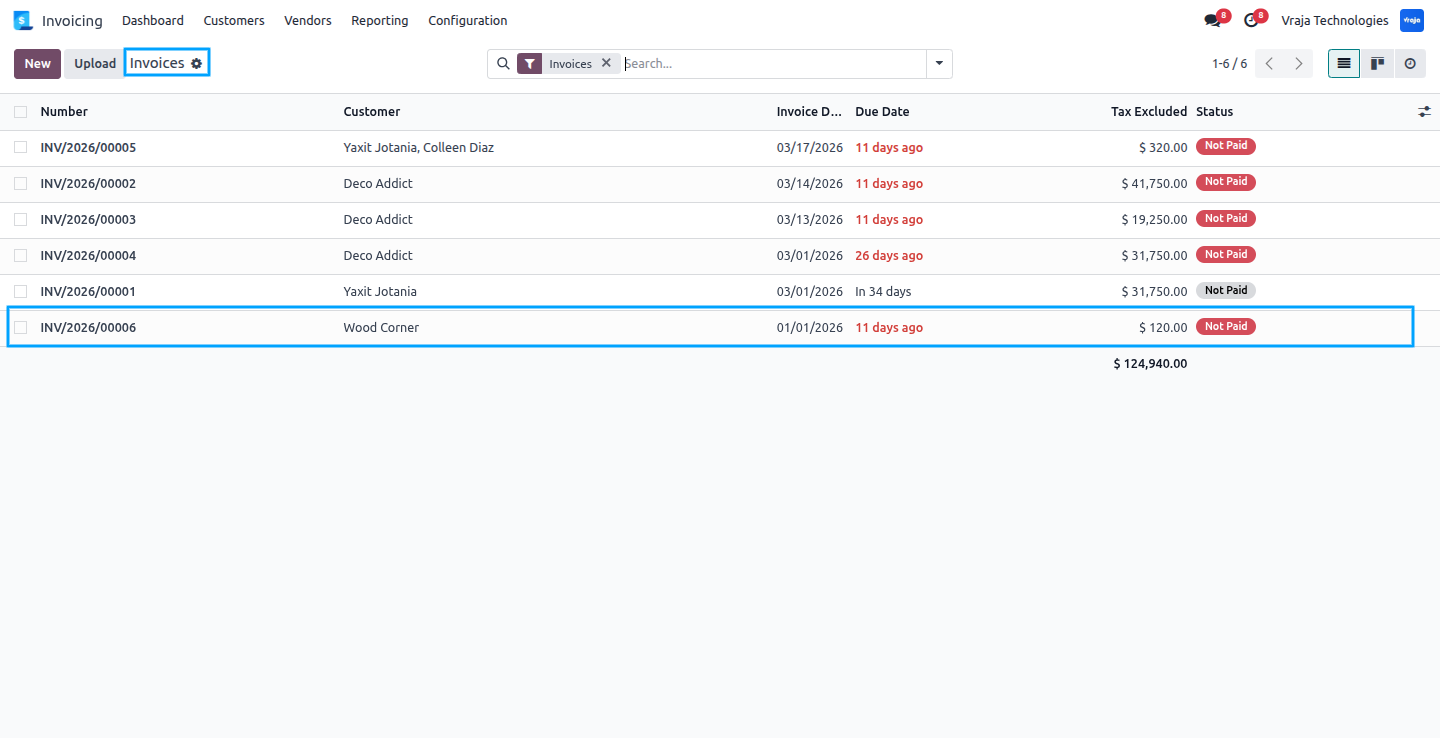
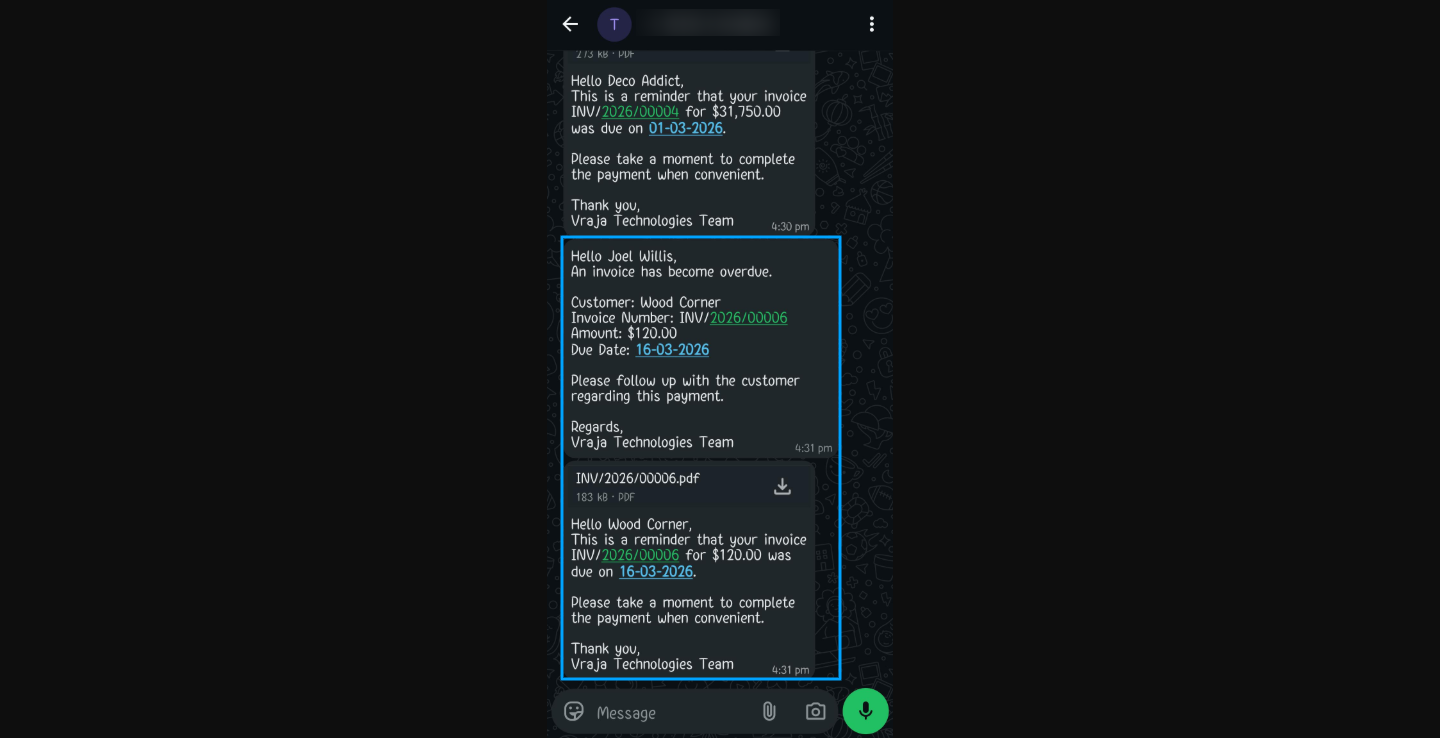
We provide a feature to send overdue invoice WhatsApp notifications to customers for pending payments. Here you can see some invoices that are due, and the system automatically sends a WhatsApp notification to the respective customers.
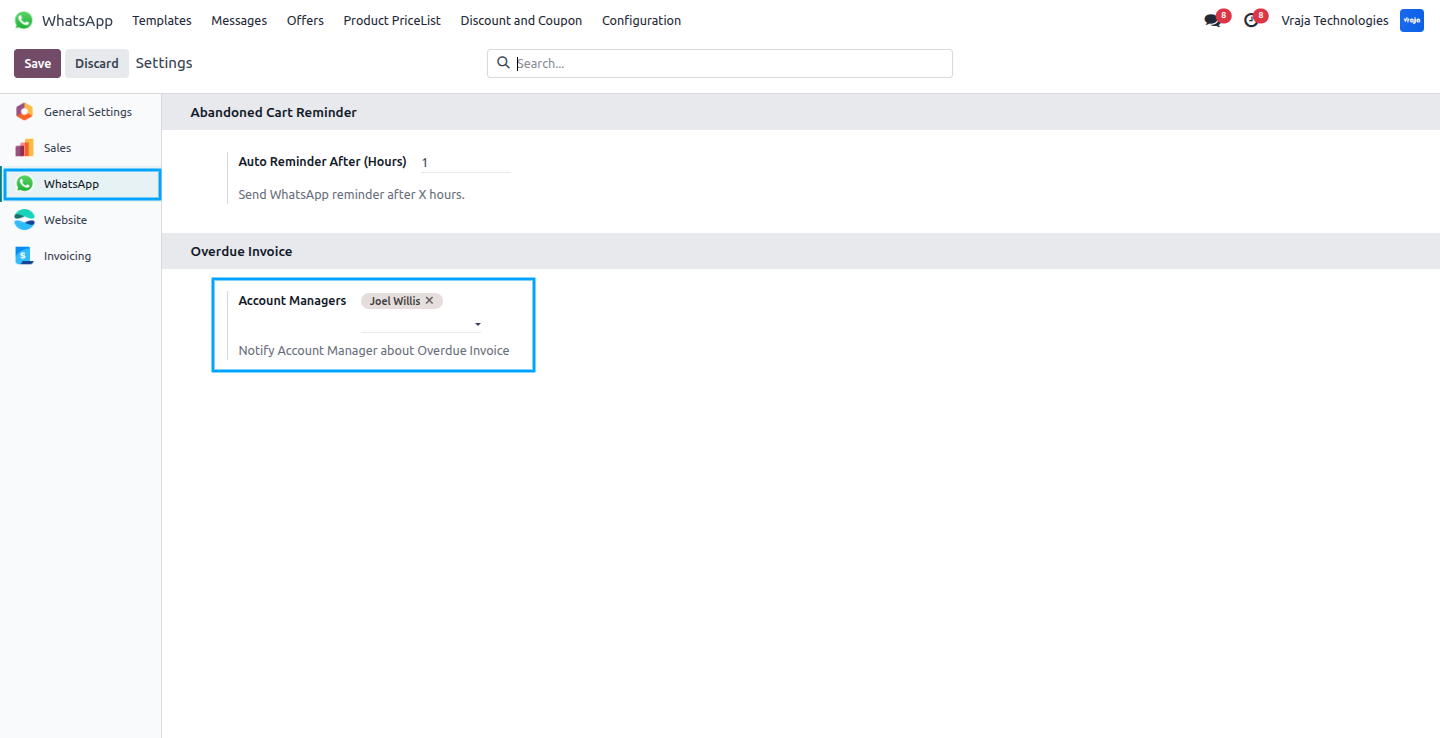
From Configuration > Settings, you can enable the Account Manager option for overdue invoices. When enabled, the account manager also receives WhatsApp notifications about overdue invoices related to their customers.
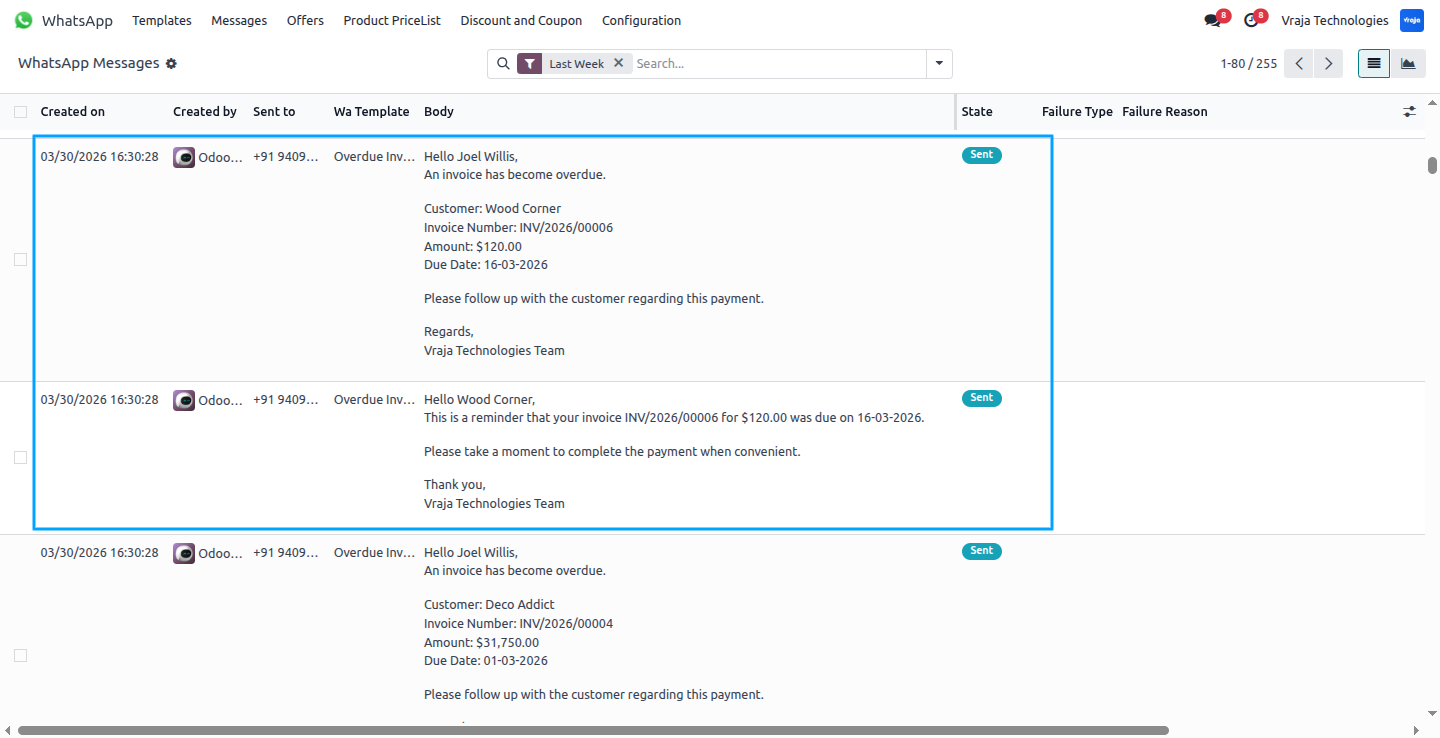
Here you can see that the Account Manager and customer receives the WhatsApp notification with all invoice details, including the customer name and payment information.We have an automatic cron job that sends notifications to Customers and Account Manager.
Abandoned Cart
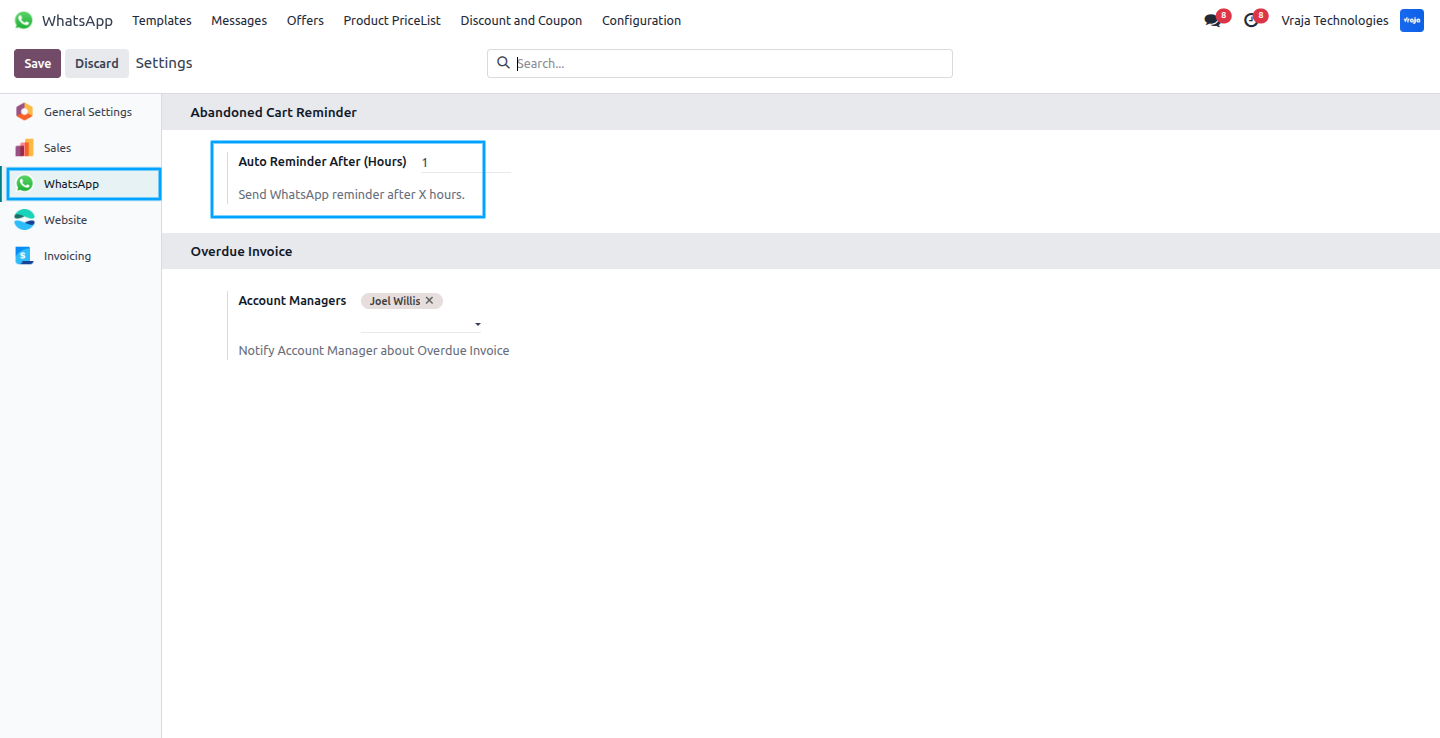
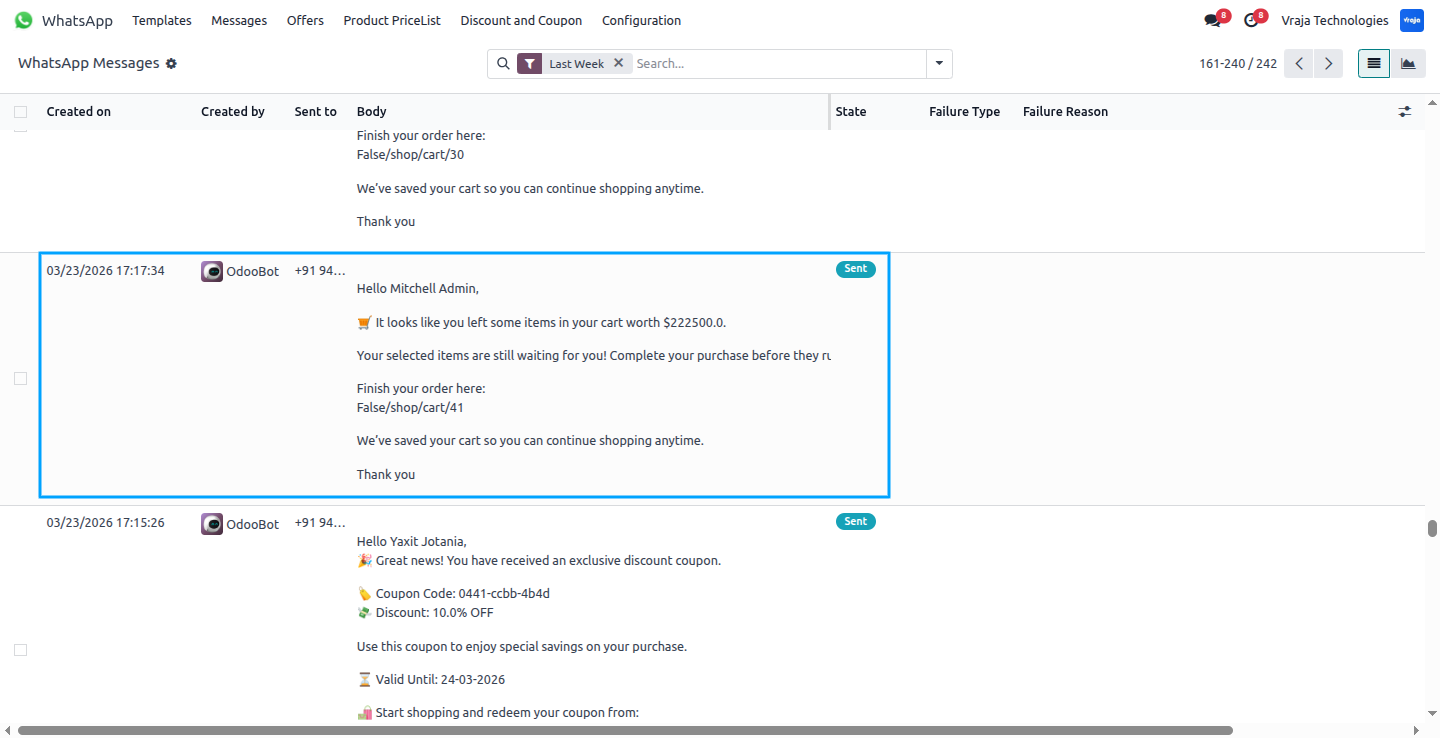
We also provide Abandoned Cart notifications. From Configuration > Settings, you have to enter the number of hours after which a notification for the abandoned cart will be sent to the customer. If the cart remains without any action for the configured number of hours, the system automatically sends a WhatsApp notification to the customer, and the reminder interval can be configured from the Settings.
Here you can see that the WhatsApp notification about the Abandoned Cart has been successfully sent to the customer.
Here you can see received sample message of WhatsApp notifications.
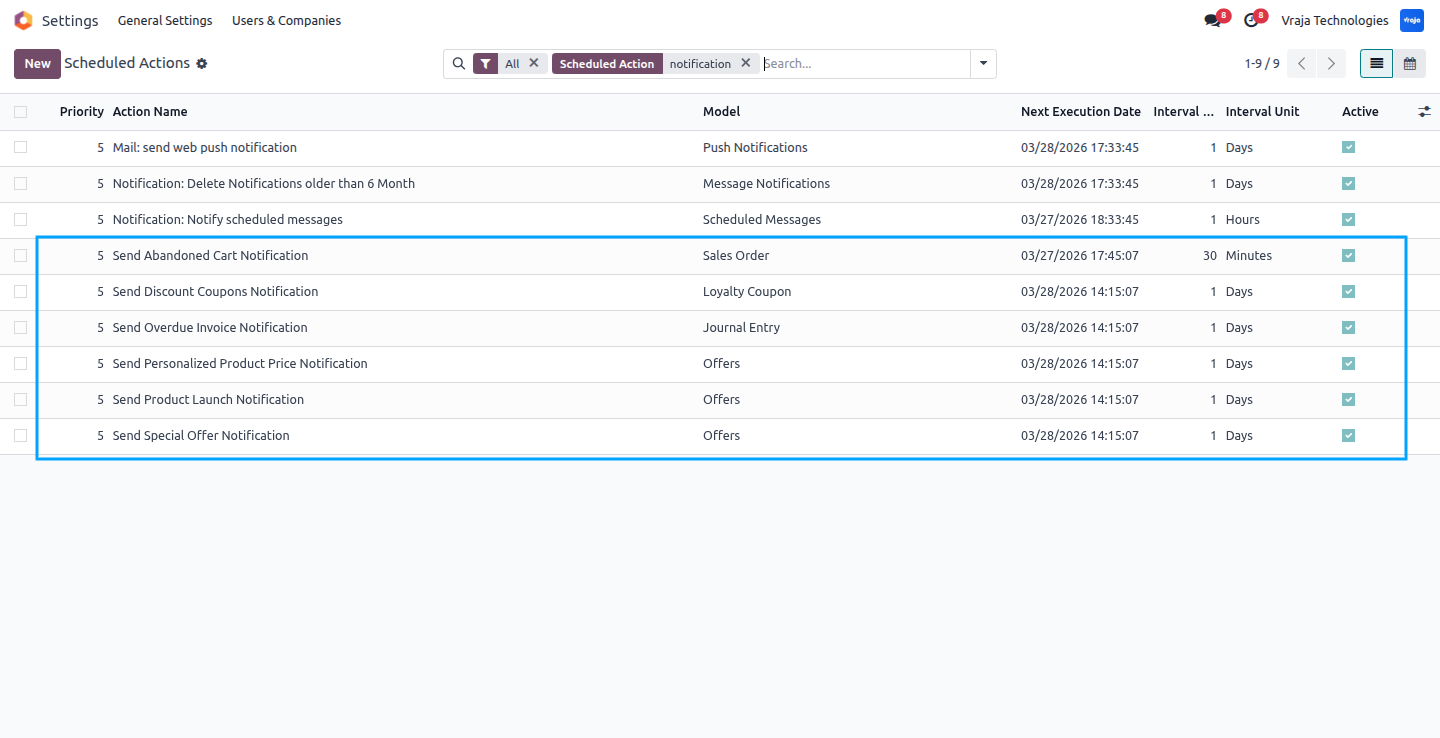
Here you can see all the scheduled actions related to WhatsApp notifications configured in the system.
 How do I connect my WhatsApp Business account with Odoo?
- You can connect your WhatsApp Business account from Configuration → WhatsApp Settings by entering the required API credentials such as App ID, App Secret, Phone Number ID, WhatsApp Business Account ID, and Access Token, and then clicking Test Credentials to verify the connection.
Do I need to create WhatsApp templates manually after installing the module?
- No. The module provides pre-configured default templates for different notifications such as offers, product launches, coupons, abandoned carts, and overdue invoices. You only need to submit them for approval.
Why do WhatsApp templates need approval before sending messages?
- WhatsApp (Meta) requires template approval to ensure that messages follow their messaging policies. Once the template is approved, it can be used to send notifications to customers.
Can I schedule WhatsApp notifications automatically?
- Yes. Notifications are automatically triggered using Odoo cron jobs (Scheduled Actions), ensuring messages are sent at the configured time without manual intervention.
Can I send WhatsApp notifications manually?
- Yes. In addition to automated notifications, you can manually send notifications by clicking the Send Notification button from the relevant record.
How can I target specific customers for notifications?
- You can use customer tags to target specific groups of customers. Only customers with the selected tags will receive the WhatsApp notification.
Can I control which products an offer applies to?
- Yes. Offers can be applied to All Products, Included Products, or Excluded Products, giving you flexibility to control which products are part of the promotion.
Can I modify the WhatsApp template body by default?
- Yes, you can modify the default WhatsApp template body in Odoo before submitting it for approval. However, once the template is submitted and approved by Meta (WhatsApp), any changes to the template content will require re-submission and approval again before it can be used for sending notifications.
I would like to request a custom feature for this application. What’s the process to get it implemented?
- We’re happy to help tailor the application to meet your business needs! You can reach us via sales@vrajatechnologies.com
Who is the point of contact for technical support, configuration support or bug-related queries?
- You can reach us via support@vrajatechnologies.com
Submit a Support Ticket
If you encounter any issues while using our app that are caused by the app itself, we offer complimentary support for 90 days from the date of purchase.
To create a support ticket, please register via the Vraja Technologies Support Email and provide the necessary details so we can assist you in resolving the issue.

Email Us
support@vrajatechnologies.com

 1.png)
Contact Us
vrajatechnologies.com/contactus

Support
vrajatechnologies.com/support-policy
Vraja Technologies Services

Odoo Implementation

Odoo App Integration Services

Odoo Customization

Odoo Consultation

Odoo Support & Maintenance

Odoo Developer Outsourcing
Suggested Application















Reviews
There are no reviews yet.