
Description
.png)
 Enterprise Community Odoo.sh
Odoo TaxJar Connector
“Engineered by Vraja in collaboration with Bluemax Partners”
Connect your Odoo ERP with TaxJar to automate U.S. sales tax calculation, reporting, and compliance. This connector syncs your Odoo transactions with TaxJar in real time, ensuring accurate tax rates based on customer and product locations. With TaxJar for Odoo, you can calculate taxes, upload transactions, and prepare returns in minutes instead of hours.

 Watch on YouTube
We specialize in delivering advanced Odoo solutions across multiple domains. Our expertise includes:

EDI & SWIFT/ACH Payment Integrations
End-to-end EDI automation, including X12, EDIFACT, XML standards, & financial integrations such as SWIFT, ACH, & Fedwire.


eCommerce Integrations
Seamless integration with leading eCommerce platforms to sync products, orders, inventory, and customer data in real time.

Shipping Integrations
Robust shipping connectors for global couriers, offering automated label generation, tracking, and rate computation.

Most Useful Apps for your ERP
A wide range of highly-rated Odoo modules designed to enhance automation, improve productivity, & simplify business operations.
 Features
 Configuration
 Import
 Export
 FAQs
FAQs
Features
Import Operations (TaxJar → Odoo)
- Synchronize Product Categories
- Synchronize Nexus States
- Synchronize Tax Rates (city, state, country)
Export Operations (Odoo → TaxJar)
- Automatically Create & Update Transactions (Invoices/Refunds) when transaction Validate
- Manually Create & Update multiple Transaction using server action
- Delete Transactions (Invoices/Refunds)
Automation (Scheduled Actions)
- Categories – Automatically synchronize TaxJar product categories
- Nexus States – Automatically synchronize nexus states
- Invoice & Refunds – Automatically sync transactions from Odoo to TaxJar
Installation
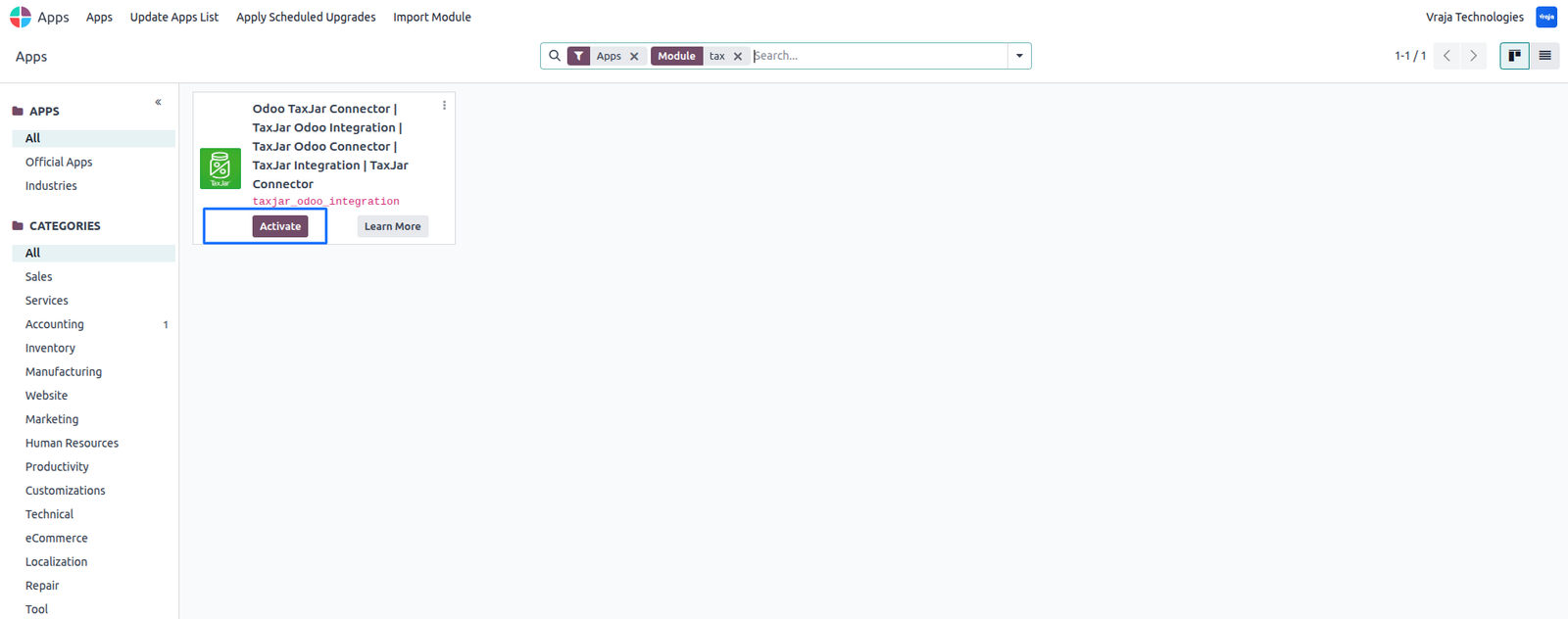
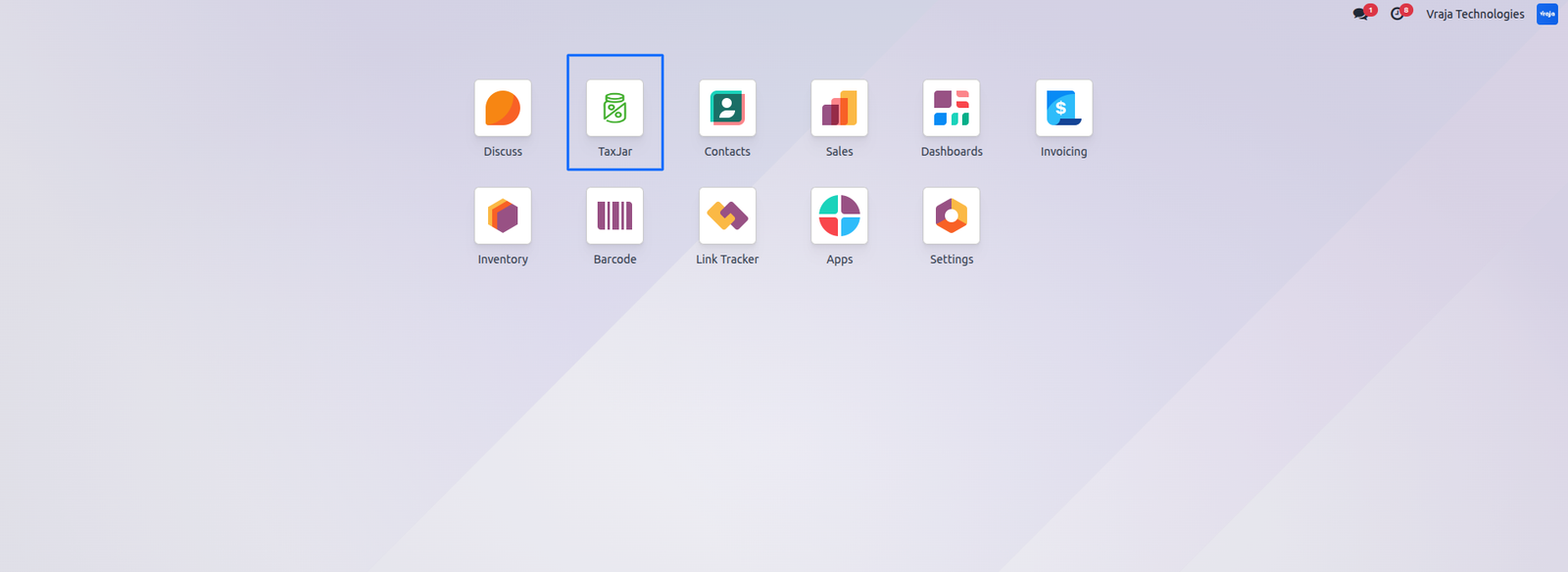
 Download the ‘TaxJar Odoo Connector’ from Vraja Technologies. Copy the module into your Odoo addons directory. Restart the Odoo service. Go to Apps → Update Apps List, search for TaxJar, and click Activate.
Setup TaxJar Account
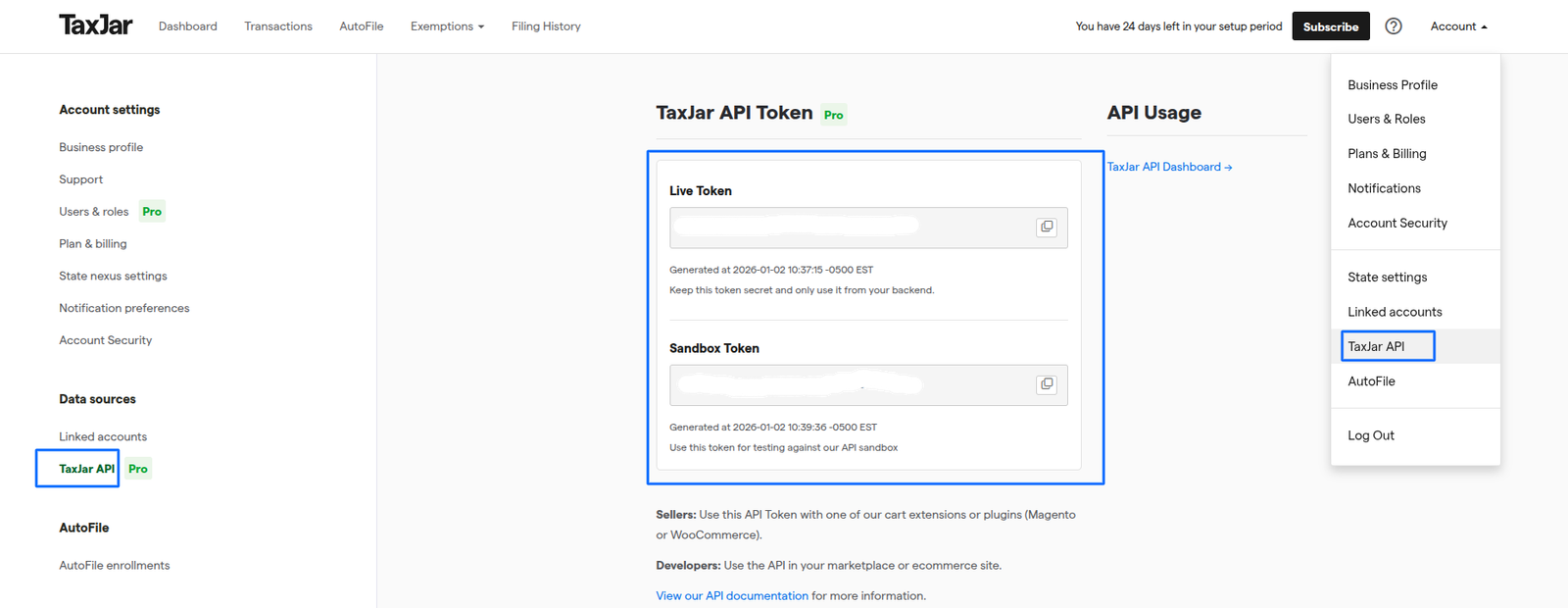
Generate and get an API Token in your TaxJar account.
In Odoo, go to: TaxJar → TaxJar Instance → Create
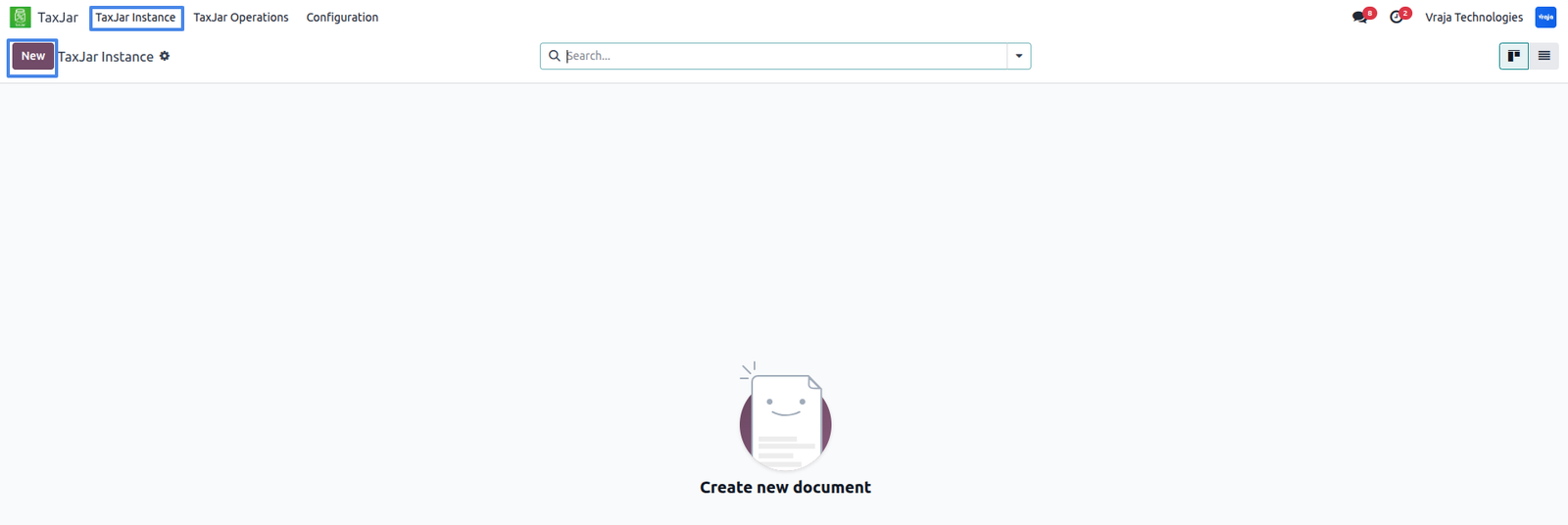
Enter Your API ceredentials and and connect the account.

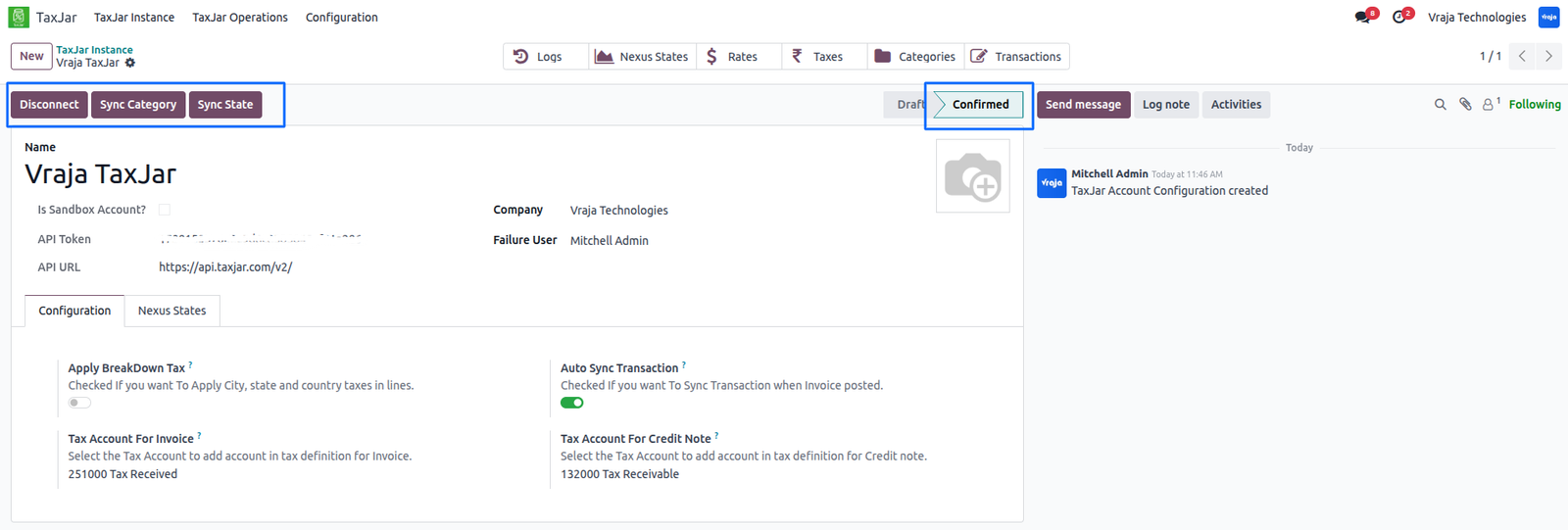
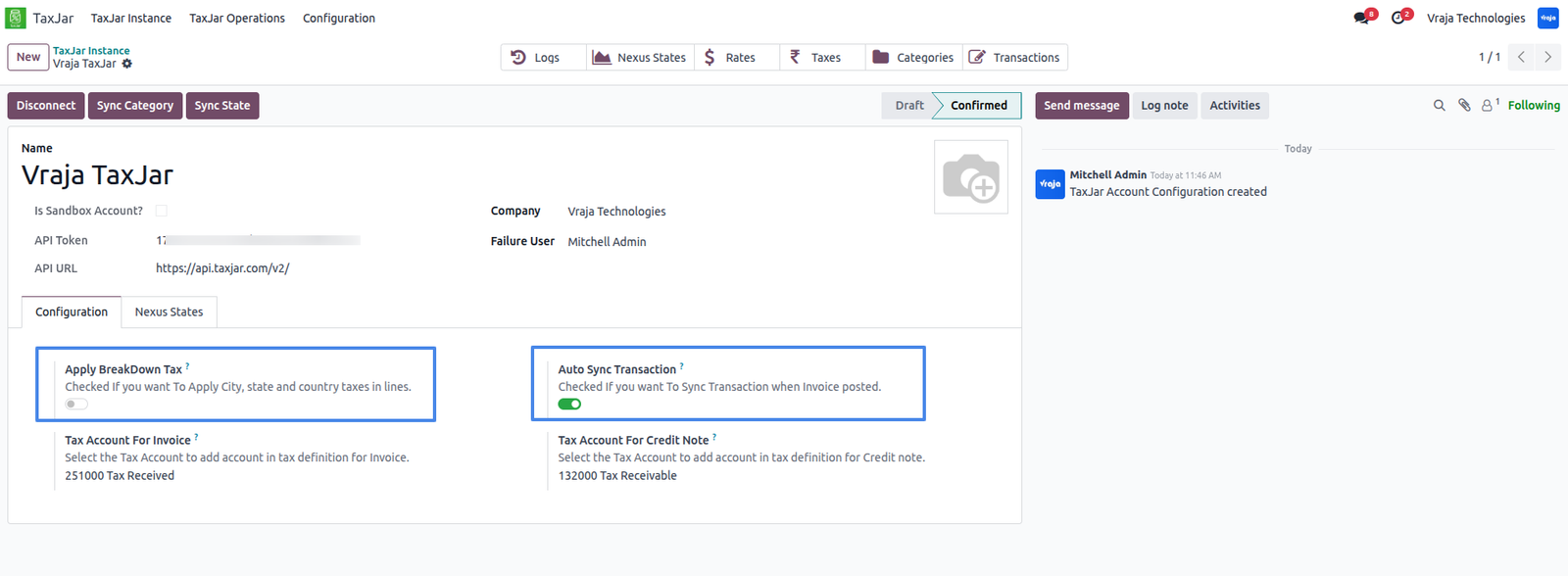
Configure Taxes and Transaction Settings
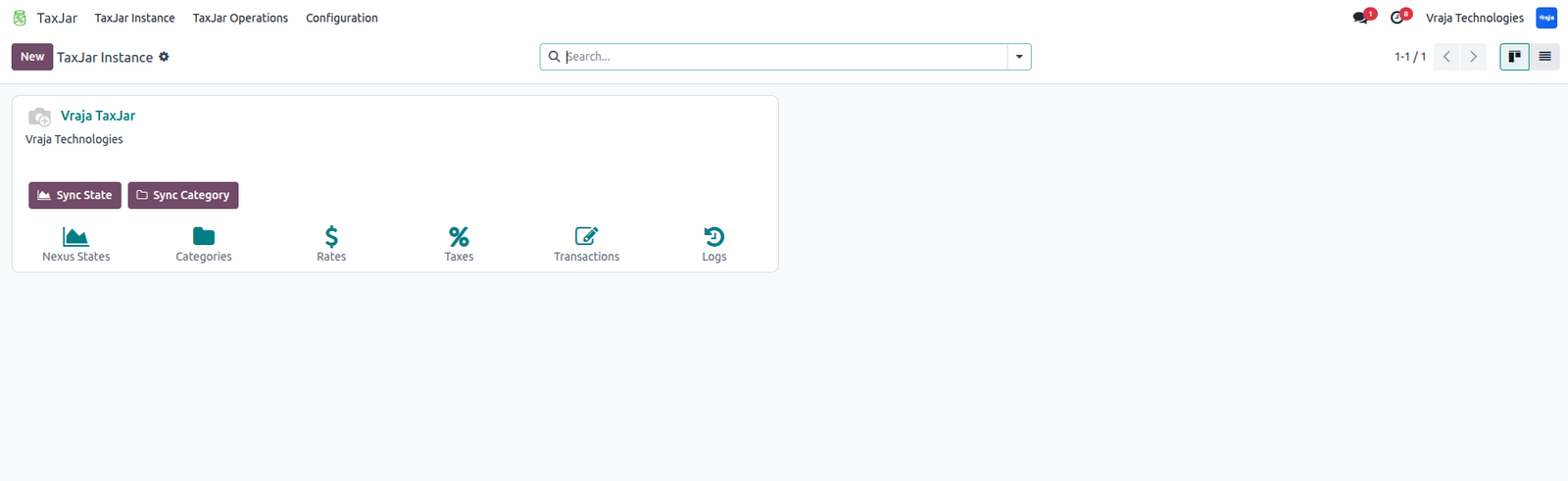
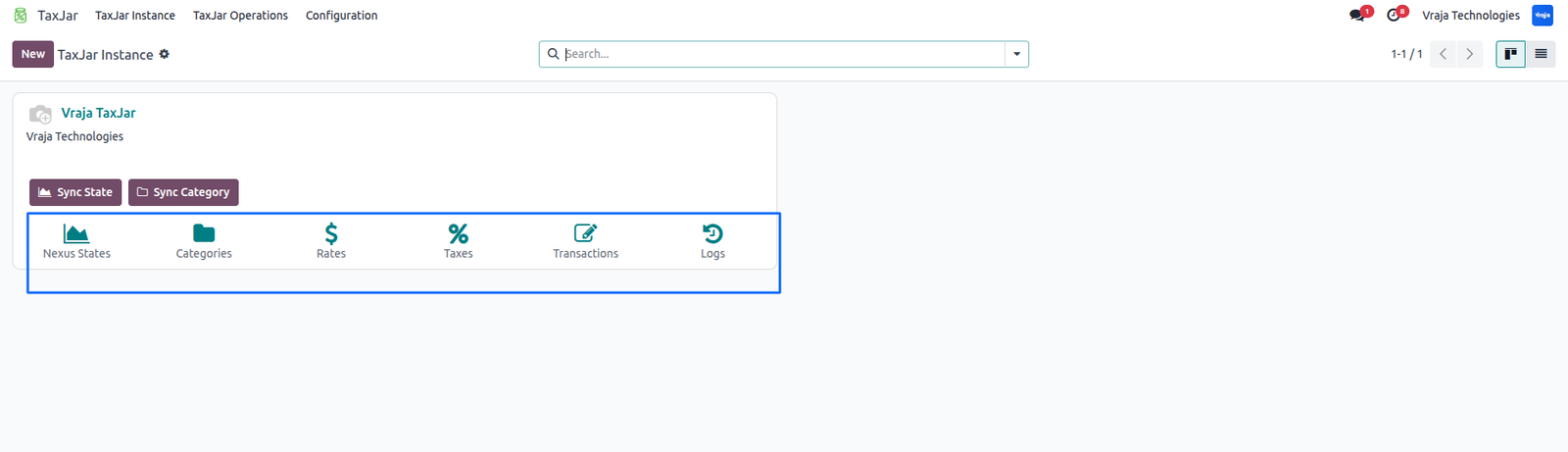
After a successful connection, the instance dashboard will appear.
Management & Monitoring
Activity Alerts -> Configure users to receive failure notifications.
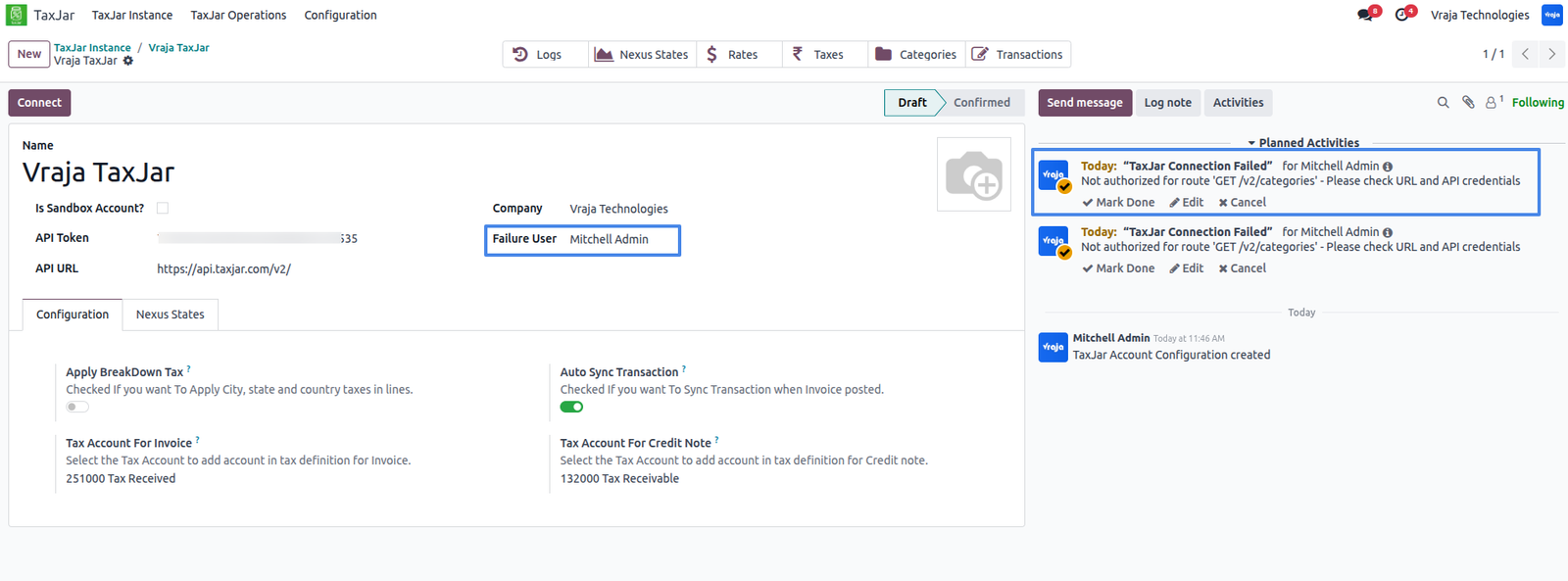
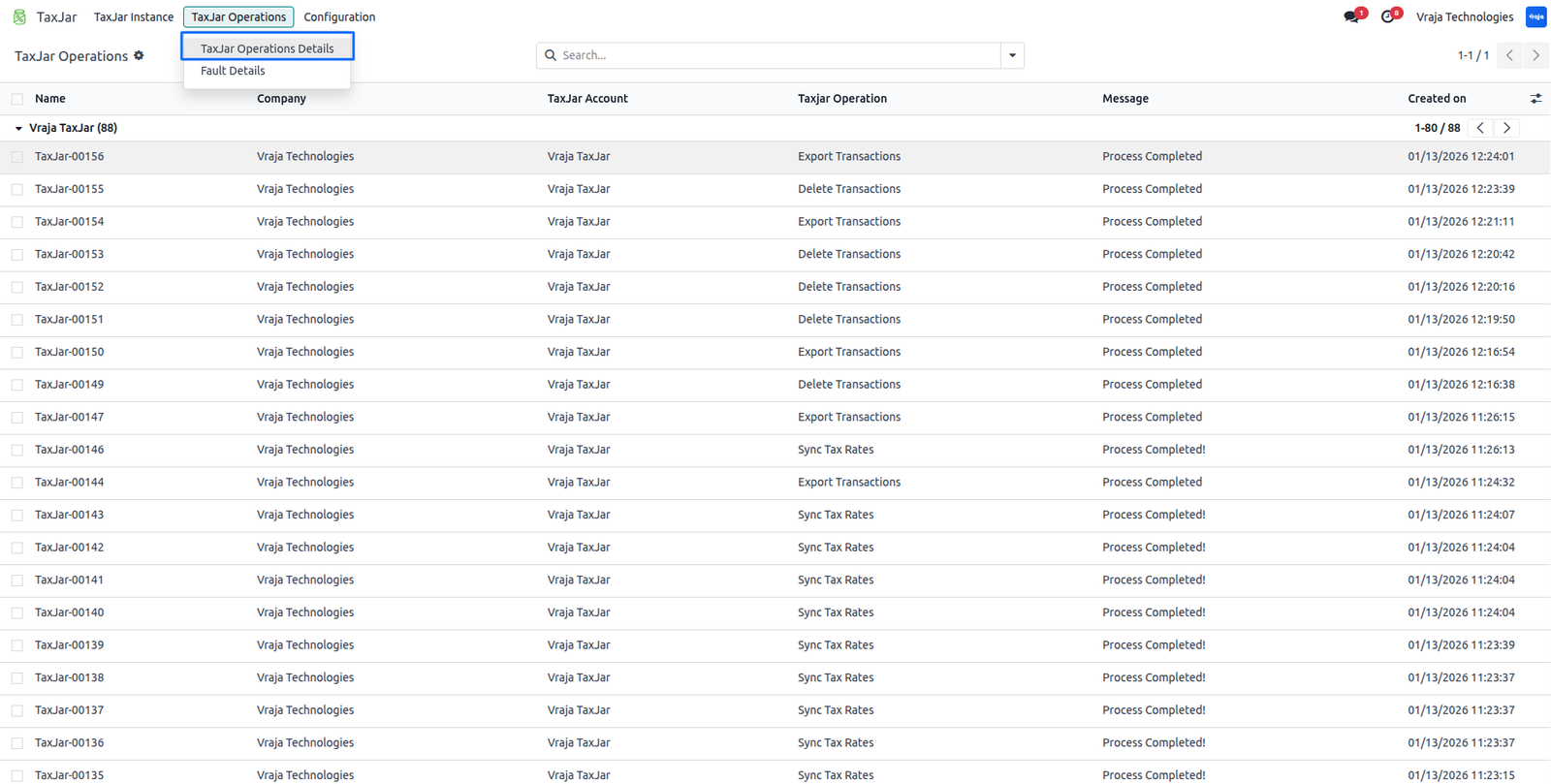
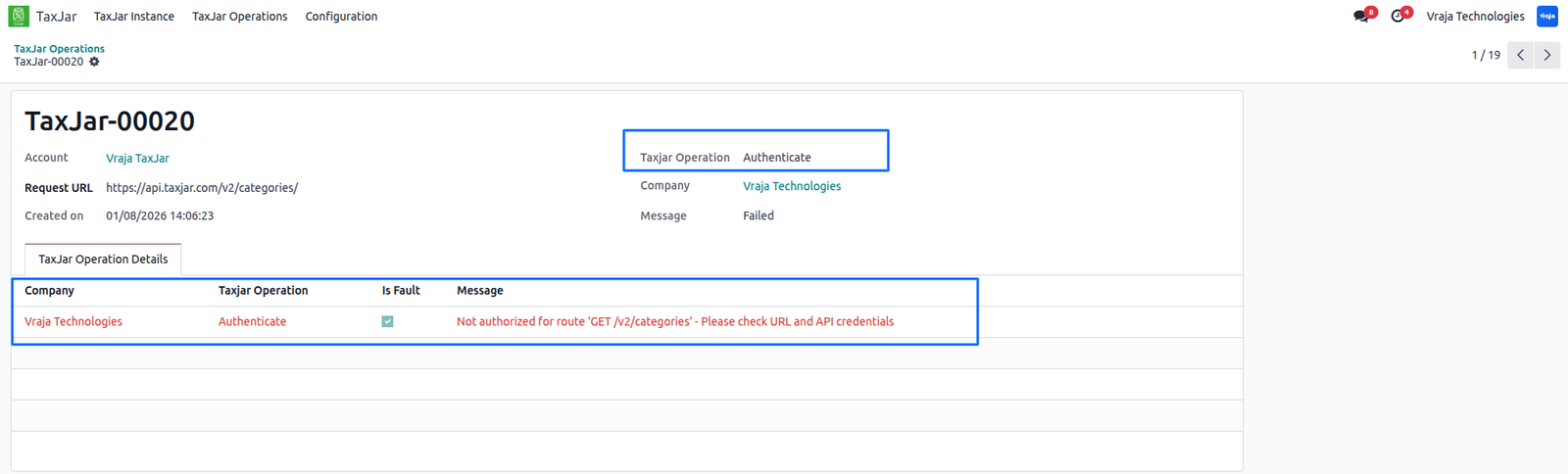
Logs -> View detailed logs for any failed or successful process.
Dashboard -> Access all transactions, rates, taxes, categories, and logs in one place.
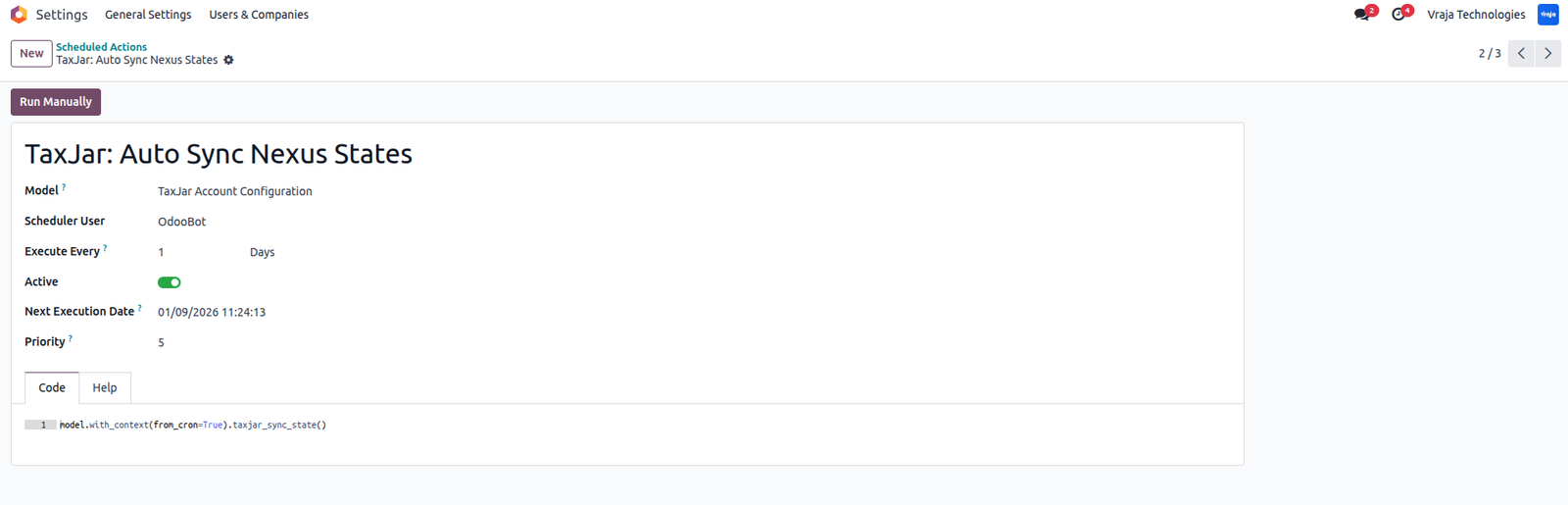
Synchronize Nexus States
Click ‘Sync States’ in the TaxJar instance to retrieve all configured nexus states from TaxJar.

Automatic Sync States: A scheduled action is available to automatically sync nexus states.
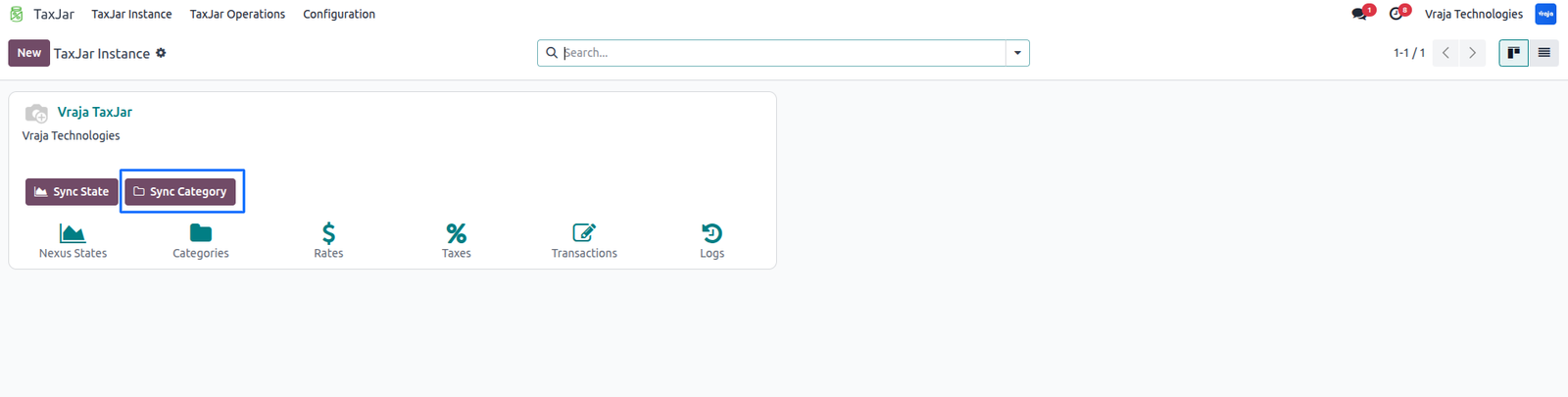
Synchronize Product Categories
Click ‘Sync Categories’ in the TaxJar instance.
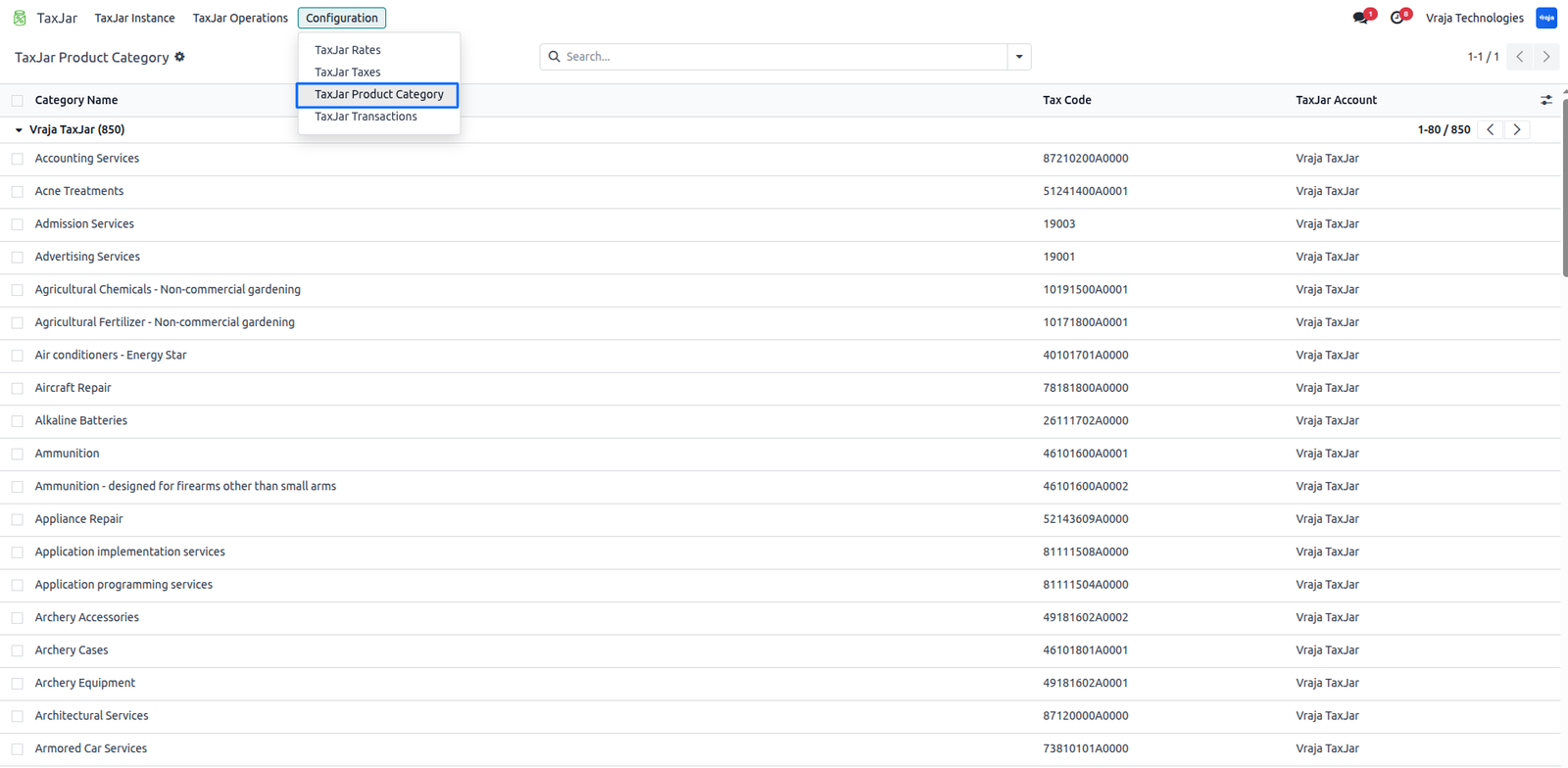
Navigte to: TaxJar → Configuration → TaxJar Product Category
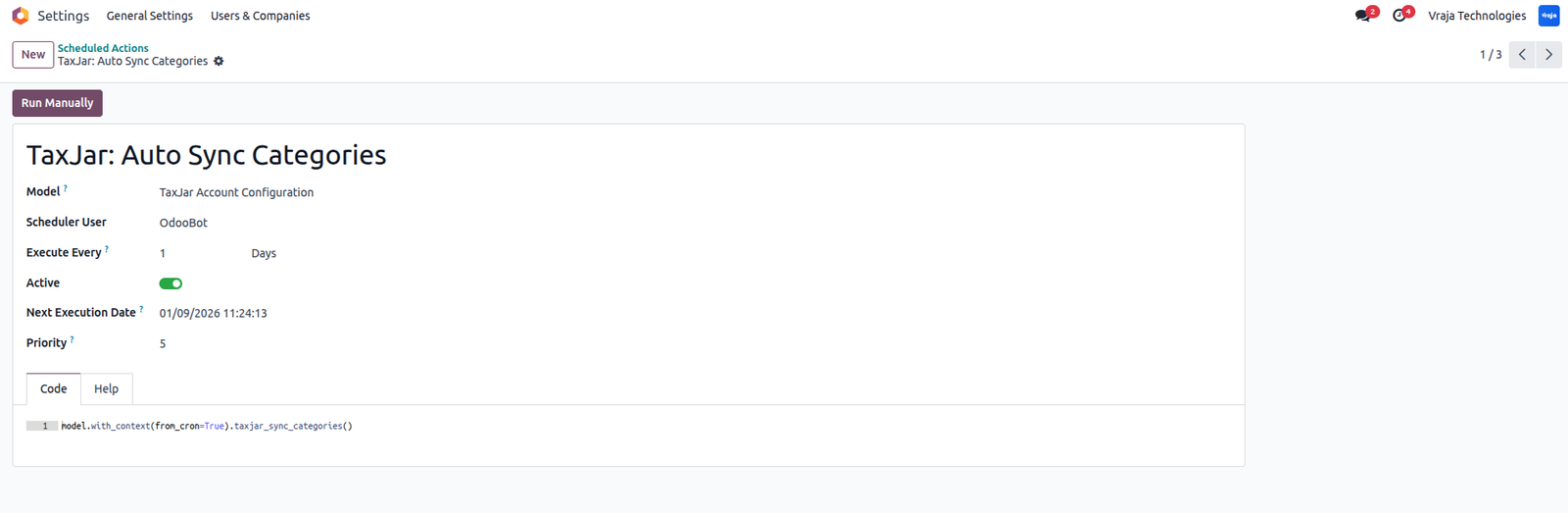
Automatic Sync Categories: A scheduled action is available to automatically sync Categories.
Configure Fiscal Position
Select the TaxJar account to load all nexus states.
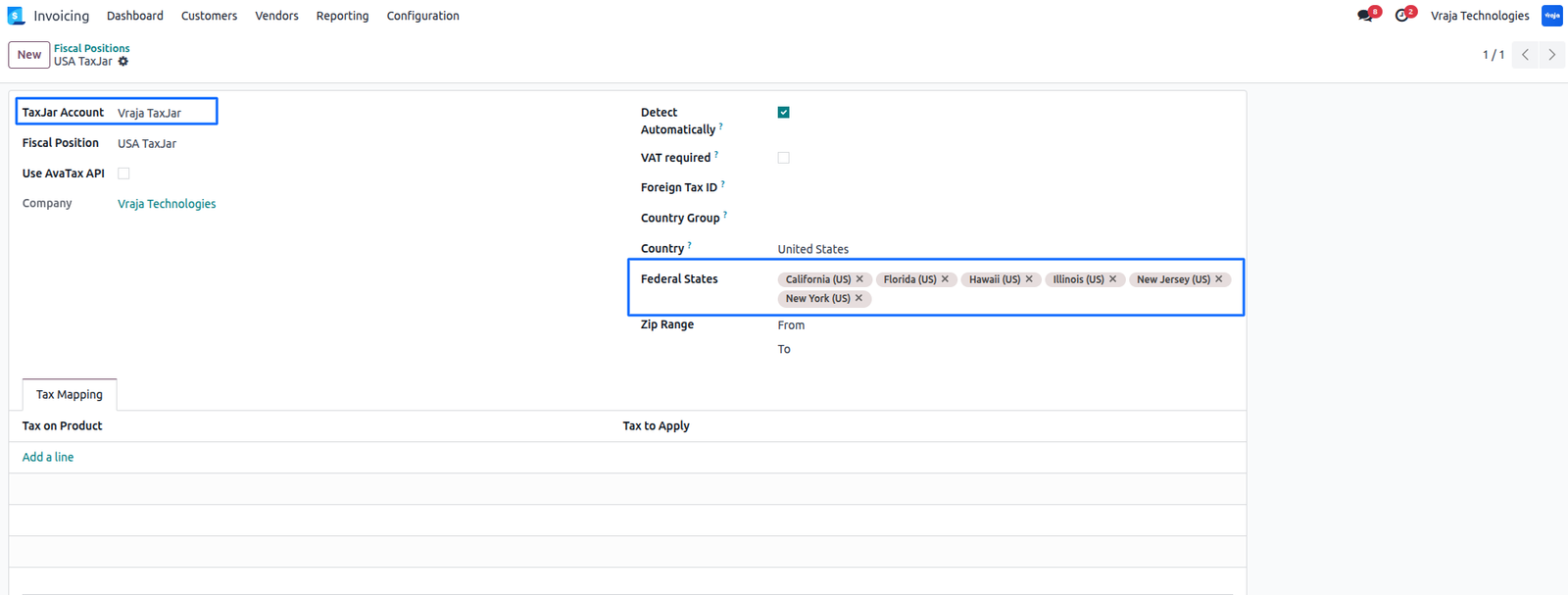
Map Categories
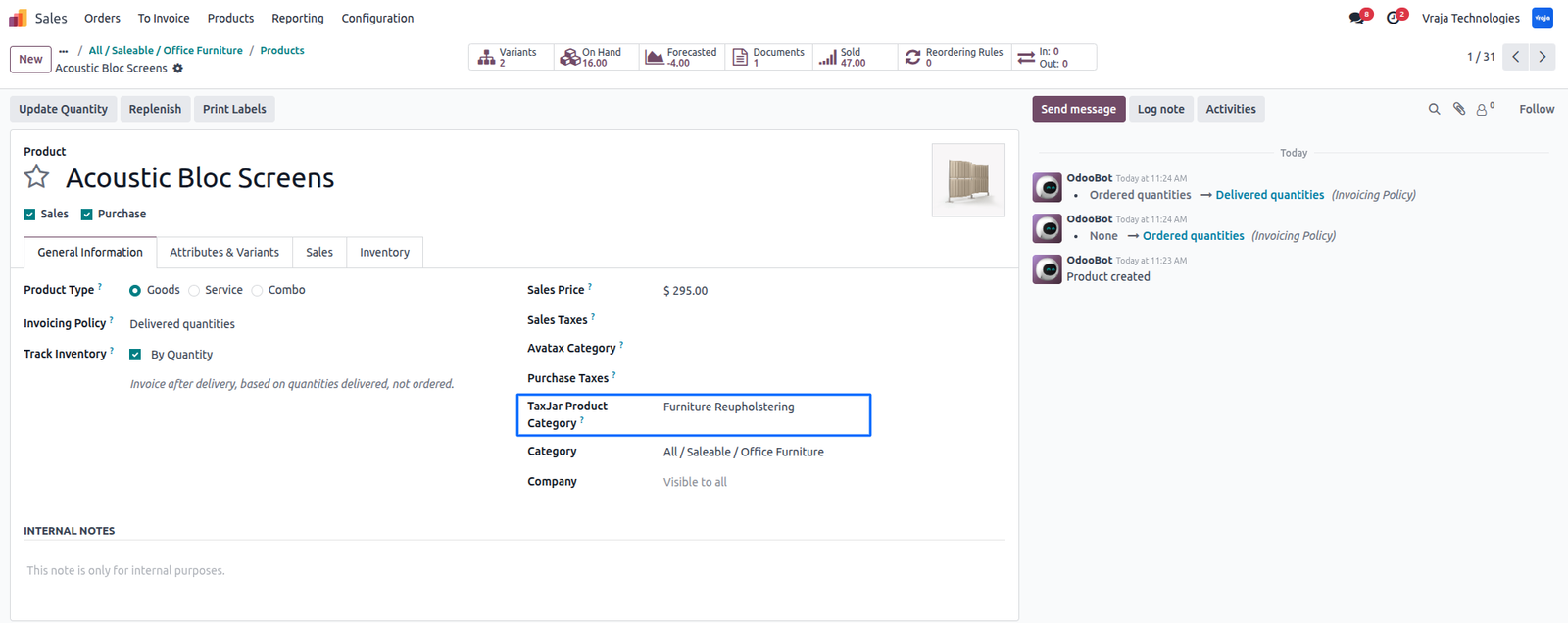
Map TaxJar product categories to Odoo product categories.
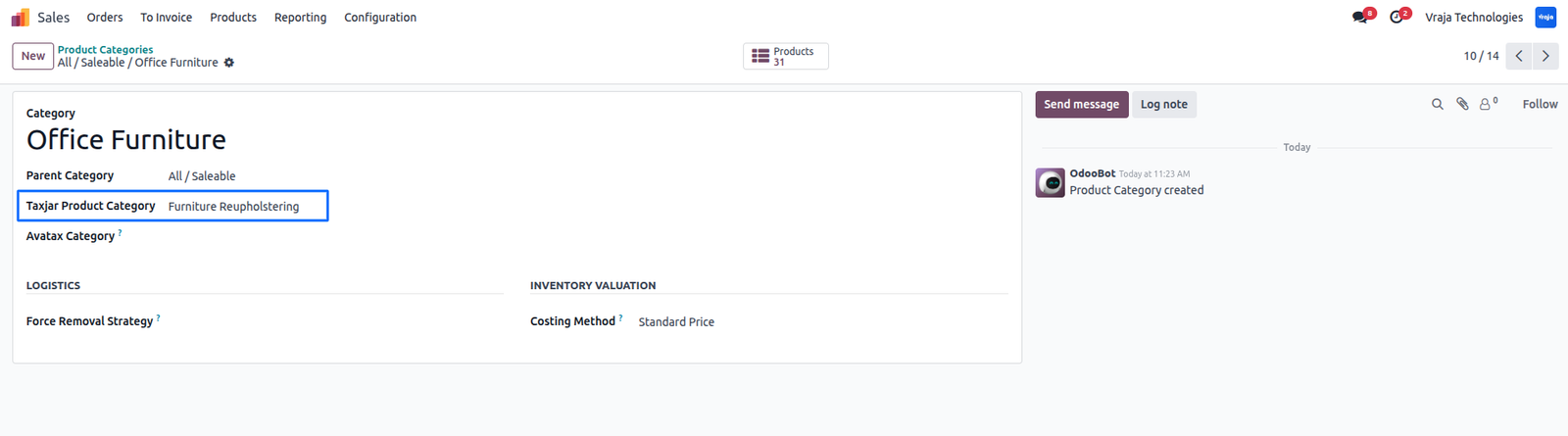
The system automatically maps products to the selected categories. You can also map them manually
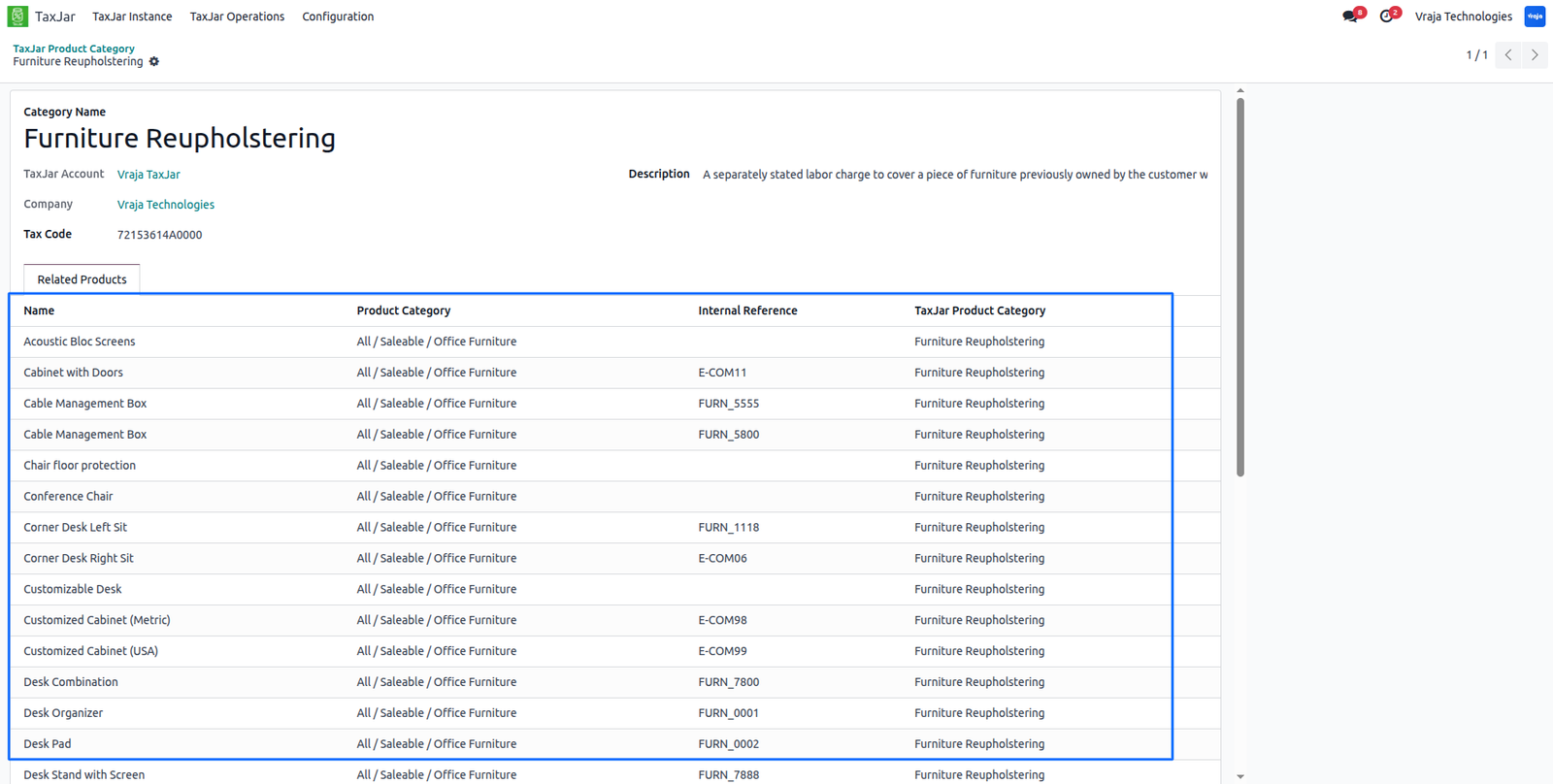
View all products mapped to a TaxJar category.
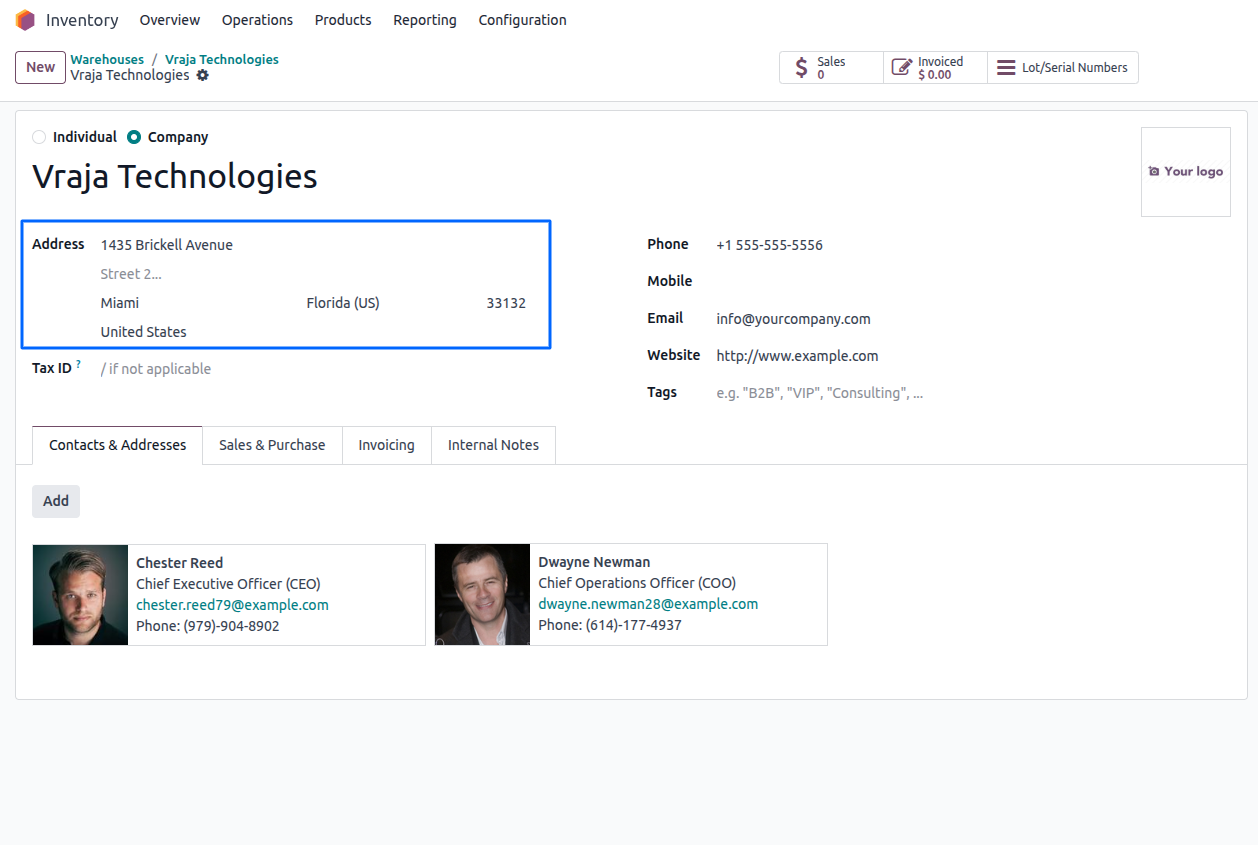
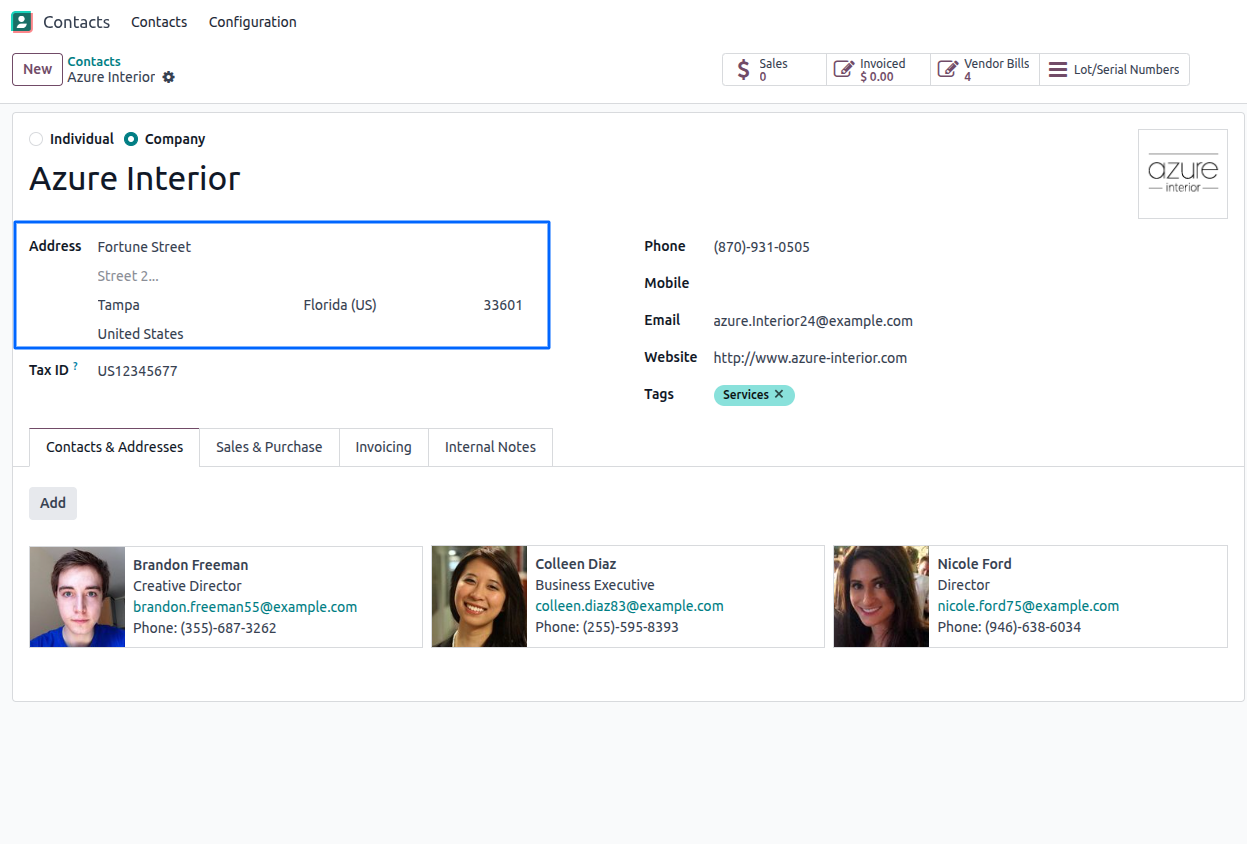
Configure Addresses
Warehouse/Company Address
Customer Address
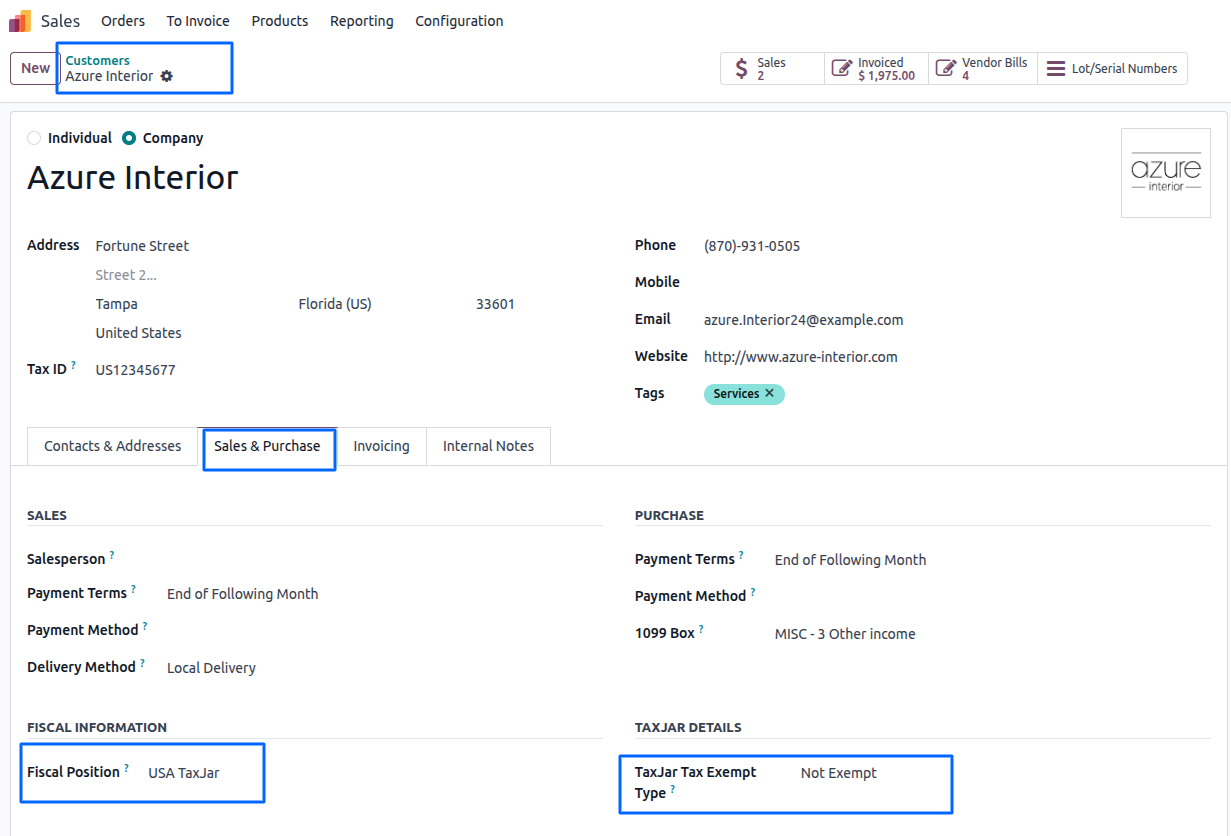
Configure Customer Exempt Type and Fiscal Position.
The following Exempt type Support:
- Wholesale (Wholesales or Resale Exempt)
- Government (Government Entity Exempt)
- Other (Entity Exempt)
- Non-Exempt (Not Exempt)
If Wholesale, Government, or Other is selected, the customer is treated as tax-exempt. The tax API will return a tax rate of 0, and since a zero rate is received, no tax will be applied and will remain empty.
If Non-Exempt is selected, tax will be calculated normally. The tax API will return the applicable tax rate based on the customer’s configured address, and the system will apply tax using the rate received from the API.
Automatic Tax Calculation
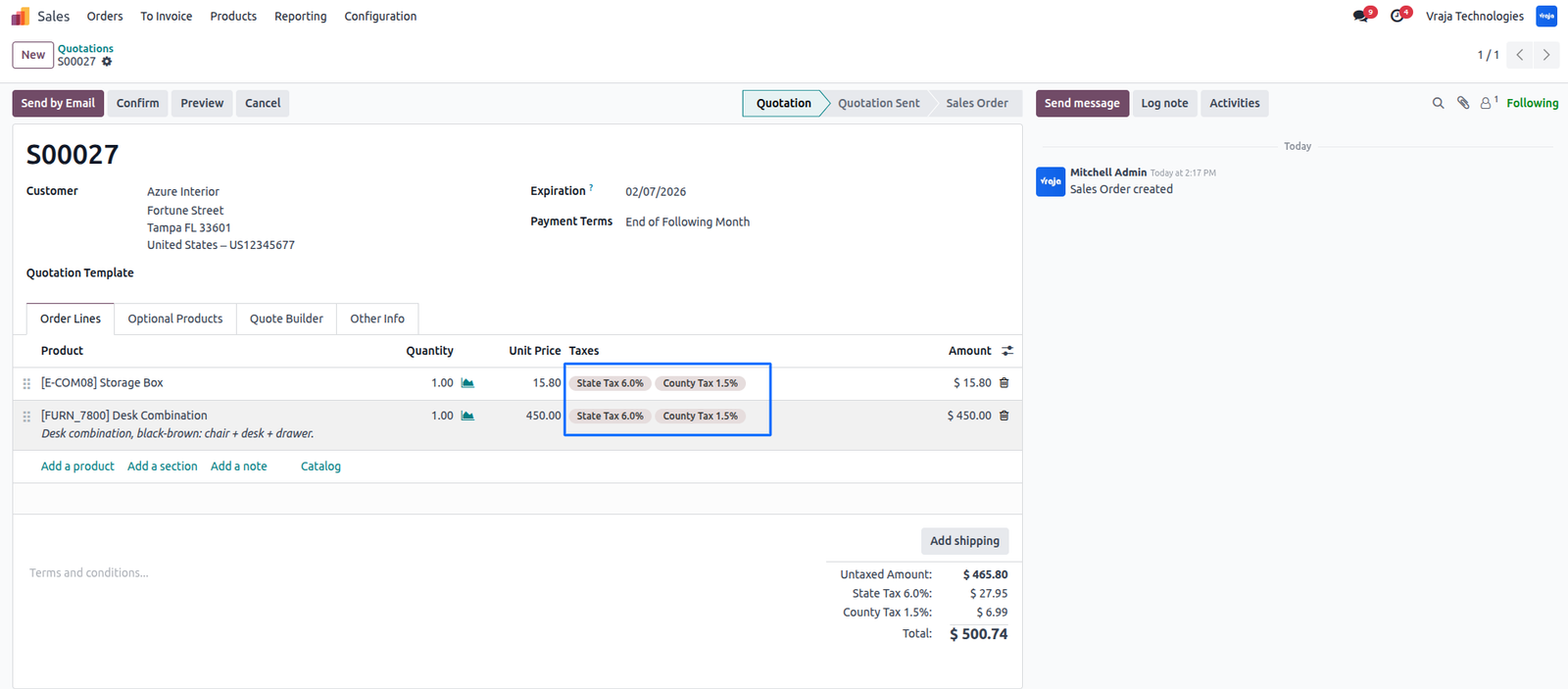
Sales tax is calculated automatically by TaxJar based on the customer’s shipping address.
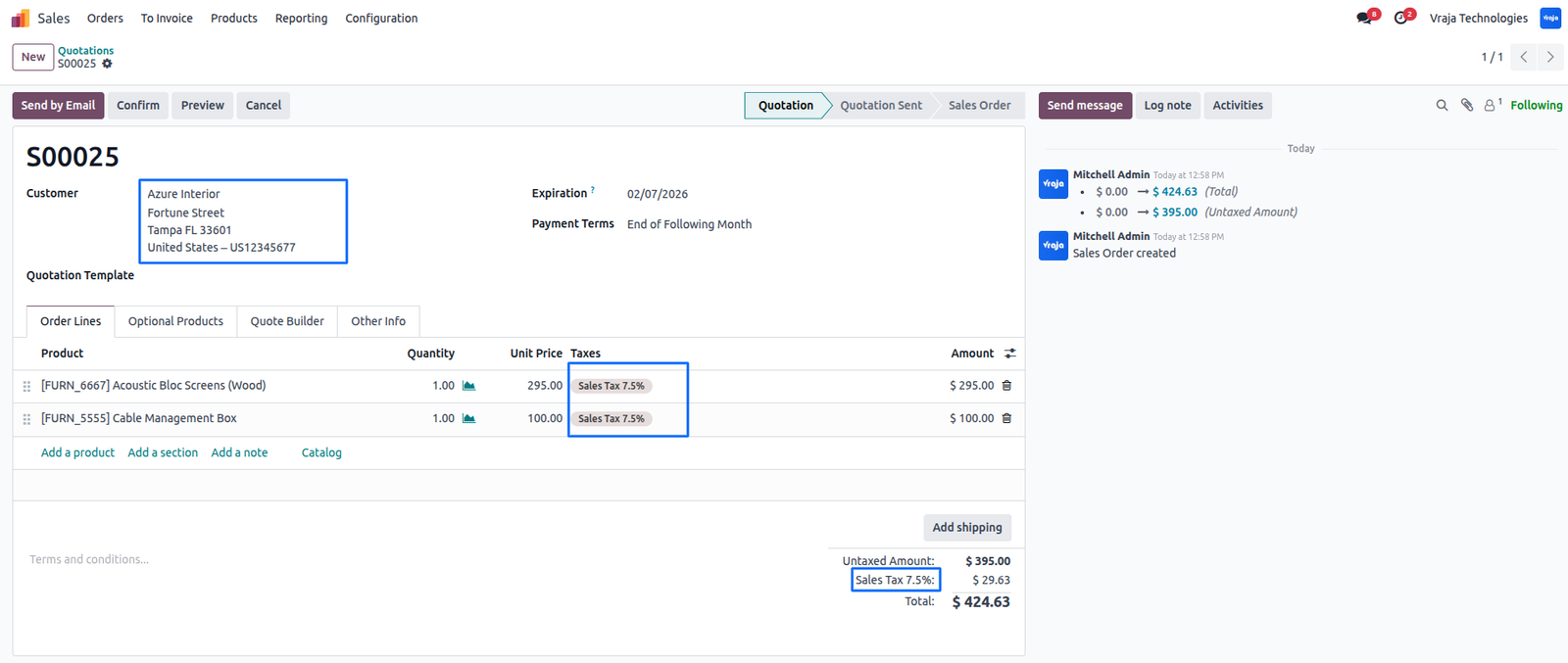
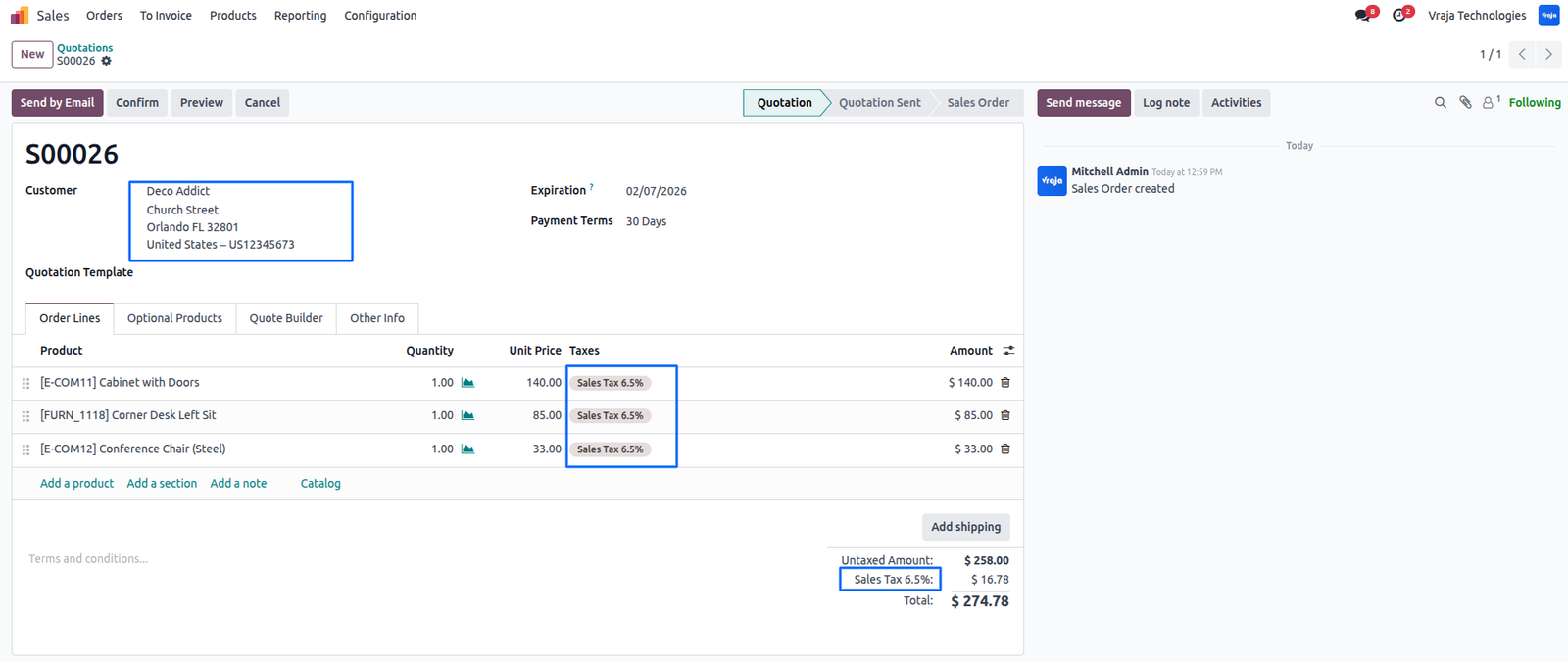
If ‘Tax Breakdown’ is enabled, taxes are applied and displayed by city, state, and country.
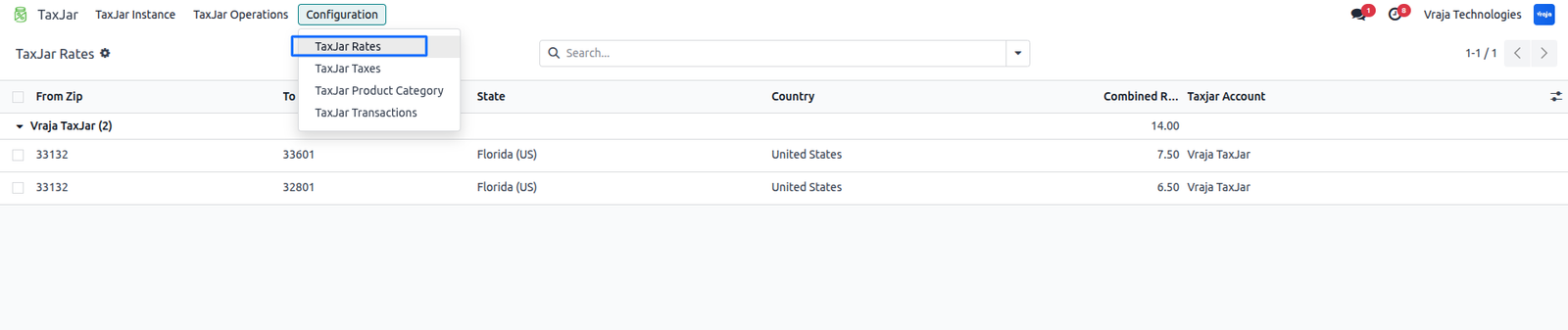
You can view rate breakdowns in TaxJar → Configuration → TaxJar Rates.
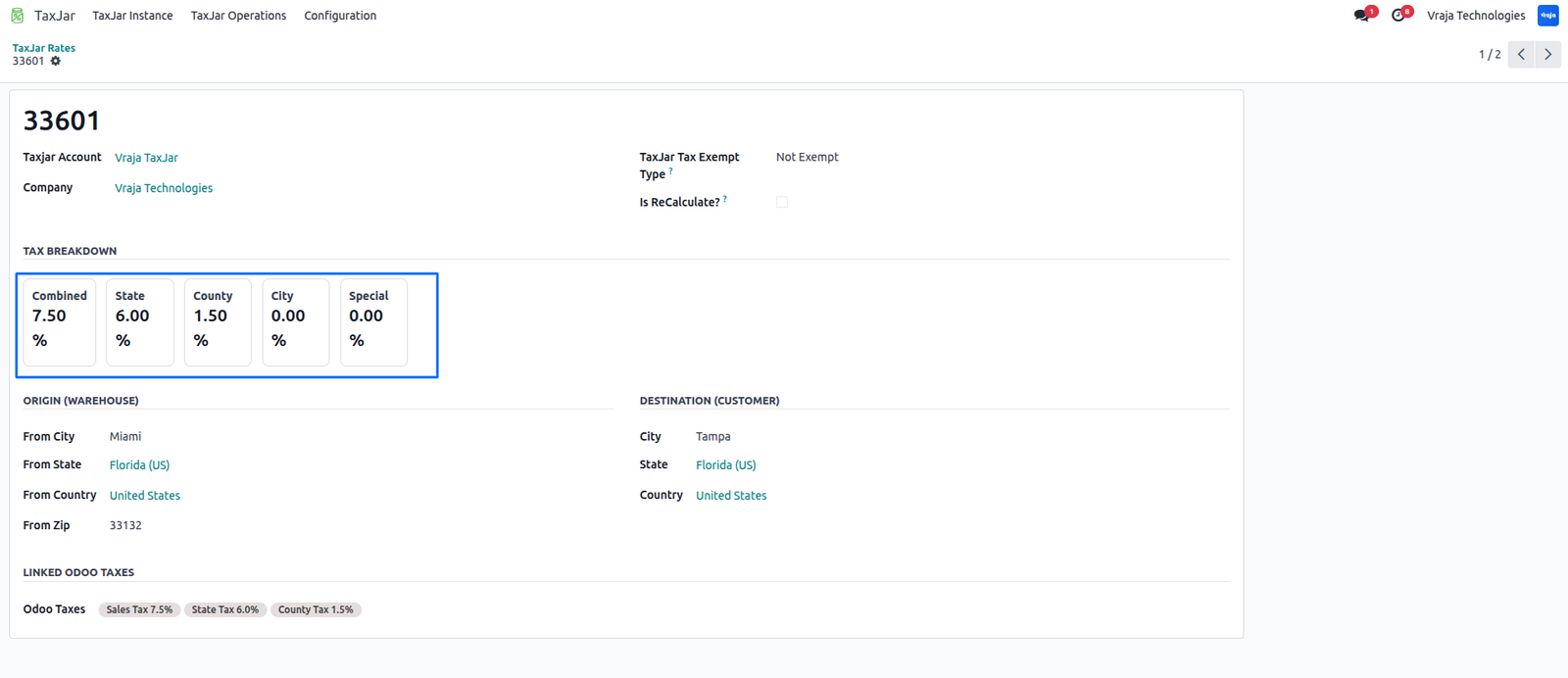
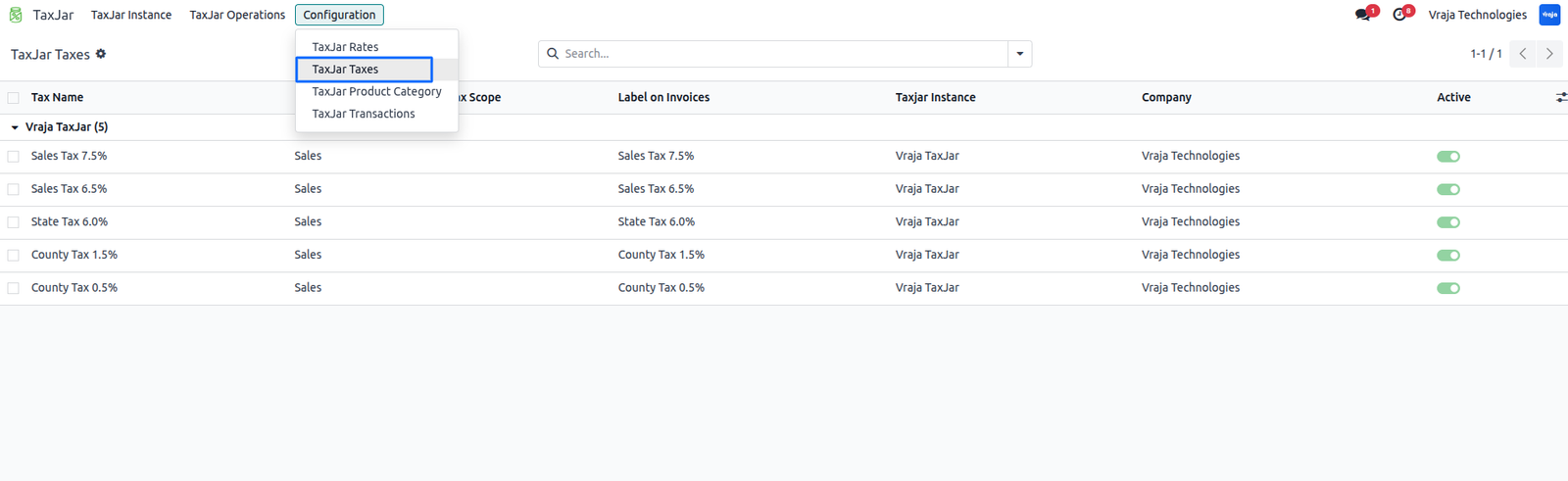
Created Taxes show From this TaxJar → Configuration → TaxJar Taxes
Export Transactions to TaxJar
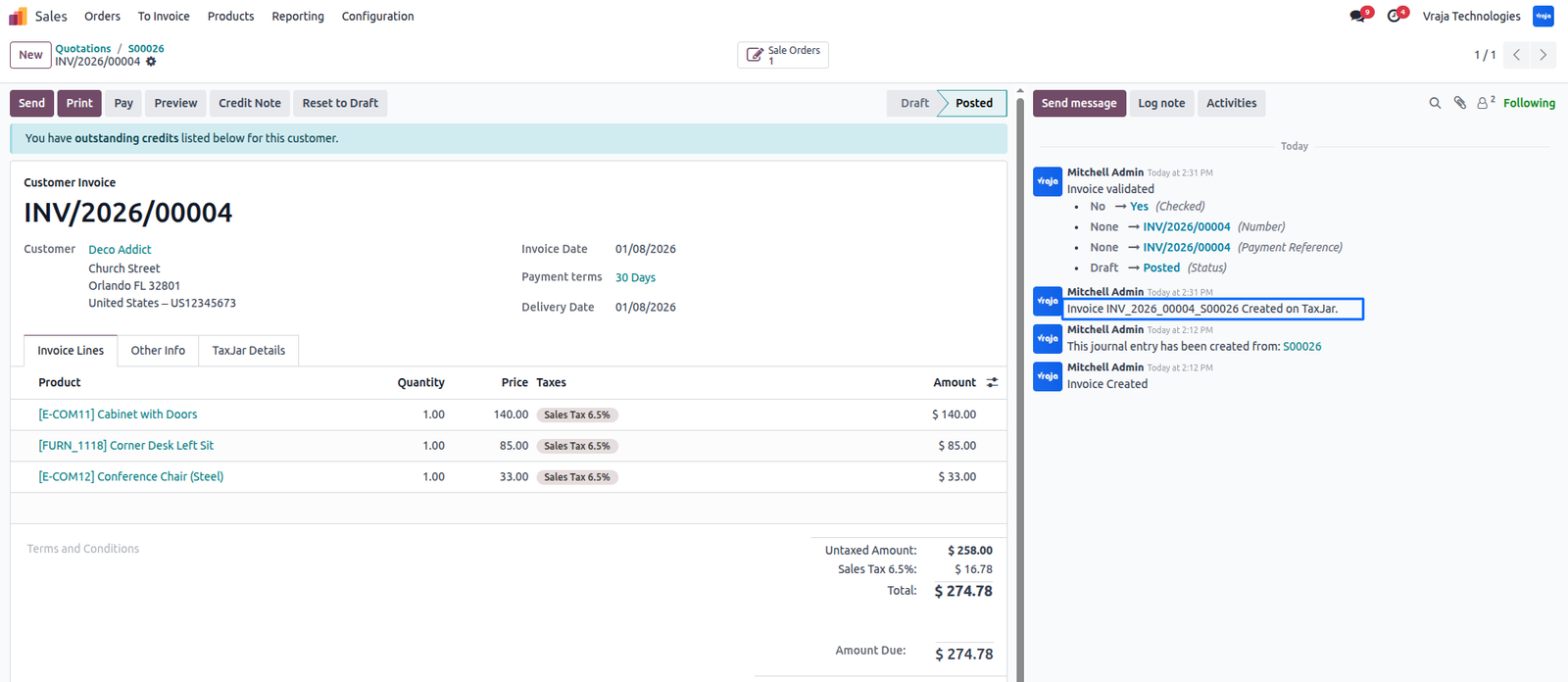
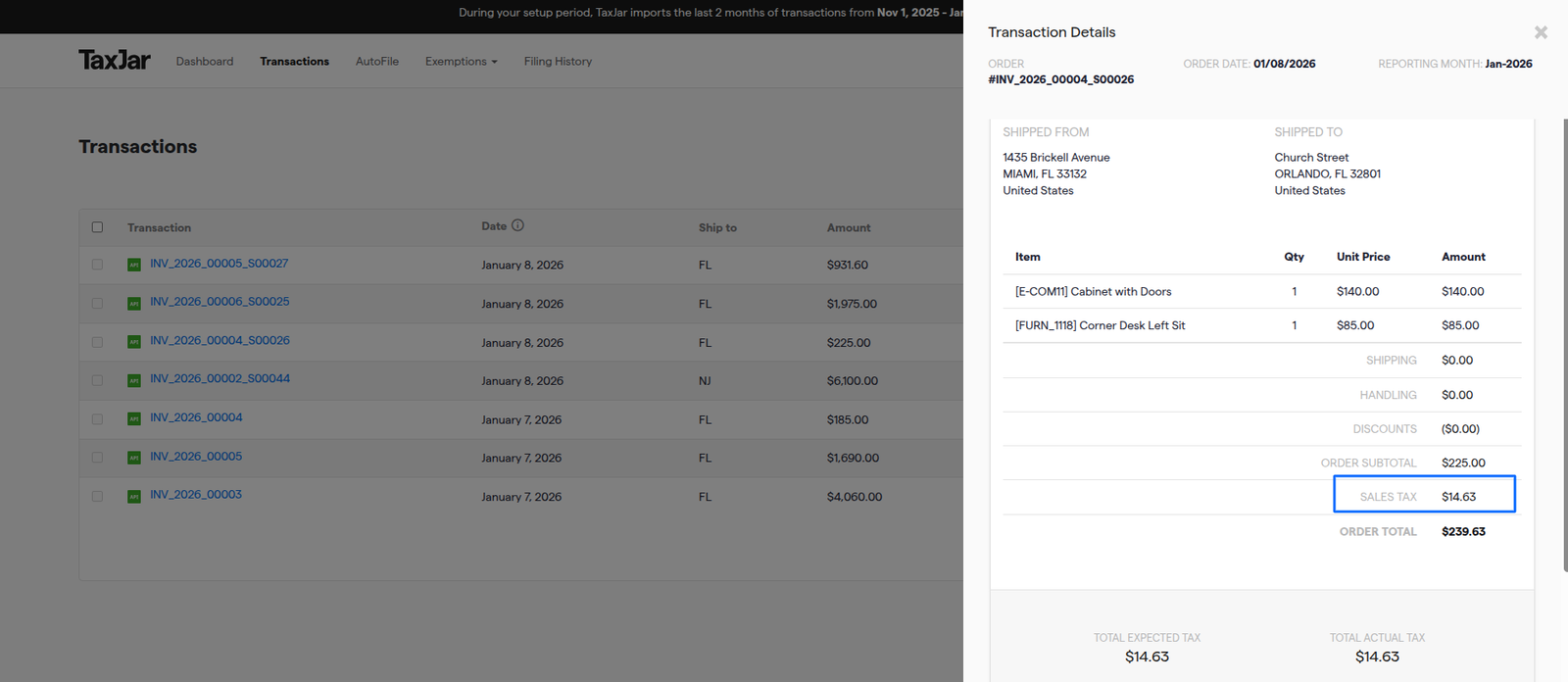
Automatic Sync: If ‘Auto Sync Transactions” is enabled, invoices and refunds are sent to TaxJar when they are validated.
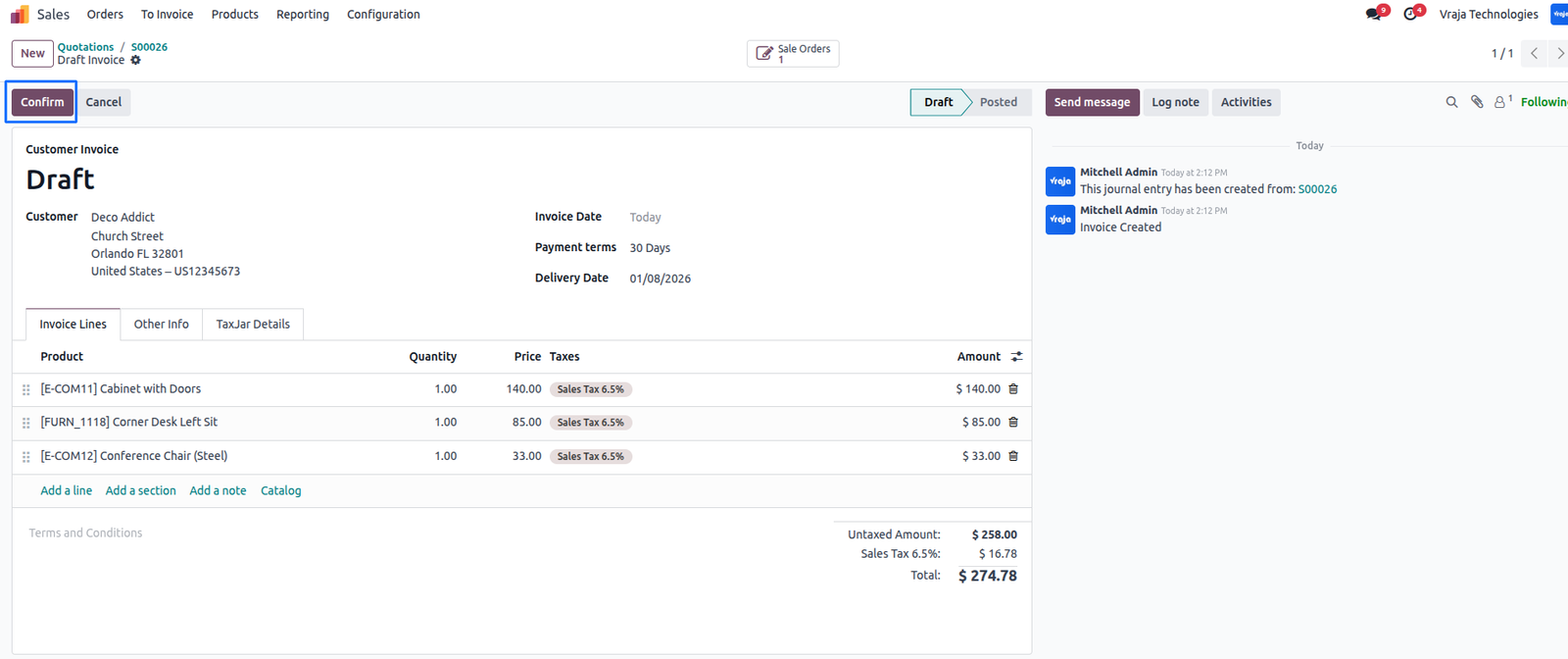
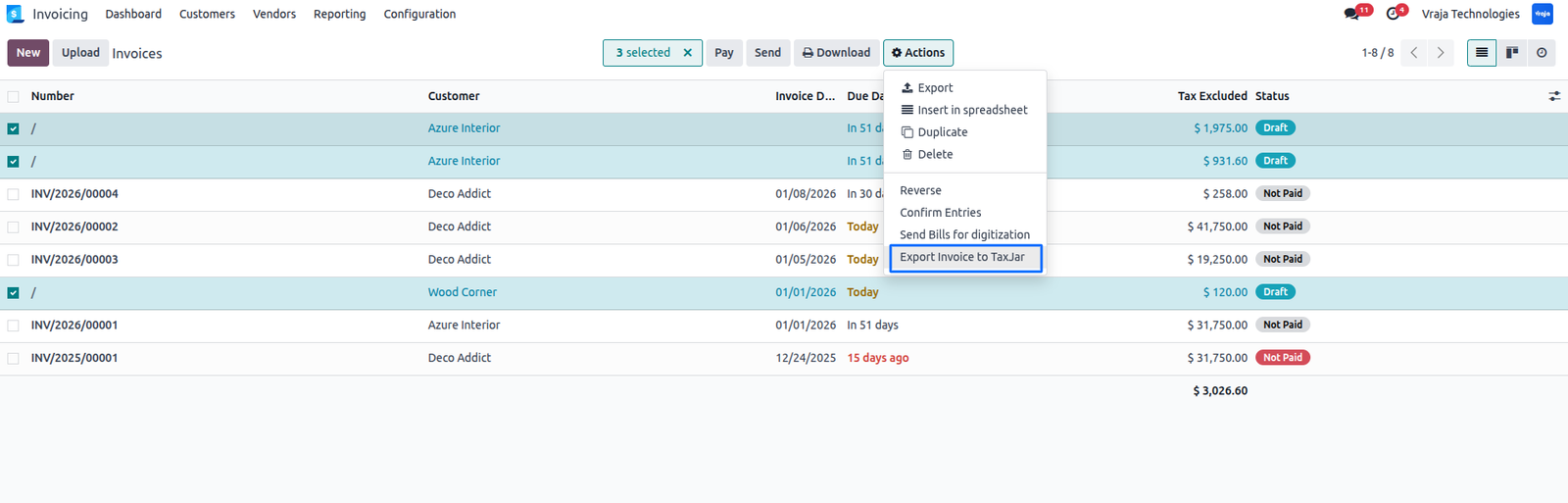
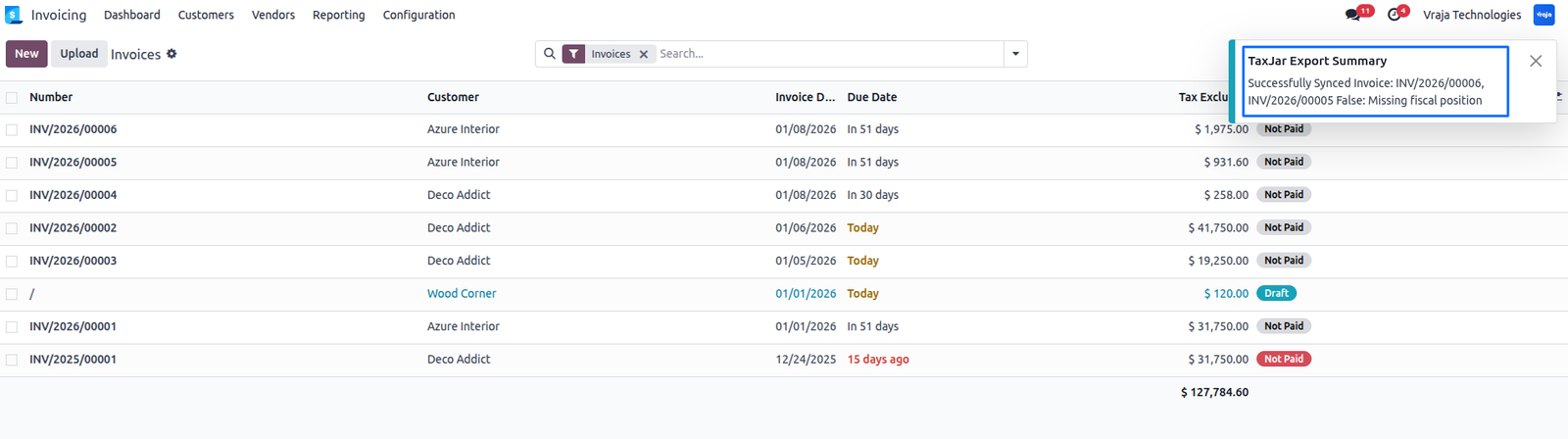
Manual Sync: You can also export multiple invoices or refunds at once, Open the Invoices or Credit Notes list. Select the records. Click Action → Export Invoice to TaxJar.
After a successful sync, TaxJar details are added to the invoice and a notification appears.
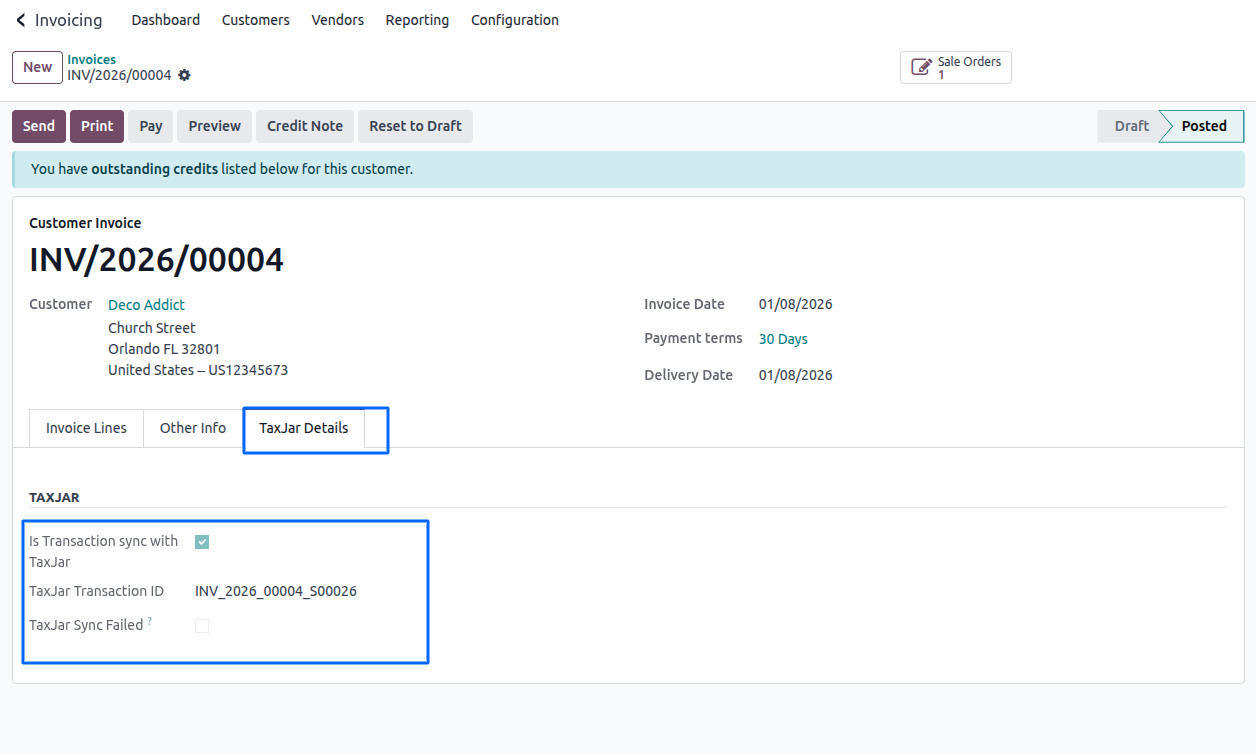
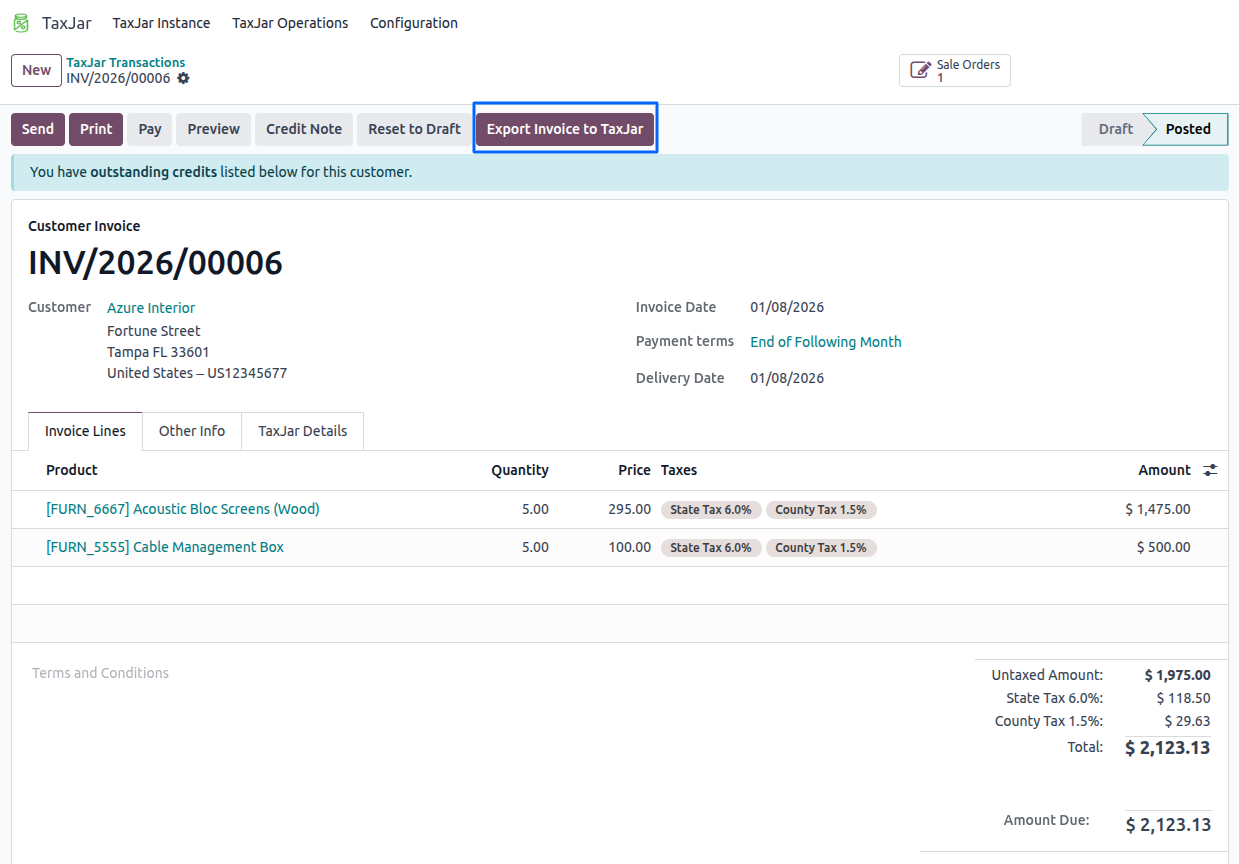
Provide an additional smart button “Export Invoice to TaxJar” to re-sync invoices or refunds with TaxJar if any invoice or refund was not synced correctly.
This button will be visible only when the transaction sync has failed.
All operations (success, failure, and errors) are recorded in the logs for auditing and troubleshooting.
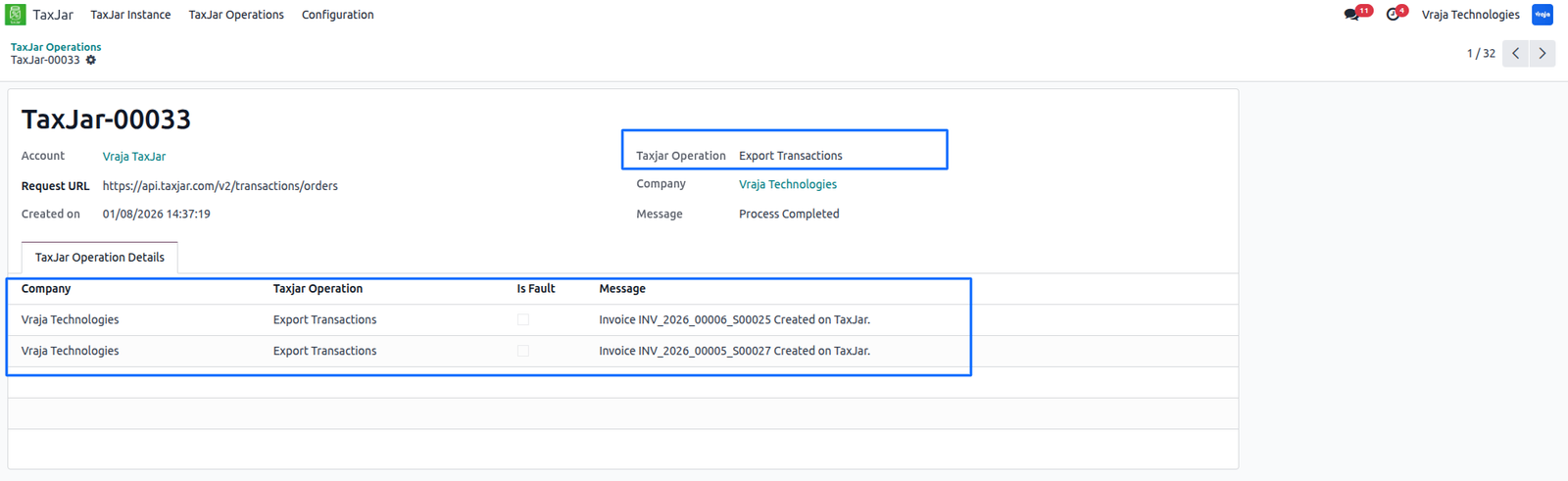
You can view exported transactions in TaxJar and in Odoo: TaxJar → Configuration → TaxJar Transactions.
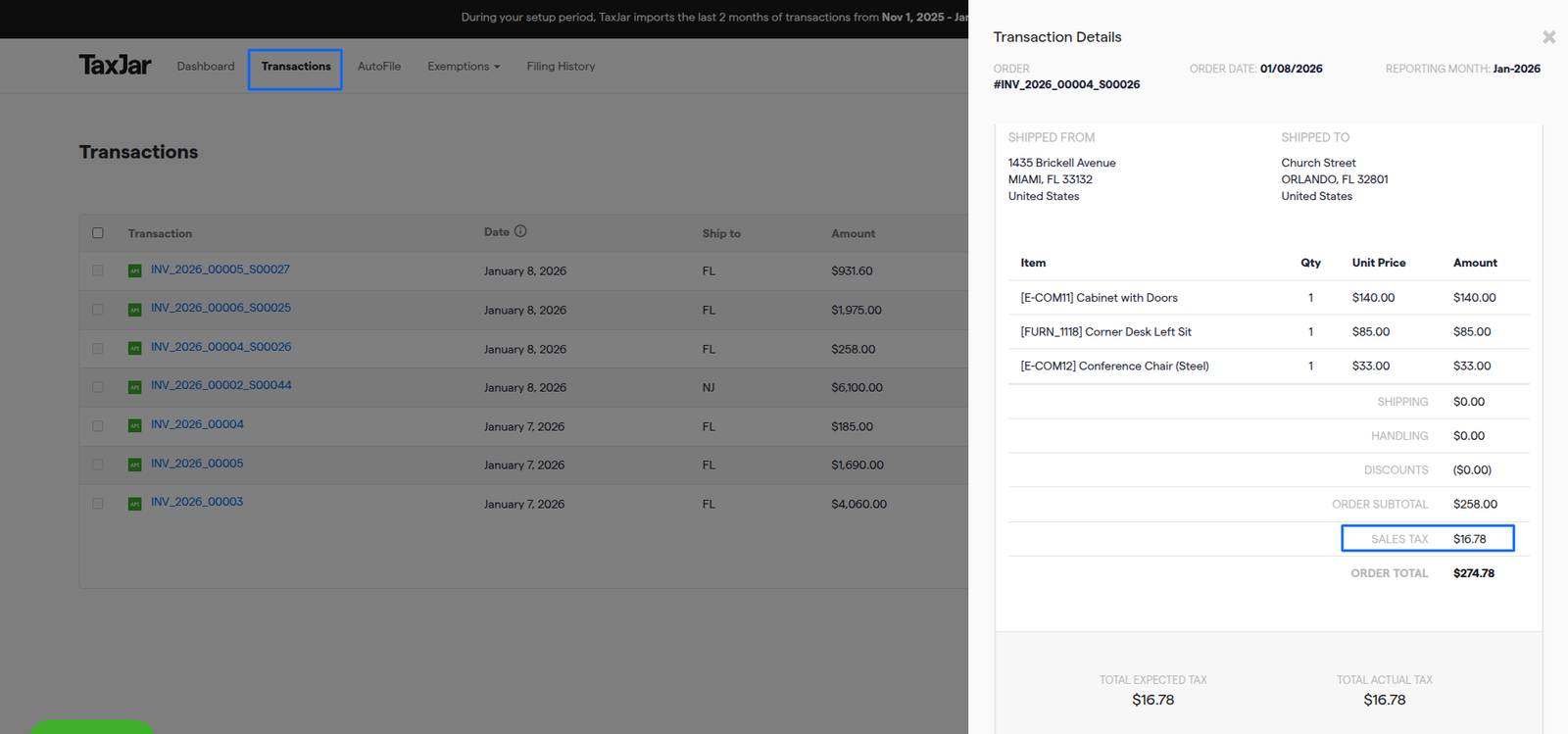
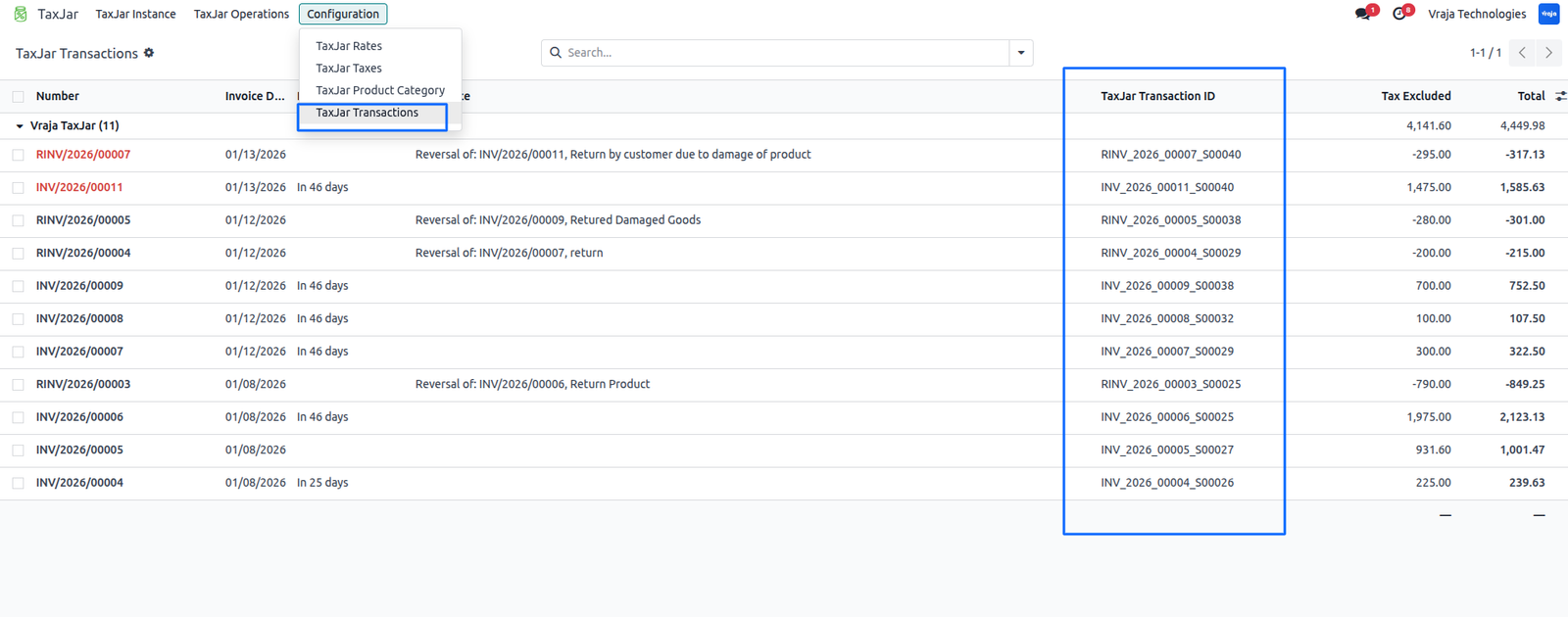
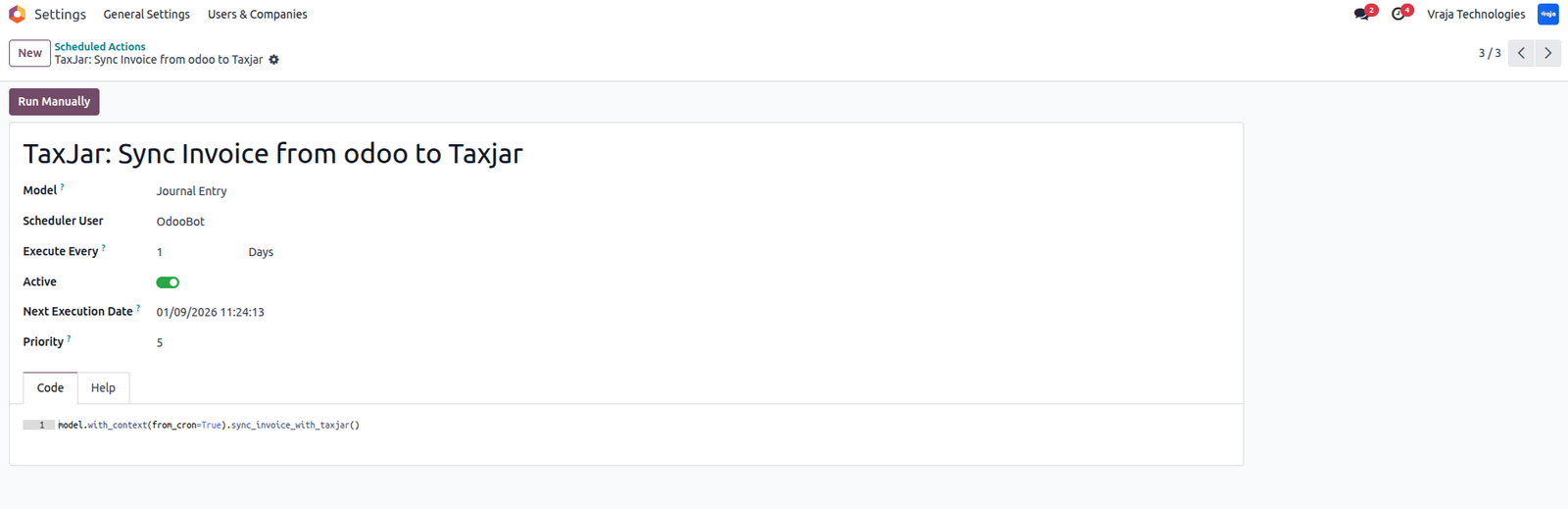
Automatic Sync Invoices/Refunds: A scheduled action is available to automatically sync Invoices/Refunds.
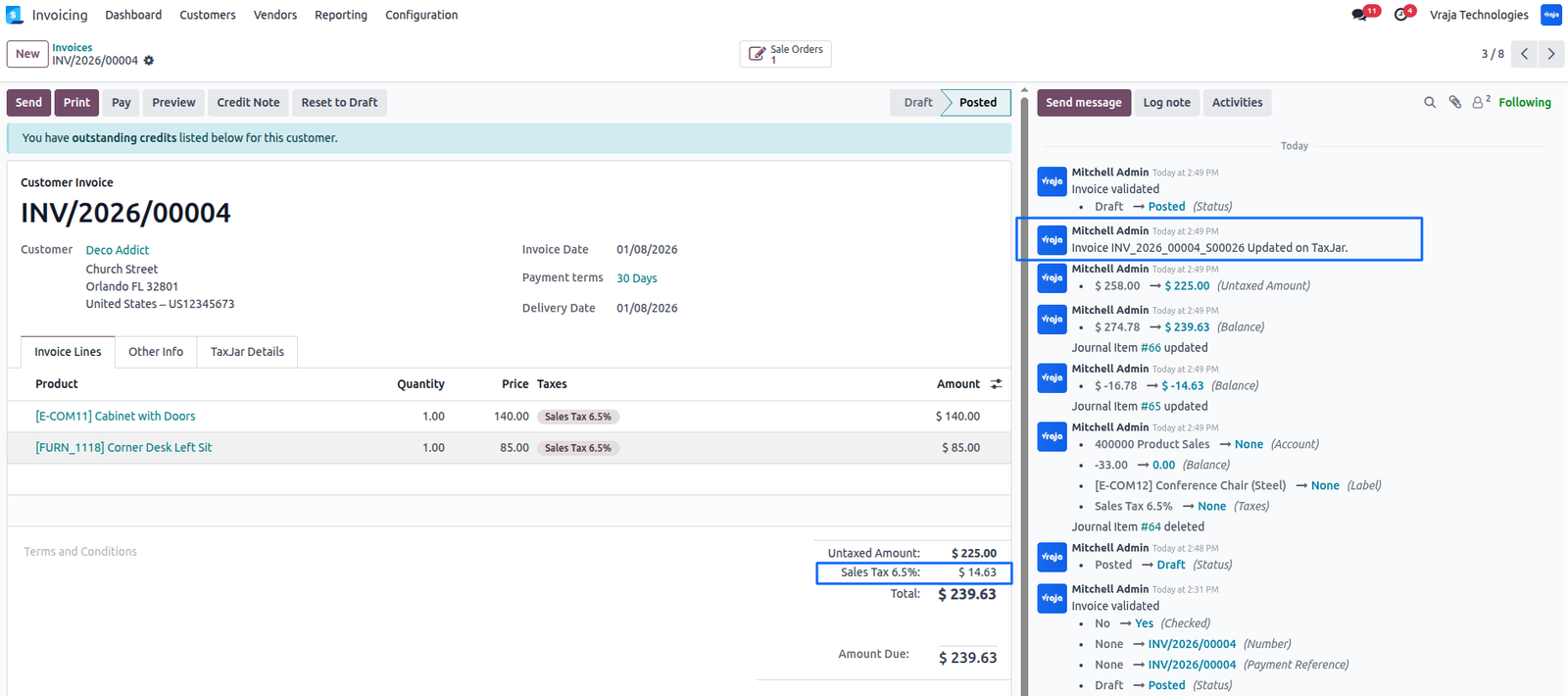
Update Transactions to TaxJar
To update an invoice in TaxJar: Click ‘Reset to Draft’, Modify the invoice. Validate it again. The updated data will be sent to TaxJar.
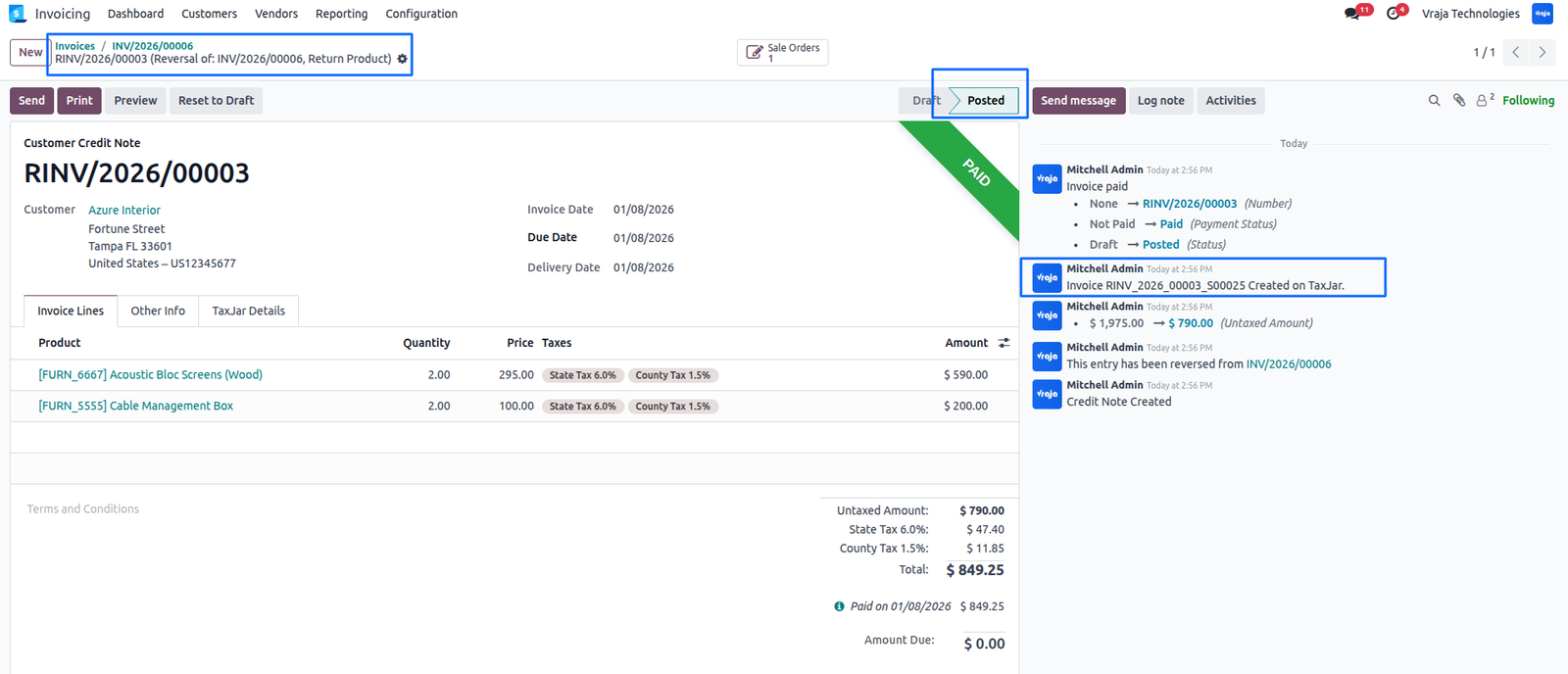
Export Refunds Transaction to TaxJar
When a refund (credit note) is validated, it is automatically synced with TaxJar and the TaxJar transaction ID is posted in the chatter.
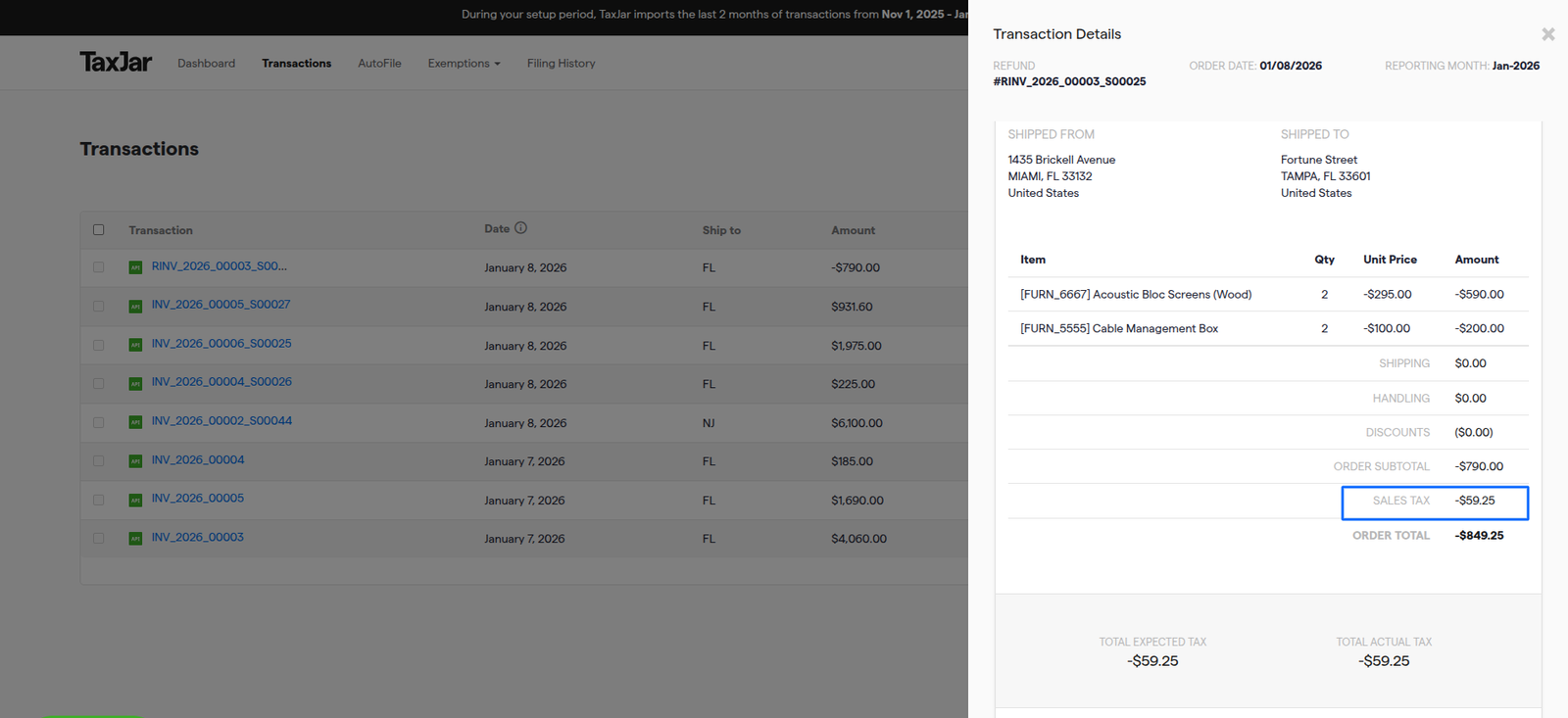
The refund will also be visible in TaxJar.
Delete Invoices & Refunds from Odoo to TaxJar
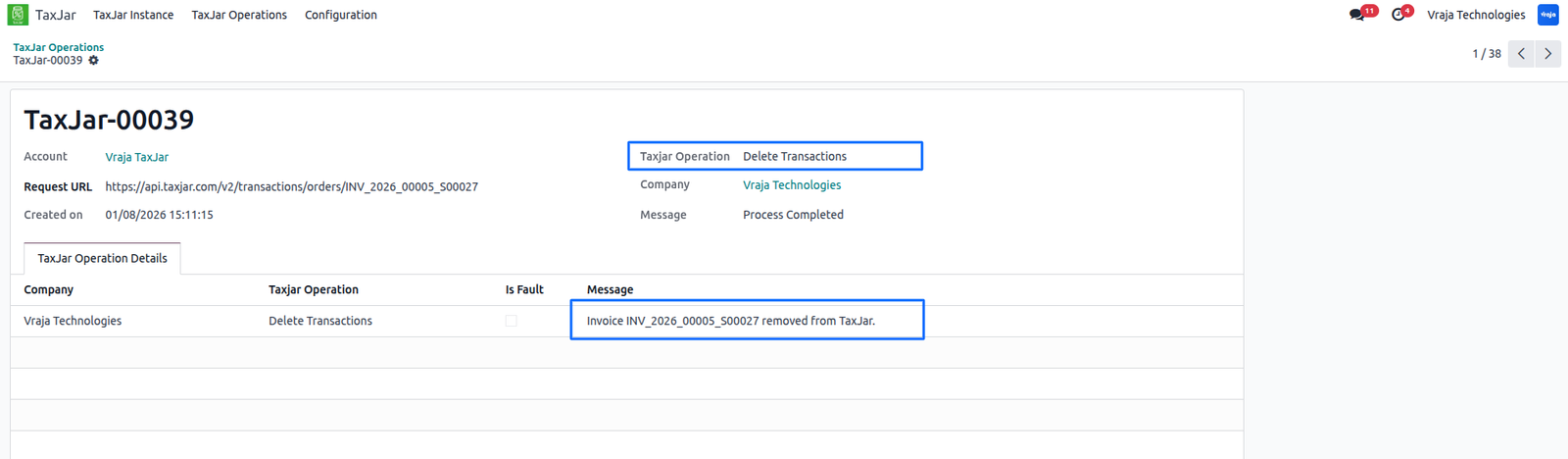
To delete an invoice from TaxJar: Click ‘Reset to Draft’, Click ‘Cancel’, The invoice is removed from TaxJar and the TaxJar details are cleared in Odoo.
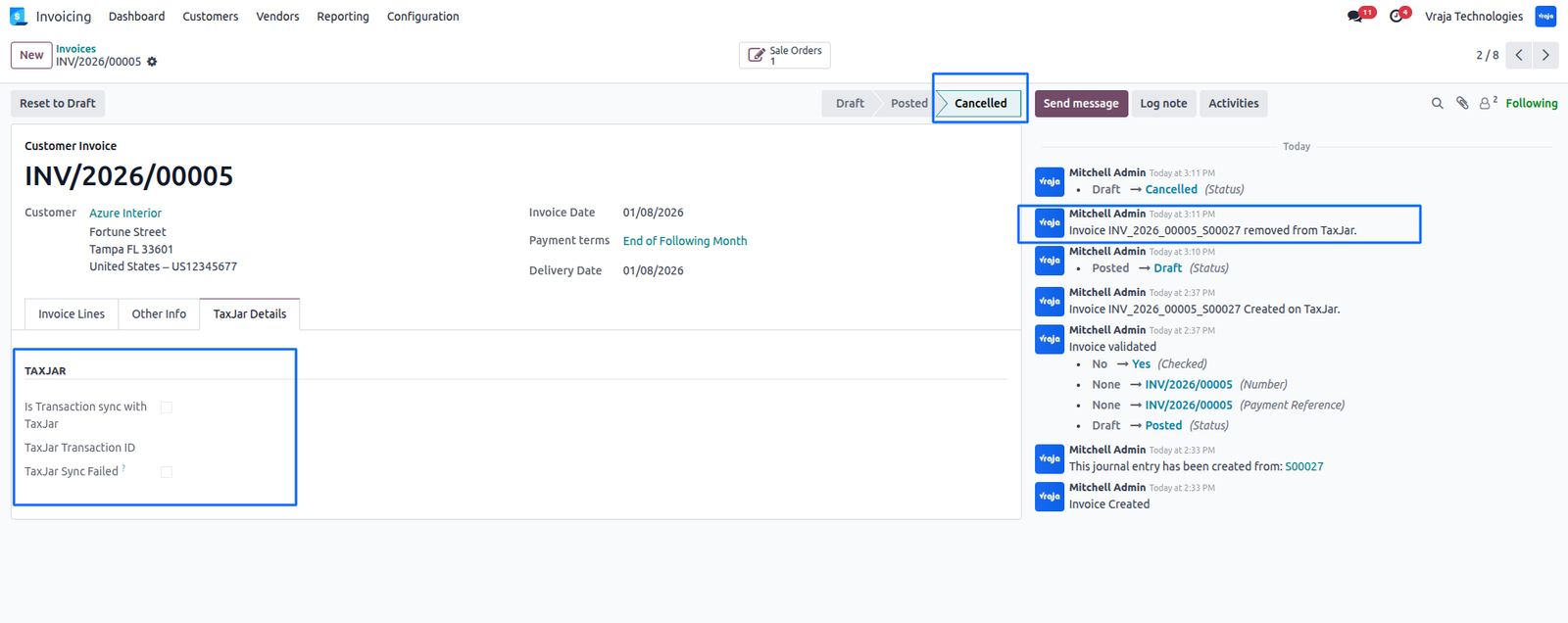
Refunds can be removed in the same way.
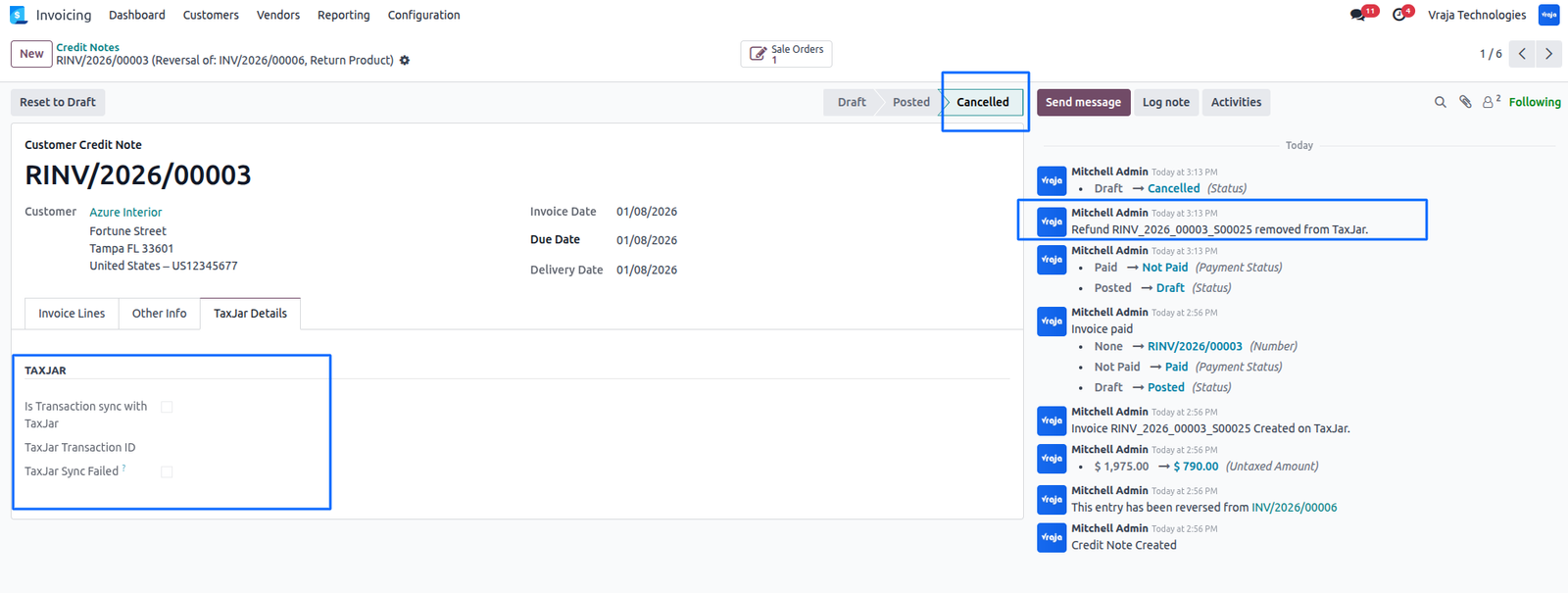
All delete actions are recorded in the logs.
 Is this application compatible with both Odoo Enterprise and Community editions?
- Yes, the application is fully compatible with Odoo Enterprise (On-premise and Odoo.SH) and Community editions. However, it cannot be installed on Odoo Online, as third-party apps are not supported.
It is possible to manage multiple Instance?
- Yes
It is Supported to export Transaction automatically and manually from Odoo to TaxJar?
- Yes. The intergation allows you to export transaction from Odoo to Taxjar, either manually or automatically via scheduled actions (cron job).
Does the integration support exporting multiple transactions at once?
- Yes. The integration supports exporting multiple invoices and refunds at the same time from Odoo to TaxJar.
It is Supported to Delete/Remove Transaction from Odoo to TaxJar?
- Yes
Will I receive free support and upgrades with the purchase of the application?
- We provide free support for the first 90 days following the purchase date.
Need some customization in this app, whom to contact?
- Please drop email at sales@vrajatechnologies.com or raise a ticket through Odoo store itself.
Submit a Support Ticket
If you encounter any issues while using our app that are caused by the app itself, we offer complimentary support for 90 days from the date of purchase.
To create a support ticket, please register via the Vraja Technologies Support Email and provide the necessary details so we can assist you in resolving the issue.

Email Us
support@vrajatechnologies.com

 1.png)
Contact Us
vrajatechnologies.com/contactus

Support
vrajatechnologies.com/support-policy
Vraja Technologies Services

Odoo Implementation

Odoo App Integration Services

Odoo Customization

Odoo Consultation

Odoo Support & Maintenance

Odoo Developer Outsourcing
Suggested Application















Reviews
There are no reviews yet.