
Description
.png)
 Enterprise Community Odoo.sh
Dynamic Portal Fields (No-Code Customization)
The Dynamic Portal Fields module for Odoo empowers backend administrators to configure and display any existing model field directly on the customer portal — without writing a single line of custom code. Instead of a rigid, fixed-column portal, businesses can tailor what customers see across their Sales Orders, Purchase Orders, Invoices, and Contact (My Account) pages by simply selecting fields from a unified backend configuration menu.
The module extends Odoo’s native portal with dynamic columns in list views, additional information panels in detail views, and fully editable dynamic fields on the My Account form. Field types are handled intelligently: relational fields render as searchable dropdowns, many2many fields display as multi-select tag pickers, boolean fields render as Yes/No selects, and all standard text, number, and date types use the appropriate HTML inputs.
Changes take effect instantly without requiring server restarts, enabling businesses to quickly adapt portal visibility based on their needs. This improves transparency, enhances user experience, and reduces dependency on custom development.
 Watch on YouTube
We specialize in delivering advanced Odoo solutions across multiple domains. Our expertise includes:

EDI & SWIFT/ACH Payment Integrations
End-to-end EDI automation, including X12, EDIFACT, XML standards, & financial integrations such as SWIFT, ACH, & Fedwire.


eCommerce Integrations
Seamless integration with leading eCommerce platforms to sync products, orders, inventory, and customer data in real time.

Shipping Integrations
Robust shipping connectors for global couriers, offering automated label generation, tracking, and rate computation.

Most Useful Apps for your ERP
A wide range of highly-rated Odoo modules designed to enhance automation, improve productivity, & simplify business operations.
 Features
 Process
 FAQs
FAQs
 Unified Backend Configuration:
A single dedicated menu — Portal Configuration — lets admins configure dynamic fields for all supported models from one place. No scattered settings, no module restarts needed.
List & Detail View View Control:
Each field can be toggled independently for the portal list view (table columns) and the portal detail page. This gives full control over what customers see at a glance versus in full record detail.
Variant-Aware Field Display:
Every configured model — Sale Orders, Purchase Orders, Invoices, and Contacts — gets its own isolated field configuration. Fields are always fetched and rendered in context of the correct record.
Multi-Model Support:
Supports four core Odoo models out of the box: Sale Orders (including Quotations), Purchase Orders (including RFQs), Invoices (Journal Entries), and Contacts (res.partner).
Contact / My Account Editable Fields:
Dynamic fields configured for res.partner are rendered as live editable form inputs on the portal My Account page — with full support for Char, Integer, Float, Boolean, Date, Datetime, Selection, Many2one, and Many2many field types.
Smart Field Rendering:
Automatically renders fields based on type (dropdowns, multi-select, date pickers, etc.) in my account section.
Resizable Table Columns:
A drag-to-resize handle is automatically injected on all portal list view table headers, letting customers resize columns to fit their screen.
Frontend Writable Field Registration:
Dynamic fields configured for res.partner are automatically registered as frontend-writable fields in Odoo’s security layer, so they can be saved from the portal without backend exceptions.
Sequence-Controlled Field Order:
Fields are displayed in the order defined in the backend configuration using a drag-handle sequence. Admins can reorder fields instantly.
Go to the Portal Configuration menu in the Odoo backend.
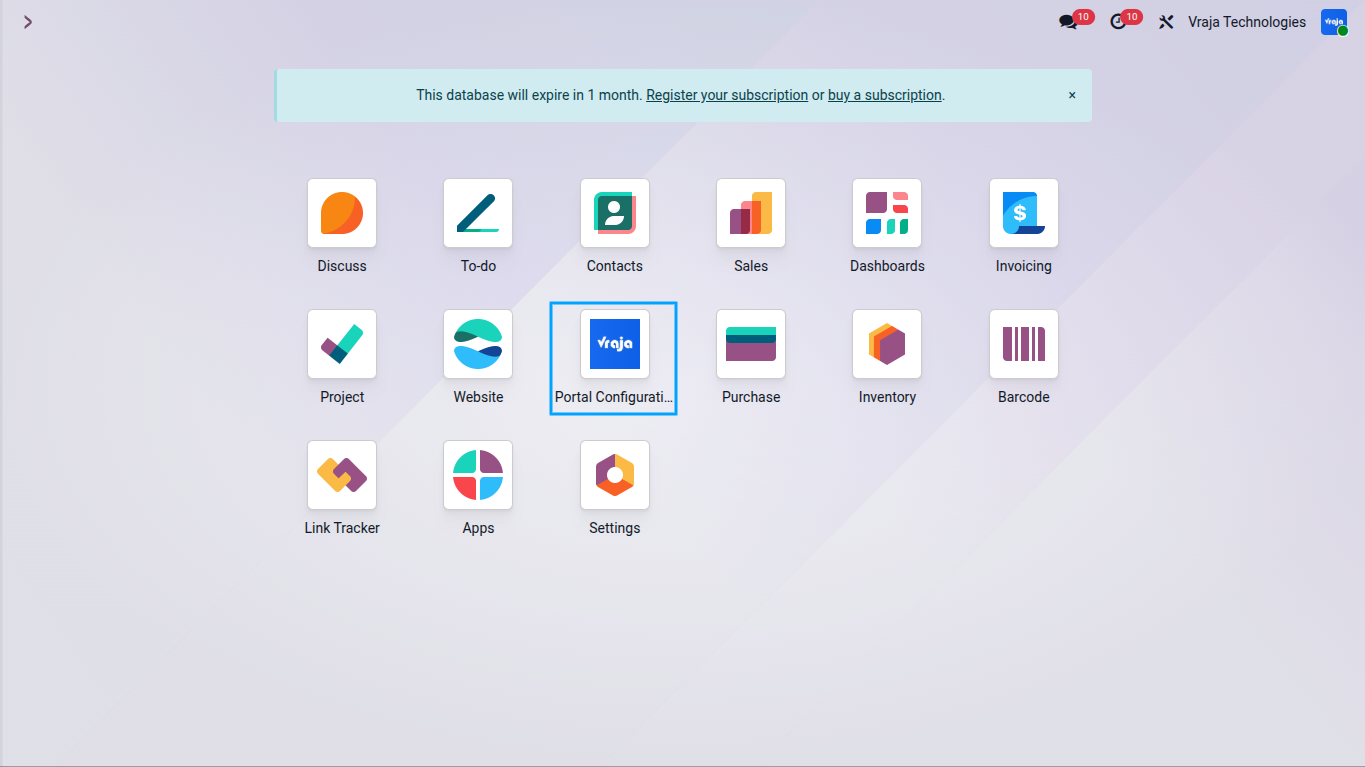
Click Create(New). In the Model field, select the model you want to configure — for example, Sale Order, Purchase Order, Invoice, or Contact (My Account).
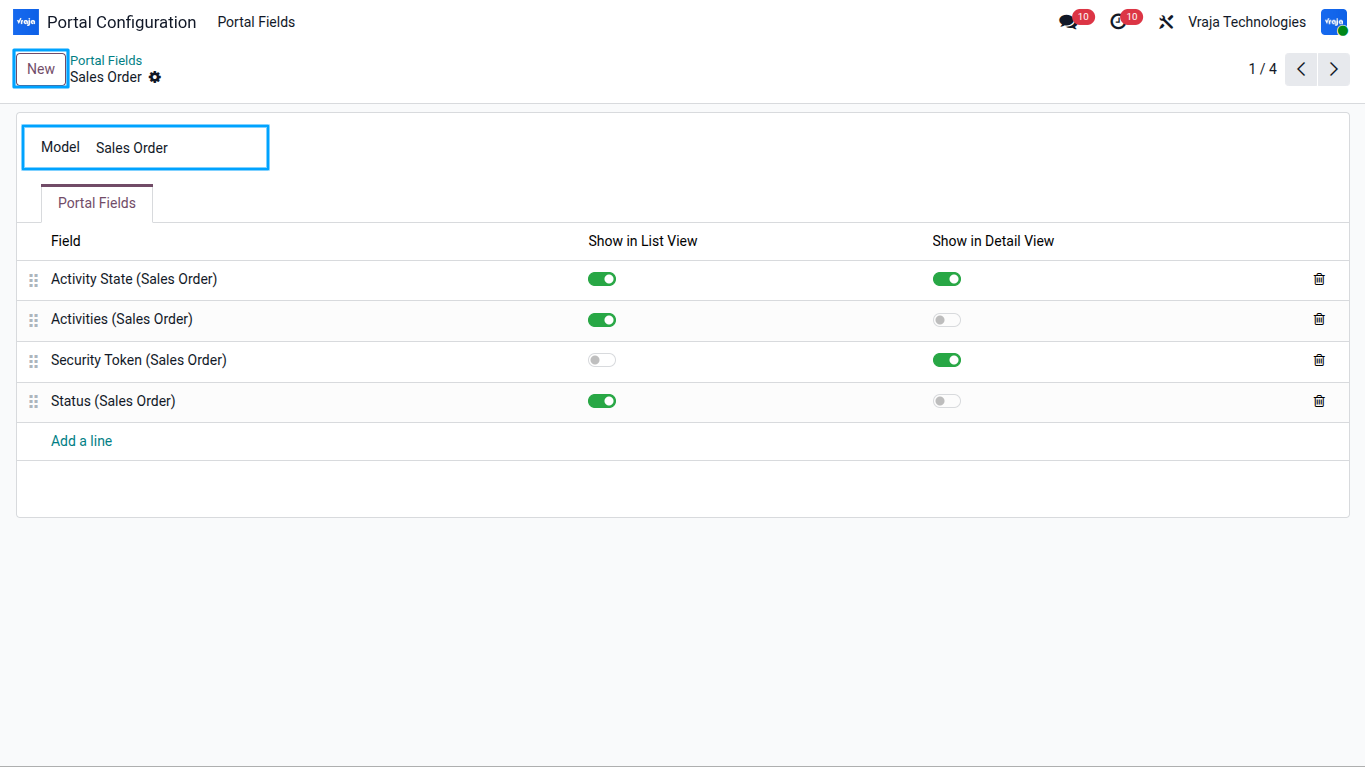
Under the Portal Fields tab, click Add a Line. Select a field from the chosen model using the field picker. Only fields belonging to the selected model are shown in the dropdown.
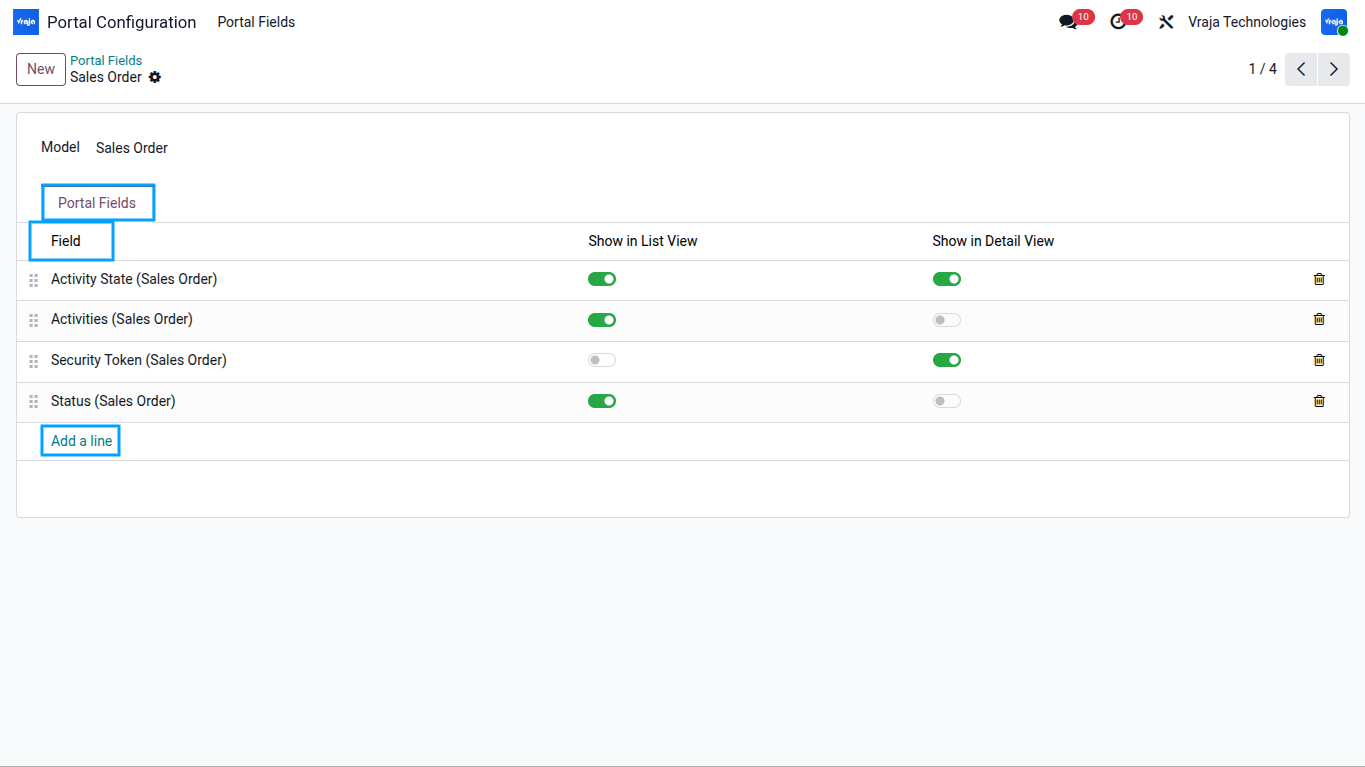
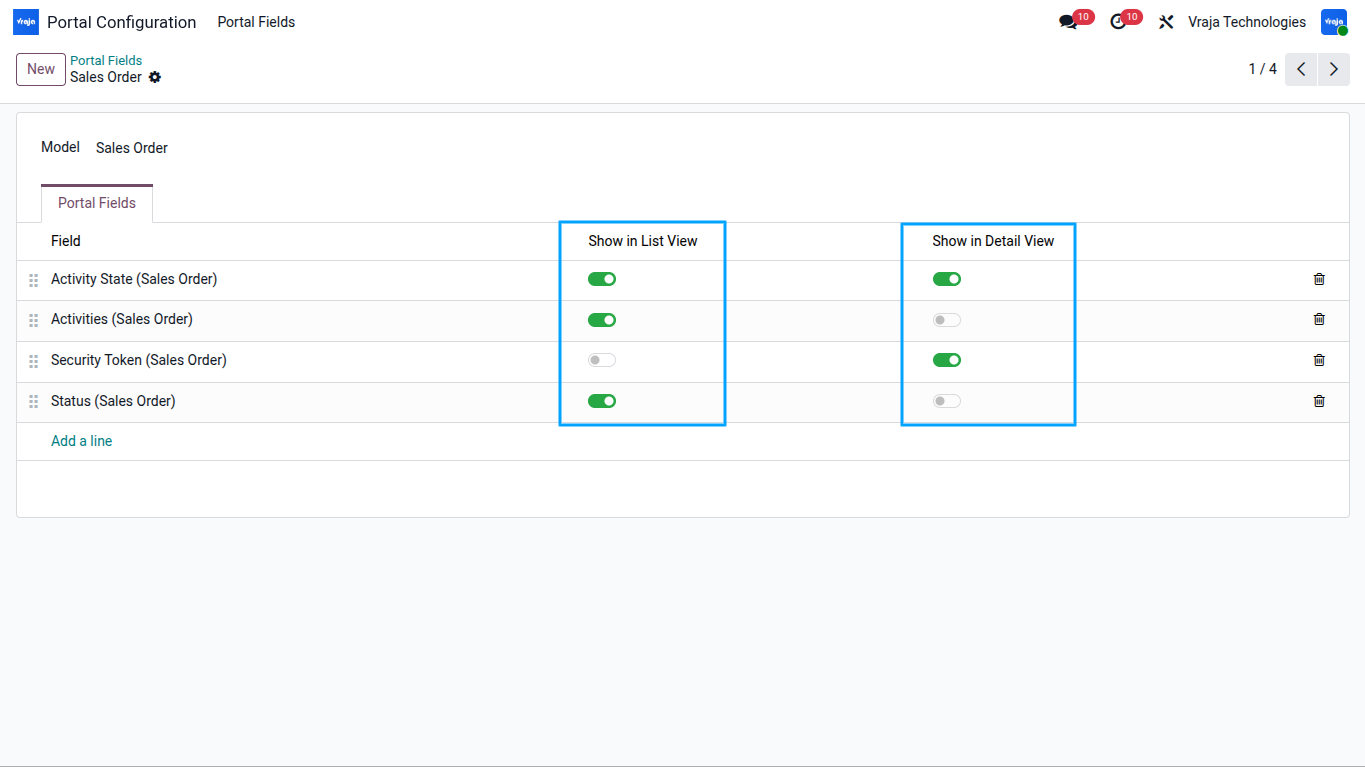
For each field, toggle Show in List View to display it as a table column on the portal list page, and toggle Show in Detail View to display it in the record detail page. For Contact (res.partner) fields, Show in List View is hidden — those fields appear only on the My Account edit form.
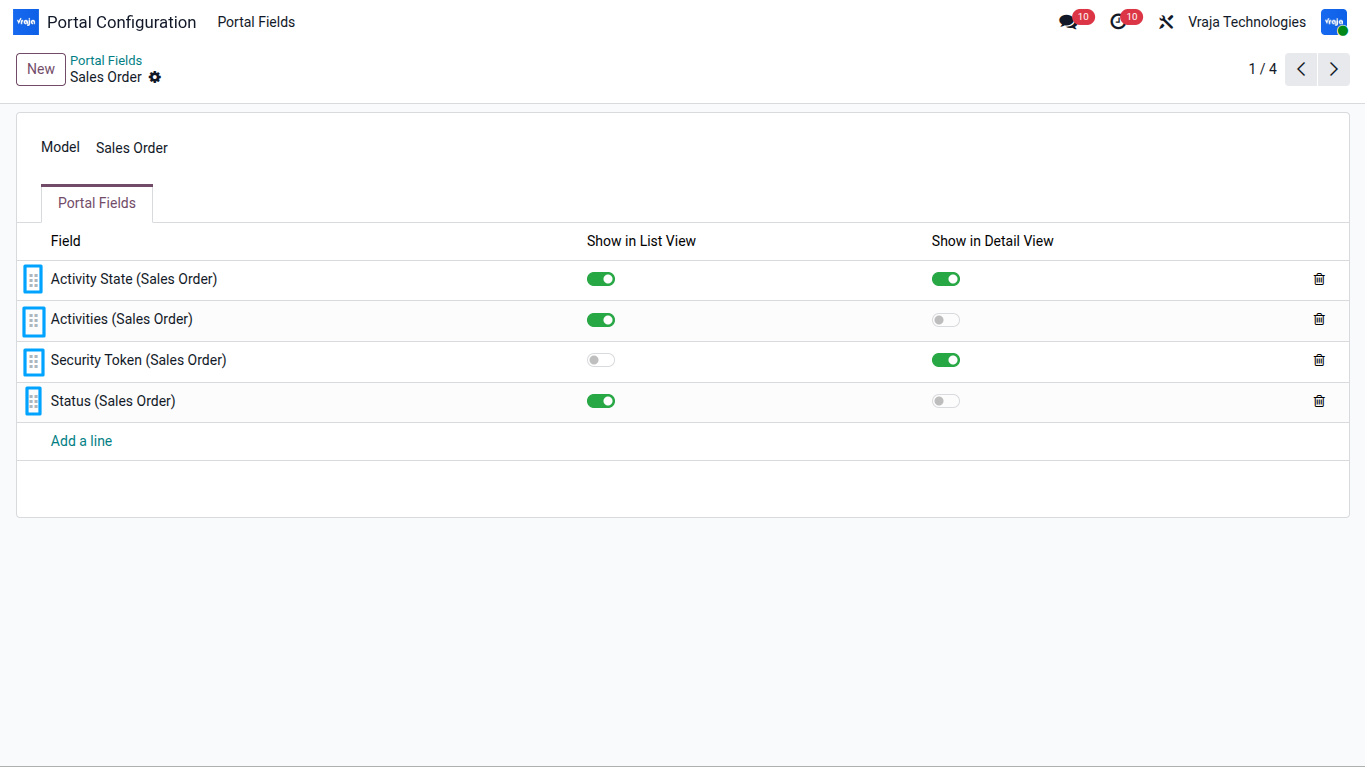
Use the drag handle on the left of each field row to reorder fields. The sequence determines the left-to-right column order in the list view and the top-to-bottom order in the detail view.
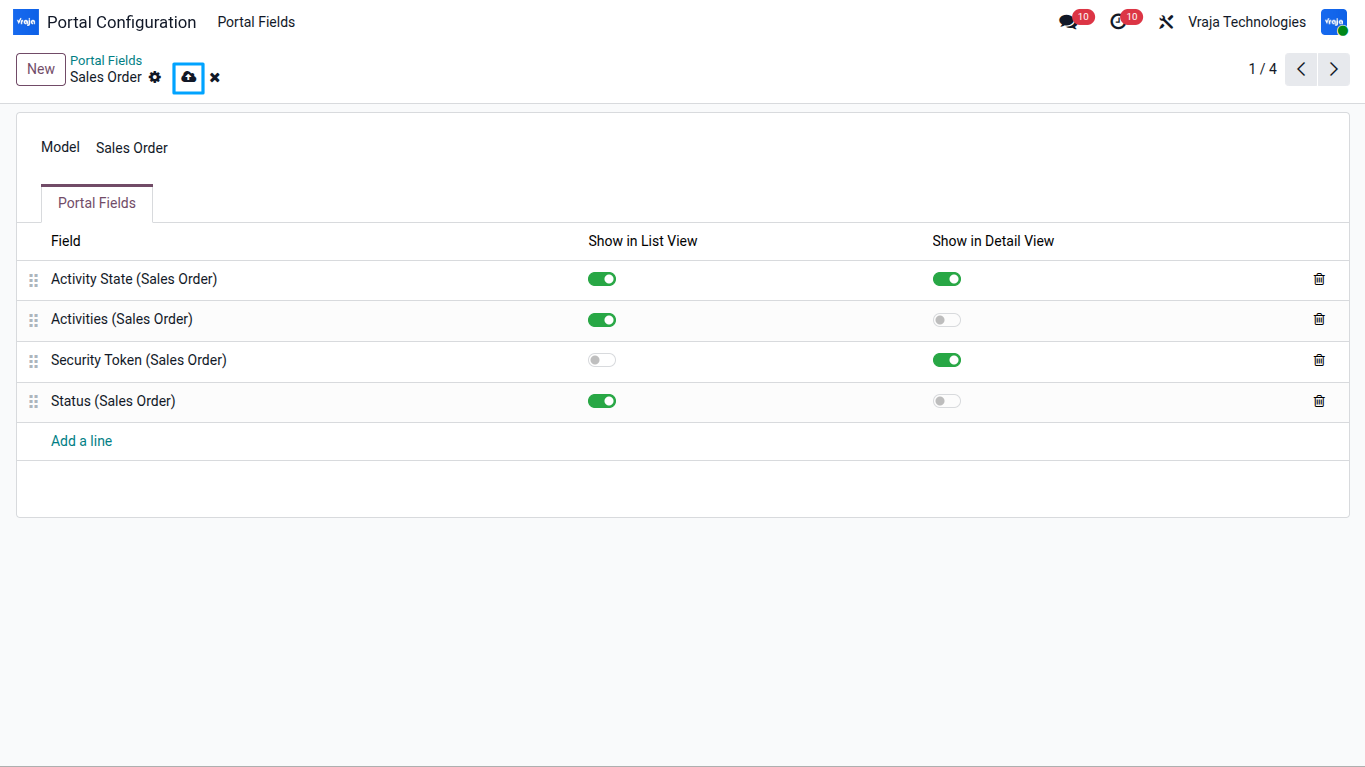
Click Save. The configuration takes effect immediately — no restart or cache clear required.
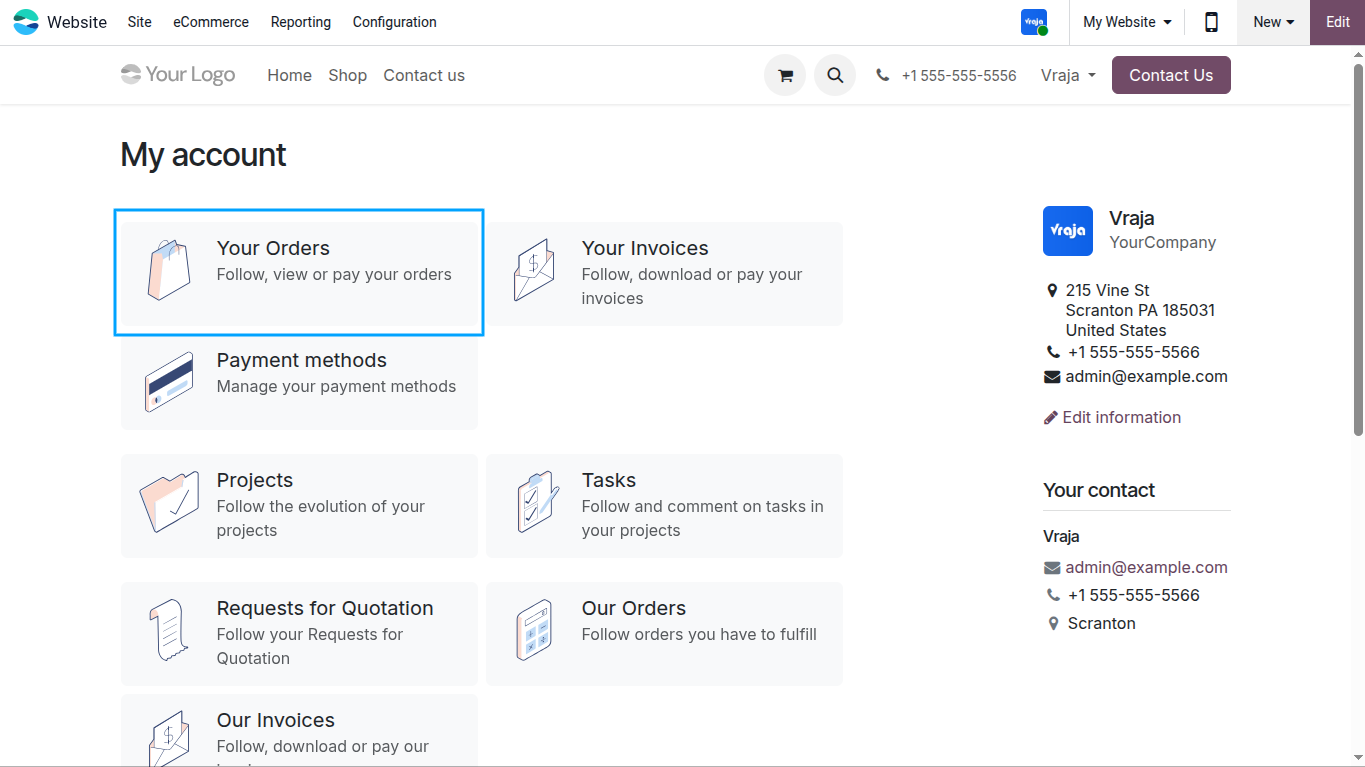
Open the portal. Navigate to My Orders (or My Purchases, My Invoices). The configured fields now appear as additional columns in the table. Customers can drag column headers to resize them.
.png)
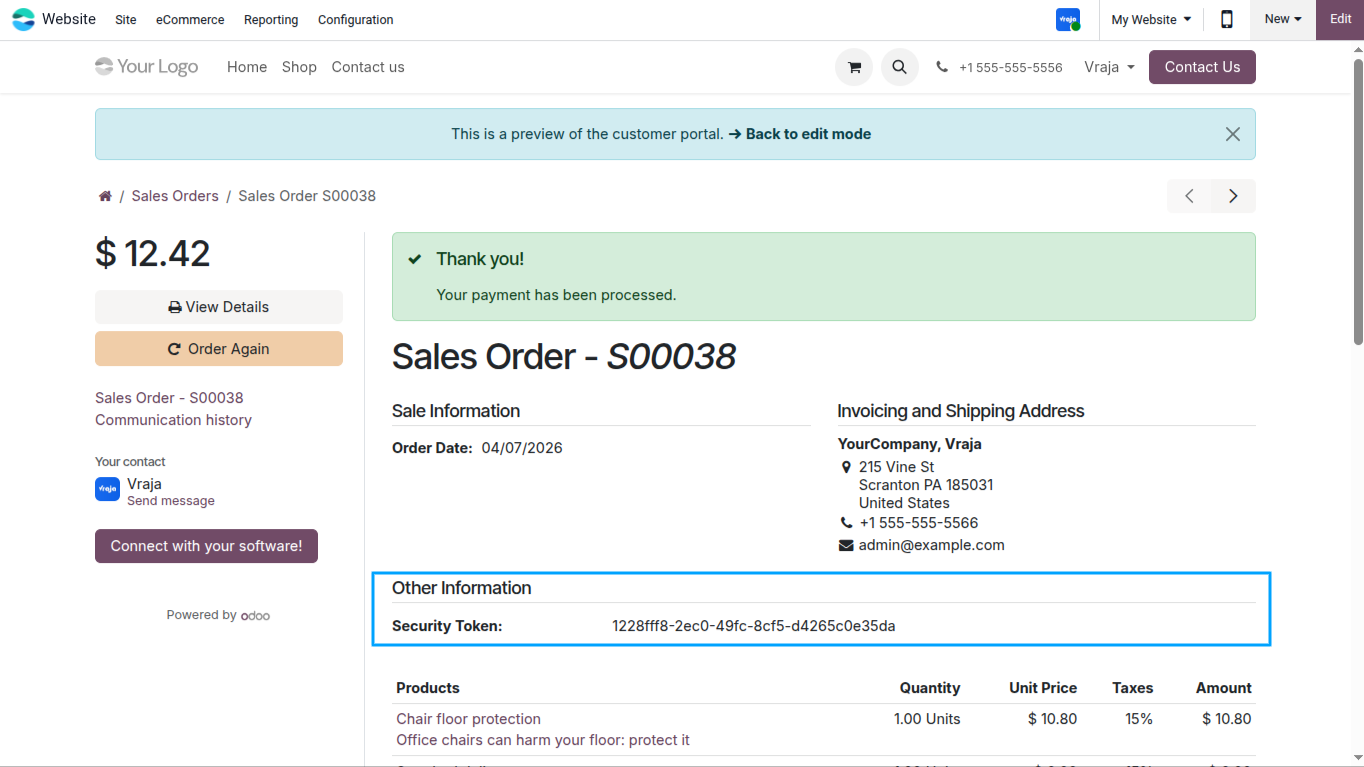
Click any record to open the detail view. The configured detail fields appear under an Other Information section within the record information panel.
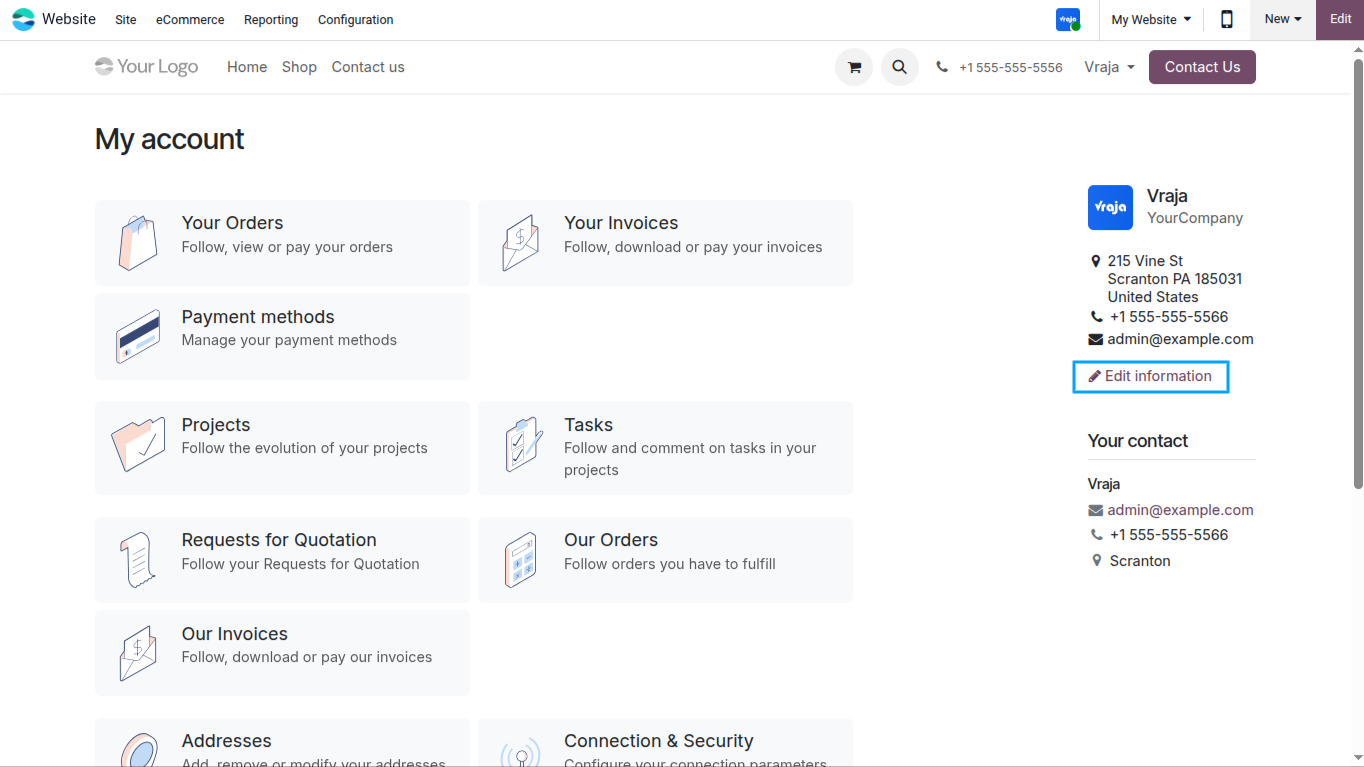
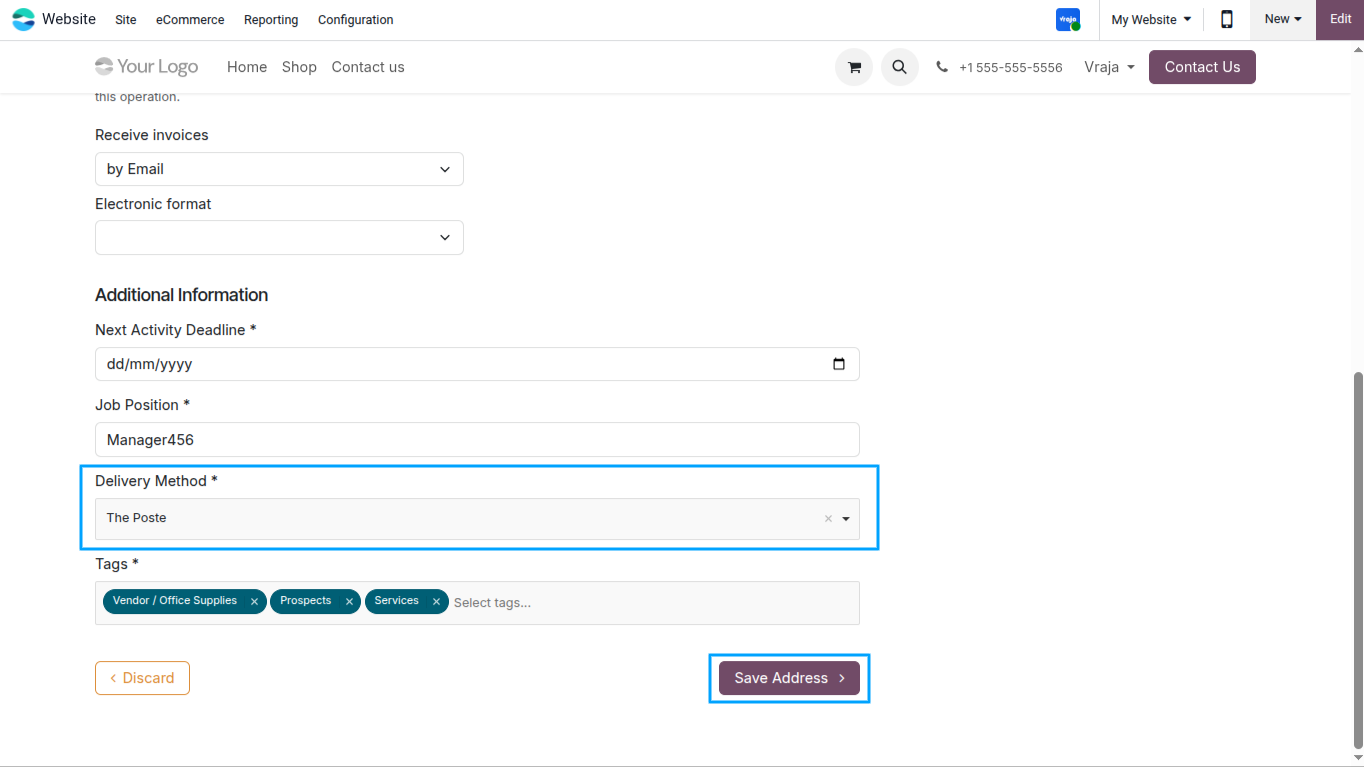
Navigate to My Account on the portal. The configured partner fields appear as editable inputs in the address/account form. Many2many fields show a tag-picker, Many2one fields show a searchable dropdown, and all other types render the appropriate HTML input.
.png)
Submit the My Account form. The dynamic fields are safely parsed and written to the partner record. Only confirmed, valid values are saved — no crashes on unsupported field types.
.png)
 Can I configure different fields for Sale Orders and Purchase Orders separately?
- Yes. Each model has its own independent configuration. You can add completely different fields to Sale Orders, Purchase Orders, Invoices, and Contacts without any overlap or conflict.
Will the dynamic columns appear on both the Orders and Quotations list views?
- Yes. For Sale Orders, the dynamic list fields are injected into both the My Orders list and the My Quotations list. For Purchase Orders, they appear in both the My Purchases list and the RFQs list.
What field types are supported for the Contact (My Account) edit form?
- Char, Text, Integer, Float, Monetary, Boolean, Date, Datetime, Selection, Many2one, and Many2many. One2Many fields are listed as unsupported in the form with a descriptive notice.
What happens if I configure a field that has no value on a particular record?
- In list views, the cell will simply render empty. In detail views, fields with no value are excluded from the Other Information section entirely — so the section only shows fields that actually have data.
Can the columns in the portal list view be resized?
- Yes. A drag handle is automatically added to every column header in portal list tables. Customers can drag to resize columns without any page reload.
Is it safe to use with Odoo’s native portal address form?
- Yes. The module safely pre-process all dynamic fields before Odoo’s parser runs, preventing any crashes caused by unsupported or relational field types.
What happens if a new field is added to the configuration after customers have already visited the portal?
- The field appears immediately on the next page load. There is no caching layer on the field configuration — it is always fetched fresh from the database.
I would like to request a custom feature for this application. What’s the process to get it implemented?
- We’re happy to help tailor the application to meet your business needs! You can reach us via sales@vrajatechnologies.com
Who is the point of contact for technical support, configuration support or bug-related queries?
- You can reach us via support@vrajatechnologies.com
Submit a Support Ticket
If you encounter any issues while using our app that are caused by the app itself, we offer complimentary support for 90 days from the date of purchase.
To create a support ticket, please register via the Vraja Technologies Support Email and provide the necessary details so we can assist you in resolving the issue.

Email Us
support@vrajatechnologies.com

 1.png)
Contact Us
vrajatechnologies.com/contactus

Support
vrajatechnologies.com/support-policy
Vraja Technologies Services

Odoo Implementation

Odoo App Integration Services

Odoo Customization

Odoo Consultation

Odoo Support & Maintenance

Odoo Developer Outsourcing
Suggested Application
















Reviews
There are no reviews yet.