Auto Shipment Export on Sale Order Confirm |
Community Enterprise Odoo.sh |
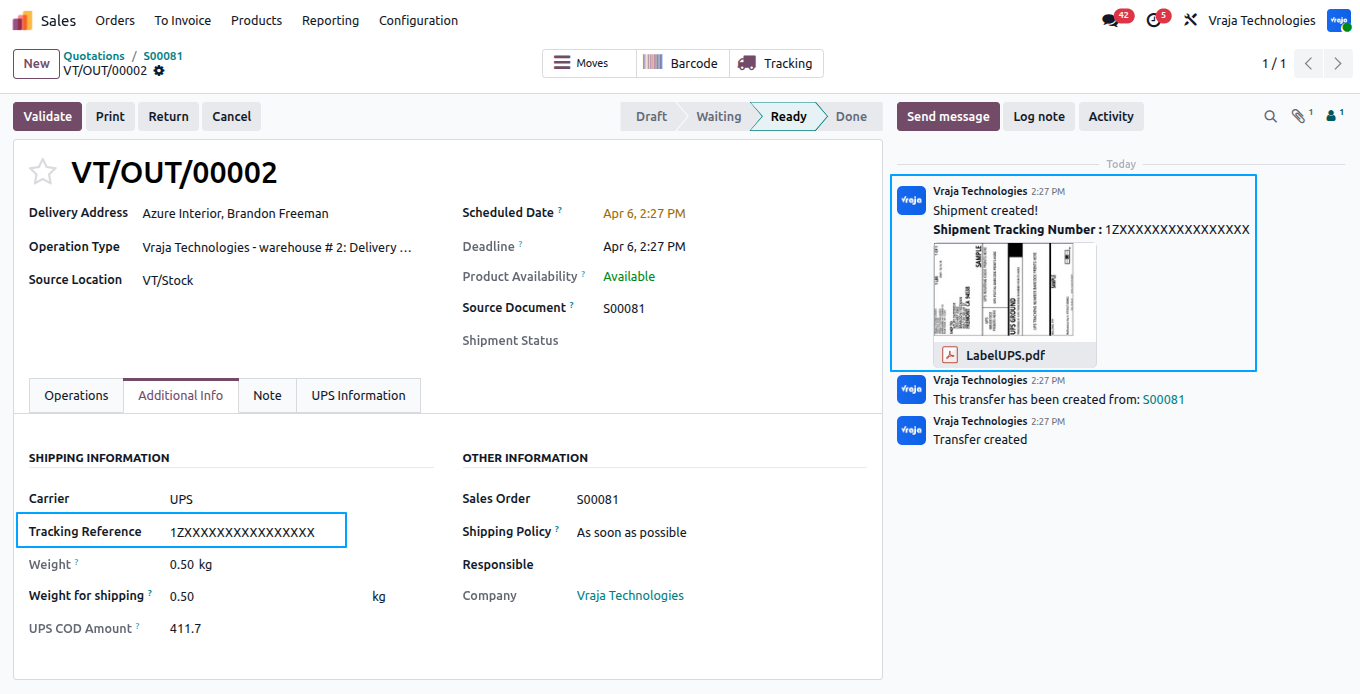
The Auto Export Shipment module automates shipment processing in Odoo by exporting delivery orders to the selected carrier immediately after Sales Order confirmation. It reduces manual intervention in the shipping workflow and updates carrier shipment details on the related delivery order. This helps businesses process orders faster, improve operational efficiency, and simplify dispatch management. The feature can be enabled individually for each delivery method as needed.
|
|
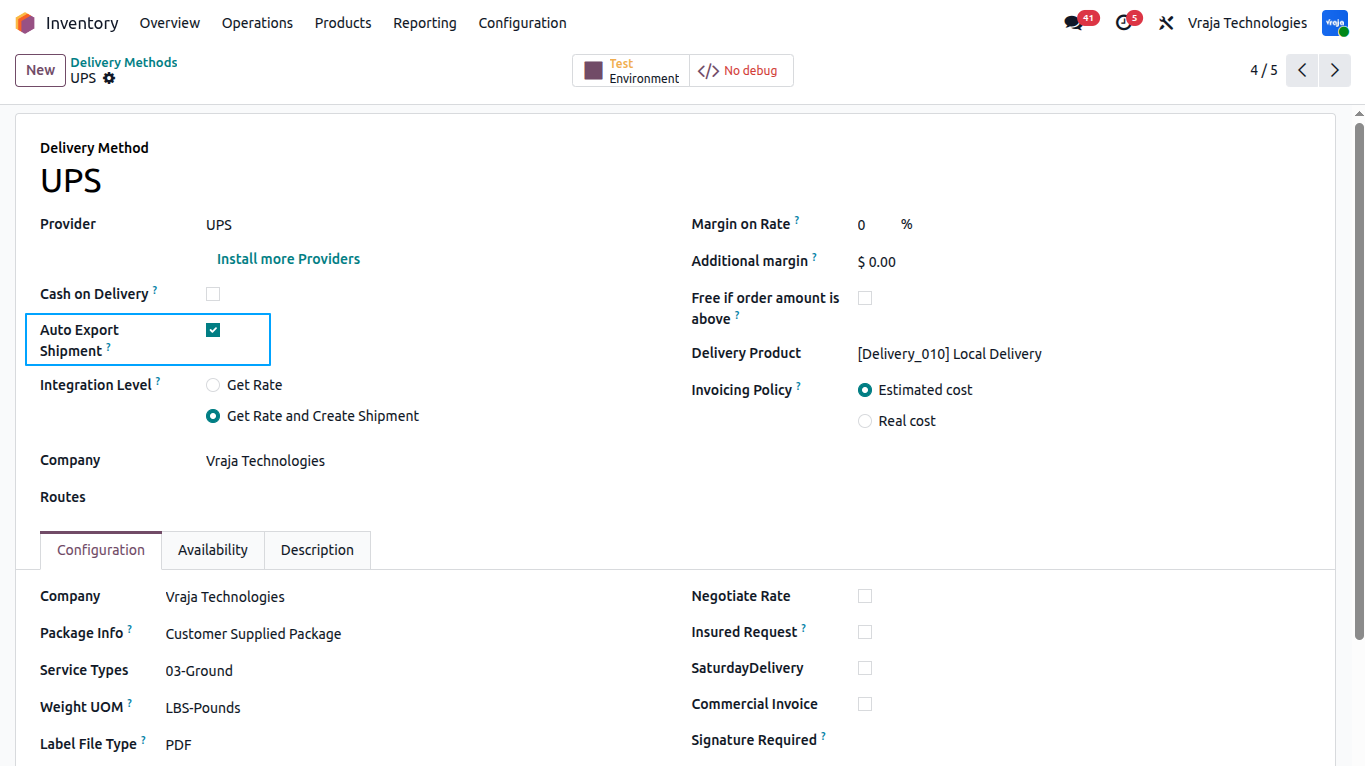
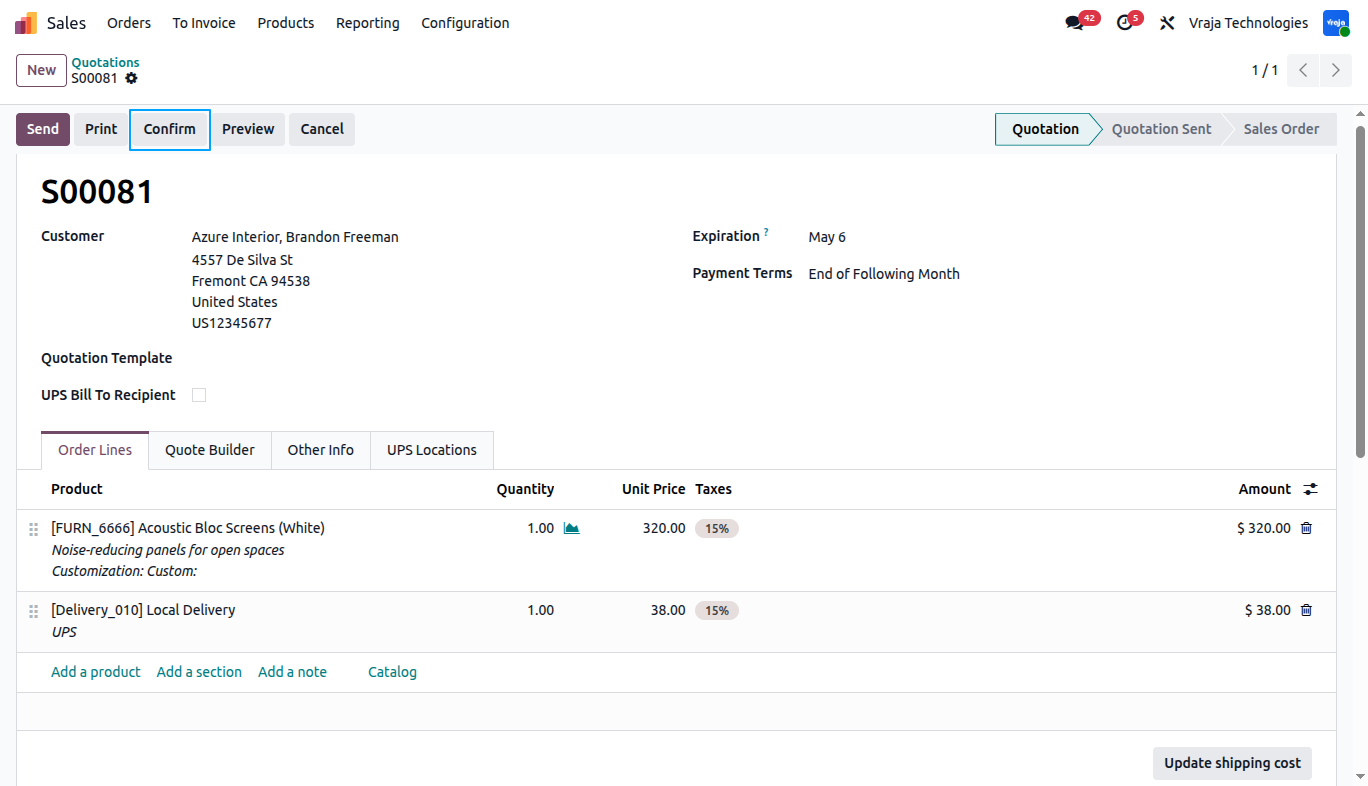
Automatic shipment export on order confirmation:Exports shipment to the selected carrier automatically when the Sales Order is confirmed. |
|
|
Delivery method based configuration:Allows enabling or disabling Auto Export Shipment individually for each delivery method. |
01 A field Product Catalog is added on the product template level. It allows the user to upload a catalog file for the product.
02 After uploading, the document (e.g., PDF) is linked to the product and displayed with its file name in the Product Catalog section.
03 A Download Catalog button is displayed on the website only when a catalog file is attached to the product, and when the customer clicks it, the attached file is downloaded.
|
|
When does the shipment get exported to the carrier?The shipment is automatically exported when the sale order is confirmed, provided the Auto Export Shipment option is enabled. |
|
|
What happens if Auto Export Shipment is not enabled?In that case, the shipment will not be exported automatically, and the standard manual process will be followed. |
|
|
I would like to request a custom feature for this application. What’s the process to get it implemented?We’re happy to help tailor the application to meet your business needs! You can reach us via sales@vrajatechnologies.com |
|
|
Who is the point of contact for technical support, configuration support or bug-related queries?You can reach us via support@vrajatechnologies.com |
|
|
Included App Support90 Days Complimentary Support for Supported Versions If you encounter issues caused by the app itself, our team provides complimentary support for 90 days from the date of purchase for supported Odoo versions. |
90 Days Complimentary Support for Supported Versions
If you encounter issues caused by the app itself, our team provides complimentary support for 90 days from the date of purchase for supported Odoo versions.
Customer SupportNeed help with installation, configuration, technical issues, or general questions about the module? Submit a support ticket through our dedicated support portal. |
||
|
Support Portal
vrajatechnologies.com/helpdesk
|
Support PolicyReview our support policy for complete information about support coverage, issue eligibility, exclusions, version compatibility, and other support conditions. |
||
|
Support Policy
vrajatechnologies.com/support-policy
|
Scan for Support |

||
|
Support Portal
vrajatechnologies.com/helpdesk
|
BigCommerce Odoo Integration helps businesses connect their BigCommerce online store with Odoo and manage eCommerce operations from one centralized system. This connector allows you to import and export key store data between BigCommerce and Odoo, reducing manual work and improving operational accuracy.
Shopify Odoo Integration helps you connect your Shopify store with Odoo to manage products, orders, customers, and inventory from one centralized system.Automate data synchronization between Shopify and Odoo, reduce manual work, avoid errors, and streamline your complete eCommerce operations.
Bridge the gap between Odoo and your trading partners with an all-in-one EDI solution supporting FTP and SFTP protocols. This module features a dynamic XML mapping engine that gives you the power to import, export, create, or update any Odoo record without a single line of code. This tool streamlines your data exchange by allowing you to sync remote directory structures and automate entire workflows via Odoo’s scheduled actions. This tool ensures accurate, automated, and bidirectional data flow for any Odoo model.
EDIFACT EDI integration with Odoo on the customer side automates — from sending Purchase Orders (ORDERS) and receiving Order Responses (ORDRSP), managing Order Changes (ORDCHG), importing Dispatch Advice (DESADV), confirming delivery via Receiving Advice (RECADV), auto-creating Vendor Bills (INVOIC), to sending Remittance Advice (REMADV) for payment confirmation. It also supports Pricelists (PRICAT) and Inventory Reports (INVRPT) from suppliers.
Stripe Odoo Integration helps businesses process real-time card payments from Odoo invoices and sale quotations using Stripe Terminal devices like WisePOS E and Stripe S700. It streamlines backend payment collection with automated syncing to Odoo Accounting, reducing manual work and improving financial accuracy.
RMA Customer & Supplier Return Management helps businesses manage product returns, refunds, replacements, approvals, stock movements, and credit notes for both customers and vendors directly in Odoo. Fully integrated with Sales, Purchase, Inventory, Accounting, and Website Portal, it automates the complete return workflow, reduces manual work, and improves return process traceability.
The ShipStation Odoo Integration provides a seamless two-way connection between Odoo ERP and ShipStation Easily connect Odoo with ShipStation to automate shipping workflows, generate carrier labels, fetch real-time rates, and synchronize orders and tracking details.
Sales Dashboard is an advanced Odoo module developed by Vraja Technologies that provides a real-time overview of sales in a single screen.It gives users a complete, real-time view of business performance for a selected date range, combining key performance indicators with visual analytics in a single screen. It displays critical metrics such as total sales, orders, quotations, invoices, unpaid amounts, deliveries, gross profit and margin, and shipping costs, each with a month-over-month percentage change so trends are easy to spot at a glance.
Klaviyo Odoo Integration Most ecommerce marketing software forces you to choose between being as effective as possible or moving fast. Klaviyo is different. Designed for growth-minded ecommerce merchants, Klaviyo gives you powerful functionality without sacrificing the time it takes for your marketing to make an impact on your bottom line.
QuickBooks Odoo Integration helps businesses synchronize customers, vendors, products, taxes, accounts, invoices, bills, payments, and payment terms between QuickBooks and Odoo. Automate financial data exchange, reduce manual entry, avoid inconsistencies, and maintain accurate accounting records across both platforms.
Explore Before Purchase |
Start with a free trial
Test the connector with your real workflows using our 15-day free trial. If you need help, our product experts will guide you throughout the trial.
|
|
Test the connector with your real workflows.Our product experts will guide you during the trial to help you evaluate, configure, and use the connector with confidence.
15-Day
Trial
Expert
Guidance
Real
Workflow Testing
|