Explore the key features, workflow, and value of this Odoo module.
|
|
Dynamic Signup Field Configuration:Create and manage additional signup fields dynamically to collect extra customer information during registration. |
|
|
Supports Multiple Field Types:Configure fields as Text, Textarea, Dropdown, Multiselect, Checkbox, Radio Button, Date, or File Upload based on your business requirements. |
|
|
Required Field Control:Mark fields as mandatory to ensure users provide important information during the signup process. |
|
|
Editable Fields in My Account:Choose whether customers can edit specific fields later from their portal account page. |
|
|
File Upload Validation:Restrict uploads using configurable file size limits (KB or MB) and allowed file formats defined in the field configuration. |
|
|
Configurable Signup Approval:Enable or disable user approval from settings. New users can require admin approval or receive instant login access automatically. |
|
|
Active / Inactive Custom Fields:Easily activate or deactivate custom signup fields without removing their configuration. |
|
|
Dynamic Field Sequence:Set the display order of dynamic fields in signup and account information pages for a better user experience. |
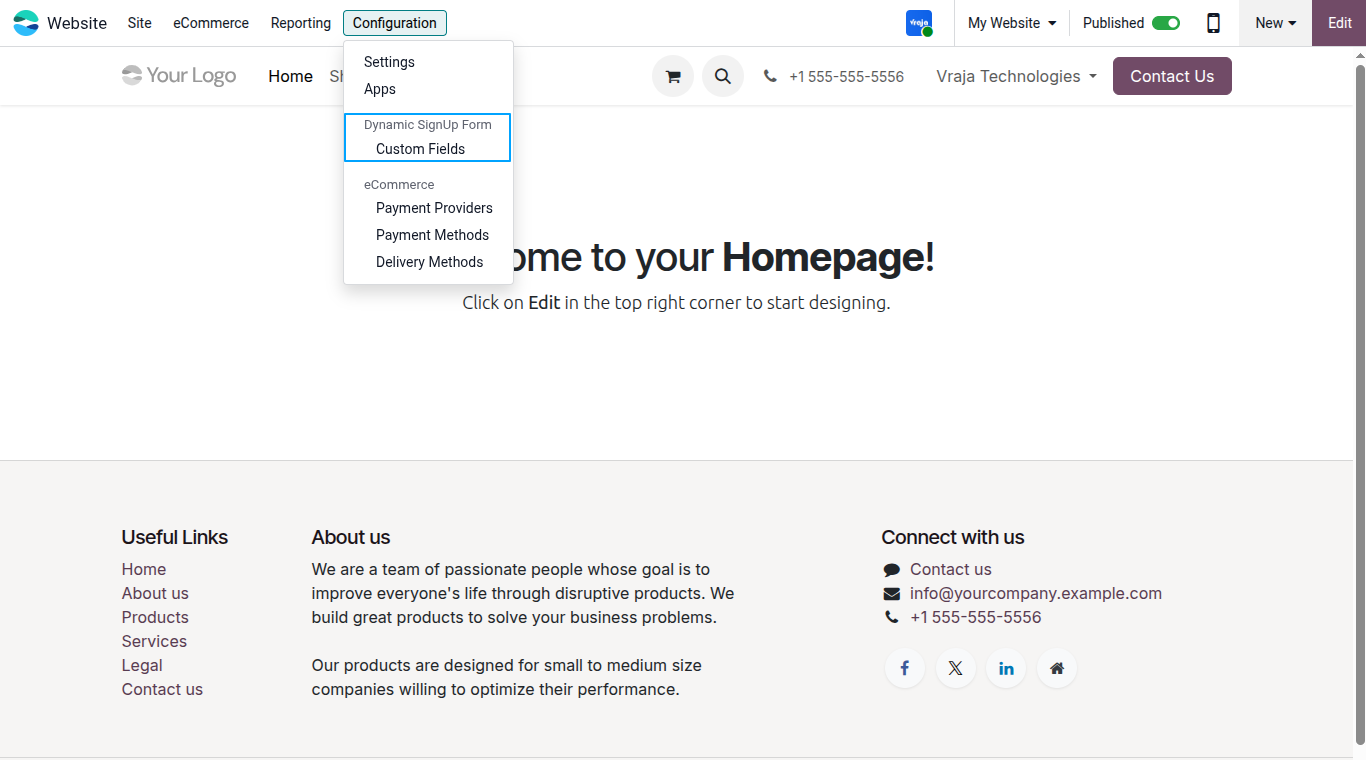
01 A Custom Fields menu is available under Website Configuration, allowing administrators to manage all dynamic signup fields from one place.
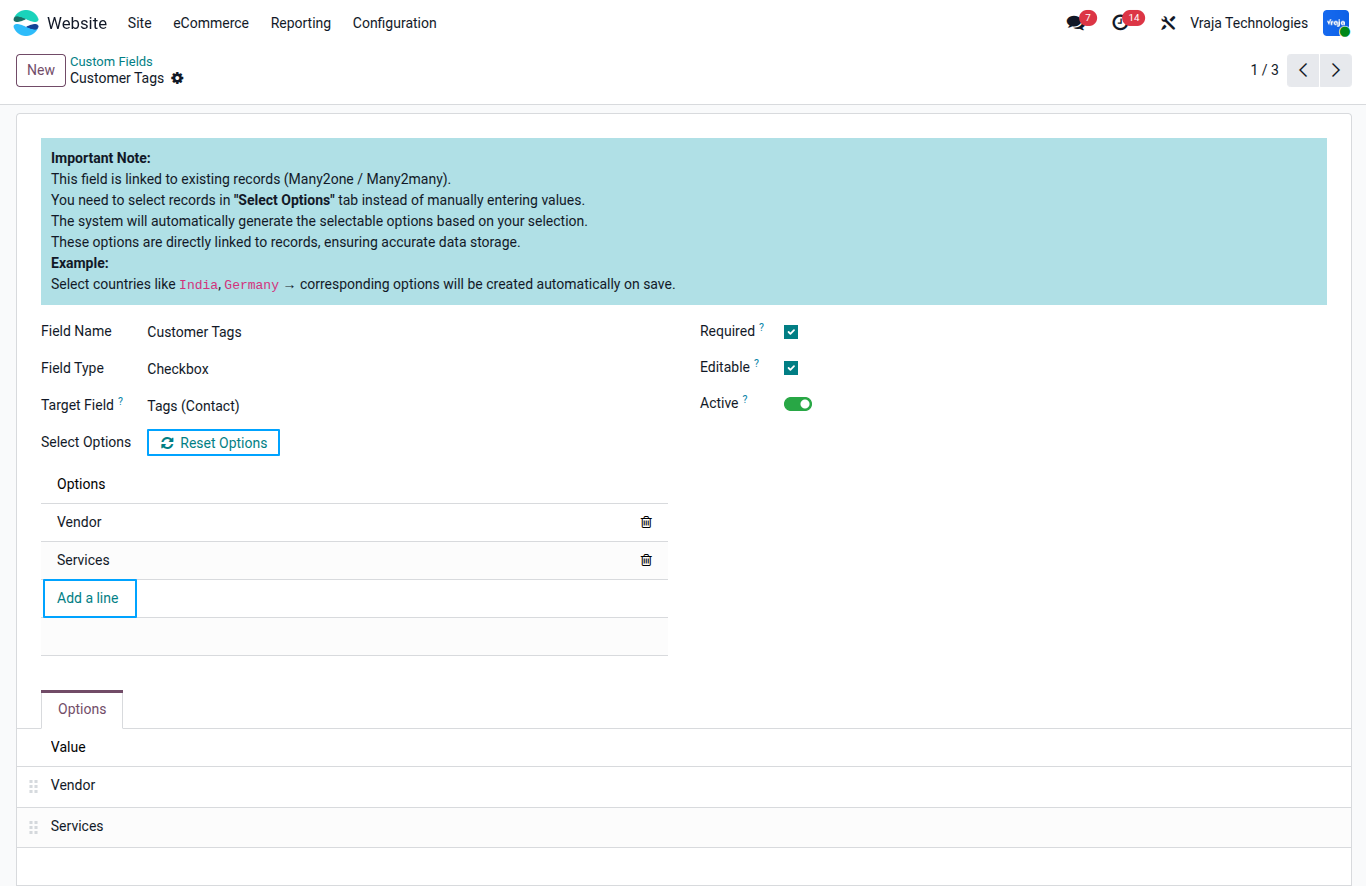
02 The Custom Fields form allows creation of dynamic signup and portal fields with flexible configuration options, including:
Field Name: Label of the field.
Field Type: Select input types such as Text, Textarea, Dropdown, Multiselect, Checkbox, Radio, Date, or Attachment.
Target Field: Map the custom field to the customer record field where data will be stored.
Required: Make the field mandatory during signup or profile update.
Editable: Allow or restrict users from editing the field later in My Account.
Active: Enable or disable the field display without deleting configuration.
Configure selectable options for fields such as Checkbox, Radio Button, Dropdown, and Multi Select to display predefined choices during user registration.
If the selected target field is of type Many2one or Many2many, users must select existing records from the Select Options section instead of manually entering option values. Use the Reset Options button to remove all previously selected records and generated options. After resetting, at least one record must be added again; otherwise, no selectable options will be available in the form.
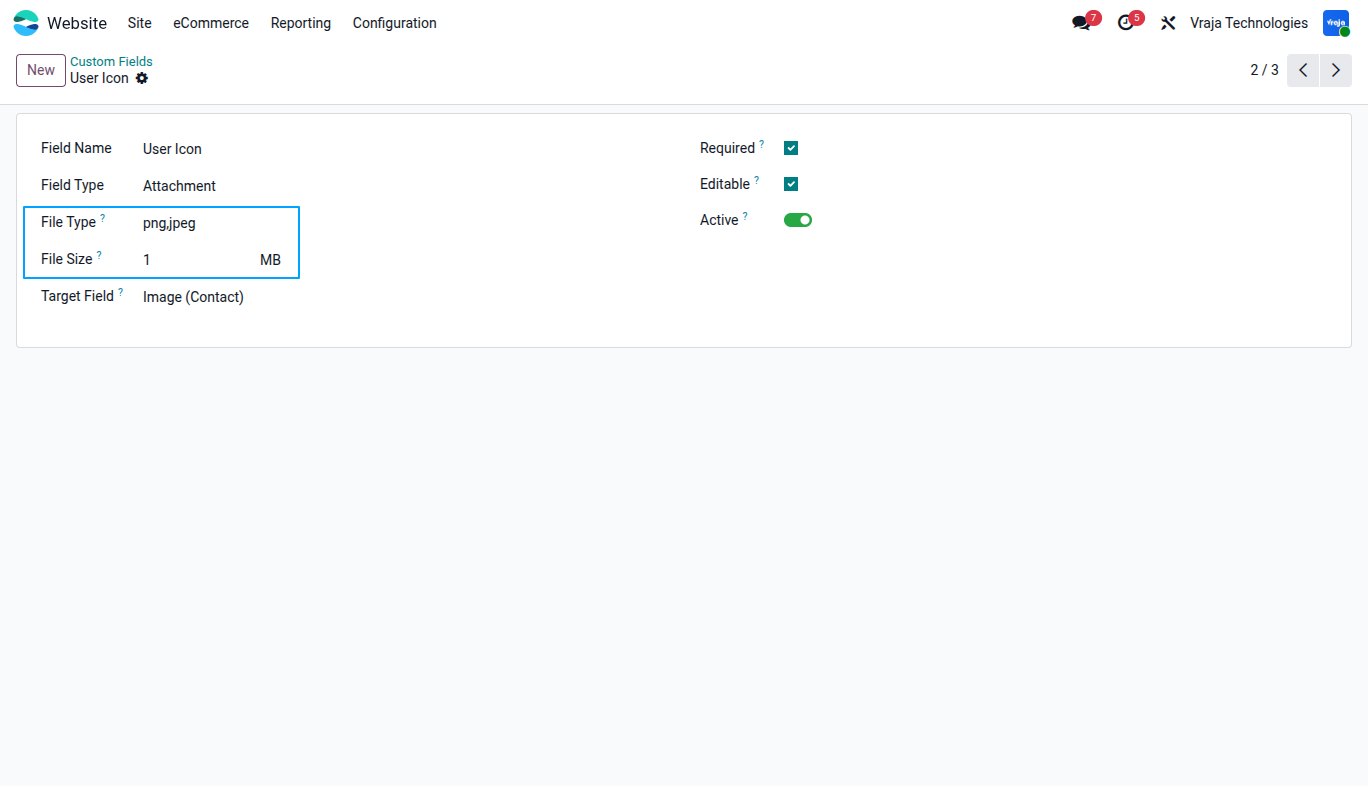
03 Create attachment fields for the signup form with file validation, allowing users to upload only supported file types within the defined maximum file size.
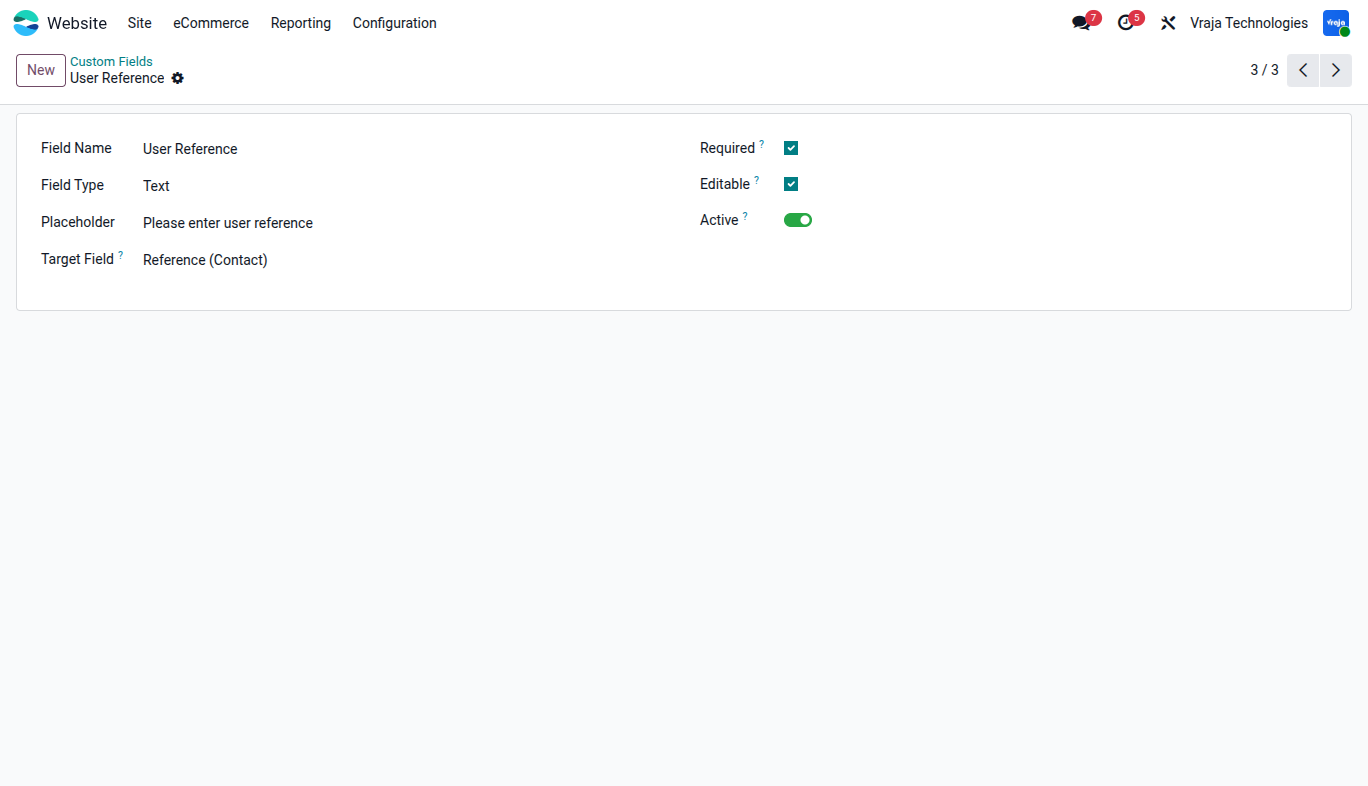
04 Create text fields for the signup form with custom placeholders.
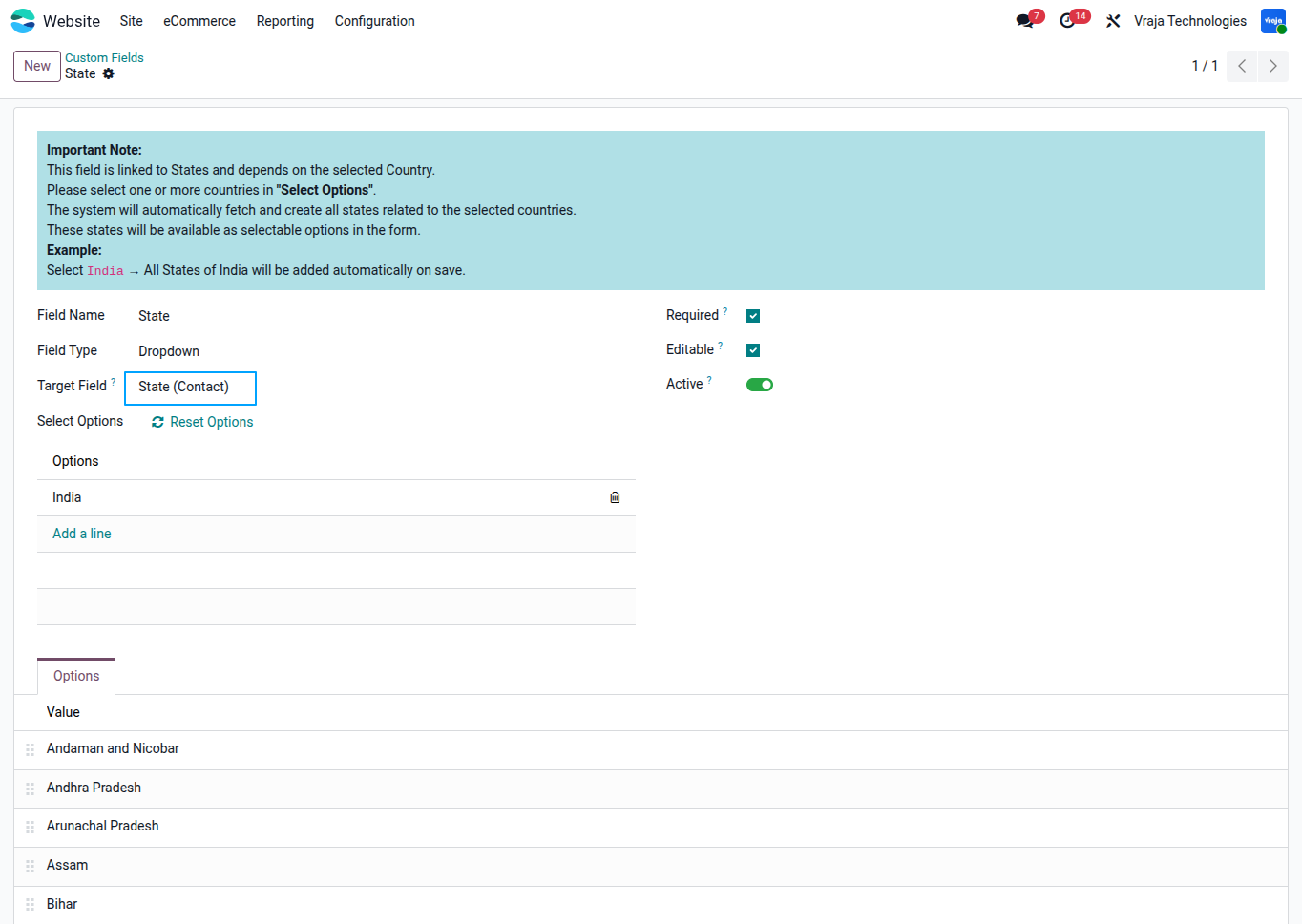
05 When the selected target field is State, users must first select one or more countries from the Select Options section. The system automatically fetches all states related to the selected countries and makes them available as selectable options in the form.
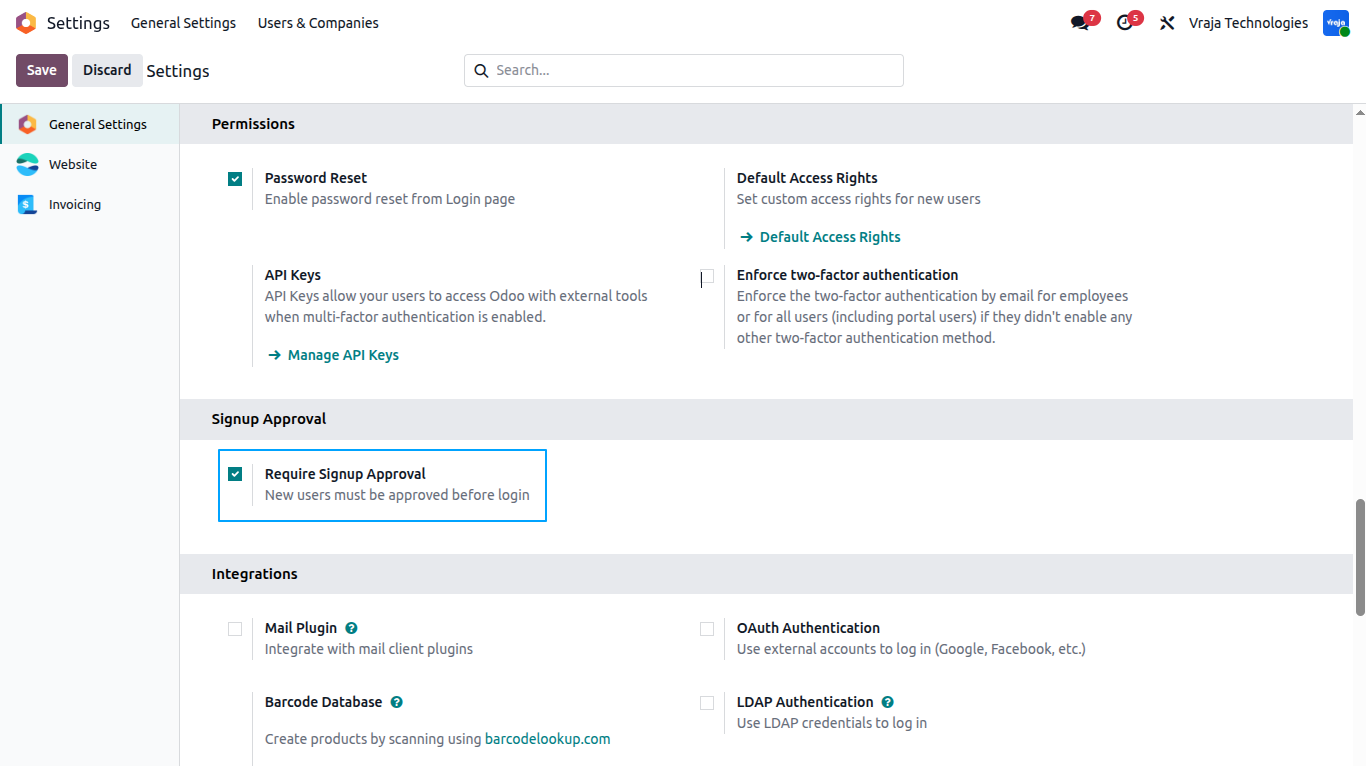
06 In Settings, the Require Signup Approval option is available. You can enable or disable it. When enabled, new users must be approved before they can log in.
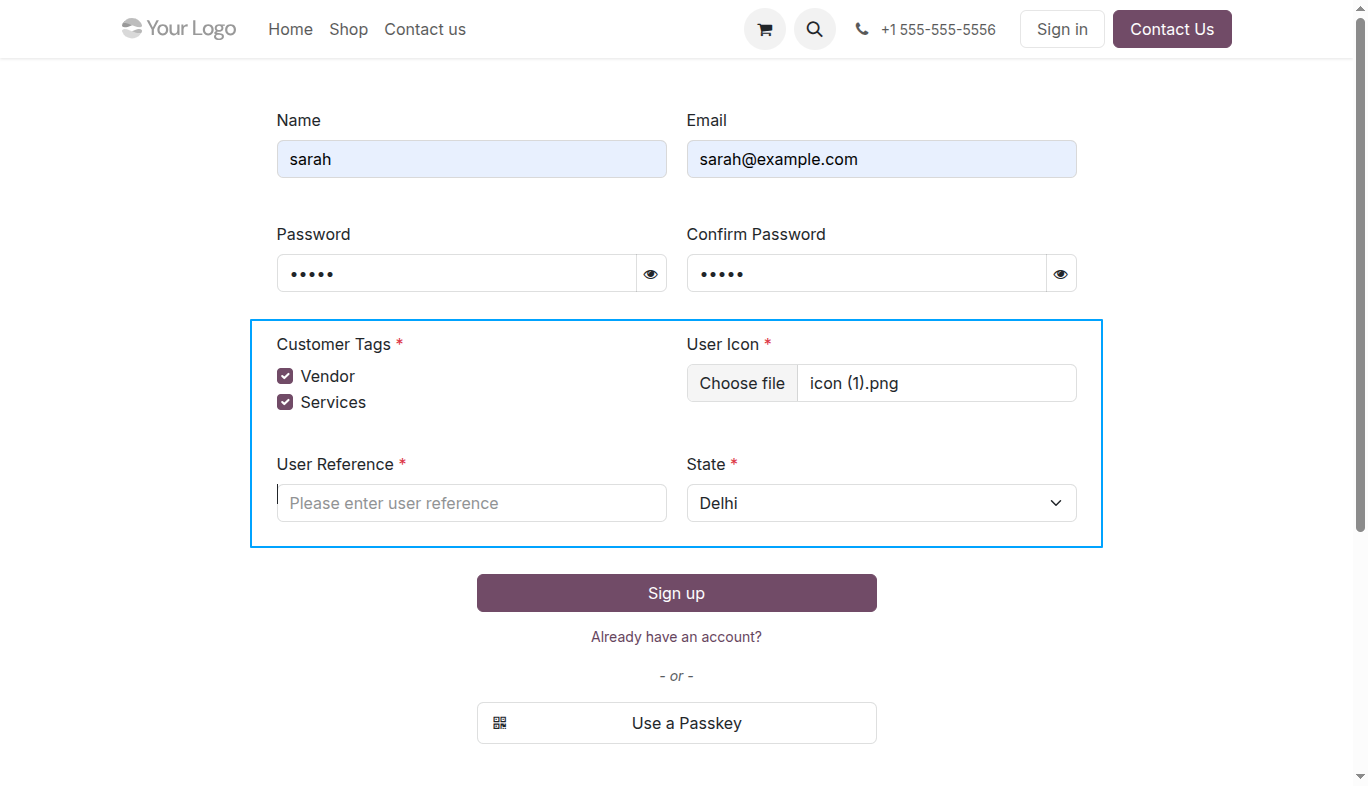
07 All active custom fields are automatically displayed on the signup page, allowing users to enter additional information during registration.
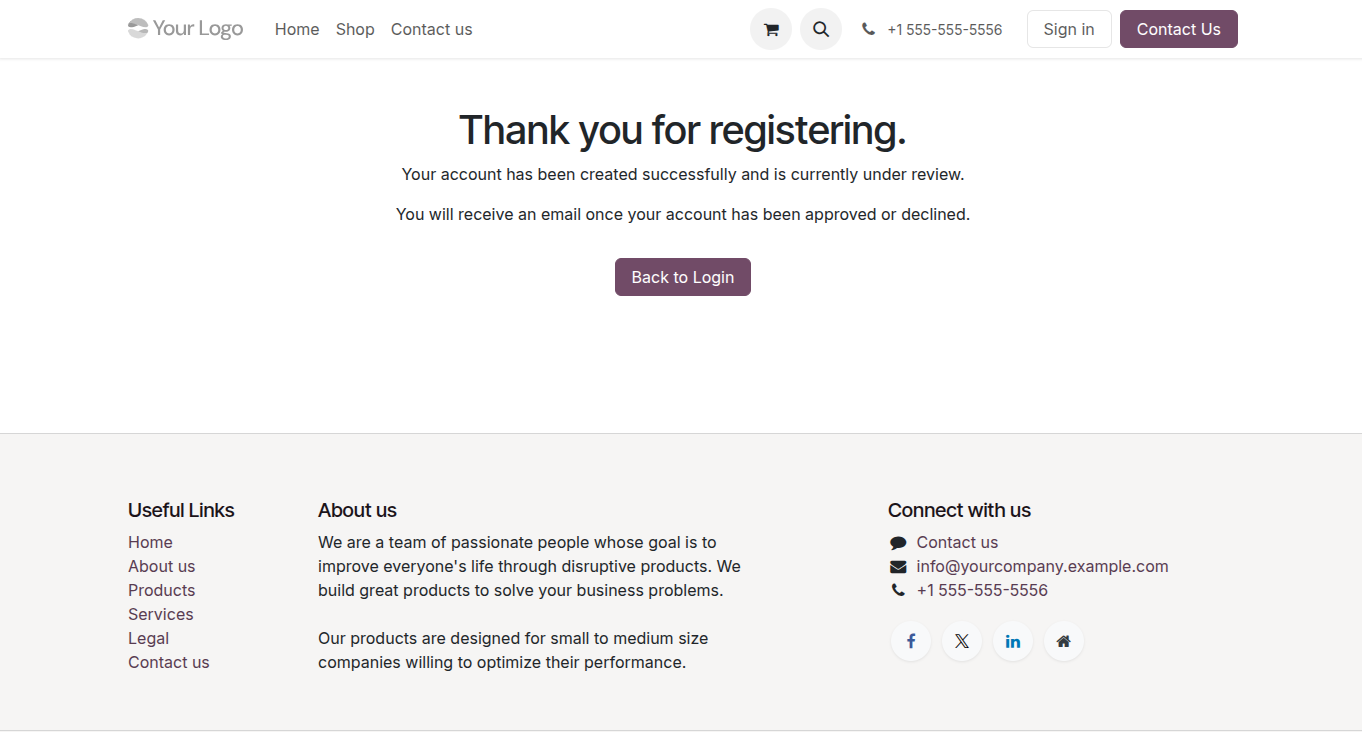
08 When signup approval is enabled, users are redirected to a confirmation page after registration, informing them that their request has been submitted and they will receive an email once approved or rejected.
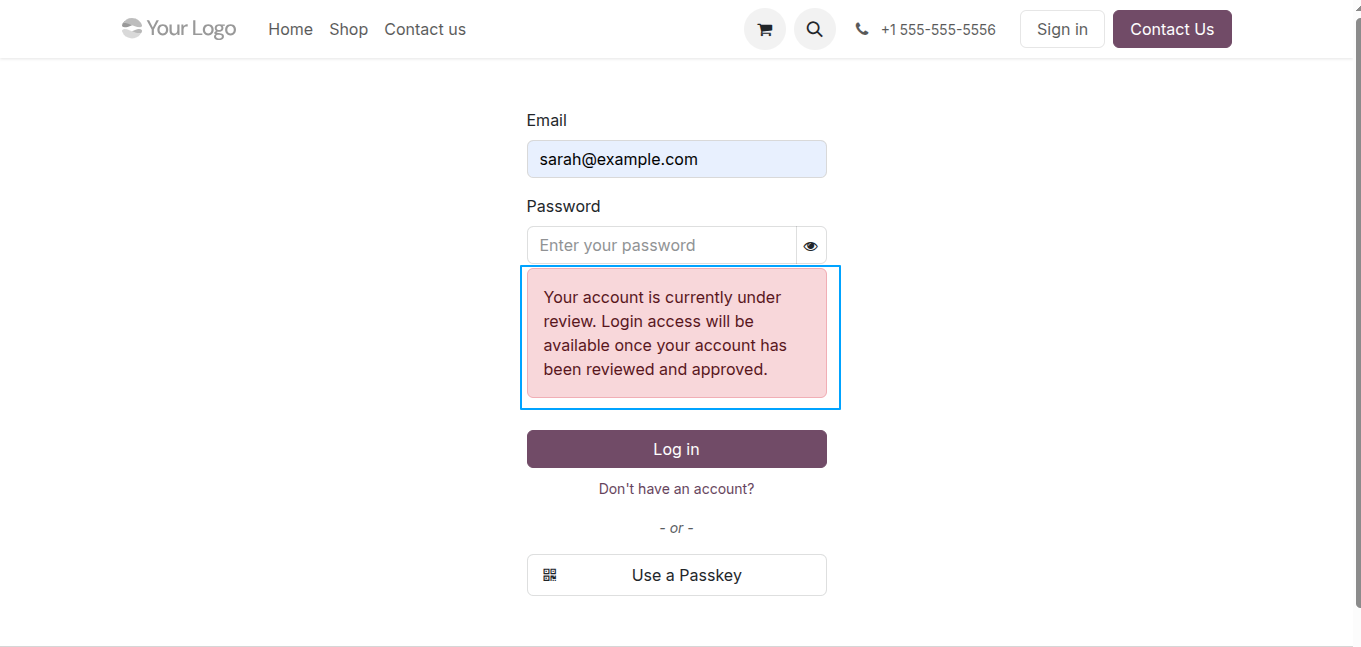
09 When signup approval is enabled, this message appears if a user tries to log in before their account has been approved.
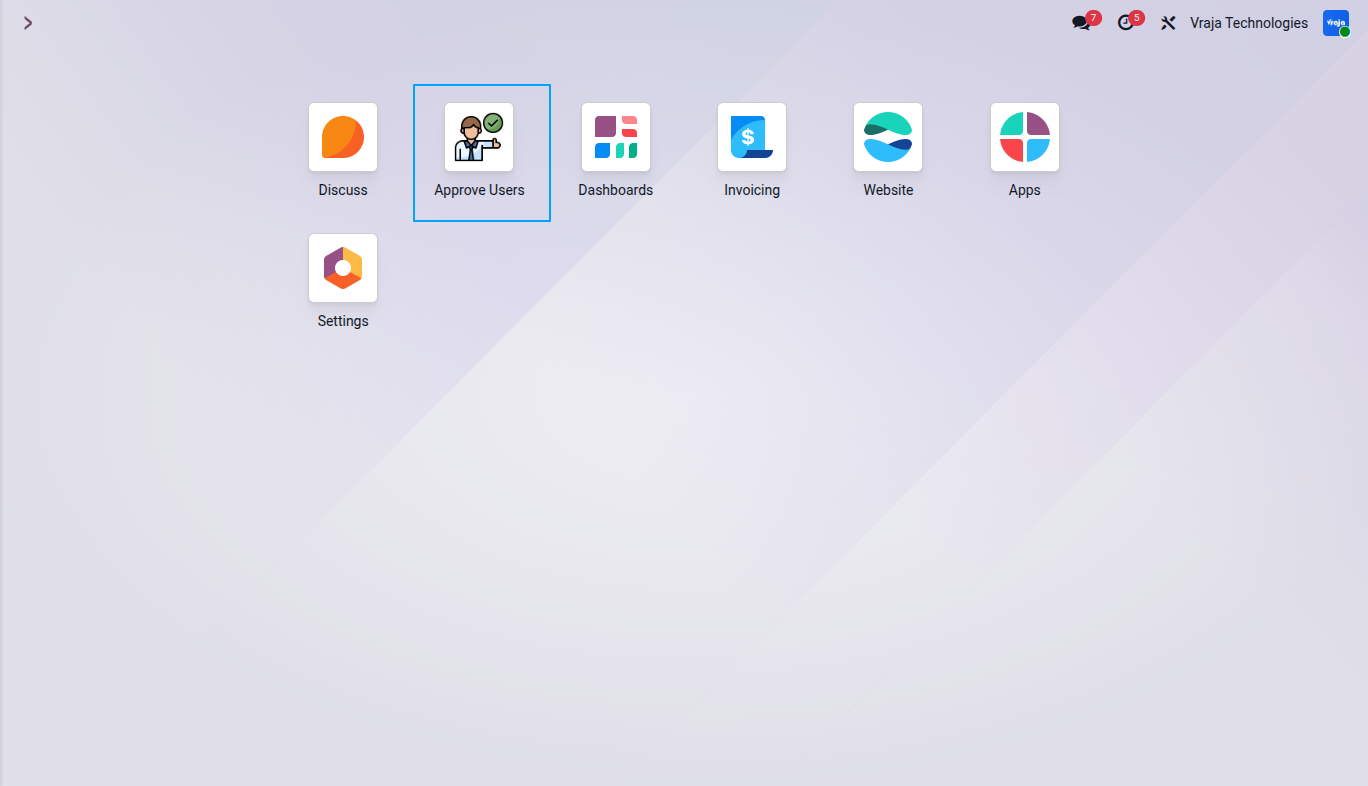
10 A dedicated Approve Users menu is available for administrators to review and manage pending signup requests.
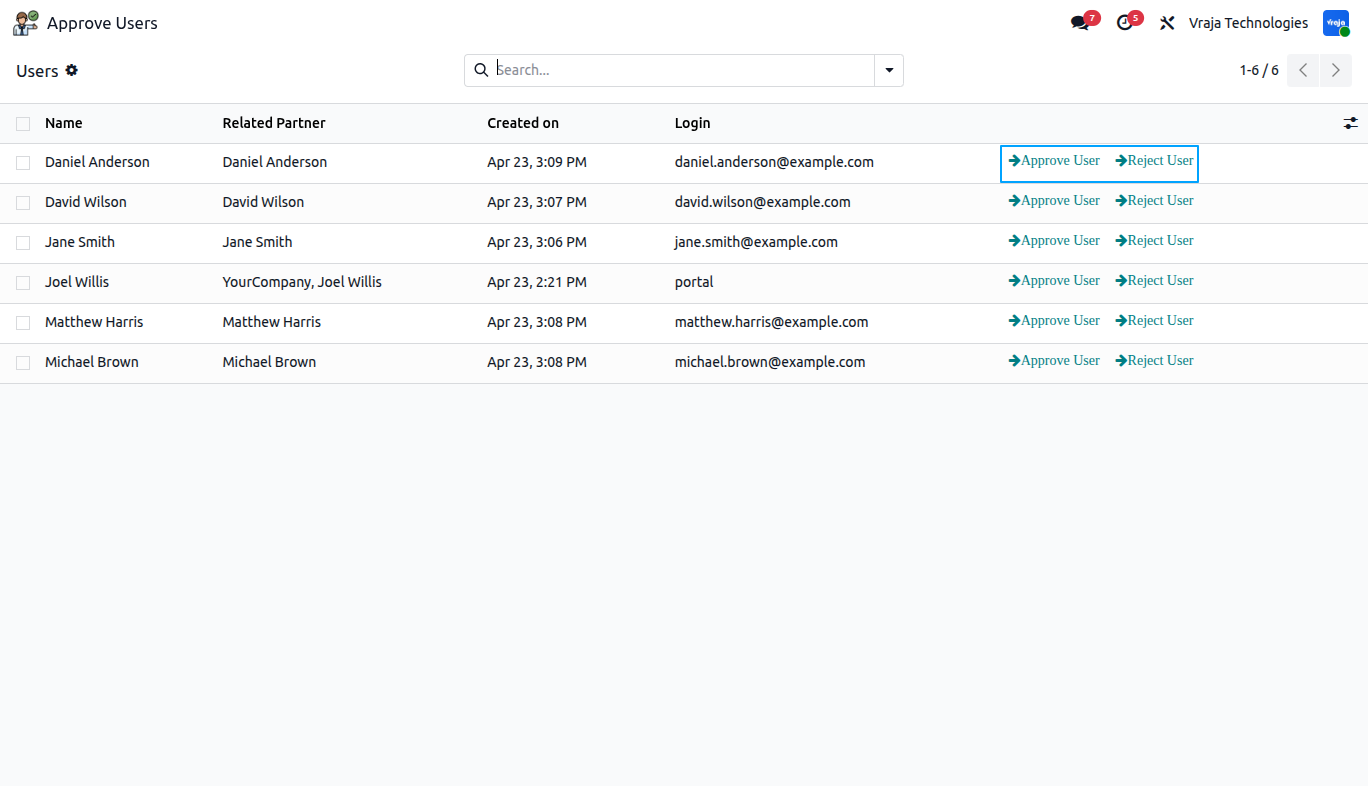
11 New user registrations appear in the approval list. Administrators can approve or reject each request, and an email notification is sent to the user for both actions.
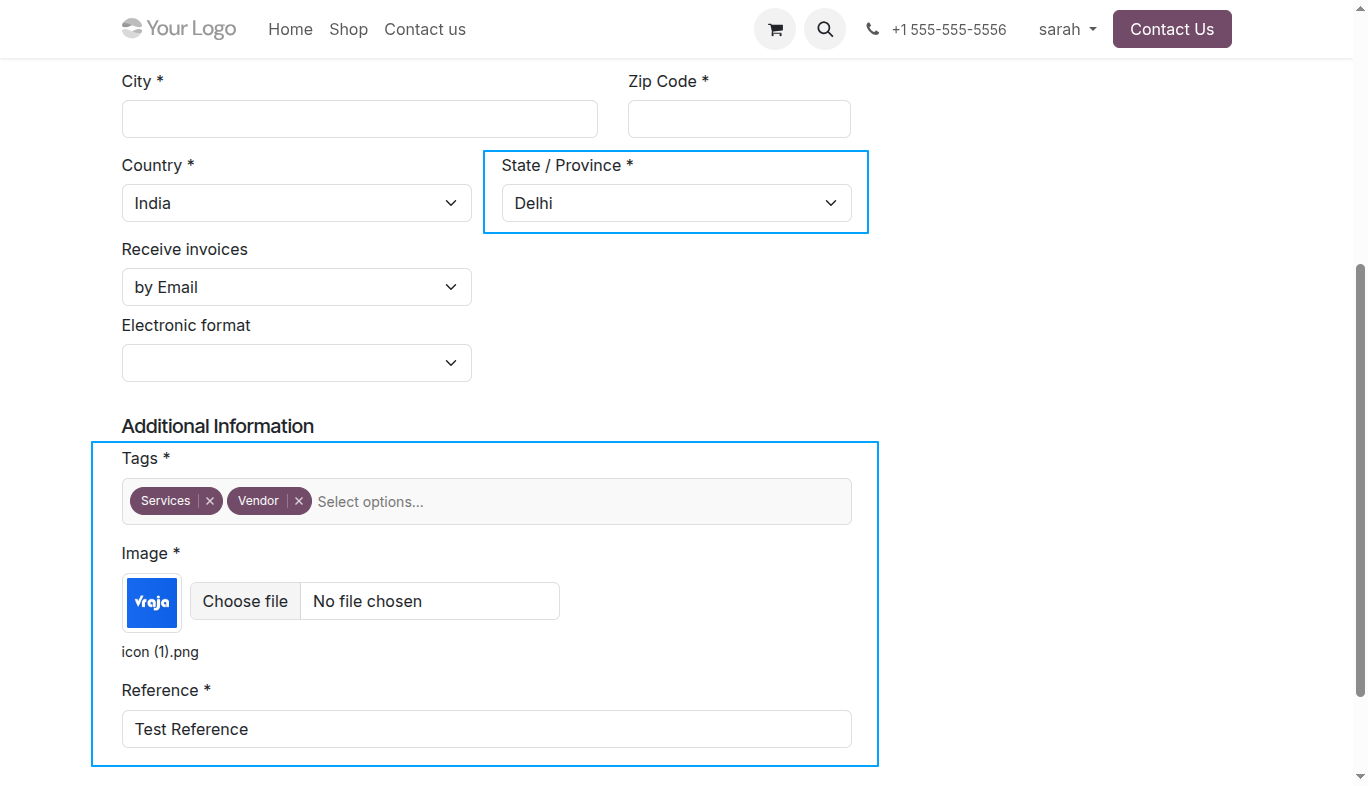
12 Custom fields are displayed in the account edit information page. Editable fields can be updated by users, while non-editable fields remain read-only. If a selected target field already exists in the account information form, the system uses the existing field instead of creating a duplicate field under Additional Information.
|
|
Can user account approval be bypassed?Yes, by disabling the Require Signup Approval option in Settings. |
|
|
Can a custom field be deactivated?Yes, by turning off the Active option in the custom field configuration. |
|
|
Can a custom field be made required?Yes, the Required option is available to make the custom field mandatory. |
|
|
Can a custom field be made read-only in My Account?Yes, the Editable option controls this behavior. If disabled, the field remains visible but cannot be edited in the account edit information page. |
|
|
What validations are supported for Attachment type fields?Attachment fields support both file type and file size validation. |
|
|
Are One2many target fields supported?No, One2many target fields are currently not supported. |
|
|
I would like to request a custom feature for this application. What’s the process to get it implemented?We’re happy to help tailor the application to meet your business needs! You can reach us via sales@vrajatechnologies.com |
|
|
Who is the point of contact for technical support, configuration support or bug-related queries?You can reach us via support@vrajatechnologies.com |
|
|
Included App Support90 Days Complimentary Support for Supported Versions If you encounter issues caused by the app itself, our team provides complimentary support for 90 days from the date of purchase for supported Odoo versions. |
Included App Support
90 Days Complimentary Support for Supported Versions
If you encounter issues caused by the app itself, our team provides complimentary support for 90 days from the date of purchase for supported Odoo versions.

Customer SupportNeed help with installation, configuration, technical issues, or general questions about the module? Submit a support ticket through our dedicated support portal. |
||
|
Support Portal
vrajatechnologies.com/helpdesk
|
Support PolicyReview our support policy for complete information about support coverage, issue eligibility, exclusions, version compatibility, and other support conditions. |
||
|
Support Policy
vrajatechnologies.com/support-policy
|
Scan for Support
|
||
|
Support Portal
vrajatechnologies.com/helpdesk
|