Explore the key features, workflow, and value of this Odoo module.
|
|
Add custom rate calculation option in shipping method. |
|
|
Use default carrier API rate when custom rate is disabled. |
|
|
Enable custom shipping rate configuration when the option is activated. |
|
|
Add a dedicated Custom Shipping Rate page in the shipping method. |
|
|
Configure flexible shipping pricing based on business needs. |
|
|
Useful when carrier live rates are unavailable or not required. |
|
|
Helps manage negotiated or manual shipping rates. |
|
|
Compatible with third-party shipping carrier workflows. |
|
|
Reduces manual shipping cost updates on sale orders. |
01 Without Enabling Custom Shipping Rate
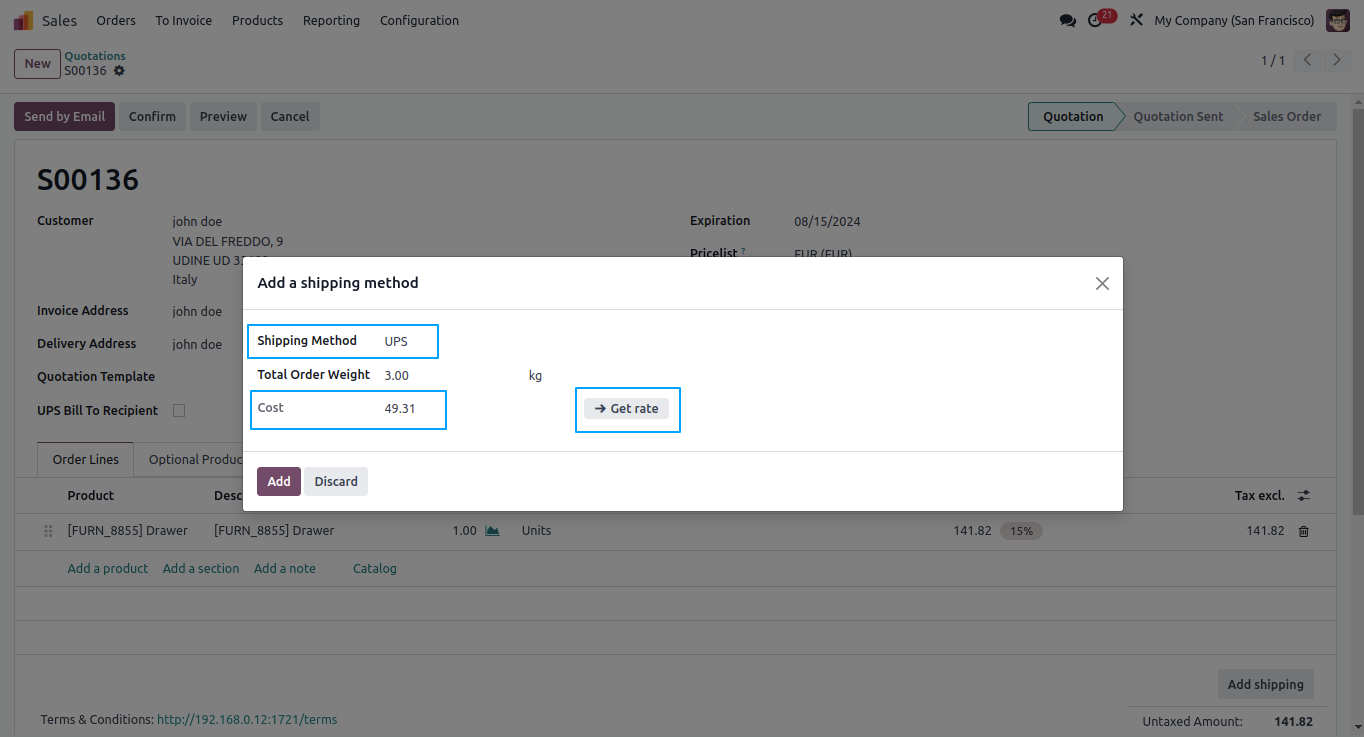
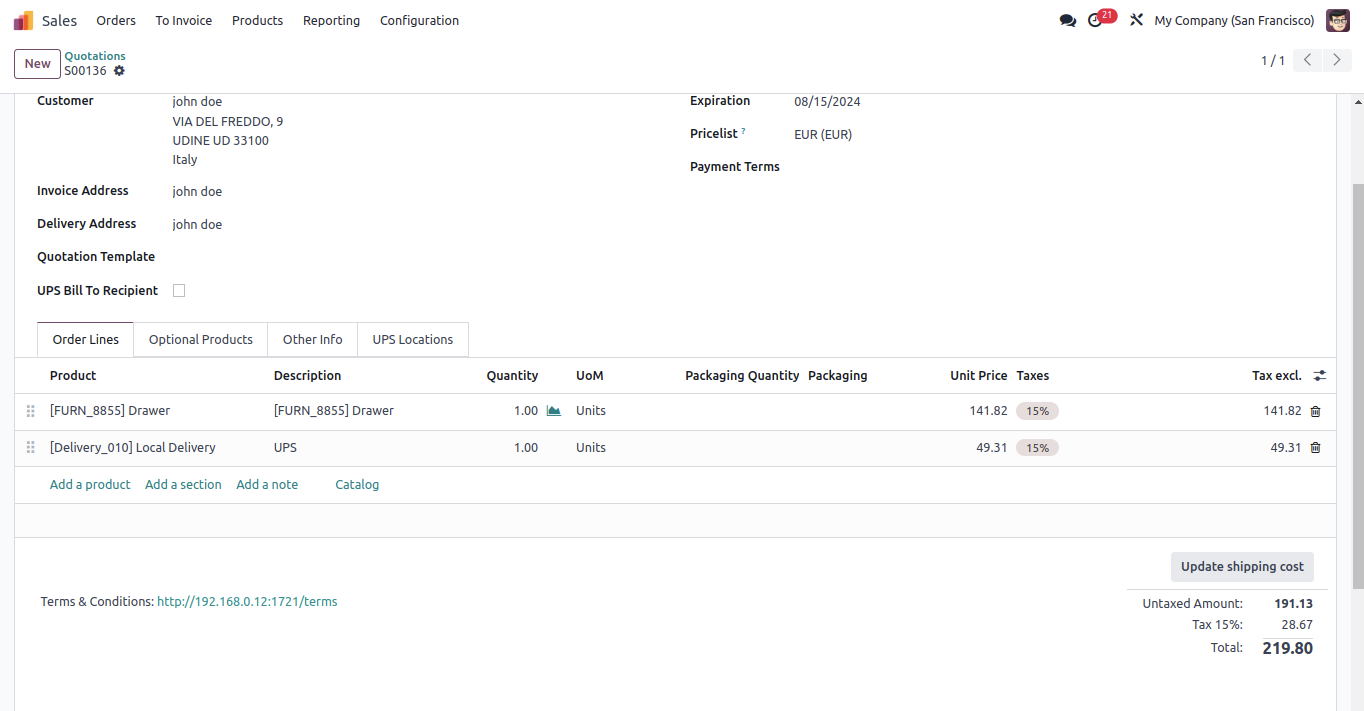
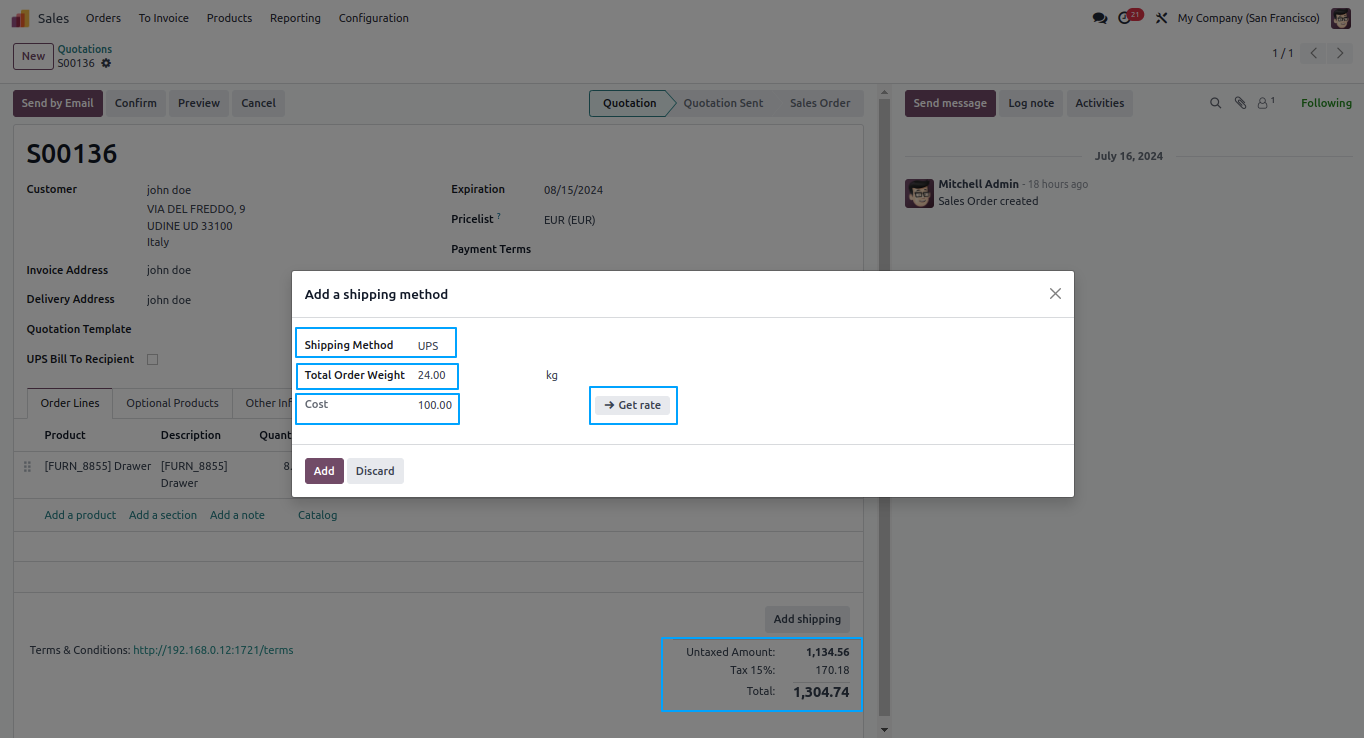
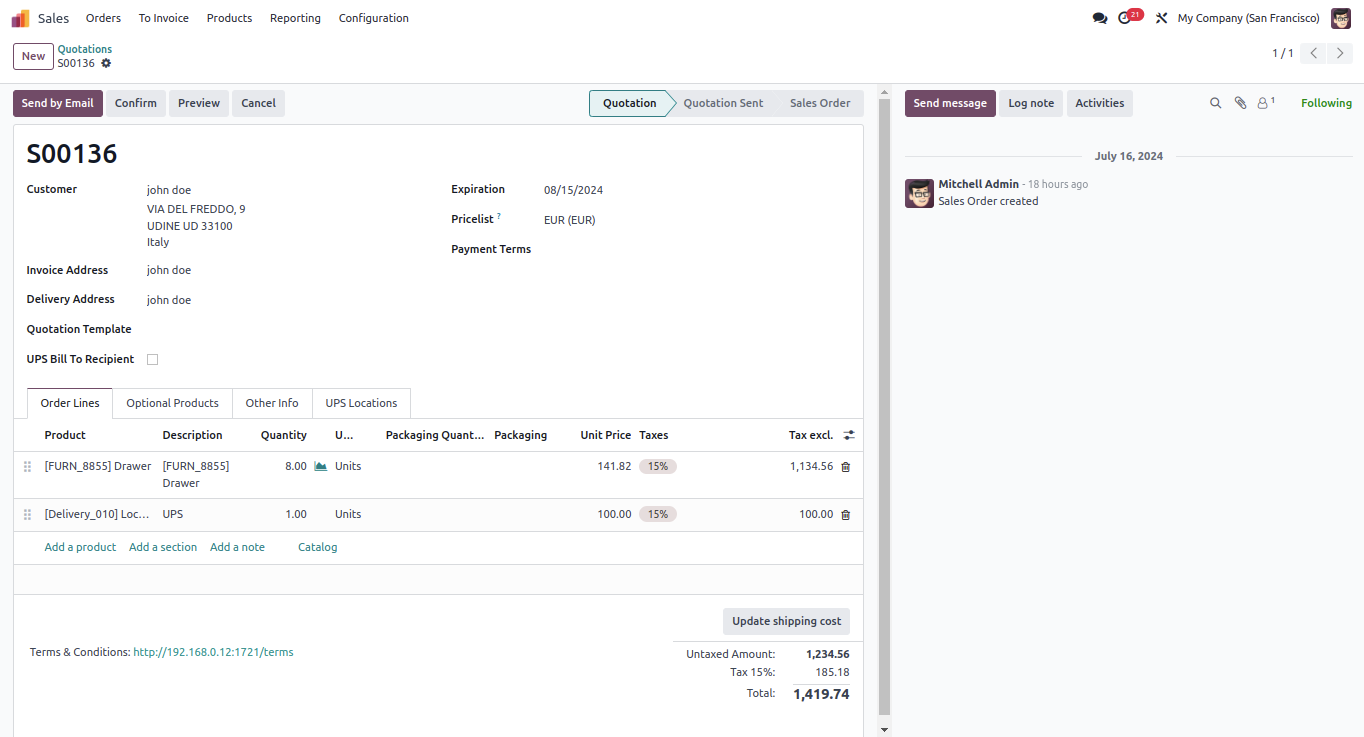
If you don’t enable this Custom Shipping Rate feature then it will take the default rate that is provided by API when adding shipping.

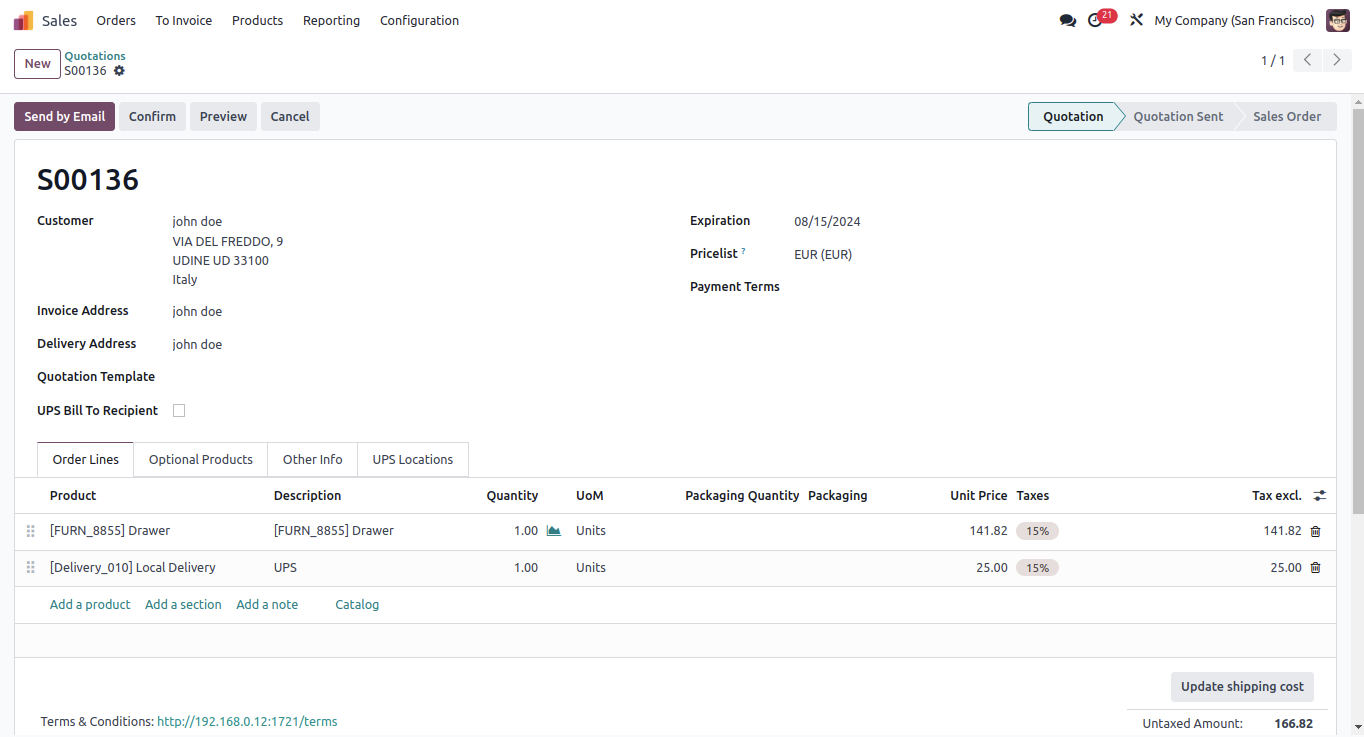
02 Based On Countries & State
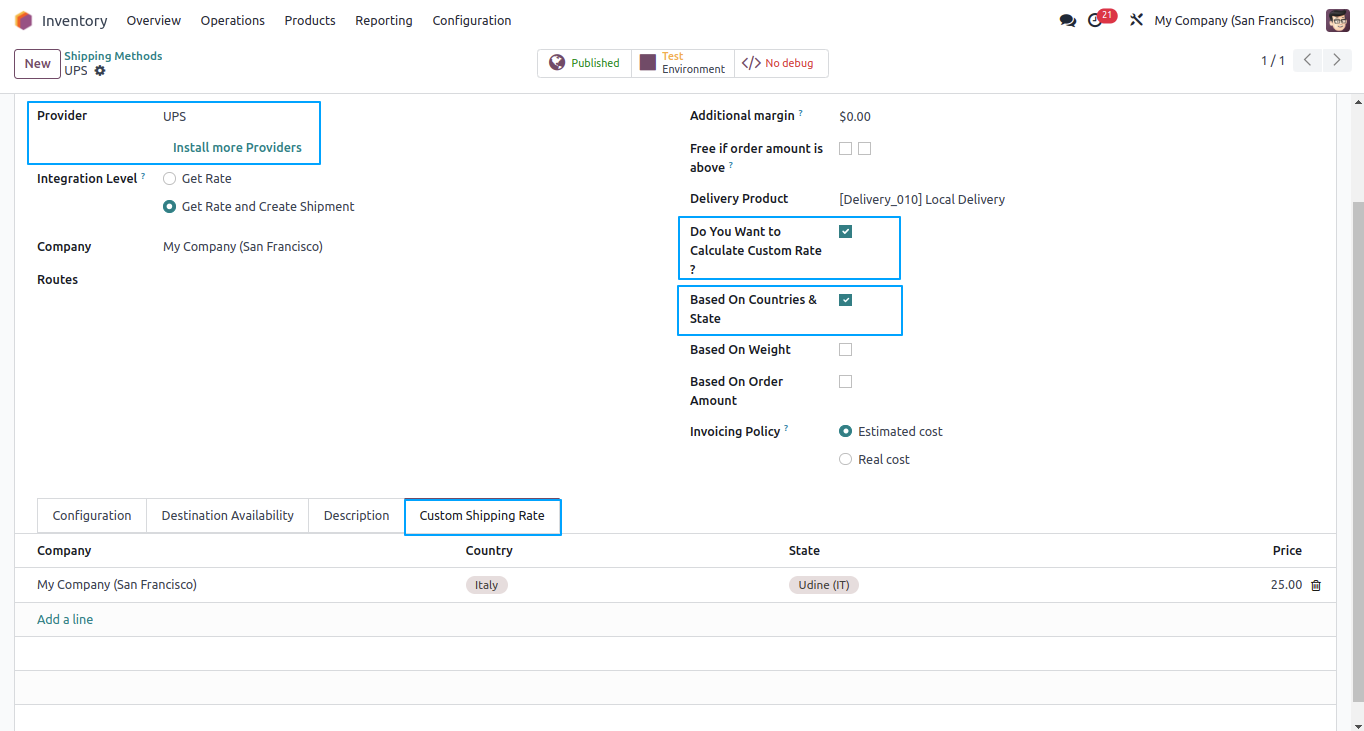
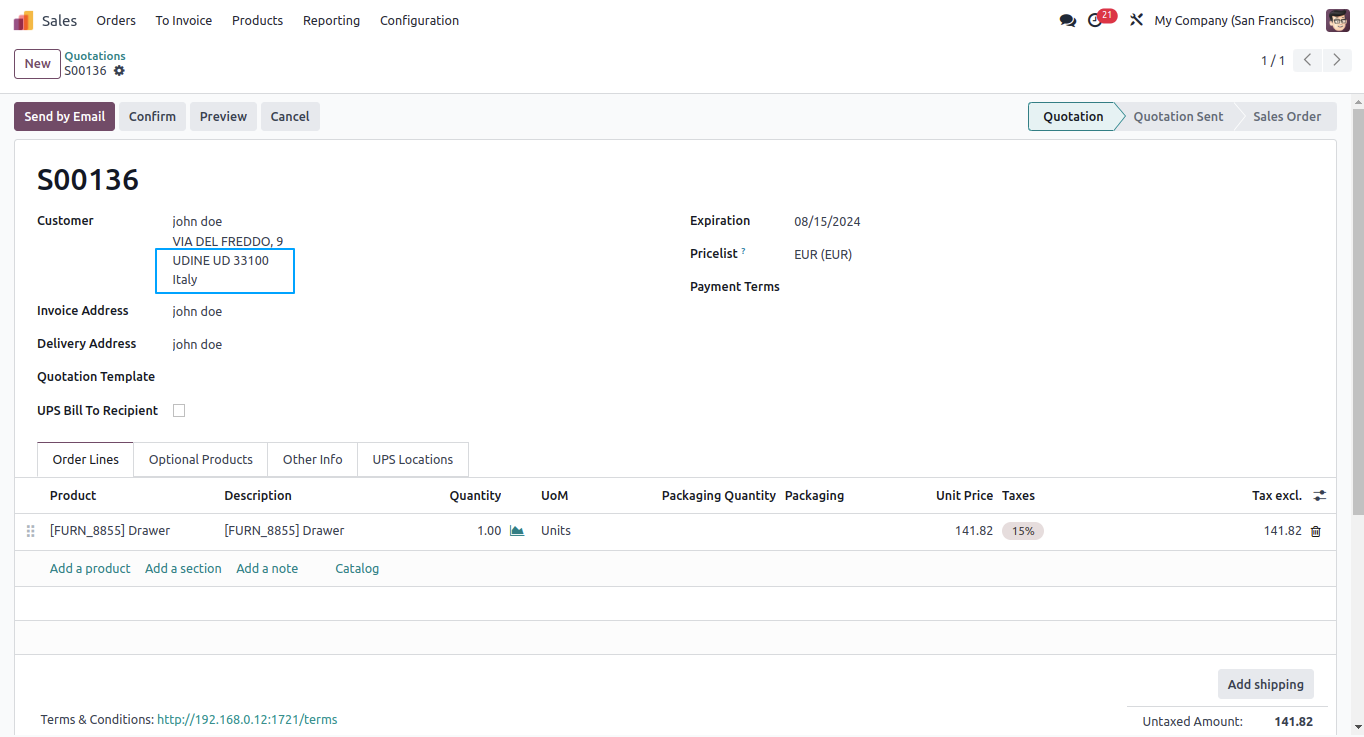
After defining countries & state rules it will take the country and state from the customer's address and match those values with custom shipping rules, which record gets matched from that rate will be fetched.

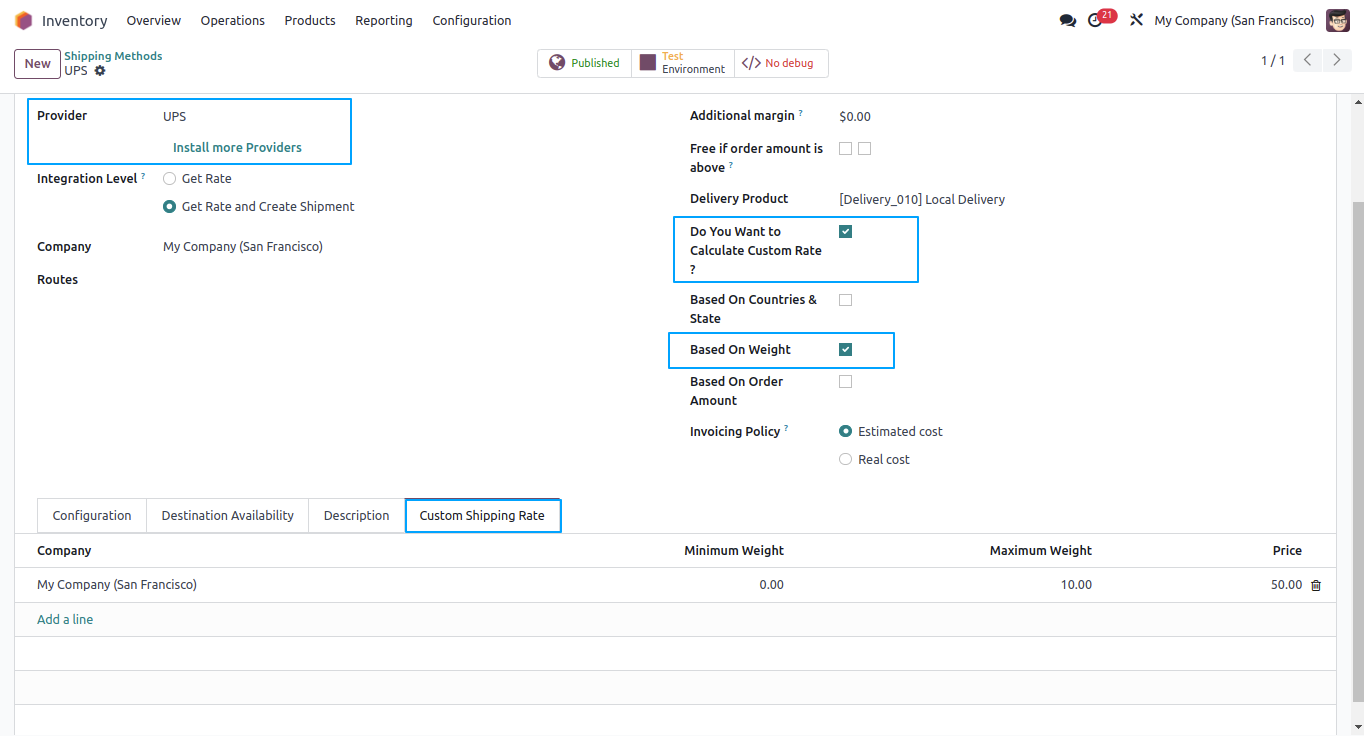
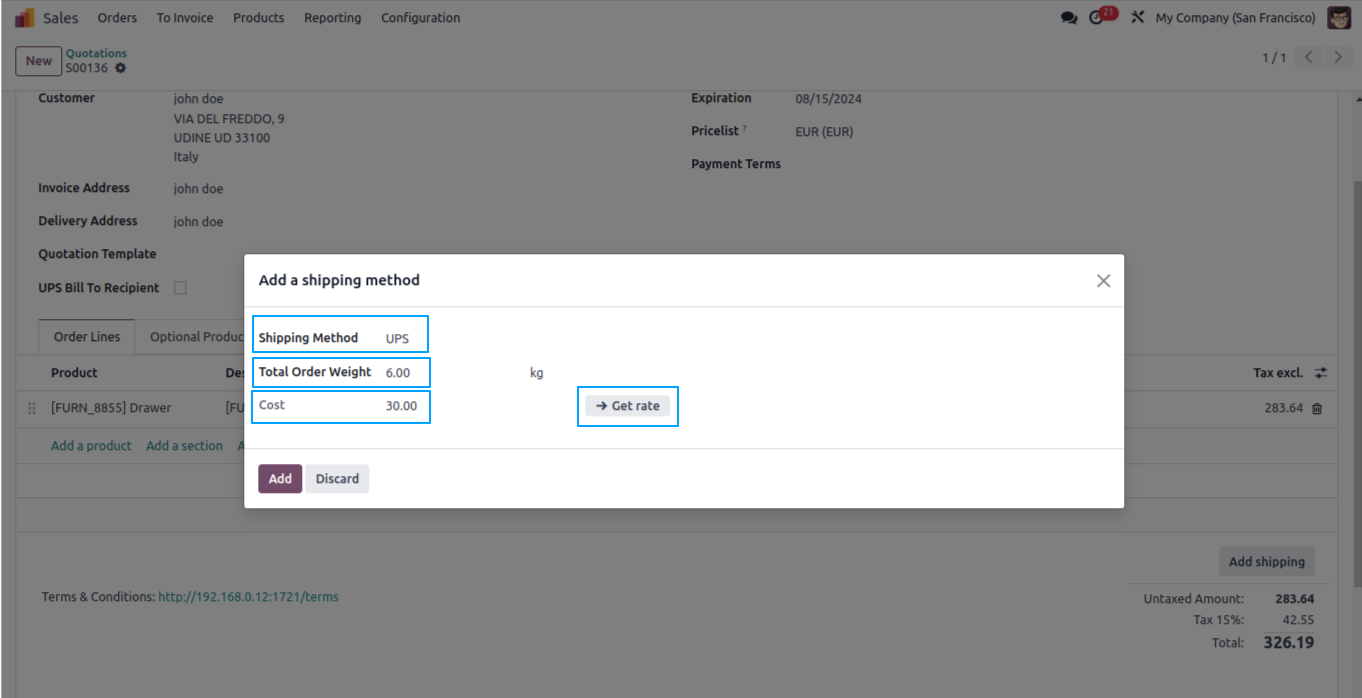
03 Based On Weight
After defining based on weight rule it will take the total product’s weight and match those values with custom shipping rules, which record gets matched from that weight will be fetched.


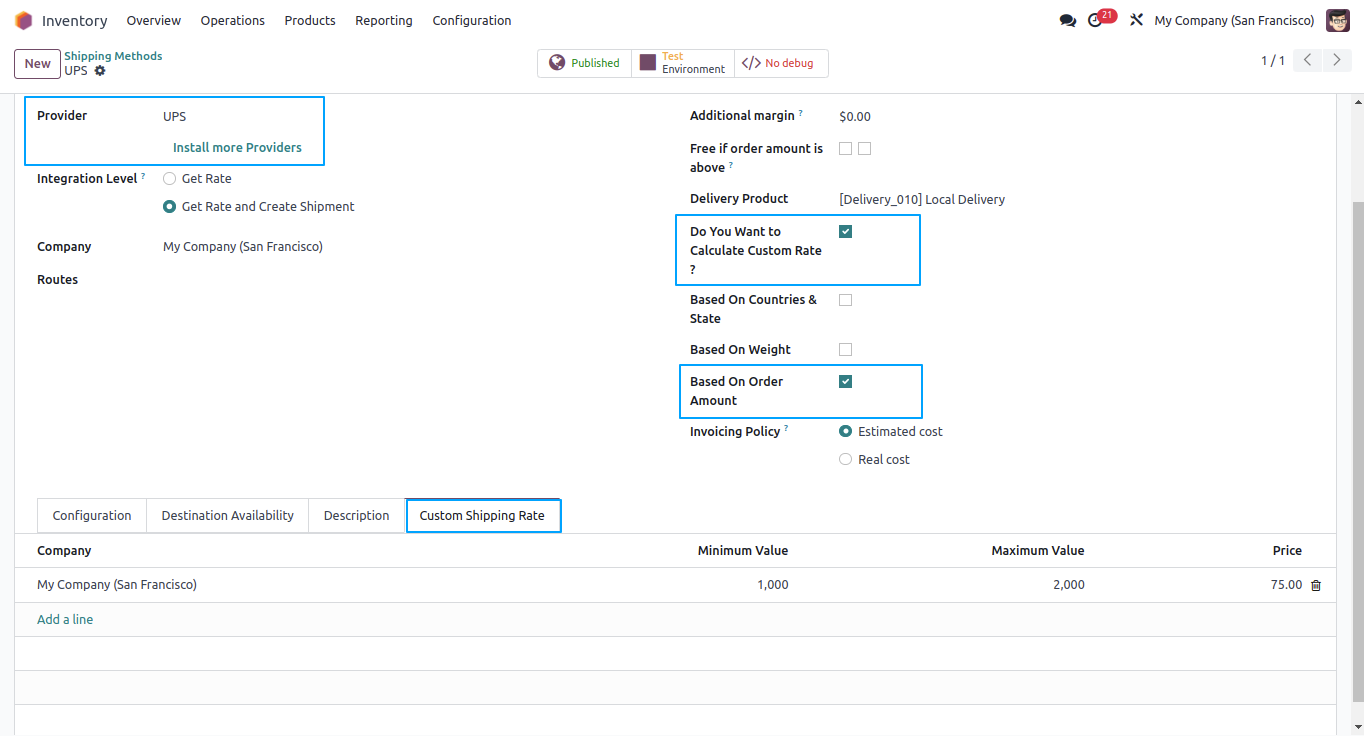
04 Based On Order Amount
After defining based on the order amount rule it will take the total order amount from the sale order and match those values with custom shipping rules, which record gets matched from that rate will be fetched.


05 Based On Countries & State and Based On Weight
After defining these two rules at the same time it will take country and state values from the customer's address and total product’s weight and match those values with custom shipping rules, which record gets matched from that rate will be fetched.



06 Based On Countries & State and Based On Order Amount
After defining these two rules at the same time it will take country and state from the customer's address and total order amount from the sale order and match those values with custom shipping rules, which record gets matched from that rate will be fetched.
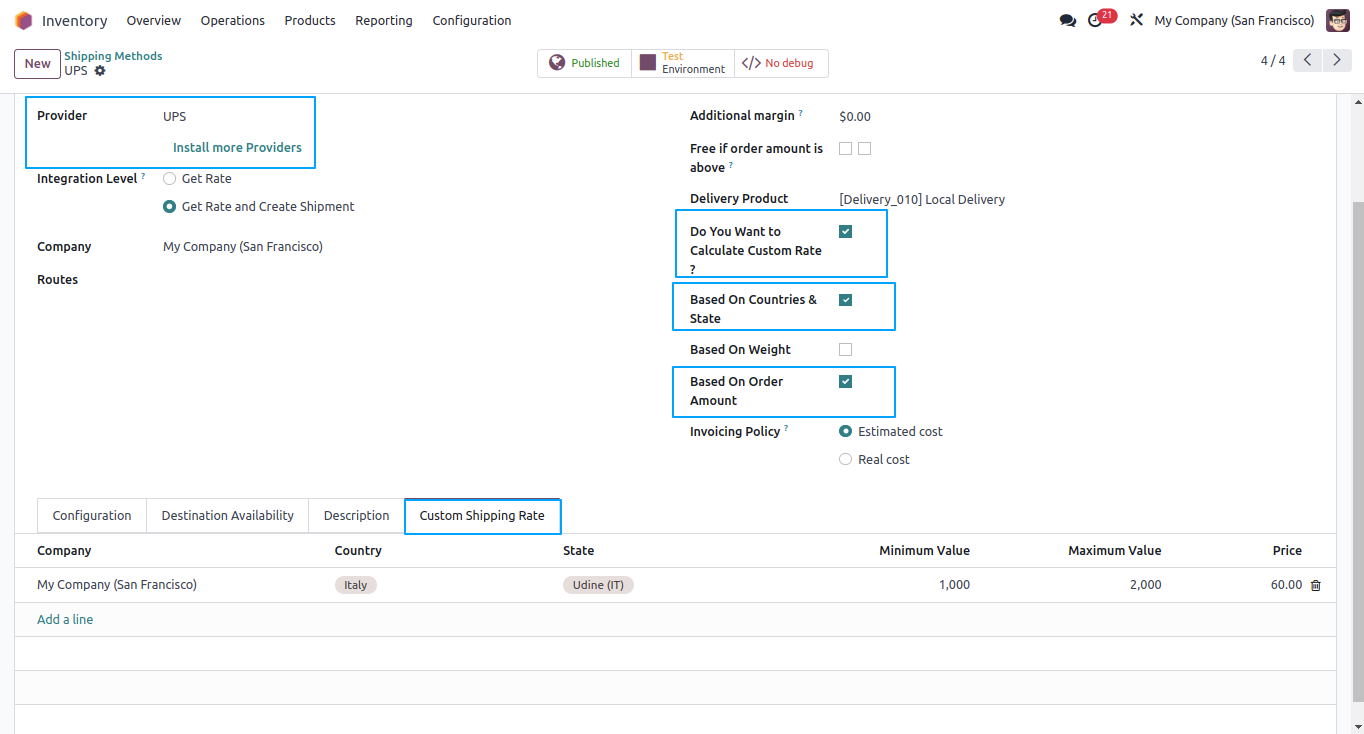


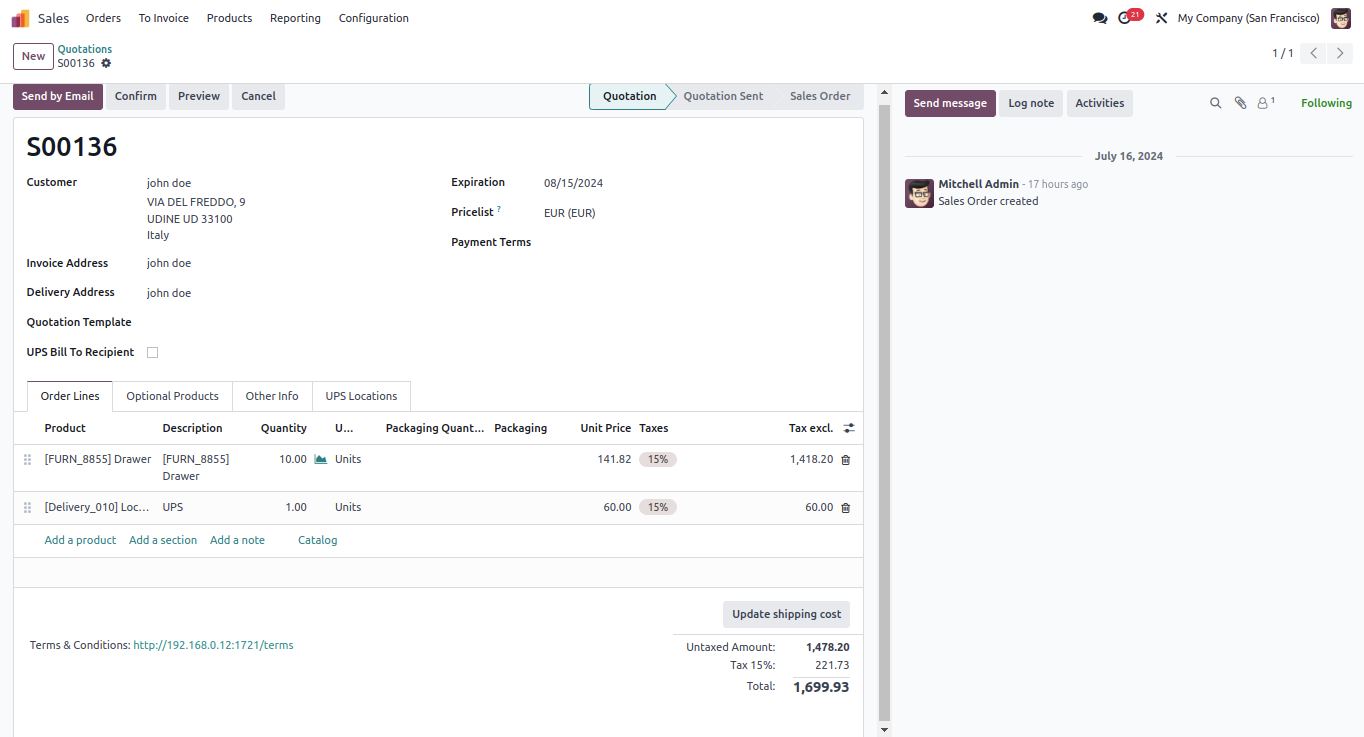
07 Based On Weight & Based On Order Amount
After defining these two rules at the same time it will take the total product’s weight and total order amount from the sale order and match those values with custom shipping rules, which record gets matched from that rate will be fetched.
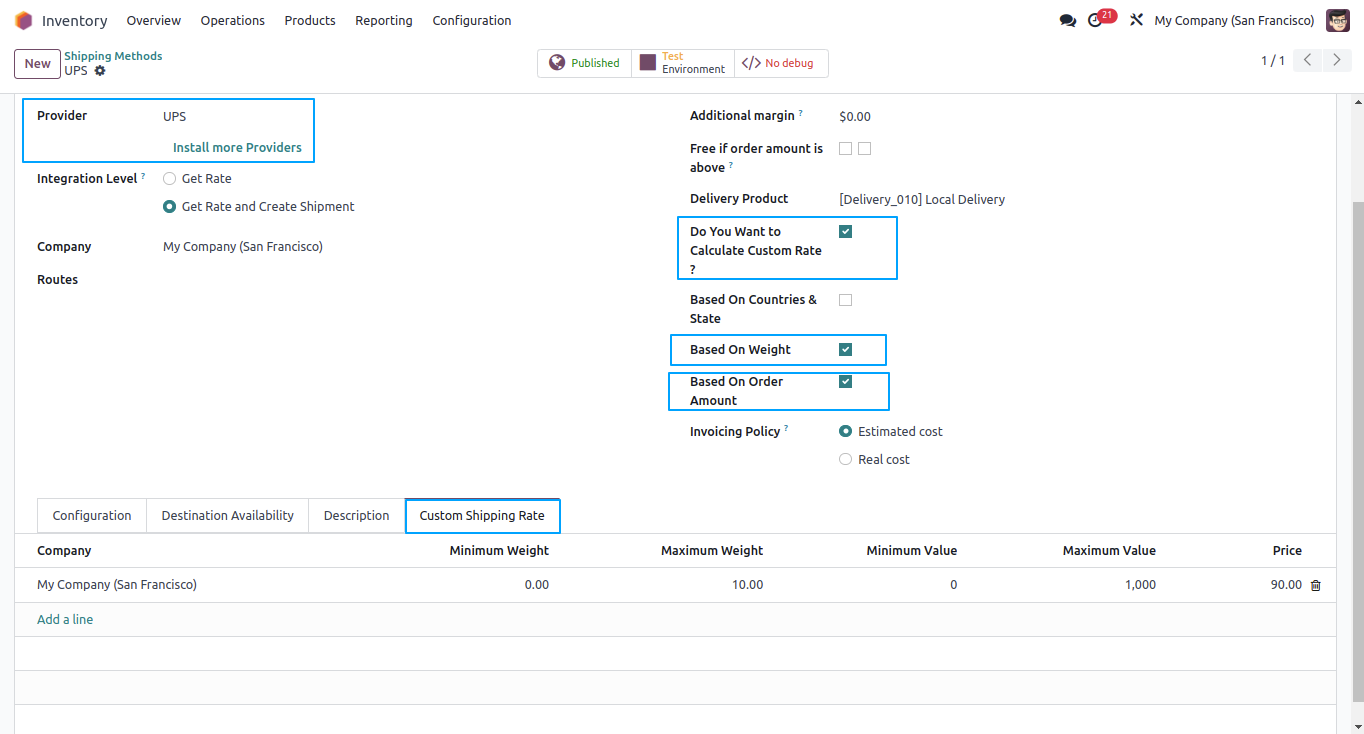

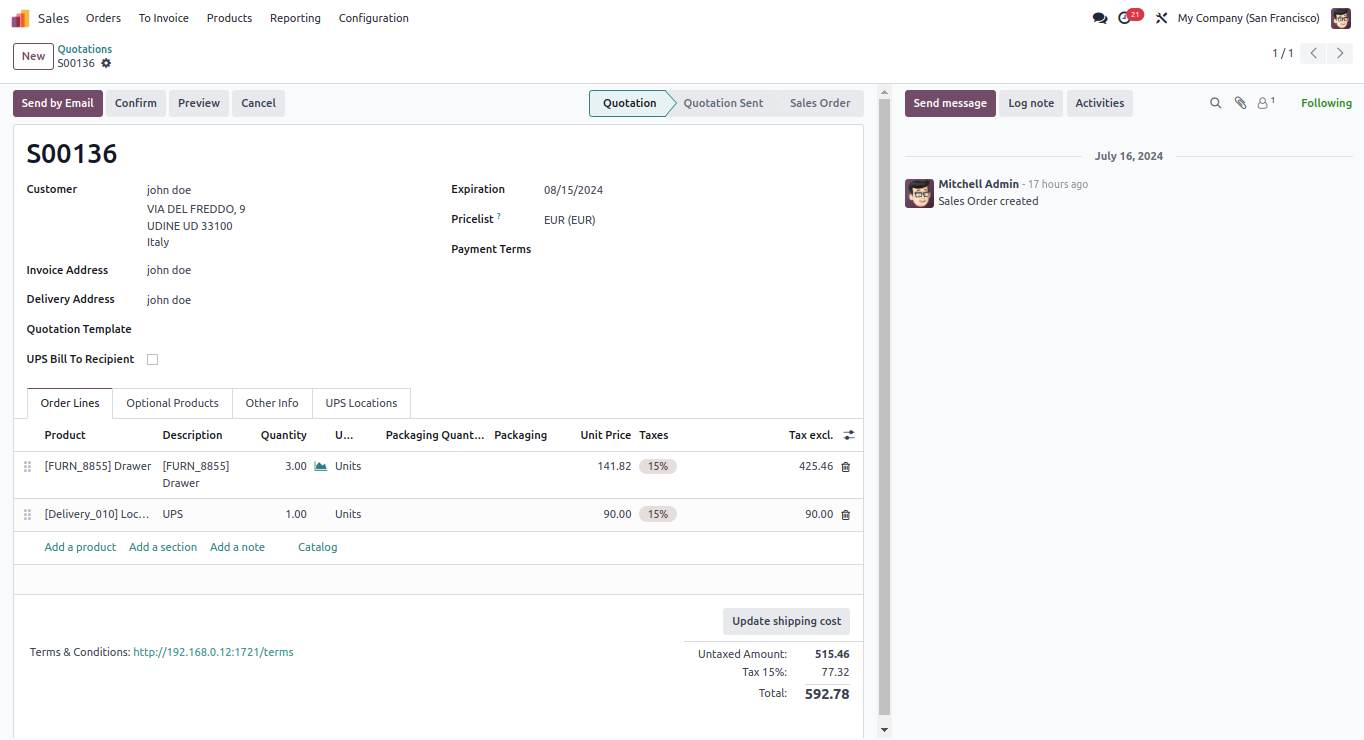
08 Based On Countries & State And Based On Weight And Based On Order Amount
After defining these three rules at the same time it will take country and state from the customer's address and total product’s weight when adding a shipping and total order amount from the sale order and match those values with custom shipping rules, which record gets matched from that rate will be fetched.


|
|
Does it reduce manual work?Yes. Instead of manually changing shipping prices on each sale order, users can configure custom rate rules once and apply them automatically. |
|
|
Will this replace the live carrier rate?Only if custom rate calculation is enabled. If the option is disabled, Odoo will continue using the live rate received from the carrier API. |
|
|
Included App Support90 Days Complimentary Support for Supported Versions If you encounter issues caused by the app itself, our team provides complimentary support for 90 days from the date of purchase for supported Odoo versions. |
Included App Support
90 Days Complimentary Support for Supported Versions
If you encounter issues caused by the app itself, our team provides complimentary support for 90 days from the date of purchase for supported Odoo versions.

Customer SupportNeed help with installation, configuration, technical issues, or general questions about the module? Submit a support ticket through our dedicated support portal. |
||
|
Support Portal
vrajatechnologies.com/helpdesk
|
Support PolicyReview our support policy for complete information about support coverage, issue eligibility, exclusions, version compatibility, and other support conditions. |
||
|
Support Policy
vrajatechnologies.com/support-policy
|
Scan for Support
|
||
|
Support Portal
vrajatechnologies.com/helpdesk
|