Explore the key features, workflow, and value of this Odoo module.
|
|
Customer-Based Payment Provider ControlThis feature allows payment providers to be shown only to customers with specific tags. It helps businesses manage payment methods for different customer groups easily. |
|
|
Customer Tag-Based Payment Provider ControlThis feature allows administrators to assign specific payment providers to selected customers. Businesses can enable or disable certain payment methods for individual customers or customer groups, ensuring that only authorized payment options are available during checkout. |
|
|
Minimum Order Amount RestrictionPayment providers can be configured to appear only when the order value meets a defined minimum amount. This is useful for controlling transaction fees, encouraging higher order values, or limiting specific payment gateways to larger purchases. |
|
|
Product-Based Payment RestrictionsThe module allows payment providers to be restricted based on the products included in the order. If certain products require a specific payment method or should not be purchased using particular payment gateways, the system automatically enforces these rules. |
|
|
Order Date-Based Payment AvailabilityPayment providers can be made available only within a specific date range. This feature is useful for promotional campaigns, temporary payment method availability, or restricting certain gateways during specific periods. |
|
|
State-Based Payment Provider RestrictionBusinesses can control payment provider availability based on the customer's state or region. This ensures compliance with regional payment regulations and allows companies to display only location-appropriate payment options. |
|
|
Customer-Based Payment Method RestrictionThis feature allows administrators to make specific payment methods available only for selected customers under a payment methods. If no customers are selected, the payment method remains available for all customers. |
01 Minimum Amount defines the minimum order value required to display this payment provider. If the order amount is below the configured minimum amount, the provider is automatically hidden during payment selection.
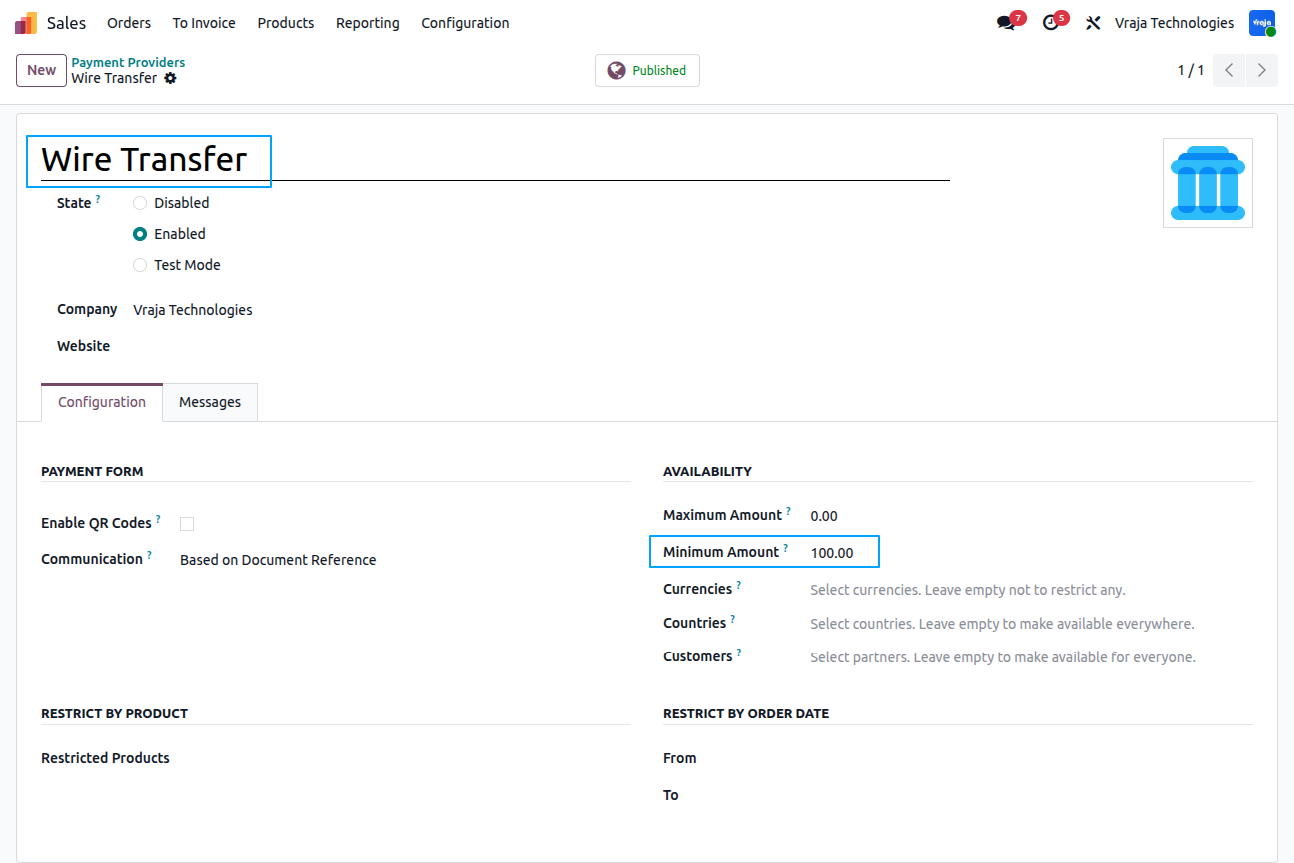
02 If the order amount is equal or above the configured minimum amount, the provider is automatically displayed during payment selection.

03 The States selection allows restricting the payment provider based on the customer’s state. If customer's state is present in selected state then the payment provider is displayed otherwise it is not displayed
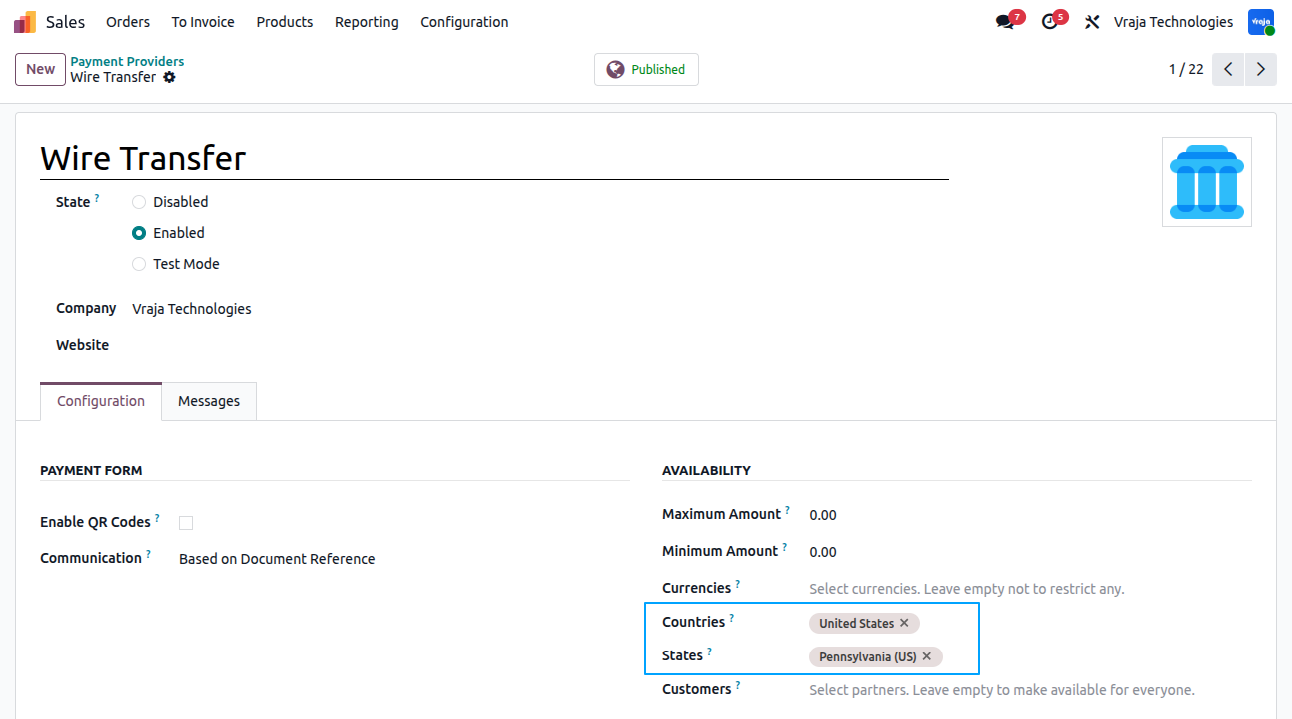
04 State restrictions apply only when the customer’s country matches the state’s country. If no states are configured for the customer’s country, the provider remains available.

05 The Customers field allows selecting specific partners for whom the payment provider will be available.
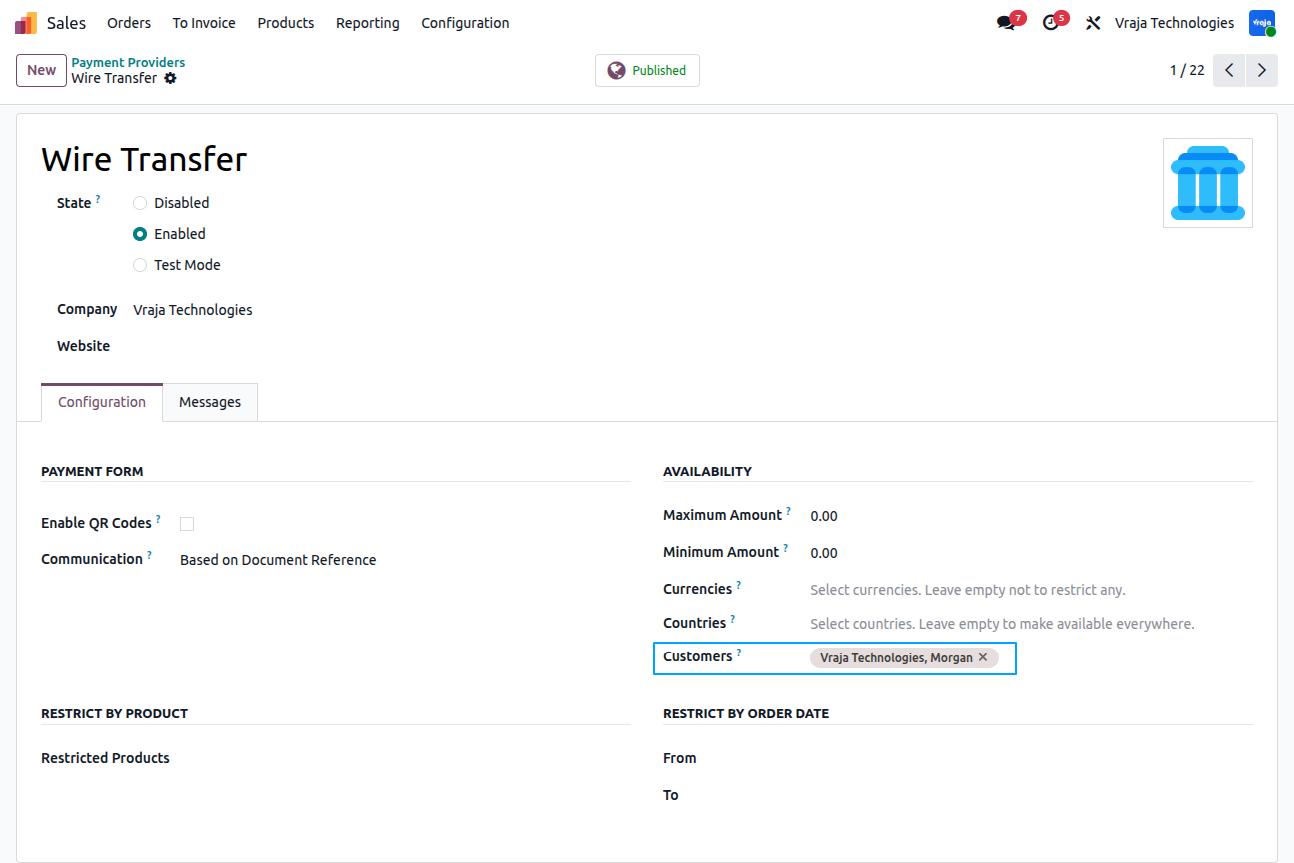
06 If customers are selected, the provider will appear only for those customers during checkout
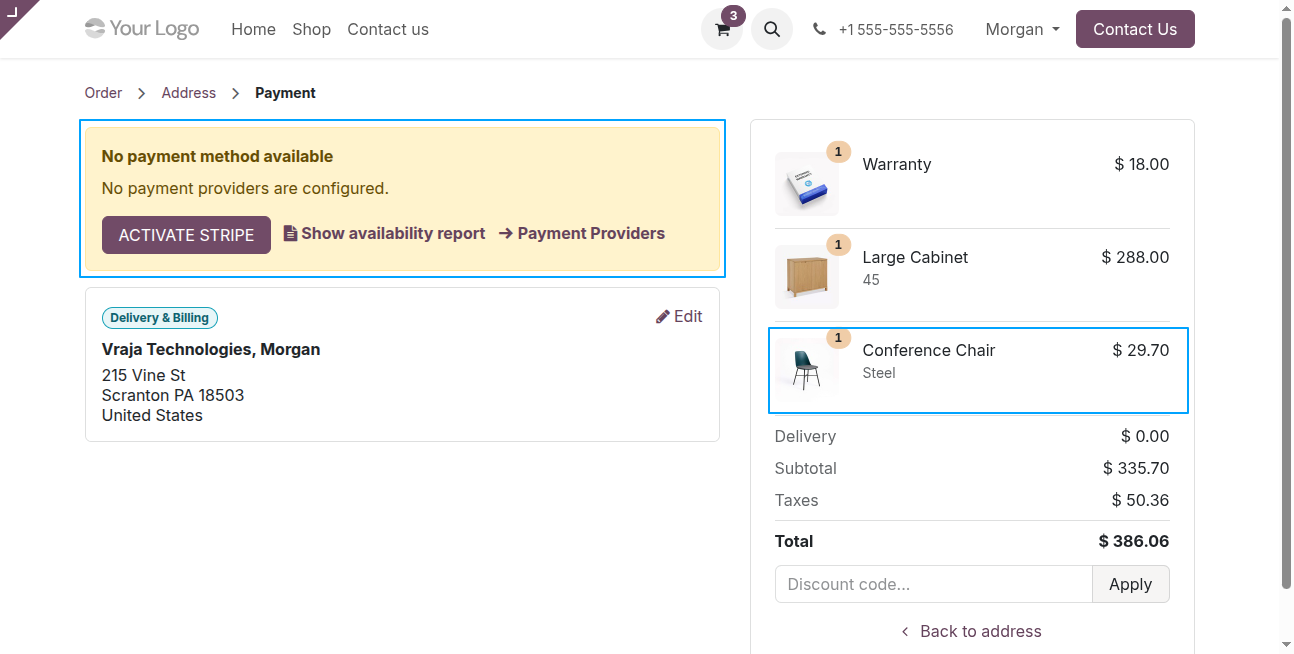
07 The Restricted Products allows selecting products for which the payment provider will not be available.
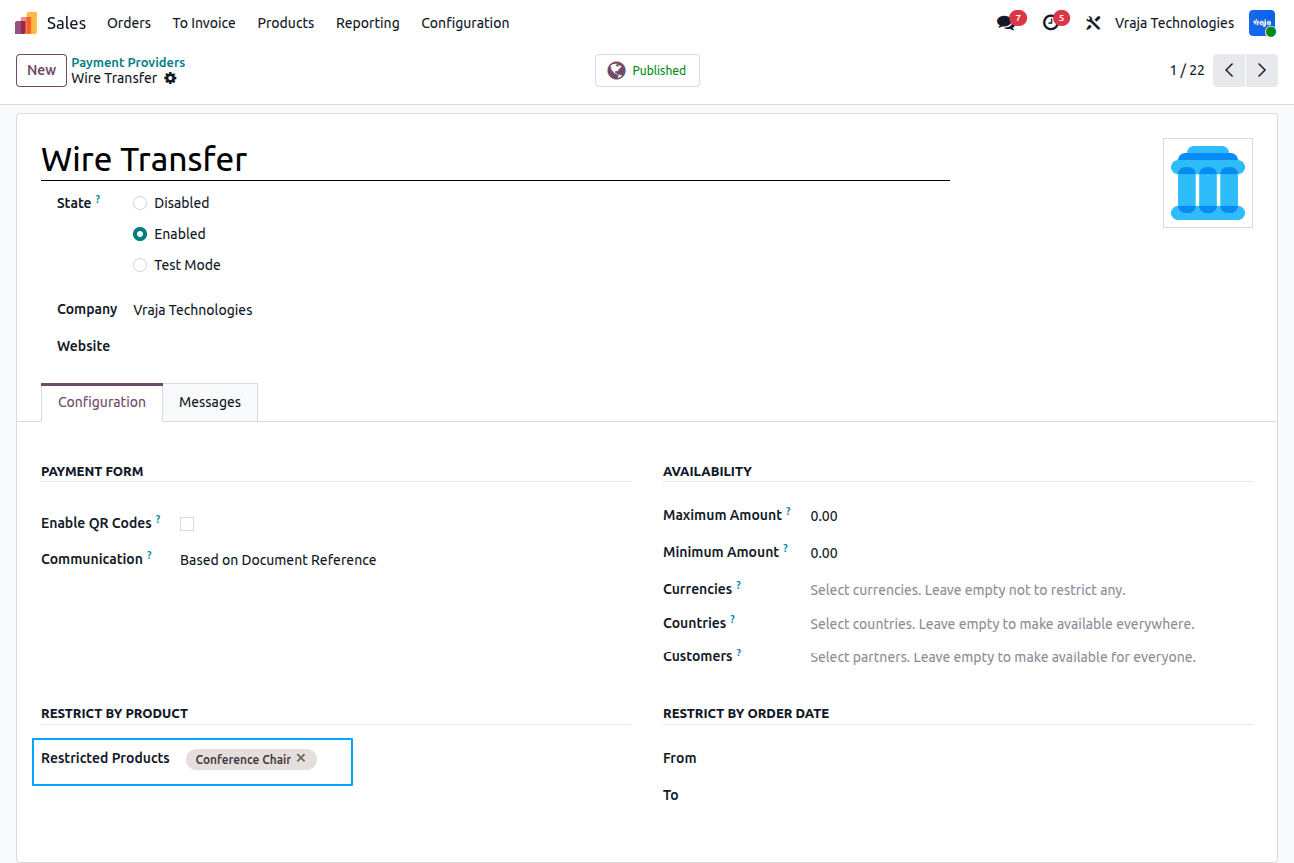
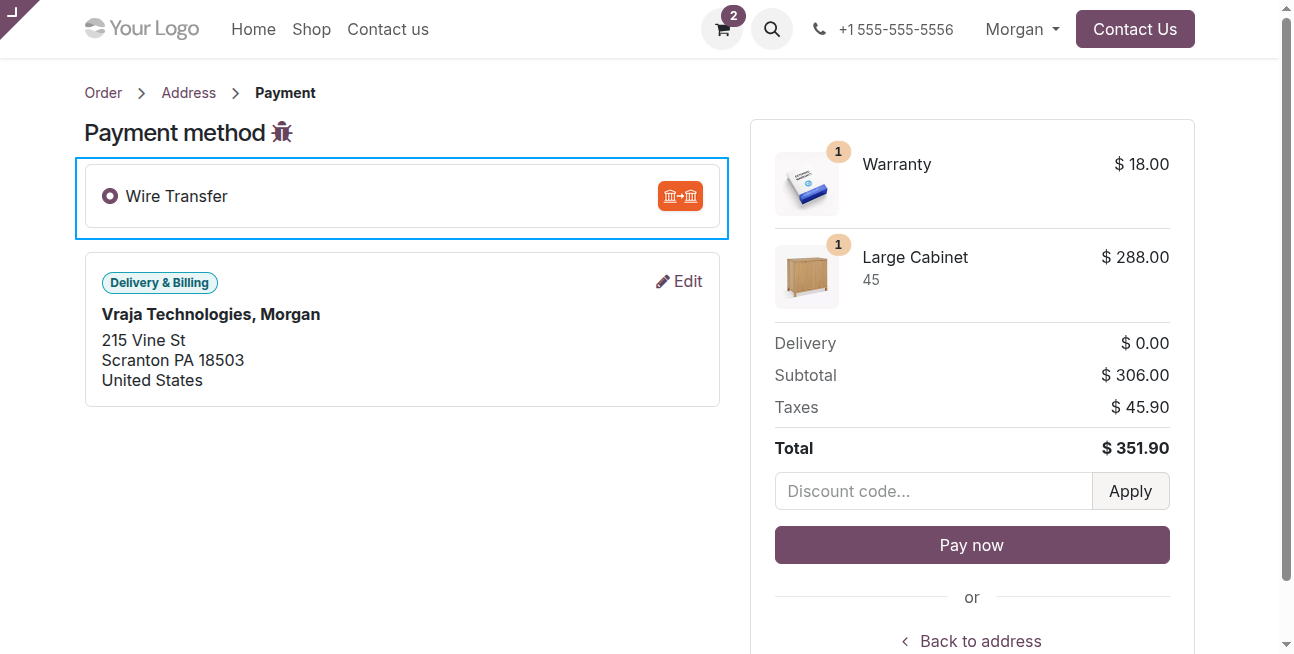
08 If order does not contain the any of the restricted product then payment provider will be available

09 If order contains any of the restricted product then payment provider will not available
10 The From and To fields define the date range during which the payment provider is restricted.

11 If an order is placed within the configured restriction date range, the payment provider is not available for that order.

12 If the restriction date range does not include the order date,then the payment provider is available during checkout

13 The Customer Tags field allows selecting tags for which the payment provider will be available. Leave empty to allow all customers
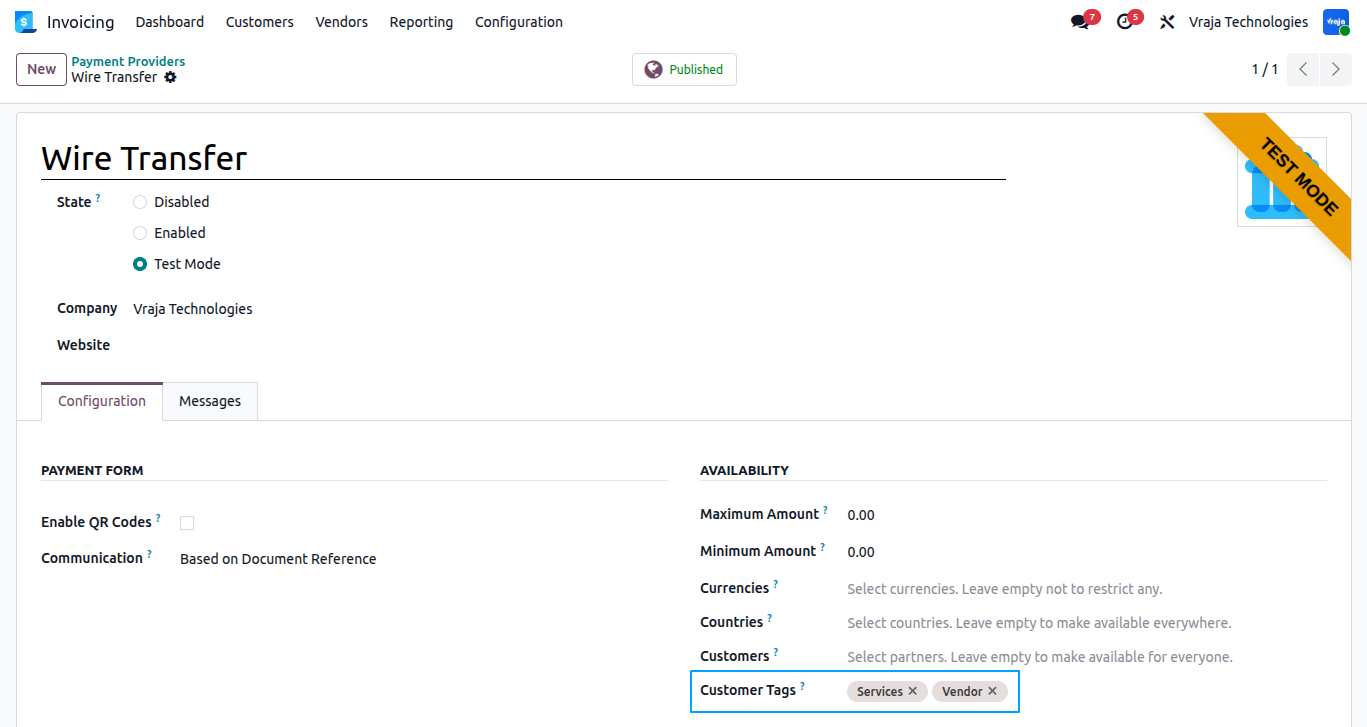
14 In this customer, the “Services” tag is selected.
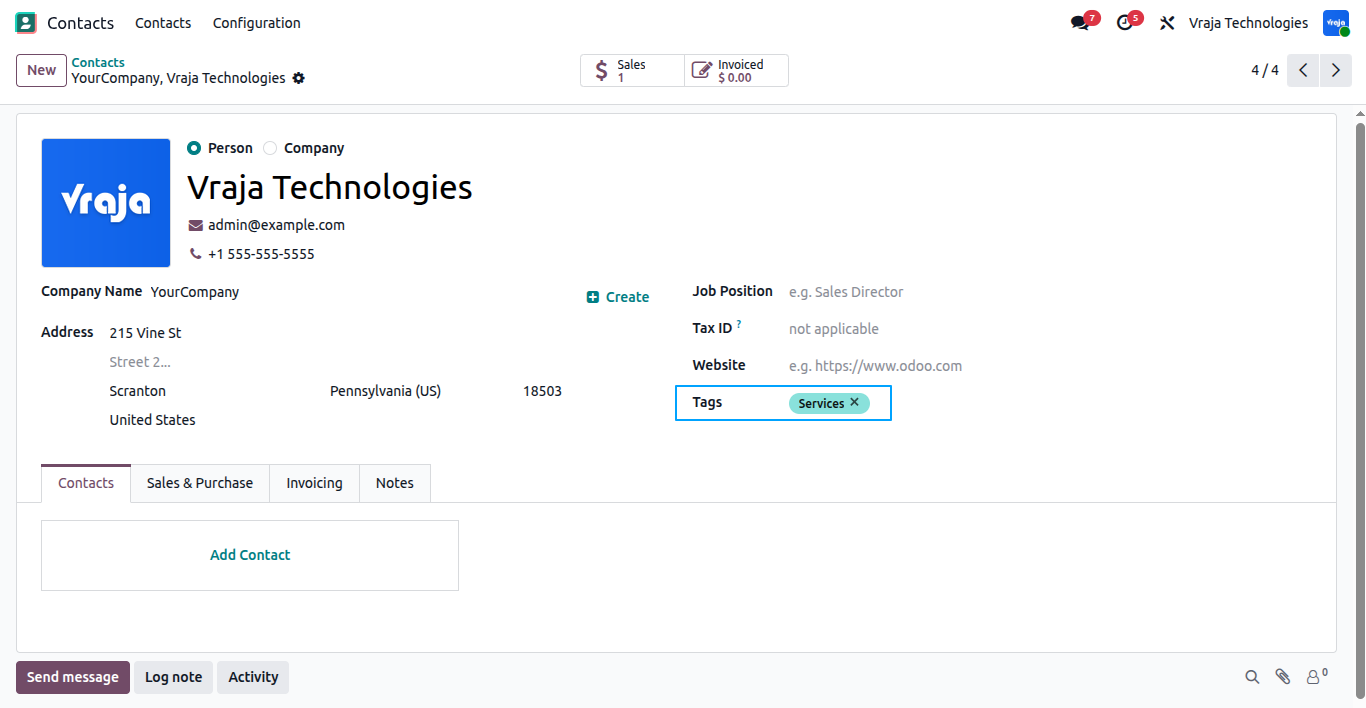
15 Since the customer has the “Services” tag and this tag is configured in the payment provider, the payment provider is available.
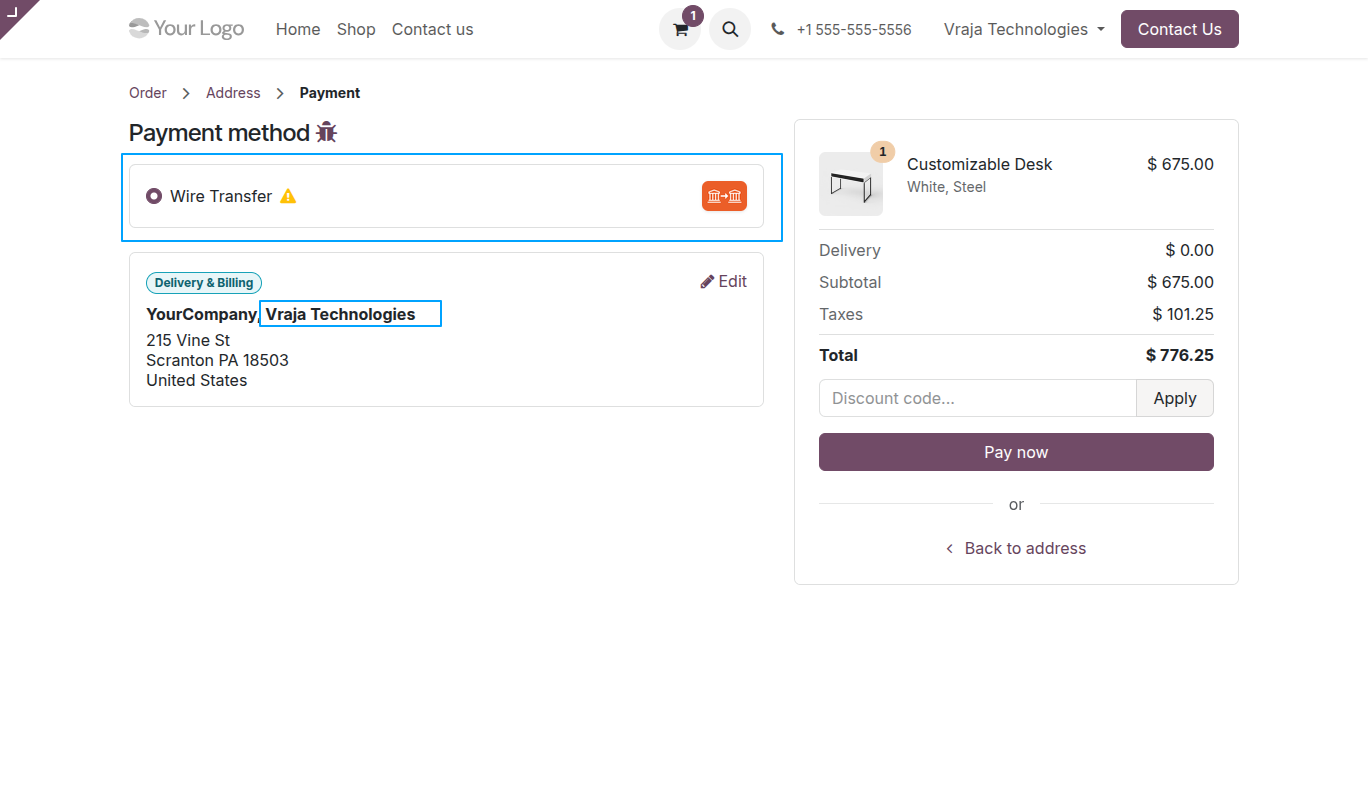
16 Go to Website → Configuration → Payment Methods, where payment methods are available for configuration.

17 On the website payment page, the available payment methods are displayed for customers to choose and complete their payment using the selected method.
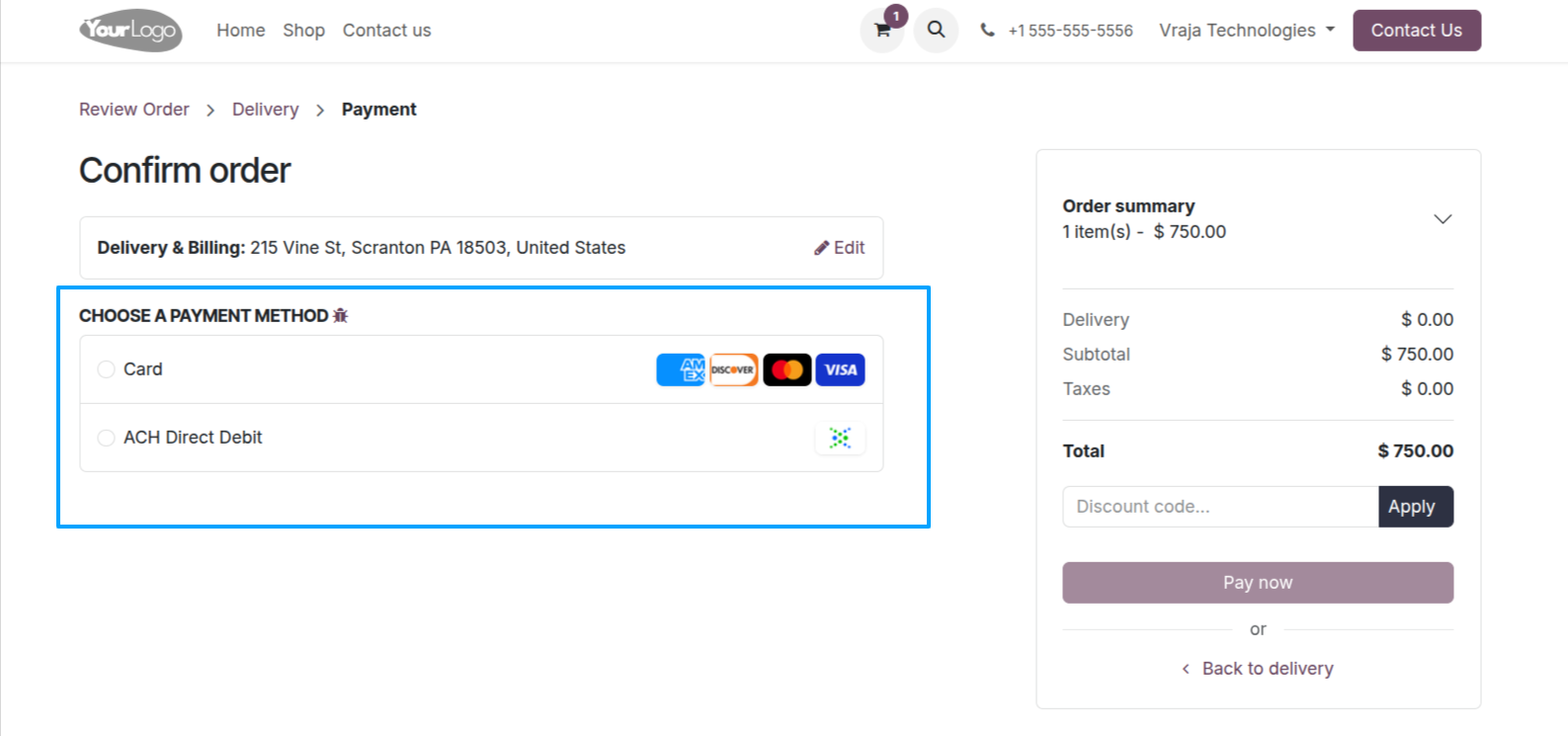
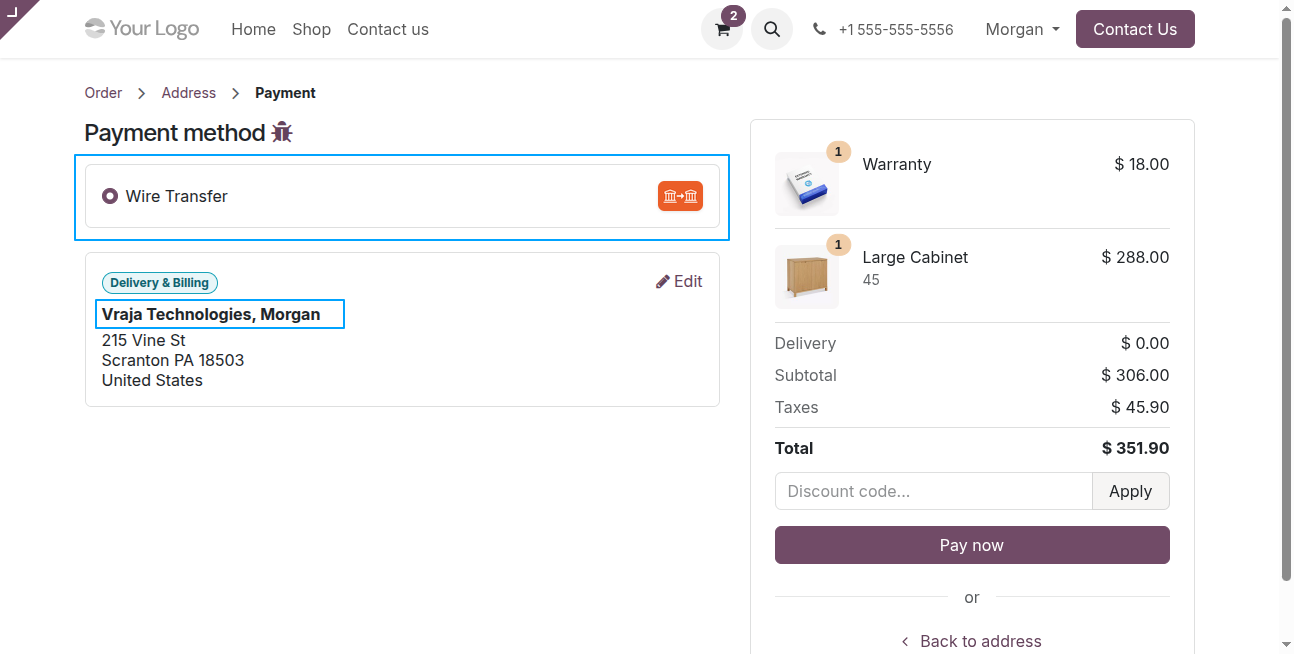
18 Inside the payment method configuration tab, when specific customers are selected, the payment option is shown only to those customers and hidden for all other customers.

19 When logged in with the customer selected in the payment method configuration, that customer can view and use the payment option on the website payment page.

20 On the website, when logged in with another customer, that payment method is not shown because it is restricted to selected customers only.

|
|
Can I restrict payment providers for specific customers only?Yes, you can select specific customers in the payment method configuration. Only those customers will see the payment option during checkout. |
|
|
Can I apply a minimum order amount for payment providers?Yes, payment providers can be shown only when the cart total meets the configured minimum amount. |
|
|
Can payment methods be restricted based on products?Yes, you can restrict payment providers when selected products are added to the cart. |
|
|
Can I set date-based payment restrictions?Yes, payment providers can be enabled or hidden within a specific date range. |
|
|
Can I restrict payment methods by customer state?Yes, payment providers can be displayed only for customers from selected states or regions. |
|
|
Can I show specific payment methods for selected customers only?Yes, individual payment methods under a provider can be shown only to selected customers, while remaining hidden for others. |
|
|
I would like to request a custom feature for this application. What’s the process to get it implemented?We’re happy to help tailor the application to meet your business needs! You can reach us via sales@vrajatechnologies.com |
|
|
Who is the point of contact for technical support, configuration support or bug-related queries?You can reach us via support@vrajatechnologies.com |
|
|
Included App Support90 Days Complimentary Support for Supported Versions If you encounter issues caused by the app itself, our team provides complimentary support for 90 days from the date of purchase for supported Odoo versions. |
Included App Support
90 Days Complimentary Support for Supported Versions
If you encounter issues caused by the app itself, our team provides complimentary support for 90 days from the date of purchase for supported Odoo versions.

Customer SupportNeed help with installation, configuration, technical issues, or general questions about the module? Submit a support ticket through our dedicated support portal. |
||
|
Support Portal
vrajatechnologies.com/helpdesk
|
Support PolicyReview our support policy for complete information about support coverage, issue eligibility, exclusions, version compatibility, and other support conditions. |
||
|
Support Policy
vrajatechnologies.com/support-policy
|
Scan for Support
|
||
|
Support Portal
vrajatechnologies.com/helpdesk
|