Explore the key features, workflow, and value of this Odoo module.
|
|
Partial Capture Support:The module enables businesses to capture amounts less than the authorized value and continue capturing payments until the full authorized amount is collected. |
|
|
Stripe Integration Enhancement:It extends the Stripe provider in Odoo to support manual partial capture while fully leveraging the Stripe PaymentIntent API for secure and reliable processing. |
|
|
Multiple Transactions Handling:The system automatically creates child transactions for each capture, ensuring a clear and complete audit trail of all payment activities. |
|
|
Invoice & Sales Order Linking:Each captured transaction is automatically linked to the related invoices and sales orders, ensuring accurate financial tracking and consistency across documents. |
|
|
Automatic Payment Creation:Every captured transaction is automatically confirmed, generates a corresponding payment entry, and updates the invoice payment status accordingly. |
01 Configuration:
Go to the payment providers in Odoo and select the Stripe payment provider to configure and enable partial payment capture functionality.
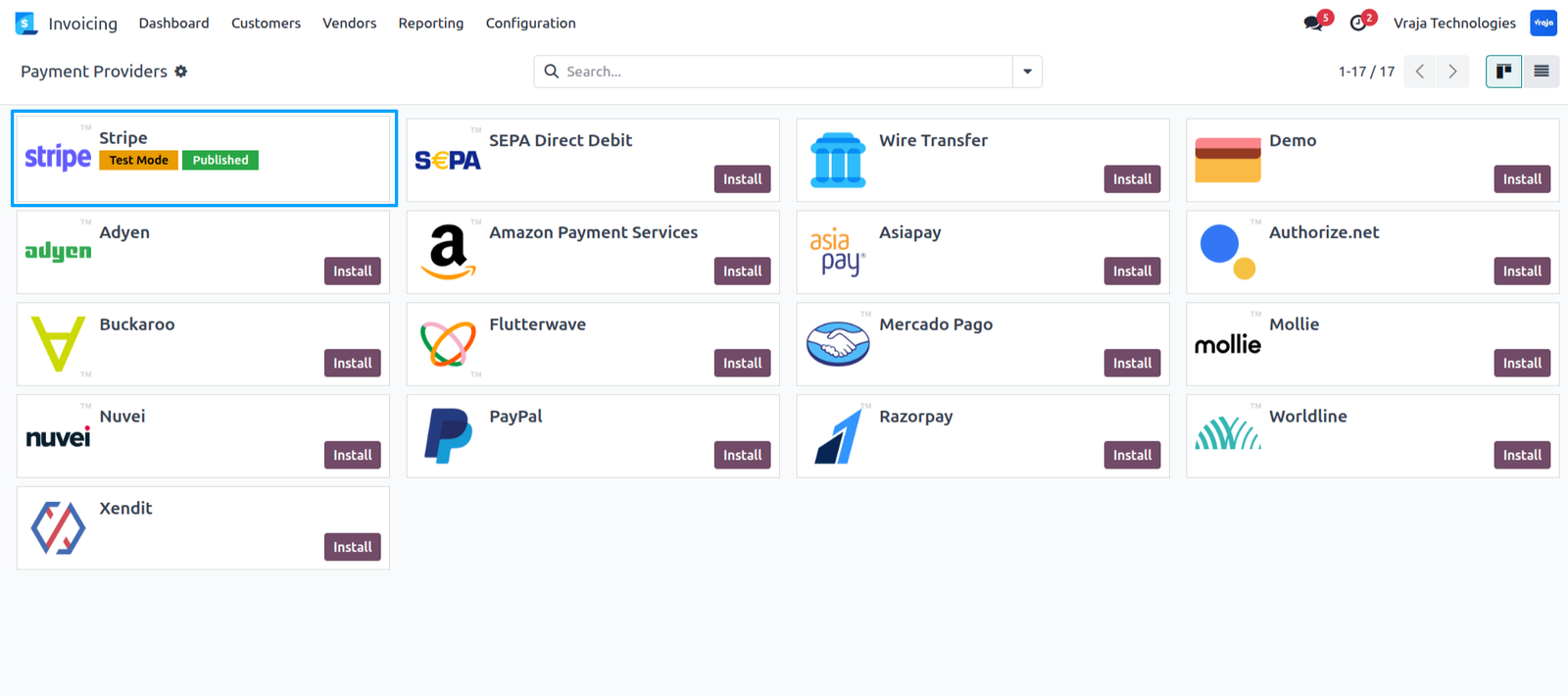
In the Stripe payment provider, navigate to the Configuration tab and enable the Capture Amount Manually option to allow partial payment capture.

02 Website:
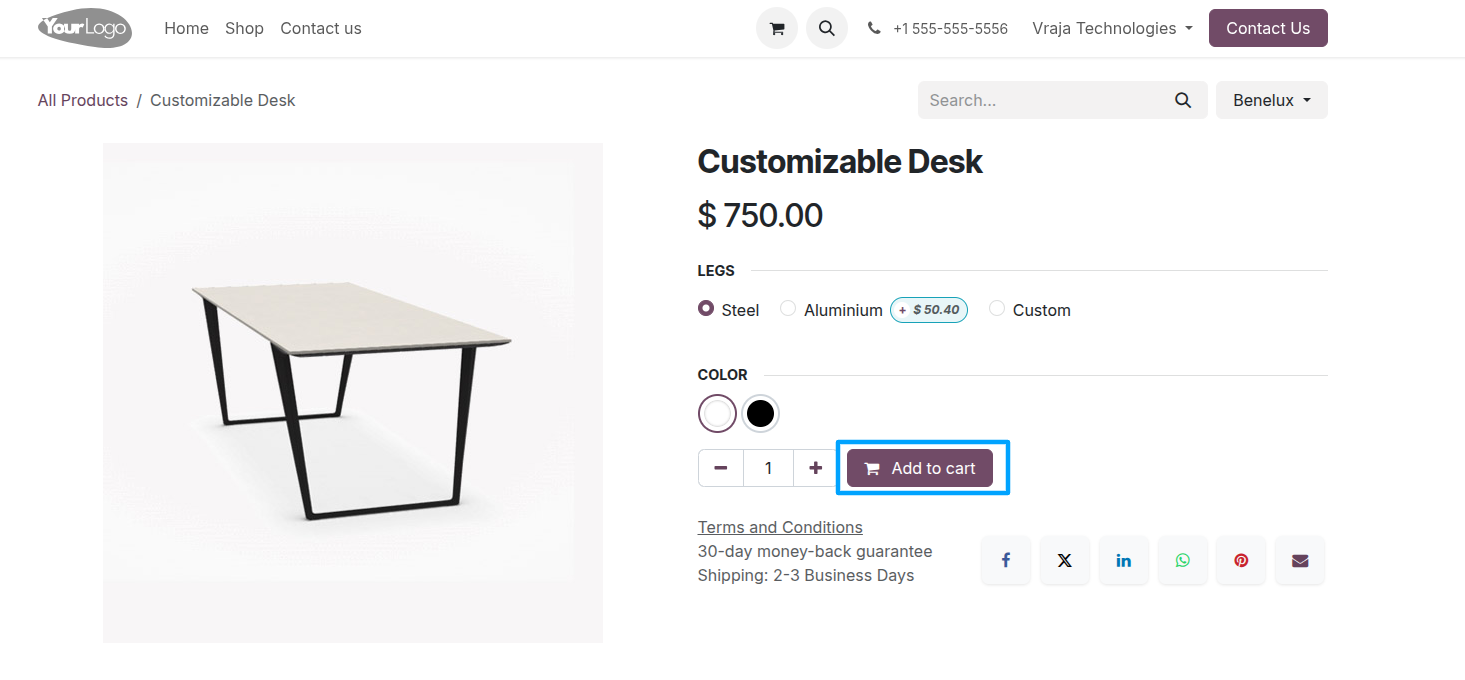
Go to the website, select a product and click on Add to Cart to proceed with the purchase.
On confirming the order, enter your Stripe card details and click Pay to complete the purchase of the products.
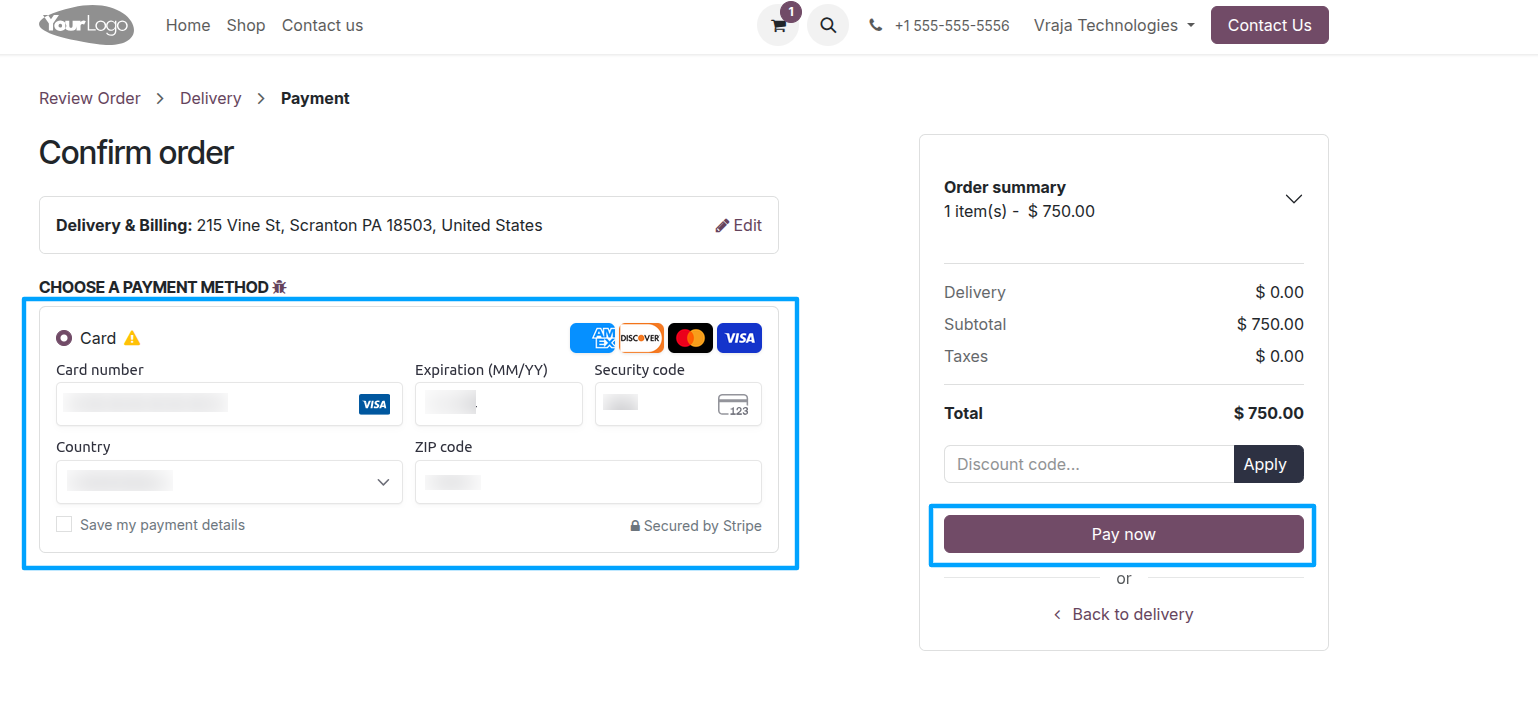
After the customer completes the payment, the transaction is authorized in Stripe

03 Backend:
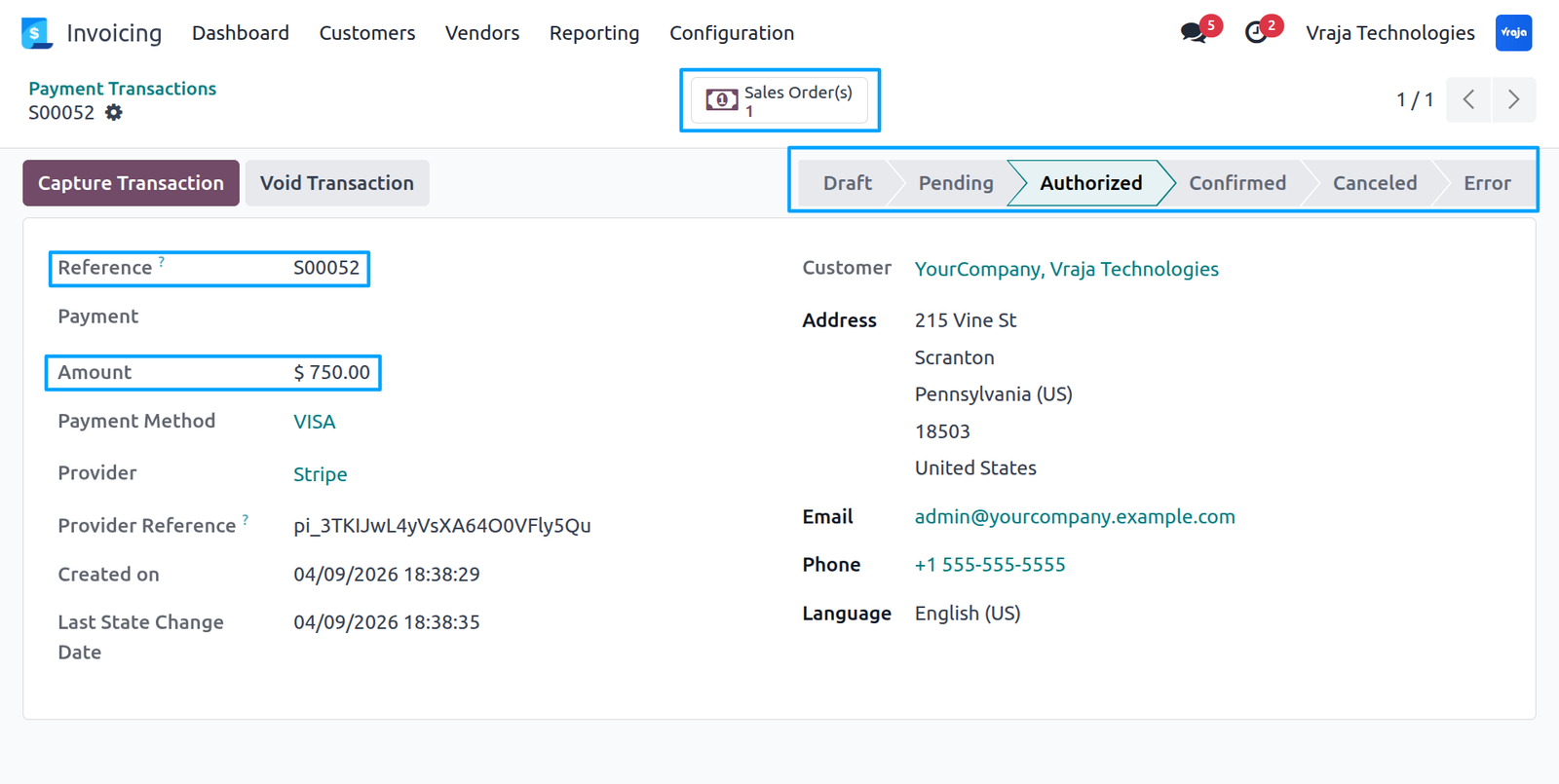
Go to the payment transactions and open the related transaction, a payment transaction is created with an authorized status and linked to the corresponding sales order.
Go to Website → Orders → Open the specific order, where the corresponding sales order includes a Capture Transaction button to process the payment capture.
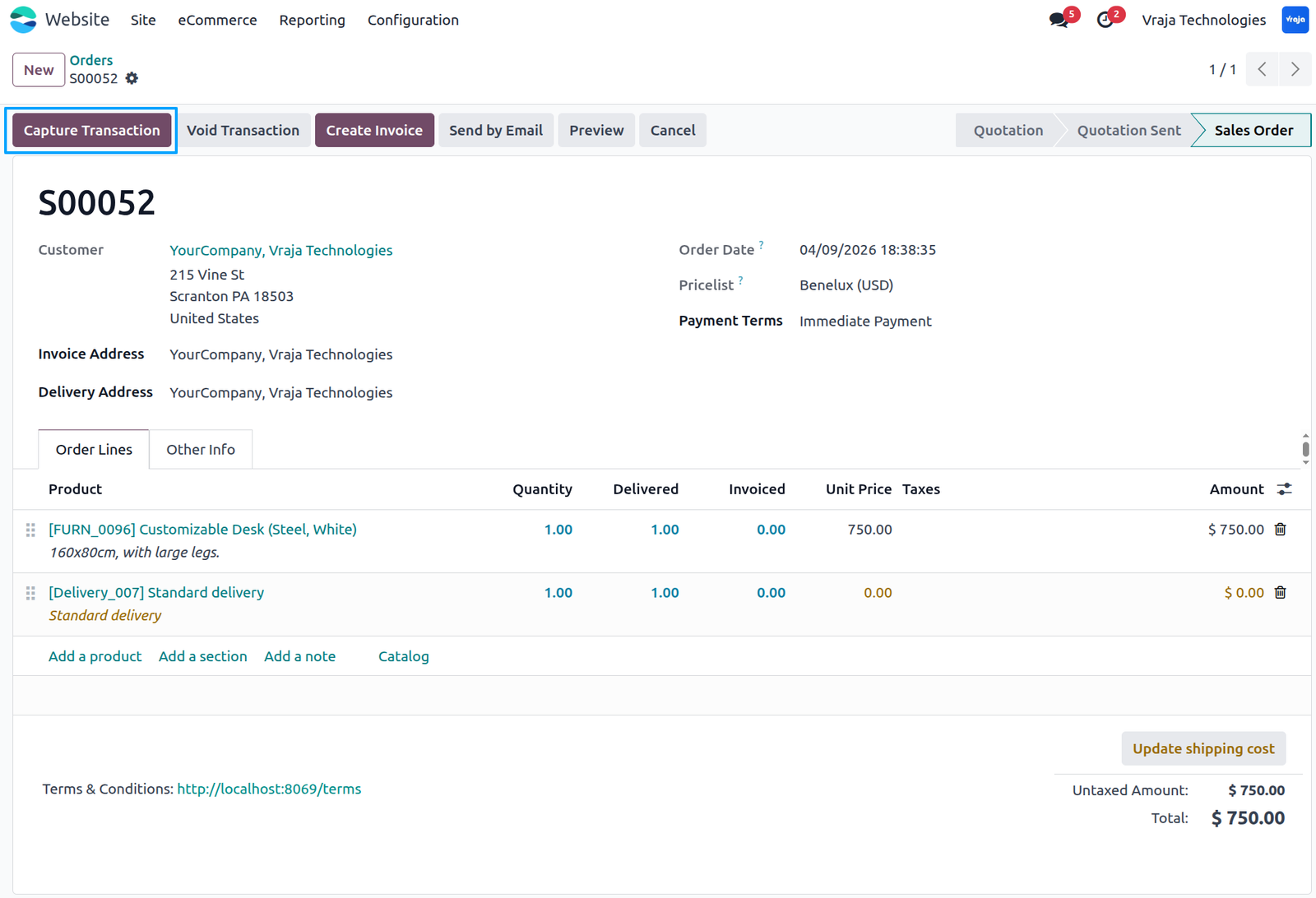
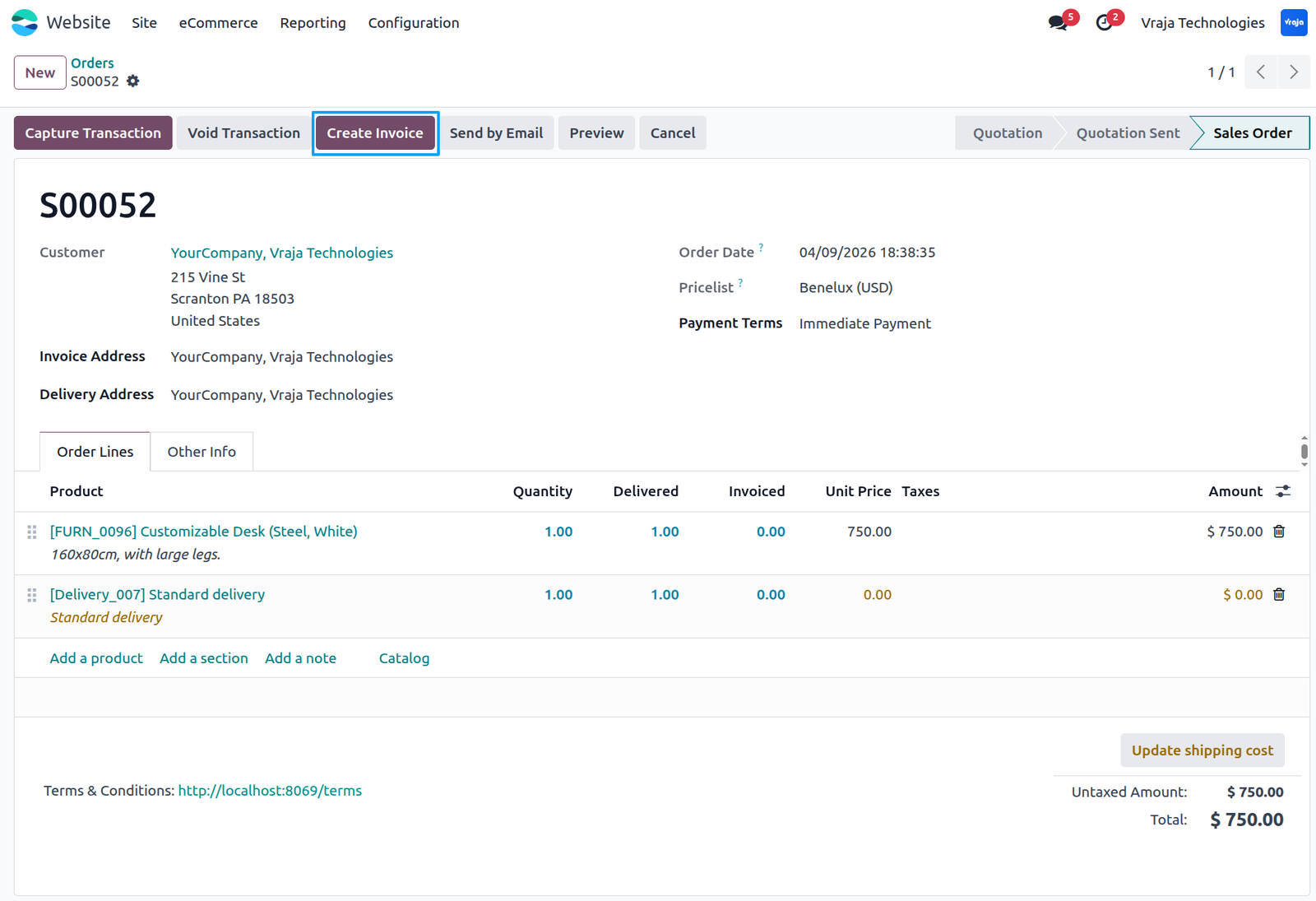
You can also capture the transaction from the invoice by clicking on Create Invoice from the sales order and confirming the invoice, after which the capture option becomes available.
Inside the corresponding invoice for the order, a Capture Transaction option is available, allowing you to capture a partial payment.
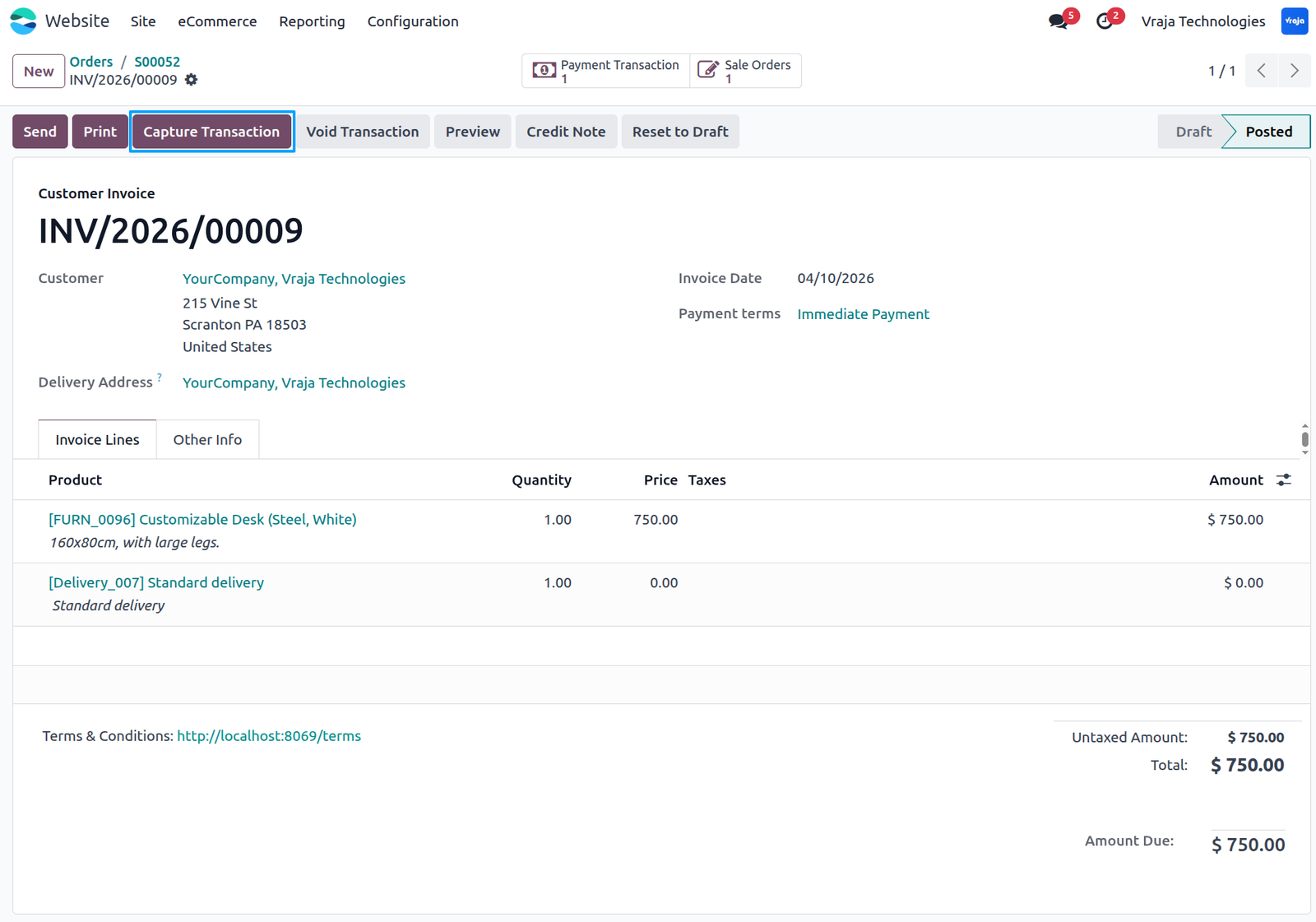
Click on the Capture Transaction button to open the capture popup, enter the partial amount to be captured, and click Capture to process the payment through Stripe.

Once the amount is captured, the invoice is updated as partially paid, and the corresponding payment and transaction records are automatically created and linked to the invoice following the standard payment workflow.
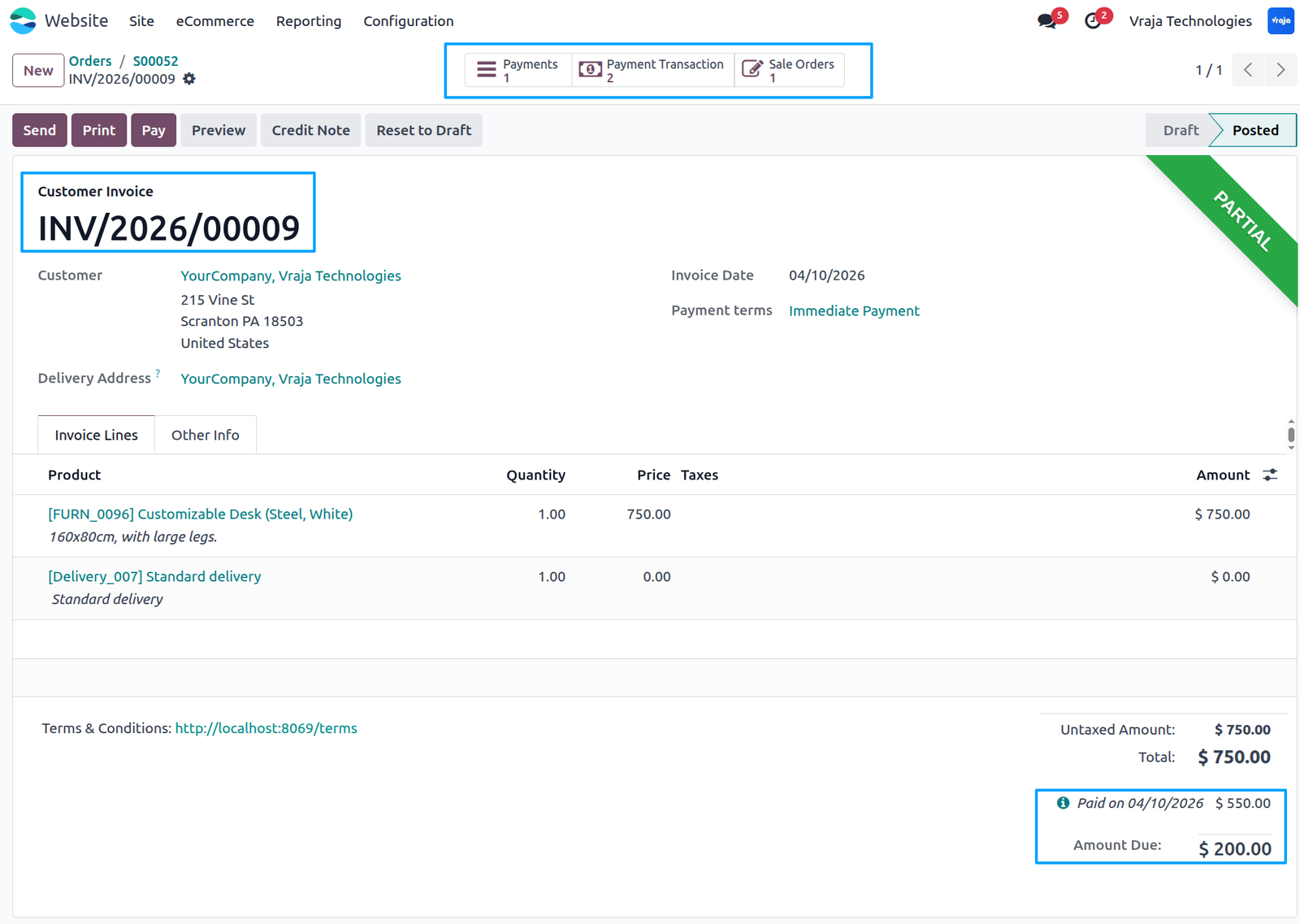
Click on the payment transaction to view the partially captured transaction, which is displayed along with its associated sales order and invoice following the standard workflow.
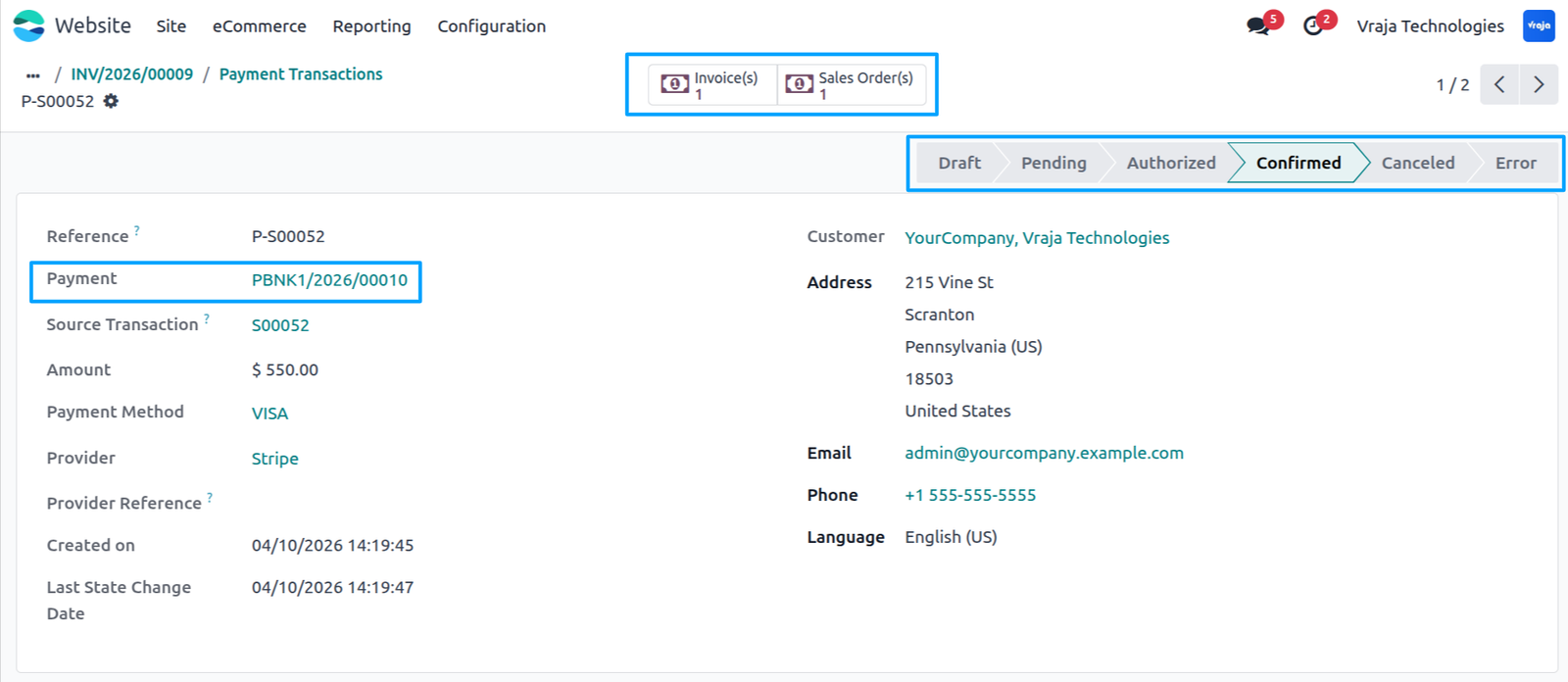
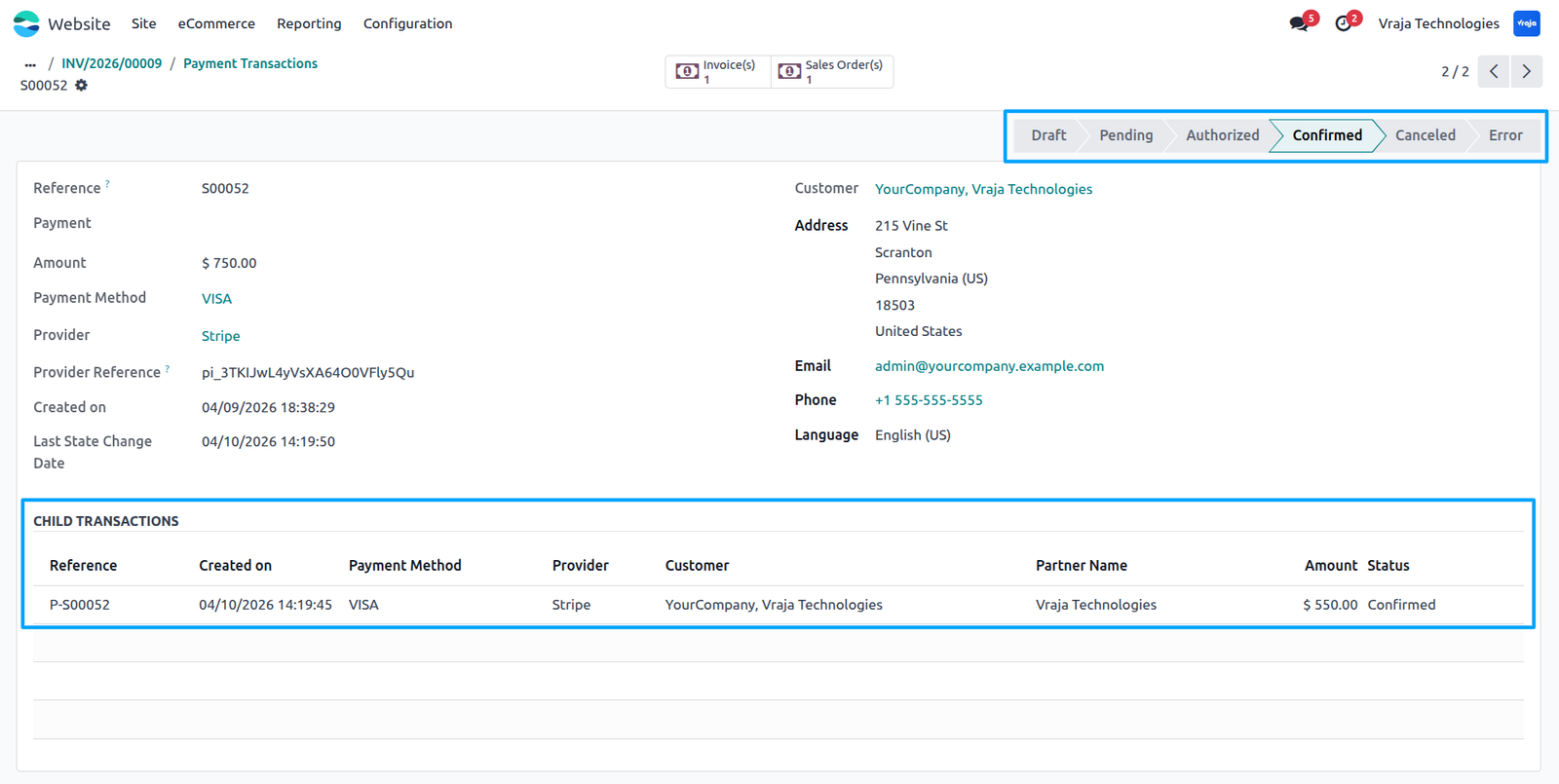
When a partial amount is captured, a child transaction is created from the authorized transaction for the order, the remaining uncaptured amount is released by Stripe, and the system automatically updates and confirms the released transaction amount accordingly.
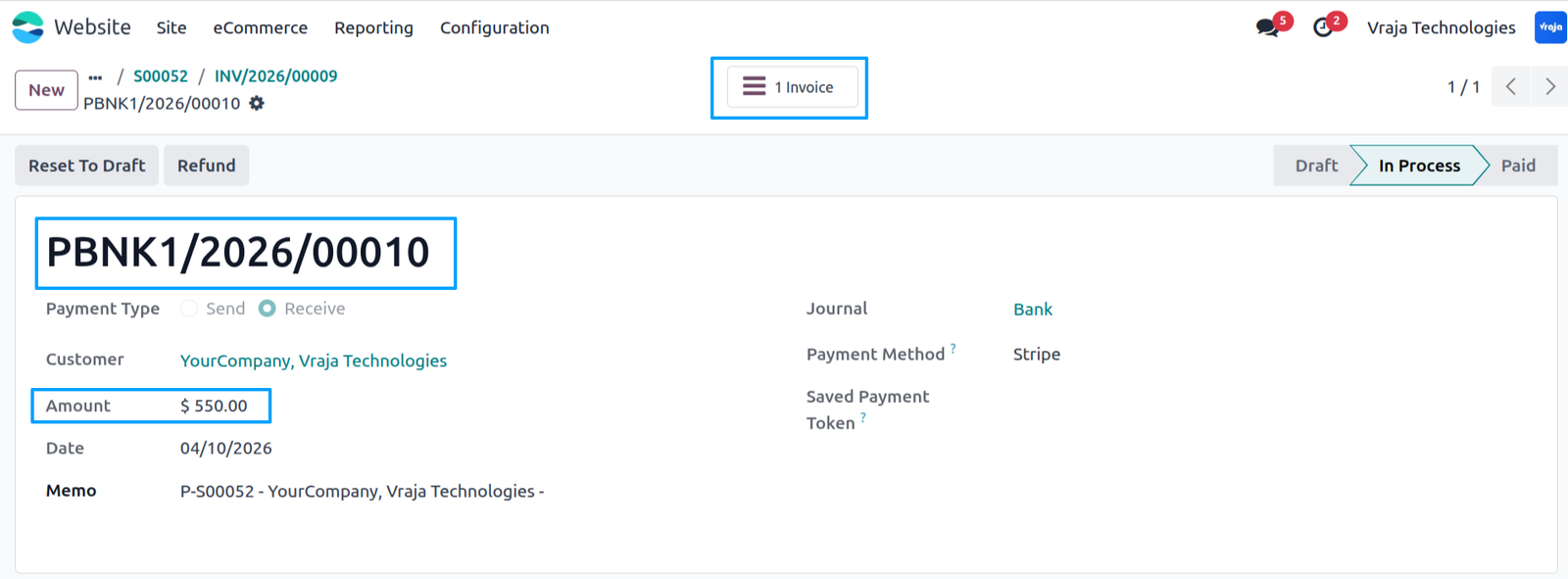
A payment is created for the captured amount and is linked to the corresponding invoice and transaction, ensuring accurate tracking throughout the payment workflow.
|
|
What is Stripe Partial Payment in Odoo?It is a feature that allows businesses to capture payments in parts from a single authorized transaction, instead of capturing the full amount at once, using the Stripe payment provider in Odoo. |
|
|
How do I enable partial payment capture?Go to the Stripe payment provider configuration, open the Configuration tab, and enable the “Capture Amount Manually” option. |
|
|
What happens when a customer makes a payment?When the customer completes the payment, the amount is authorized in Stripe, and a payment transaction is created with an authorized status linked to the sales order. |
|
|
Can I capture only part of the authorized amount?Yes, you can capture a partial amount using the “Capture Transaction” button available in the sales order or invoice. |
|
|
Can I perform multiple captures for one transaction?Yes, you can capture the amount in installments until the full authorized amount is collected. |
|
|
What happens to the remaining uncaptured amount?Any remaining amount that is not captured will be automatically released by Stripe back to the customer. |
|
|
Where can I capture the payment?1. Sales Order (via “Capture Transaction” button) 2. Invoice (after creating and confirming the invoice) |
|
|
What happens after capturing a payment?1. A child transaction is created 2. The transaction is automatically confirmed 3. A payment record is generated 4. The invoice is updated (partially or fully paid) |
|
|
Are captured payments linked to invoices and orders?Yes, each captured payment is automatically linked to the corresponding sales order and invoice for accurate tracking. |
|
|
Does the module follow Odoo’s standard workflow?Yes, the module fully follows the standard payment and accounting workflow of Odoo without breaking existing processes. |
|
|
Is a payment record created automatically?Yes, a payment is automatically created for the captured amount and linked to the related invoice and transaction. |
|
|
How are partial transactions managed?Each partial capture creates a separate child transaction, maintaining a complete audit trail of all captures. |
|
|
I would like to request a custom feature for this application. What’s the process to get it implemented?We’re happy to help tailor the application to meet your business needs! You can reach us via sales@vrajatechnologies.com |
|
|
Who is the point of contact for technical support, configuration support or bug-related queries?You can reach us via support@vrajatechnologies.com |
|
|
Included App Support90 Days Complimentary Support for Supported Versions If you encounter issues caused by the app itself, our team provides complimentary support for 90 days from the date of purchase for supported Odoo versions. |
Included App Support
90 Days Complimentary Support for Supported Versions
If you encounter issues caused by the app itself, our team provides complimentary support for 90 days from the date of purchase for supported Odoo versions.

Customer SupportNeed help with installation, configuration, technical issues, or general questions about the module? Submit a support ticket through our dedicated support portal. |
||
|
Support Portal
vrajatechnologies.com/helpdesk
|
Support PolicyReview our support policy for complete information about support coverage, issue eligibility, exclusions, version compatibility, and other support conditions. |
||
|
Support Policy
vrajatechnologies.com/support-policy
|
Scan for Support
|
||
|
Support Portal
vrajatechnologies.com/helpdesk
|