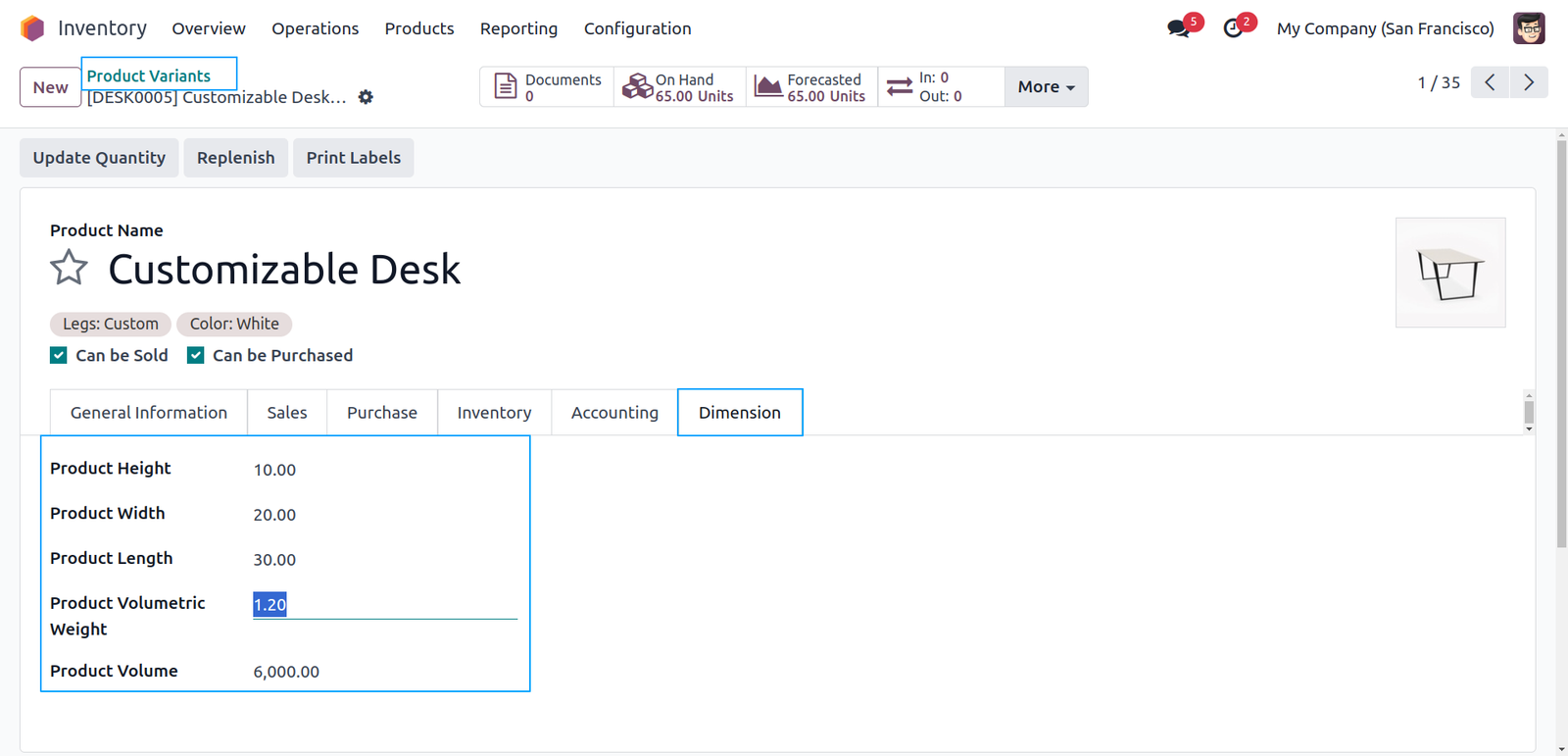
Product Volumetric Weight |
Community Enterprise Odoo.sh |
Product Volume Based On Height,Width,Length. Calculate Product Volumetric Weight Volumetric weight refers to the overall size of a parcel and is measured in volumetric kilograms. Volumetric weight can be calculated by multiplying the length, width and height of a parcel (in cm) and dividing that figure by 5000.
01

|
|
I would like to request a custom feature for this application. What’s the process to get it implemented?We’re happy to help tailor the application to meet your business needs! You can reach us via sales@vrajatechnologies.com |
|
|
Who is the point of contact for technical support, configuration support or bug-related queries?You can reach us via support@vrajatechnologies.com |
|
|
Included App Support90 Days Complimentary Support for Supported Versions If you encounter issues caused by the app itself, our team provides complimentary support for 90 days from the date of purchase for supported Odoo versions. |
90 Days Complimentary Support for Supported Versions
If you encounter issues caused by the app itself, our team provides complimentary support for 90 days from the date of purchase for supported Odoo versions.
Customer SupportNeed help with installation, configuration, technical issues, or general questions about the module? Submit a support ticket through our dedicated support portal. |
||
|
Support Portal
vrajatechnologies.com/helpdesk
|
Support PolicyReview our support policy for complete information about support coverage, issue eligibility, exclusions, version compatibility, and other support conditions. |
||
|
Support Policy
vrajatechnologies.com/support-policy
|
Scan for Support |

||
|
Support Portal
vrajatechnologies.com/helpdesk
|
The Auto Alternate & Accessory Product Management module automatically creates and updates product relationships using configurable rules based on categories, brands, tags, attributes, and more. It recommends only relevant, in-stock products while keeping alternate and accessory links synchronized as product data changes. With detailed activity logs, the module improves product management, cross-selling, and data consistency across Odoo.
The Variant Image Sync app automatically synchronizes product images across variants that share the same color, eliminating the need for repetitive uploads. Users only need to upload an image once, and it is instantly applied to all matching color variants. This saves time, ensures consistent product images, and simplifies variant management in Odoo.
The Product Image in Documents module displays product images in Sales Orders, Purchase Orders, and Invoices/Bills line items. It automatically fetches images from the selected product and includes them in standard PDF reports without manual configuration. This improves document clarity, enhances presentation, and makes product identification easier for users, customers, and vendors.
The Pre-Order & Incoming Purchase Order Reservation module lets businesses reserve products directly from open purchase orders before stock arrives. Users can view incoming quantities, expected arrival dates, and reserve inventory, which is automatically allocated upon receipt. With built-in reservation expiry management, it prevents stock from being blocked indefinitely while improving inventory planning and customer satisfaction.
The Product Warranty Management module simplifies warranty tracking by allowing businesses to create, renew, update, and manage product warranties in Odoo. Users can monitor warranty status and handle the complete warranty lifecycle from a single platform. This streamlines warranty operations, saves time, and improves after-sales service management.
The Multi-Warehouse Product Availability module displays product quantities across all warehouses and locations directly within Odoo Sales Orders. Sales teams can instantly view available stock in multiple warehouses while creating quotations or orders. This improves inventory visibility, enables better fulfillment decisions, and helps prevent stock shortages.
Explore Before Purchase |
Start with a free trial
Test the connector with your real workflows using our 15-day free trial. If you need help, our product experts will guide you throughout the trial.
|
|
Test the connector with your real workflows.Our product experts will guide you during the trial to help you evaluate, configure, and use the connector with confidence.
15-Day
Trial
Expert
Guidance
Real
Workflow Testing
|