Explore the key features, workflow, and value of this Odoo module.
|
|
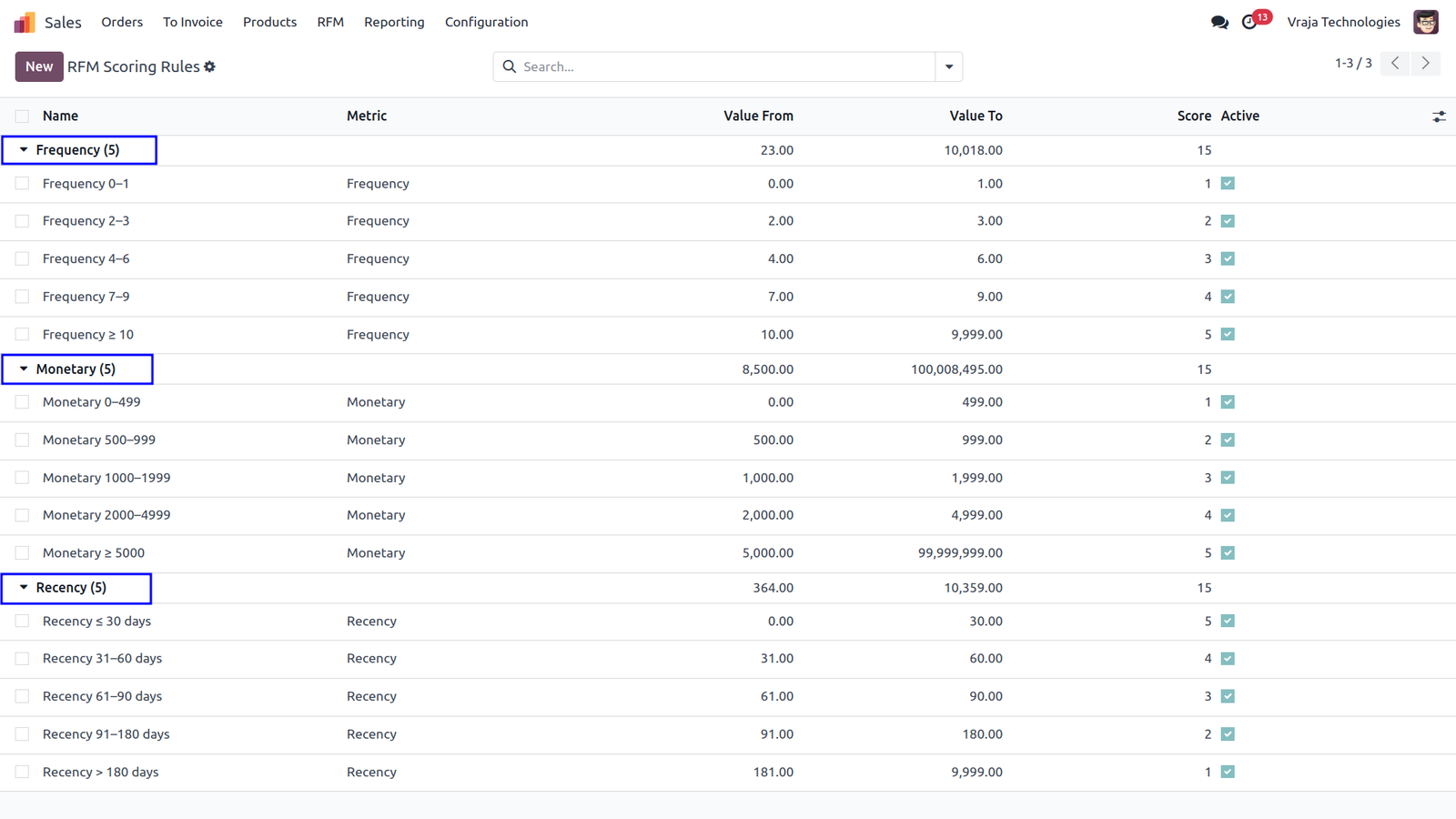
Fully Customizable RFM RulesTake complete control over how your customers are graded. You can define your own segments (like "VIP" or "Hibernating") and set the specific score ranges for Recency, Frequency, and Monetary values that fit your unique business model. |
|
|
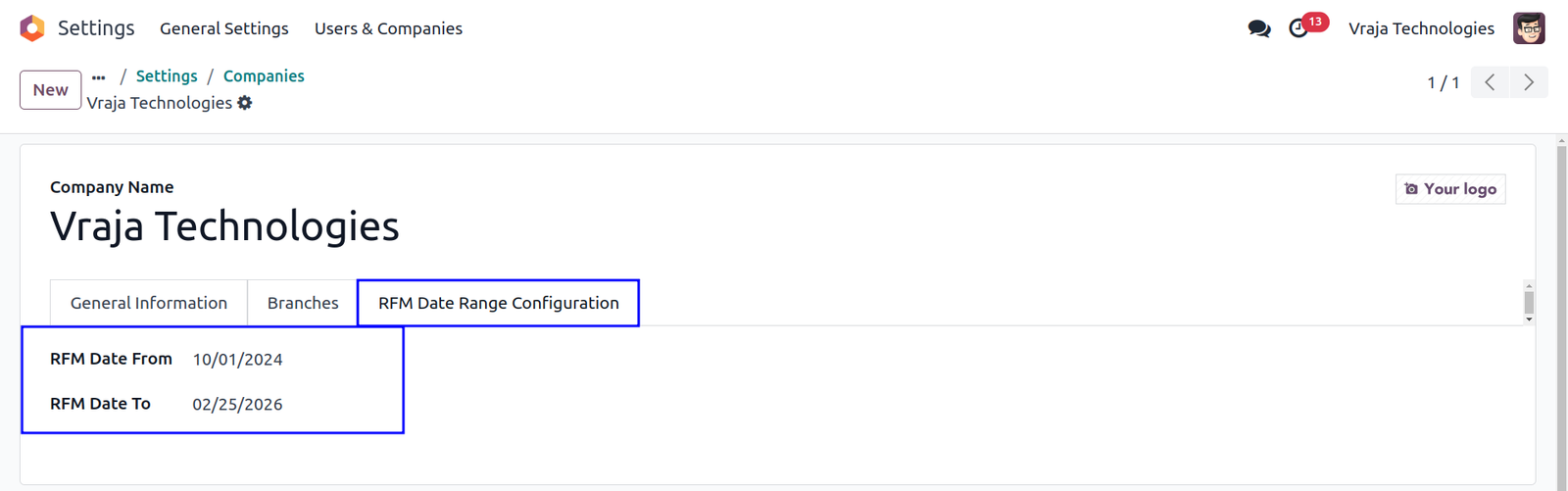
Flexible Date-Range AnalysisChoose exactly which period of data to analyze. By setting a Start Date and End Date, you can calculate RFM scores for a specific season, a fiscal year, or the entire lifetime of your customer relationships. |
|
|
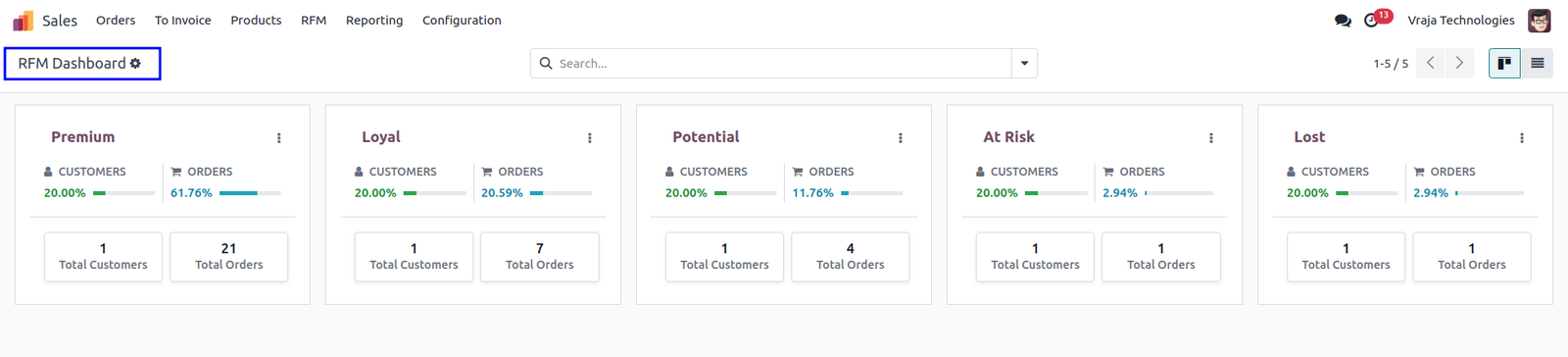
Smart Analytical DashboardVisualize your customer base through an intuitive dashboard. It displays the ratio of customers to orders within each segment using attractive Kanban cards and progress gauges, allowing for instant health checks of your sales funnel. |
|
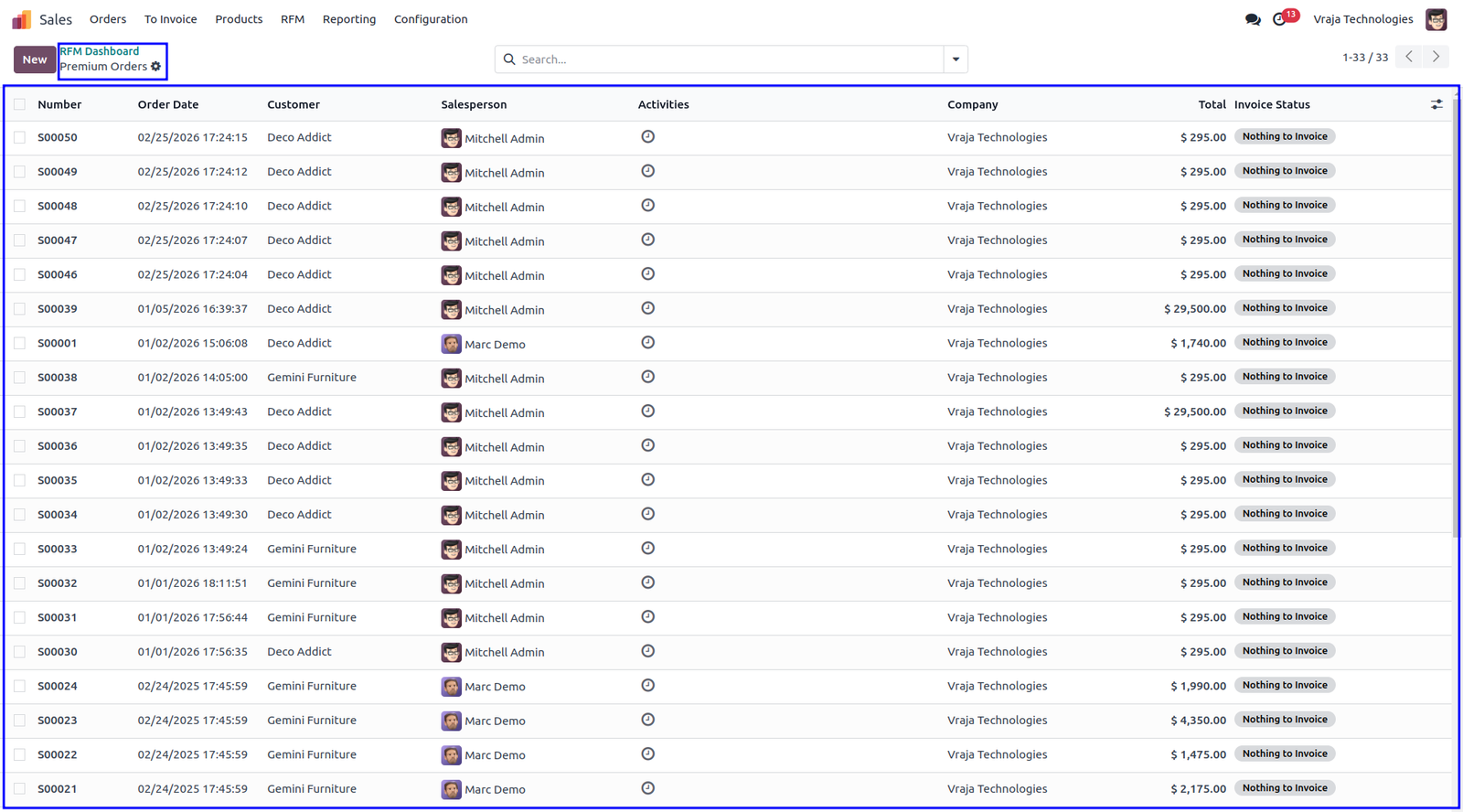
|
Dynamic Segment Tracking (Leads, Quotations, & Sales)Gain deep visibility into your sales pipeline by segment. You can track Leads, Quotations, and confirmed Sales Orders filtered by customer category, helping you prioritize high-value prospects over low-engagement ones. |
|
|
Revenue & Order InsightsIdentify which segments are driving your bottom line. This feature allows you to monitor total revenue and order volume per segment, making it easy to see if a small group of "Premium" is providing the majority of your income. |
|
|
Automated Background UpdatesStop worrying about manual data entry. The module runs a scheduled background process (Cron) that automatically recalculates scores and reassigns segments as new orders come in, ensuring your dashboard is always up-to-date. |
01 Analyze the Dashboard: Open Sales → RFM → RFM Dashboard to view a visual summary of customer counts, order volumes, and percentage ratios per segment.
02 Configure Analysis Dates: Set your calculation period under Company → RFM Date Range Configuration to focus on specific seasons or lifetime data.
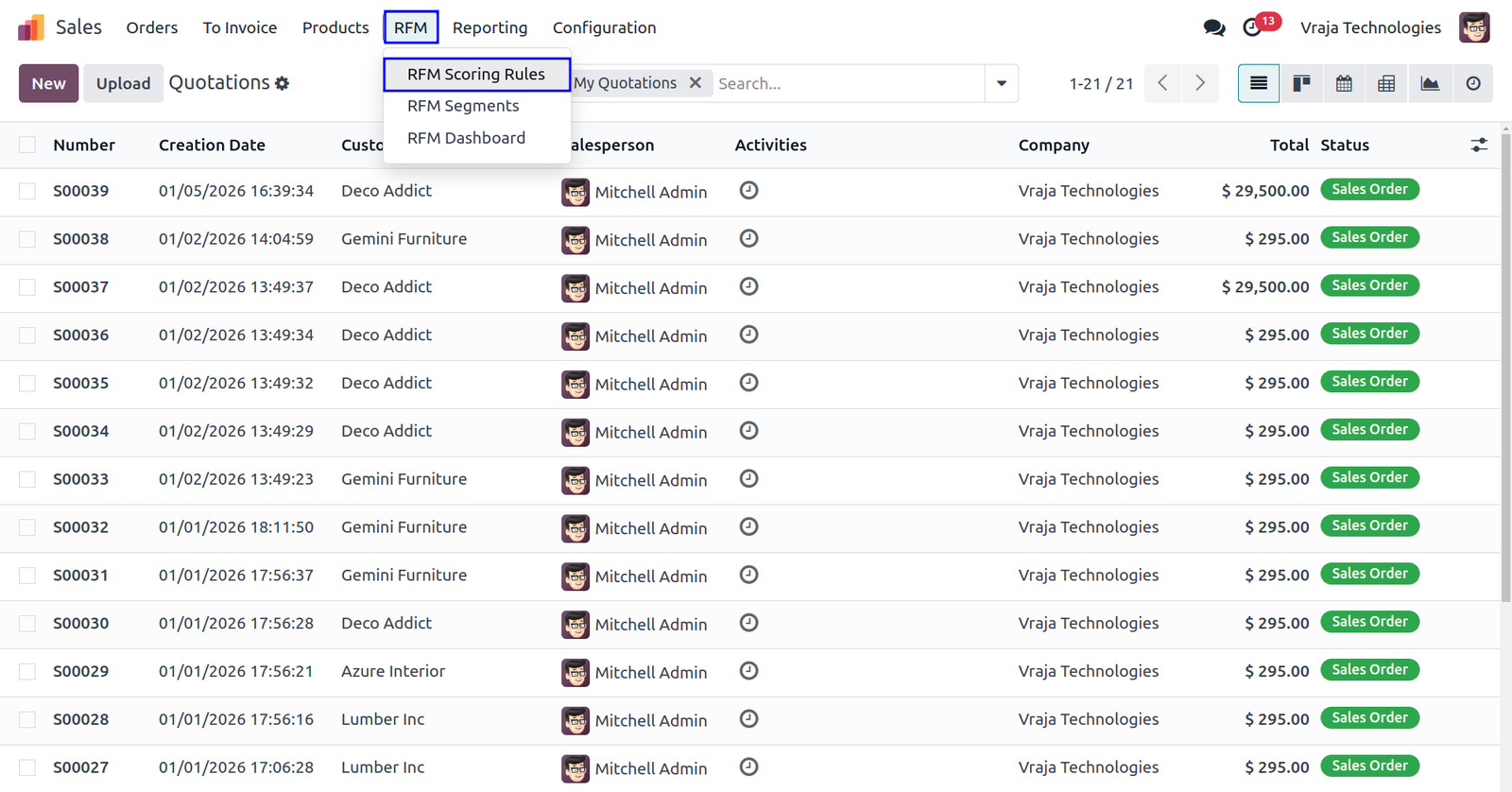
03 Define Scoring Logic: Manage your point system at Sales → RFM → RFM Scoring Rules to determine how Recency, Frequency, and Monetary values are weighted.
04 Review Rule Hierarchy: Use the scoring rules list view to ensure your sequence and point thresholds correctly reflect your business priorities.
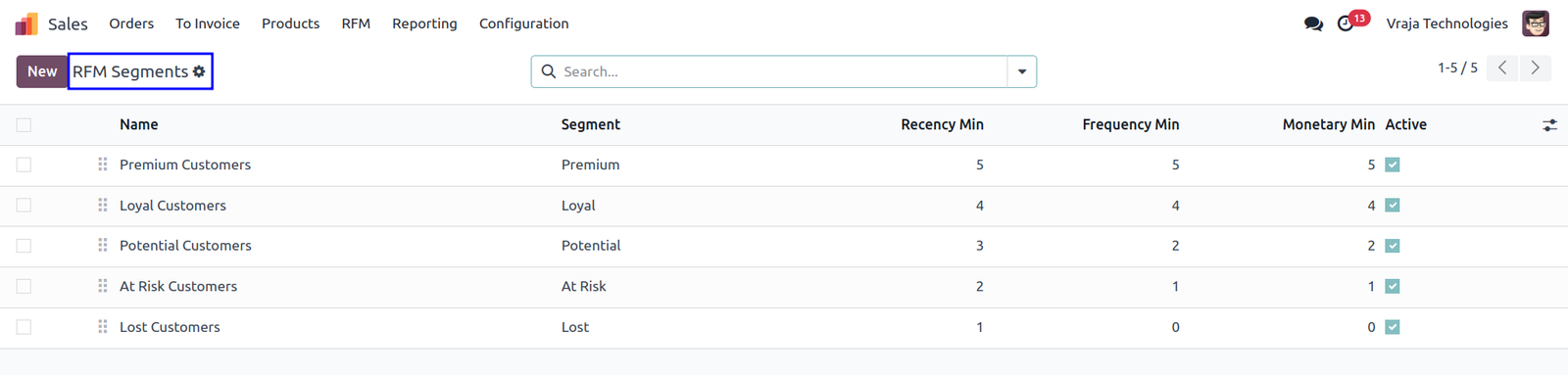
05 Organize Customer Segments: Add or modify categories like "Premium" or "At Risk" at Sales → RFM → RFM Segments to group your scoring results.
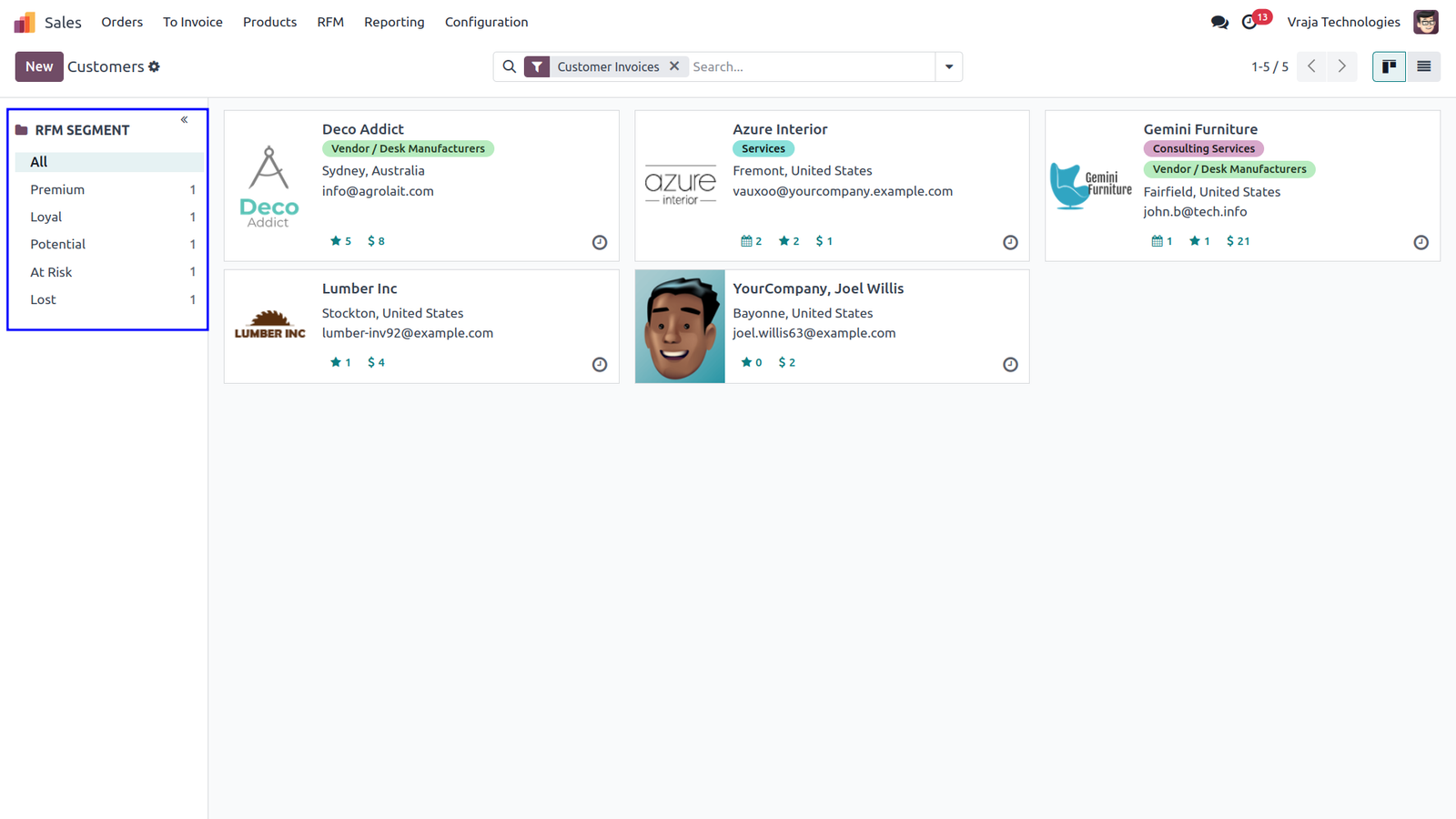
06 View Individual Assignments: Check any partner record under Contacts or Customers to see their real-time RFM score and assigned segment.
07 You can check leads and quotation for each segment.
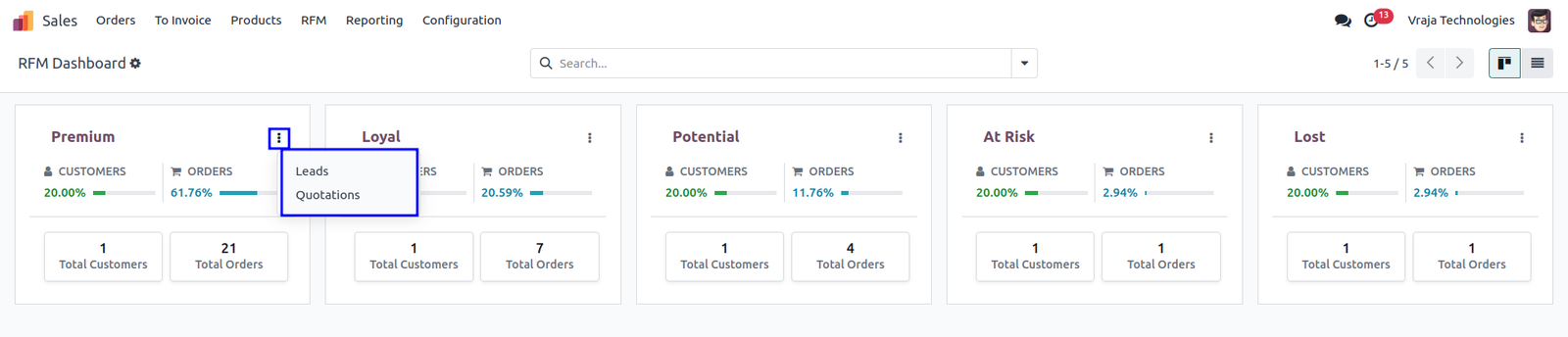
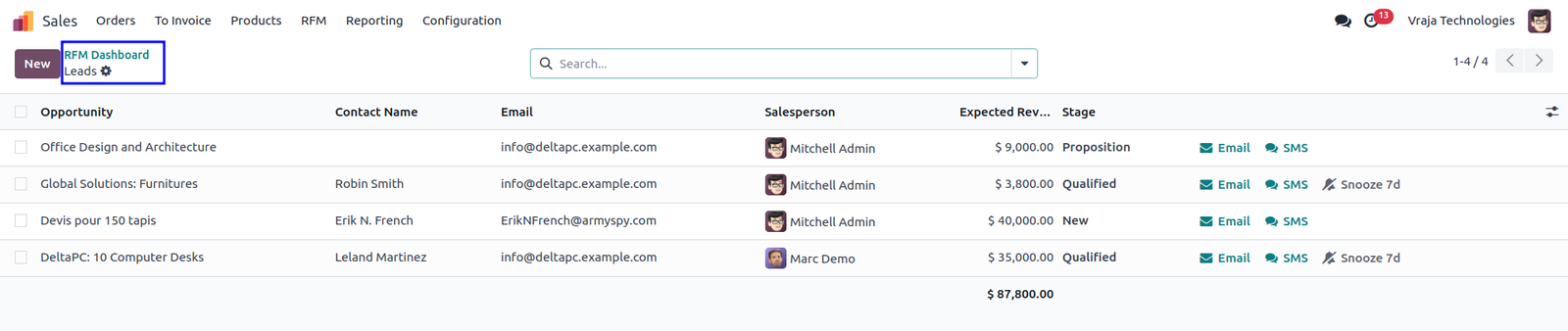
08 Track Segmented Leads & Quotations: Click the "Leads" link directly on any dashboard card to see all potential opportunities for that specific customer group.
09 Monitor Segmented Quotations: Click the "Quotations" link on the dashboard cards to track pending sales offers filtered by customer segment.

10 View Segment Contacts: Access a filtered list of all customers belonging to a specific segment.

11 View Segment Orders: Review all sales orders associated with customers in a chosen segment.
|
|
How does RFM analysis help my business?RFM (Recency, Frequency, Monetary) is a data-driven marketing strategy. It helps you identify your most valuable customers (Premium) so you can reward them, and pinpoint At-Risk customers so you can re-engage them before they leave. This leads to higher retention and better marketing ROI. |
|
|
Is the dashboard data updated automatically?Yes. The module syncs directly with your Odoo Sales orders. As soon as a sale is confirmed, the customer's Recency, Frequency, and Monetary scores are recalculated, and they are moved into the appropriate segment in real-time. |
|
|
Can I see the specific list of customers in each segment?Absolutely. Each segment card on the dashboard features a "Total Customers" button. Clicking it instantly opens a filtered list of all contacts belonging to that specific group (e.g., all your "Loyal" customers), allowing for immediate outreach. |
|
|
Can I track the revenue generated by each segment?Yes. By clicking the "Total Orders" button on any segment card, you can view all sales orders associated with those customers. This helps you understand exactly which segments are driving your revenue. |
|
|
I would like to request a custom feature for this application. What’s the process to get it implemented?We’re happy to help tailor the application to meet your business needs! You can reach us via sales@vrajatechnologies.com |
|
|
Who is the point of contact for technical support, configuration support or bug-related queries?You can reach us via support@vrajatechnologies.com |
|
|
Included App Support90 Days Complimentary Support for Supported Versions If you encounter issues caused by the app itself, our team provides complimentary support for 90 days from the date of purchase for supported Odoo versions. |
Included App Support
90 Days Complimentary Support for Supported Versions
If you encounter issues caused by the app itself, our team provides complimentary support for 90 days from the date of purchase for supported Odoo versions.

Customer SupportNeed help with installation, configuration, technical issues, or general questions about the module? Submit a support ticket through our dedicated support portal. |
||
|
Support Portal
vrajatechnologies.com/helpdesk
|
Support PolicyReview our support policy for complete information about support coverage, issue eligibility, exclusions, version compatibility, and other support conditions. |
||
|
Support Policy
vrajatechnologies.com/support-policy
|
Scan for Support
|
||
|
Support Portal
vrajatechnologies.com/helpdesk
|