Explore the key features, workflow, and value of this Odoo module.
|
|
Country-Based Website Access RestrictionAdministrators can block or restrict website access for visitors from specific countries. This helps businesses comply with geographic restrictions and control which regions can access their online platform. |
|
|
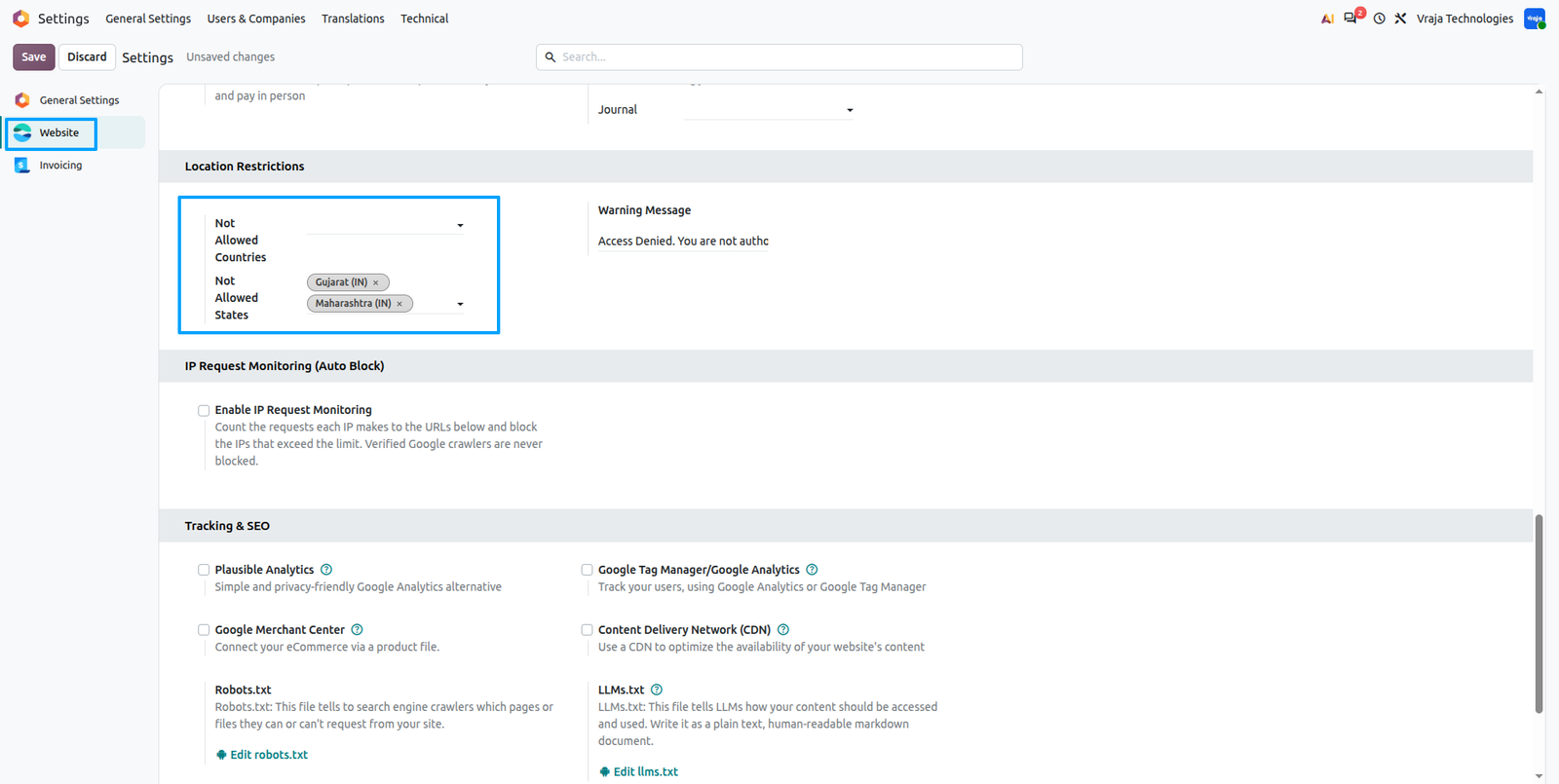
State / Region-Based Access ControlIn addition to country restrictions, the module allows blocking access for specific states or regions, providing more granular control over visitor access. |
|
|
IP Address BlockingBusinesses can block specific IP addresses from accessing the website, which is useful for preventing malicious traffic, spam attempts, or unauthorized access. |
|
|
Automatic IP Geolocation DetectionThe system automatically detects a visitor’s location based on their IP address and identifies the corresponding country and state in real time. |
|
|
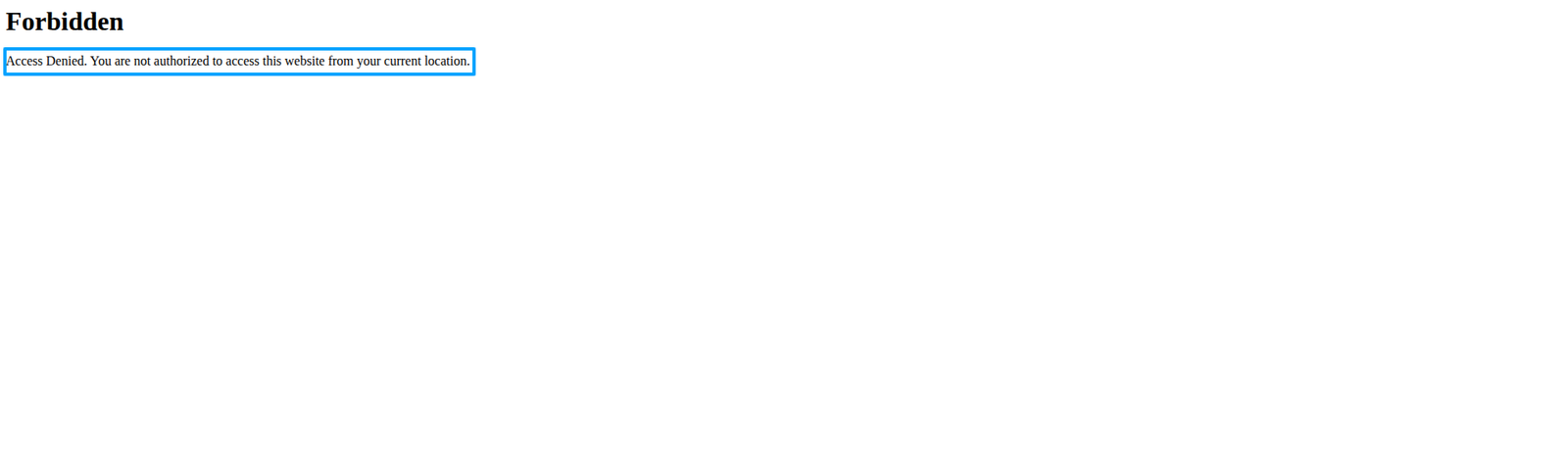
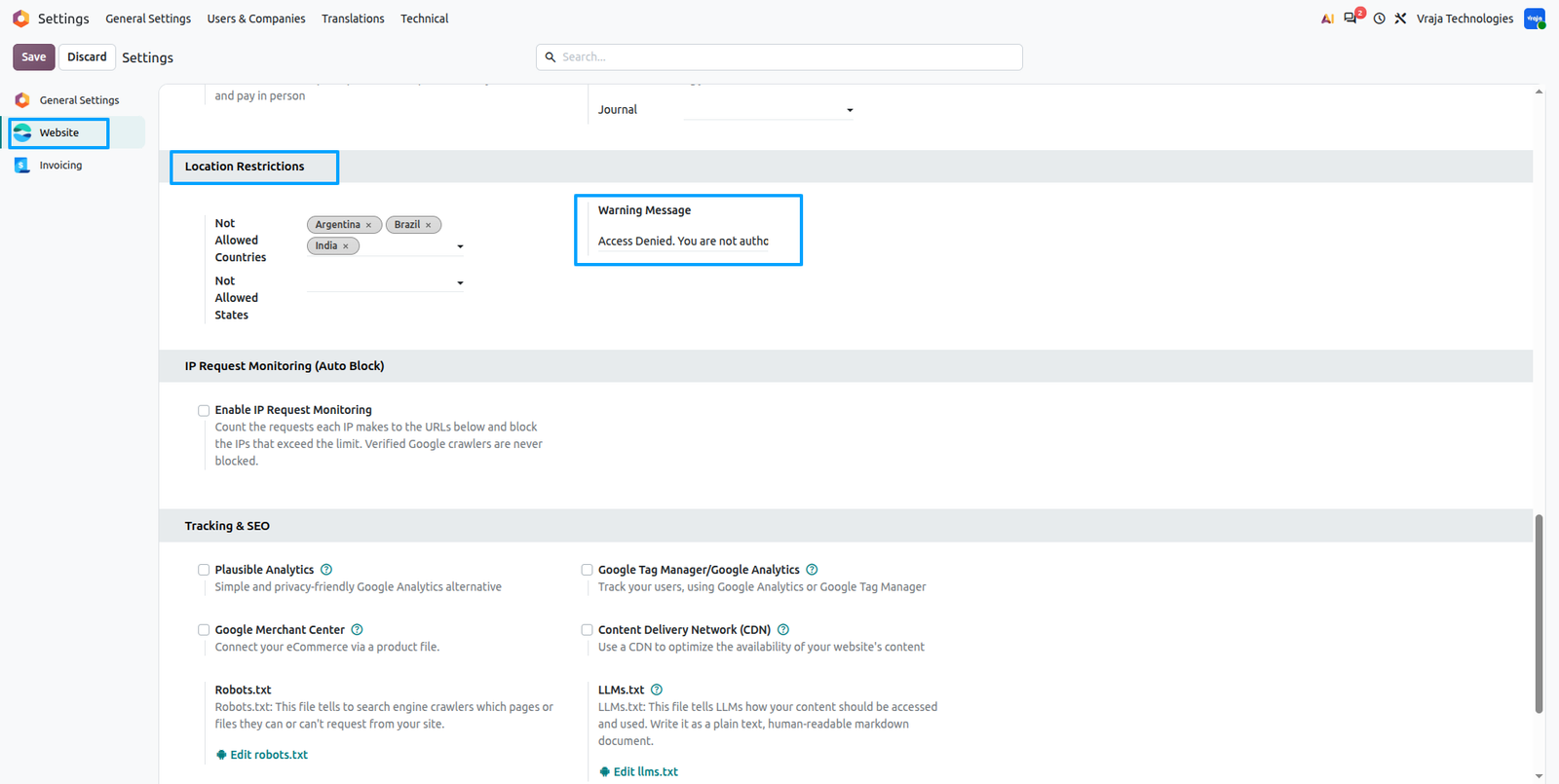
Custom Access Restriction MessageWhen access is blocked, visitors are shown a customizable message informing them that the website is not accessible from their location. |
|
|
Improved Website SecurityBy restricting access from unwanted regions or suspicious IP addresses, the module helps protect the website from unauthorized visitors and potential security threats. |
|
|
Compliance with Regional RegulationsThe module helps businesses comply with regulatory requirements where services or products cannot be offered in certain geographic locations. |
|
|
Real-Time Access BlockingAll restrictions are applied instantly as soon as a visitor attempts to access the website, ensuring immediate enforcement of configured rules. |
|
|
Automatic IP Blocking Based on Request LimitsAutomatically blocks IP addresses that exceed the configured request threshold within a specified time window, helping prevent excessive traffic and suspicious automated requests. |
|
|
IP Activity Monitoring and Request HistoryTracks requests made by individual IP addresses to monitored URLs, allowing administrators to review request counts, activity timestamps, and suspicious traffic patterns. |
|
|
IP UnblockingAllows administrators to manually unblock previously blocked IP addresses whenever necessary, restoring website access for legitimate visitors and providing greater control over IP-based access restrictions. |
|
|
Centralized Blocked IP ManagementProvides a centralized interface for administrators to view blocked IP addresses, review blocking reasons, monitor request activity, and manually unblock IPs when necessary. |
01 Go to Settings → Website Configuration → Location Restriction, then add the countries you want to restrict and save the settings in Odoo.
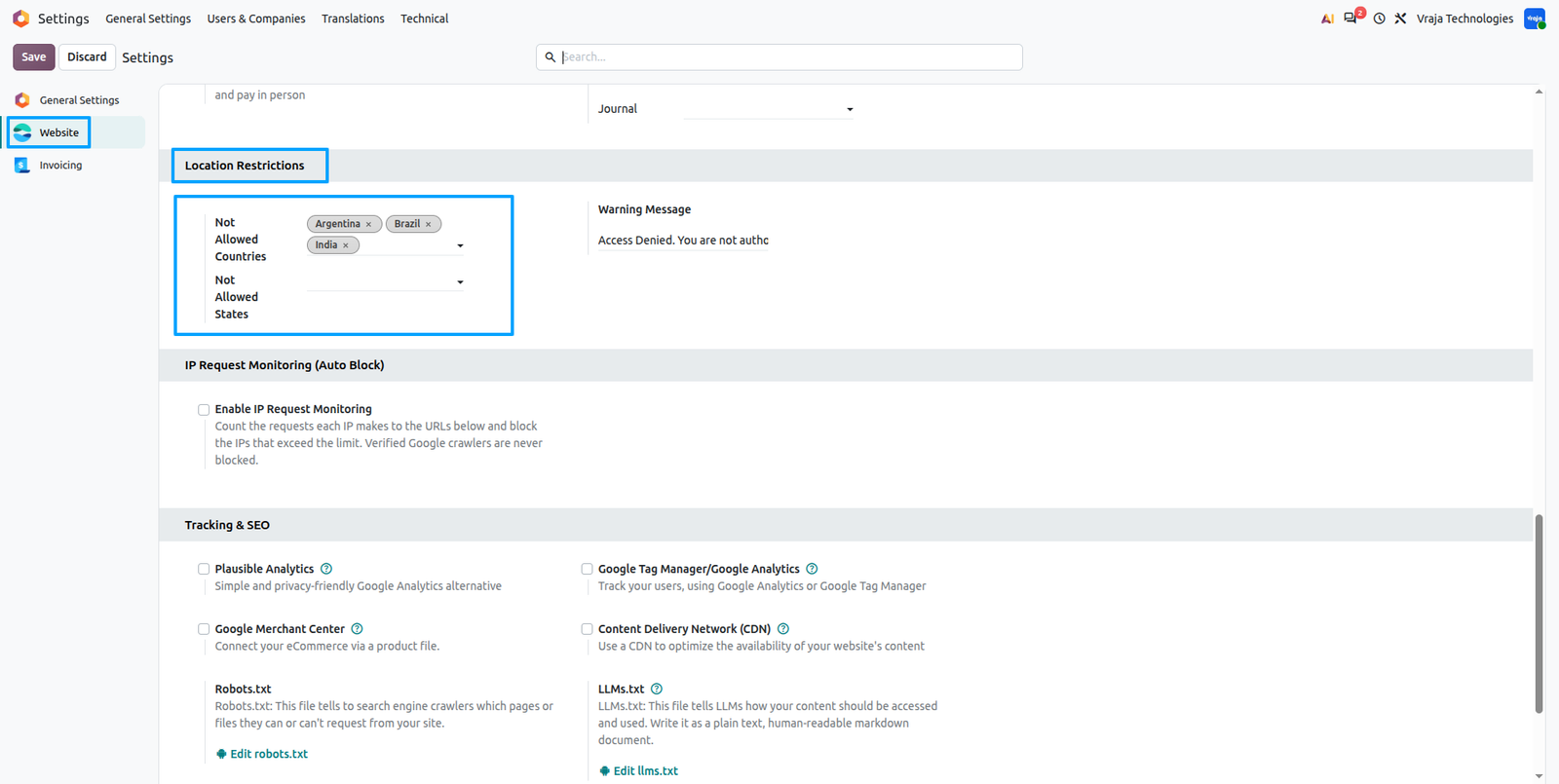
02 When visitor’s geolocation is detected as a restricted country (e.g., India), the system automatically displays the message Access denied. You are not authorized to access this website from your location.
03 We can configure the blocked access message from Settings → Website Configuration → Location Restriction.
04 From Settings → Website Configuration → Location Restriction, we can add restricted states (e.g., Gujarat) so visitors from that region cannot access the website in Odoo.
05 Go to Website → Reporting → Blocked IPs to view and manage restricted IP addresses in Odoo.

06 We can add specific IP addresses and define IP ranges to block unwanted or unauthorized visitors based on your network security rules.

07 Enable the Unblocked option for an IP address to allow it to access the website again.

08 Inside Settings → Website Configuration, we have the IP Request Monitoring (Auto Block) section, where we can enable IP request monitoring to protect the website from excessive requests.
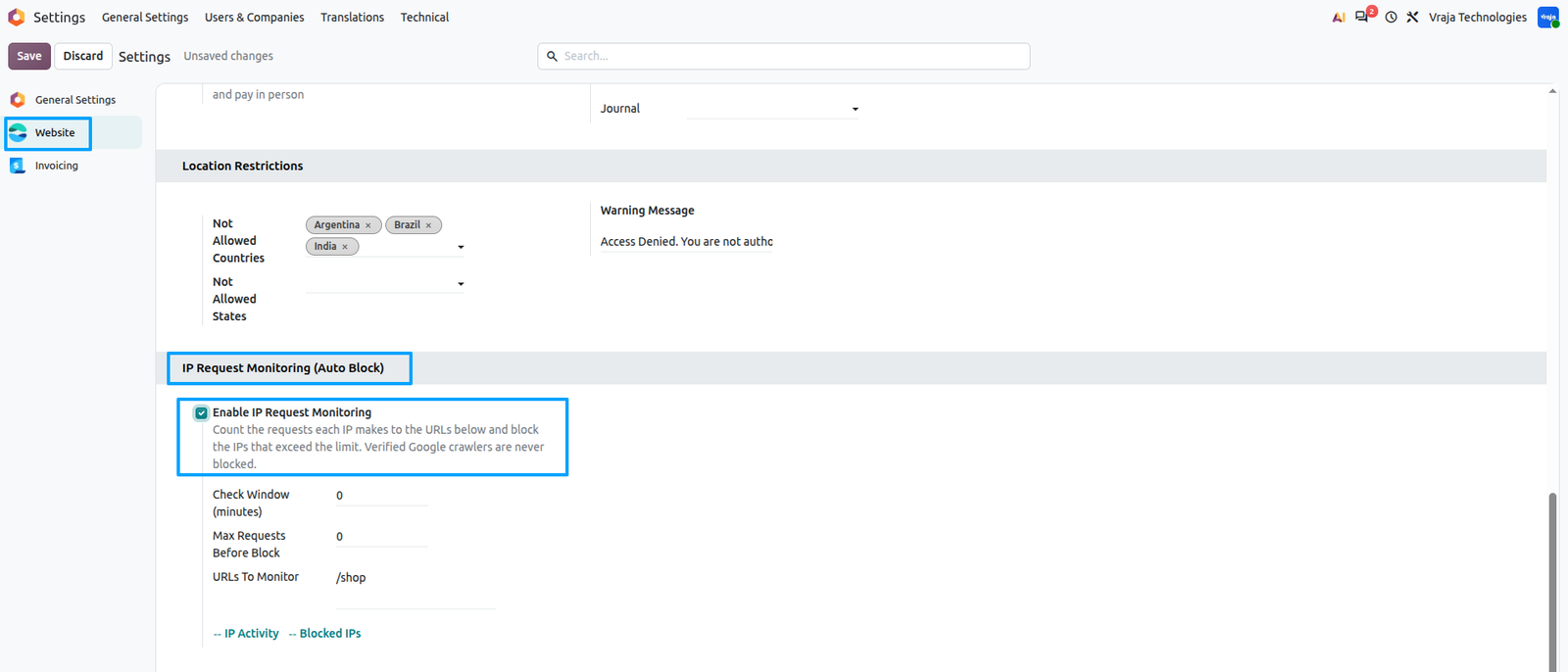
09 We can configure the Check Window (minutes) and Max Requests Before Block options to define the monitoring period and the maximum number of requests an IP address can make before it is automatically blocked.
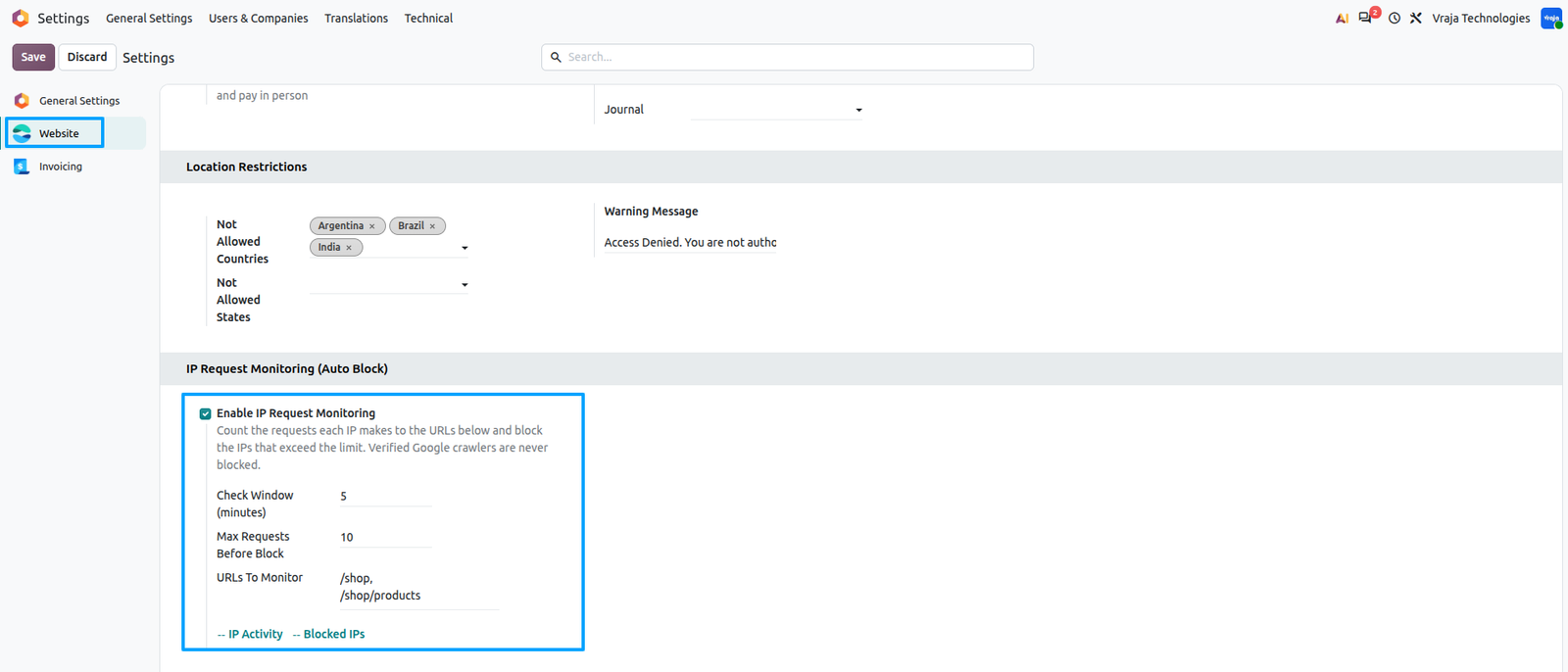
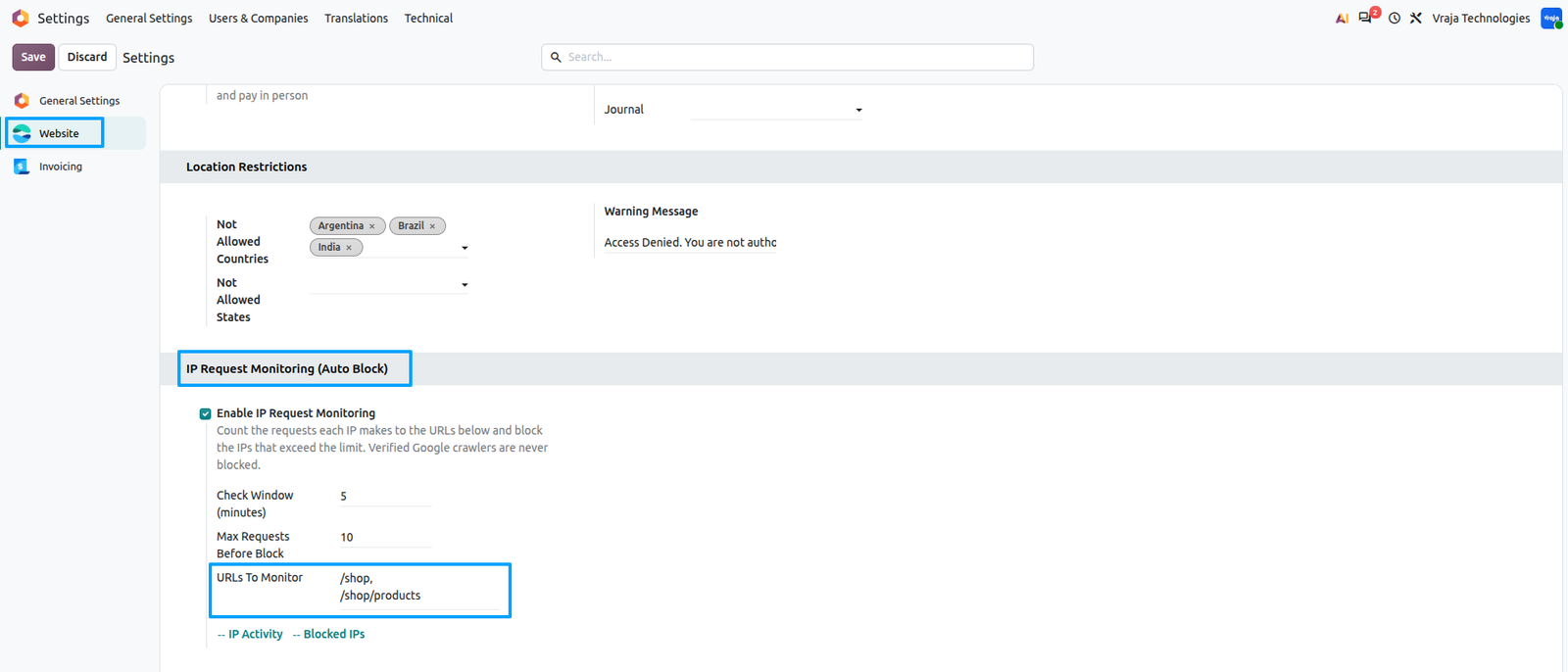
10 We can specify one or multiple website URLs in the URLs To Monitor. When an IP address exceeds the configured request limit for these URLs within the specified time window, the system automatically blocks that IP address.
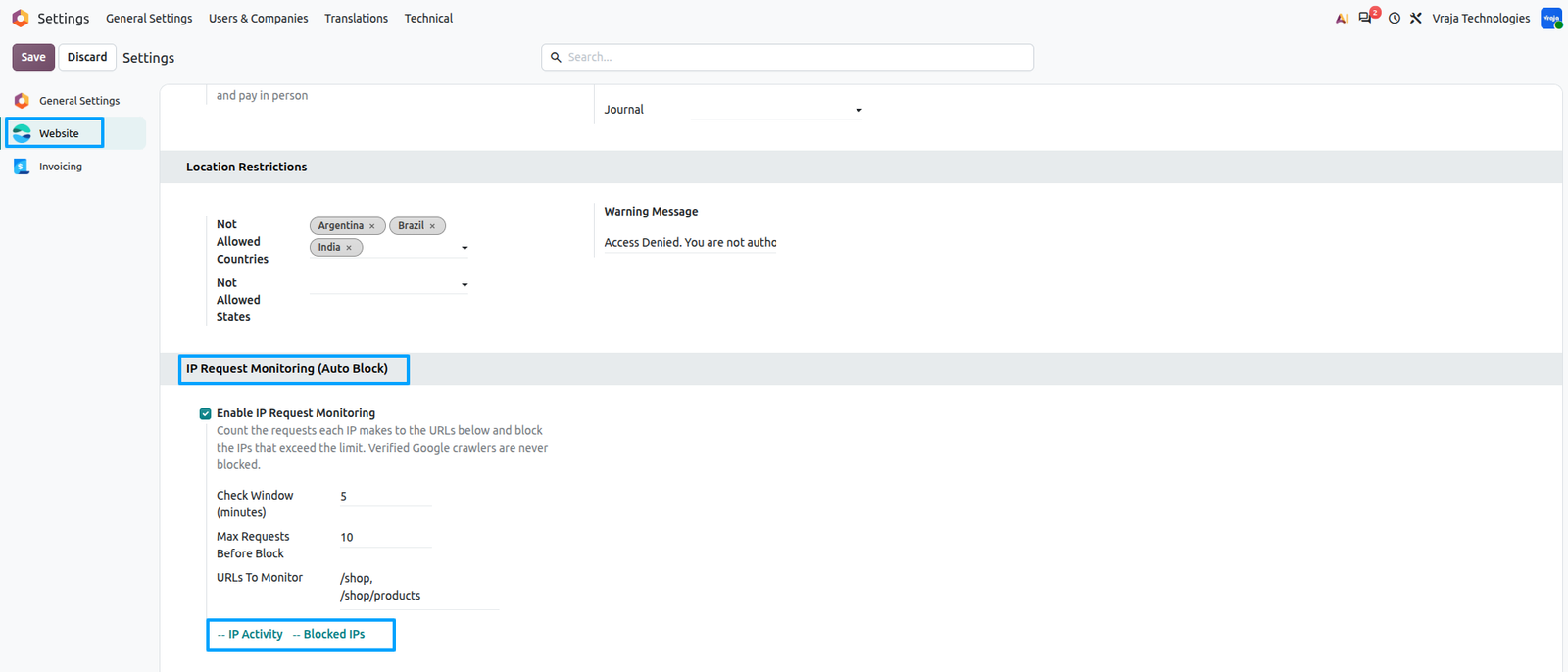
11 Click IP Activity to view request counts for individual IP addresses, or click Blocked IPs to view IP addresses automatically blocked for exceeding the configured request limit.
12 Under IP Activity, we can monitor requests made by individual IP addresses to the configured URLs. When an IP exceeds the request limit within the specified time window, the system automatically blocks that IP address.
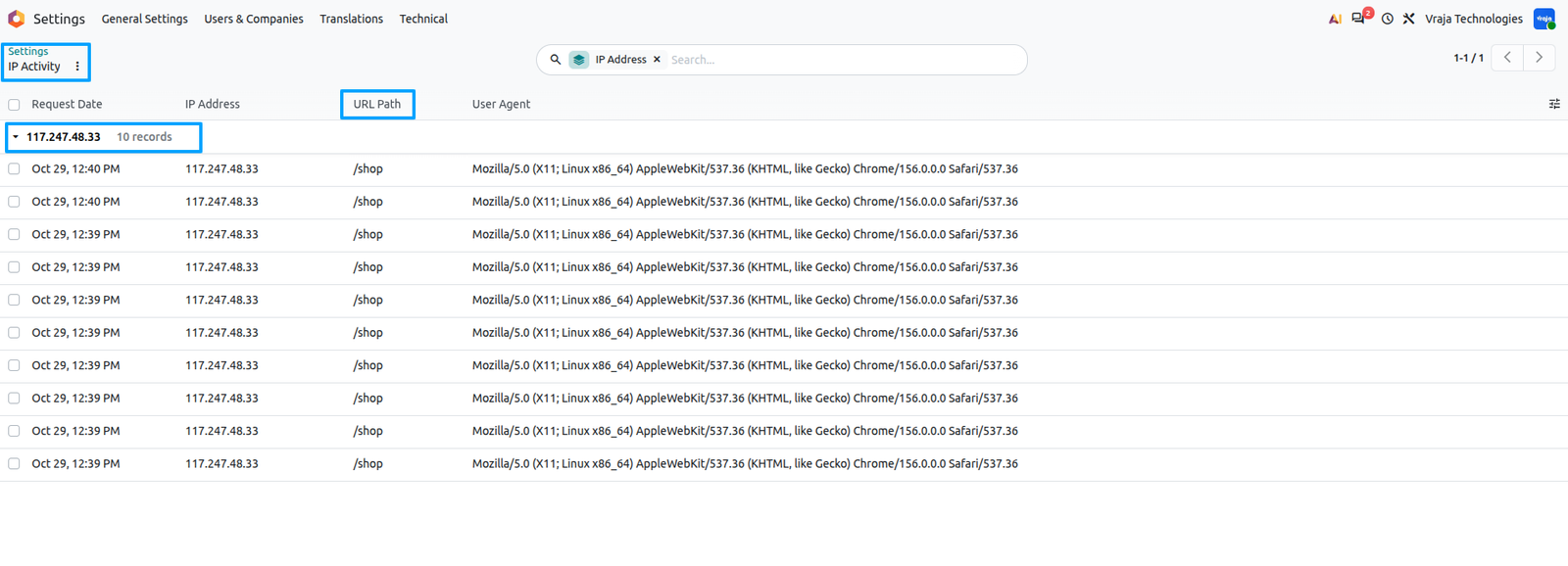
13 Under Blocked IPs, we can view IP addresses automatically blocked after exceeding the configured request limit. The system records the blocking reason, and blocked requests are no longer added to the IP Activity list once the IP is blocked.
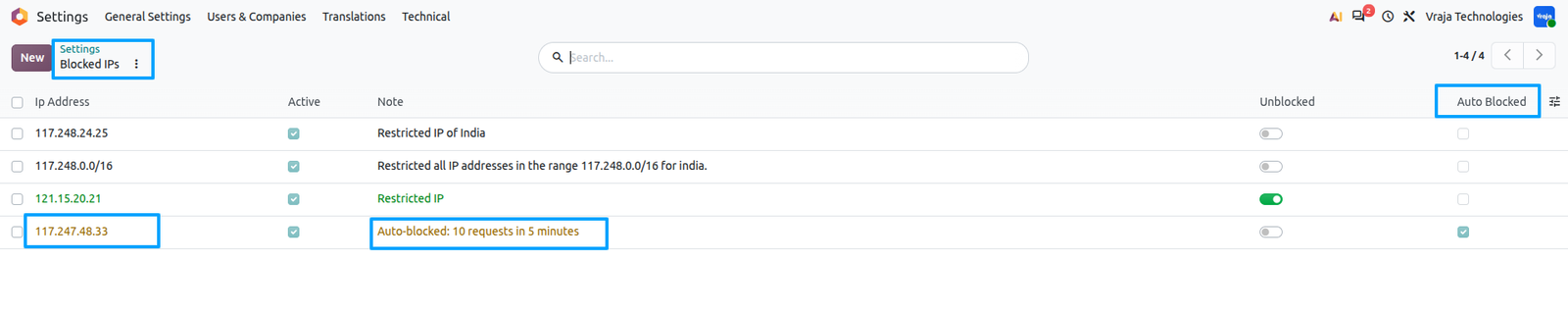
14 Scheduled action automatically checks IP activity records and blocks IP addresses that exceed the configured request limit within the specified monitoring window.

|
|
What is the Location & IP-Based Website Access Restriction module?This module allows you to restrict website access based on visitor country, state/region, and IP address to improve security and access control in Odoo. |
|
|
How does the system detect the visitor’s location?The system uses the visitor’s IP address and geolocation service to automatically detect their country and state. |
|
|
Can I block an entire country from accessing my website?Yes, you can select and add specific countries in the Location Restriction settings to block access. |
|
|
Is it possible to restrict only a specific state or region?Yes, you can restrict specific states or regions without blocking the entire country. |
|
|
Can I block specific IP addresses?Yes, you can block individual IP addresses as well as define IP ranges to prevent access from specific networks. |
|
|
What is IP Request Monitoring?IP Request Monitoring tracks the number of requests made by individual IP addresses to configured website URLs within a specified time window, helping administrators identify excessive traffic and suspicious activity. |
|
|
Can I configure request limits for monitored URLs?Yes, administrators can configure the monitoring window in minutes, define the maximum number of requests allowed, and specify which website URLs should be monitored. |
|
|
What happens when an IP address exceeds the request limit?When an IP address exceeds the configured request threshold within the monitoring window, the system automatically blocks that IP address to help prevent excessive requests and unwanted traffic. |
|
|
Can I manually unblock a blocked IP address?Yes, administrators can manually unblock previously blocked IP addresses whenever necessary, restoring access according to the configured website access restrictions. |
|
|
I would like to request a custom feature for this application. What’s the process to get it implemented?We’re happy to help tailor the application to meet your business needs! You can reach us via sales@vrajatechnologies.com |
|
|
Who is the point of contact for technical support, configuration support or bug-related queries?You can reach us via support@vrajatechnologies.com |
|
|
Included App Support90 Days Complimentary Support for Supported Versions If you encounter issues caused by the app itself, our team provides complimentary support for 90 days from the date of purchase for supported Odoo versions. |
Included App Support
90 Days Complimentary Support for Supported Versions
If you encounter issues caused by the app itself, our team provides complimentary support for 90 days from the date of purchase for supported Odoo versions.

Customer SupportNeed help with installation, configuration, technical issues, or general questions about the module? Submit a support ticket through our dedicated support portal. |
||
|
Support Portal
vrajatechnologies.com/helpdesk
|
Support PolicyReview our support policy for complete information about support coverage, issue eligibility, exclusions, version compatibility, and other support conditions. |
||
|
Support Policy
vrajatechnologies.com/support-policy
|
Scan for Support
|
||
|
Support Portal
vrajatechnologies.com/helpdesk
|