Explore the key features, workflow, and value of this Odoo module.
|
|
Automatic Vendor Price List ImportAutomatically import supplier price lists from FTP servers and update vendor purchase prices in Odoo without manual data entry. |
|
|
Automated Inventory SynchronizationKeep product stock quantities updated by importing supplier inventory files into the selected Odoo inventory location. |
|
|
Multiple FTP Server ConfigurationsConfigure multiple supplier FTP connections with individual credentials, directories, filenames, and synchronization settings. |
|
|
CSV & Excel File SupportImport supplier inventory and pricing data using CSV, XLS, and XLSX files with predefined column formats. |
|
|
Automatic Product MatchingIdentify and update existing Odoo products using their Internal Reference (SKU) or Product Name. |
|
|
Complete Product Price UpdatesUpdate vendor purchase prices, product cost prices, and sales prices directly from supplier pricing files. |
|
|
Scheduled Automatic SynchronizationAutomate inventory and price imports using Odoo scheduled actions, with configurable intervals such as hourly or daily. |
|
|
Synchronization Logs & TrackingReview synchronization records, product update messages, and import issues through the FTP mismatch logs in Odoo. |
01 After installing the module, the FTP Syncing menu becomes available in Odoo, allowing you to manage supplier inventory and product price synchronisation.

02 Create and manage multiple FTP configurations for different suppliers. Select Product Catalogue to automatically import supplier price lists and update product pricing information in Odoo. When you save an FTP configuration, the module automatically checks the server connection. A successful connection is indicated by a green verification banner. The synchronisation scheduled action can also be created from the configuration.

03 Click the Download CSV button to download a sample file based on the selected import type. Use this template to prepare inventory or product pricing data in the required format.

04 To synchronize inventory quantities, select Inventory as the import type and specify the Inventory Location where stock quantities should be updated.
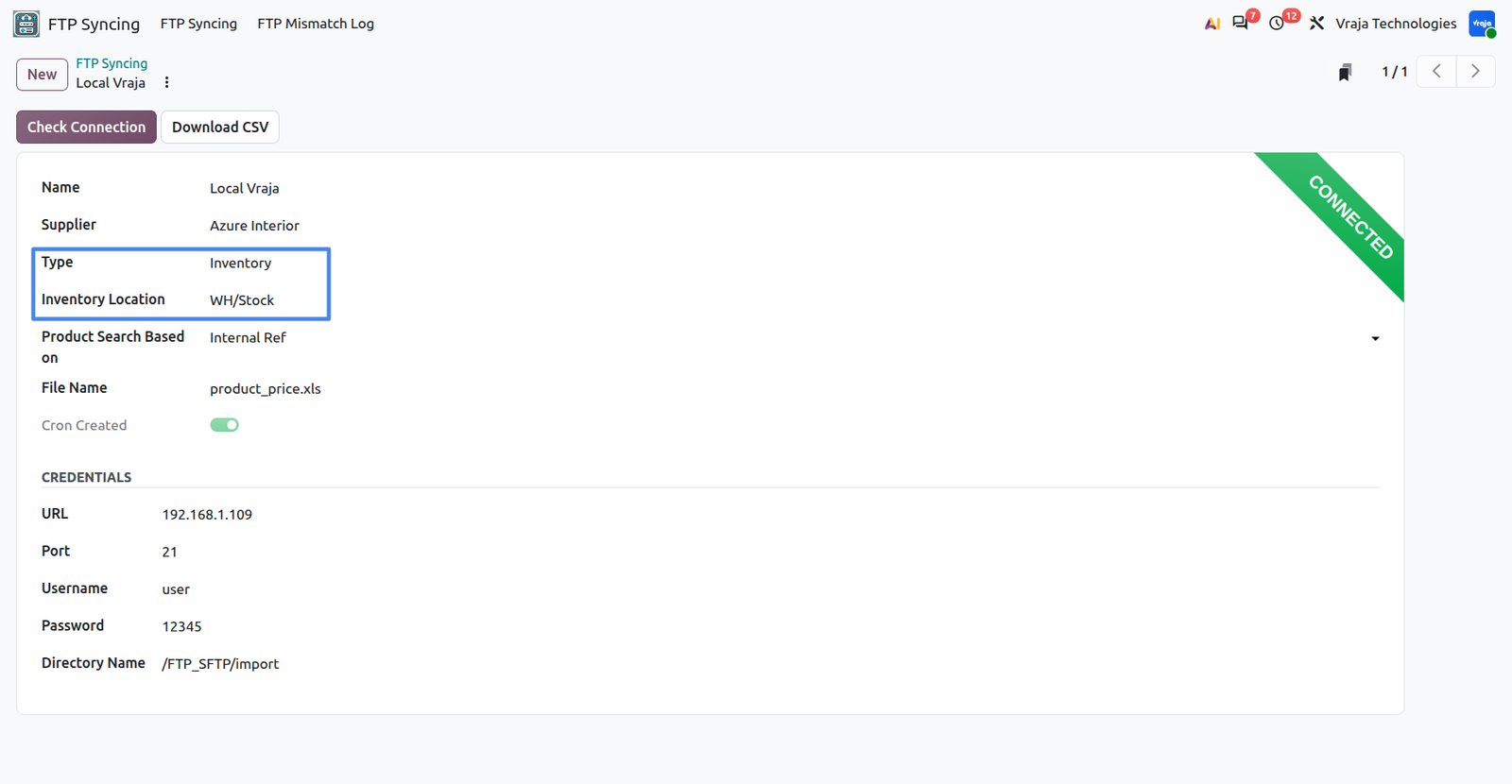
05 Configure scheduled actions to automatically import supplier inventory and pricing files at predefined intervals, eliminating the need for repeated manual imports.

06 The module supports importing supplier inventory and product pricing data using predefined CSV and Excel file formats. Prepare the files according to the sample templates and place them in the configured FTP directory.


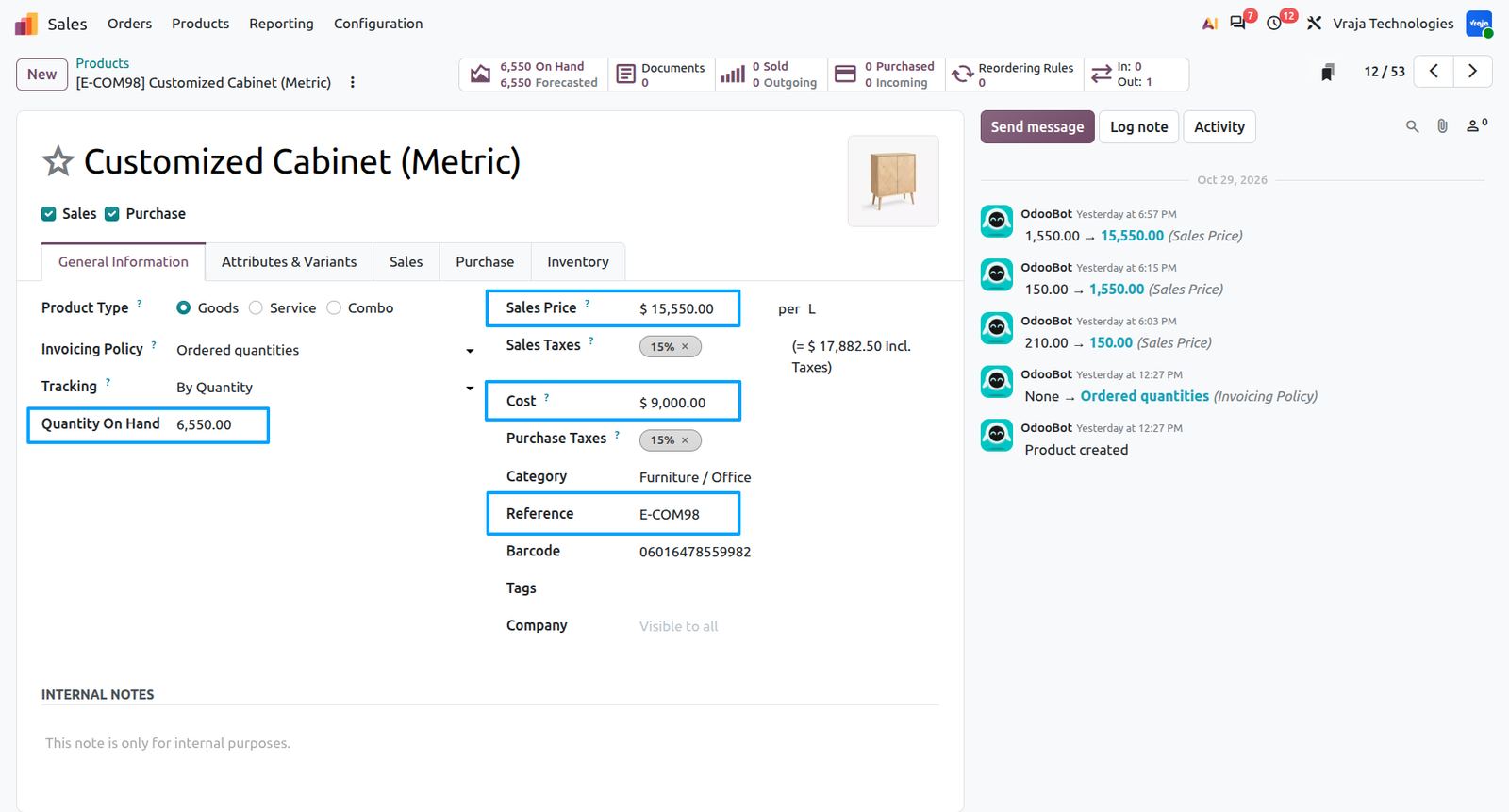
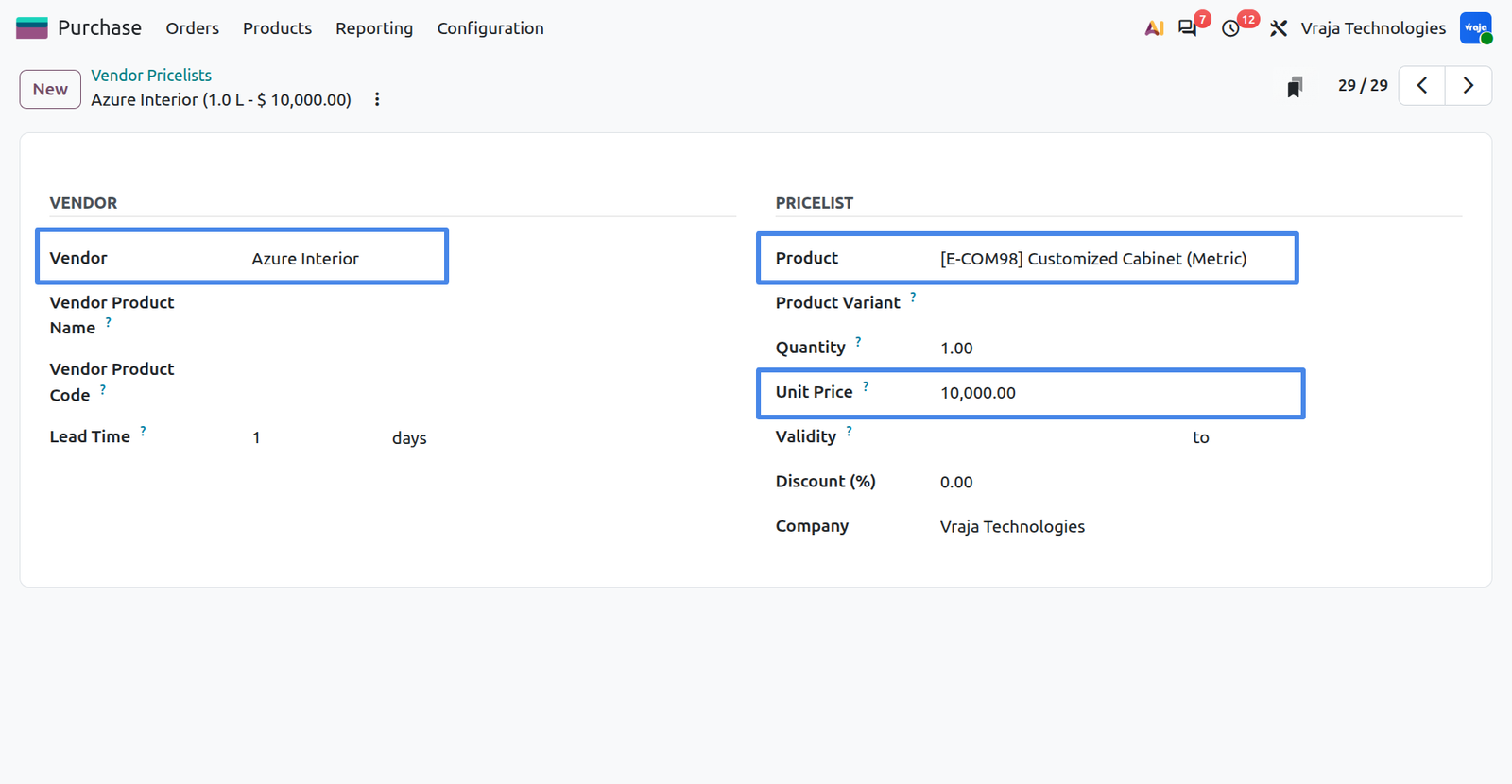
07 After a successful import, the module updates the matching product's inventory or pricing information in Odoo. For product price imports, the corresponding vendor pricelist is created or updated for the configured supplier.
|
|
Can this module automatically import vendor inventory and price lists from an FTP server?Yes. The module connects to configured FTP servers and automatically imports supplier inventory and pricing files into Odoo. It updates matching products using the data provided in CSV or Excel files. |
|
|
Which file formats are supported?The module supports CSV (.csv), Excel (.xls), and Excel (.xlsx) files. You can download sample file templates directly from the FTP configuration screen to prepare your supplier data in the required format. |
|
|
How does the module match supplier products with existing Odoo products?Products can be matched using their Internal Reference (SKU) or Product Name. The module searches for matching products in Odoo and updates their inventory or pricing information based on the selected import configuration. |
|
|
Can the module update inventory quantities at a specific warehouse location?Yes. You can select an inventory location in the FTP configuration. The module uses the imported quantities to update the stock information for matching products at that location. |
|
|
Can I update vendor prices, product costs, and sales prices together?Yes. The product price import supports vendor purchase prices, product cost prices, and sales prices. These values are updated from the corresponding columns in your supplier's pricing file. |
|
|
Can I configure multiple FTP servers for different suppliers?Yes. You can create separate FTP configurations for different suppliers, each with its own server details, login credentials, directory, filename, and synchronisation settings. |
|
|
Can I schedule inventory and price imports once or twice per day?Yes. The module supports automatic imports through Odoo scheduled actions. You can configure the execution interval to suit your requirements, including once or twice daily. |
|
|
Does the module directly retrieve product data from a supplier website or API?The standard module imports supplier files from an FTP server. Direct website extraction or API integration is not included, but custom integration can be developed based on your supplier's requirements. |
|
|
Who can assist with installation, configuration, or technical support?Our support team can assist with installation guidance, FTP configuration, file formatting, and technical queries. Contact us at https://vrajatechnologies.com/helpdesk. |
|
|
Can I request additional features or customization?Yes. Vraja Technologies offers customisation services for specific supplier workflows, additional file formats, API connections, and other business requirements. Contact sales@vrajatechnologies.com to discuss your requirements. |
|
|
Included App Support90 Days Complimentary Support for Supported Versions If you encounter issues caused by the app itself, our team provides complimentary support for 90 days from the date of purchase for supported Odoo versions. |
Included App Support
90 Days Complimentary Support for Supported Versions
If you encounter issues caused by the app itself, our team provides complimentary support for 90 days from the date of purchase for supported Odoo versions.

Customer SupportNeed help with installation, configuration, technical issues, or general questions about the module? Submit a support ticket through our dedicated support portal. |
||
|
Support Portal
vrajatechnologies.com/helpdesk
|
Support PolicyReview our support policy for complete information about support coverage, issue eligibility, exclusions, version compatibility, and other support conditions. |
||
|
Support Policy
vrajatechnologies.com/support-policy
|
Scan for Support
|
||
|
Support Portal
vrajatechnologies.com/helpdesk
|