Stripe Refund Payment |
Community Enterprise Odoo.sh |
The Stripe Refund feature provides a seamless and efficient way to process refunds for transactions completed through Stripe, directly from the Invoice within Odoo. This functionality simplifies the refund process by allowing users to manage and execute refunds without needing to leave the Odoo platform.
With just a few clicks, users can initiate refunds for eligible payments, ensuring a smooth and hassle-free experience for both businesses and customers. This feature enhances financial management by streamlining refund operations and maintaining accurate transaction records within Odoo.
Provides the capability to process refunds for partial payments made through Stripe on the Odoo website, ensuring seamless transaction management and enhanced customer service.
It is important to note that this functionality is limited to refunds that are processed through Stripe and only applies to payments that were made using the Stripe Payment Gateway on the Odoo website.
01 In the Stripe payment provider, you first need to enter the publishable key and secret key from your Stripe account. After that, click on the 'Create Stripe Refund Payment Webhook' button to generate a webhook in your Stripe account. You can verify the created webhook in the Refund Webhook tab.

02 When a user makes a Stripe payment through the website, a corresponding transaction will be created in Odoo.

03 You can use this button to refund the amount for the invoice that received the Stripe payment.
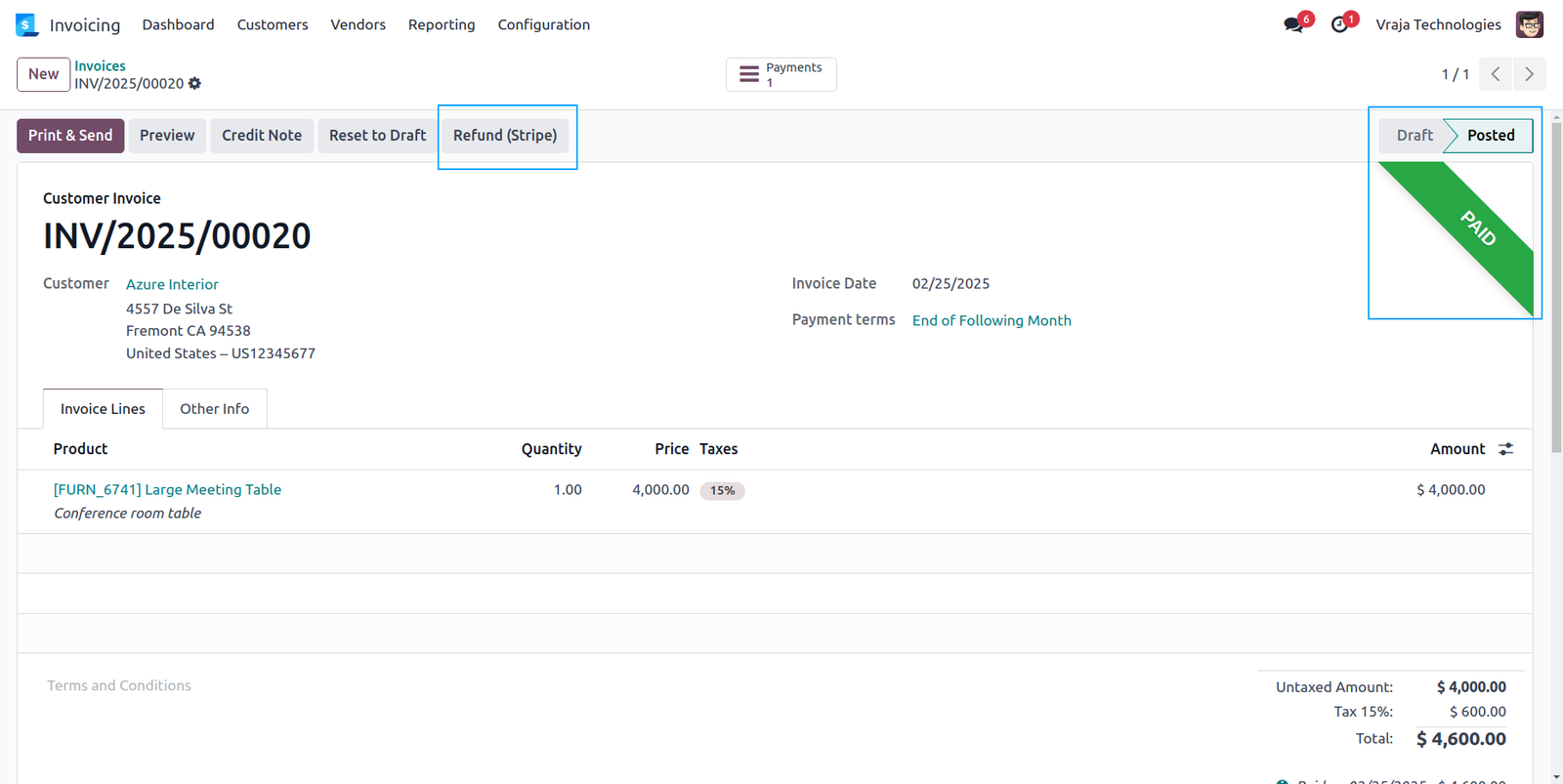
04 When you click the button, a pop-up window will appear, prompting you to select the payment transaction. The amount will be automatically fetched from the invoice, and you will have the option to process a partial refund if needed. Once submitted, a refund transaction will be generated in Stripe.
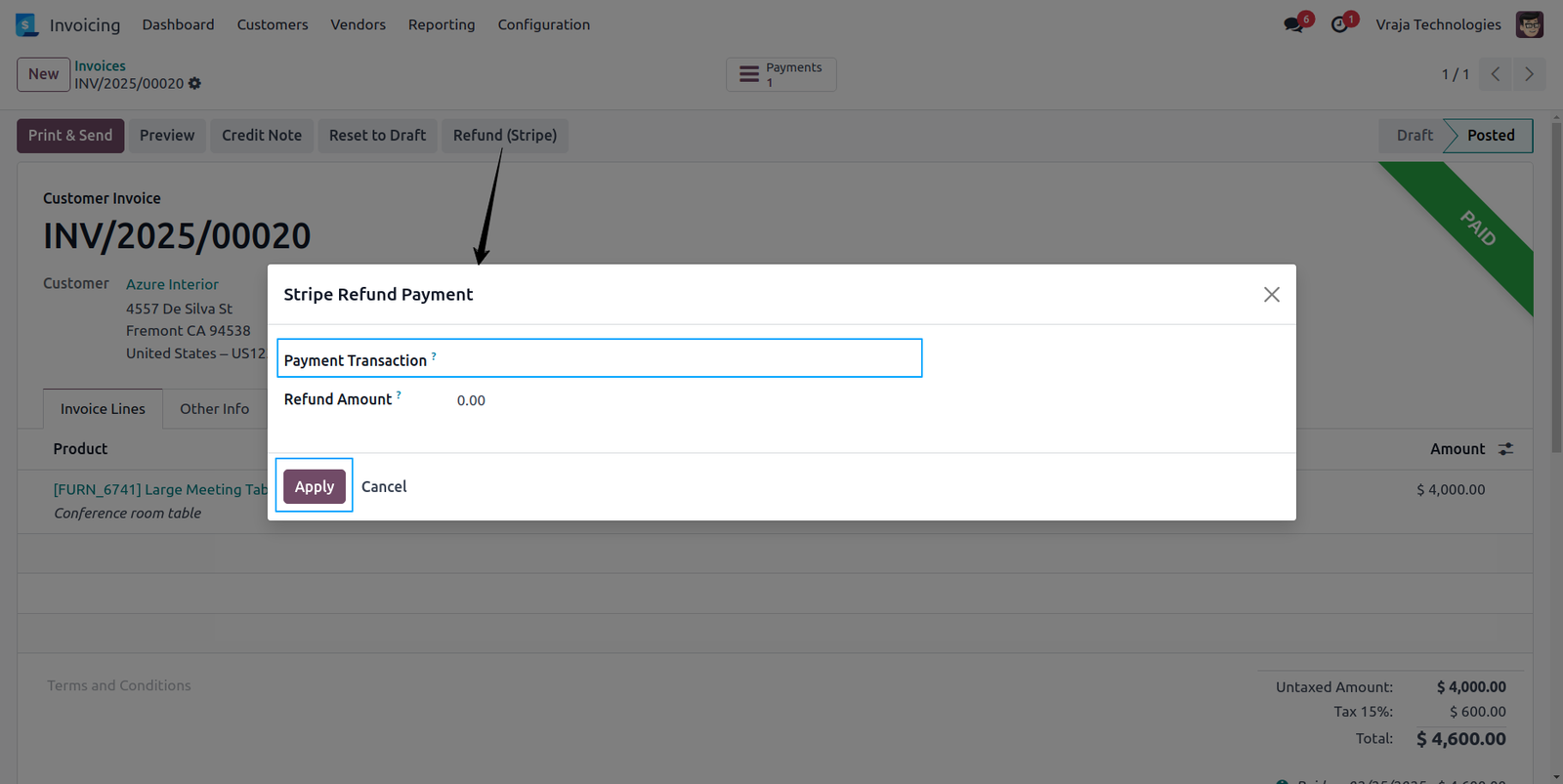
05 When you submit the refund from Odoo, the refund process is executed in Stripe. Stripe then sends a response back to Odoo, and a credit note for the refund amount is automatically created in Odoo.

|
|
Is this application compatible with both Odoo Enterprise and Community editions?Yes, the application is fully compatible with Odoo Enterprise (On-premise and Odoo.SH) and Community editions. However, it cannot be installed on Odoo Online, as third-party apps are not supported. |
|
|
Will I receive free support and upgrades with the purchase of the application?We provide free support for the first 90 days following the purchase date. |
|
|
Need some customization in this app, whom to contact?Please drop email at support@vrajatechnologies.com or raise a ticket through Odoo store itself. |
|
|
Included App Support90 Days Complimentary Support for Supported Versions If you encounter issues caused by the app itself, our team provides complimentary support for 90 days from the date of purchase for supported Odoo versions. |
90 Days Complimentary Support for Supported Versions
If you encounter issues caused by the app itself, our team provides complimentary support for 90 days from the date of purchase for supported Odoo versions.
Customer SupportNeed help with installation, configuration, technical issues, or general questions about the module? Submit a support ticket through our dedicated support portal. |
||
|
Support Portal
vrajatechnologies.com/helpdesk
|
Support PolicyReview our support policy for complete information about support coverage, issue eligibility, exclusions, version compatibility, and other support conditions. |
||
|
Support Policy
vrajatechnologies.com/support-policy
|
Scan for Support |

||
|
Support Portal
vrajatechnologies.com/helpdesk
|
The Create Advance Payment for Sale Order app simplifies advance payment management directly from the Sales Order in Odoo. Users can record, track, and manage customer advance payments with a dedicated button. These advance payments are automatically applied to customer invoices for a smooth billing process.
The Website Customer Invoice Partial/Full Payment app allows customers to pay outstanding invoices partially or in full directly from the Odoo website. Users can pay multiple invoices in a single transaction using their preferred payment method. With real-time payment updates and automated reminders, it delivers a seamless and efficient payment experience.
"The Helcim Payment Gateway module integrates Helcim with Odoo for secure and seamless online payment processing. Businesses can accept payments, process transactions in real time, and manage refunds directly within Odoo. By centralizing sales and payment workflows, the module improves efficiency and delivers a smooth customer payment experience.
The Restrict Payment Method module lets businesses control which payment methods are available during checkout using configurable rules. Payment providers can be restricted based on customers, order amount, products, order date, location, and other custom conditions. This ensures a streamlined checkout experience, enforces payment policies, and improves payment accuracy in Odoo.
The Stripe Partial Payment module extends Odoo's Stripe integration to support capturing payments in multiple installments from a single authorization. Each partial payment is automatically linked to the corresponding sales order and invoice within Odoo. This provides a flexible and seamless payment workflow while maintaining accurate transaction tracking.
The Stripe Terminal Odoo Integration enables businesses to process in-person card payments directly from Odoo Sales Quotations and Customer Invoices using Stripe Terminal devices. It supports devices like WisePOS E and Stripe S700 Reader, eliminating the need to process payments only through POS. With one-click setup and automatic accounting synchronization, it delivers a seamless, secure, and efficient payment workflow.
The SWIFT EDI Integration enables Odoo to generate MT101 (bulk) and MT103 (single) payment files for secure international vendor payments. It supports SWIFT message standards and uses FTP for reliable file transfer with financial institutions. This streamlines cross-border payment processing, reduces manual effort, and improves transaction accuracy.
"The SWIFT CBA EDI Integration enables Odoo to export MT101 bulk and single payment files for secure international vendor payments. It supports SWIFT CBA message formats and uses FTP for seamless communication with financial institutions. This integration improves payment accuracy, reduces manual effort, and streamlines cross-border payment processing.
Explore Before Purchase |
Start with a free trial
Test the connector with your real workflows using our 15-day free trial. If you need help, our product experts will guide you throughout the trial.
|
|
Test the connector with your real workflows.Our product experts will guide you during the trial to help you evaluate, configure, and use the connector with confidence.
15-Day
Trial
Expert
Guidance
Real
Workflow Testing
|