Explore the key features, workflow, and value of this Odoo module.
|
|
Helcim Payment IntegrationConnect Helcim with Odoo to manage online payments. |
|
|
Secure Website CheckoutLet customers select Helcim when paying at your Odoo eCommerce checkout. |
|
|
API Token ConfigurationConfigure the connection using your Helcim API token. |
|
|
Backend Refund ManagementInitiate, process, and record Helcim refunds directly from Odoo. |
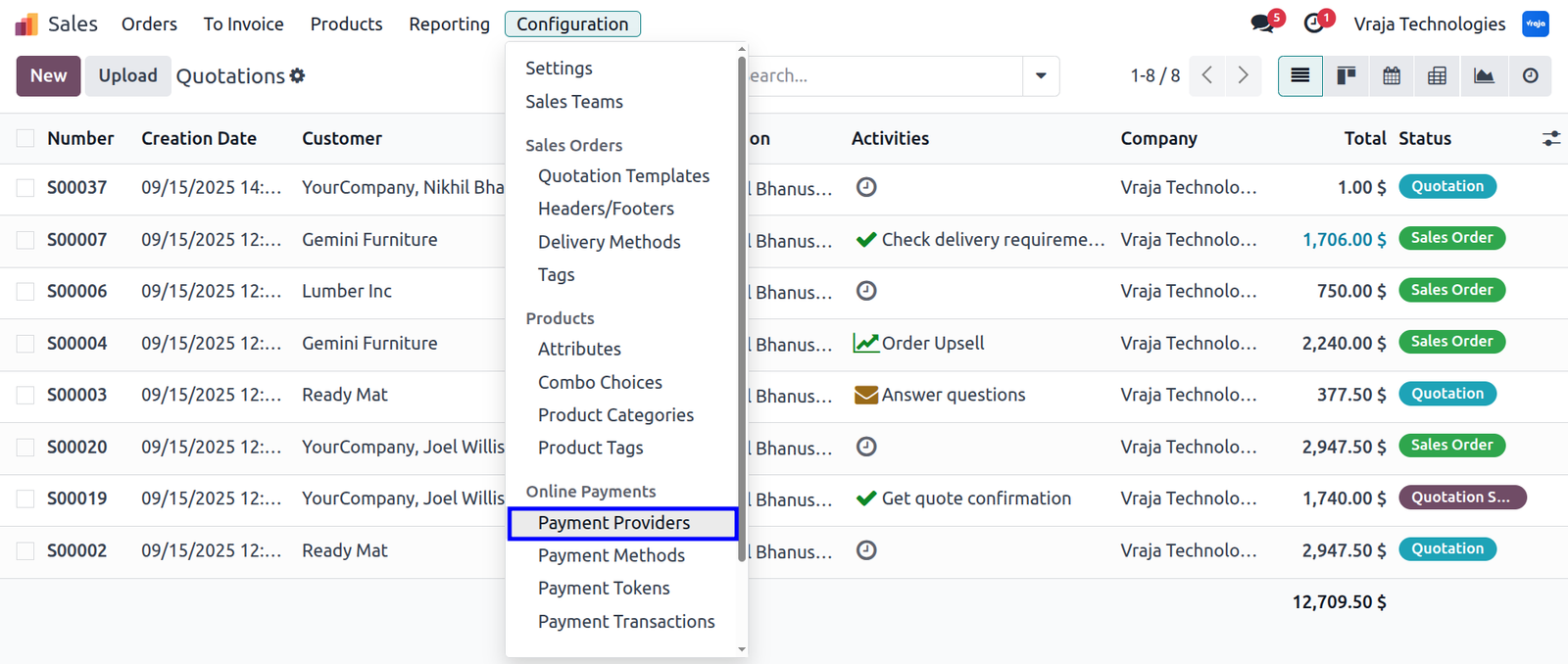
01 Once installed, Helcim appears in Payment Providers as Enabled & Published, ready for configuration.


02 Enter the API token from Helcim to connect your Odoo with the Helcim gateway.

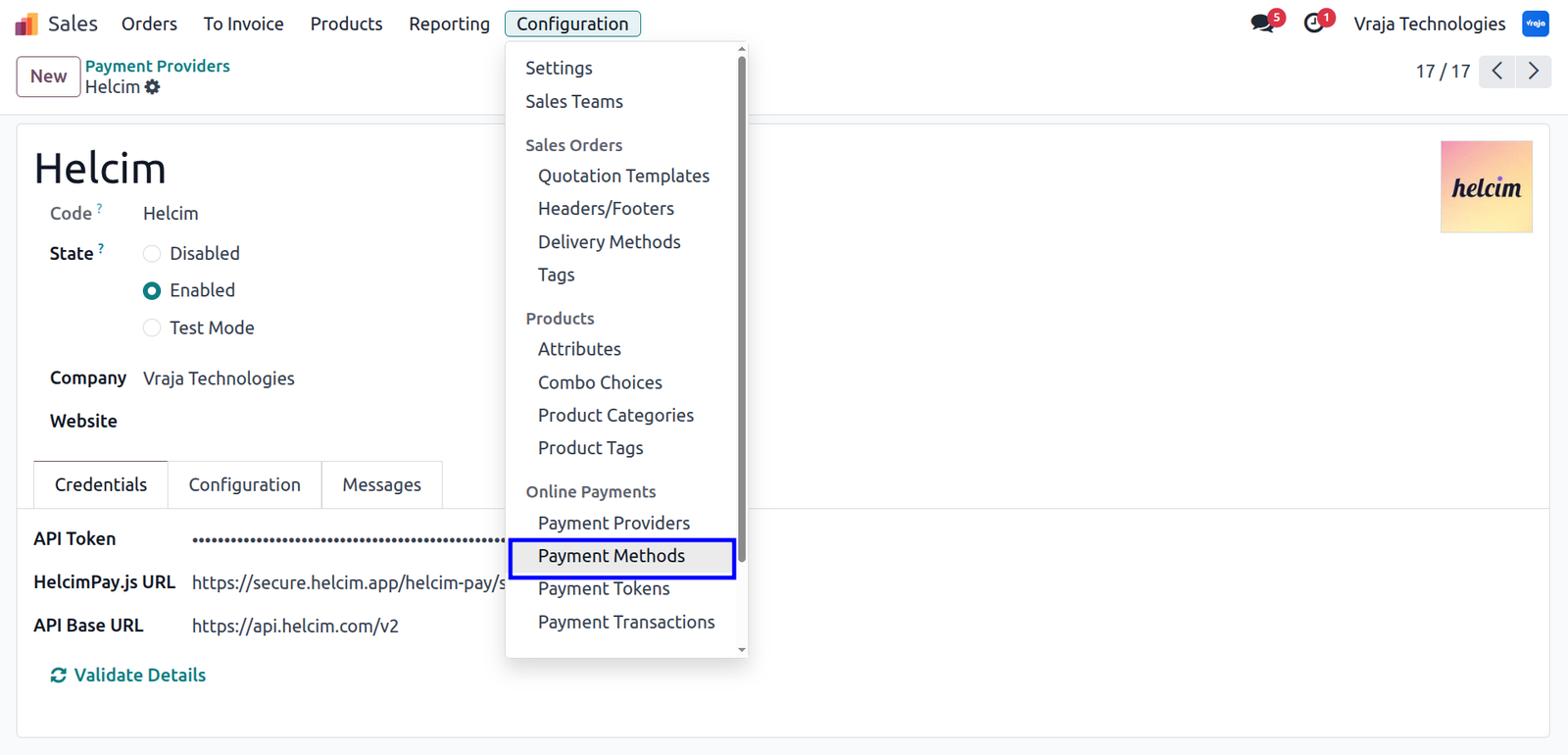
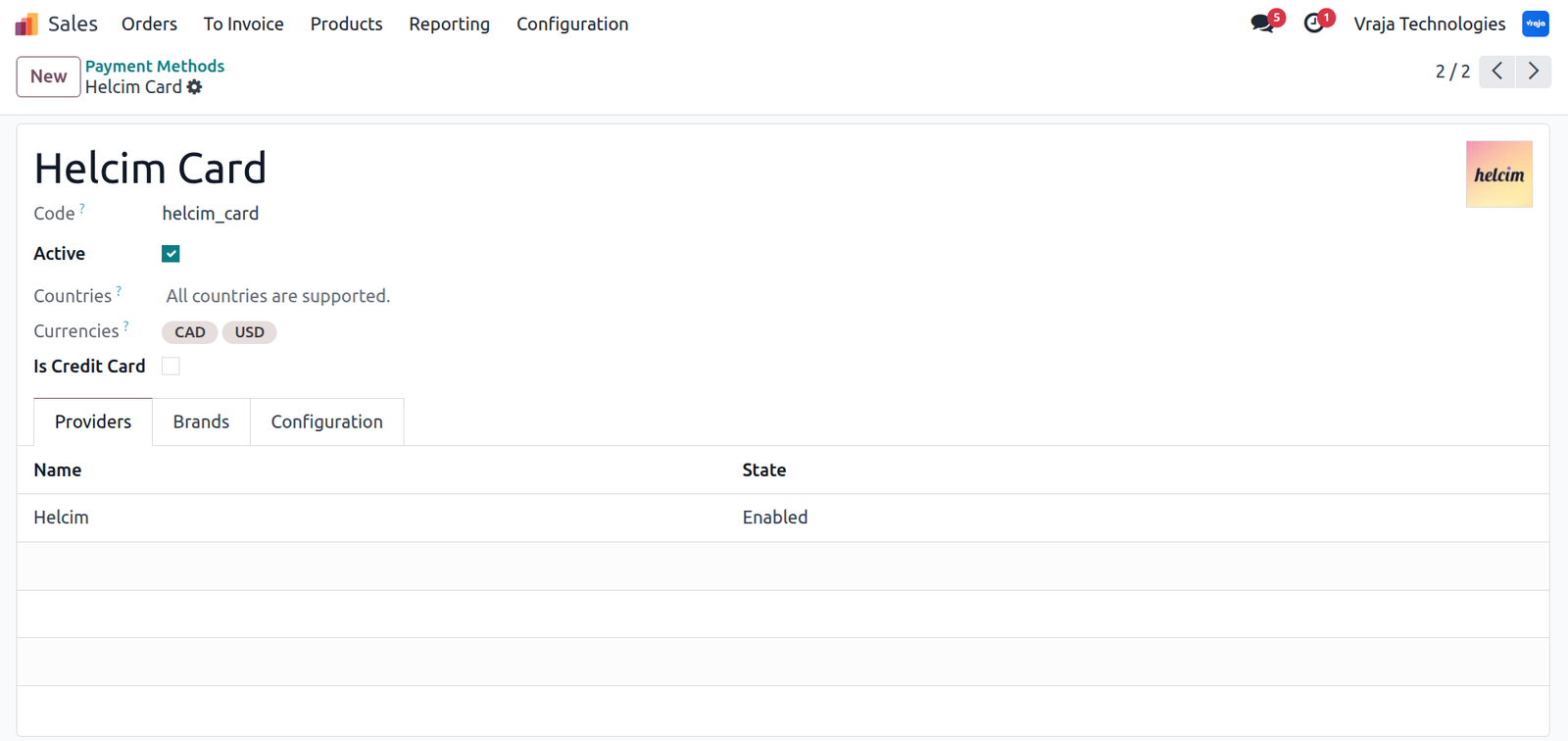
03 Configure Helcim as a payment method.
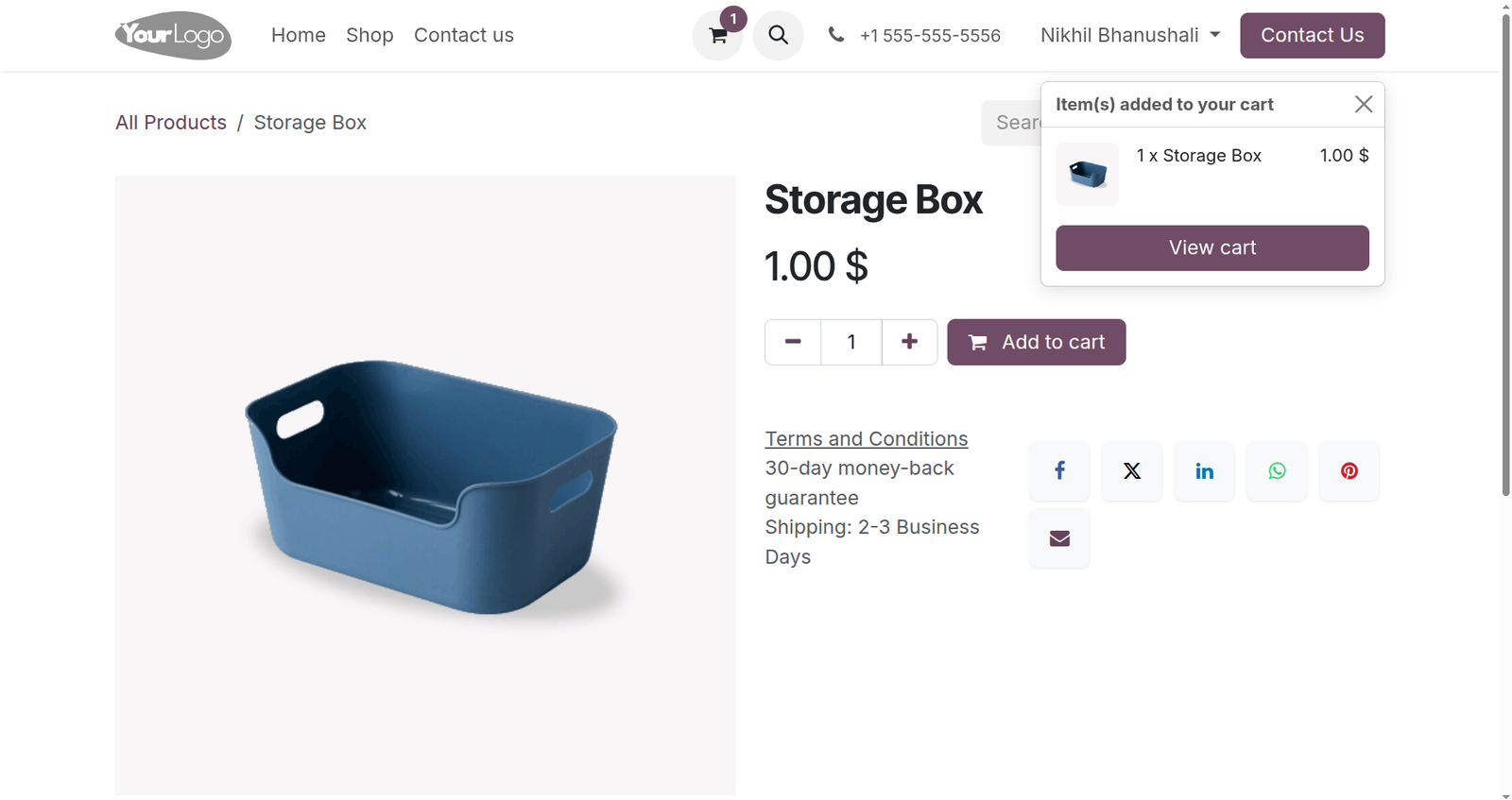
04 During checkout, customers can select Helcim as the payment option.


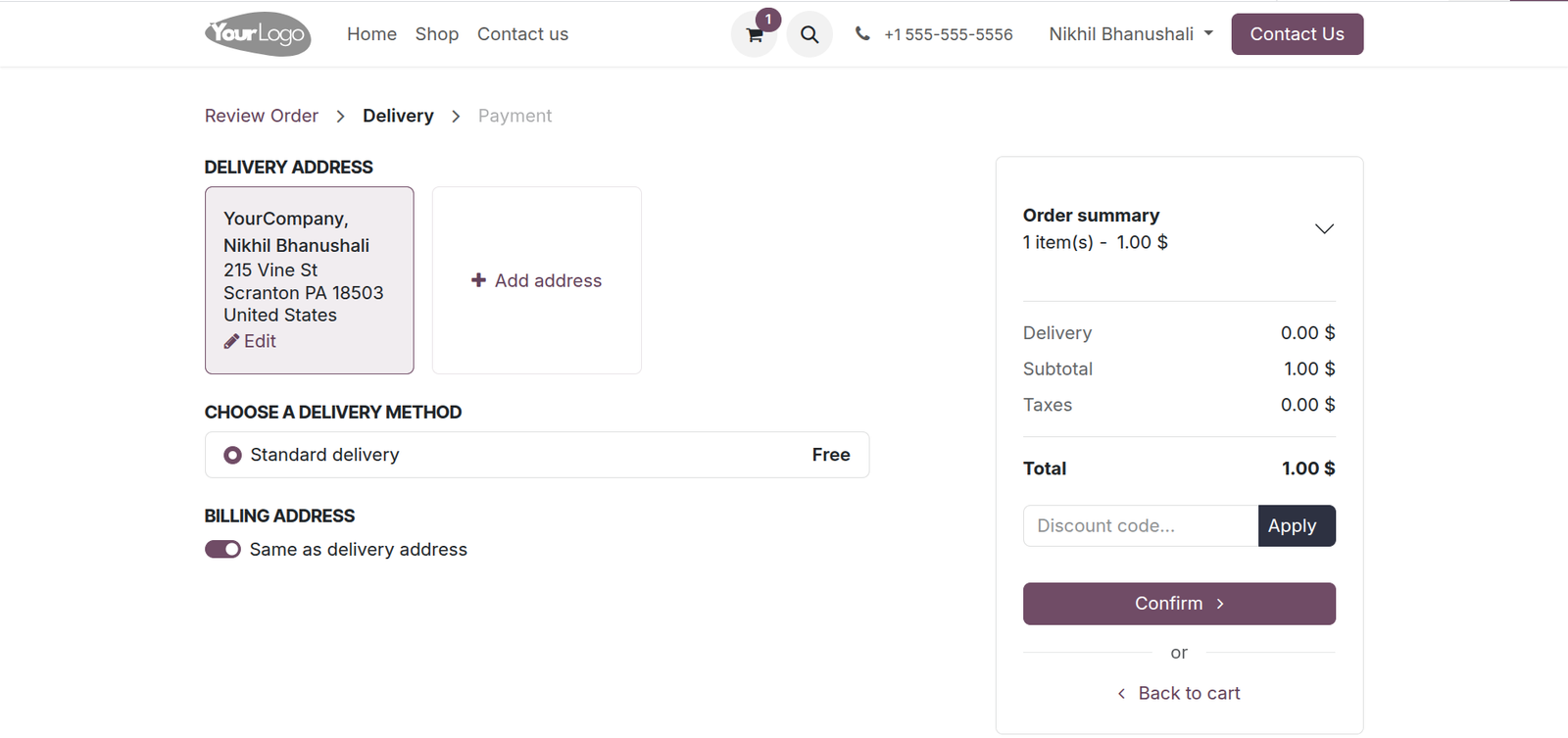
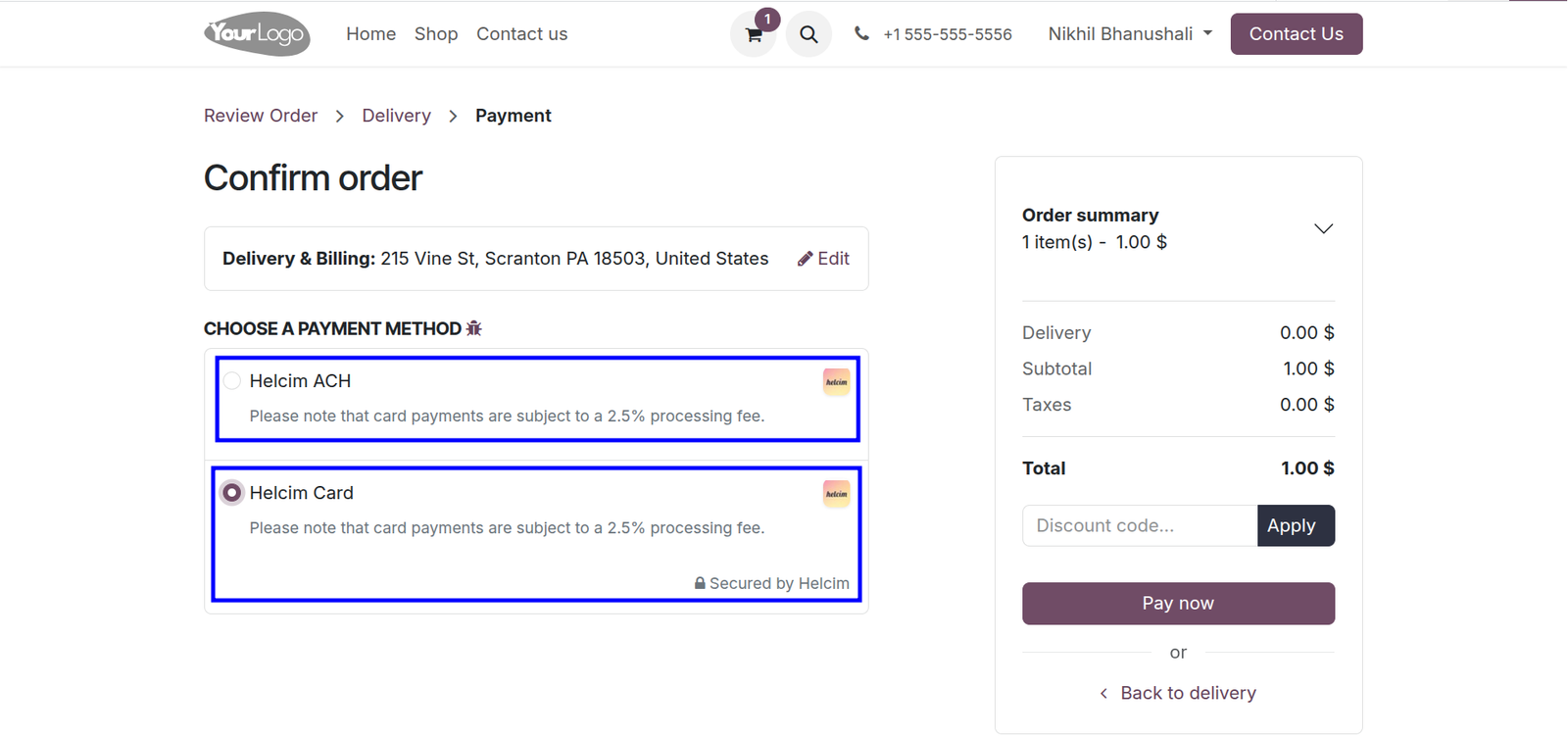


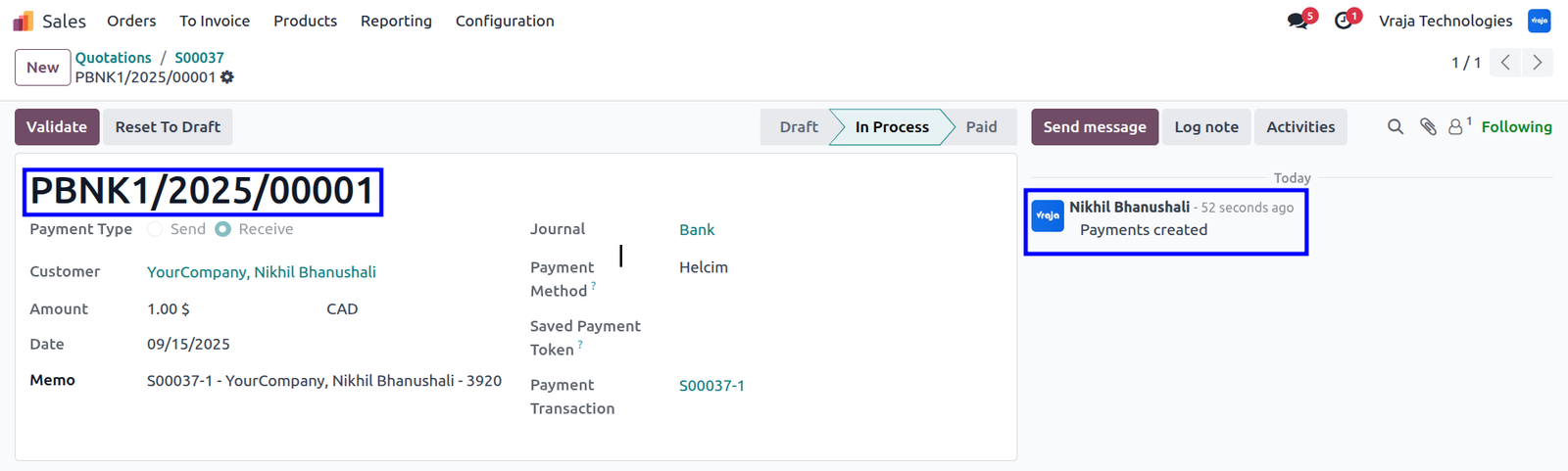
05 After successful payment, a transaction is created and linked with the Sale Order in Odoo backend.

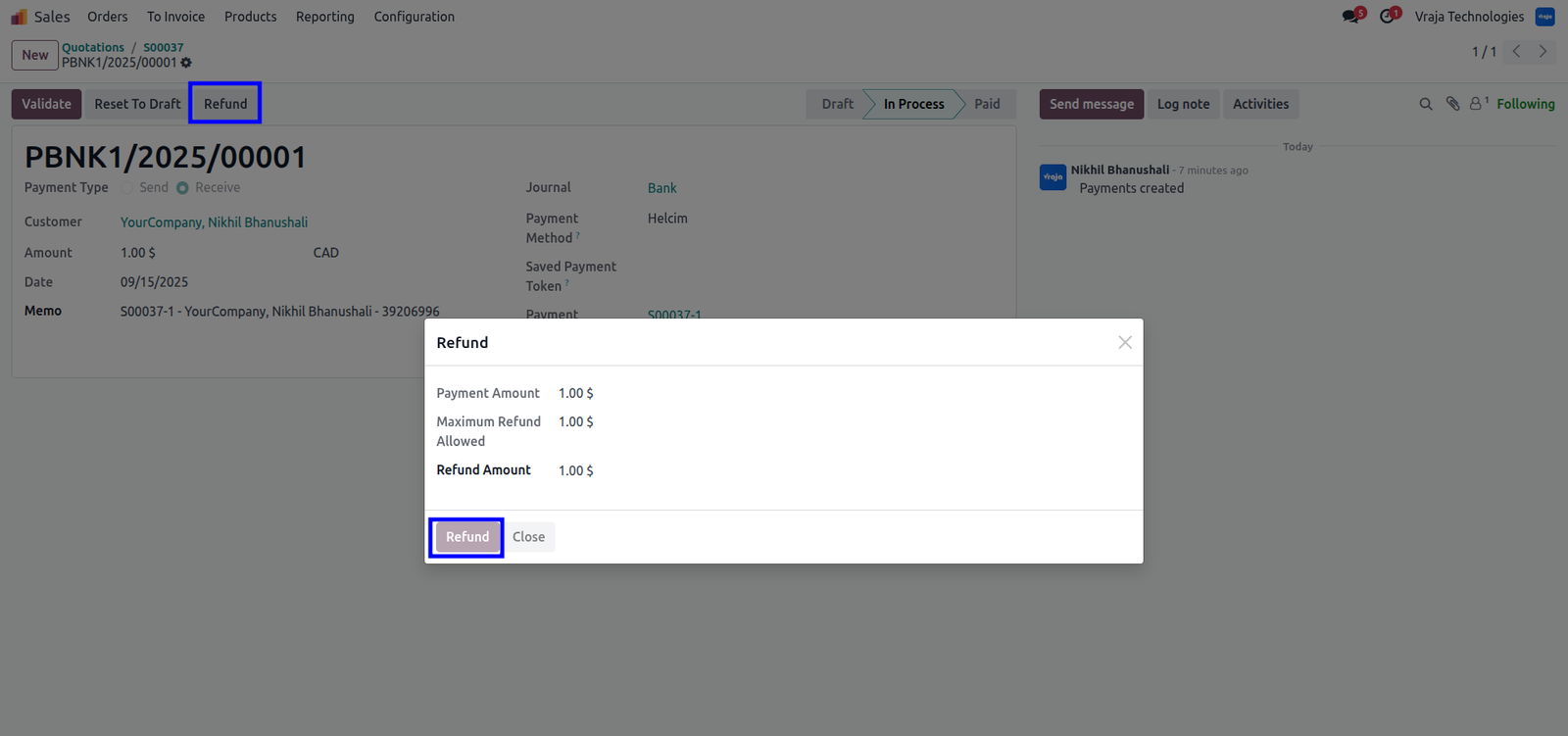
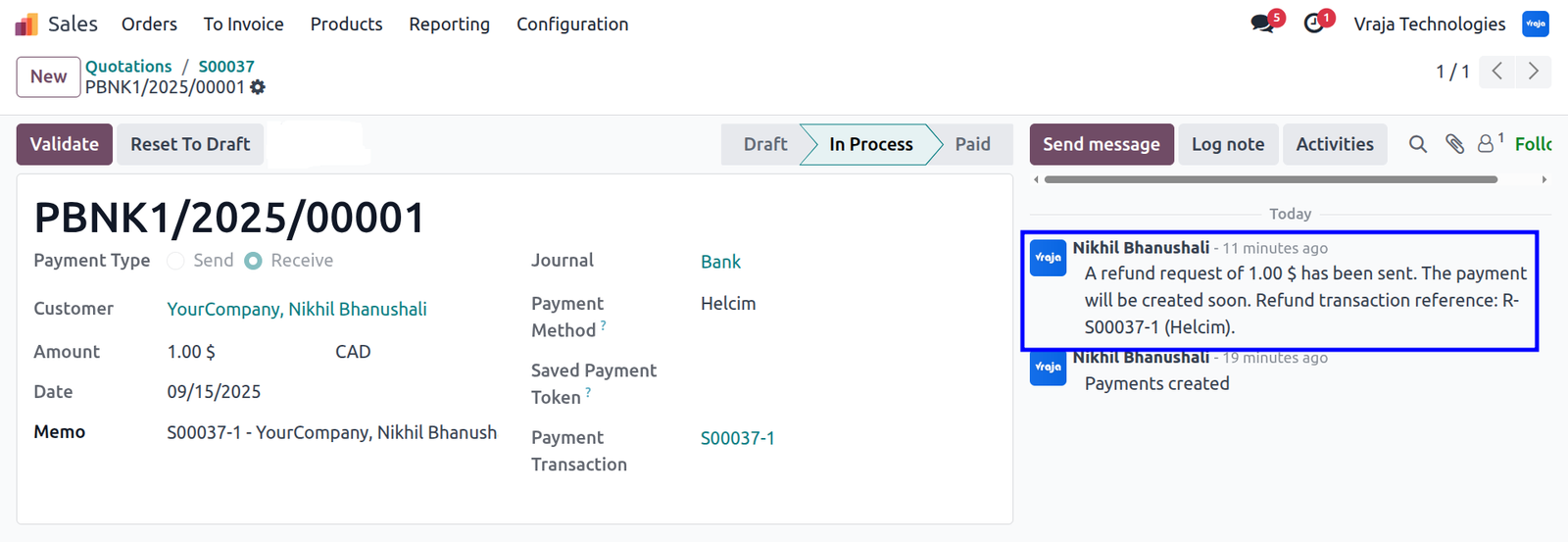
06 Click the Refund button, confirm in the wizard, and Odoo will process and record the refund via Helcim.
|
|
Accept payments directly from Odoo customer invoices and sales orders.Yes, customers can make payments directly through Odoo customer invoices and sales orders. |
|
|
Pass the Odoo invoice number to Helcim and associate the transaction with the correct customer.Yes, we pass the customer number along with the transaction amount to Helcim. |
|
|
Can I issue refunds from Odoo?Yes. Use the Refund button and confirm through the refund wizard. |
|
|
Save customer credit cards securely using Helcim card tokens.Yes, customers' cards can be saved for future use. |
|
|
Store and associate Helcim customer codes with Odoo contacts.Yes, we use the customer code when processing payment transactions. |
|
|
Charge previously saved credit cards for future and recurring invoices.Charging previously saved credit cards for future and recurring invoices is currently not supported. |
|
|
Process full and partial refunds directly from Odoo.Yes, both full and partial refunds are supported. |
|
|
Receive and verify Helcim webhook notifications to automatically update Odoo payment records.Webhook handling and verification are not currently implemented in our module. |
|
|
Prevent duplicate payments when webhook notifications are received more than once.Yes, we use the transaction ID to prevent duplicate payment processing. |
|
|
Record the Helcim transaction ID in Odoo's existing Transaction ID field.Yes, Helcim transaction IDs are stored in Odoo payment transaction records. |
|
|
Automatically reconcile customer payments against their invoices.Yes, payments are automatically reconciled with the corresponding invoices. |
|
|
Properly handle Helcim card-terminal transactions and cancellations.Yes, Helcim card-terminal transaction handling is supported. |
|
|
I would like to request a custom feature for this application. What’s the process to get it implemented?We’re happy to help tailor the application to meet your business needs! You can reach us via sales@vrajatechnologies.com |
|
|
Who is the point of contact for technical support, configuration support or bug-related queries?You can reach us via support@vrajatechnologies.com |
|
|
Included App Support90 Days Complimentary Support for Supported Versions If you encounter issues caused by the app itself, our team provides complimentary support for 90 days from the date of purchase for supported Odoo versions. |
Included App Support
90 Days Complimentary Support for Supported Versions
If you encounter issues caused by the app itself, our team provides complimentary support for 90 days from the date of purchase for supported Odoo versions.

Customer SupportNeed help with installation, configuration, technical issues, or general questions about the module? Submit a support ticket through our dedicated support portal. |
||
|
Support Portal
vrajatechnologies.com/helpdesk
|
Support PolicyReview our support policy for complete information about support coverage, issue eligibility, exclusions, version compatibility, and other support conditions. |
||
|
Support Policy
vrajatechnologies.com/support-policy
|
Scan for Support
|
||
|
Support Portal
vrajatechnologies.com/helpdesk
|