Explore the key features, workflow, and value of this Odoo module.
|
|
Automatic Attachment Conversion:Converts files automatically based on predefined rules without manual action. |
|
|
PDF to ZPL Conversion:Supports conversion of PDF files into ZPL format for label printing. |
|
|
Chatter-Based Processing:Works directly from Odoo messages and attachments. |
|
|
Auto File Attachment:Attaches the converted file back to the same message automatically. |
|
|
Seamless Odoo Integration:Fully integrated with Odoo’s chatter and messaging system. |
|
|
Optimized for Single-Page Files:Ensures best performance and accuracy for single-page conversions. |
01 After installing the module, go to Settings → Attachment Converter.
| where, you will find the configuration screen there you can manage and create conversion rules. |
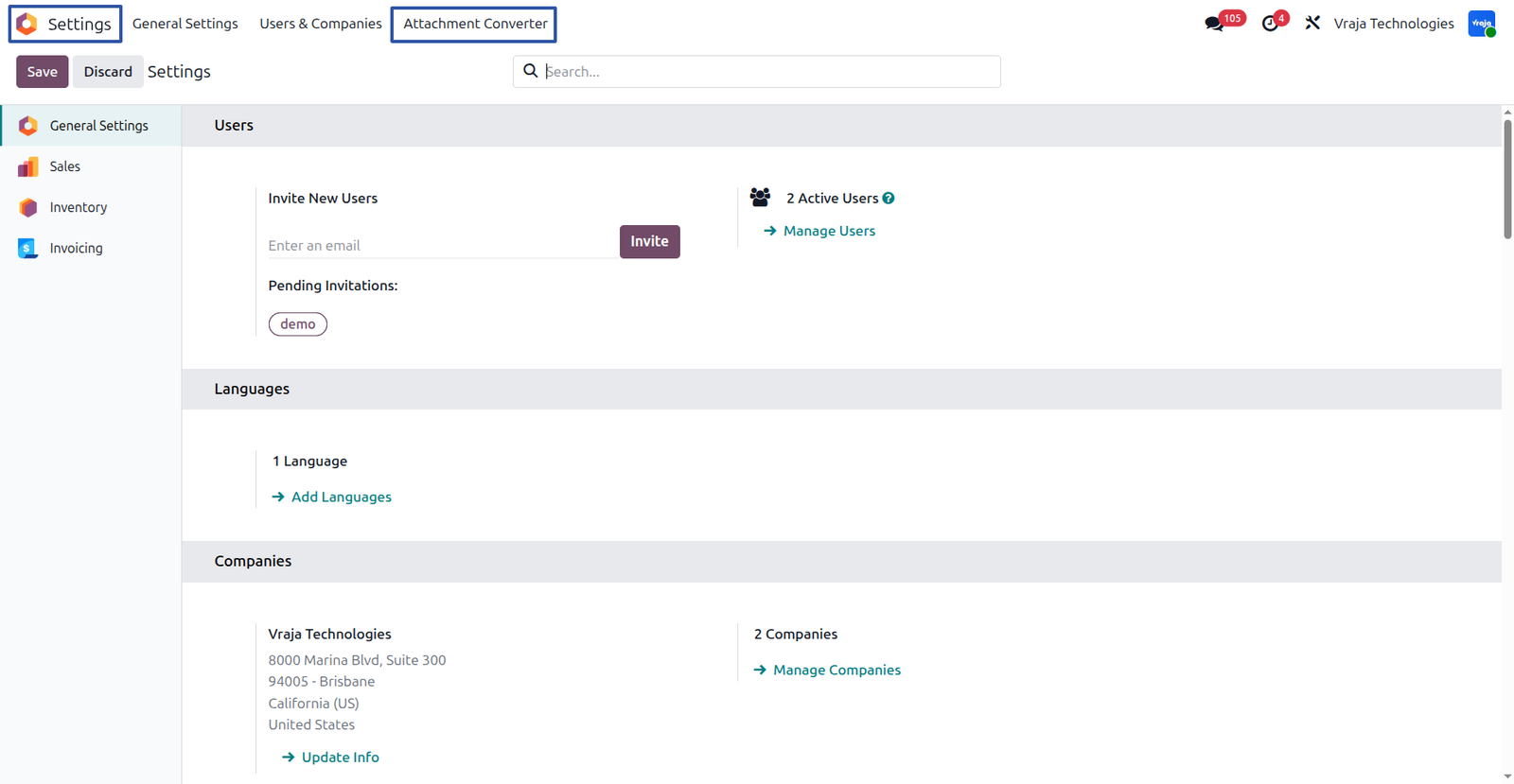
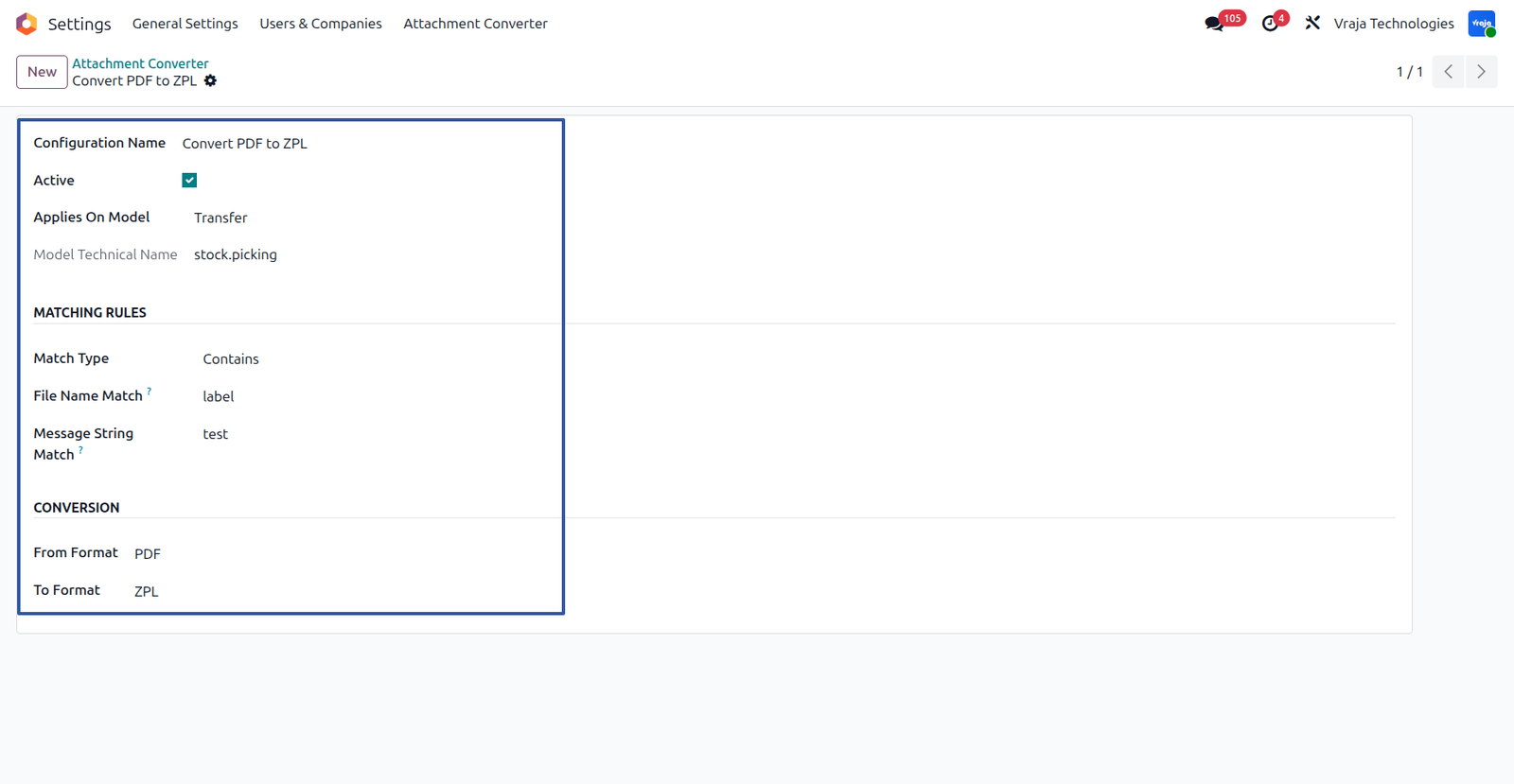
02 When you click on New, you will see a form like below:
Configuration Name : Enter a name for your configuration (e.g., Convert PDF to ZPL).
Active : Enable this option to activate the configuration. (Default it is enable).
Applies On Model : Select the model where this conversion should work (e.g., Transfer, Sale Order, etc.).
Model Technical Name : This is auto-filled based on the selected model.
03 Matching Rules
Match Type: Choose how the file name should match:
- Contains
- Starts With
- Ends With
File Name Match : Enter the keyword to match in the attachment file name (e.g., "label").
Message String Match : Enter text to match in the message body (optional).
Note : If either file name or message content matches, conversion will trigger.
04 Conversion Settings
From Format : Select the source format (PDF or ZPL).
To Format : Select the target format (ZPL or PDF).
Click on Save to activate the configuration.
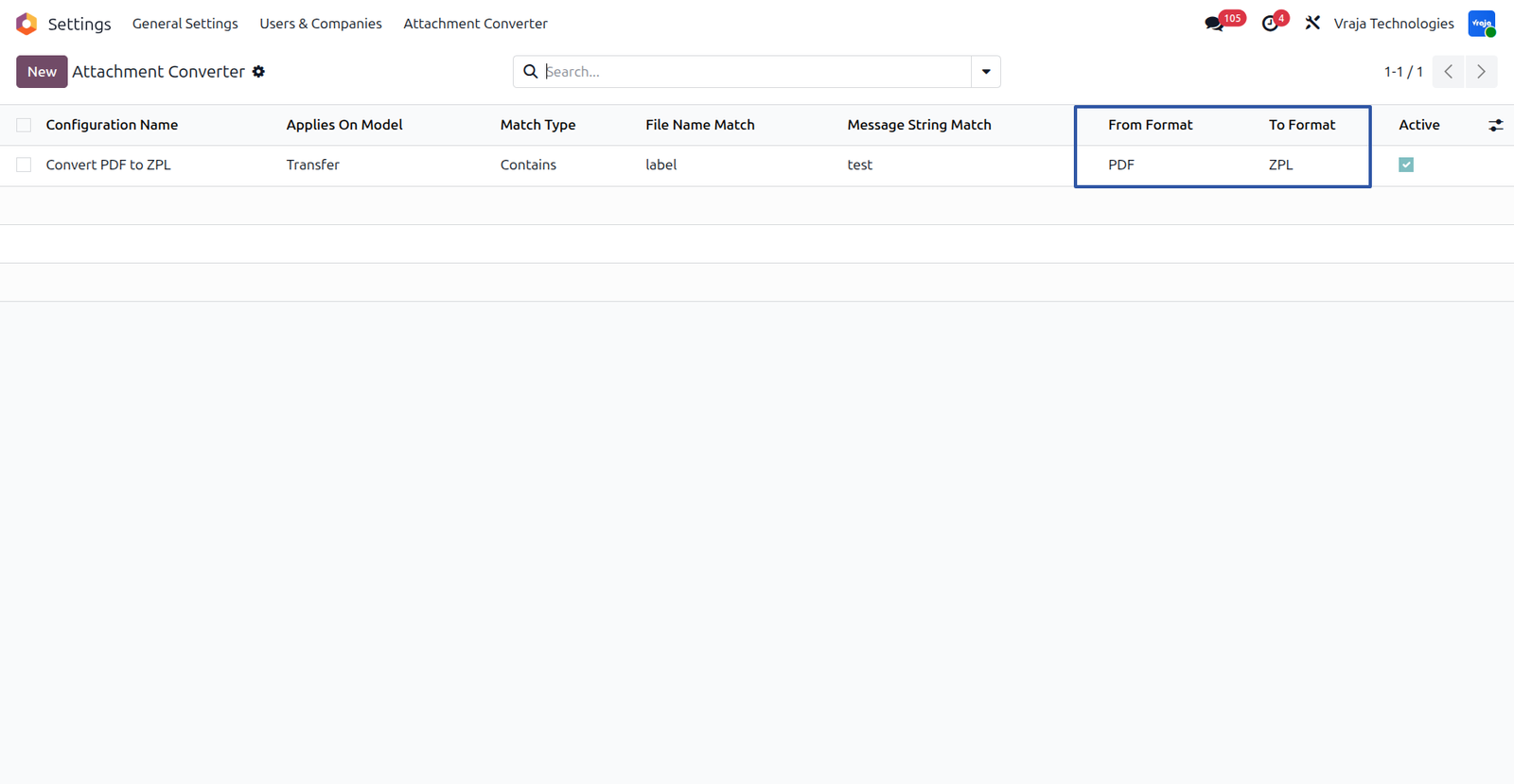
05 PDF to ZPL convertion process :
- Once the configuration for PDF to ZPL is set up, the conversion works automatically during business operations.
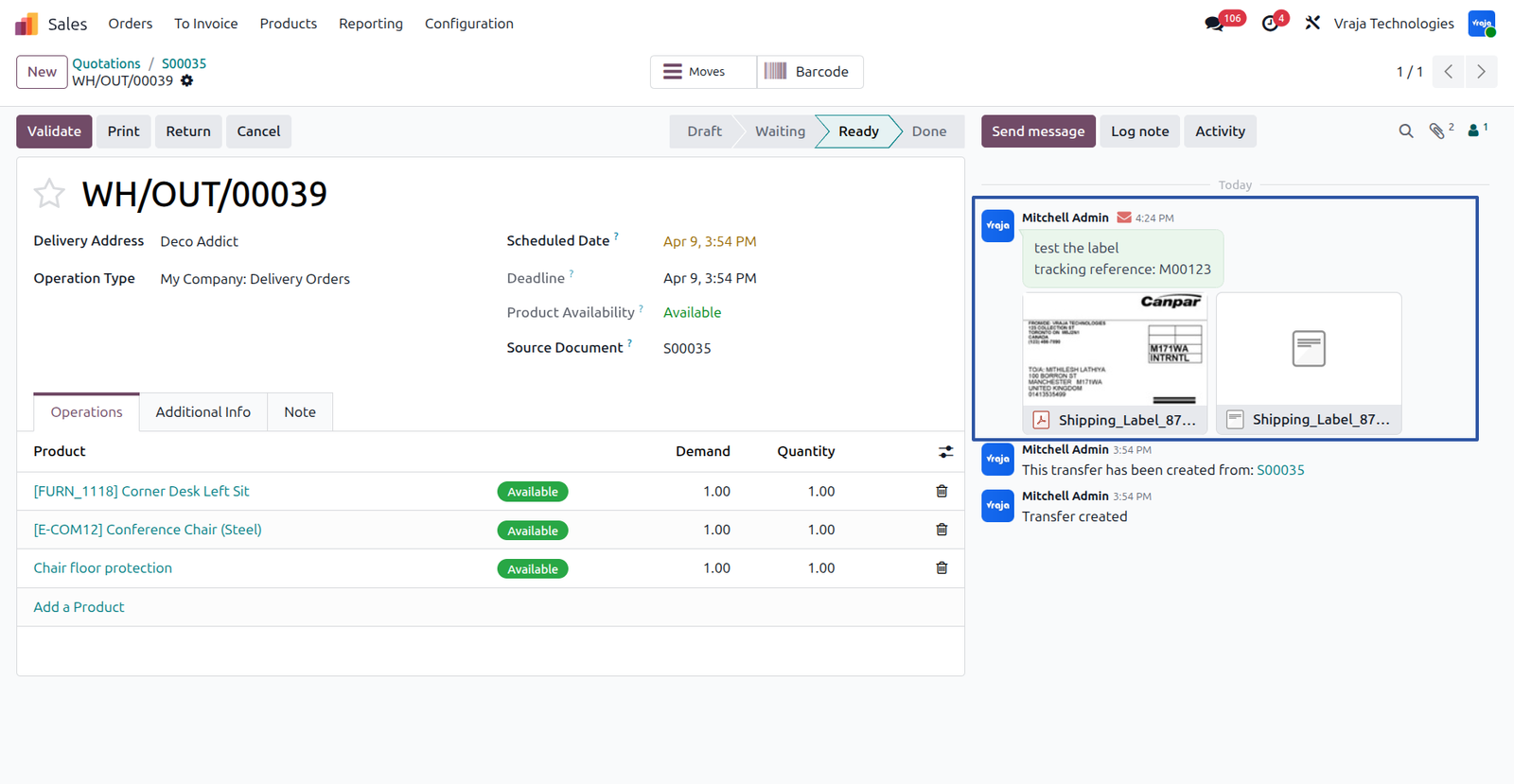
06 For example,During the shipping process, when a shipment is created, a shipping label is received in PDF format and attached to the record. If ZPL format is required for printing, the system detects the attachment based on configured rules and automatically triggers the conversion.
| The PDF file is converted into ZPL format, and the converted ZPL file is attached back to the same record in the chatter, making it easy to access and use for label printing. |
07 ZPL to PDF convertion process:
-Once the configuration for ZPL to PDF is set up, the conversion works automatically during business operations.
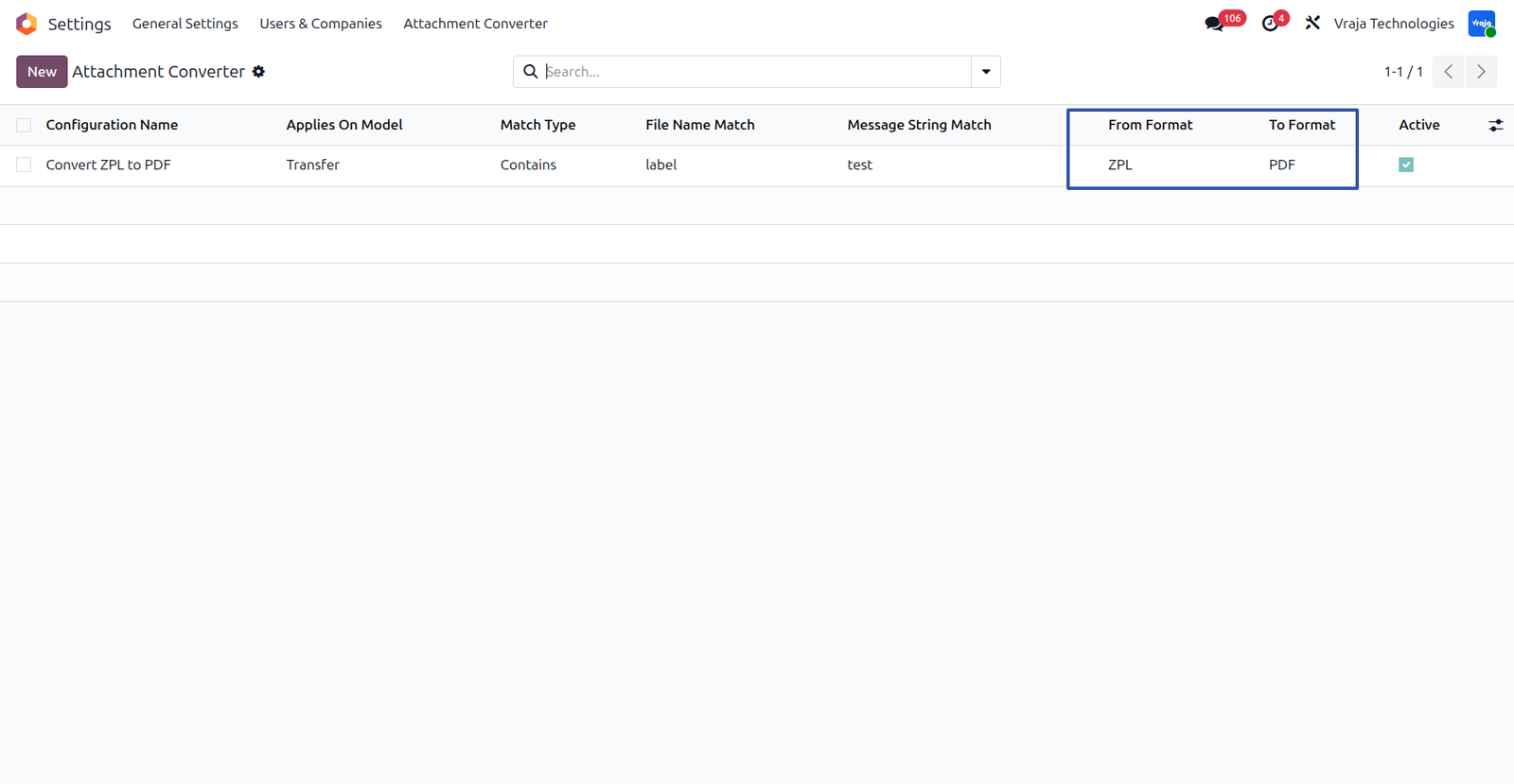
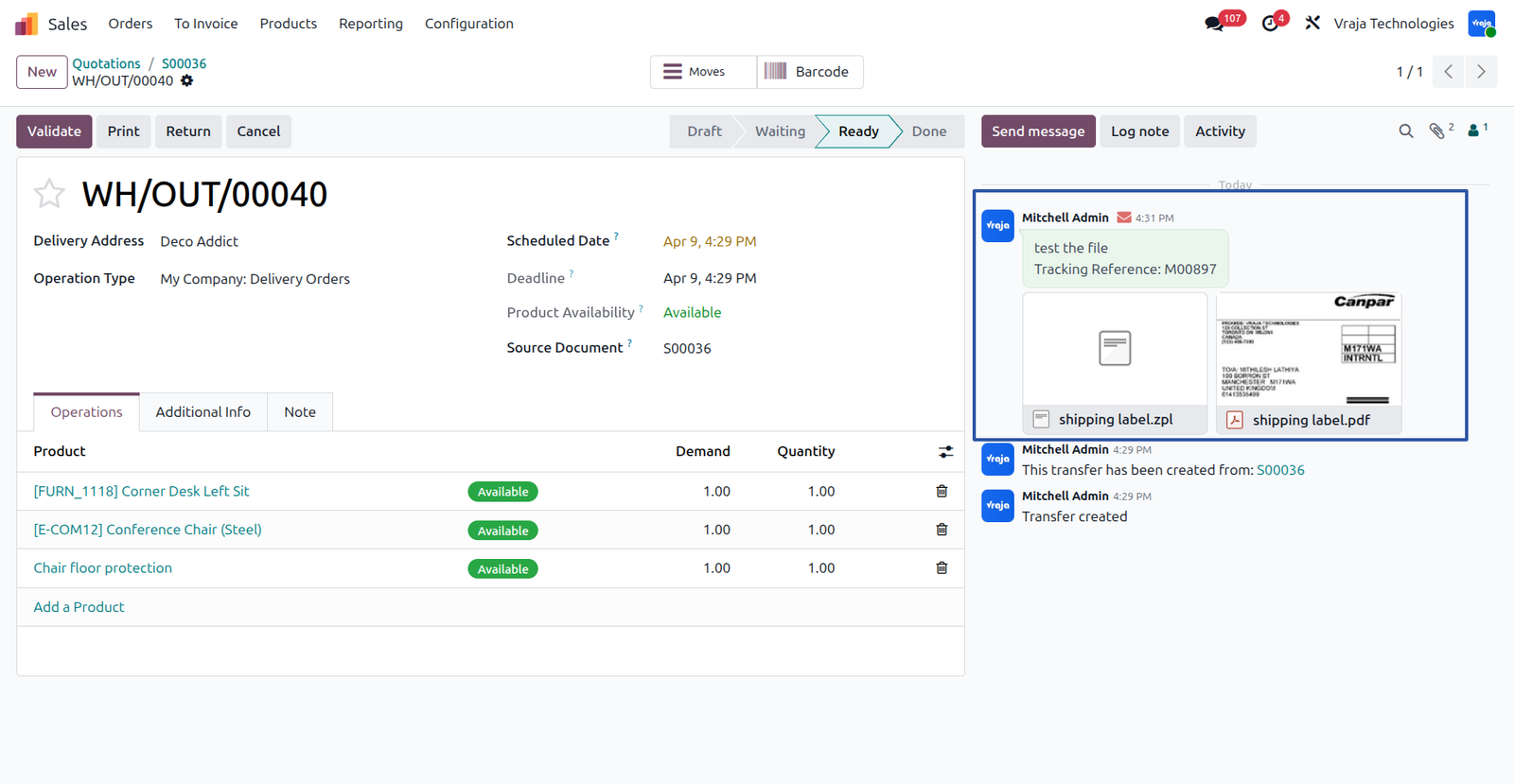
08 For example,During the shipping or integration process, if a label is received in ZPL format and attached to a record, the system detects it based on the configured rules and automatically triggers the conversion when PDF format is needed for viewing or sharing.
| The ZPL file is converted into PDF format, and the converted PDF file is attached back to the same record in the chatter, allowing users to easily view, download, and share the document. |
|
|
Does the conversion happen automatically?Yes, once the configuration is set, the conversion happens automatically when an attachment matches the defined conditions. |
|
|
Where can I find the converted file?The converted file is attached to the same record in the chatter, along with the original file. |
|
|
Can I configure both PDF to ZPL and ZPL to PDF?Yes, you can create separate configurations for(PDF → ZPL / ZPL → PDF). |
|
|
Does it support multi-page files?The module works best with single-page files. Multi-page conversions may not always produce optimal results. |
|
|
Can I apply this to specific models only?Yes, you can configure the conversion for specific models like Sales Orders, Delivery Orders, etc. |
|
|
What happens if conversion fails?If the conversion fails, no new attachment is created or inside chatter. |
|
|
I would like to request a custom feature for this application. What’s the process to get it implemented?We’re happy to help tailor the application to meet your business needs! You can reach us via sales@vrajatechnologies.com |
|
|
Who is the point of contact for technical support, configuration support or bug-related queries?You can reach us via support@vrajatechnologies.com |
|
|
Included App Support90 Days Complimentary Support for Supported Versions If you encounter issues caused by the app itself, our team provides complimentary support for 90 days from the date of purchase for supported Odoo versions. |
Included App Support
90 Days Complimentary Support for Supported Versions
If you encounter issues caused by the app itself, our team provides complimentary support for 90 days from the date of purchase for supported Odoo versions.

Customer SupportNeed help with installation, configuration, technical issues, or general questions about the module? Submit a support ticket through our dedicated support portal. |
||
|
Support Portal
vrajatechnologies.com/helpdesk
|
Support PolicyReview our support policy for complete information about support coverage, issue eligibility, exclusions, version compatibility, and other support conditions. |
||
|
Support Policy
vrajatechnologies.com/support-policy
|
Scan for Support
|
||
|
Support Portal
vrajatechnologies.com/helpdesk
|