Explore the key features, workflow, and value of this Odoo module.
|
|
Export bulk or batch payment transaction files (MT101) for vendor payments. |
|
|
Export single payment transaction files for vendor payments. |
|
|
Primarily used for international payment processing. |
|
|
Supports SWIFT CBA message formats MT101. |
|
|
Supports FTP communication protocols for secure data transfer. |
01 Configuration
After installing the application, the FTP/SFTP syncing menu becomes accessible.

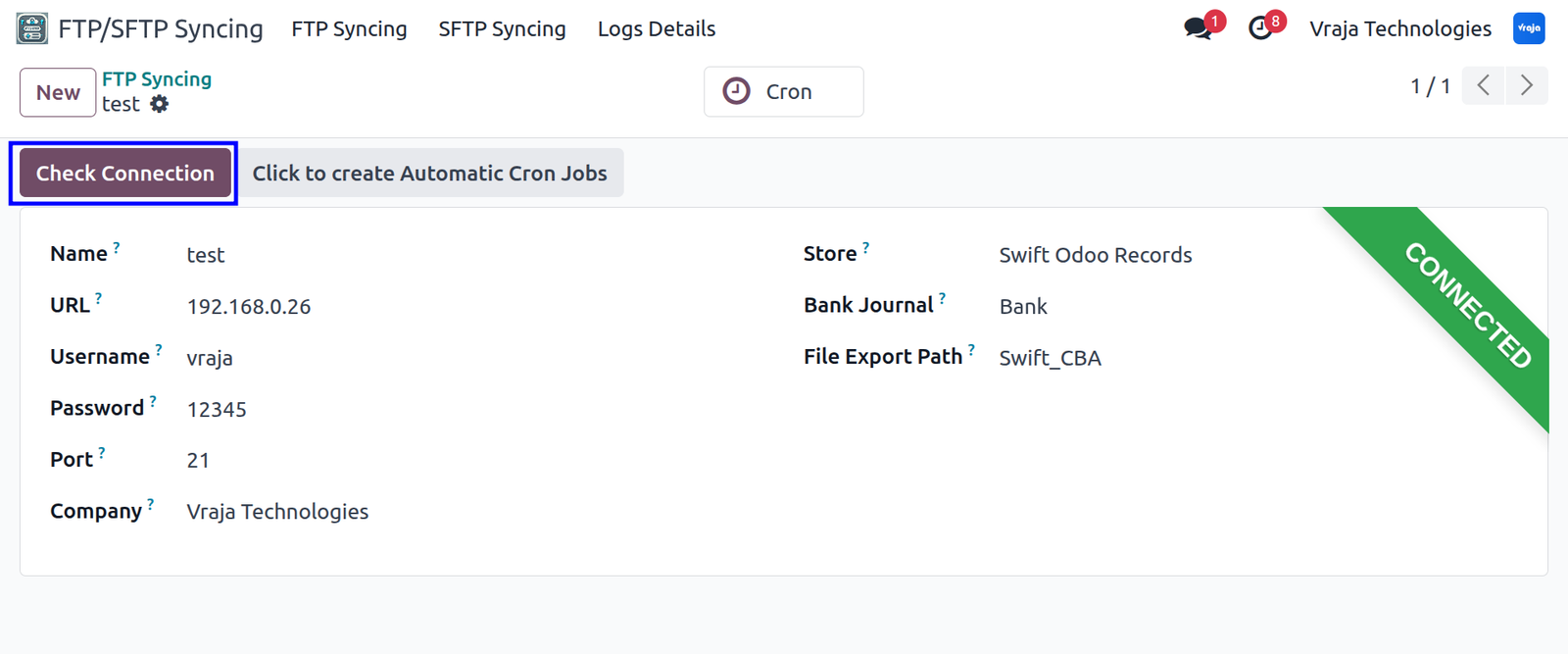
On this screen, enter the FTP credential details for server connection. Use the 'Check Connection' button to verify connectivity. Next, select the 'Swift CBA Odoo Records' store, specify the journal whose payment you want to export, and define the server directory names for exporting.
02 SINGLE PAYMENT PROCESS
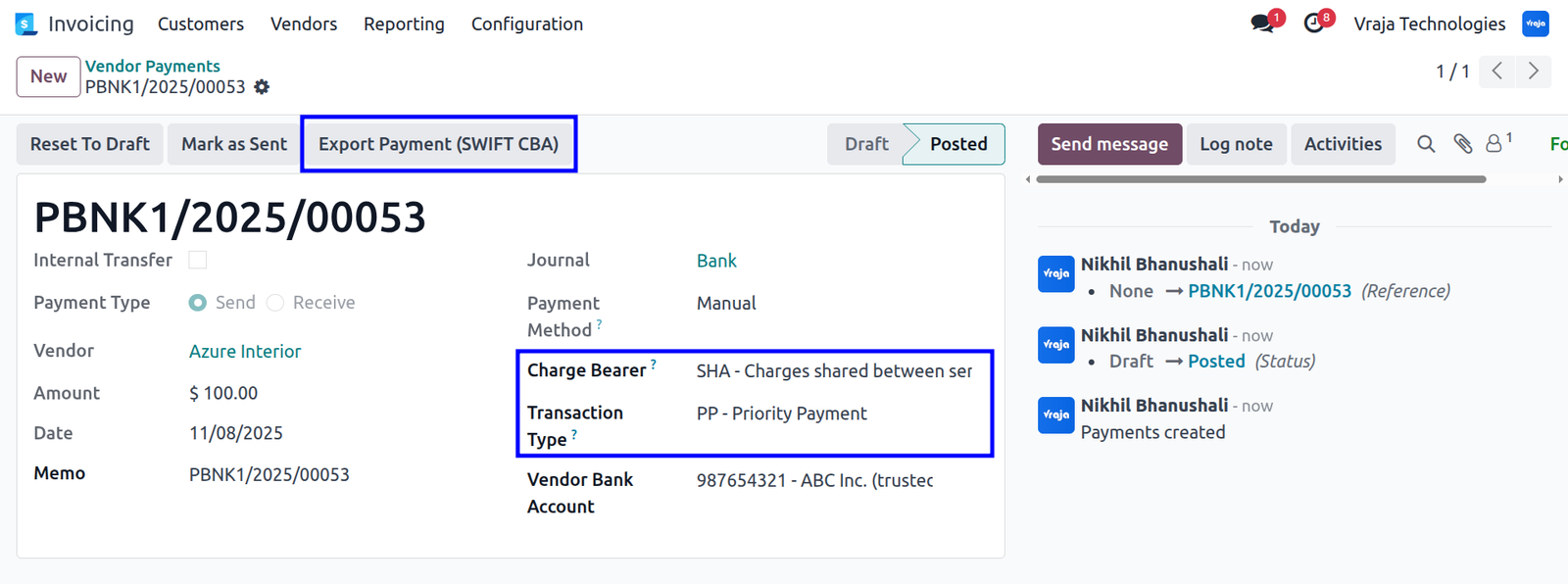
You can select the method for 'Charge Bearer' for single payment transfer. You can export single payment to FTP via 'Export Single Payment to FTP' button.

After Successfully Exporting the file to the FTP, You can see the Success Notification on the screen and related FTP where file is exported as well as that file attached to that record and you can see in chatter area.
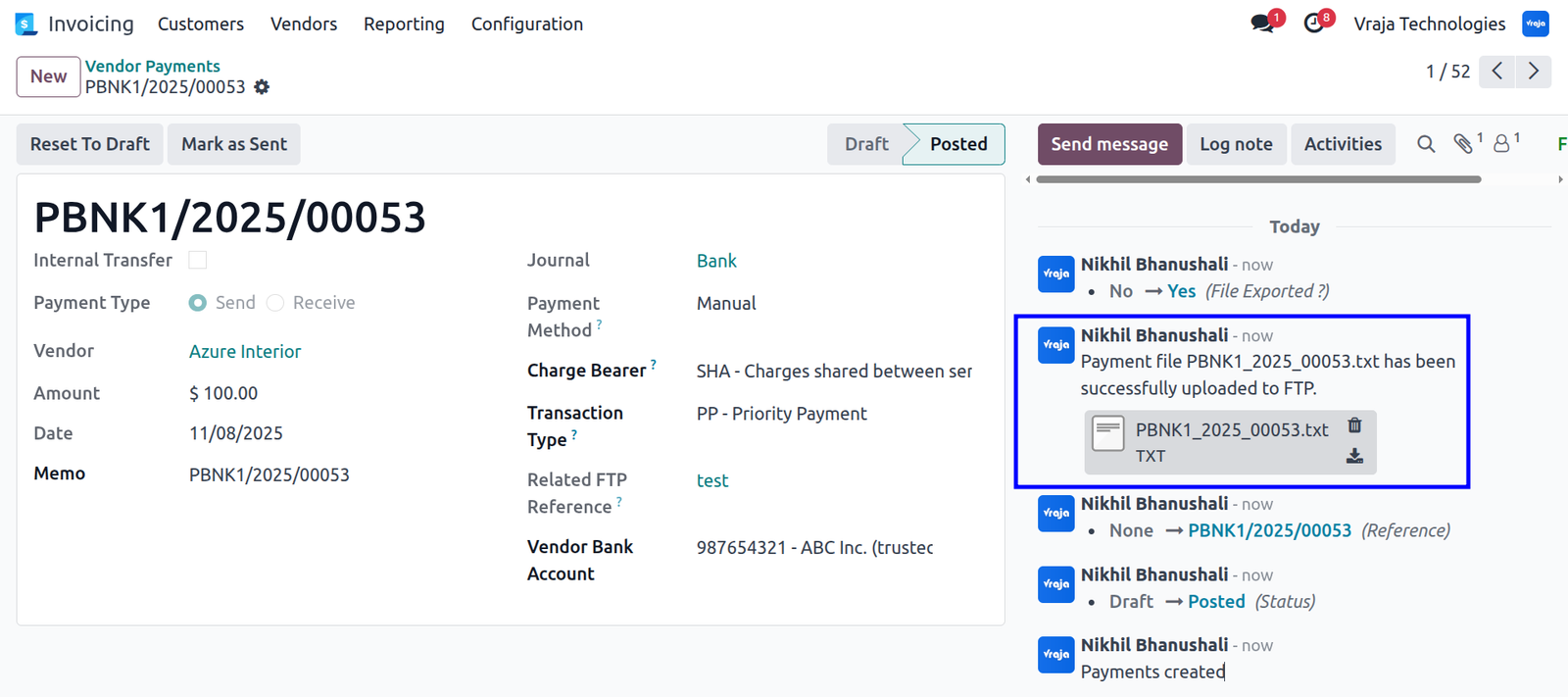
The exported file can be viewed as an attachment.

03 BATCH/BULK PAYMENT Process
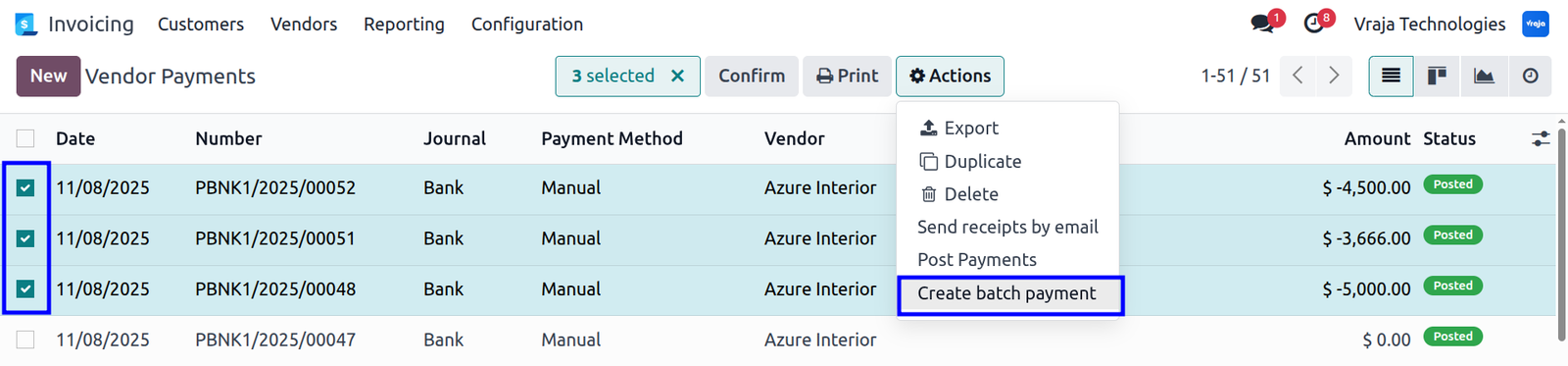
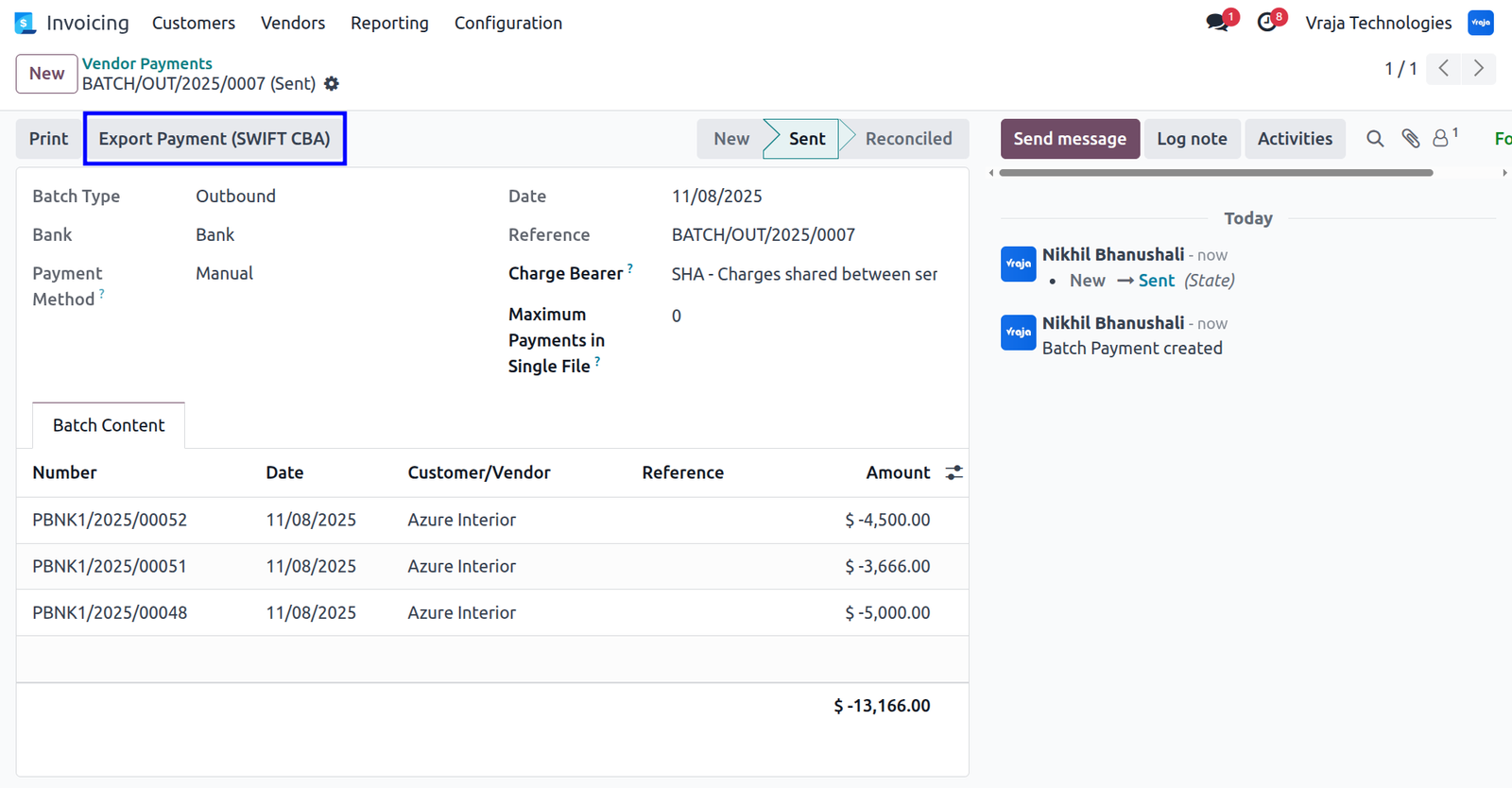
You can select the method for 'Charge Bearer' for batch payment transfer. You can also choose the maximum number of payments that include in a single file, so based on it we will split file if required. You can export Batch payment to FTP via 'Export Batch Payment To FTP' button.
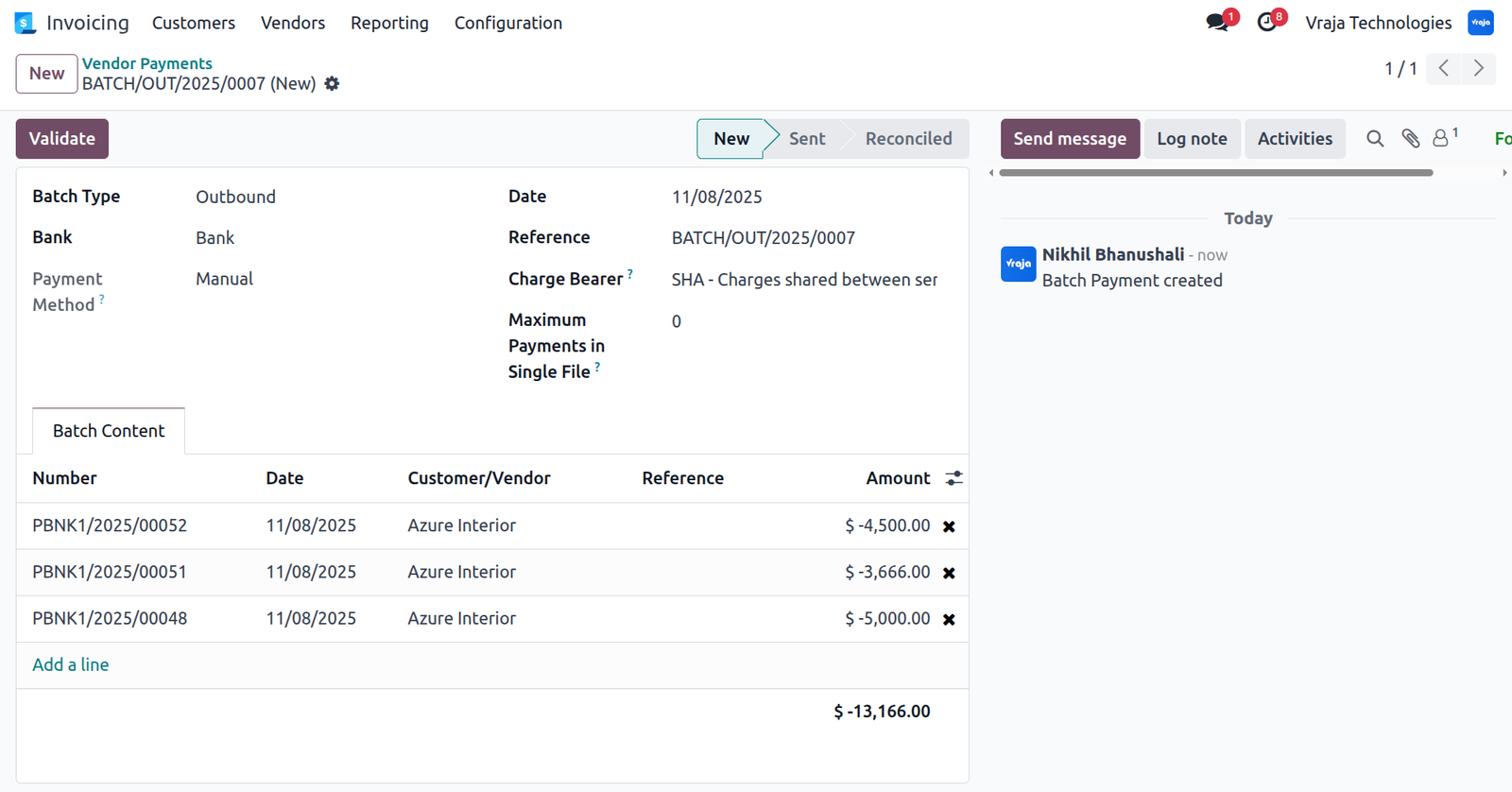
After Successfully Exporting the file to the FTP, You can see the Success Notification on the screen and related FTP where file is exported.
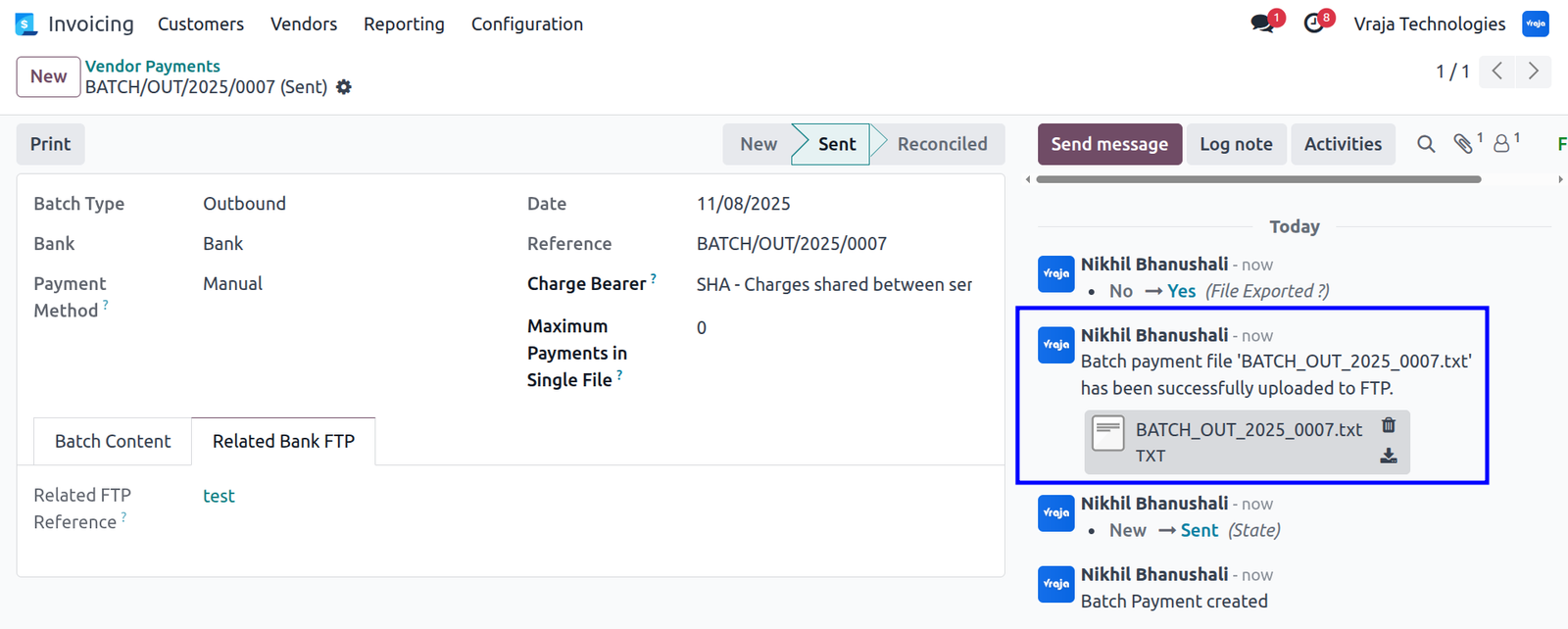
You can also see the exportred files that attached to that record and you can see in chatter area, that says how many files are exported.

The exported file can be viewed as an attachment.
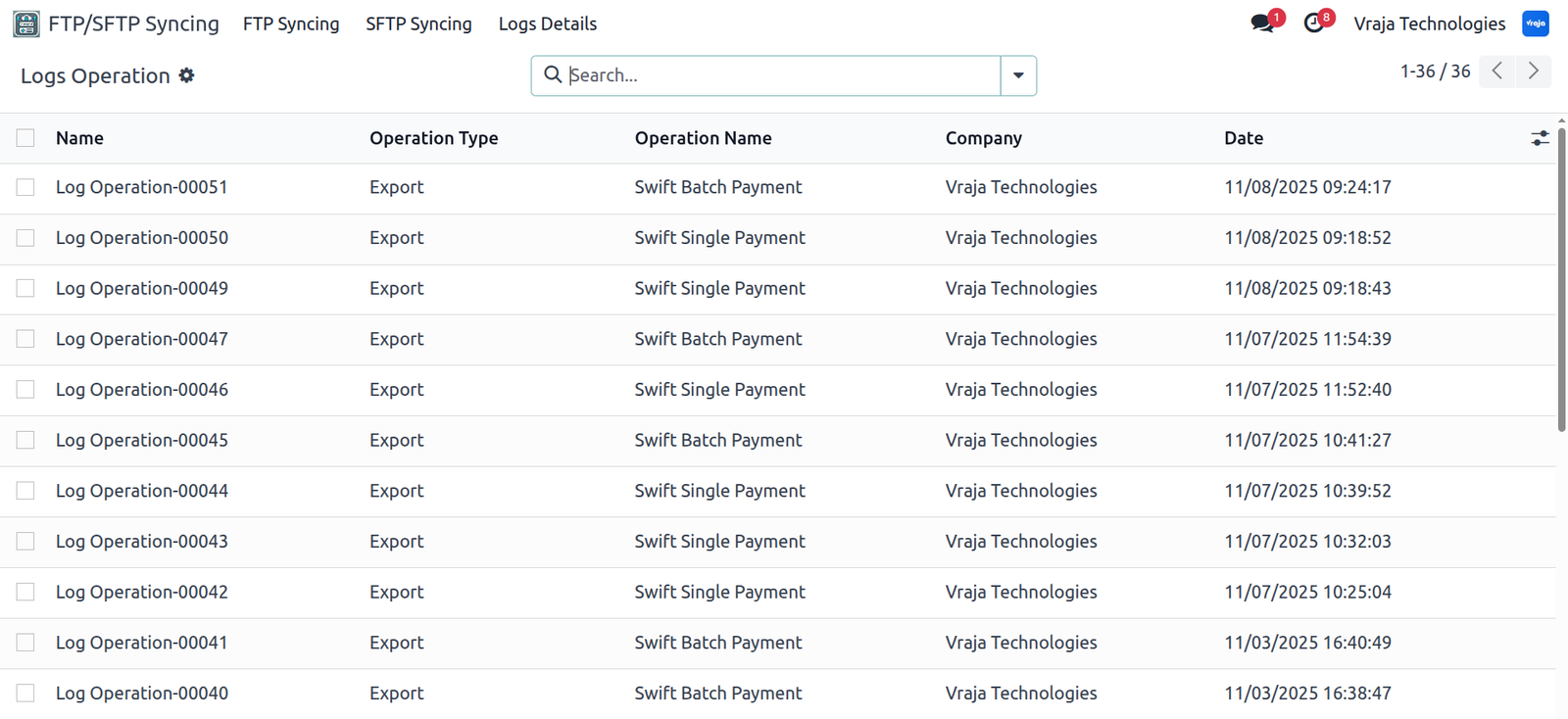
Log details can be found under the 'Log Details' menu in FTP/SFTP syncing, capturing both successful and failed operations for reference.
|
|
I need an extra customization in this application, how can I get it?Yes, you can contact us on support@vrajatechnologies.com or can schedule a DEMO with our team to customize additional features. |
|
|
I need an extra customization in this application, how can I get it?Yes, you can contact us on mailto:support@vrajatechnologies.com or can schedule a DEMO with our team to customize additional features. |
|
|
Is the application compatible with Odoo Enterprise and Community?Yes, this application module is supported by both. It is also compatible with test and production environments. |
|
|
Do I get free upgrades and support if I purchase this application?We provide free support for the first 90 days following the purchase date. |
|
|
Is technical knowledge required to set up the integration?While some technical understanding may be helpful, the integration is designed to be user-friendly. Detailed documentation and support may be provided to aid in the setup process. |
|
|
Is this free customization and implementation?Our team has produced a support video that guides you through the implementation process step by step. If you encounter any issues, please feel free to contact us for assistance. |
|
|
Which protocol you have used to transfer file?We have used FTP protocol to transfer files. |
|
|
Included App Support90 Days Complimentary Support for Supported Versions If you encounter issues caused by the app itself, our team provides complimentary support for 90 days from the date of purchase for supported Odoo versions. |
Included App Support
90 Days Complimentary Support for Supported Versions
If you encounter issues caused by the app itself, our team provides complimentary support for 90 days from the date of purchase for supported Odoo versions.

Customer SupportNeed help with installation, configuration, technical issues, or general questions about the module? Submit a support ticket through our dedicated support portal. |
||
|
Support Portal
vrajatechnologies.com/helpdesk
|
Support PolicyReview our support policy for complete information about support coverage, issue eligibility, exclusions, version compatibility, and other support conditions. |
||
|
Support Policy
vrajatechnologies.com/support-policy
|
Scan for Support
|
||
|
Support Portal
vrajatechnologies.com/helpdesk
|