
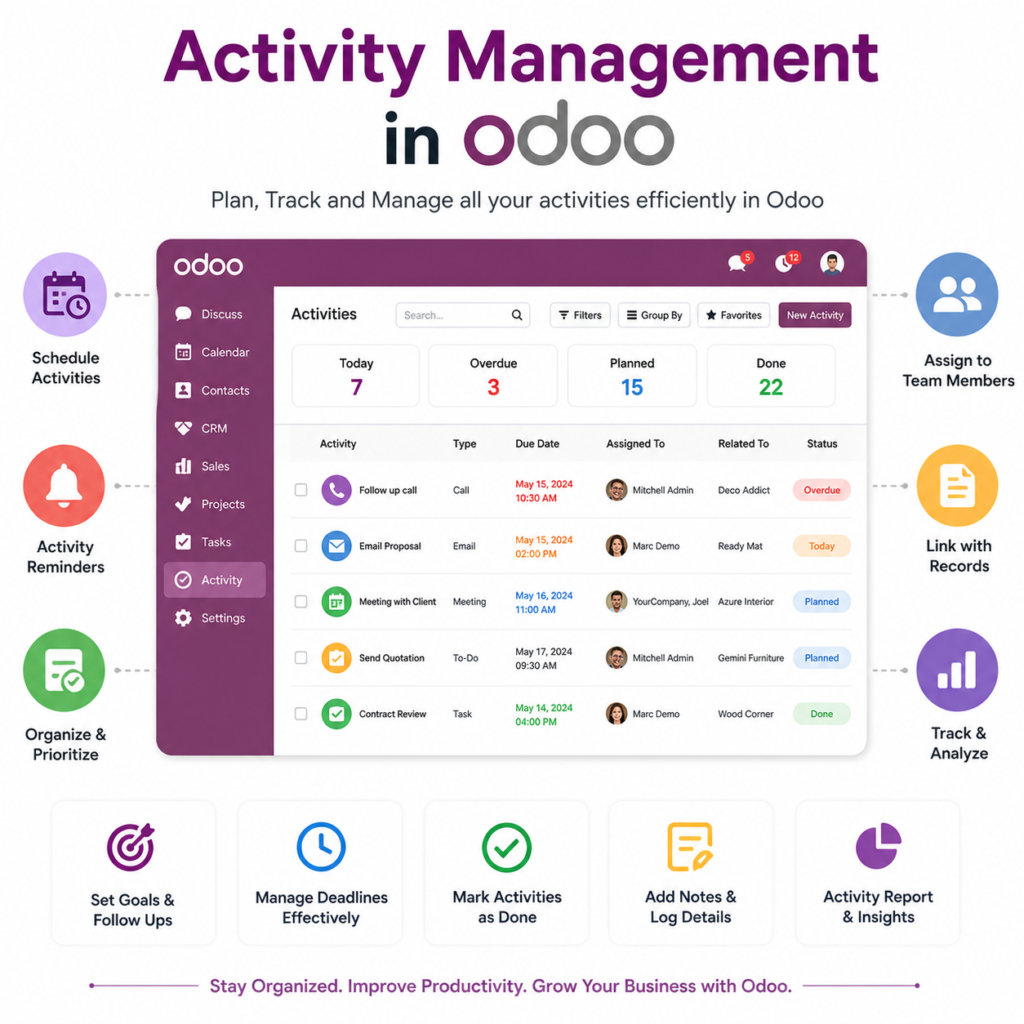
Description
.png)
 Enterprise Community Odoo.sh
Activities Management
This module delivers a structured, automated, and role-based activity management system powered by intelligent Activity Rules that automatically generate tasks based on configured conditions, ensuring the right activities are created at the right time without manual effort, helping teams stay organized, prioritize work, collaborate through multi-user assignments, and manage tasks efficiently using advanced views, search tools, reminders, cancellations, and recurring options, while enabling businesses to standardize follow-up processes, reduce missed actions, boost productivity, and maintain consistent workflows.
 Watch on YouTube
We specialize in delivering advanced Odoo solutions across multiple domains. Our expertise includes:
EDI & SWIFT/ACH Payment Integrations
End-to-end EDI automation, including X12, EDIFACT, XML standards, & financial integrations such as SWIFT, ACH, & Fedwire.

eCommerce Integrations
Seamless integration with leading eCommerce platforms to sync products, orders, inventory, and customer data in real time.

Shipping Integrations
Robust shipping connectors for global couriers, offering automated label generation, tracking, and rate computation.
Most Useful Apps for your ERP
A wide range of highly-rated Odoo modules designed to enhance automation, improve productivity, & simplify business operations.
 Features
 Process
 FAQs
FAQs
 Activity Dashboard – Get a clear overview of all activities in one place.
Dashboard Counters – Monitor activity records with real-time counters for better tracking.
Role-Based Activity Structure – Managers, Supervisors, and Employees see activities based on their access level.
Automated Activity Rules – Automatically create activities based on rule configurations and defined conditions.
Multi-User Assignment – Assign a single activity to multiple users for better collaboration.
Activity Reminders – Configure reminders to notify users before activity due dates.
Advanced Search Panel – Quickly filter and find activities from the list view.
Activity Priority Levels – Set priorities to focus on the most important tasks.
Recurring Activities – Automatically generate repeated activities for routine tasks.
Activity Dashboard – Get a clear overview of all activities in one place.
Dashboard Counters – Monitor activity records with real-time counters for better tracking.
Role-Based Activity Structure – Managers, Supervisors, and Employees see activities based on their access level.
Automated Activity Rules – Automatically create activities based on rule configurations and defined conditions.
Multi-User Assignment – Assign a single activity to multiple users for better collaboration.
Activity Reminders – Configure reminders to notify users before activity due dates.
Advanced Search Panel – Quickly filter and find activities from the list view.
Activity Priority Levels – Set priorities to focus on the most important tasks.
Recurring Activities – Automatically generate repeated activities for routine tasks.
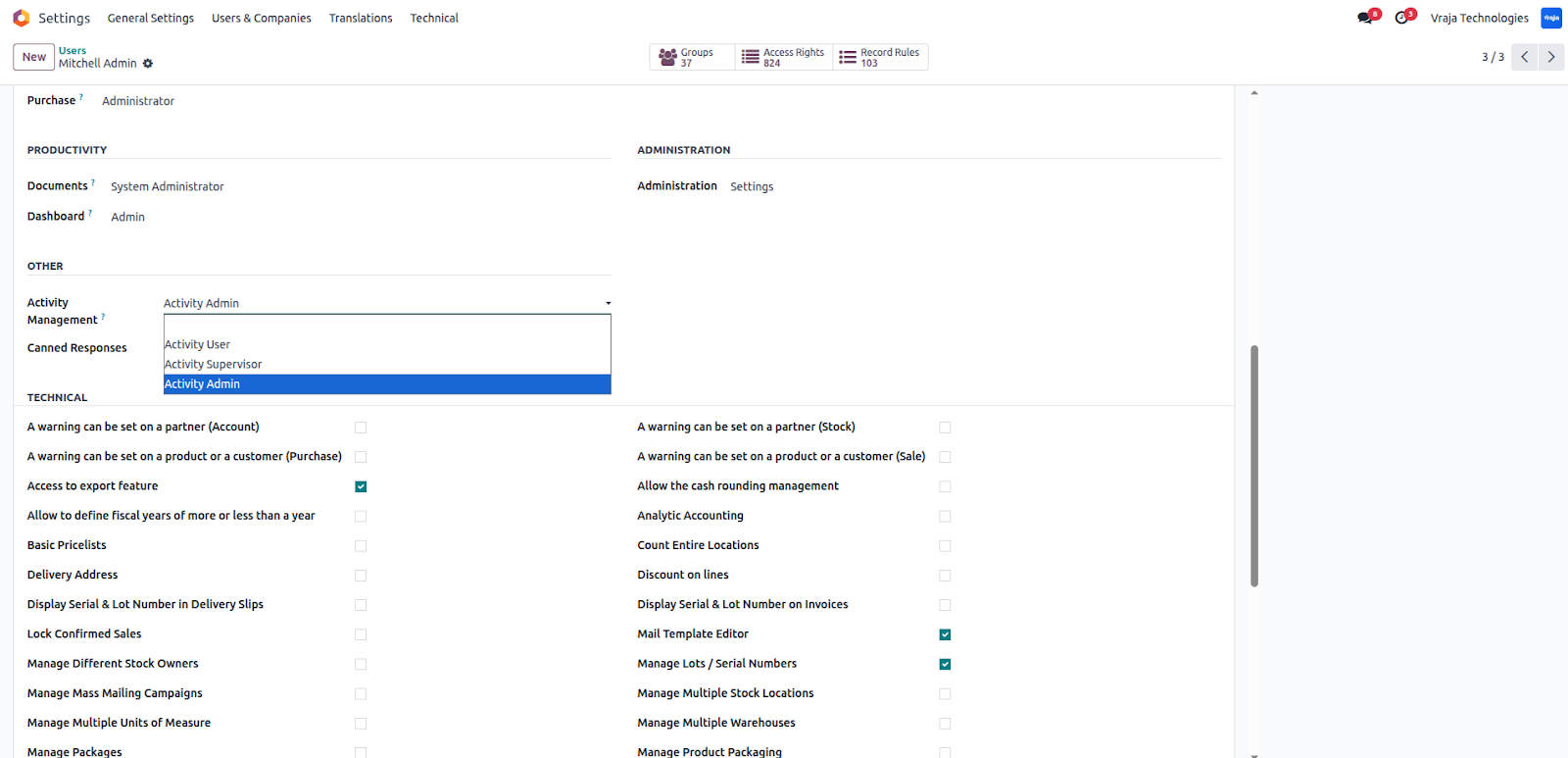
Activity Management User Configuration
Define users based on their responsibility level to ensure a proper activity structure:
- Activity User – Can view and manage only their own assigned activities.
- Activity Supervisor – Can monitor their team’s activities along with their own tasks.
- Activity Manager / Admin – Has full access to all activities across users and teams.
This role-based configuration ensures clear responsibility, better monitoring, and controlled access to activity data.
Activity Management Dashboard Configuration
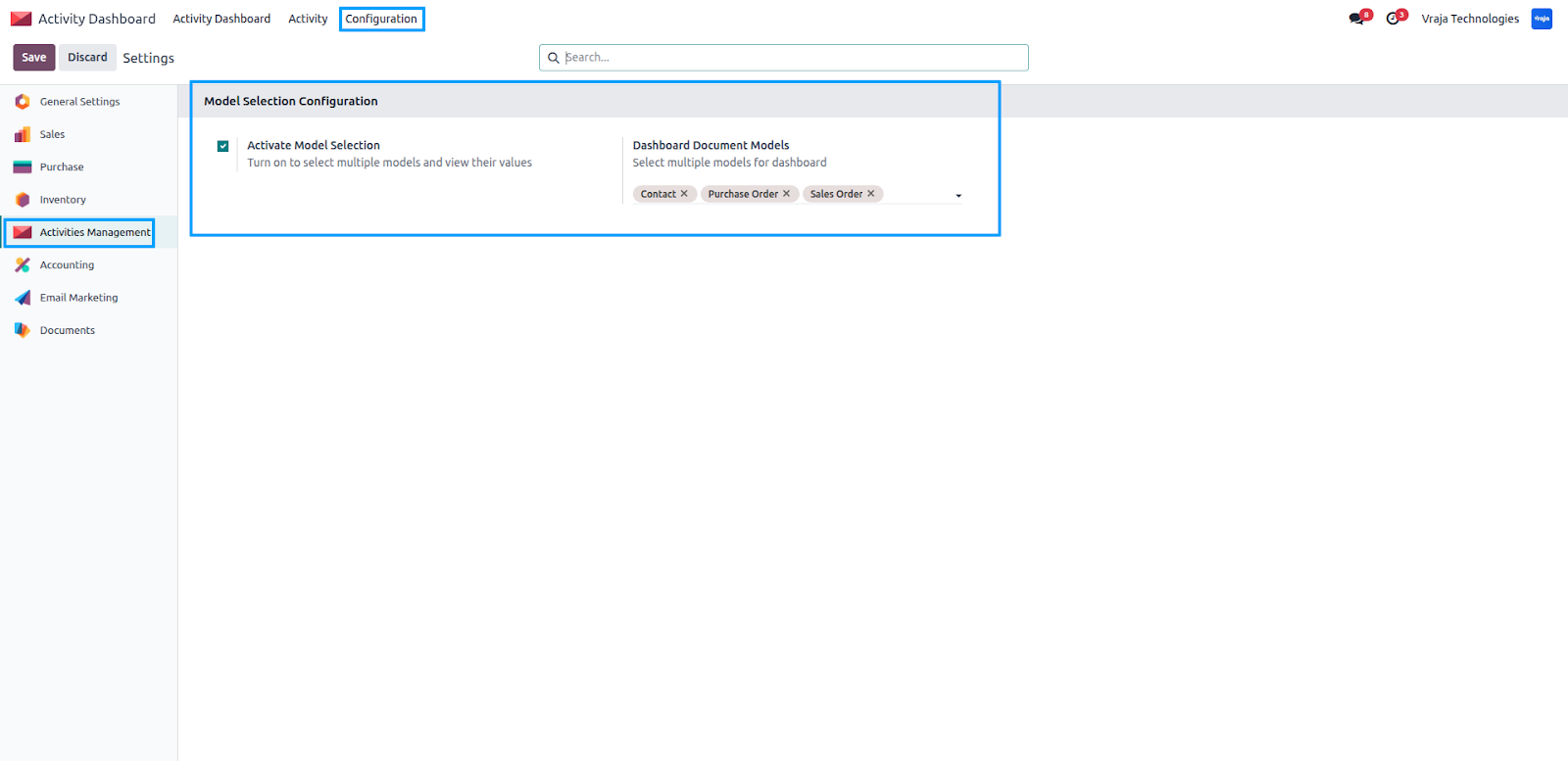
Navigate to Activity Management → Configuration → Settings to configure the dashboard.
From the settings, select the document models that you want to display on the Activity Dashboard. This allows the system to filter and show activities based on the chosen models, giving users a focused and relevant activity overview.
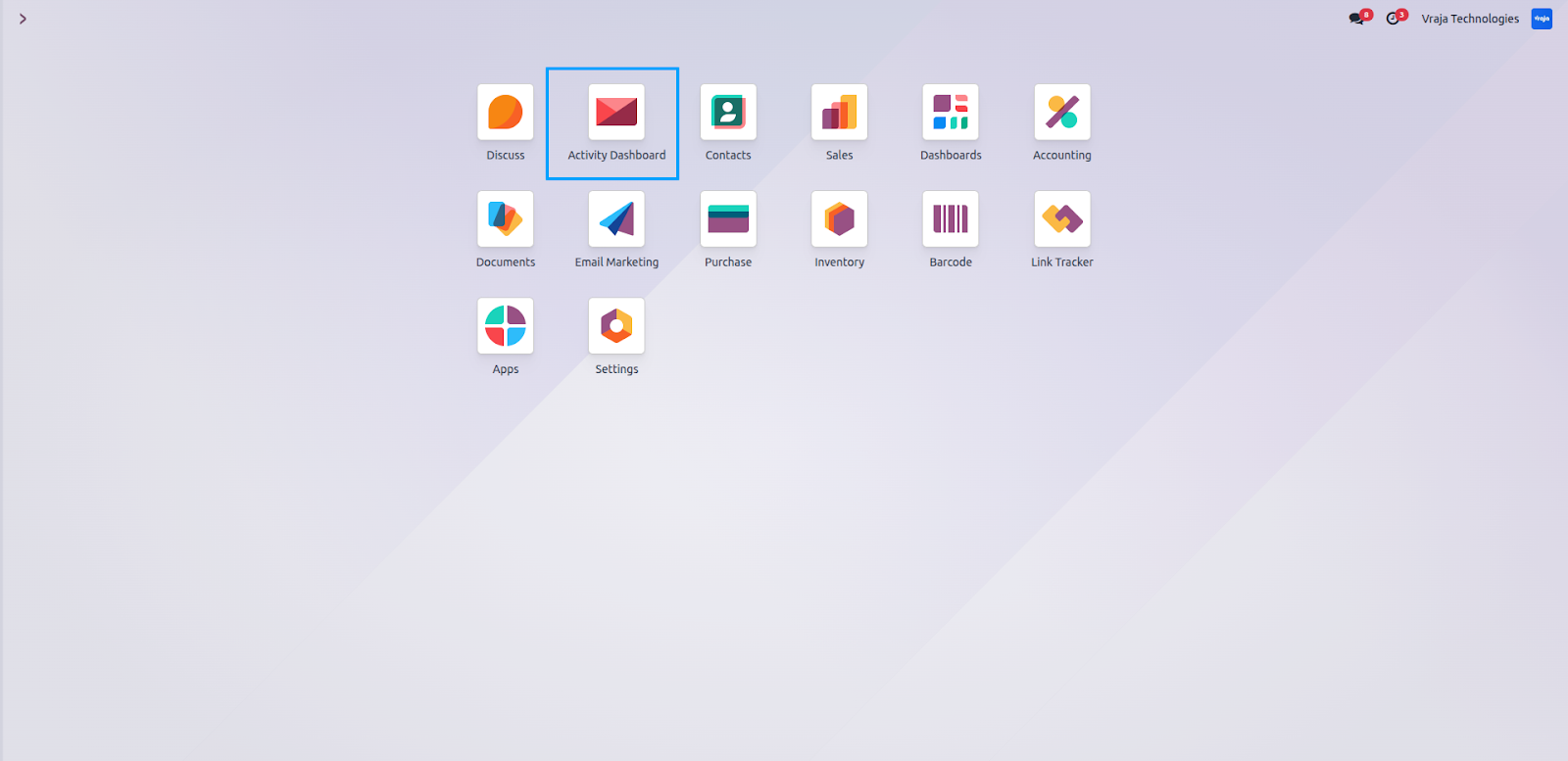
Activities Dashboard Access
Configuration
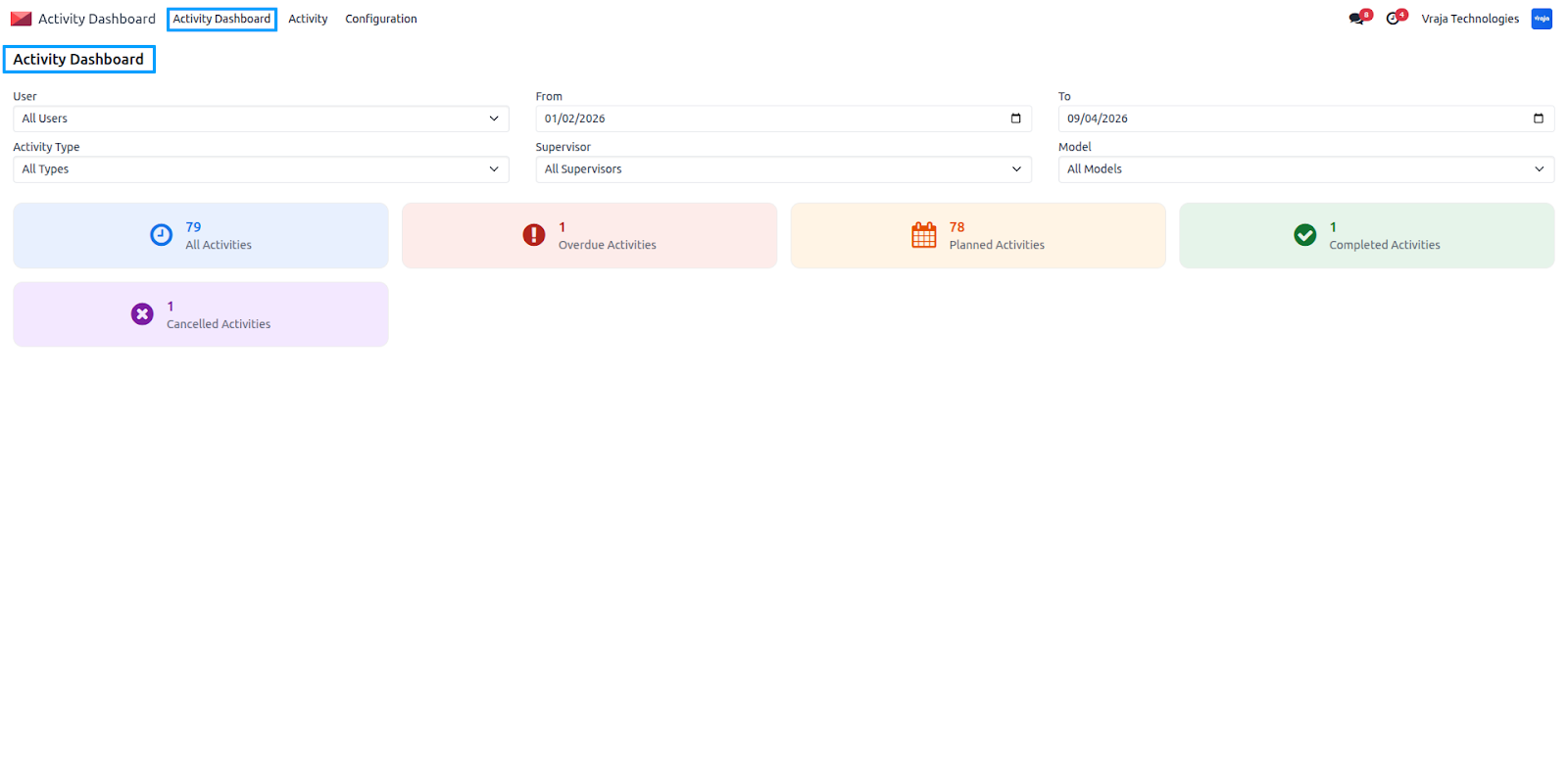
The Activity Dashboard provides filtered views based on user roles to ensure structured monitoring and control.
Activity Admin / Manager
Admins can view all activities across users and teams. They can filter records by user, supervisor, document model, activity type, and date range (From–To) to get a complete overview of activity performance.
Activity Supervisor
Supervisors can monitor activities assigned to their team members along with their own tasks. The dashboard allows filtering by document model and date range to track team progress efficiently.
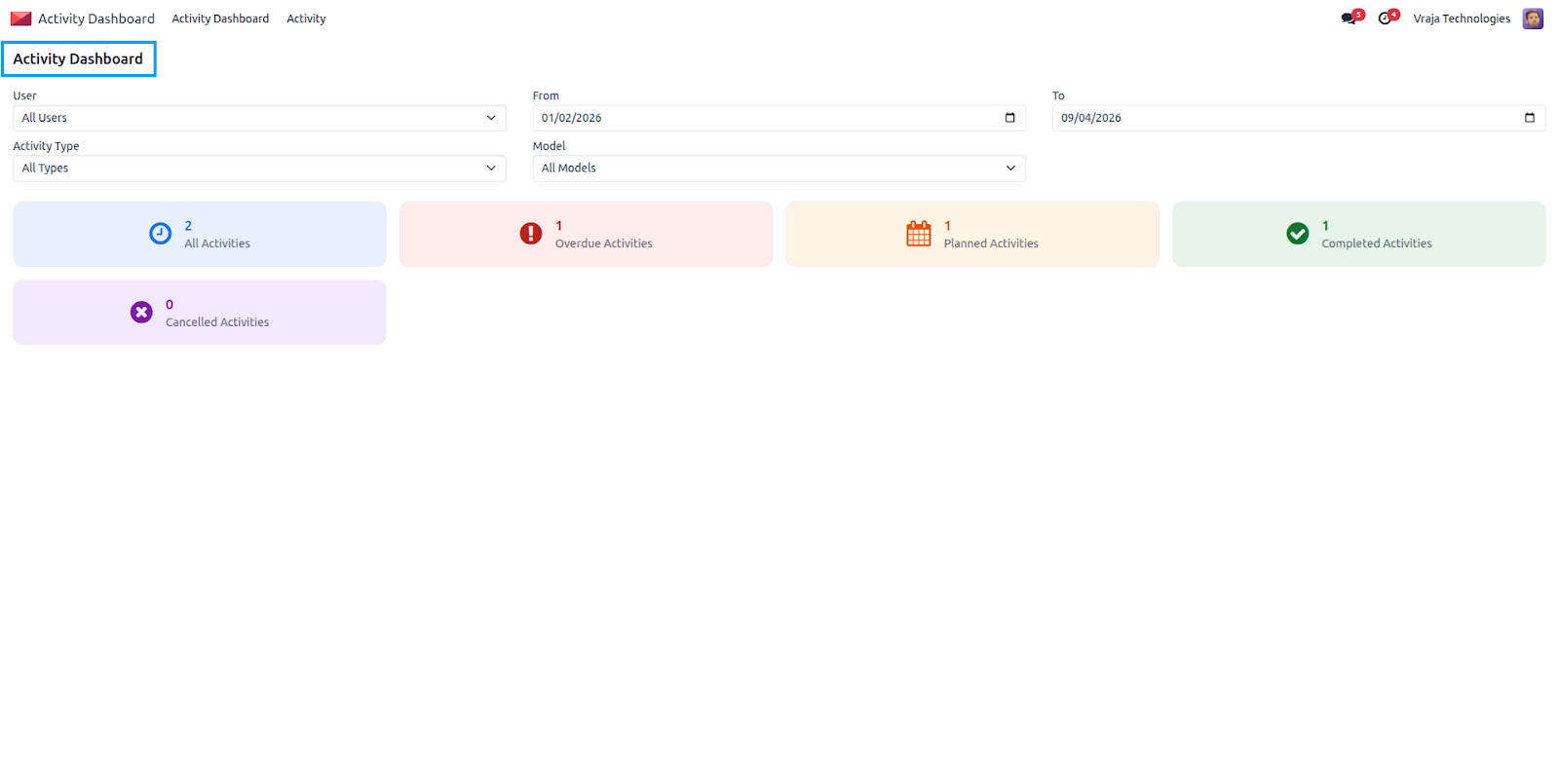
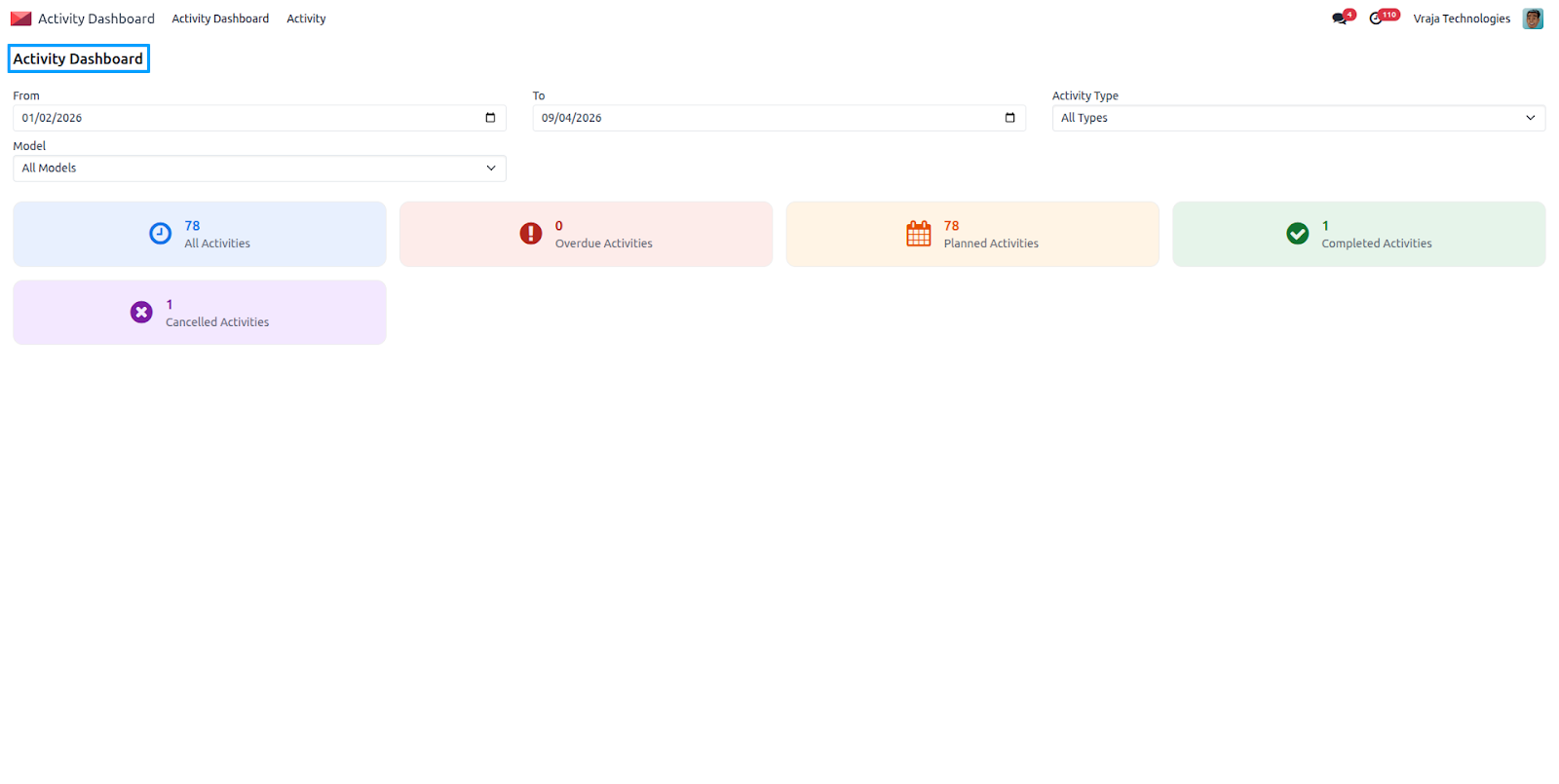
Activity User
Users can view and manage only their own activities. They can filter activities by date range, activity type, and related document models directly from the dashboard for better personal task tracking.
Activity User Access to Activity Records
Activity access is controlled through role-based permissions to ensure data security and proper task visibility.
- Activity User – can access and manage only the activities assigned to them.
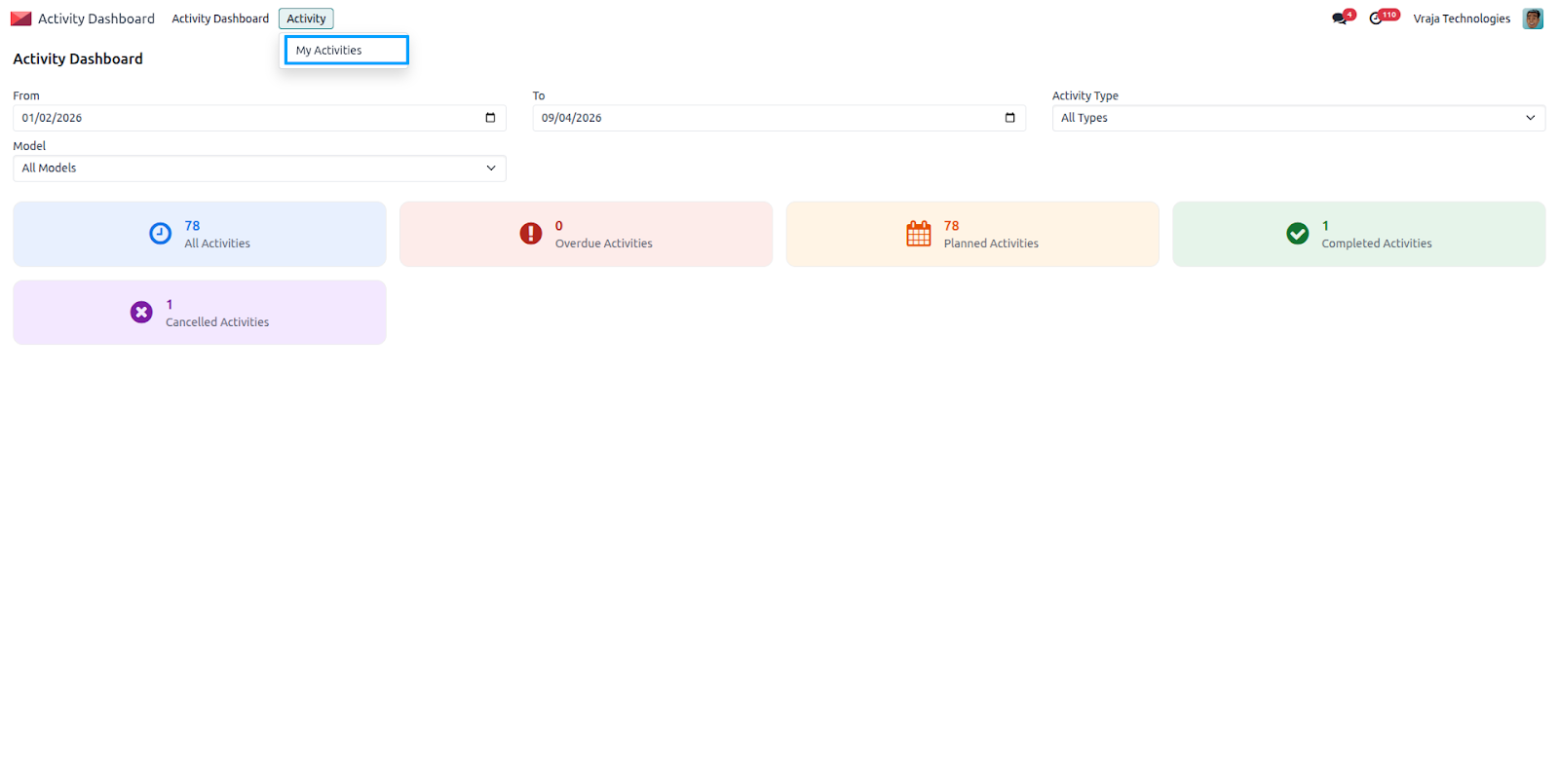
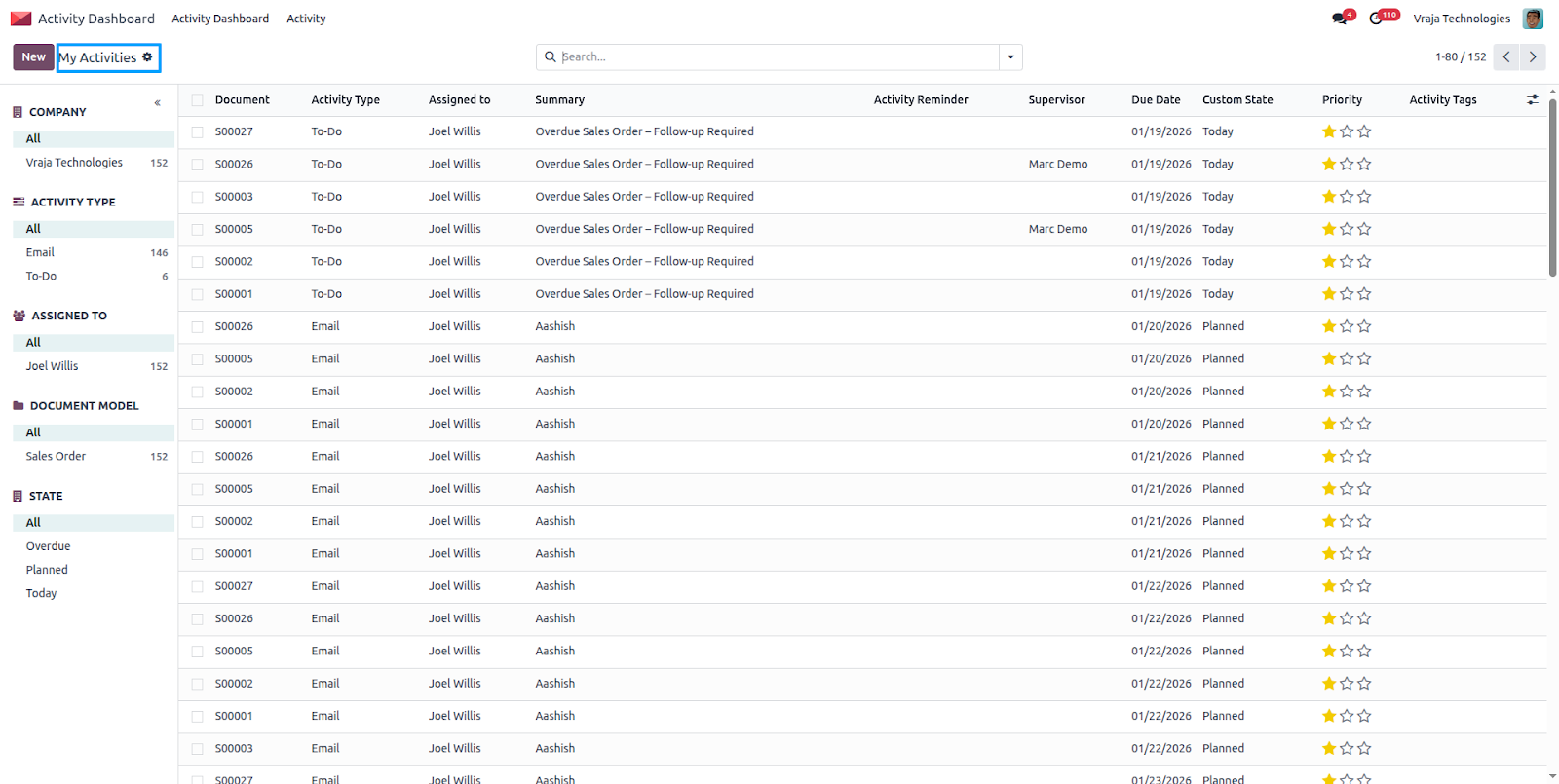
- Supervisors can view their own activities as well as those of the users they supervise.
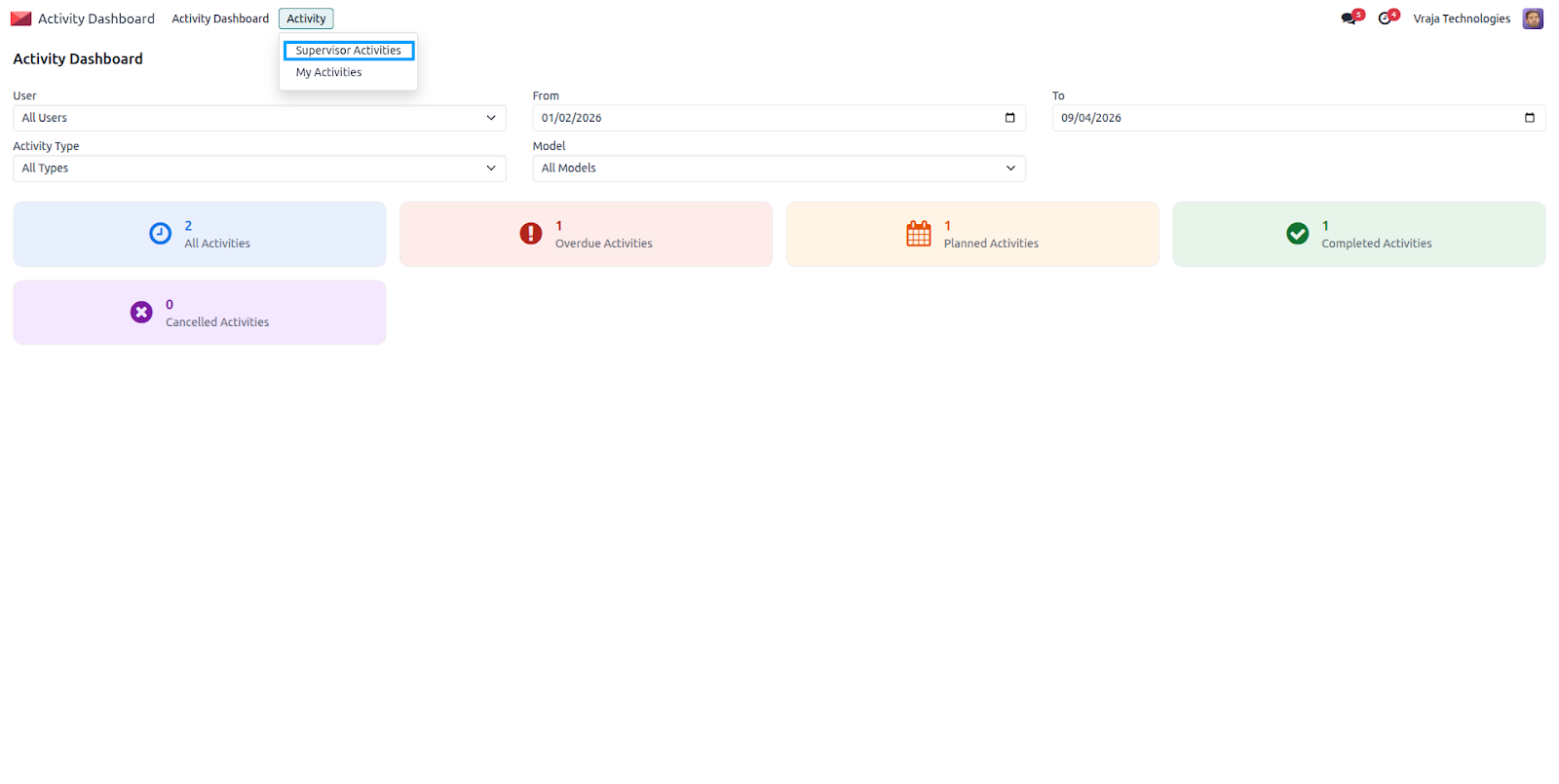
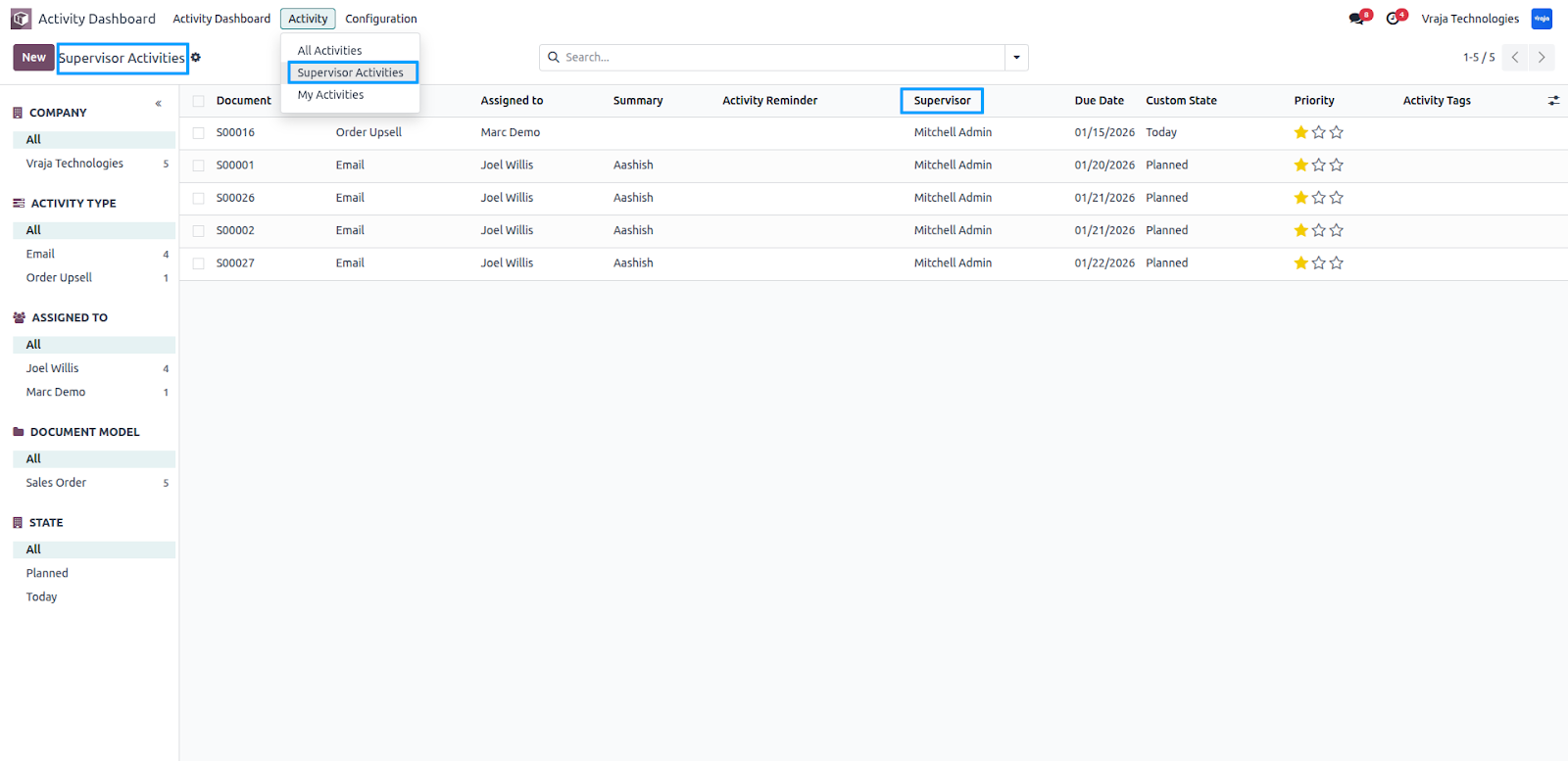
Supervisor can navigate to Activity Management → Activity → Supervisor Activities to view all activities related to their supervision. This section displays activities assigned to users under the supervisor, allowing them to monitor progress, track performance, and manage team tasks efficiently.
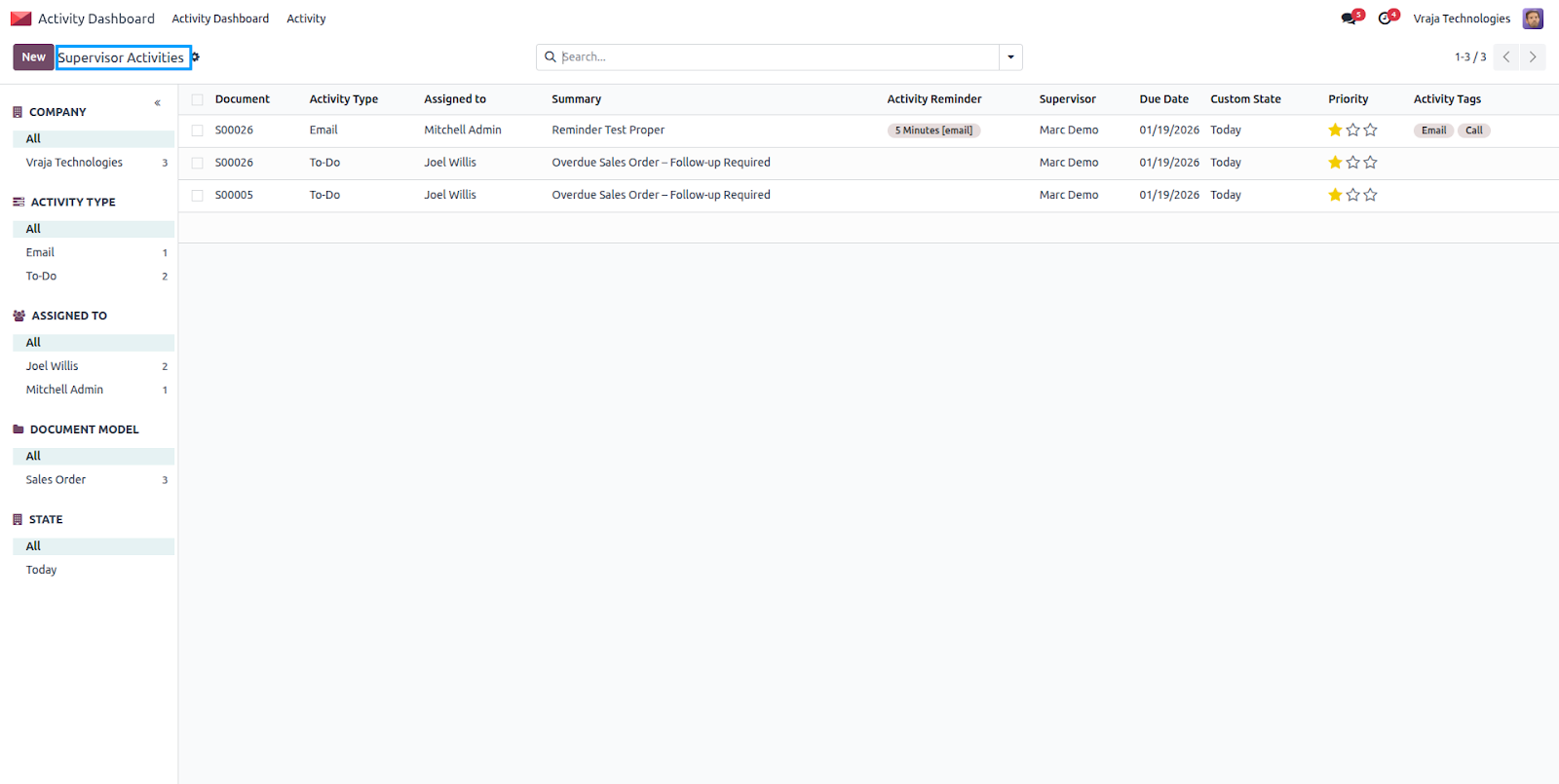
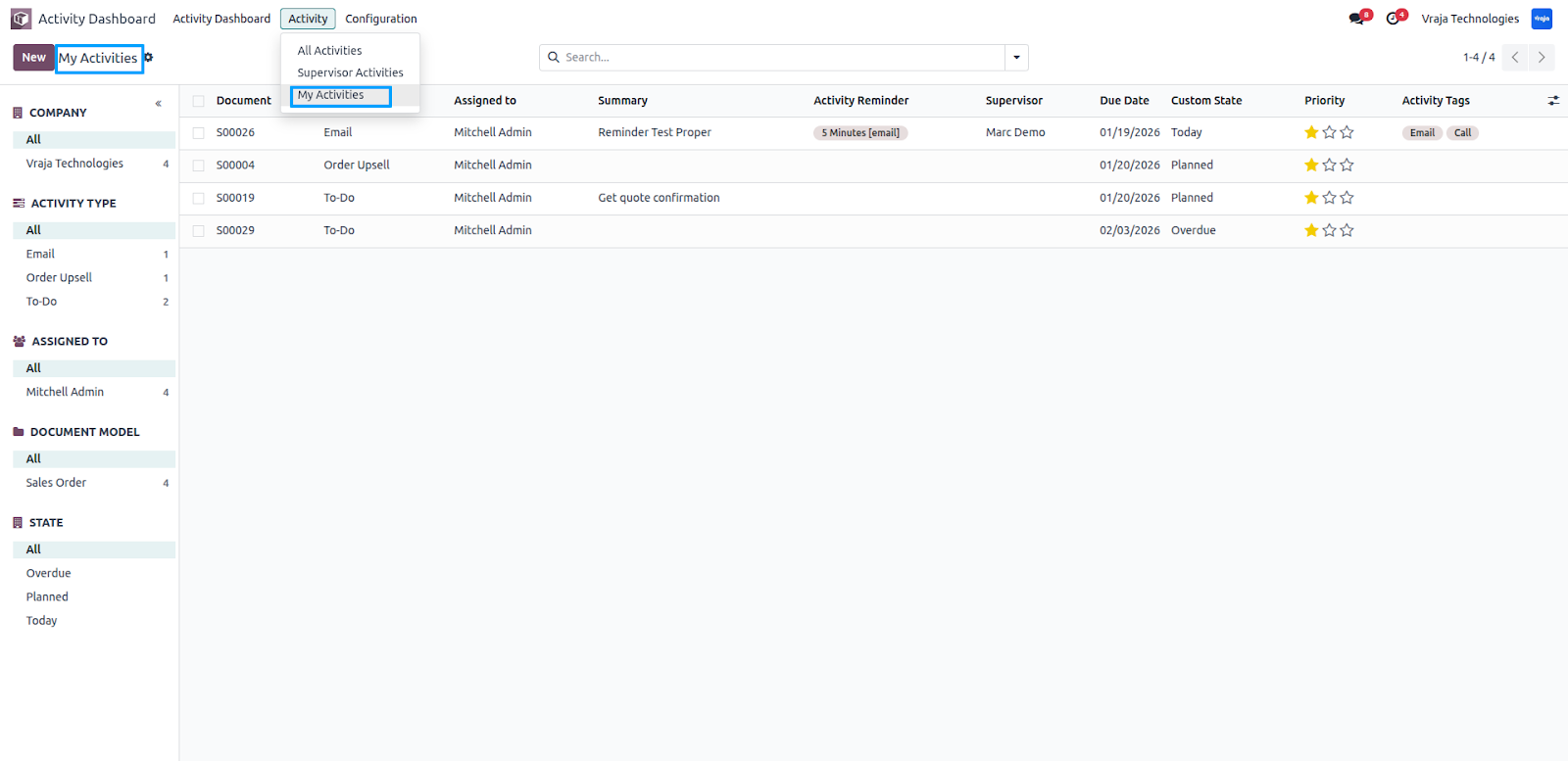
Supervisors can also view their personal tasks by navigating to Activity → My Activities, where they can track and manage activities assigned directly to them.
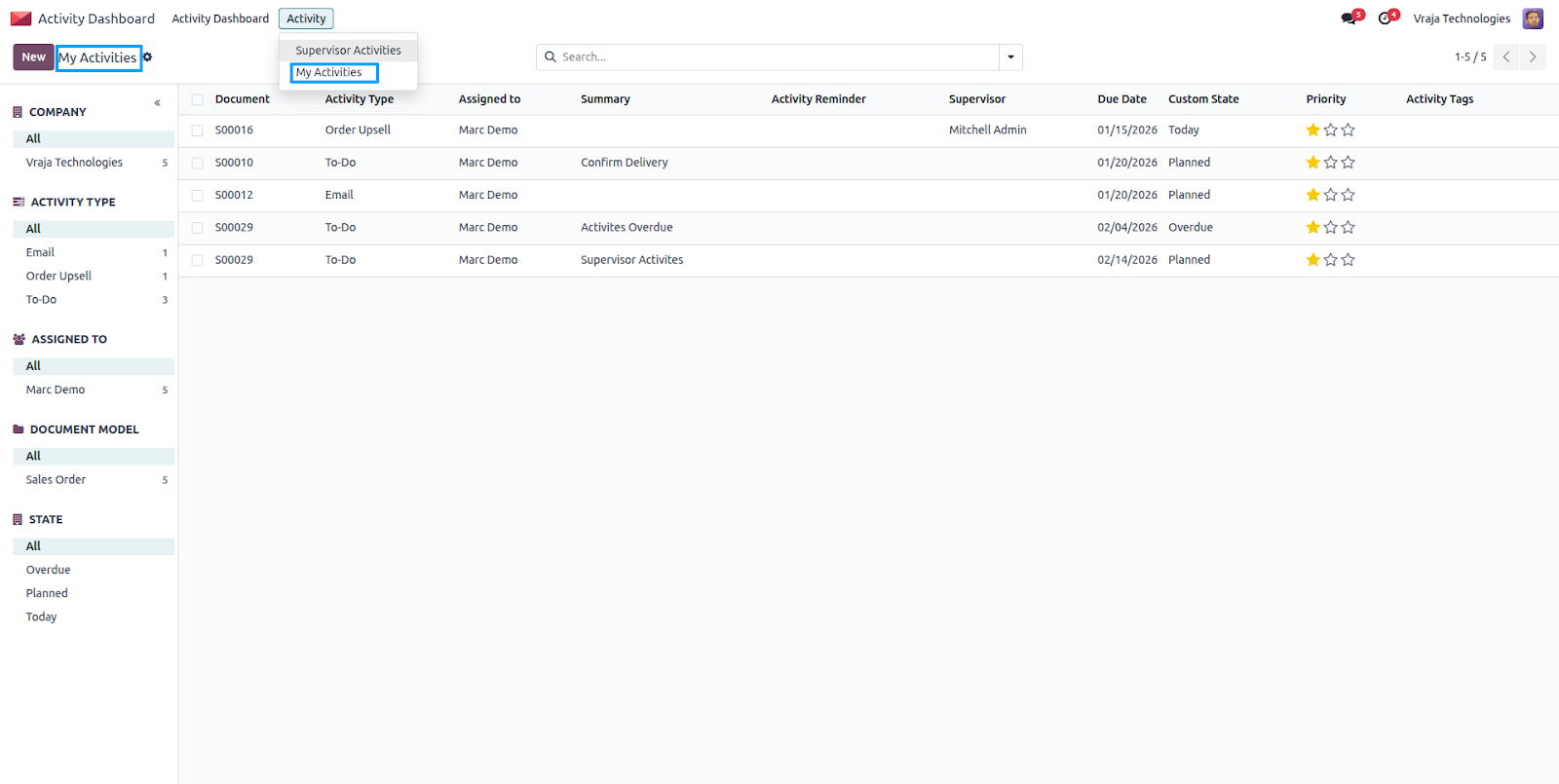
- Managers / Admins have full access to all activity records across the organization.
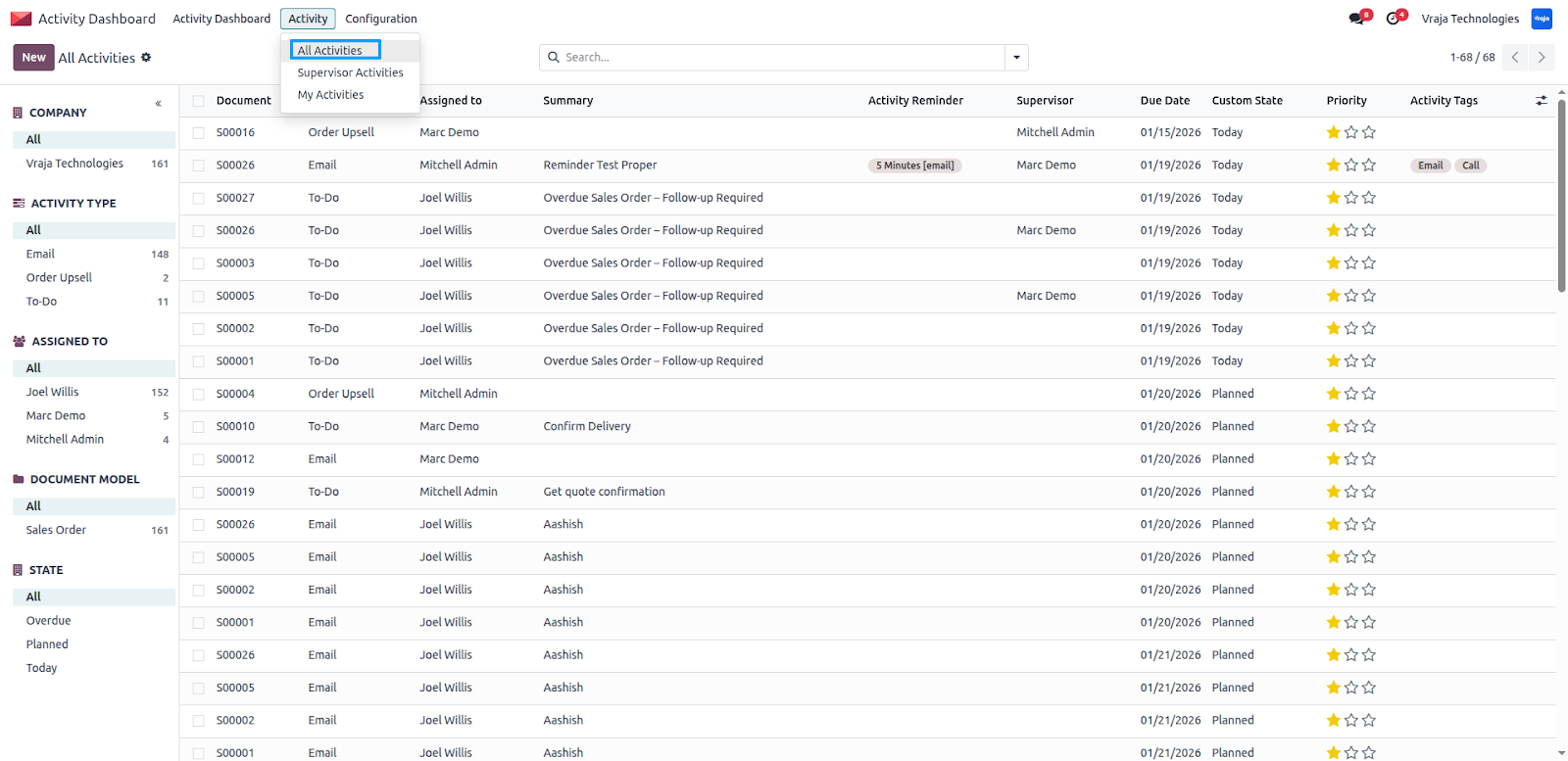
Activity Admins can view supervisor activities as well as their own assigned tasks based on system records. They have complete visibility to monitor, manage, and review activities across all levels.
Automated Activity Rules
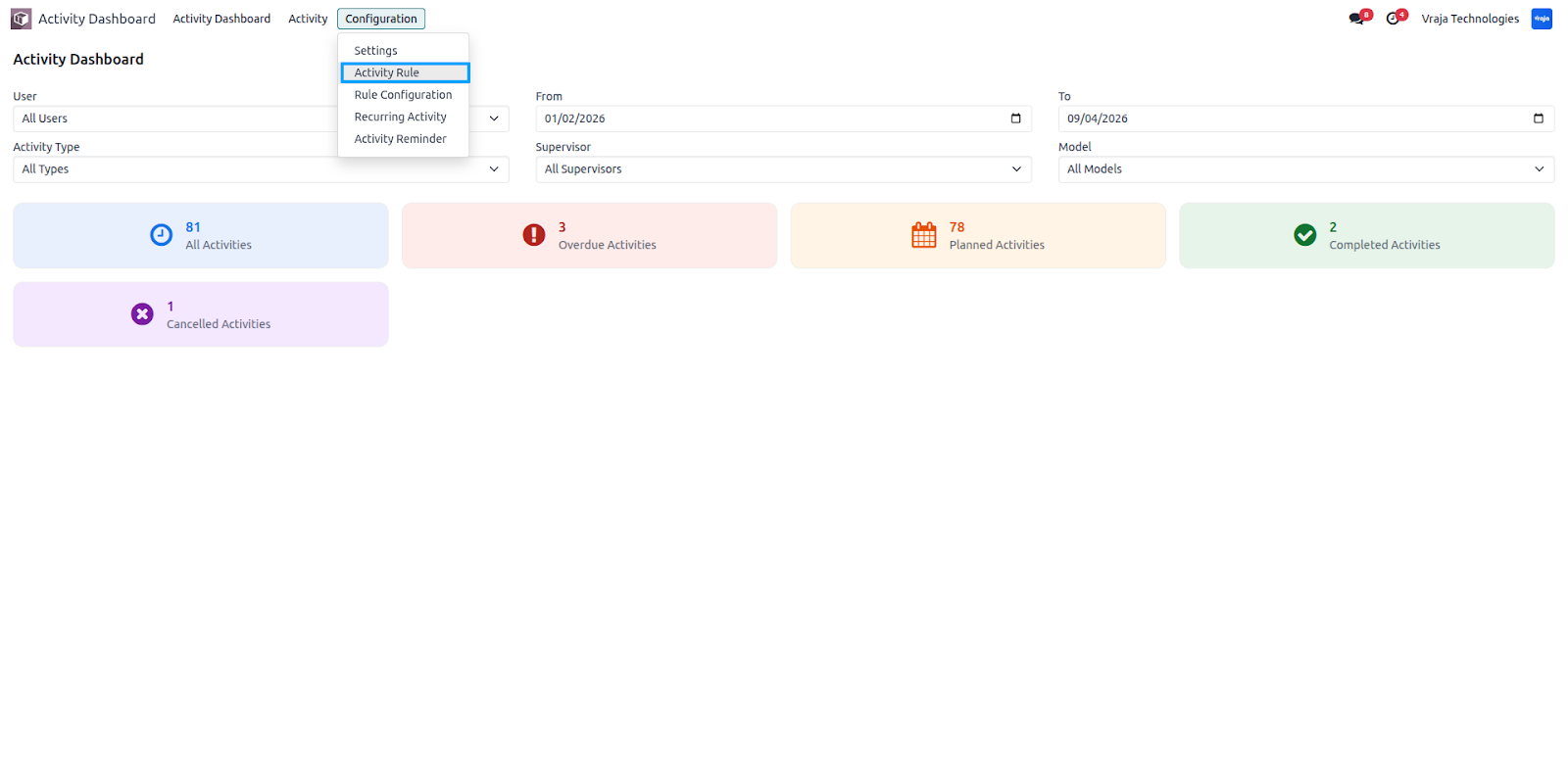
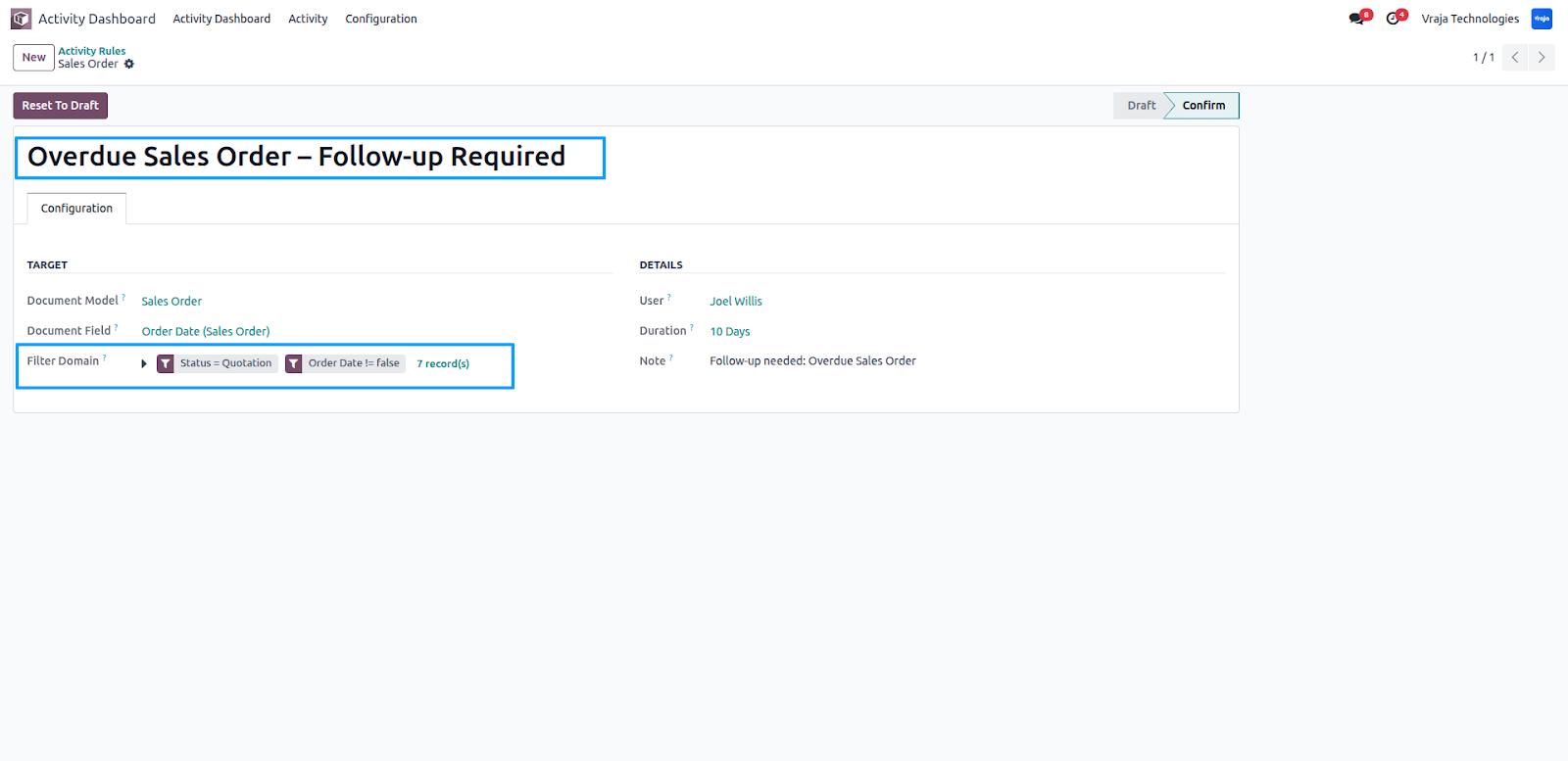
Navigate to Activity Management → Configuration → Activity Rules.
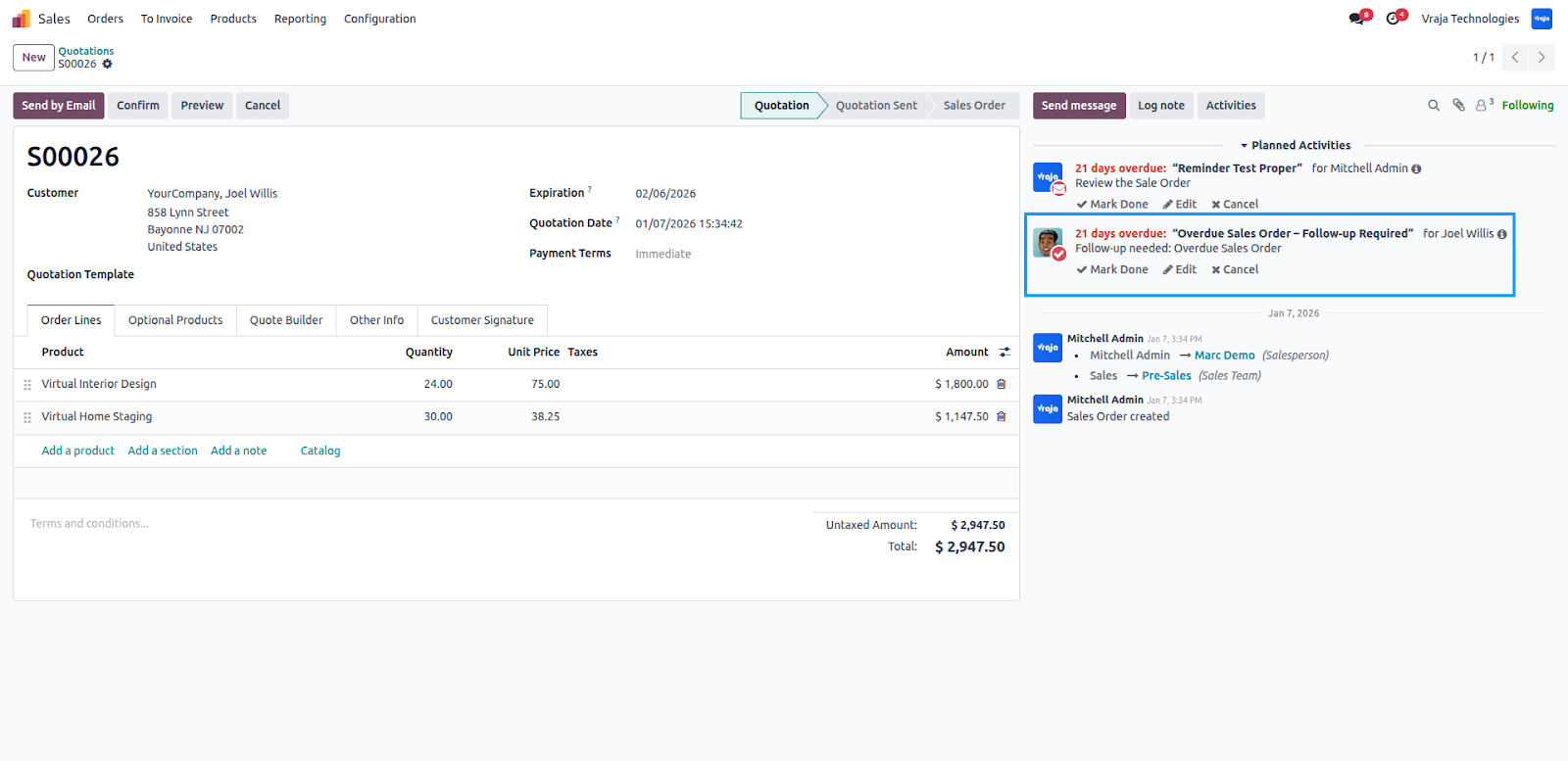
From this menu, you can configure Activity Rules for specific document models to automatically create activities based on defined conditions. This automation ensures that required tasks are generated without manual effort whenever the rule criteria are met.
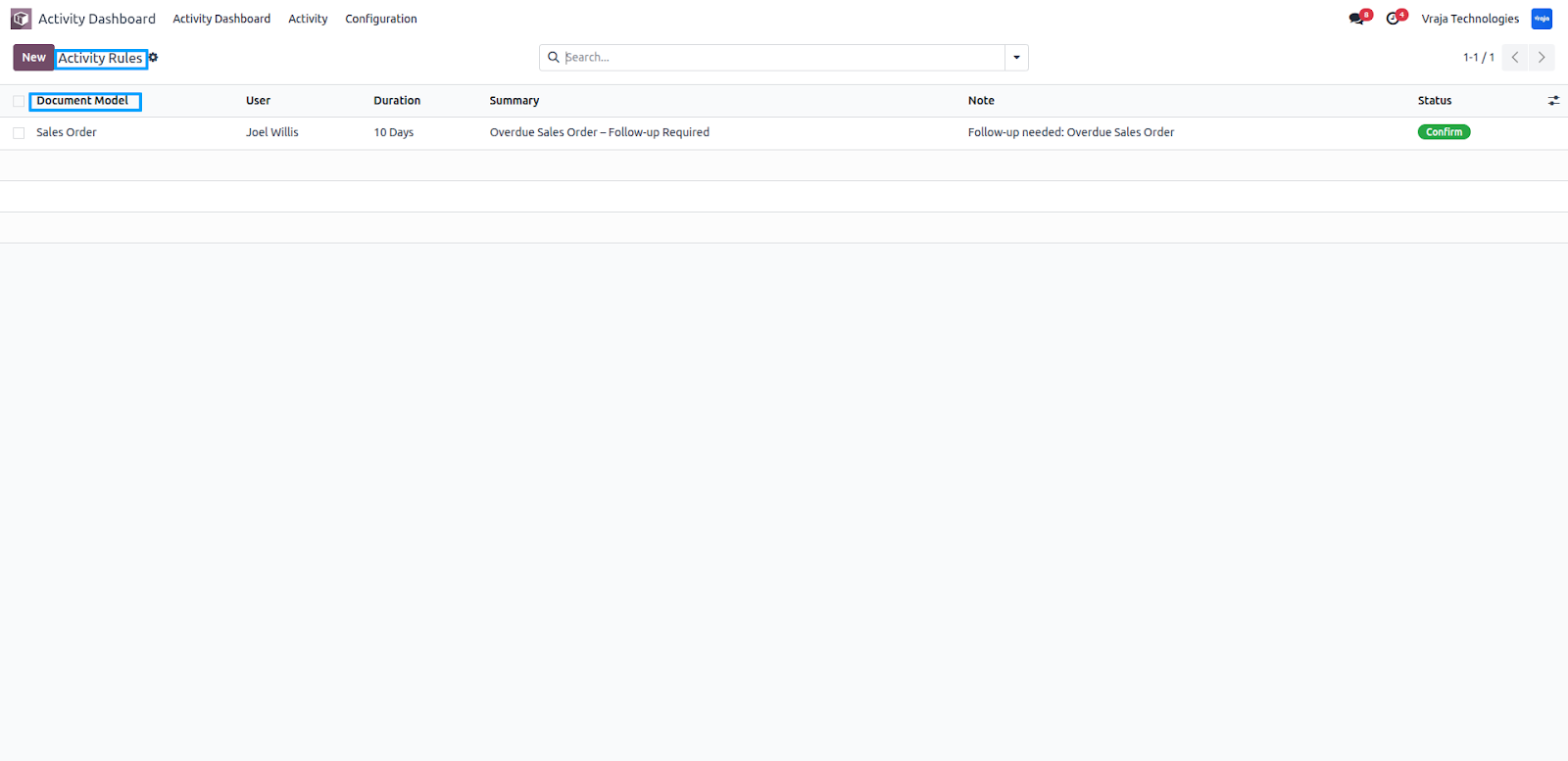
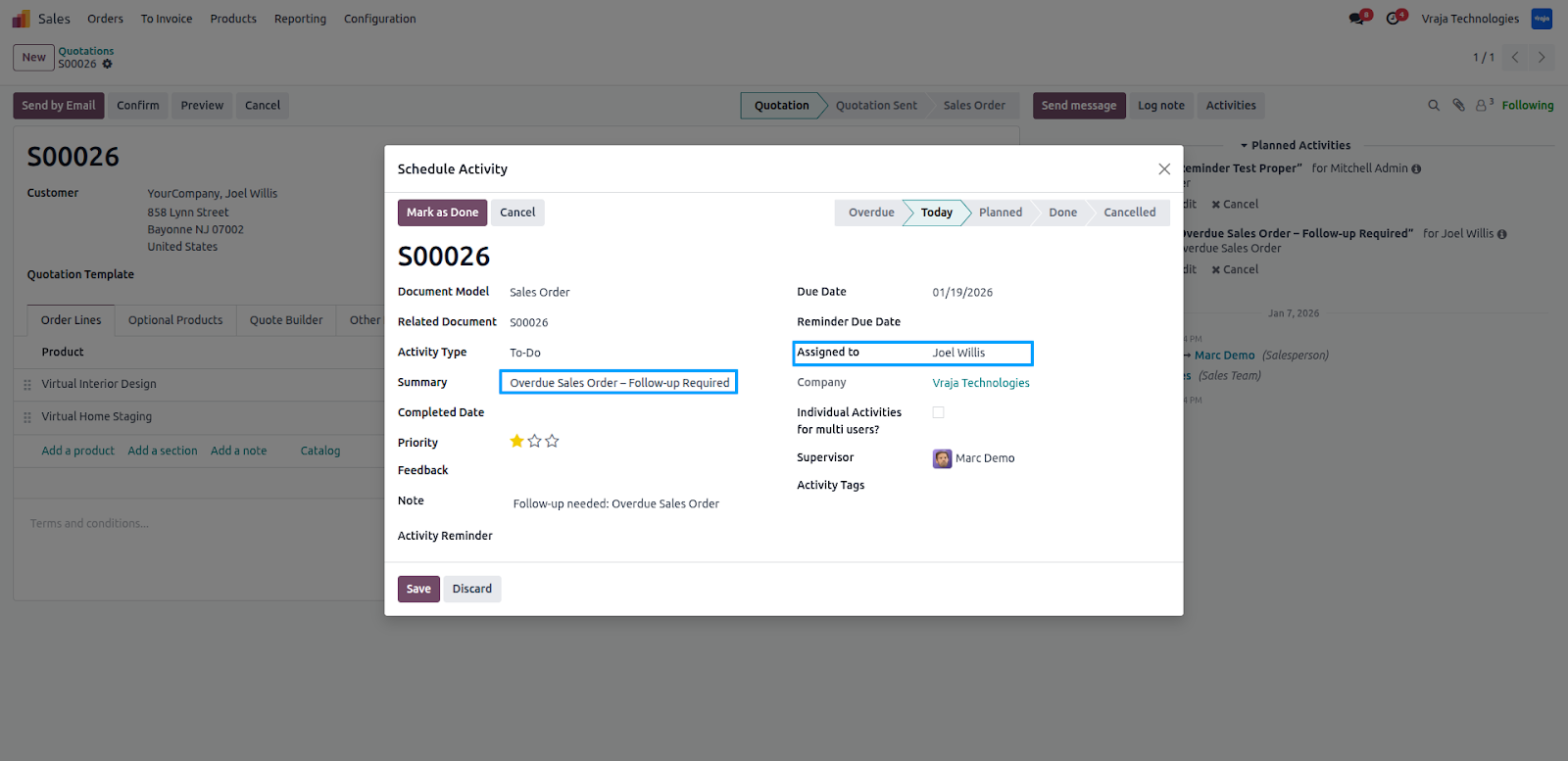
Within Activity Rules, you can define dynamic filters for the selected document model to fetch specific records. The system will generate activities only for records that match these conditions. You can also assign the responsible user for the automatically created activities, ensuring tasks are directed to the right person.
Multi-User Assignment
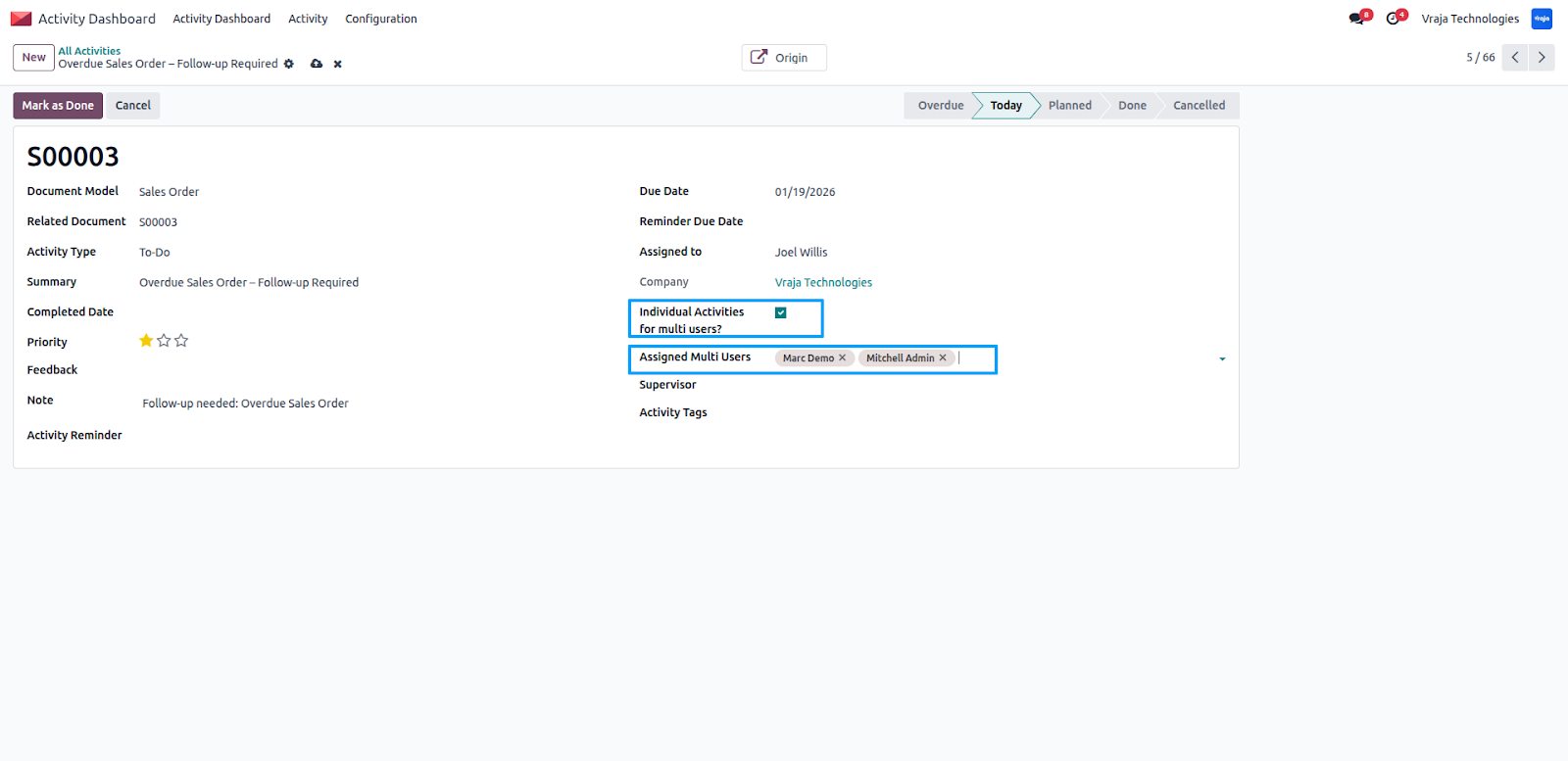
When the Individual Activities for Multiple Users option is enabled, you can assign an activity to multiple users at once. The system automatically creates separate activity records for each selected user, ensuring the task is properly assigned and tracked individually for everyone involved.
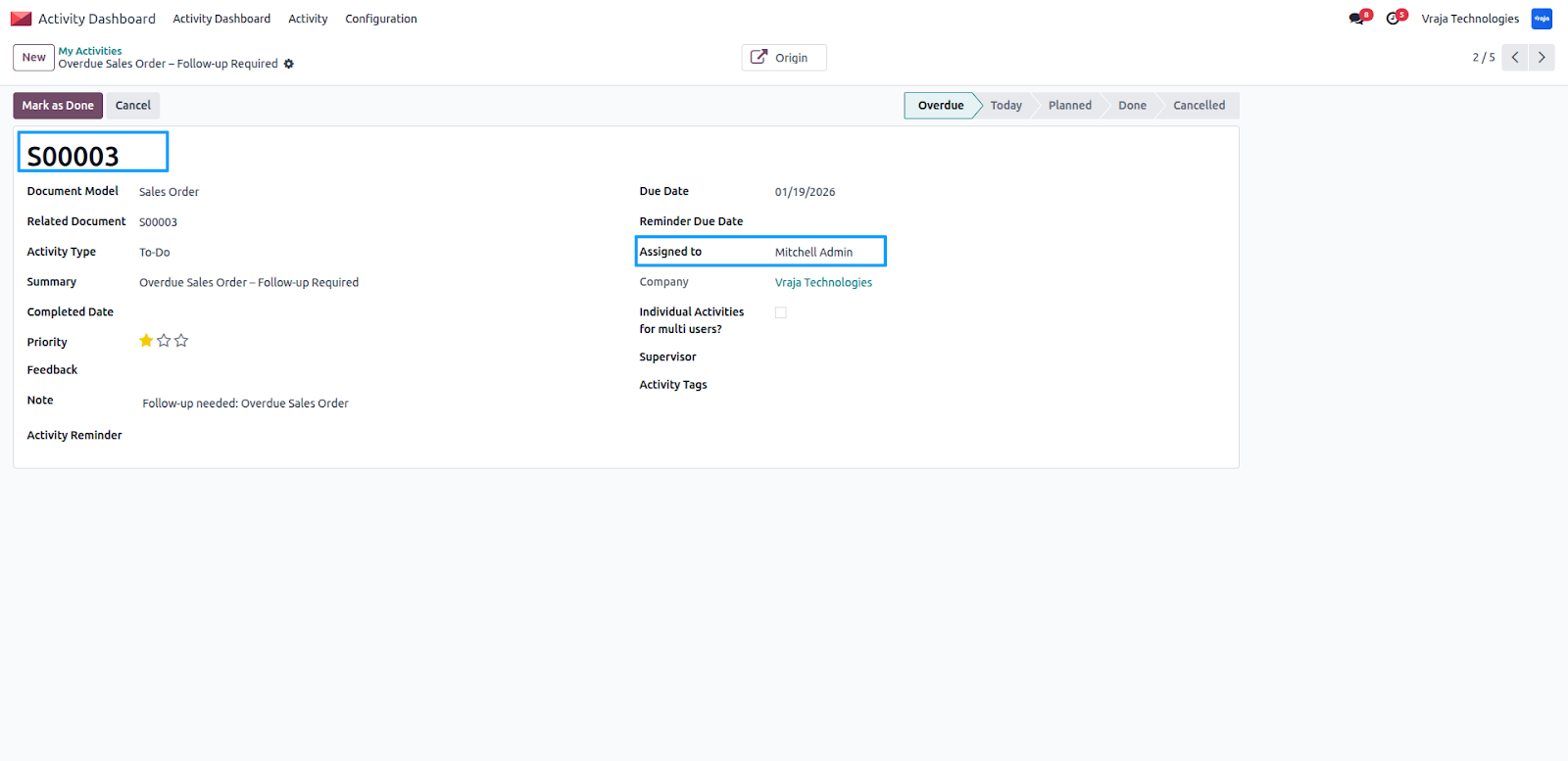
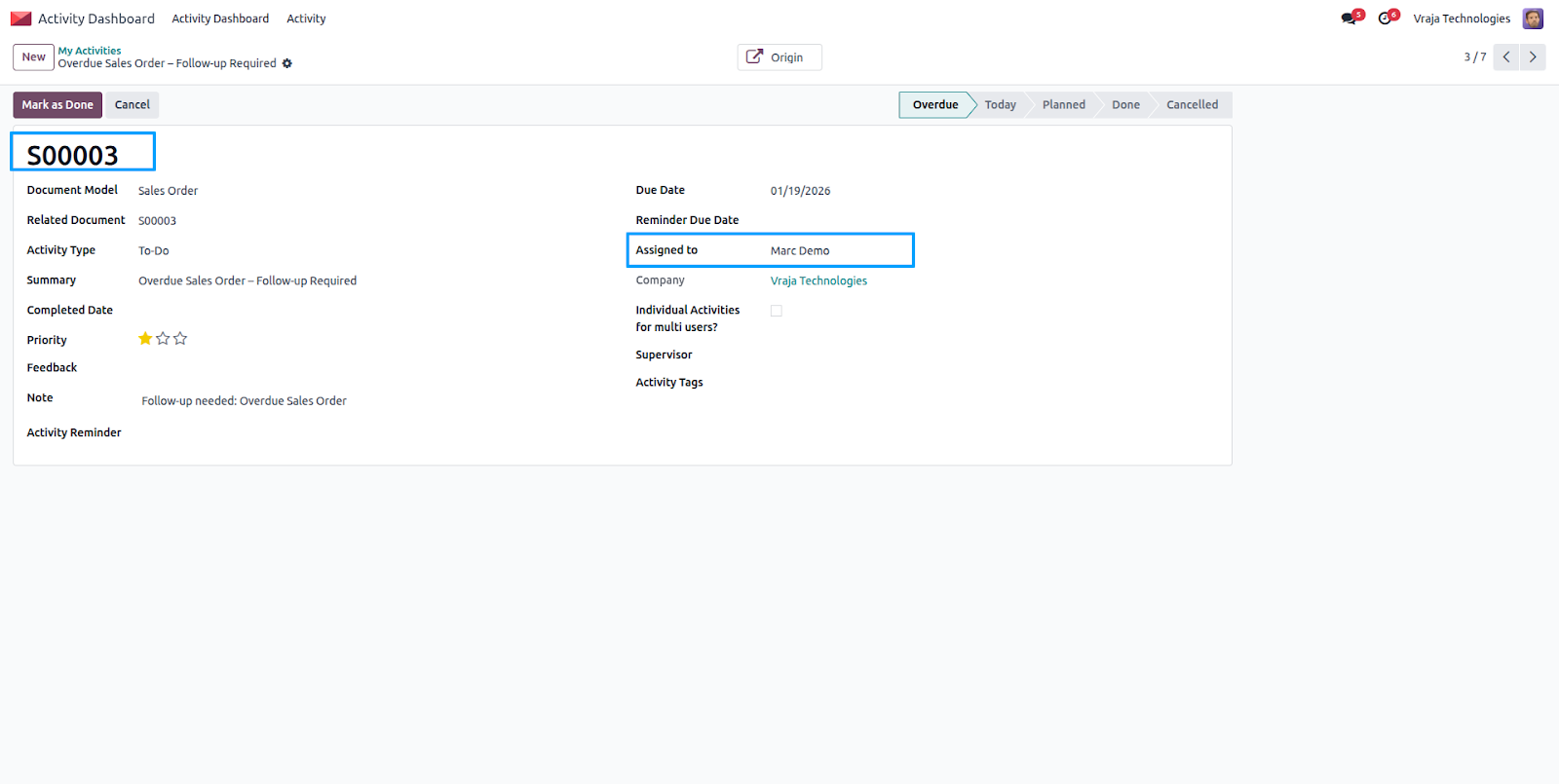
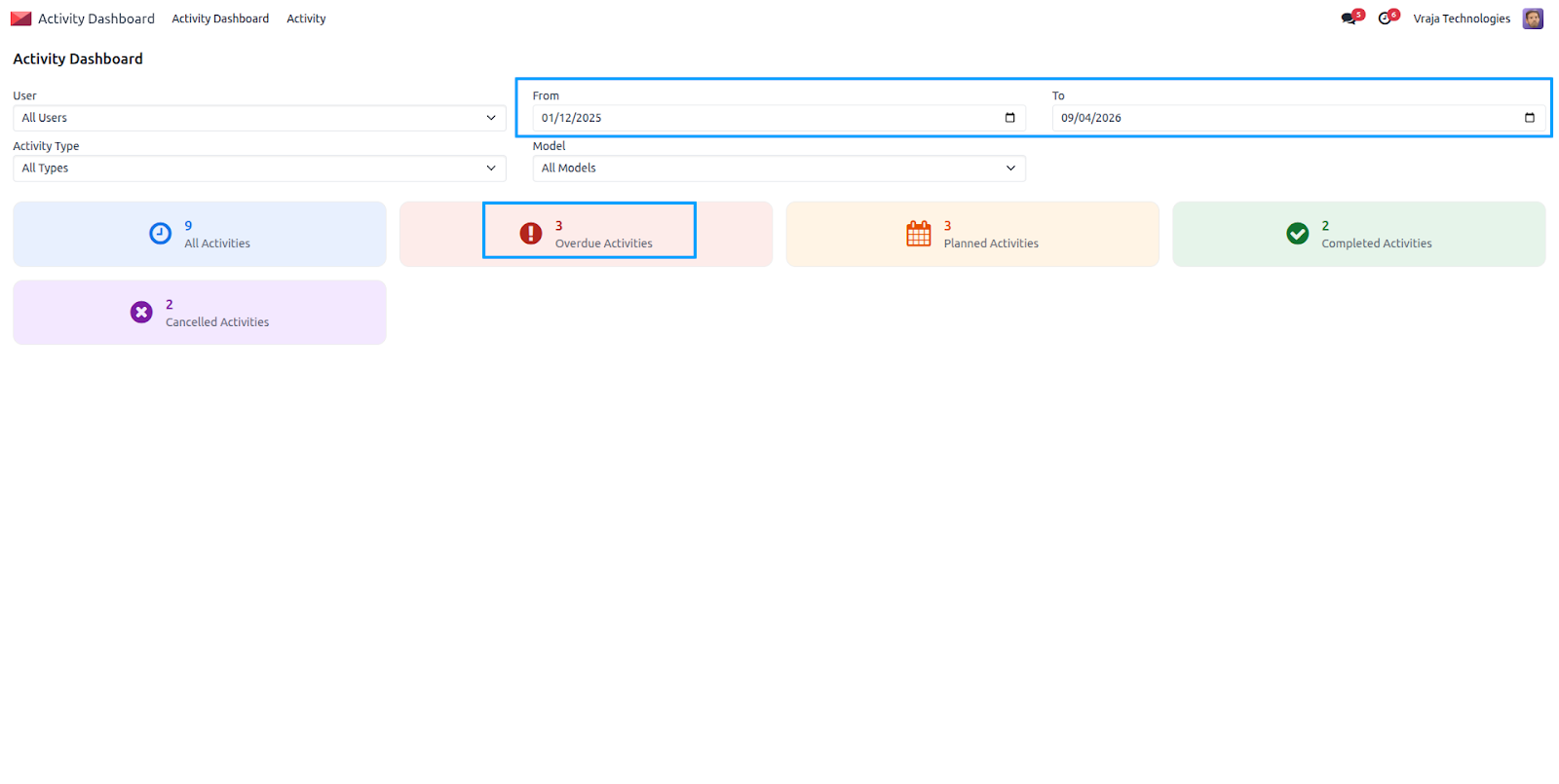
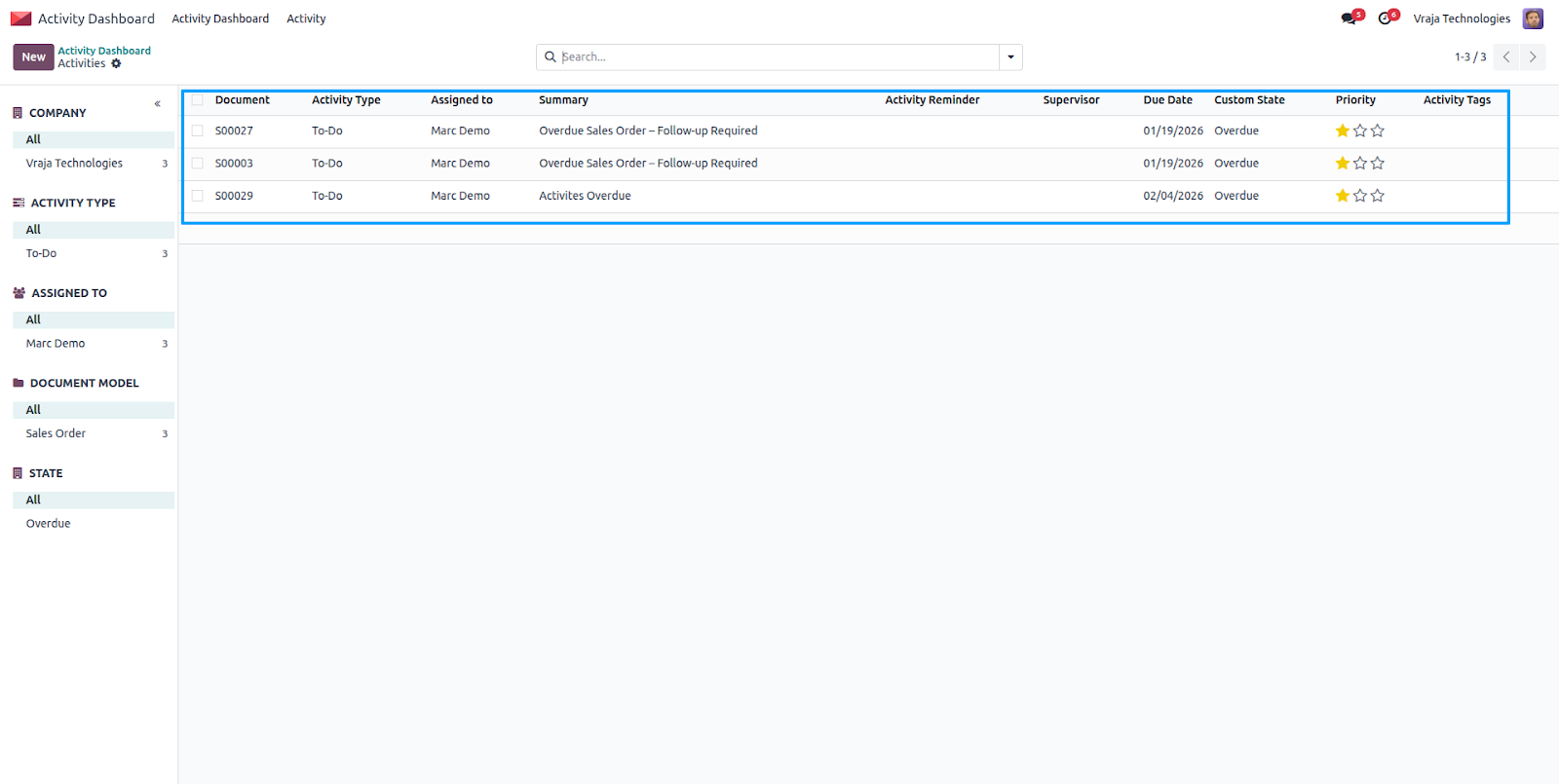
We can filter records directly from the dashboard to quickly view and monitor your own activities more efficiently.
Activity Reminders
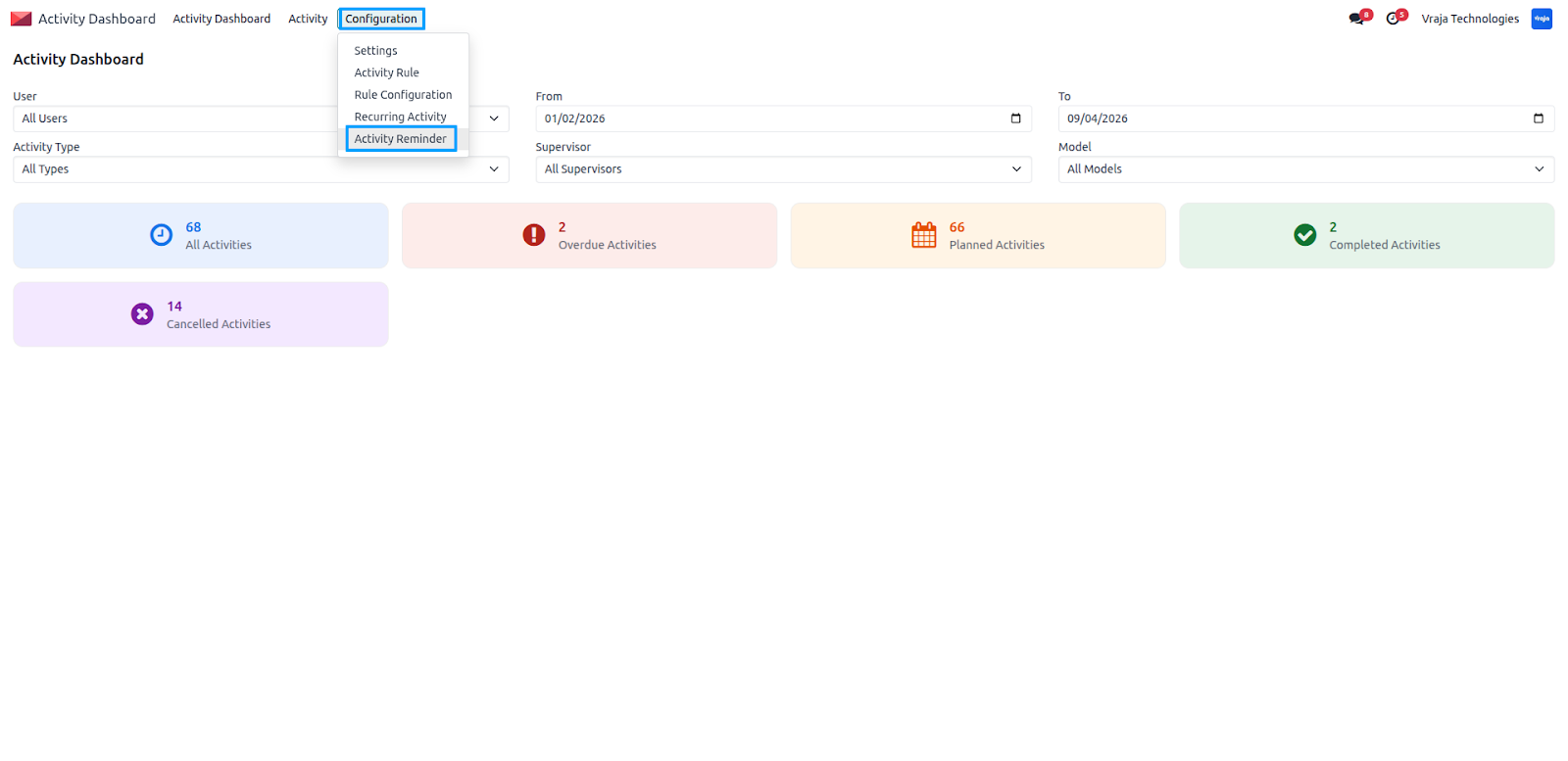
Go to Activity Management → Configuration → Activity Reminders to set up notifications.
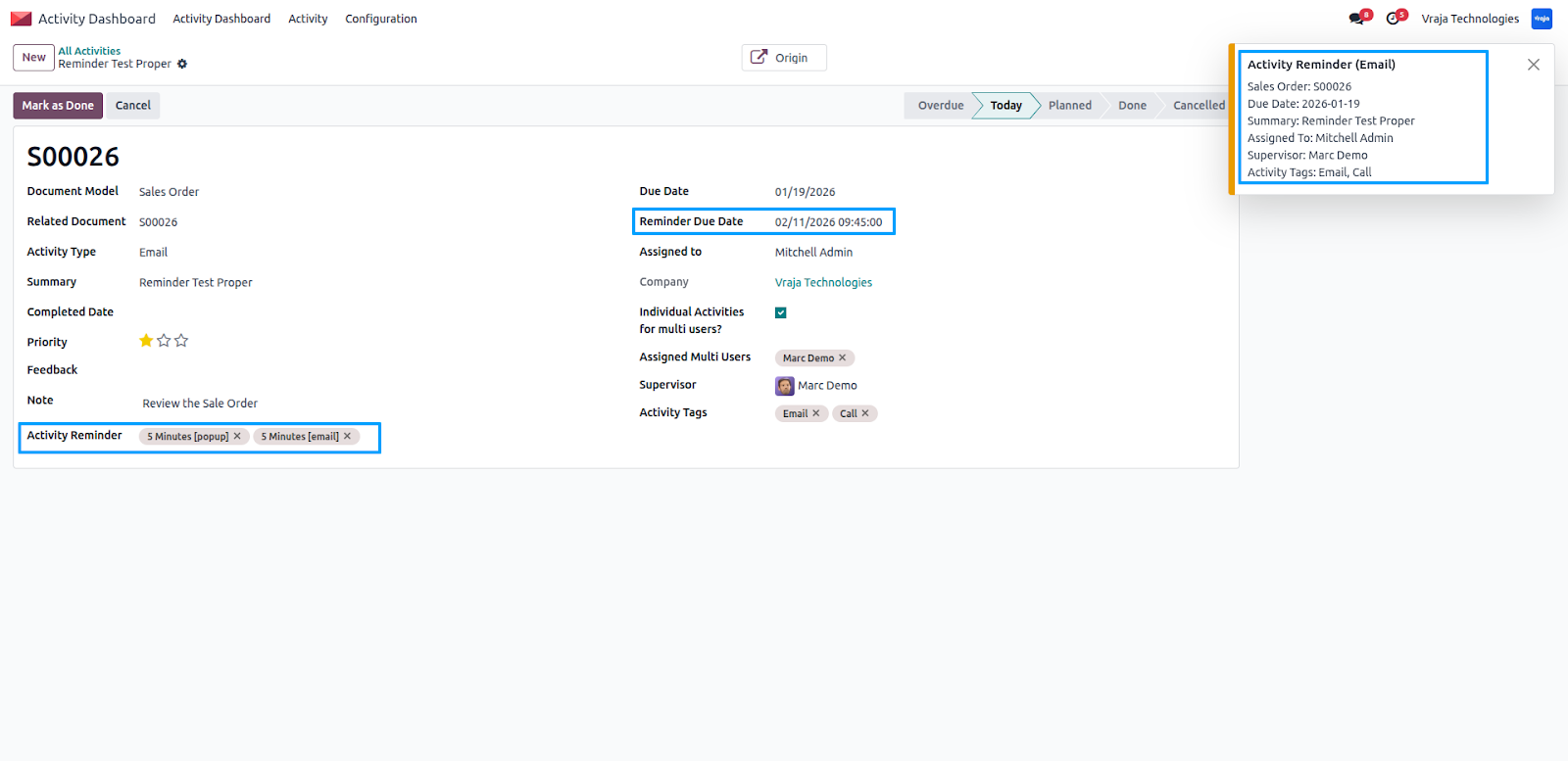
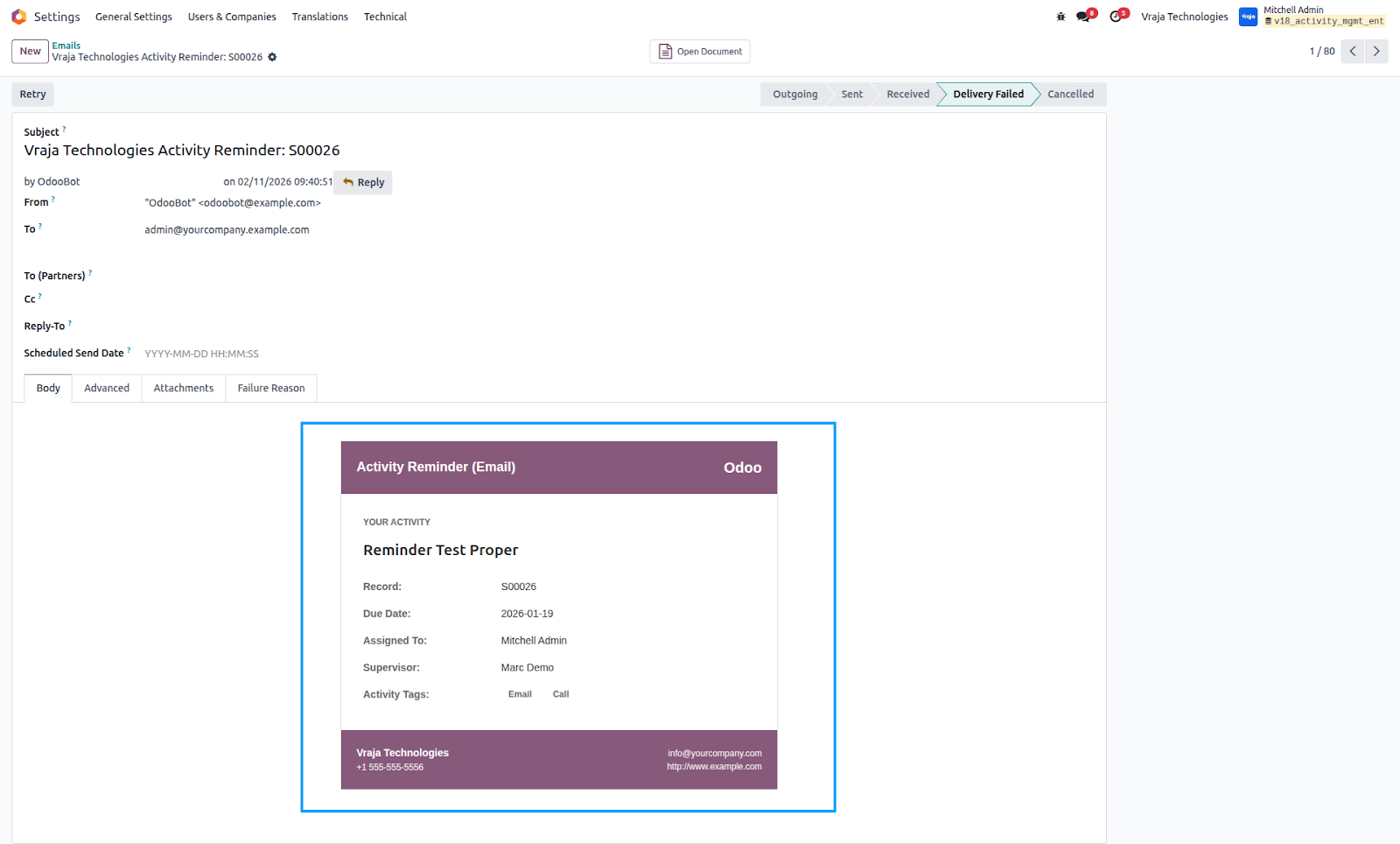
We can configure reminders to alert users before an activity’s due date. Notifications can appear as pop-ups in the system, and you can also enable email alerts to ensure users are informed on time.
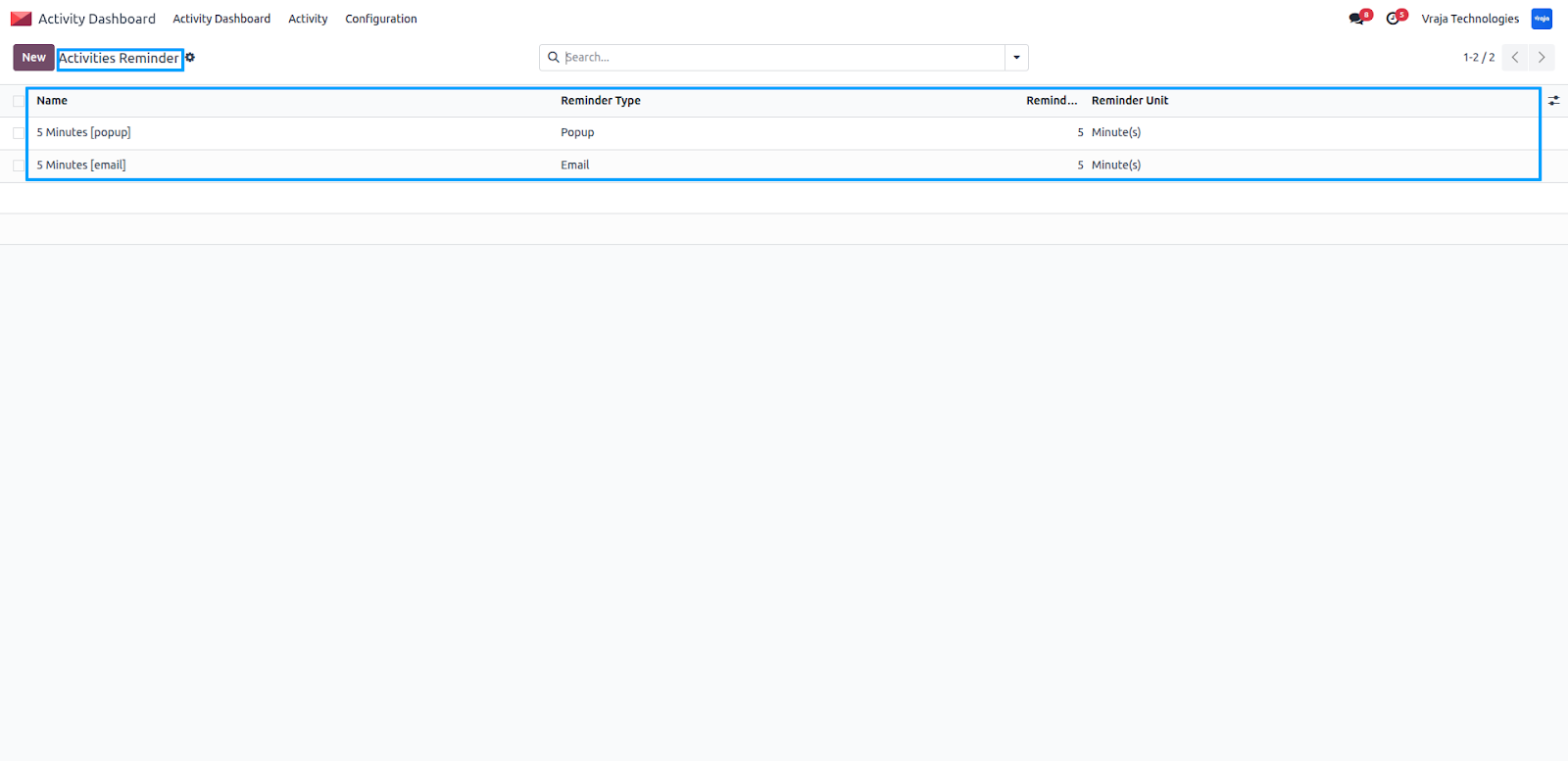
Here, we can configure an activity reminder by setting the alert time (for example, 5 minutes before the due time), after which the system will automatically show a pop-up notification, and if email notification is selected, the user will also receive an email reminder.
Advanced Search Panel
Navigate to Activity Management → Activities to access the advanced search panel in the list view. By selecting options from the search panel, records are automatically filtered, allowing users to quickly find relevant activities.
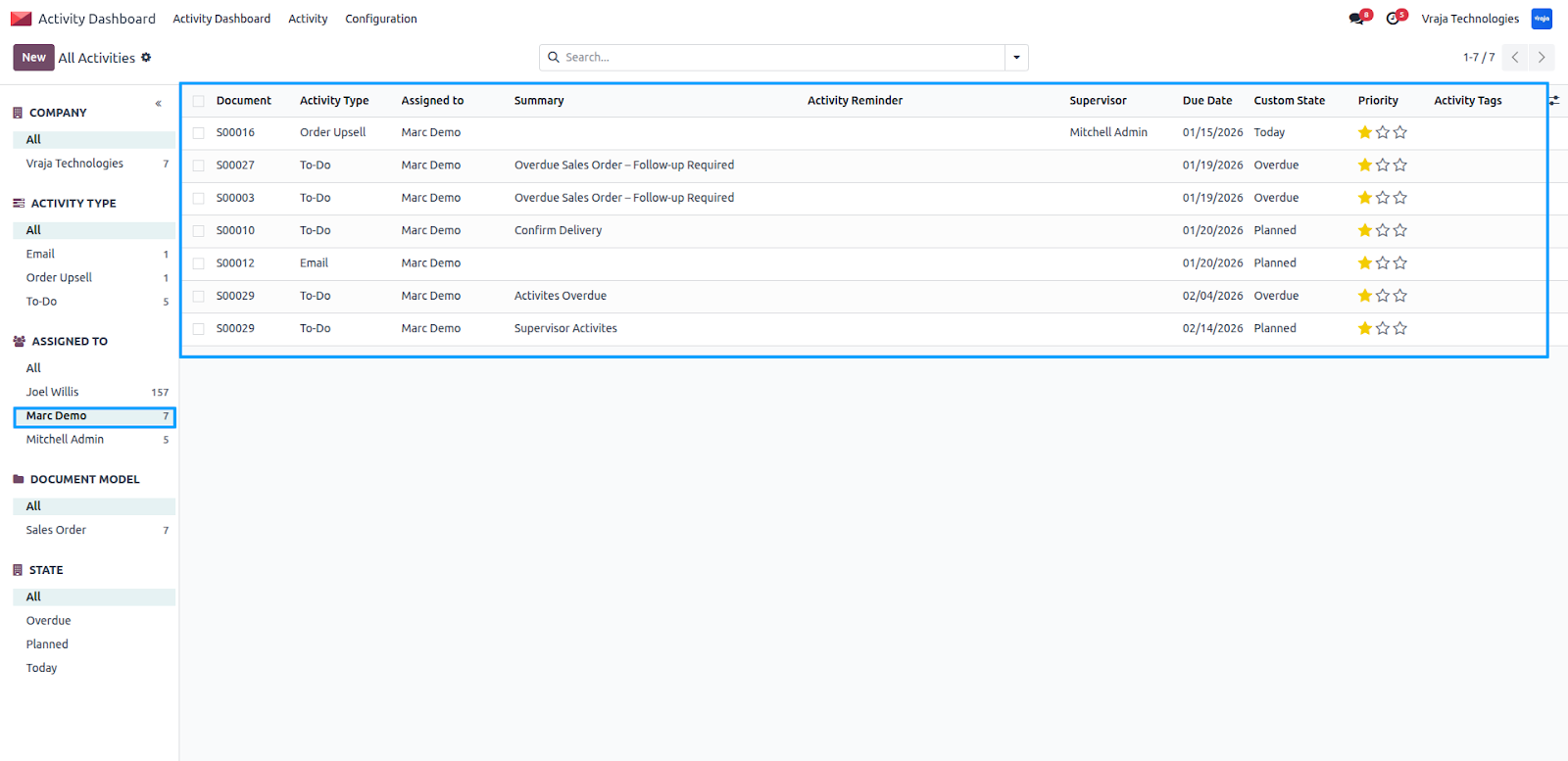
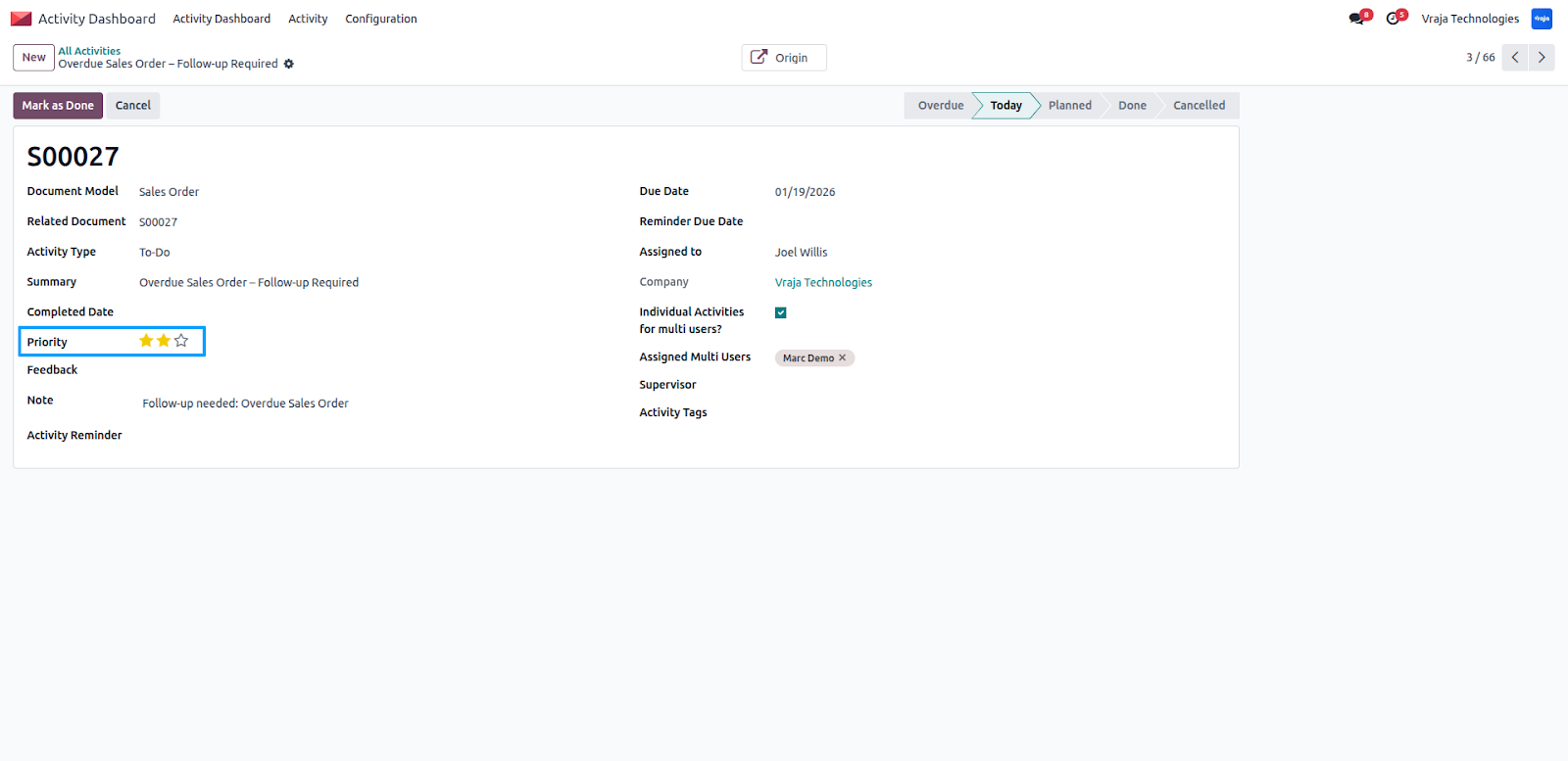
Activity Priority Levels
Each activity includes a priority option that allows users to set the importance level, helping them focus on the most critical tasks first.
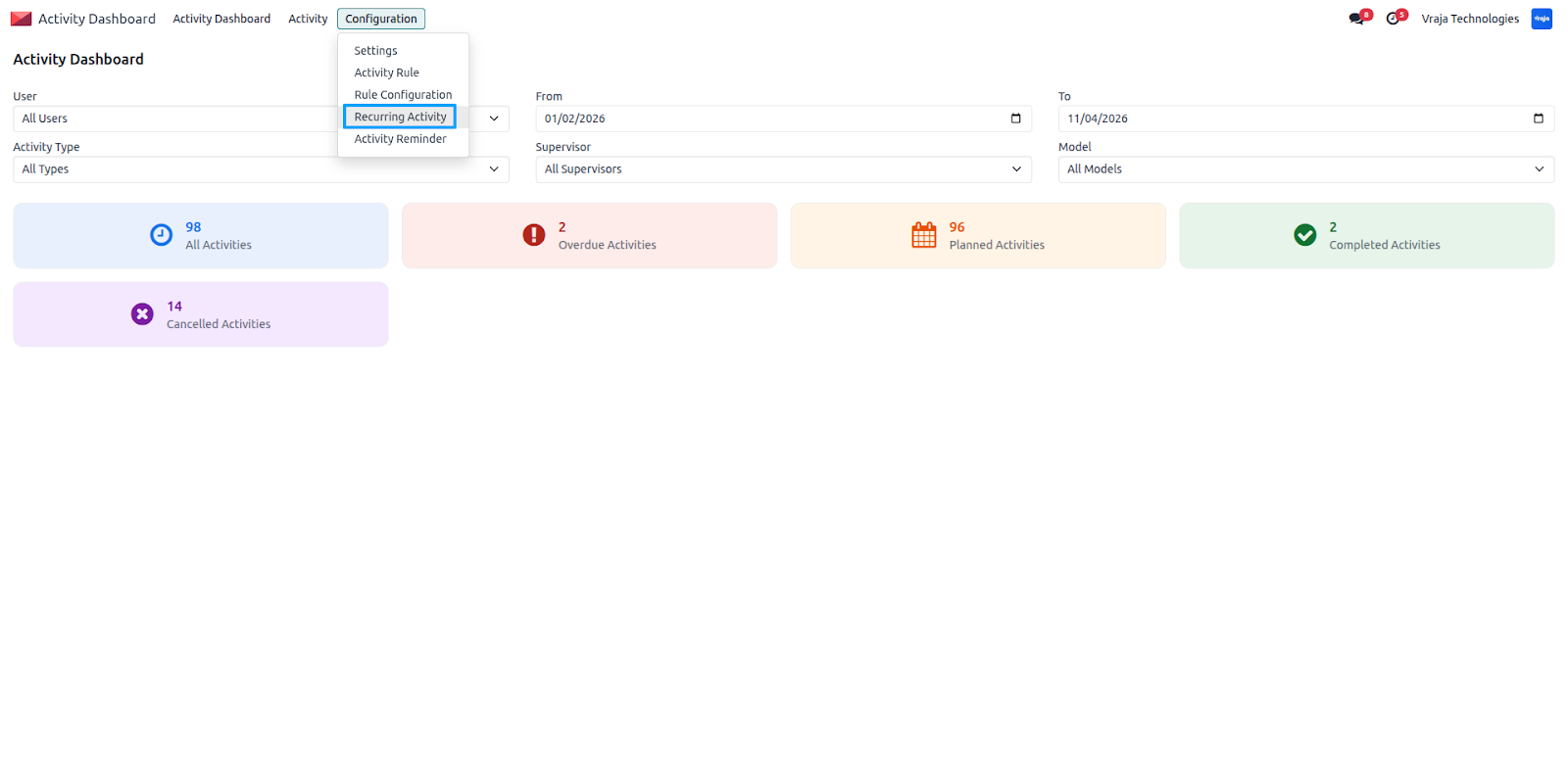
Recurring Activities
Recurring Activities allow the system to automatically generate activities for routine or scheduled tasks based on defined conditions.
Navigate to Activity Management → Configuration → Recurring Activities to set up and manage recurring activity rules.
You can set a filter domain to select which records should generate recurring activities. The system will create activities only for records that match the defined filter criteria.
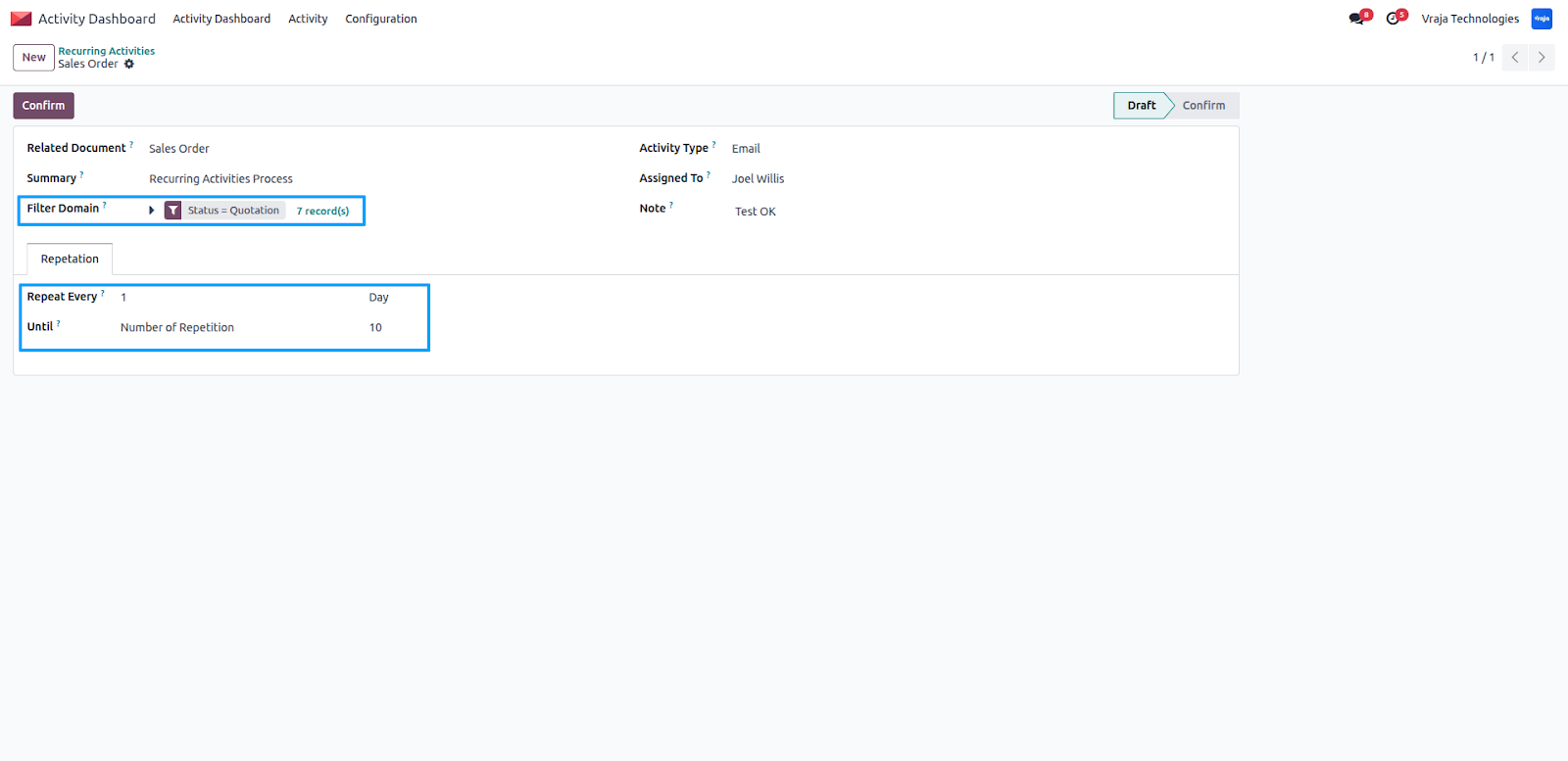
The module also supports different recurrence intervals:
- Daily – Activities are created every day
- Weekly – Activities are generated on selected days of the week
- Monthly – Activities repeat based on the chosen date
- Yearly – Activities recur once every year
This ensures that follow-ups, reminders, and operational tasks are handled automatically without manual scheduling.
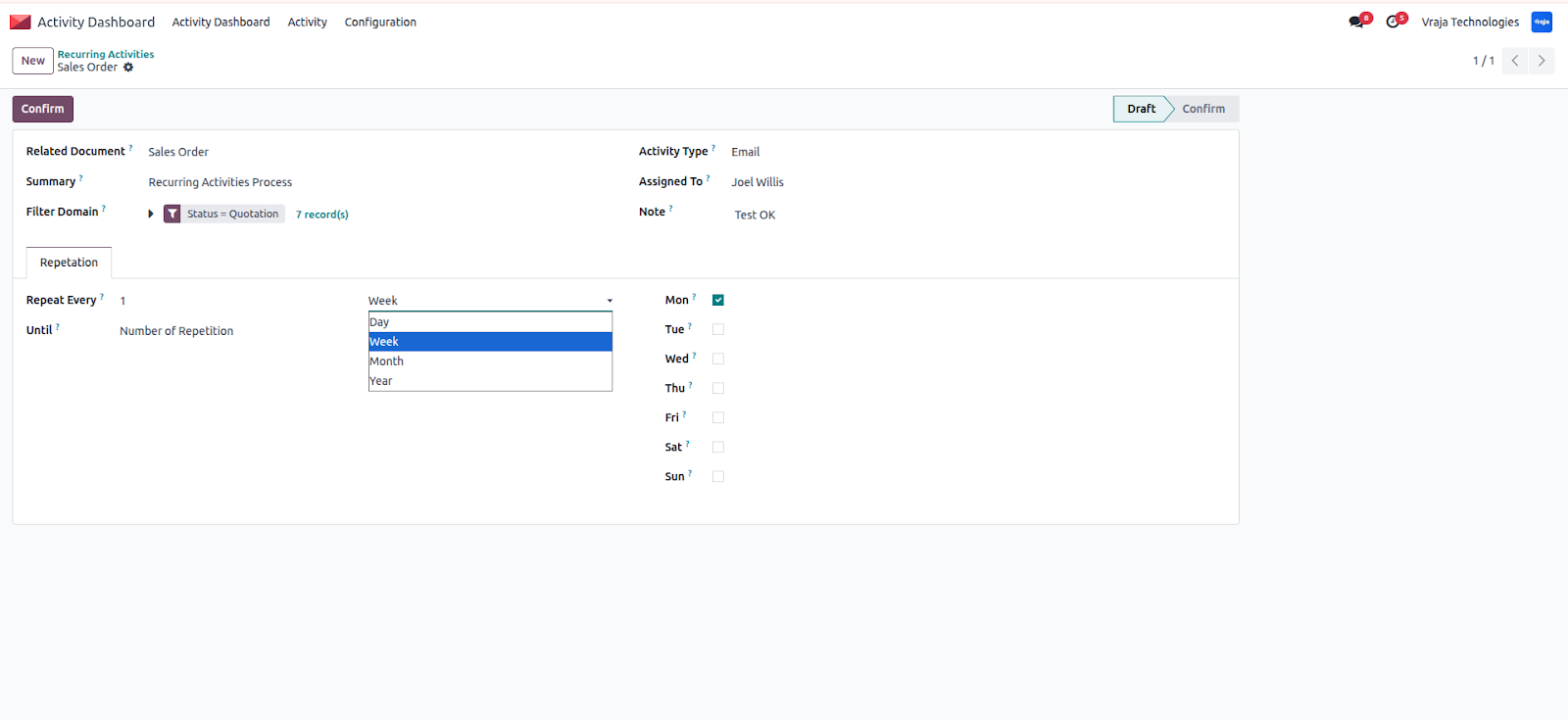
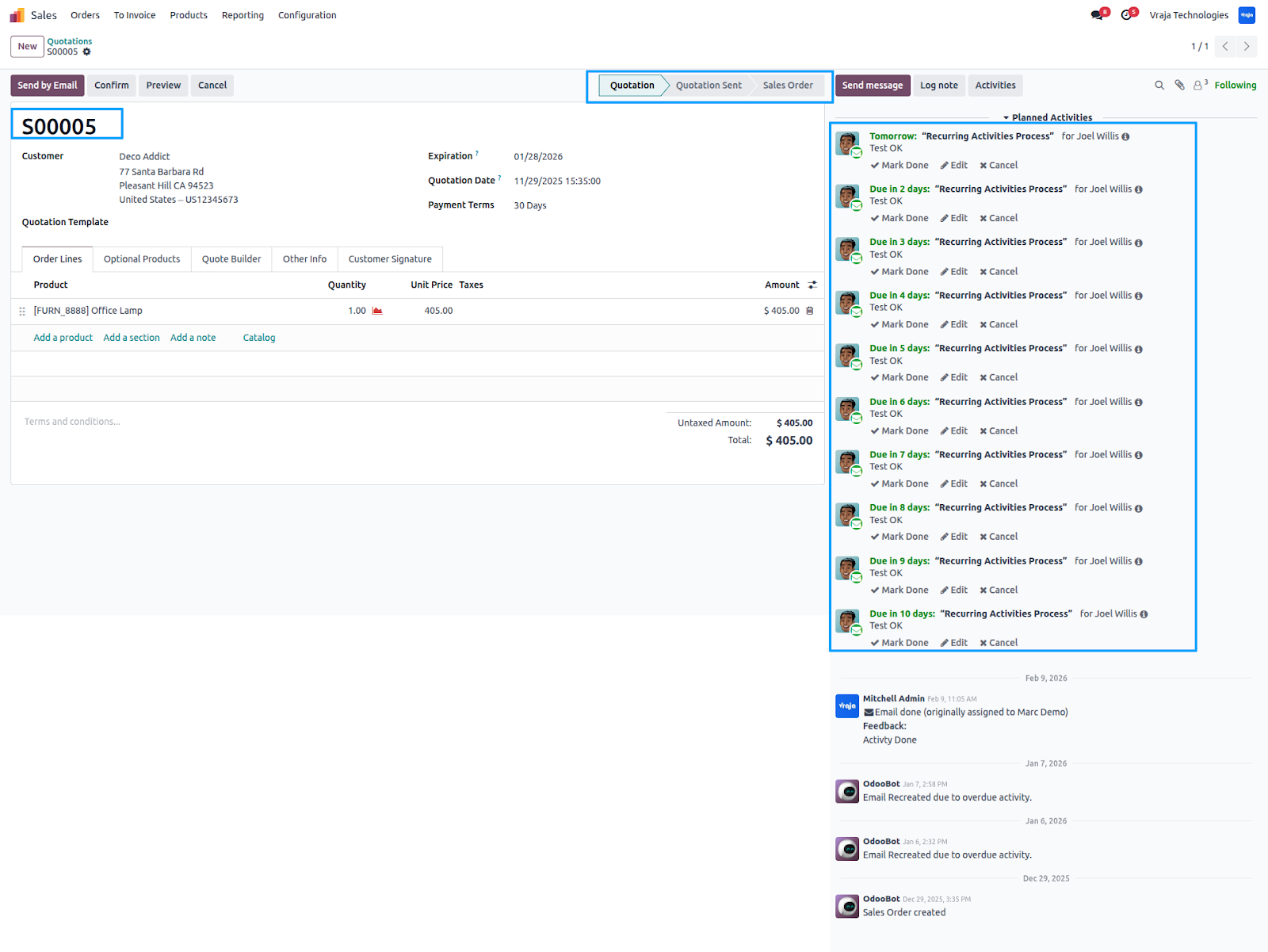
For example, you can configure the system to create 10 recurring activities for selected records. If the repetition is set to daily, the system will generate activities every day according to the defined number of repetitions.
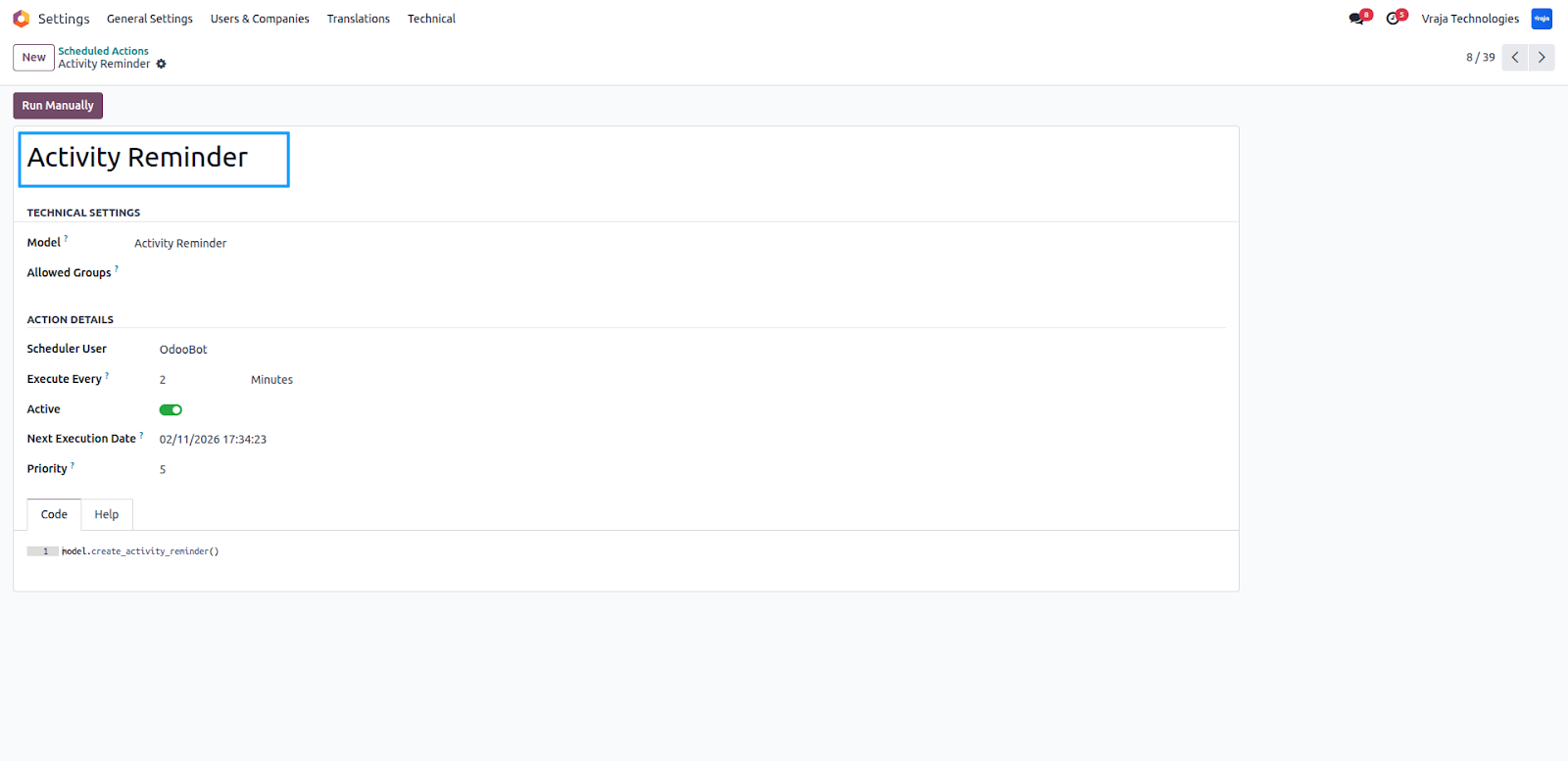
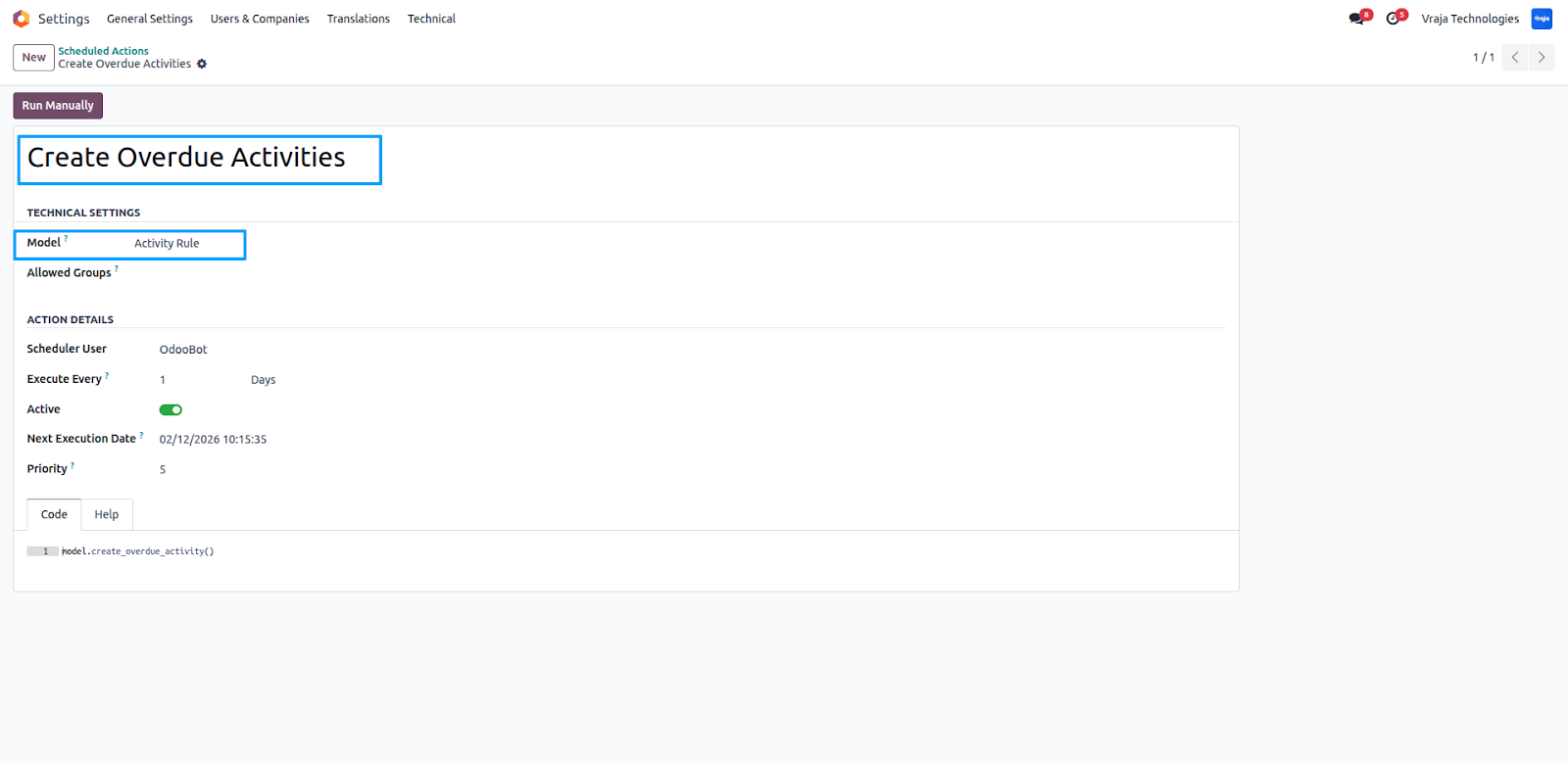
Scheduled actions automatically create reminders and activities based on the configured rules and timings.
Activity Reminders (Scheduled Actions) – Automatically trigger pop-up and email notifications before activity due dates based on configured reminder rules.
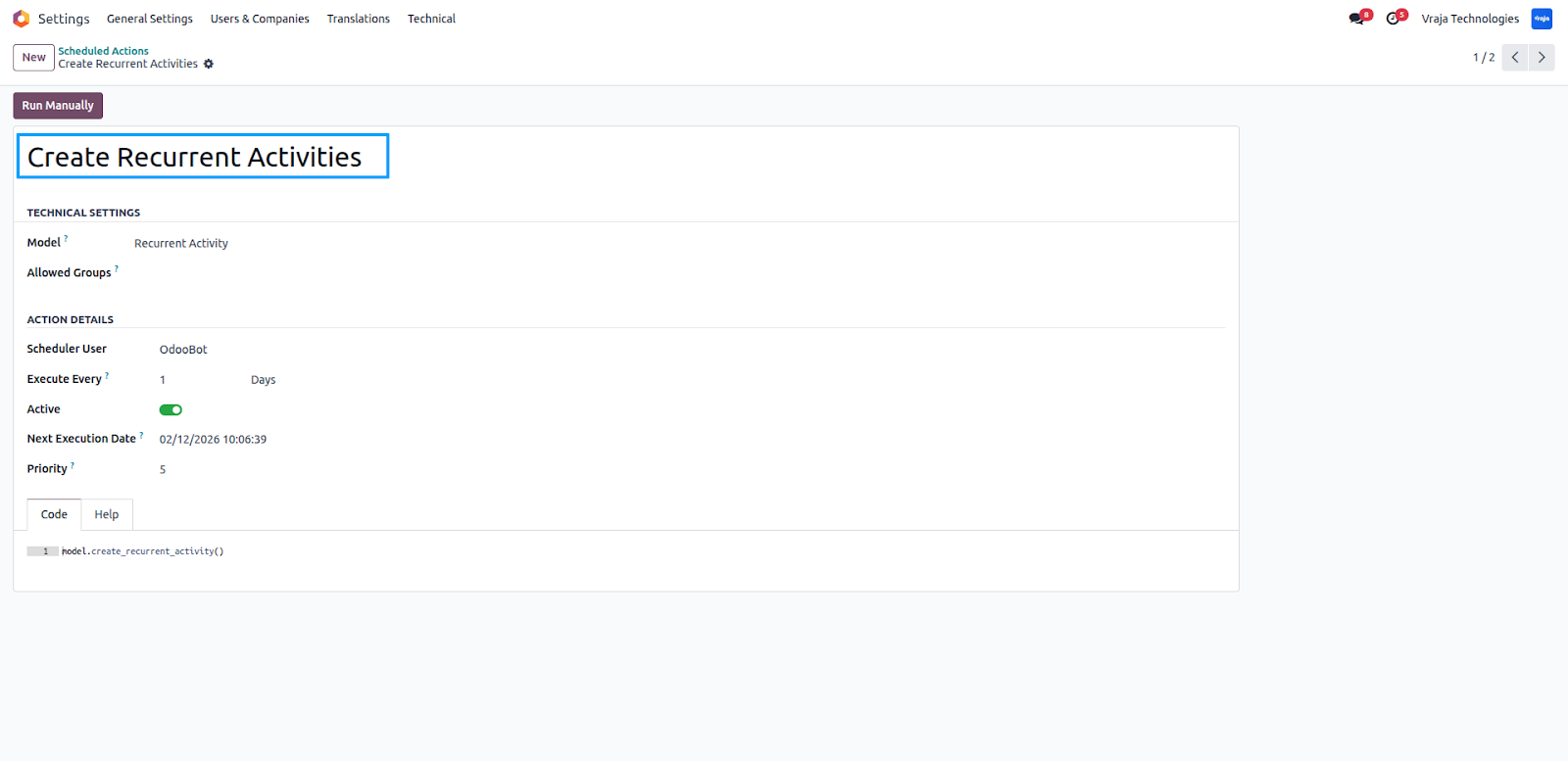
Recurring Activities (Scheduled Actions) – Automatically generate repeated activities (daily, weekly, monthly, or yearly) for routine tasks using defined filters and repetition settings.
Automated Activity Rules (Scheduled Actions) – Create activities automatically for specific document records when rule conditions are met, ensuring tasks are assigned without manual effort.
 What is the main purpose of this module?
- This module helps organizations manage, automate, and monitor activities efficiently through dashboards, automated rules, reminders, and recurring task generation.
What is the Activity Dashboard used for?
- The Activity Dashboard provides a centralized overview of all activities with real-time counters for planned, overdue, completed, and cancelled tasks.
Can activities be automatically created?
- Yes. Using Automated Activity Rules, the system automatically creates activities based on configured conditions and document models.
What is the difference between Automated Activity Rules and Recurring Activities?
- Automated Activity Rules create activities when specific record conditions are met, while Recurring Activities generate repeated tasks based on time intervals (daily, weekly, monthly, yearly).
Can I assign one activity to multiple users?
- Yes. The Multi-User Assignment feature allows you to assign a single activity to multiple users, and the system creates individual tracking records for each user.
How do Activity Reminders work?
- You can configure reminders to notify users before the due date via system pop-ups and optional email notifications.
Can activities be filtered easily?
- Yes. The Advanced Search Panel allows quick filtering by user, supervisor, activity type, document model, and date range.
I would like to request a custom feature for this application. What’s the process to get it implemented?
- We’re happy to help tailor the application to meet your business needs! You can reach us via sales@vrajatechnologies.com
Who is the point of contact for technical support, configuration support or bug-related queries?
- You can reach us via support@vrajatechnologies.com
Submit a Support Ticket
If you encounter any issues while using our app that are caused by the app itself, we offer complimentary support for 90 days from the date of purchase.
To create a support ticket, please register via the Vraja Technologies Support Email and provide the necessary details so we can assist you in resolving the issue.

Email Us
support@vrajatechnologies.com

 1.png)
Contact Us
vrajatechnologies.com/contactus

Support
vrajatechnologies.com/support-policy
Vraja Technologies Services
Odoo Implementation
Odoo App Integration Services
Odoo Customization

Odoo Consultation
Odoo Support & Maintenance

Odoo Developer Outsourcing
Suggested Application










Reviews
There are no reviews yet.