
Description
.png)
 Enterprise Community Odoo.sh
Advanced Asset Maintenance Management
Advanced Asset Management Module is designed specifically for large-scale businesses to manage and streamline the maintenance of their assets. Our solution helps optimize asset maintenance, increase operational efficiency, and reduce downtime.
 Watch on YouTube
We specialize in delivering advanced Odoo solutions across multiple domains. Our expertise includes:

EDI and SWIFT/ACH Payment Integrations
End-to-end EDI automation, including X12, EDIFACT, XML standards, & financial integrations such as SWIFT, ACH, & Fedwire.


eCommerce Integrations
Seamless integration with leading eCommerce platforms to sync products, orders, inventory, and customer data in real time.

Shipping Integrations
Robust shipping connectors for global couriers, offering automated label generation, tracking, and rate computation.

Most Useful Apps for your ERP
A wide range of highly-rated Odoo modules designed to enhance automation, improve productivity, & simplify business operations.
 Features
 Process
 FAQs
FAQs
 Automated Maintenance Reminders
Manager Track Labor & Costs Assignment & Notifications
Customizable Asset Inspection Checklists
Maintenance Frequency
Create Purchase Orders
Automated Maintenance Reminders
Manager Track Labor & Costs Assignment & Notifications
Customizable Asset Inspection Checklists
Maintenance Frequency
Create Purchase Orders
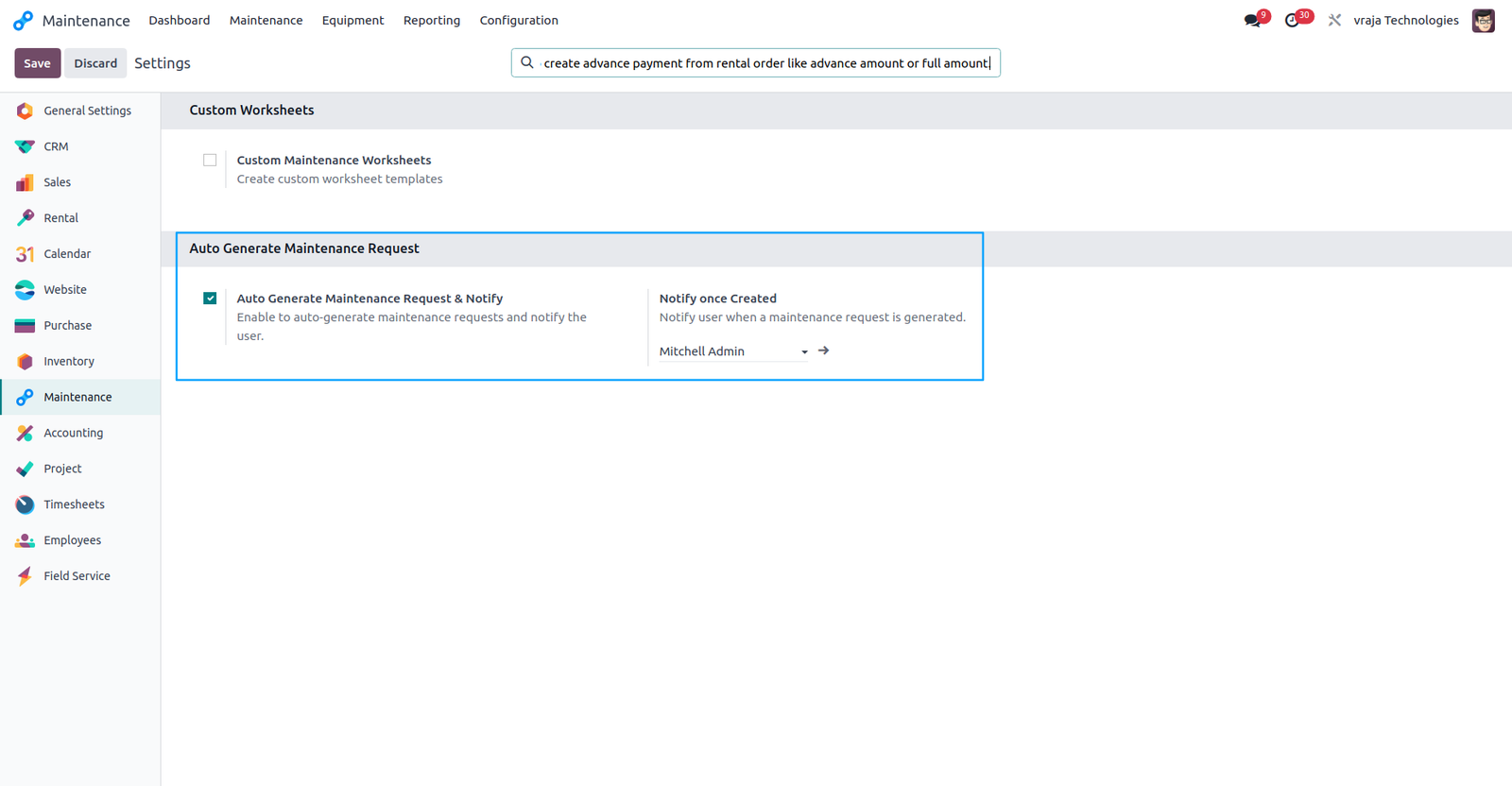
To automatically generate Asset Maintenance Requests and notify the designated user upon creation, please enable this configuration.
Set the maintenance frequency for automatic creation of maintenance requests in asset.

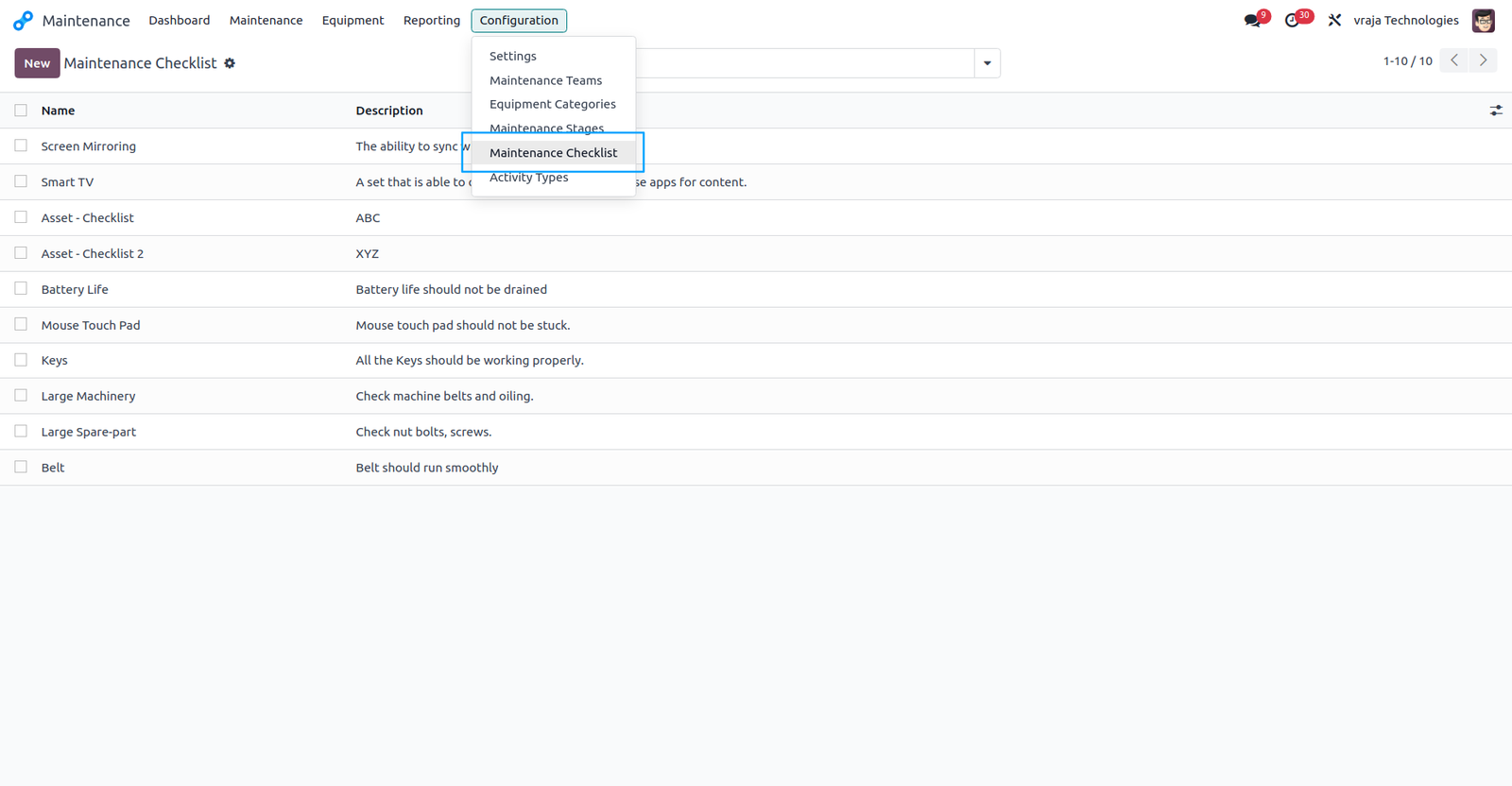
Predefine maintenance checklists to be used for validation in asset maintenance requests.
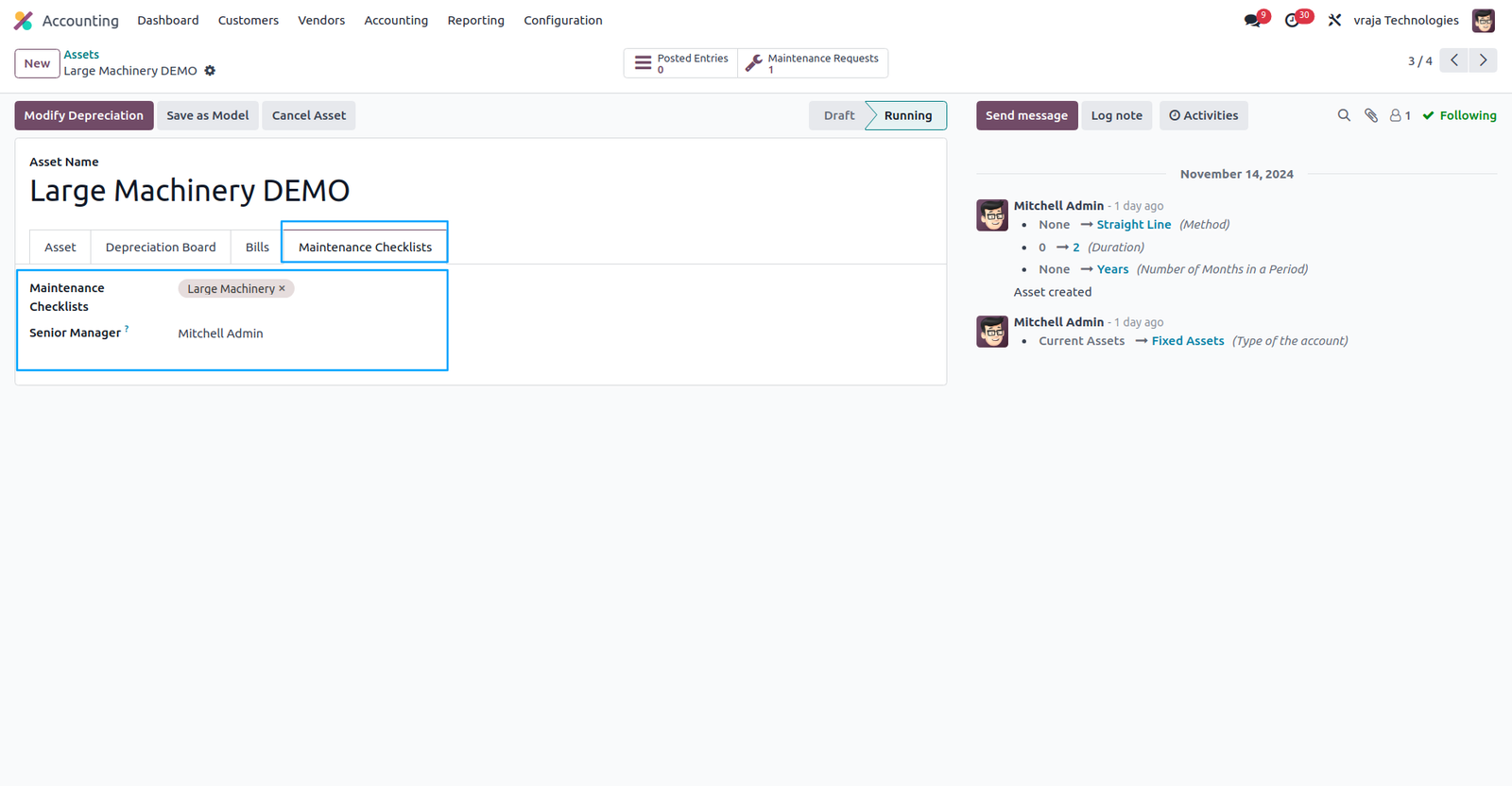
In the Asset, configure the checklist required for validation, along with assigning the senior manager to be notified once all checklists are completed.
Defined a scheduled action to automatically generate maintenance requests based on the configured settings.
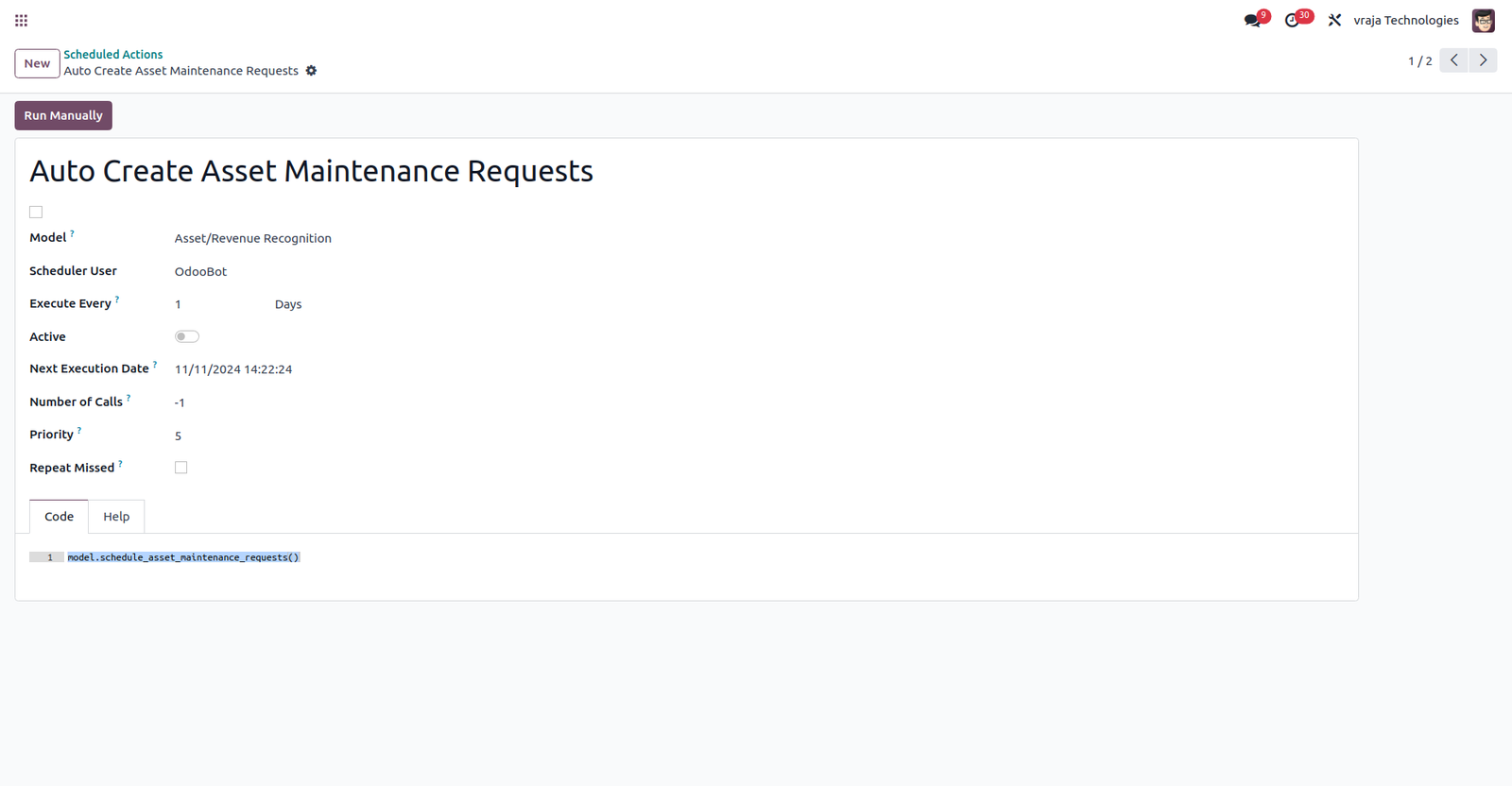
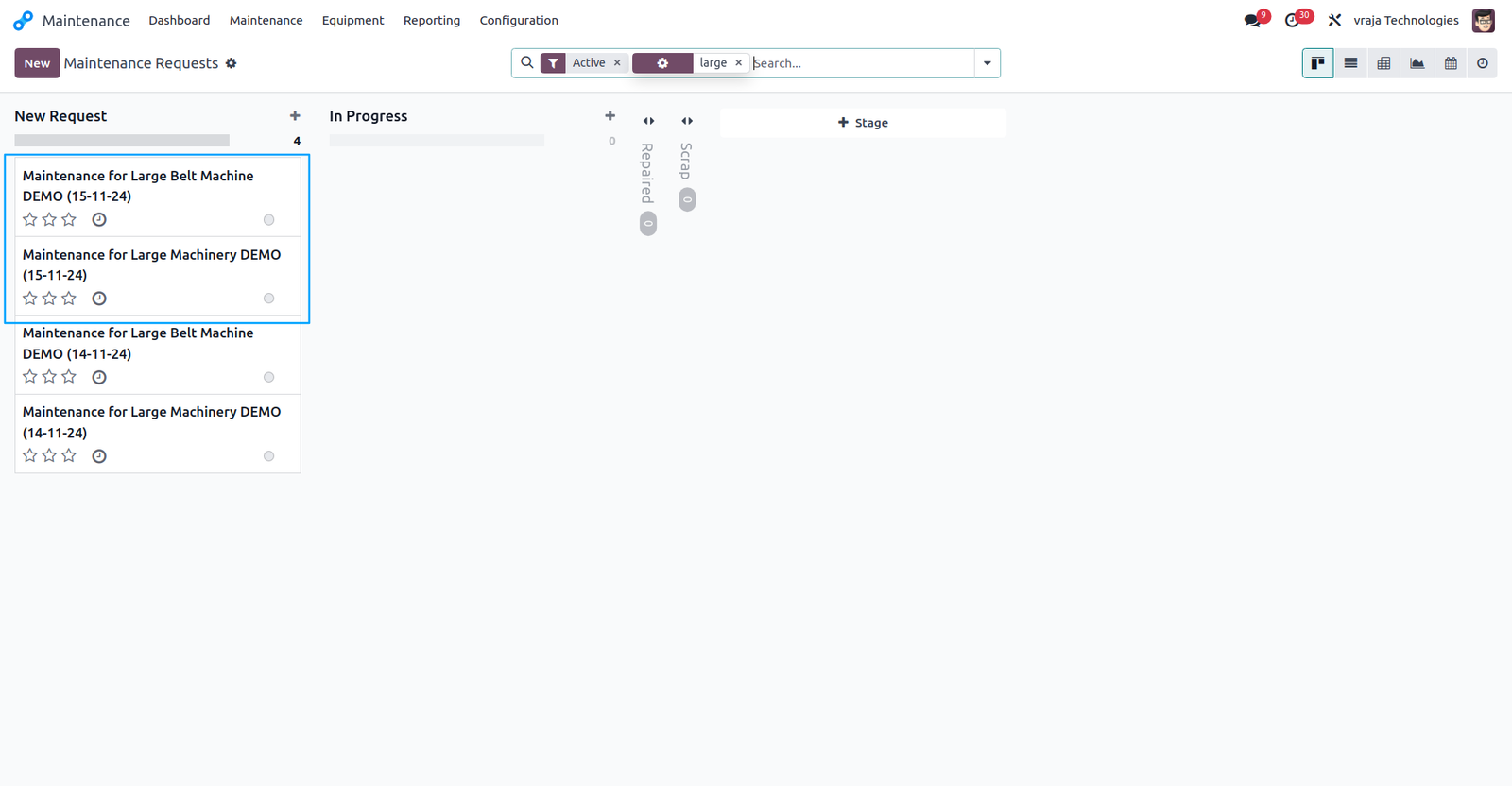
When the scheduled action runs, new maintenance requests are created based on the specified configuration.
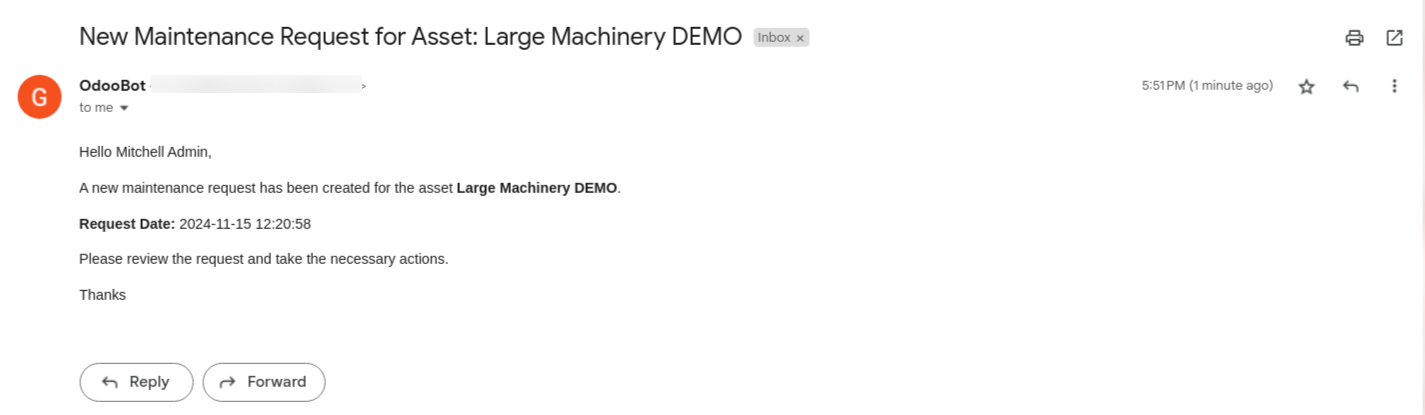
For newly created maintenance requests, the responsible user is notified via email.
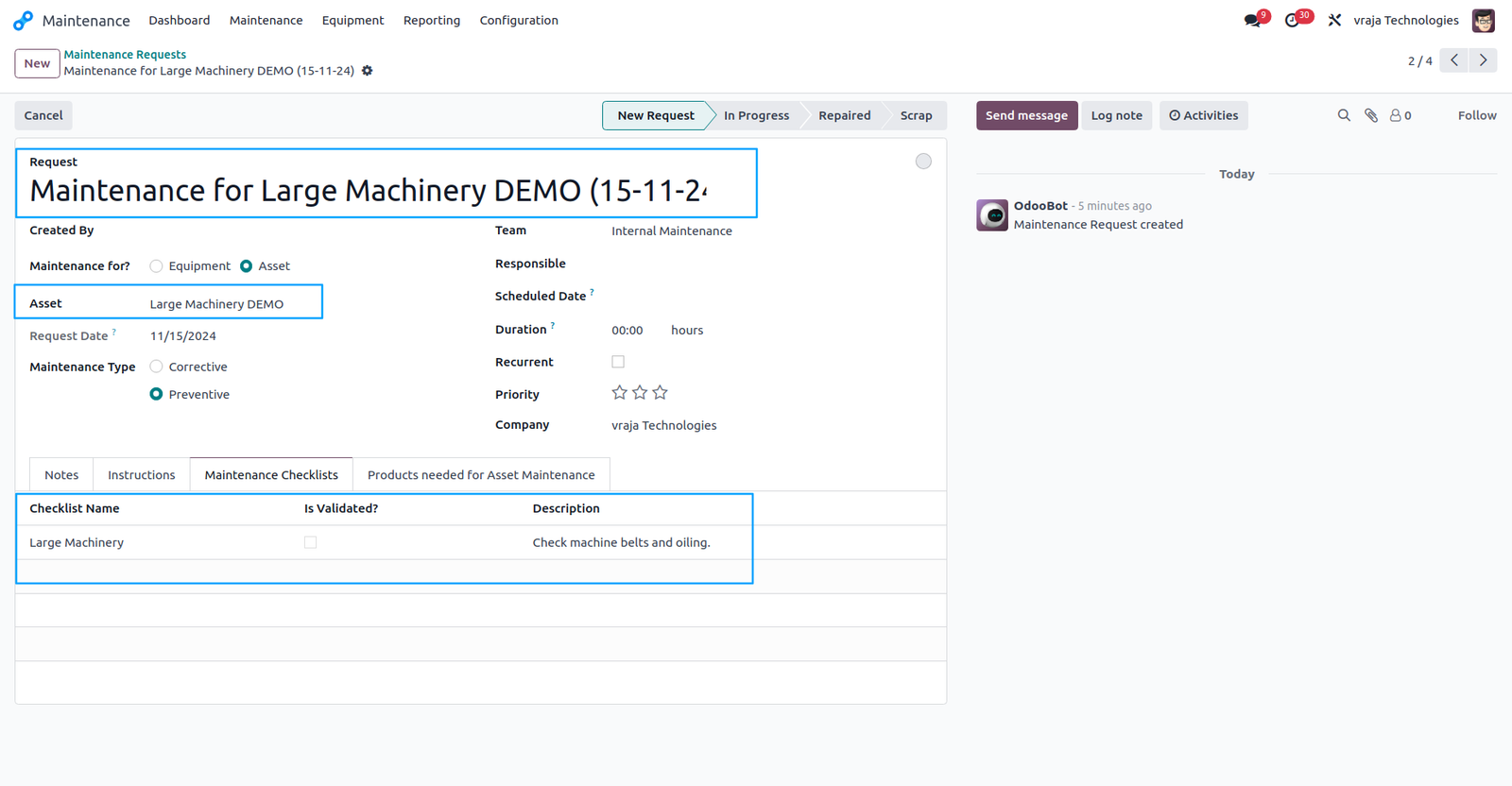
Maintenance requests are created with the following details, including the asset name and the checklists that need to be verified.
The inspector or tester verifies all the details and, once all checklists are completed, the senior manager is notified.
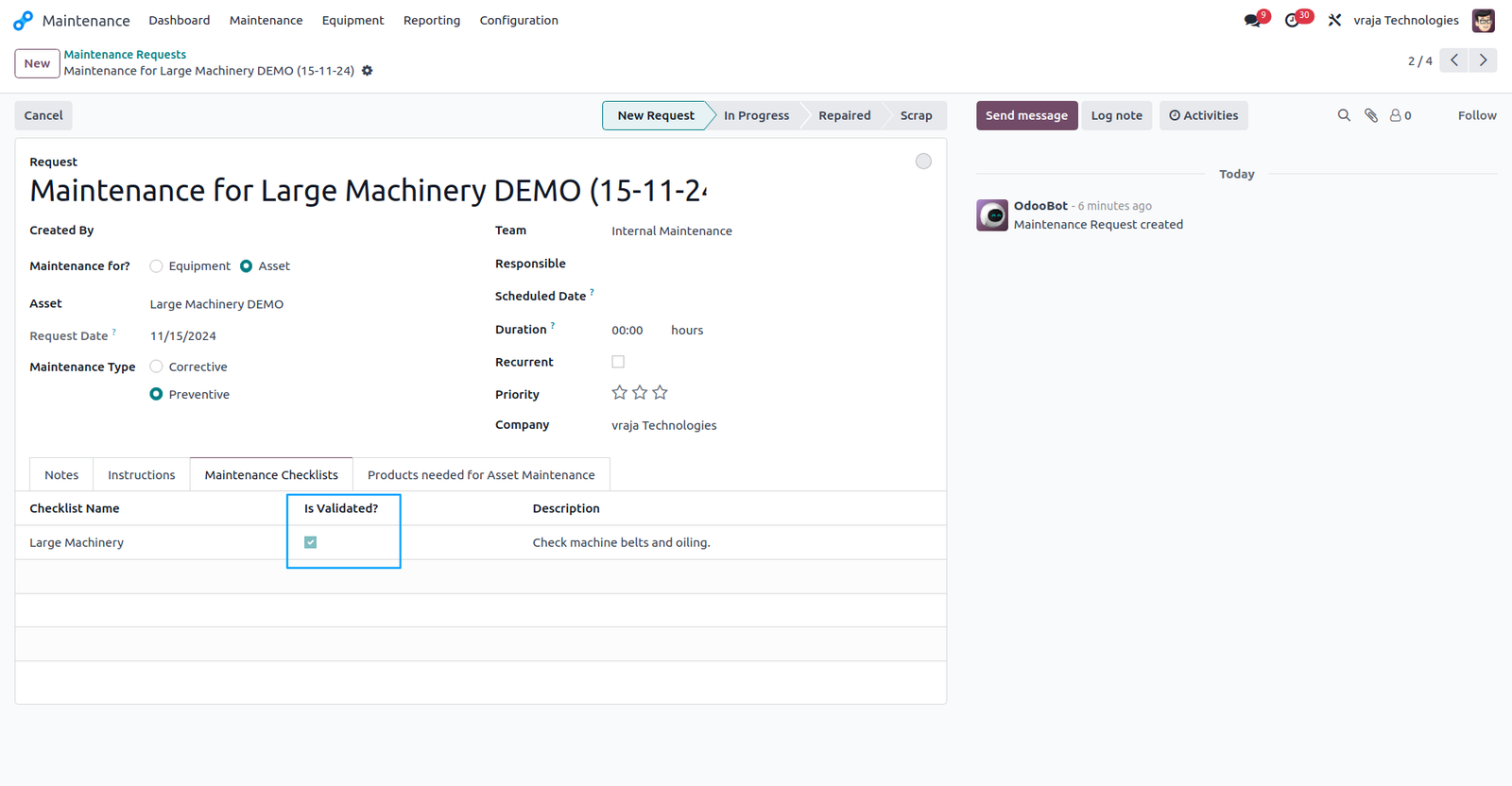
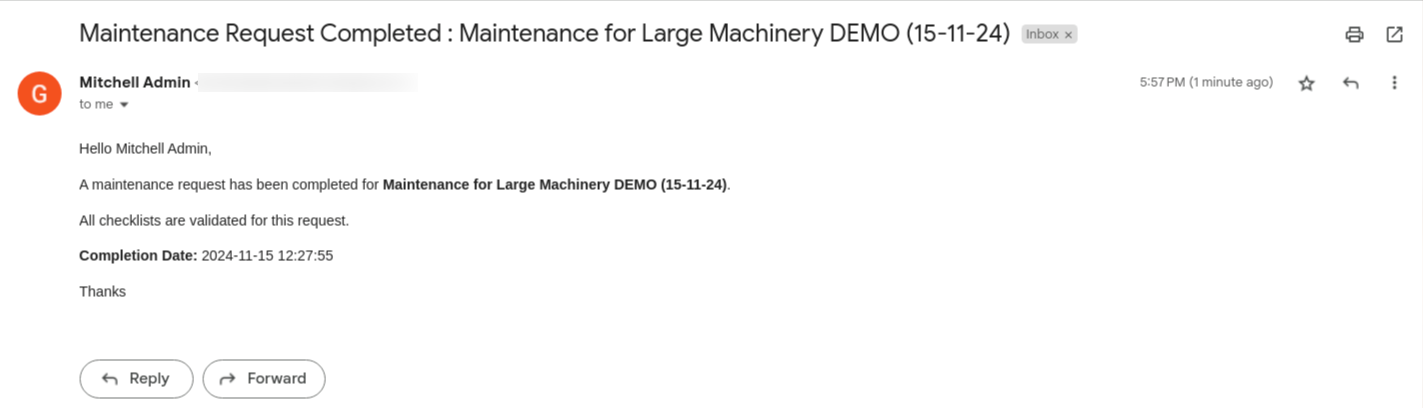
This type of notification is sent to the senior manager once all checklists have been completed.
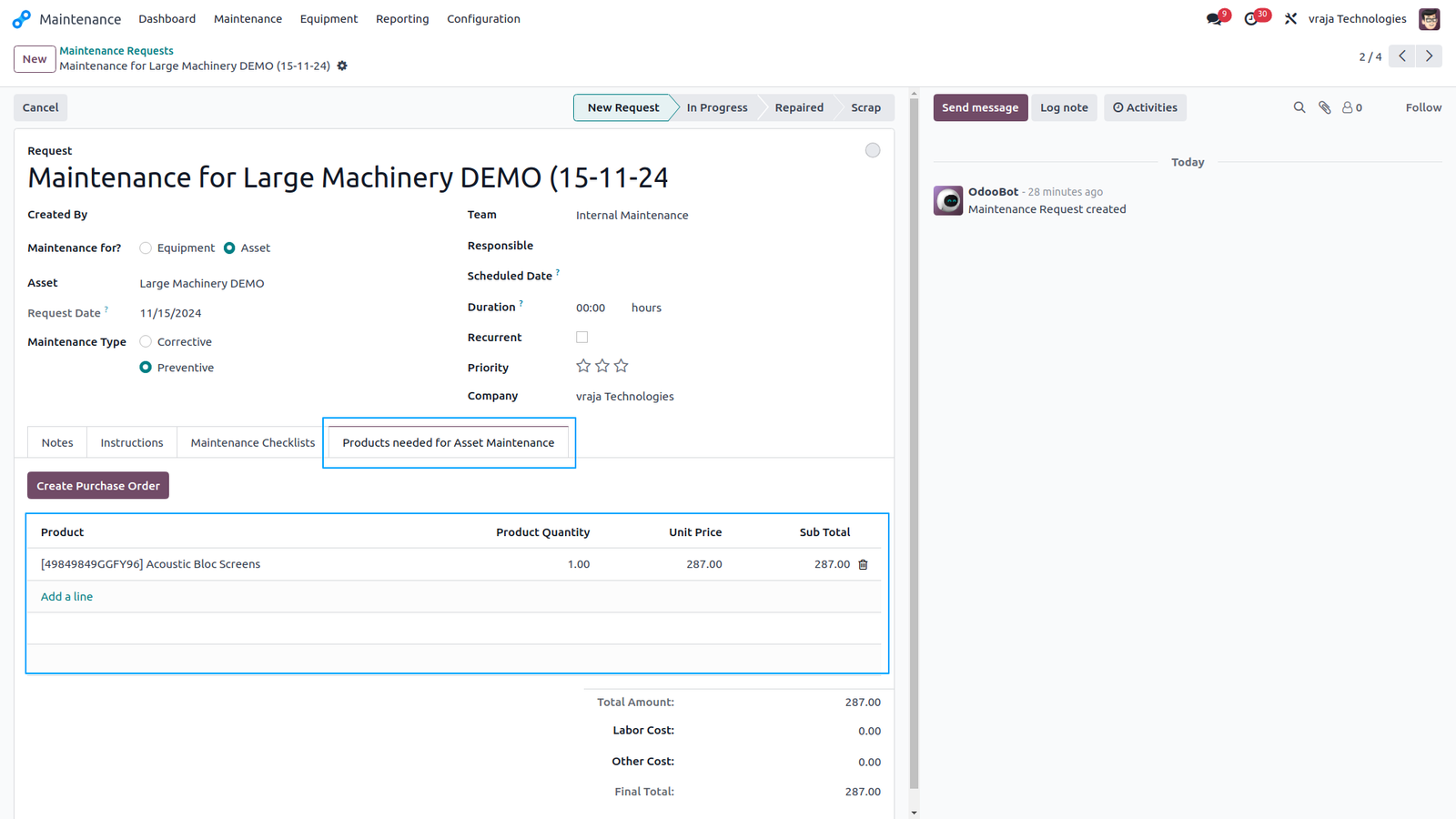
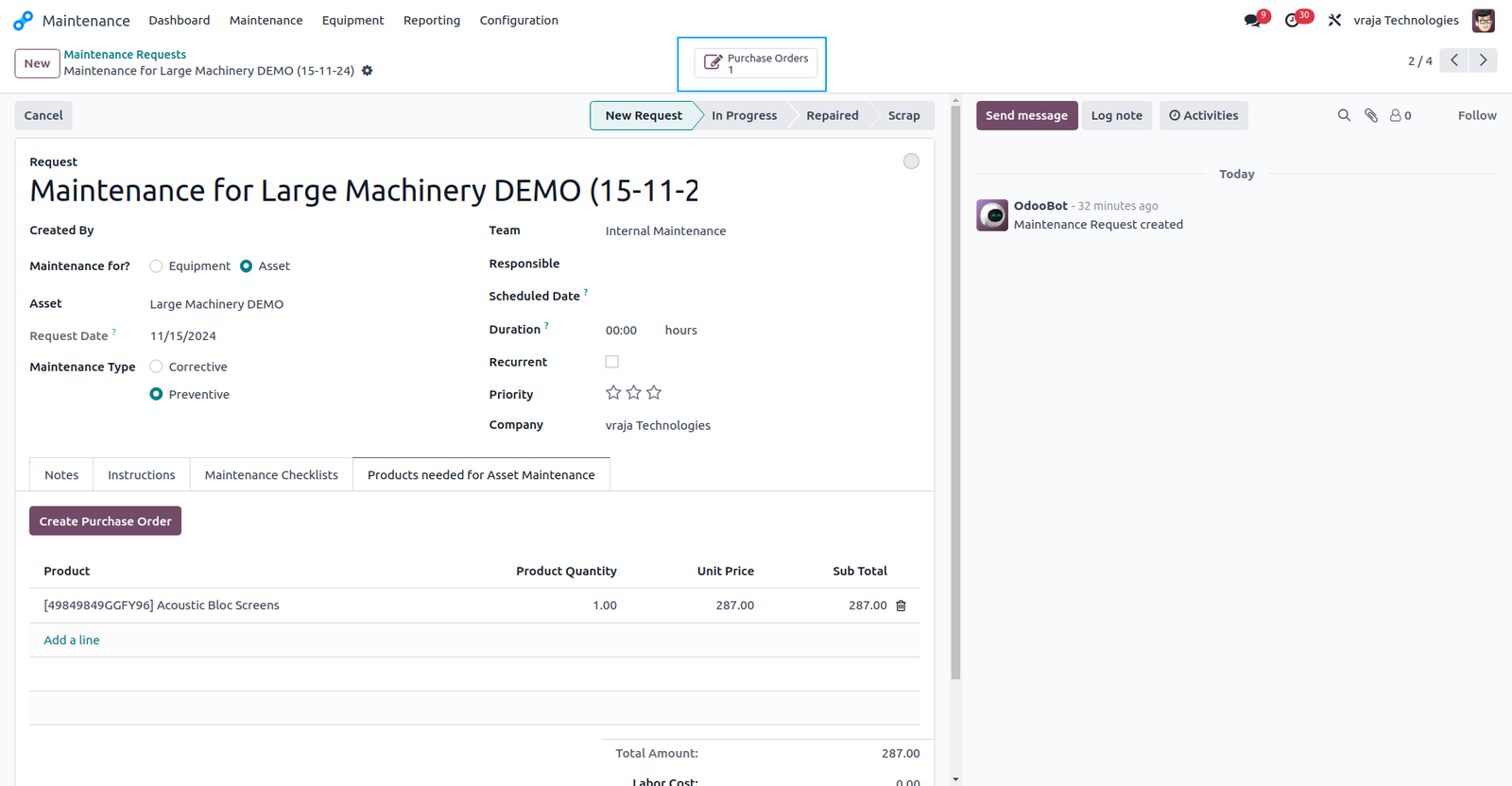
A direct option is provided to create a purchase order for the required parts/products when replacement or new parts are needed for asset maintenance.
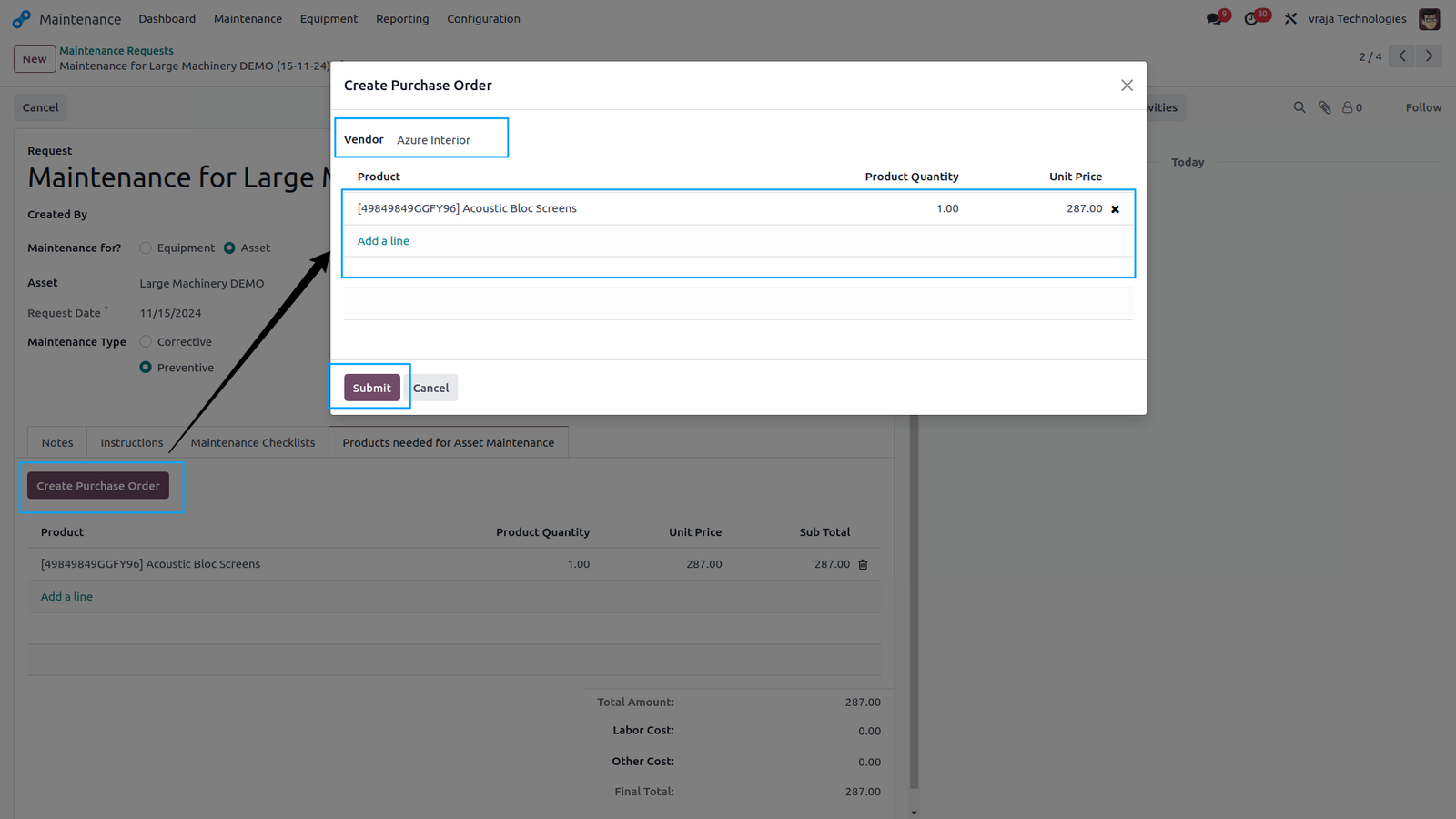
When you click the “Create Purchase Order” button, a wizard will open, allowing you to select the vendor for the required parts/products.
The purchase order created is directly linked to the maintenance request for easy reference.
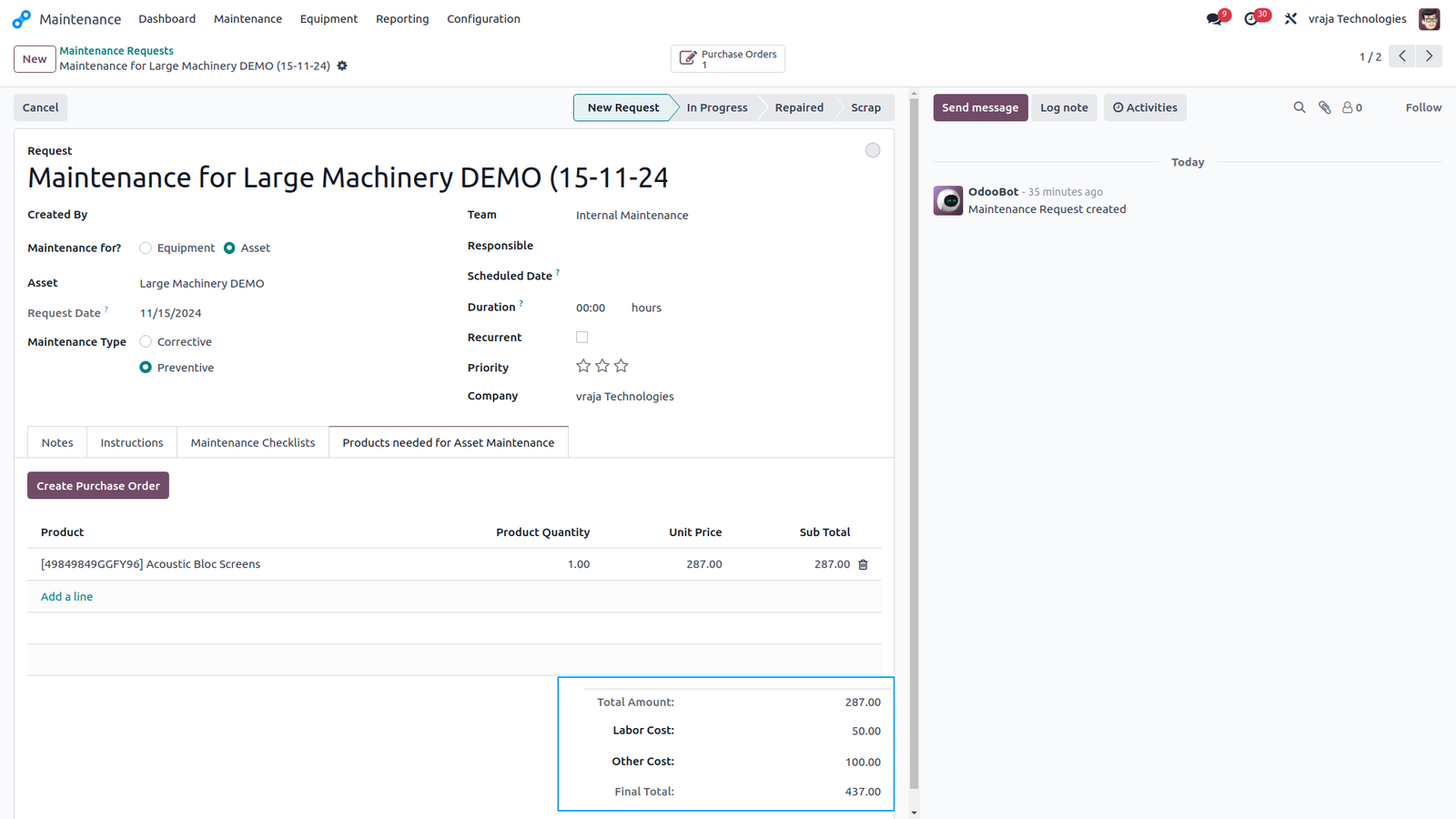
In addition to the purchase cost, you can also add labor costs and any other expenses required for the maintenance.
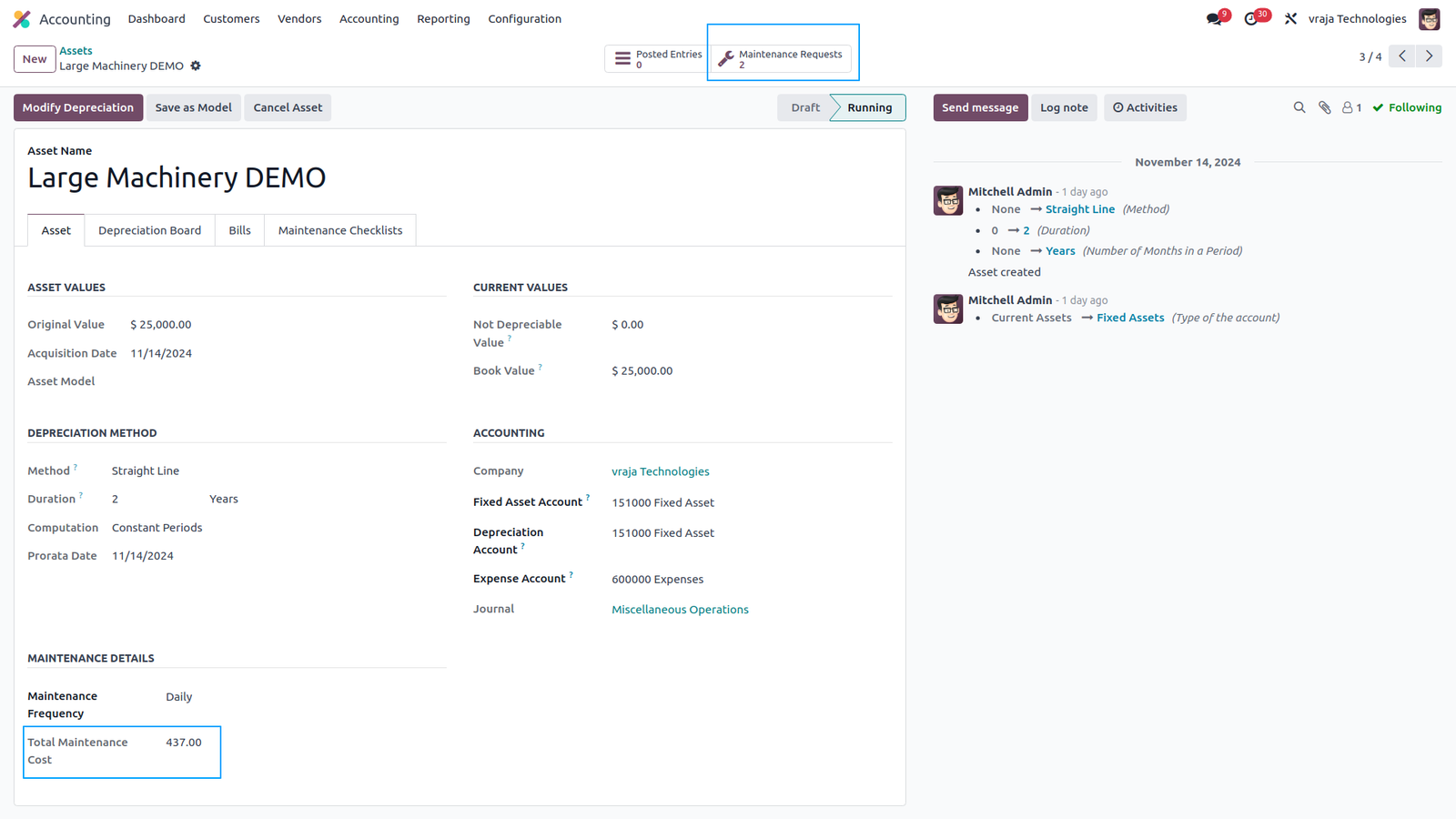
The asset record displays references to maintenance requests and the total maintenance cost, helping in the decision to purchase a new asset or continue maintenance.
 I would like to request a custom feature for this application. What’s the process to get it implemented?
- We’re happy to help tailor the application to meet your business needs! You can reach us via sales@vrajatechnologies.com
Who is the point of contact for technical support, configuration support or bug-related queries?
- You can reach us via support@vrajatechnologies.com
Submit a Support Ticket
If you encounter any issues while using our app that are caused by the app itself, we offer complimentary support for 90 days from the date of purchase.
To create a support ticket, please register via the Vraja Technologies Support Email and provide the necessary details so we can assist you in resolving the issue.

Email Us
support@vrajatechnologies.com

 1.png)
Contact Us
vrajatechnologies.com/contactus

Support
vrajatechnologies.com/support-policy
Vraja Technologies Services

Odoo Implementation

Odoo App Integration Services
Odoo Customization

Odoo Consultation
Odoo Support & Maintenance

Odoo Developer Outsourcing
Suggested Application











Reviews
There are no reviews yet.