
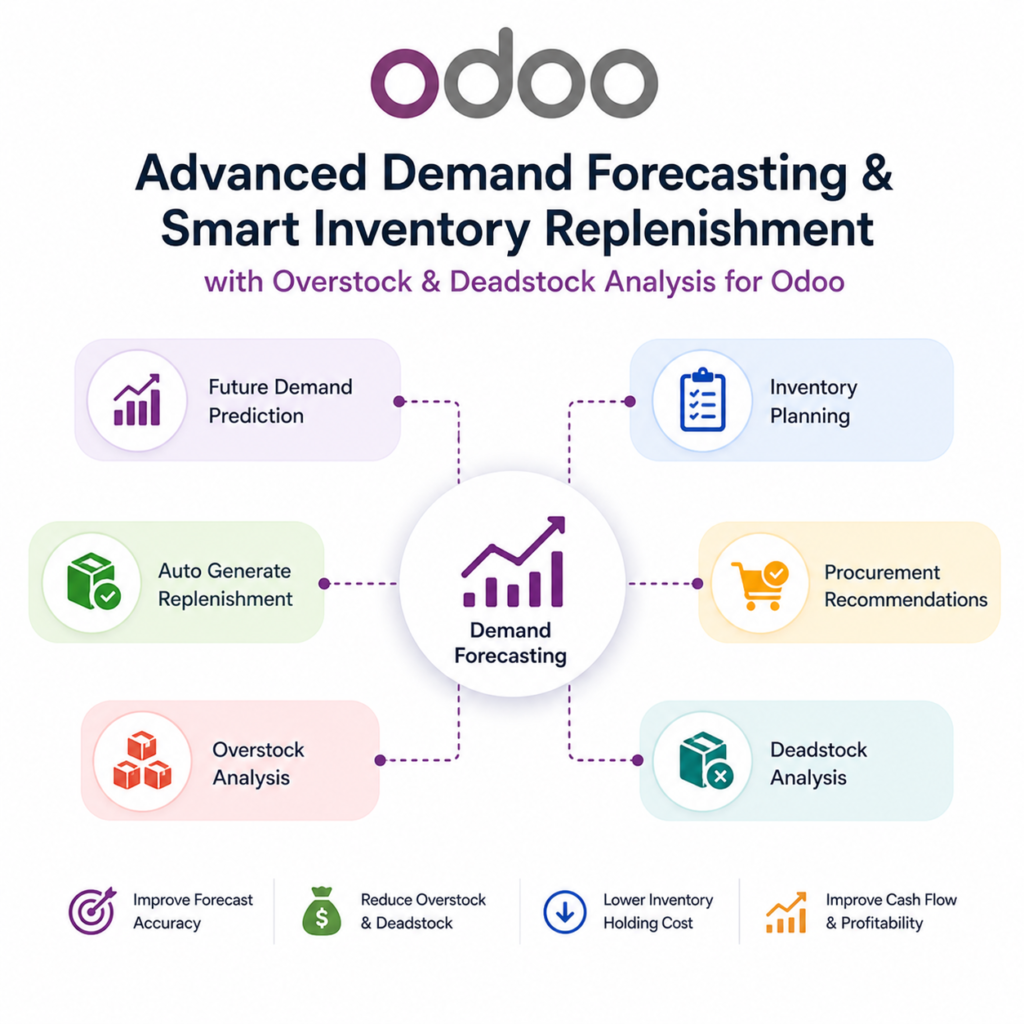
Description
.png)
 Enterprise Community Odoo.sh
Smart Demand Forecasting & Auto Replenishment
Our Advanced Demand Forecasting and Automated Stock Replenishment module offers a sophisticated approach to forecast product quantities and inventory management by replacing static reordering rules with dynamic, data-driven planning. By analyzing historical consumption trends and applying forecasting methods as per your configuration, the system accurately predicts future needs while accounting for seasonality adjustments and specific order cycles. It ensures optimal stock levels by factoring in critical variables such as safety stock, lead times, and stock limits, effectively preventing both costly shortages and inefficient overstocking.
The module streamlines complex logistics through multi-warehouse priority logic, automatically determining whether to fulfill needs via internal transfers or new purchase orders based on your specific source warehouse constraints. This automation is supported by high-level control features, including detailed logs and inventory reports that provide full visibility into every system action. By integrating these advanced planning tools directly into Odoo, your business can maintain a leaner inventory, optimize cash flow, and ensure that procurement always aligns with real-world demand trends.
 Watch on YouTube
We specialize in delivering advanced Odoo solutions across multiple domains. Our expertise includes:

EDI & SWIFT/ACH Payment Integrations
End-to-end EDI automation, including X12, EDIFACT, XML standards, & financial integrations such as SWIFT, ACH, & Fedwire.


eCommerce Integrations
Seamless integration with leading eCommerce platforms to sync products, orders, inventory, and customer data in real time.

Shipping Integrations
Robust shipping connectors for global couriers, offering automated label generation, tracking, and rate computation.

Most Useful Apps for your ERP
A wide range of highly-rated Odoo modules designed to enhance automation, improve productivity, & simplify business operations.
 Features
 Process
 FAQs
FAQs
 Forecast for future inventory
The module analyzes past data to predict future stock needs.
Multiple forecast methods:
Offers various forecasting approaches to calculate demand based on historical sales trends.
Seasonality-based adjustments:
Modifies forecast quantities using month-wise seasonal demand patterns.
Multi-warehouse priority handling:
Distributes stock from multiple source warehouses based on defined priority and availability.
Automated transfer execution and manual transfer trigger:
Enables both scheduled automatic execution and user-driven manual stock replenishment.
Inventory analysis reports:
Generates reports to analyze stock behavior such as fast-moving, slow-moving, overstock and deadstock items.
Source minimum quantity & destination maximum quantity control:
Maintains optimal stock by ensuring minimum levels at source and limiting excess at destination.
Transfer logs:
Records each execution with detailed product-level actions, statuses, and outcomes for tracking and auditing.
Upon installing the module, you can see the Forecast application.
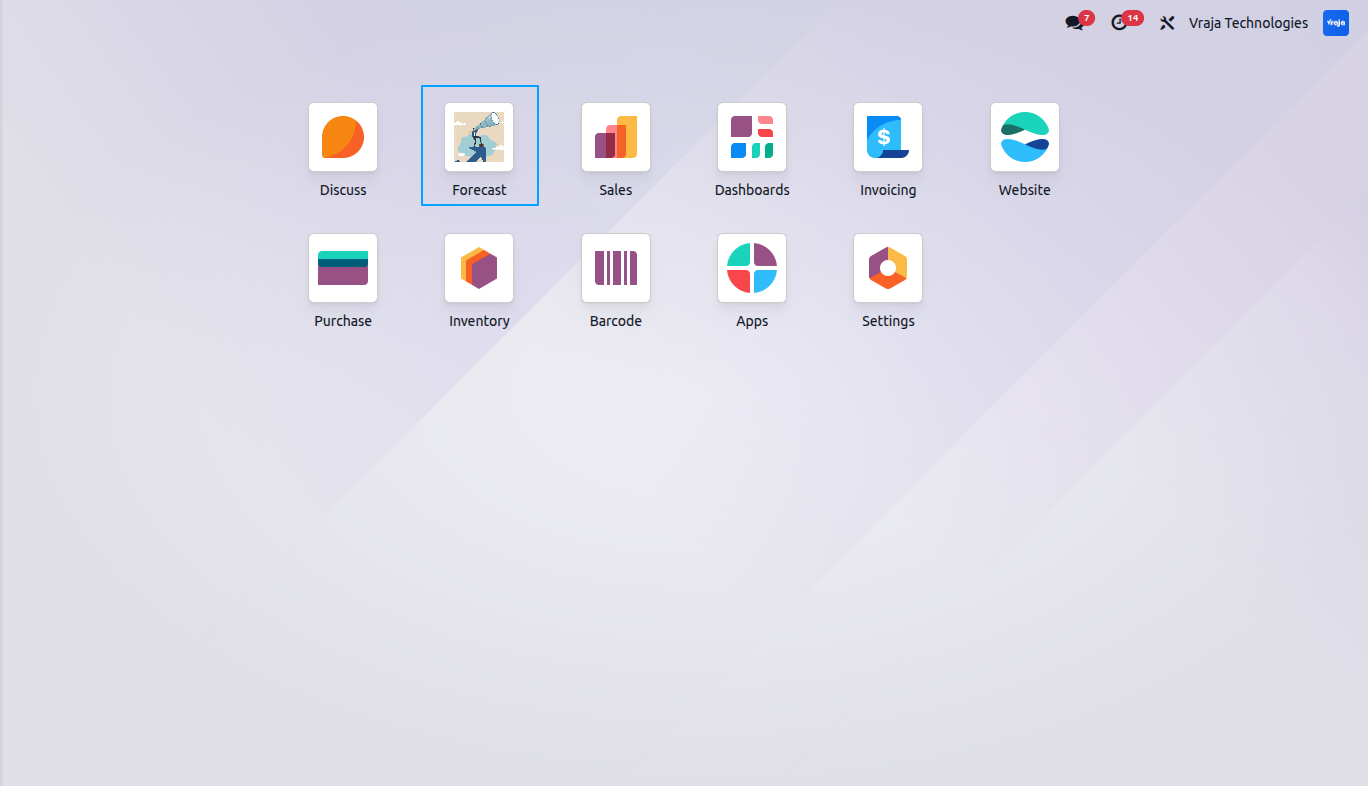
You can define as many forecast rules as you wish. A Forecast Rule is configured for a warehouse & company with product selection,
defining forecast period, demand calculation method, supply planning parameters, and warehouse transfer settings to automate stock planning and replenishment.
Rule Name:Enter a unique name for the forecast rule.
Company:You have to define for which company you want to do the forecast for.
Warehouse:If you have multiple warehouse in the same company, you can define which warehouse needs forecasting and auto replenishment.
Product Selection: You can select products based on product templates, product category and vendor.
Forecast Days: Number of future days to get the forecasting quantities.
Sale History Days: Number of past days to consider for sales history analysis.
Forecast Methods: You can choose to forecast based on daily, monthly and same period last year calculation methods.
Lead Time Days: Number of days required to receive stock after placing an order.
Safety Stock Days: Extra stock buffer (in days) maintained to avoid shortages during demand fluctuations.
Order Cycle Days: It defines how often you order for selected products.
Reorder Rules: You can choose to enter the minimum quantity to order and order multiple in the rule, or use the existing reorder rules for the product.
Minimum Reorder Quantity: Minimum quantity that must be ordered in a purchase order.
Reorder Multiple: Quantity must be ordered in multiples of this value.
Maximum Stock Limit: Maximum stock limit for the selected warehouse.
Source Warehouse: You can add multiple source warehouses and maintain their priority for internal transfer from those warehouses to the current warehouse.
Operation Type: You can choose the operation type to create in Odoo for internal transfer.
Source Required Quantity: Minimum quantity required in the source warehouse.
Minimum Transfer Quantity: Ensures a minimum quantity is used for transfers.
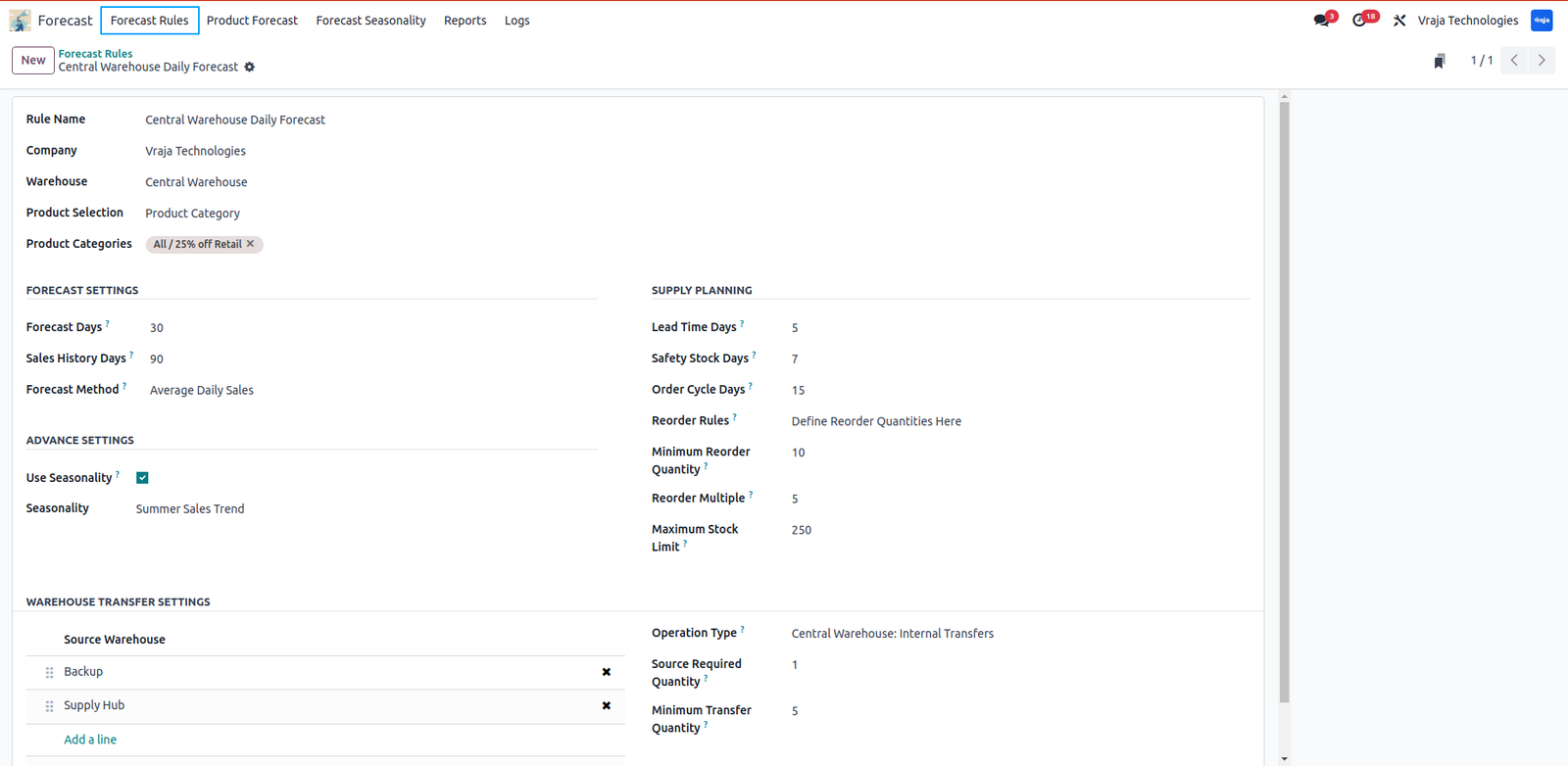
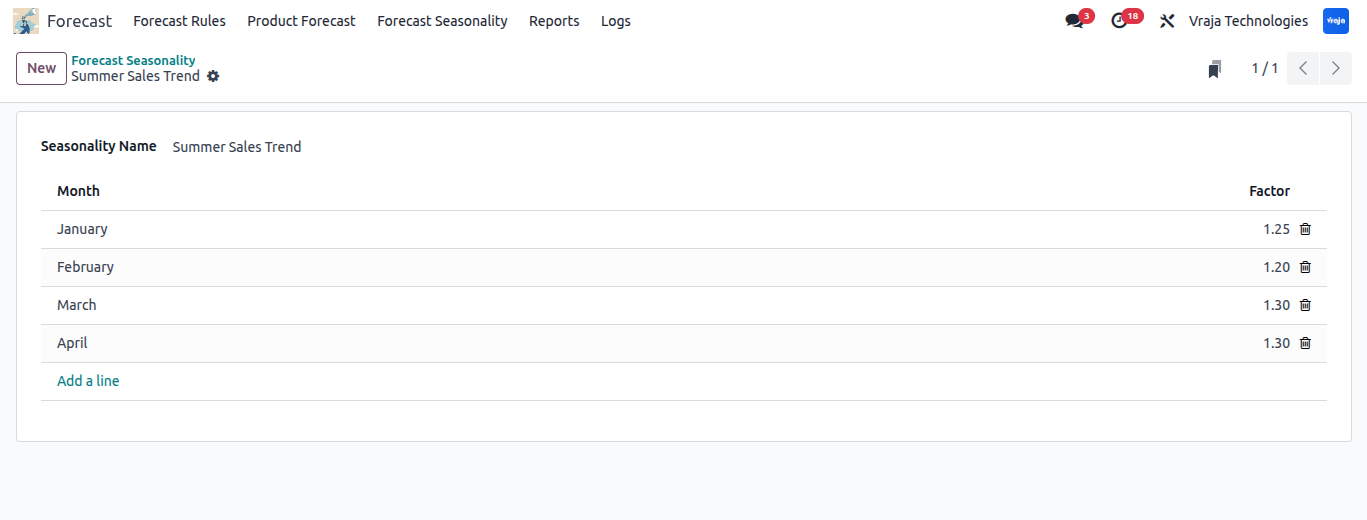
Each seasonality rule allows to set month-wise demand factors to manage forecast based on seasonal trends.
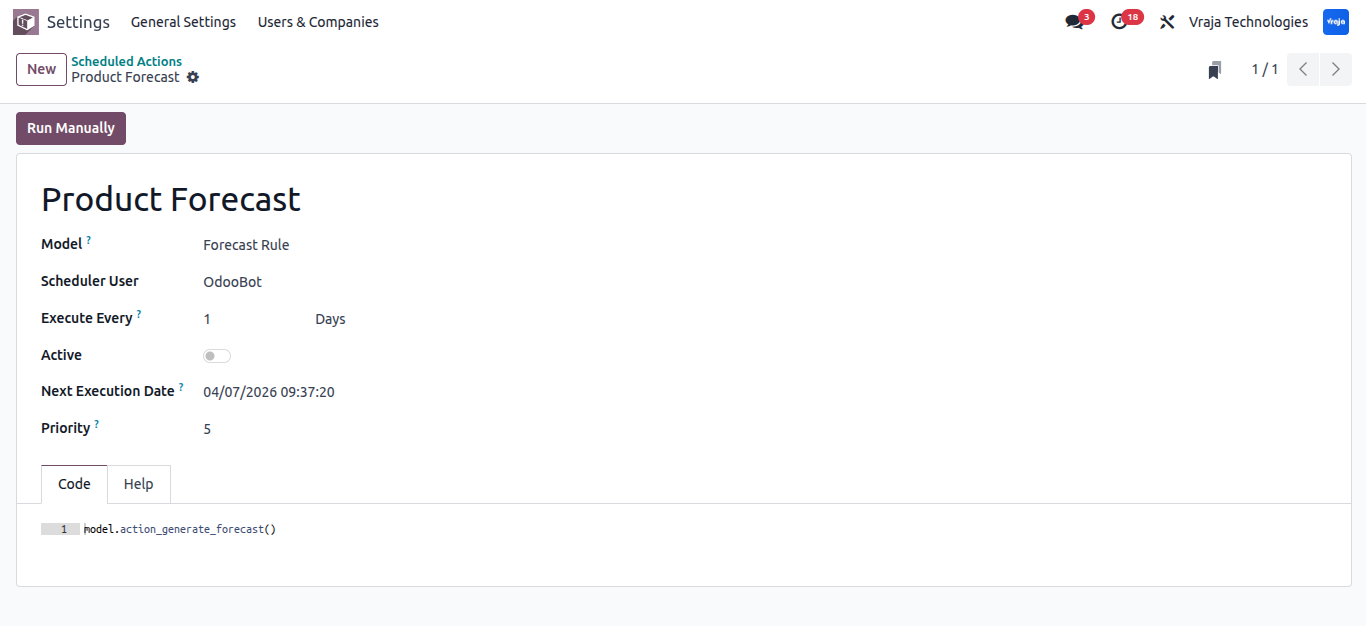
This is the scheduled action to generate product forecast lines.
Product forecasts are displayed by grouping items into In Stock and Shortages.
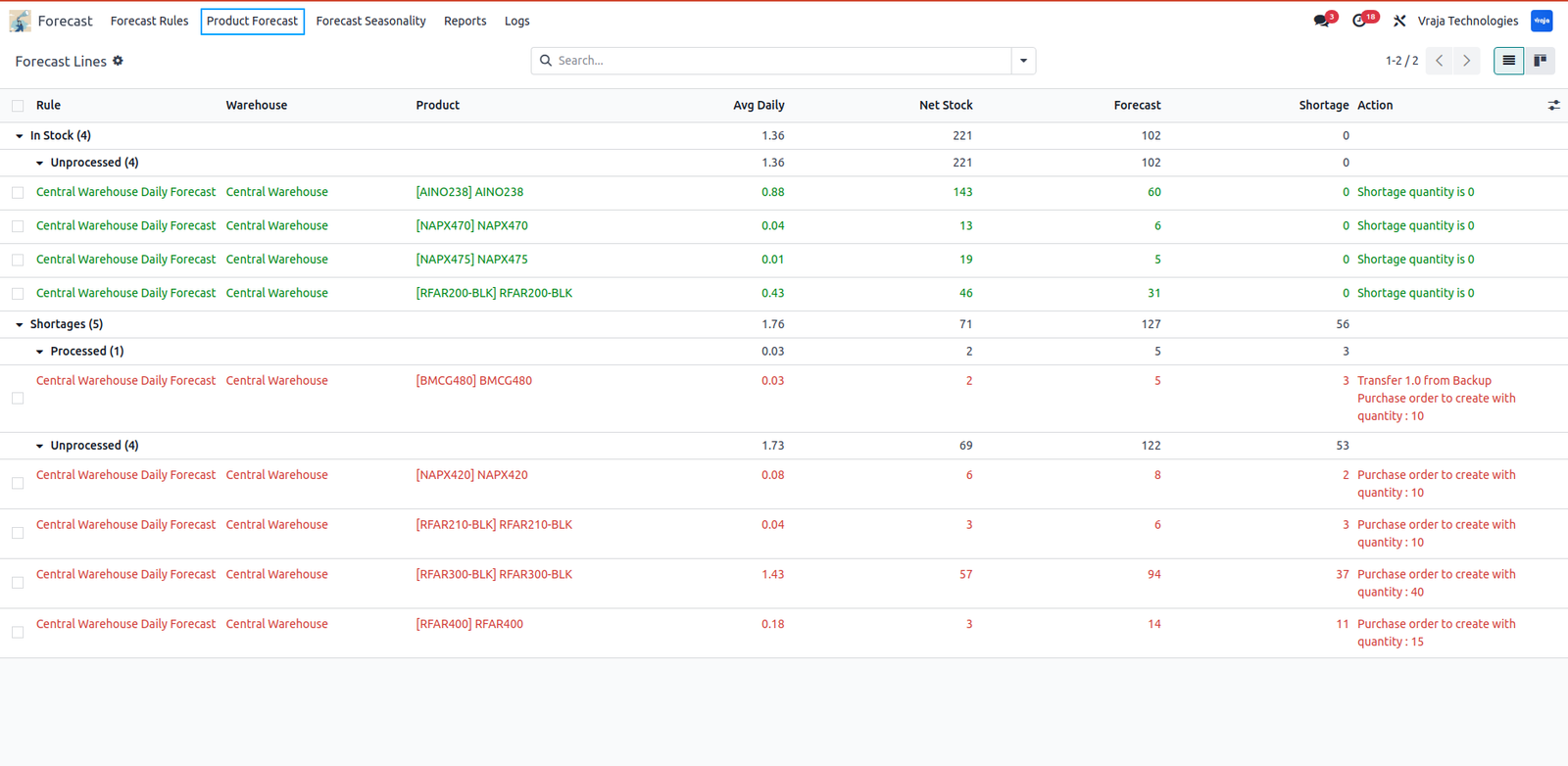
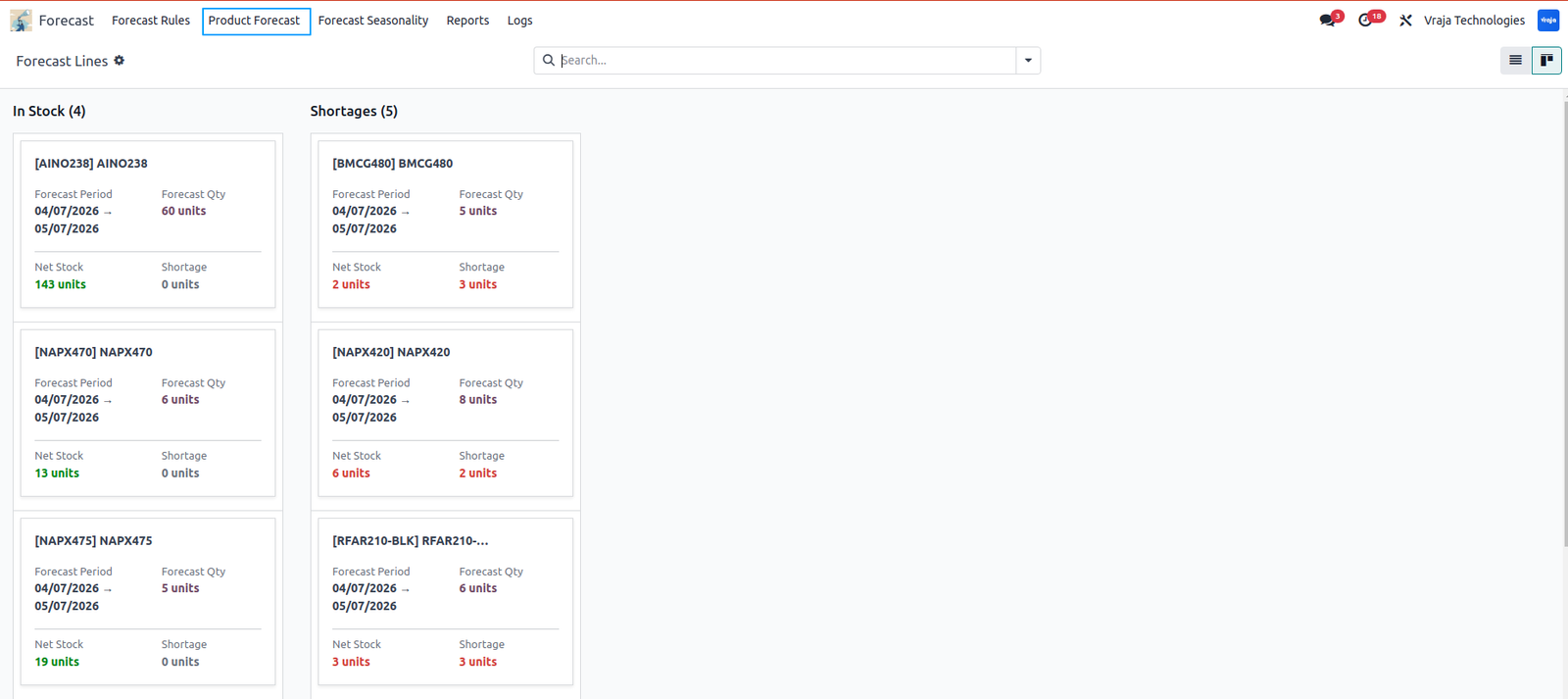
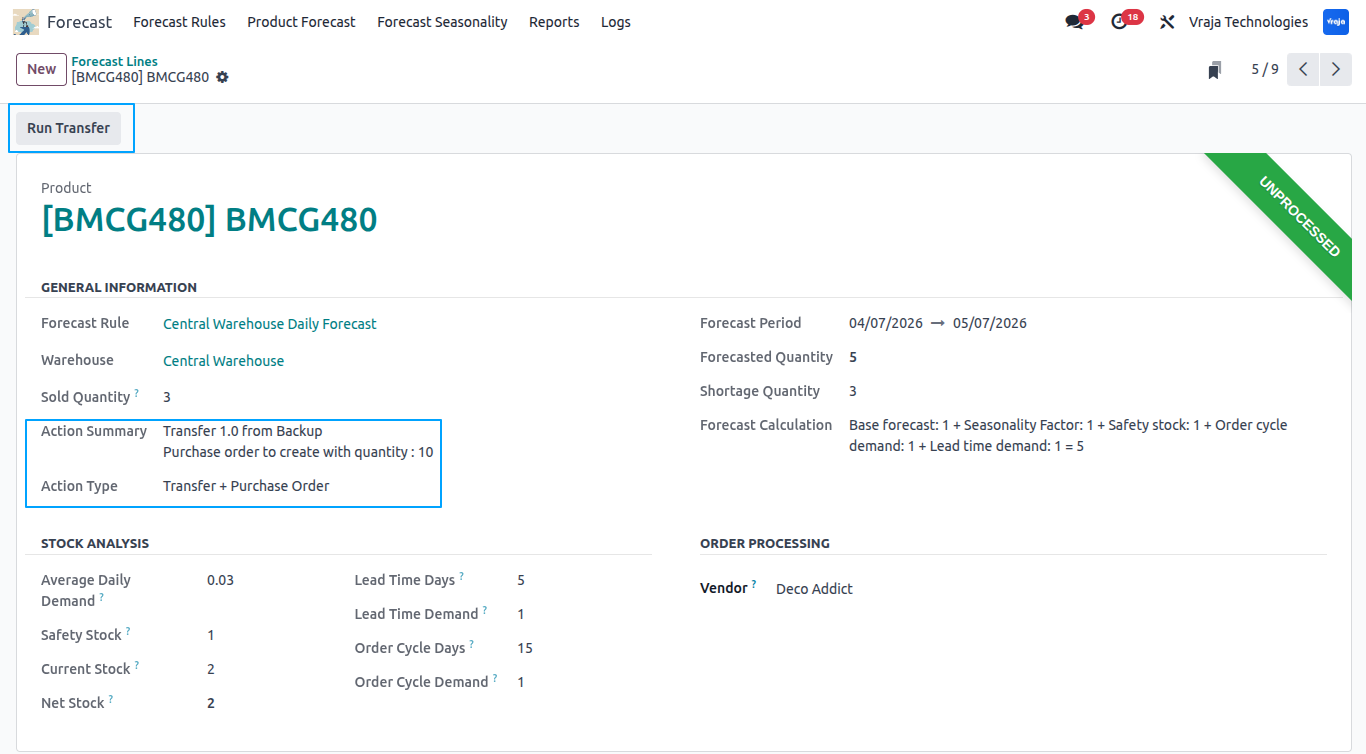
Detailed view of each product forecast includes several information.
Forecast Rule: Forecast rule used to forecast this product’s quantity.
Warehouse: Warehouse for the forecasted product.
Sold Quantity: Shows the sold quantities for the time period used for data analysis.
Action Type: What you require to fulfill the shortage quantity.
Action Summary: Whether you need to transfer quantities from another warehouse or create a purchase order for this product with the exact quantity.
Forecast Period: This forecast is calculated for this specific period.
Forecasted Quantity: Actual forecasted quantity for the product based on the configuration in the forecasting rule.
Shortage Quantity: Shortage quantity based on the current net stock and forecasted quantity.
Forecast Calculation: Shows the exact calculation for the forecasted quantity for your reference.
Average Daily Demand: Shows the average daily demand based on the sold quantity.
Lead Time Demand: Shows the demand during the lead time days.
Order Cycle Demand: Shows the forecasted quantity required for the order cycle days.
Safety Stock: Shows the safety stock based on the safety stock days configuration in the rule.
Net Stock: Shows the current net stock.
Vendor: You can choose the vendor in case a purchase order needs to be created.
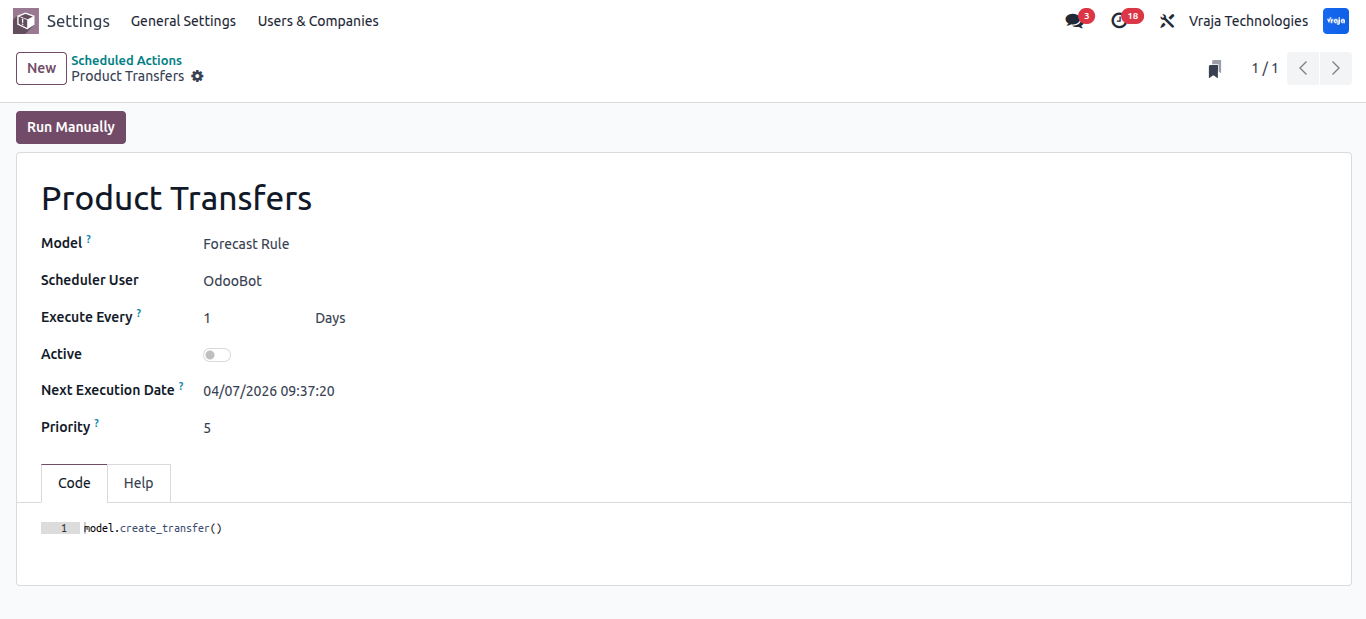
This scheduled action automatically runs the transfer process generating internal transfers and/or purchase orders based on action summary.
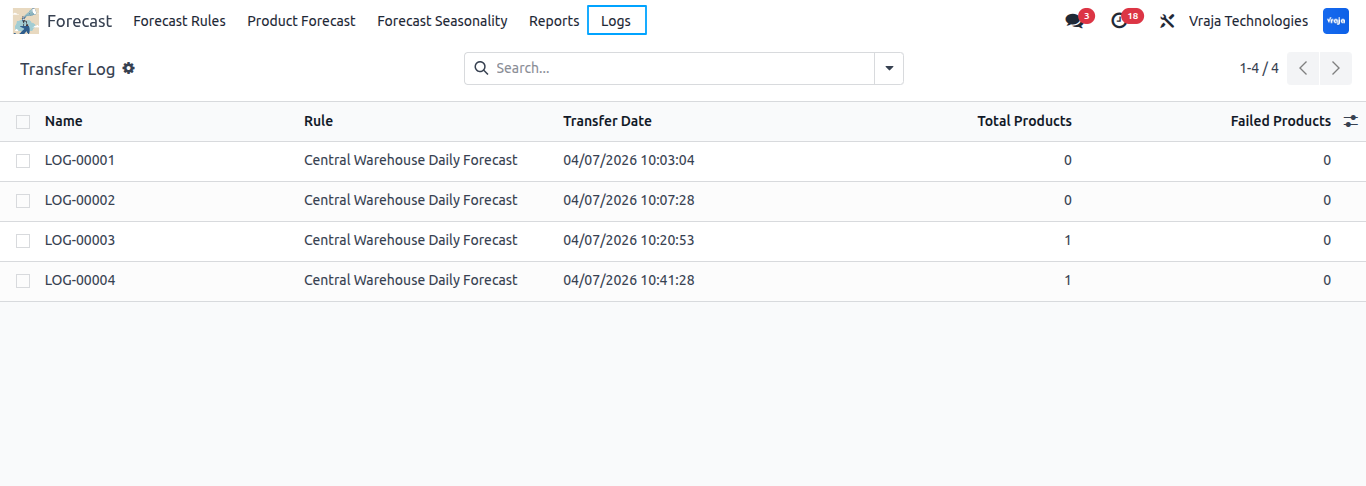
Tracks each automated or manual transfer/order with details.
Each log line contains details of transfers and/or purchase orders.
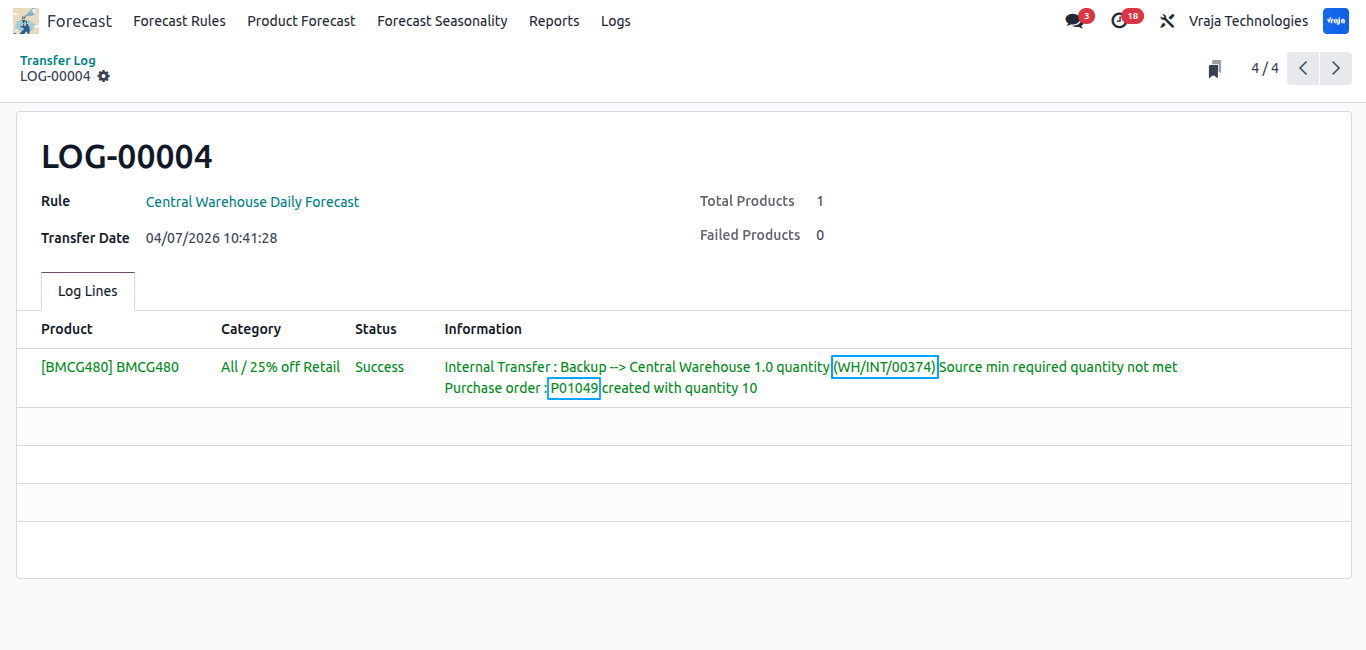
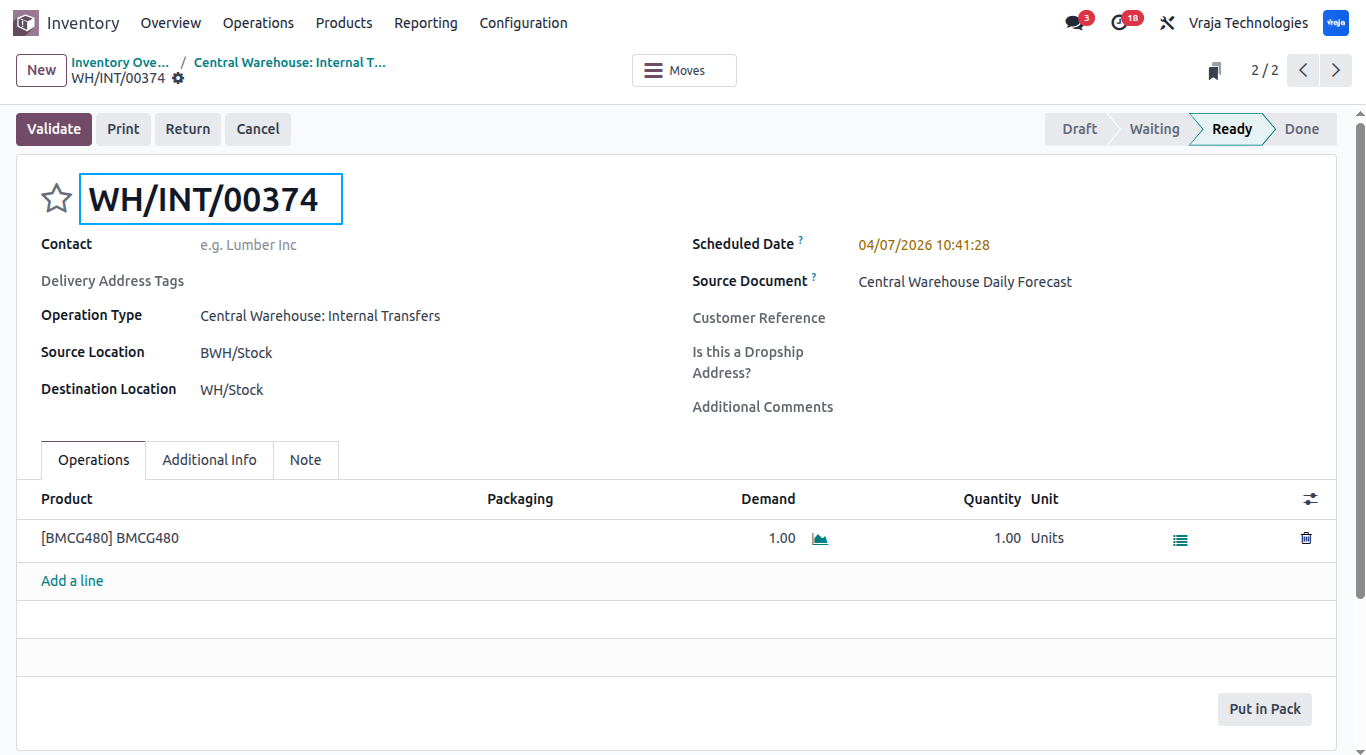
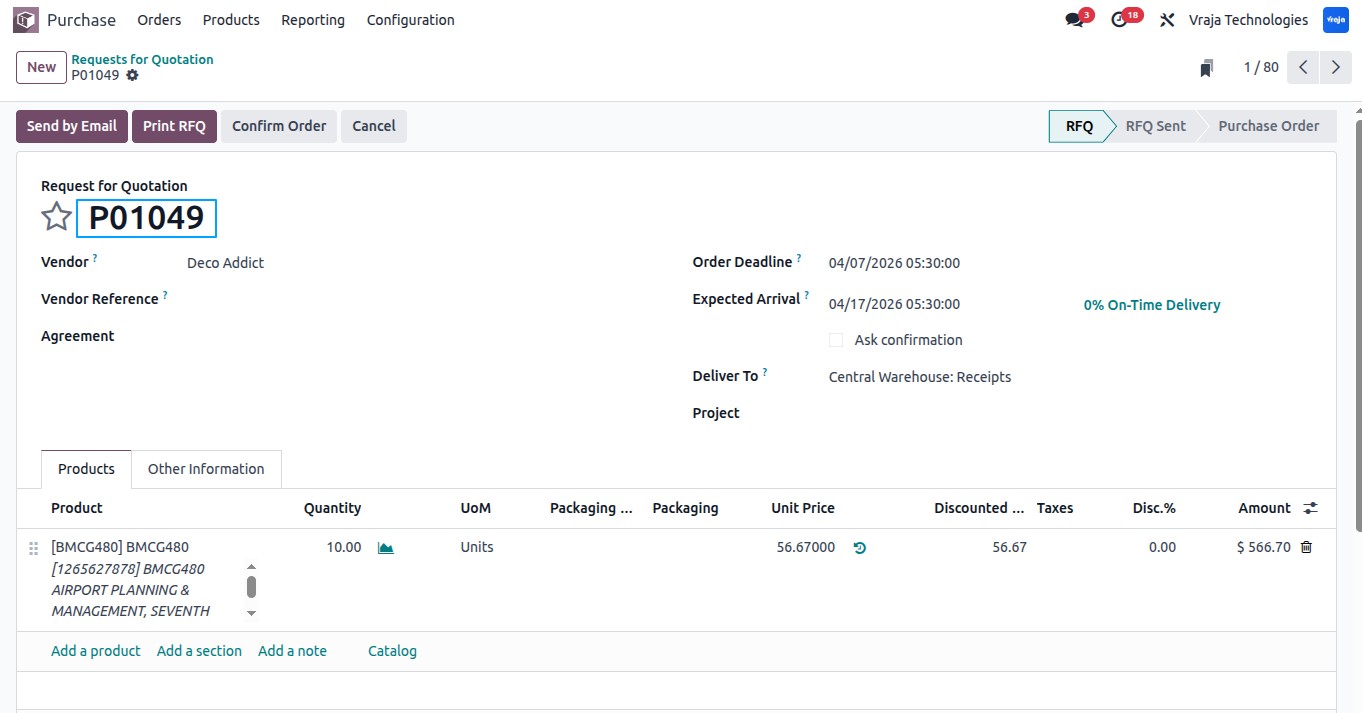
Shows the internal transfer & purchase order created from the schedule action/manual run transfer button.
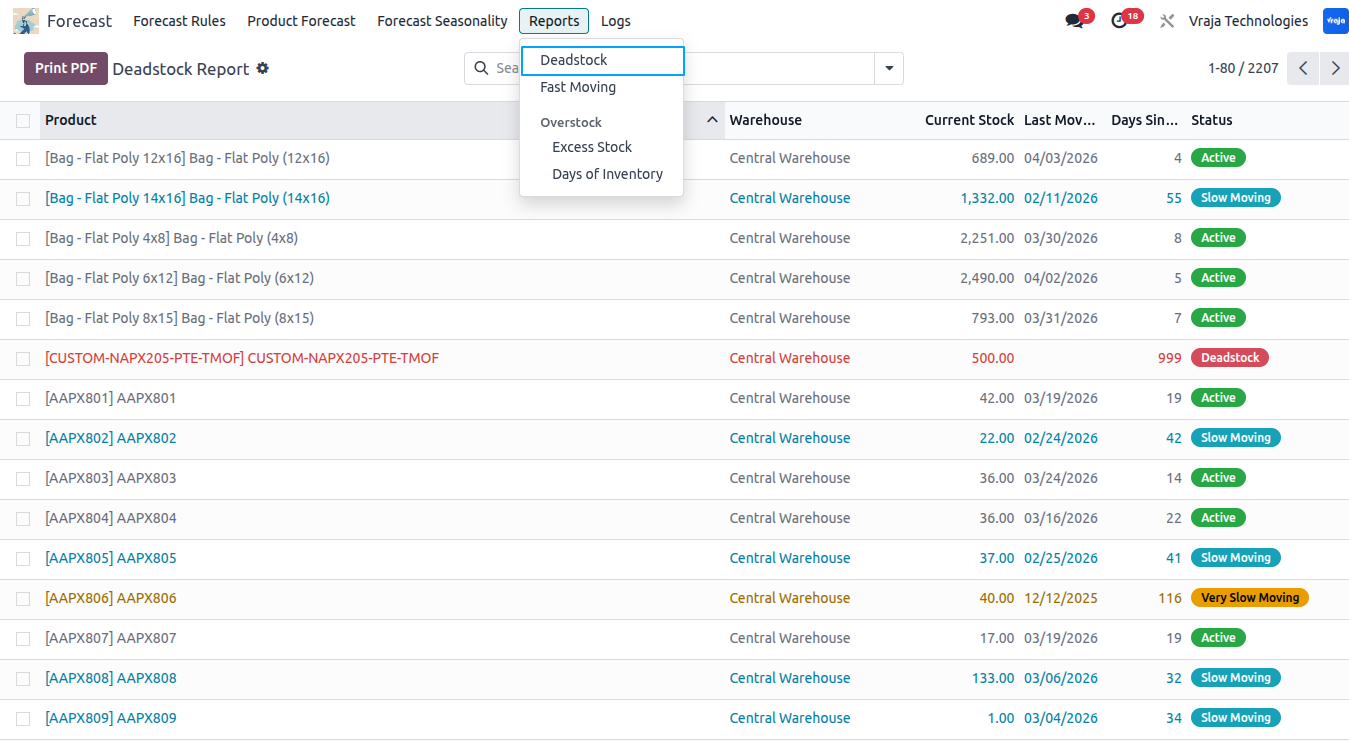
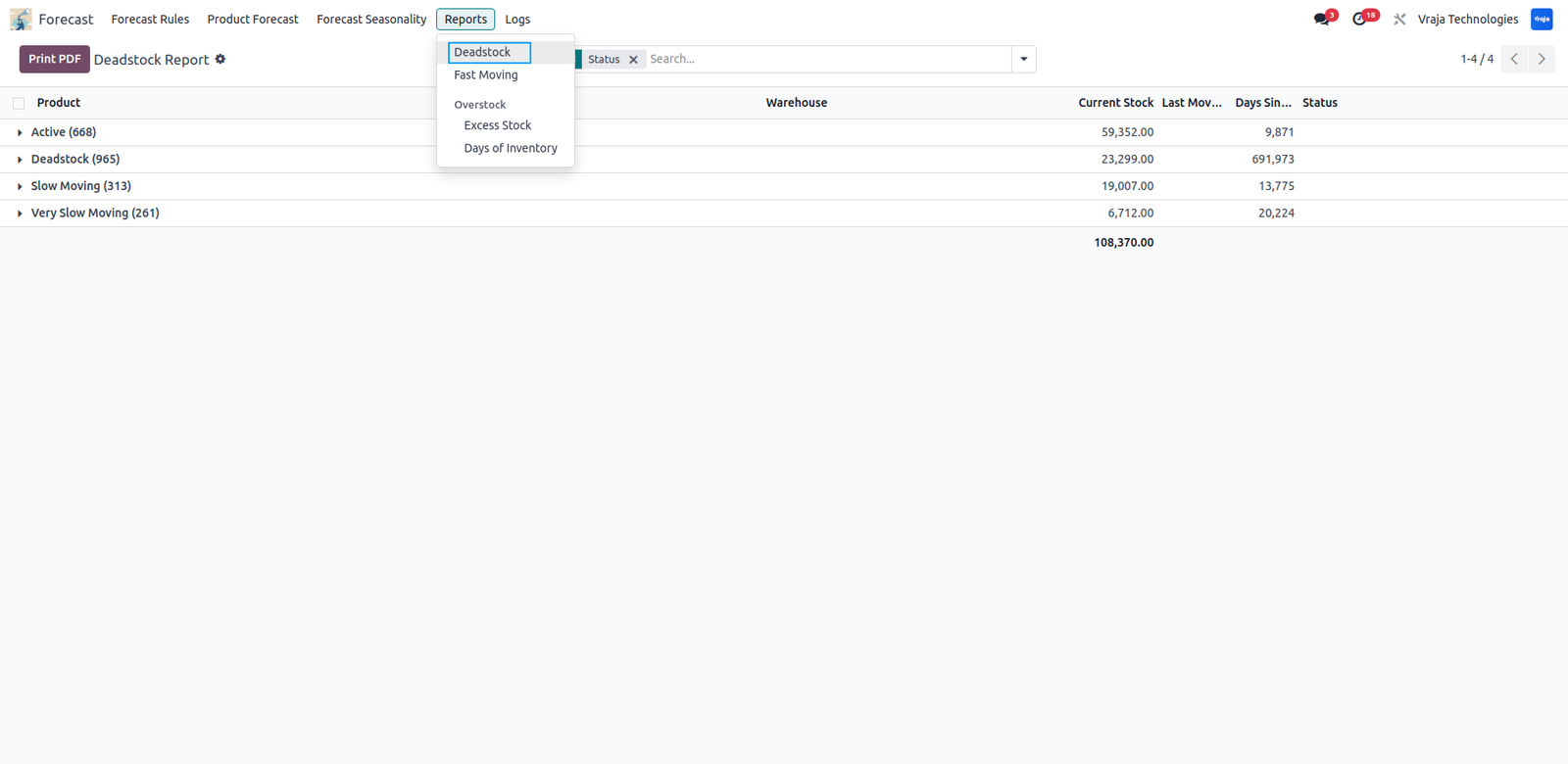
Deadstock Report shows recent movement to categorize products into Active, Slow Moving, Very Slow Moving, and Deadstock.
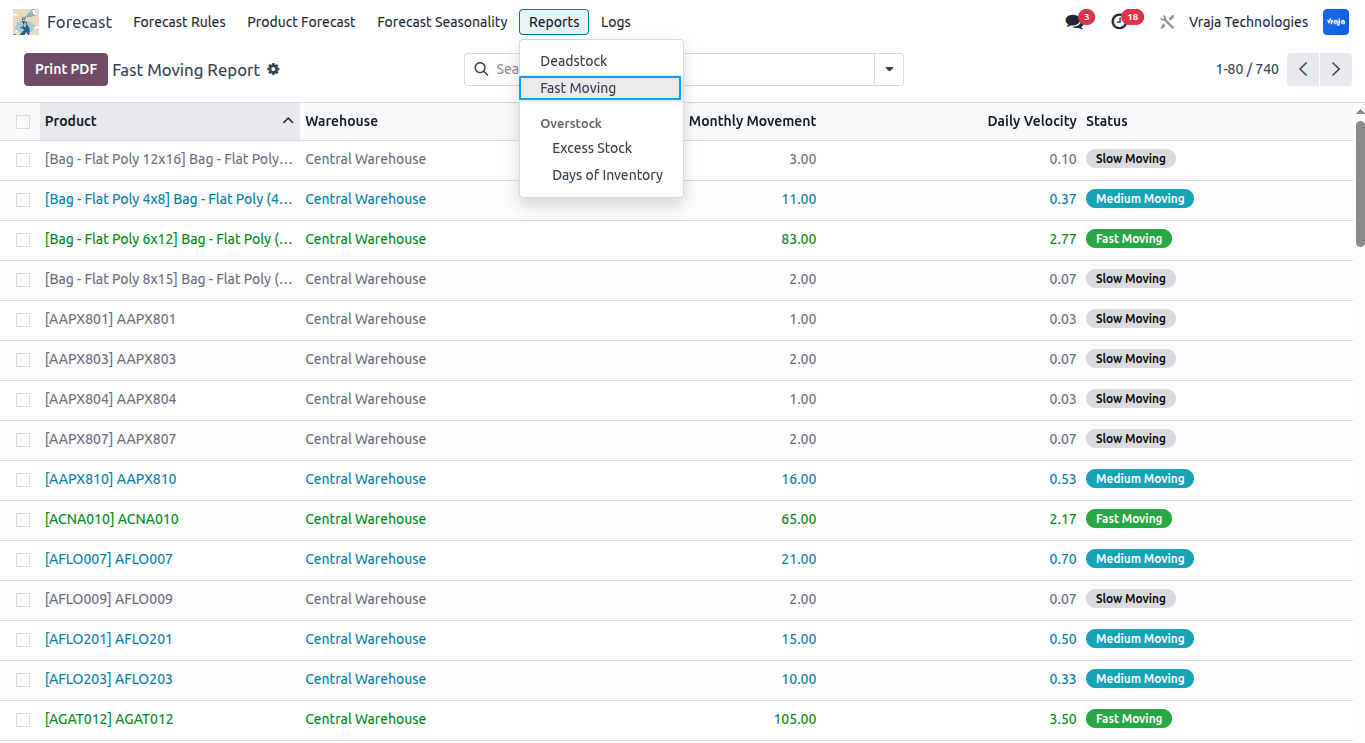
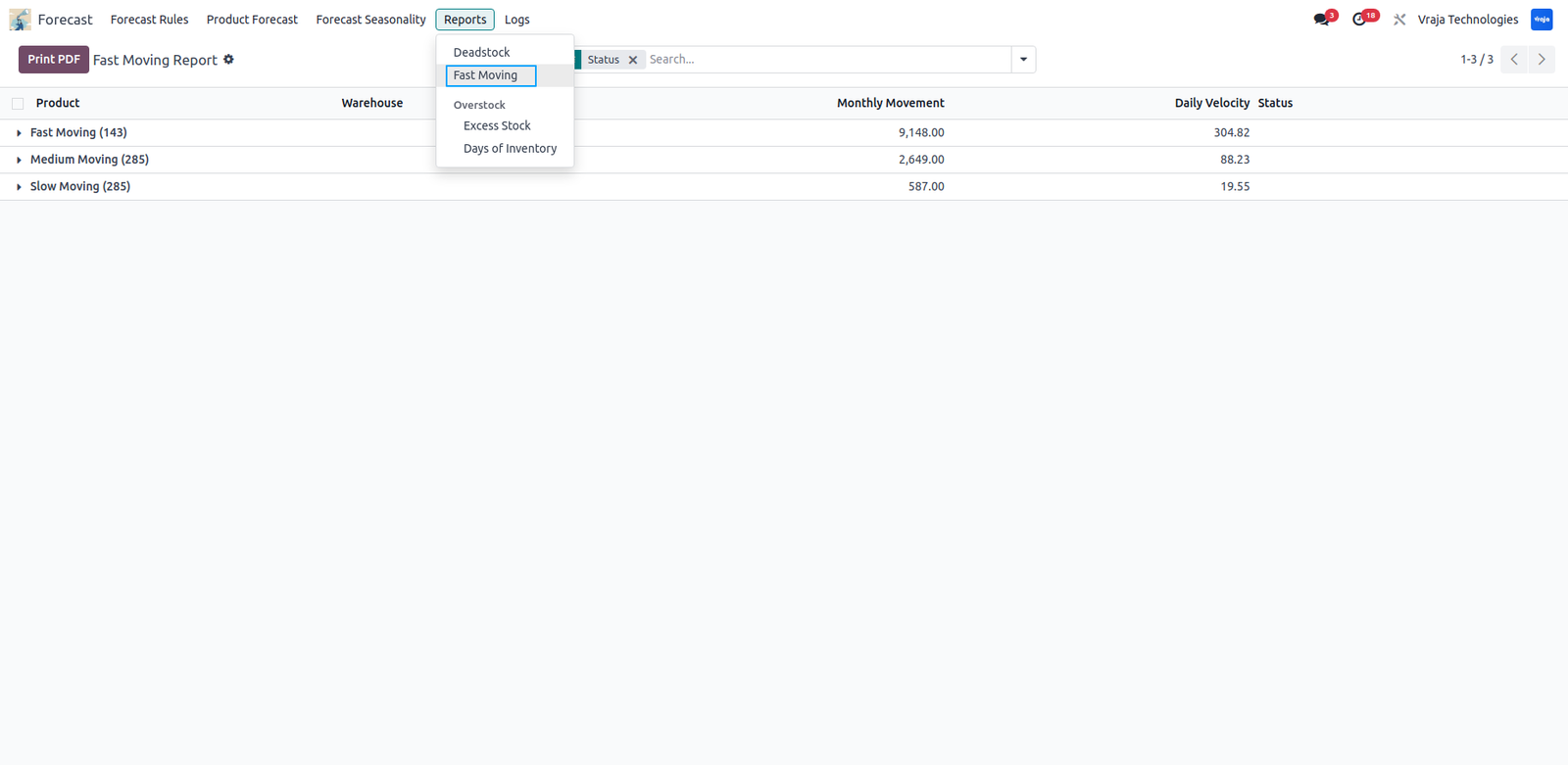
Fast Moving Report analyzes recent product movement and classifies items as Fast, Medium, or Slow Moving based on their sales trend.
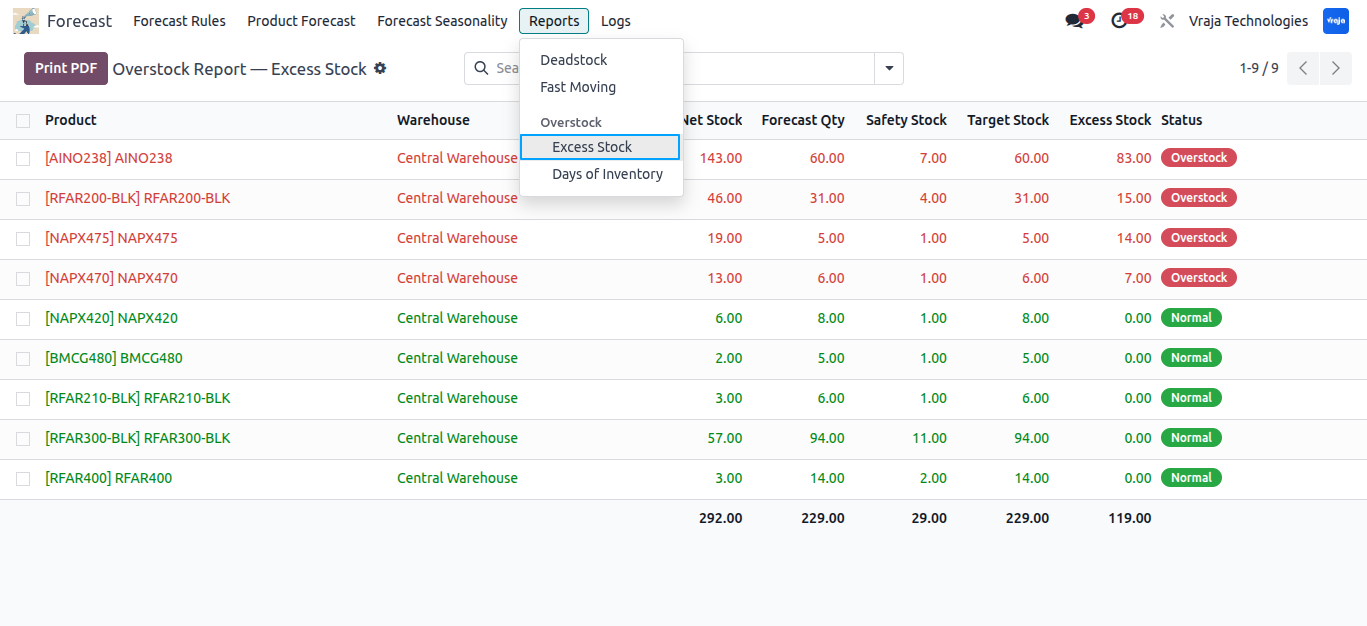
Excess Stock Report identifies products where current stock exceeds the required forecast level stock, highlighting overstock situations.
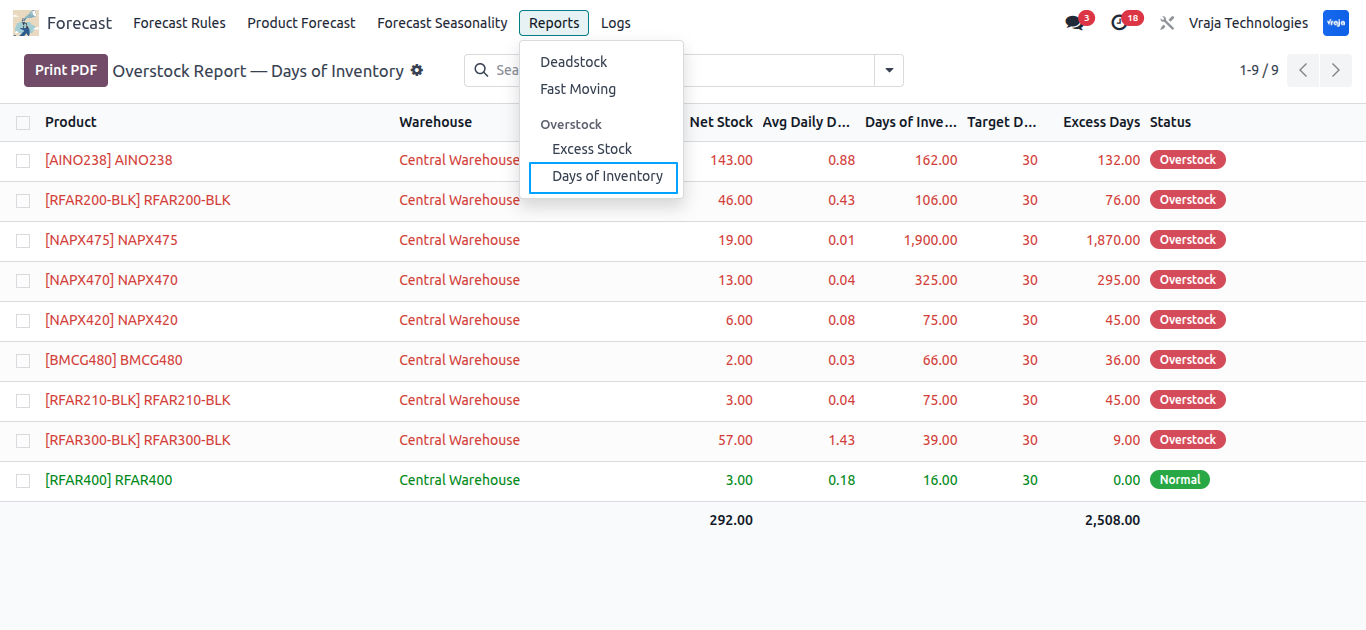
Days of Inventory Report shows products where stock will last longer than the target period days, indicating potential overstock based on coverage days.
 Can I generate forecasts warehouse and company-wise?
- Yes, the system allows forecasting based on warehosue and company.
Can I use multiple source warehouses for internal transfer?
- Yes, the system supports multiple source warehouses with priority-based allocation.
What reports are available?
- Module includes multiple reports such as Deadstock, Fast Moving, Excess Stock, and Days of Inventory reports.
Can I adjust forecasts for seasonal demand changes?
- Yes, seasonality rules with monthly factors allow you to fine-tune forecasts based on your business patterns.
What happens if stock is not available in source warehouses?
- The system first tries internal transfers based on priority, and if demand is still unmet, it automatically suggests a purchase order.
Can I view the status of transfers?
- Yes, logs provide clear status for each product, showing whether the transfer or purchase order was successfully created or failed.
I would like to request a custom feature for this application. What’s the process to get it implemented?
- We’re happy to help tailor the application to meet your business needs! You can reach us via sales@vrajatechnologies.com
Who is the point of contact for technical support, configuration support or bug-related queries?
- You can reach us via support@vrajatechnologies.com
Submit a Support Ticket
If you encounter any issues while using our app that are caused by the app itself, we offer complimentary support for 90 days from the date of purchase.
To create a support ticket, please register via the Vraja Technologies Support Email and provide the necessary details so we can assist you in resolving the issue.

Email Us
support@vrajatechnologies.com

 1.png)
Contact Us
vrajatechnologies.com/contactus

Support
vrajatechnologies.com/support-policy
Vraja Technologies Services

Odoo Implementation

Odoo App Integration Services

Odoo Customization

Odoo Consultation

Odoo Support & Maintenance

Odoo Developer Outsourcing
Suggested Application















Reviews
There are no reviews yet.