
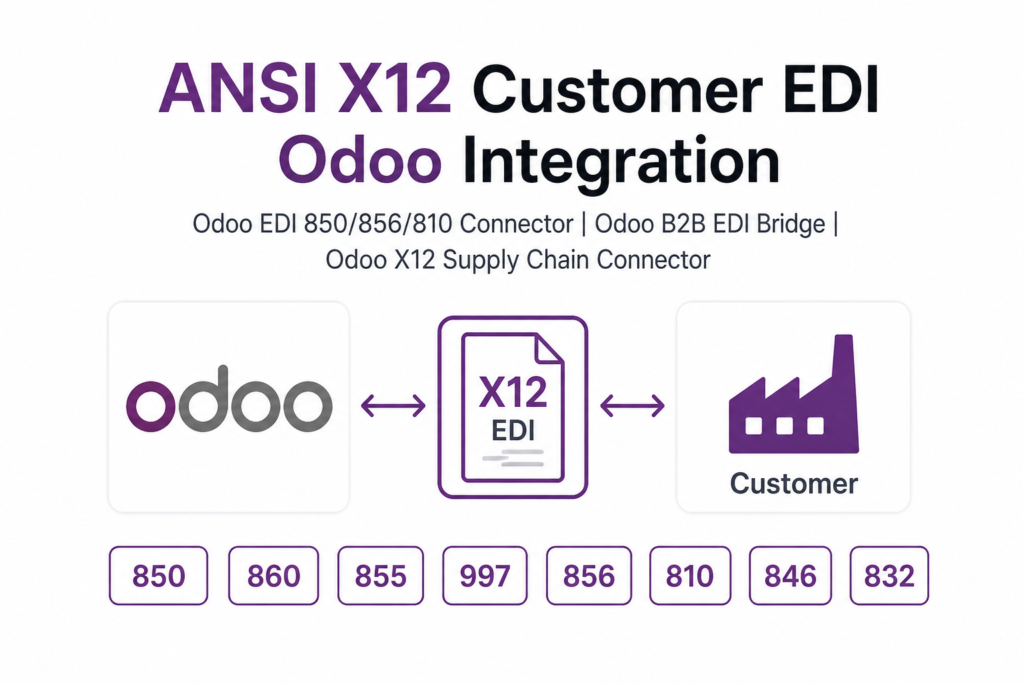
Description
.png)
 Enterprise Community Odoo.sh
ANSI X12 EDI Odoo Integration
Automates ANSI X12 EDI integration in Odoo by enabling seamless exchange of business documents with trading partners. It supports exporting Purchase Orders (EDI 850) and Purchase Order Changes (EDI 860), and importing Bills (EDI 810), Advance Ship Notices (EDI 856), Purchase Order Acknowledgments (EDI 855), Functional Acknowledgments (EDI 997), and Vendor Pricelists (EDI 832).
Additionally, it allows exporting Product Inventory (EDI 846) to share the latest stock availability with customers.
The integration ensures accurate data synchronization within Odoo and supports FTP protocols and ANSI(4010) format for secure and reliable file transfer.
 Watch on YouTube
We specialize in delivering advanced Odoo solutions across multiple domains. Our expertise includes:

EDI & SWIFT/ACH Payment Integrations
End-to-end EDI automation, including X12, EDIFACT, XML standards, & financial integrations such as SWIFT, ACH, & Fedwire.


eCommerce Integrations
Seamless integration with leading eCommerce platforms to sync products, orders, inventory, and customer data in real time.

Shipping Integrations
Robust shipping connectors for global couriers, offering automated label generation, tracking, and rate computation.

Most Useful Apps for your ERP
A wide range of highly-rated Odoo modules designed to enhance automation, improve productivity, & simplify business operations.
 Features
 Process
 FAQs
FAQs
 Export Purchase Orders (EDI 850) from Odoo to suppliers.
Export Purchase Order Changes (EDI 860) to update existing orders.
Import Purchase Order Acknowledgements (EDI 855) and track supplier confirmations in Odoo.
Import Advance Ship Notices (ASN) (EDI 856) to manage incoming deliveries.
Import Vendor Bills (EDI 810) to create and process supplier invoices in Odoo.
Import Vendor Pricelists (EDI 832) to update purchase pricing in Odoo.
Import Product Inventory (EDI 846) to get the latest stock availability from suppliers.
Import Functional Acknowledgements (EDI 997) to track EDI file processing status.
Supports FTP communication protocols and ANSI(4010) format for secure and reliable data transfer.
Export Purchase Orders (EDI 850) from Odoo to suppliers.
Export Purchase Order Changes (EDI 860) to update existing orders.
Import Purchase Order Acknowledgements (EDI 855) and track supplier confirmations in Odoo.
Import Advance Ship Notices (ASN) (EDI 856) to manage incoming deliveries.
Import Vendor Bills (EDI 810) to create and process supplier invoices in Odoo.
Import Vendor Pricelists (EDI 832) to update purchase pricing in Odoo.
Import Product Inventory (EDI 846) to get the latest stock availability from suppliers.
Import Functional Acknowledgements (EDI 997) to track EDI file processing status.
Supports FTP communication protocols and ANSI(4010) format for secure and reliable data transfer.
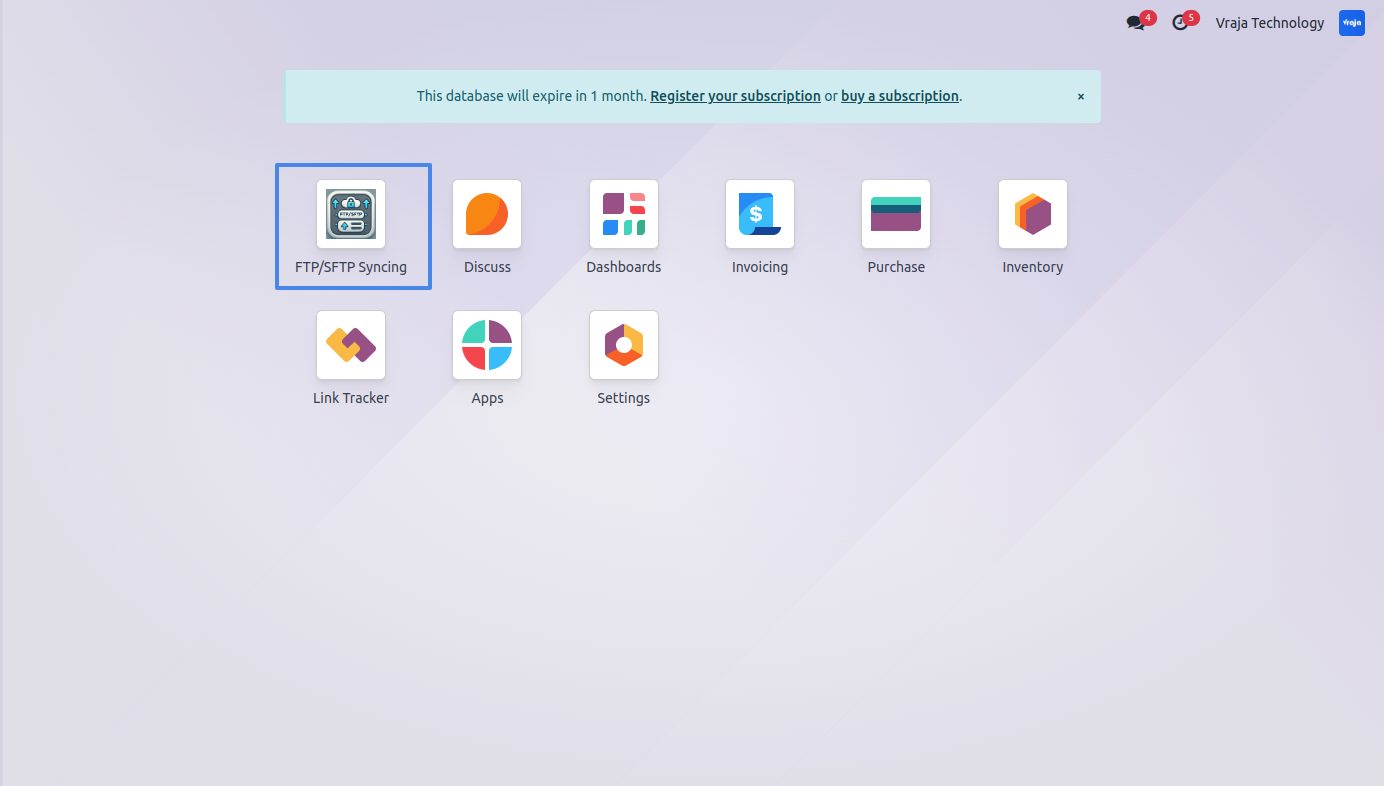
Upon Installing the application, you can see the FTP/SFTP Syncing menu.
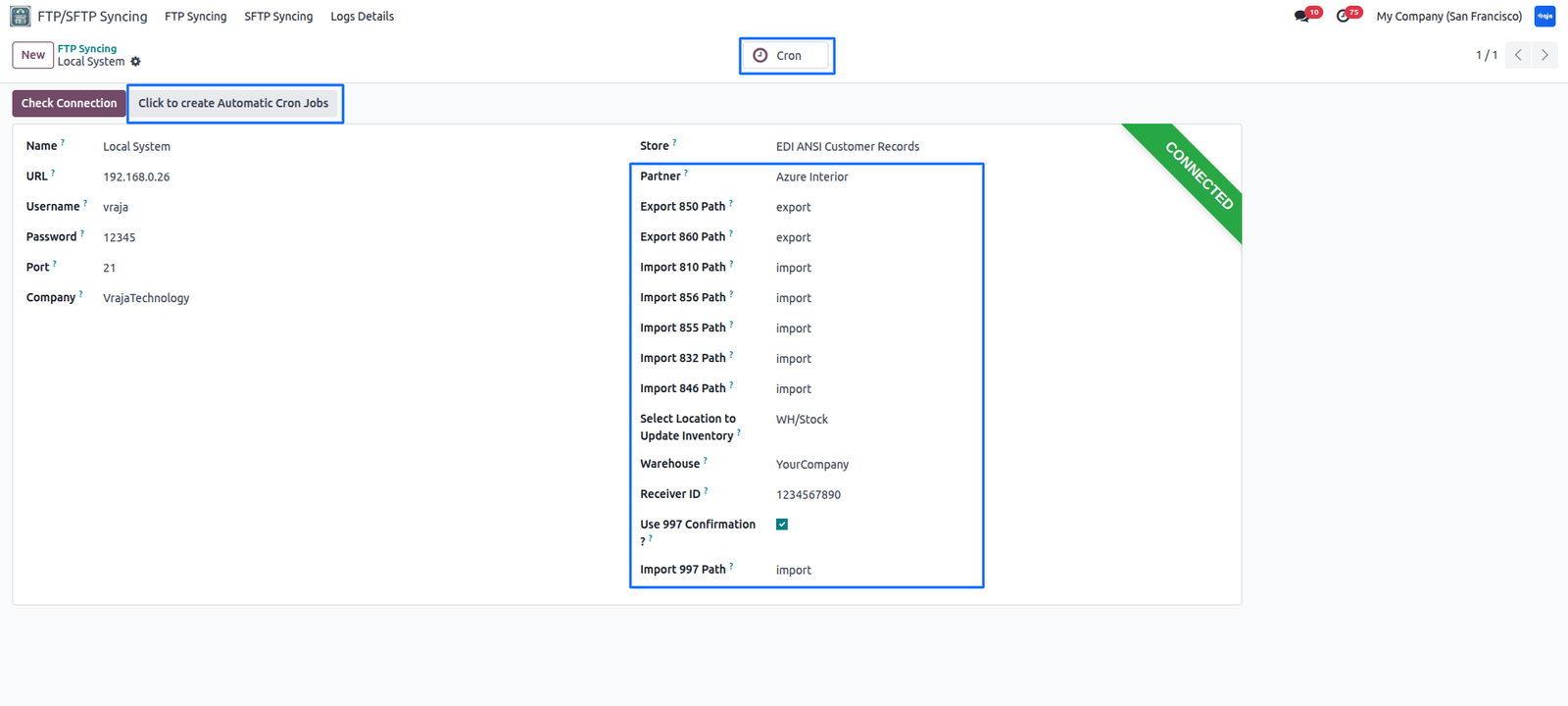
You have to configure the FTP on the left side and on the right side you have to configure the file paths for import and export with Receiver ID. You also have to create schedule actions for import purpose.
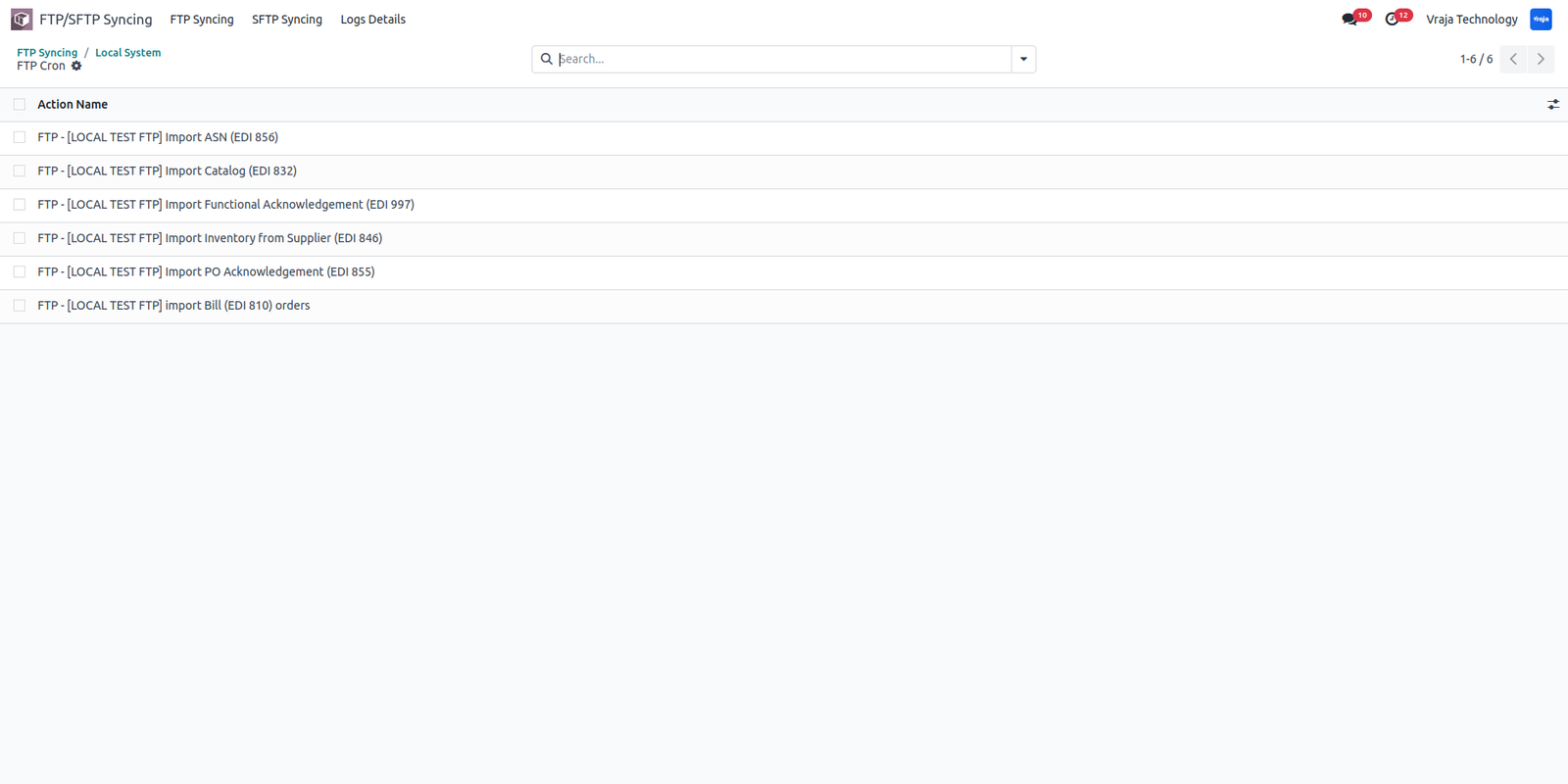
These are your schedule actions for importing file and process them accordingly.
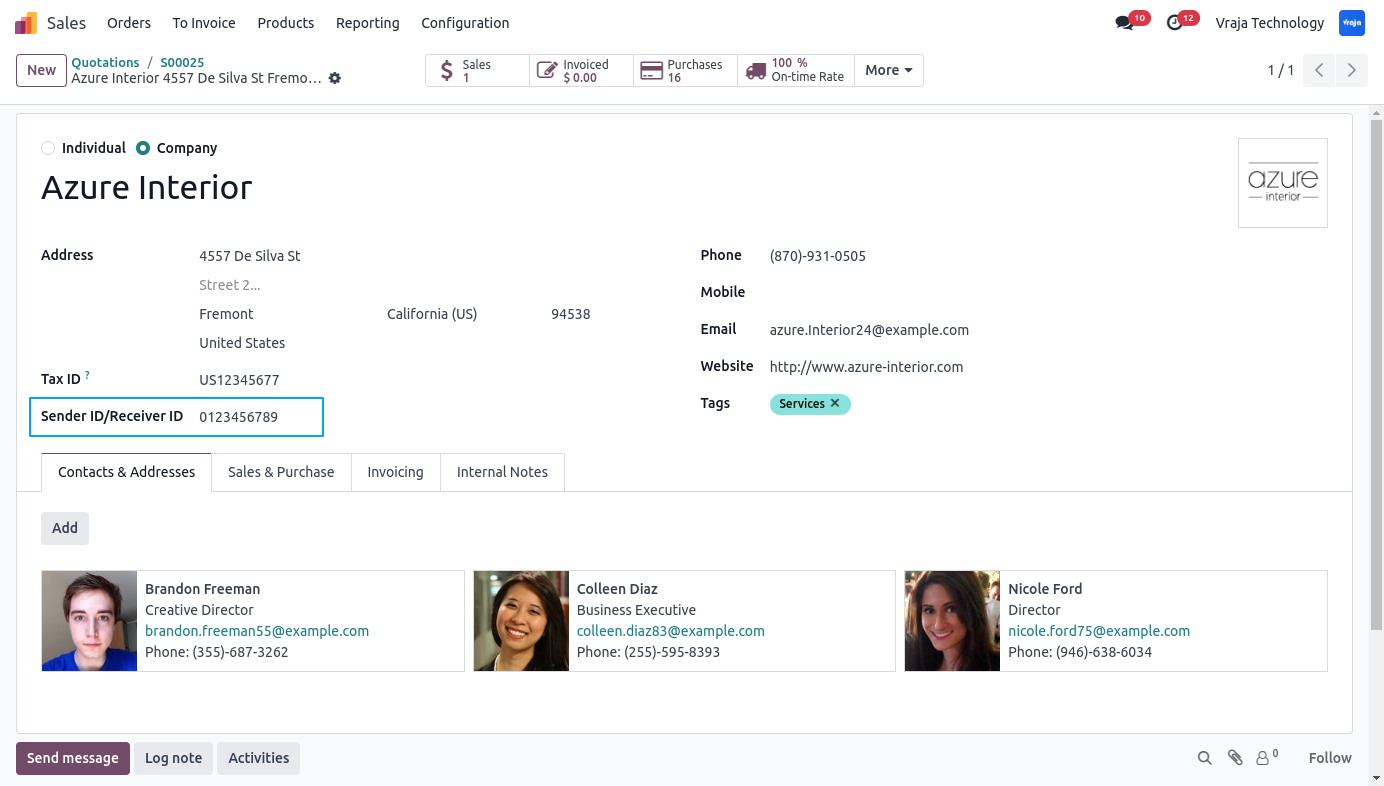
This is where you have to give partner’s ID to reflect in import/export format.
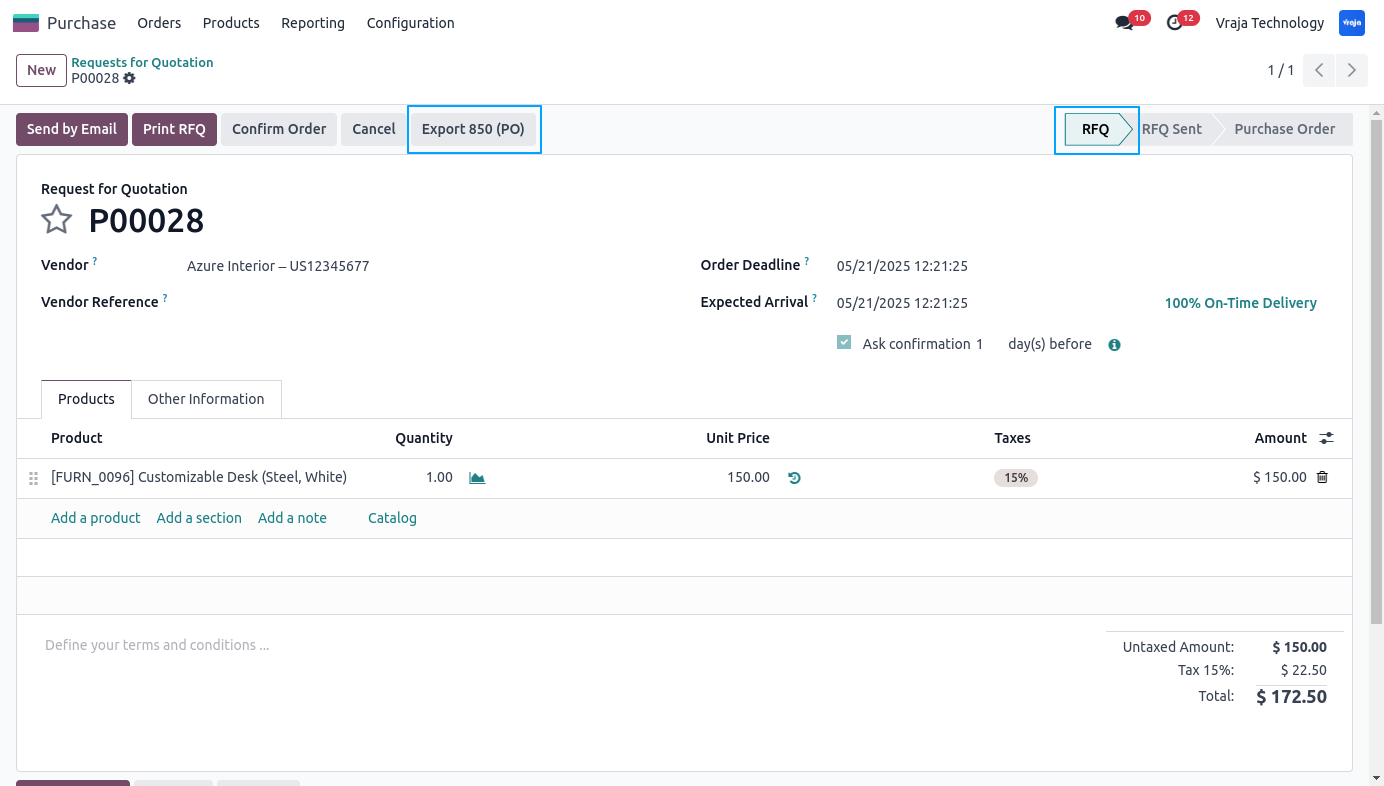
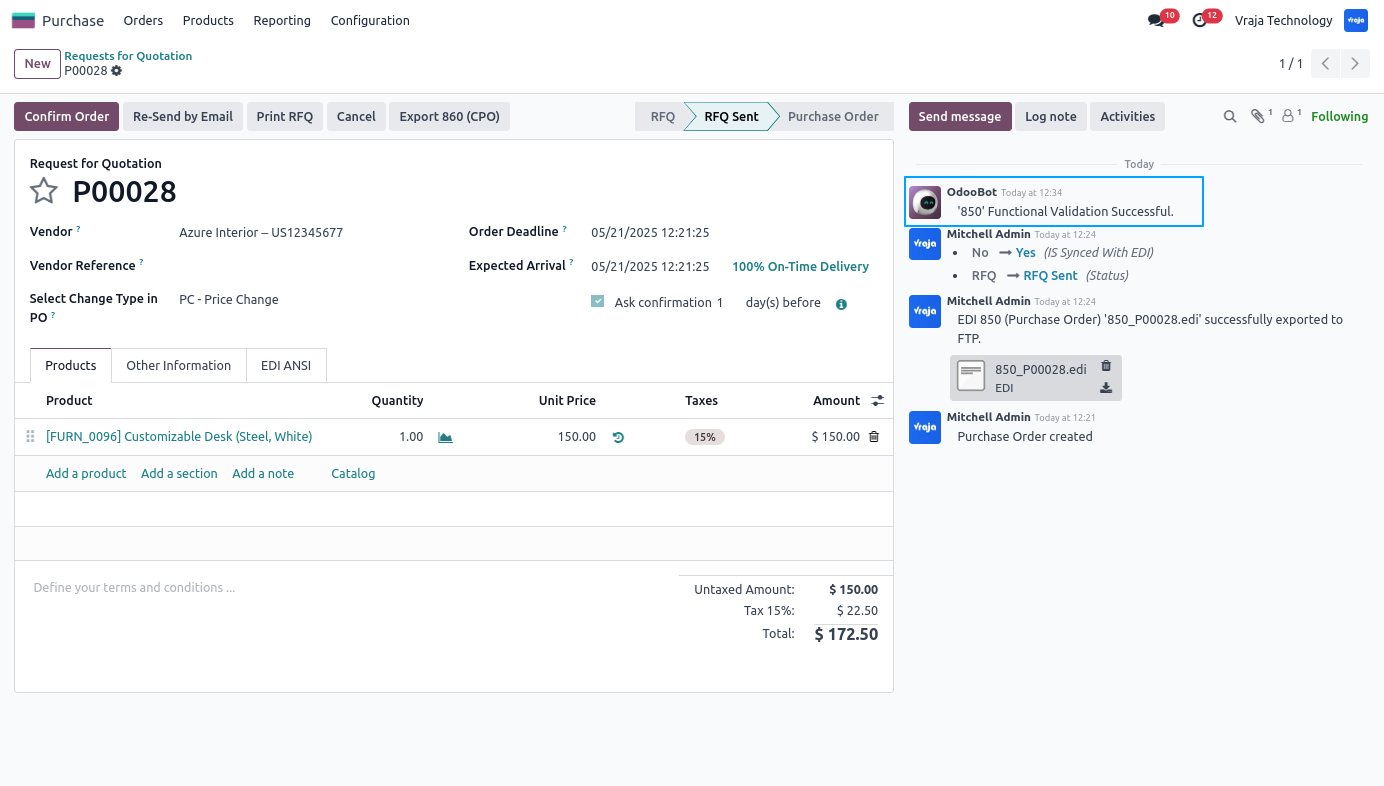
You can export 850 at the time of PO in RFQ state from provided button.
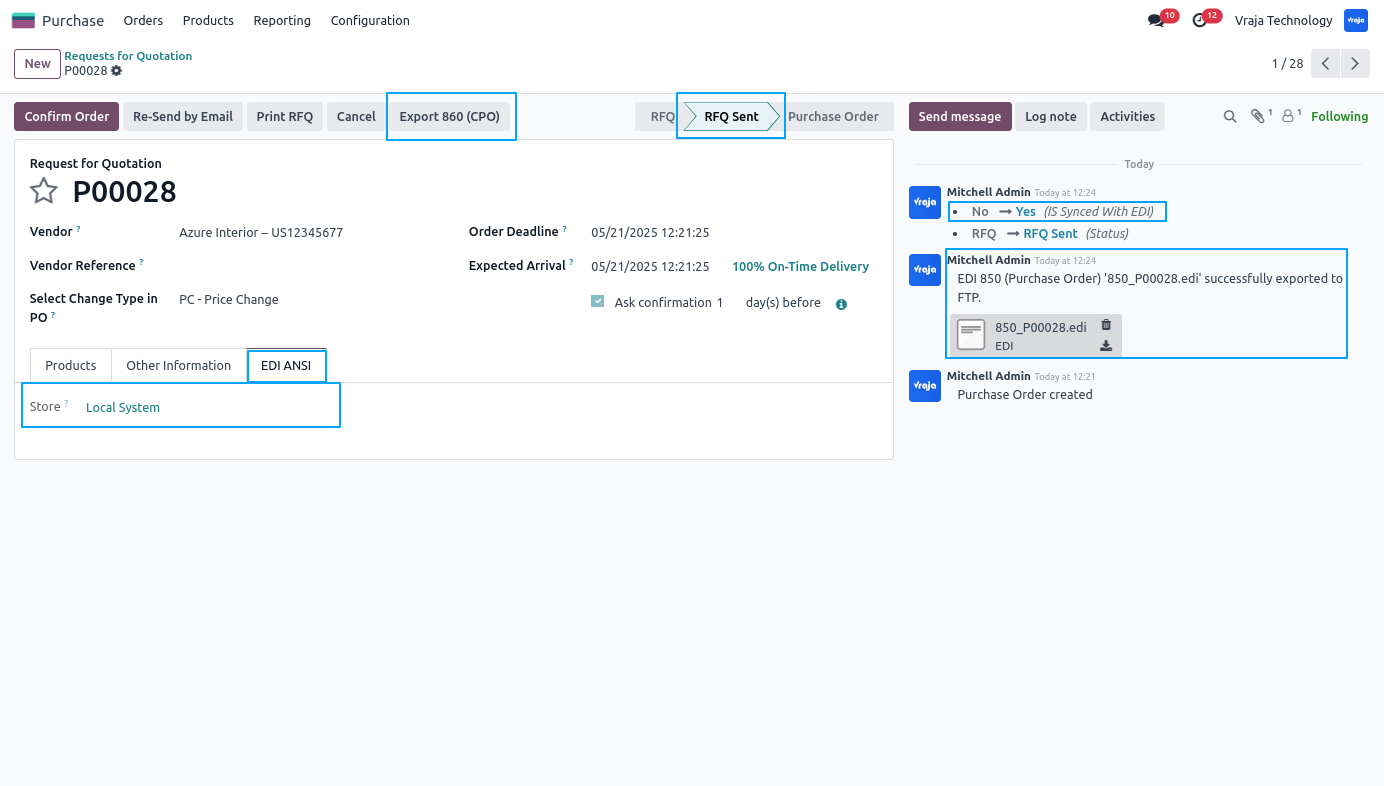
After successfully exporting the 850 format, you can see the confirmation on chatter box with FTP used to export PO in page view. Now, 860 export button is also visible and PO state becomes RFQ Sent.
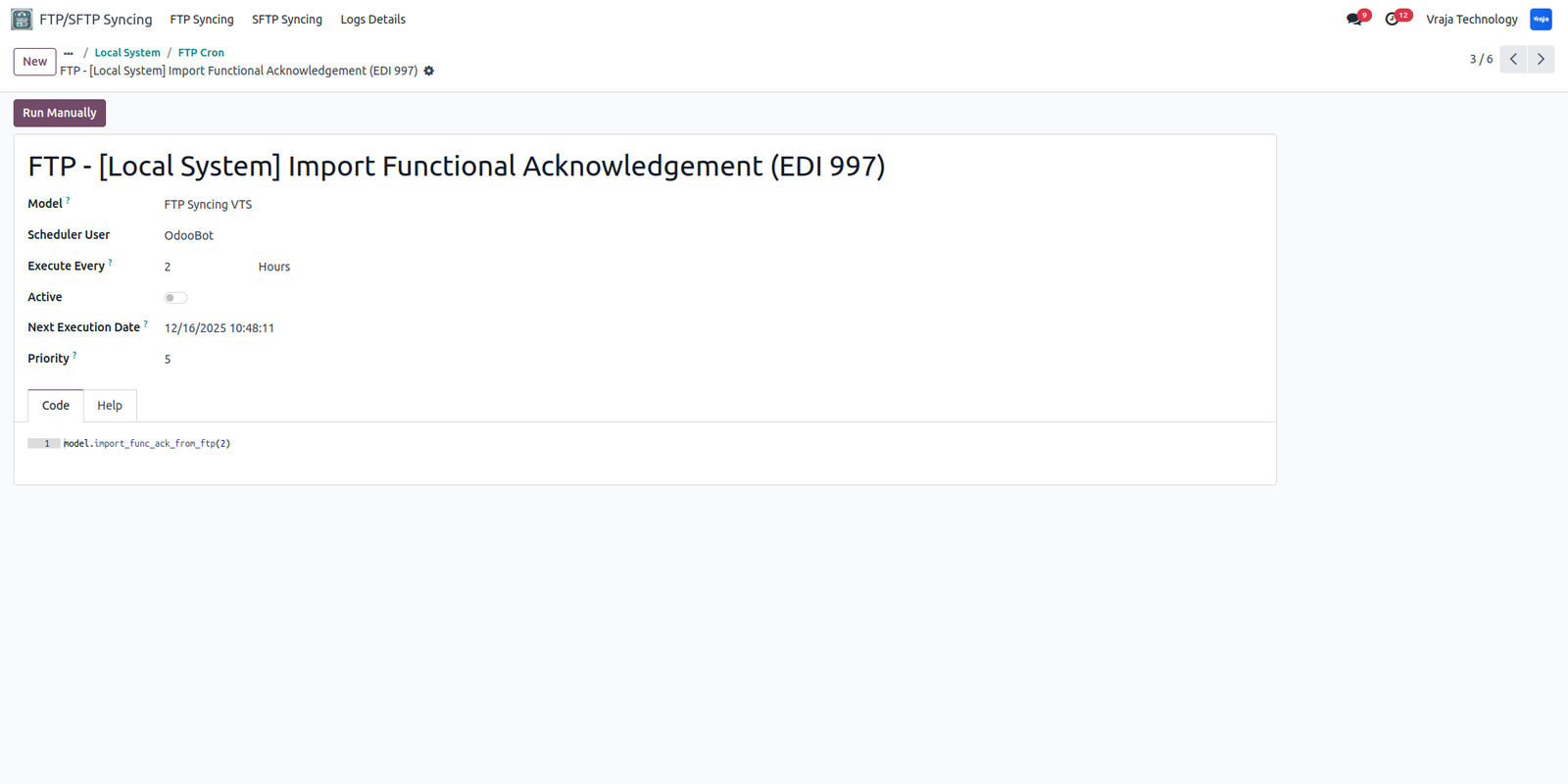
If you have selected the 997 confirmation required, then you should run this schedule action to validate the 850 PO.
After successfully validating the PO you can see that in the chatter box that PO is functionally validated.
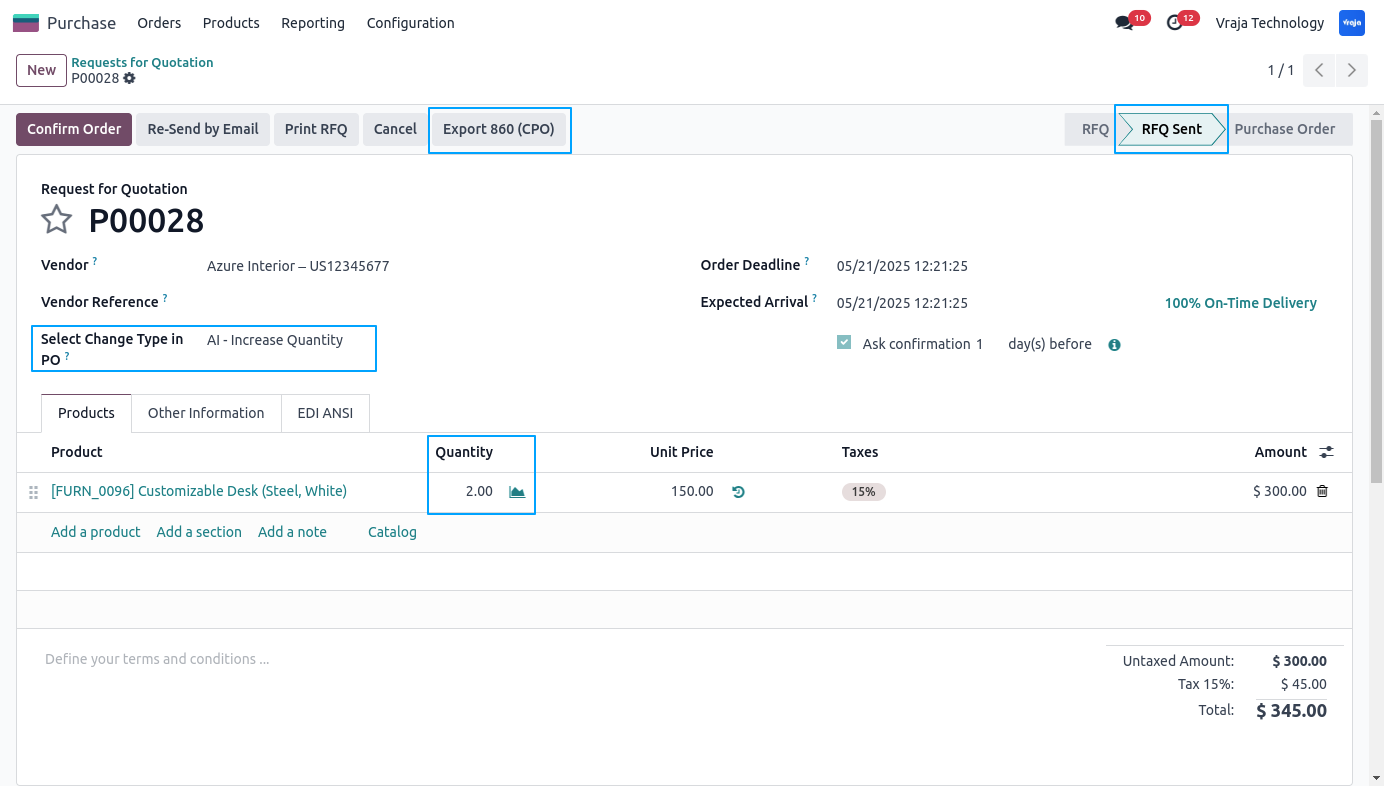
If changes in PO, you can export 860 as well. You have to choose from the selection on a given field what you have changed from 850.
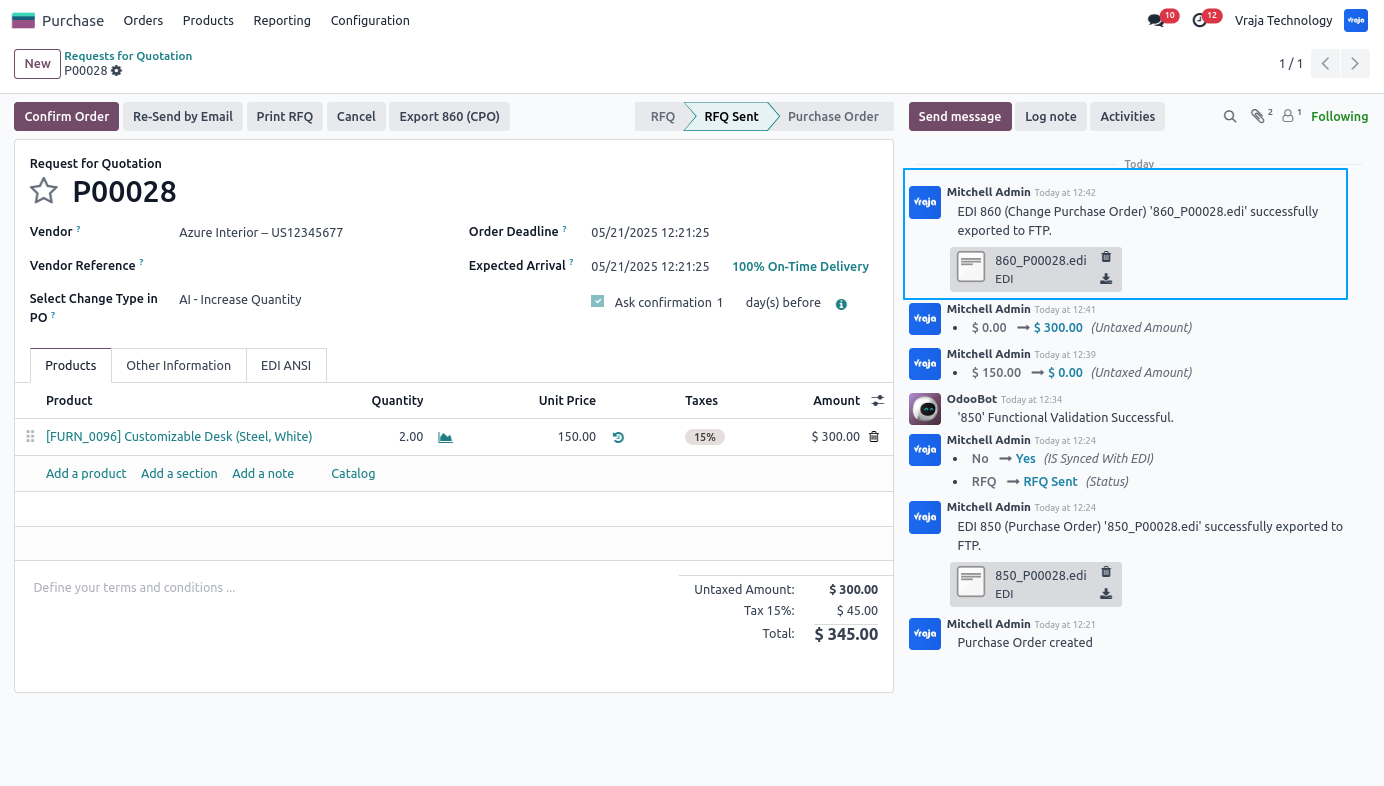
After export, you can see that file in the chatter box with the message suggesting the same.
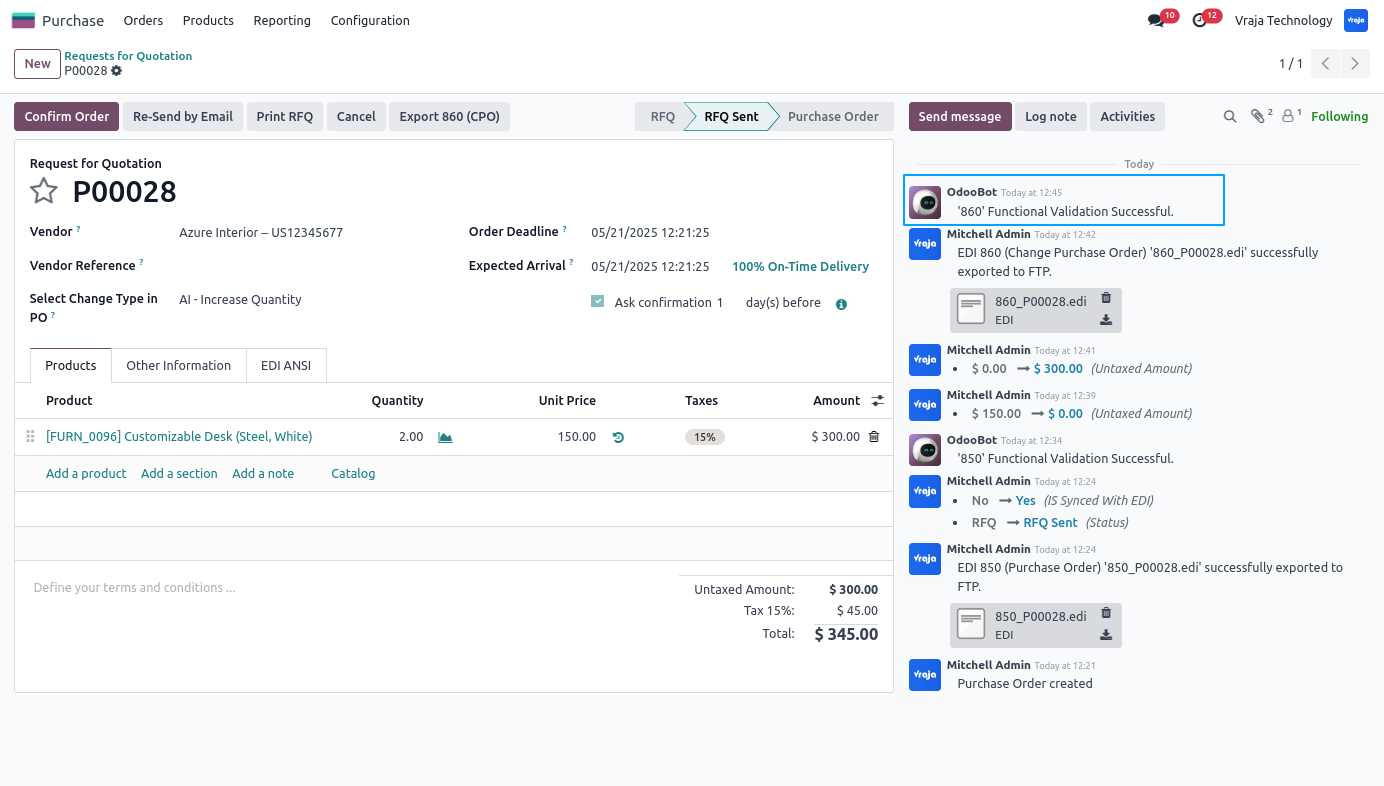
After successfully validating the PO you can see that in the chatter box that PO is functionally validated.
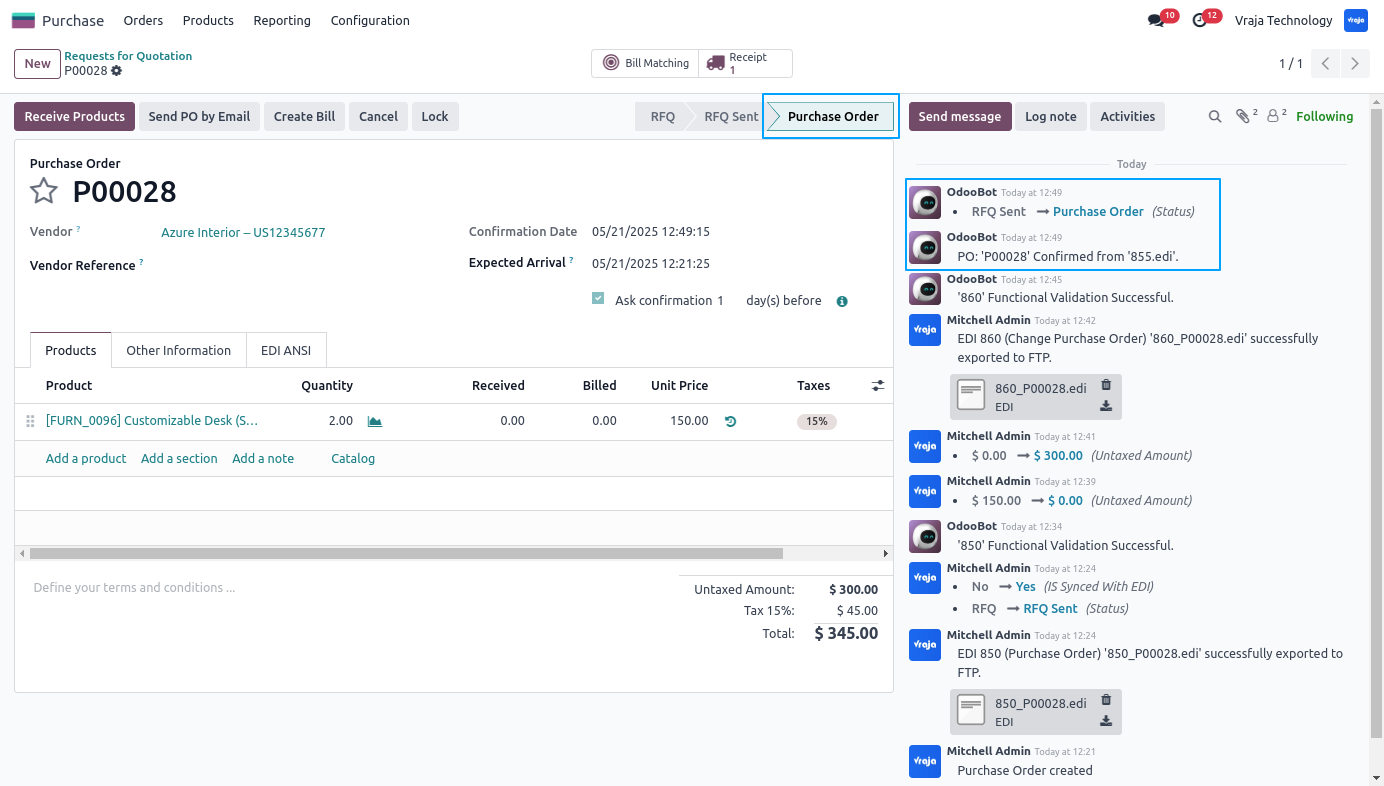
Now, This schedule action is for PO Acknowledgement (EDI 855).
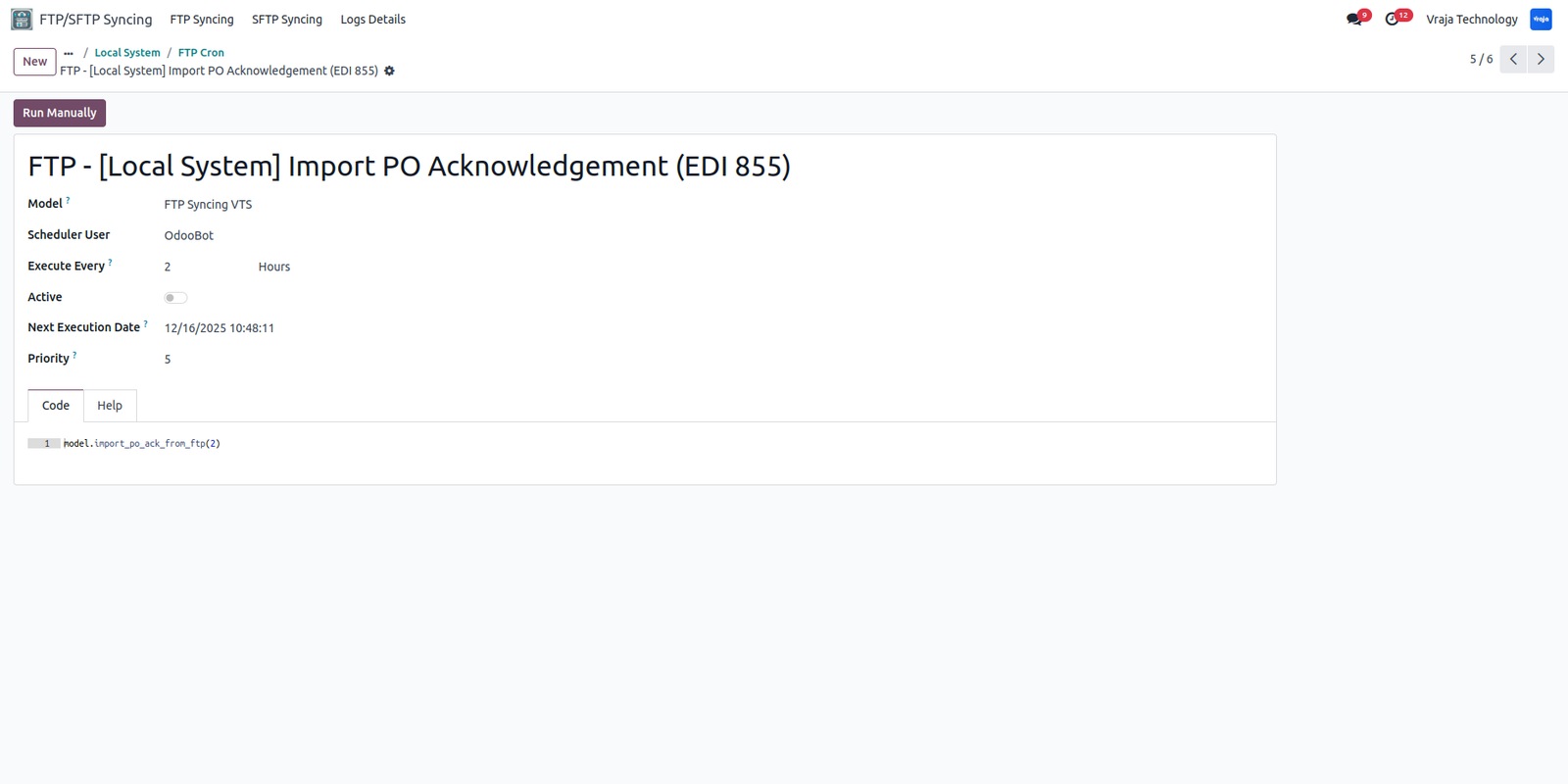
After successfully acknowledgement of the PO, you can see that PO is confirmed with message that shows the file name from which it was confirmed as well.
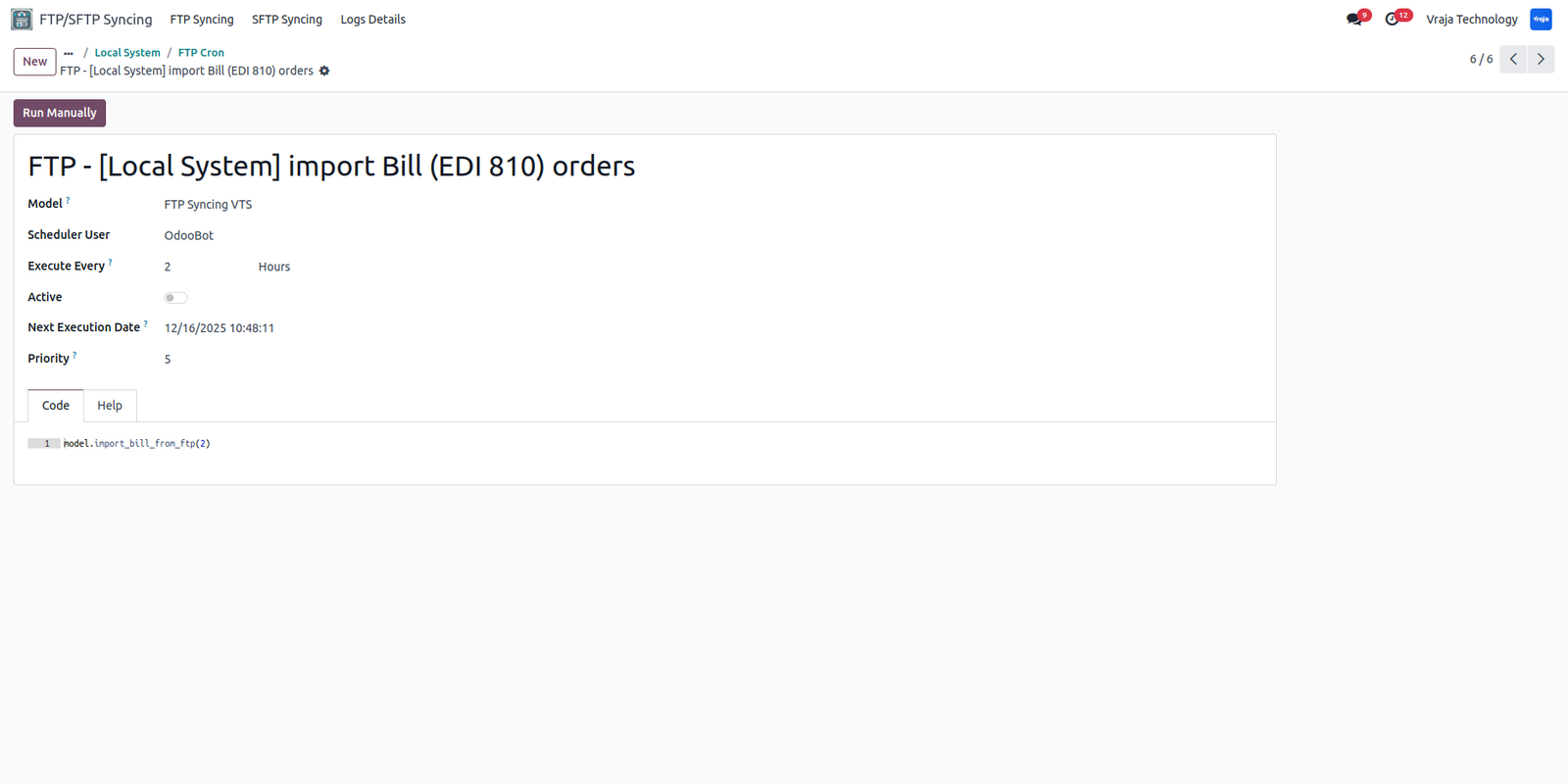
This schedule action is for importing the bill (EDI 810) for PO.
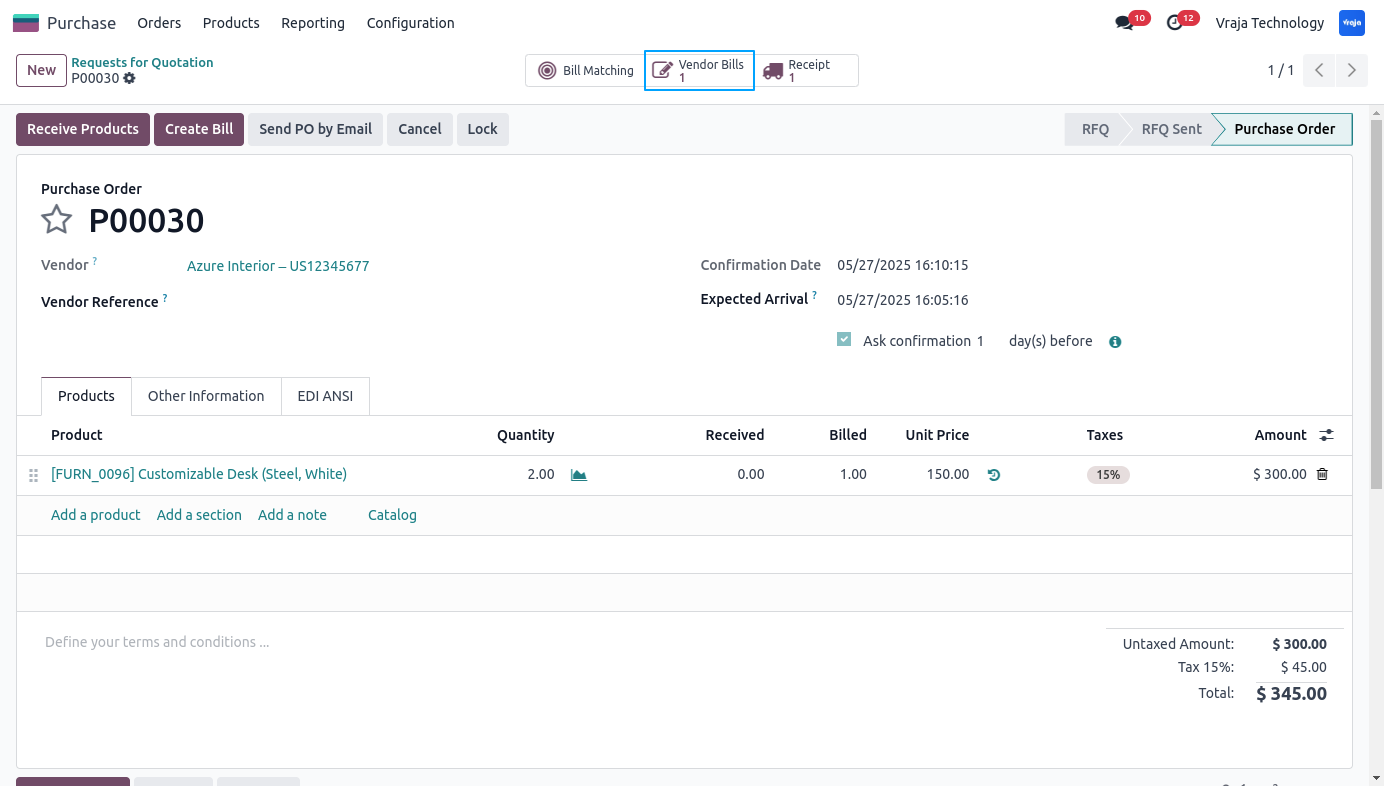
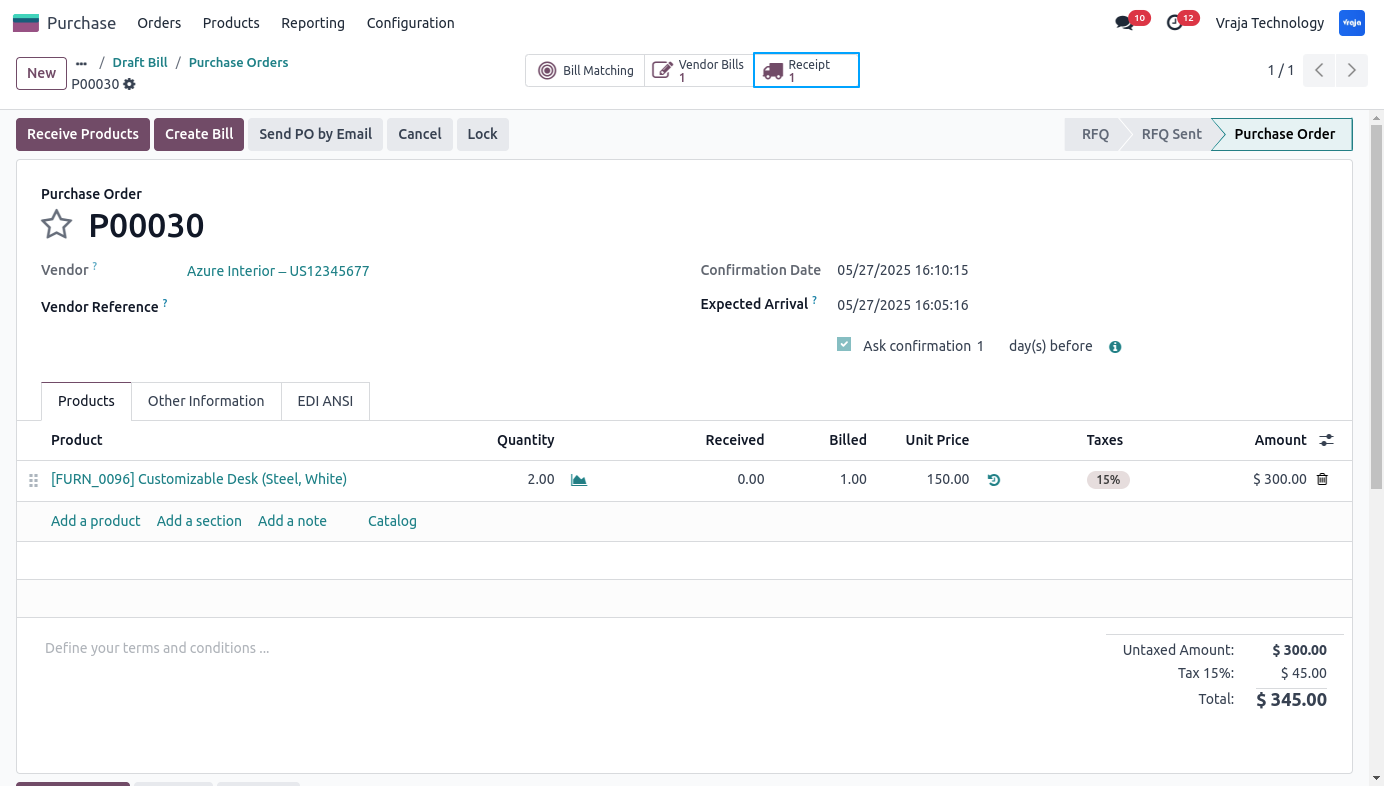
After successfully importing of the bill, you can see that smart button on the PO.
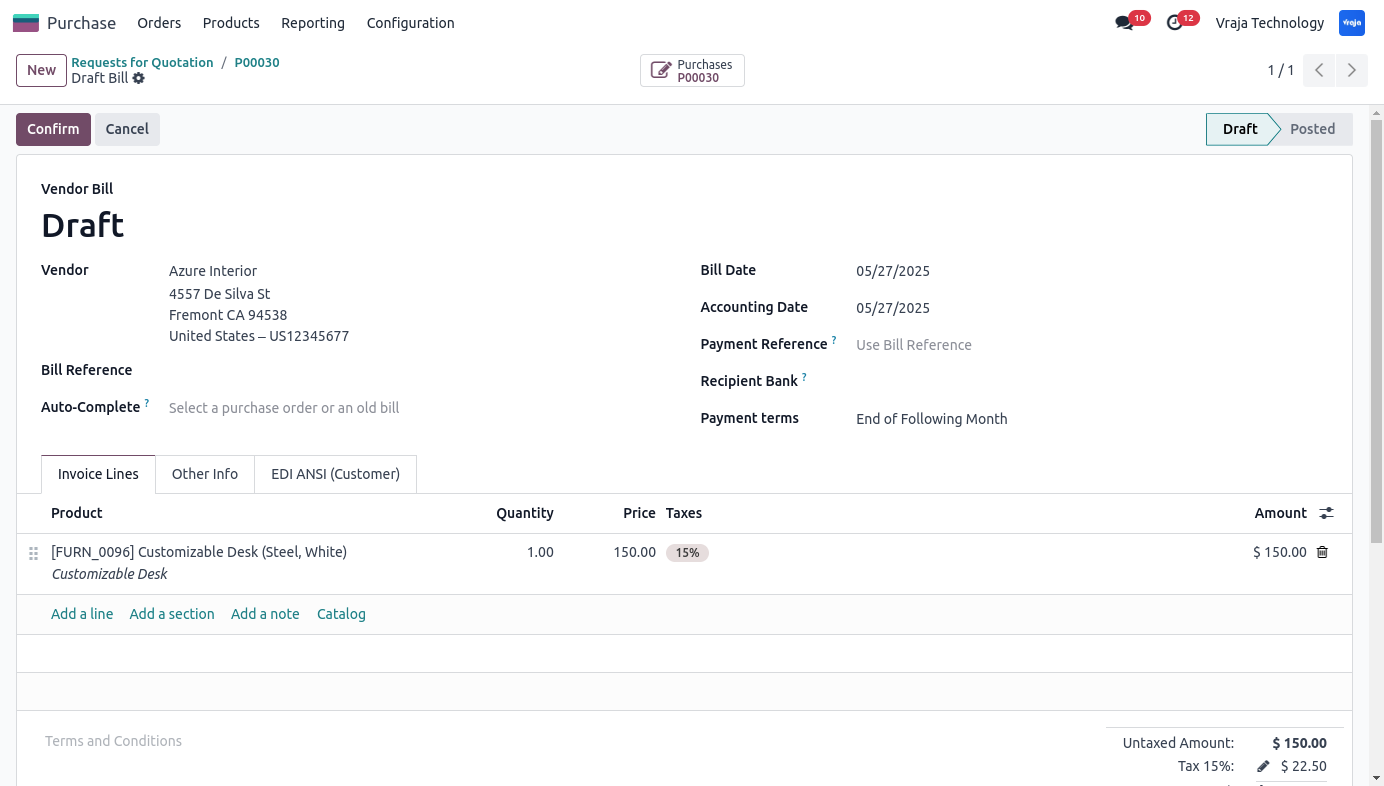
This is the vendor bill created from the imported file.
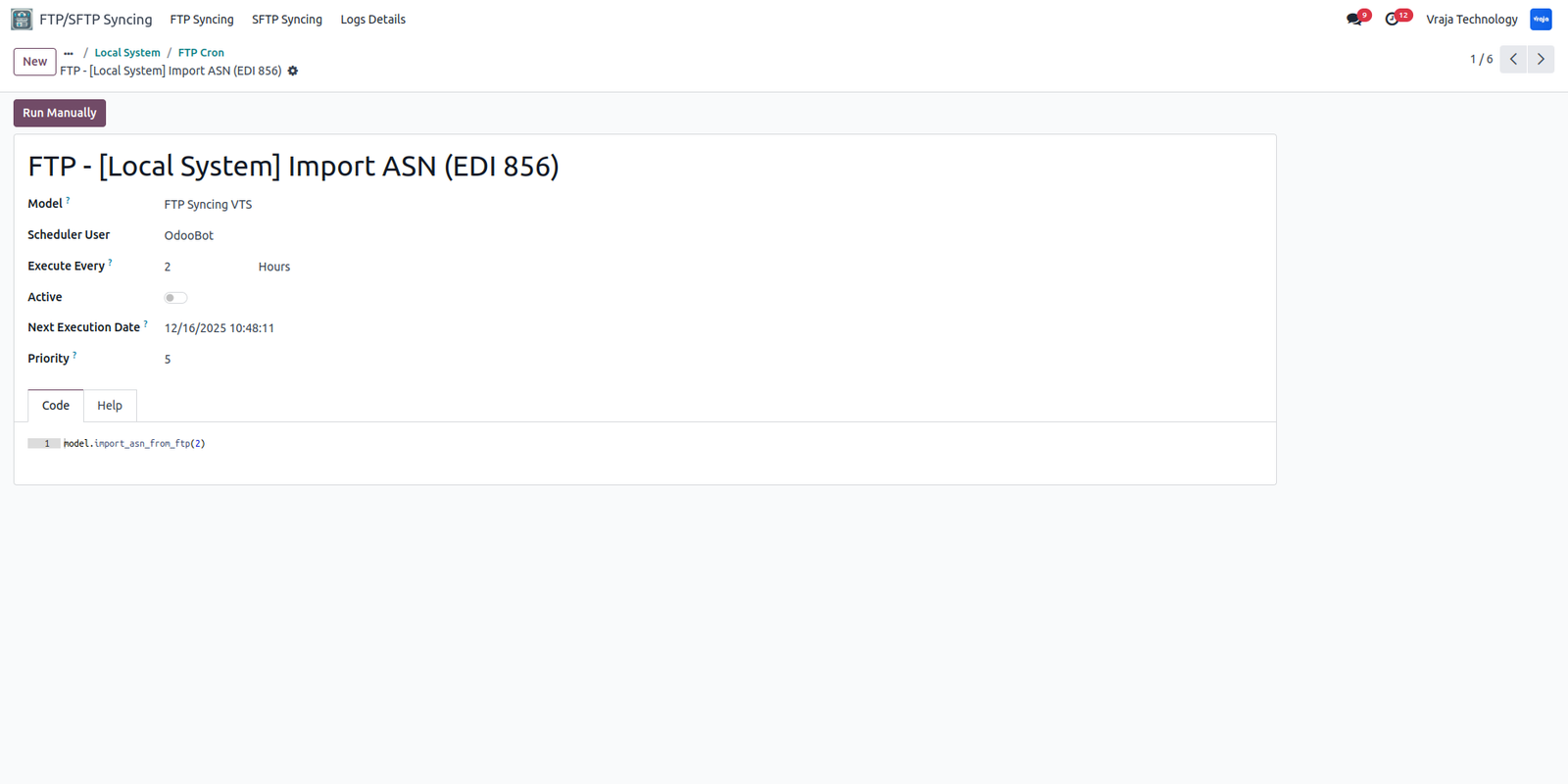
This schedule action is for importing the ASN (Advanced Ship Notice) (EDI 856).
You can jump to the receipts of the PO from this smart button.
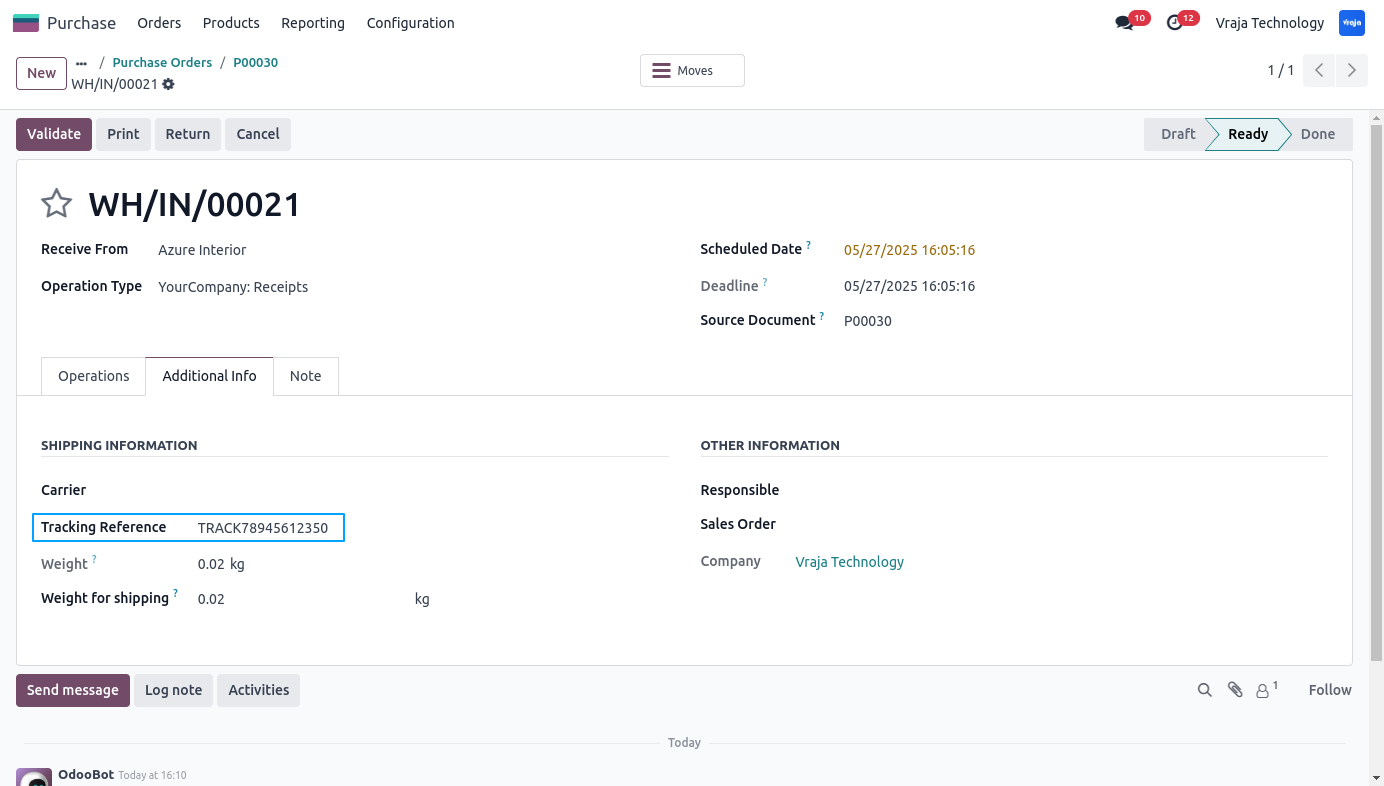
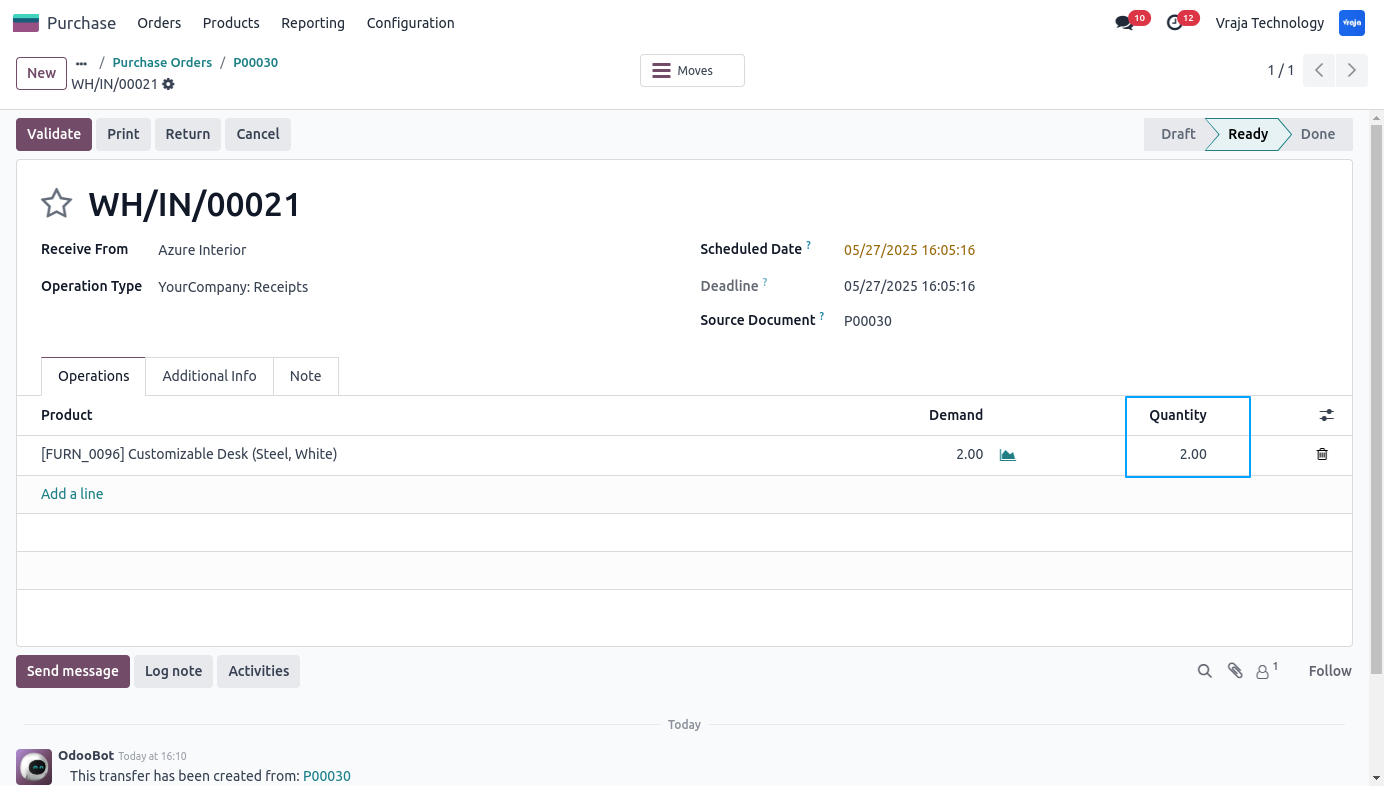
After successfully importing of the ASN, you can see the tracking number on the receipt.
The delivered Quantities are also updated from the ASN import schedule action.
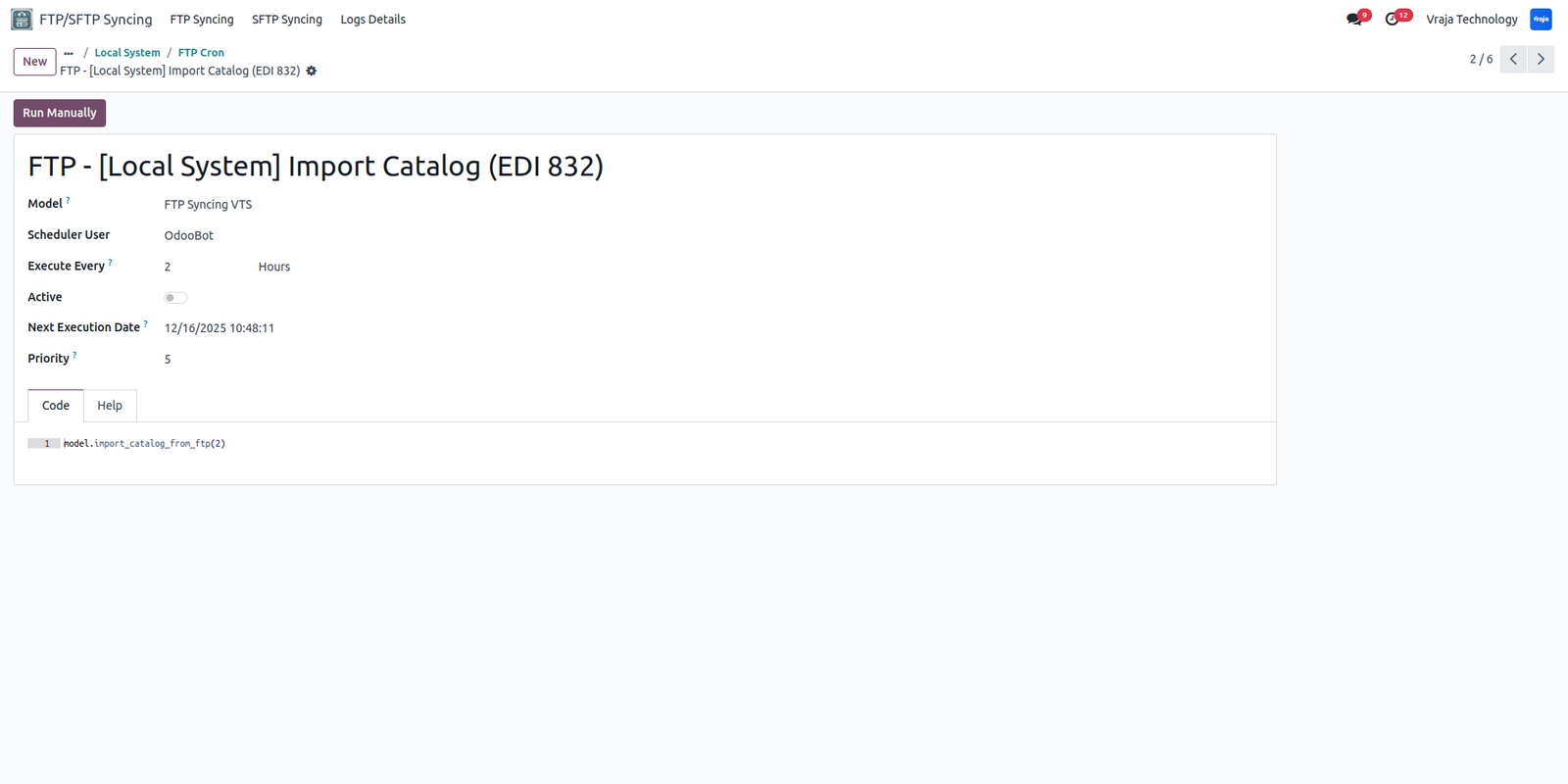
This Schedule action is for importing the vendor price list (EDI 832) to the Odoo database for your products.
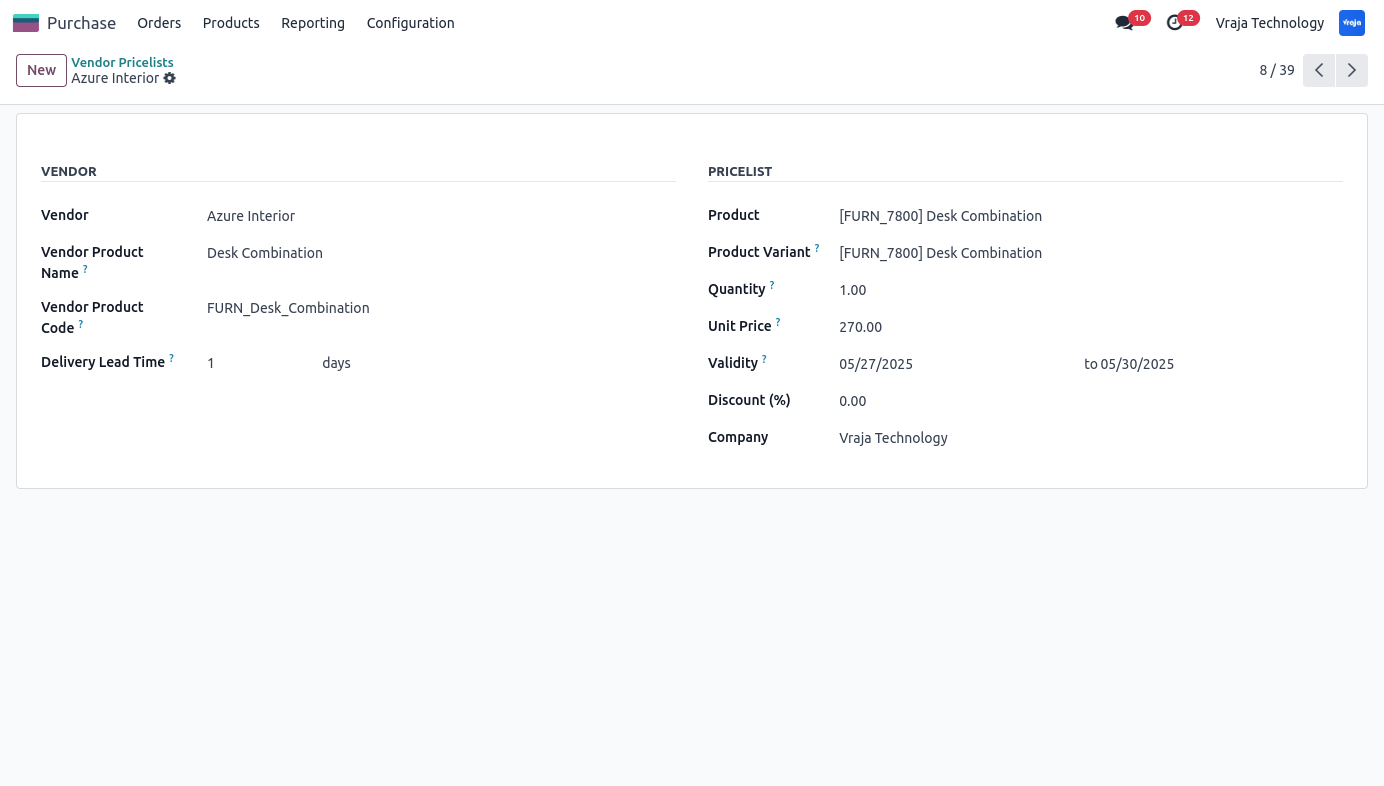
This vendor pricelist is created from the schedule action that fetches pricelist from the FTP.
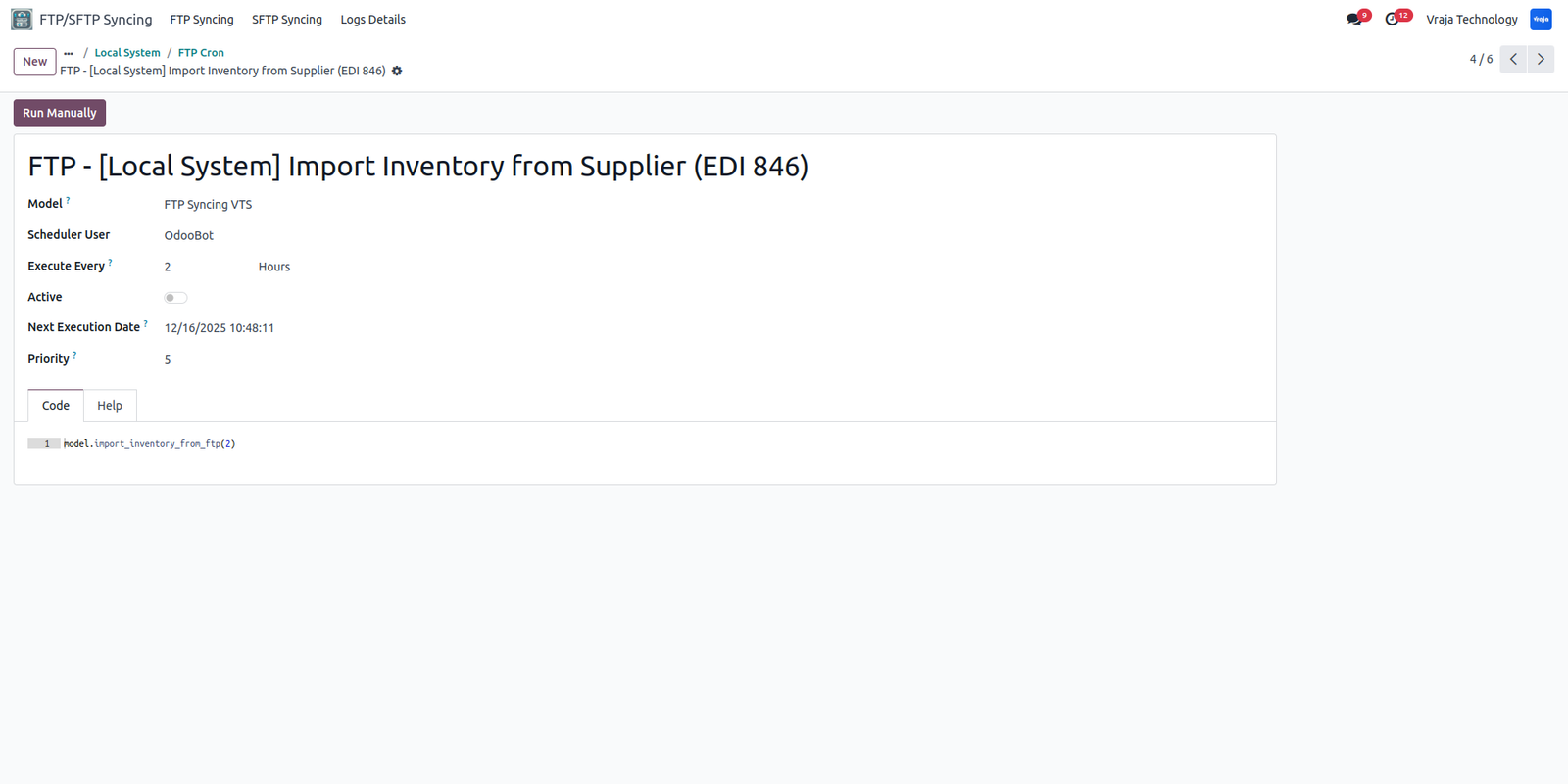
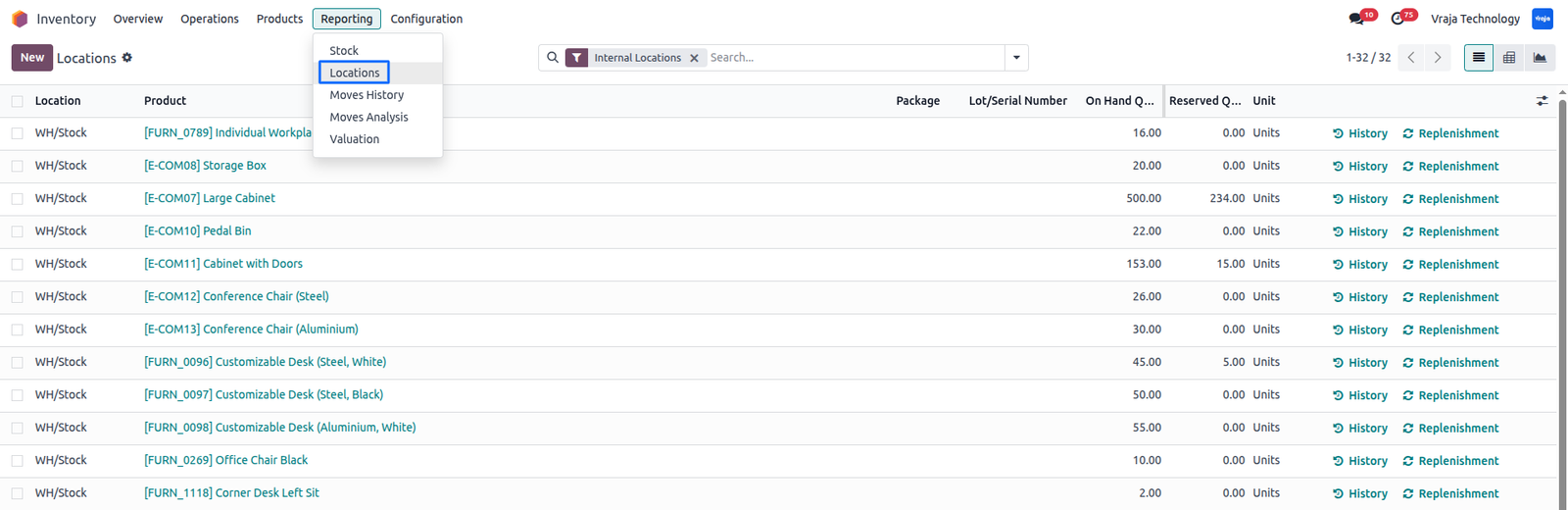
This Schedule action is for importing the Product Quantity (EDI 846) to the Odoo database and update the On hand Quantity for your products.
This Stock Quants is created from the schedule action that fetches Product Quantity from the FTP.
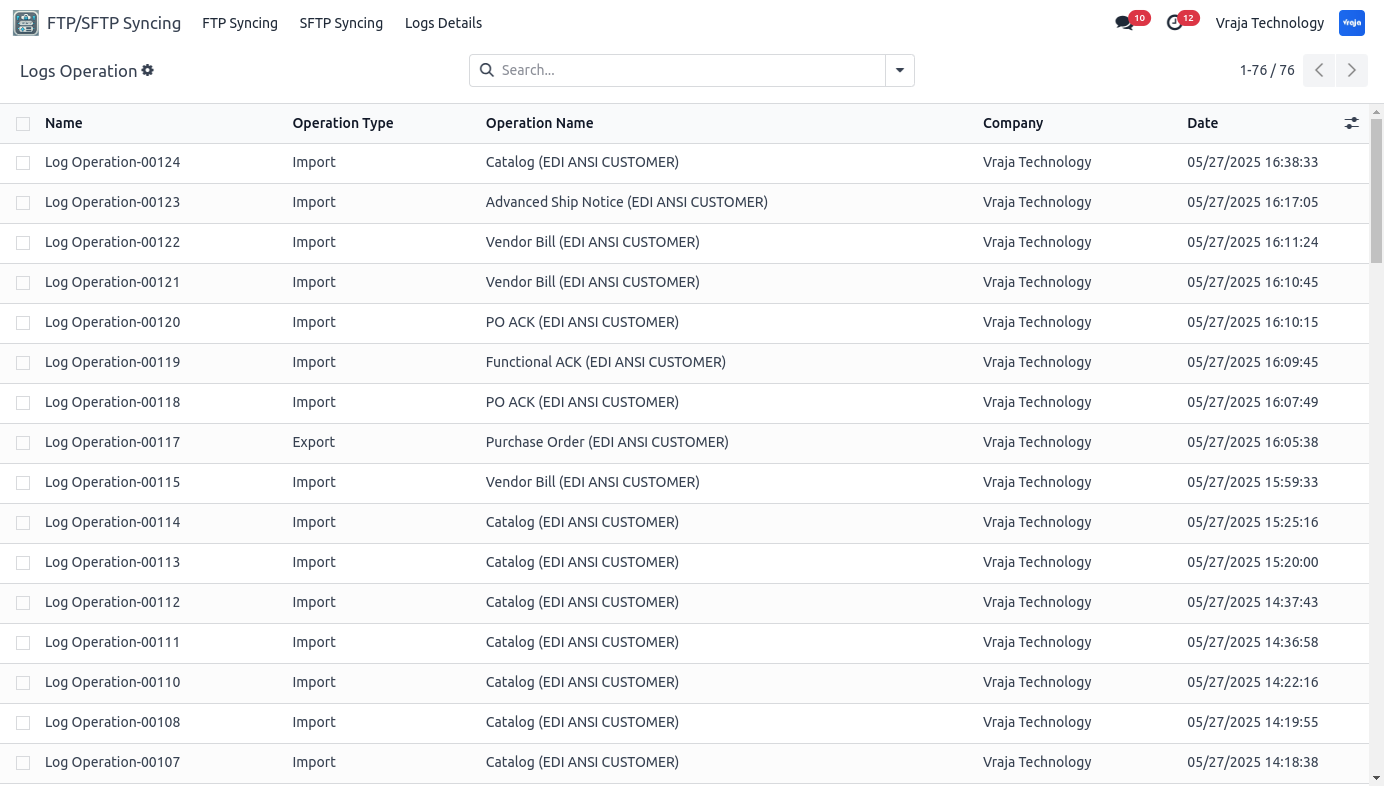
You can view the logs under the FTP/SFTP Syncing menu under Log Details.
 I need an extra customization in this application, how can I get it?
- Yes, you can contact us on support@vrajatechnologies.com or can schedule a DEMO with our team to customize additional features.
Is the application compatible with Odoo Enterprise and Community?
- Yes, this application module is supported by both. It is also compatible with test and production environments.
Do I get free upgrades and support if I purchase this application?
- We provide free support for the first 90 days following the purchase date.
Is technical knowledge required to set up the integration?
- While some technical understanding may be helpful, the integration is designed to be user-friendly. Detailed documentation and support may be provided to aid in the setup process.
Is this free customization and implementation?
- Our team has produced a support video that guides you through the implementation process step by step. If you encounter any issues, please feel free to contact us for assistance.
Which protocol you have used to transfer file?
- We have used FTP protocol to transfer files.
Have we used the functional Acknowledgement for this process.
- Yes, We have used the proper flow that includes the Functional Validation as well.
Can we see the exported file? If yes, where?
- Yes, you can view or download the exported file from the Purchase Order message post as shown in the screenshots.
Do we get any confirmation or message after schedule action performs its tasks?
- Yes, we have managed logs for all the process whether it is export or import.
Can we create/update the vendor Pricelist ?
- Yes, you can create/update the vendor Pricelist from its schedule action.
Submit a Support Ticket
If you encounter any issues while using our app that are caused by the app itself, we offer complimentary support for 90 days from the date of purchase.
To create a support ticket, please register via the Vraja Technologies Support Email and provide the necessary details so we can assist you in resolving the issue.

Email Us
support@vrajatechnologies.com

 1.png)
Contact Us
vrajatechnologies.com/contactus

Support
vrajatechnologies.com/support-policy
Vraja Technologies Services

Odoo Implementation

Odoo App Integration Services

Odoo Customization

Odoo Consultation

Odoo Support & Maintenance

Odoo Developer Outsourcing
Suggested Application














Reviews
There are no reviews yet.