

Description
.png)
Event Seat Reservation
The Event Seat Reservation System is a powerful Odoo-based solution designed to simplify online seat reservation and ticket management for events of all sizes. It eliminates manual booking errors, prevents double reservations, and delivers a seamless digital ticketing experience for attendees.
The system provides a fully interactive website-based seating layout where users can visually select seats, view real-time availability, and complete registration with payment in a guided flow. Event managers have full control over seat structures, ticket categories, attendee management, and seat switching from the backend.
A key highlight of this module is its advanced seating layout configuration, which includes row-wise, column-wise, and gap-wise (blank row/column) seat arrangements. This allows organizers to design flexible seating patterns, create spacing between sections, and customize layouts for different event environments such as VIP zones, aisles, and stage visibility.
The module also supports attendee seat switching, ticket-wise seat colors, seat selection limits, and real-time seat availability tracking, making event seat management more organized and efficient.
 Watch on YouTube
We specialize in delivering advanced Odoo solutions across multiple domains. Our expertise includes:

EDI & SWIFT/ACH Payment Integrations
End-to-end EDI automation, including X12, EDIFACT, XML standards, & financial integrations such as SWIFT, ACH, & Fedwire.


eCommerce Integrations
Seamless integration with leading eCommerce platforms to sync products, orders, inventory, and customer data in real time.

Shipping Integrations
Robust shipping connectors for global couriers, offering automated label generation, tracking, and rate computation.

Most Useful Apps for your ERP
A wide range of highly-rated Odoo modules designed to enhance automation, improve productivity, & simplify business operations.
 Features
 Process
 FAQs
FAQs
 Seat Management:
Dynamic seat arrangement builder with row-wise, column-wise, and gap-wise (blank row/column) seat configuration.
Ticket Management:
Configure multiple ticket types such as VIP, Standard, and Economy with flexible pricing and seat-wise ticket allocation.
Interactive Seat Booking:
Enable real-time seat selection on the website with an interactive visual seat map displaying seat availability status.
Attendee Management:
Easily register attendees linked with selected seats and manage complete participant details from the backend.
Booking & Payment Flow:
Provide a seamless booking experience with an integrated payment process and automatic confirmation after successful payment.
Seat Switching & Control:
Allow users to switch seats before final confirmation and prevent double booking with smart validation.
Reservation Control:
Use a seat cooling period to temporarily hold selected seats and auto-release expired reservations to make seats available again.
Download the Event Seat Reservation module from Vraja Technologies, add it to your Odoo addons path, restart the Odoo server, and update the Apps List to activate the module in Odoo Apps.
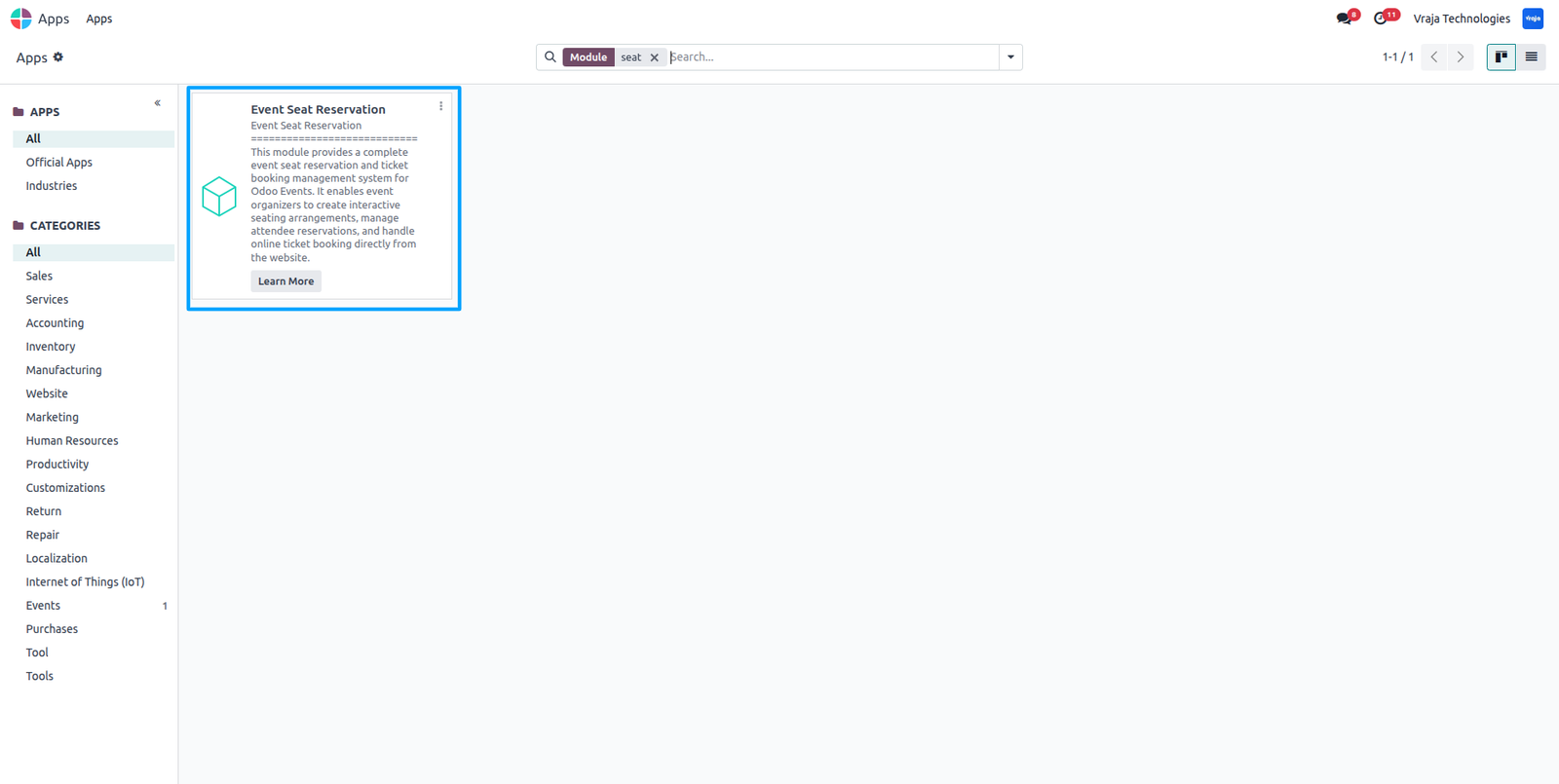
After installation, navigate to Events → Create New Event, then select the configured Event Template, which will automatically load the associated tickets and their respective pricing defined in the template.
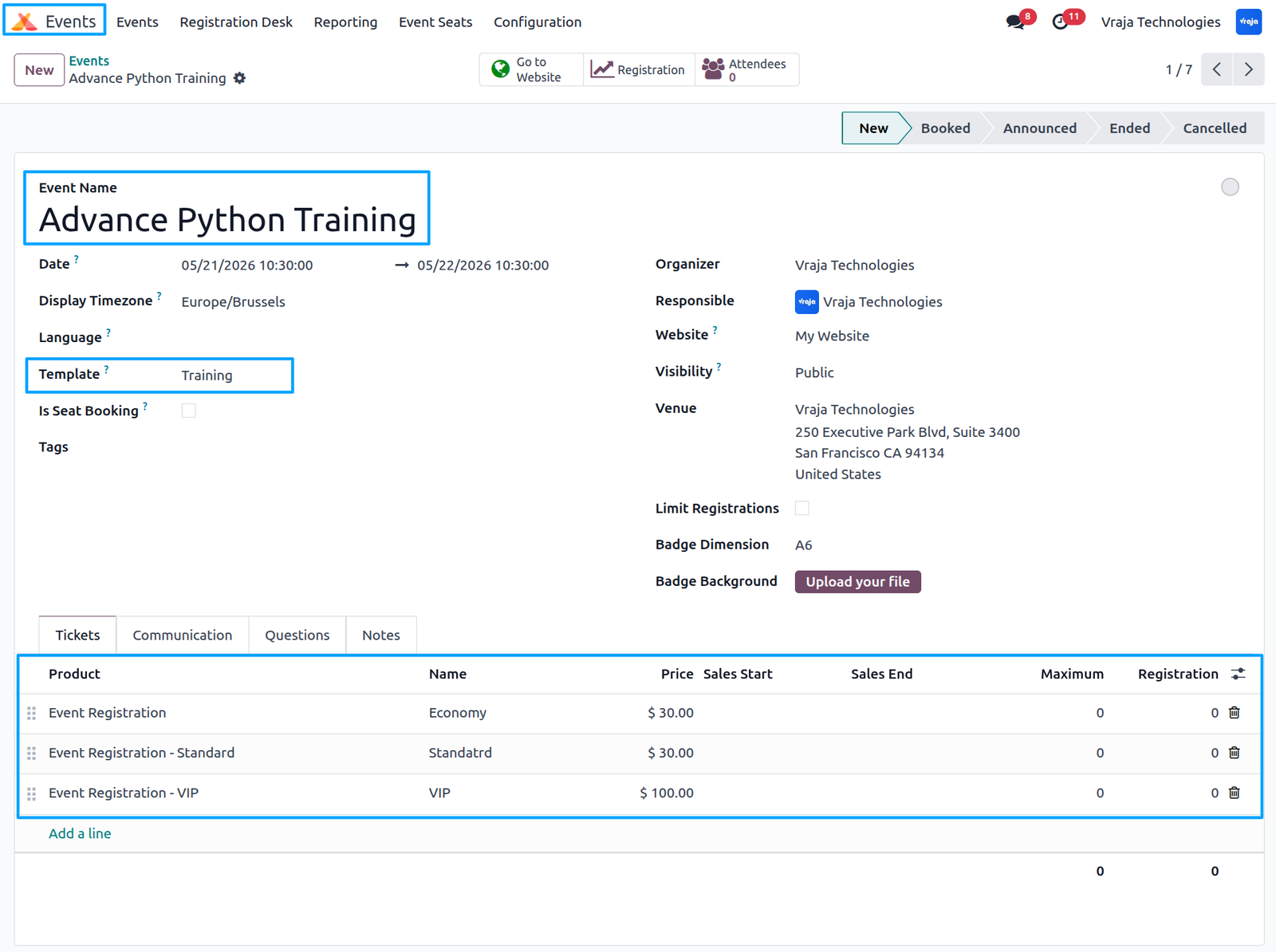
Inside the Event → Configuration menu, create an Event Template and configure the required tickets for the event. Once configured, simply select the event template while creating an event, and all tickets and settings will be automatically applied.
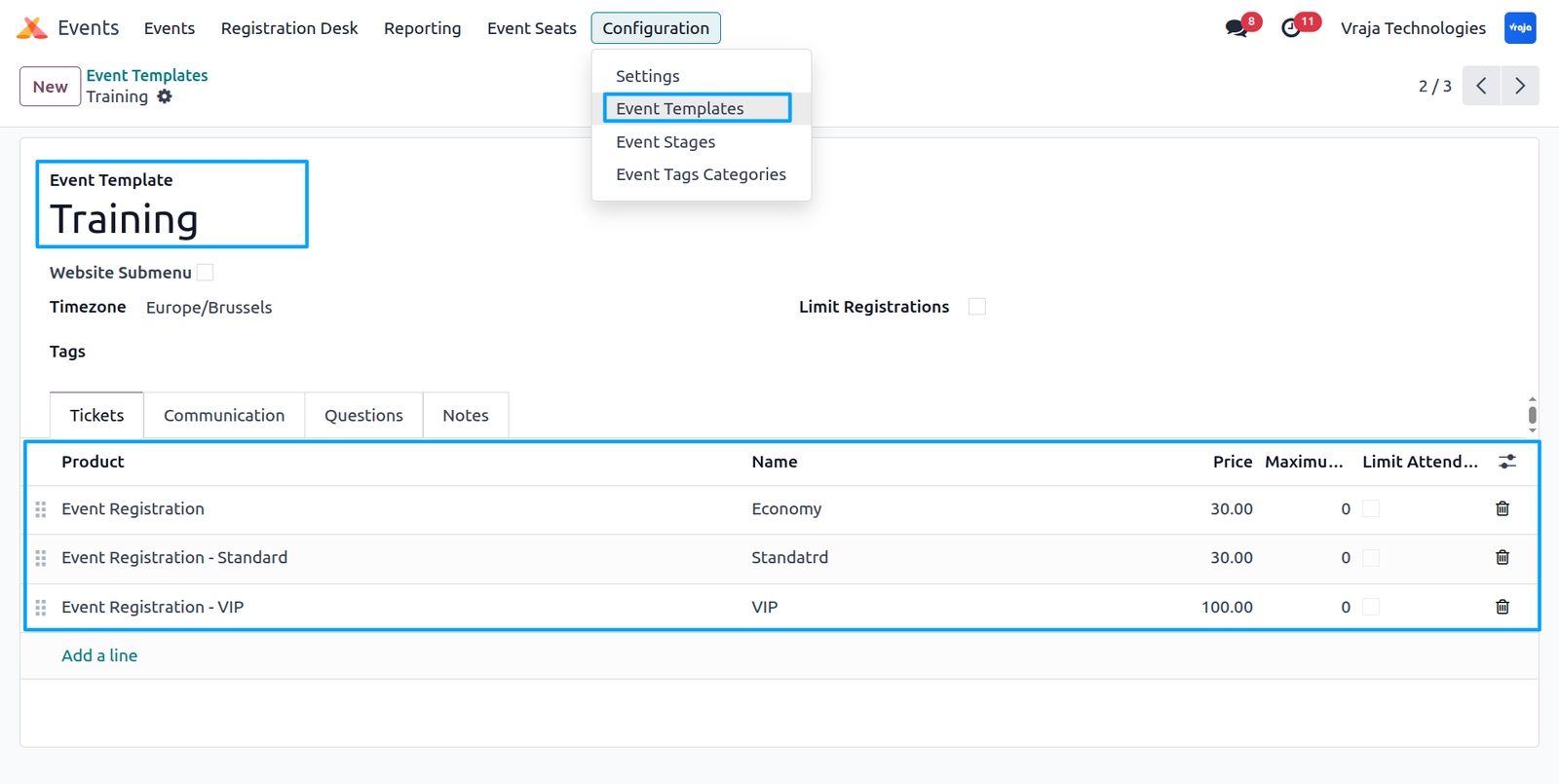
When Is Seat Booking is enabled on an event, additional options such as Seat Selection Limit become available. Inside each ticket configuration, a Seat Booking Configuration button is provided, allowing event managers to define and manage seat arrangement settings for that specific ticket type.
When clicking the Seats button on a ticket, a seat arrangement popup opens, allowing the event manager to configure the seating layout for that specific ticket type.
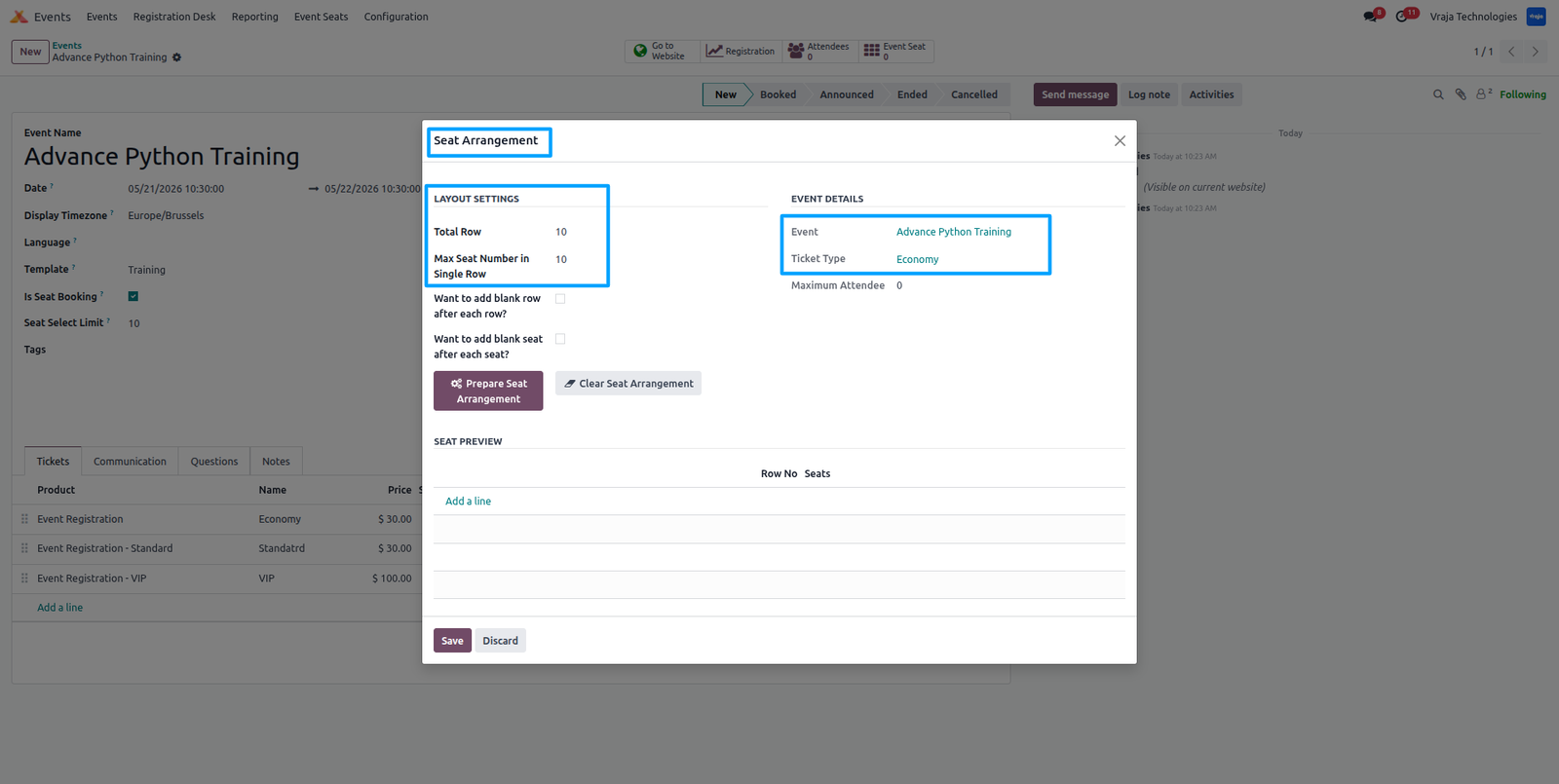
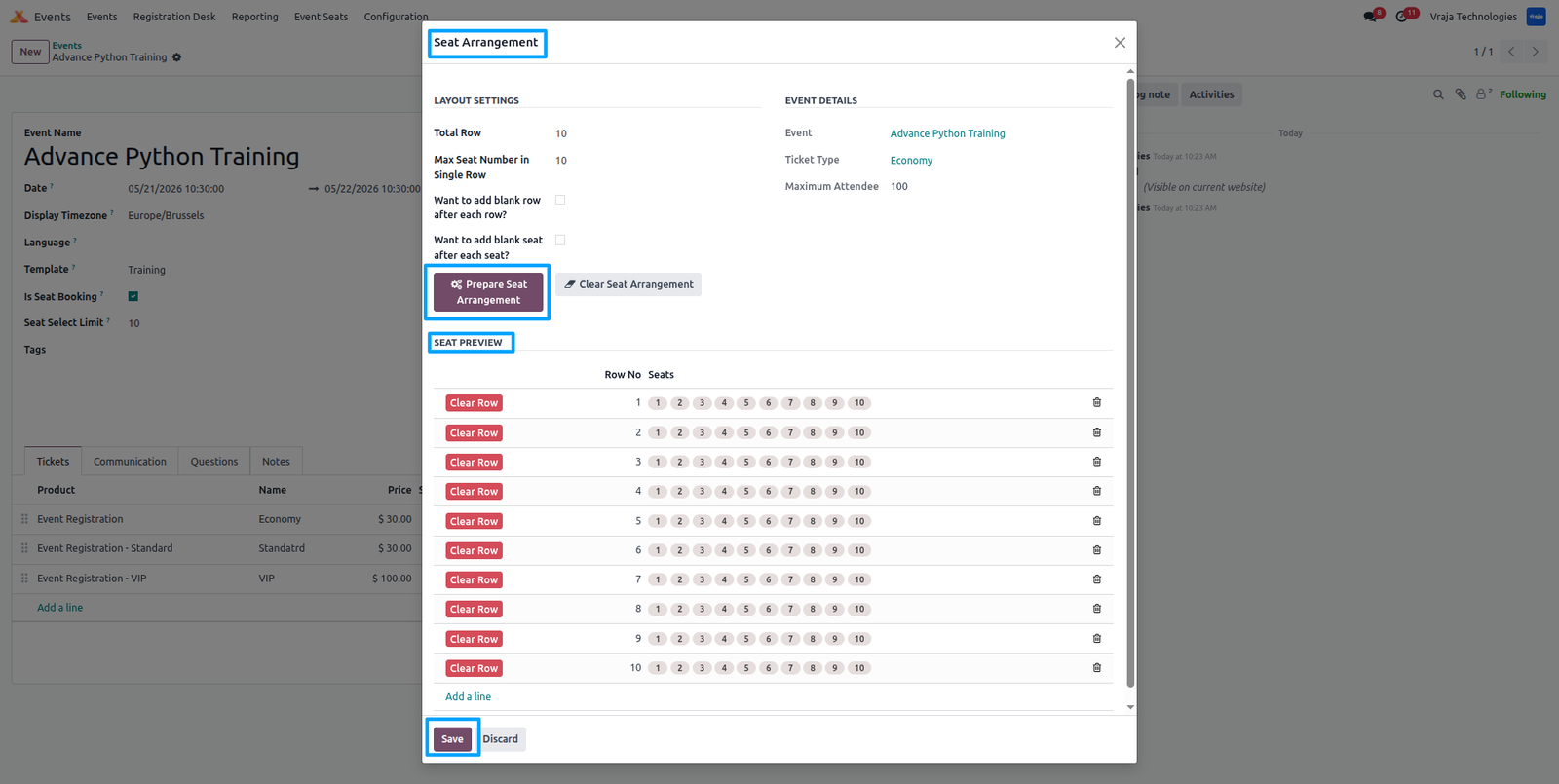
In the Seat Arrangement popup, administrators can define the layout using Total Rows and Maximum Seats per Row to configure row-wise and column-wise seating structure. After clicking Prepare Seat Arrangement, a preview of the generated seat layout is displayed. Once saved, the seat arrangement is applied to the selected ticket type, and administrators also have the option to clear the seat arrangement if needed.
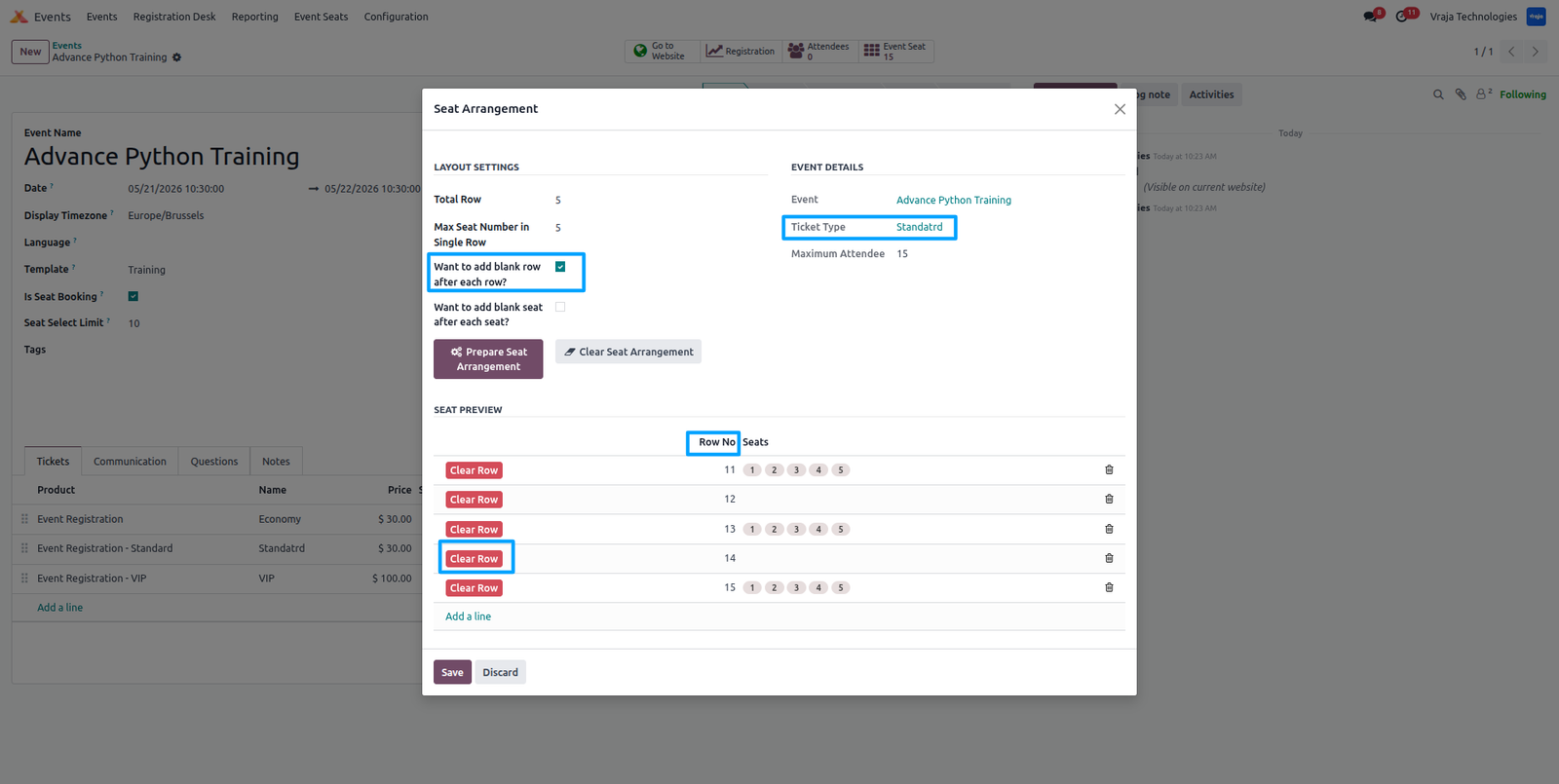
In the Seat Arrangement configuration, when the option “Add Blank Row after Each Row” is enabled, clicking Prepare Seat Arrangement will generate the seating layout with an additional blank row inserted after each row for the selected ticket type. It also provides a Clear Row option to remove a specific row if needed.
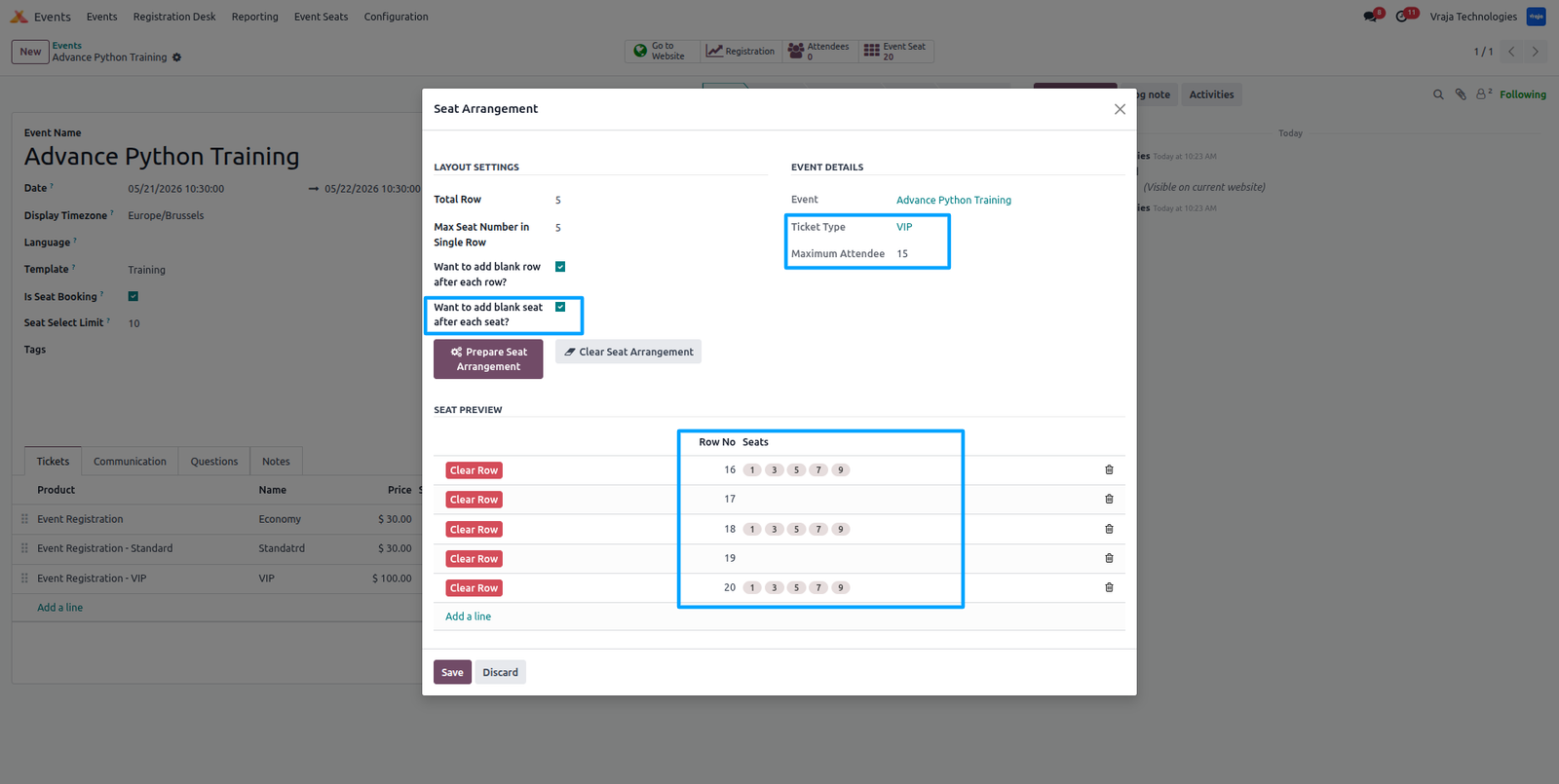
In the Seat Arrangement configuration, when the option Add Blank Seat after Each Seat is enabled, the system generates the seating structure with blank seats inserted after each seat, and this layout is reflected in the preview for the selected ticket type.
In the Event Ticket configuration, the maximum number of allowed attendees is displayed for each ticket type. A Seat View button is also available, which opens and displays the seat arrangement configured for that specific ticket.
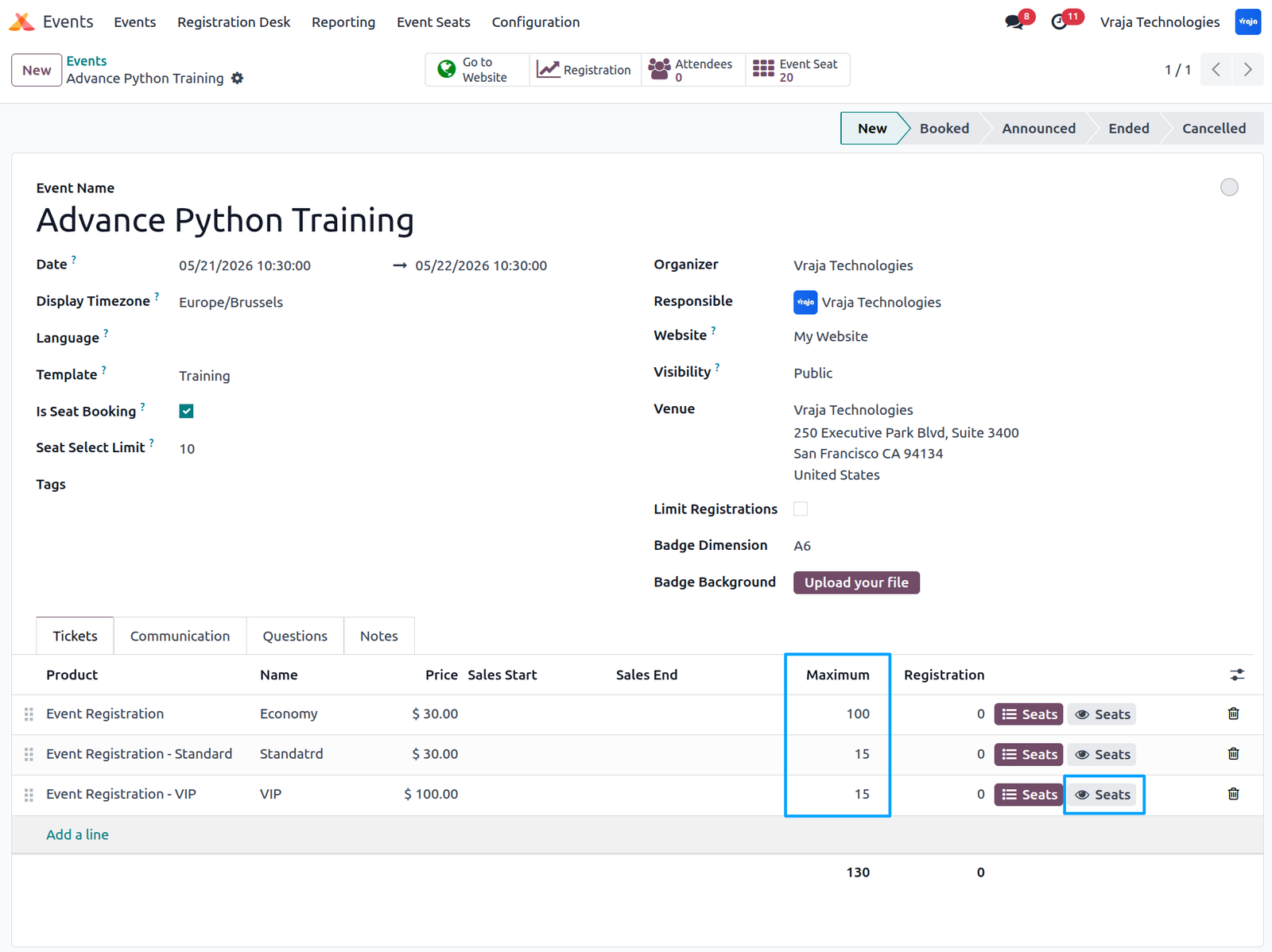
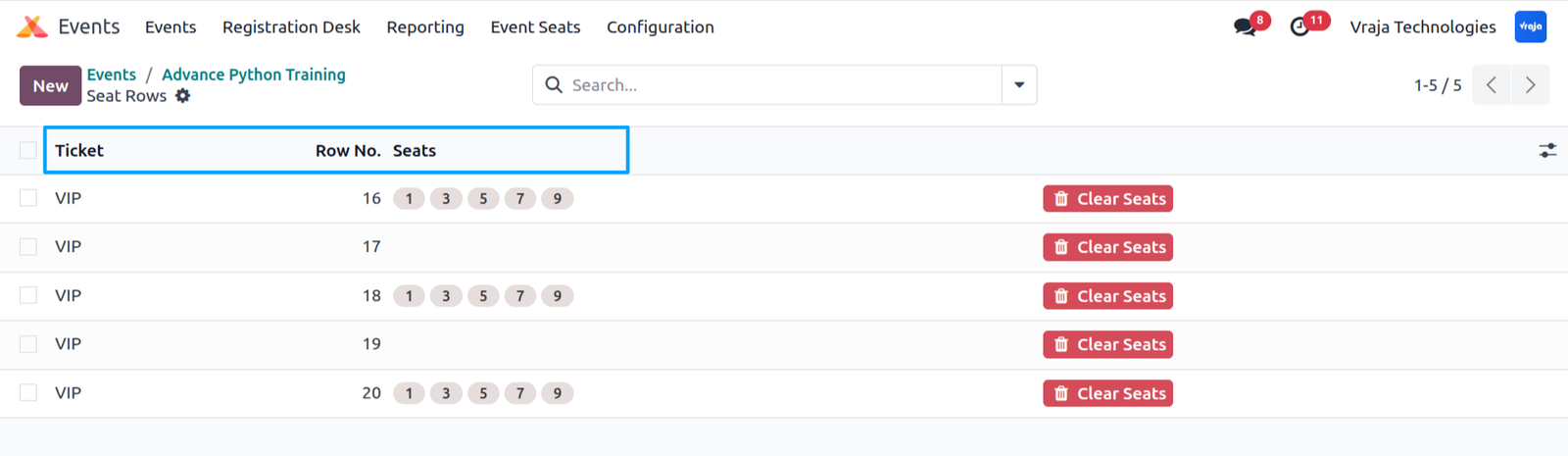
When clicking the View Seats button on a ticket, the system displays the configured seat arrangement for that specific ticket type.
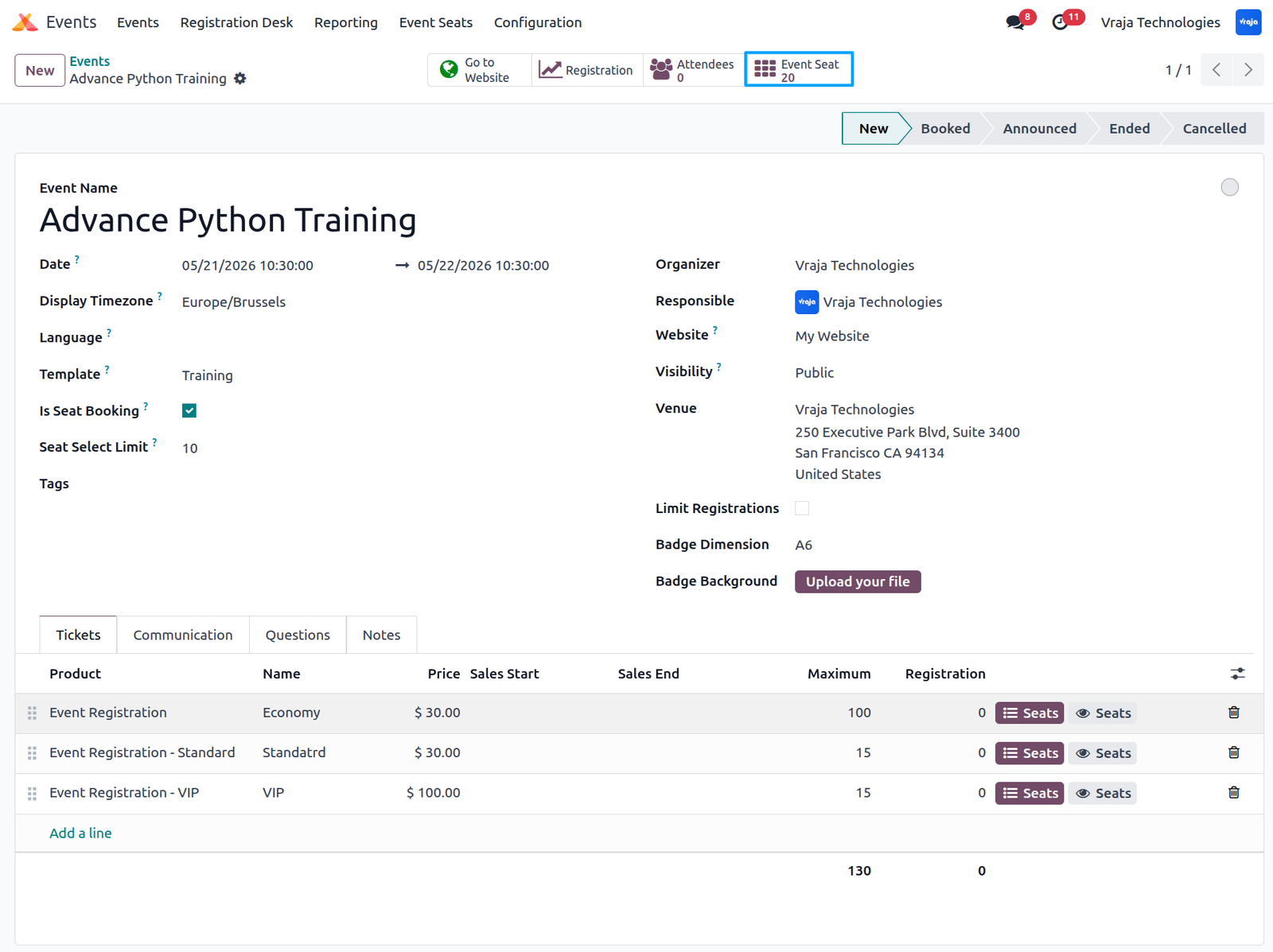
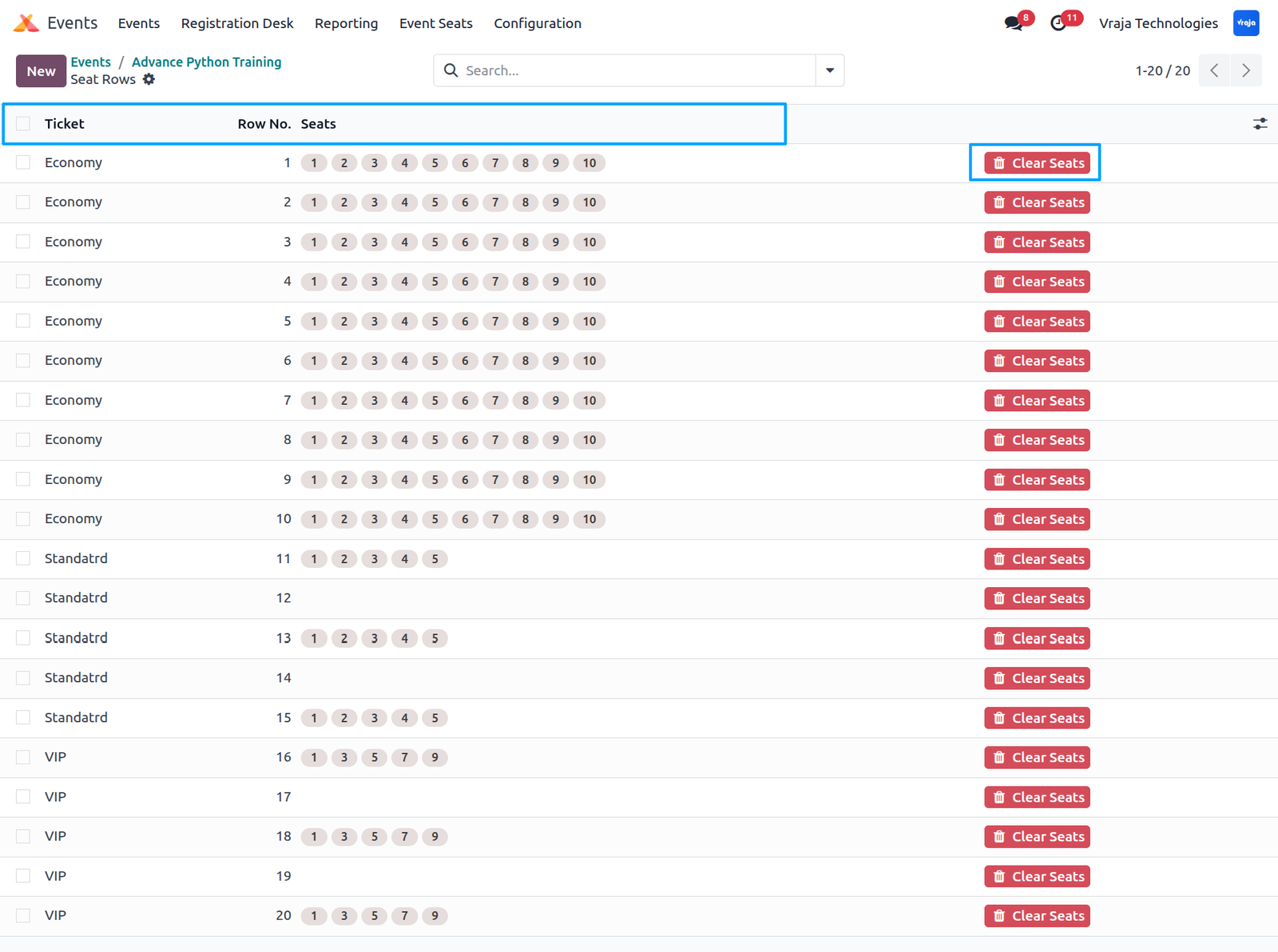
In the event form, a smart button is available to view the complete seat arrangement for all ticket types, providing a consolidated overview of the entire event seating structure.
When clicking Event Seats, the system displays the complete seat arrangement for the entire event across all ticket types.
Go to the Website → Events, then select the desired event to proceed with ticket booking.
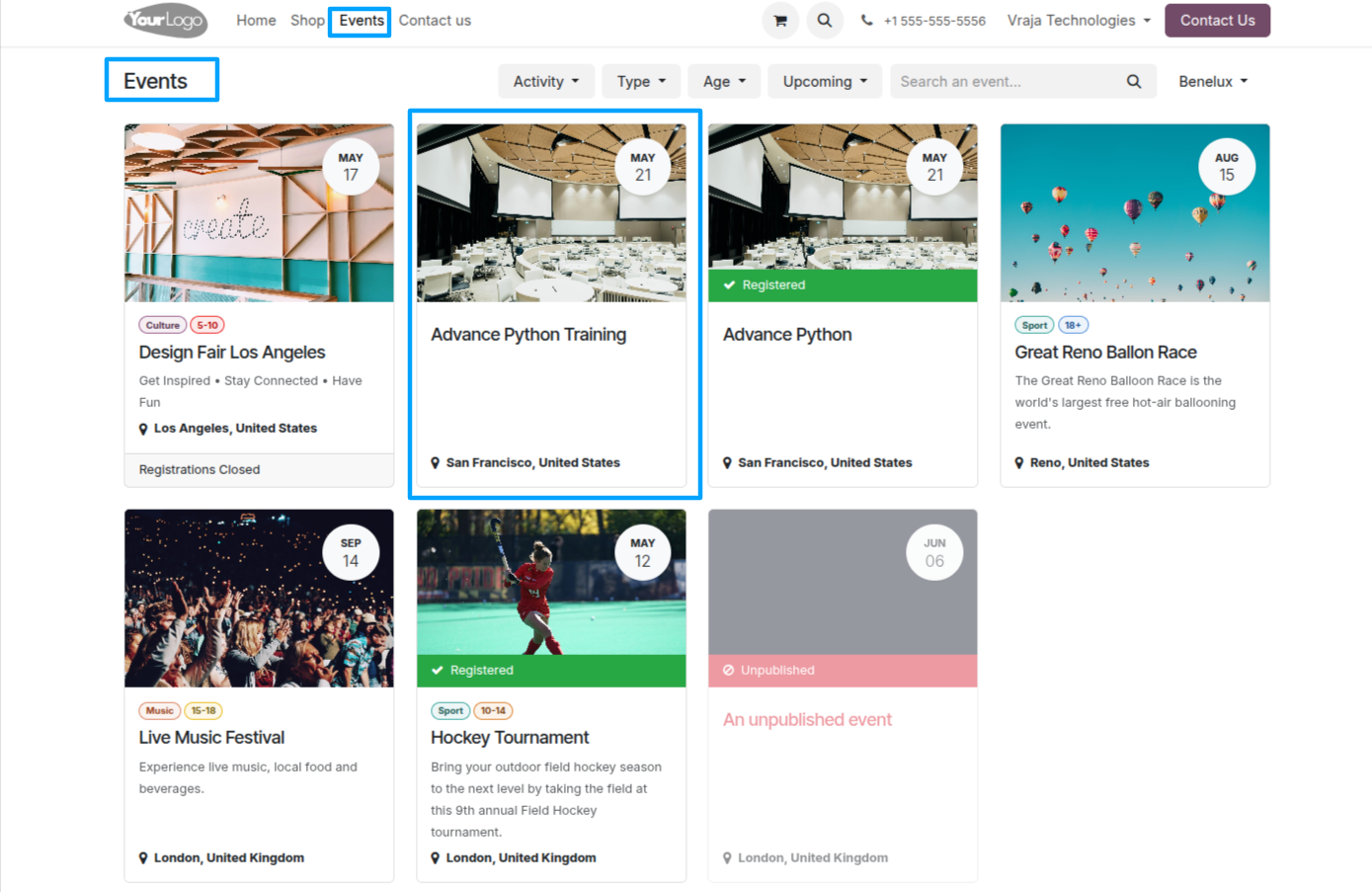
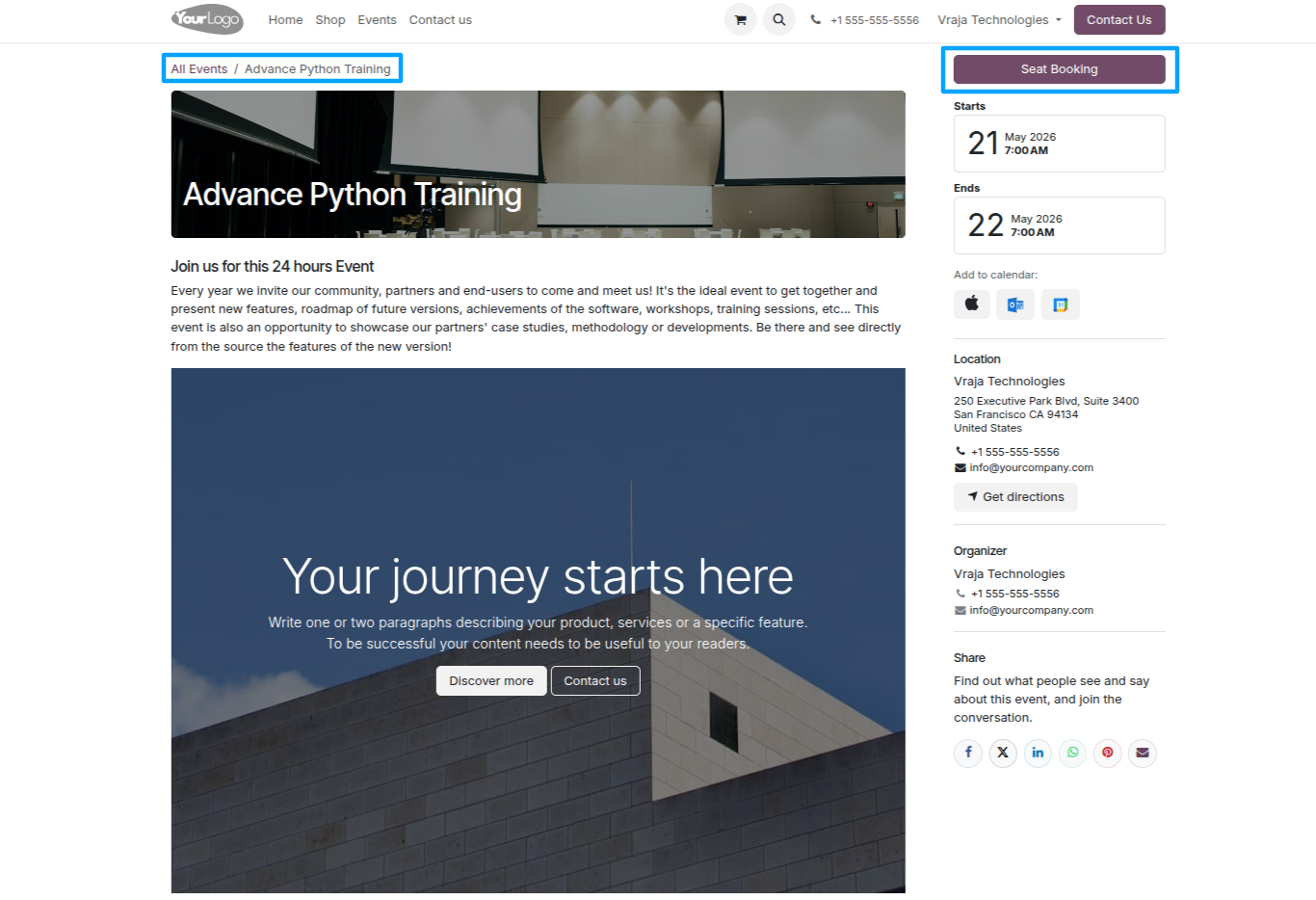
In the event, when the Is Seat Booking option is enabled, a Seat Booking button becomes visible on the website. Clicking this button opens the seat layout, allowing users to view and select available seats.
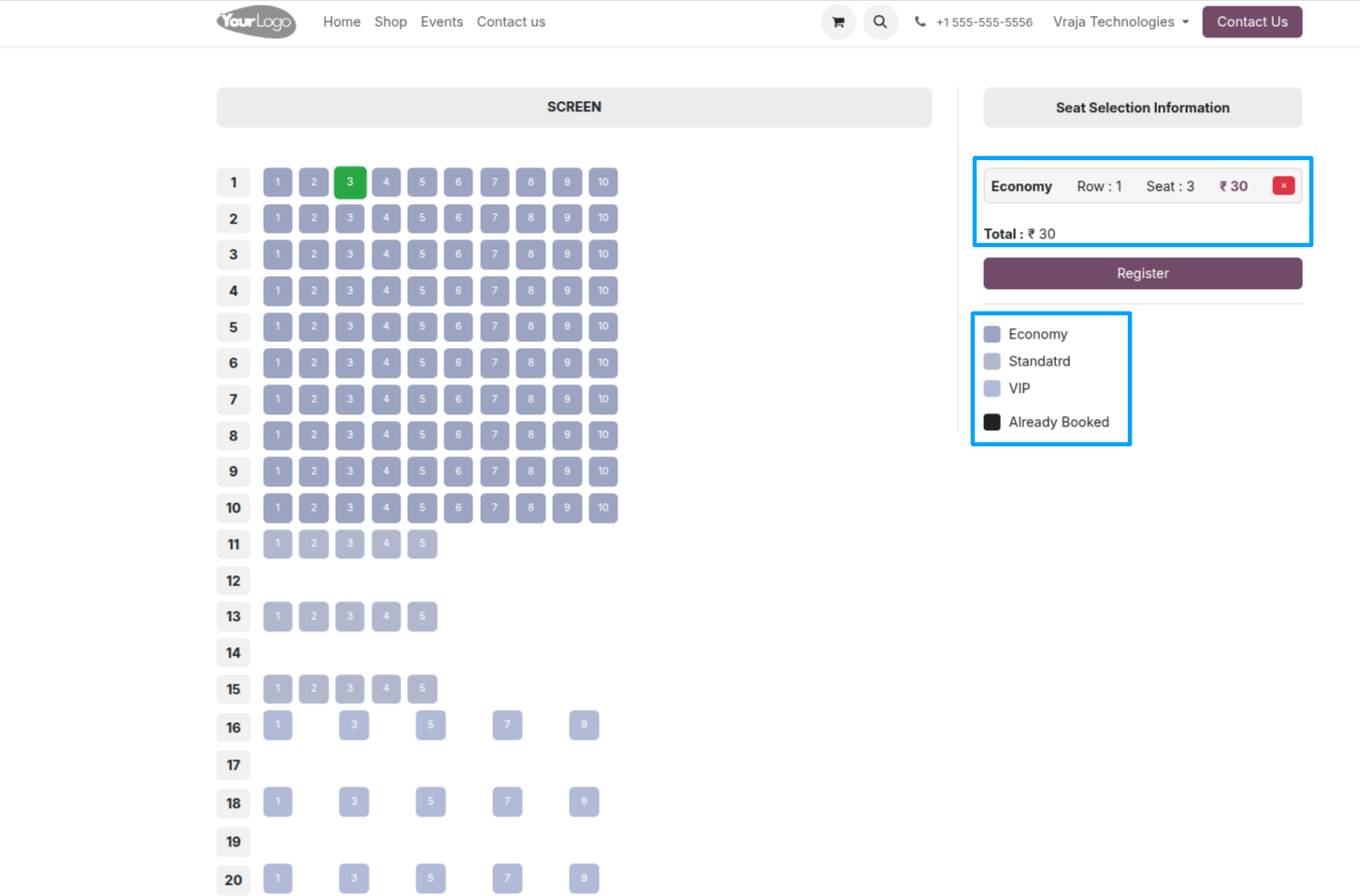
On the website, all configured seats for the event are displayed as per the setup done in the backend. When a user selects any seat, the seat details and related information are shown in the right sidebar.
In the Event Ticket configuration, there is an option to enable the Seat Color Field, which provides a color picker to assign different colors to each ticket type.
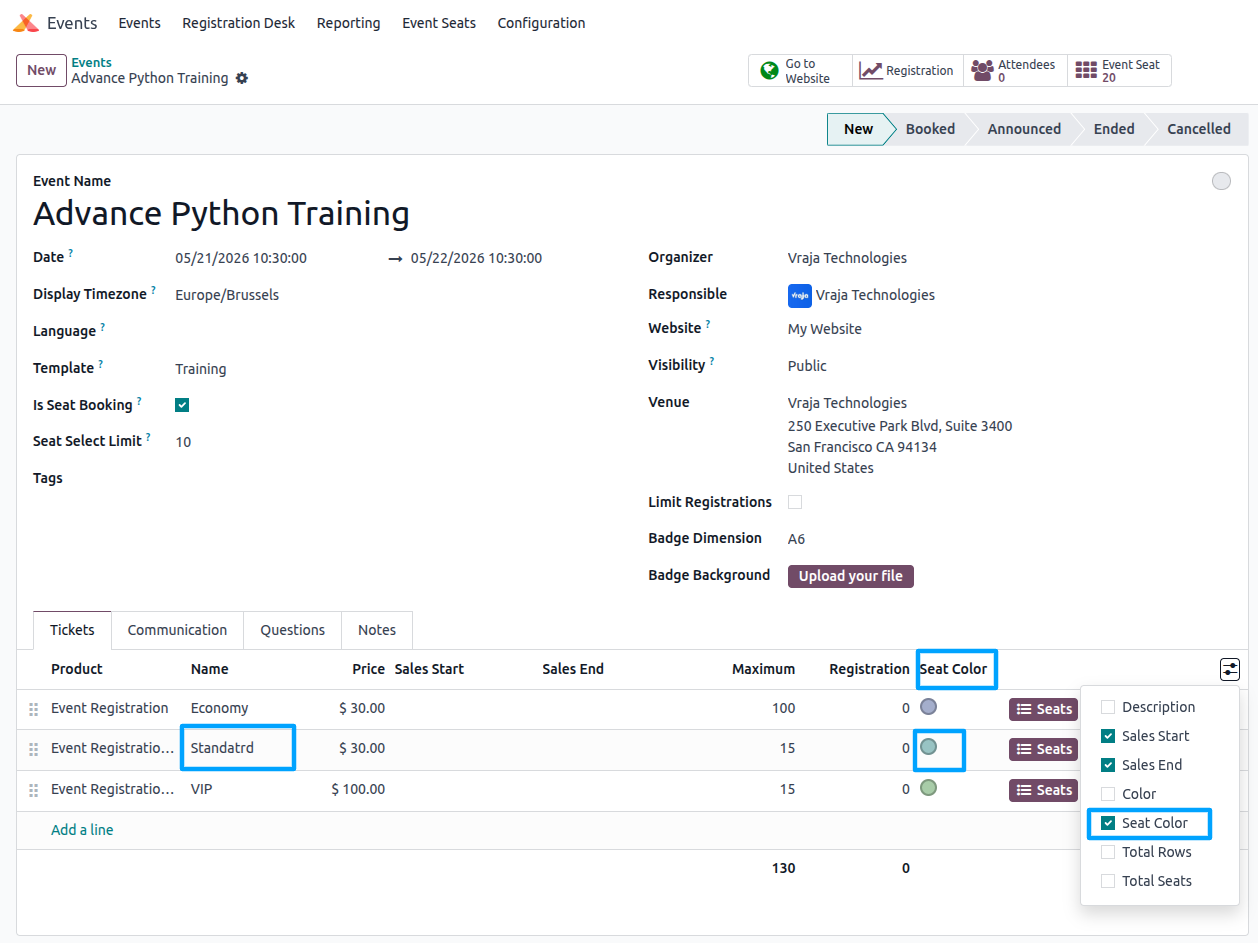
When a color is assigned to a seat, it is displayed on the website during seat booking, allowing attendees to easily identify different ticket types through color-coded seating.
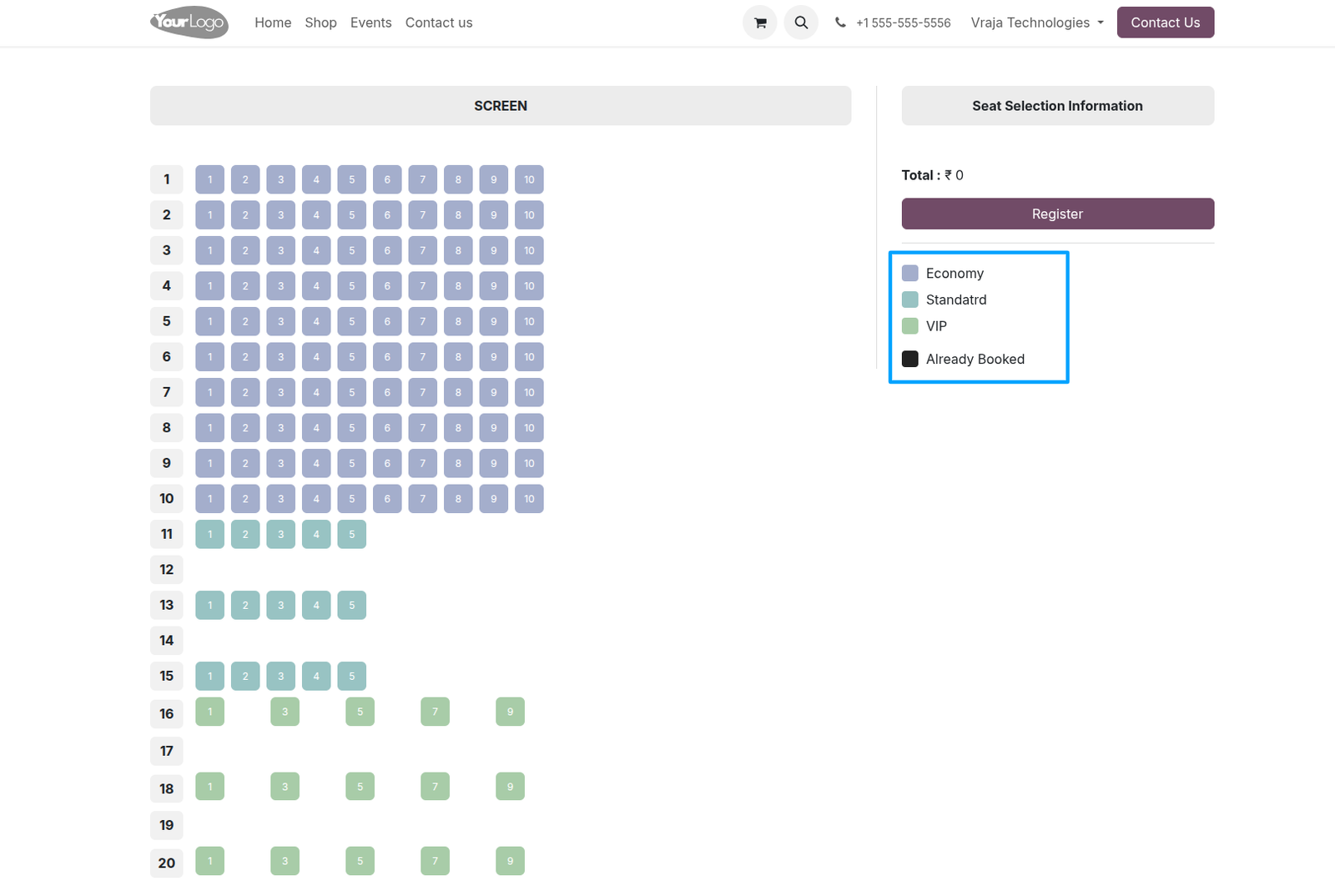
In the Event configuration, the Seat Select Limit option allows administrators to define the maximum number of seats an attendee can select during registration.
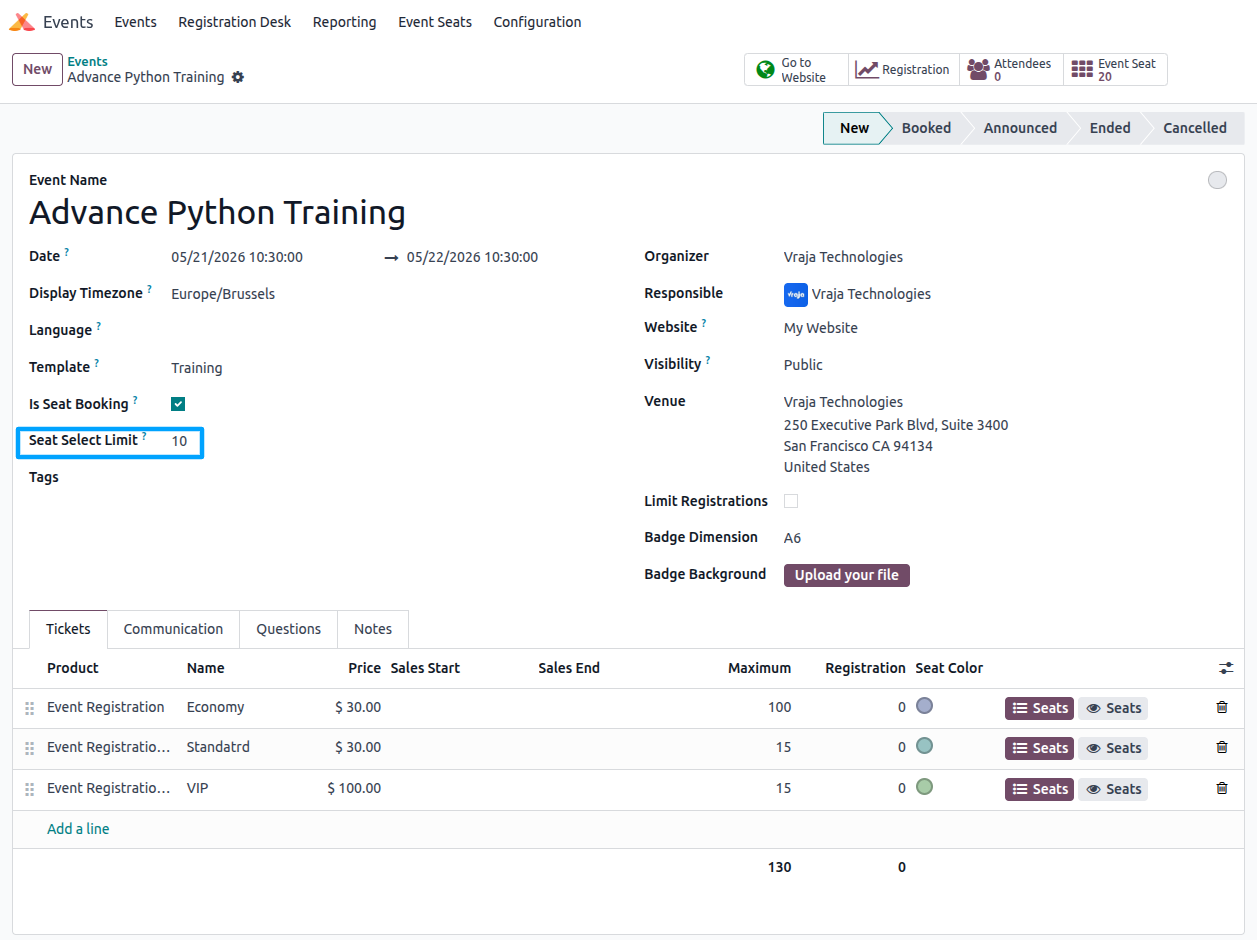
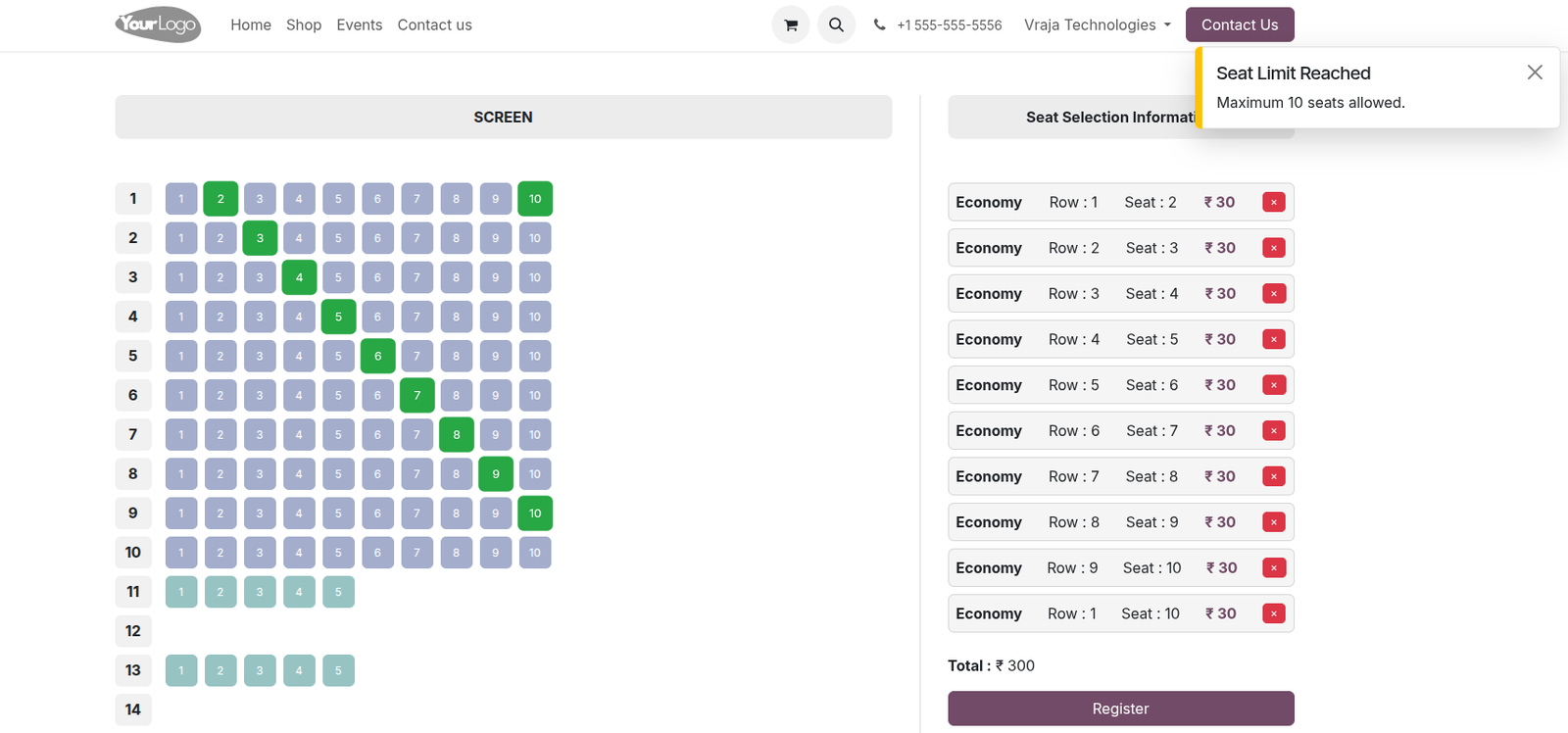
When the Seat Select Limit is set, the system restricts attendees from selecting more seats than the allowed limit and displays a warning message.
 What is Event Seat Reservation?
- Event Seat Reservation is an advanced event management system that allows organizers to configure seat arrangements, manage ticket types, enable online seat booking, and handle attendee seat reservations efficiently.
1. Does this module support online seat booking from the website?
- Yes, attendees can book seats directly from the website using the interactive seat booking interface.
2. Can I create different ticket types for an event?
- Yes, you can create multiple ticket types such as VIP, Standard, Economy, and configure separate seat arrangements and pricing for each ticket type.
3. Is it possible to configure row-wise and column-wise seat arrangements?
- Yes, the module supports dynamic row-wise and column-wise seat arrangement configuration for each ticket type.
4. Can I add blank rows or blank seats in the seating layout?
- Yes, you can configure blank rows and blank seats to create spacing between seats or sections for better event seating management.
5. Does the module prevent double booking of seats?
- Yes, already booked seats are automatically disabled on the website, preventing attendees from selecting reserved seats.
6. Can attendees select multiple seats during booking?
- Yes, attendees can select multiple seats based on the configured Seat Select Limit defined for the event.
7. What happens when the seat selection limit is exceeded?
- Once the configured seat selection limit is reached, users cannot select additional seats and a warning message is displayed.
8. Can event managers switch attendee seats after booking?
- Yes, event managers can use the Switch Seat option from the attendee form to change the assigned seat before confirmation.
9. Does the module support color-wise seat identification?
- Yes, seat colors can be configured for each ticket type, helping attendees easily identify different seating categories on the website.
10. Can I print or download event tickets?
- Yes, attendees can download tickets after successful payment, and event managers can print tickets from the attendee form.
11. Does the ticket include seat information?
- Yes, downloaded and printed tickets include attendee details along with the assigned seat number and ticket information.
I would like to request a custom feature for this application. What’s the process to get it implemented?
- We’re happy to help tailor the application to meet your business needs! You can reach us via sales@vrajatechnologies.com
Who is the point of contact for technical support, configuration support or bug-related queries?
- You can reach us via support@vrajatechnologies.com
Submit a Support Ticket
If you encounter any issues while using our app that are caused by the app itself, we offer complimentary support for 60 days from the date of purchase.
To create a support ticket, please register via the Vraja Technologies Support Email and provide the necessary details so we can assist you in resolving the issue.

Email Us
support@vrajatechnologies.com

 1.png)
Contact Us
vrajatechnologies.com/contactus

Support
vrajatechnologies.com/support-policy
Vraja Technologies Services

Odoo Implementation

Odoo App Integration Services

Odoo Customization

Odoo Consultation

Odoo Support & Maintenance

Odoo Developer Outsourcing
Suggested Application
















Reviews
There are no reviews yet.