
Description
.png)
Event Trainer Certificate Management
The Event Trainer Certificate Management module extends the capabilities of Odoo Events by providing a complete workflow for trainer-based certificate generation and automated attendee certification.
This module is designed for organizations that conduct training programs, workshops, seminars, webinars, and certification events. It allows event organizers to assign one or multiple trainers to an event, manage trainer signatures, collect attendee feedback through surveys, and automatically generate digitally signed certificates for participants.
Once attendees complete the event and successfully submit the required survey or feedback form, the system automatically processes certificate generation and sends the trainer-signed certificate directly to the attendee via email. The module also supports QR-code verification, portal access, automated reminders, and seamless integration with Events, Survey, Sign, Contacts, and Portal applications in Odoo.
The solution helps organizations reduce manual work, automate certification workflows, improve attendee engagement, and maintain professional digital certification processes.
 Watch on YouTube
We specialize in delivering advanced Odoo solutions across multiple domains. Our expertise includes:

EDI & SWIFT/ACH Payment Integrations
End-to-end EDI automation, including X12, EDIFACT, XML standards, & financial integrations such as SWIFT, ACH, & Fedwire.


eCommerce Integrations
Seamless integration with leading eCommerce platforms to sync products, orders, inventory, and customer data in real time.

Shipping Integrations
Robust shipping connectors for global couriers, offering automated label generation, tracking, and rate computation.

Most Useful Apps for your ERP
A wide range of highly-rated Odoo modules designed to enhance automation, improve productivity, & simplify business operations.
 Features
 Process
.png) Website
Website
 FAQs
FAQs
 Event & Trainer Management:
Create and manage training or certification events easily. Assign trainers and manage their signatures from the event form.
Certificate Configuration:
Configure and link certificate templates with events. Generate personalized trainer-signed certificates automatically.
Survey-Based Certification:
Send surveys automatically after event attendance. Generate certificates after successful survey completion.
Automated Certificate Generation:
Automatically create certificates through scheduled workflows. Eliminate manual certificate processing tasks.
Digital Signature Support:
Add trainer digital signatures to certificates. Ensure secure and professional certificate authorization.
Automated Email Notifications:
Send survey and certificate emails automatically. Notify attendees with reminders and follow-ups.
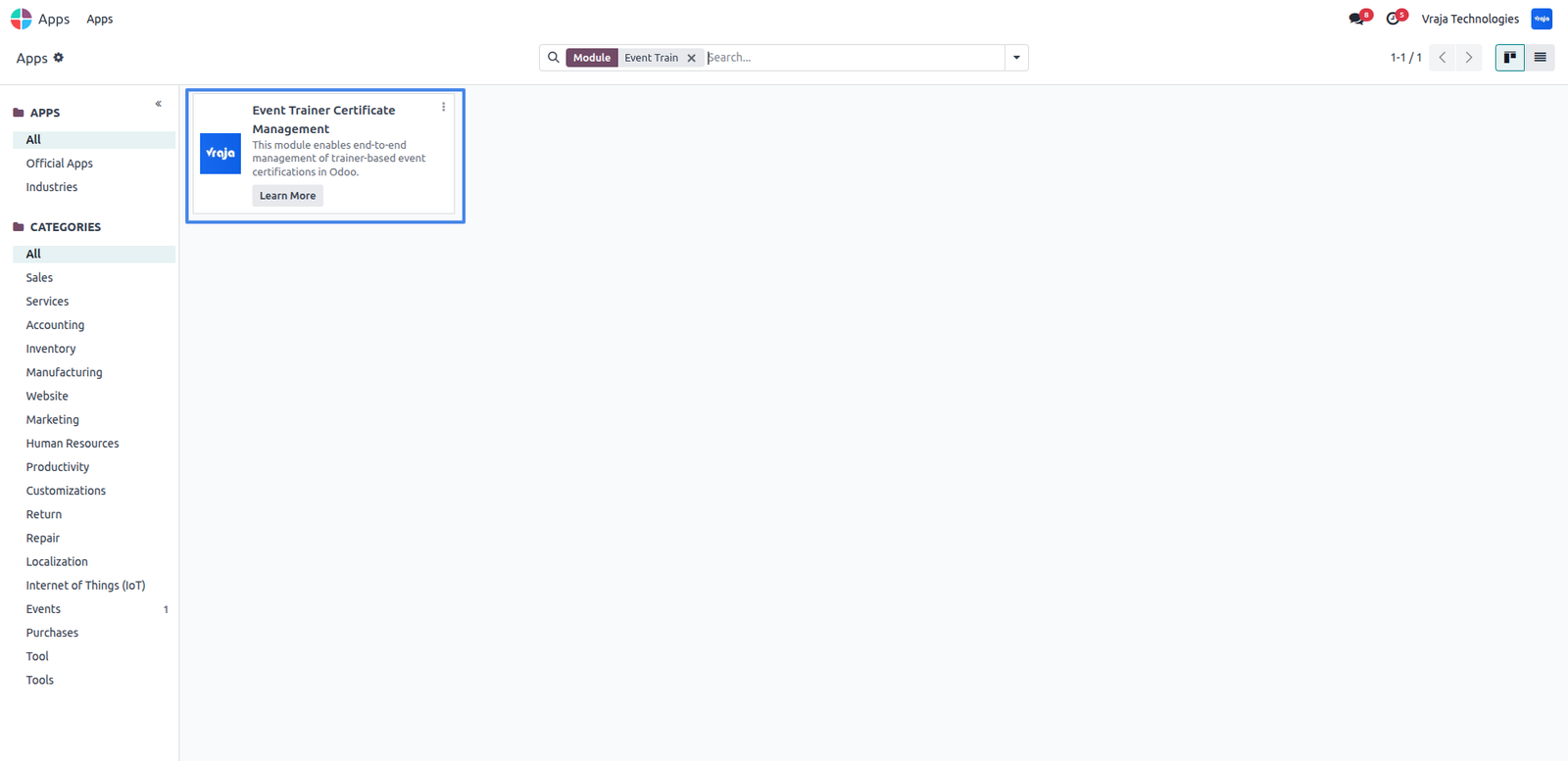
Download the Event Trainer Certificate Management module from Vraja Technologies, place it in the Odoo addons path, restart the Odoo server, and update the Apps List to make the module available in Apps.
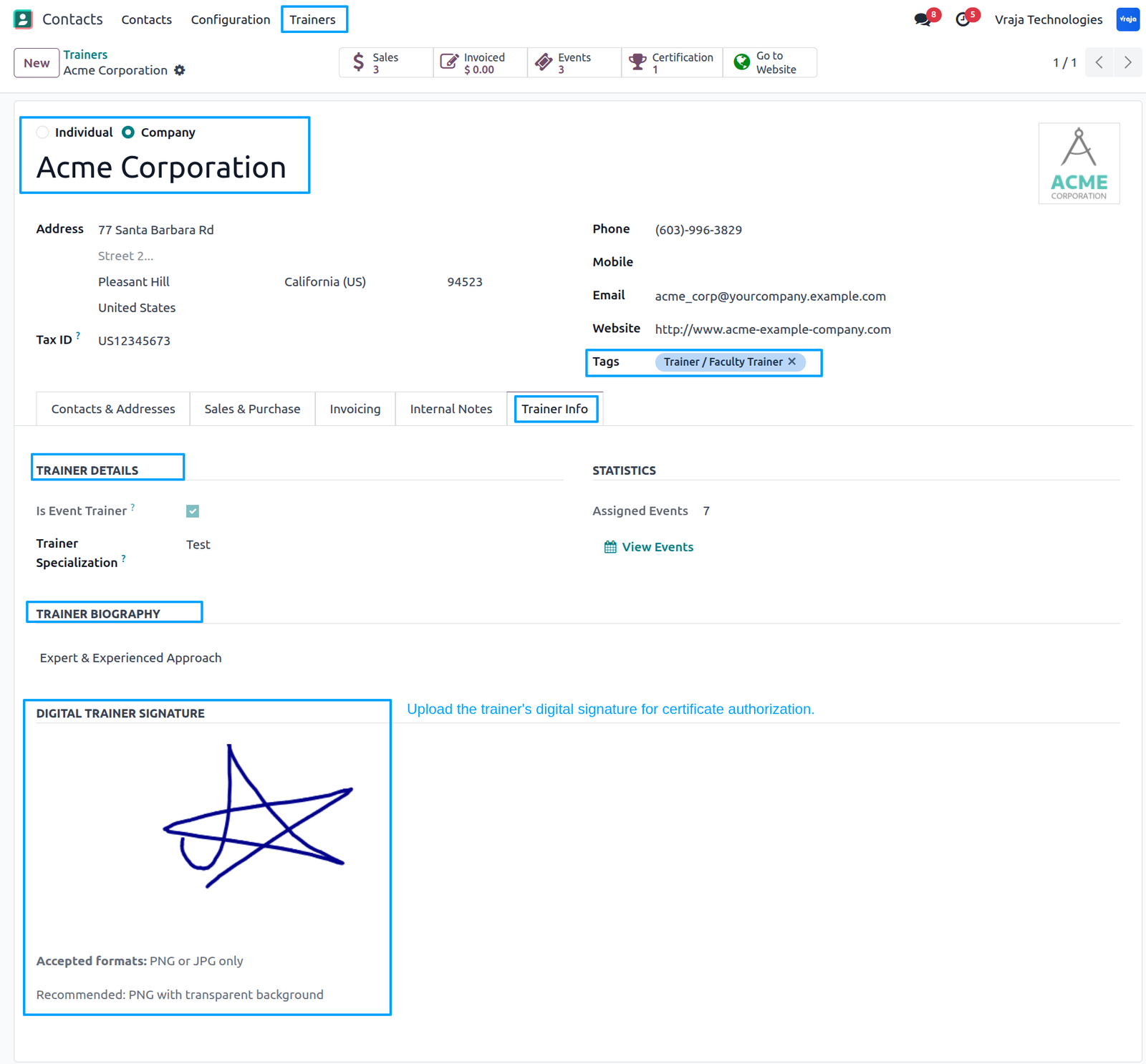
Go to Contacts → Trainers, assign the Trainer tag to a contact, and configure the trainer details such as digital signature, trainer specialization, and trainer biography from the Trainer tab.
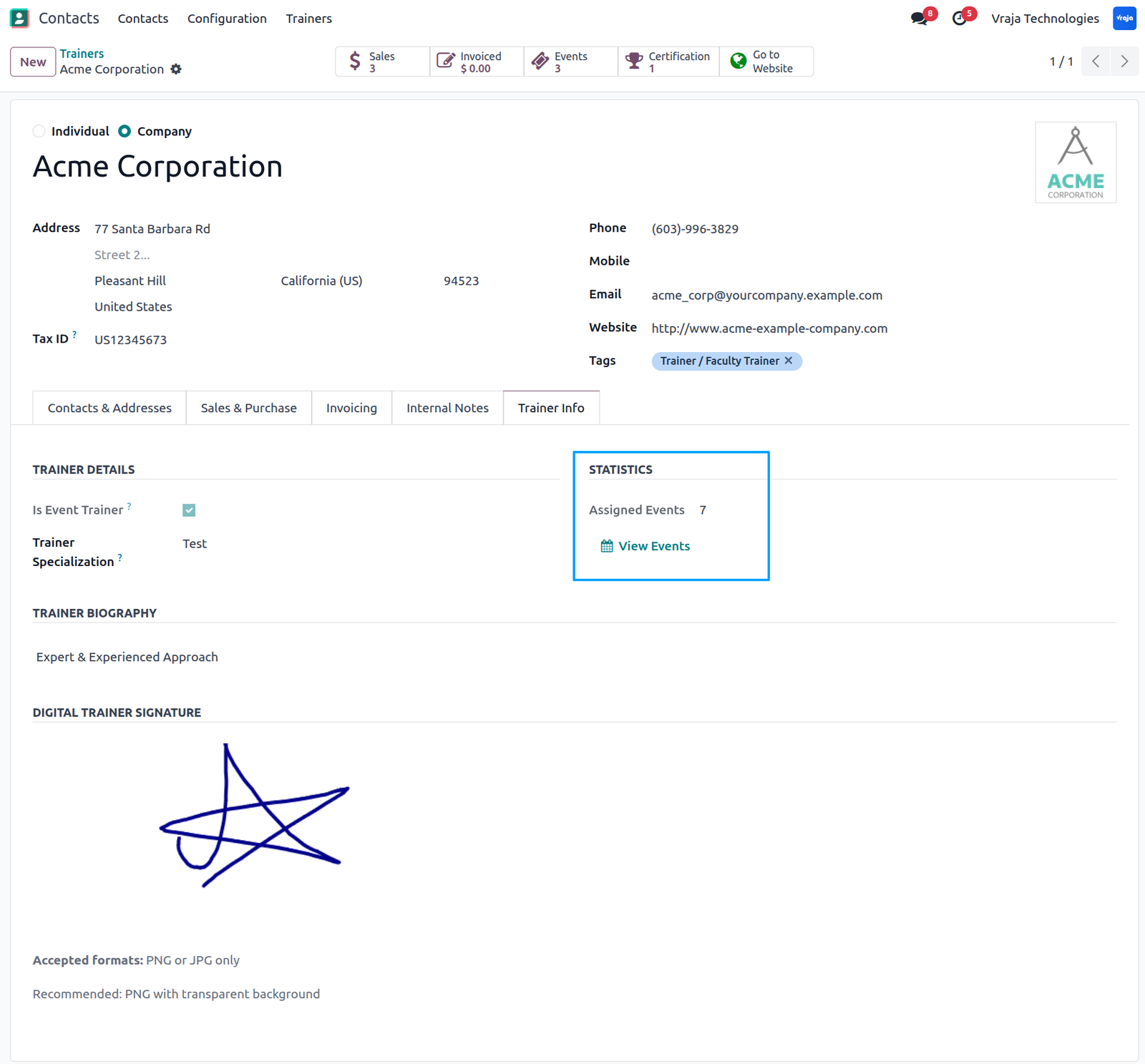
Use the View Events button in the Trainer Information tab to view all events assigned to the trainer.
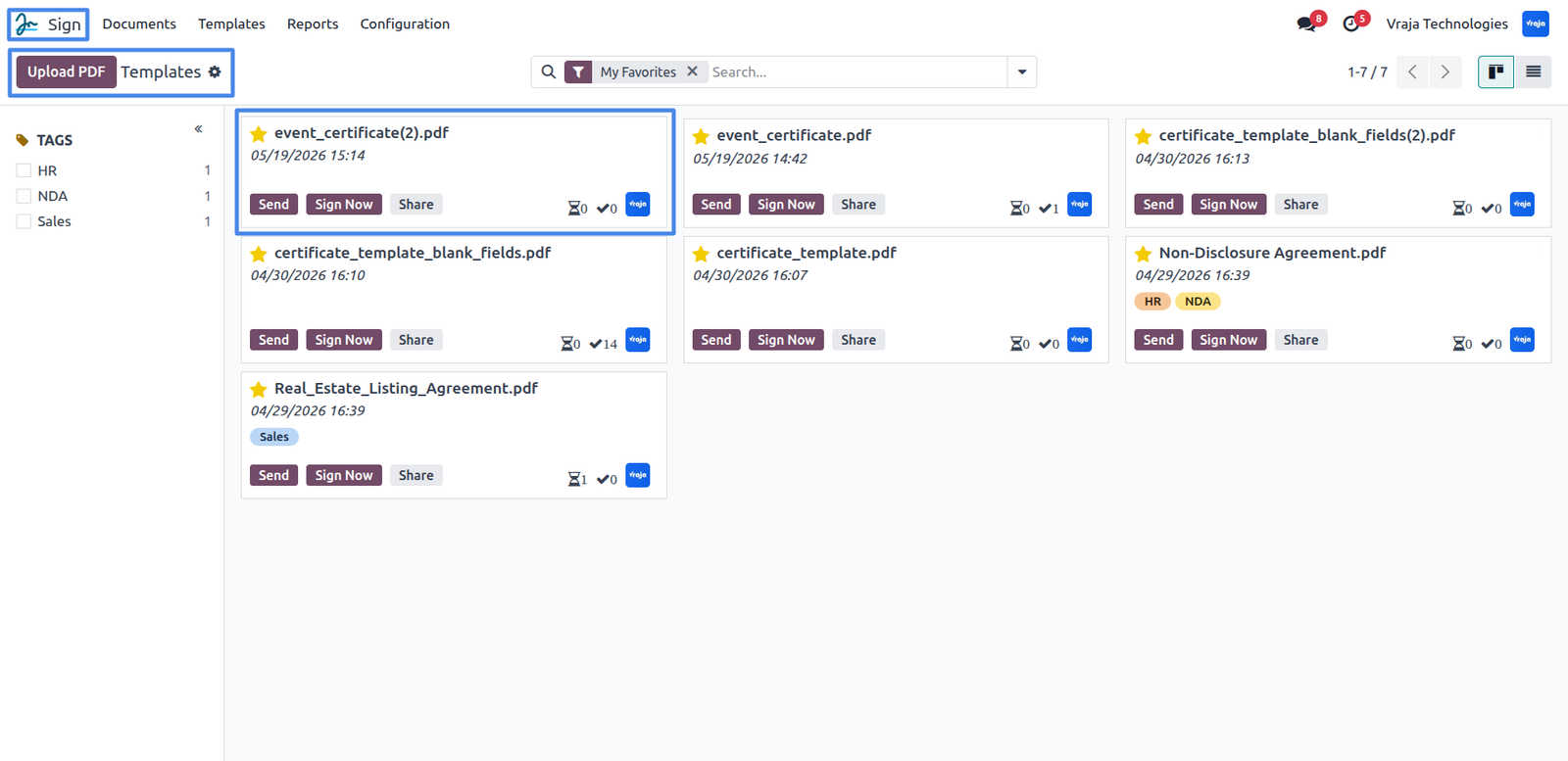
Go to Sign → Templates and upload your certificate PDF to create a certificate template in Odoo.
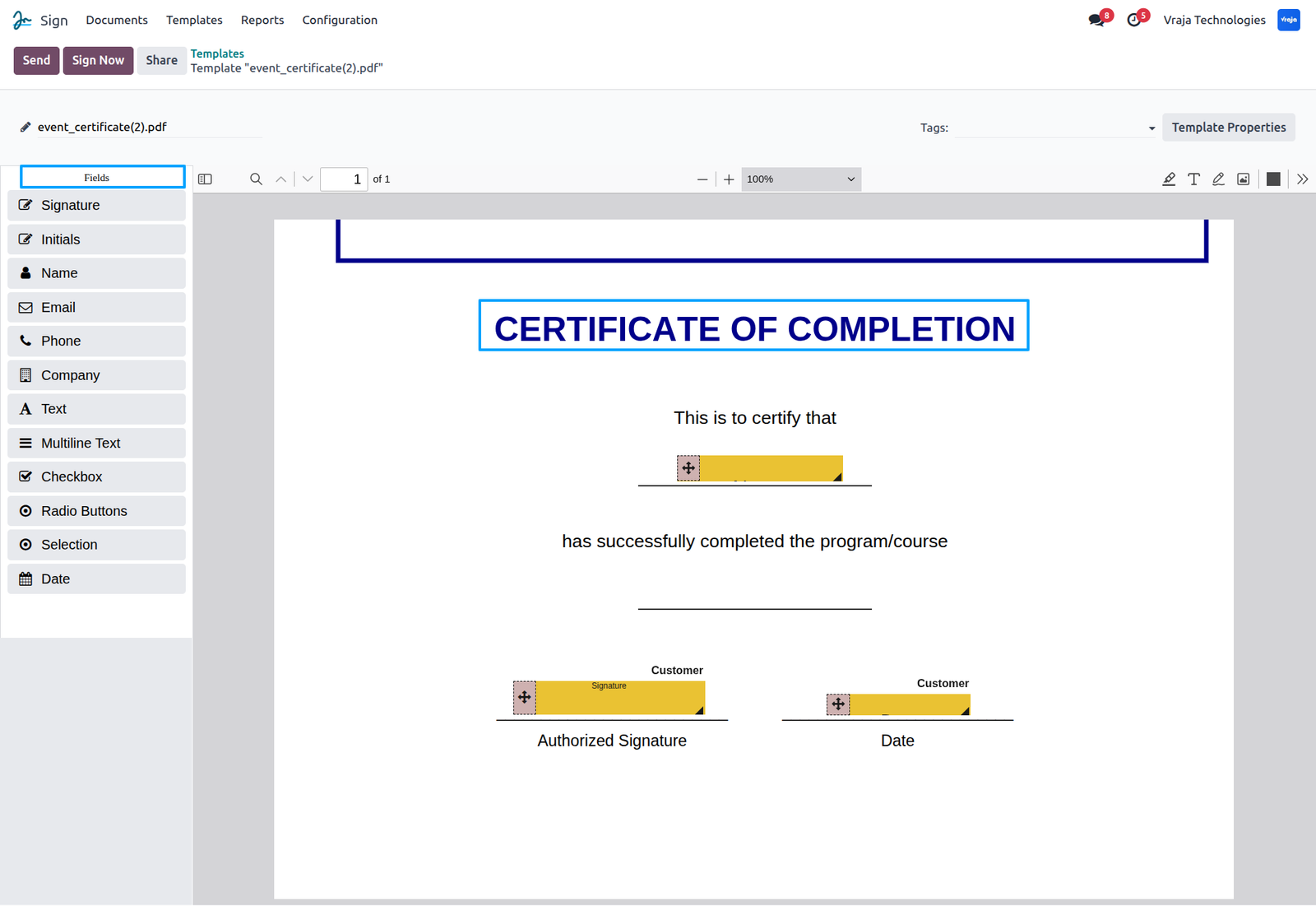
Inside the certificate template, drag and drop fields using the Sign app to configure dynamic template values.
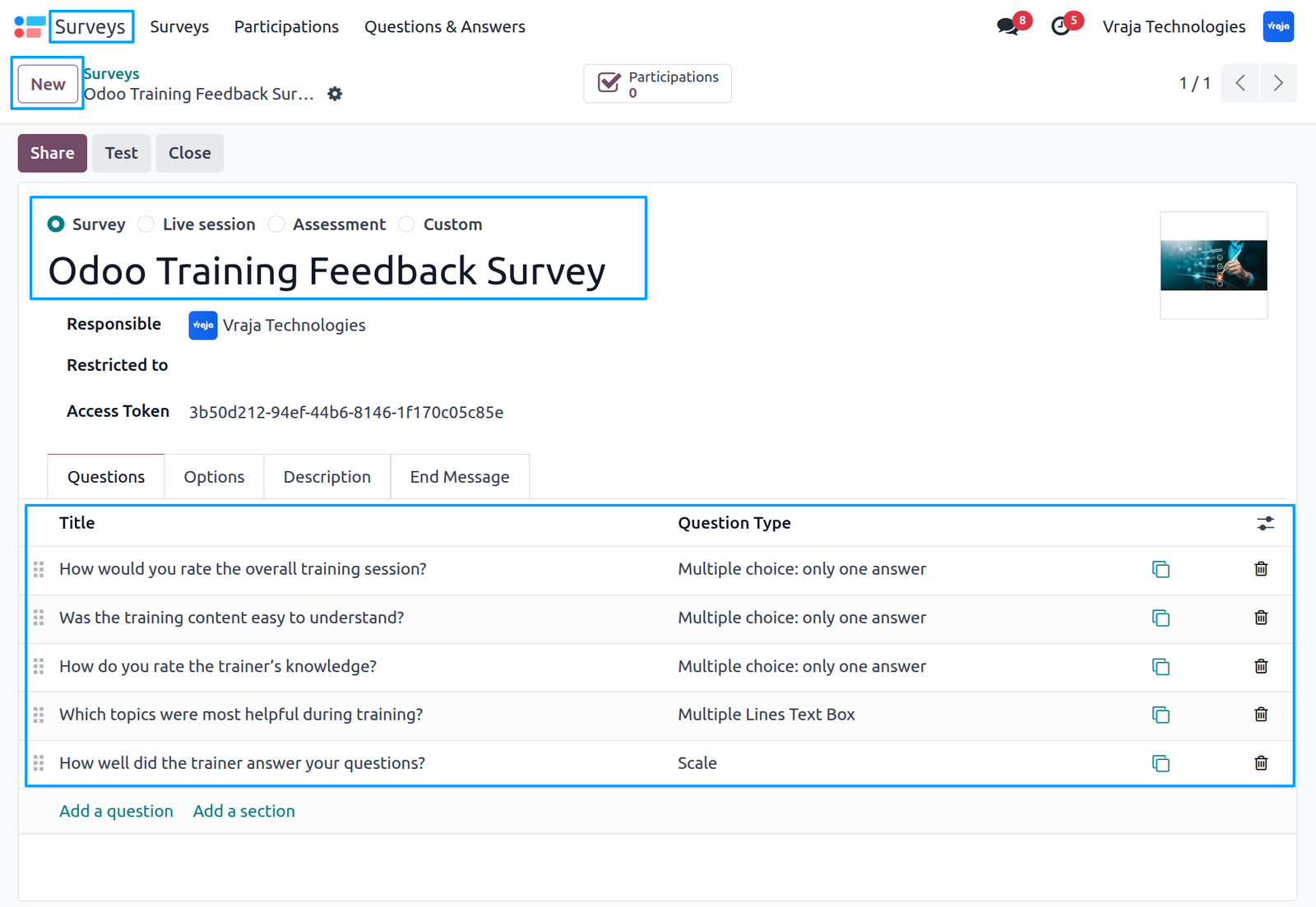
Go to Survey and create a new training feedback survey to evaluate the training session and attendee experience.
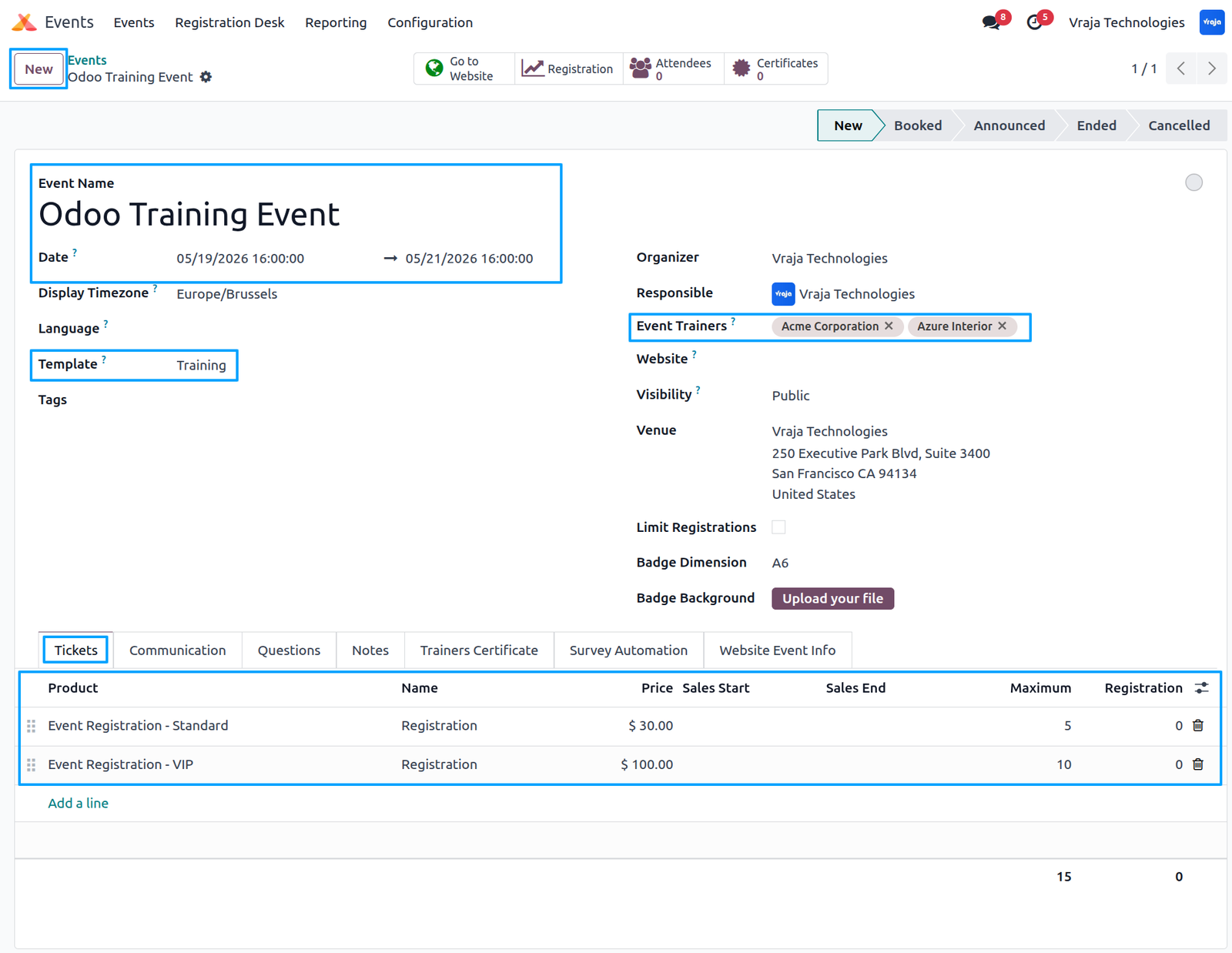
Go to Events and create a new event, select an event template to generate tickets, and assign one or multiple trainers for the event.
When trainers and responsible users are assigned to an event, the system automatically sends notification emails, and reminder emails are sent again after one week.
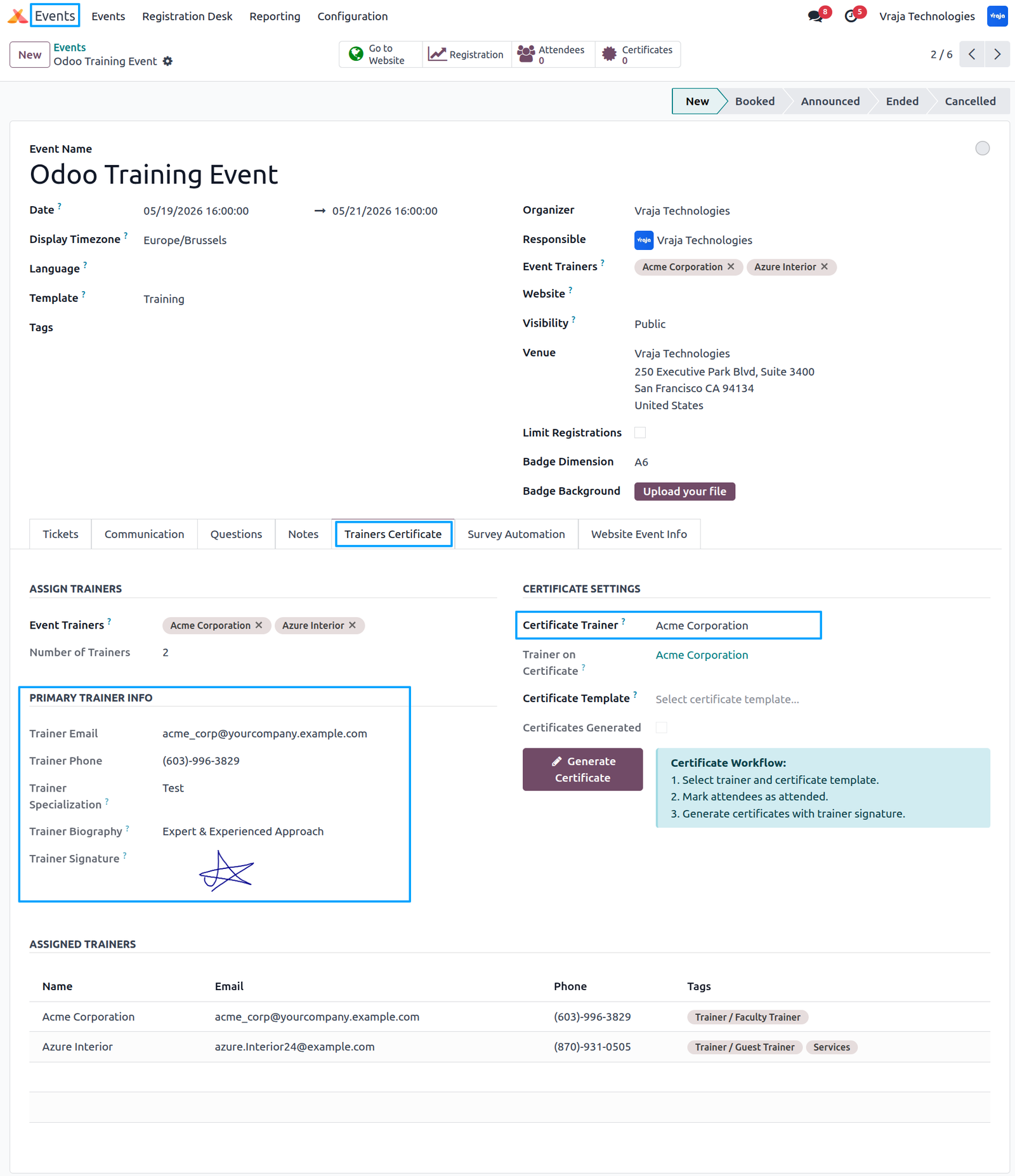
Inside the Trainer Certificate tab, the primary trainer details are displayed by default for the first assigned trainer.Select the Certificate Trainer to change the trainer whose signature will appear on the certificate.
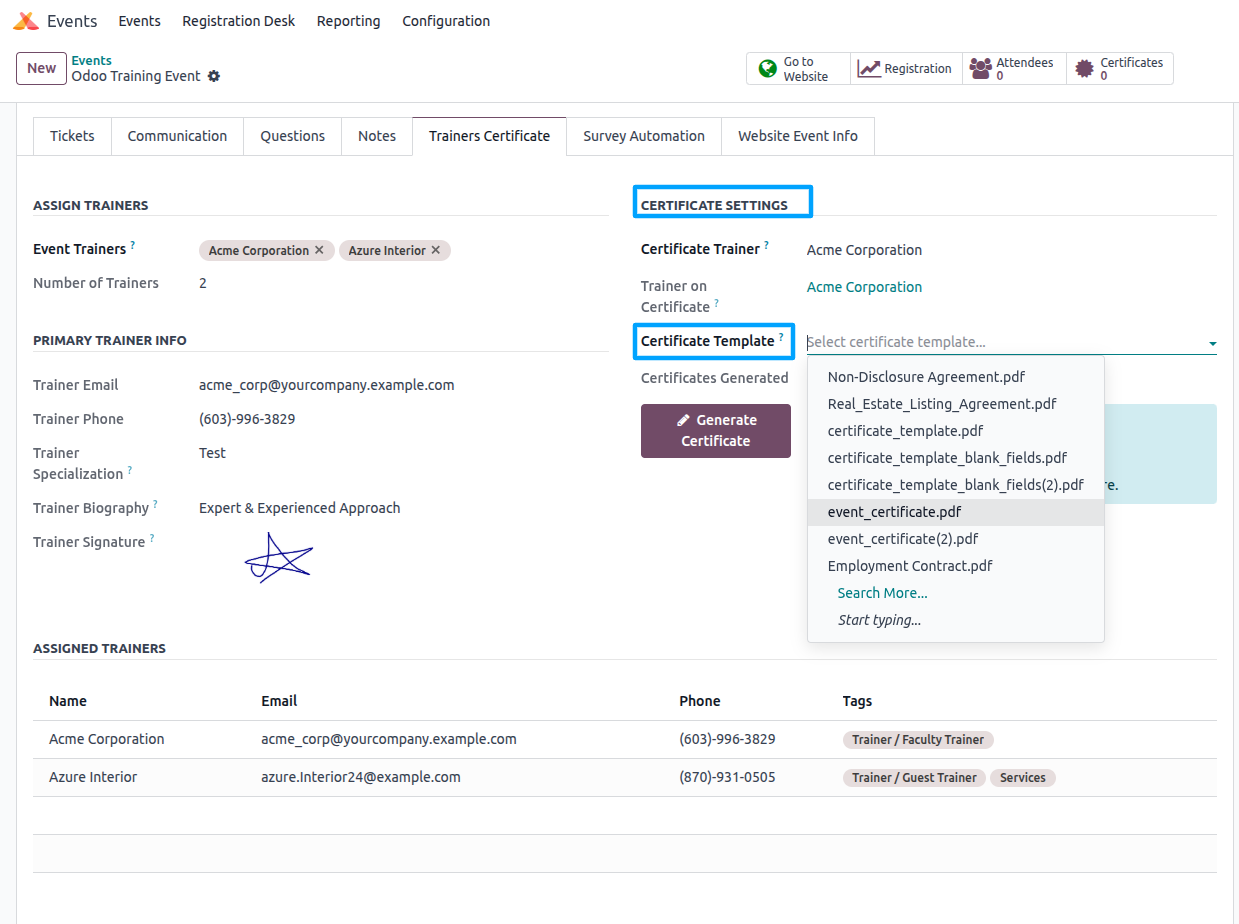
In Certificate Settings, select the certificate template that will be automatically signed with the trainer’s signature.
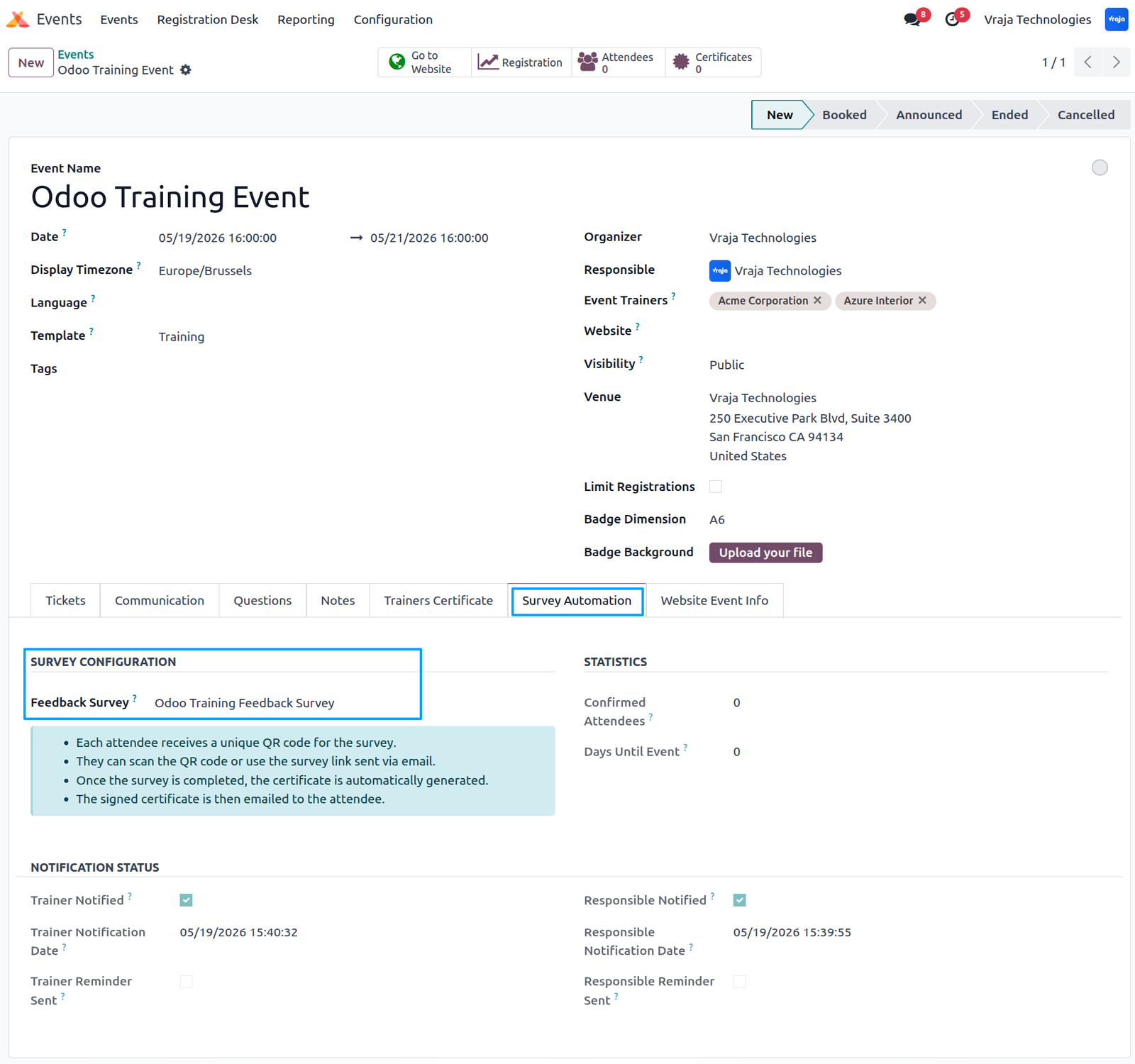
Inside the event, use the Survey Automation tab to configure the feedback survey that will be sent to attendees for generating trainer-signed certificates.
Website Event Info tab is used to configure event information and descriptions displayed on the event website page.
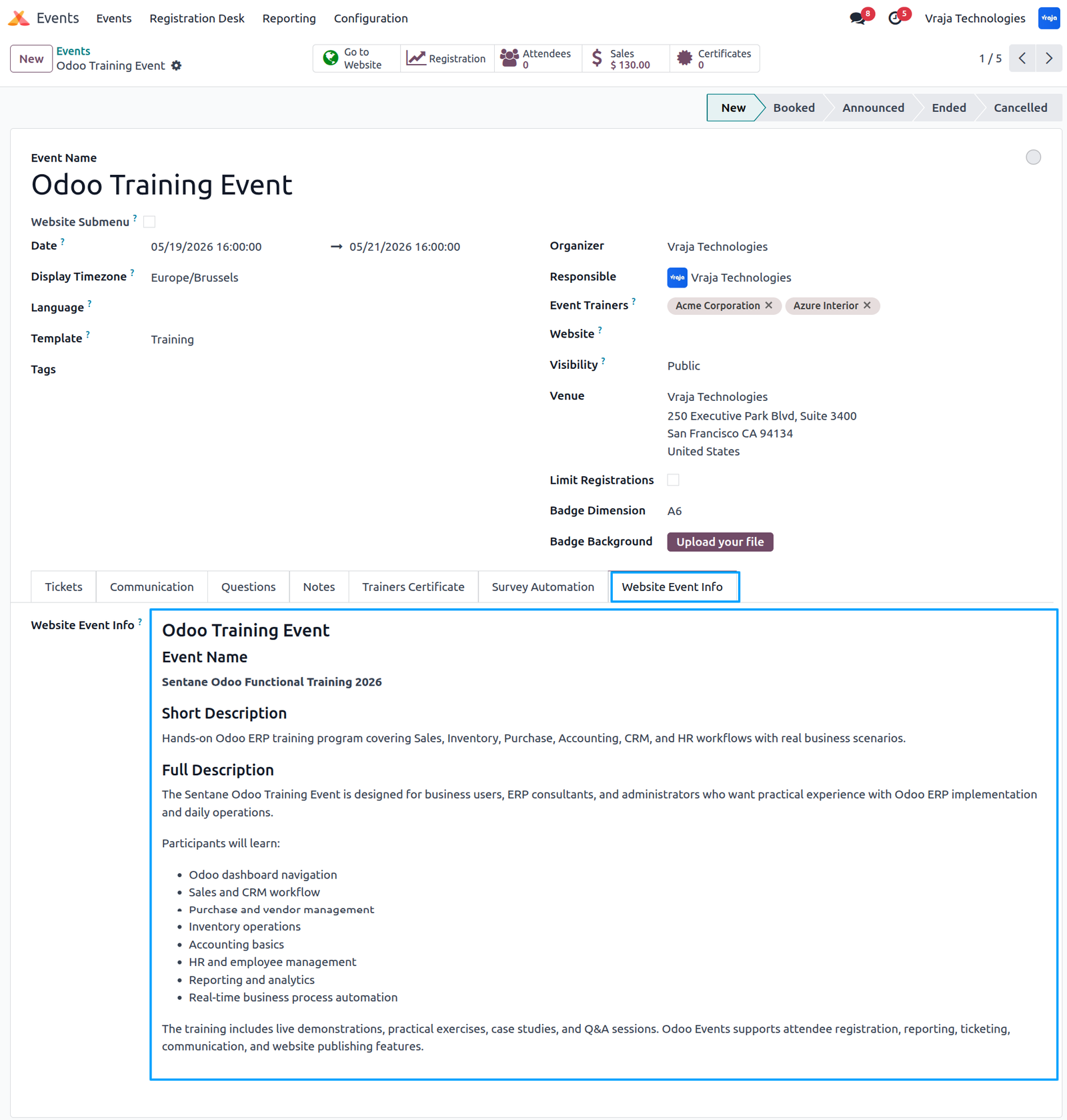
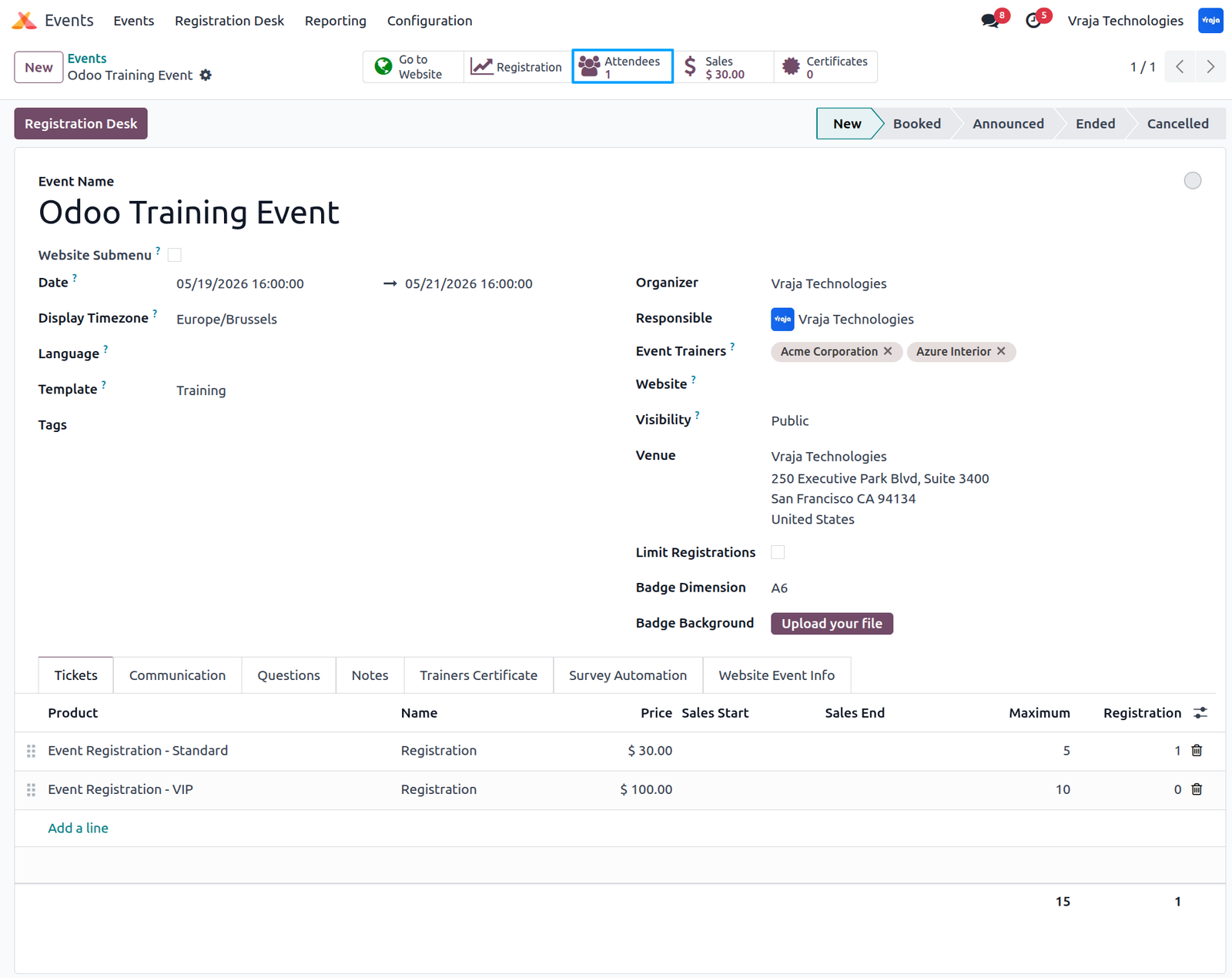
When a user registers for the event, the attendee will be displayed in the Attendees smart button, where you can view all registered attendees for that event.
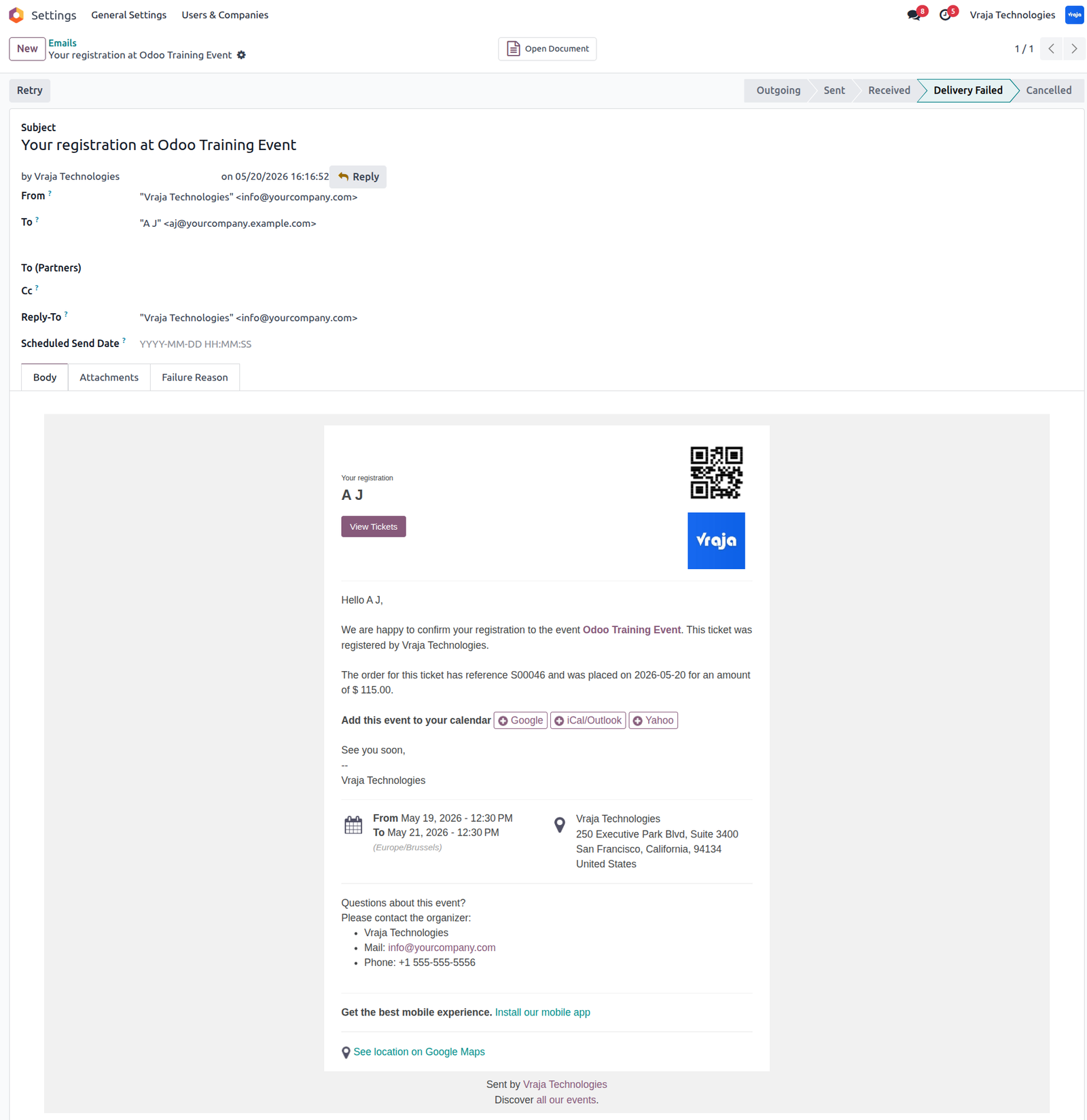
When a user registers for the event, the system automatically sends an email notification to the attendee confirming the registration and providing the event ticket view details.
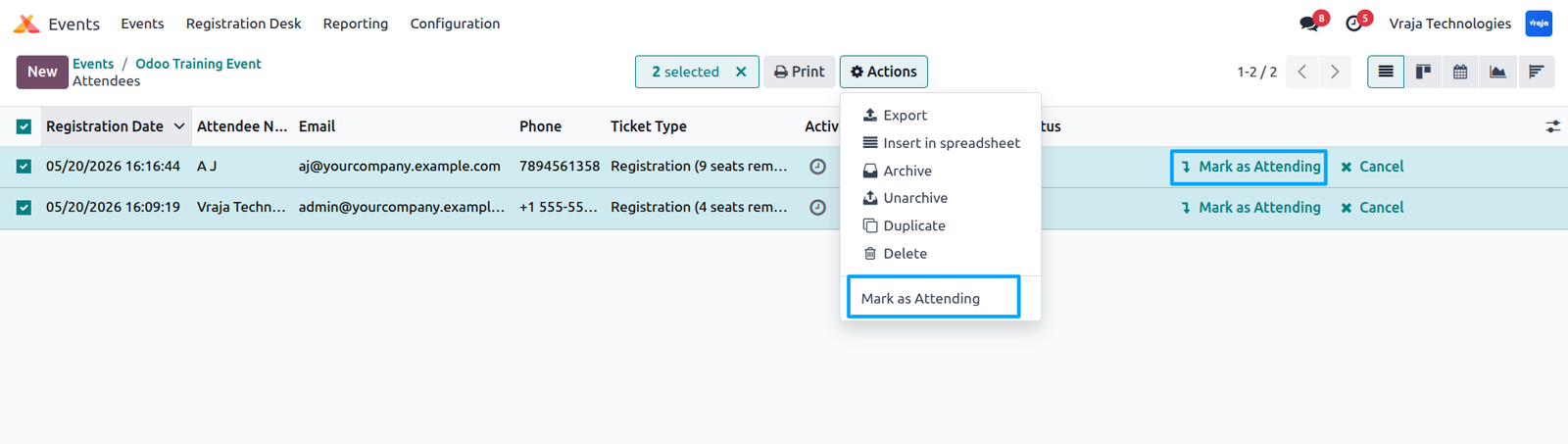
Click the Attendees smart button to view all registered attendees, then mark attendees as attended either individually using the Mark as Attended button or in bulk using Action → Mark as Attended.
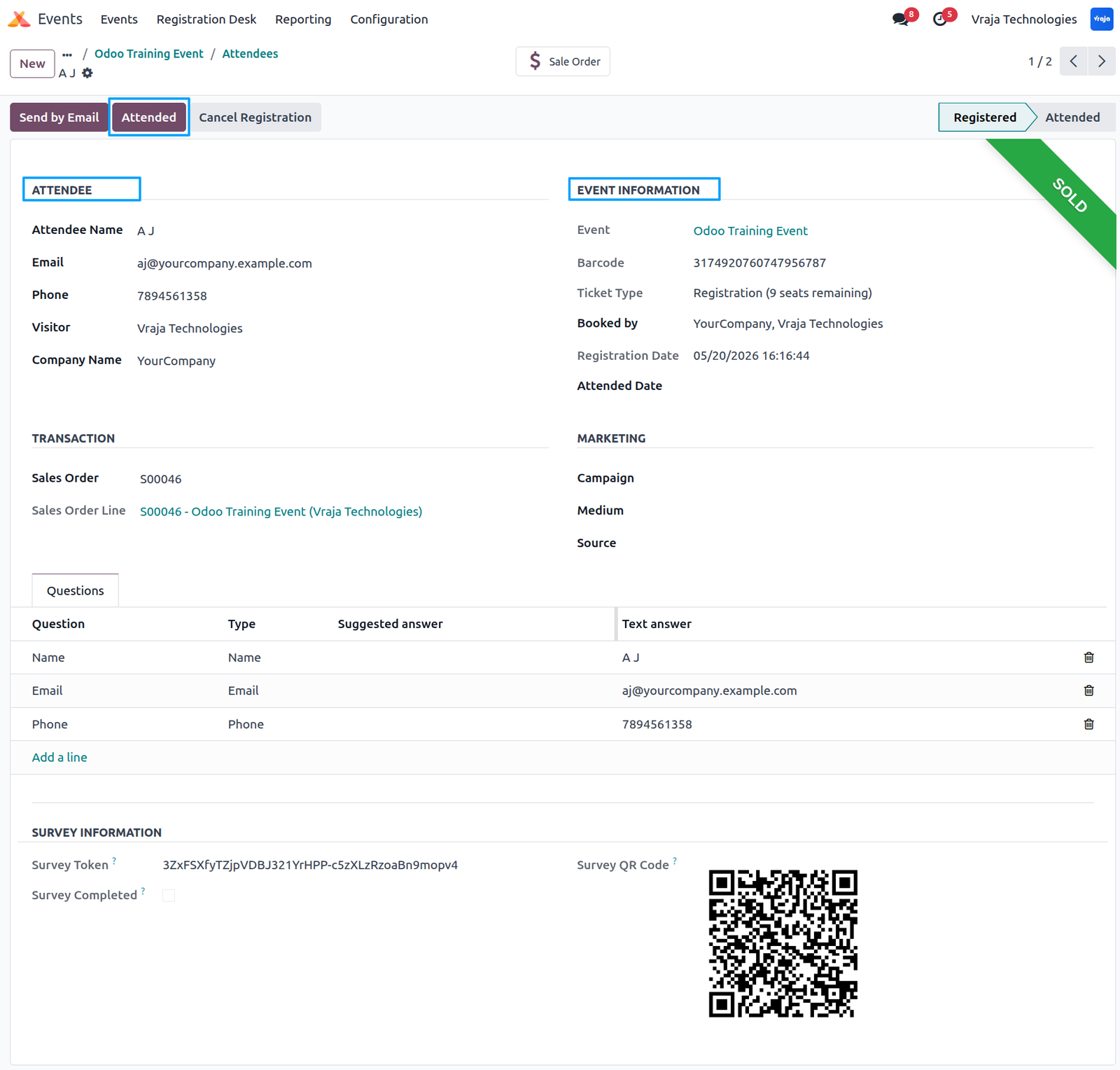
Open the attendee record to view attendee details, then click the Mark as Attended button to send the feedback survey email to the attendee automatically.
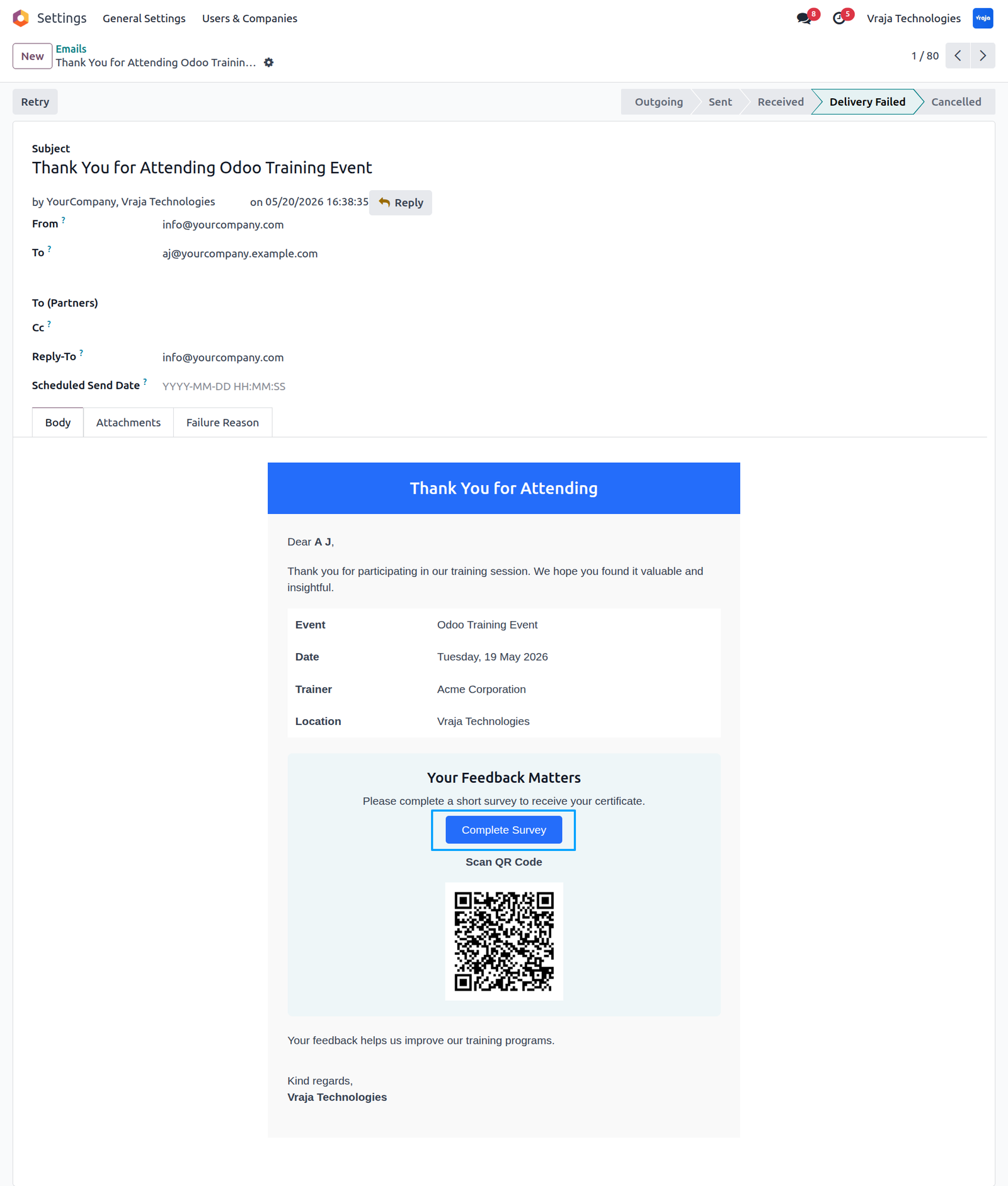
Attendee receives a survey email, and when they click Complete Survey or scan the QR code, the system automatically opens the feedback survey.
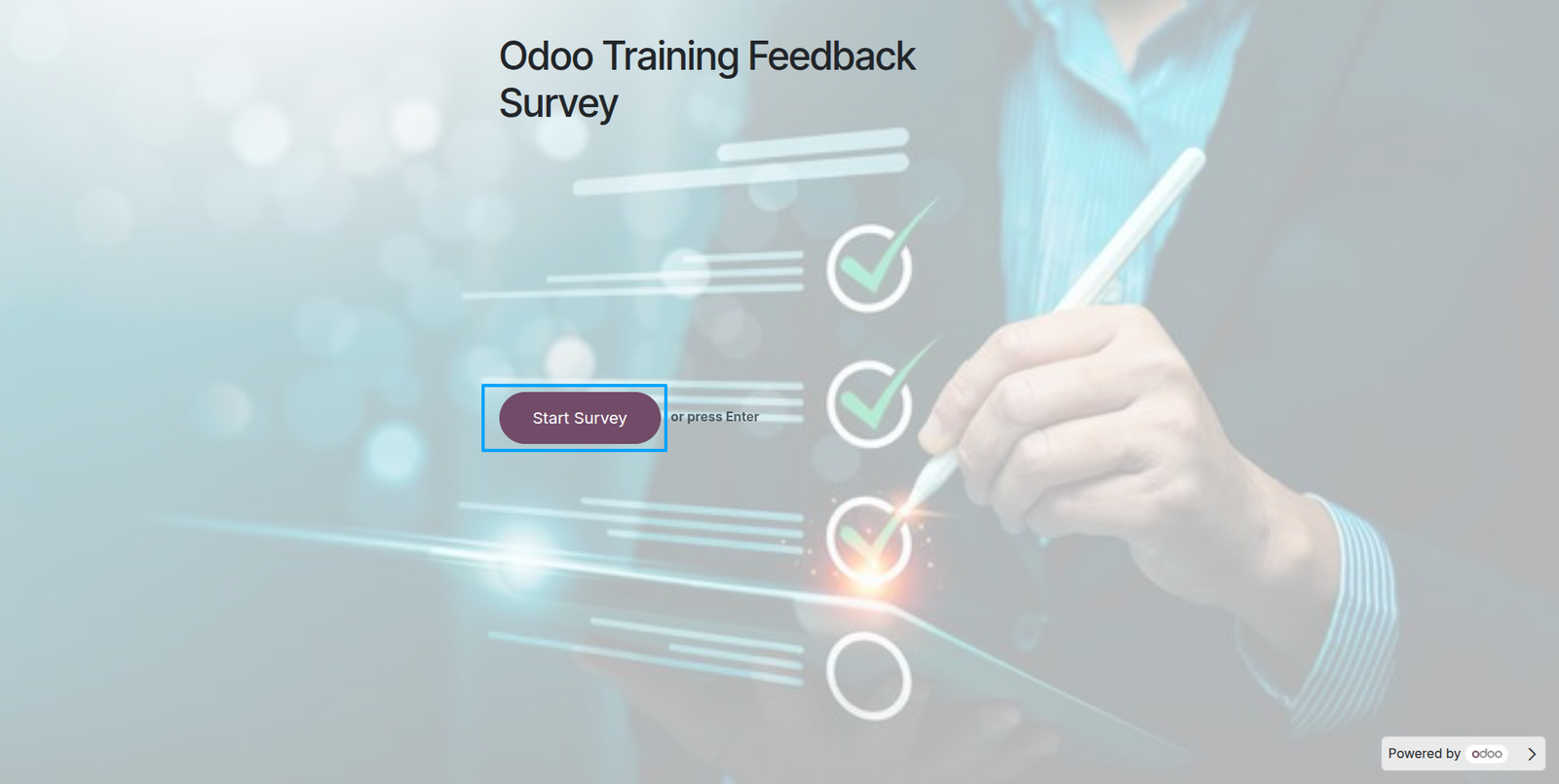
Survey includes a Start Survey button, which opens the questions configured in the survey template.
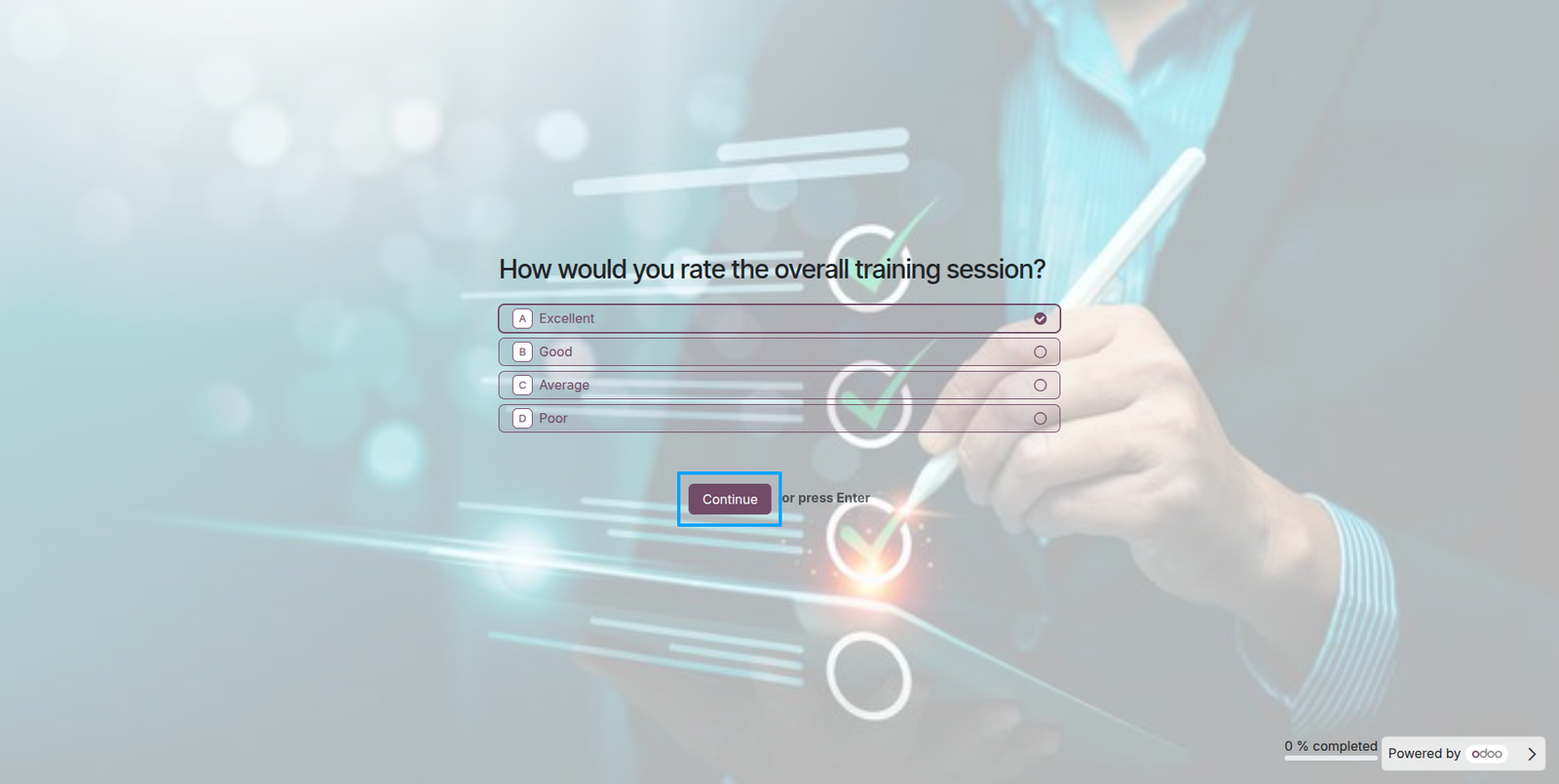
When you click Start Survey, the system displays the survey questions with answer options, allowing attendees to continue and submit the survey after completion.
When the attendee submits the survey, the system automatically sends an email notification with the trainer-signed event certificate attached.
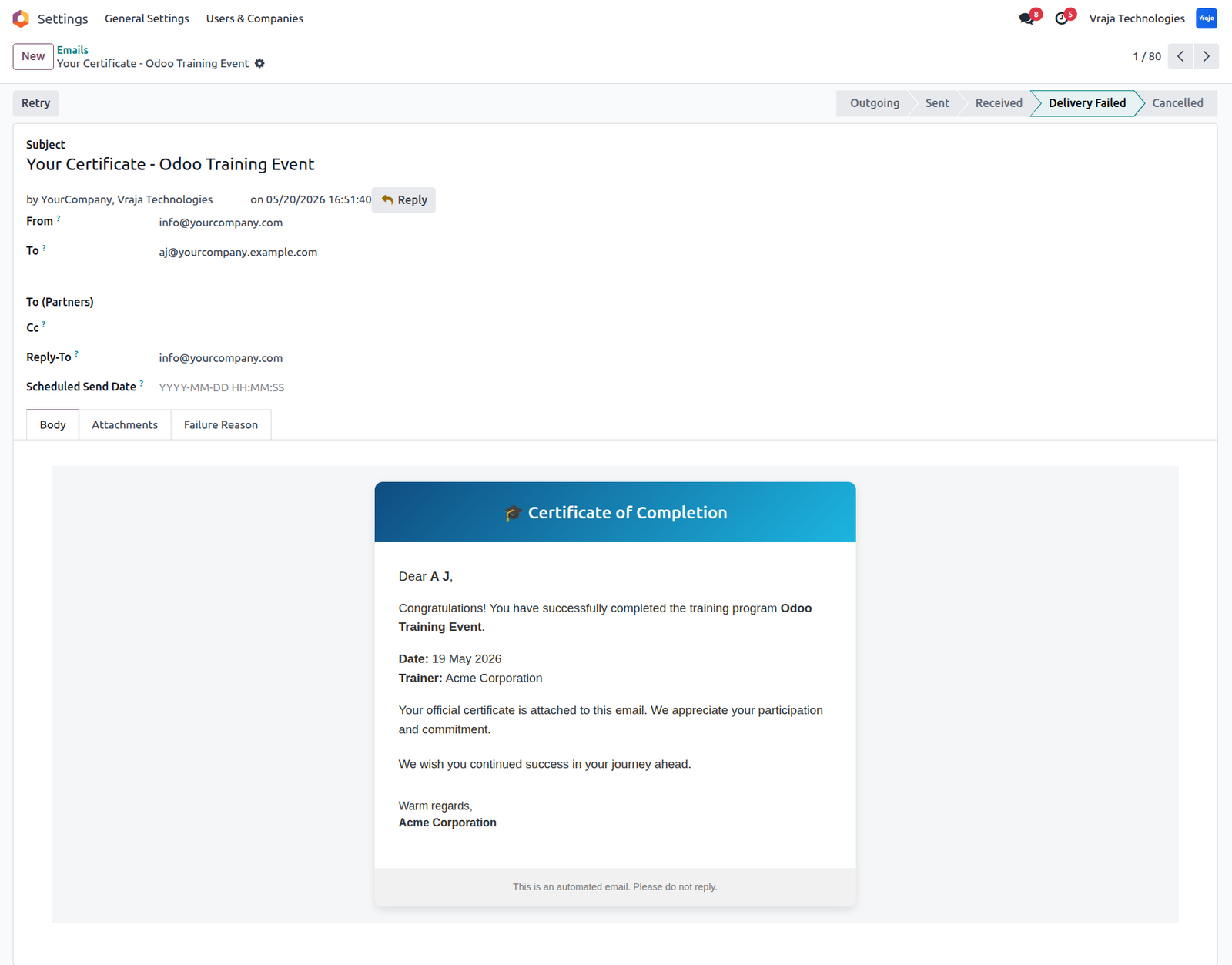
Trainer-signed event certificate is automatically generated for the attendee and attached to the email notification.
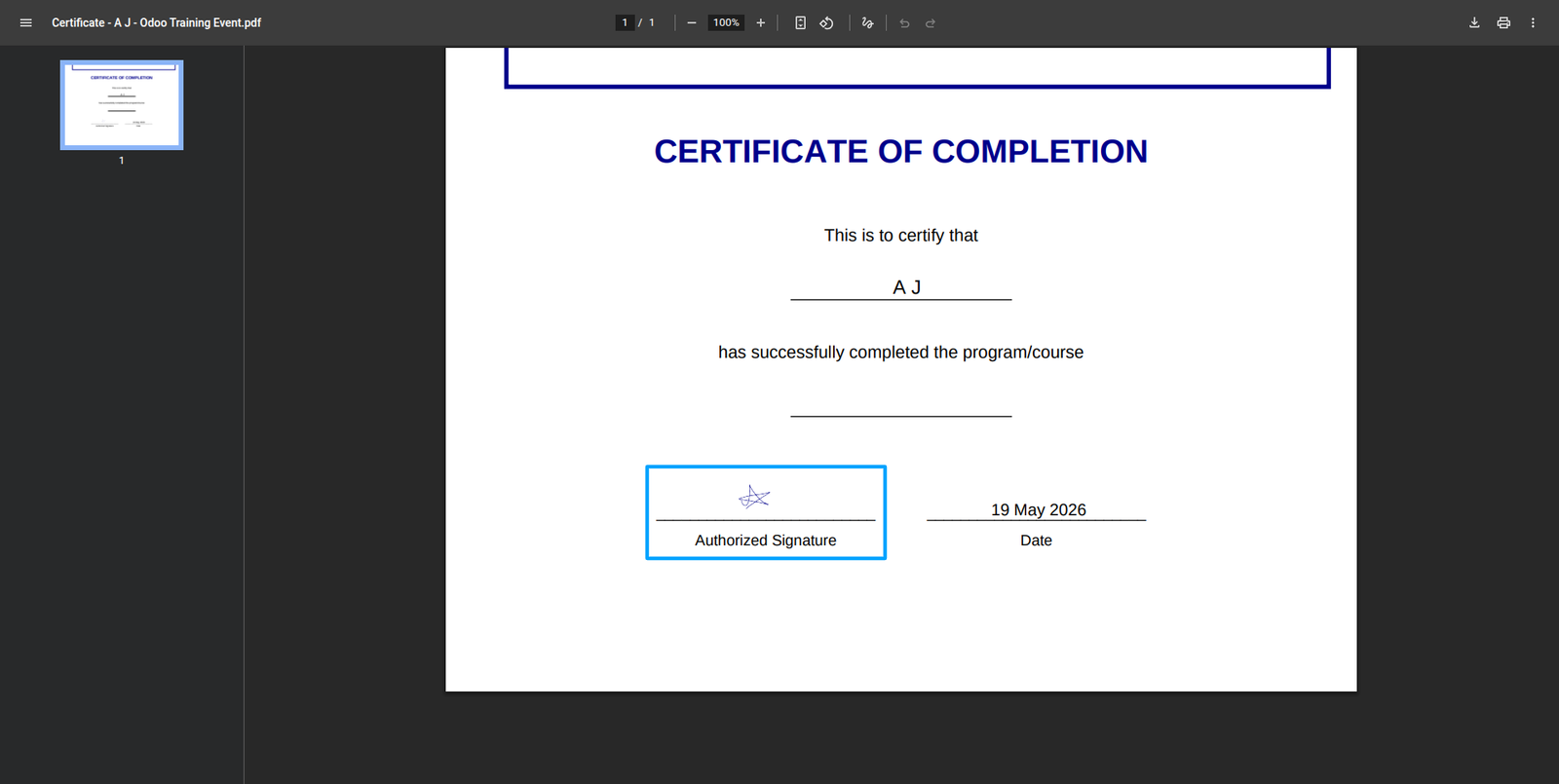
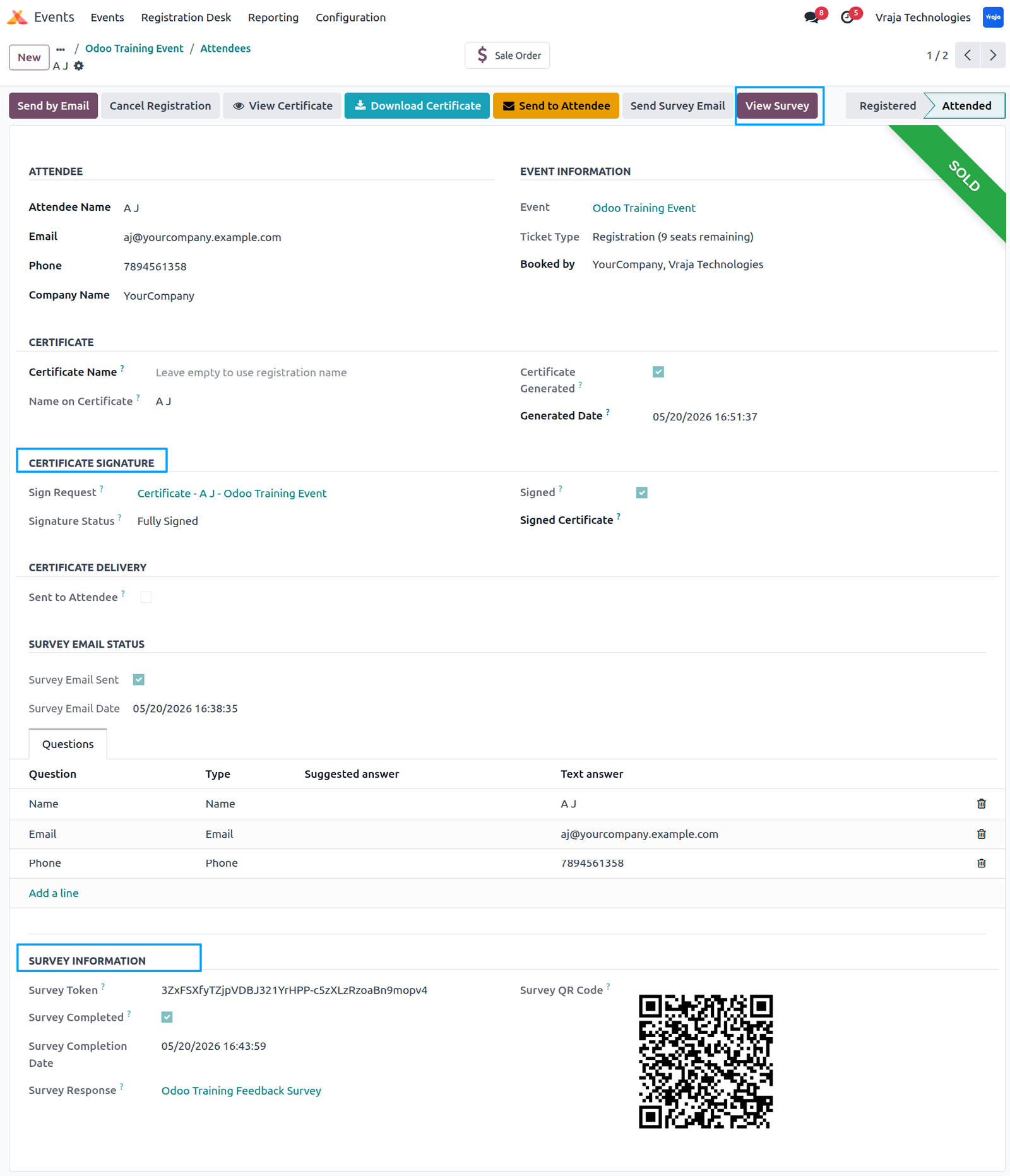
Inside the attendee record, you can track survey completion and certificate generation details, and use the Survey button to view the attendee’s survey responses.
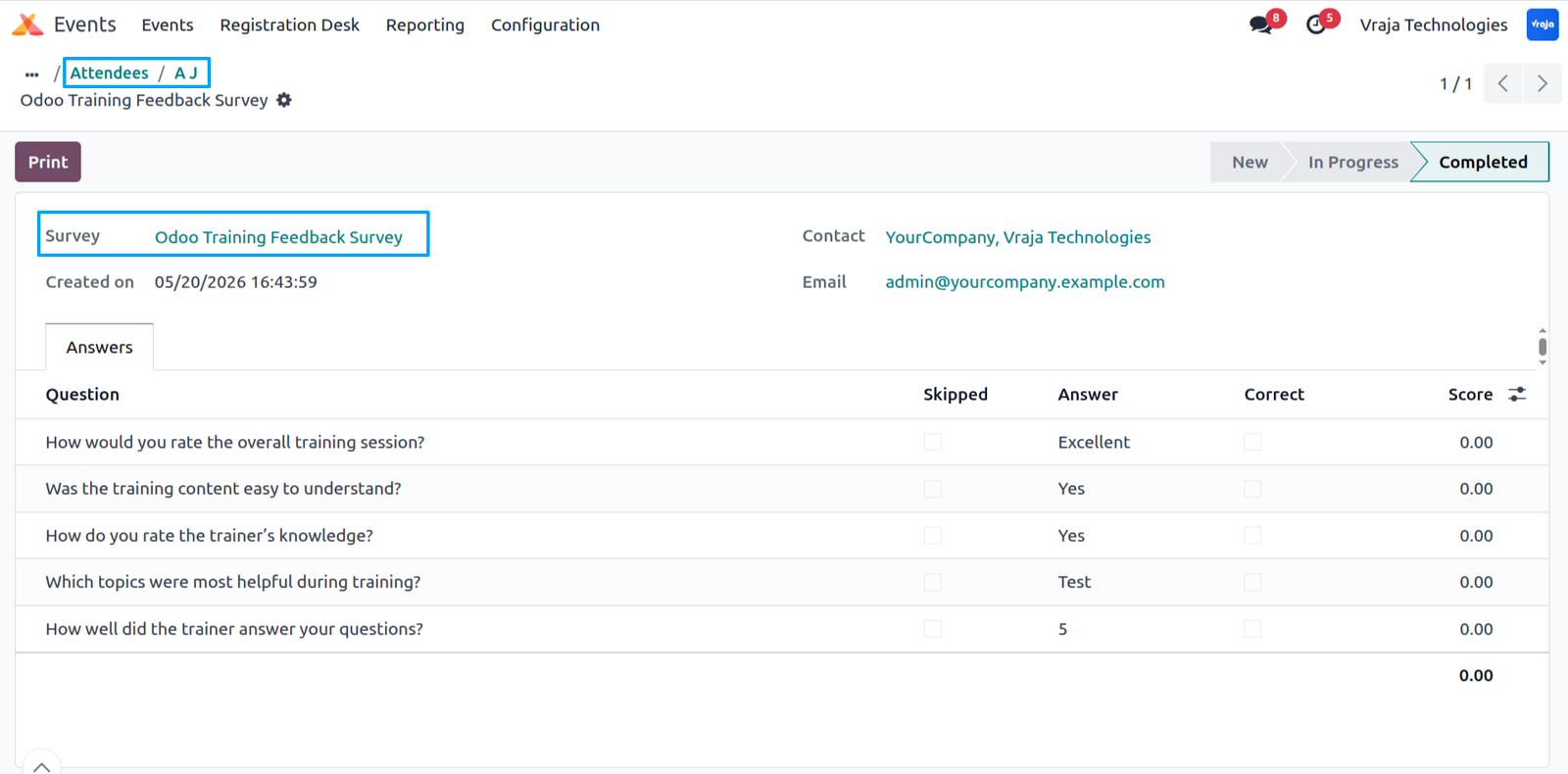
In the Survey section, you can view the attendee’s submitted feedback, survey answers, and completion details for the event survey.
You can download the generated certificate for the attendee and send it manually using the Send button from the attendee record.

Inside the event, use the Certificates smart button to automatically generate trainer-signed certificates for attendees without requiring survey completion.
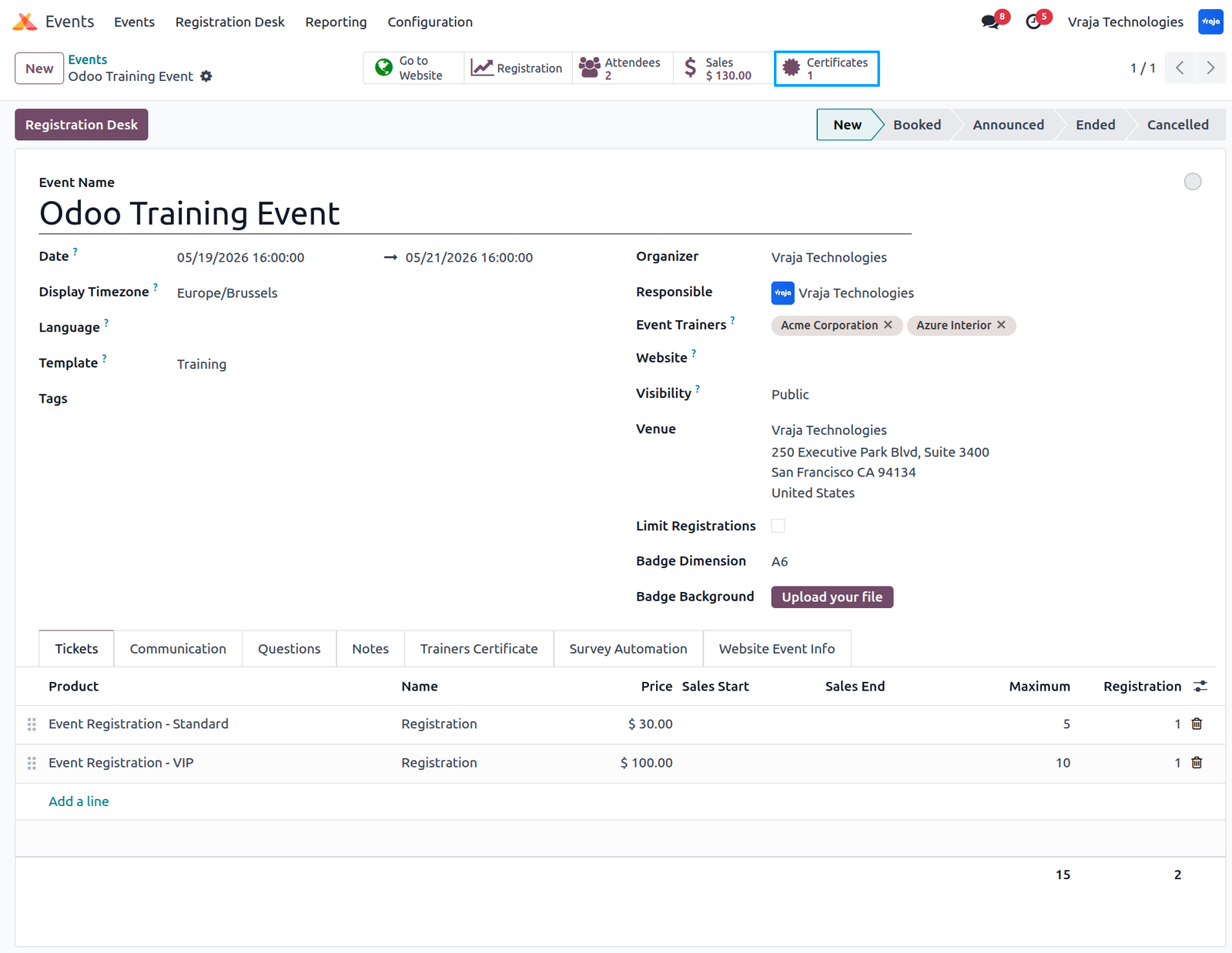
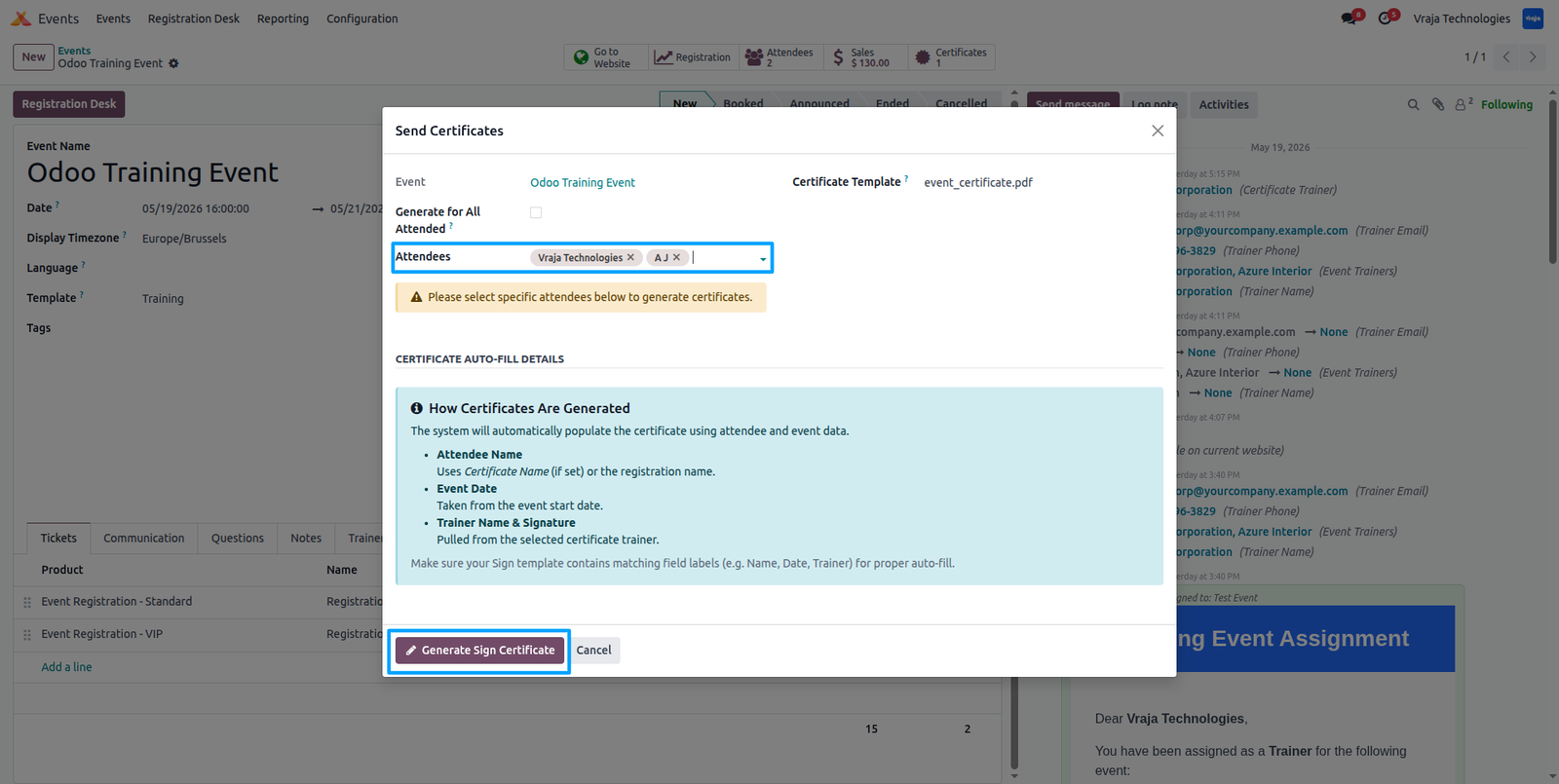
When you click the Certificates smart button, you can generate trainer-signed certificates for all attendees who attended the event or select specific attendees and click Generate Signed Certificate to create certificates only for selected participants.
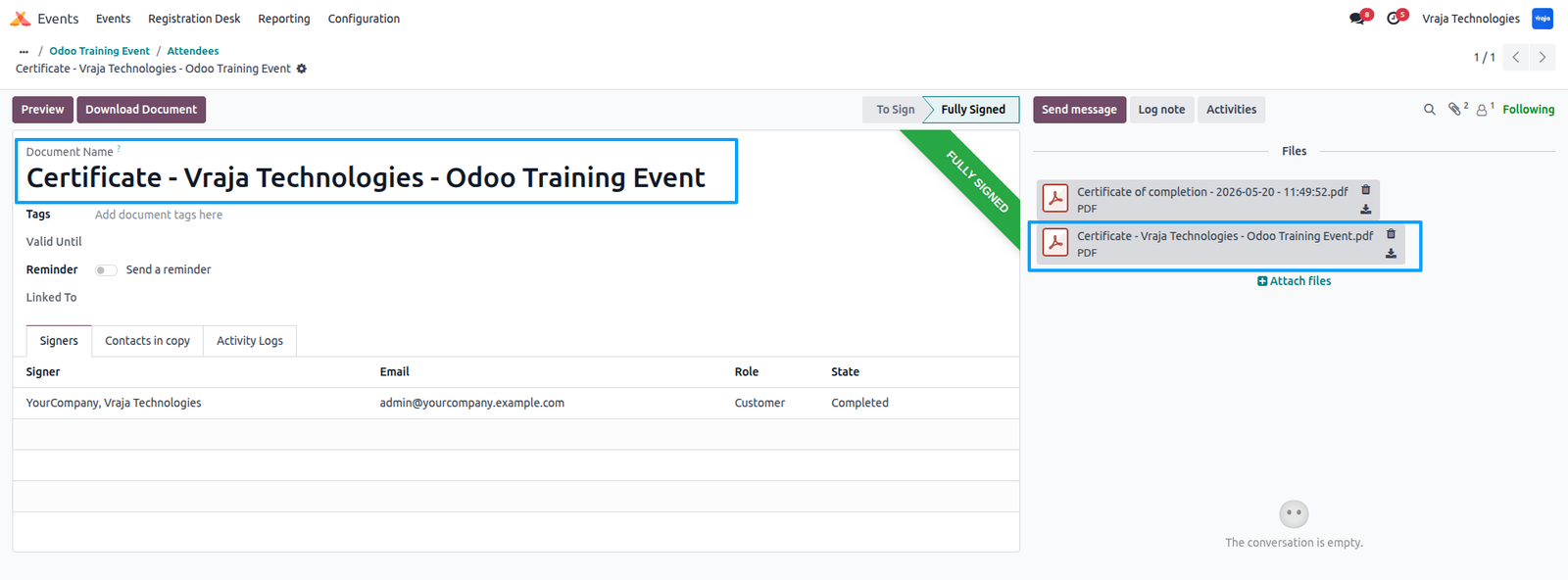
After generating the certificate for an attendee, click the View button to preview the attendee’s certificate.

you can view the attendee certificate details with the trainer’s signature attached to the signed certificate.
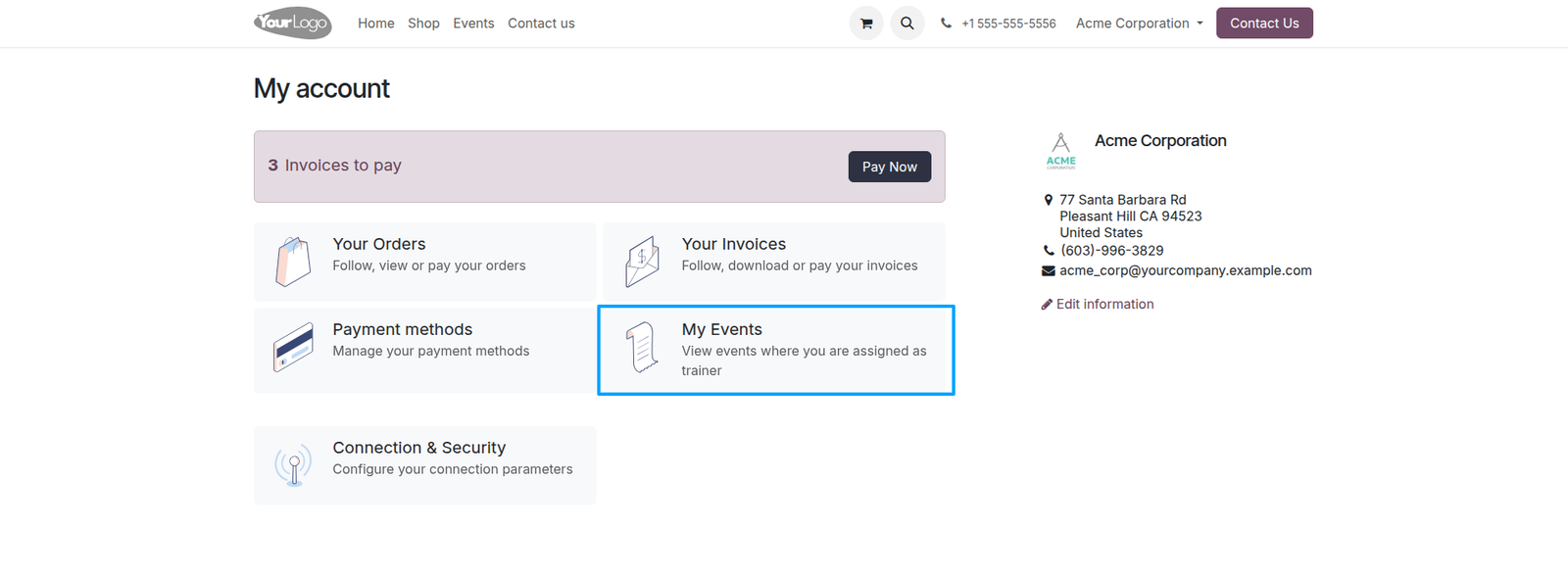
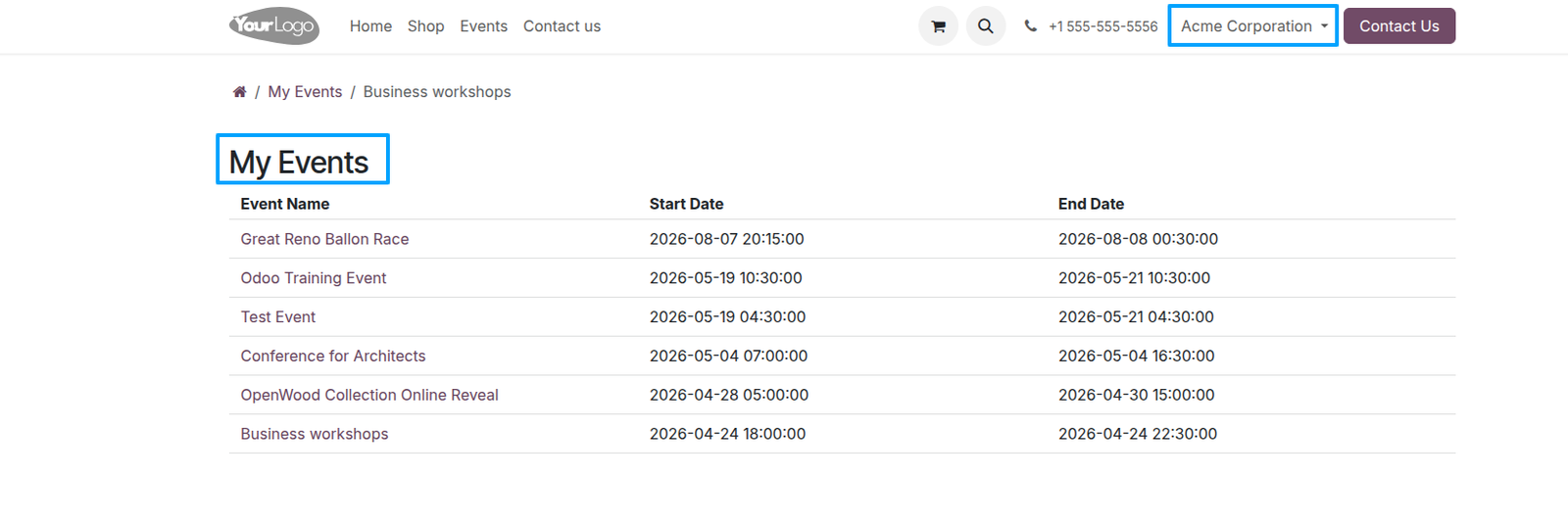
Trainers can log in through the portal to view and manage all events assigned to them, and by clicking on an event, they can view the assigned event details.
Here, trainers can view the assigned event details, including the event schedule, timing, and related information.
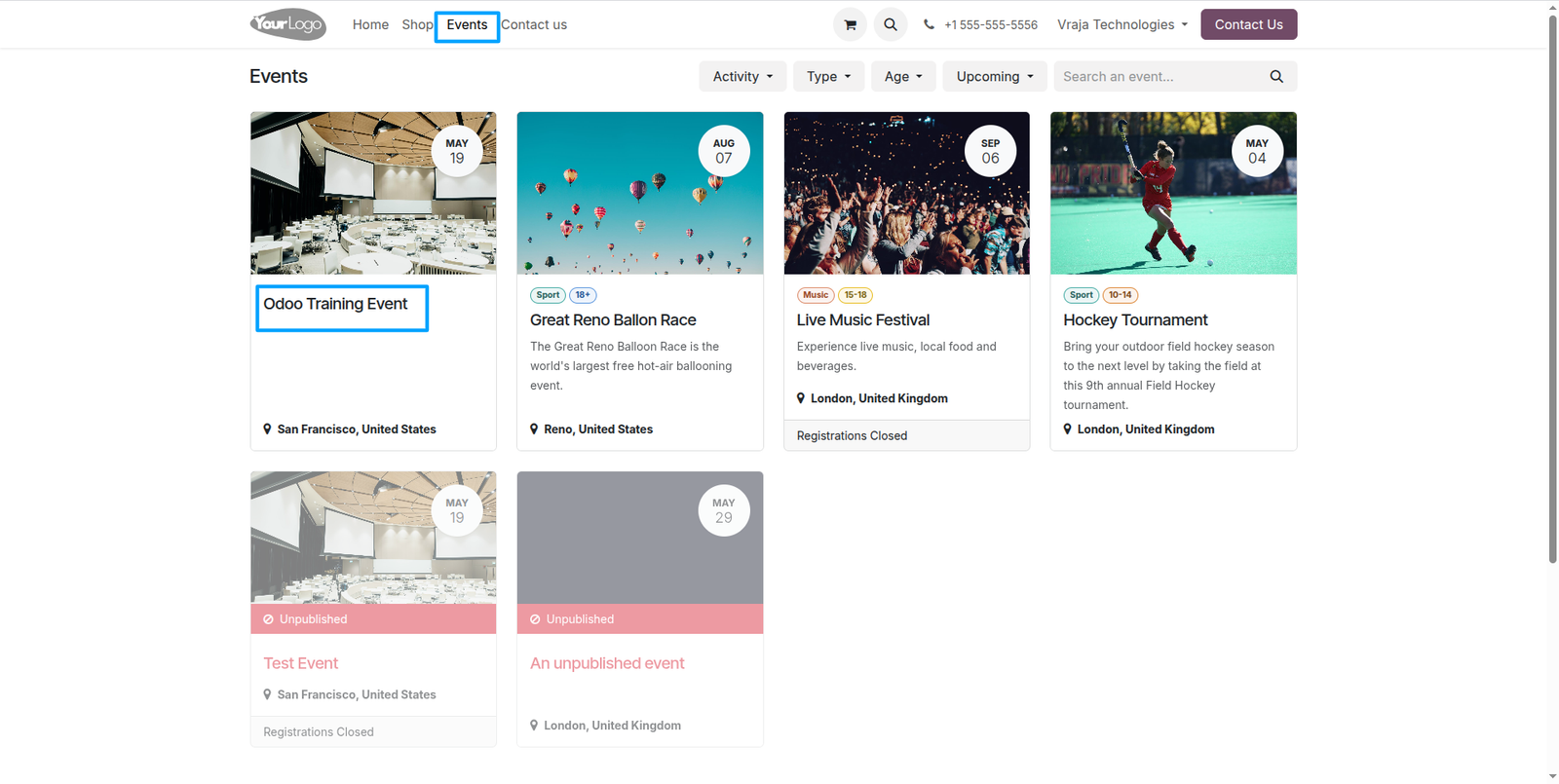
Event Registration Process: Go to the website, click on Events, and select the event you want to register for.
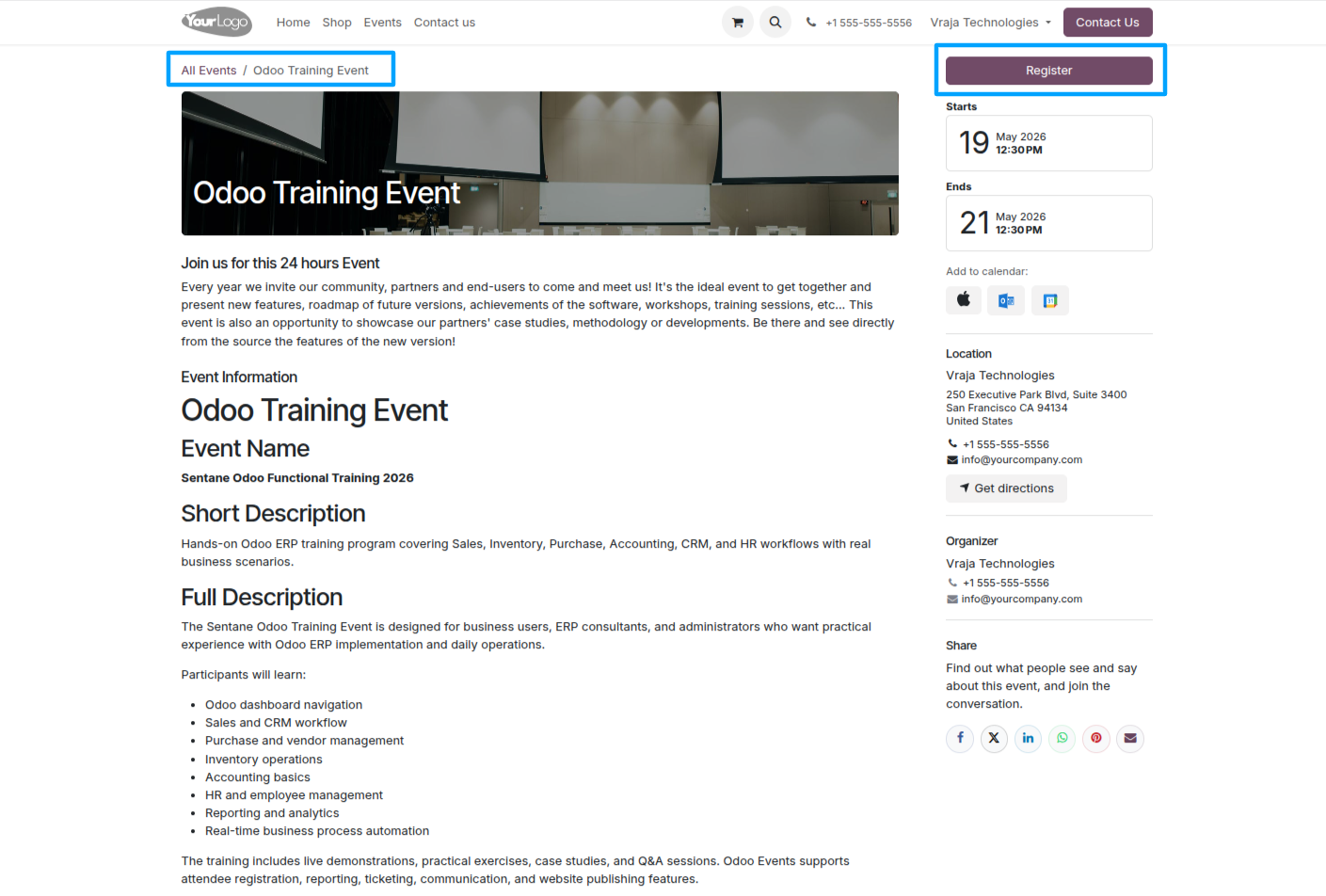
When you click on an event, it displays the event information configured in the Website Event Info tab, along with a Register button to complete the registration.
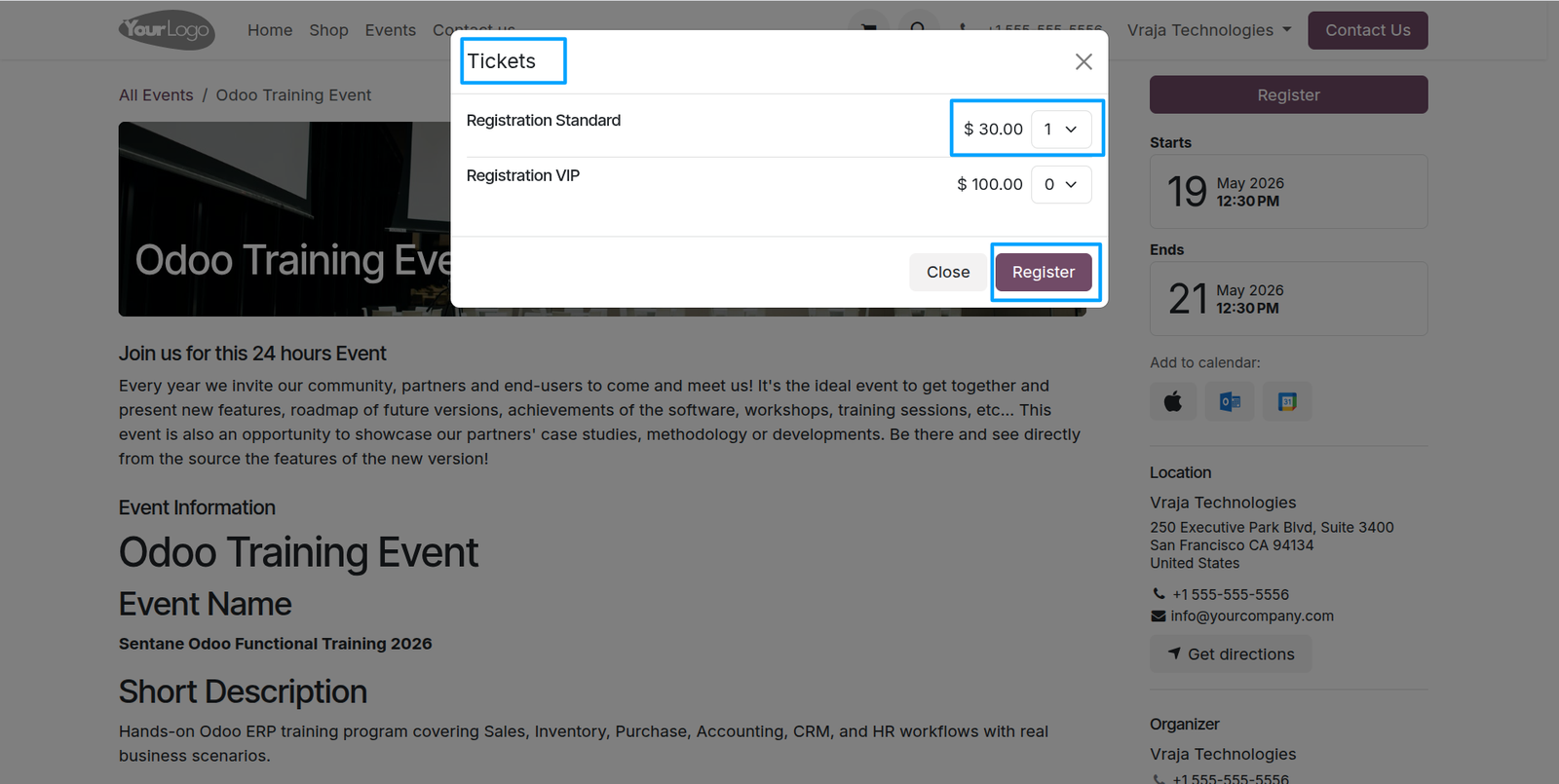
When clicking Register, a popup appears to select a ticket type, choose the registering member from a dropdown, and then complete the registration by clicking the Register button.
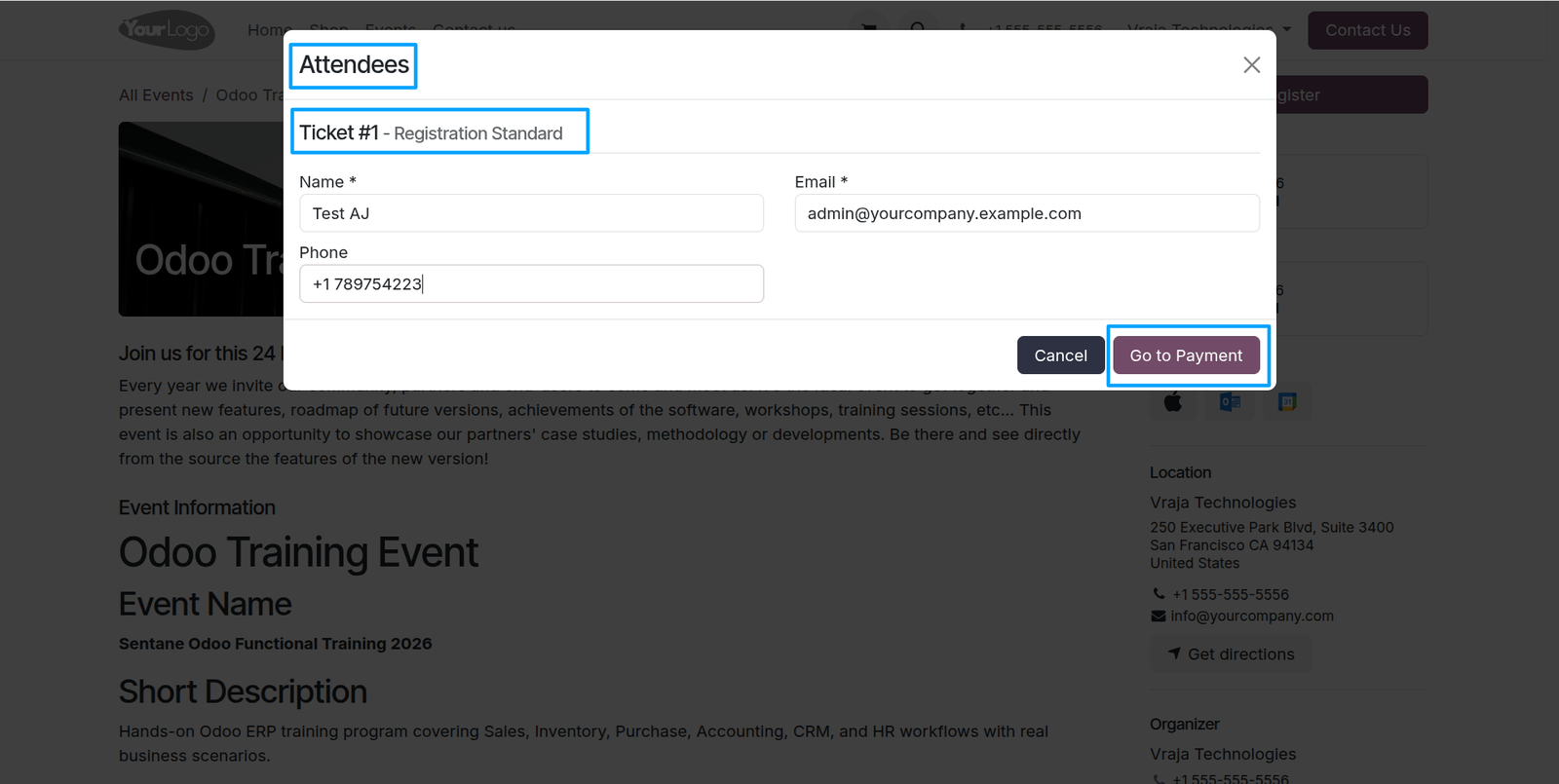
To open the attendee popup, fill in the attendee details and click Go to Payment to proceed with the registration process.
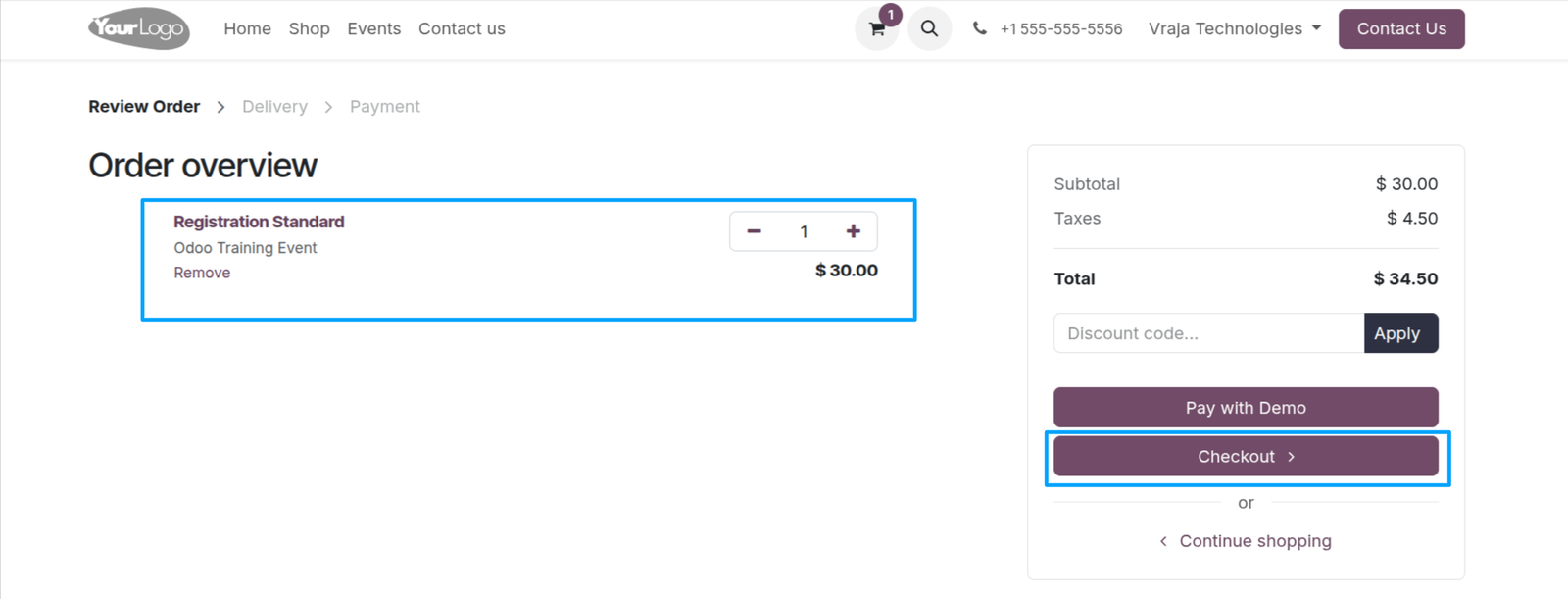
When clicking Go to Payment, the system displays the payment details for the selected ticket, and the user can proceed by clicking Checkout to complete the payment.
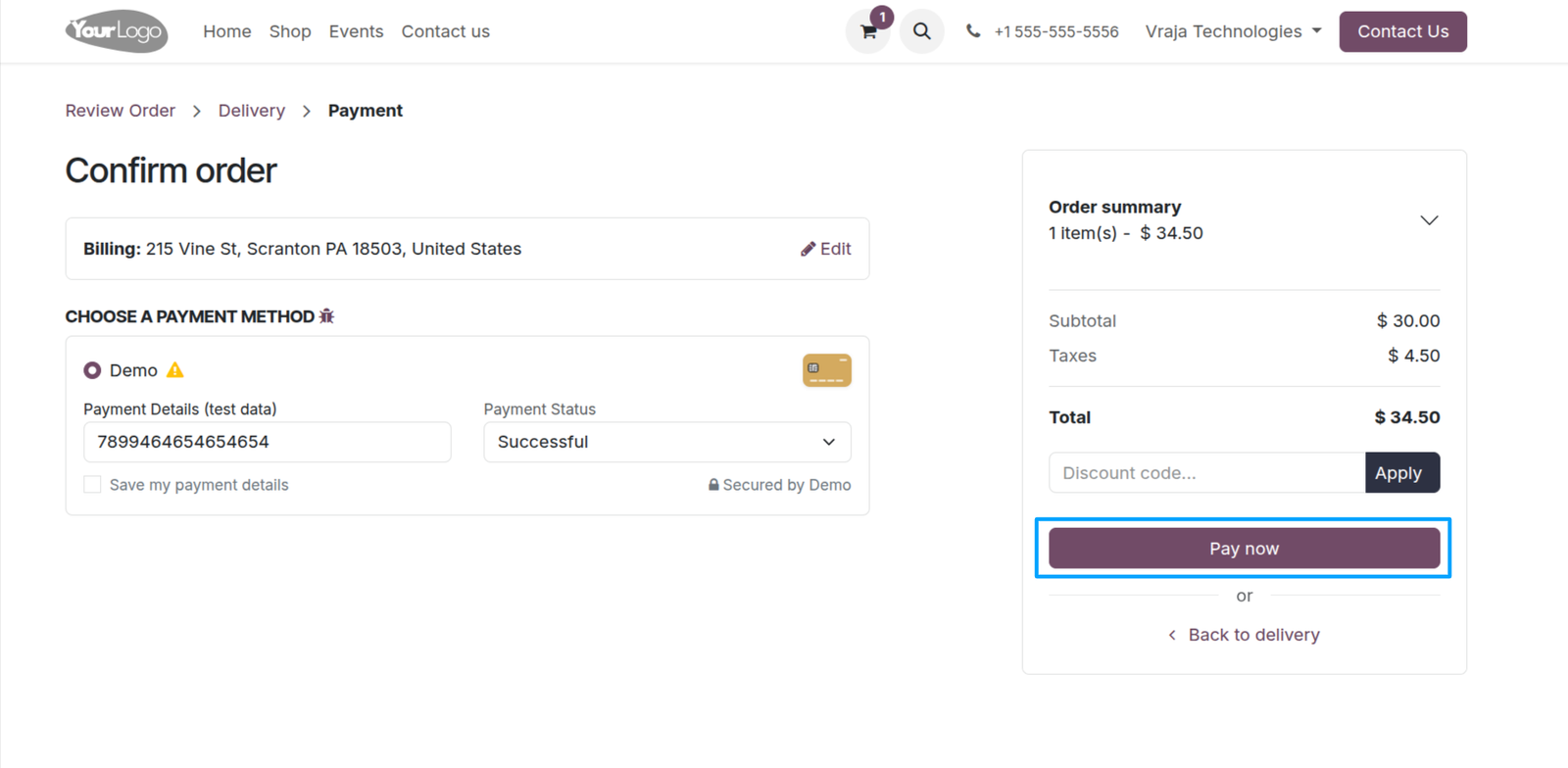
After filling in the payment details, click Pay Now to complete the transaction and successfully register for the event ticket.
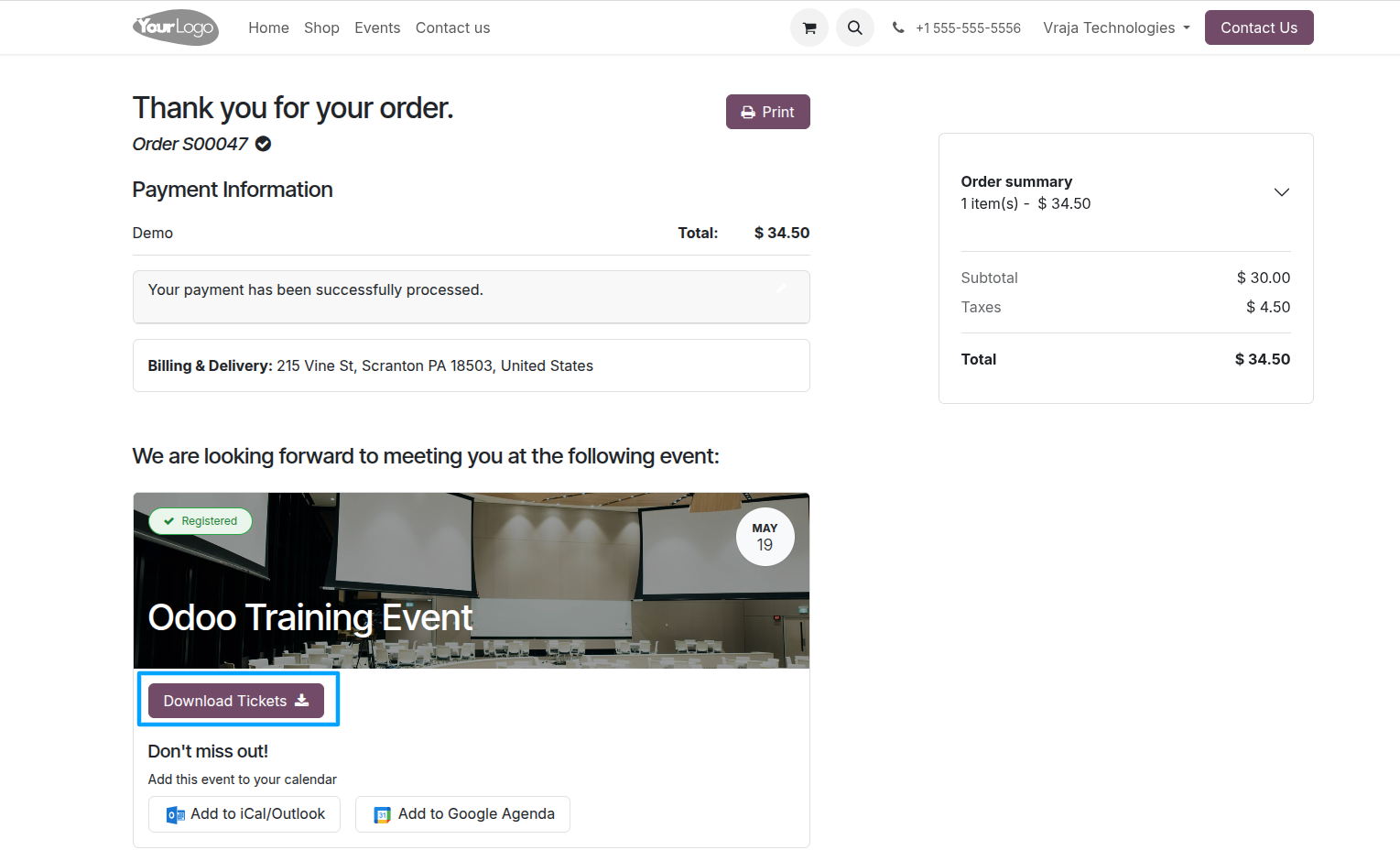
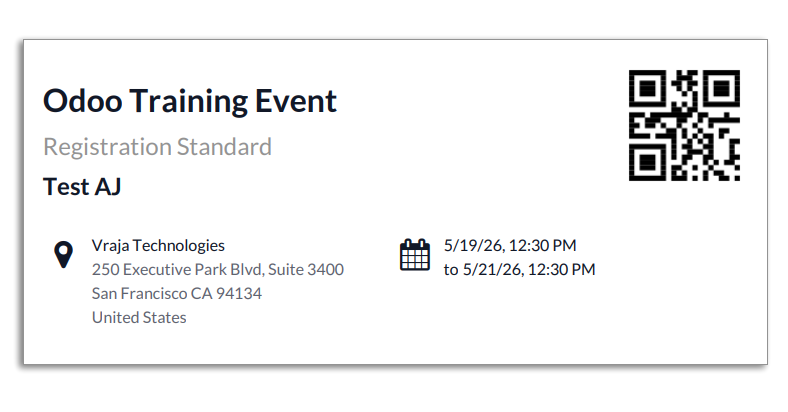
After successful payment, the ticket is confirmed and registered, and a Download Ticket option is available to download the registered event ticket.
Here is the ticket that has been registered for the event.
 What is Event Trainer Certificate Management?
- It is a system that manages events with trainers, surveys, and automated generation of trainer-signed certificates for attendees.
How do I assign trainers to an event?
- You can assign one or multiple trainers directly from the Event form under the Trainer section.
Can multiple trainers be assigned to a single event?
- Yes, the system supports assigning multiple trainers to a single event.
Where do trainers configure their details?
- Trainer details are configured in Contacts → Trainers using the Trainer tab.
How are certificates generated?
- Certificates are automatically generated after survey completion or manually via the Certificates smart button in the event.
Is survey completion required for certificate generation?
- It depends on configuration—certificates can be generated either after survey completion or directly without it.
How do attendees receive certificates?
- Certificates are automatically sent to attendees via email after successful completion or generation.
Can attendees download their certificates?
- Yes, attendees can download their certificates from email or portal access.
What is the purpose of the Survey Automation tab?
- It is used to configure and send feedback surveys to attendees after event participation.
How does event registration work on the website?
- Users select an event, view event details, click Register, choose tickets, and complete payment.
I would like to request a custom feature for this application. What’s the process to get it implemented?
- We’re happy to help tailor the application to meet your business needs! You can reach us via sales@vrajatechnologies.com
Who is the point of contact for technical support, configuration support or bug-related queries?
- You can reach us via support@vrajatechnologies.com
Submit a Support Ticket
If you encounter any issues while using our app that are caused by the app itself, we offer complimentary support for 60 days from the date of purchase.
To create a support ticket, please register via the Vraja Technologies Support Email and provide the necessary details so we can assist you in resolving the issue.

Email Us
support@vrajatechnologies.com

 1.png)
Contact Us
vrajatechnologies.com/contactus

Support
vrajatechnologies.com/support-policy
Vraja Technologies Services

Odoo Implementation

Odoo App Integration Services

Odoo Customization

Odoo Consultation

Odoo Support & Maintenance

Odoo Developer Outsourcing
Suggested Application















Reviews
There are no reviews yet.