
Description
.png)
 Enterprise Community Odoo.sh
Hide Variant on website
The Hide Variant on website module for Odoo provides advanced control over how product variants are displayed on the eCommerce website. It allows businesses to selectively hide specific variants without deleting or archiving them, ensuring better catalog management while maintaining backend data integrity. Hidden variants are automatically excluded from shop listings, search results, and product pages, delivering a cleaner and more relevant shopping experience for customers. Additionally, the system intelligently manages product visibility—if all variants of a product are hidden, the product itself is automatically removed from the website. This module is ideal for managing unavailable, seasonal, or restricted variants while keeping the product structure intact.
 Watch on YouTube
We specialize in delivering advanced Odoo solutions across multiple domains. Our expertise includes:

EDI & SWIFT/ACH Payment Integrations
End-to-end EDI automation, including X12, EDIFACT, XML standards, & financial integrations such as SWIFT, ACH, & Fedwire.


eCommerce Integrations
Seamless integration with leading eCommerce platforms to sync products, orders, inventory, and customer data in real time.

Shipping Integrations
Robust shipping connectors for global couriers, offering automated label generation, tracking, and rate computation.

Most Useful Apps for your ERP
A wide range of highly-rated Odoo modules designed to enhance automation, improve productivity, & simplify business operations.
 Features
 Process
 FAQs
FAQs
 Selective Variant Visibility Control
Easily hide individual product variants directly from the website without affecting their existence in the backend. This allows businesses to manage availability without disrupting internal operations.
Dynamic Product Page Behavior
When a variant is hidden, it is automatically removed from the selectable options on the product page. Customers will only see and select from available (visible) variants, ensuring a seamless user experience.
Attribute-Based Variant Filtering
The module intelligently handles multi-attribute variants (such as size and color combinations). If a specific combination is hidden, it dynamically adjusts available options based on the selected attributes, preventing invalid selections.
Automatic Product Visibility Management
If all variants of a product are marked as hidden, the system automatically removes the product from the website, ensuring customers only see purchasable items.
Search & Listing Exclusion
Hidden variants are completely excluded from search results, shop pages, and product previews, ensuring accurate and relevant product visibility across the website.
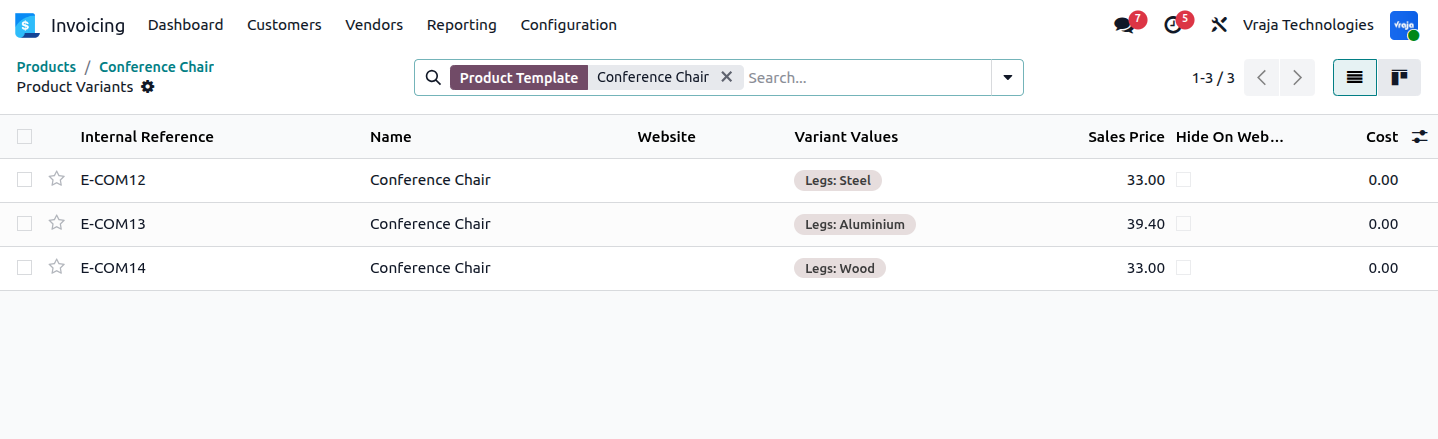
All variants are listed here. You can see the Hide On Website column which lets you quickly check which variants are hidden.
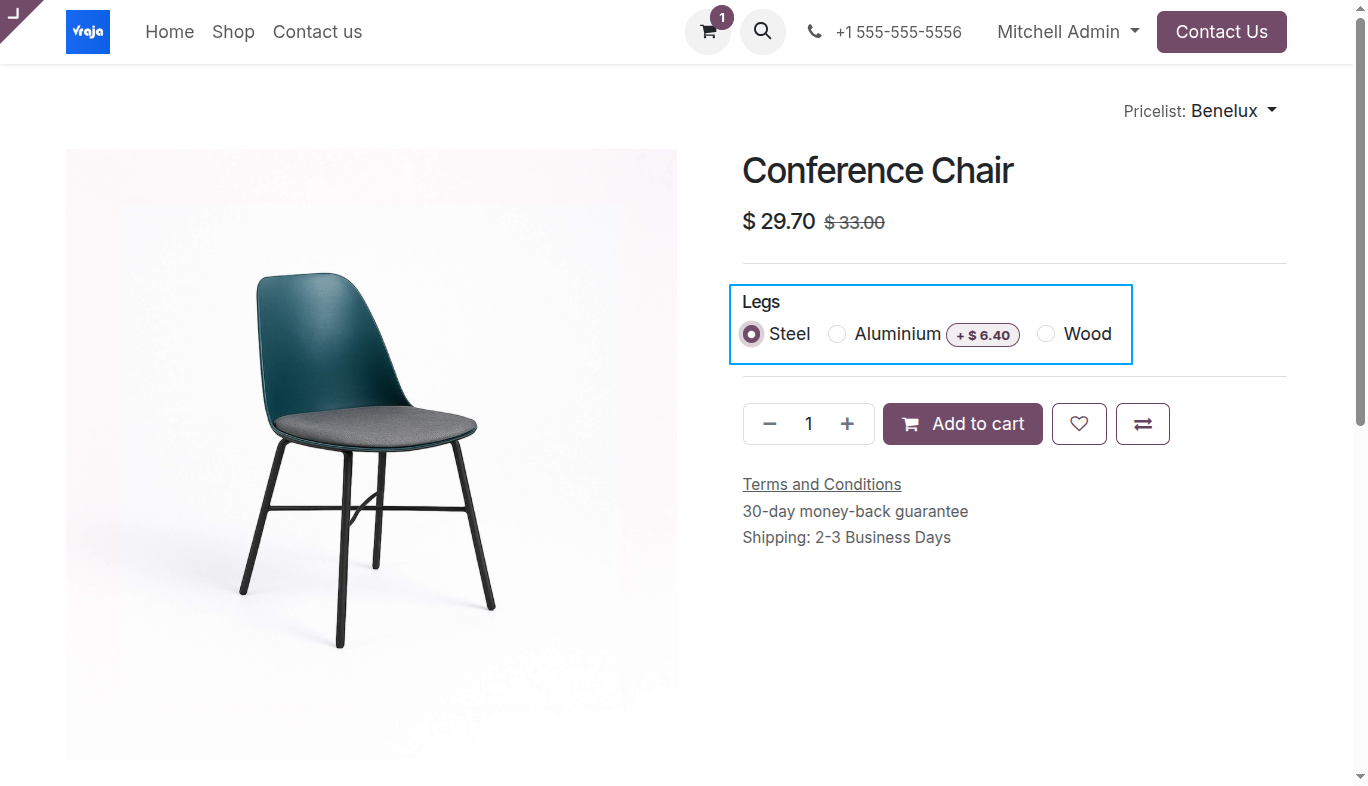
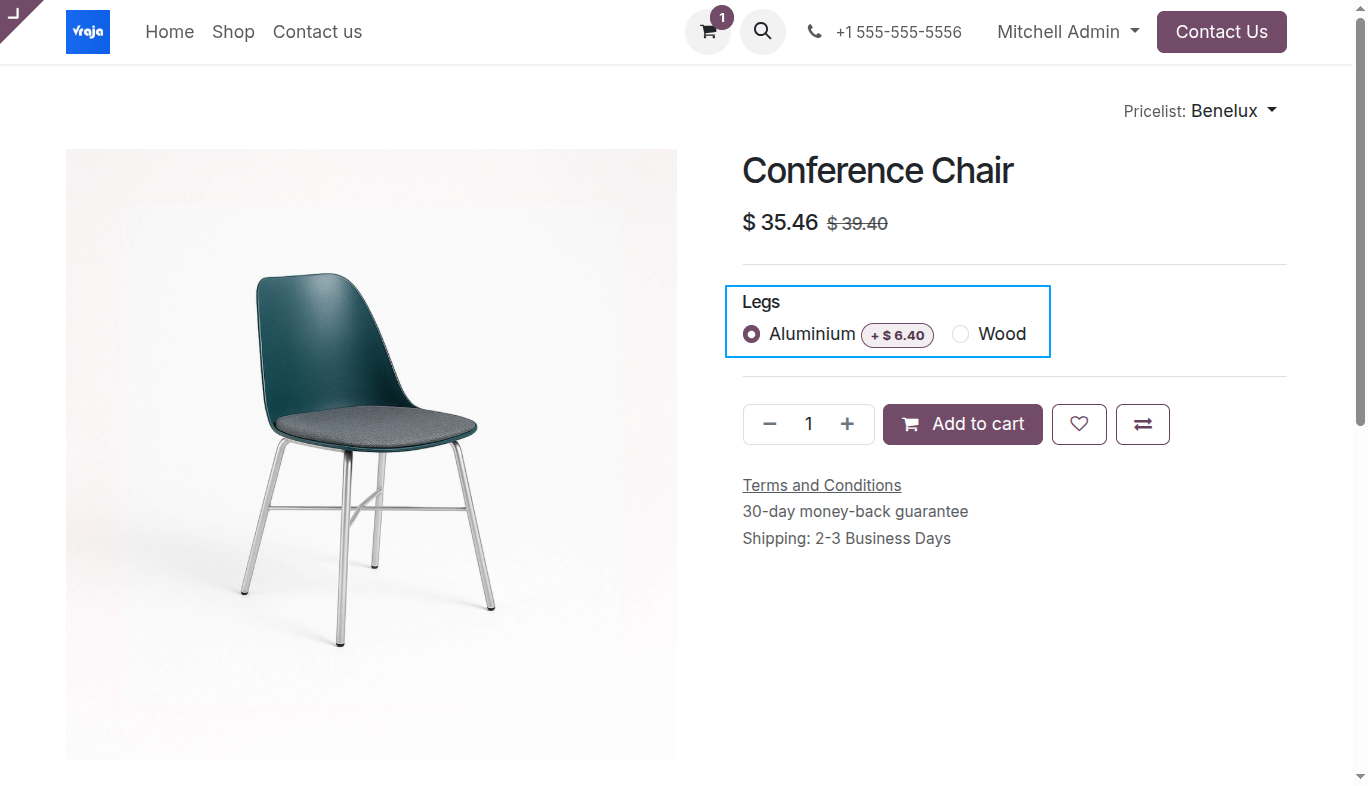
All three variants (Steel, Aluminium, Wood) are visible on the product page. Customer can select any of them.
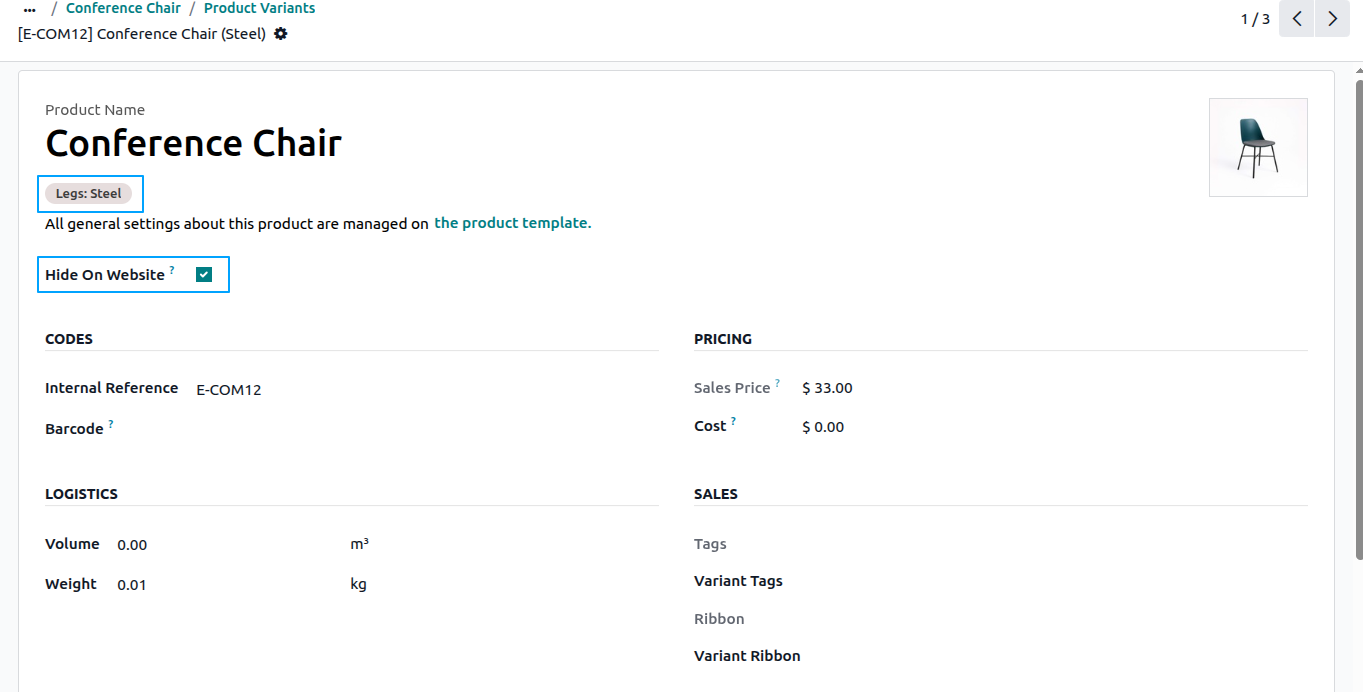
Open the variant you want to hide. Check the Hide On Website field. Here we are hiding the Steel variant.
After enabling Hide On Website on the Steel variant, the product page now shows only Aluminium and Wood as selectable options.
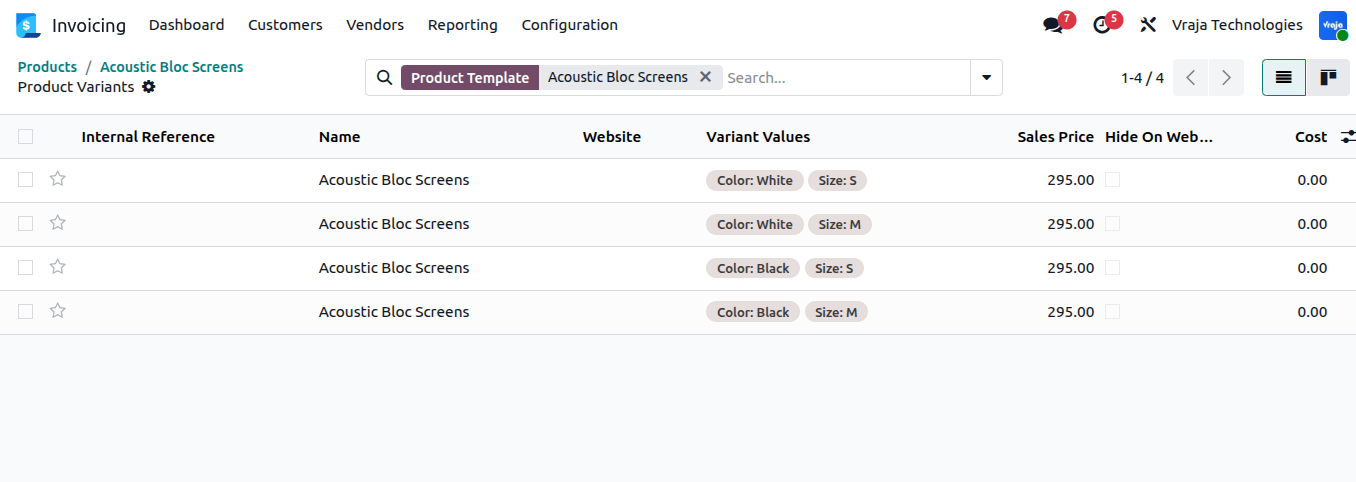
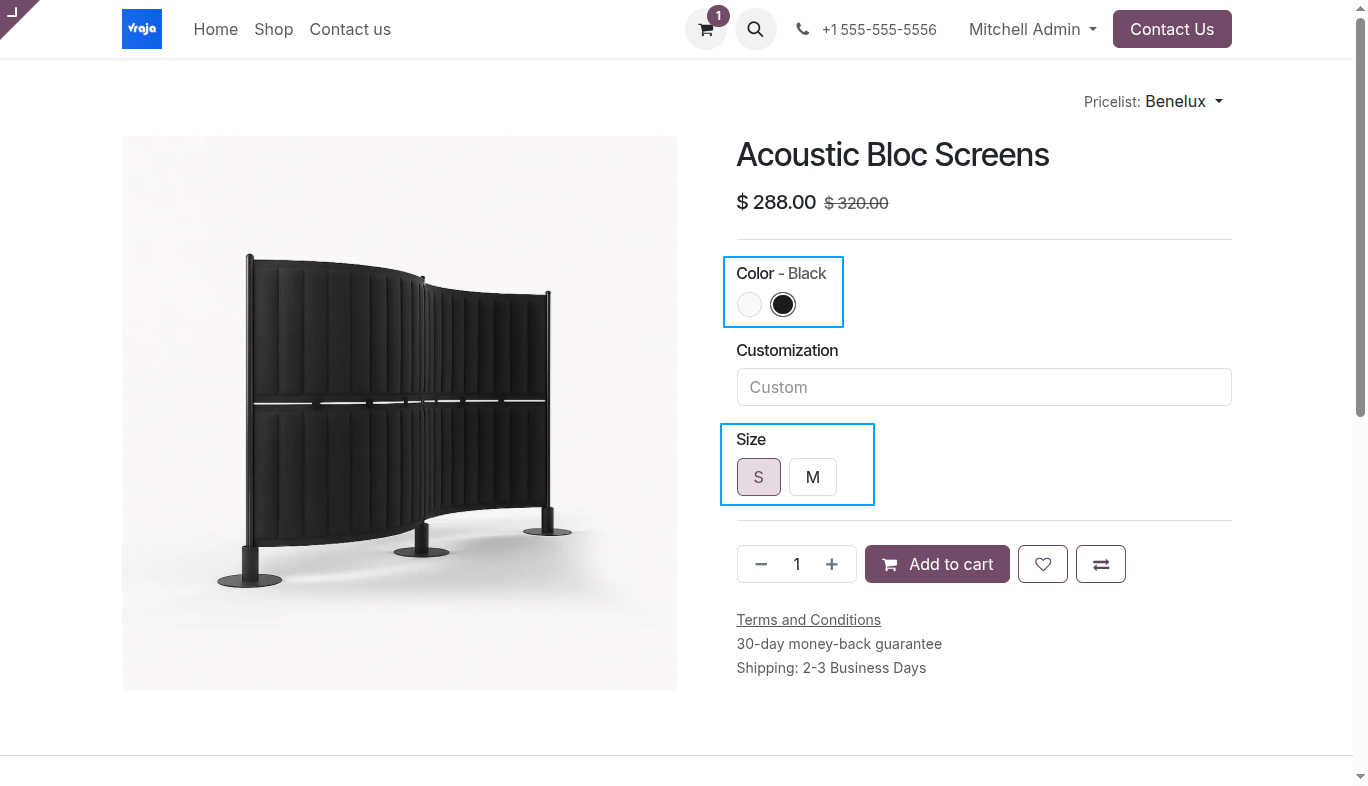
This product has 4 variants with two attributes — Color (White, Black) and Size (S, M). The Hide On Website column is visible for all variants.
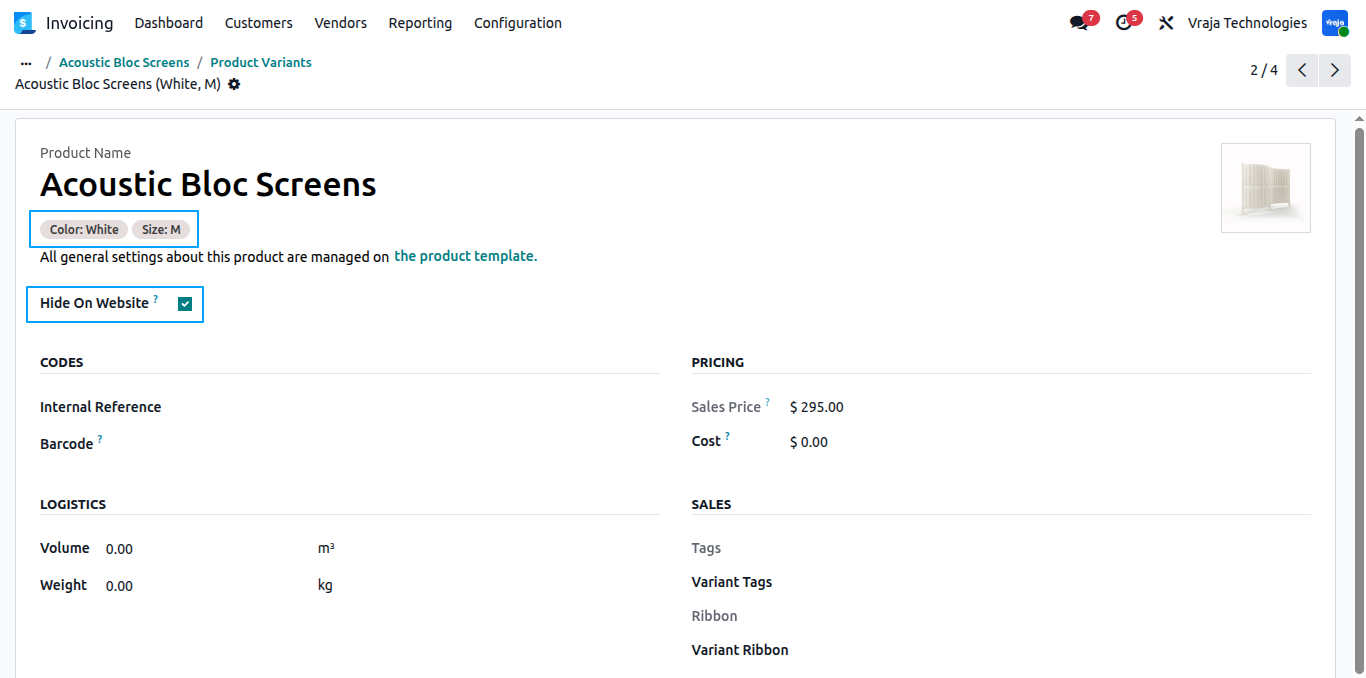
Open the specific variant you want to hide. Here we are hiding Color: White, Size: M by checking the Hide On Website field.
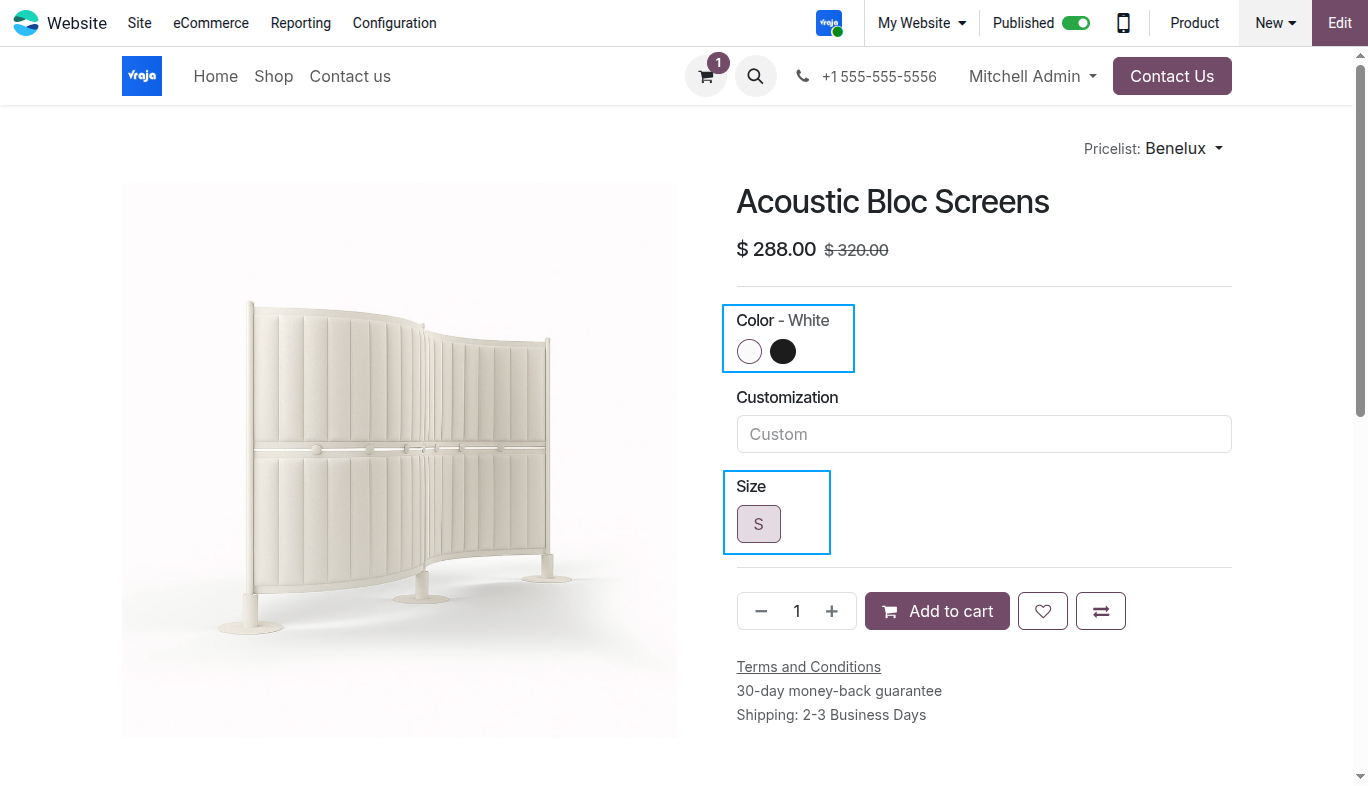
When White color is selected, only Size S is shown. Size M is hidden because the White + M variant is marked as hidden.
When Black color is selected, both Size S and Size M are visible because neither Black variant is hidden.
 Can I hide a variant without deleting or archiving it?
- Yes, the module allows you to hide variants from the website while keeping them fully active in the backend for inventory and internal operations.
What happens if all variants of a product are hidden?
- If all variants are hidden, the product is automatically removed from the website to prevent customers from seeing unavailable products.
Will hidden variants affect customer selection on the product page?
- No, hidden variants are completely excluded. Customers will only see and select from the available (visible) variant combinations.
Does this work with both single and multiple attribute products?
- Yes. The module handles both single attribute (e.g. Color only) and multiple attribute (e.g. Color + Size) products correctly.
I would like to request a custom feature for this application. What’s the process to get it implemented?
- We’re happy to help tailor the application to meet your business needs! You can reach us via sales@vrajatechnologies.com
Who is the point of contact for technical support, configuration support or bug-related queries?
- You can reach us via support@vrajatechnologies.com
Submit a Support Ticket
If you encounter any issues while using our app that are caused by the app itself, we offer complimentary support for 90 days from the date of purchase.
To create a support ticket, please register via the Vraja Technologies Support Email and provide the necessary details so we can assist you in resolving the issue.

Email Us
support@vrajatechnologies.com

 1.png)
Contact Us
vrajatechnologies.com/contactus

Support
vrajatechnologies.com/support-policy
Vraja Technologies Services

Odoo Implementation

Odoo App Integration Services

Odoo Customization

Odoo Consultation

Odoo Support & Maintenance

Odoo Developer Outsourcing
Suggested Application













Reviews
There are no reviews yet.