

Description
.png)
 Enterprise Community Odoo.sh
Odoo Quickbooks Online Connector
QuickBooks is a powerful accounting platform that, when integrated with Odoo, streamlines your financial operations by synchronizing essential data between both systems. This integration enables you to import customers, payment terms, taxes, chart of accounts, and products from QuickBooks into Odoo, and export customer invoices, vendor bills, and payments seamlessly back to QuickBooks. By automating financial data synchronization, you can eliminate manual entry, reduce errors, and maintain accurate, up-to-date records across platforms empowering you to streamline accounting workflows and drive business growth efficiently.
 Watch on YouTube
We specialize in delivering advanced Odoo solutions across multiple domains. Our expertise includes:

EDI & SWIFT/ACH Payment Integrations
End-to-end EDI automation, including X12, EDIFACT, XML standards, & financial integrations such as SWIFT, ACH, & Fedwire.


eCommerce Integrations
Seamless integration with leading eCommerce platforms to sync products, orders, inventory, and customer data in real time.

Shipping Integrations
Robust shipping connectors for global couriers, offering automated label generation, tracking, and rate computation.

Most Useful Apps for your ERP
A wide range of highly-rated Odoo modules designed to enhance automation, improve productivity, & simplify business operations.
 Features
 Configuration
 Import
 Export / Update
 FAQs
FAQs
Features
Import Operations
- Import Customers with essential details such as name, email, phone number, billing addresses.
- Import Chart of Accounts and map QuickBooks accounts with Odoo accounts seamlessly.
- Import Taxes from QuickBooks and automatically configure them in Odoo.
- Import Payment Terms and synchronize them with Odoo customer and vendor records.
- Import Products with key information including SKU, description, sales price, cost, and category.
Export Operations
- Export Customers created or updated in Odoo directly to QuickBooks.
- Export Products along with name, SKU, and pricing details.
- Export Invoices and Bills from Odoo to QuickBooks for accurate financial synchronization.
- Export Customer Payments and Vendor Payments to keep QuickBooks ledgers up to date.
- Automatically schedule Invoice, Bill, Payment, and Vendor Payment synchronization at regular intervals.
Odoo – Quickbook Synchronization
Token Refresh Cron
Authentication
Invoice & Vendor Bill
Export
Customer Payment & Bill payment
Export
Customers
Import/Export
Payment Terms
Import
Taxes
Import
Chart of Accounts
Import
Products
Import / Export
Vendors
Export
Customer Invoices / Vendor Bills
Export
Customer Payments / Vendor Payments
Export
Quickbook Benefits
Increased Efficiency
Automated synchronization between Odoo and QuickBooks eliminates manual data entry and reduces the risk of human error. Invoices, payments, customers, and vendors are automatically updated, saving valuable time.
Accurate Financial Data
Keep your accounting and ERP perfectly aligned. Real-time synchronization ensures your books and reports always reflect the latest financial transactions across both systems.
Improved Decision-Making
With up-to-date and consistent financial data from QuickBooks and Odoo, you can make more informed business decisions, backed by accurate reports and insights.
Enhanced Control & Transparency
Track every import and export operation directly from Odoo with detailed logs. Easily monitor what data has been synced and when, ensuring full visibility over your integration process.
Scalability
As your business grows, seamlessly handle more invoices, payments, and customers without added complexity. The integration scales with your operations to support multiple QuickBooks instances and large datasets.
Reliable Automation
Built-in scheduled actions (cron jobs) automate repetitive tasks such as token refresh, invoice/bill exports, and payment synchronization, allowing you to focus on business priorities.
 Instance creation and configuration process for QuickBooks connection.
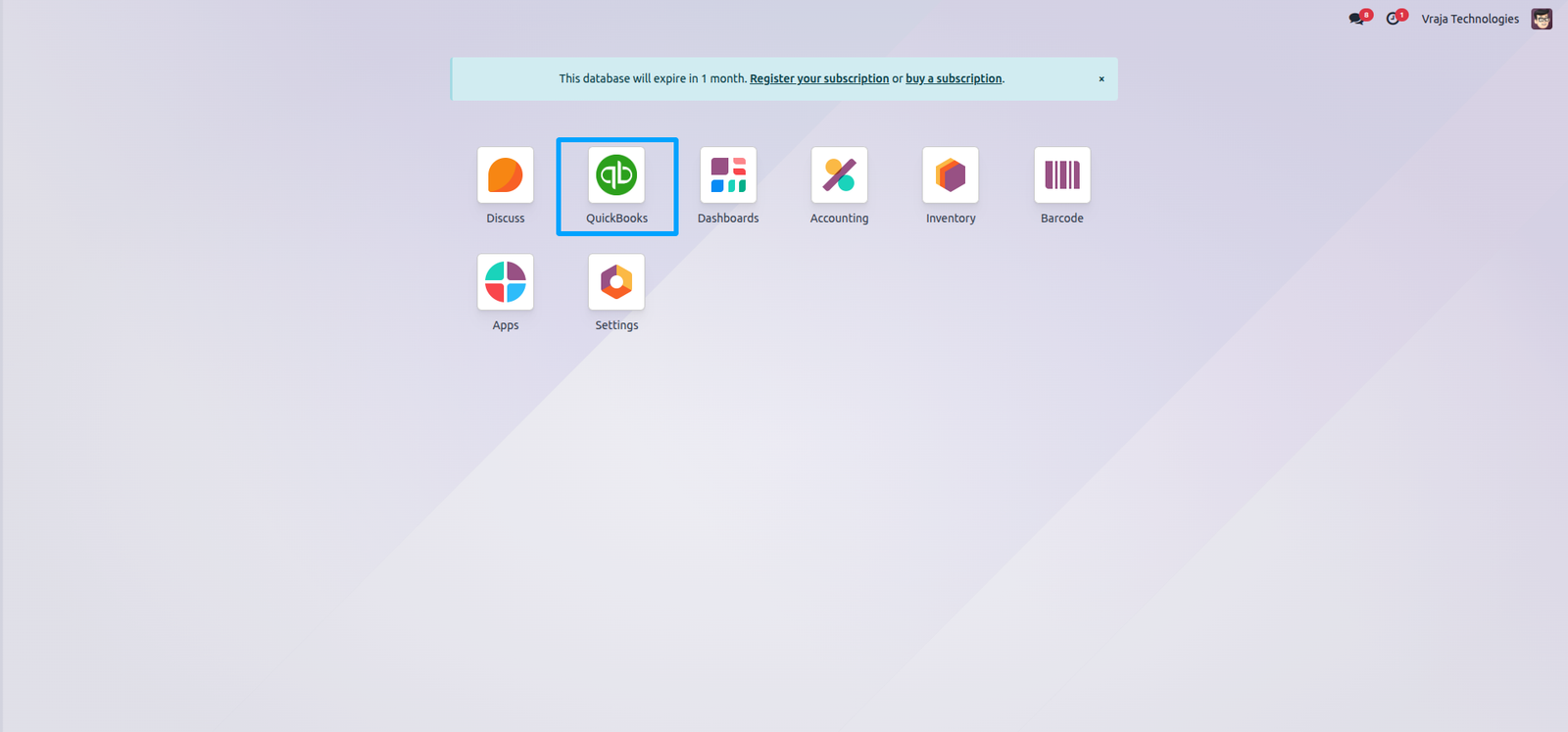
Configure your QuickBooks instance in Odoo this menu allows you to create and manage new instances easily.
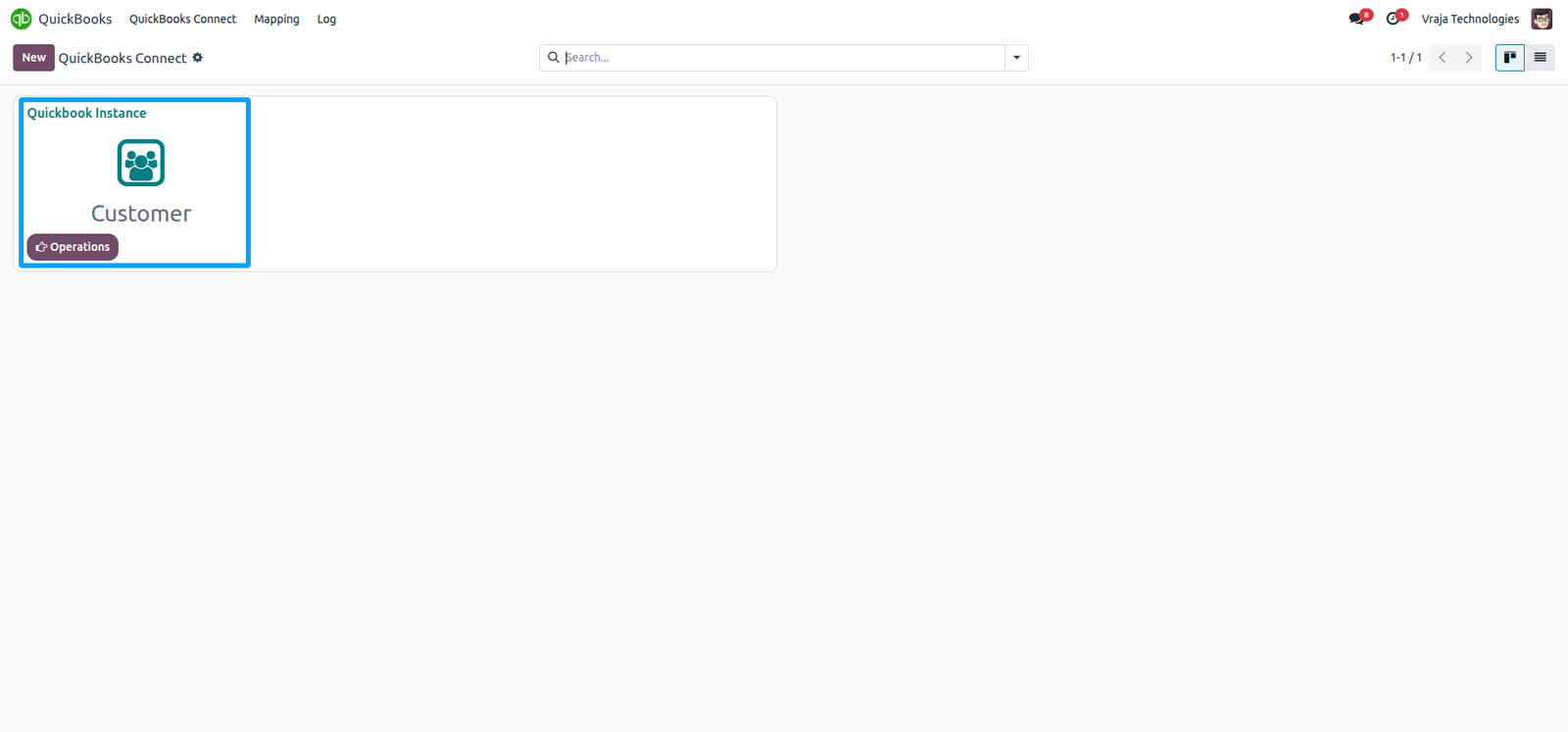
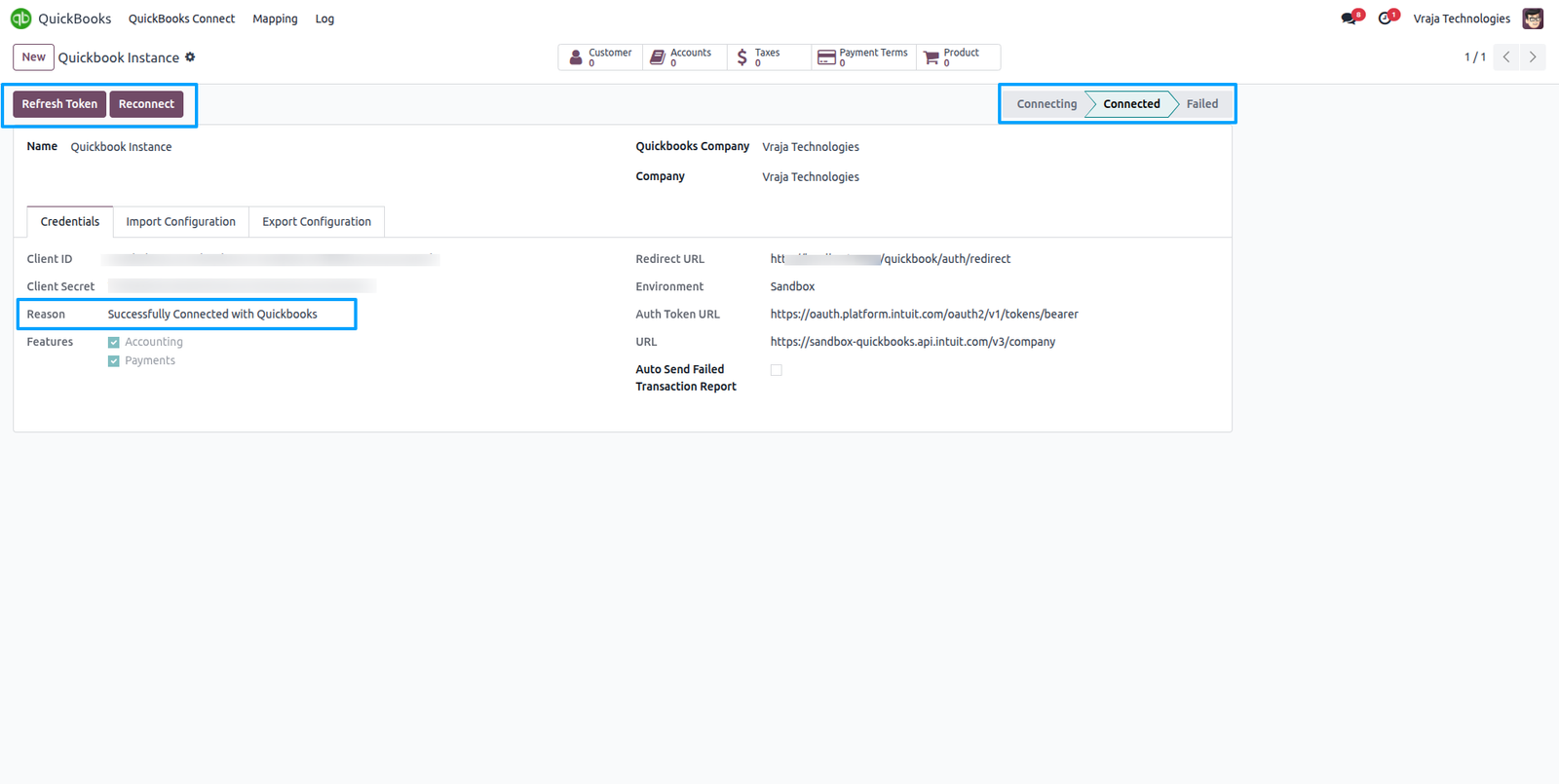
In the instance configuration, enter your QuickBooks credentials to establish a secure connection between Odoo and QuickBooks.
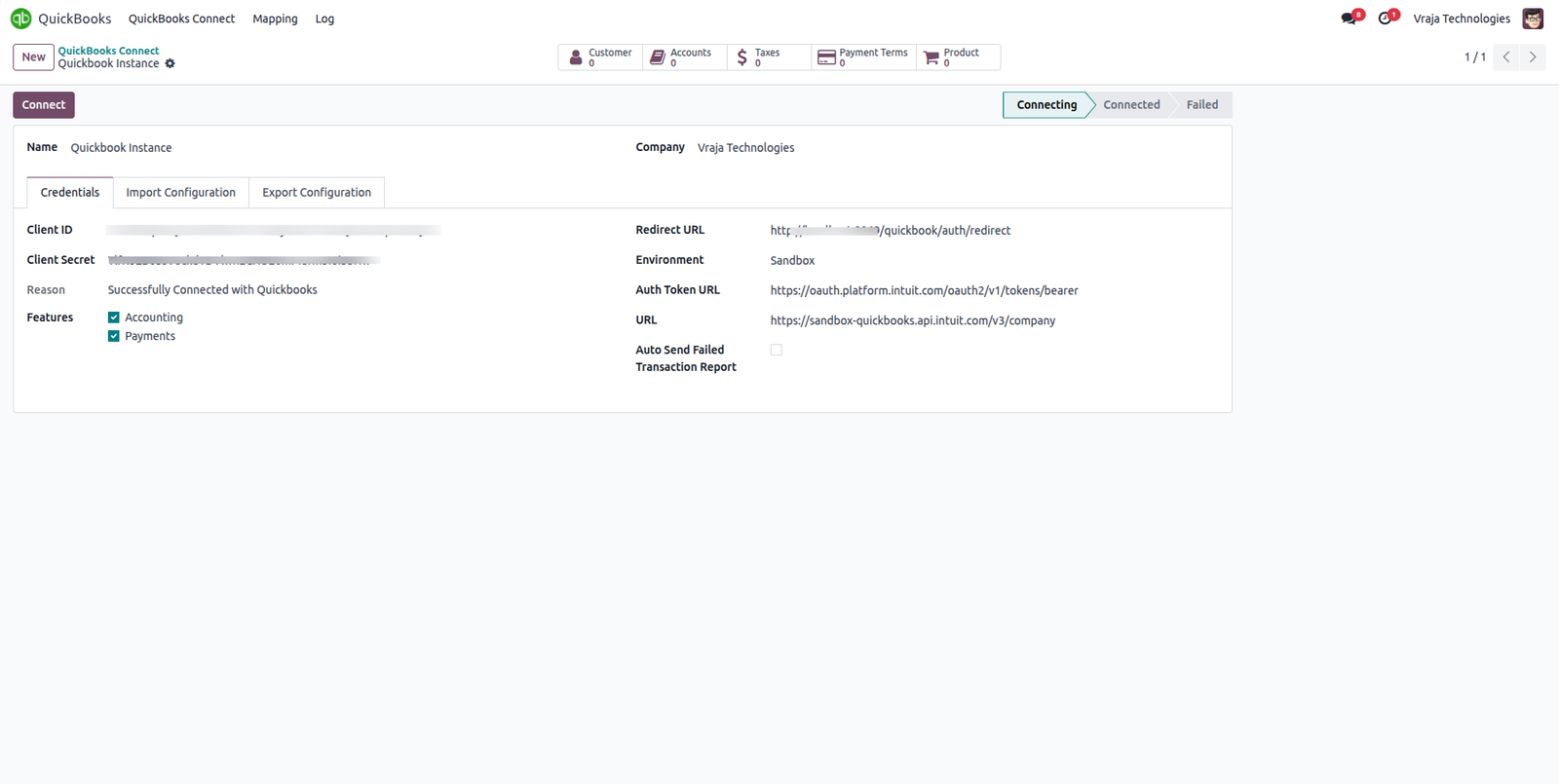
From your QuickBooks Workspace, click ‘Get Production Key’ to retrieve the client ID and client secret required to connect your QuickBooks account with Odoo.
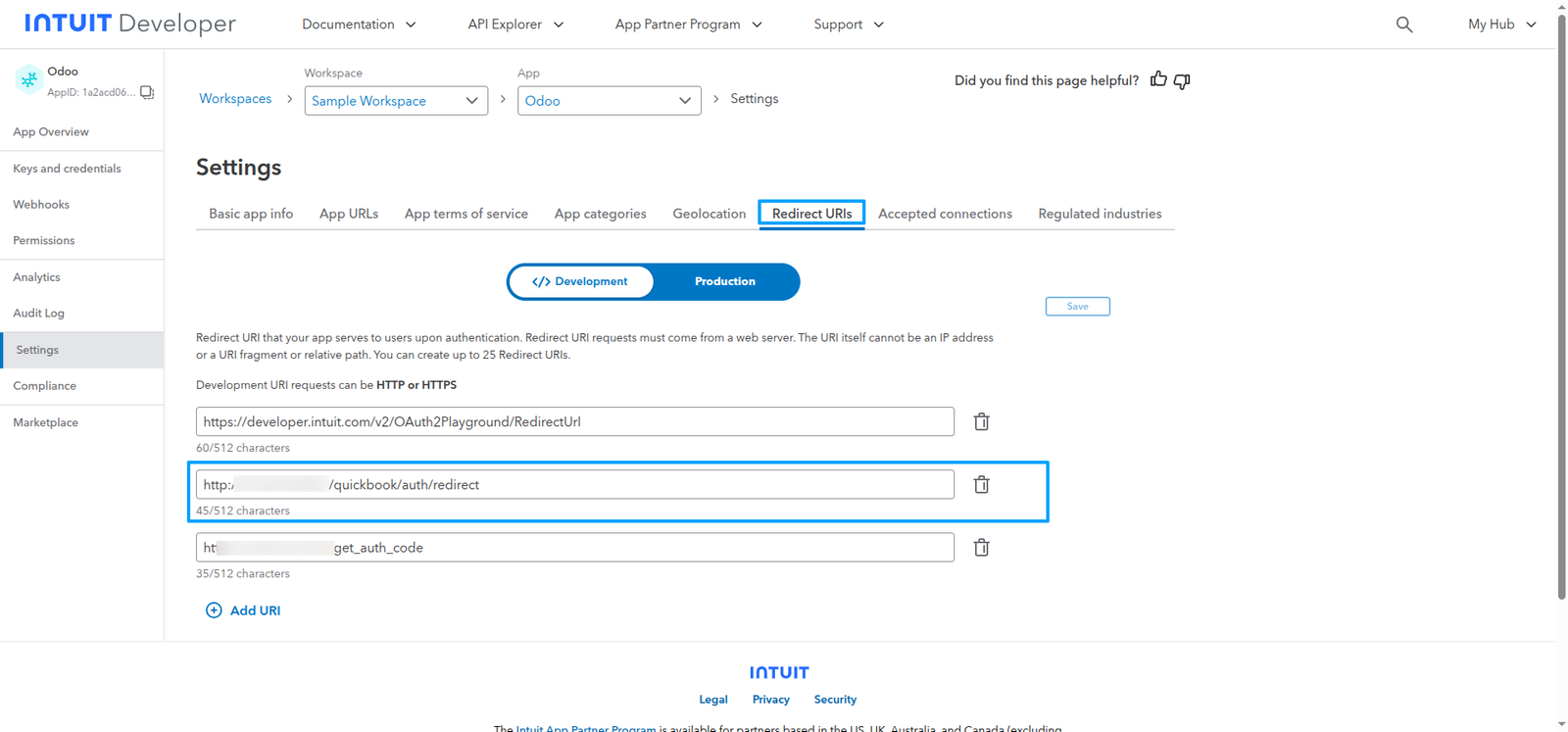
Click ‘Redirect URL’ in your QuickBooks app settings to specify the redirect URL.
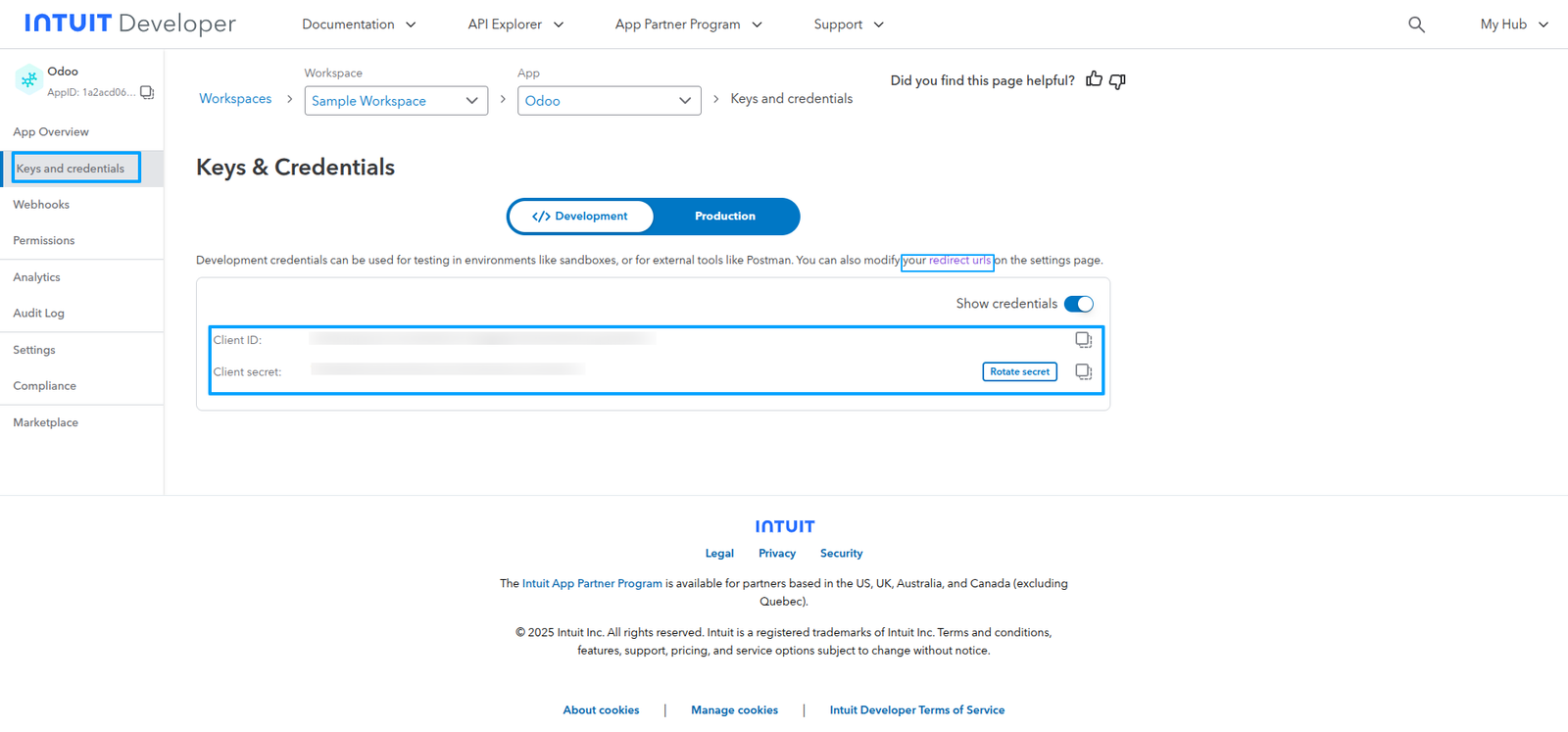
Copy this URL and configure it in Odoo to establish a secure connection between the two platforms.
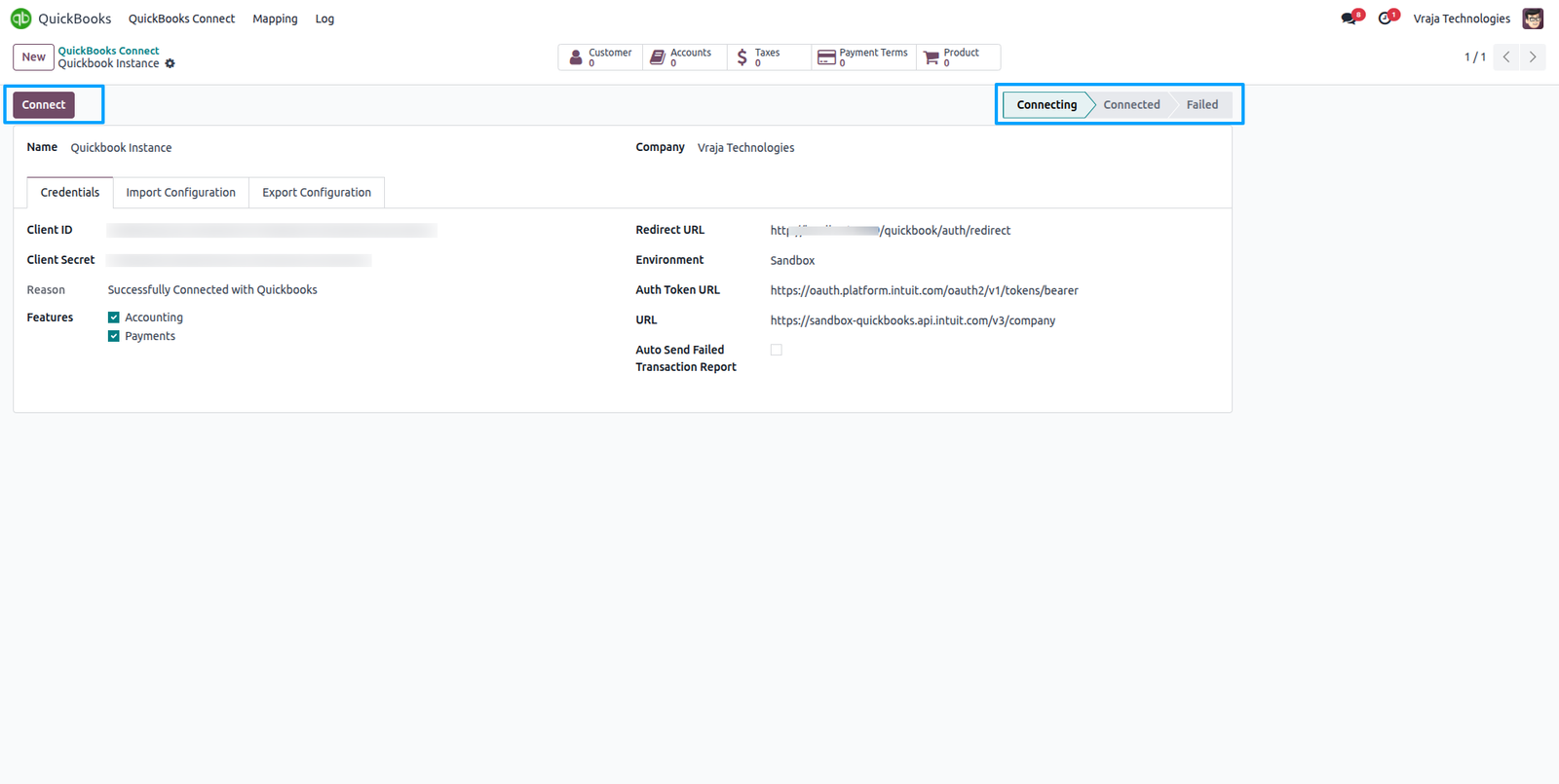
When you click ‘Connect’, Odoo will redirect you to the QuickBooks authorization screen to establish a connection with your company account.
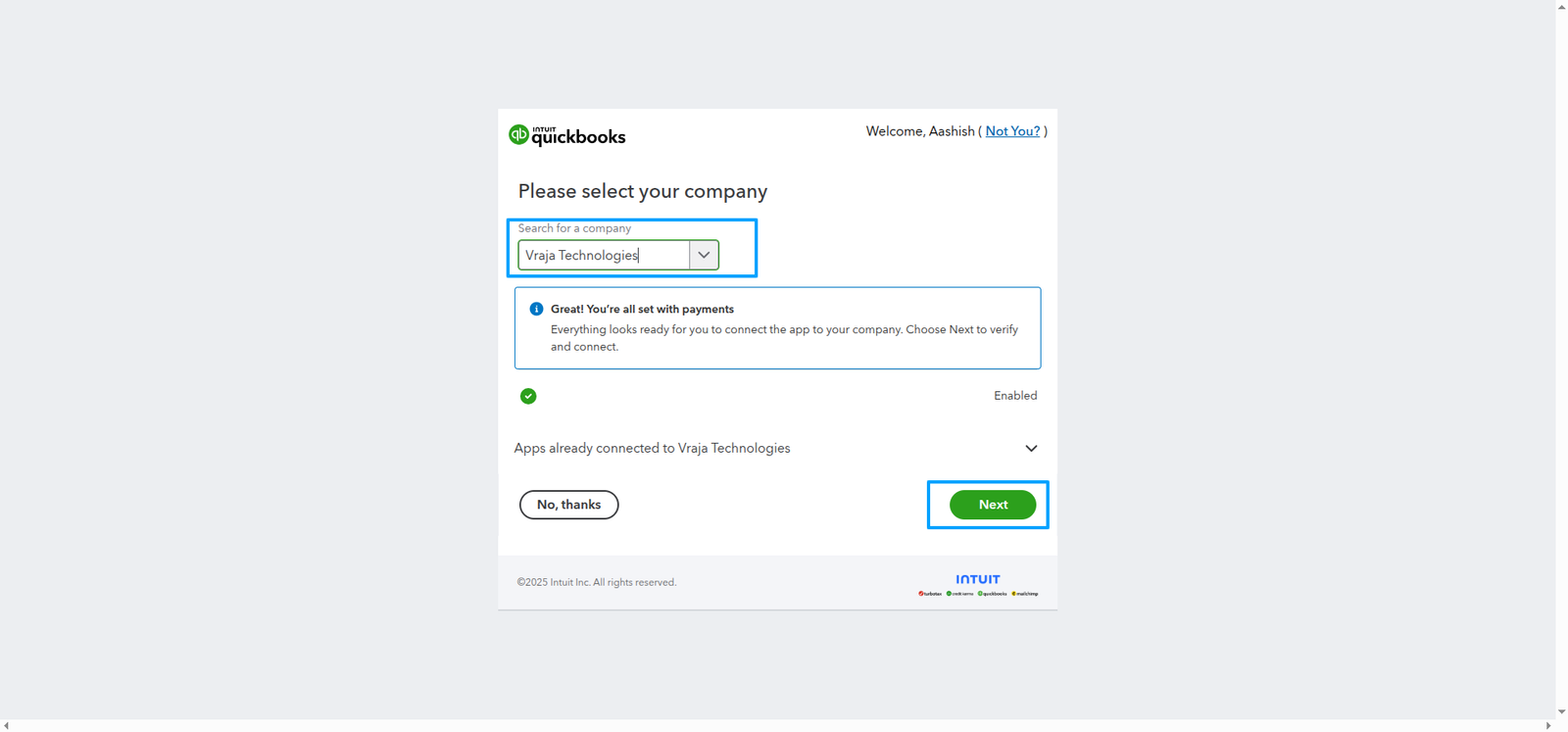
Choose your QuickBooks company and click ‘Next’.
You’ll be redirected to Odoo, and the instance will automatically establish a successful connection.
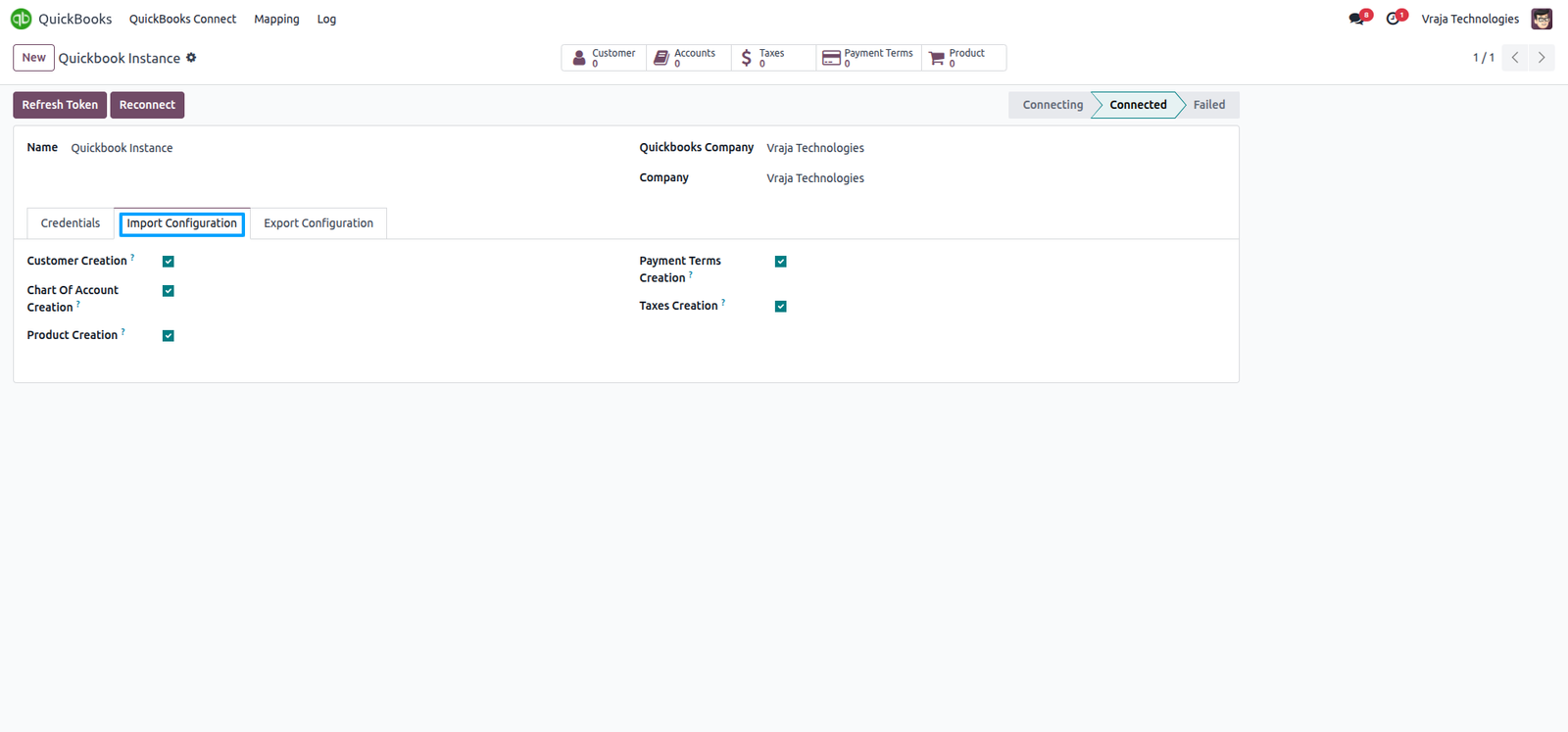
In the import configuration, when the options for Customer, Chart of Accounts, Payment Terms, Products, and Taxes are enabled, the data from QuickBooks will be automatically created in Odoo during the import process.
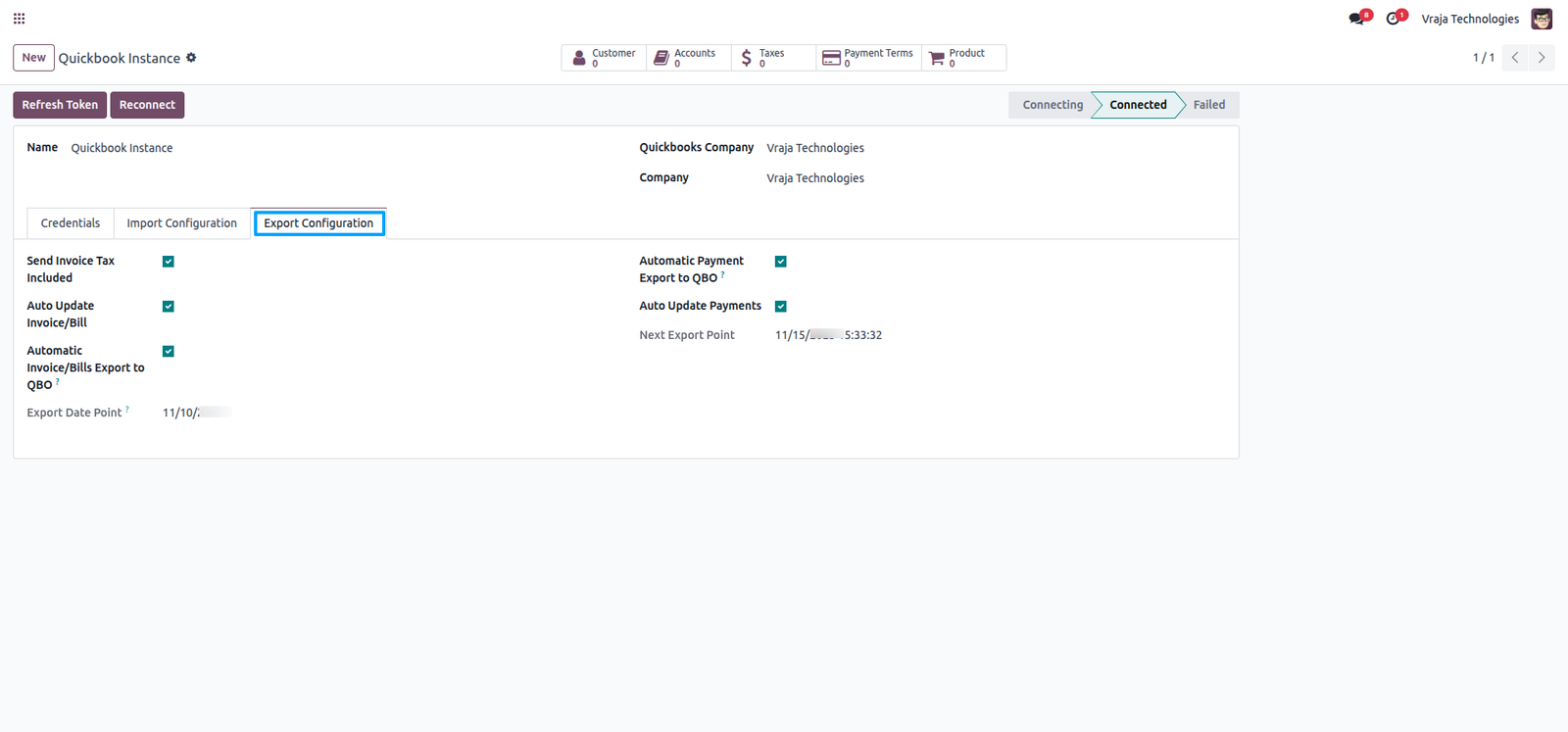
In the Export Configuration, enable Send Invoice Tax Included to ensure taxes are included when exporting invoices to QuickBooks.
You can also enable Automatic Invoice/Bill Export to QuickBooks and Automatic Payment Export to QuickBooks to schedule automatic synchronization.
This feature exports invoices, bills, and payments from Odoo to QuickBooks automatically based on the defined export date, ensuring your financial data stays up to date.
Auto Update Invoice/Bill: Automatically updates any changes made to exported invoices and bills in QuickBooks, keeping both systems perfectly aligned.
Auto Update Payments: Automatically updates to customer and vendor payments that were already exported, ensuring real-time accuracy of payment records across Odoo and QuickBooks.
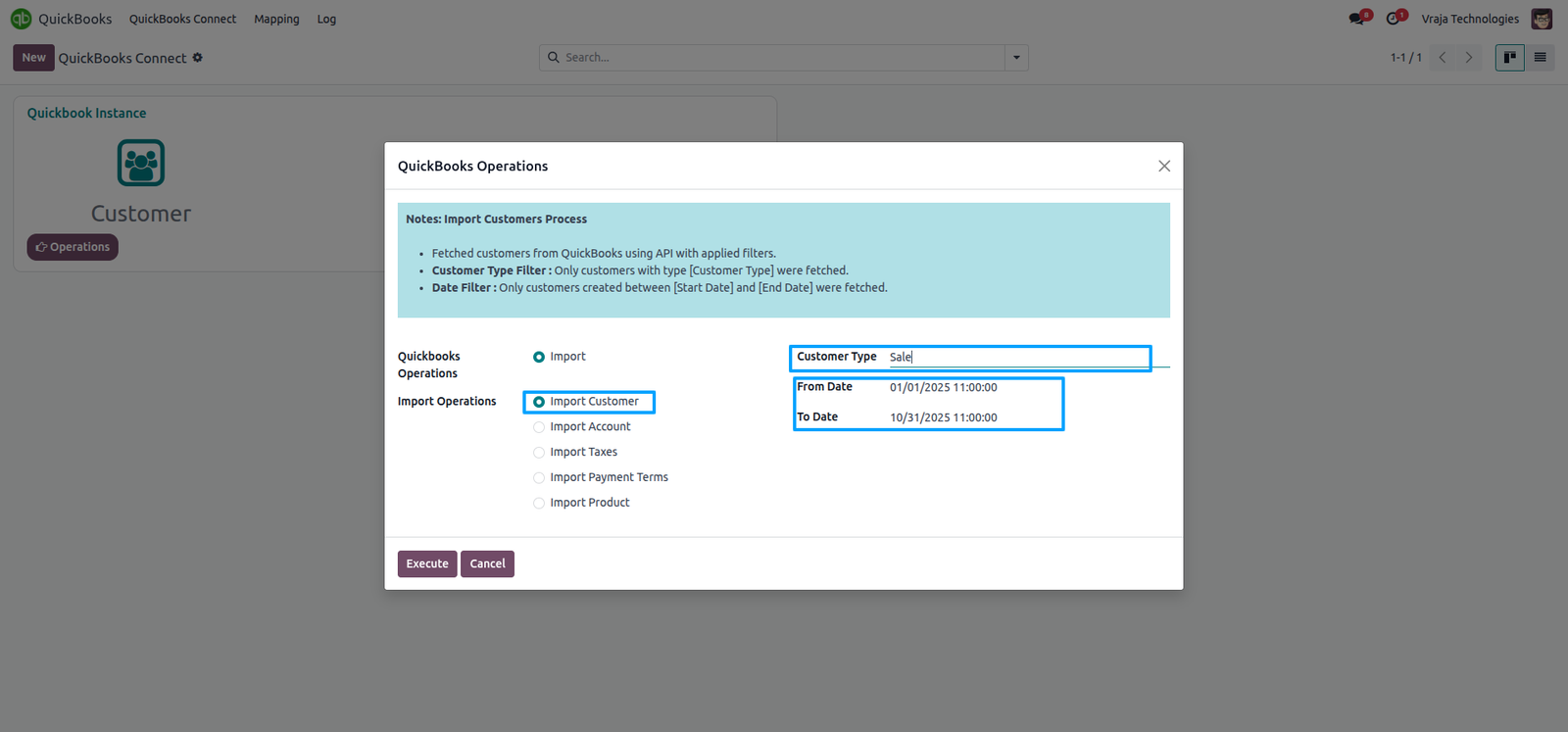
Import Customer process
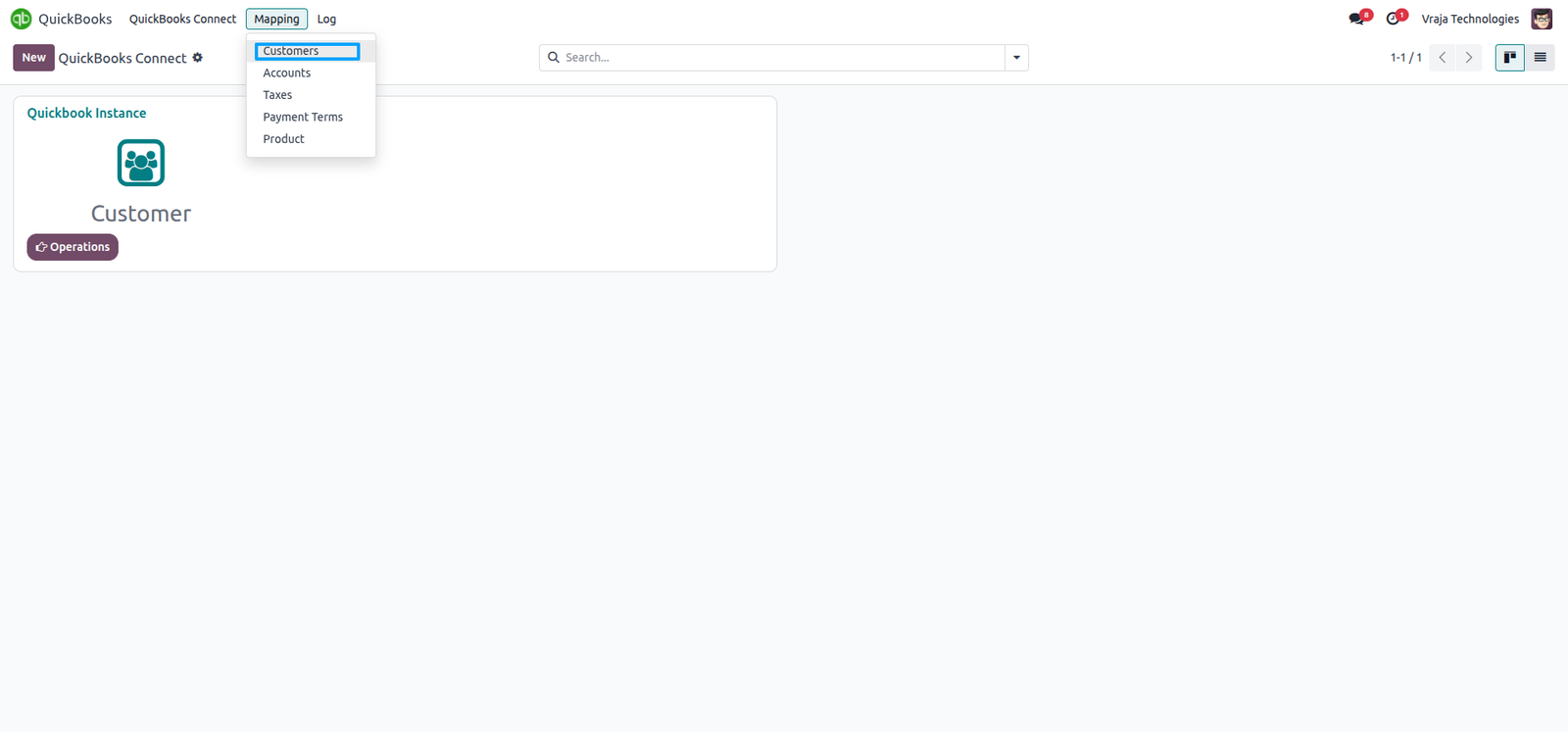
Import Customers from QuickBooks to Odoo (you can import customers by date range or customer type).
In the Mapping section, Customer Mapping table displays the mapped customers between QuickBooks and Odoo.
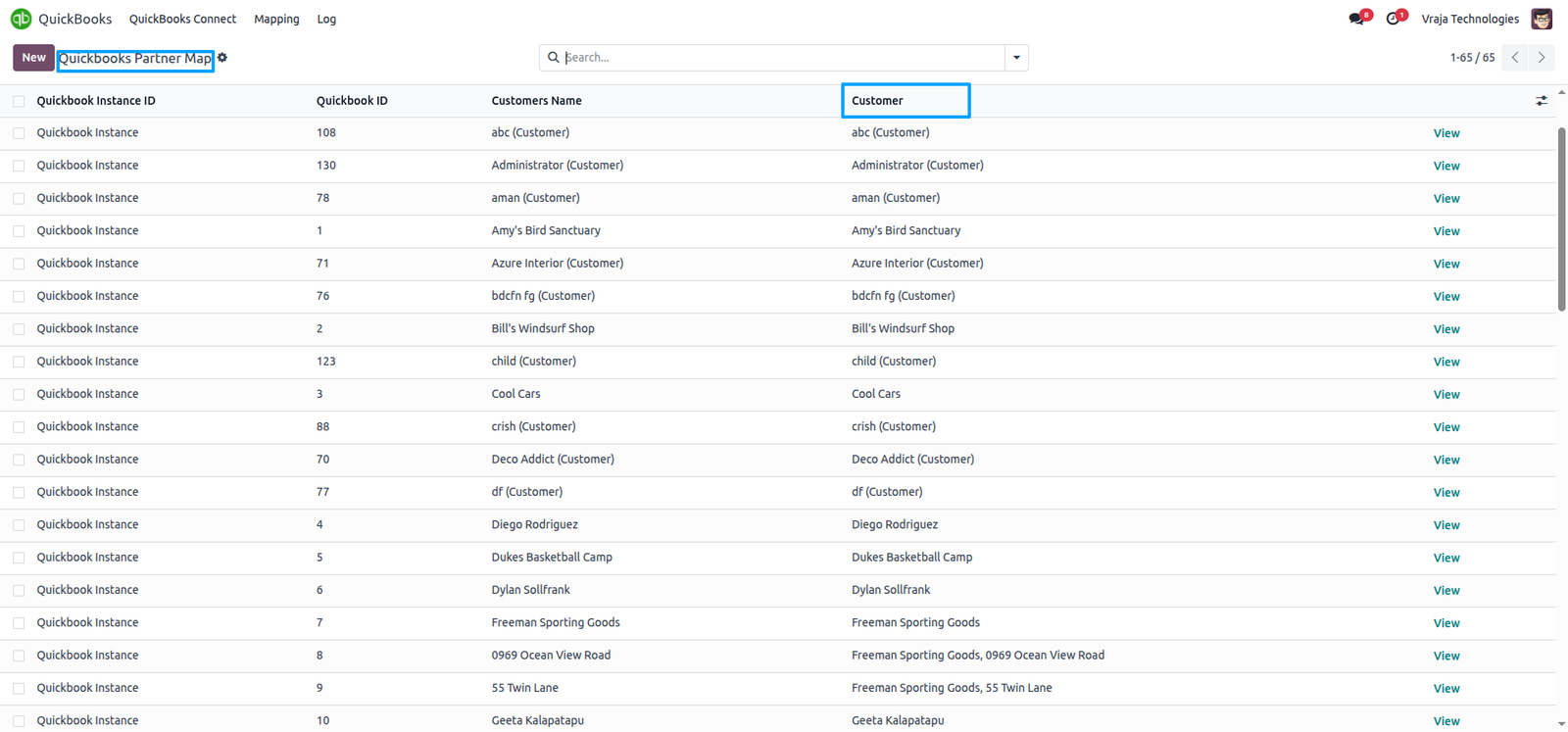
During the import process, the Customer Mapping table is generated with data received from QuickBooks to Odoo.
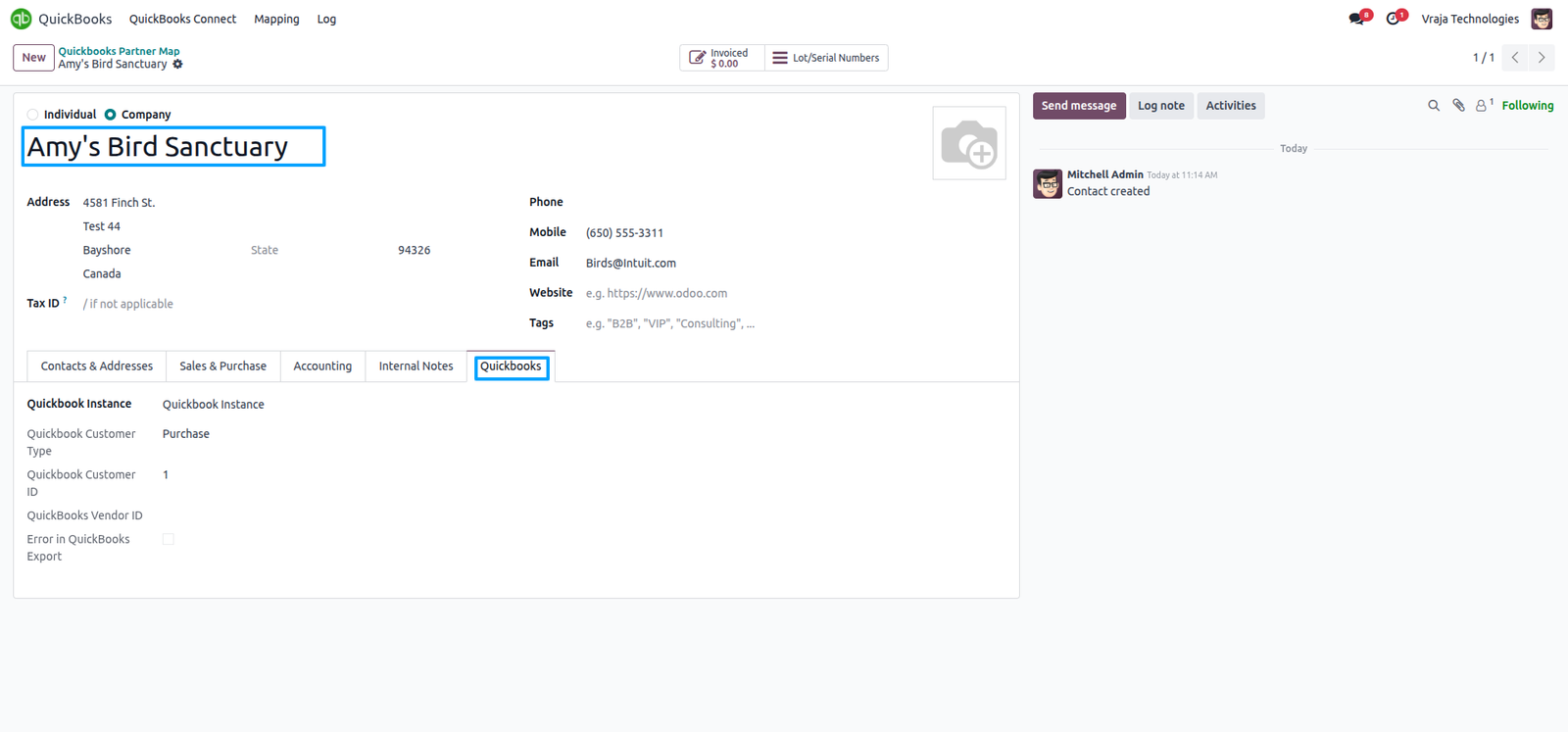
During the import process, this customer was generated in Odoo based on data received from QuickBooks, ensuring synchronization between both platforms and creating the corresponding record in Odoo.
Import Account process
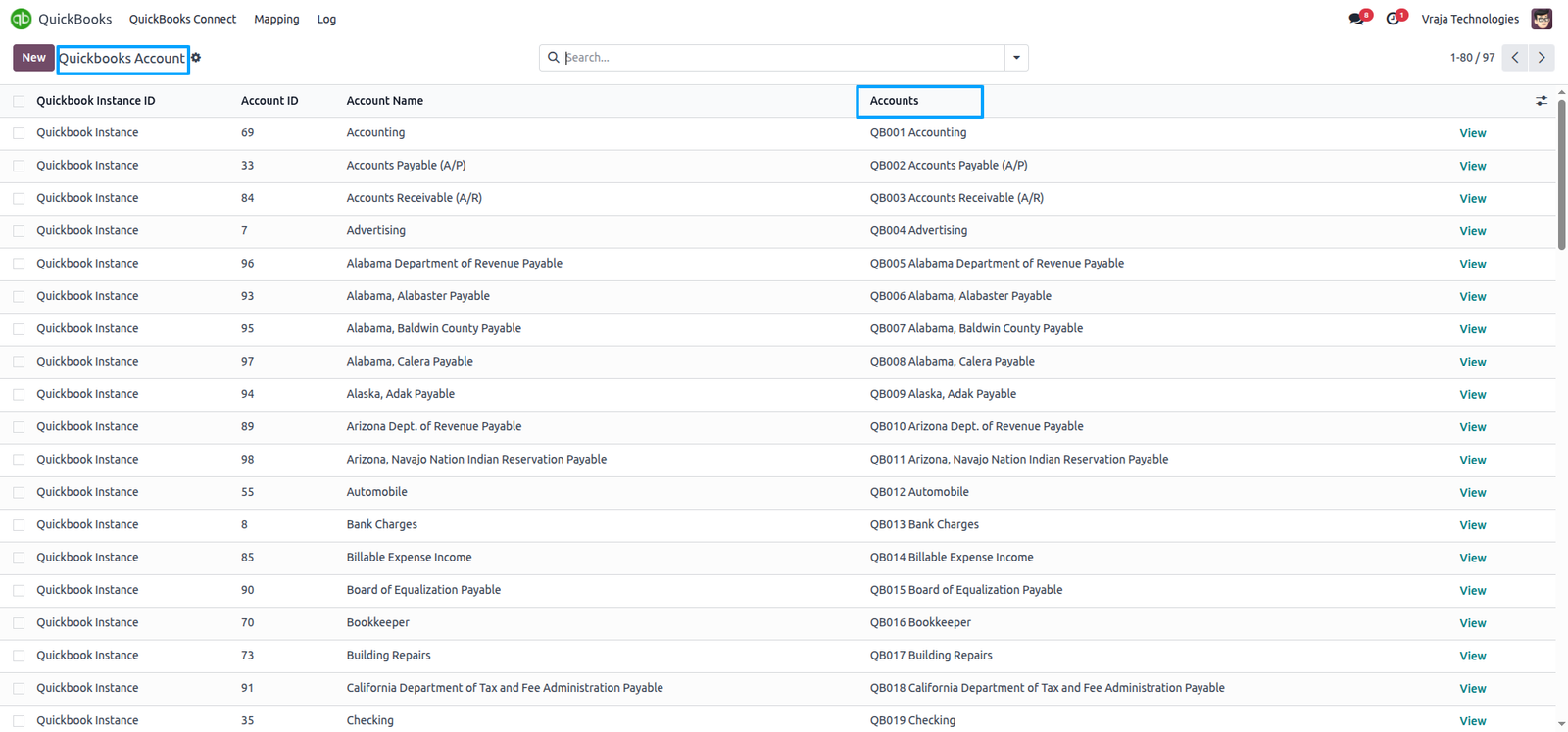
Import Account from QuickBooks to Odoo (you can import account by date range).

In the Mapping section, Account Mapping table displays the mapped account between QuickBooks and Odoo.

During the import process, the Account Mapping table is generated with data received from QuickBooks to Odoo.
During the import process, this account was generated in Odoo based on data received from QuickBooks, ensuring synchronization between both platforms and creating the corresponding record in Odoo.
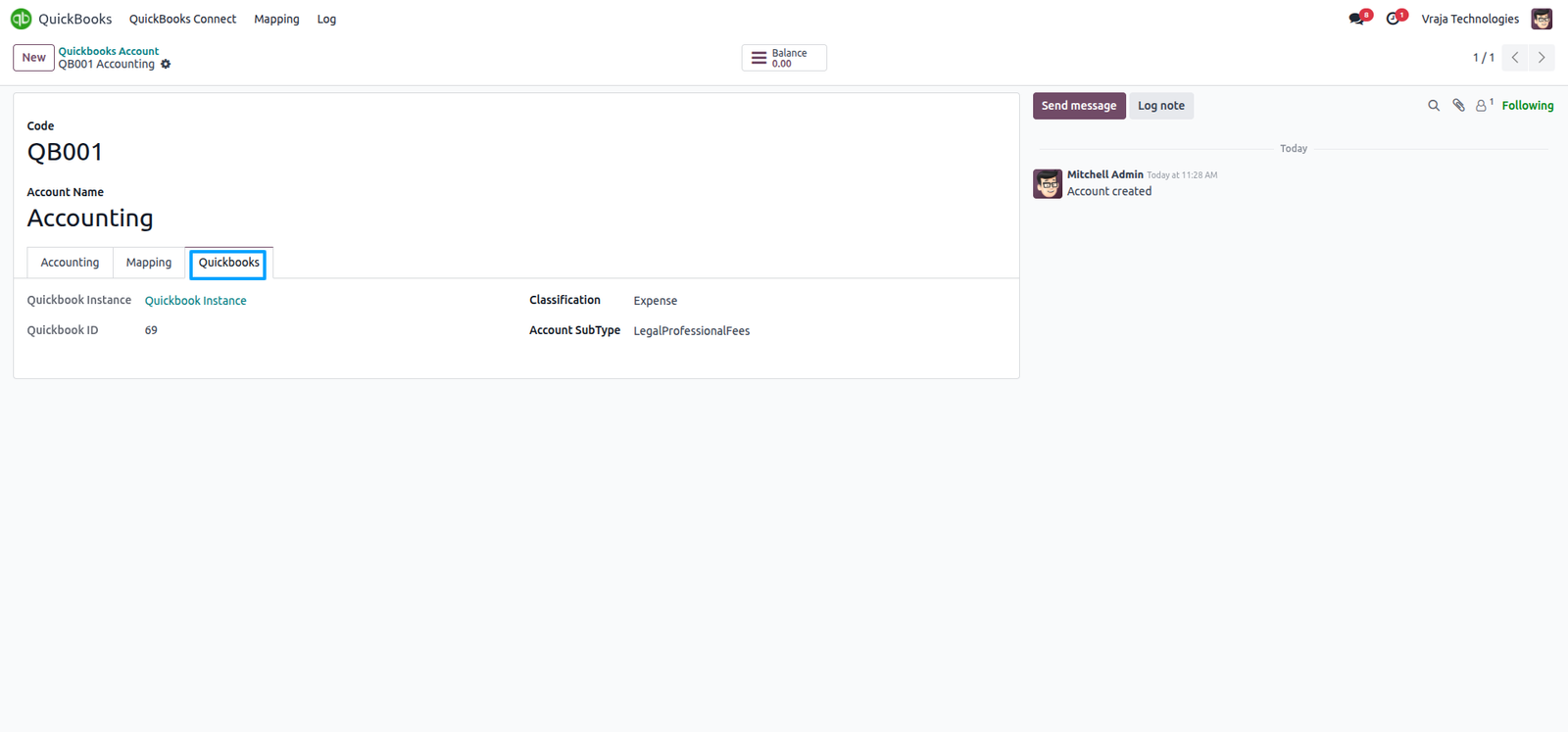
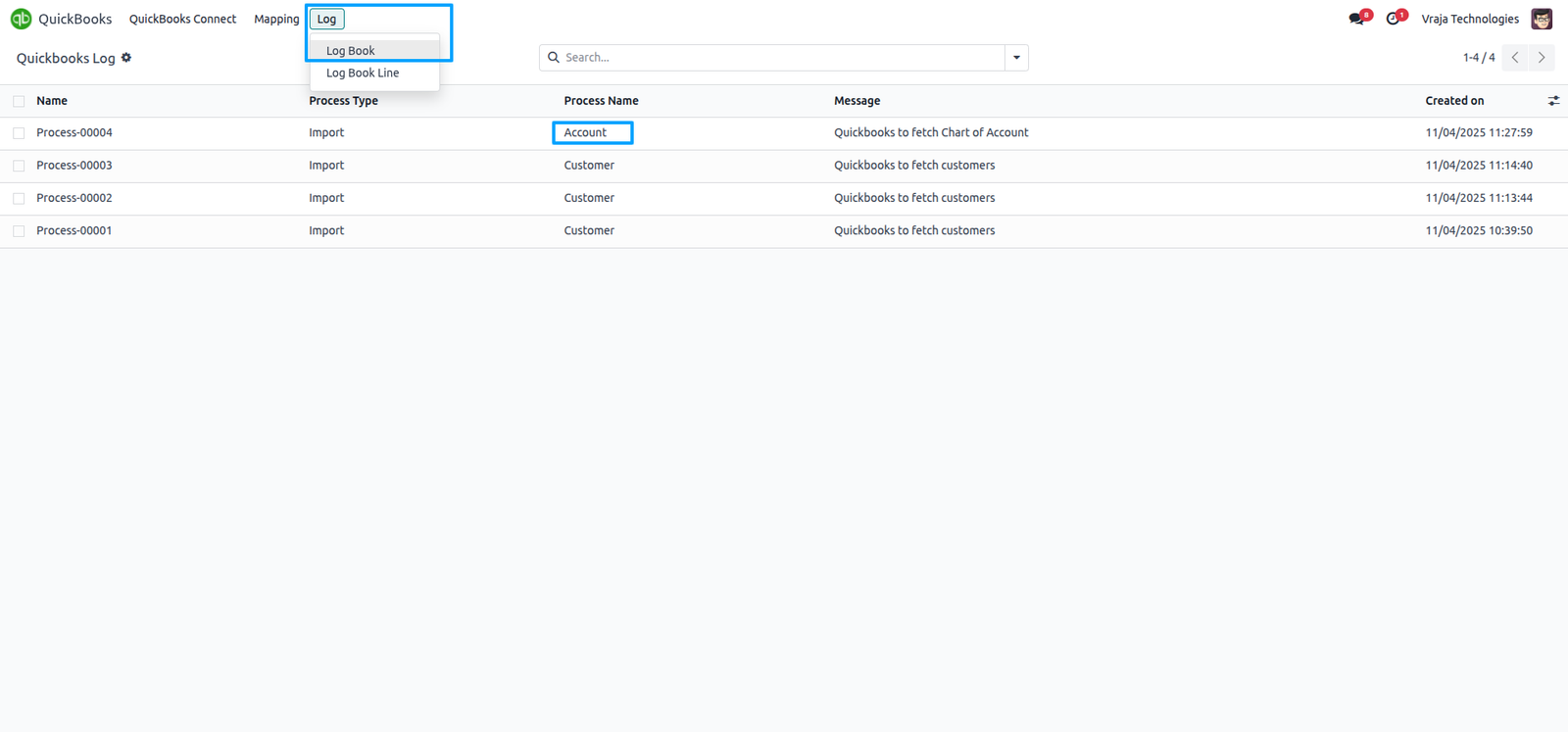
During the import process, logbook is automatically generated to track the data received from QuickBooks into Odoo.
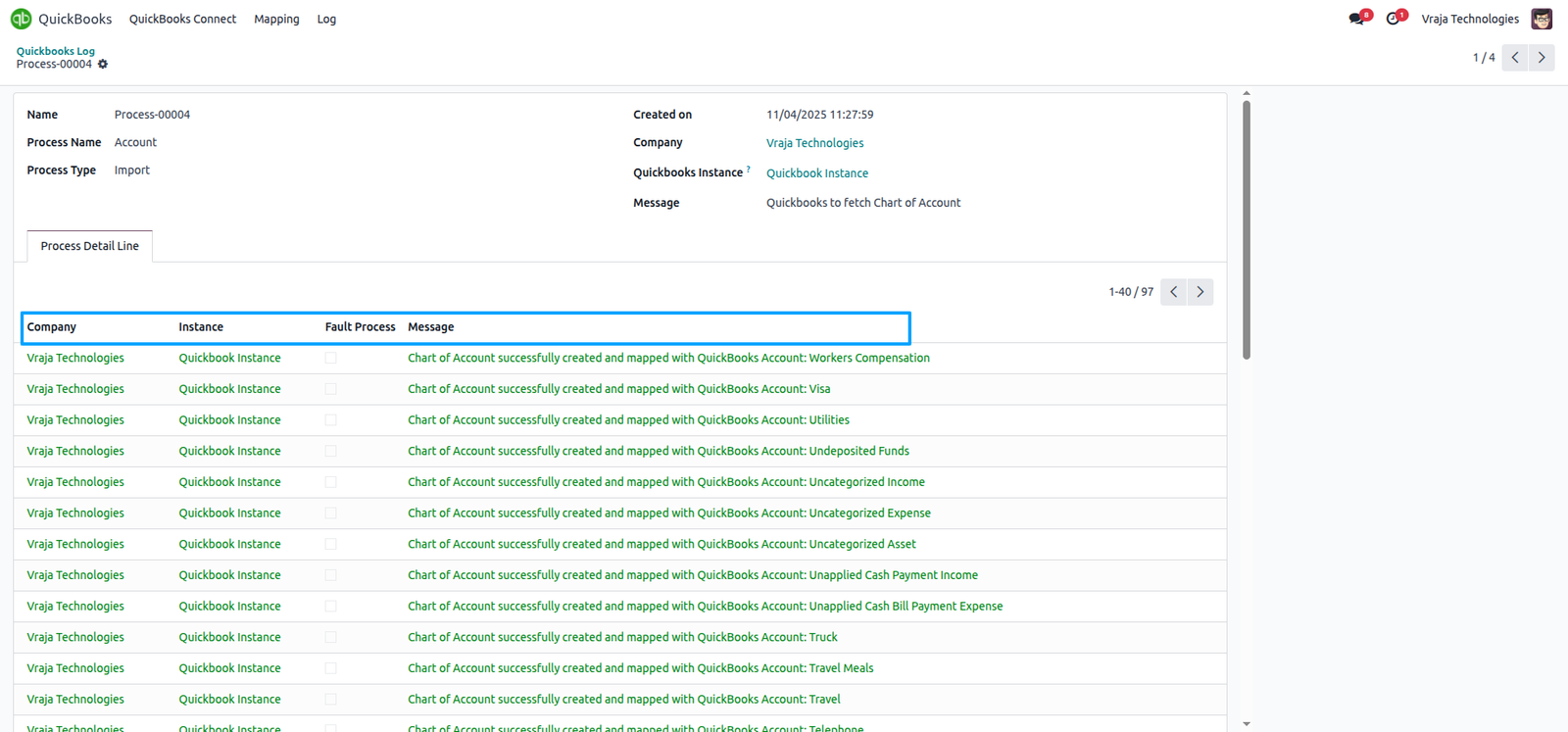
Each line in the logbook represents a single account import, providing detailed response data and status messages received from QuickBooks during the import process.
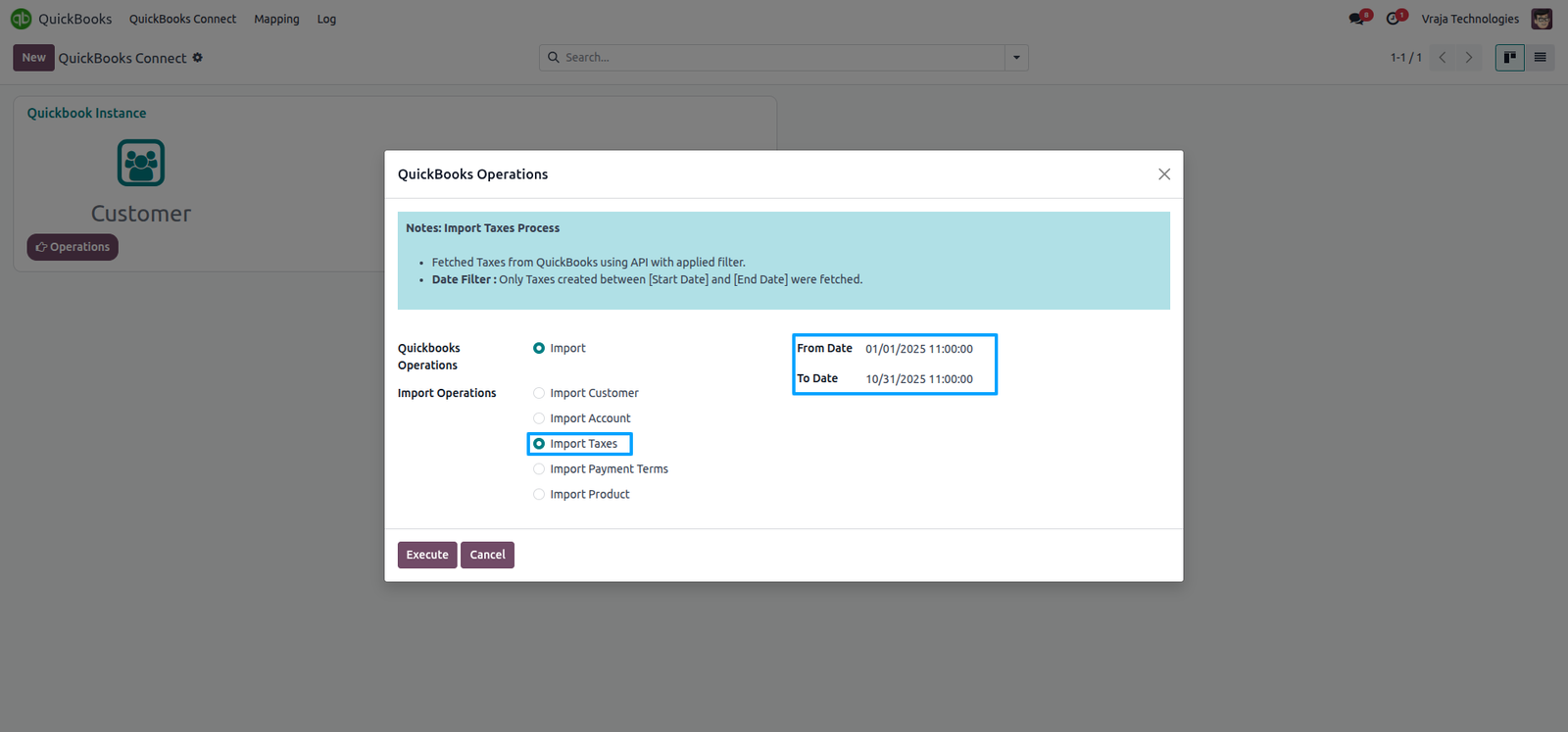
Import Taxes process
Import Taxes from QuickBooks to Odoo (you can import taxes by date range).
In the Mapping section, Taxes Mapping table displays the mapped taxes between QuickBooks and Odoo.
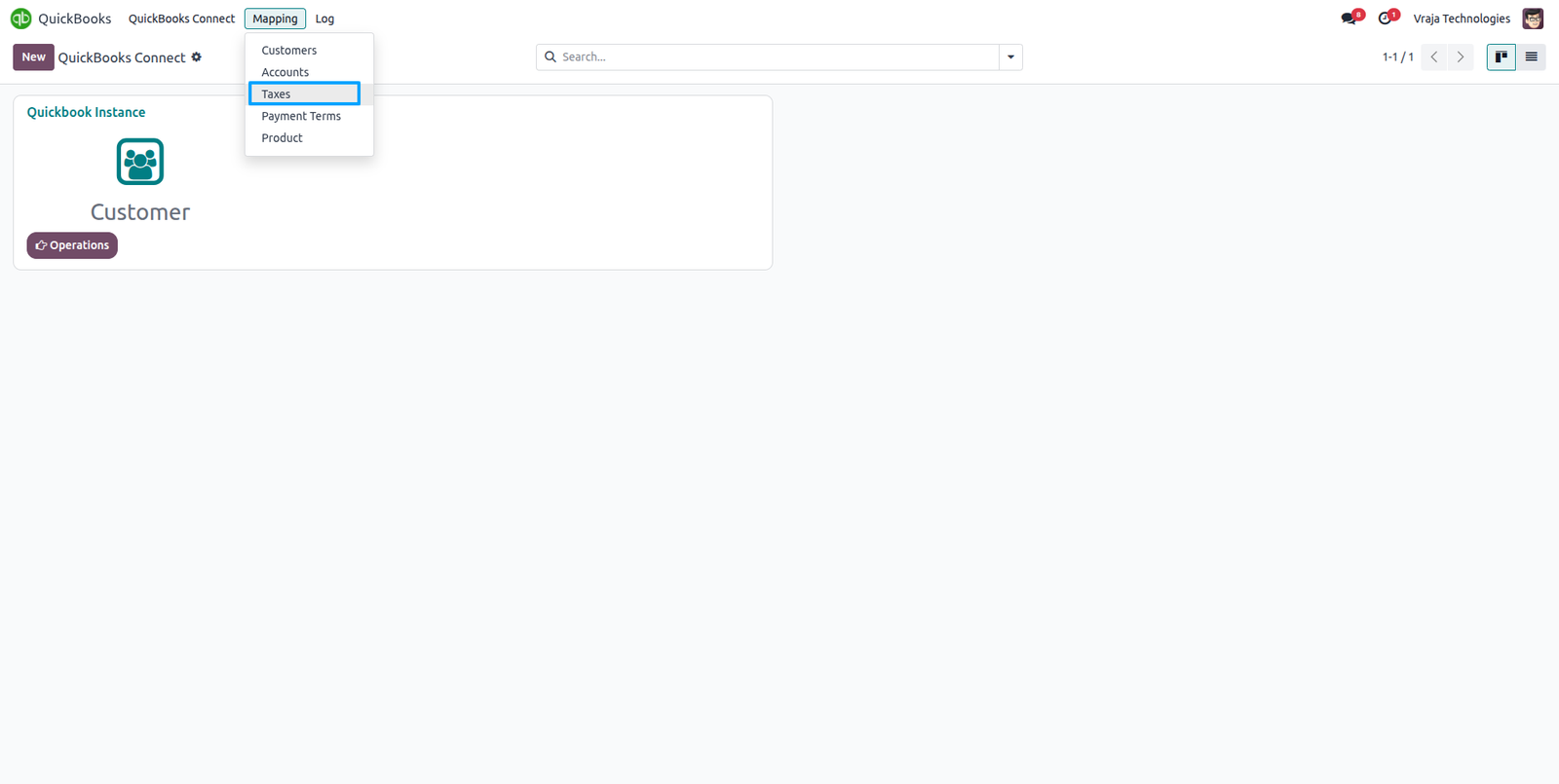
During the import process, the Taxes Mapping table is generated with data received from QuickBooks to Odoo.
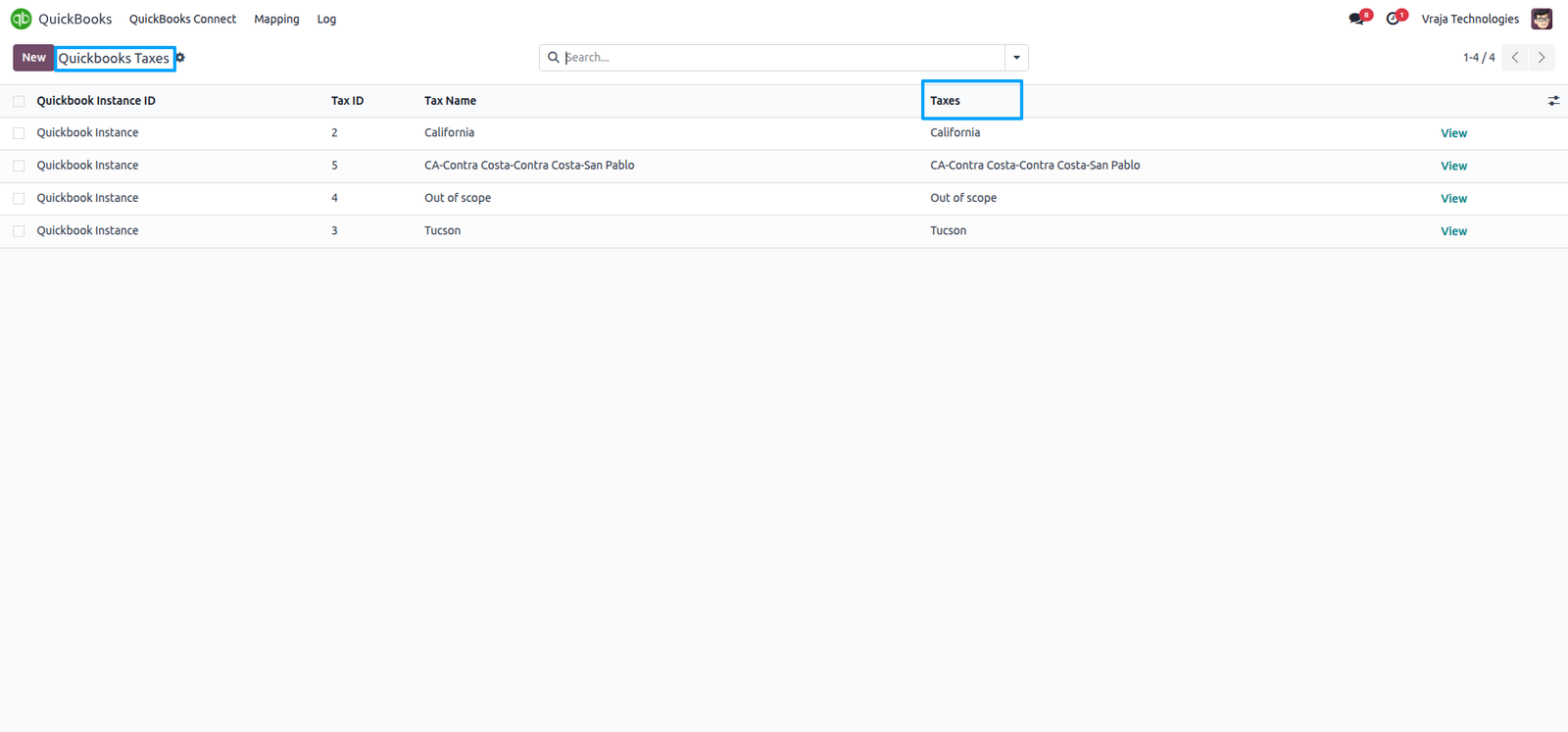
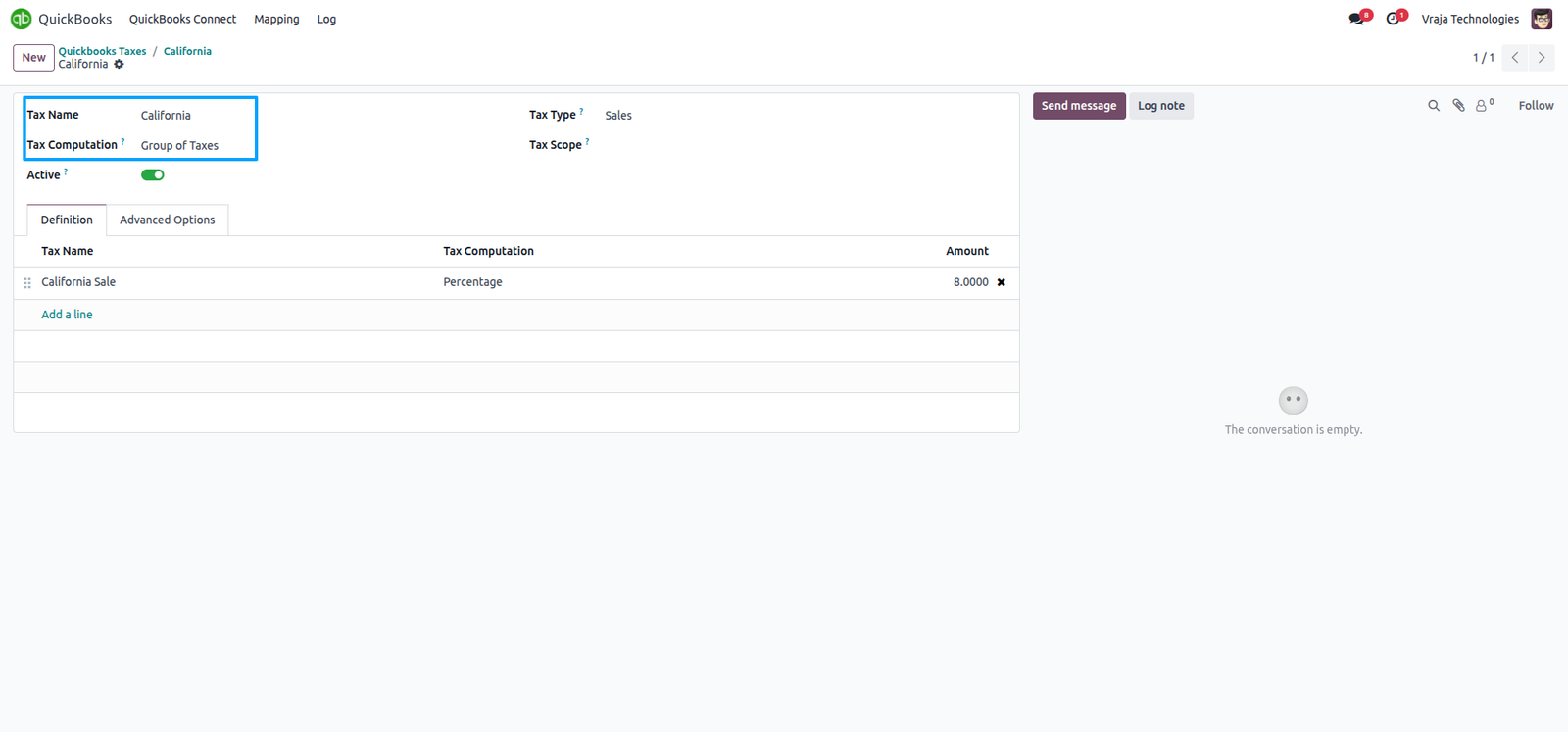
During the import process, this taxes was generated in Odoo based on data received from QuickBooks, ensuring synchronization between both platforms and creating the corresponding record in Odoo.
Import Payment Terms process
Import Payment Terms from QuickBooks to Odoo (you can import Payment Terms by date range).

In the Mapping section, Payment Terms Mapping table displays the mapped Payment Terms between QuickBooks and Odoo.
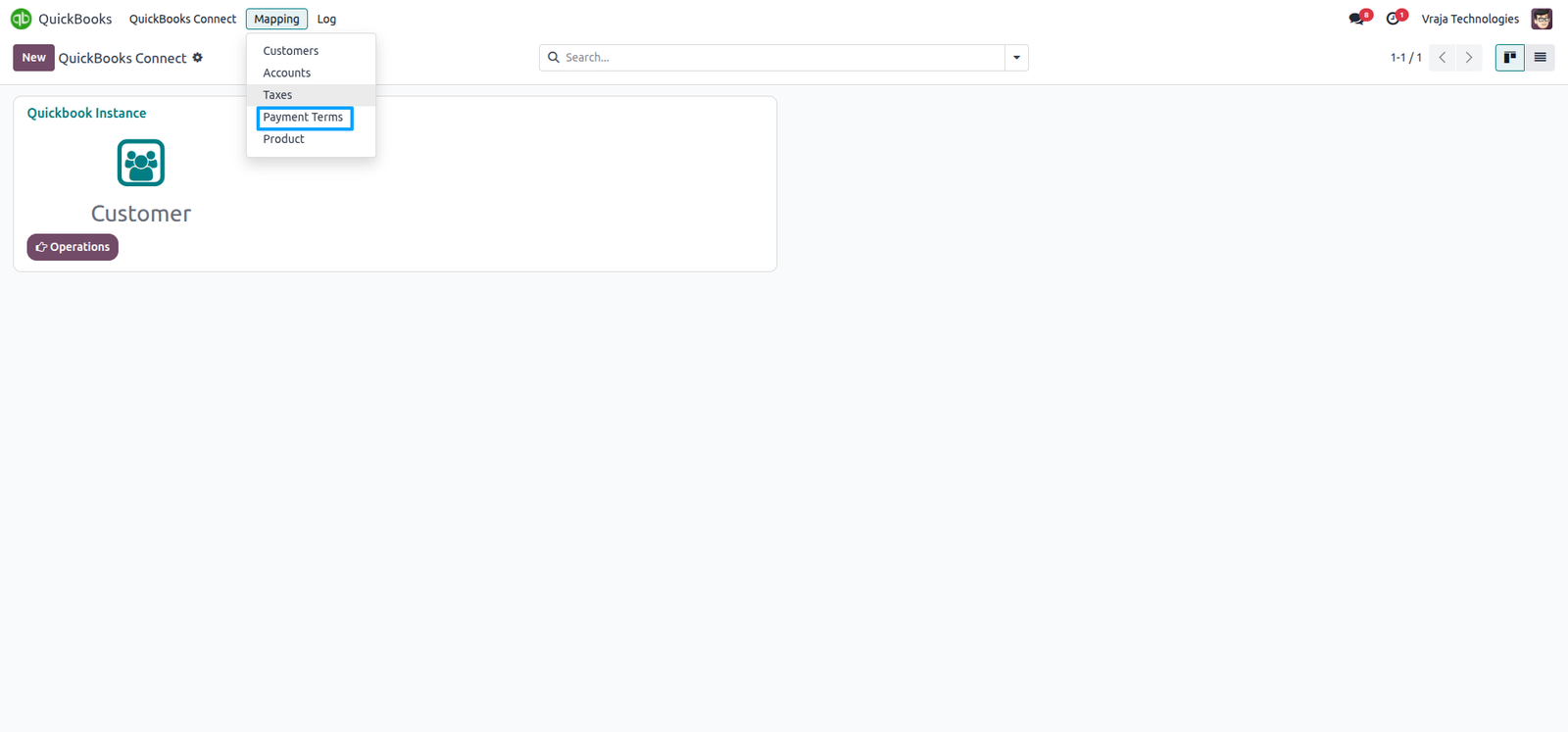
During the import process, the Payment Terms Mapping table is generated with data received from QuickBooks to Odoo.
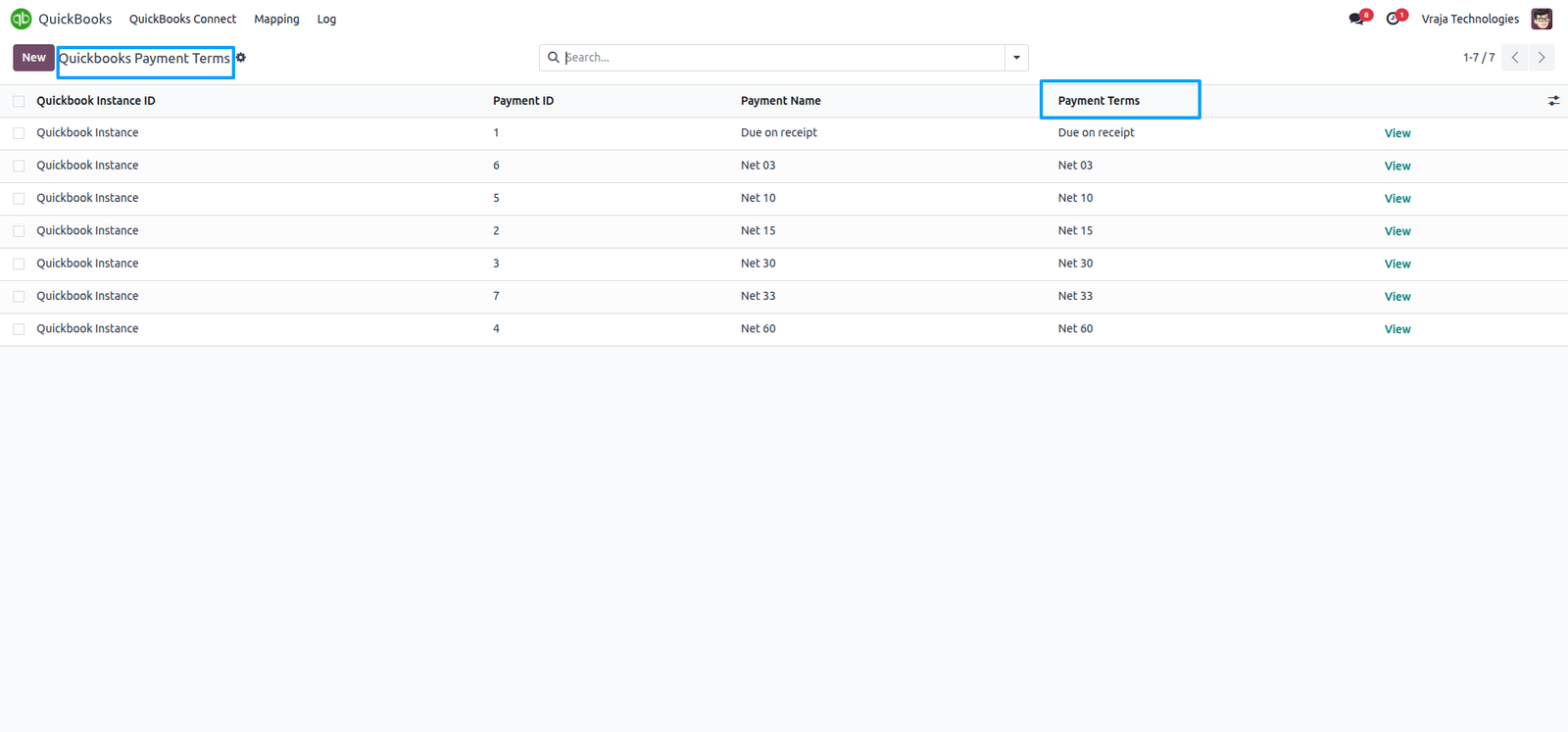
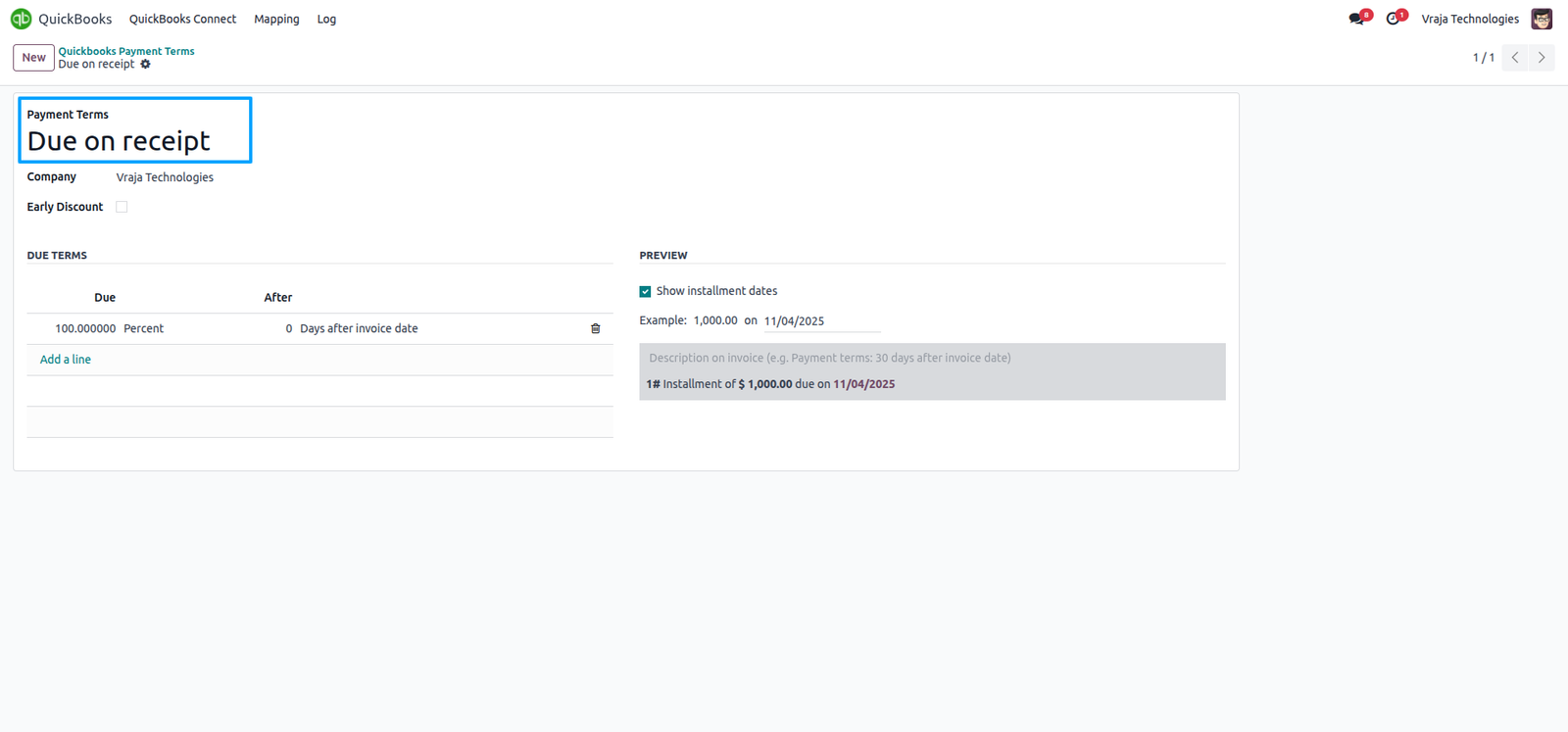
During the import process, this Payment Terms was generated in Odoo based on data received from QuickBooks, ensuring synchronization between both platforms and creating the corresponding record in Odoo.
Import Product process
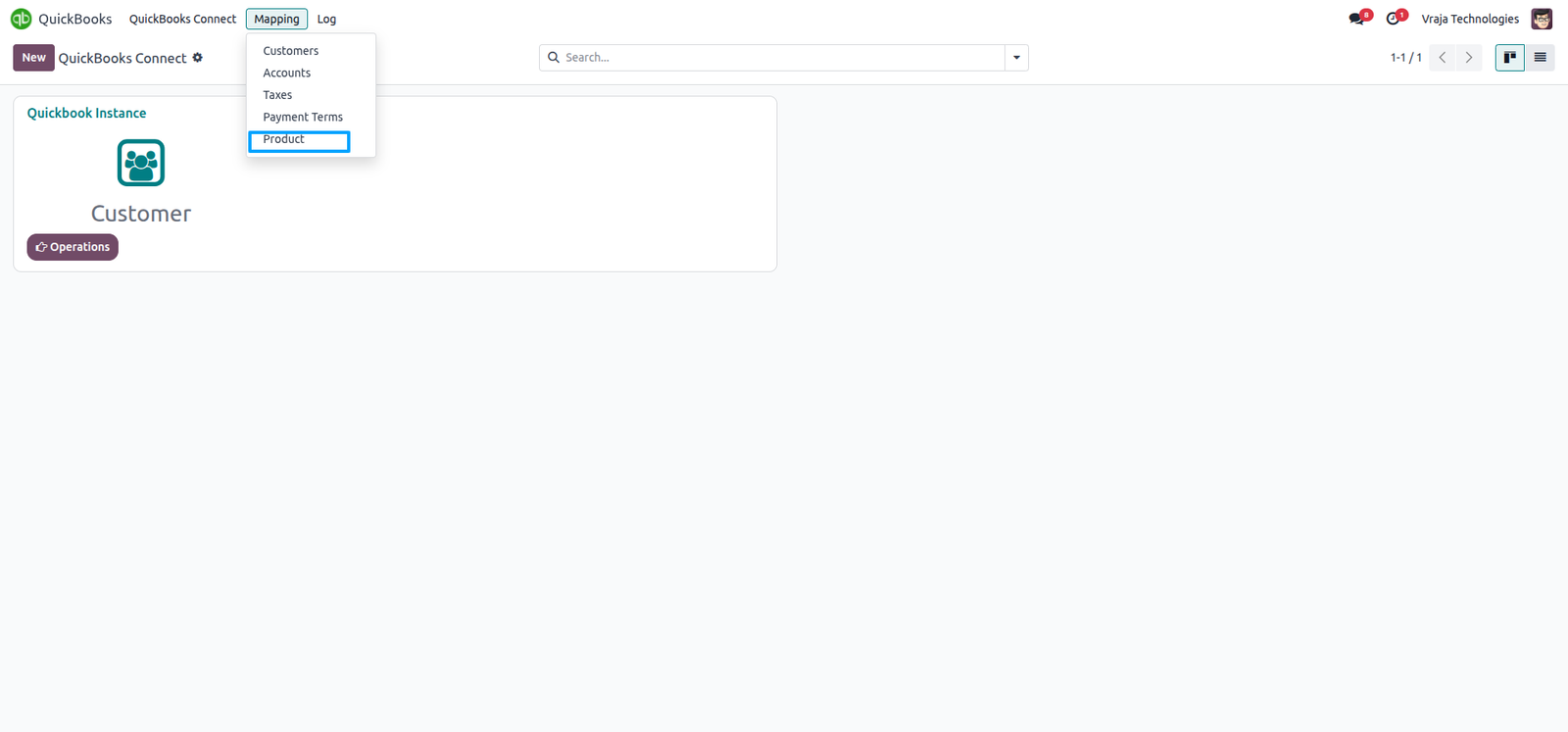
Import Product from QuickBooks to Odoo (you can import Product by date range).

In the Mapping section, Product Mapping table displays the mapped Product between QuickBooks and Odoo.
During the import process, if a product from QuickBooks is not mapped with any Odoo product, you can manually select and map the corresponding Odoo product.
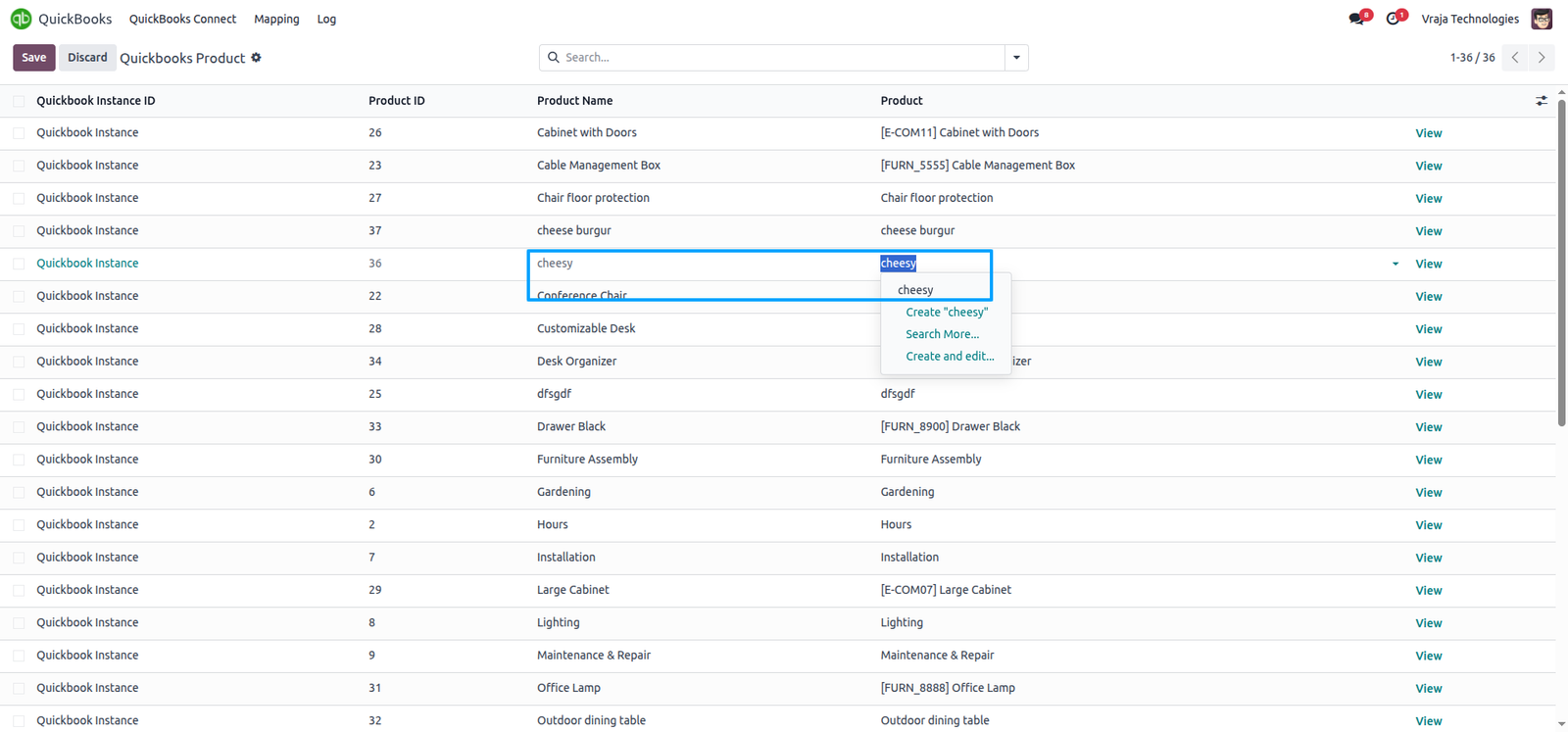
During the import process, the Product Mapping table is generated with data received from QuickBooks to Odoo.

During the import process, this Product was generated in Odoo based on data received from QuickBooks, ensuring synchronization between both platforms and creating the corresponding record in Odoo.
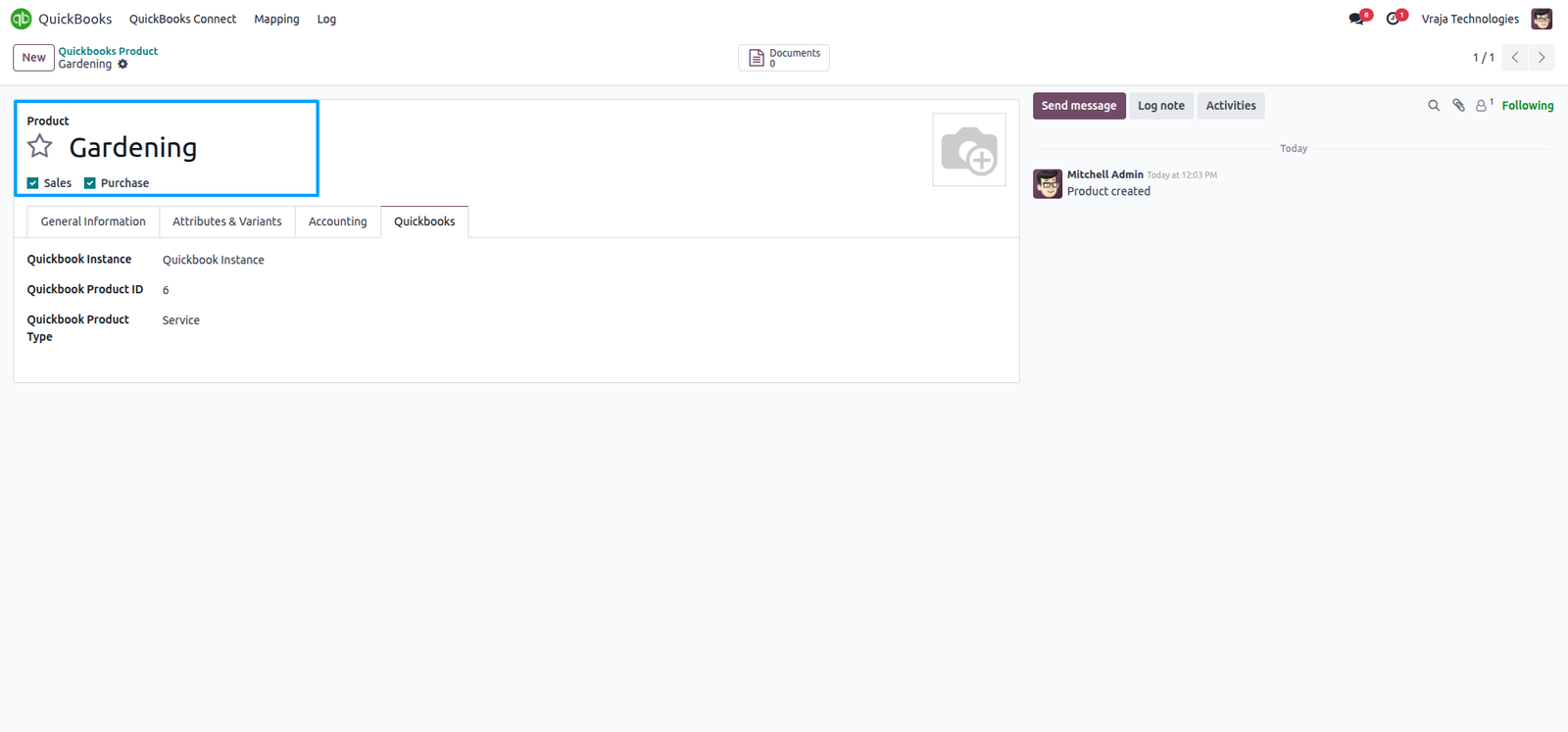
Export Customer & Vendor process
Export customer records from Odoo to QuickBooks to keep your accounting system updated with the latest customer information.
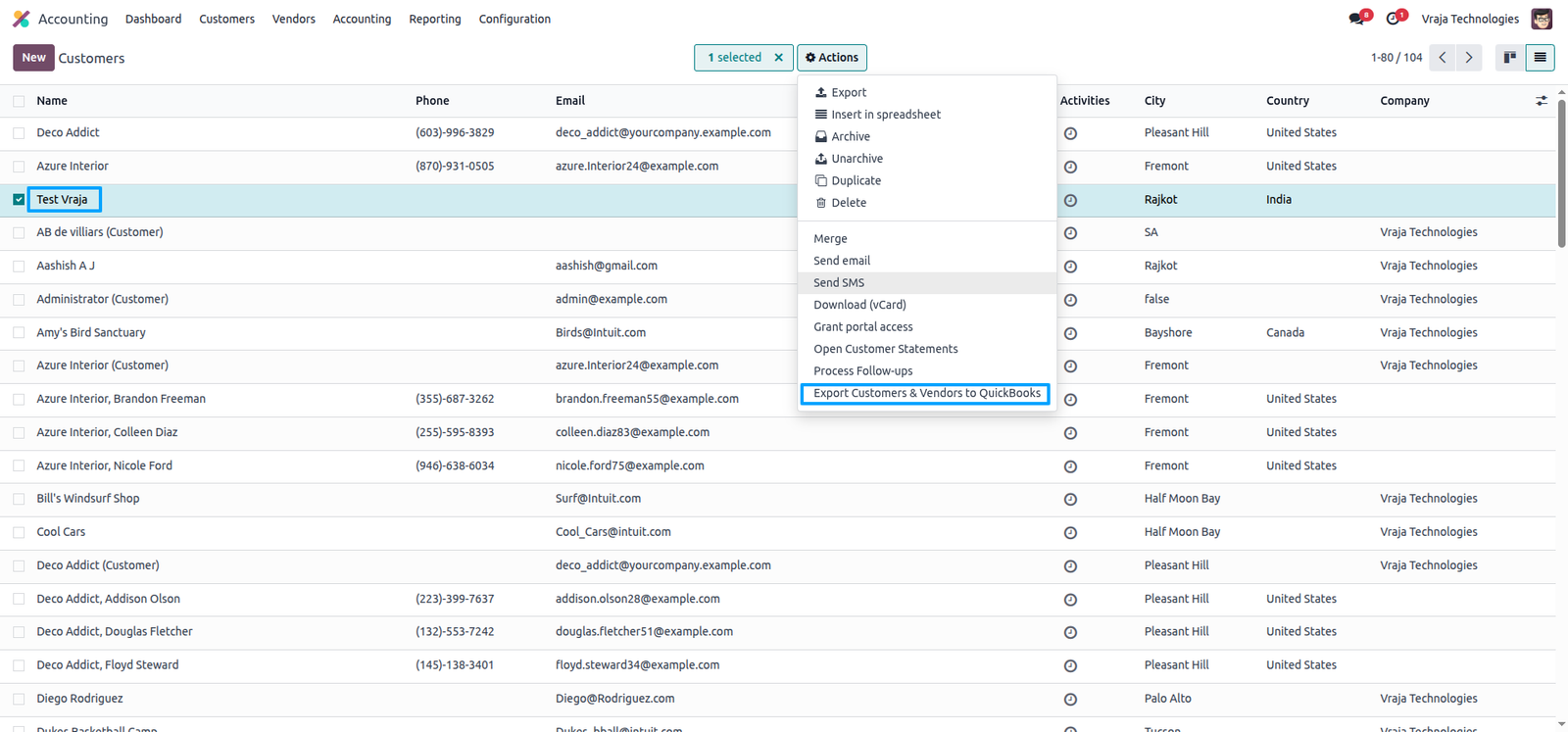
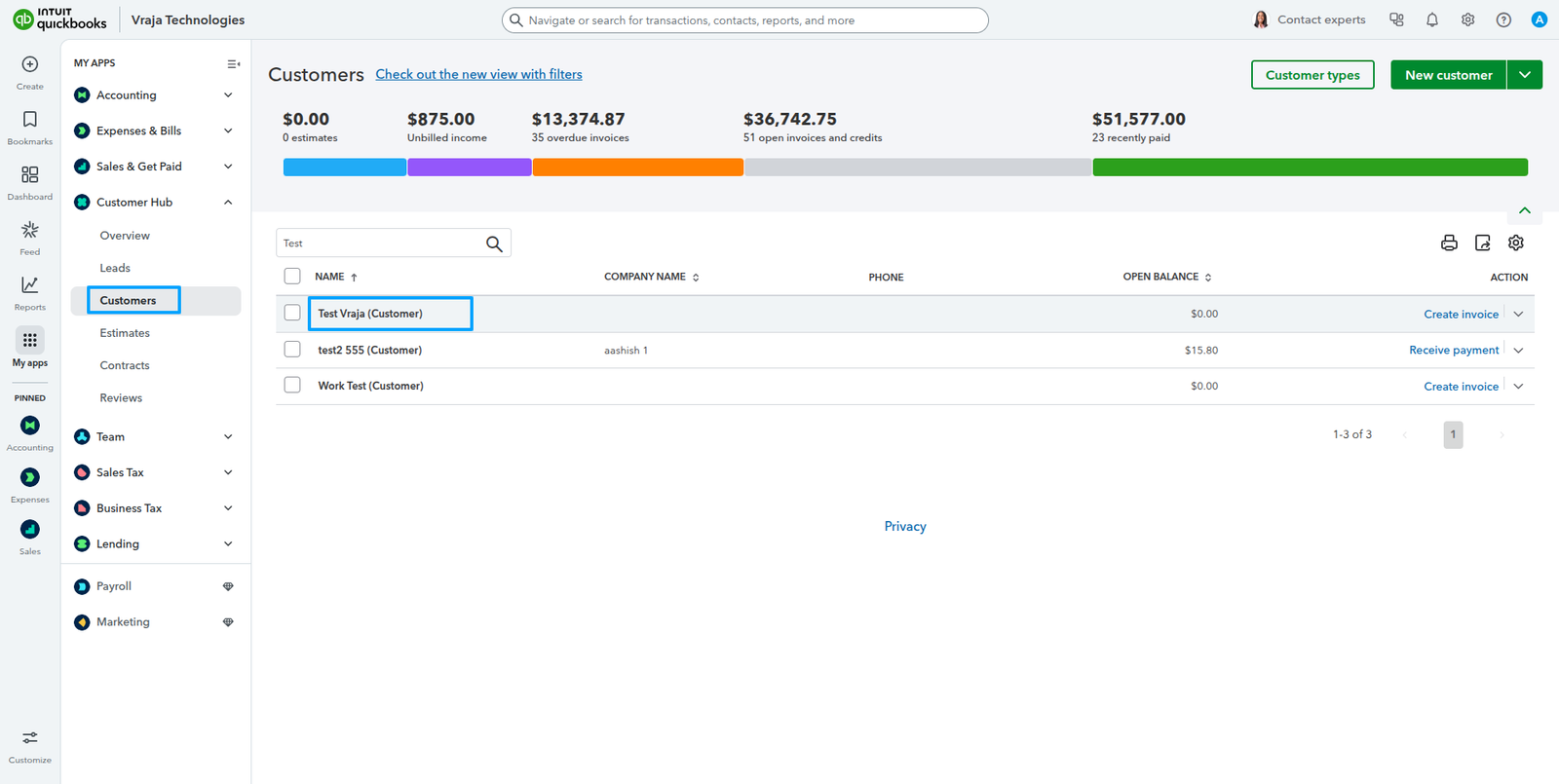
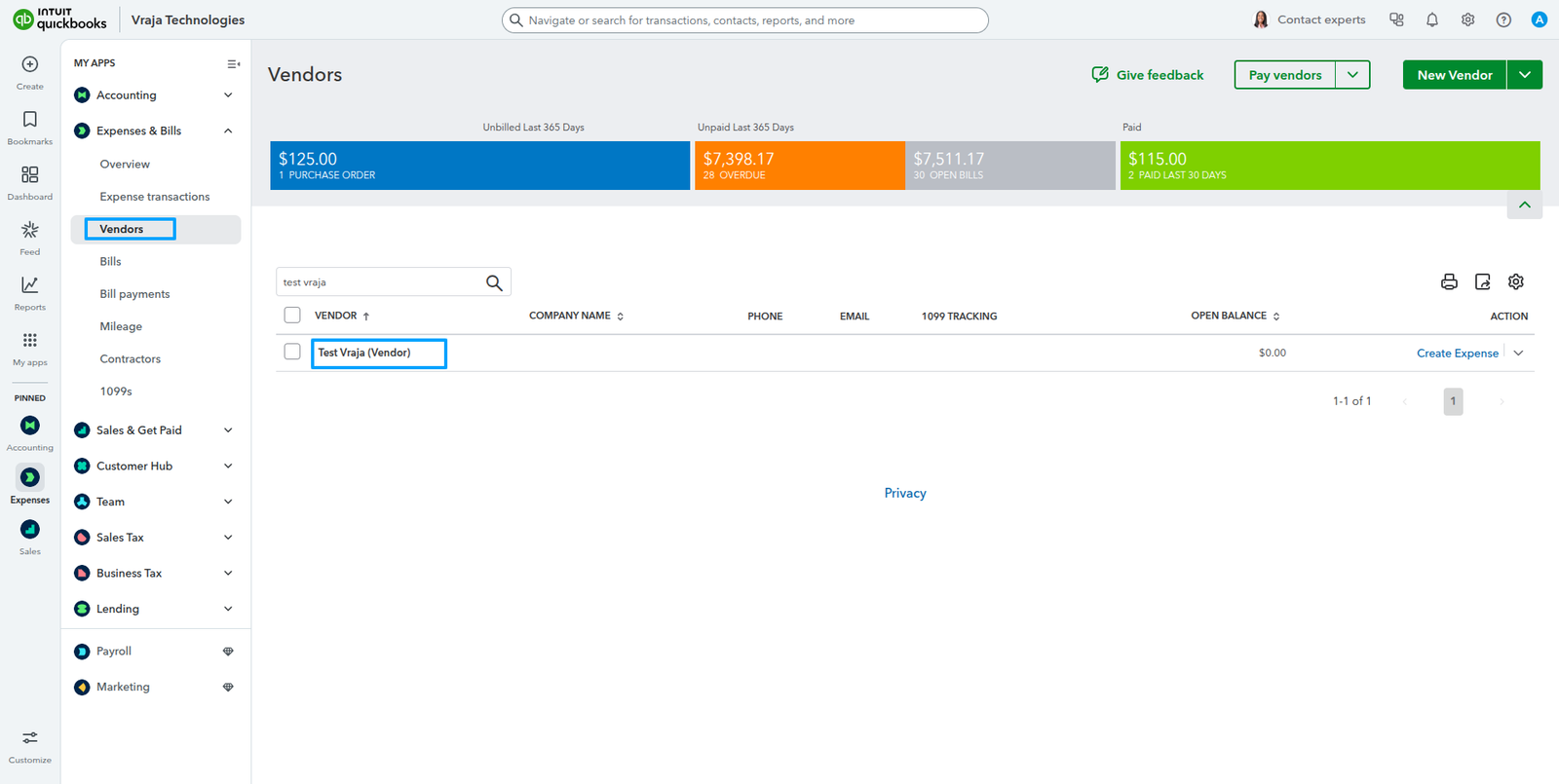
When exporting a customer, if that Odoo customer has any vendor bills created, the customer will also be created as a vendor in QuickBooks.
Export Invoice/Bill process
Export invoices from Odoo to QuickBooks to ensure your accounting system stays up to date with the latest billing and payment information.
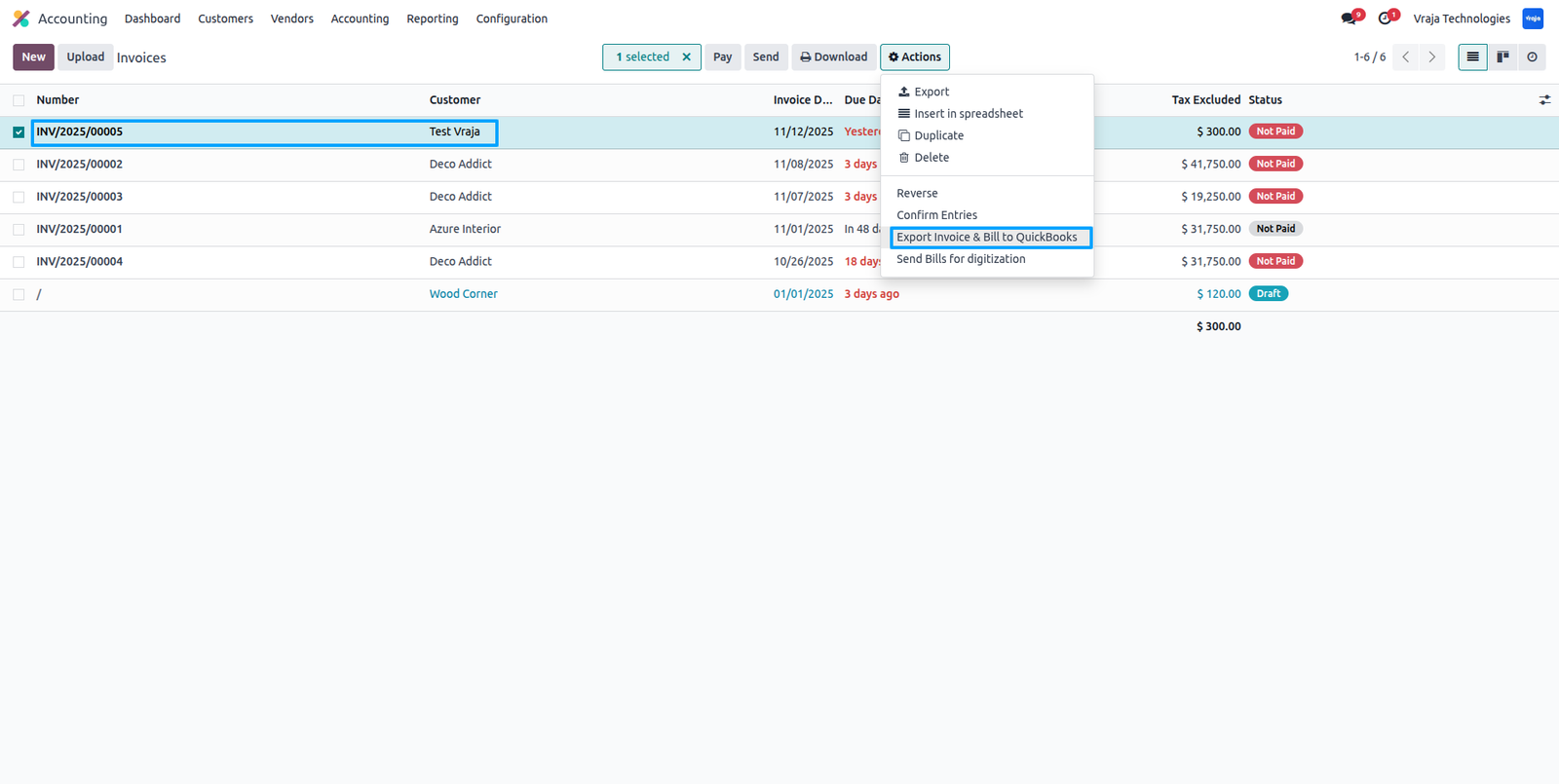
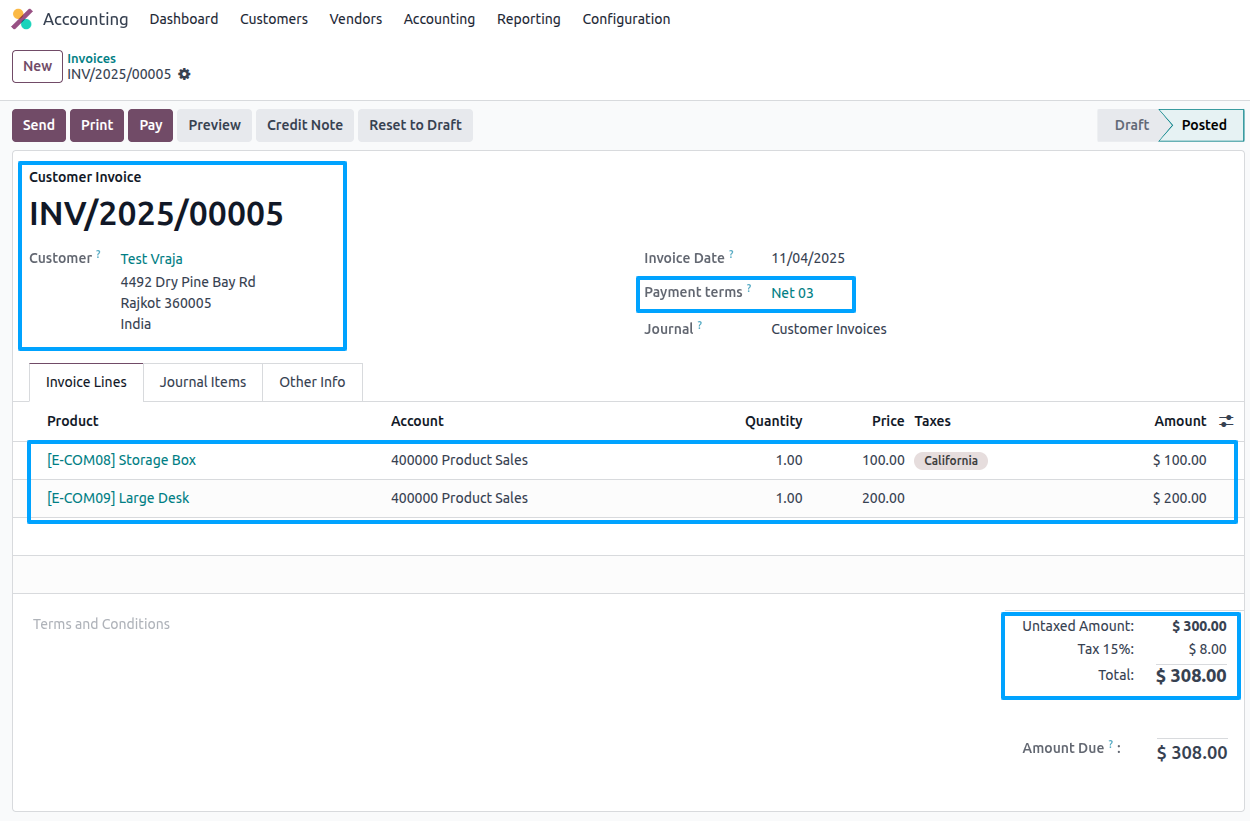
This QuickBooks invoice has been exported from Odoo, with all taxes and amounts accurately matched.

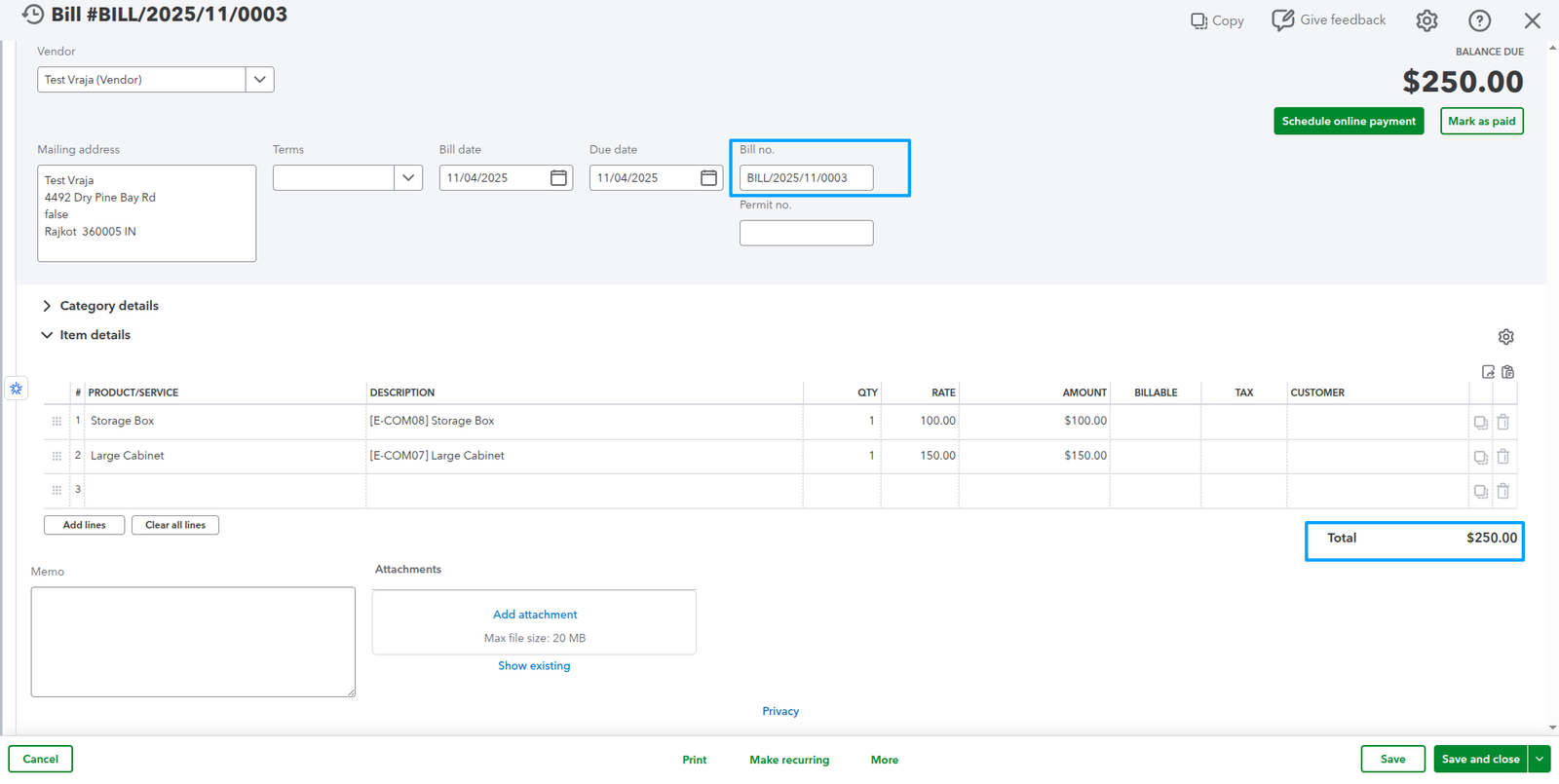
Export vendor bills from Odoo to QuickBooks to ensure your accounting system stays up to date with the latest expense and payment information.
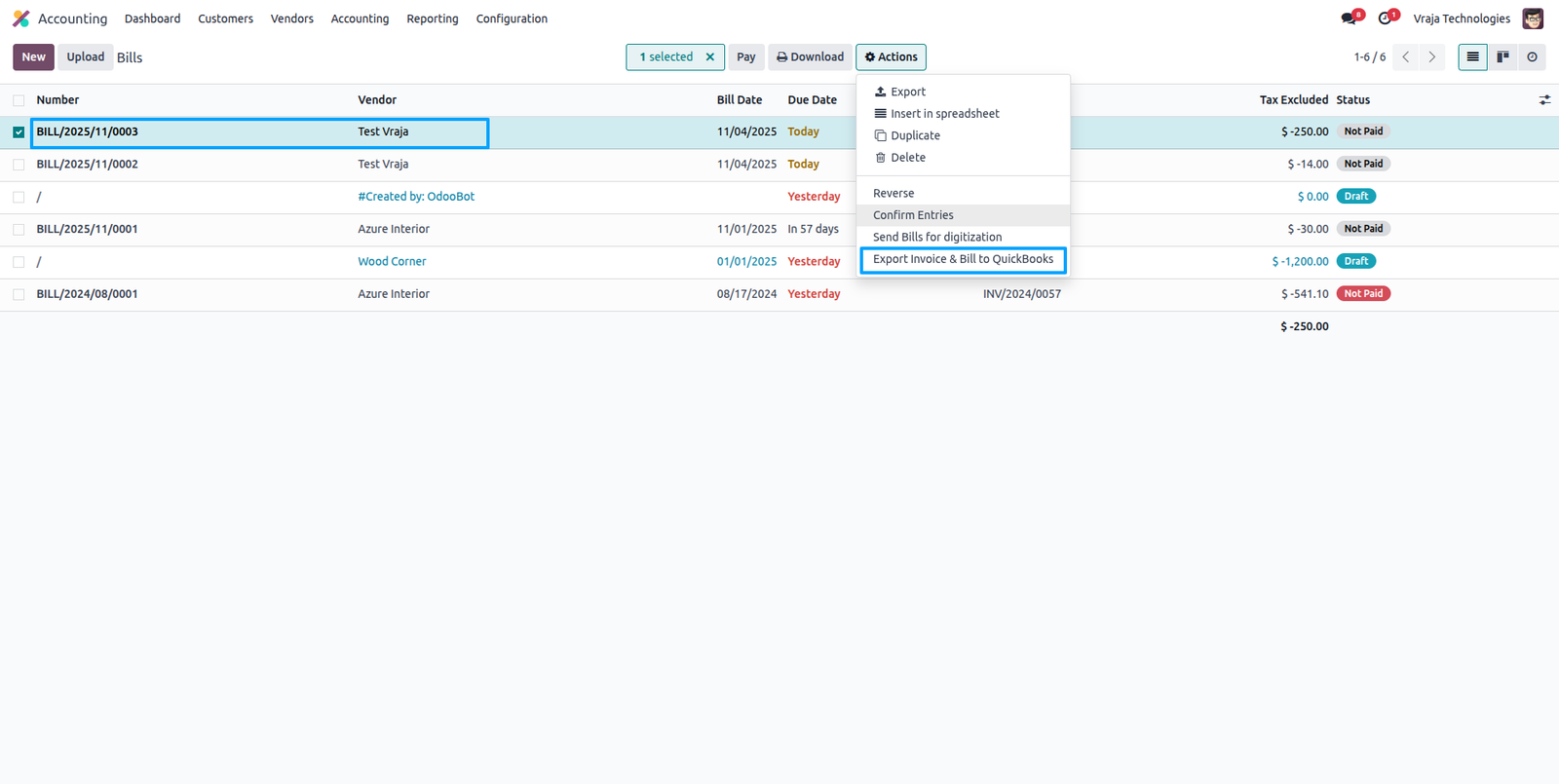

This QuickBooks vendor bill has been exported from Odoo. All amounts have been accurately matched to ensure consistency.
Export Customer Payment Process
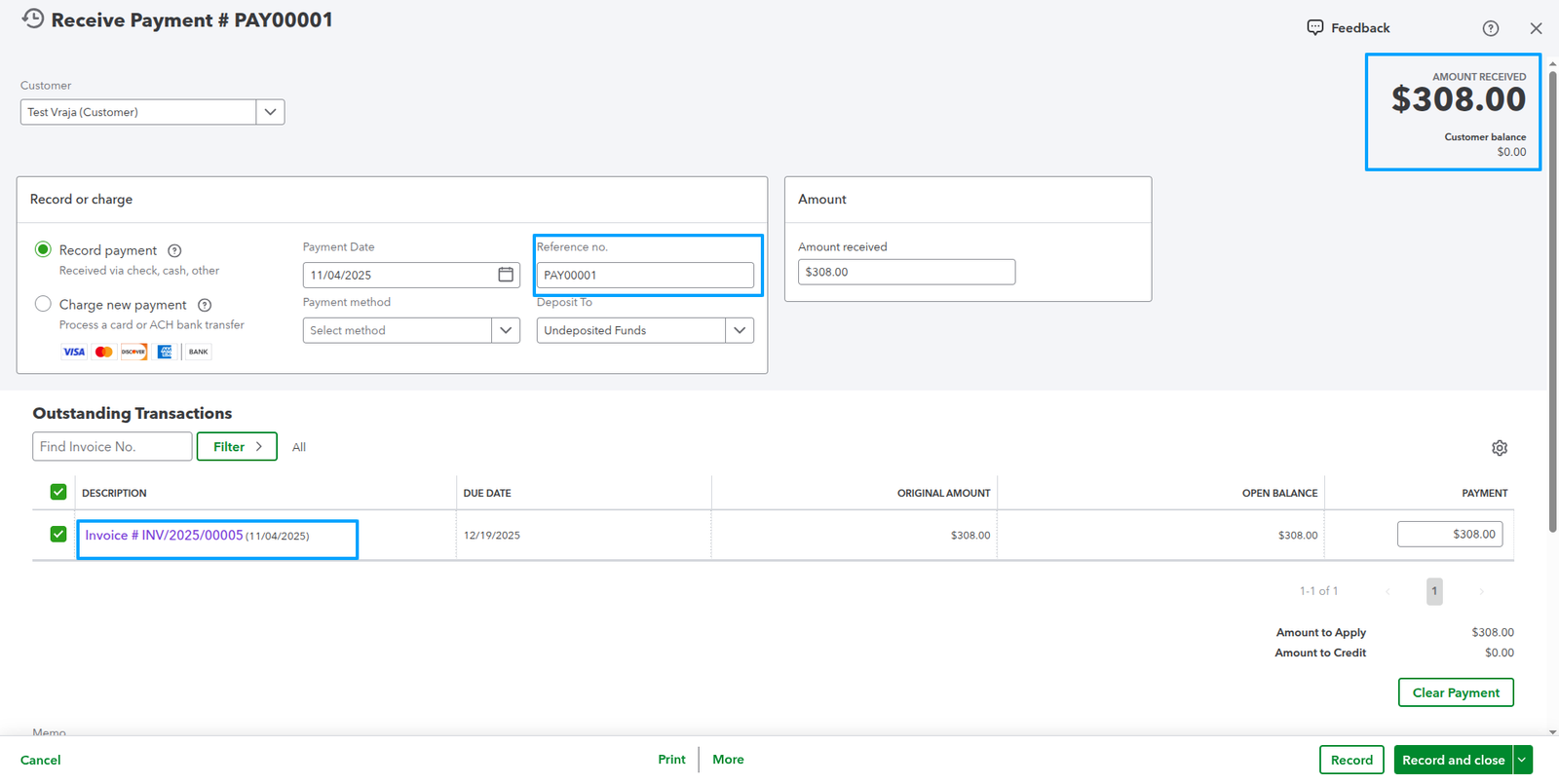
Export customer payments linked to invoices from Odoo to QuickBooks to ensure your payment records accurately match the corresponding invoice details.
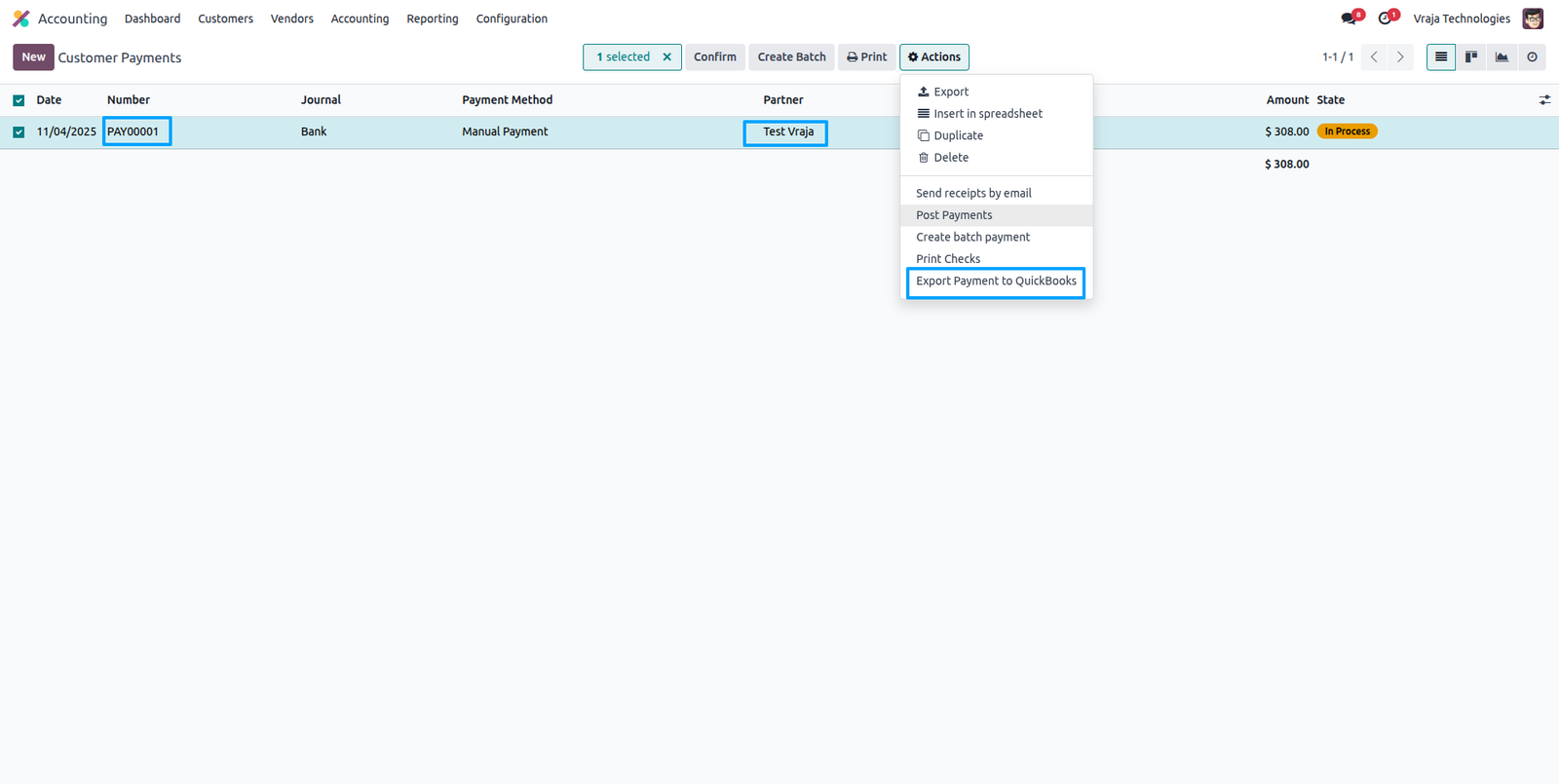

This QuickBooks customer payment has been exported from Odoo, with all amounts accurately matched to the related invoices.
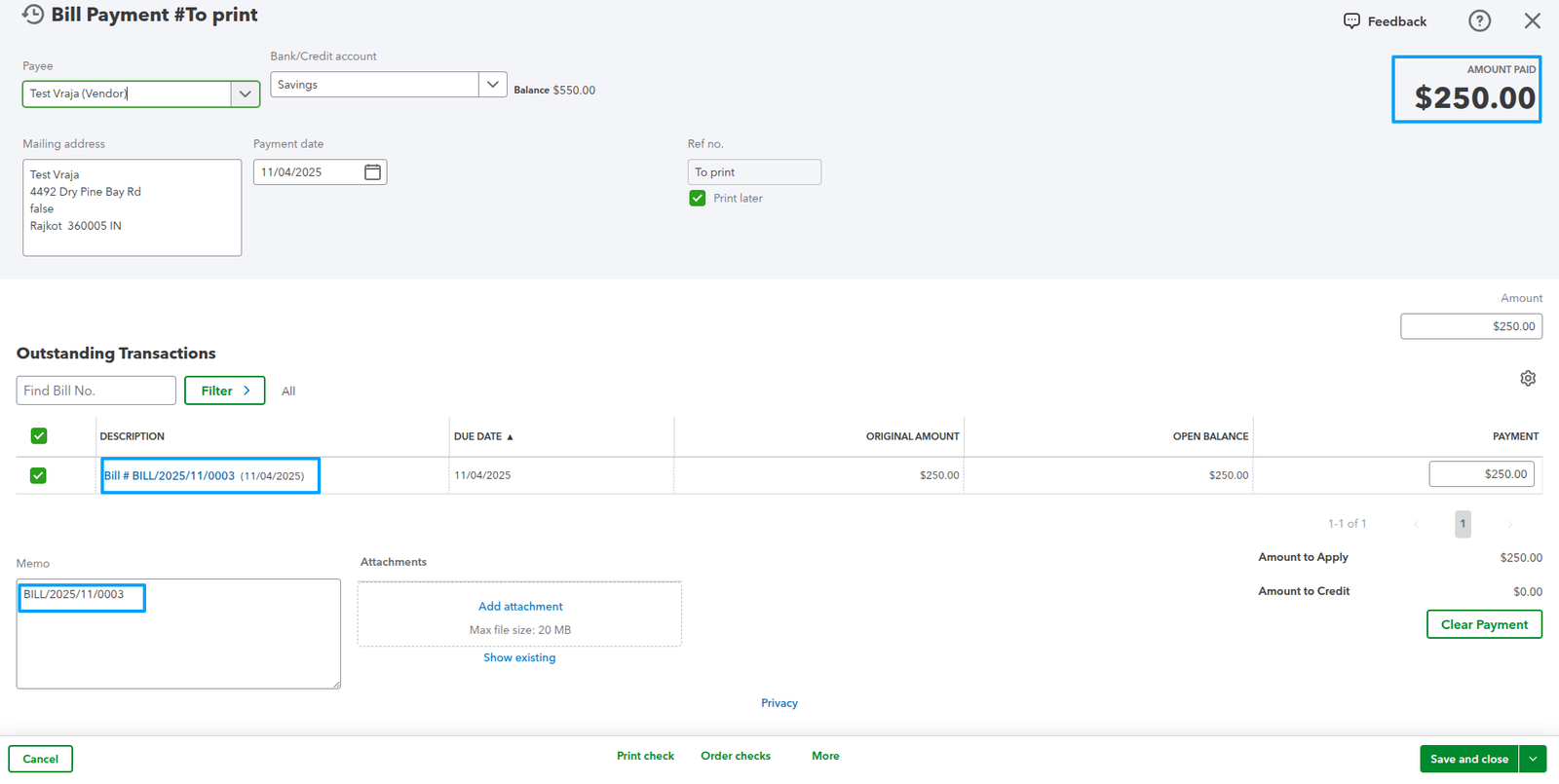
Export Bill payments linked to bills from Odoo to QuickBooks to ensure your payment records accurately match the corresponding invoice details.
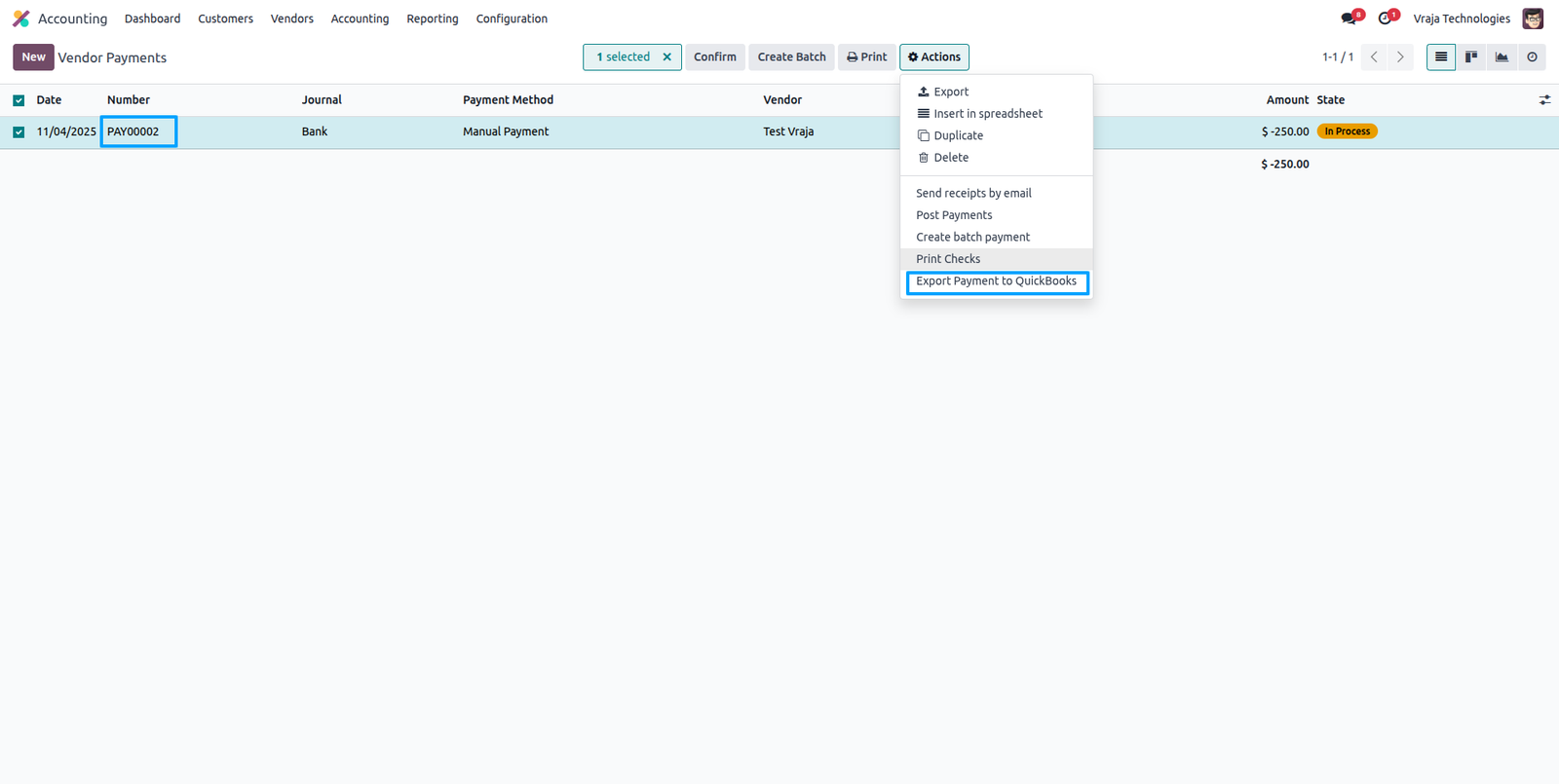
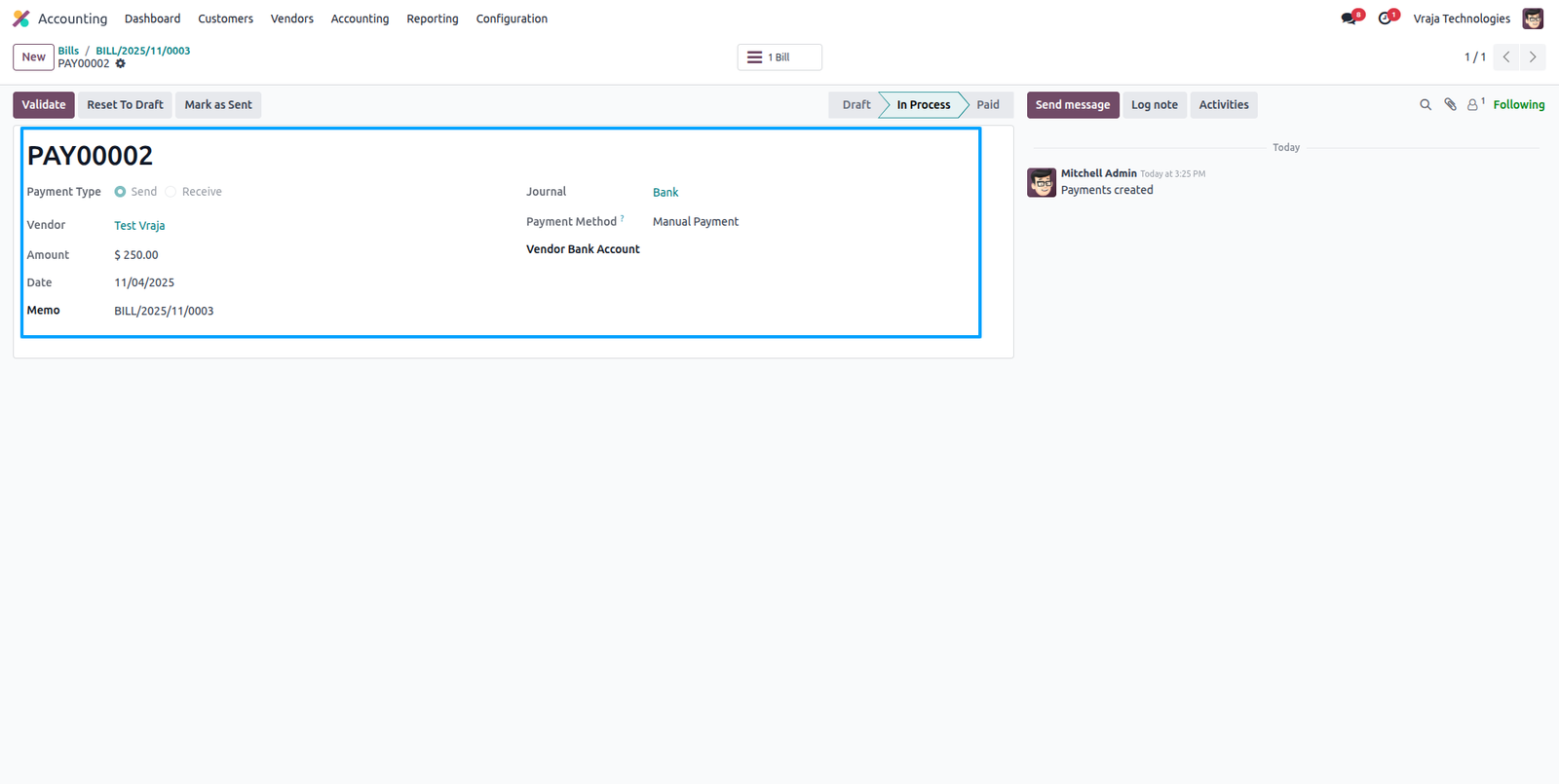
QuickBooks bill payment has been exported from Odoo. All amounts have been accurately matched to ensure consistency with the related bills.
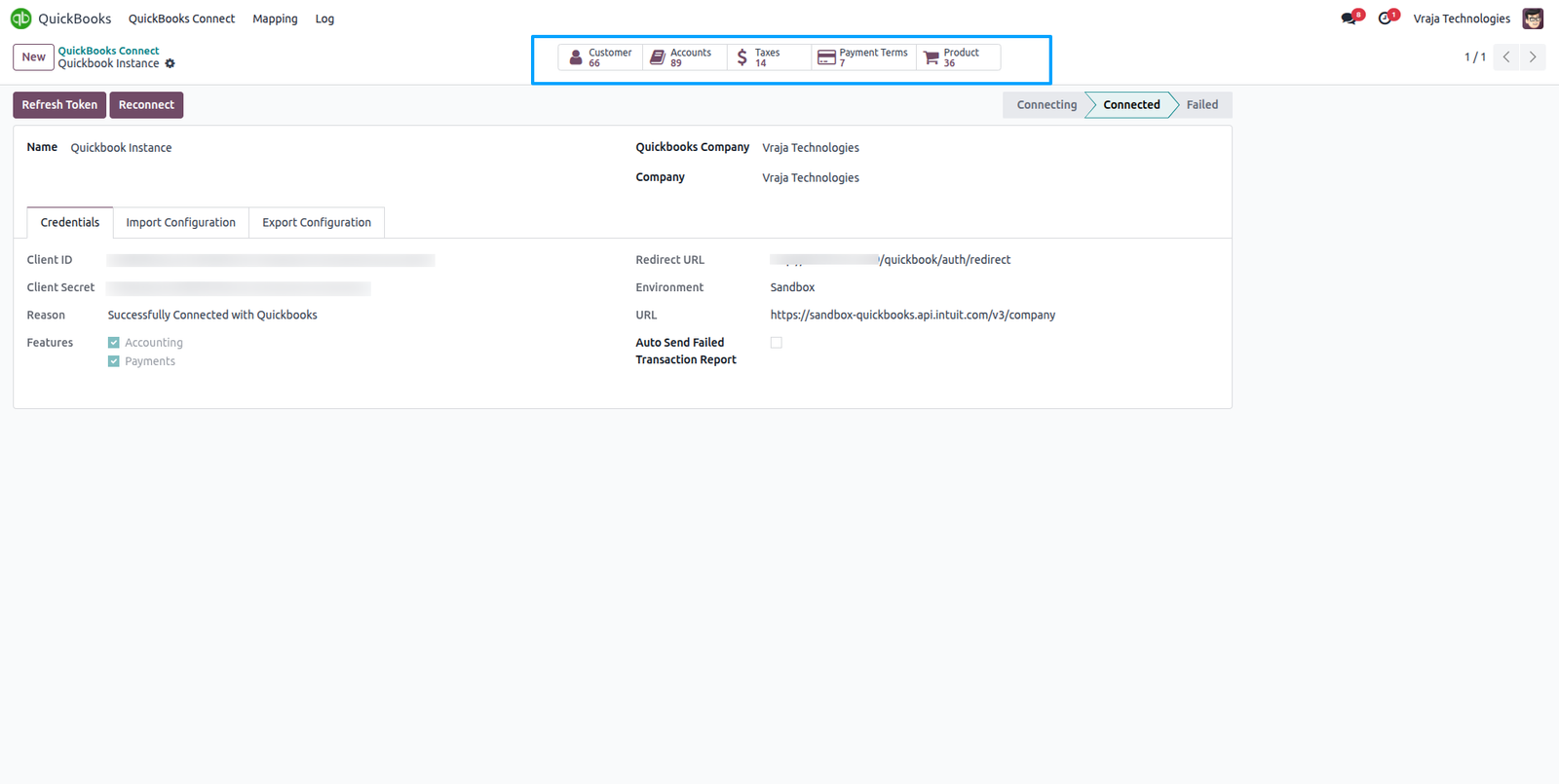
QuickBooks instance includes a smart button linked to the QuickBooks customer, allowing you to view related customer details, accounts, taxes, payment terms, and products.
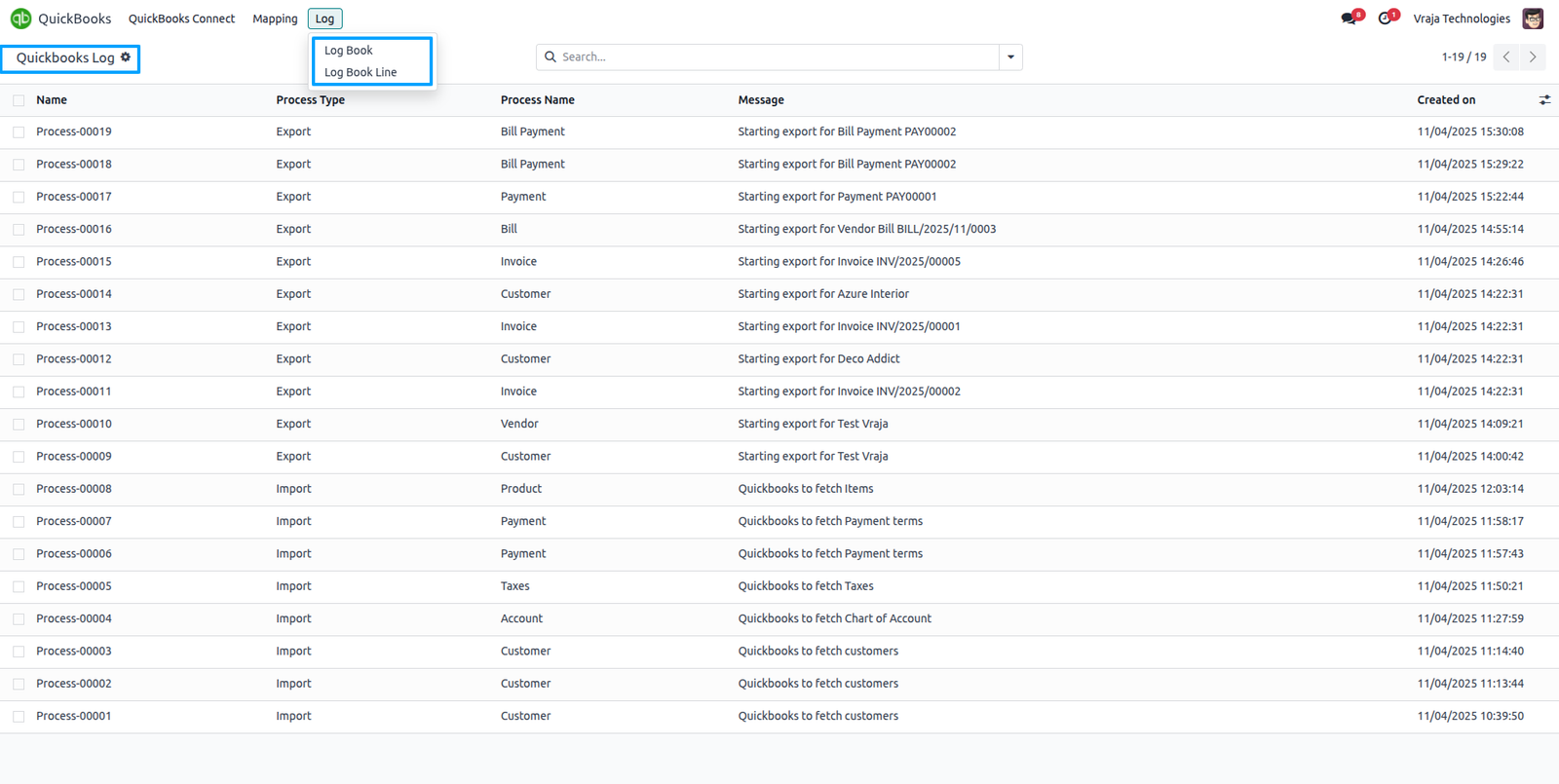
QuickBooks includes a logger to track all import and export records between Odoo and QuickBooks. Each record’s details can be opened and reviewed directly within this logbook.
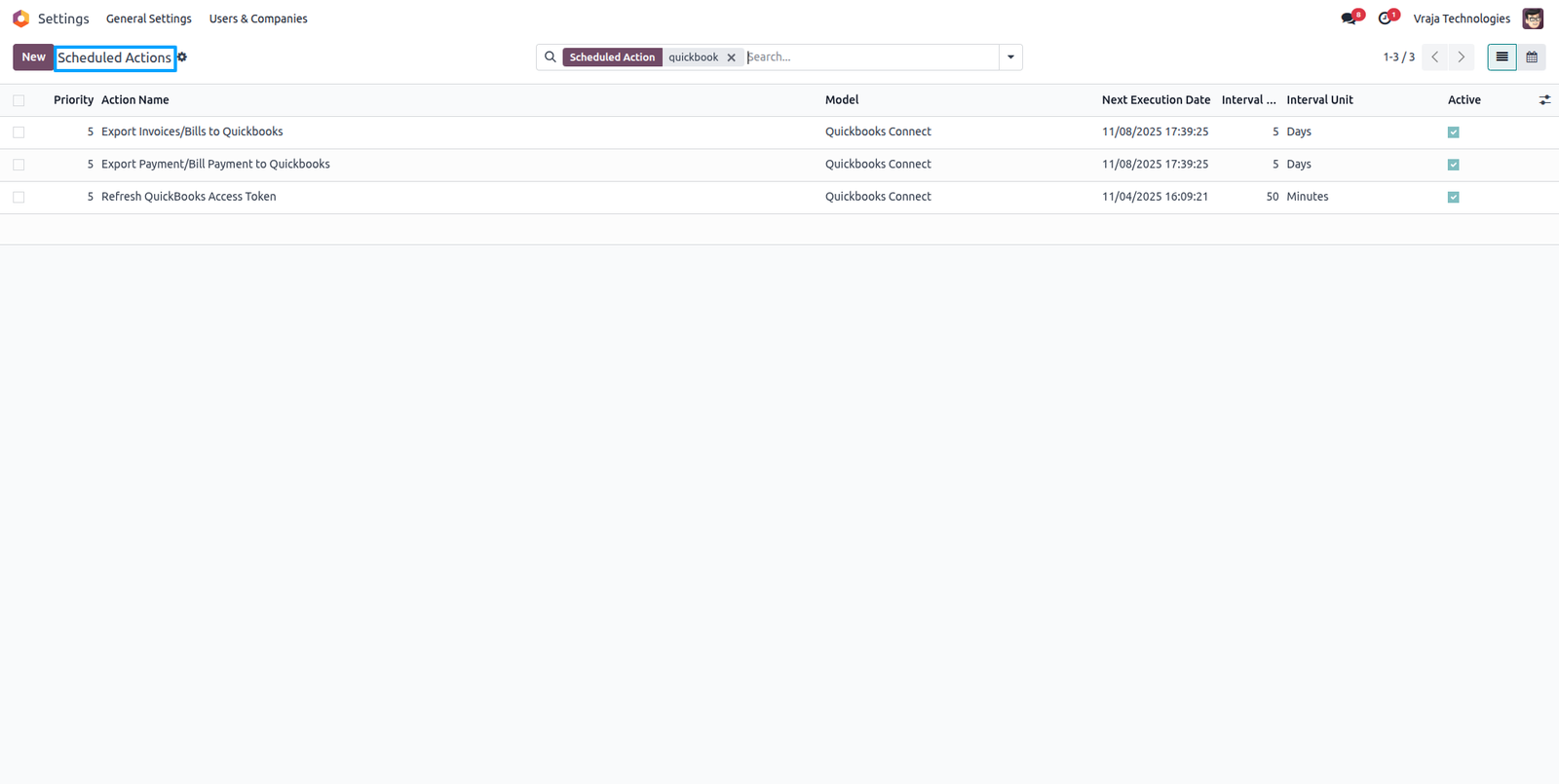
QuickBooks includes an automated action that executes based on the export configuration. It automatically exports data and refreshes the token when it expires.
 Does the application support both QuickBooks Online and QuickBooks Desktop?
- This application is designed specifically for QuickBooks Online. QuickBooks Desktop is not supported in this version.
Can I manage multiple QuickBooks instances (companies)?
- Yes, you can manage and sync multiple QuickBooks Online instances from Odoo. Each instance can be configured with its own credentials, settings, and synchronization preferences.
What type of data can I import from QuickBooks to Odoo?
- You can import the following records from QuickBooks to Odoo:
- Customers
- Payment Terms
- Taxes
- Chart of Accounts
- Products
- During import, you’ll have an option to create records in Odoo if they don’t already exist or skip them as per your configuration.
What type of data can I export from Odoo to QuickBooks?
- You can export the following data from Odoo to QuickBooks:
- Customers
- Vendors
- Products
- Customer Invoices / Vendor Bills
- Customer Payments / Vendor Payments
Does the integration handle updates for invoices or payments?
- Yes. Any updates made to Invoices / Vendor Bills or Payments in Odoo can be synced to QuickBooks to keep both systems in sync.
Are there scheduled actions (cron jobs) for automatic synchronization?
- Yes.
- The app includes three automatic scheduled actions (cron jobs):
- Token Refresh Cron – Automatically refreshes QuickBooks API tokens to maintain authentication.
- Invoice/Bill Export Cron – Automatically exports Odoo invoices and vendor bills based on the instance’s date filter.
- Payment Export Cron – Automatically exports Odoo customer/vendor payments using the instance’s date range.
- You can also run these operations manually at any time.
Can I control what gets created automatically in Odoo?
- Yes. During import, you can choose whether to automatically create missing records (like customers, products, etc.) or skip them if not found. This option can be configured per instance.
How are taxes and chart of accounts handled?
- Taxes and chart of accounts are imported directly from QuickBooks.
- The app ensures correct linking of tax codes and accounts between Odoo and QuickBooks to maintain financial consistency.
The app ensures correct linking of tax codes and accounts between Odoo and QuickBooks to maintain financial consistency.
- Yes, you can perform manual sync operations for all import and export functionalities directly from the instance dashboard in Odoo.
Submit a Support Ticket
If you encounter any issues while using our app that are caused by the app itself, we offer complimentary support for 90 days from the date of purchase.
To create a support ticket, please register via the Vraja Technologies Support Email and provide the necessary details so we can assist you in resolving the issue.

Email Us
support@vrajatechnologies.com

 1.png)
Contact Us
vrajatechnologies.com/contactus

Support
vrajatechnologies.com/support-policy
Vraja Technologies Services

Odoo Implementation

Odoo App Integration Services

Odoo Customization

Odoo Consultation

Odoo Support & Maintenance

Odoo Developer Outsourcing
Suggested Application




Reviews
There are no reviews yet.