
Description
.png)
 Enterprise Community Odoo.sh
Package Calculation
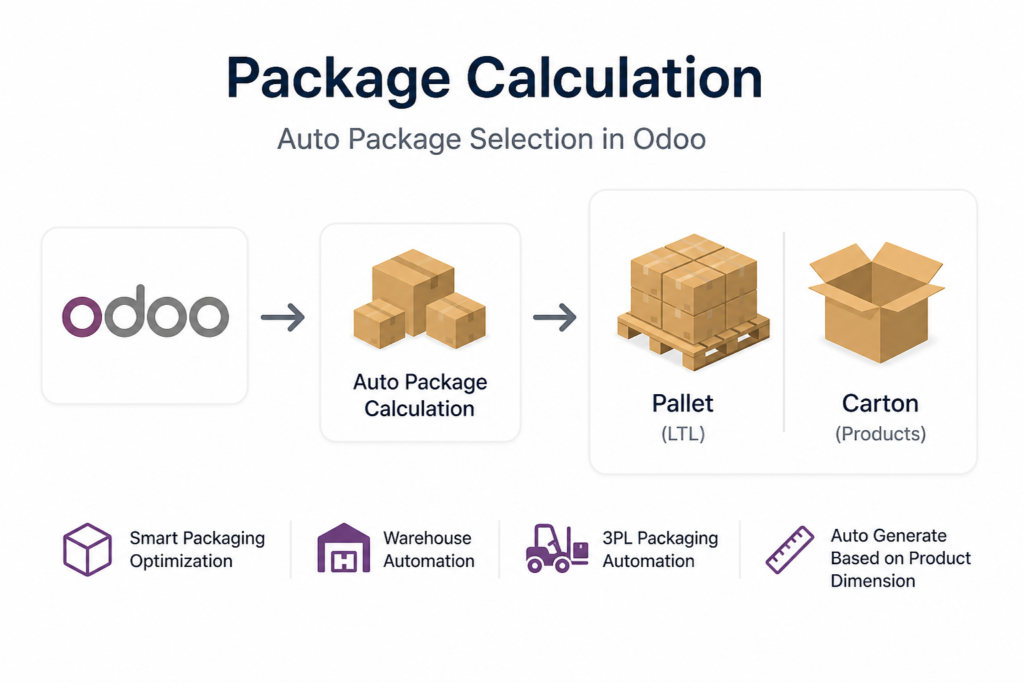
The workflow begins with precise setup: every product is assigned its physical dimensions (with oversized items flagged as “big products”), and every packaging option is defined with its own size, weight limits and maximum quantity it can hold. When a sales order is placed and shipping rates are requested from a third‑party carrier, the module automatically selects the nearest‑fit package for each item by comparing its dimensions and weight to the predefined package types, grouping standard items into the smallest suitable box and assigning one dedicated package per big product. This automated process eliminates manual packing decisions, accelerates fulfillment, and you can retrieve accurate shipping rates by sending carriers the exact package breakdown using our module, instead of relying only on weight estimates.
 Watch on YouTube
We specialize in delivering advanced Odoo solutions across multiple domains. Our expertise includes:

EDI & SWIFT/ACH Payment Integrations
End-to-end EDI automation, including X12, EDIFACT, XML standards, & financial integrations such as SWIFT, ACH, & Fedwire.


eCommerce Integrations
Seamless integration with leading eCommerce platforms to sync products, orders, inventory, and customer data in real time.

Shipping Integrations
Robust shipping connectors for global couriers, offering automated label generation, tracking, and rate computation.

Most Useful Apps for your ERP
A wide range of highly-rated Odoo modules designed to enhance automation, improve productivity, & simplify business operations.
 Features
 Process
 FAQs
FAQs
 Automatically selects the most space‑efficient package by matching each item’s size and weight to your predefined packaging options.
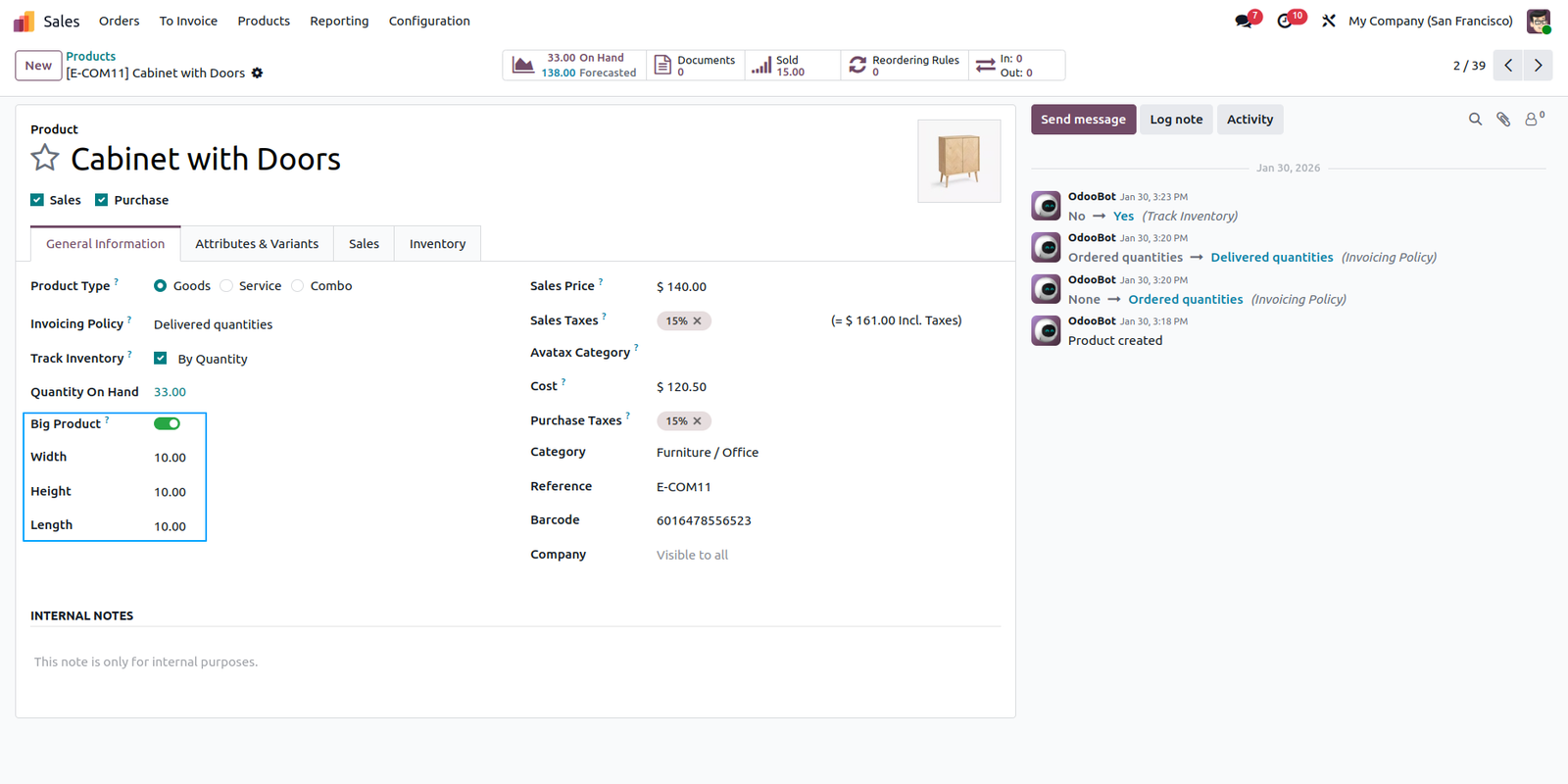
Configure your product’s exact dimensions, and if the item is oversized, enable the Big Product option to ensure it is packed alone in a single package.
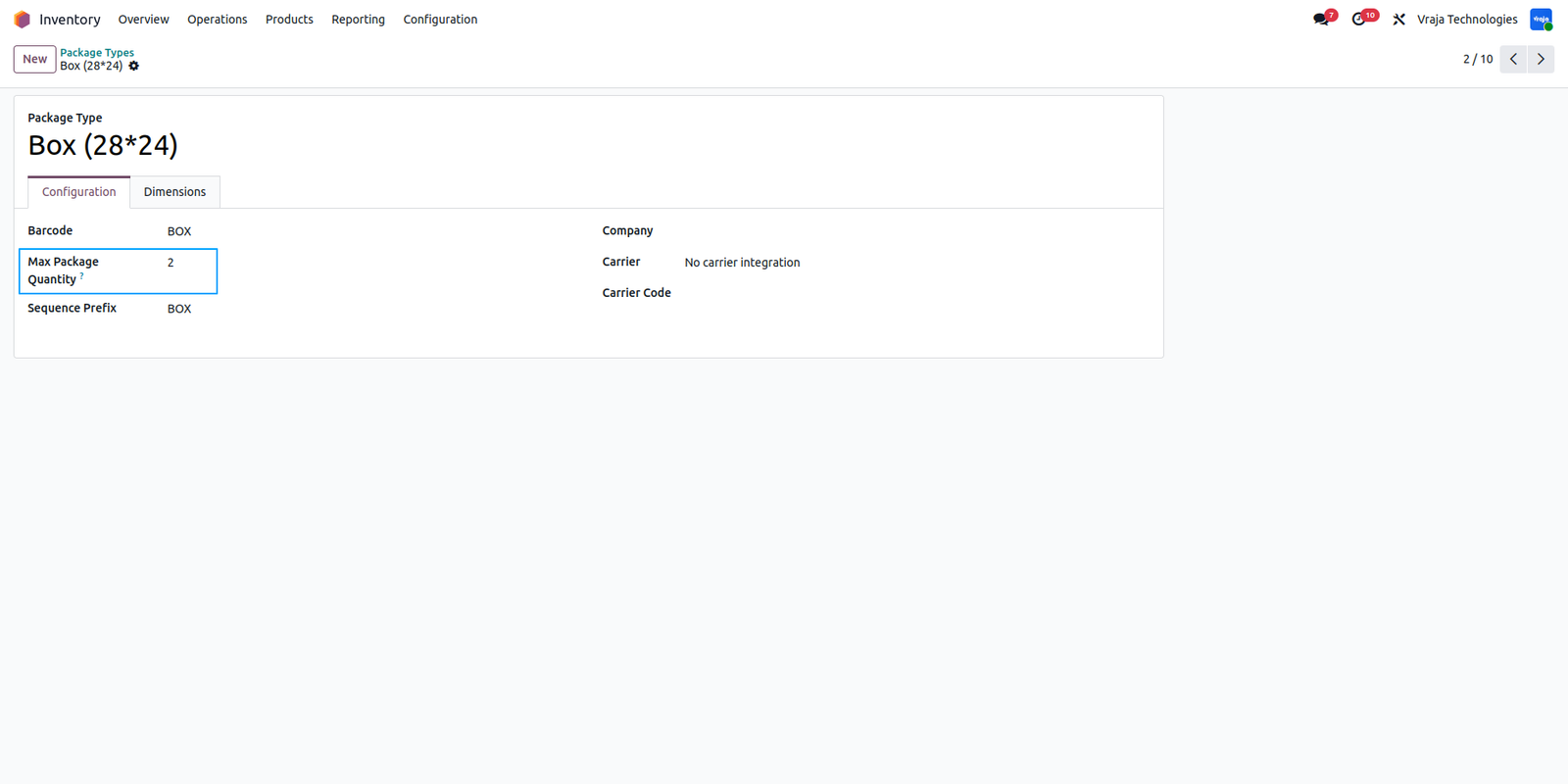
Configure each package along with its dimensions, weight and maximum quantity package can handle. If maximum quantity is set, system will not add more than this quantity to a single package while finding the best suitable of packages, even if dimension and weight constraints allow it.
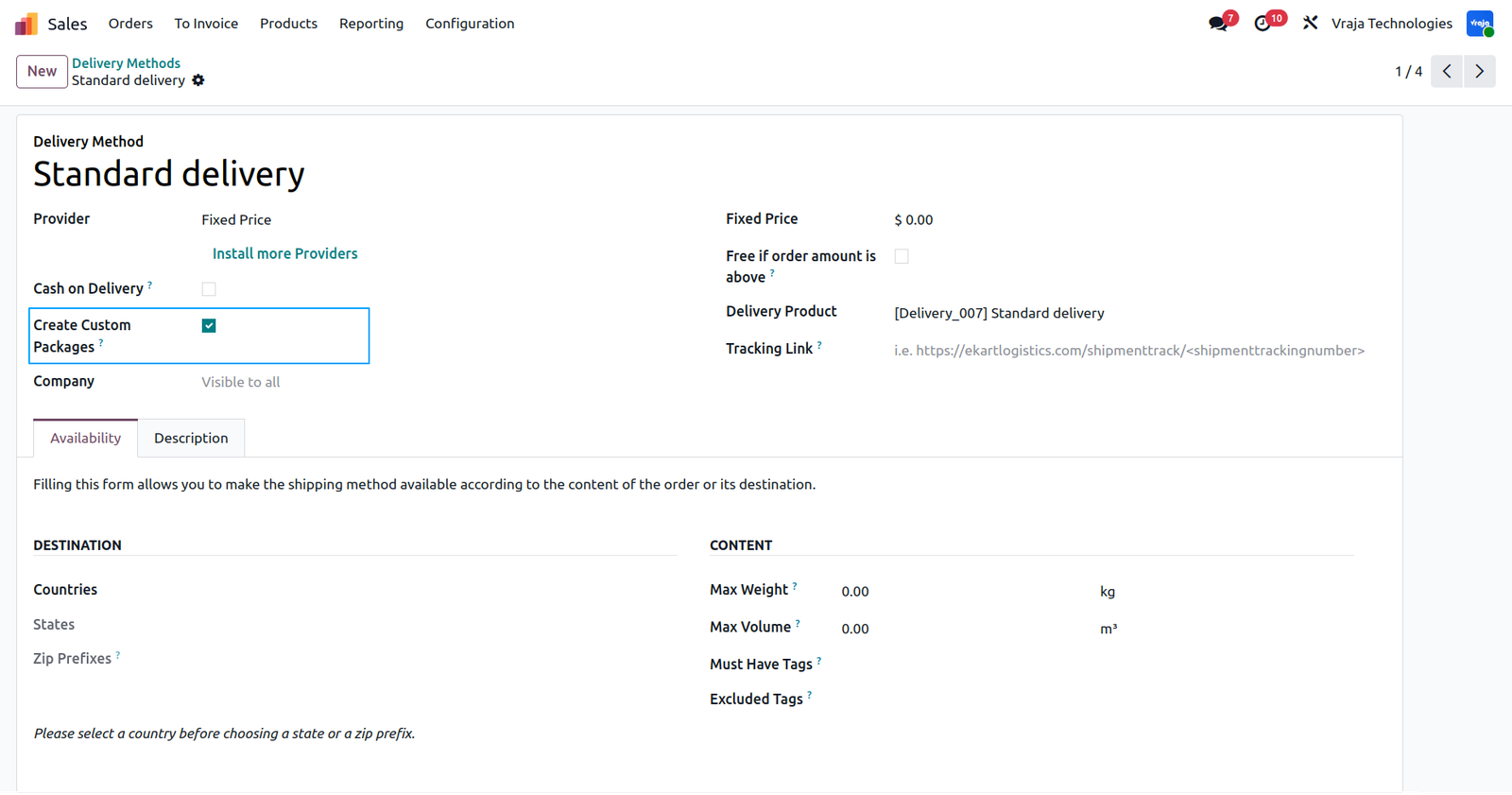
Configure in Delivery Method whether you want to automatically determine the best combination of packages for your products when calculating shipping rates.
In this example, a sales order has been created with two products: one marked as a big product and the other as a standard product.
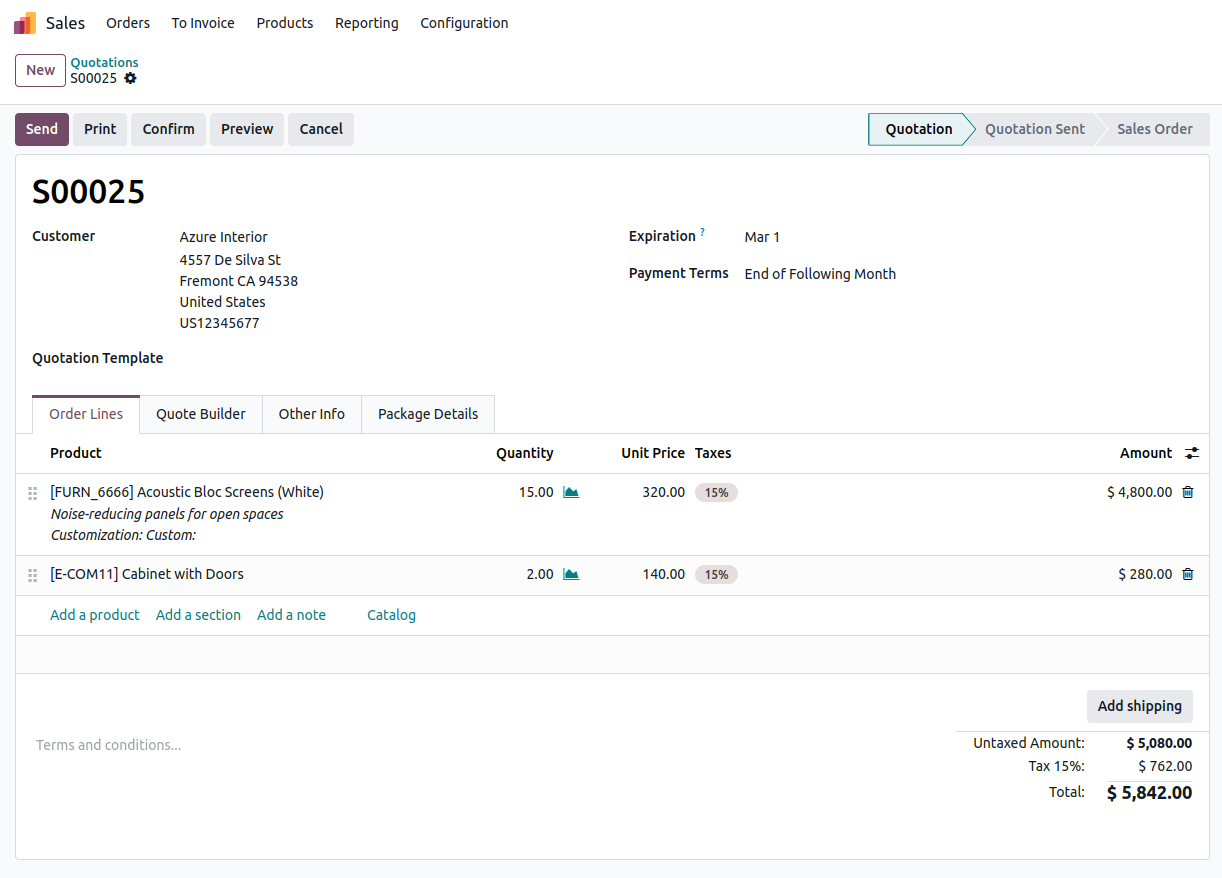
When you request shipping rates from a third‑party carrier on a sales order, the system first checks whether each item is flagged as a big product; it then determines the nearest‑fit package—either reserving a single package for oversized items or grouping standard items—by comparing their dimensions and weight.
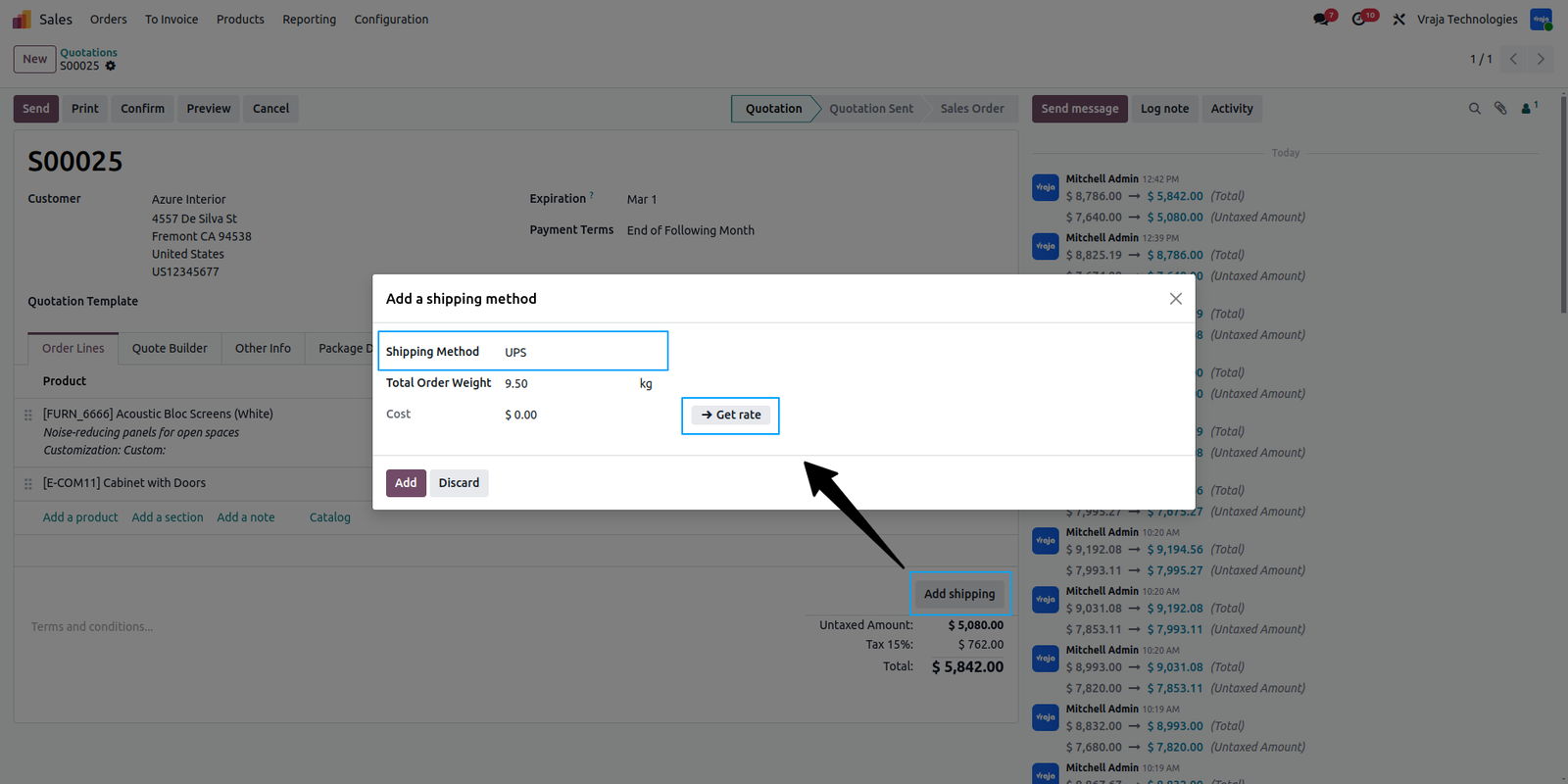
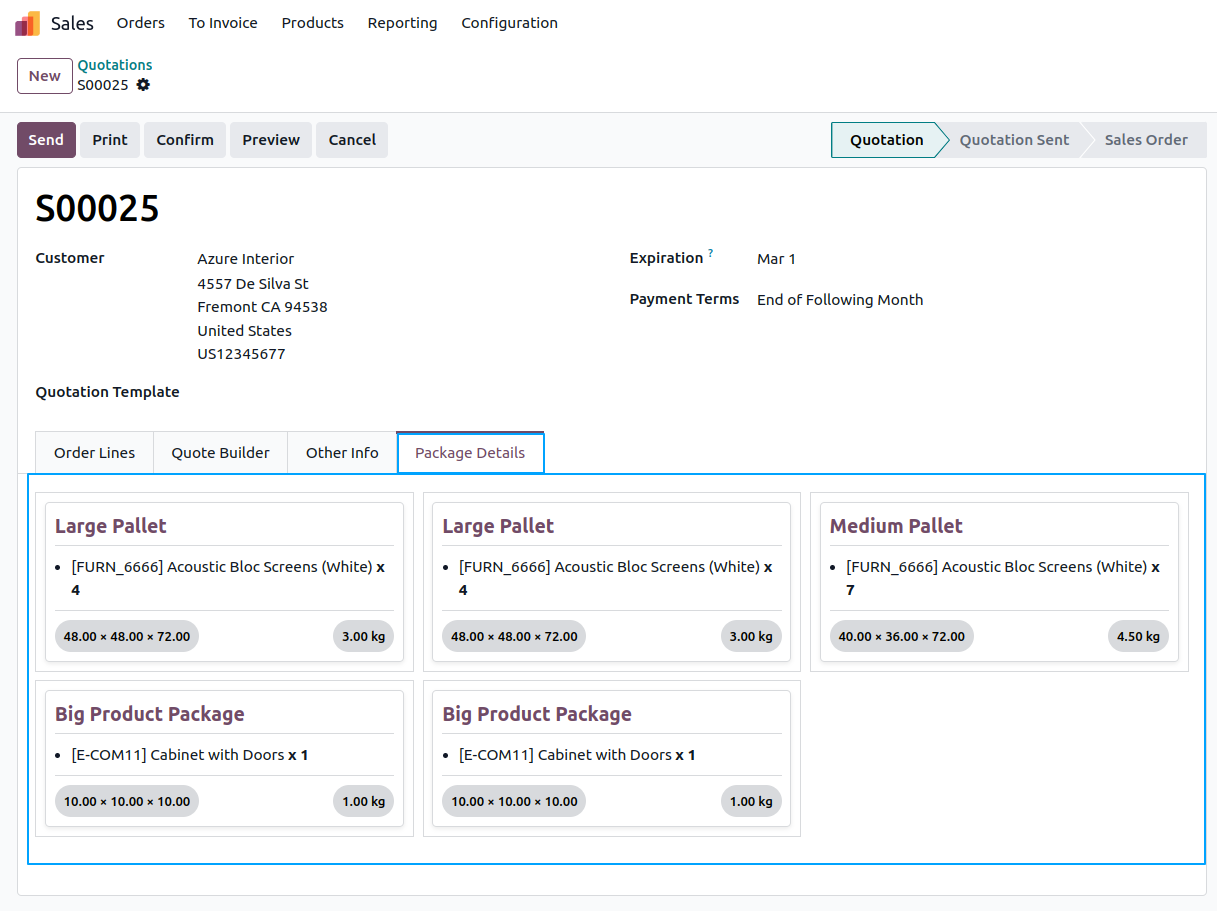
Once the rate lookup completes, the system suggests five packages: two pallets with 48×48×72 (length*width*height) with maximum quantity is set to 4, one medium pallet with 40×36×72 with no maximum quantity set in it and two individual packages for the oversized product, which is flagged as a big item. Each package shows its weight and dimension.
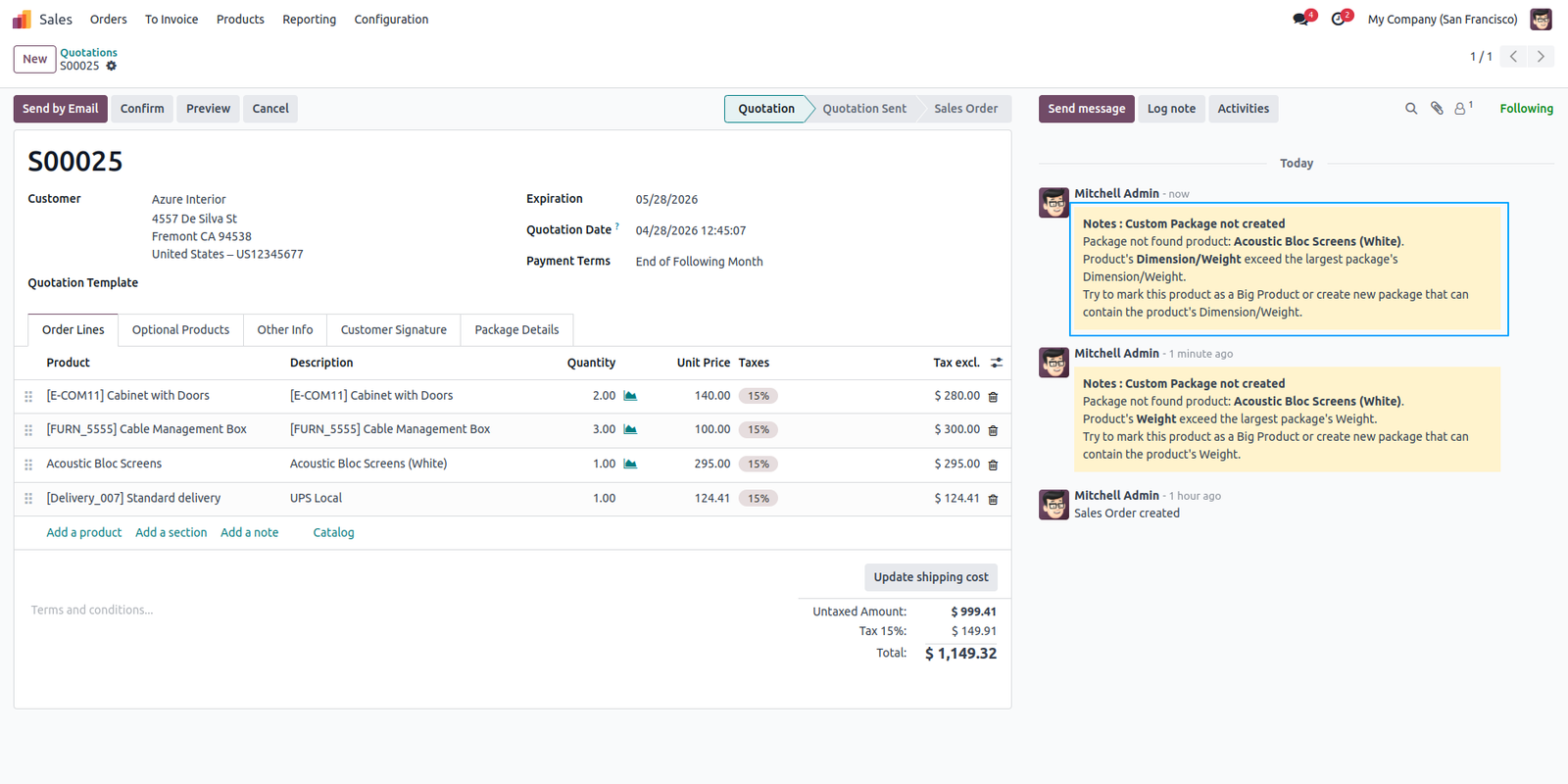
If any product’s dimension or weight exceeds your largest package then that item will be logged in the chatter with reason why that product did not fit inside any package (for this we have increased the dimension/weight).
 Is this application compatible with both Odoo Enterprise and Community editions?
- Yes, the application is fully compatible with Odoo Enterprise (On-premise and Odoo.SH) and Community editions. However, it cannot be installed on Odoo Online, as third-party apps are not supported.
Will I receive free support and upgrades with the purchase of the application?
- We provide free support for the first 90 days following the purchase date.
Need some customization in this app, whom to contact?
- Please drop email at support@vrajatechnologies.com or raise a ticket through Odoo store itself.
Submit a Support Ticket
If you encounter any issues while using our app that are caused by the app itself, we offer complimentary support for 90 days from the date of purchase.
To create a support ticket, please register via the Vraja Technologies Support Email and provide the necessary details so we can assist you in resolving the issue.

Email Us
support@vrajatechnologies.com

 1.png)
Contact Us
vrajatechnologies.com/contactus

Support
vrajatechnologies.com/support-policy
Vraja Technologies Services

Odoo Implementation

Odoo App Integration Services

Odoo Customization

Odoo Consultation

Odoo Support & Maintenance

Odoo Developer Outsourcing
Suggested Application















Reviews
There are no reviews yet.