

Description
.png)
 Enterprise Community Odoo.sh
Priority-Based Stock Allocation | VIP Customer Reservation Management
The Priority-Based Stock Allocation module for Odoo introduces an intelligent stock allocation mechanism that ensures high-priority customers receive product reservations even when inventory is limited. Businesses can designate specific customers as VIP, giving their orders priority access to available stock.
When inventory shortages occur, the system can automatically reallocate reserved quantities from previously confirmed non-VIP sales orders to VIP orders using a FIFO (First-In, First-Out) approach, ensuring that important customers are always served first.
The module also supports a manual reservation workflow, allowing users to review and selectively transfer reserved stock through a reservation wizard when automatic reallocation is not preferred. By combining configurable reservation methods with priority-based allocation, this module helps businesses maintain strong relationships with key customers, reduce fulfillment delays for important orders, and manage inventory shortages more effectively.
 Watch on YouTube
We specialize in delivering advanced Odoo solutions across multiple domains. Our expertise includes:

EDI & SWIFT/ACH Payment Integrations
End-to-end EDI automation, including X12, EDIFACT, XML standards, & financial integrations such as SWIFT, ACH, & Fedwire.


eCommerce Integrations
Seamless integration with leading eCommerce platforms to sync products, orders, inventory, and customer data in real time.

Shipping Integrations
Robust shipping connectors for global couriers, offering automated label generation, tracking, and rate computation.

Most Useful Apps for your ERP
A wide range of highly-rated Odoo modules designed to enhance automation, improve productivity, & simplify business operations.
 Features
 Process
 FAQs
FAQs
 VIP Customer Priority Allocation
This feature allows businesses to mark specific customers as VIP and prioritize their orders during stock shortages. When inventory becomes limited, the system ensures that VIP customer orders receive stock allocation ahead of regular customers.
Automatic Stock Reallocation (FIFO Method)
In automatic reservation mode, the system can reassign reserved stock from previously confirmed non-VIP Sales Orders when a VIP order is confirmed and stock is insufficient. The reallocation follows the FIFO (First In, First Out) method to ensure a fair and structured priority system.
Manual Reservation Wizard
For organizations that require greater operational control, the module provides a manual reservation wizard. Users can open the wizard directly from the Delivery Order, review non-VIP orders with reserved quantities, and select which reservations should be transferred to the VIP order.
Configurable Reservation Method
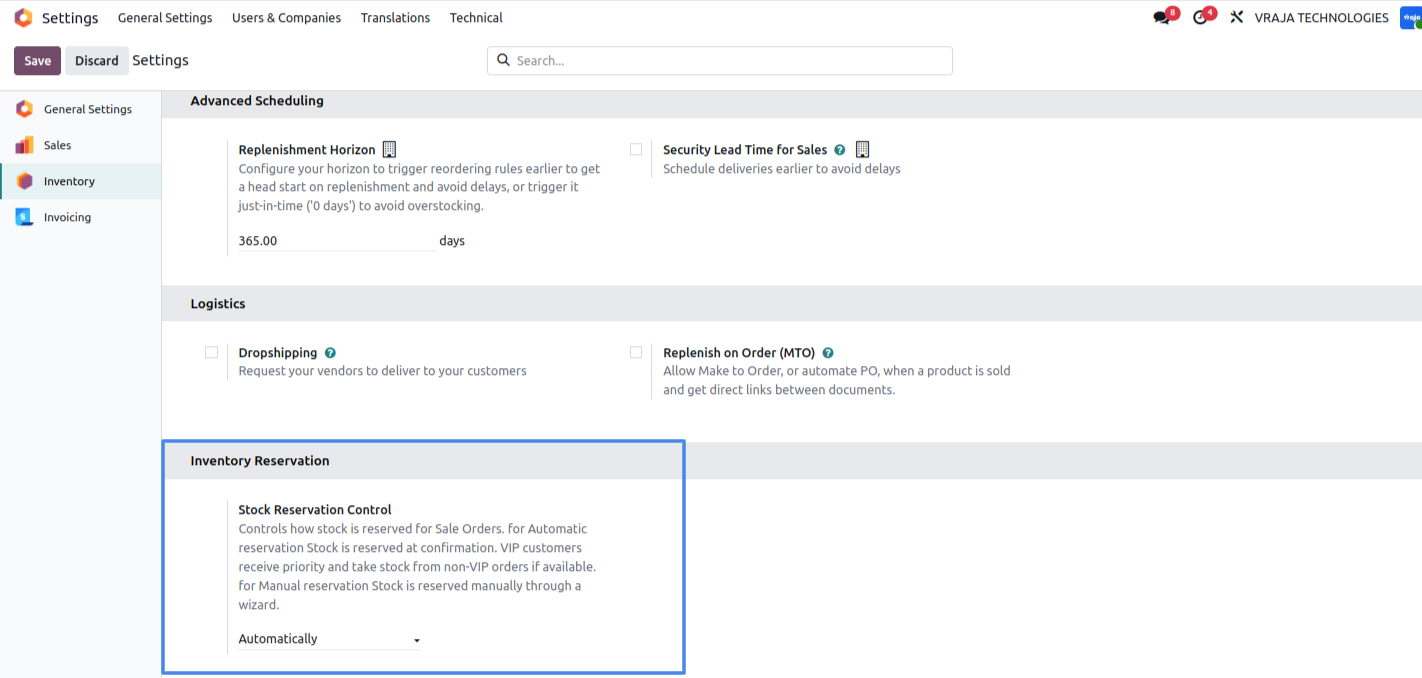
Administrators can configure the reservation behavior directly from system settings by choosing between Automatic or Manual reservation modes. This flexibility allows businesses to adopt either a fully automated priority allocation system or maintain manual control over stock redistribution.
Configure the reservation method as Automatic or Manual in Settings.
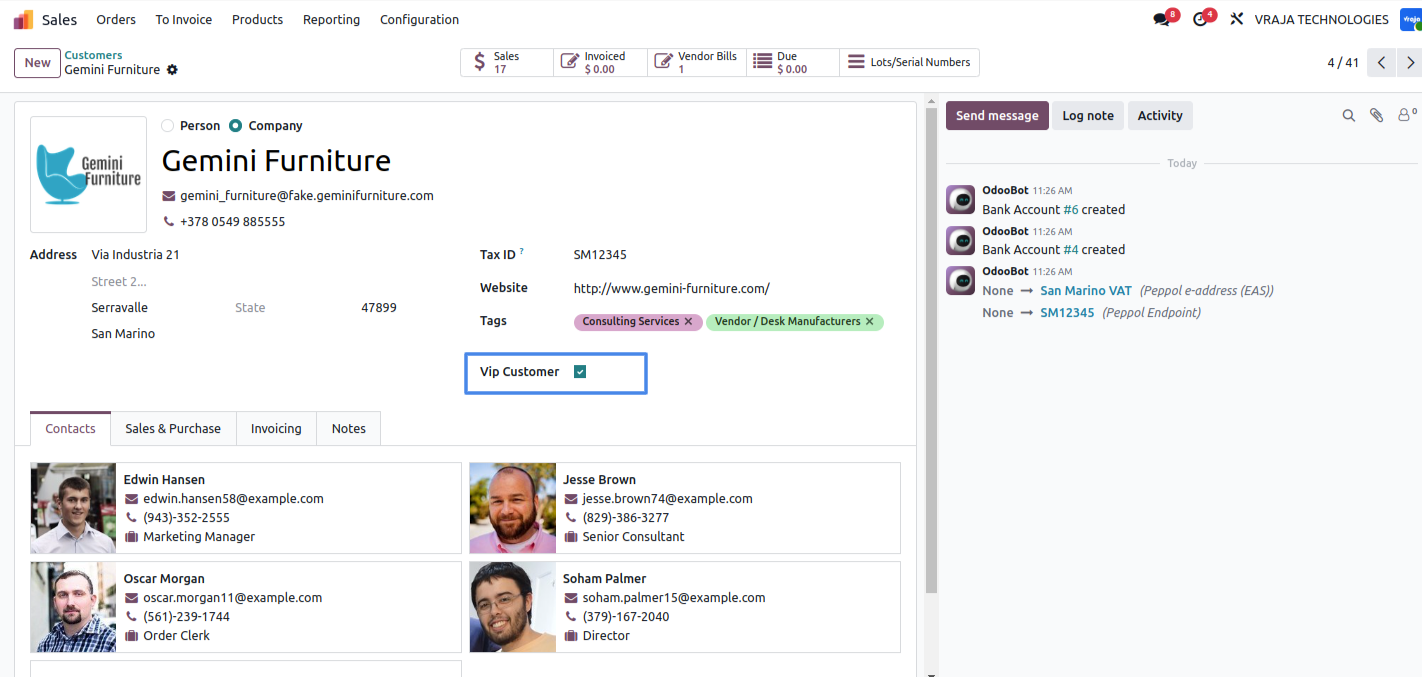
Configure VIP Customer.
Create and confirm a Sale Order for a non-VIP customer when sufficient stock is available. The stock is reserved normally..
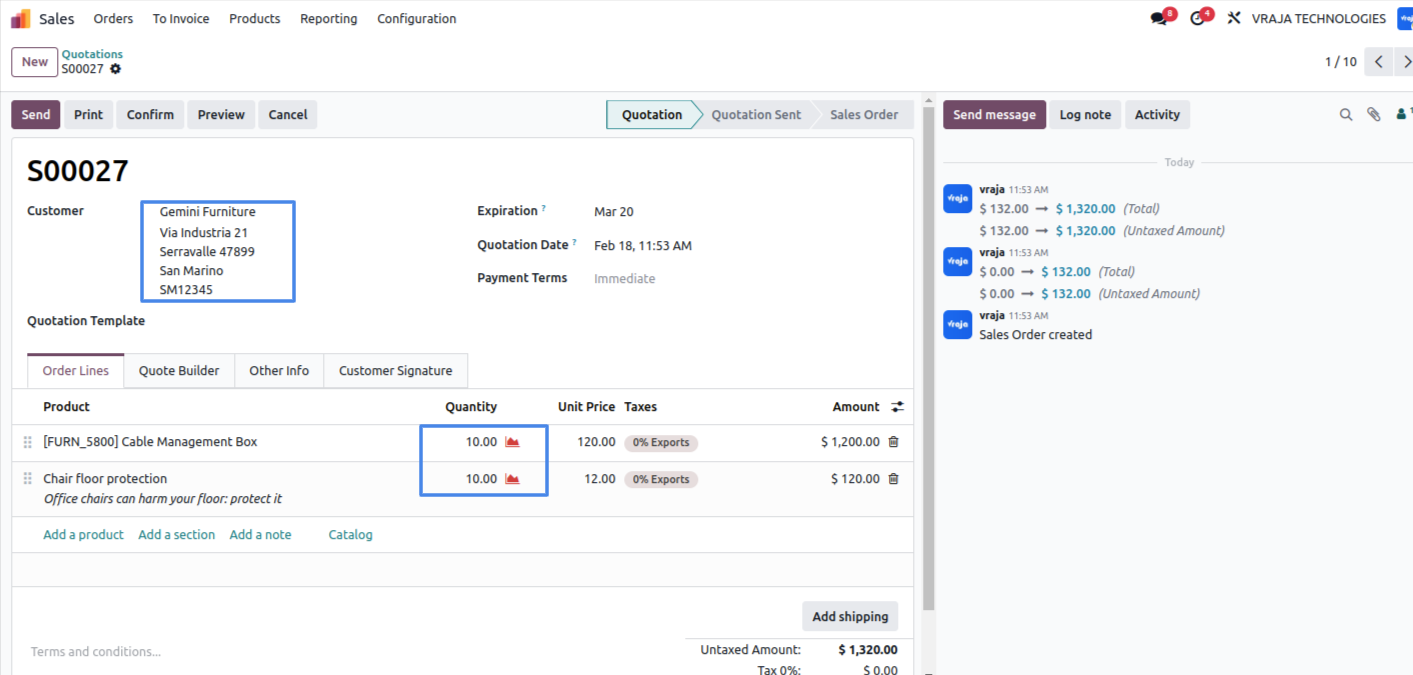
Create a Sale Order for a VIP customer when stock is not available. Upon confirmation, the system automatically reallocates (steals) stock from earlier confirmed non-VIP customer Sale Orders based on the FIFO method.
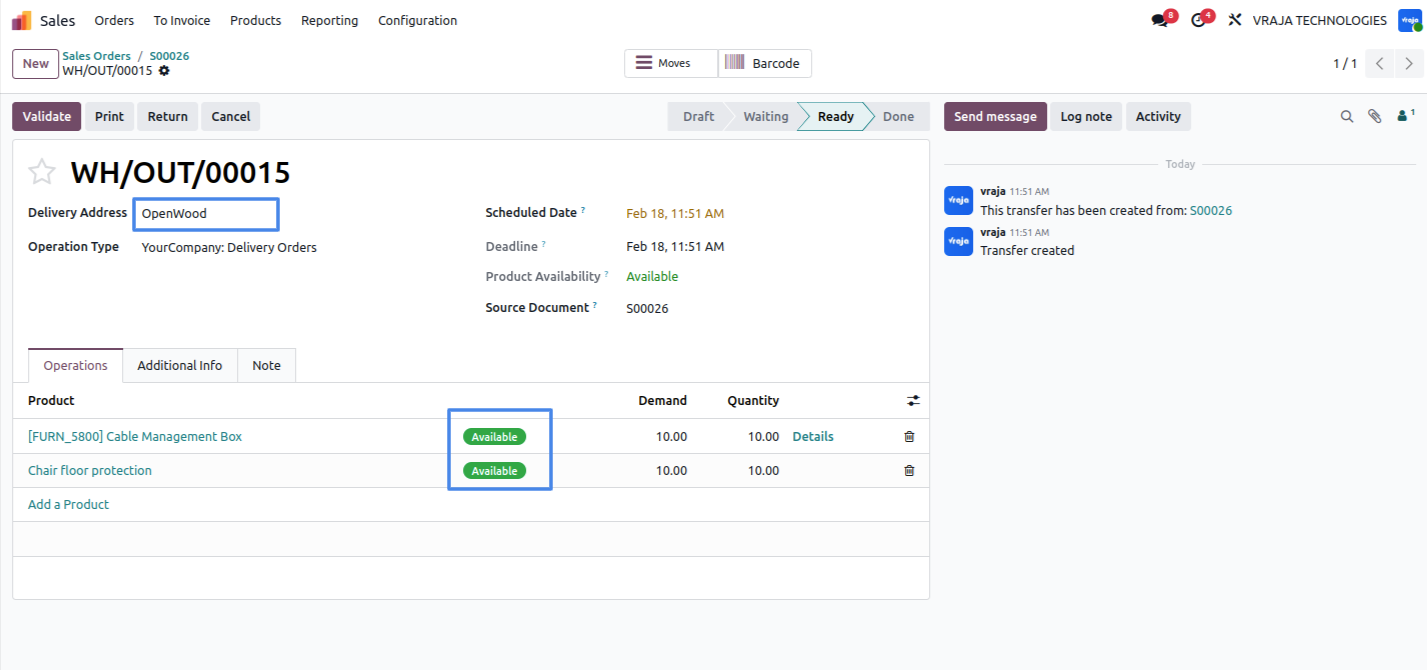
The reserved stock is automatically reassigned and allocated to the VIP customer’s Delivery Order.
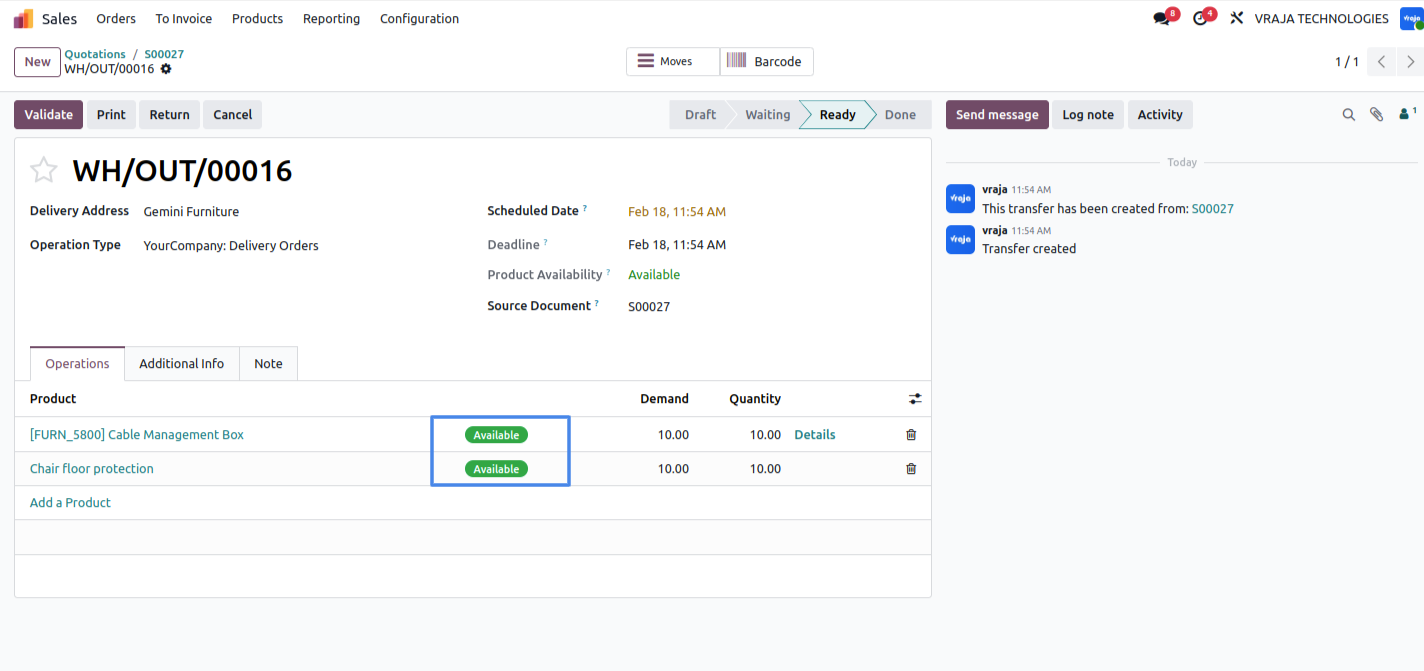
Switch the reservation method to Manual in Settings.
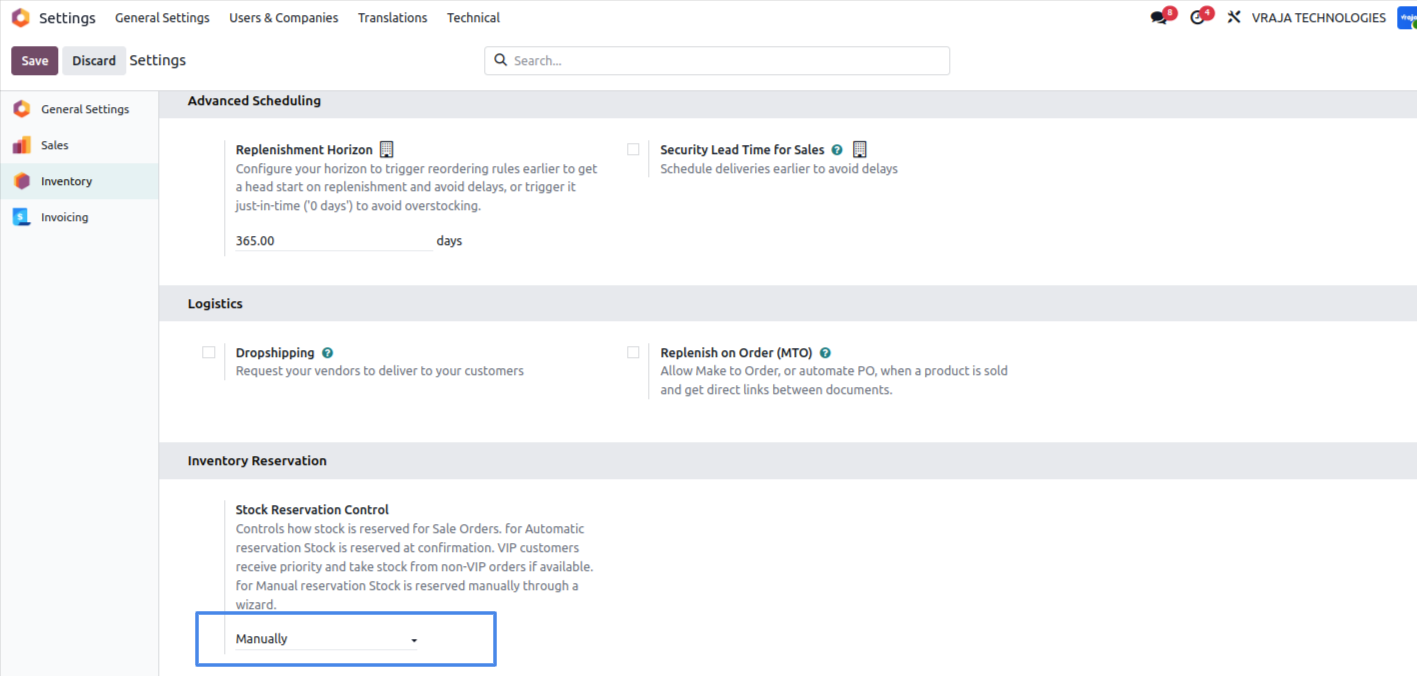
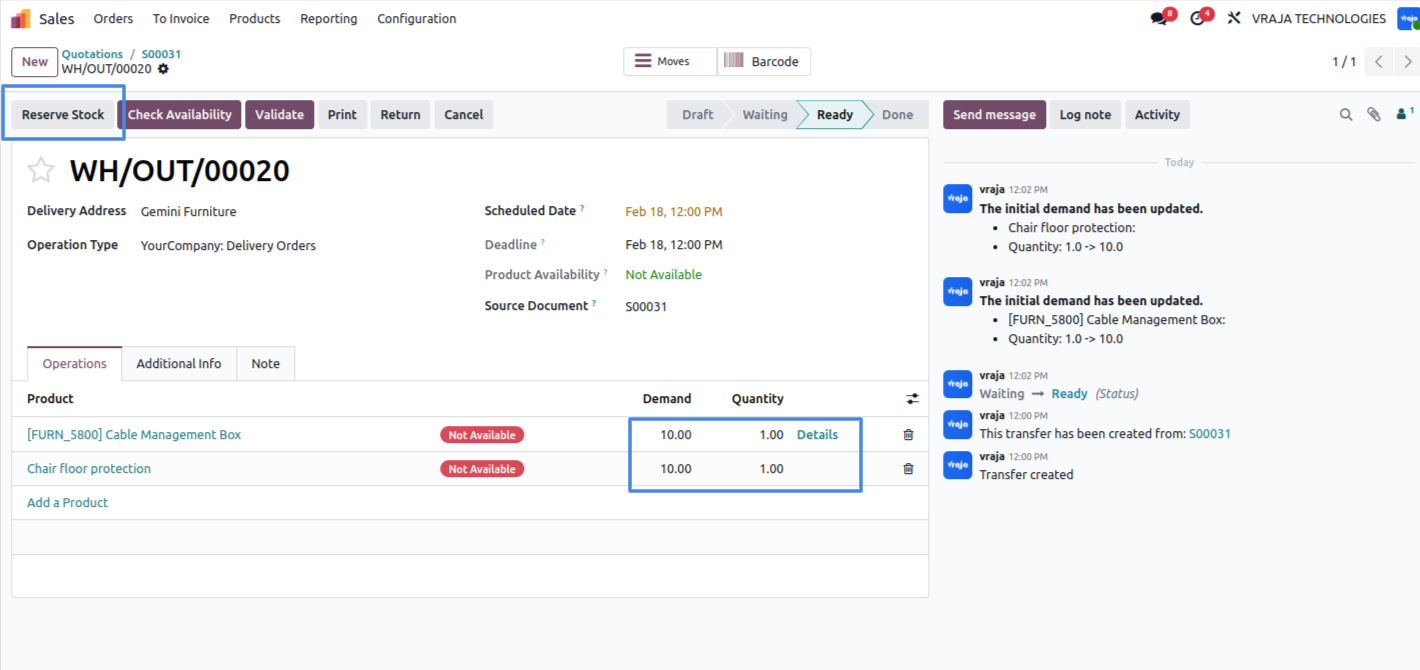
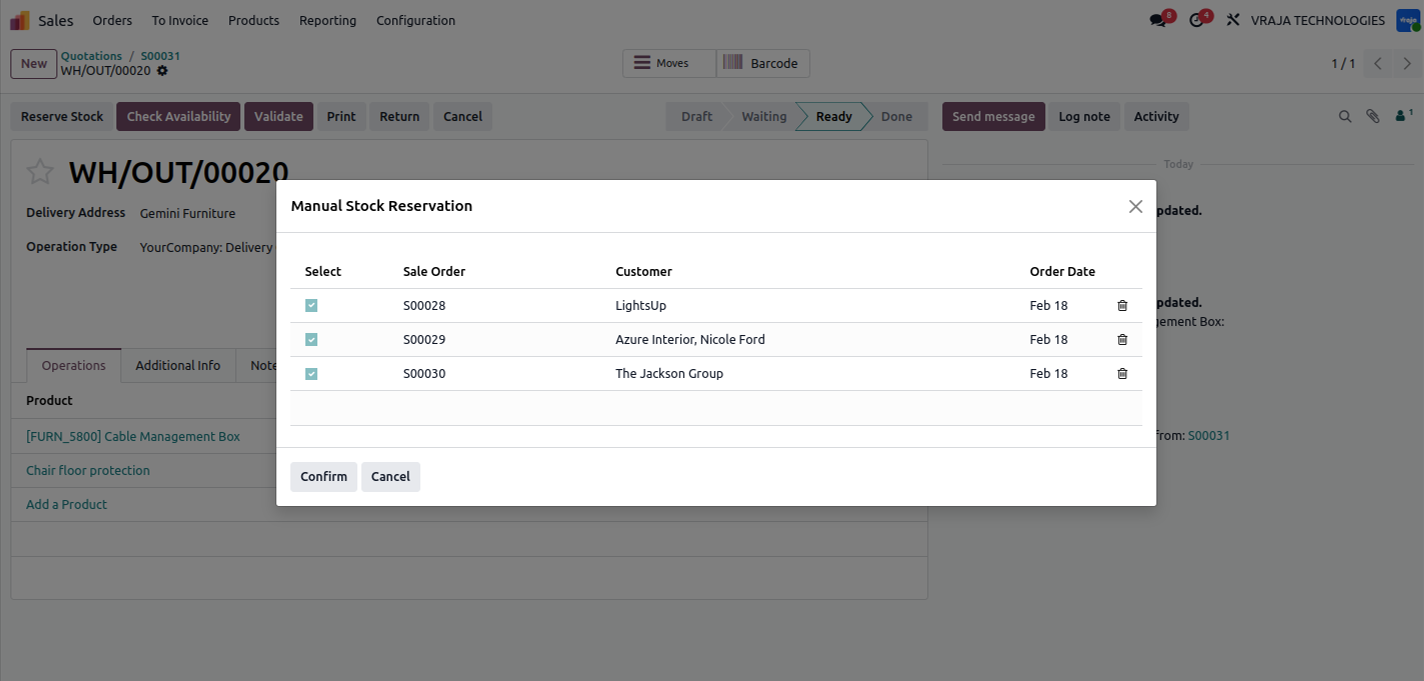
When the reservation method is set to Manual and sufficient stock is not available for a VIP customer, the system displays a Reserve button on the Delivery Order. Upon clicking this button, a reservation wizard opens, showing a list of non-VIP customer Sale Orders that currently have reserved quantities of the same product. The user can select the appropriate Sale Order from the list and confirm the action to reallocate the reserved stock to the VIP customer’s.
 How does the system prioritize VIP customers when stock is limited?
- When a customer is marked as VIP, the module ensures their orders receive priority. If stock is unavailable, the system can automatically reallocate reserved quantities from previously confirmed non-VIP sales orders using a FIFO method, ensuring VIP orders are fulfilled first.
Can the stock reallocation process be controlled manually?
- Yes. When the reservation method is set to Manual, a reservation wizard appears on the delivery order. Users can review non-VIP sales orders with reserved stock and select which order to reallocate stock from.
Does this module affect normal stock reservations for regular customers?
- No. For regular customers, the standard reservation process continues as usual when sufficient stock is available. The priority logic only applies when a VIP order requires stock that is already reserved for non-VIP orders.
I would like to request a custom feature for this application. What’s the process to get it implemented?
- We’re happy to help tailor the application to meet your business needs! You can reach us via sales@vrajatechnologies.com
Who is the point of contact for technical support, configuration support or bug-related queries?
- You can reach us via support@vrajatechnologies.com
Submit a Support Ticket
If you encounter any issues while using our app that are caused by the app itself, we offer complimentary support for 90 days from the date of purchase.
To create a support ticket, please register via the Vraja Technologies Support Email and provide the necessary details so we can assist you in resolving the issue.

Email Us
support@vrajatechnologies.com

 1.png)
Contact Us
vrajatechnologies.com/contactus

Support
vrajatechnologies.com/support-policy
Vraja Technologies Services

Odoo Implementation

Odoo App Integration Services

Odoo Customization

Odoo Consultation

Odoo Support & Maintenance

Odoo Developer Outsourcing
Suggested Application















Reviews
There are no reviews yet.