
Description
.png)
 Enterprise Community Odoo.sh
Procountor Odoo Integration
The purpose of the Procountor Odoo connectivity user manual is to help users make the most of the connectivity between the Procountor and Odoo financial systems. By automating important financial procedures and streamlining data sharing, this connection lowers manual labor and guarantees data consistency across platforms. In order to ensure the smooth synchronization of crucial financial data, this guide offers a step-by-step method for configuring, utilizing, and managing the integration features. An outline of the main features discussed in this tutorial may be found below:
 Watch on YouTube
We specialize in delivering advanced Odoo solutions across multiple domains. Our expertise includes:

EDI & SWIFT/ACH Payment Integrations
End-to-end EDI automation, including X12, EDIFACT, XML standards, & financial integrations such as SWIFT, ACH, & Fedwire.


eCommerce Integrations
Seamless integration with leading eCommerce platforms to sync products, orders, inventory, and customer data in real time.

Shipping Integrations
Robust shipping connectors for global couriers, offering automated label generation, tracking, and rate computation.

Most Useful Apps for your ERP
A wide range of highly-rated Odoo modules designed to enhance automation, improve productivity, & simplify business operations.
 Features
 Process
 FAQs
FAQs
Features
- Instance Configuration (API Credentials Configuration)
- Import Product
- Import Customer
- Import VAT Details
- Export Invoice
- Fetch Payments (Using Scheduled Action)
Benefits
- Enhanced Data Consistency
- Improved Efficiency
- Comprehensive Financial Management
- Scalability
- Improved Cash Flow Visibility
- Secure Data Transfer
- User-Friendly Configuration
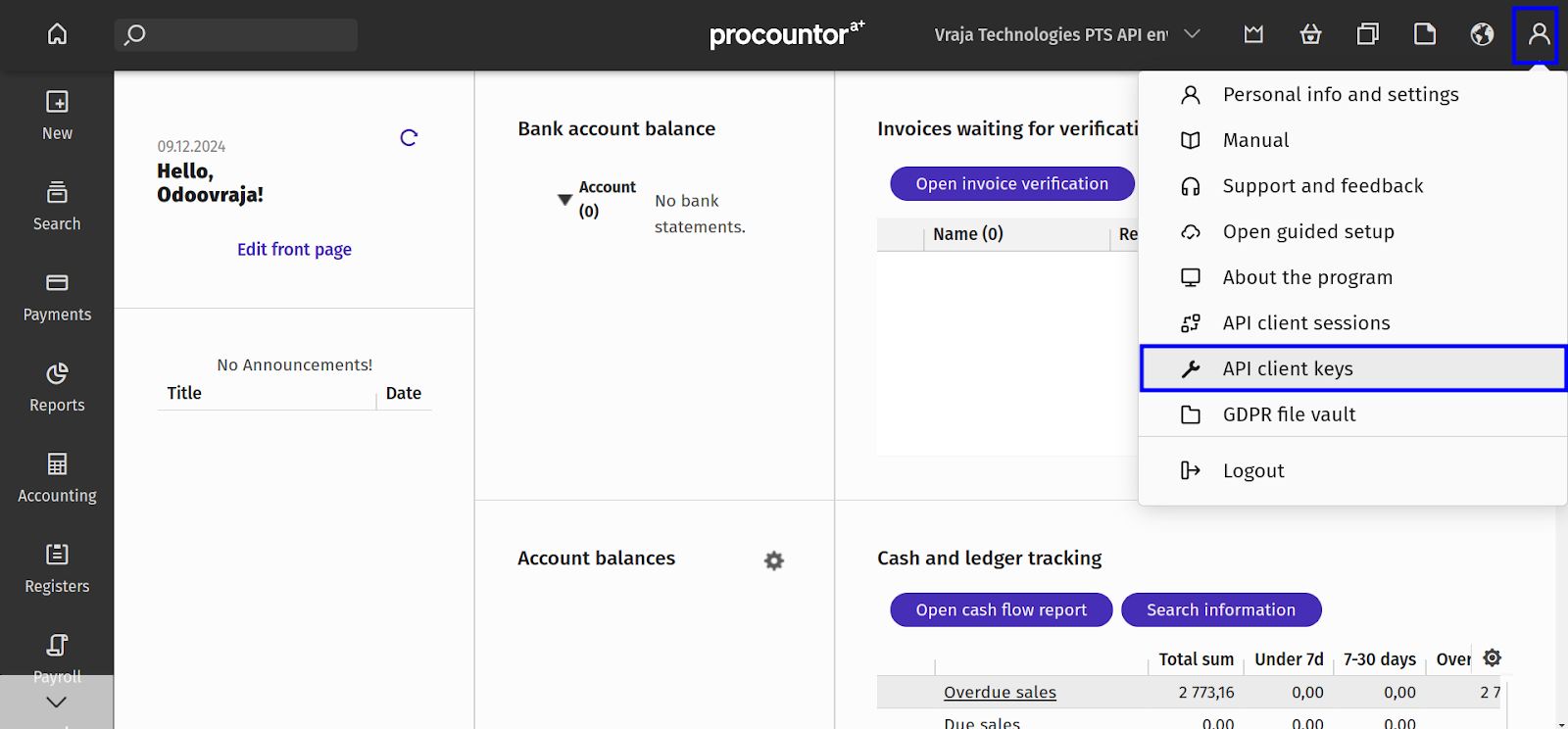
 1. First, create an API Key from Procountor from Procountor Dashboard.
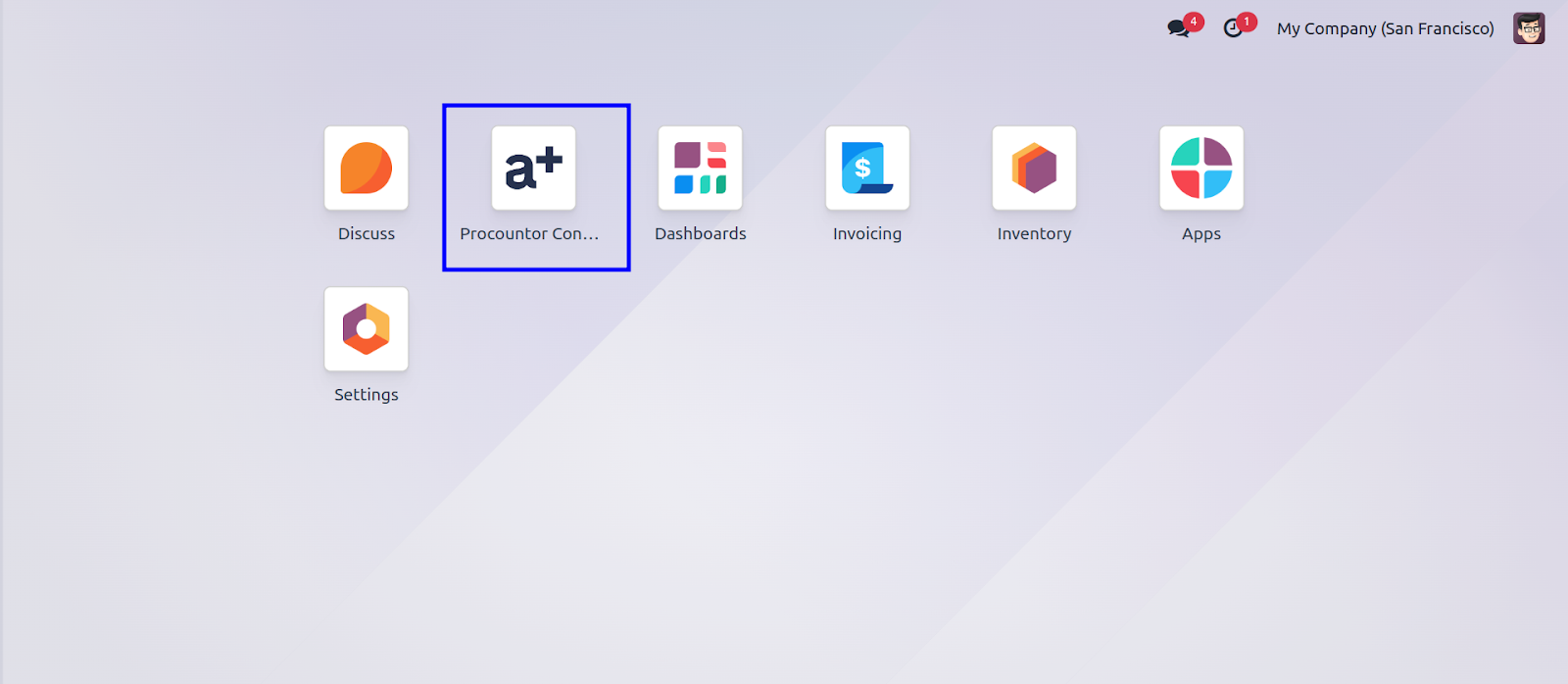
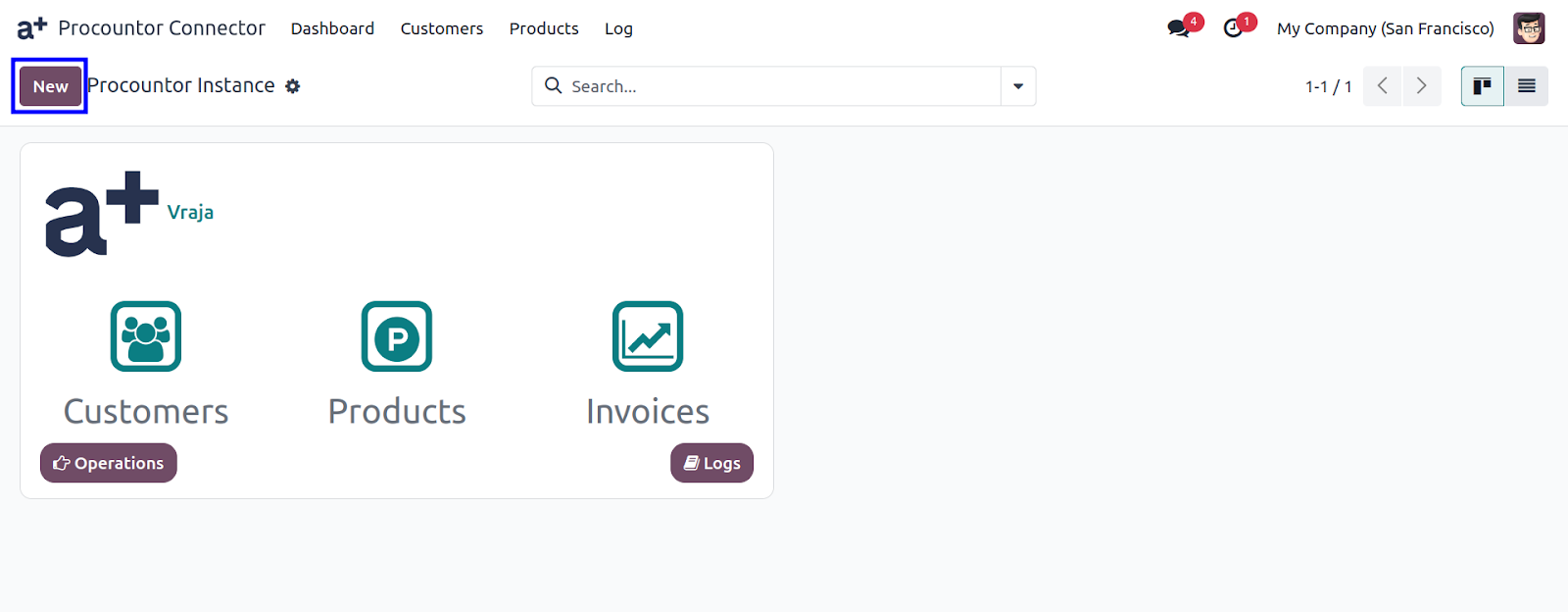
2. Go to Procountor Connector > Configuration > Instance and click New.
3. In the new window, enter your credentials: Client ID, Client Secret, Redirect URL, and API Key from Procountor.
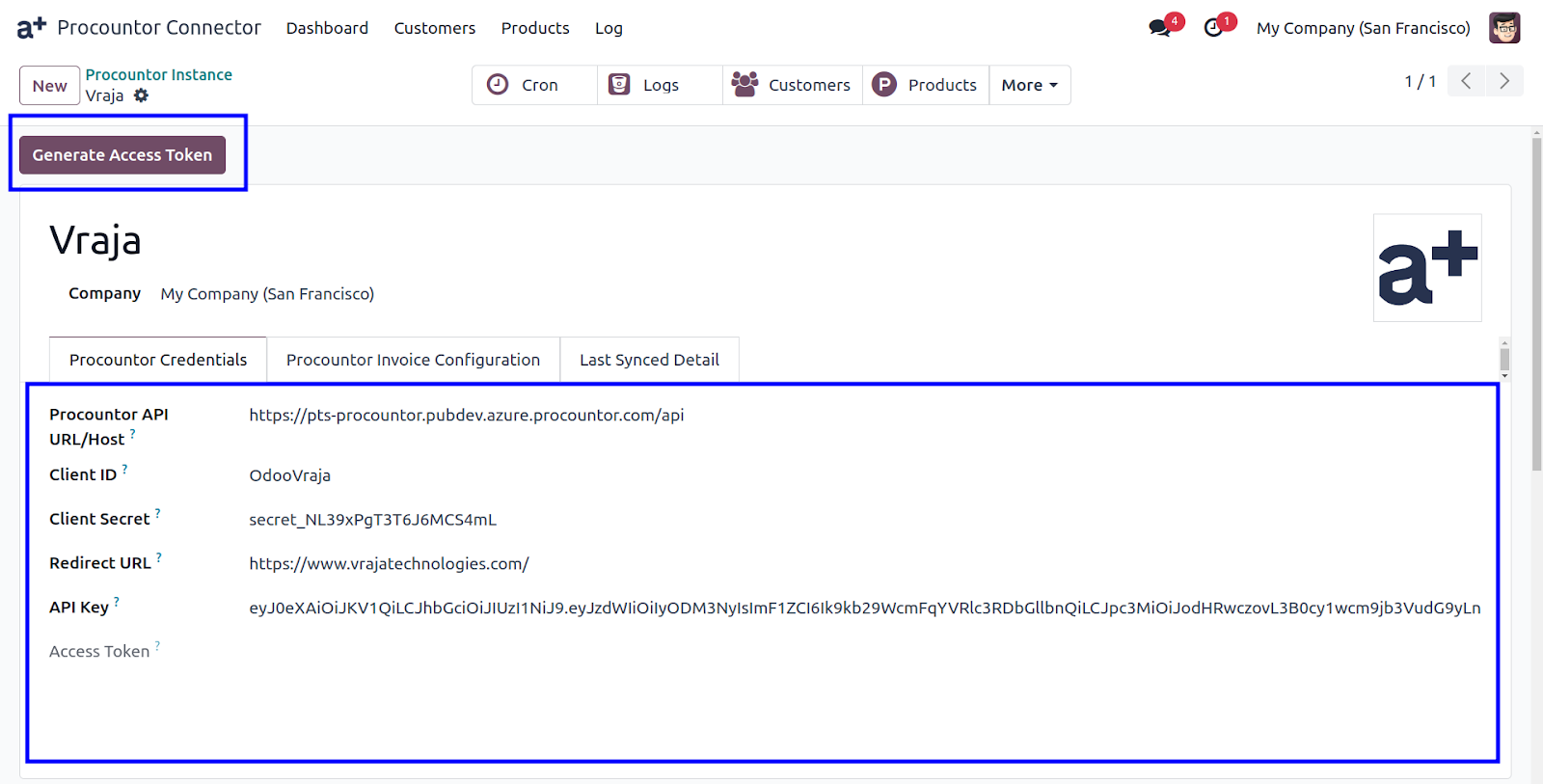
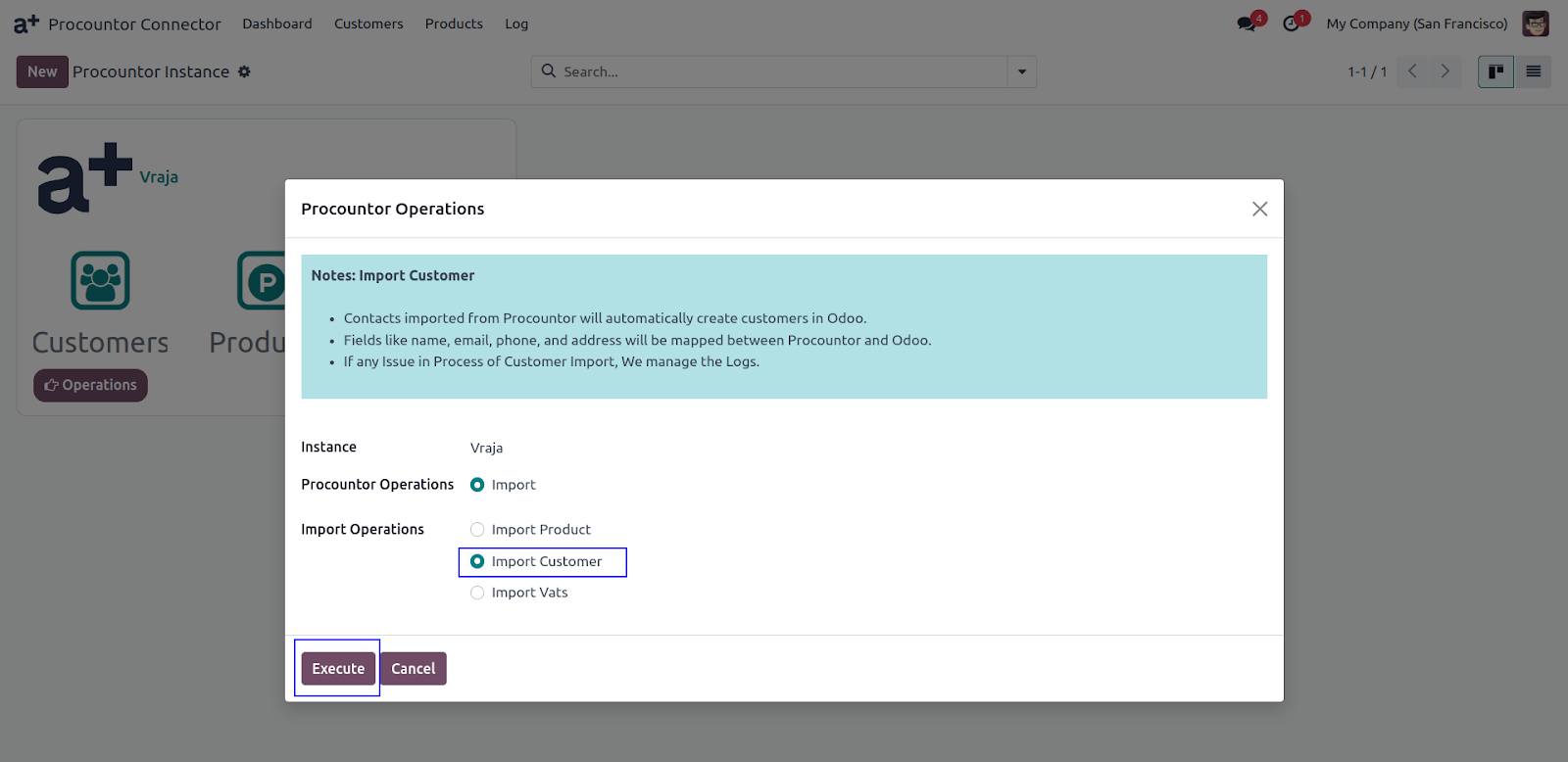
4. To Import Customer : Go to Operations > Select the instance, Click on Import Customer > Execute.
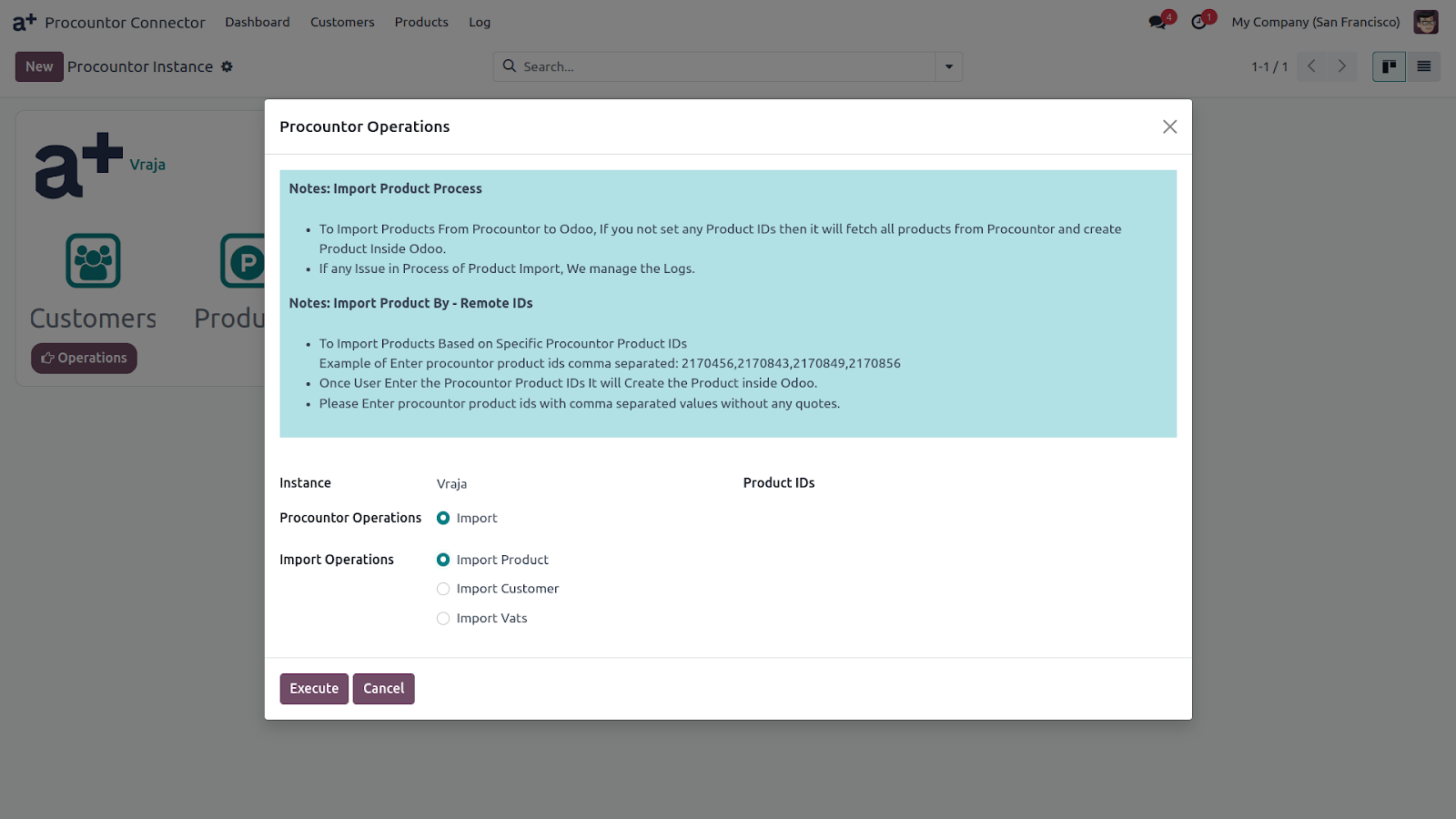
5. To Import Product, Go to Operations > Select Instance >
(a) Click on Import Products – In case you want to import all the products from Procountor Dashboard > Execute
(b) Mention Specific Product IDs to import a few products as per your requirements separated by comma > Execute
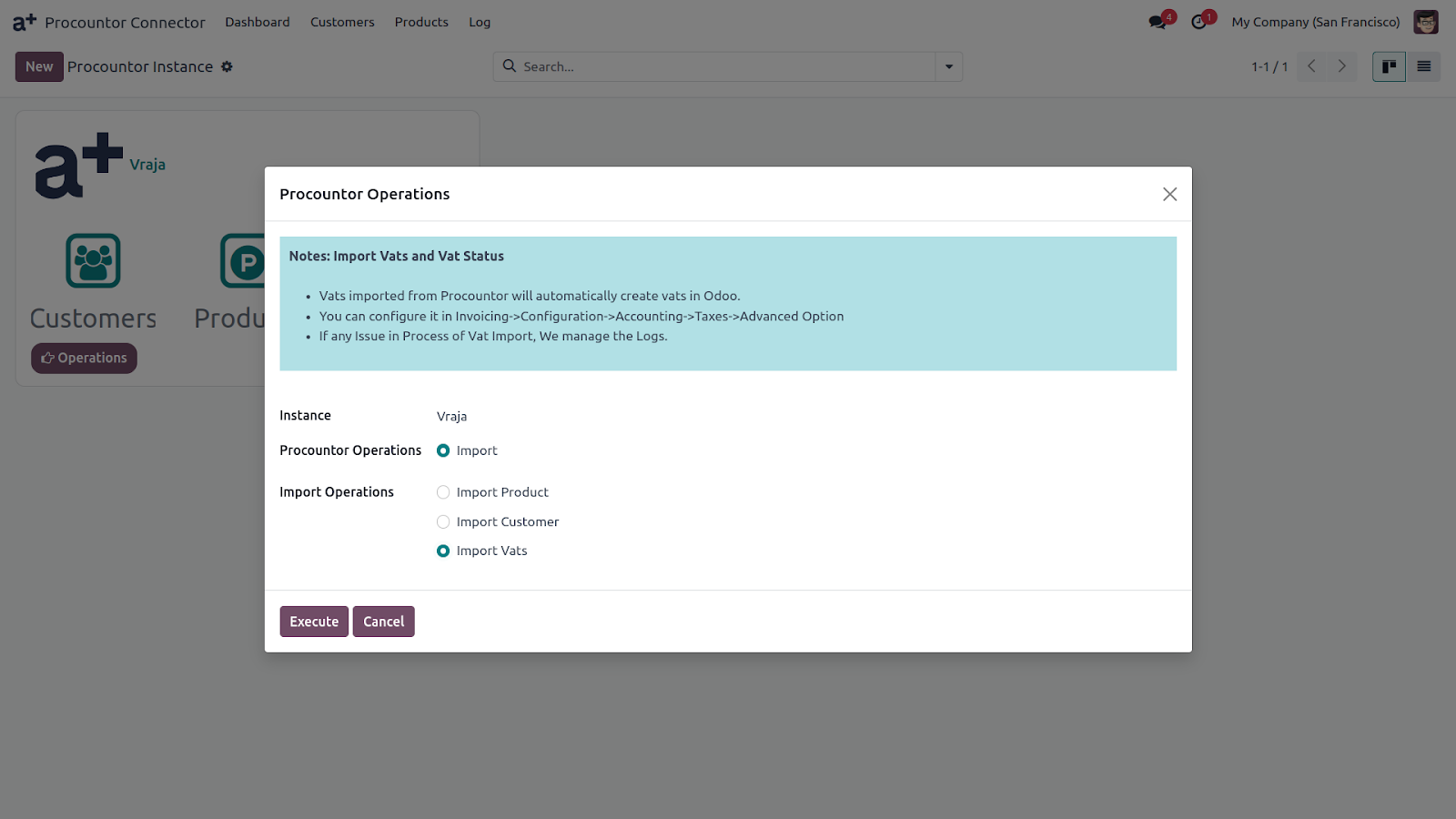
6.To Import VAT, Go to Operations > Select Instance > Import VATS > Execute. All theVAT percentage and status will be imported from Procountor to Odoo.
7. To Check The VAT Import : Go to Invoicing > Configuration > Taxes > Advanced Options. Imported VAT Percentage and Status will be seen in the drop-down menu.
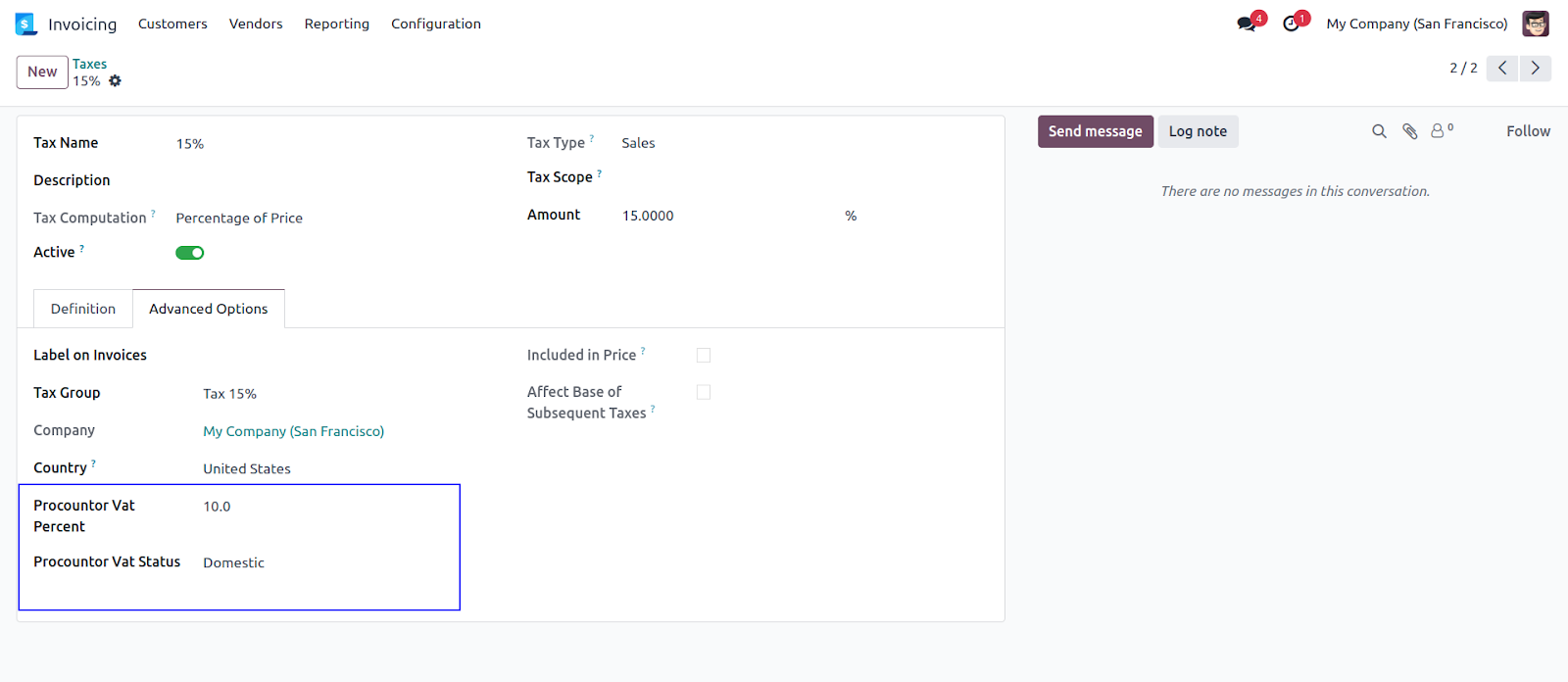
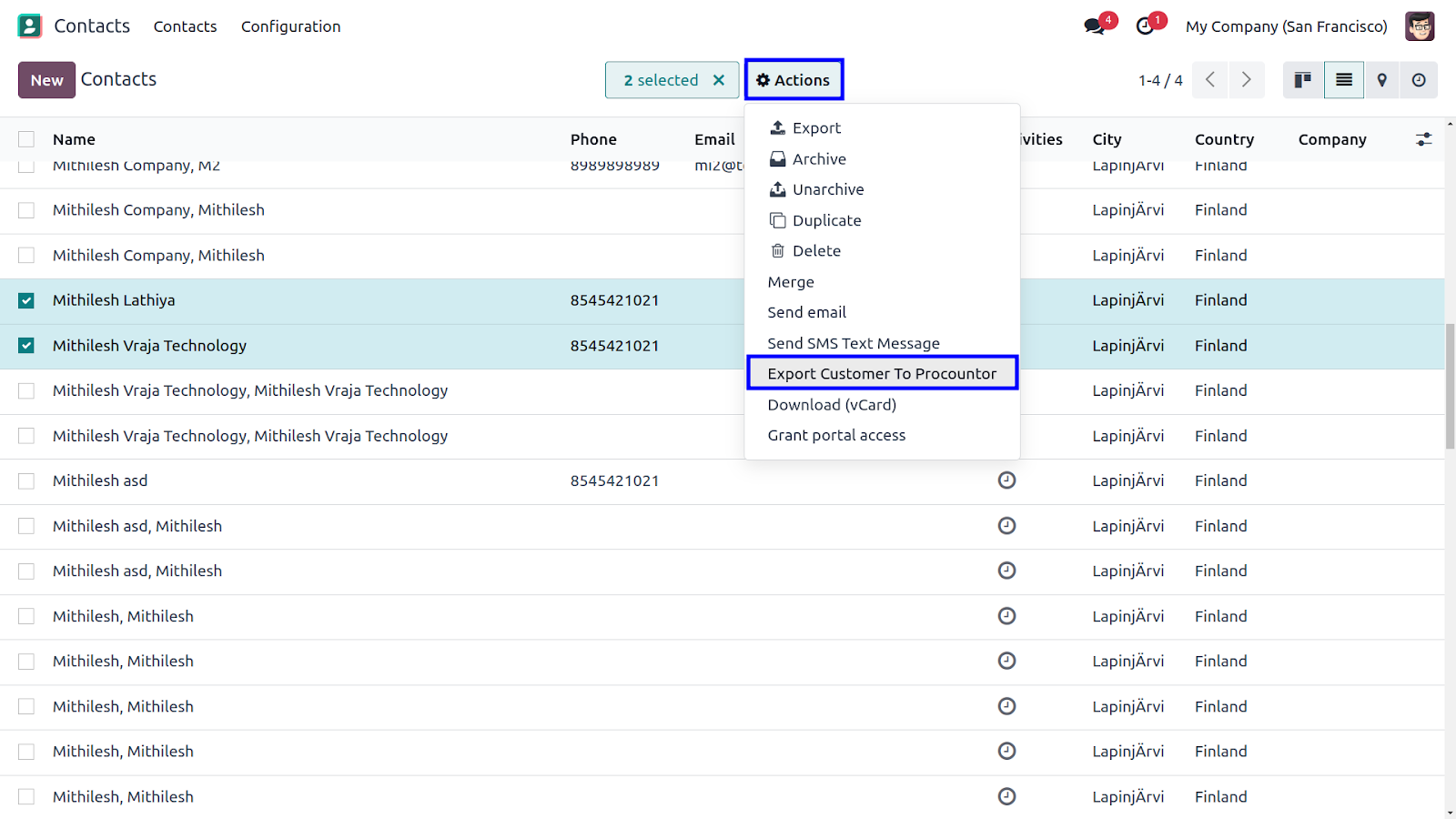
8. To Export Customer open Open List View > Select the Customers > Action Button > Click Export Customers to Procountor > Select Instance and Export it.
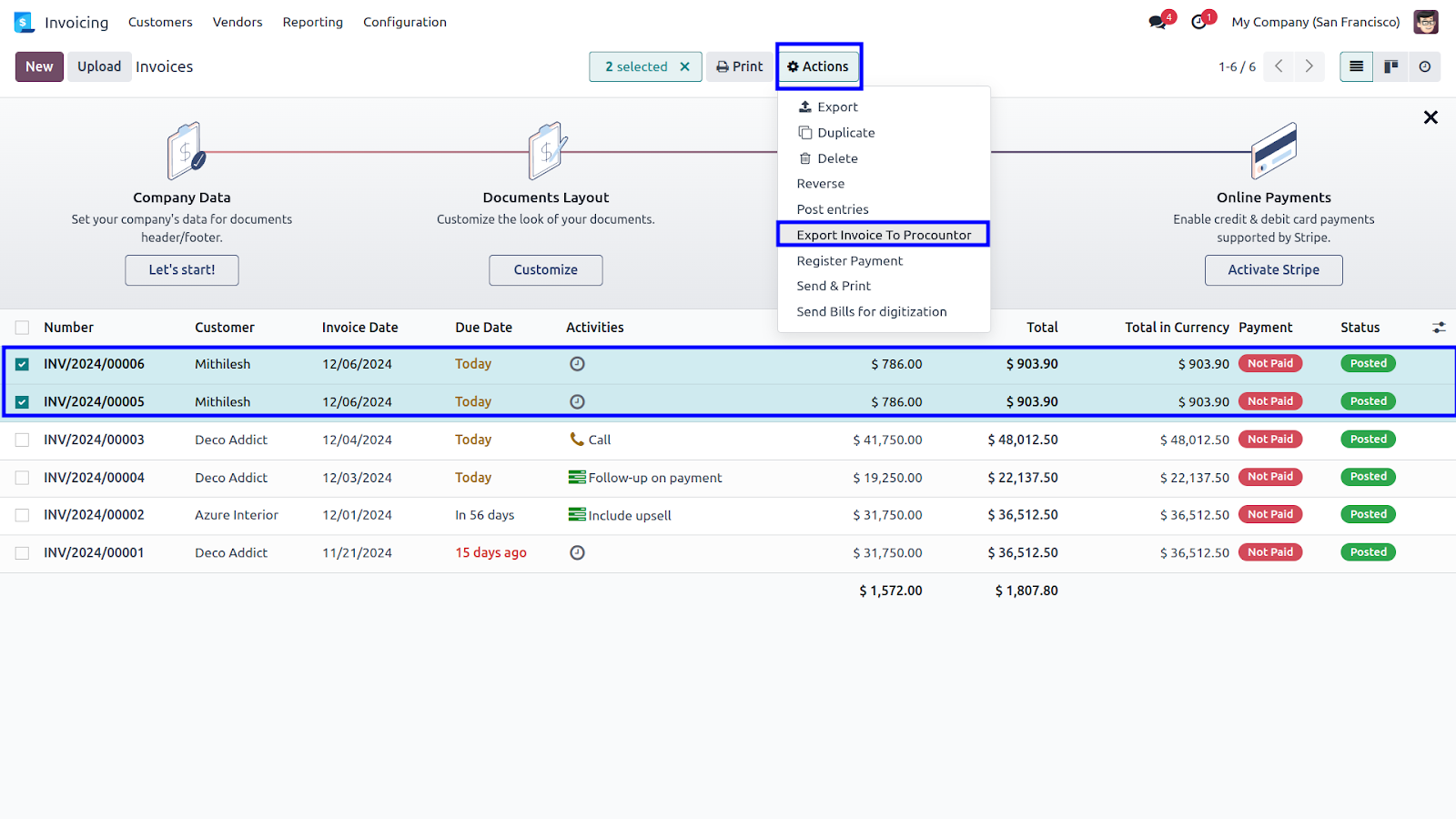
9. To Export Invoice, Make List View > Select the invoice of your choice > Action Button > Click on Export Invoice to Procountor > Select Instance
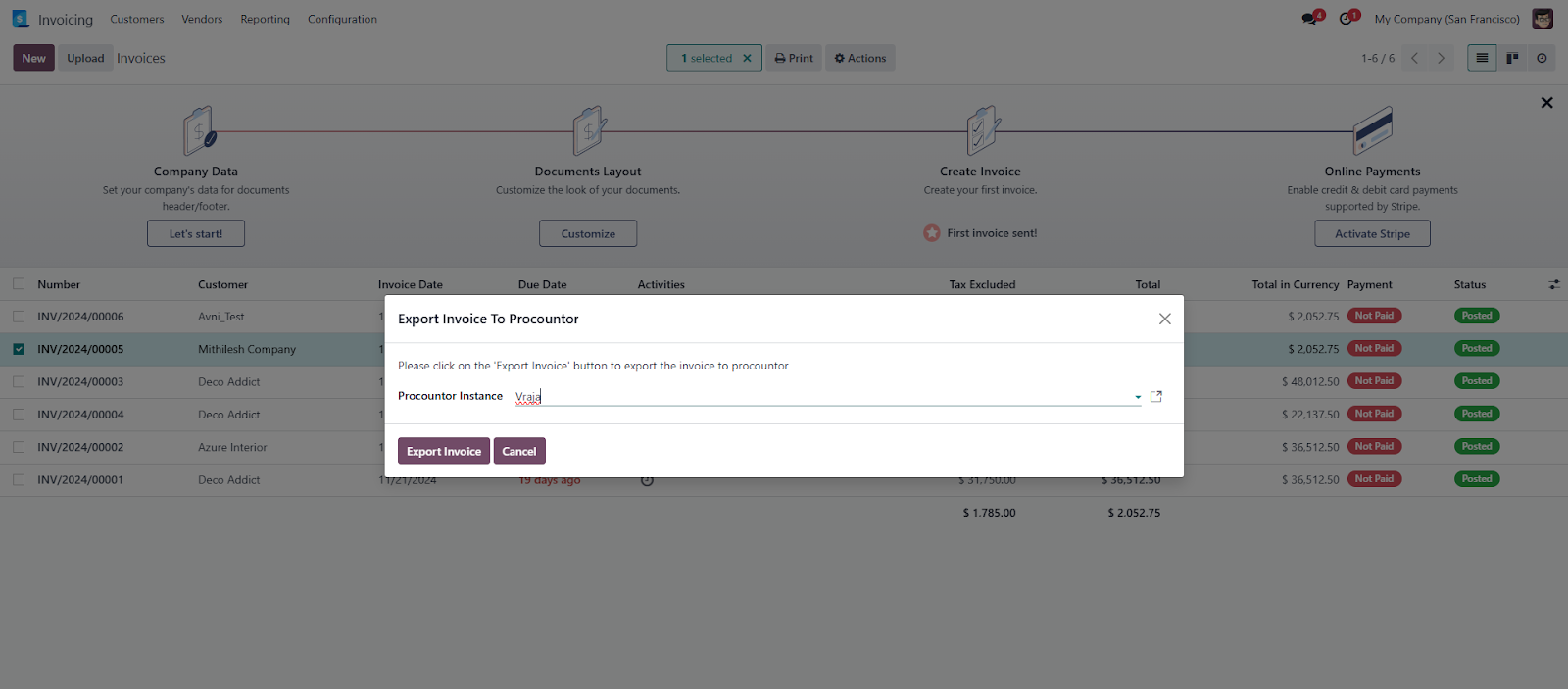
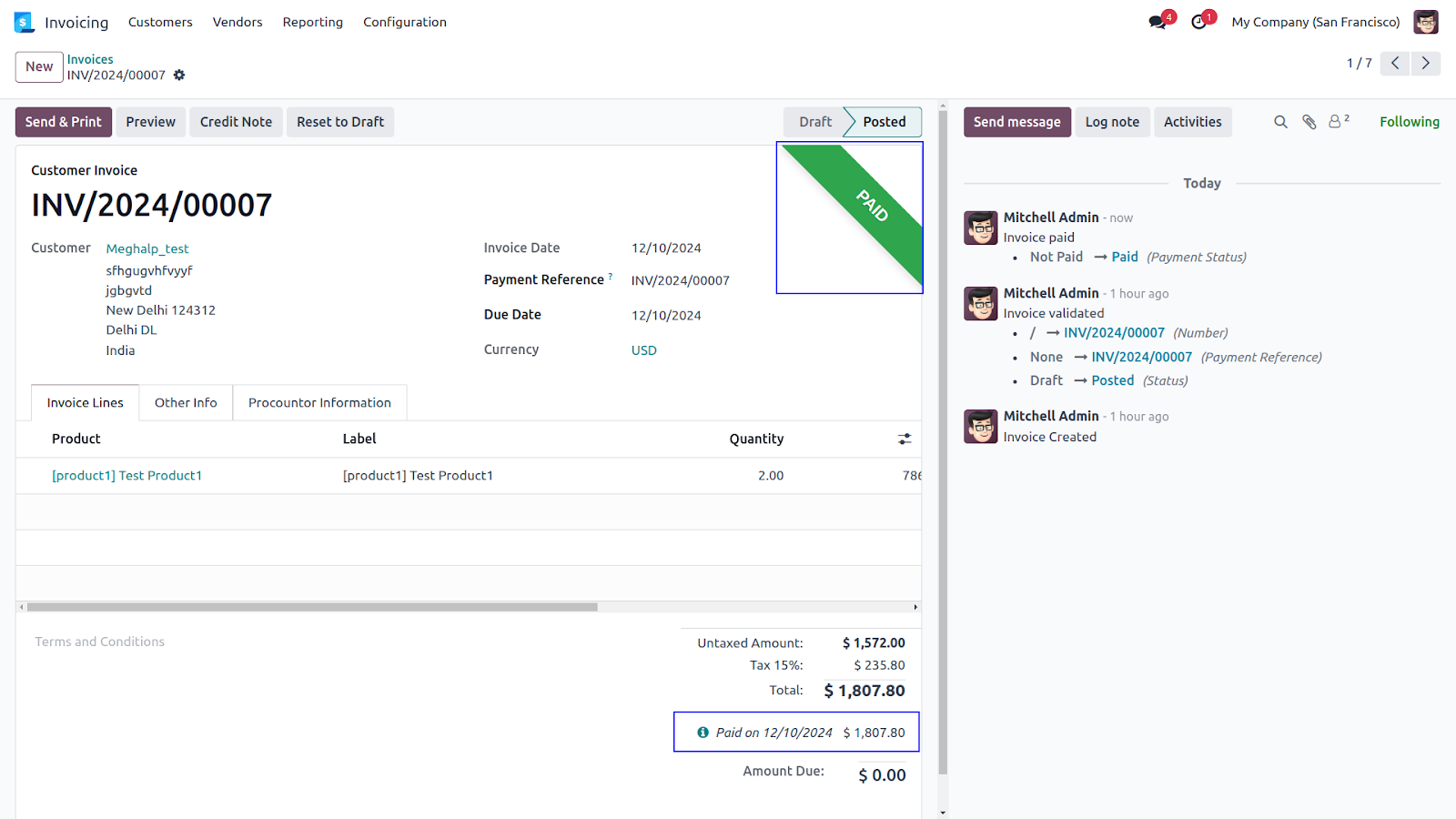
10. Payments will be fetched from Procountor to Odoo and will be marked as paid in Odoo. Cron Job will run automatically in every mentioned hour and fetch the payments.
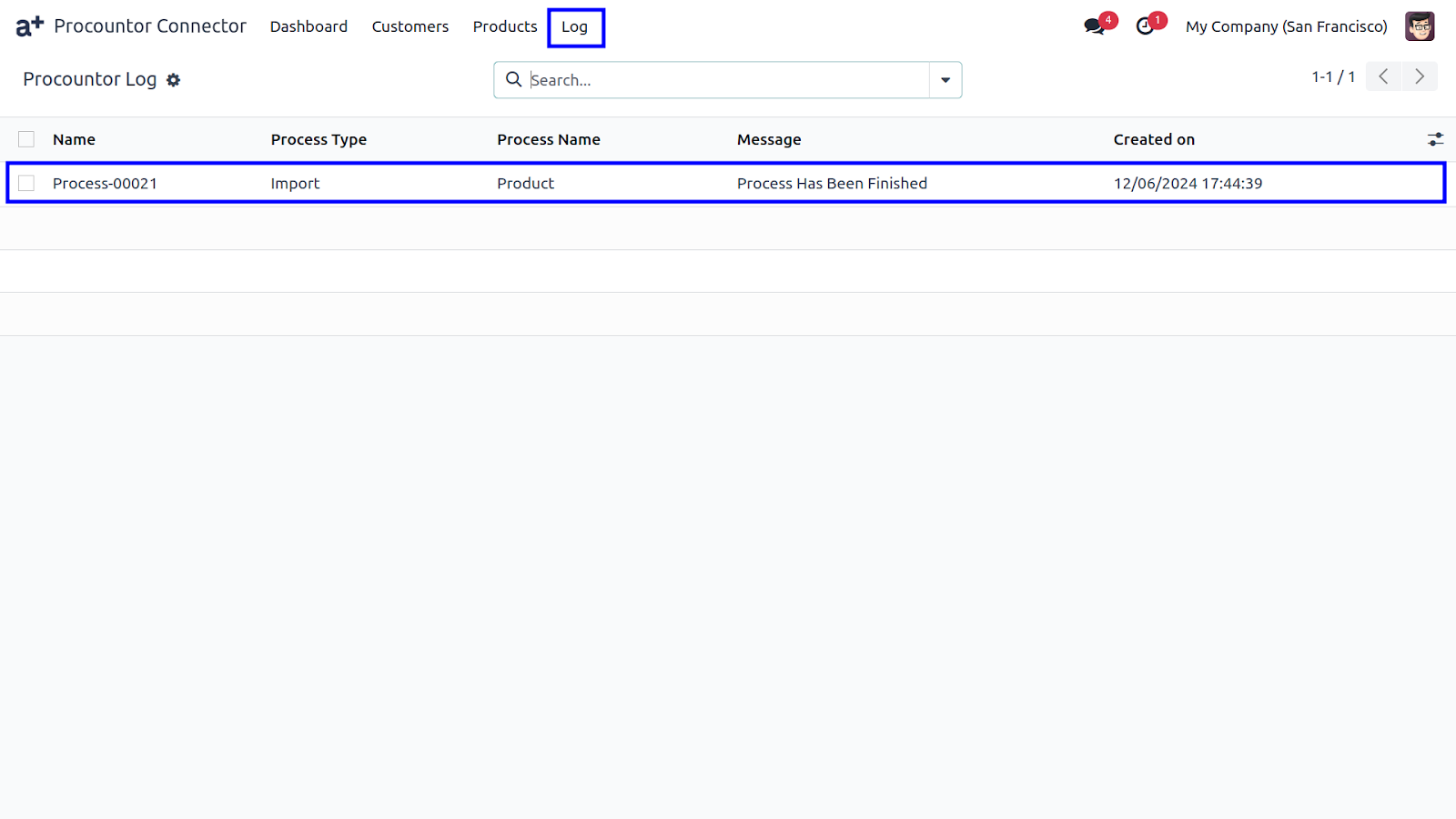
11. Logs will be created for every successful import / export. Log Book Line will show you if there is any fault in the process so you can correct it.
 I would like to request a custom feature for this application. What’s the process to get it implemented?
- We’re happy to help tailor the application to meet your business needs! You can reach us via sales@vrajatechnologies.com
Who is the point of contact for technical support, configuration support or bug-related queries?
- You can reach us via support@vrajatechnologies.com
Submit a Support Ticket
If you encounter any issues while using our app that are caused by the app itself, we offer complimentary support for 90 days from the date of purchase.
To create a support ticket, please register via the Vraja Technologies Support Email and provide the necessary details so we can assist you in resolving the issue.

Email Us
support@vrajatechnologies.com

 1.png)
Contact Us
vrajatechnologies.com/contactus

Support
vrajatechnologies.com/support-policy
Vraja Technologies Services

Odoo Implementation

Odoo App Integration Services

Odoo Customization

Odoo Consultation

Odoo Support & Maintenance

Odoo Developer Outsourcing
Suggested Application




Reviews
There are no reviews yet.