
Description
.png)
 Enterprise Community Odoo.sh
RMA Customer Supplier Management
The RMA (Return Merchandise Authorization) App is a comprehensive solution designed to streamline the management of returns, replacements, and refunds for both customers and suppliers. Seamlessly integrated into Odoo, the app enhances efficiency by automating critical processes and providing a structured workflow for handling returns.
With our Customer RMA, businesses can manage returns, replacements, or refunds for items purchased by their customers directly from the Sales Order. For Supplier RMA, the app simplifies handling returns and refunds for goods purchased from suppliers through the Purchase Order.
The app offers powerful features like predefined return reasons, manager approvals, automated inventory updates, and integrated document generation for delivery orders, credit notes, and more. Accessible via customer and supplier portals, RMA details can be shared or printed to ensure clear communication. This versatile app is the ultimate tool for businesses aiming to enhance their operational efficiency and maintain seamless after-sales and supplier return process.
 Watch on YouTube
We specialize in delivering advanced Odoo solutions across multiple domains. Our expertise includes:

EDI & SWIFT/ACH Payment Integrations
End-to-end EDI automation, including X12, EDIFACT, XML standards, & financial integrations such as SWIFT, ACH, & Fedwire.


eCommerce Integrations
Seamless integration with leading eCommerce platforms to sync products, orders, inventory, and customer data in real time.

Shipping Integrations
Robust shipping connectors for global couriers, offering automated label generation, tracking, and rate computation.

Most Useful Apps for your ERP
A wide range of highly-rated Odoo modules designed to enhance automation, improve productivity, & simplify business operations.
 Process
 FAQs
FAQs
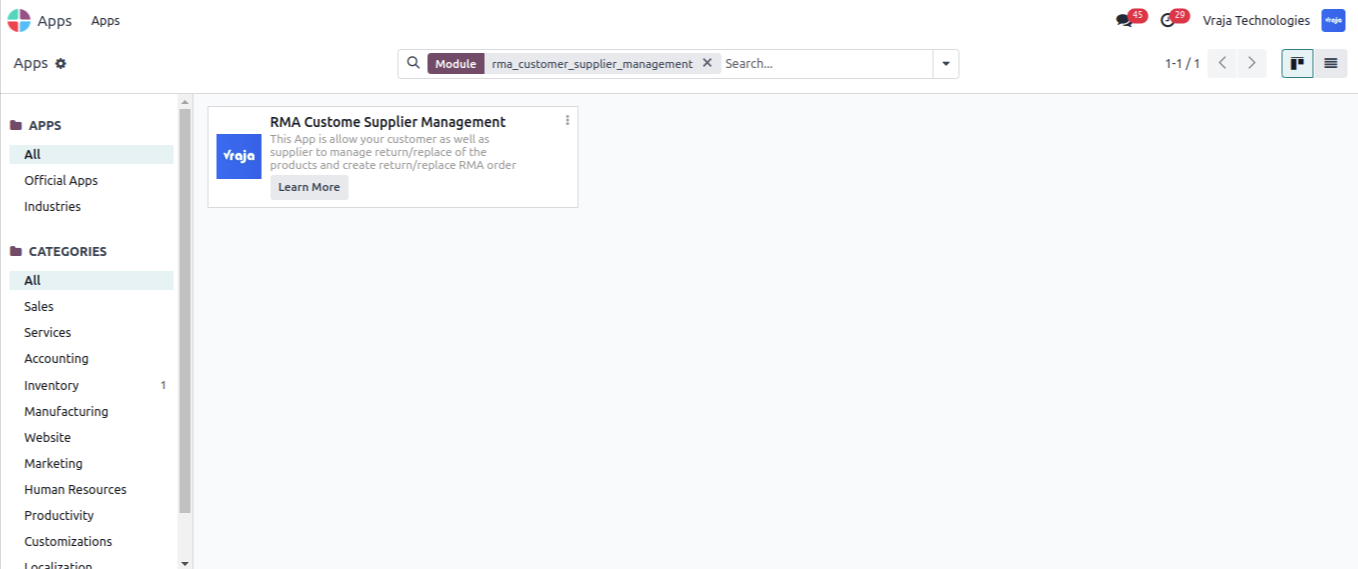
 App Installation.
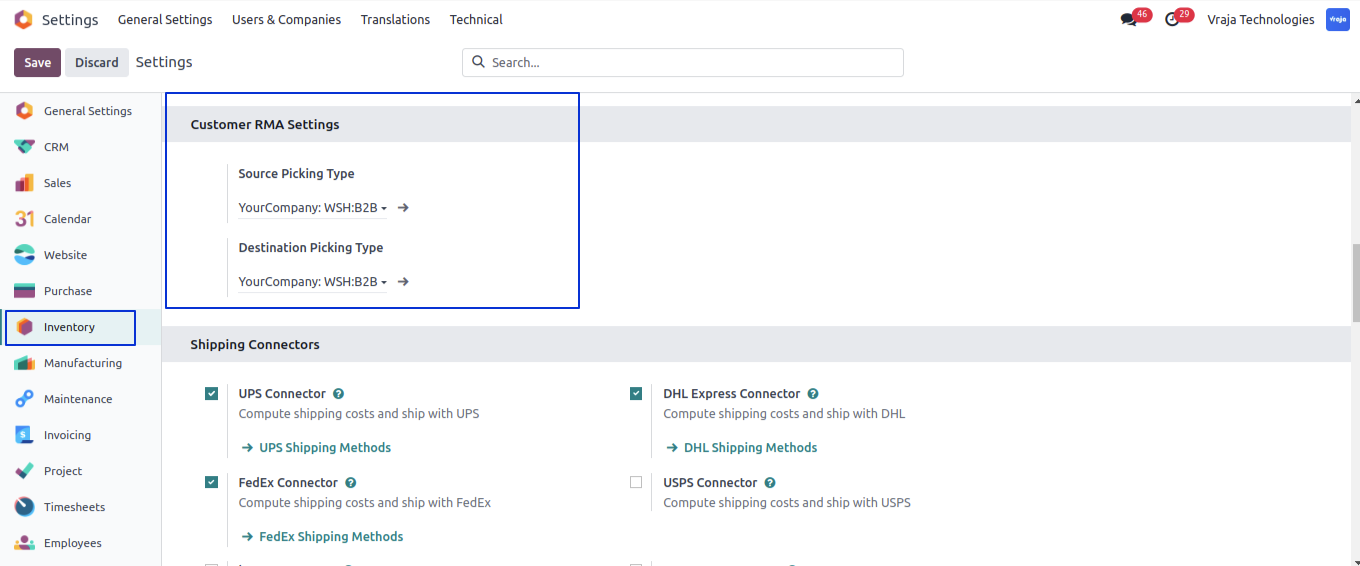
Under Settings > Inventory Settings user have to set “Source Picking Type” and “Destination Picking Type”.
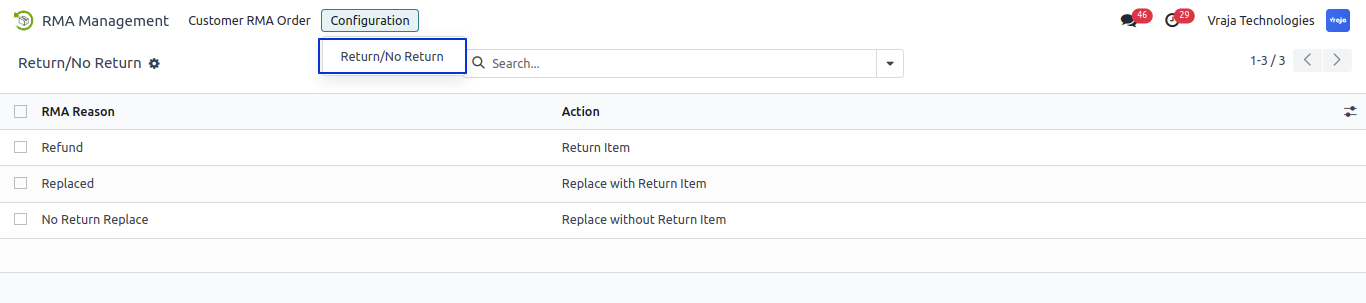
RMA Management > Configuration > Return/No Return Menu.
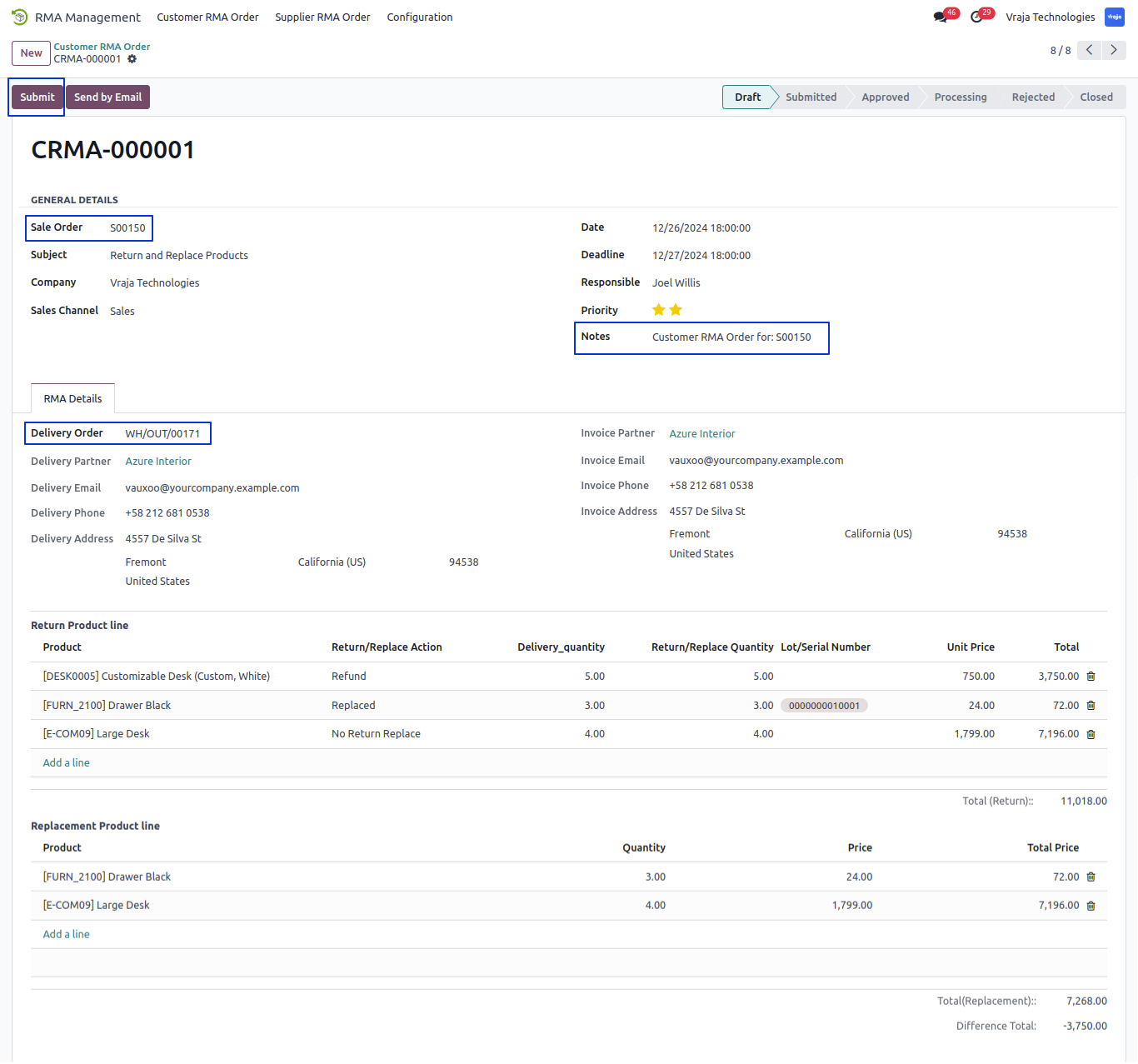
Create new Customer RMA Order:
– Select sale order and based on sale order set Invoice Details Automaticaliy.
– Select Related Delivery Order based on delivery order set Delivey details and Return Product Line Automaticaly.
– Select Return/No Return and Return/cancle Quantity in Return Product line.
– Select Product for Replace product in Replacement Product Line.
– Submit RMA Order.
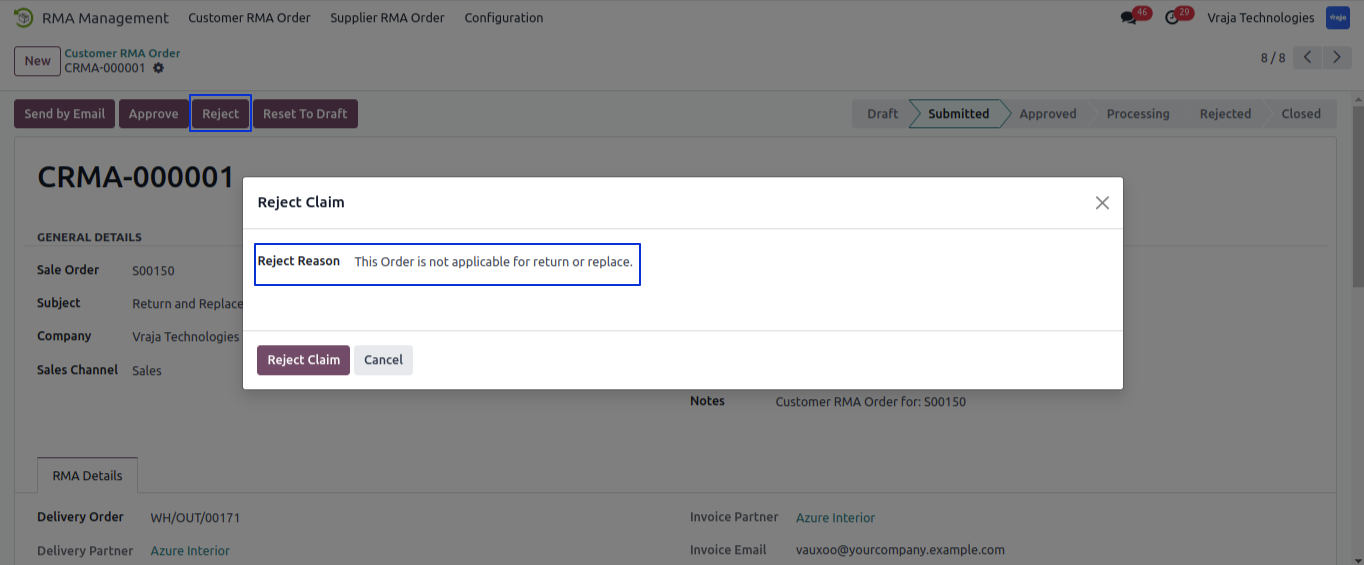
Click on Reject buton and Open popup window for Select Reject Reason.
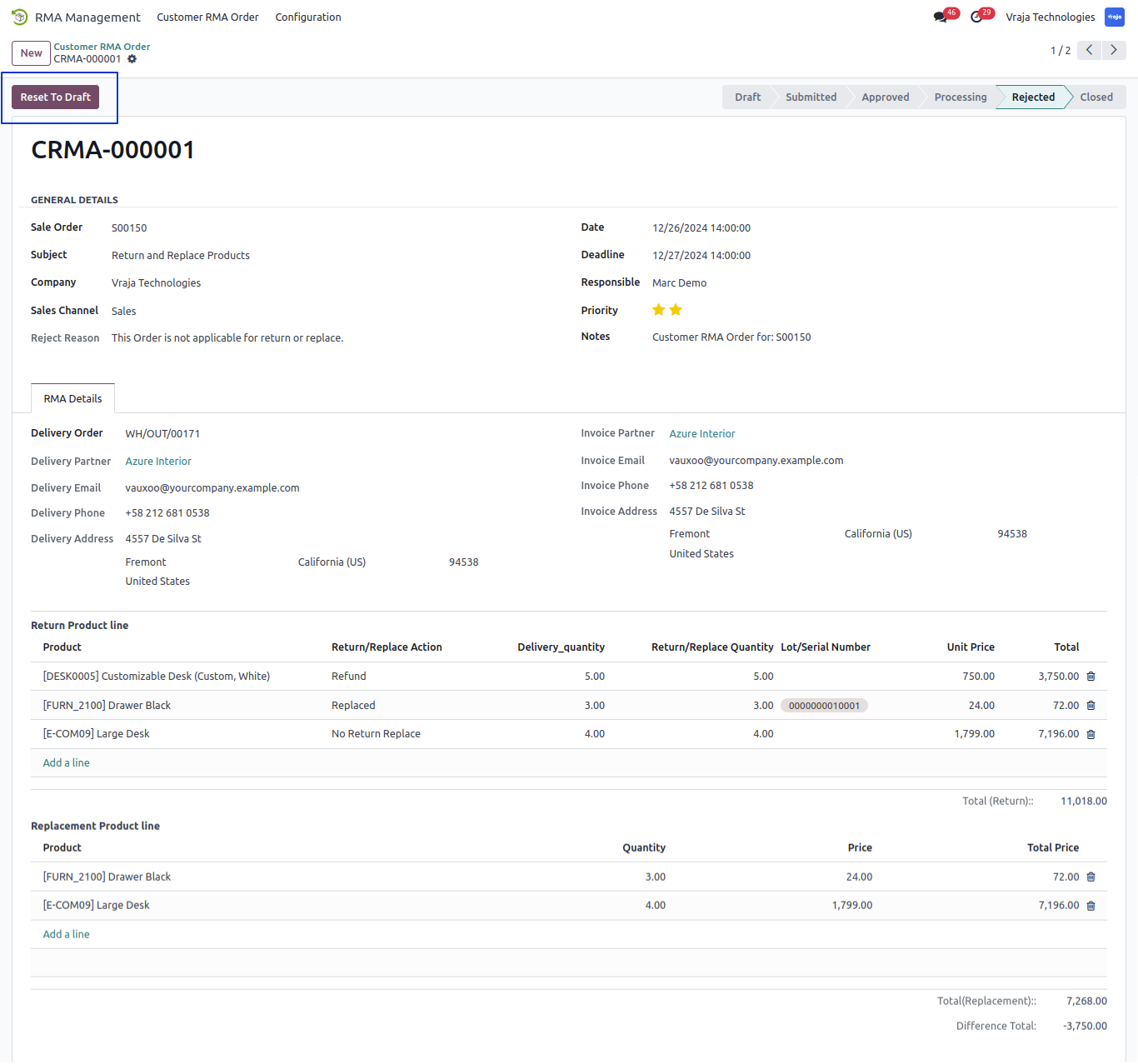
When Reject RMA order show Reset to Draft button and set the reject reason inside the Reject Reason field. when Click on Reset to Draft Button user can again submit the order and all process.
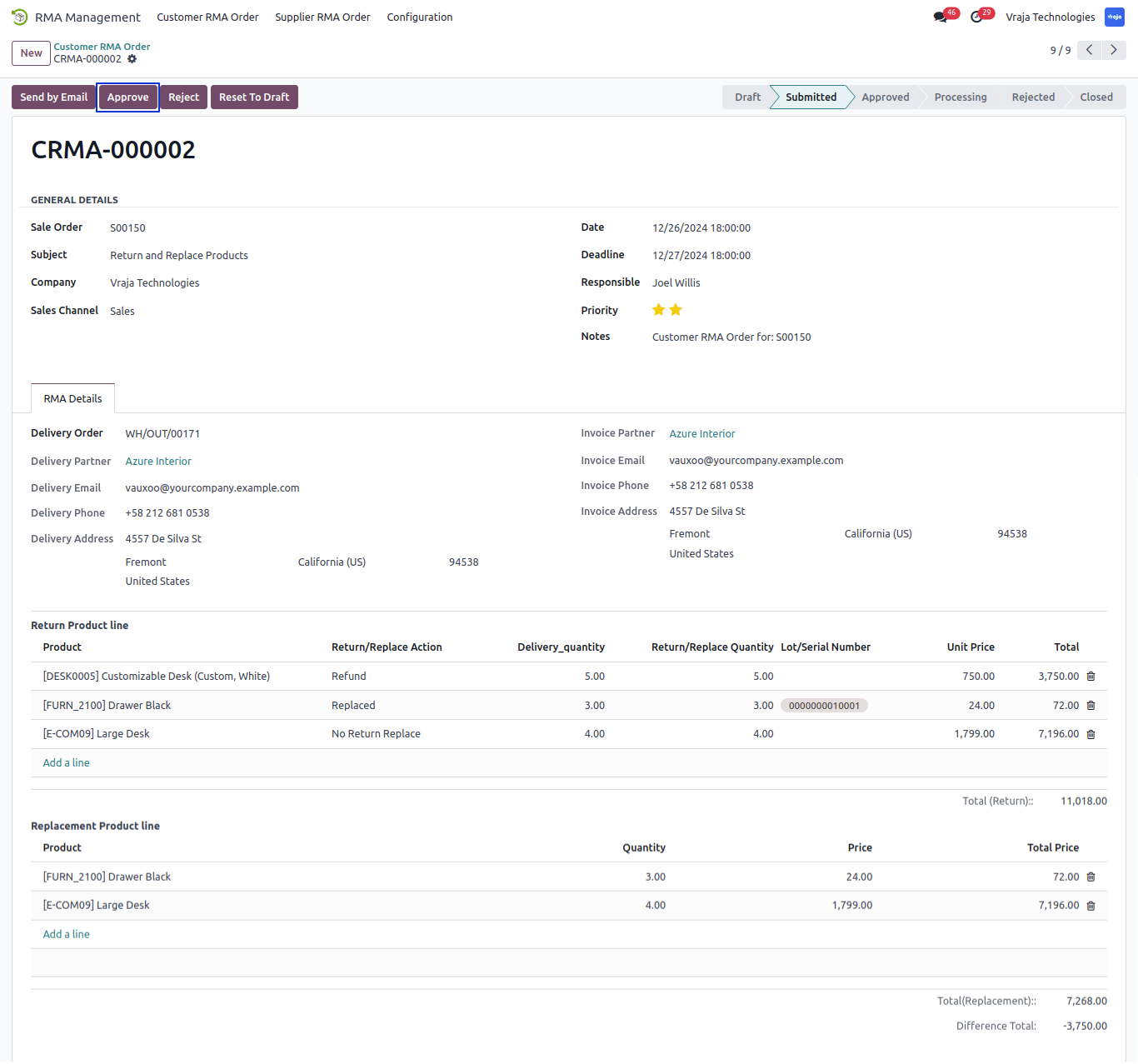
Click on Approve button and Approve RMA Order.
While Approved order Created the In Picking for Return the product in stock as per the Selected return/no return reason.
view created In Picking using smart button. and inside this picking view related rma order.
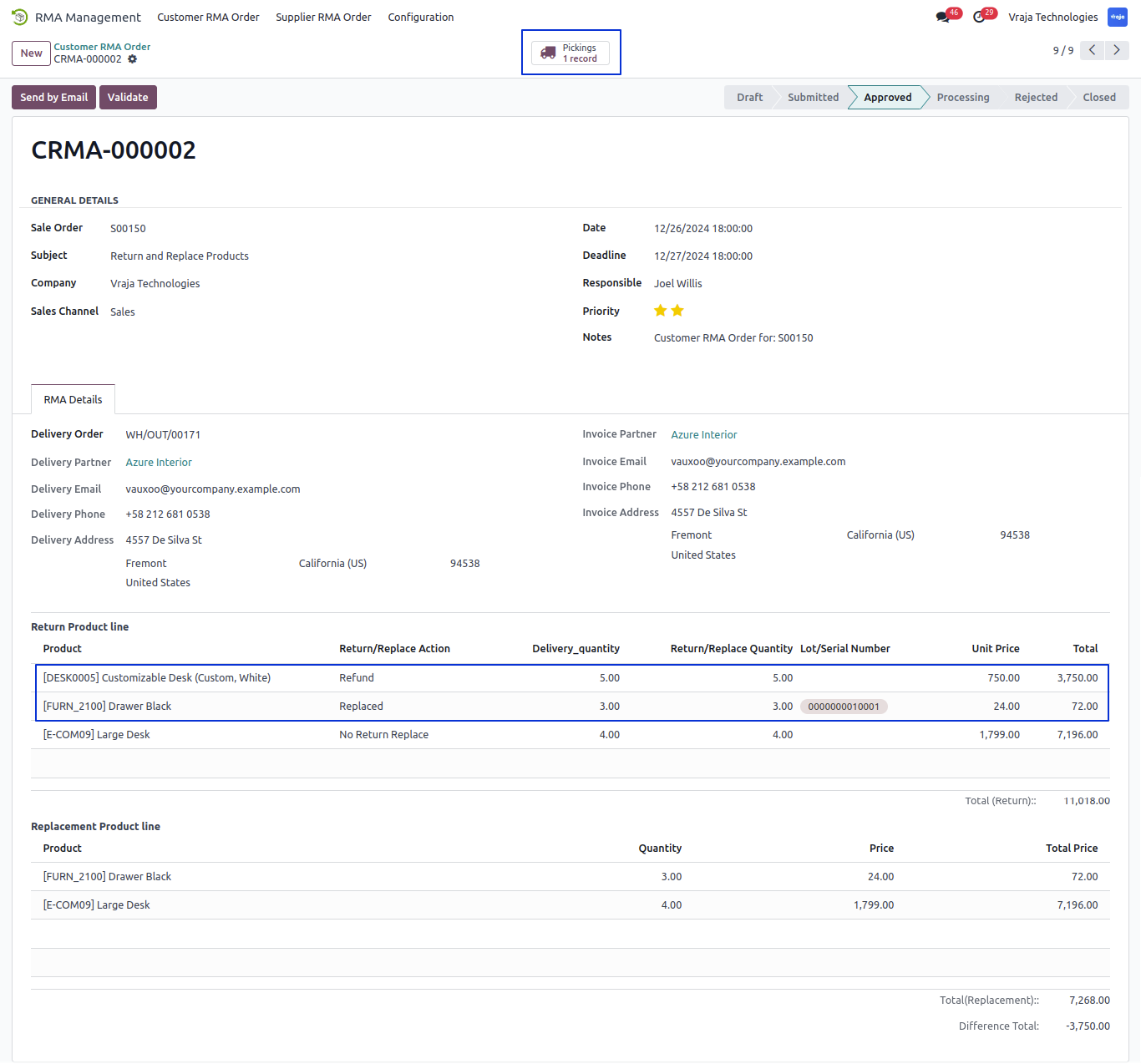
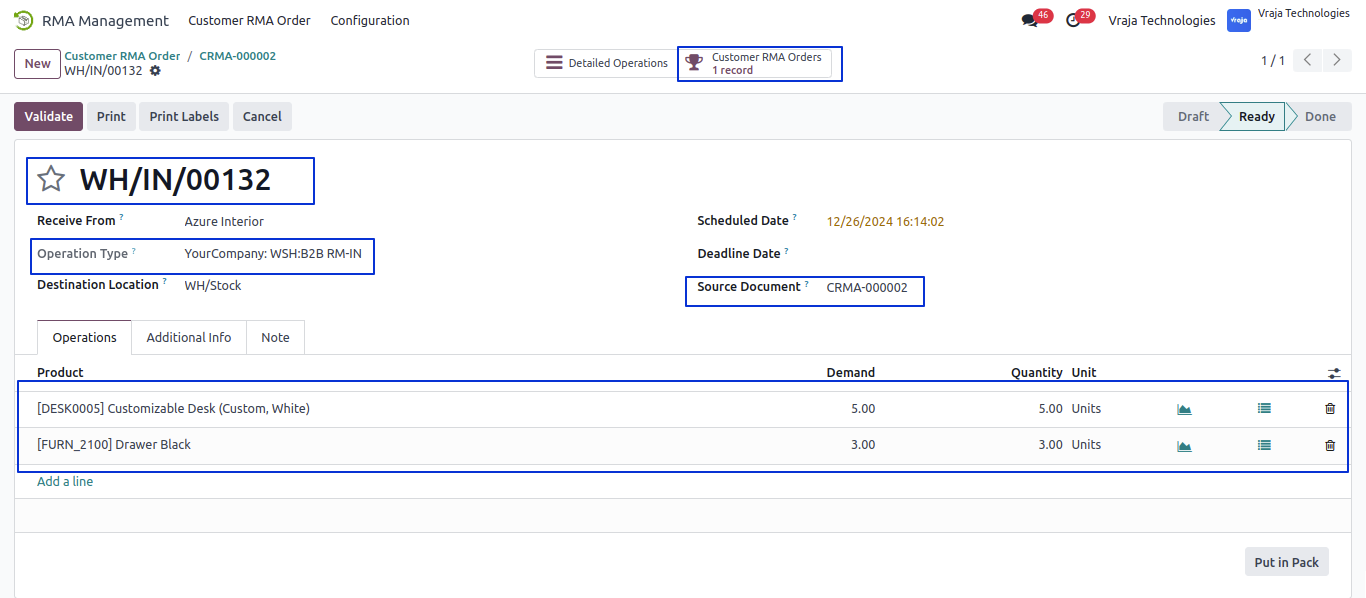
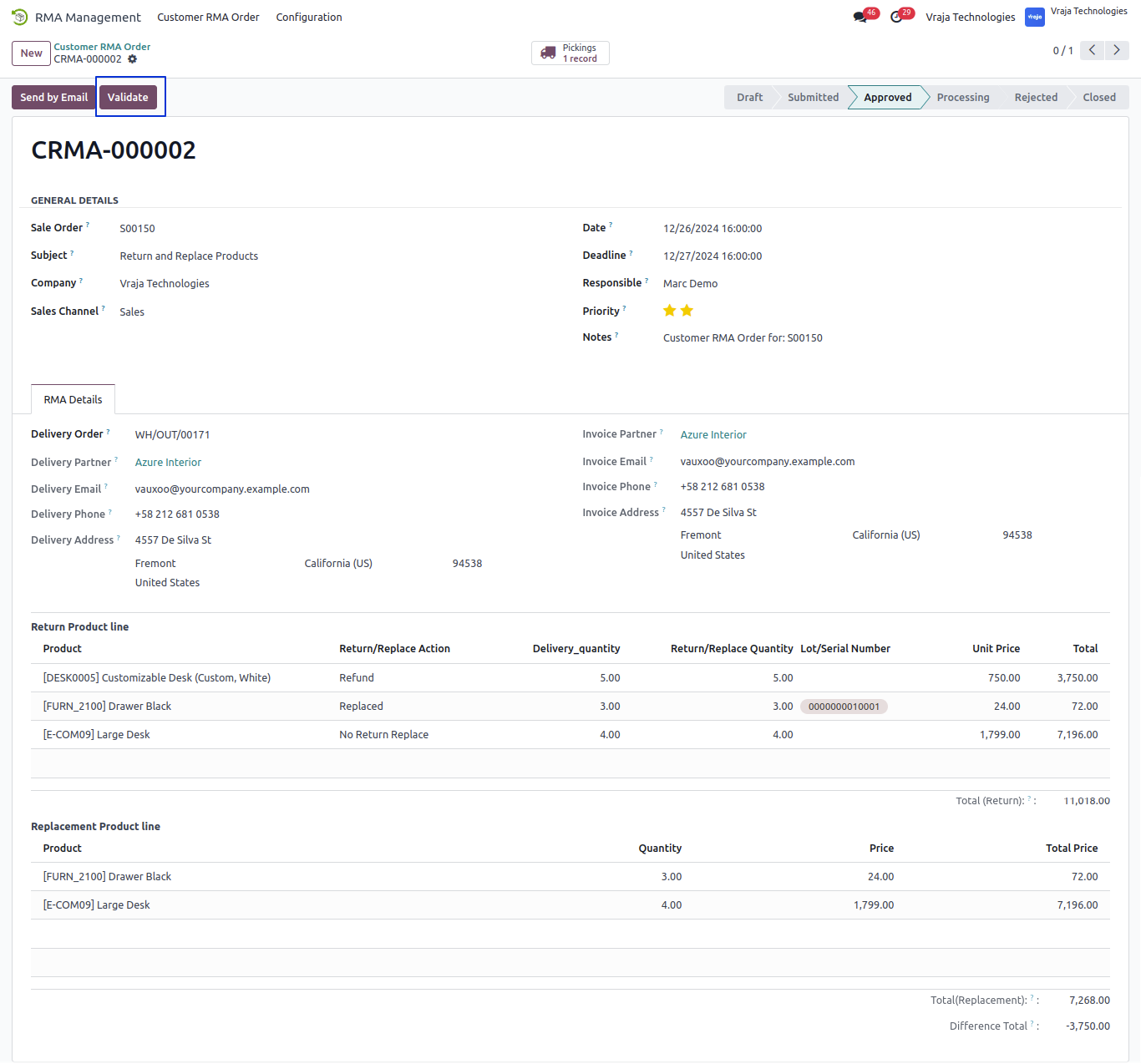
Click on Validate Button and Validate the RMA Order.
When Validate the RMA order created the Out Picking for Replacement Product and also create credit note for Return item.
view created Out picking and creadit note using smart button.
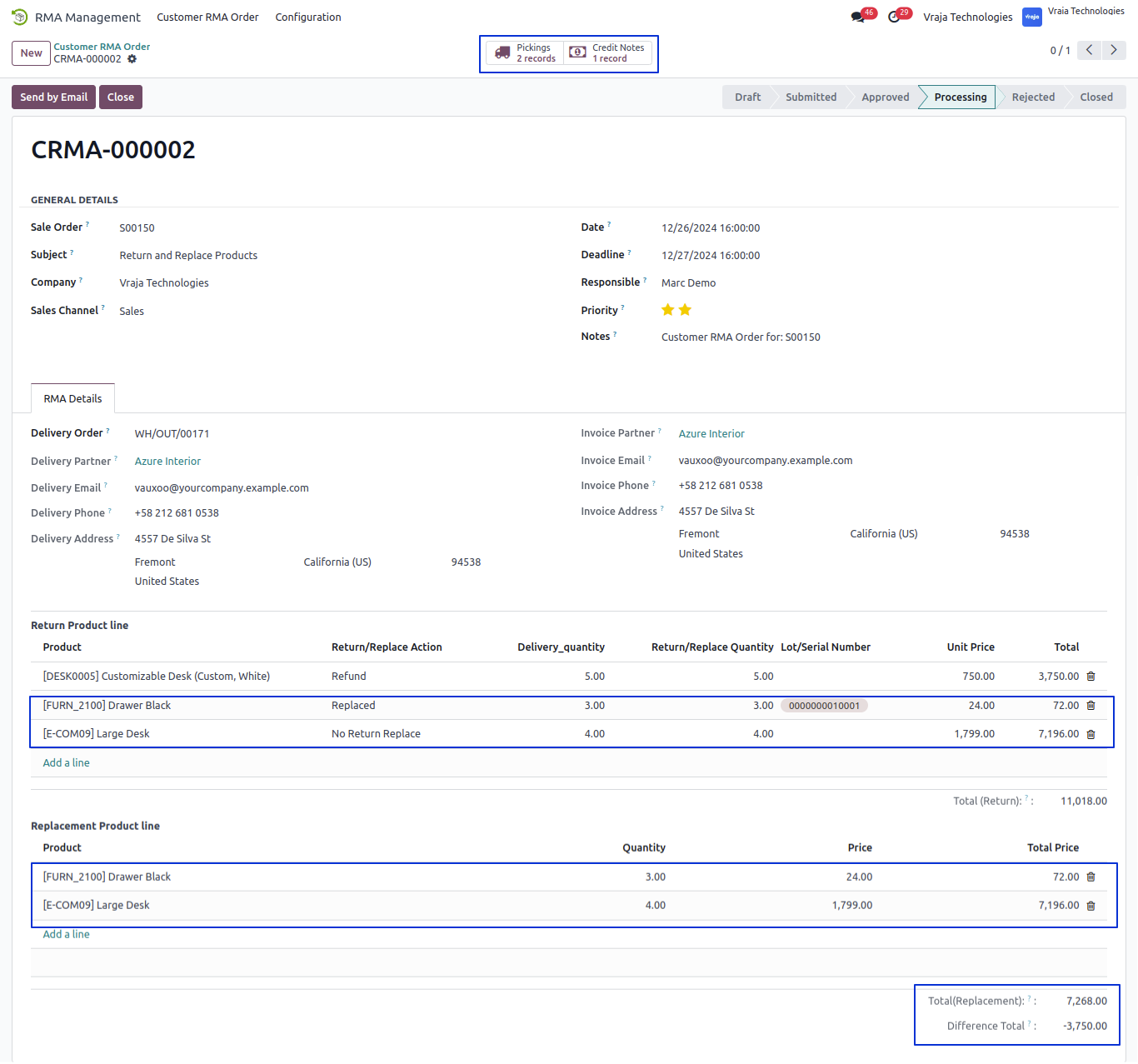
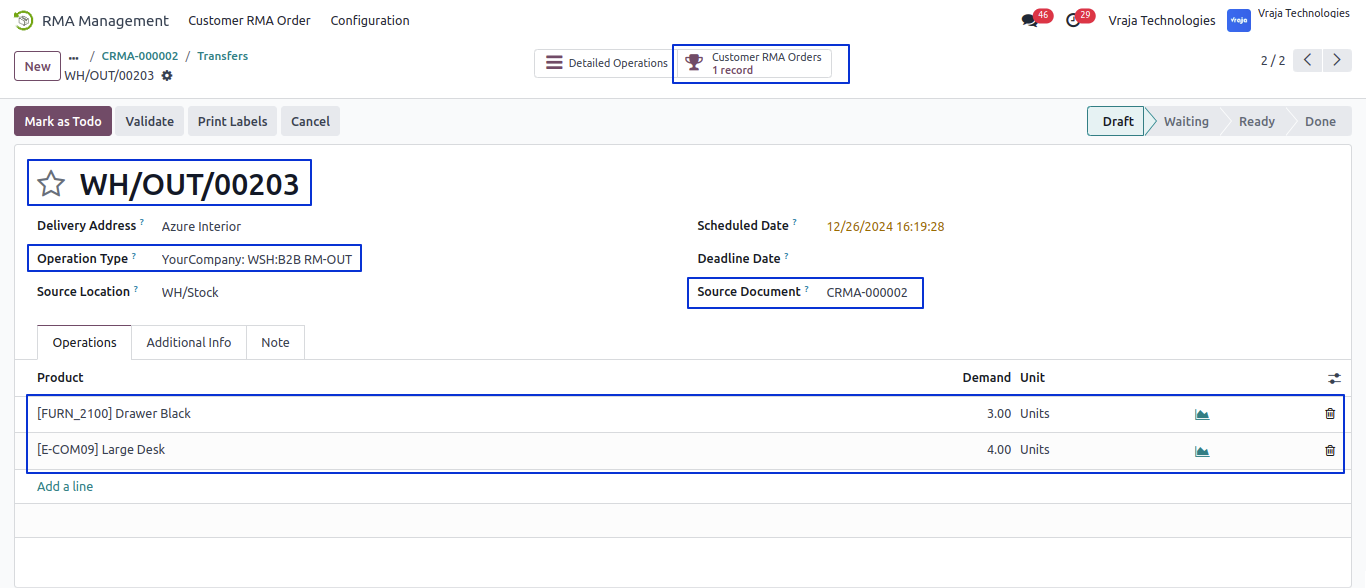
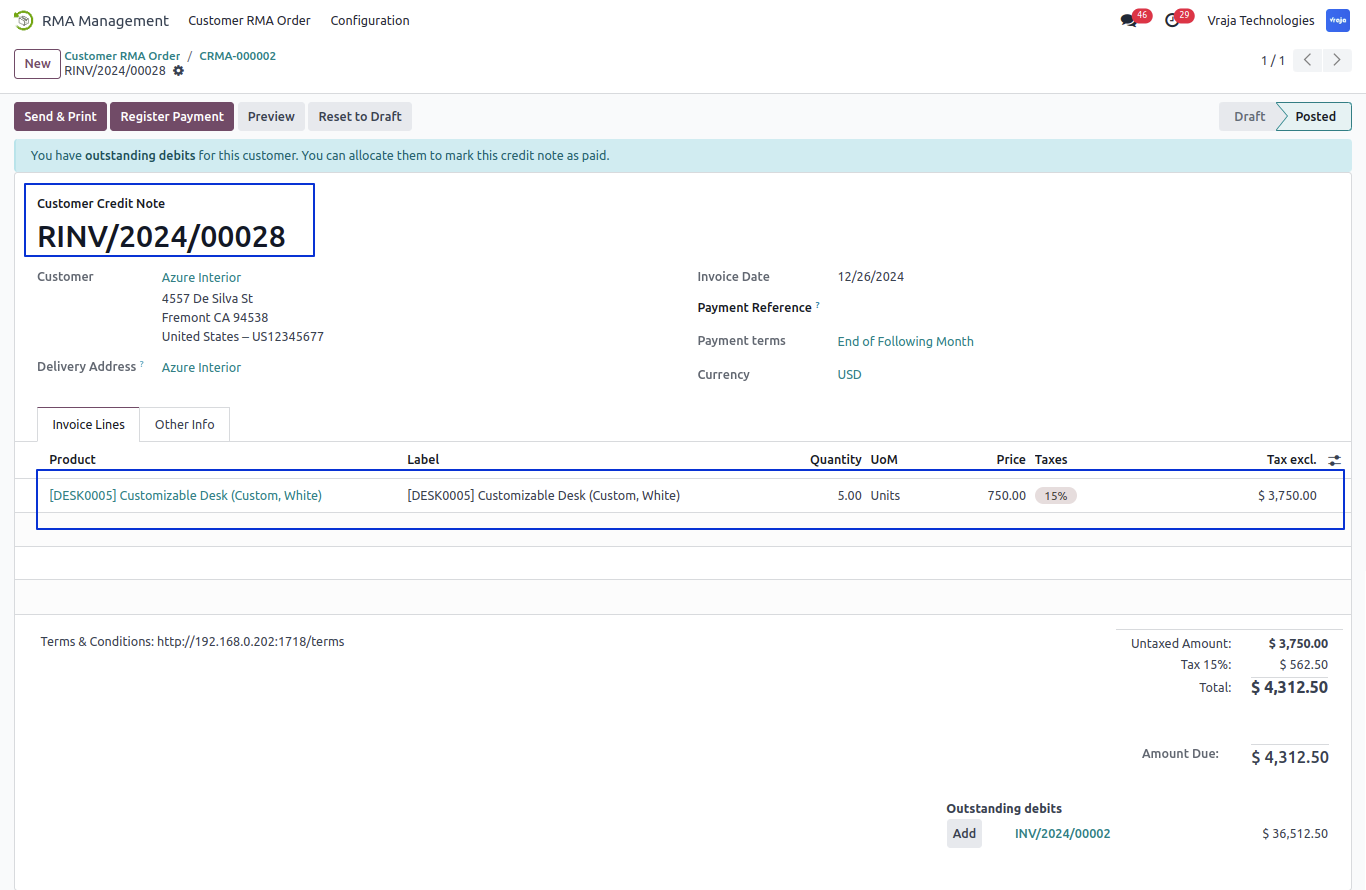
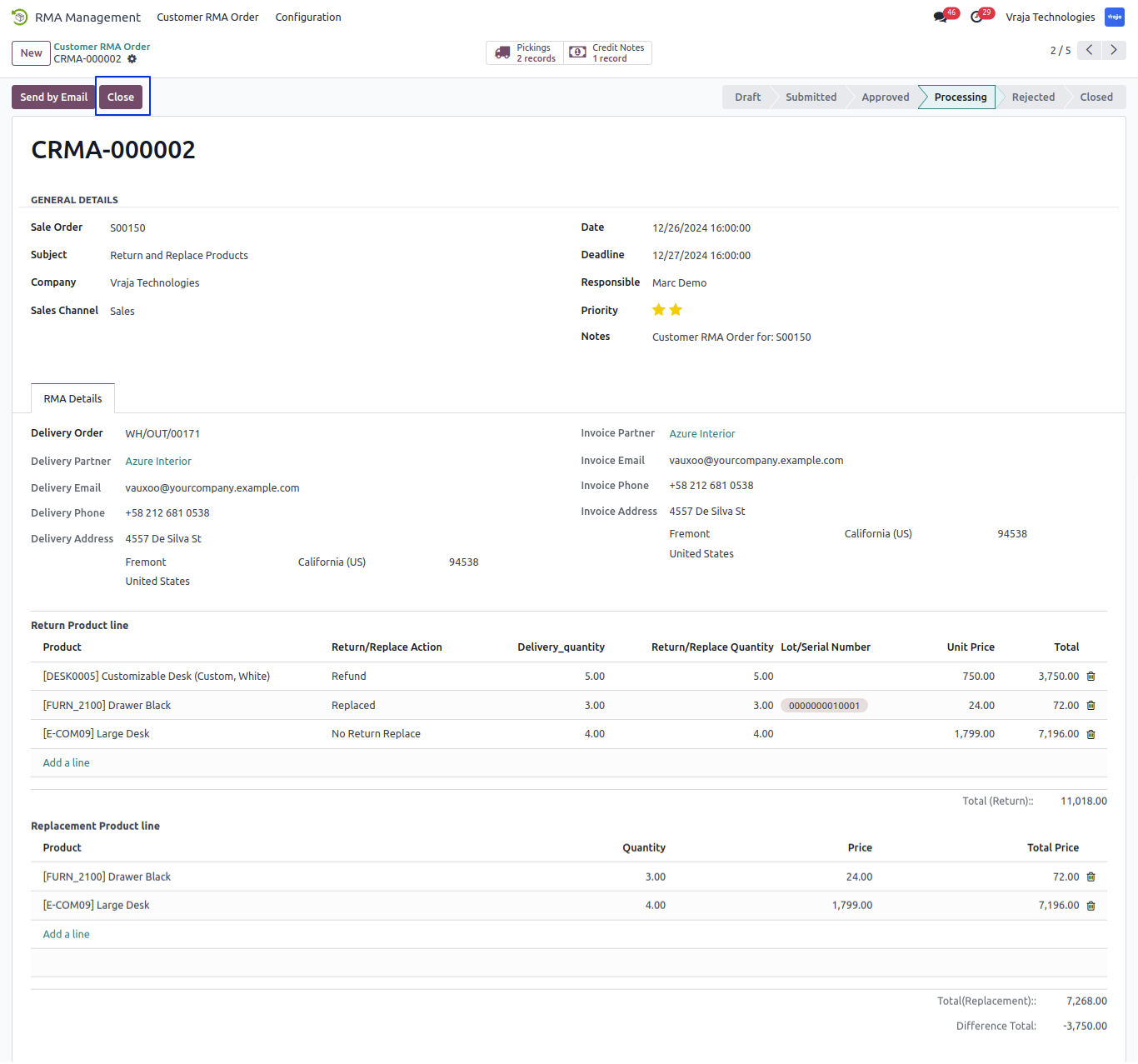
Click on Close button and Close Completed RMA Order.
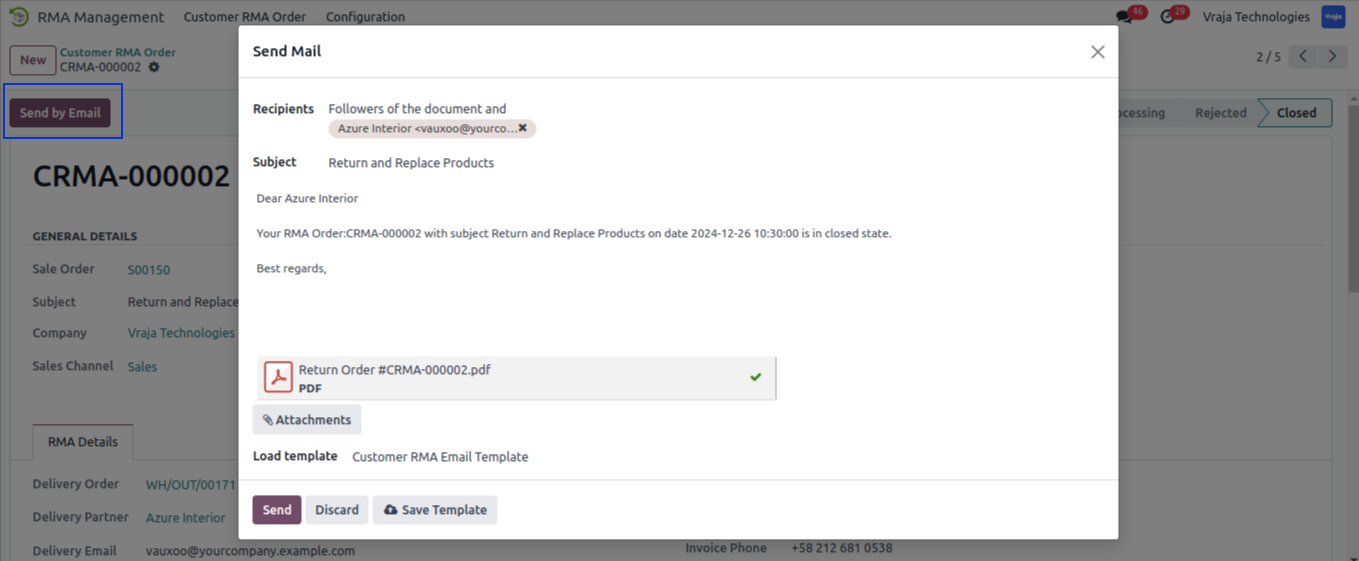
Click on Send by Email button and send mail of RMA order to Cutomer.
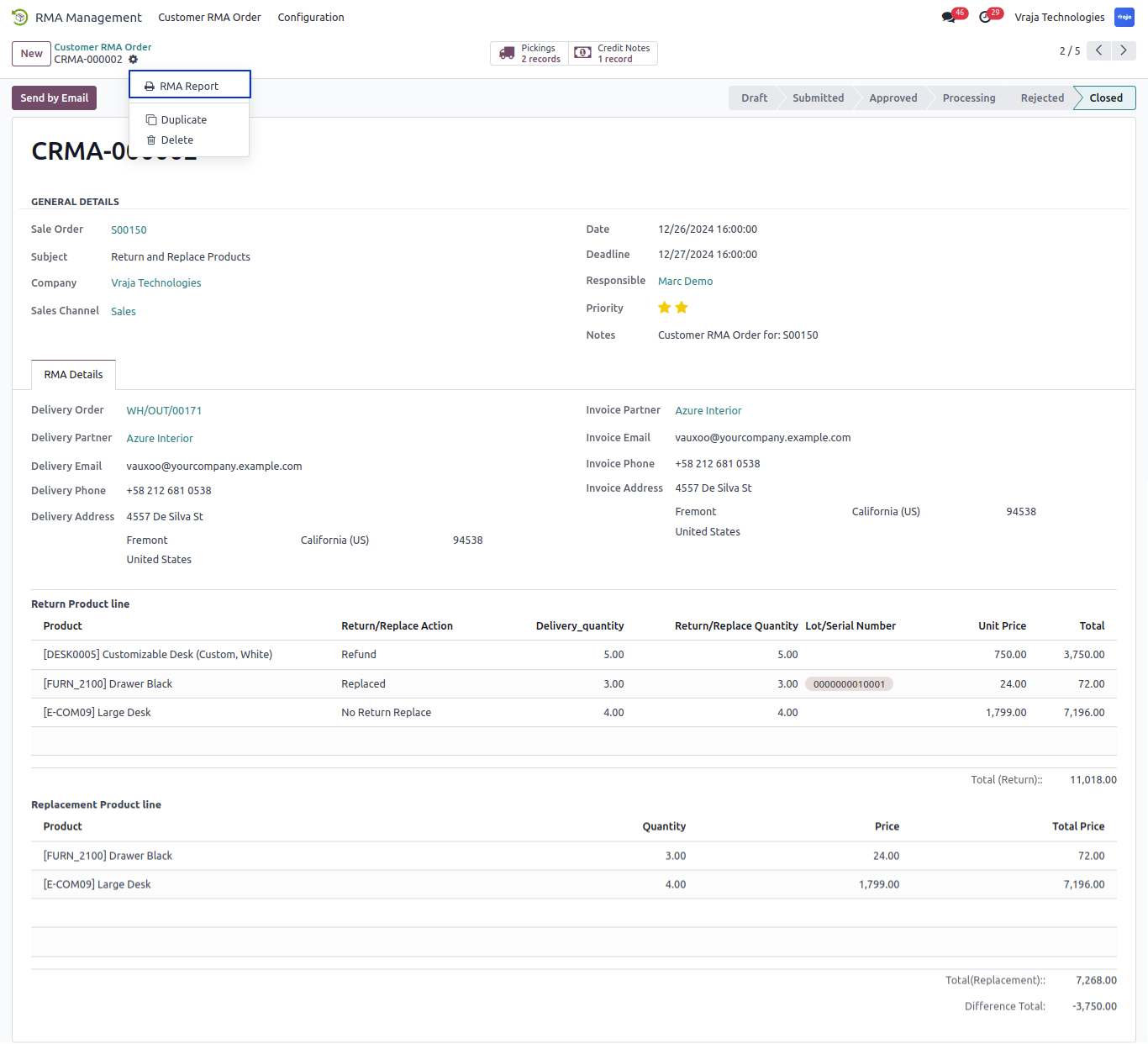
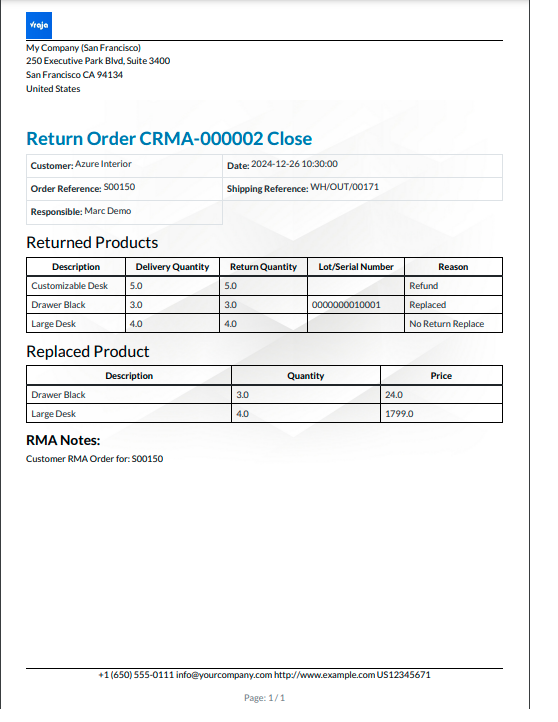
Download the Customer RMA Report from action menu of RMA order form.
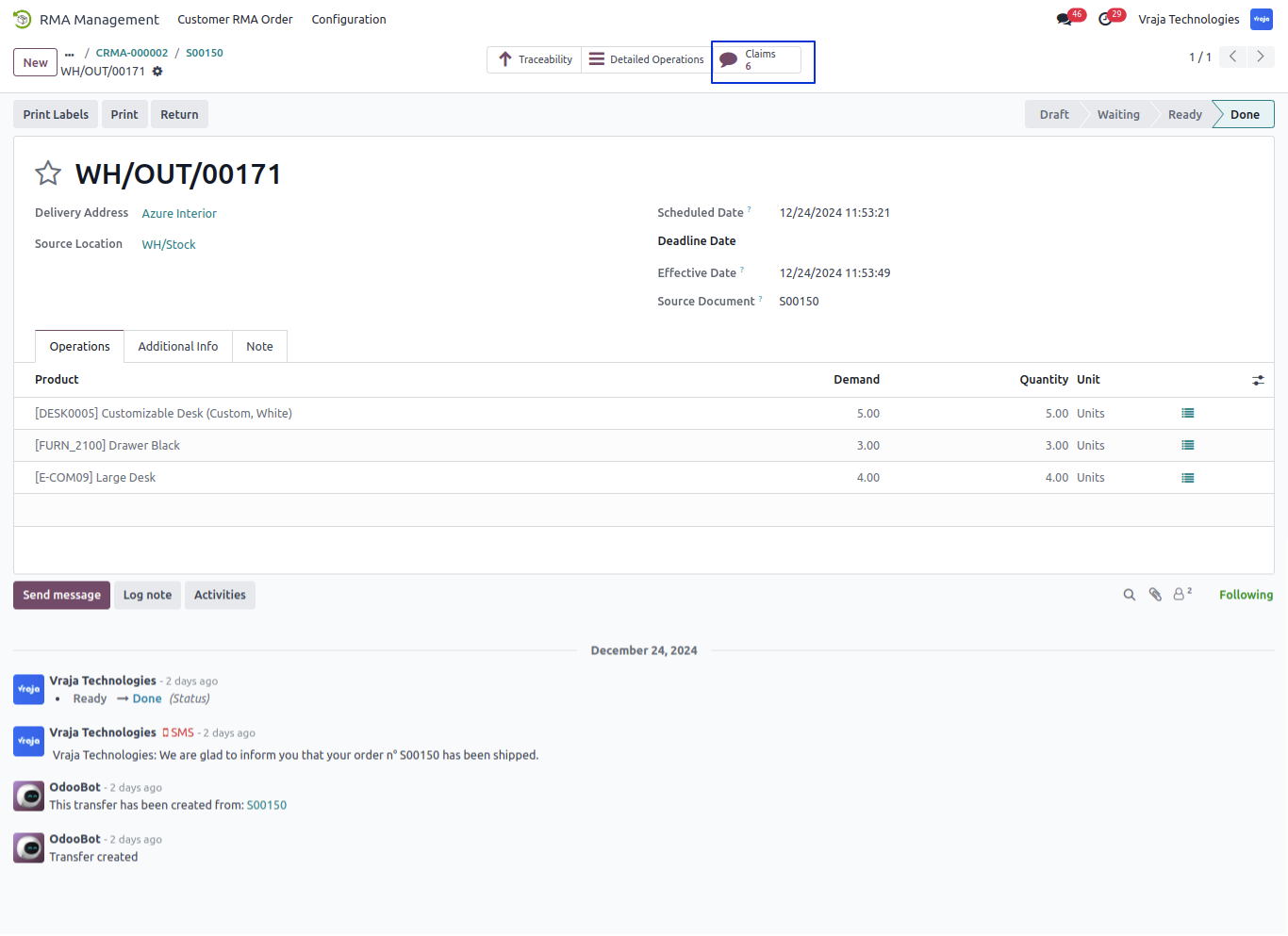
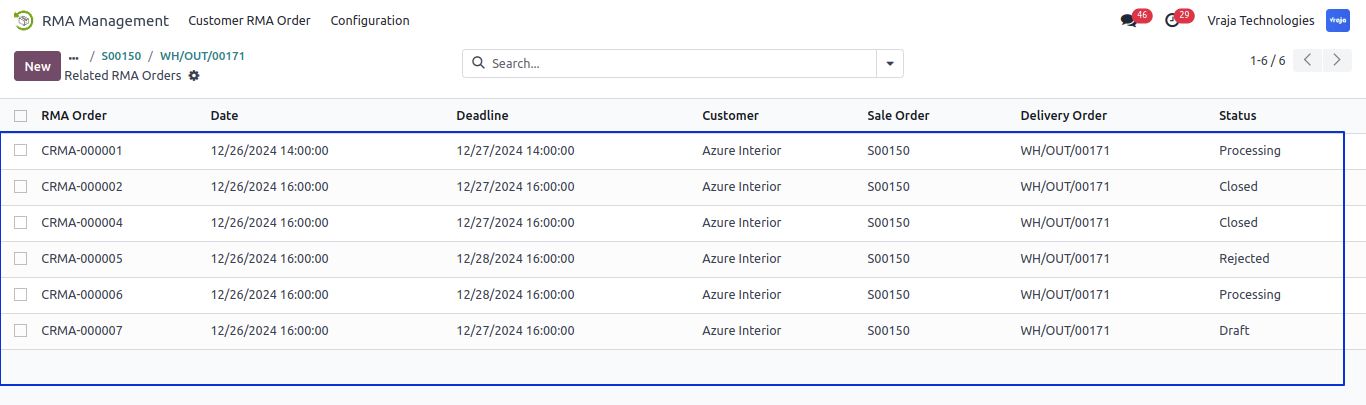
Inside the selected sale order > Picking View Claims/RMA Orders.
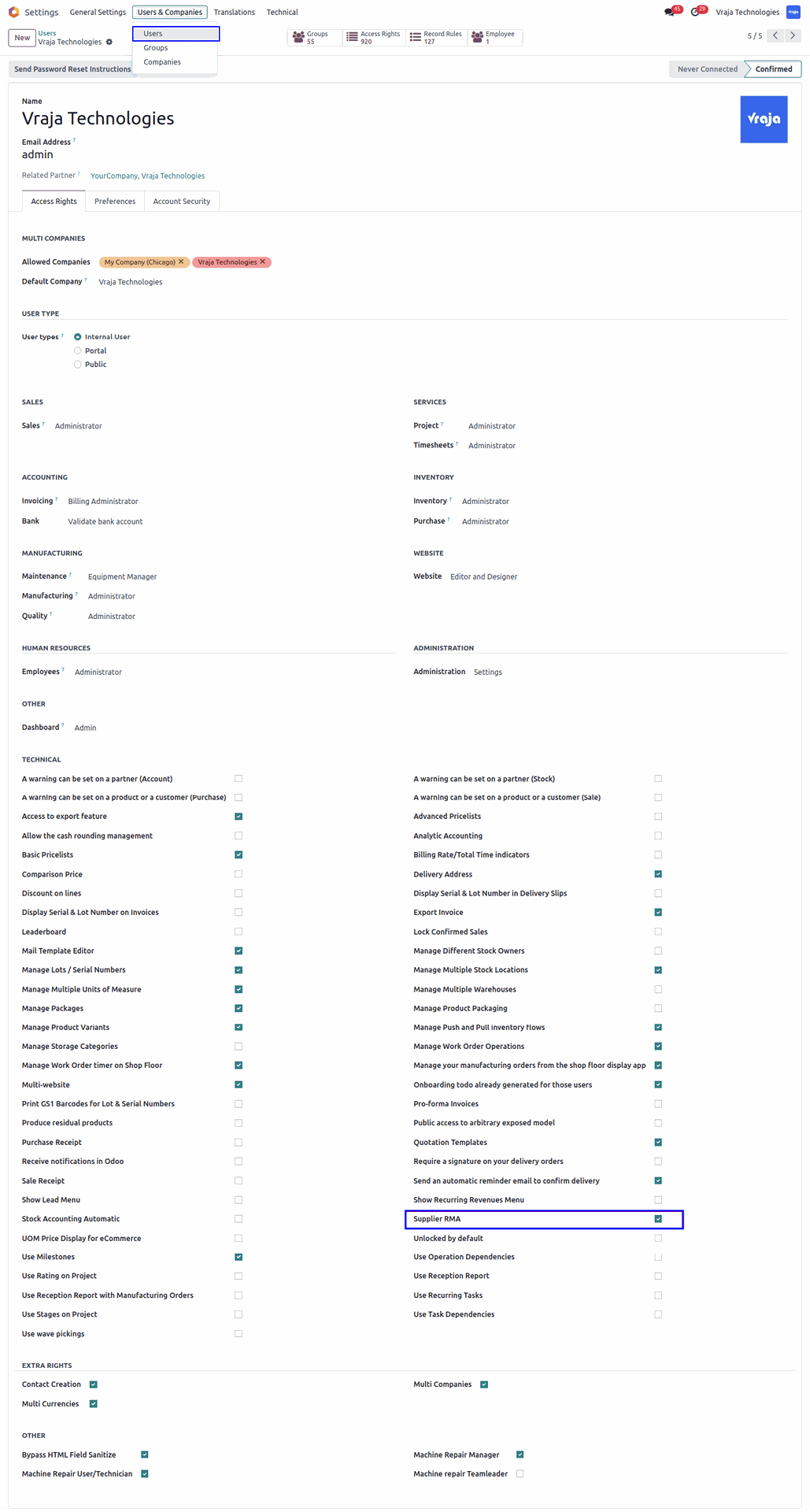
Under user configuration enable ‘Supplier RMA’ checkbox.
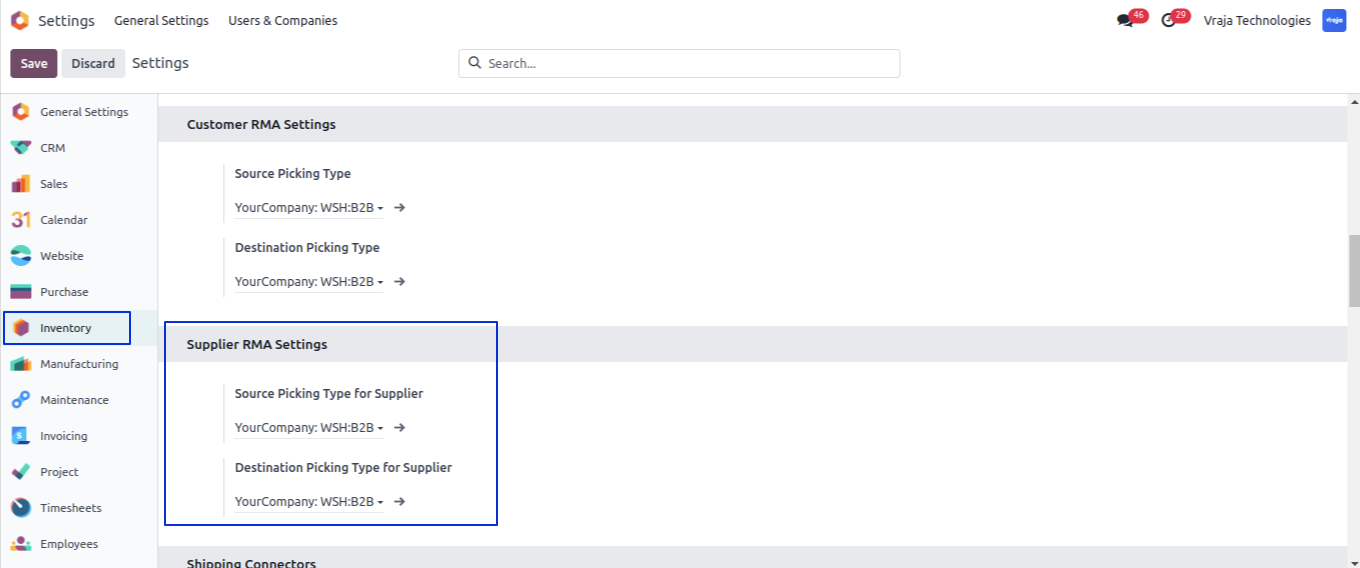
After enable ‘Supplier RMA’ checkbox under the invetory settings inside Supplier RMA Settings set source picking type for supplier and Destination picking type for supplier.
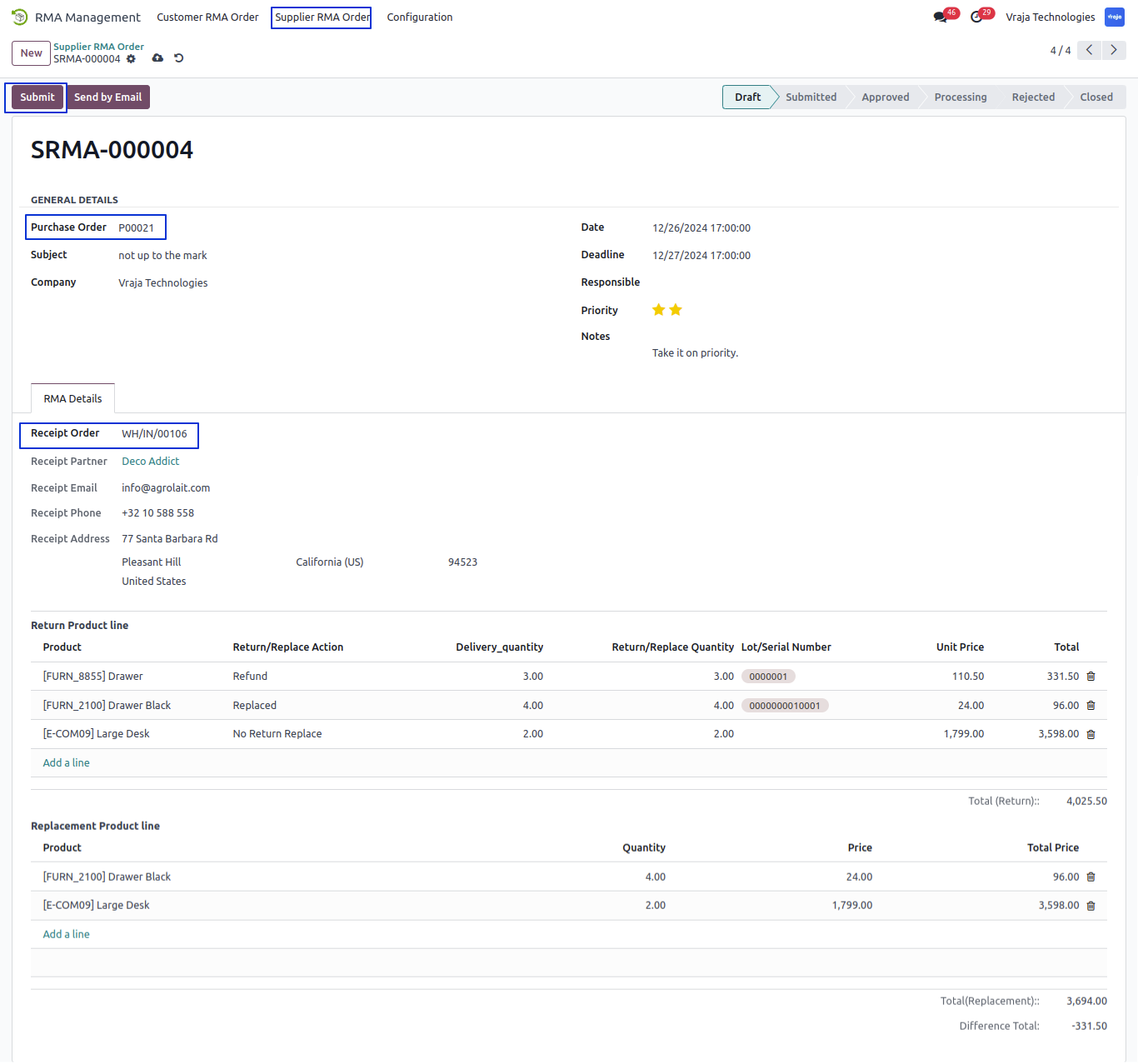
Under RMA Order > Supplier RMA Order menu user can create RMA order.
– Select Purchase order.
– Select Related Recepit Order based on Receipt order set Recepit details and Return Product Line Automaticaly.
– Select Return/No Return and Return/cancle Quantity in Return Product line.
– Select Product for Replace product in Replacement Product Line.
– Submit Supplier RMA Order.
Click on Reject buton and Open popup window for Select Reject Reason.
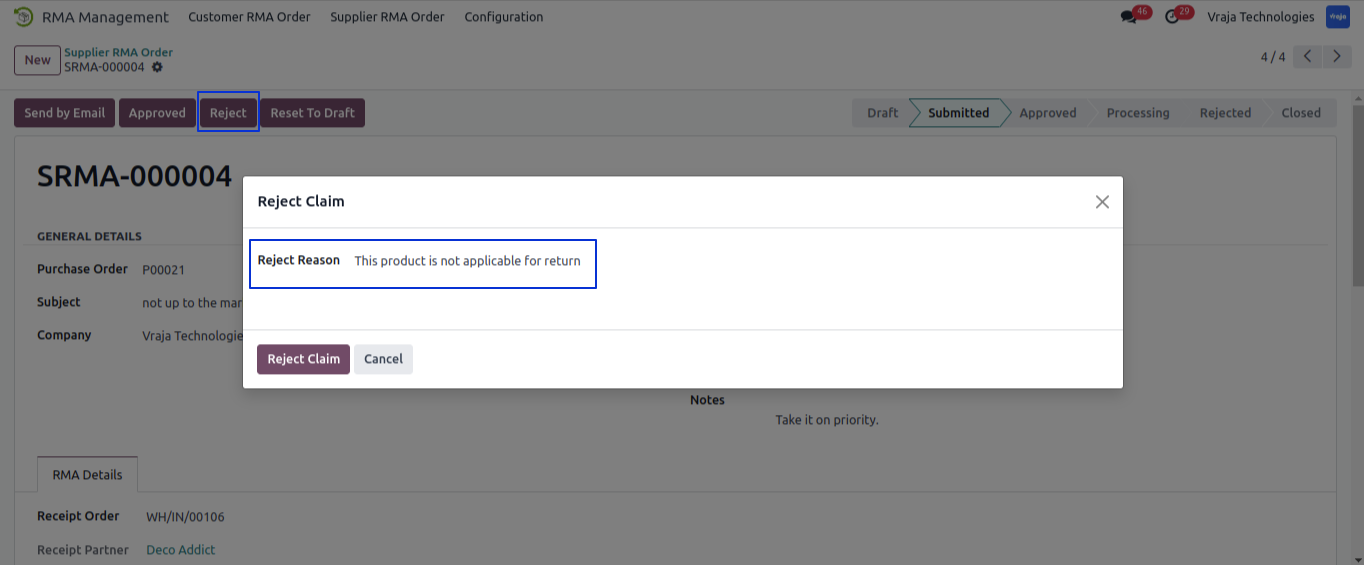
While Reject RMA order show Reset to Draft button and set the reject reason inside the Reject Reason field. when Click on Reset to Draft Button user can again submit the order and all process.
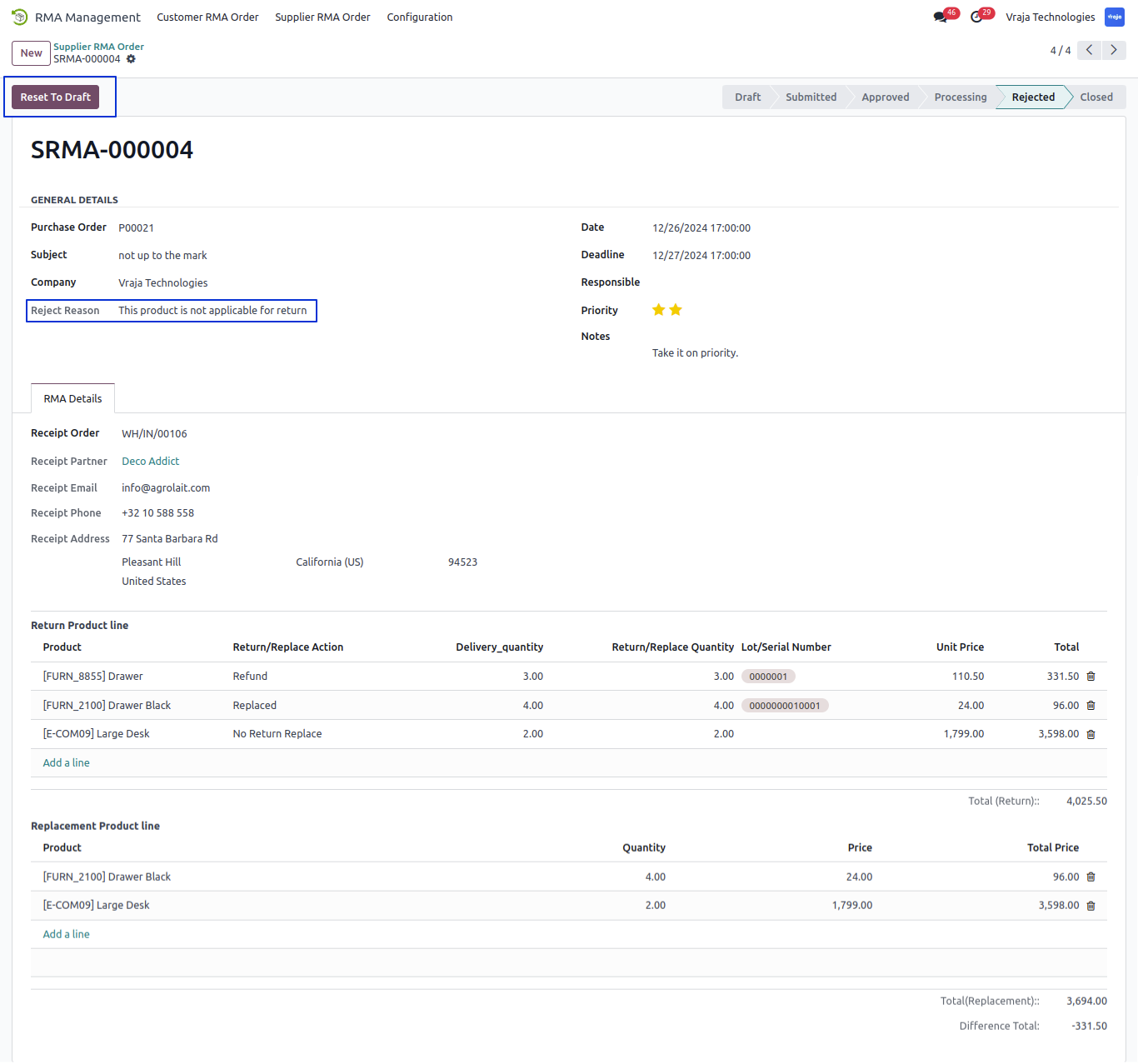
Click on Approved Button and Approve Supplier RMA Order.
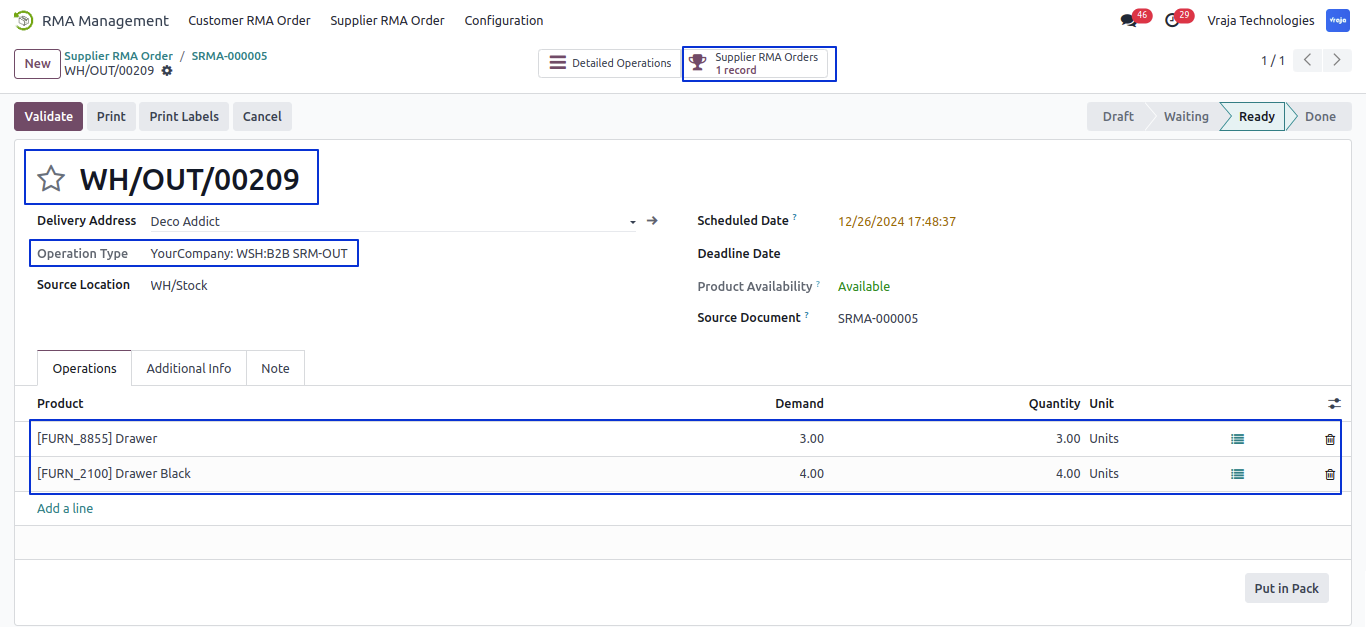
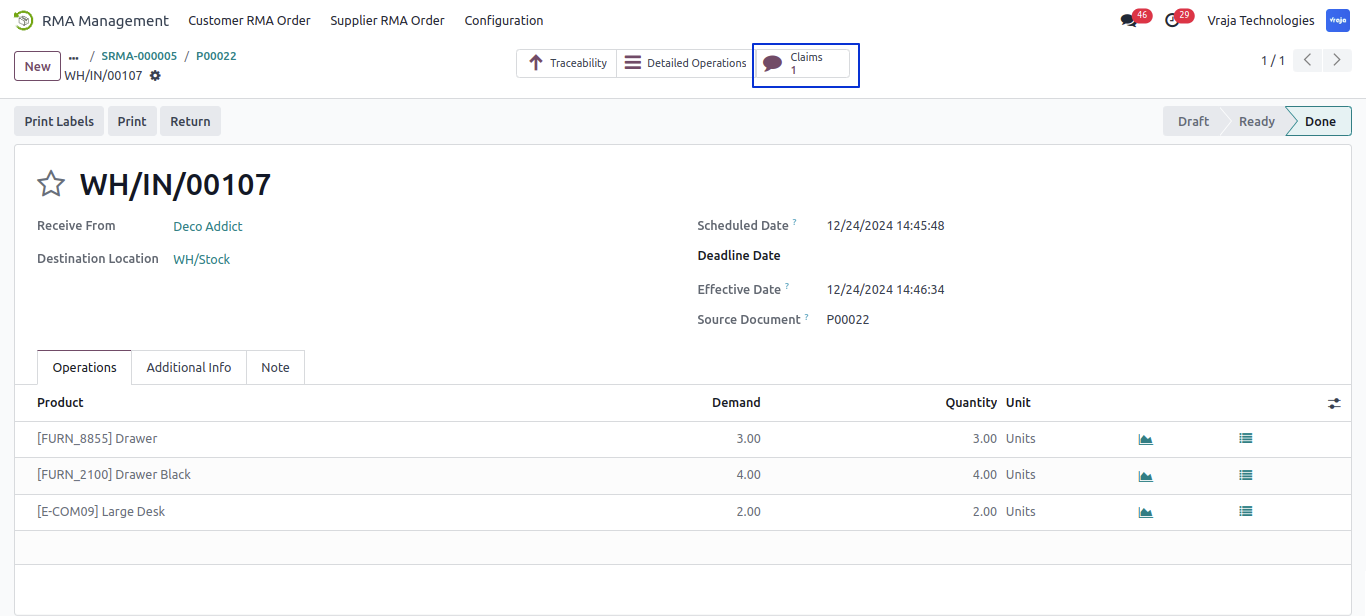
While Approved Supplier RMA order Created the Out Picking for Return the product to Vendor as per the Selected return/no return reason.
view created Out Picking using smart button. and inside this picking view related Supplier RMA order.
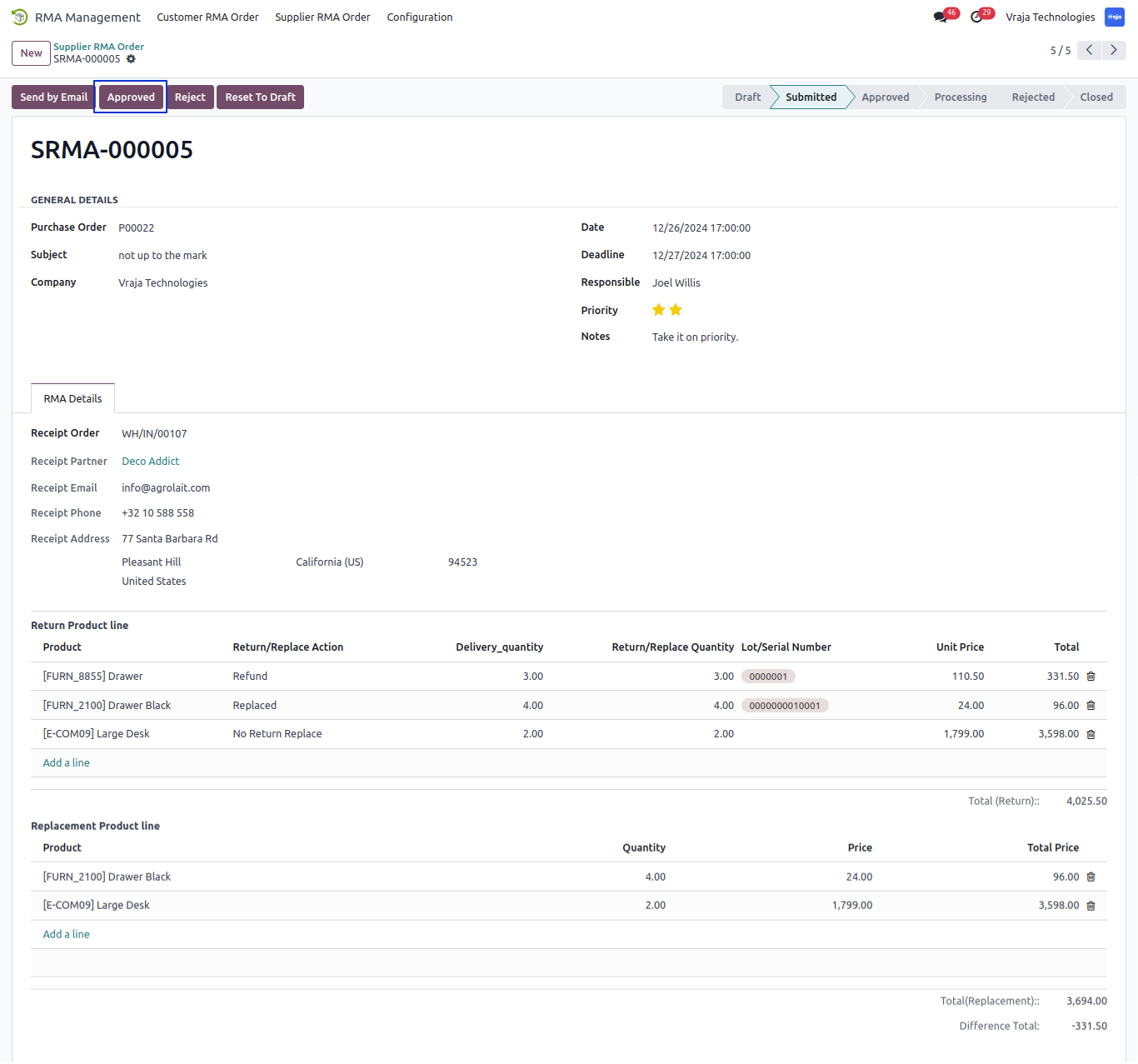
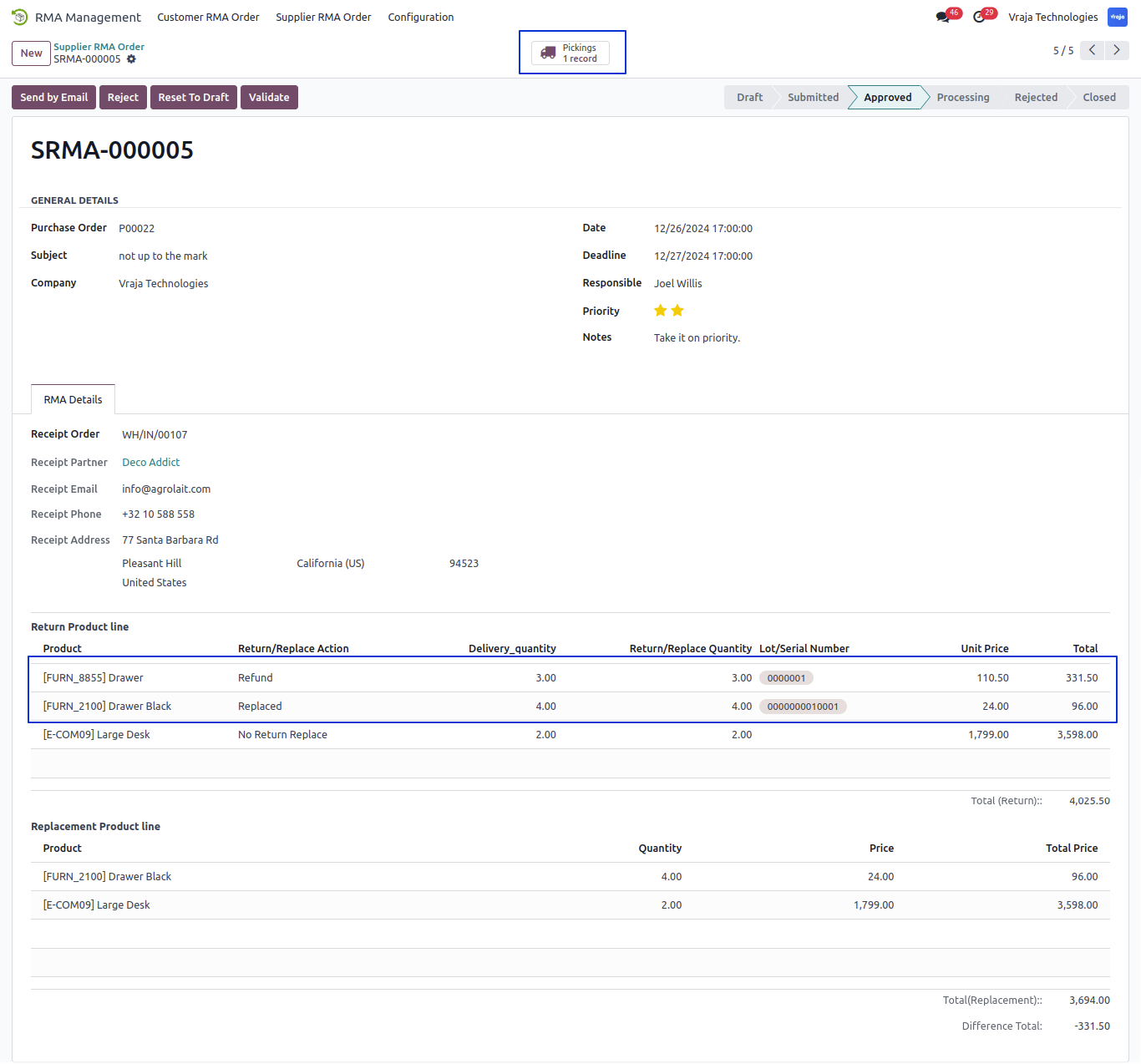
Click on Validate Button and Validate the Supplier RMA Order.
When Validate the Supplier RMA order created the In Picking for Replacement Product and also Vendor create credit note for Return item.
view created IN picking and Vendor creadit note using smart button.
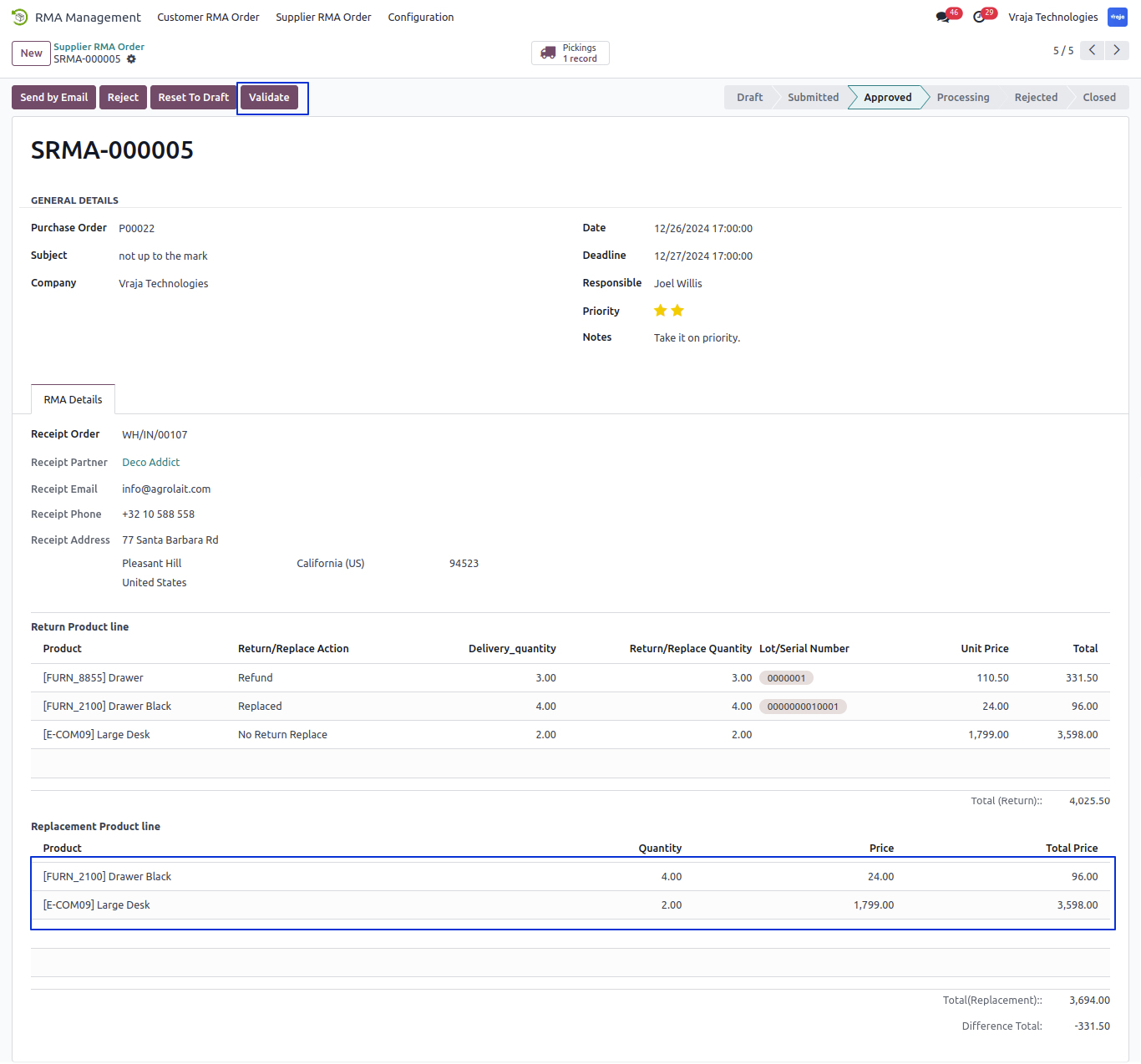
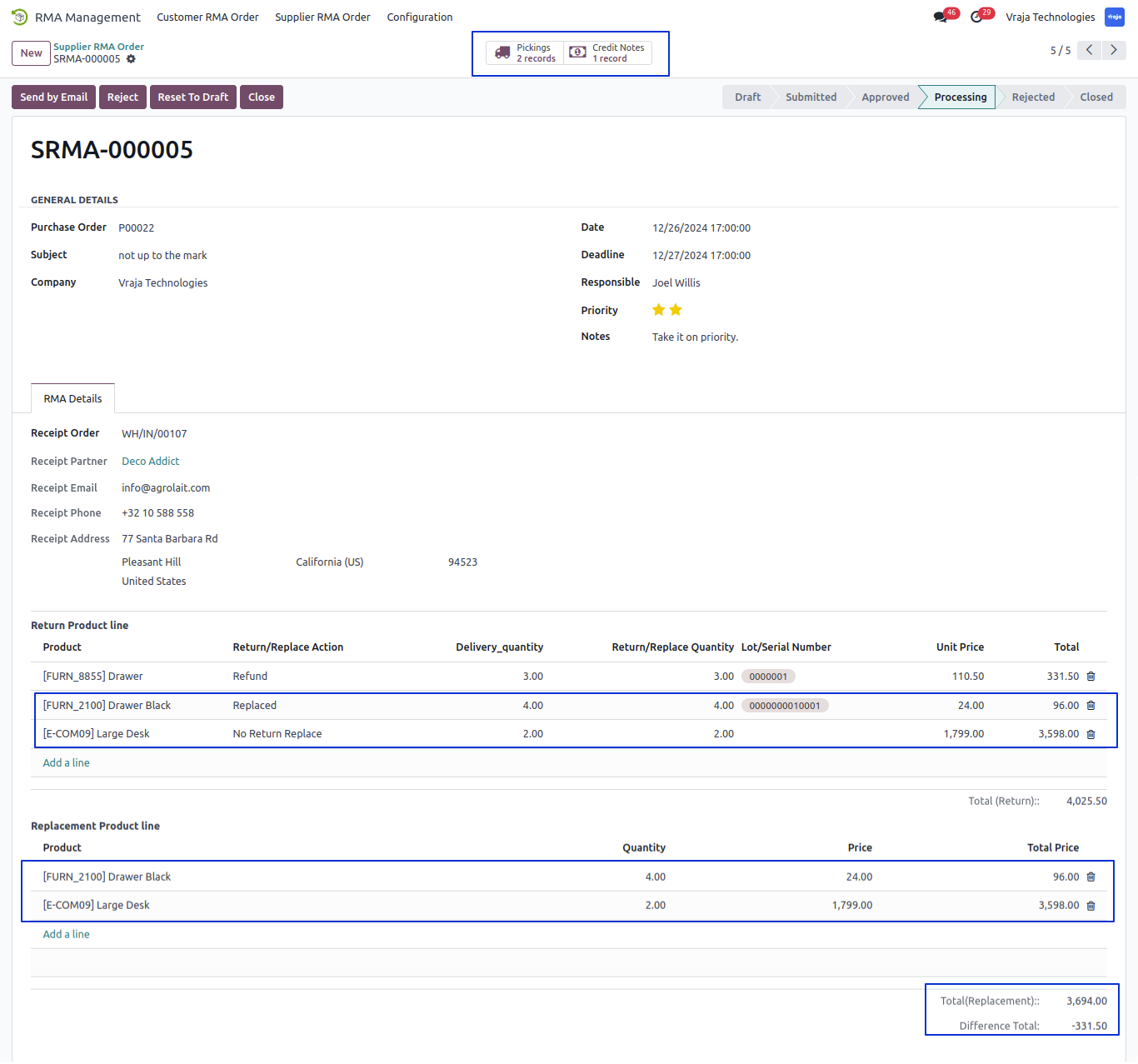
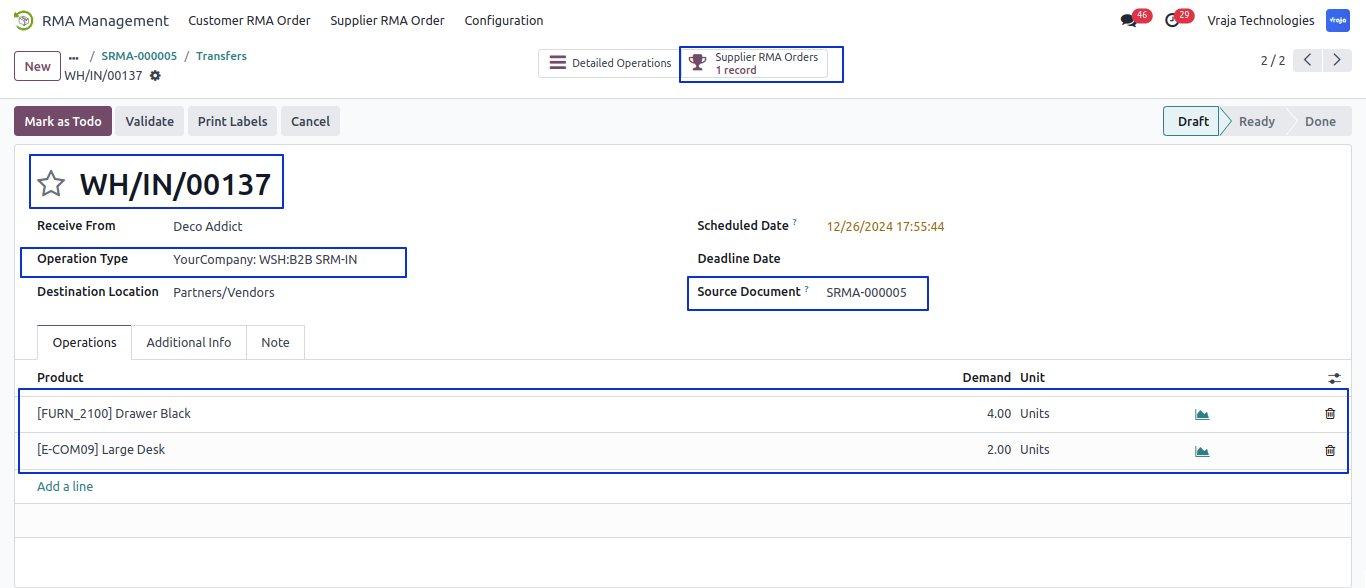
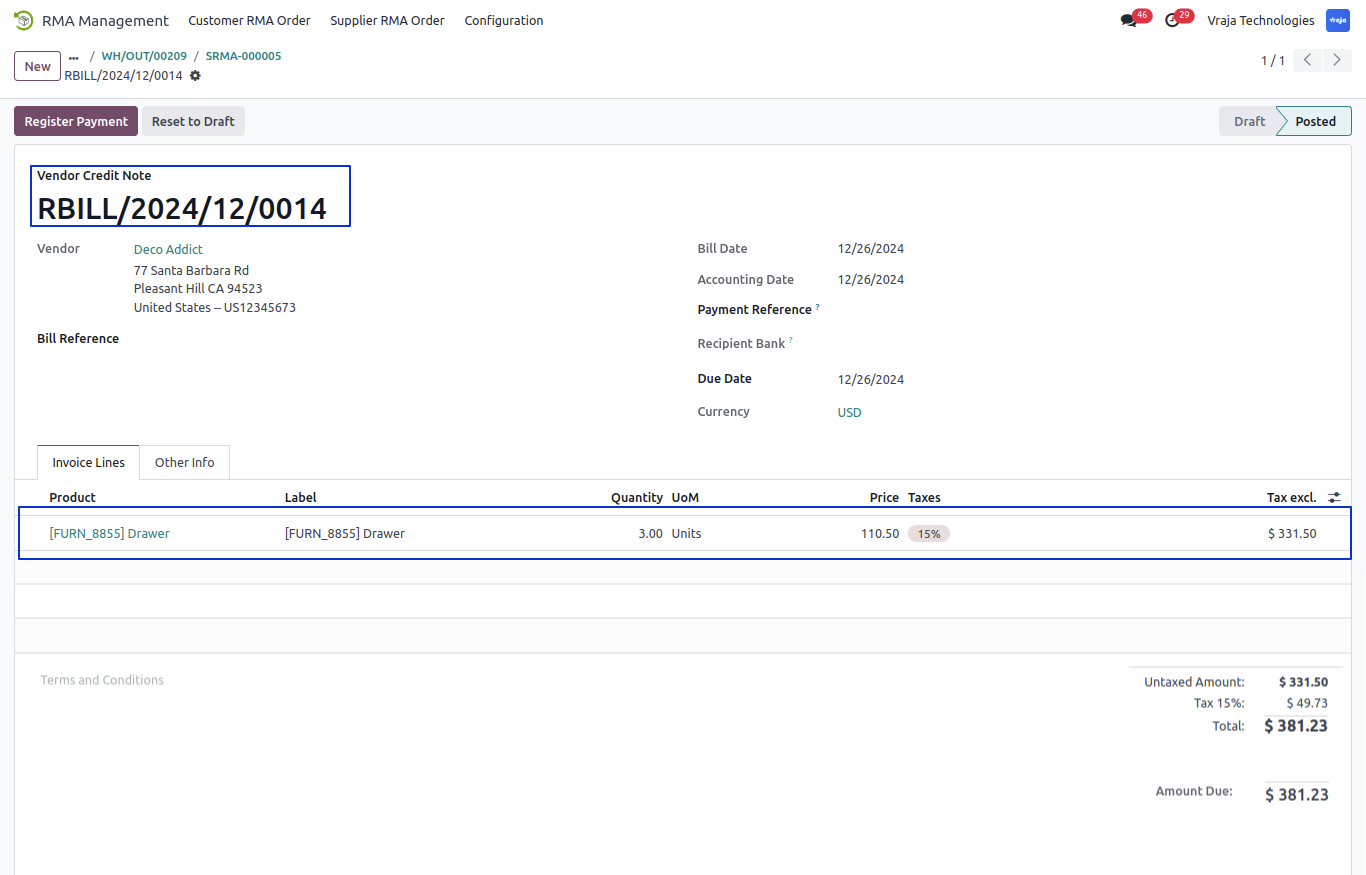
Click on Close button and Close Completed Supplier RMA Order.
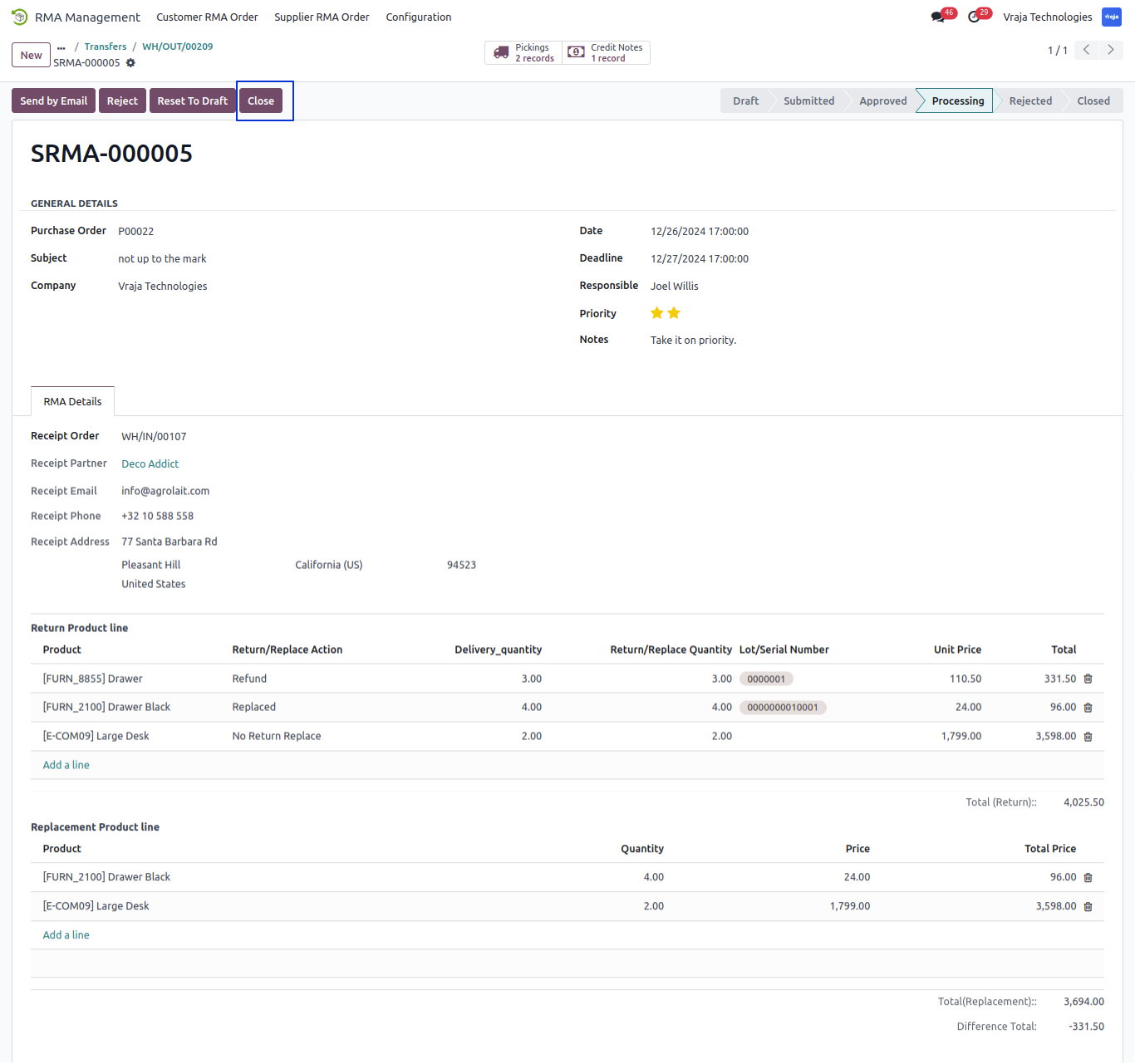
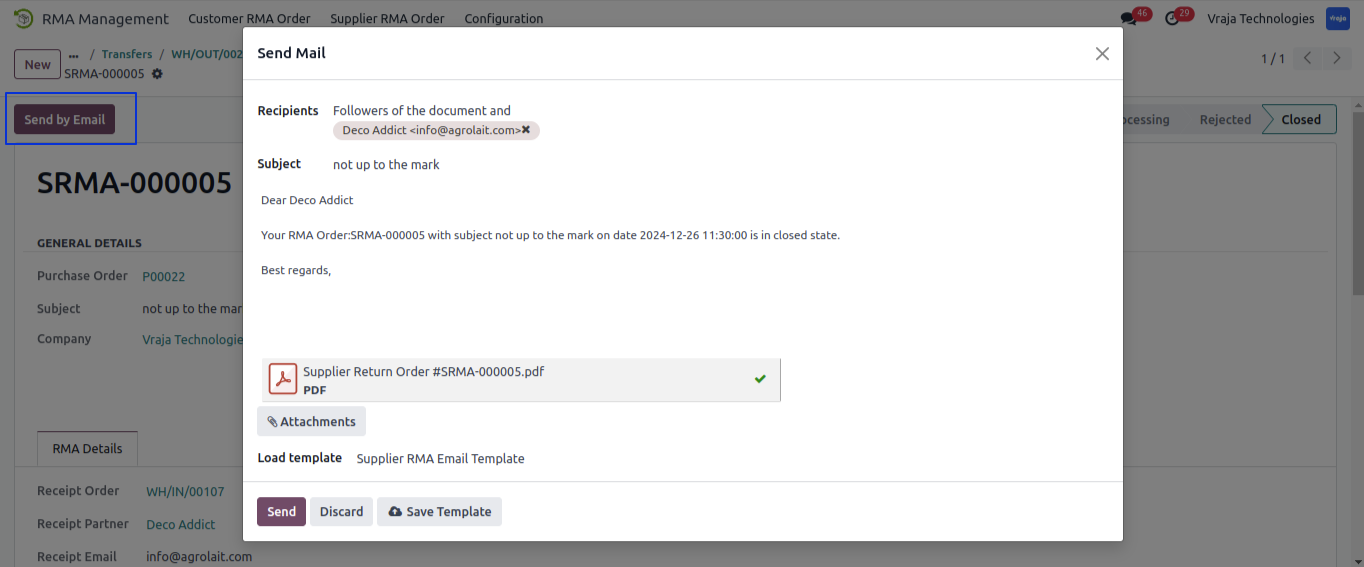
Click on Send by Email button and send mail of Supplier RMA order to Vendor.
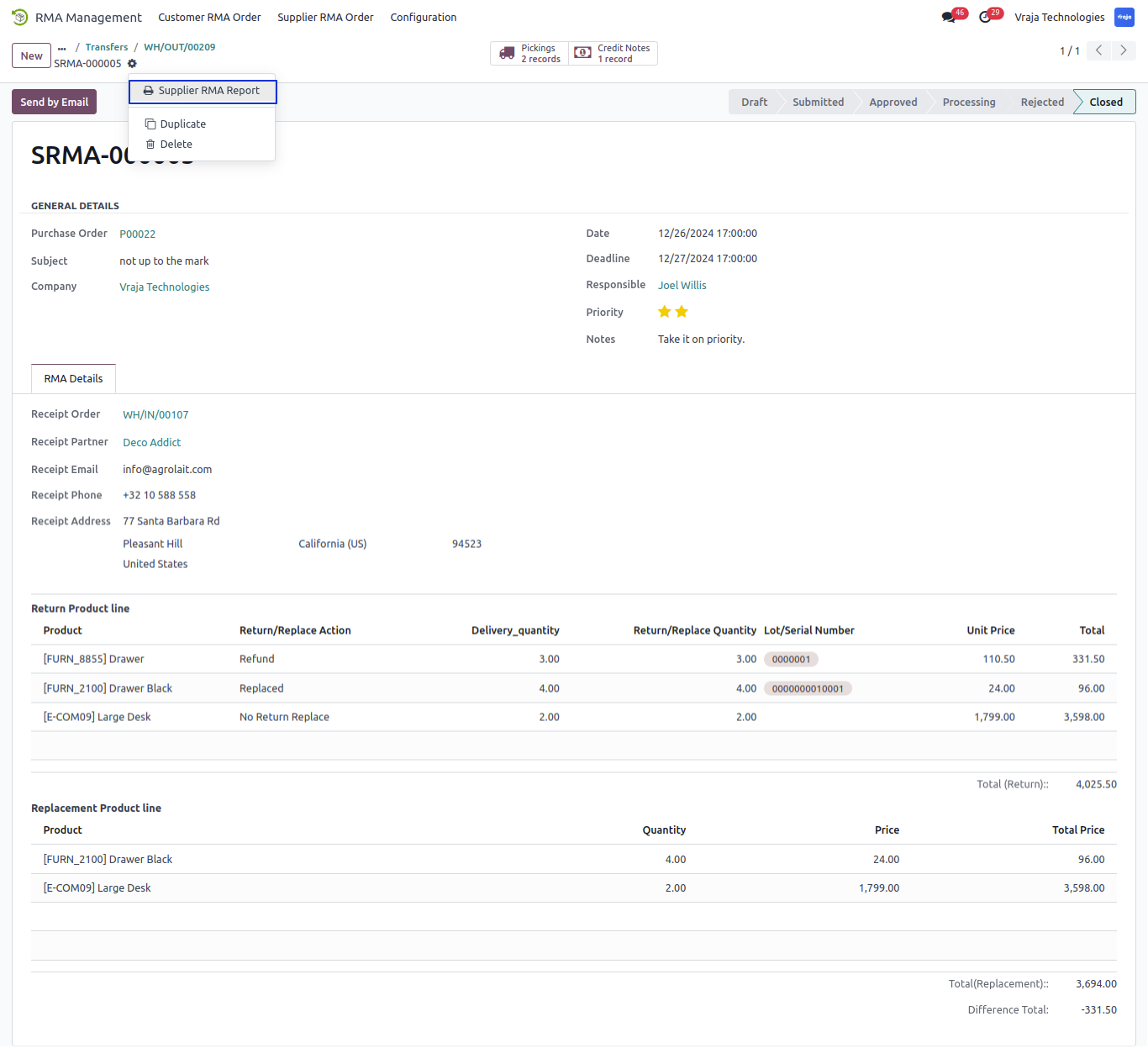
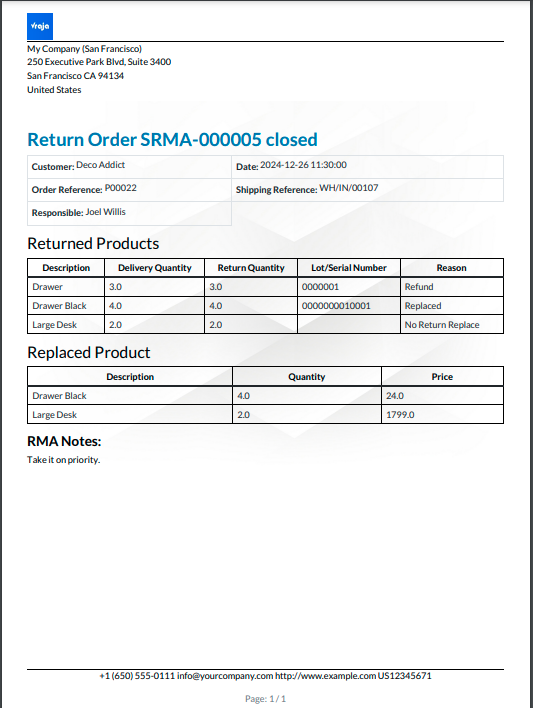
Download the Supplier RMA Report from action menu of Supplier RMA order form.
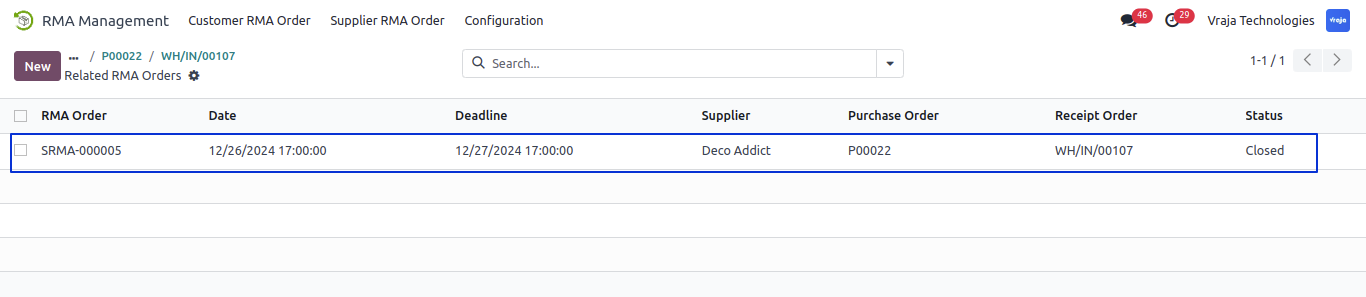
Inside the selected Purchase Order > Picking View Claims/Supplier RMA Orders.
 I would like to request a custom feature for this application. What’s the process to get it implemented?
- We’re happy to help tailor the application to meet your business needs! You can reach us via sales@vrajatechnologies.com
Who is the point of contact for technical support, configuration support or bug-related queries?
- You can reach us via support@vrajatechnologies.com
Submit a Support Ticket
If you encounter any issues while using our app that are caused by the app itself, we offer complimentary support for 90 days from the date of purchase.
To create a support ticket, please register via the Vraja Technologies Support Email and provide the necessary details so we can assist you in resolving the issue.

Email Us
support@vrajatechnologies.com

 1.png)
Contact Us
vrajatechnologies.com/contactus

Support
vrajatechnologies.com/support-policy
Vraja Technologies Services

Odoo Implementation

Odoo App Integration Services

Odoo Customization

Odoo Consultation
Odoo Support & Maintenance

Odoo Developer Outsourcing
Suggested Application










Reviews
There are no reviews yet.