
Description
.png)
Upload COD Files & Automate Reconciliation
Managing Cash on Delivery (COD) payments from logistics providers like UPS, DHL, or others can be time-consuming and can easily lead to mistakes. Typically, providers share COD reports in Excel or CSV format, and users must manually match orders, verify amounts, create invoices, and register payments.
This module eliminates that manual effort by allowing you to import provider COD files directly into Odoo, automatically match them with Sales Orders, and generate invoices and payments based on delivery status. With configurable provider mappings and automated processing, it ensures accurate and efficient COD reconciliation and tracking.
🚧 Problem
Courier providers send COD reports in Excel/CSV format. Businesses must manually match these reports with sales orders, verify delivery status, and register payments, which is time-consuming and can easily lead to mistakes.
✅ Solution
This module automates the entire COD reconciliation process. Upload the provider file and the system will automatically match orders, validate conditions, create invoices, and register payments.
 Watch on YouTube
We specialize in delivering advanced Odoo solutions across multiple domains. Our expertise includes:

EDI & SWIFT/ACH Payment Integrations
End-to-end EDI automation, including X12, EDIFACT, XML standards, & financial integrations such as SWIFT, ACH, & Fedwire.


eCommerce Integrations
Seamless integration with leading eCommerce platforms to sync products, orders, inventory, and customer data in real time.

Shipping Integrations
Robust shipping connectors for global couriers, offering automated label generation, tracking, and rate computation.

Most Useful Apps for your ERP
A wide range of highly-rated Odoo modules designed to enhance automation, improve productivity, & simplify business operations.
 Features
 Process
 FAQs
FAQs
 Flexible File Import Support:
Import COD reports from logistics providers using XLSX or CSV formats, adaptable to different file structures.
Automated Invoice & Payment Creation:
Automatically create customer invoices and register payments once delivery and order conditions are satisfied.
Provider-Based Configuration:
Configure each courier/provider with custom column mappings, making the module flexible for multiple formats.
Smart COD Reconciliation:
Match provider COD data with Sales Orders and validate amounts to ensure accurate reconciliation.
Centralized COD Tracking Dashboard:
Track all imported records with clear status (Successful / Failed) and detailed messages.
Automated Background Processing:
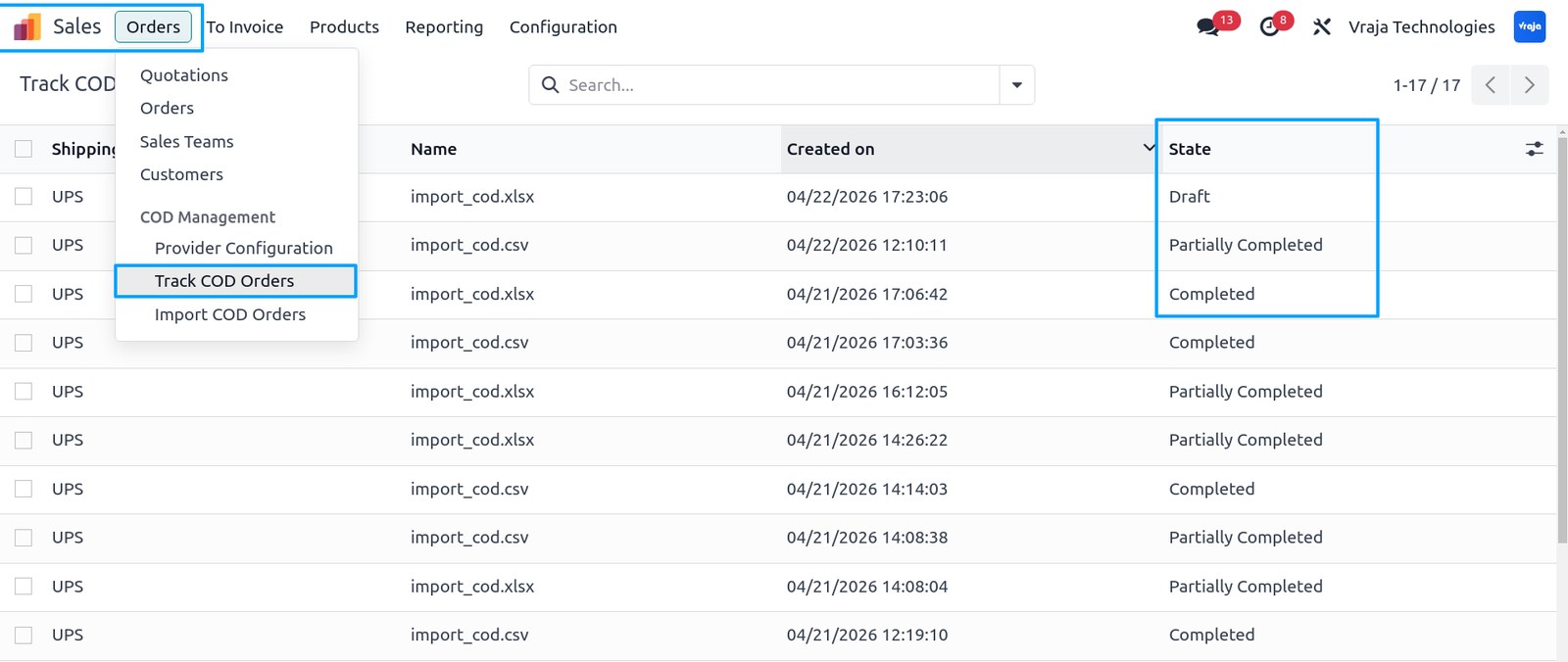
Use the built-in cron job to process draft and partially completed records automatically.
Go to Sales → Orders → COD Management → Provider Configuration and open the list view.
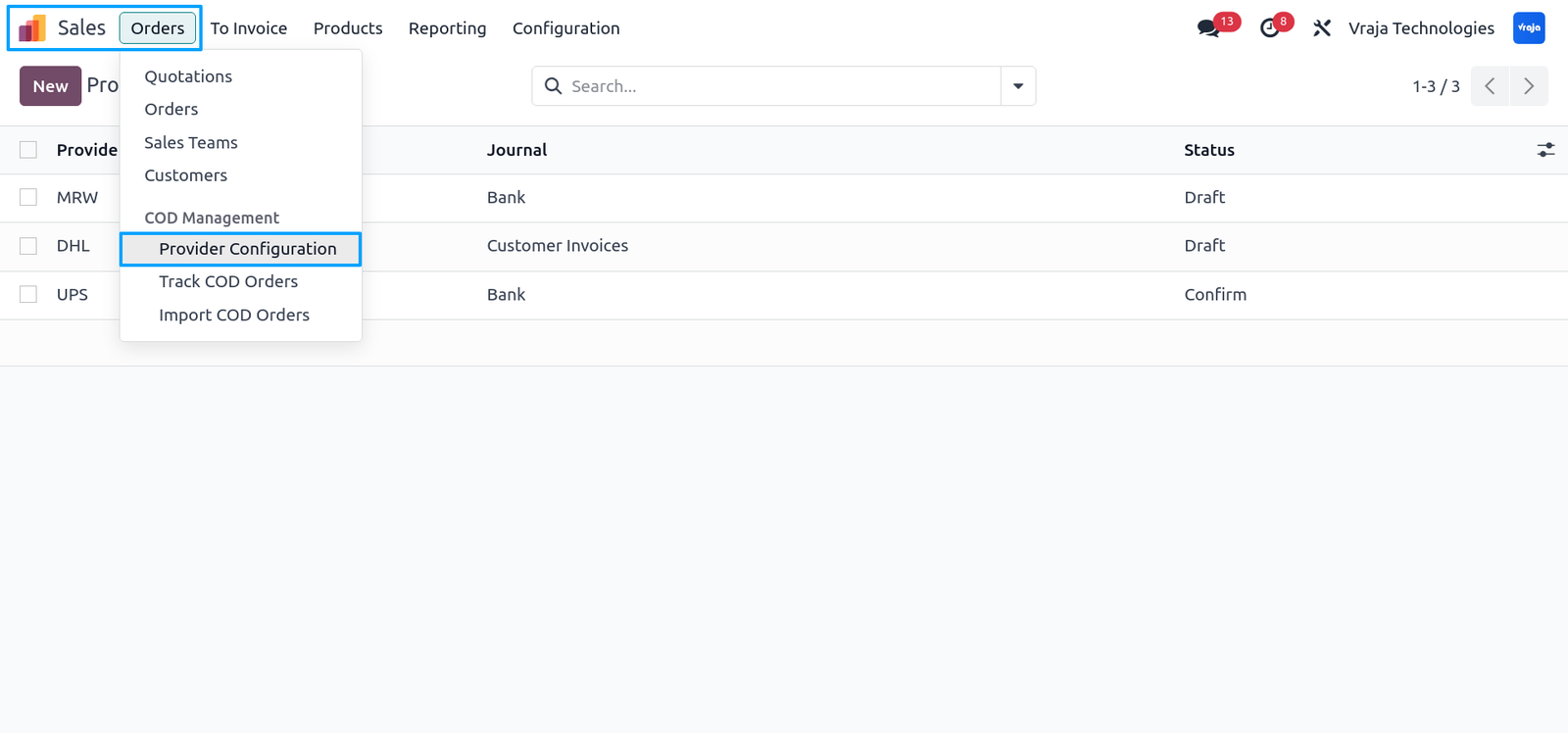
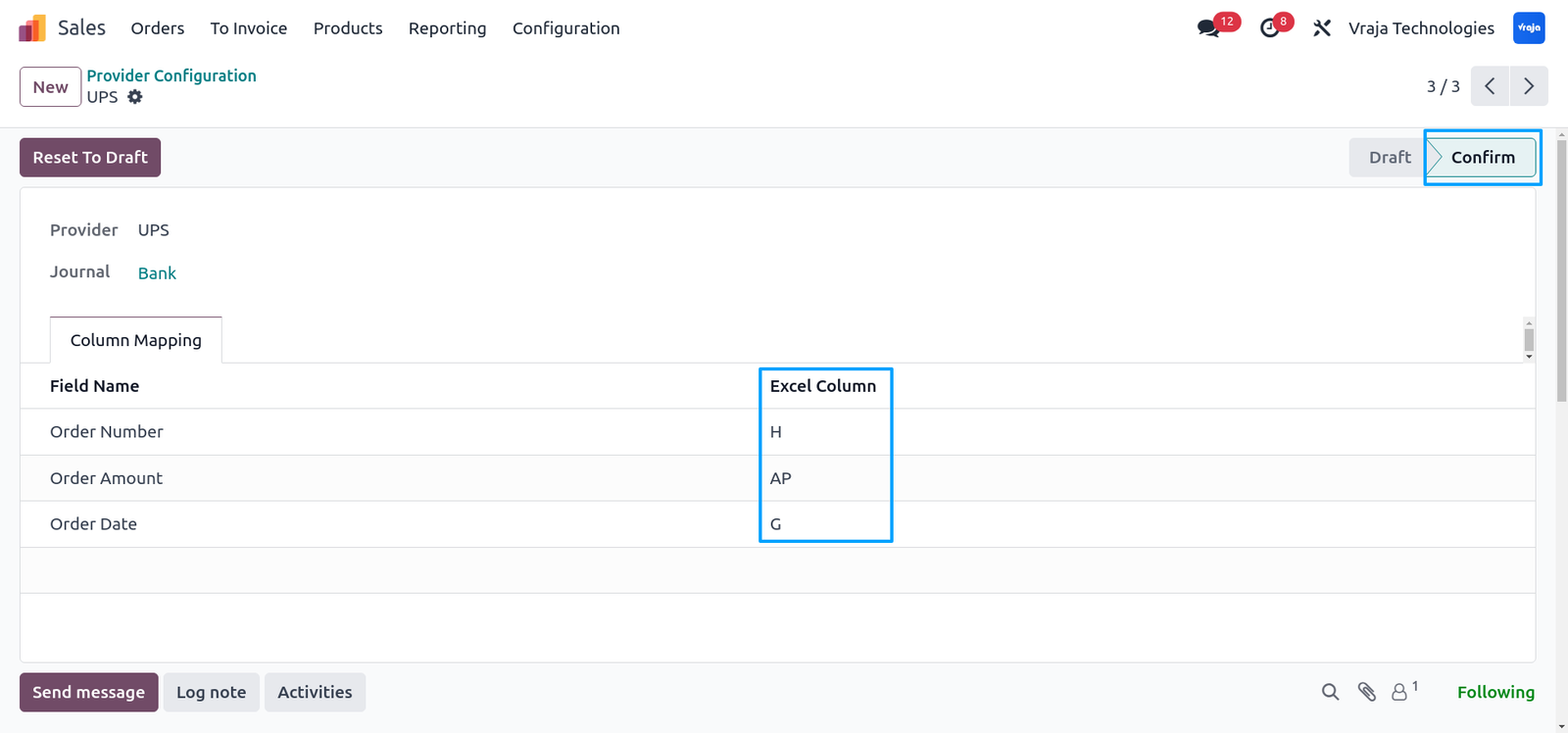
Create a provider, set the journal, configure Excel column letters (A, J, AP), and click Confirm.
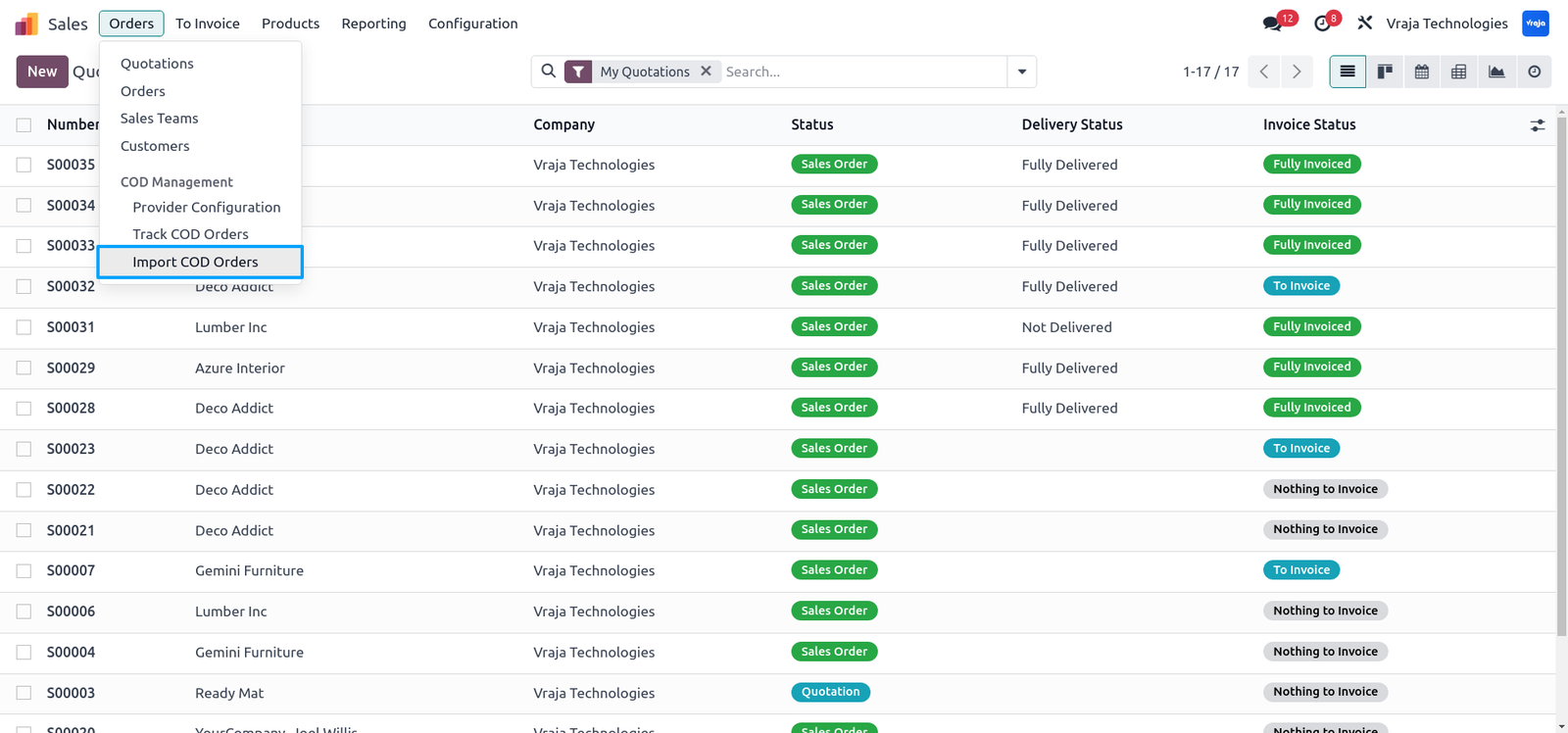
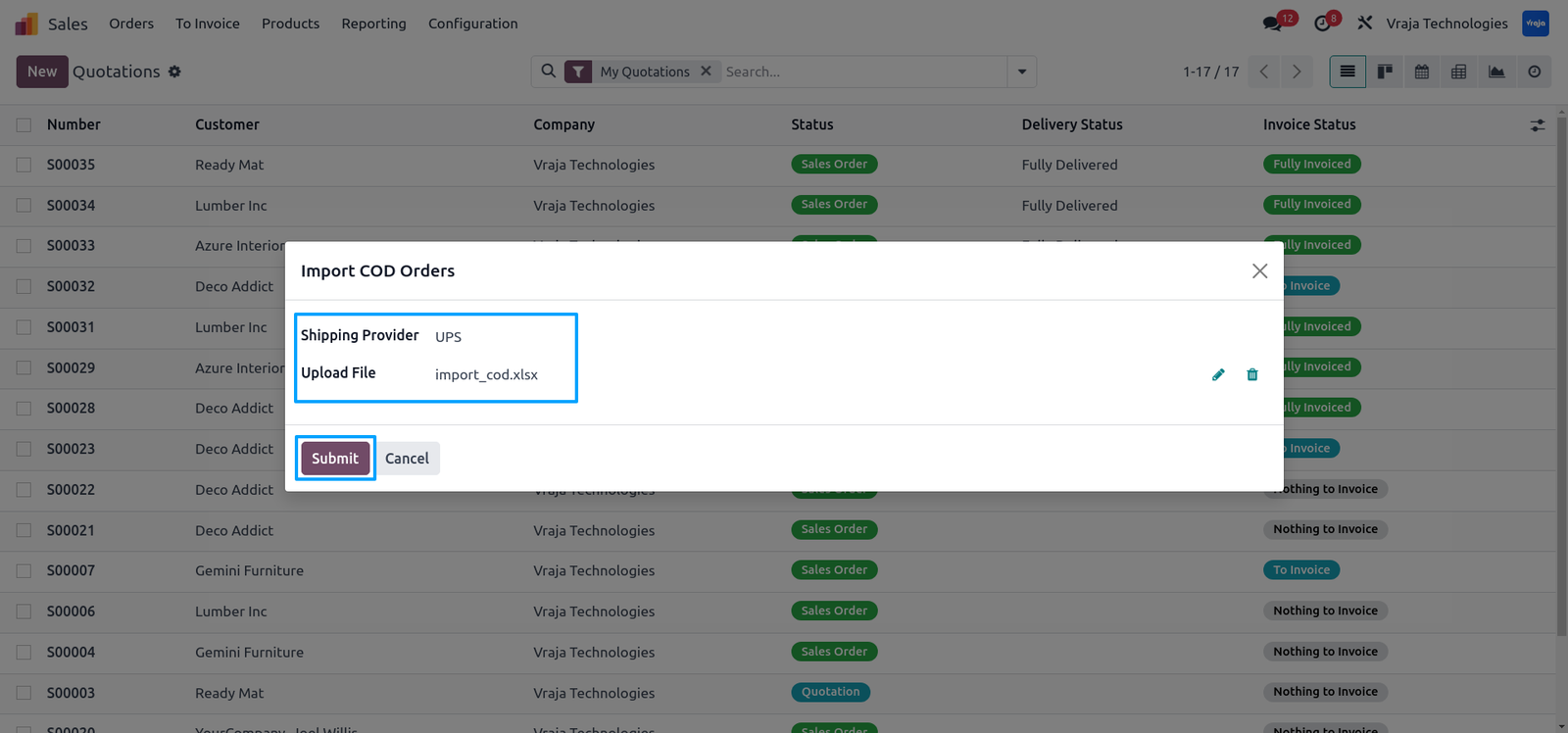
Navigate to Sales → Orders → COD Management → Import COD Orders to open the import wizard.
Select the provider, upload an XLSX or CSV file, and click Submit.
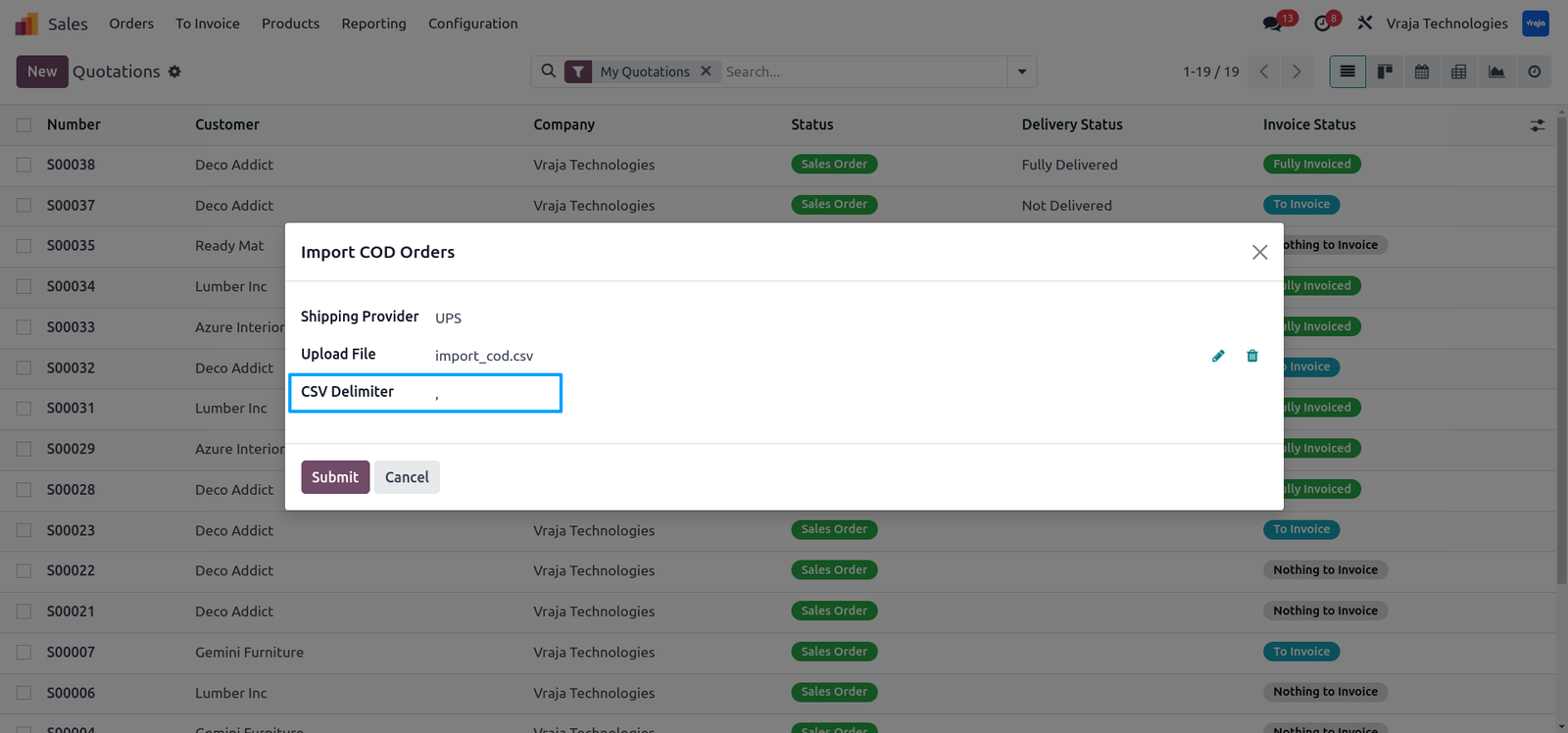
For CSV files, choose the delimiter such as comma ( , ) or semicolon ( ; ).
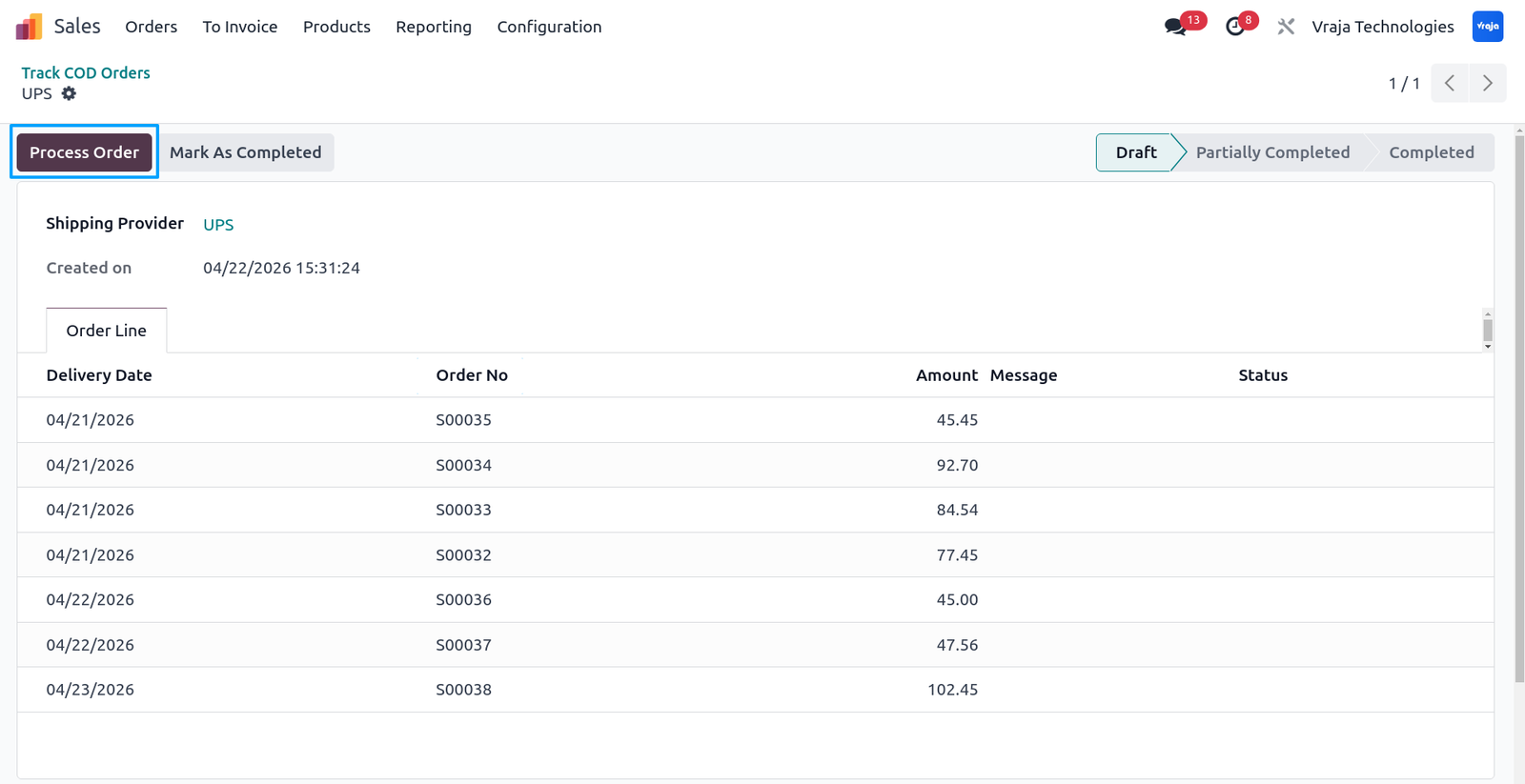
After submission, the system imports order number, COD amount, and delivery date, then click Process Order.
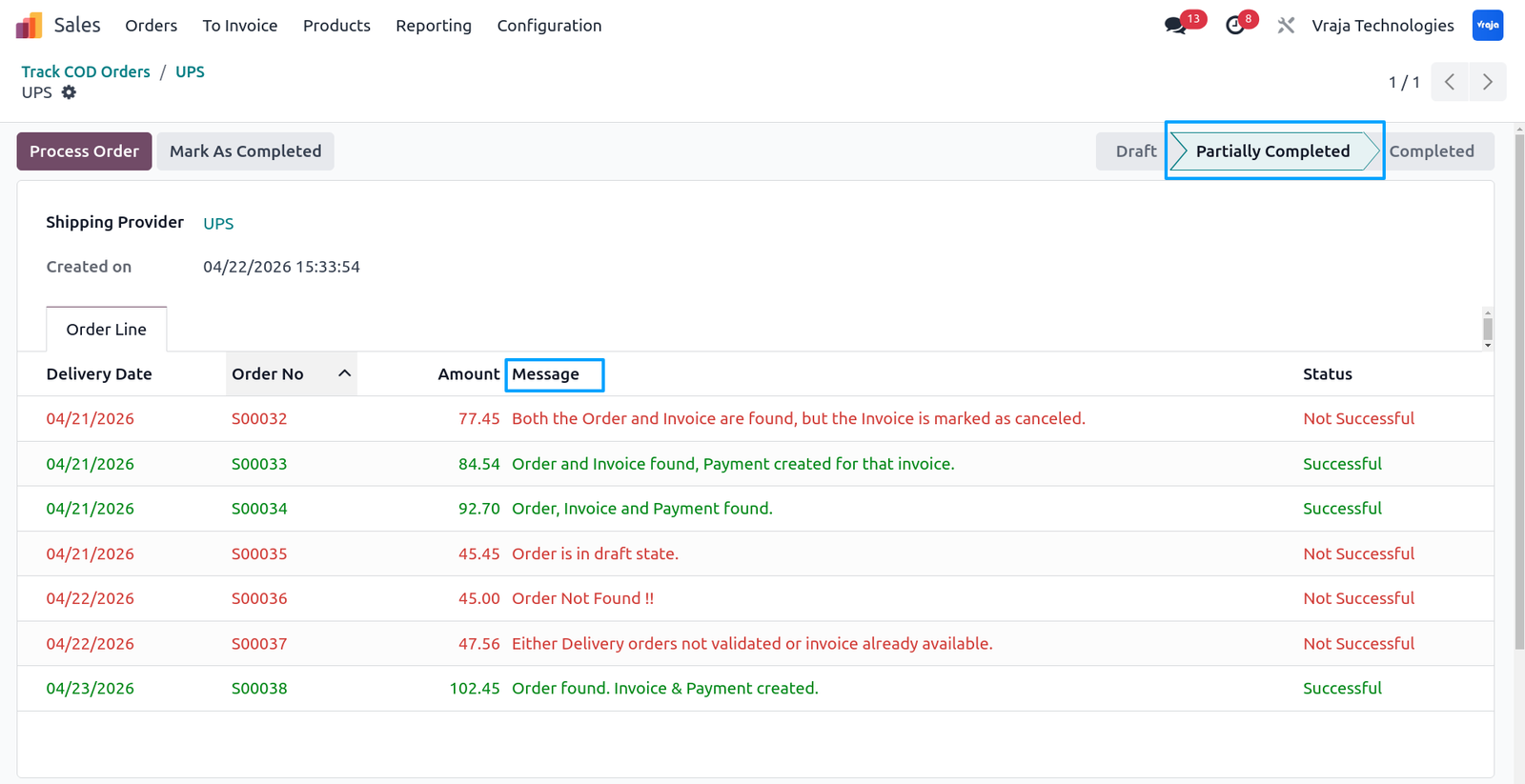
Records will show Successful or Not Successful status with messages based on validation.Sales Order must be confirmed, delivery must be validated, and provider journal must be properly set to create invoice and payment.
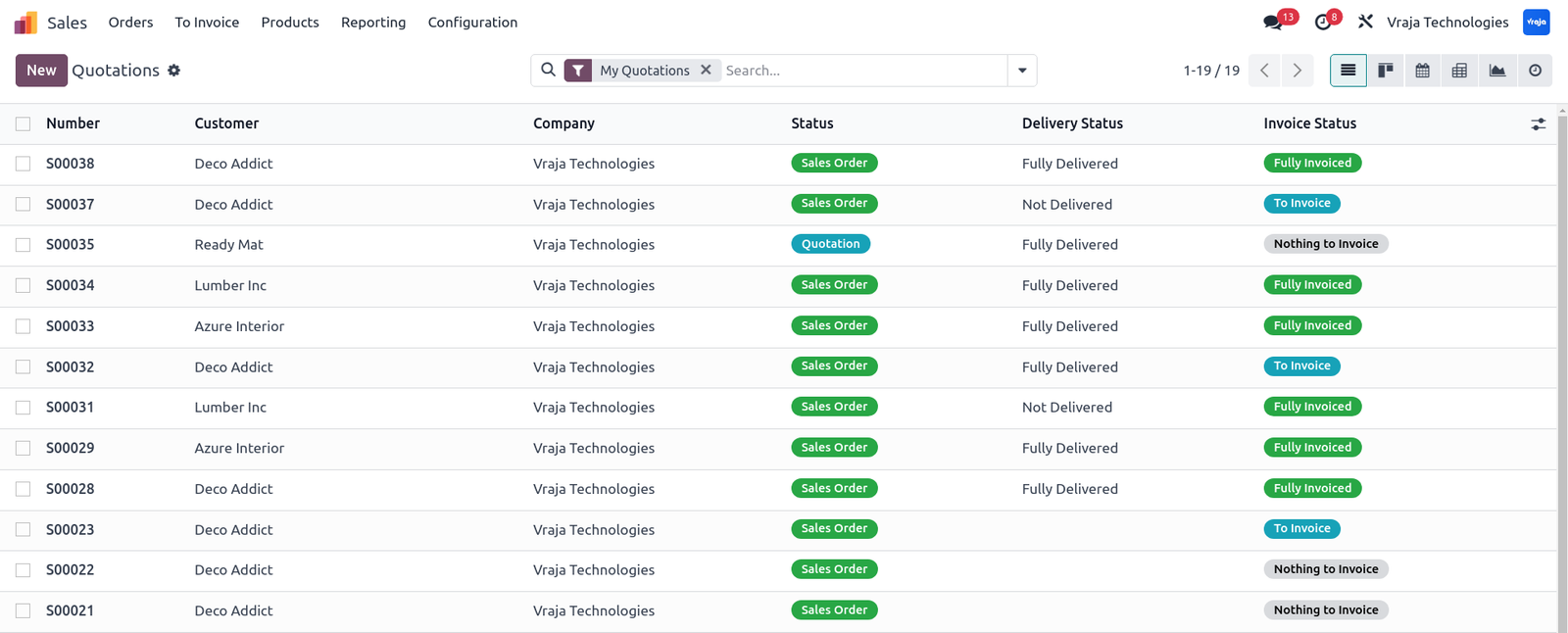
You can verify results from the Sales Order list view.
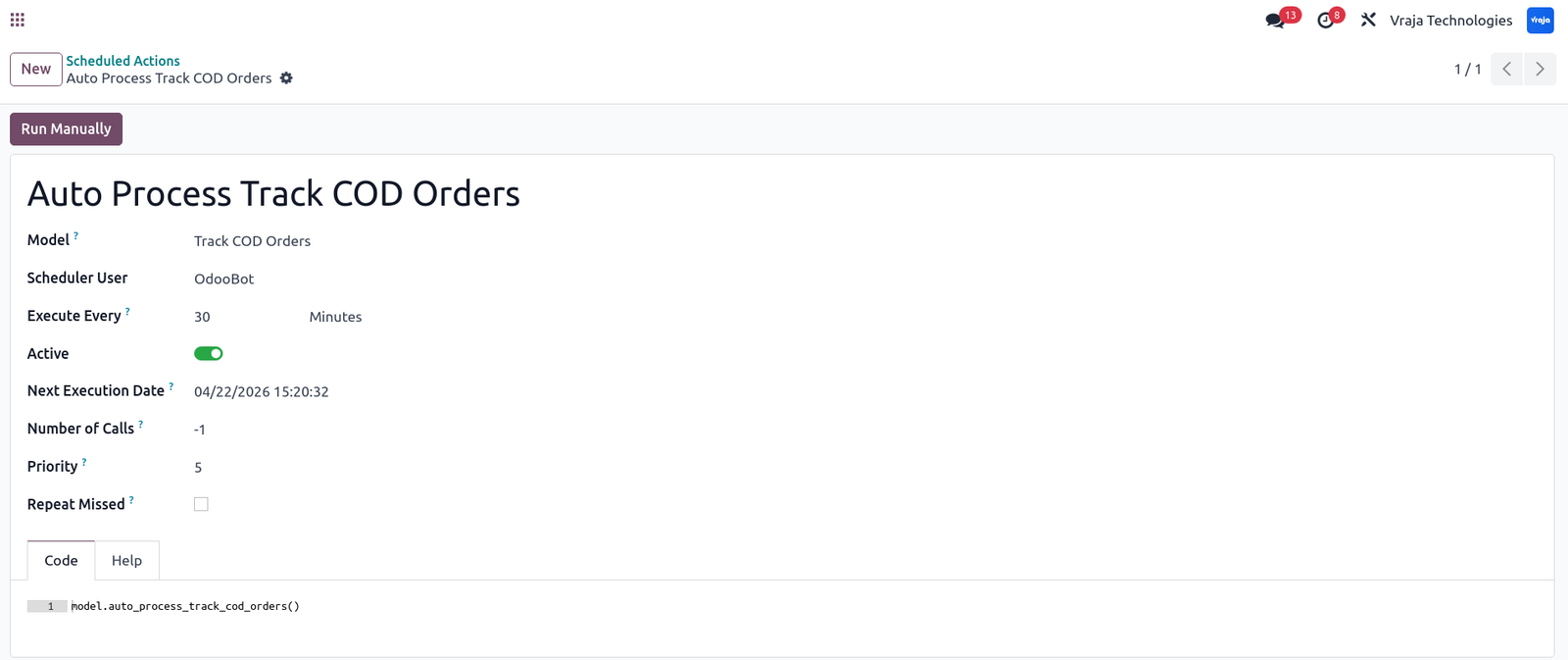
Scheduled action “Auto Process COD Order Automation & Tracking” automatically processes draft and partially completed records.
Go to Sales → Orders → COD Management → COD Order Automation & Tracking to view all imported records and their status.
 What problem does this module solve?
- It removes the need for manual COD reconciliation by automating order matching, invoicing, and payment creation from provider files.
What file formats are supported?
- You can import COD data using XLSX and CSV files.
Can I use different formats for different providers?
- Yes, each provider can have its own column mapping configuration.
Can I reprocess failed records?
- Yes, you can fix the issue and reprocess the records manually or via scheduled action.
What does the scheduled action do?
- The “Auto Process COD Order Automation & Tracking” cron job automatically processes records in draft or partially completed state.
I would like to request a custom feature for this application. What’s the process to get it implemented?
- We’re happy to help tailor the application to meet your business needs! You can reach us via sales@vrajatechnologies.com
Who is the point of contact for technical support, configuration support or bug-related queries?
- You can reach us via support@vrajatechnologies.com
Submit a Support Ticket
If you encounter any issues while using our app that are caused by the app itself, we offer complimentary support for 90 days from the date of purchase.
To create a support ticket, please register via the Vraja Technologies Support Email and provide the necessary details so we can assist you in resolving the issue.

Email Us
support@vrajatechnologies.com

 1.png)
Contact Us
vrajatechnologies.com/contactus

Support
vrajatechnologies.com/support-policy
Vraja Technologies Services

Odoo Implementation

Odoo App Integration Services

Odoo Customization

Odoo Consultation

Odoo Support & Maintenance

Odoo Developer Outsourcing
Suggested Application















Reviews
There are no reviews yet.