

Description
.png)
Website Order Multi-Address | Website Multi Delivery Address
This application is designed to significantly enhance the website shopping experience by providing customers with greater flexibility and control over product deliveries directly from the cart page. Rather than placing multiple separate orders for different delivery destinations, customers can conveniently assign a unique delivery address to each individual product within a single order.
The solution streamlines multi-address purchasing by introducing advanced cart functionalities such as product-wise address selection, easy product duplication, item-specific notes, drag-and-drop product sequence management, and intelligent delivery processing. This allows customers to send multiple products—or even multiple quantities of the same product—to different recipients and locations without needing to repeat the shopping process or place separate transactions.
Customers can also organize their cart items based on their preferred priority by simply reordering products using an intuitive drag-and-drop feature directly on the cart page.
By simplifying complex delivery requirements into one seamless checkout flow, the application helps save time, reduce ordering effort, and improve overall customer satisfaction.
We specialize in delivering advanced Odoo solutions across multiple domains. Our expertise includes:

EDI & SWIFT/ACH Payment Integrations
End-to-end EDI automation, including X12, EDIFACT, XML standards, & financial integrations such as SWIFT, ACH, & Fedwire.


eCommerce Integrations
Seamless integration with leading eCommerce platforms to sync products, orders, inventory, and customer data in real time.

Shipping Integrations
Robust shipping connectors for global couriers, offering automated label generation, tracking, and rate computation.

Most Useful Apps for your ERP
A wide range of highly-rated Odoo modules designed to enhance automation, improve productivity, & simplify business operations.
 Features
 Process
 FAQs
FAQs
 Multi Delivery Address Selection:
Customers can select a separate delivery address for each product directly from the cart page.
Address Selection Popup:
A user-friendly popup window opens when clicking the change address button, allowing customers to quickly choose a delivery address.
Add, Edit, and Delete Address Options:
Customers can manage their saved addresses easily through options to add new addresses, edit existing ones, or remove unused addresses.
Product-wise Delivery Management:
Each product line in the cart can have its own selected delivery address.
Duplicate Product:
Customers can duplicate a cart item with one click, making it easy to order the same product for another address.
Add Product Notes:
A note option is available for each product so customers can provide special delivery instructions or product-related comments.
Drag-and-Drop Product Sequence Management:
Customers can easily rearrange product lines in the cart using drag-and-drop functionality to set their preferred product sequence.
Faster Multi-Address Ordering:
Users do not need to go back to the shop page to reorder the same product for another location.
Smart Delivery Processing:
When the order is confirmed, separate delivery operations are automatically created based on selected addresses.
Better Customer Experience:
Provides a smoother and more convenient shopping process for customers with multiple delivery needs.
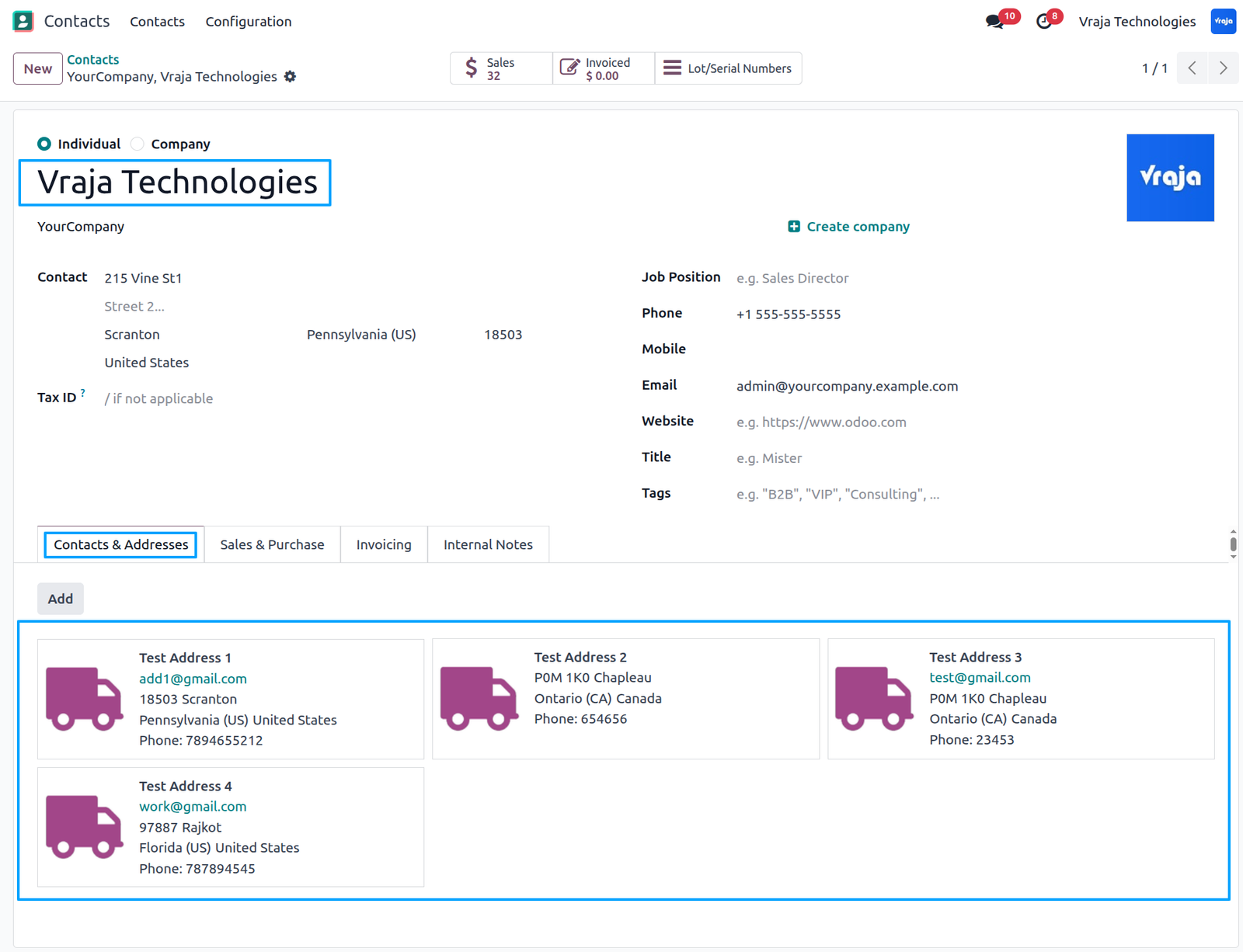
Navigate to Contacts, open the required customer record, and add multiple delivery addresses under the Contacts & Addresses tab for that customer.
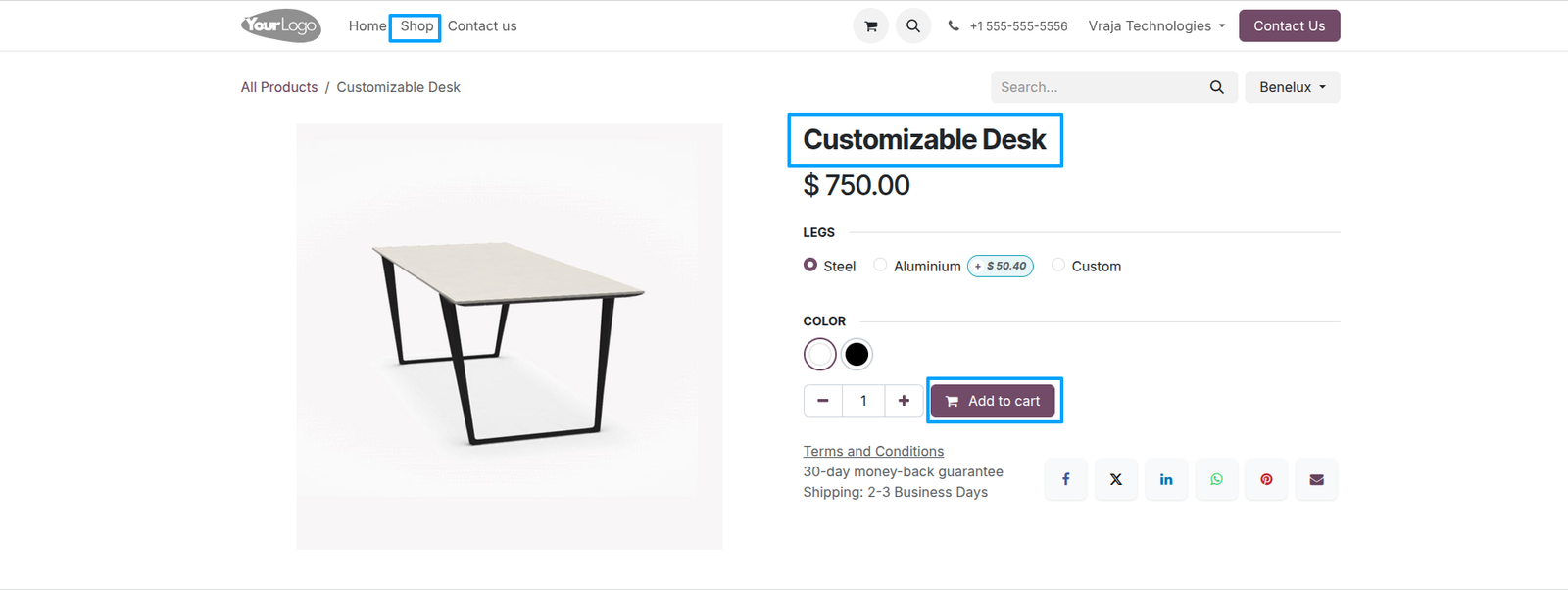
Navigate to the Website, open the Shop page, select the desired product, and click Add to Cart.
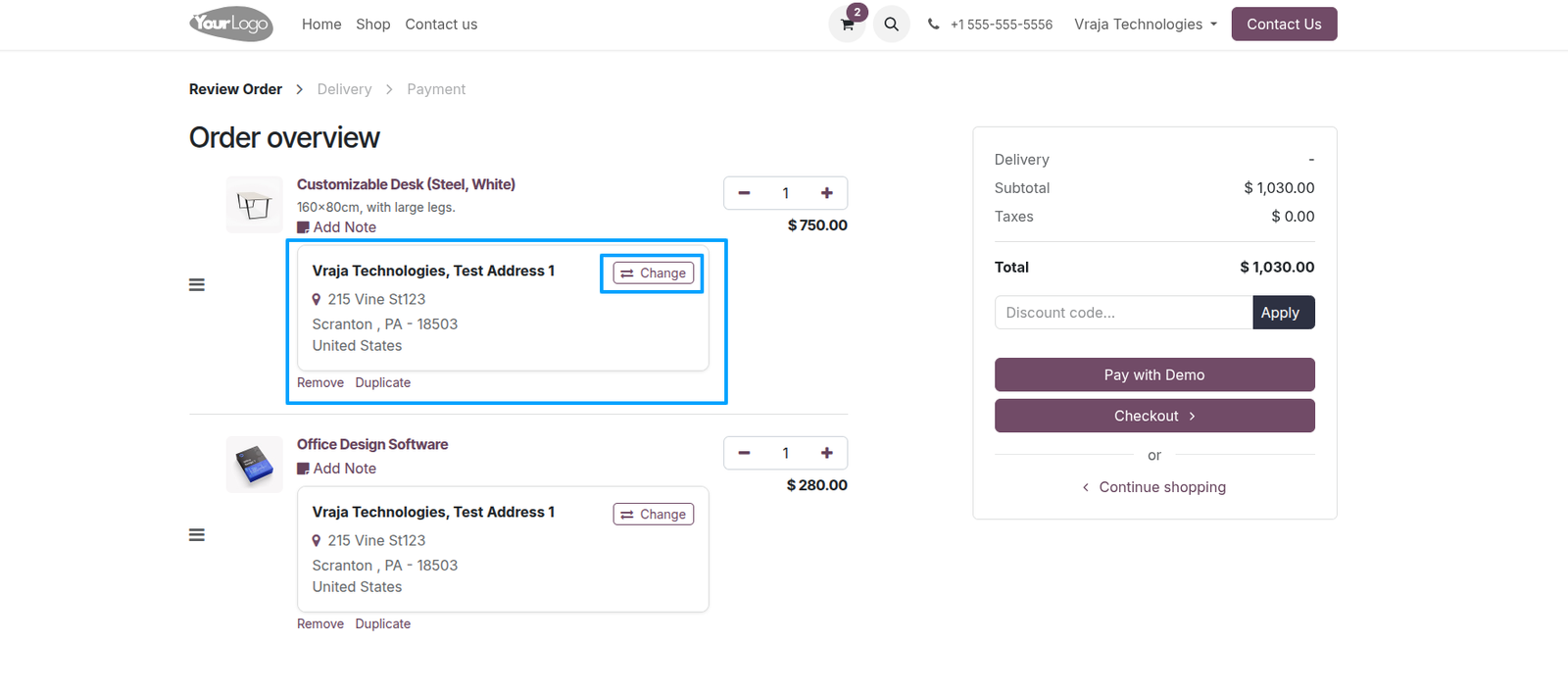
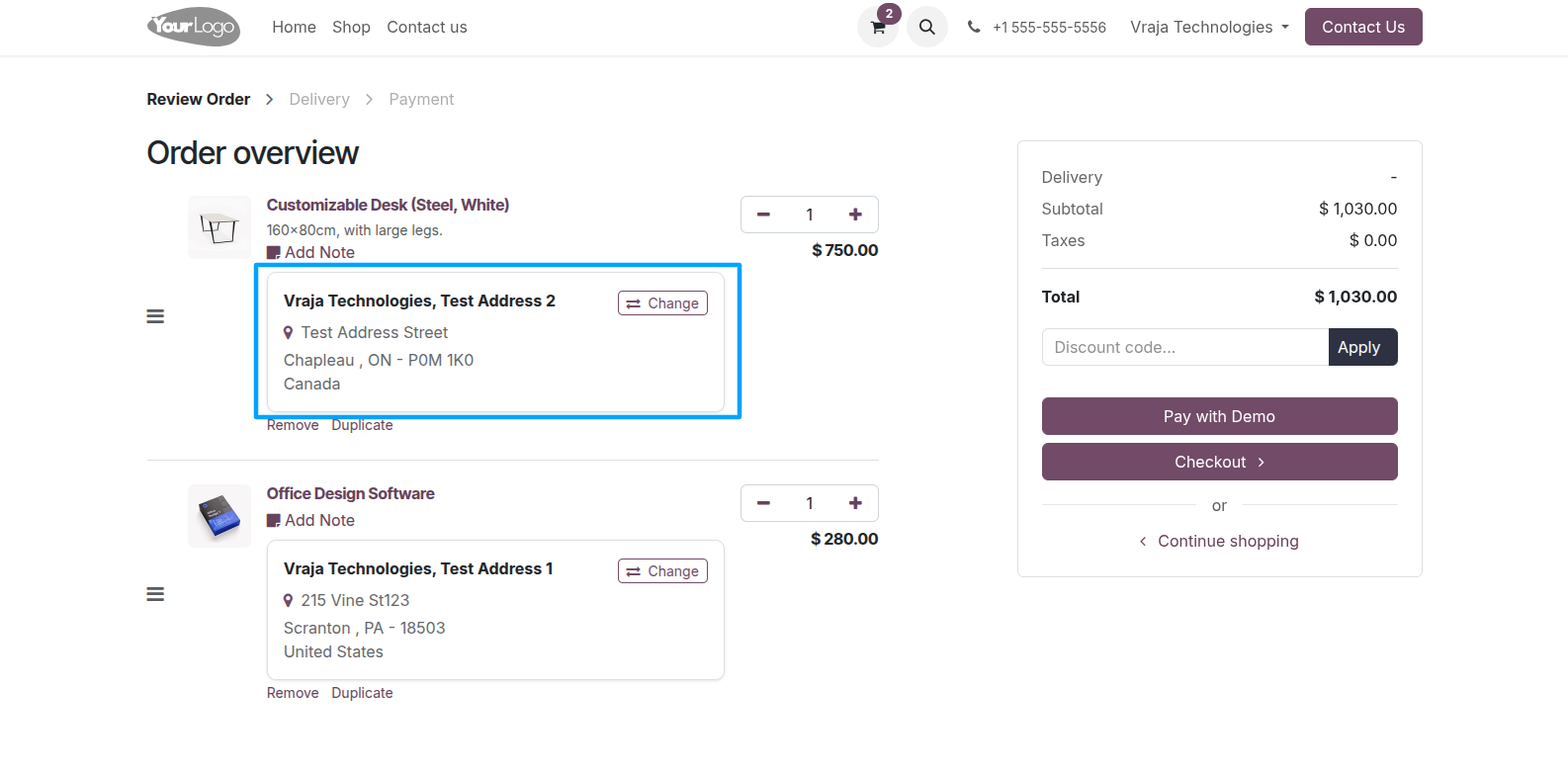
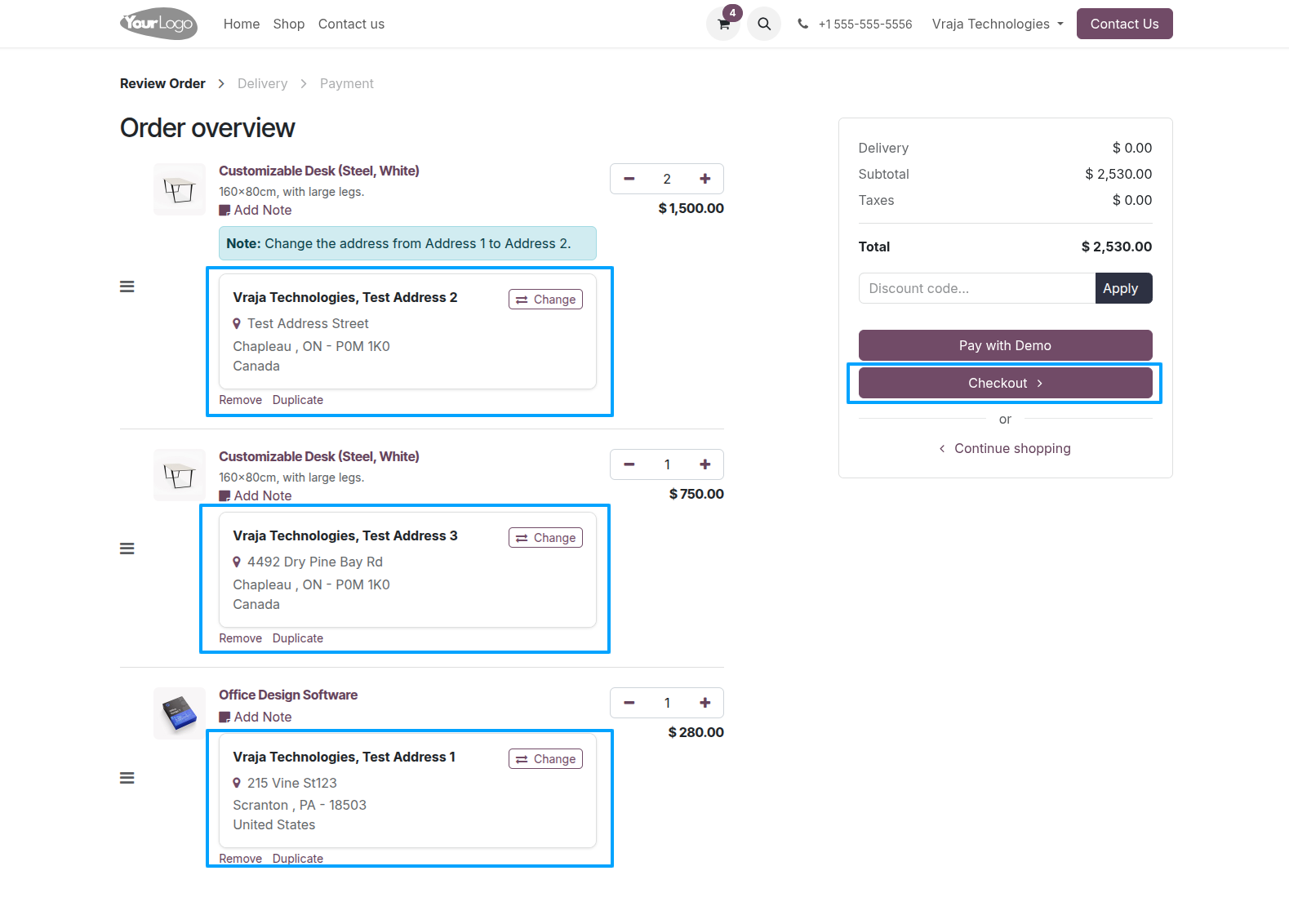
On the Website Cart page, each product line displays its assigned delivery address, along with an option to change the delivery address as needed.
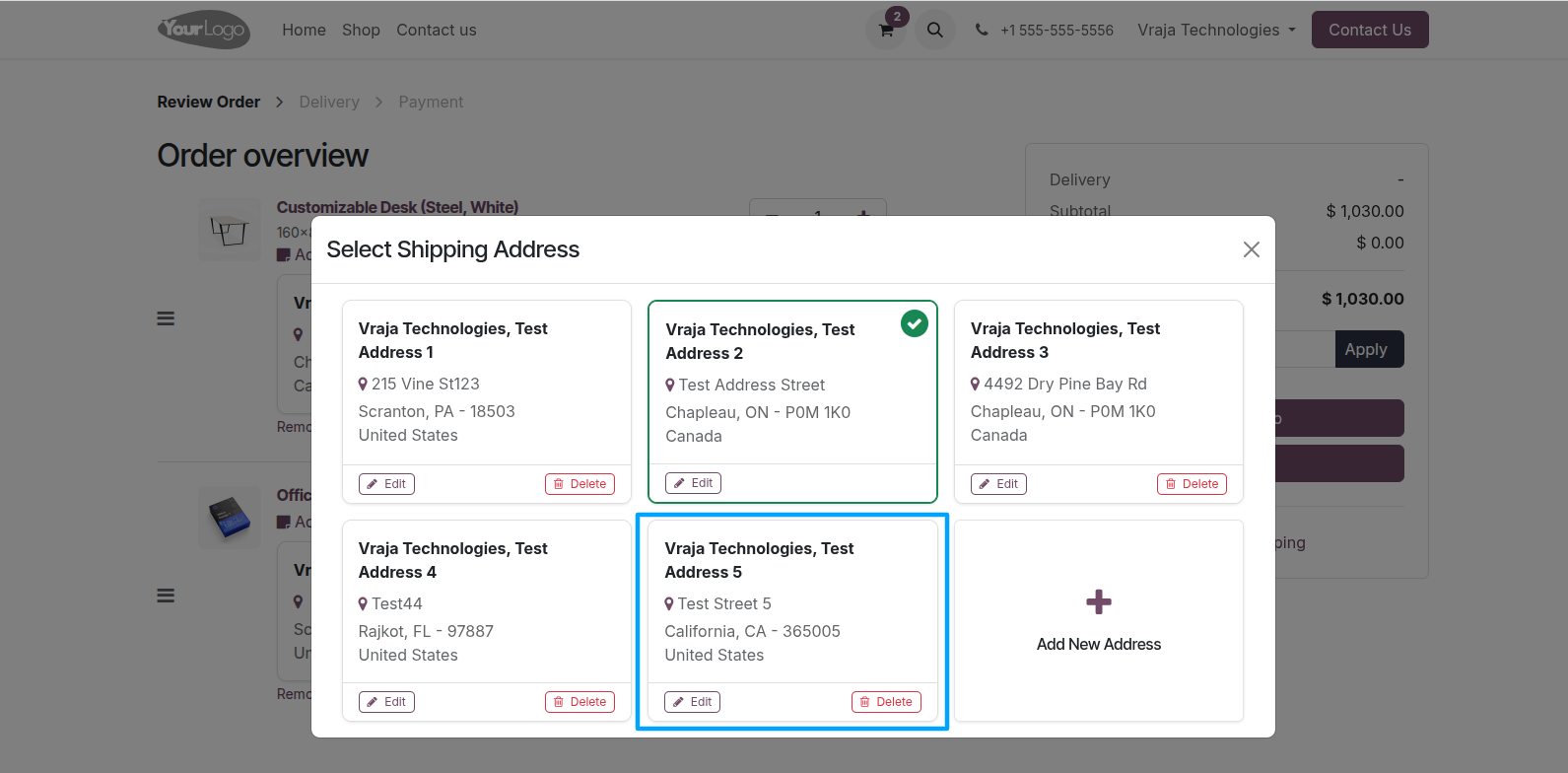
When you click the Change button for an address, a popup window will display the customer’s multiple saved delivery addresses. Click on any address to update the delivery address based on your requirement.
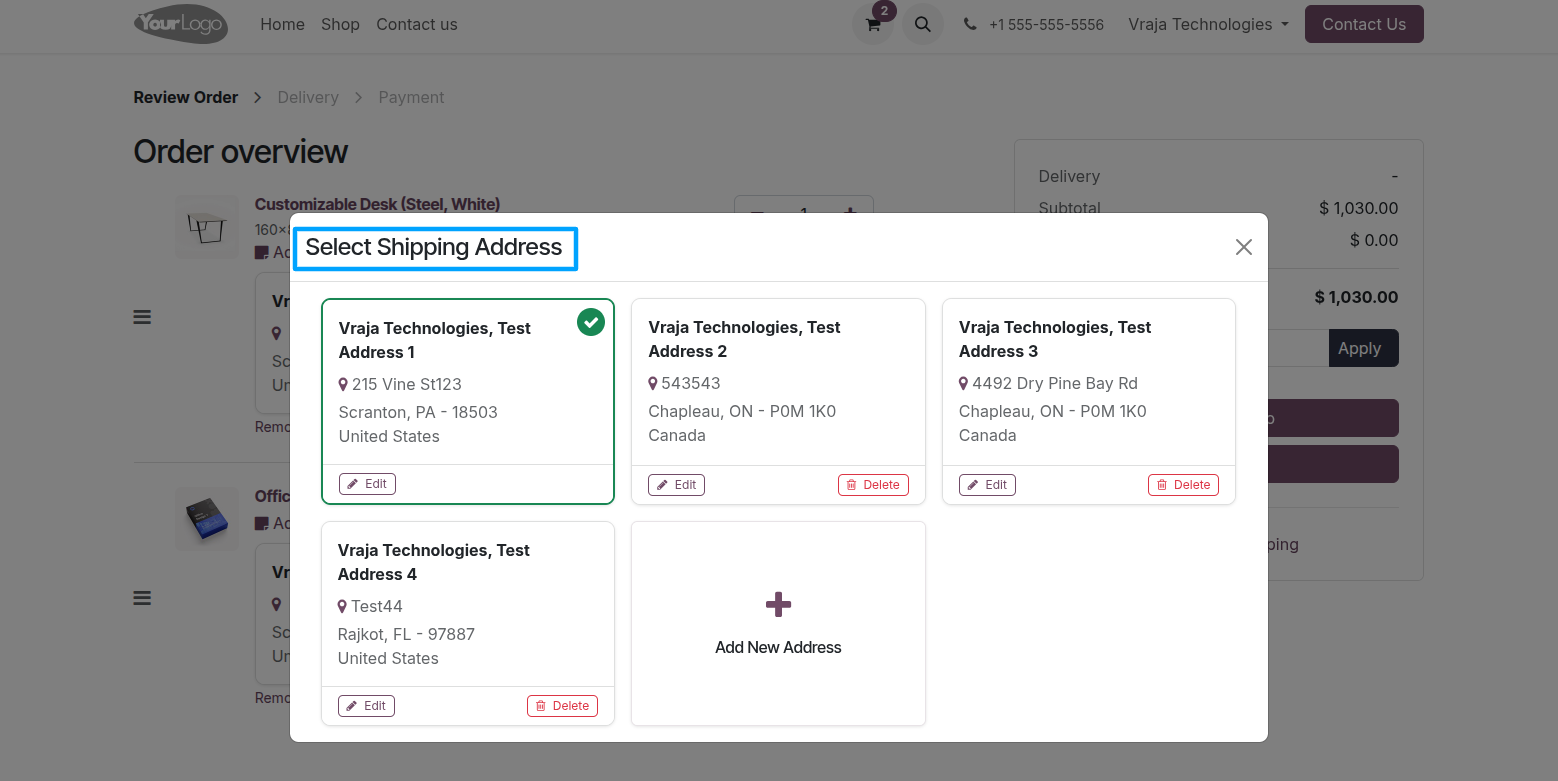
Inside the popup, customers have options to Edit or Delete existing addresses. If a new delivery address is required, they can also add a new address directly from the popup.

When you click the Edit button, the contact form will open, allowing you to update the selected delivery address.
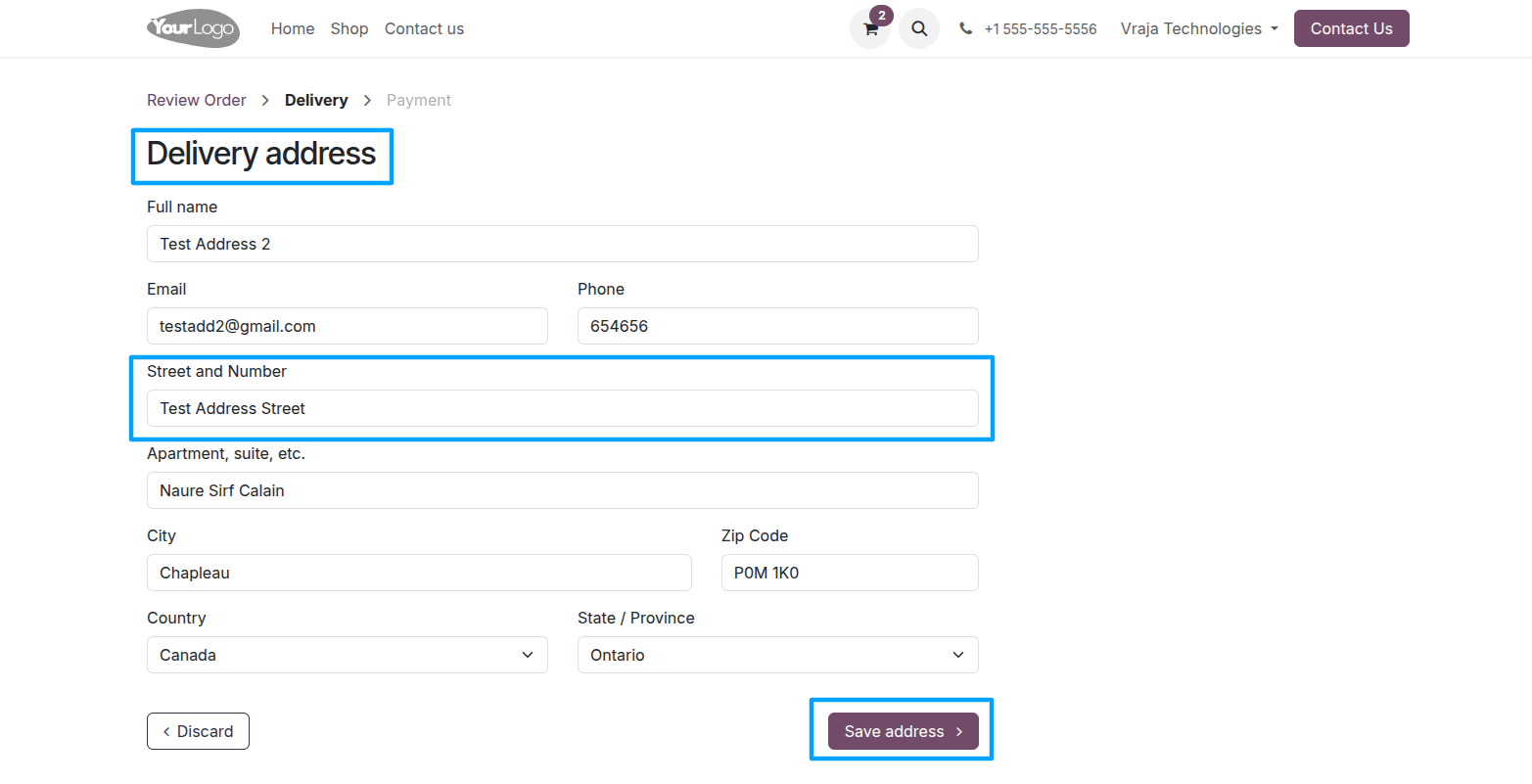
After updating the address, the system will redirect you to the cart page, and the updated address will be displayed for the selected product.
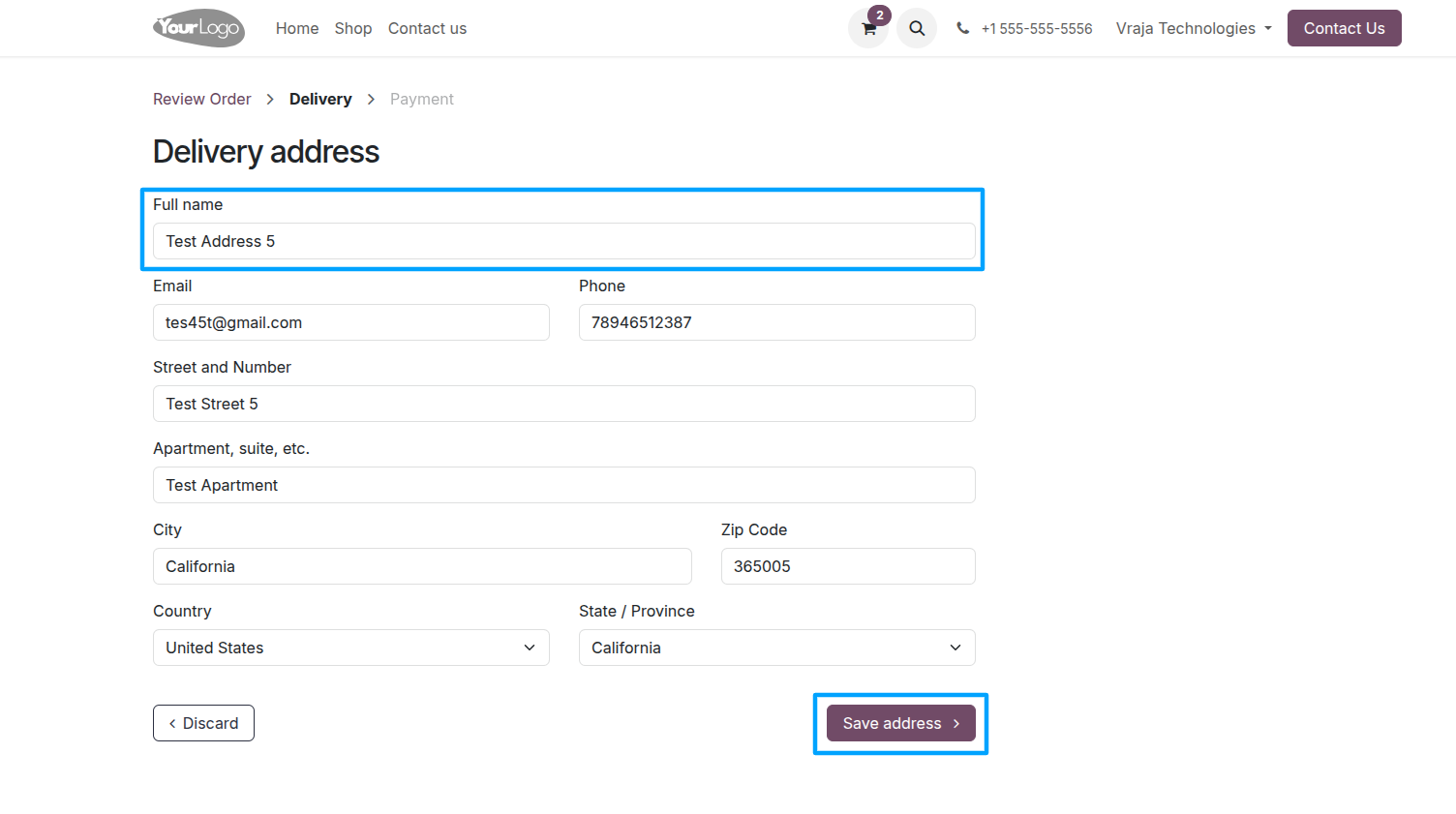
On the delivery dialog, when you click New Address, a delivery address form will open. Enter the new address details and save it. After saving, you will be redirected to the cart page.
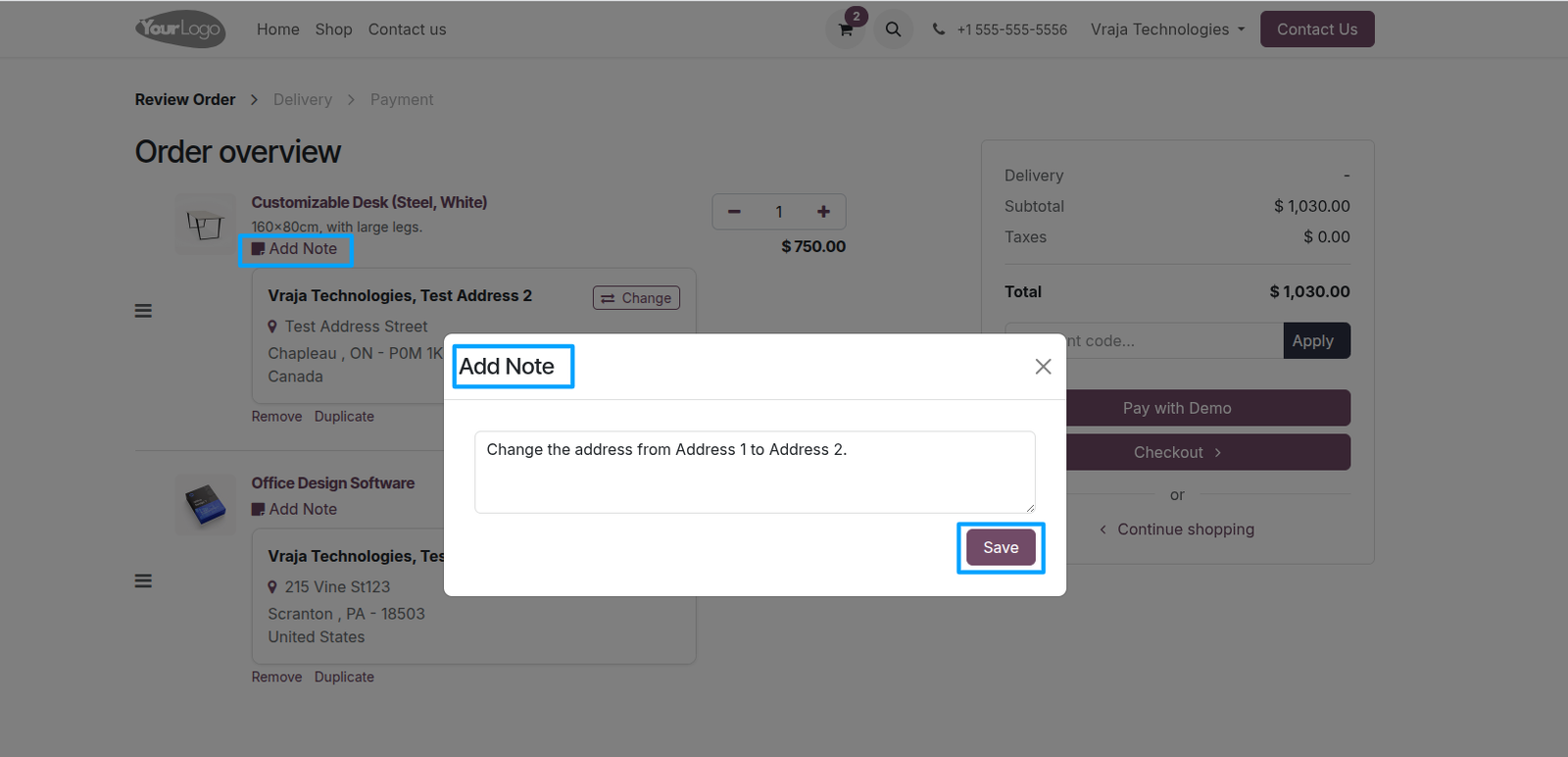
On the cart page, an Add Note button is available for each product. When you click the Add Note button, a popup window will open where you can enter notes or special instructions for that specific product.
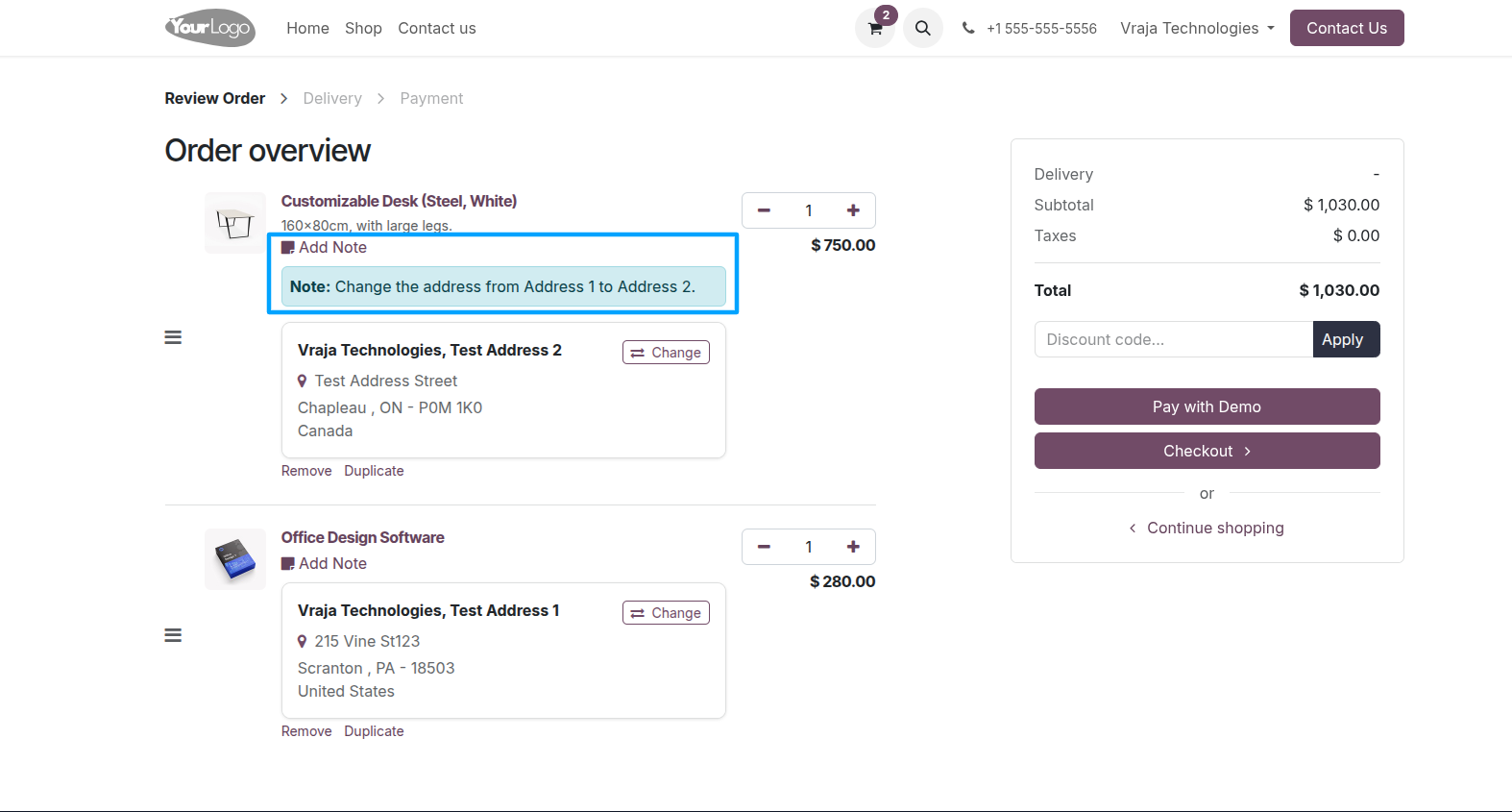
When the note is saved for a product, it will be displayed under the respective product on the cart page.
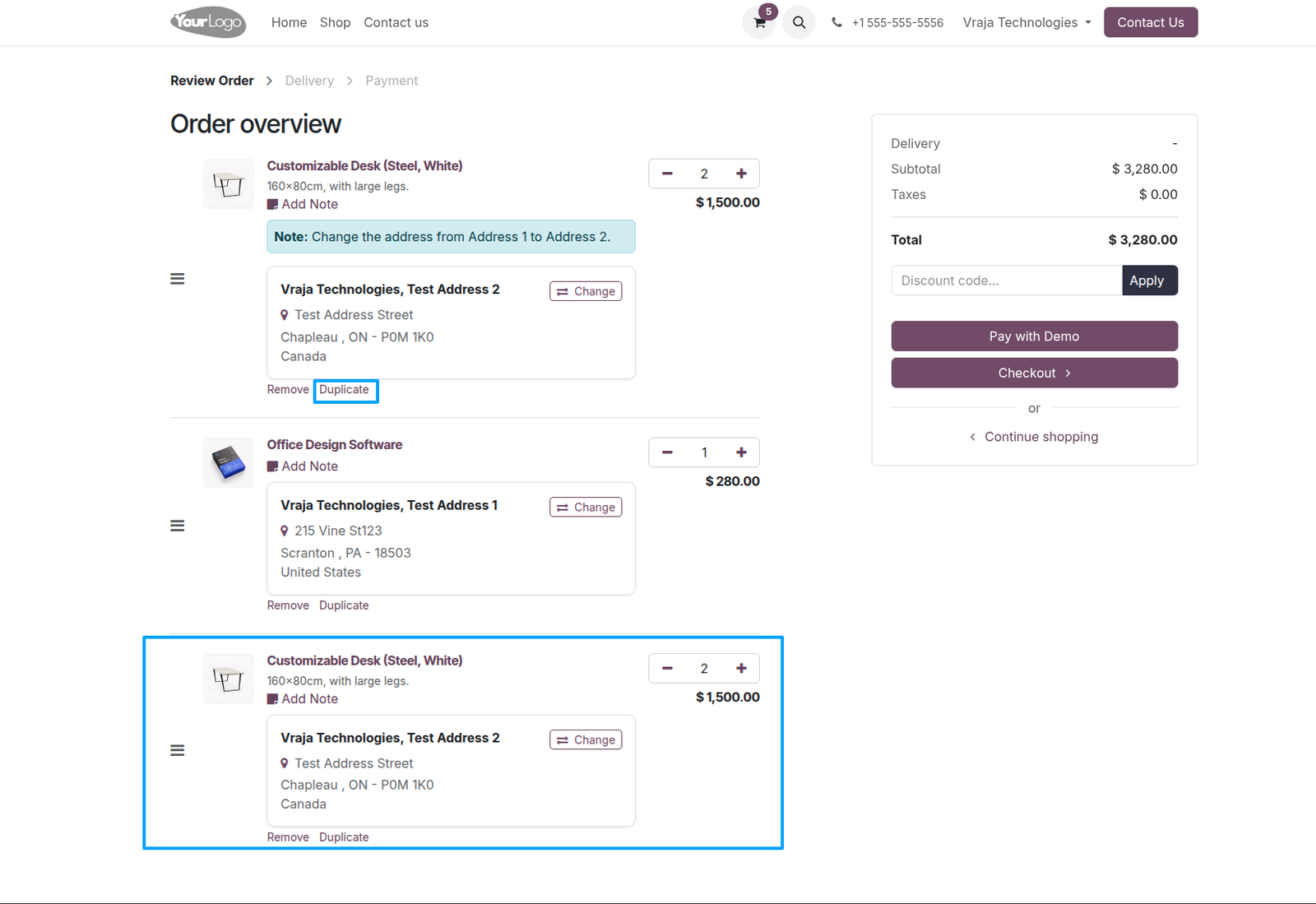
On the cart page, a Duplicate option is available for each product. When you click Duplicate, the selected product will be duplicated in the cart as a new product line.
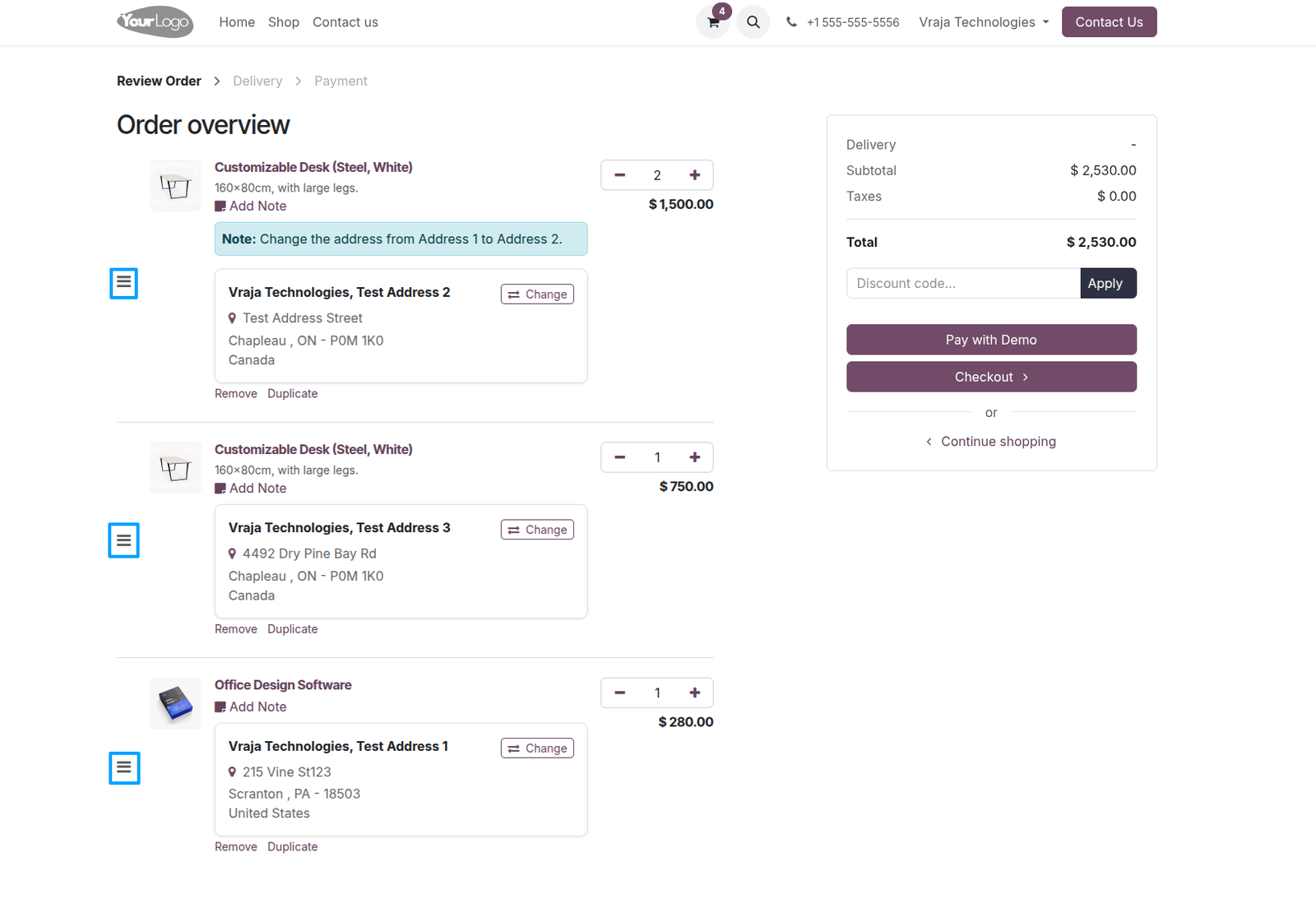
On the cart page, a drag-and-drop option is available to rearrange the sequence of products based on your preference.
After updating the delivery address for each product, click Checkout to proceed with the order confirmation process.
On the Confirm Order page, review your order details carefully and click Pay Now to proceed with your order.
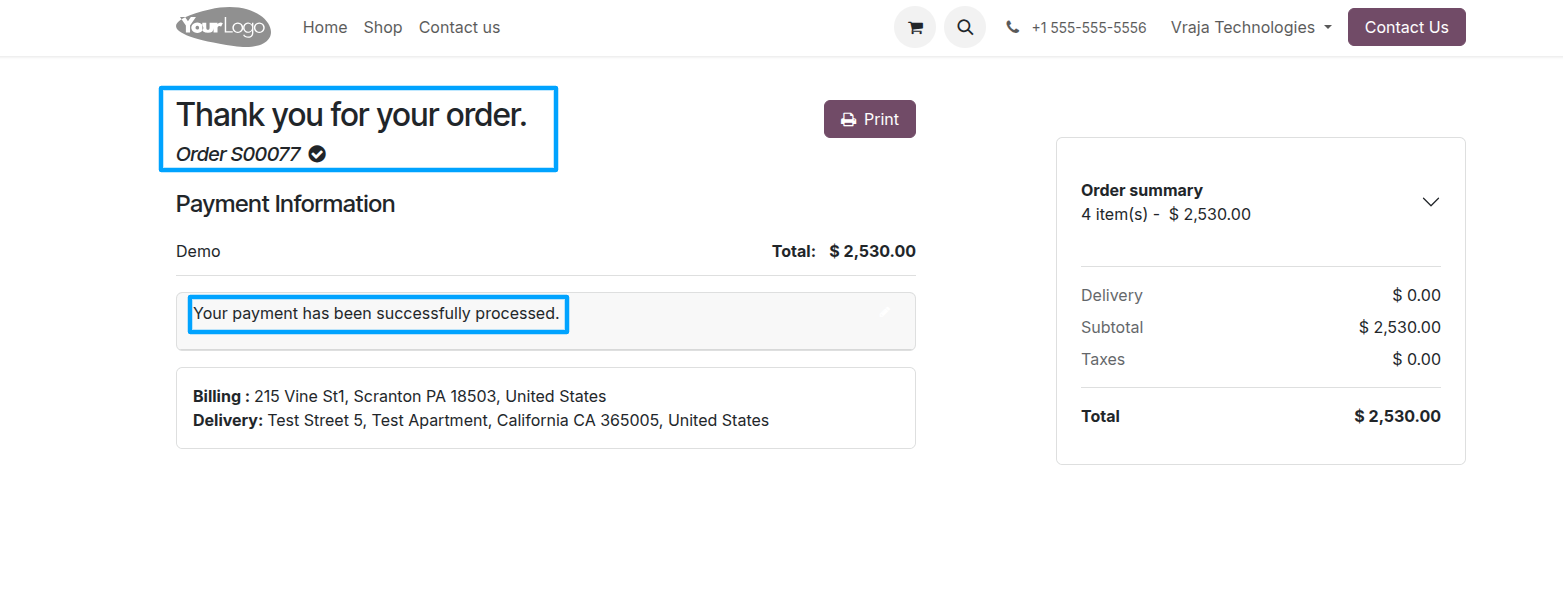
Once the payment is completed successfully, the website order will be confirmed.

Go to Website → Orders. Here, you can view the created order along with the assigned delivery address for each product.
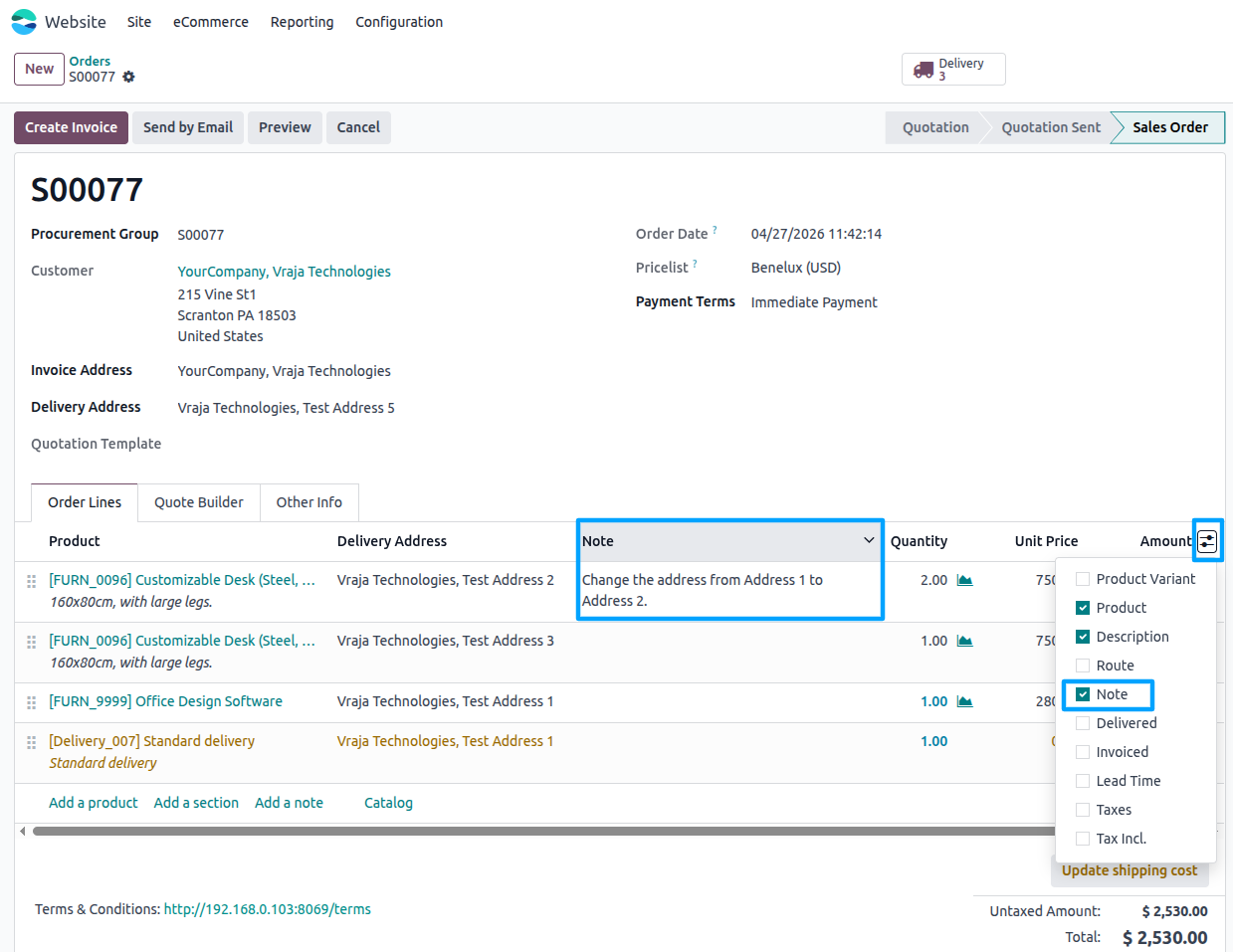
The product note is an optional field. To view it, click on Order Line Options and enable the Note field to make the product note visible.
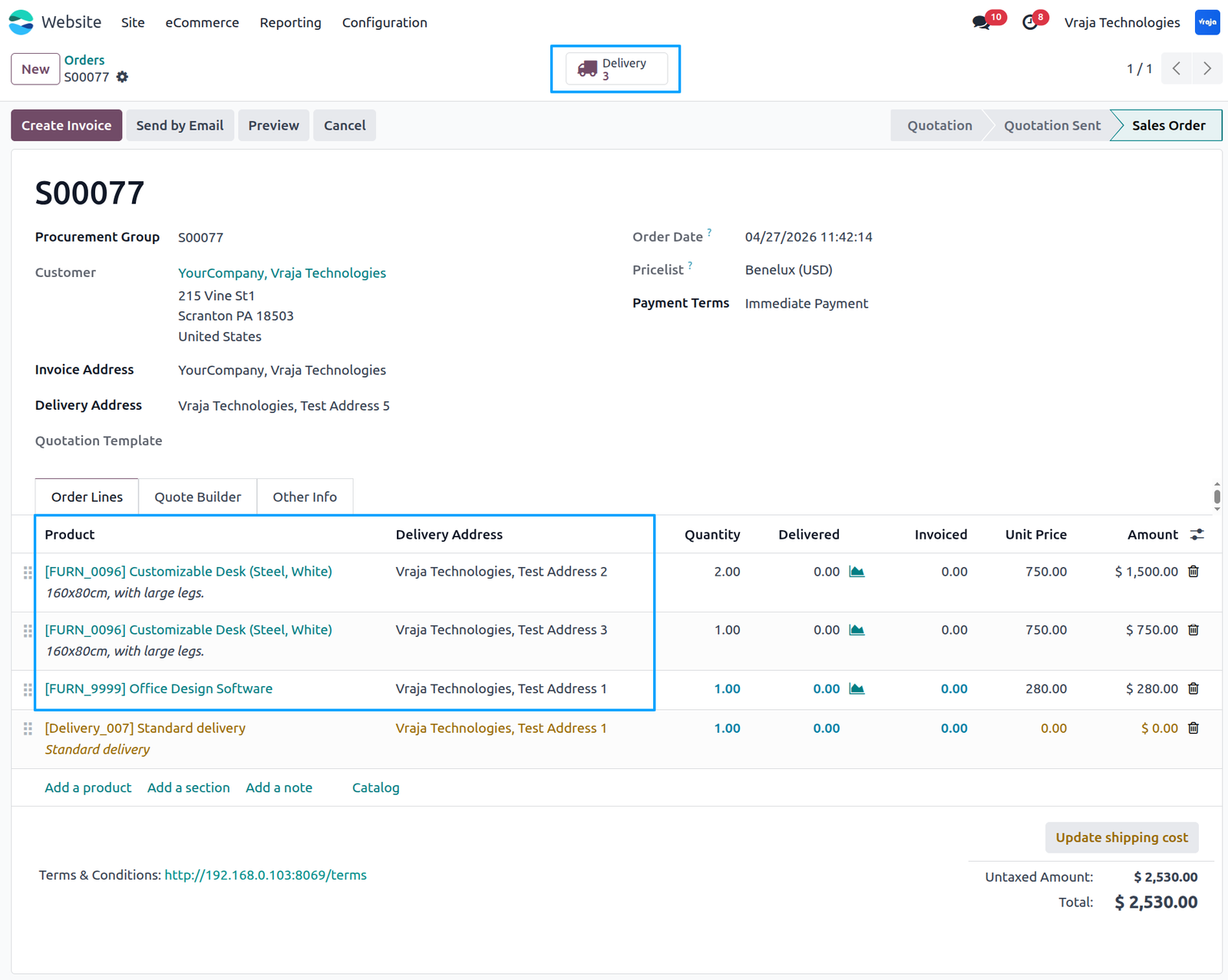
When you click on the Delivery of the order, you will see separate deliveries created for each selected delivery address, with their respective products assigned based on the product-wise delivery selection.
When you open any delivery associated with the order, you will be able to view the specific product, the ordered quantity, and the assigned delivery address for that particular delivery.

 What is the purpose of this application?
- This application allows customers to assign different delivery addresses to individual products within a single website order, making multi-address ordering simple and efficient.
Can I select a different delivery address for each product?
- Yes, each product in the cart can have its own separate delivery address.
Do I need to place multiple orders for multiple delivery addresses?
- No, you can place a single order and assign different delivery addresses to each product line.
How can I change the delivery address of a product?
- On the cart page, click the Change Address button available for the product and select the preferred delivery address.
Can I add a new delivery address during checkout?
- Yes, customers can add a new delivery address directly from the address selection popup.
Can I edit or delete saved delivery addresses?
- Yes, the popup provides options to edit existing addresses or delete unused addresses.
What is the Duplicate Product feature?
- The Duplicate option allows customers to quickly duplicate the same product in the cart and assign it to another delivery address.
Can I add notes for specific products?
- Yes, each product has an Add Note option where customers can enter special instructions or comments.
Is the product note mandatory?
- No, the product note is optional and can be added only when required.
Can I rearrange products in the cart?
- Yes, products can be reordered easily using the drag-and-drop sequence feature on the cart page.
What happens after order confirmation?
- Once the payment is completed successfully, the website order will be confirmed automatically.
How are deliveries created after order confirmation?
- Separate deliveries are automatically created based on the selected delivery addresses for each product.
Can I view delivery details after placing the order?
- Yes, you can open the delivery record to view the assigned product, quantity, and delivery address.
I would like to request a custom feature for this application. What’s the process to get it implemented?
- We’re happy to help tailor the application to meet your business needs! You can reach us via sales@vrajatechnologies.com
Who is the point of contact for technical support, configuration support or bug-related queries?
- You can reach us via support@vrajatechnologies.com
Submit a Support Ticket
If you encounter any issues while using our app that are caused by the app itself, we offer complimentary support for 60 days from the date of purchase.
To create a support ticket, please register via the Vraja Technologies Support Email and provide the necessary details so we can assist you in resolving the issue.

Email Us
support@vrajatechnologies.com

 1.png)
Contact Us
vrajatechnologies.com/contactus

Support
vrajatechnologies.com/support-policy
Vraja Technologies Services

Odoo Implementation

Odoo App Integration Services

Odoo Customization

Odoo Consultation

Odoo Support & Maintenance

Odoo Developer Outsourcing
Suggested Application
















Reviews
There are no reviews yet.